Tag: amazon echo

  • Amazon Alexa to Have Full Spanish-Language Integration

    Amazon Alexa to Have Full Spanish-Language Integration

    Spanish-speaking Amazon Echo users have reason to be excited: Amazon has announced that their Alexa voice assistant will support Spanish-language commands. This news coincides with reports that app developers who have Alexa-enabled features on their apps can request developer kits to develop Spanish-language skills.

    Amazon to Speak Spanish Soon

    Amazon’s Statement

    This news comes courtesy of Amazon themselves. The company made the news public in a blog post relating to the future of Alexa and Alexa-enabled devices.

    “Along with the Echo family of devices, later this year Bose, Facebook, and Sony will bring Alexa Built-in devices and Philips, TP Link, and Honeywell Home will bring Works with Alexa devices that support Spanish in the US,” Stated Amazon in their post.

    Why Spanish?

    Spanish is one of the most-spoken languages on Earth, and the number of markets Amazon is opening itself up to is enormous with this move. More than just making it possible to sell Echo devices in Spanish-speaking countries, this also means that native Spanish-speakers in places like the US can feel more comfortable using the device.

    This could also prove a useful learning tool for people who want to learn Spanish. What better way to learn a language than to speak it daily?

    Smart Homes and Accessibility

    Amazon’s goal, of course, is to get Alexa into as many homes as possible. The smart-home speakers Echo and Show are two of Amazon’s best-selling products, so it makes sense the company would want them to be as accessible as possible.

    If you’re wondering what all the fuss over Alexa is about, consider trying an Amazon Echo Dot, the introductory level smart-home speaker. It starts you off with an Alexa-enabled device and shows the power and convenience of smart speakers. The Echo Dot is available from Amazon for $50 for the third-generation speaker.


  • Smart-Device Review: Make Your Home a Smart Home Today

    Smart-Device Review: Make Your Home a Smart Home Today

    In the past few decades, electronic devices in our homes have transformed from ordinary objects into what was only thought possible in science fiction movies. Televisions, refrigerators, security cameras, speakers, among others, have been fitted with sensors that allow them to see, touch, and hear their surroundings, as they can transform physical data into digital data. When brought together, these devices make up smart homes or in most cases, “internet of things”.

    Just about every device with network connectivity is initiated to the internet of things. In smart homes, these gadgets relieve us from chores, allowing us to have a breather, while adding magic to ordinary experiences. If you are yet to delve into this world, you might be lost on where to start. Lucky for you, we have just the right devices that will set your home on the path to being a smart home.

    We have a list of the most common devices that cut across all smart homes. These include smart speakers that you can converse with, smart security devices that will amp the security in your home and smart controls that allow you to orchestrate things in your home regardless of your physical presence. Are you hooked? Buckle up as we start off with smart speakers.

    Amazon Echo vs Sonos One

    Amazon Echo

    Amazon’s Echo smart speaker first came into the market in 2015 and has maintained the lead in the smart devices market. The Amazon Echo is a series of smart speakers and mobile accessories that are internet-connected and are paired with Alexa, Amazon’s digital assistant. It wears different hats including serving as an IoT hub, internet search engine, a music player, and pretty much anything that Alexa Skill allows it to do. Let’s take a look at Amazon’s 2020 Echo.

    Being a smart speaker, its primary purpose is offering sound and compared to former Echo products in the past, the Amazon 2020 Echo has improved sound quality. For starters, this smart speaker has adaptive sound, enabling it to adjust to a room’s acoustics. Also, it’s 3-inch woofer and dual 0.8-inch tweeters, lower-range mids and bass are stronger and richer. Additionally, it boasts of power, that is, more volume.

    In addition to offering sound, the Amazon Echo is an integral smart home hardware. This particular speaker has two ways that smart home devices can connect to it. One, the Zigbee receiver allows the Echo to connect with other smart home devices, without an additional hub. With this receiver, Echo users are able to hook a wide range of gadgets in their house without having to worry about a smart home hub. Two, the Amazon Sidewalk aims at creating a shared network that will benefit any Sidewalk-enabled devices that are in a community.

    Pros

    • Has improved sound quality and more bass
    • Improved smart home connectivity
    • Hassle-free stereo pairing

    Cons

    • Has a bulky design

    Sonos One

    When it hit the market, the Sonos One brought a revolution. It was among the first smart speakers that didn’t have users choosing between excellent sound quality and smarts because it had both. It also didn’t have users choosing between Google Assistant and Alexa.

    The top of the smart speaker has a touch-sensitive surface. Swiping right or left will skip forward or backwards in your playlist. Tapping in the surface’s center pauses and plays your music. Finally, when you tap the right and left halves of the panel, you raise or lower the volume. However, you’ll probably spend most of your time controlling the Sonos using the app. The device also boasts of voice control where the speaker has six internal microphones that enable it to hear your instructions, and a pair of Class-D amplifiers as well as a tweeter / mid-woofer driver combination.

    Setting up the Sonos involves installing both the Sonos and Alexa apps, signing into both your Sonos and Amazon accounts, and any music streaming services that you might want to listen to using the speaker. The speaker encourages you to perform a ‘Trueplay Tuning’ process, where you move around the room with your phone while your speaker plays some test sounds. Your phone then establishes how your speaker sounds while in the environment, and tunes its sound.

    Pros

    • Is the best Alexa and Google Assistant speaker
    • Has a great app and supports many streaming services

    Cons

    • Does not use Bluetooth

    Final Verdict

    The Sonos One is better overall because it is a compact smart speaker with a great app, support for multiple streaming services and digital assistants. However, in bigger rooms, the Amazon Echo Studio produces a huge sound. It also boasts of more features than the Sonos One, including its sensitive microphones that allow Alexa to hear you over loud music.

    When it comes to features, Echo Studio boasts of more features including being able to connect to a TV while also being able to replay Dolby Atmos streams. The Sonos One advantage over the Echo is that you can use either Amazon Alexa or Google Assistant to control it.

    Smart Home Security Systems: SimpliSafe vs Cove

    With the evolution of smart homes, home security had to be featured. The thing is, home security cannot be confined to one gadget but instead comes as a package. These include security systems that can be paired with Google Assistant or Alexa and that you can install on your own or have it down professionally. First off is Simplisafe.

    Simplisafe

    Simplisafe is the most popular choice of home security systems that are no-contract, easy to set up and quite affordable. In an hour’s time, you’ll be able to set up environmental and security protection. Additionally, you can have it professionally monitored for $14.99 a month. However, DIY monitoring is also available through the Simplisafe mobile app.

    The SimpliSafe starter set includes a base station, a wireless keypad, a keyring remote, one motion and two entry sensors. All these are at a starter set cost of $244. The deal also includes a SimpliCam, a high def video security camera that has a motion sensor and sends alerts.

    SimpliSafe’s equipment is inexpensive but very high quality. For example, they have SmashSafe, a backup against tampering. If someone attempts to disable their system, their monitoring services alerts the police. They also boast of a Heartbeat feature, which checks continuously that the security system is working.

    Setting up the system is quite easy. In fact, most customers do it on their own with only about three percent asking for assistance. All equipment is either freestanding or can be attached to surfaces using removable adhesive.

    Pros

    • There are no long-term contracts to sign
    • Easy to install
    • Affordable monitoring plans
    • Professional monitoring

    Cons

    • Costly up-front equipment costs
    • Too simple for some homes

    Cove

    If you’re looking for a quick yet easy setup, then Cove is the system for you. You save money by installing the system on your own. The system is already pre-programmed even before it is shipped. All you have to do is to stick the sensors to your walls using their 3M-backed adhesives.

    All of Cove’s systems call for 24/7 professional monitoring, but you can either sign up for a month if you paid for the equipment upfront, or sign up for three years if you don’t want to pay for the equipment upfront.

    During emergencies, Cove’s team texts you, which comes in handy if you should ever find yourself in a hostage situation. This explains why Cove’s response rate is 10x faster than competitors.

    Pros

    • Can be integrated with Google Assistant and Alexa
    • You can choose to pay nothing upfront
    • Has battery backup

    Cons

    • Professional monitoring a must
    • Expensive remote control

    Final Verdict

    The Simplisafe Security System is better overall because it has an option for no contract making it easy and affordable to install in your home. Additionally, their equipment is inexpensive because they make it on their own and there are no middlemen involved. However, being able to integrate digital assistants gives Cove an advantage over SimpliSafe. However, both are quite inexpensive and easy to install.

    Smart Home Controls: Amazon Echo (4th gen) vs Samsung SmartThings Hub v3

    If the smart home devices in your home are to ‘talk’ to each other, you’ll need a smart home control or smart home hub. This is the gadget that brings together all your devices and allows you to control them using one app. With that said, let’s take a look at two of the best smart home controls currently.

    Amazon Echo (4th gen)

    In site of this gadget having featured in the smart speakers spot, it also makes for a great smart home control. The combination of Bluetooth, Wi-Fi, and Zigbee make the Echo the best smart home control for most people. Furthermore, it has multiple radios, which help connect with a large number of low-power smart home devices. With Alexa’s routines, you’ll be able to use a number of triggers to activate other smart home devices.

    The hub also collaborates with Alexa Guard, which listens to smoke alarms and glass breaking, and can notify you in case of an emergency. Finally, it supports Amazon Sidewalk, which works with such things as Tile trackers and smart lights especially over greater distances.

    Pros

    • Awesome smart home skills
    • Impeccable spherical design
    • Good audio

    Cons

    • No battery backup

    Samsung SmartThings Hub v3

    This smart home hub is a darling among critics because it supports both Zigbee and Z-Wave. This allows you to link to hundreds of devices, which is considerably more than most hubs. Additionally, the SmartThings app is full of functionality, which allows you to come up with a diverse range of different scenarios for all gadgets in your home.

    This SmartHub also boasts of in-built Wi-Fi, meaning you don’t have to plug the device into your router. This gives you the freedom to place the smart home control in a location that is most convenient to you connecting it with other smart home devices.

    The downside is that it doesn’t have battery backup. Then again, if the lights go out, chances are you won’t be needing to turn your lights on.

    Pros

    • Supports Wi-Fi which makes installing easy
    • Supports automation more than any other hubs
    • Works with Z-Wave and Zigbee devices

    Cons

    • Doesn’t work with Nest products at the moment

    Final Verdict

    The Amazon Echo is the favorite for most people because of it’s ability to connect with many low-power smart home devices, thanks to its many radios. However, SmartThings ability to work with Z-Wave and Zigbee devices gives it somewhat of an advantage too. The Amazon Echo also boasts of better audio quality, especially at its price. The voice assistant, Alexa, is also pretty advanced which makes the smart hub, a darling to many.

    Conclusion

    The Internet of Things or smart homes are not in the future, they are here, and here to stay. In 2018, there were about 23 billion devices that were connected. Forecasters believe that the number will climb to more than 75 billion in 2025. This is mostly because people are becoming more comfortable with having these devices sit in their living room. Also, tech companies are dreaming up of new devices each day that work towards making life more comfortable.

    The future is evident in the evolution that is smart offices, smart buildings and even smart cities. Companies like Google are working towards autonomous vehicles that will connect to the internet and drive themselves to the destination of your choice. The bottomline is, smart devices are here to stay.

    The above smart devices are a good place to start when looking to transform your home into a smart home. Smart speakers and smart controls will be the heartbeat of every smart phone and purchasing one now is giving yourself a head start. Smart security systems also offer a cheap yet reliable way to ensure homes are safe. The fact that you can check up on your home remotely also makes them an attractive option. However, do your research before making a purchase depending on your needs.


  • Can’t Miss Electronics Gifts!

    Can’t Miss Electronics Gifts!

    Santa’s big day is just around the corner and while some have already checked off their entire shopping list, many of us are still trying to figure out the perfect gift and now we’re down to the wire.

    Adding to the stress of finding something they will love, is when you are looking for the dream gift for the tech-guru or simply tech lover in your life, especially if you are like most of “late-adopters” who are still trying to figure out how to update the latest Apple IOS, let alone determine what will delight your tech lovers.

    Our list is full of go-to gifts that can be found easily in stores or online and still arrive by Christmas, in two top categories that are hot and will not soon fall out of favor: the Smart Devices and their supporting speaker systems and Wearables.

    Below are recommendations on the best of the best in both arenas.

    SHOPPING TIP: Retailers are not only helping those of us who wait to the last minute, they have come up with clever ways to help us stay safe while we shop: On some products, Best Buy offers Ready in one hour with Curbside Pickup. Now with extended pickup hours throughout the holiday season. Same-day delivery. Order by 3 p.m, and get it by 9 p.m.Free next-day delivery on thousands of items.

    Smart Devices & Speaker Systems:

    1. Proven and Beloved, Google Home
    One of the originals in the game, Google home is tops. Even though it has been surpassed by newer technology like Google Nest, Google Home is proven and extremely popular. Since its launch in 2016 there have been new releases like the Google home mini and Home hub, so you have many options.

    If you are ready to move to Google Nest, it will not disappoint. It boasts a pair of pretty impressive speakers below its 10-inch display. It’s not as powerful as some stand alone speakers, but it will enhance your kitchen vibes, as you fill it with great sounds.

    You can use a stop hand gesture to pause music without having to touch the screen or use your voice (AWESOME FEATURE!). It also features a camera to identify individual members of the house, only displaying information pertaining to each family member, and the larger display makes it great for watching cooking tutorials. Google also added support for group video calling through Duo and Google Meet, making this an even better pick if you regularly connect with friends using those services.

    2. Favorite Overall, Sonos One
    Many could argue that there are louder or more portable smart speakers on the market, the Sonos One is still considered the best of the best. Compatible with most systems like Alexa, Sonos, AirPlay 2, and Google Assistant, Sonos has impressive sound, outstanding connectivity and super easy to use mobile app.

    Important Note: software updates will no longer be available for the Sonos One, so this is not a lifelong system.

    3. Most Popular, Amazon Echo

    Hello, Alexa! A sound system that will fill the entire home from a small device is part of why the Echo is so popular. Easy to use anywhere in the home, blends in the scenery and is simple to use, this is popular amongst both tech heads and newbies.  Gifts cards might seem impersonal, but if they can wait, you can impress your tech lover with your knowledge of the forthcoming release of the all-new Echo Show 10 (3rd Gen) | HD smart display with motion and Alexa featuring:

    * Alexa can show you even more – With a 10.1″ HD screen that’s designed to move with you, video calls, recipes, and shows are always in view. The speakers deliver premium, directional sound.

    * Stay in frame – Video call friends and family or take a picture while the 13MP camera with auto-framing and motion keeps you front and center.

    * Smart home made simple – Set up compatible Zigbee devices or smart products without a separate hub. Ask Alexa to show you security cameras, control lights, and adjust thermostats.

    * Take a look around when you’re away – Securely access the built-in camera to remotely monitor your home anytime with the Alexa app or other Echo Show devices.

    * So much entertainment – Ask Alexa to play your favorite shows, music, and podcasts from Prime Video, Netflix (coming soon), Amazon Music, Spotify, and more.

    * The ultimate kitchen companion – Cook along with recipes on Food Network Kitchen, get unit conversions, set timers, add to your grocery list, and multitask with ease.

    * Put your memories on display – Use Amazon Photos to turn your home screen into a digital frame that makes your favorite pics look great in any light with adaptive color.

    * Designed to protect your privacy – Electronically disconnect the microphones and camera with one press of a button. Slide the built-in shutter to cover the camera. Disable motion at any time.

    4. Best on the go speaker, JBL Link Portable
    The 360 sound that comes from this small but mighty speaker is seriously impressive. It can fill an entire room to a back patio. Linking it to Google Assistant will allow for quick questions answered or for playing your favorite playlist.

    Extra perks:
    * Up to eight hours of playtime on a single charge
    * The IPX7 is water-resistant
    Speaking of JBL, do not overlook the JBL Link Portable which only costs $90, despite its age, it is still a fantastic speaker with impressive sound, bass and battery life.
    About JBL
    For more than 70 years, JBL® has delivered products that exemplify the technology and expertise gained through a leadership role in professional sound reproduction. The JBL name has been synonymous with the precise, naturally articulated sound found in many of the world’s most prestigious locations, including clubs, cinemas and recording studios, and live-music reinforcement in venues ranging from concert halls to outdoor stadiums. JBL loudspeakers are for those who won’t compromise – in the studio, at home or on the road. Due to increasing popularity, many great brands are subject to counterfeiting. These individuals and organizations take advantage of both the consumer and the brand they attempt to counterfeit with total disregard for the customer experience.
    https://www.jbl.com/

    6. Best Smart Soundbar, Yamaha YAS-209
    As an alternative to the producer made smart device, the YAS-209 from Yamaha offers compatibility and great sound. Fill every corner of your room with sound with this impressive device is considered the Best Buy you could make for personal speakers. It is compatible with Spotify and Alexa!

    Wearables:
    Wearables are not considered “new” technology to your Tech gurus friends, however thanks to advancements they are more accessible than ever and available in a variety of tools and options. Today’s technology makes it easy to monitor daily activity and stay connected. From basic activity trackers to sophisticated smartwatches, find the ideal wearable to help you stay up-to-date with the important details of your life.

    1. Wearables for activity tracking.
    No matter your level of fitness, there is a wearable technology to help you stay on track and reach your goals – from monitoring daily activity, to training for a marathon or simply tracking your heart rate, pairing a wearable device with the supporting app can be a big game changer. These days, trackers can be worn on your wrist or easily tucked on your belt. From discrete to high fashion the options are limitless. Wearable tech is set for another blockbuster year in 2020 – and there’s a host of big changes afoot that will shape our connected lives.

    Fitbit is one of the most trusted and a leader in the category offering a bevy of wearable styles, fits, support and accessories.
    https://www.fitbit.com/global/us/home

    2. Sleep tracking gets serious
    We all know that sleep is critical to your health, but getting the recommended eight hours is a big challenge for many, even without distractions from pets or kids. The right sleep can help curb food cravings, fight aging and depression, reduce your risk of heart disease and more. It’s no wonder that wearables have become so popular.
    Sleep tracker producers like Fitbit, Garmin and Withings are seeking to offer richer insights into your sleeping habits. It is longer just about how your quality of sleep, but learning about how to improve your sleep and what you can discover from you can sleep patterns. Fitbit uses SpO2 to help detect signs in your sleep that you could be suffering from the sleep disorder sleep apnea. It’s likely that Apple will join the game at some point too.

    3. Wearables make their way to the slopes!
    Carv is a newcomer that is helping change the way ski buffs improve their skills. Carv has packed 36 pressure sensors and a motion sensor into a ski boot insert and built it to withstand hard days of skiing while it analyses your technique and coaches you with live audio, in real time. The best part is, because Carv fits under the liner of your boot, you can use it in custom moulded ski boots, stock boots or rentals. It even works with your custom insoles. “It will improve your skiing, the live feedback and challenges are absorbing and will refine technique whether you are an intermediate, advanced or a pro.” Andy Townsend

    4. Don’t forget “Hearables” 
    Named best overall by Wired magazine.
    1More ColorBuds
    Headphones & Earbuds
    The lesser-known audio brand 1More has made the top of the list for all-around in-ears for two generations. Recently renamed ColorBuds, the second generation of 1More’s $100 wirefree headphones will be a fast favorite. Extremely comfortable, sweat-resistant, and sounds that compares to ear buds two to three times its price. Wear them for hours at a time and forget they’re there thanks to their comfortable design. Great for those who want to get outdoors for a little socially distant exercising. Small, light and a long battery life gives you even more reason to love these ear buds.

    5. For the tech loving dog owner: the Link Plus dog collar
    The link Plus smart tracker is a sophisticated GPS unit designed for dog comfort, fit and fashion. It lets you track a lost dog with GPS, monitor activity, health & wellness, log vet Records, receive ambient temperature alerts, and much more. The Link AKC app to be used with the link Plus smart collar helps you take a more informed and active role in managing your dog’s well-being and to feel connected to your dog when you’re apart from each other. Included with each link Plus smart tracker purchase is a link Plus tracking unit, universally compatible collar carrier and a sleekly-designed link Plus base station and charging cord. The base station is used to charge the tracking unit and also features a USB port to make it convenient to charge both your dog’s tracking unit as well as your cell phone simultaneously. Link Plus service plan is required in order to activate the tracking unit and have full feature functionality of the Link AKC app (available for download on iOS and Android). to learn more visit www. Linpac. Com website. Note: this does require a monthly subscription plan.

    Bonus ideas for the techie who has it all:
    Kodak Ultra Mini Portable Projector –

    Make cinema magic with the ultimate multimedia companion!
    Enjoy stunning HD video and imaging in the palm of your hand with the Small DLP Pocket Projector from KODAK. Integrating revolutionary innovations in compact digital design, this miniature movie player produces high quality imaging in a truly portable package. Transport to the fantasy world of your choice with a booming 1 W speaker and dazzling 16.7 million color display. Compatible with today’s most popular entertainment devices, the projector includes a 3.5mm input and integrated HDMI, USB and MicroSD hookups. Simply connect your PC, Mac, cable box, gaming console or HDMI video player without the hassle of complicated buttons and menu screens. Just plug, play and experience a pocketful of possibilities!

    What You Get:
    – 1 x DLP Pocket Projector from KODAK
    – An integrated 1 W speaker
    – Effortless onboard controls
    – The tiniest big screen movie projector in the world!

    Finally- Even water bottles have gotten smarter!

    Stay healthy and hydrated with Hidrate Spark 3!
    Meet our most advanced smart water bottle yet! With all new full-bottle glows, faster syncing and better battery life, the Hidrate Spark 3 makes drinking more water as easy as blink, drink, sync. This smart water bottle tracks your water intake and lights up to remind you to drink through our free Hidrate App powered by Bluetooth. The soft grip body makes it easy to keep your bottle in hand while on-the-go. Choose from three glow modes for extra motivation every day.
    www.hidratespark.com

  • Google Home vs Amazon Echo: Which Smart Home Hub is the Best?

    Google Home vs Amazon Echo: Which Smart Home Hub is the Best?

    If you’re considering jumping into the world of smart home devices, then your first big decision is which hub you want to go with. While Apple offers a hub through their HomePod, the Siri-powered device is much more expensive and limited in features than Amazon and Google’s offerings, respectively. Between the two smart home juggernauts, which is the best for outfitting your home?

    Google Home vs Amazon Echo

    Smart Hub Overview

    A smart hub is a device that coordinates all of your smart home devices. Typically, these hubs are also “smart speakers.” This means that they’re capable of music playback, and both Google and Amazon’s smart speakers contain virtual assistants that help you use your smart home features. For example, if you want to listen to a song, you can use voice commands to ask the virtual assistant to play it for you.

    The other major use of a smart home hub is calling on the virtual assistant to perform smart home tasks. This could include turning on smart lights, preheating smart ovens or tuning smart thermostats. All of these functions are controlled by voice commands, making them very satisfying for tech fans and very helpful for busy professionals. If you need to know what the traffic report is, you can ask your virtual assistant. If you want to lock your front door with a smart lock, tell your virtual assistant.

    Google Home

    Google Home is a bit newer to the market than Amazon’s Echo devices, but it quickly made up for lost time. Distinct from Amazon’s device in a few ways, the Google Home Mini is a great intro smart speaker for people looking to get into the smart home world. Google Assistant, the virtual assistant that powers the device, has a warm and conversational voice, and sounds only slightly robotic. It’s capable of controlling a wide variety of smart devices from many different manufacturers.

    Notably, Google’s Pixel phones can be used as Google Home devices when paired with smart home technology you have. As such, if you have a Google Pixel, you essentially already have a Google Home device. The Google Assistant that is on Pixel phones is the same software that is housed in Google Home speakers. If you’re already in Google’s ecosystem with devices like Google Wi-Fi, Google Pixel or the like, then Google Home is a great choice for you.

    Amazon Echo

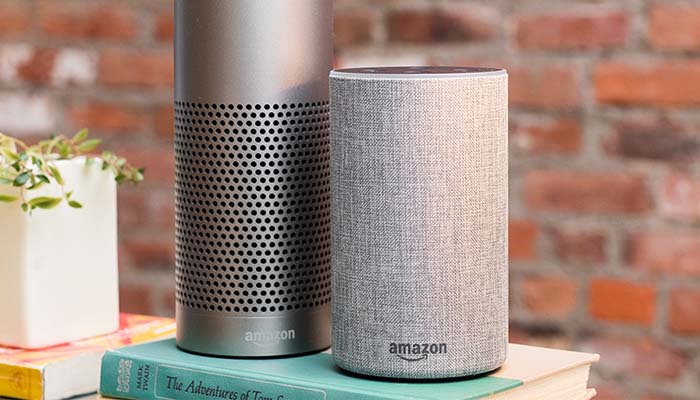
    The originator of the current smart speaker market, Amazon’s Echo devices hold the largest market share. They’re the most “generic” of the smart speakers you’ll find in stores and offer a wide variety of compatible smart home devices. Alexa, the virtual assistant that powers the Echo, is a very flexible and easy-to-use software. It responds quickly and accurately to a number of commands and can usually decipher even thick accents.

    The Echo Dot is priced similarly to the Google Home Mini, and the two are of comparable usefulness in everyday scenarios. In fact, the two devices are so similar that it’s hard to recommend one over the other. The main differences between the two is the performance of the virtual assistant. Google’s is a bit more robotic and colder, while Alexa is a bit livelier.

    Bottom Line

    Both Google Home and Amazon Echo are fine platforms for smart home hubs. If you like the idea of using a Google-based ecosystem for your home, of course, the Google Home is ideal for you. However, if you would rather have a more general and widely-applicable virtual assistant, the Amazon Echo is a bit more flexible. Both are excellent devices in the same price range, however, so it really comes down to personal preference.


  • Amazon Alexa to Have Full Spanish-Language Integration in 2019

    Amazon Alexa to Have Full Spanish-Language Integration in 2019

    Spanish-speaking Amazon Echo users have reason to be excited: Amazon has announced that their Alexa voice assistant will support Spanish-language commands before the end of 2019. This news coincides with reports that app developers who have Alexa-enabled features on their apps can request developer kits to develop Spanish-language skills.

    Amazon to Speak Spanish Soon

    Amazon’s Statement

    This news comes courtesy of Amazon themselves. The company made the news public in a blog post relating to the future of Alexa and Alexa-enabled devices.

    “Along with the Echo family of devices, later this year Bose, Facebook, and Sony will bring Alexa Built-in devices and Philips, TP Link, and Honeywell Home will bring Works with Alexa devices that support Spanish in the US,” Stated Amazon in their post.

    Why Spanish?

    Spanish is one of the most-spoken languages on Earth, and the number of markets Amazon is opening itself up to is enormous with this move. More than just making it possible to sell Echo devices in Spanish-speaking countries, this also means that native Spanish-speakers in places like the US can feel more comfortable using the device.

    This could also prove a useful learning tool for people who want to learn Spanish. What better way to learn a language than to speak it daily?

    Smart Homes and Accessibility

    Amazon’s goal, of course, is to get Alexa into as many homes as possible. The smart-home speakers Echo and Show are two of Amazon’s best-selling products, so it makes sense the company would want them to be as accessible as possible.

    If you’re wondering what all the fuss over Alexa is about, consider trying an Amazon Echo Dot, the introductory level smart-home speaker. It starts you off with an Alexa-enabled device and shows the power and convenience of smart speakers. The Echo Dot is available from Amazon for $50 for the third-generation speaker.

  • Should You Get an Amazon Alexa?

    Should You Get an Amazon Alexa?

    Amazon’s ever-popular Alexa is something of a phenomenon. It seems like so many people have Alexa-enabled devices now, so it’s time to ask the question. Should you get an Amazon Alexa? Today we’re going to look at what Alexa does and whether it would be right for you.

    Amazon Alexa

    What is Alexa?

    Alexa is a personal assistant programmed into devices like the Amazon Echo and Echo Dot. Alexa is typically included in smart speakers, though smart devices like the Amazon Echo Show, which sports a screen, also have the personal assistant AI.

    What Does Alexa Do?

    There are a lot of features available through Alexa. For instance, the most common use for the software is to use voice commands to summon up the music you want to hear. Another common use is using Alexa as a base hub for your other smart home devices.

    Smart home integration allows you to do things like control the lights, locks and temperature in your home with just your voice. You can also use your voice to shop on Amazon, adding things to your cart and shopping hands-free.

    Should You Get an Alexa?

    For those who love music but have no desire to get into smart home integration, you should probably get a more traditional speaker. However, if you like the idea of full integration of your smart home technology, then Alexa is the right call.

    Your home guests and your family will likely enjoy the novelty of the voice commands and the convenience of asking Alexa for all your needs. If you have a question, Alexa can Google it for you and read the answer. If you have a home alarm system, you can integrate it through Alexa, making yourself feel safer.

    Bottom Line

    The bottom line is, Alexa is great for technology-minded people who want lots of convenience for a small price. You can get an Amazon Echo Dot for $35 on Amazon, making it one of the least expensive ways to get into the smart home ecosystem.

  • Best Amazon Alexa Features: Is it Time for You to Get an Echo Device?

    Best Amazon Alexa Features: Is it Time for You to Get an Echo Device?

    Amazon’s Alexa personal assistant can be found in a number of the company’s hardware releases. The Echo line of smart home hubs as well as the Fire TV line have been using Alexa for a few years now. Today we’re looking at some of the best Amazon Alexa features to help you decide whether one of these devices is right for you.

    Alternatively, if you’re already an Alexa user, maybe you’ll learn about some new features you didn’t know about. There are so many Alexa features that it’s unlikely you’ve seen them all! It’s hard to overestimate just how many skills Alexa has. You might even learn about some new ways to use the technology in this article.

    Best Amazon Alexa Features

    Simple and Easy

    Alexa’s best features are often her simplest. If you’re getting ready for work and want to know how to dress for the day, simply ask Alexa about the weather. Rather than having to pull out your phone and check the weather app, Alexa can just read it off to you as you get ready. What’s more, she’ll tell you the expected high and low and if any precipitation is expected, in addition to the current temperature.

    Another excellent feature Alexa has built-in is simply telling time. It sounds like such a small thing but asking for the time and having it quickly announced back to you is about as convenient as it gets. If your phone is far away, or dead, it can be useful to quickly find out what time it is just by asking.

    The most useful “simple” task we’ve found that Alexa handles is setting timers while we’re cooking. Since the device is hands-free, you can call out to start a timer while you’re in the middle of cooking a meal or some other task. She’ll alert you when the timer is up, and you need only tell her to stop to make the alert go away. Easy and simple, simple and easy!

    Books

    You can have Alexa read your Kindle books to you. It’s a really cool way to keep up with the books you’re trying to read even while you’re doing things like cleaning or cooking. You can have her pause, skip ahead or back, and even skip to different chapters. It’s essentially a text-to-speech audiobook. There’s not a lot of personality to her voice, but she’ll keep you up-to-speed on your favorites.

    Additionally, you can have Alexa playback your Audible audiobooks. Audible sports a ton of books read aloud by professional voice actors, and they have much more in-depth emotional heft than a machine simply converting text-to-speech. That said, Audible audiobooks tend to cost a bit more than simply buying the book on Kindle.

    Organizing

    If you want, you can use Alexa to organize your activities. Telling her to add items to a shopping list lets you see them the next time you open Amazon. Alternatively, you can just flat-out shop through Alexa. You can use your voice to reorder common items or even browse Amazon’s online inventory.

    If you sync your Alexa with your Google Calendar, you can also ask Alexa to tell you what upcoming events you have. Asking her makes it easier on you, since you can be getting ready in the morning or cleaning and be reminded of what you have coming up later that day or week.

    Similarly, Alexa can set alarms for you so that you don’t miss important deadlines. If you need to leave at a certain time so that you don’t miss the window to be on time, have Alexa tell you when it’s time!

    Hosting

    The most advertised aspect of Amazon’s Alexa is her ability to act as an impromptu DJ. You can call out for Alexa to start playing music by naming an artist, genre or song you want to hear. The digital assistant grabs the song off of Prime Music and begins playback quickly. It’s very intuitive to tell the device to pause, skip or start over.

    Alexa can also play music through Spotify if you have an account and link it with your device.

    If you have house guests over and want to set the mood for a gathering, Alexa is your friend. If you’ve invested in smart lights like Philips Hue, you can have Alexa adjust the lights for you. Colors, intensity and more can be switched with your voice and on the fly. Be ready to wow your guests when you switch the mood of a room with music and lights just by telling Alexa which pre-sets to use.

  • Amazon Unloads Info on Tons of New Tech

    Amazon Unloads Info on Tons of New Tech

    Amazon, always trying to keep up with the fast-paced world of technology, has unveiled a ton of new gadgets. Last Thursday they held a press event where they showed off a ton of stuff you’re going to want on your Christmas list. If you’ve been waiting for a chance to jump on the Alexa bandwagon, here is! Today we’re looking at just a few of the many, many products Amazon unveiled.

    New Amazon Tech

    Third Gen Echo Dot

    The third gen Echo Dot is a complete overhaul on the existing Echo Dot. It’s 70 percent louder, it sports a new mic setup and it offers a much stronger speaker. If you’ve been wondering when it is the right time to get into Alexa products, this is a good time. The best part is, the Echo Dot still costs the same: it’s $50. That’s a pretty solid price!

    Second Gen Echo Show

    The Echo Show has a pretty cool niche. It’s an Alexa-enabled device with a bold, readable screen that looks great. The second-generation version of the technology is sleeker, larger and has a much better speaker. It also costs the same as the first gen did: it starts a $230! Other features on offer are voice-command browsing and video streaming, as well as games and visuals with various skills.

    Amazon Fire TV Recast

    This one is a little unusual. It’s a DVR for Fire TV, and it also works on other Amazon devices. It also works on iOS and Android devices! It allows you to watch live or recorded TV. It starts at $230, and it comes with two tuners. It sports 500GB of storage, but if that isn’t enough, you can opt for an upgrade. For $280, you get four tuners and 1TB of storage.

    Second Gen Echo Plus

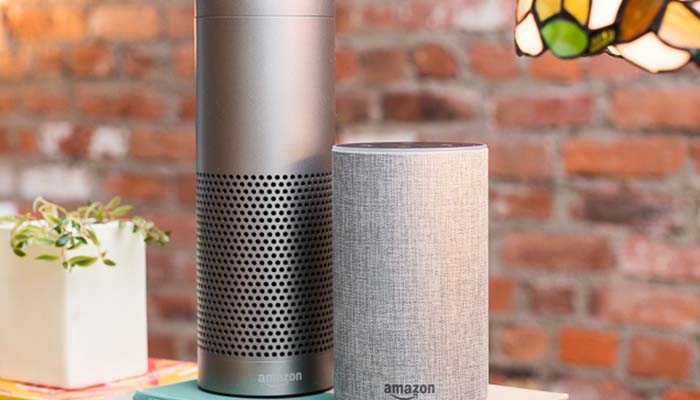
    The Echo Plus is also getting an overhaul! This time, the taller speaker is getting a smart home hub, a built-in thermometer for controlling smart climate keeping, and even more speaker quality. It’ll retail for $150, making it a very premium device, but the sound quality speaks for itself.

    Amazon Echo Sub

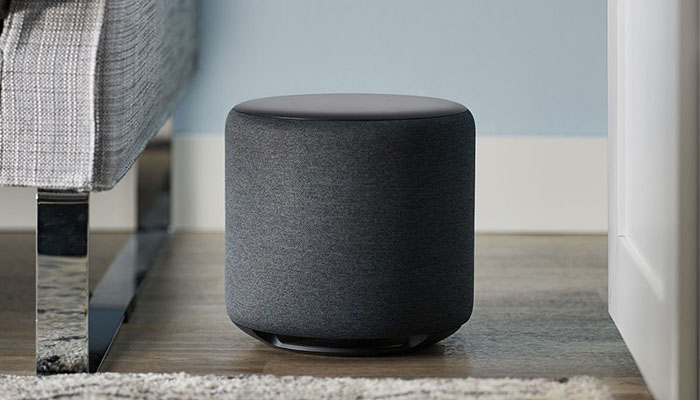
    This is exactly what it sounds like: a big, Echo-branded subwoofer. It’s actually keyed to be tied in to Alexa-enabled devices and it’s a proper Echo companion. It also has huge bass, with its massive drivers forcing tons of sound out around itself. The best part is, it’s only $130.

    Amazon Echo Input

    The Amazon Echo Input solves a problem you didn’t know you had! The Echo device in your home isn’t always the strongest speaker. If you want your best speaker to play your Alexa-enabled music, just get this $25 device and plug it in. Then, you can call for Alexa to play your music out of the speaker you’ve hooked the Input up to. That’s innovation!

    And a Lot More

    That’s hardly all of it. Amazon announced a huge slew of new tech, including Echo-enabled wall clocks and microwaves. No, seriously. Smart homes are the future, man! At least, Amazon is pretty sure they are.

  • Amazon’s College Days Deals Not Just for Students

    Amazon’s College Days Deals Not Just for Students

    Just in time for our recent Grads to head to their freshman dorms, Amazon is blowing out the prices on the gear they will need to tech out those tiny little living spaces. Amazon’s College Days Deals are on and really something we should all be looking at. Let’s take a look at the 5 best Amazon back to college deals.

    1. The Echo Plus and Free Phillips Hue Bulb- $99

    The Echo Plus is a hands-free smart speaker built to serve as a hub for your smart home setup. It looks just like a metal version of the classic Echo, but it has a built-in ZigBee smart home hub for simple and direct setup of compatible lights, locks, plugs, and in-wall switches. You’ll be able to connect a wide variety of devices, from TVs to light bulbs without additional hubs, and control them all using your voice. And, as an extra benefit, this speaker comes with a Philips Hue A19 white bulb, which sells for $15 on its own.


    2. Amazon Fire Cube – $89.99

    If you missed out on the Launch day deal or the second offering on Prime day, then you are in luck. Back to the killer price of $89.99 the Fire TV Cube is the first hands-free streaming media player with Alexa, delivering an all-in-one entertainment experience. From across the room just say, “Alexa, play The Office” and Fire TV Cube turns on your TV and starts playing the The NBC hit, allowing you to control your entertainment with voice commands. Watch as thousands of movies and TV episodes come to life with vibrant colors and detailed contrast in 4K Ultra HD and HDR.

    3. Echo Show – $129.99

    The Echo Show is one of the best Alexa devices. I love that convenient screen, intercom functionality, and the added boost it gives Alexa with a visual element. Let it control your smart devices and look Amazon amazing will doing it. Its $100 off right now and kind of hard to pass up.

    4. Echo Spot – Black + Amazon Cloud Cam Security Camera Bundle – $209.98

    I love a bundle and This bundle contains Echo Spot and Amazon Cloud Cam Security Camera. Just ask Alexa to show Cloud Cam’s live view on your Echo Spot for a quick way to see what’s happening in another room. You can also speak or listen through Echo Spot using Cloud Cam’s two-way audio. Super easy way to let your kids know it’s time for dinner. Cloud Cam is built in the same cloud as Alexa so it’s always getting smarter with more advanced alerts, detection, and features. At this price point, load up for a interactive home monitoring solution.

    5. All-New Fire HD 10 Kids Edition Tablet, 10.1″ 1080p Full HD Display, 32 GB, Blue Kid-Proof Case – $159.99

    Starting off my Christmas shopping early and boy are my nephews going to be ecstatic. While it looks friendly this is not a toy. It rocks a full-featured Fire HD 10 tablet with a brilliant 10.1” 1080p Full HD display (1920 x 1200), 32 GB internal storage, and up to 10 hours of mixed-use battery life. Add a microSD card for up to 256 GB of expandable storage. Amazon FreeTime Unlimited is the first-ever all-in-one subscription that brings together all the types of content that kids ages 3-12 want. It gives them over 15,000 books, movies, TV shows, educational apps, and games. Fire Kids Edition includes a year of Amazon FreeTime Unlimited at no additional cost.

    The Final Amazon’s College Days Deals Thought

    We all have a need, want and desire for an Amazon product. Don’t sleep on these Amazon’s College Days Deals. If you don’t have the extra funds amazon offers Prime members easy one click payment plans. Here is the link if you don’t already have it, Amazon.com, tell em Beau sent you. You can thank me later.