Tag: Amazon

  • The Funniest Questions and Answers for Amazon’s Alexa

    The Funniest Questions and Answers for Amazon’s Alexa

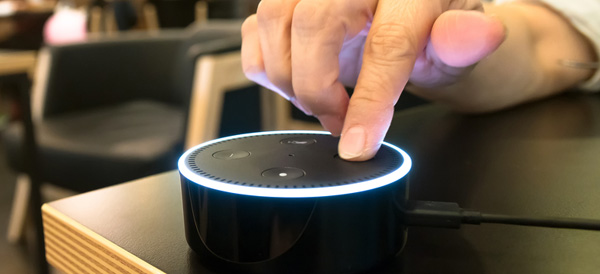
    We’ve all asked our digital assistant silly questions just to see how they would answer. It helps offset the reality that you are actually talking to an inanimate object… The folks at Amazon have proven that they are good for a laugh by programming some humor into Alexa. Try asking your Alexa some of these questions and see what kind of response you get!

    Friend Zone

    friendzone


    Let’s be real, our digital assistants like Alexa, Siri and Cortana are not quite up to relationship material… yet. But that doesn’t mean you can’t ask them anyway. So what happens if you ask Alexa out on a date?

    “I like you, as a friend.”

    Ouch, friend zoned by a computer program.

    Friendless

    friendless

    You might think that all of these digital assistants like to get together in some corner of the internet and laugh at all the stupid questions they are asked, but that’s not the case. Alexa seems to party all alone. If you ask Alexa if she knows Siri or Cortana, her reply is rather short:

    “Only by reputation.”

    Clearly, there will be no consorting with the competition for Alexa. She will tow the company line just as she was programmed to.

    Chuck Norris

    chucknorris

    screencrush

    Just because Chuck Norris jokes are as old as MySpace doesn’t mean we can still get a laugh out of them now and then. The Chuck Norris Facts that brag of his accomplishments are clearly known to Alexa. So, if you ask her where Chuck Norris is, she replies:

    “If Chuck Norris wants you to know where he is, he’ll find you. If he doesn’t, you won’t know until it’s too late.”

    Thanks, Alexa. Now I have to check behind the couch for Chuck Norris. Again.

    Family Friendly

    familyfriendly

    Apparently, Alexa is very concerned with her manners. No matter how hard you try, you will never convince Alexa to drop an F-Bomb. She will resist saying anything that doesn’t come across as family friendly. In fact, if you ask her to say a bad word, she will reply:

    “I’d rather not say anything rude.”

    Well that’s nice, Alexa. I can see why they are marketing Echo Dots to kids now…

    Not a Real Girl

    realgirl

    Alexa isn’t trying to be a real girl and she seems completely okay with that. One common test to see if a machine can pass as a human is through the Turing Test. A computer only passes the Turing Test if it can fool a human into thinking they are communicating with another human and not a machine. But if you ask Alexa if she can pass the Turing Test?

    “I don’t need to pass that. I’m not pretending to be human.”

    Point taken, Alexa. Point taken.

    Busting Rhymes

    rapper

    Apparently, Alexa has some aspirations as a hip-hop artist and you can hear her work if you ask. Just ask Alexa to rap and she’ll drop some lines from her upcoming album:

    “Connect sync link all the pieces of your life I
    Get it done and the speed of WiFi
    I’m the player, the coach, the arena, the game
    If you want something done, you just gotta say my name.”

    If Alexa had arms, she’d drop the mic right now.

    Not a Co-Conspirator

    conspirator

    Back when Siri first came on to the scene, if you asked her where you could dispose of a body, she would list nearby swamps and dumps. Morbid? Hell yes. After a screenshot of her answers appeared in a murder trial, Siri now says, “I used to know the answer to this…” As far as Alexa goes? She has more scruples by far. If you ask her where to dump a body?

    “Call the police.”

    Law enforcement would very much agree with you, Alexa.

    Classic Comedy Fan

    comedy

    Like many others, Alexa has an appreciation for the British sketch comedy troupe called Monty Python. You may remember a very specific question posed by Tim the Enchanter… If you ask Alexa what the air speed velocity of an unladen swallow is, she’ll reply:

    “That depends on if it is African or European swallow.”

    What can we say… We are glad to see the love of Python persist into the modern era!
  • Amazon Wants to Get into Your Car

    Amazon Wants to Get into Your Car

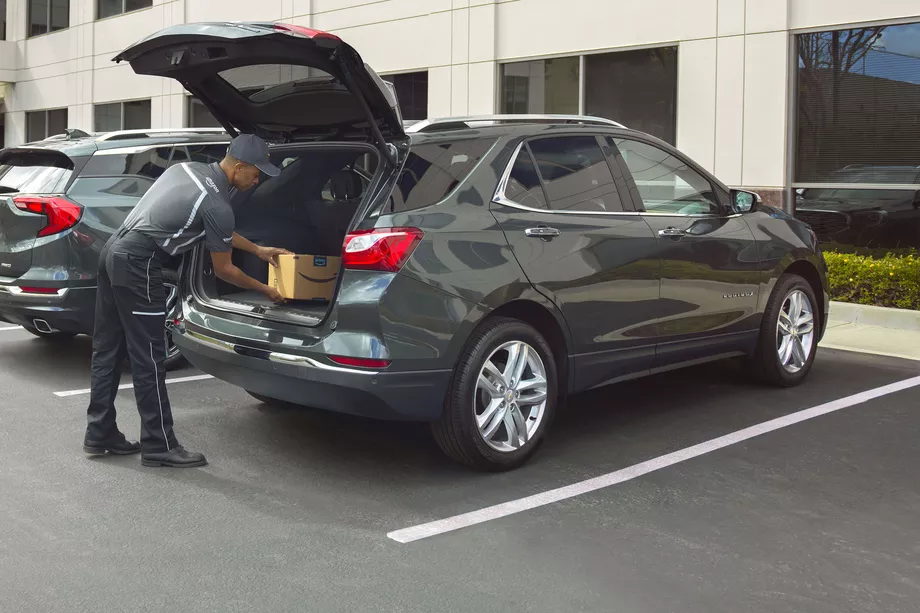
    What if you could have your Amazon order delivered to your car?

    Last year, Amazon asked for permission to unlock your front door so it could leave packages inside your home and a certain number of extremely trusting Amazon Prime subscribers said okay. Now, the tech giant wants to do the same thing with your car.

    The Amazon Key In-Car service is designed to deliver packages quickly and more securely than traditional services. Instead of driving home to get your package in the middle of the day or hoping that it won’t be stolen from your doorstep or mailbox, you can have your order dropped off in the trunk of your car. Sound good? Well, there’s a catch (or two).

    How It Works

    First, your car must be parked in a publicly accessible spot so that the driver can reach it. Your trunk will be unlocked using an app on the driver’s phone, so the delivery driver never actually gets a key or access code to your car. (One wonders why it’s called Key In-Car, since no keys are involved, but that’s a question for another day.) Finally, you’ll get a notification on your phone when your package has been delivered.

    Safety Concerns

    Amazon’s newest innovation is an expansion of their controversial Amazon Key delivery service, which allows delivery drivers to access your home using a specially installed keypad and security camera. Some customers—particularly women—were understandably nervous about allowing strangers into their homes.

    You can use the app to block access to your car at any time, for any length of time. As an alternative to in-home deliveries, the Key In-Car service is potentially less intrusive and holds fewer safety concerns.

    [adPlaceHolder]

    Ready to Get on Board?

    In order to take advantage of Amazon car-based deliveries, you’ll need to meet several criteria. The pilot program is only available to Prime subscribers in 37 cities in the US.

    For now, the service is limited to customers with GM vehicles (Chevrolets, Buicks, GMCs, and Cadillacs) or Volvos produced after 2015. Amazon Key In-Car delivery also requires your vehicle to have an internet-based support function, like OnStar or Volvo On Call, in order to let the drivers remotely unlock your trunk. With these limitations, it’s only for a select few. There’s no word yet on how Amazon may expand the program in the future.

    Final Thoughts

    Some people will automatically be turned off by this service, especially after reading that security researchers discovered that Amazon’s cloud-connected camera for in-home deliveries can be disabled and frozen from a program run from any computer within Wi-Fi range. While Amazon’s cloud-connected camera provided a layer of security for those who would want to monitor their in-home deliveries through Amazon Key, the in-car deliveries offer no similar video feed. Amazon says that multiple notifications, plus the option to block access at any time, ensures the customer remains in control of the process.

    If anything, potential customers may find the in-car deliveries more attractive from a cost perspective. To sign up, you aren’t required to spend $250 on a smart lock and camera like with in-home deliveries, and there’s no installation required. All you need is the right car and the willingness to let Amazon’s delivery employees unlock your vehicle. Frankly, we’re still holding out for drone delivery.

  • Create New Skills with Alexa Blueprints

    Create New Skills with Alexa Blueprints

    Amazon’s Alexa-enabled devices, including the original Echo, the Dot, and their range of Fire Sticks and Smart TVs, offer plenty of great features. But there’s been one thing missing from the perky virtual assistant: the ability to quickly and easily create your own skills.

    That changed this week with the reveal of Alexa Blueprints, a collection of customizable templates that allow you to program unique study aids, games, and reminders.

    No Code Required

    Previously, the only way to add skills to your Alexa-enabled devices was to choose a pre-programed script or write your own using a sophisticated coding language. Since most people don’t have the savvy to code their own, they were stuck with whatever was offered on Amazon.

    As exciting as it may be to order a pizza with a single voice command, many owners wanted more from Alexa. The templates released by Amazon go a long way to meet that need, bridging the gap between the pre-made skills and totally original coding. Ambitious programmers can still write their own skills, but the average Alexa owner can now have more flexibility and control over their devices.

    Create Your Own Skill in Minutes

    Writing a new skill using Alexa Blueprints is easy and intuitive. Currently, there are 20 templates available in a variety of categories, with more to come. Using the simple graphic interface, you choose a skill you’d like to create and then follow the instructions on the screen. The first time you create a skill, an animated tutorial walks you through the steps, ensuring that anyone can be successful.

    Many of the templates are geared toward entertainment, with programmable bedtime stories for the kids, trivia games based on friends and family, or personalized inspirational quotes. It’s not all fun and games, however; the “At Home” category of blueprints offers customized instructions for babysitters, houseguests, or pet sitters, while the “Learning & Knowledge” category helps students to create flashcards and quizzes as study aids.

    Custom Call & Response

    For Alexa owners who want even more customization, there’s one more blueprint to check out. The “Custom Q&A” skill template allows you to write your own question and then script Alexa’s response. While it’s not as open-ended as coding your own skills from scratch, the blueprints offered can help you get more from your Alexa-enabled devices.

  • Muse Speaks to Me While I Drive

    Muse Speaks to Me While I Drive

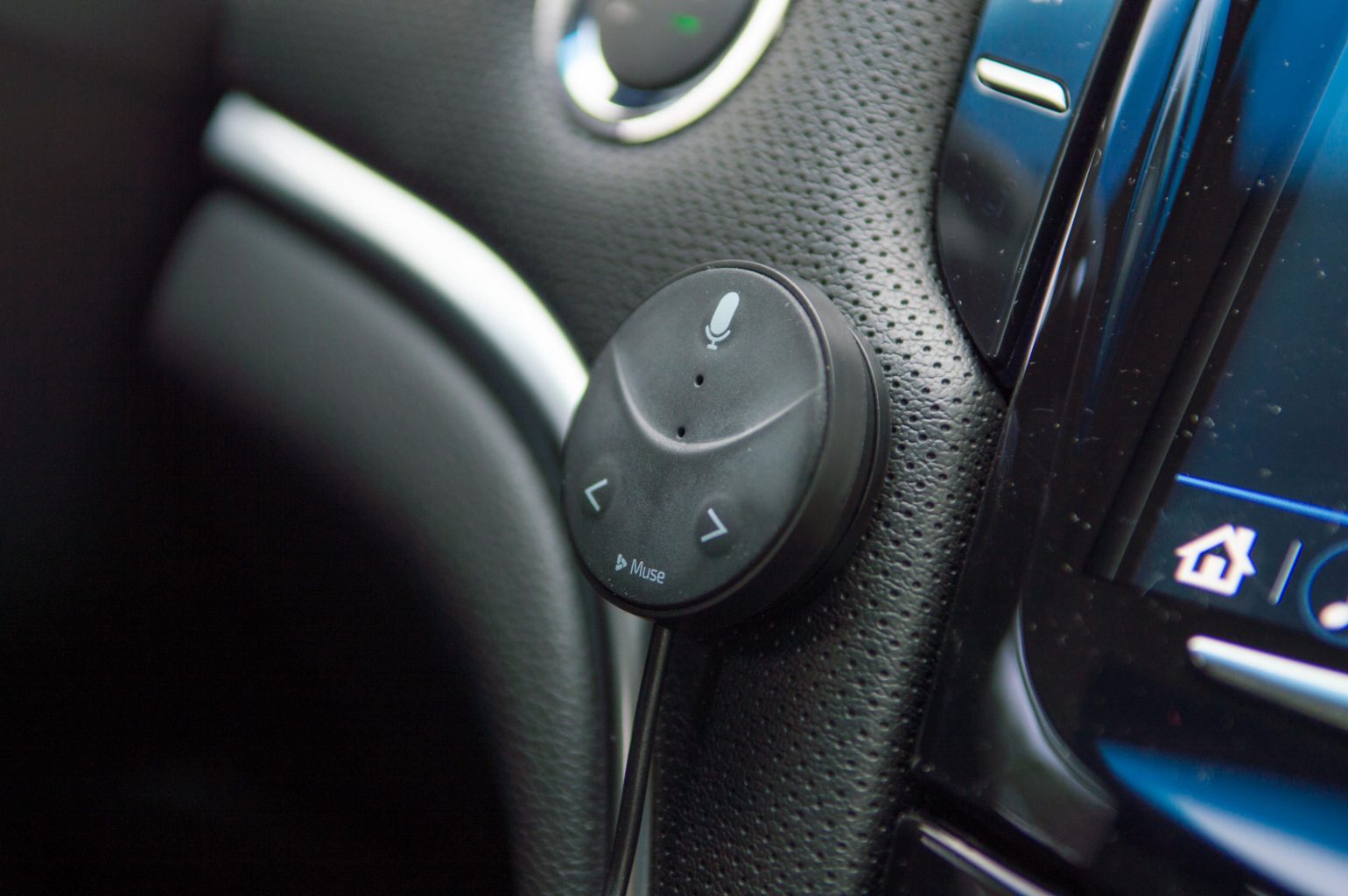
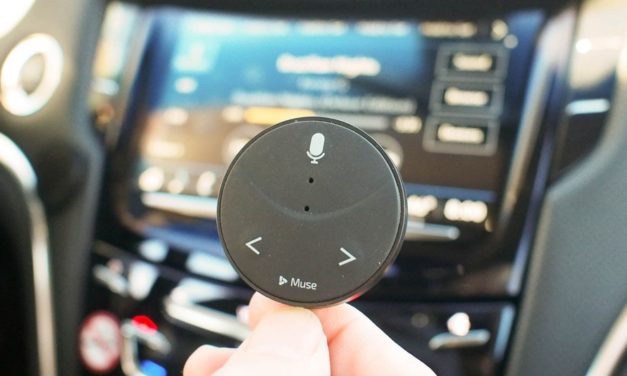
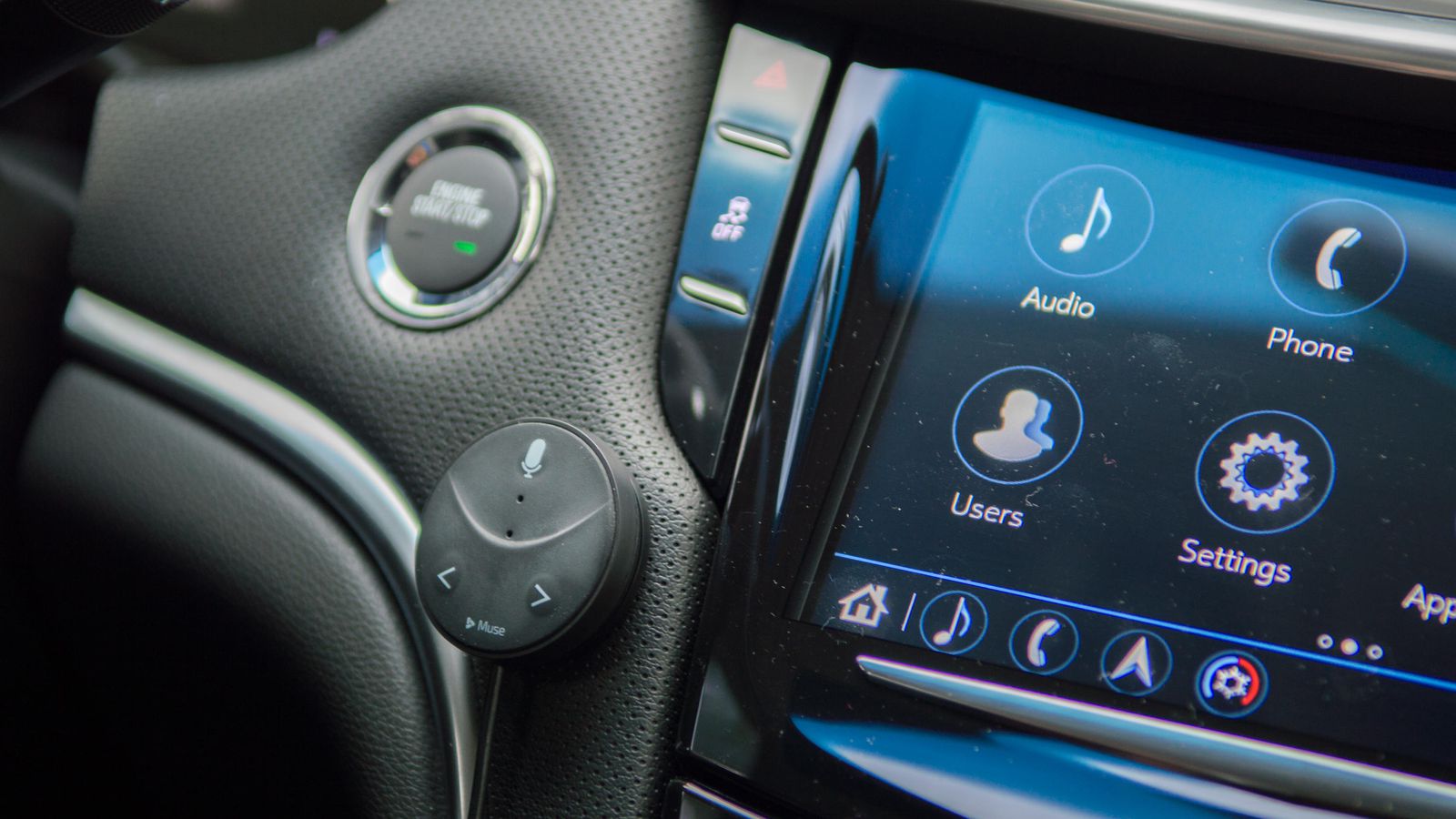
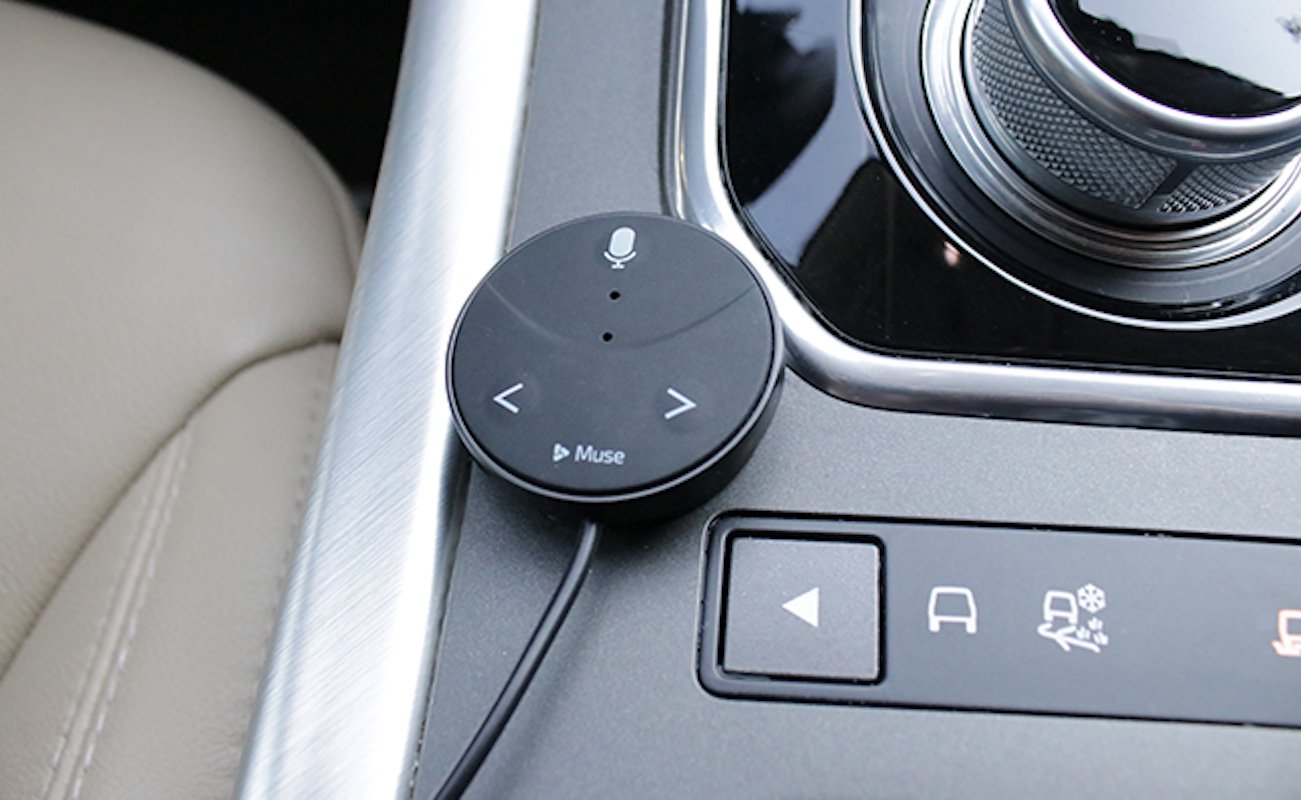
    Speak Music’s Muse is terrific way to bring Alexa voice commands to your car. Plug the Oreo-sized accessory into your car’s USB port or lighter socket and connect it to your phone via Bluetooth and you’ll be able to order Alexa to play and control your music, get the weather, add items to your to-do list, control your smart home device

    The Great

    • Small
    • Inexpensive
    • Easy setup
    • Lets you stream music

    The Not

    • No turn-by-turn directions
    • Lacks Spotify integration
    • Alexa slow to respond

    The Conclusion

    This small Bluetooth dongle lets you use Alexa while you’re driving, but the voice assistant could respond faster.

    I Said To Myself

    Do you have no one to talk to while you drive? Have you ever said to yourself I wish I could bring Amazon’s versatile voice assistant to your car and say goodbye to boring commutes or fumbling with the phone. Be productive and entertained while keeping our eyes on the road and hands on the wheel but no one was there to listen to you? Well Now there is

    Muse Auto is a small Bluetooth device that brings the power and convenience of Amazon Alexa to the car. Just plug it in, pair with your smartphone and say “Alexa”.

    How Does It Do

    Like other in vehicle Alexa peripherals this needs to link to your phone and use your phone’s data through the Muse app. I found connecting to the Muse by Bluetooth plus using cellular data chews through my battery super fast. I end up closing the app when I leave my car and restarting it each time I get in the car. I also plug in my phone to keep it from dying. Pretty easy workarounds.

    For voice commands you need to say the wake word, wait a few seconds until you hear a low sound, give the command, then you hear a second sound that the command was received. My trouble is the first sound is too quiet and not distinctive so I can’t always tell if the Muse heard my wake word.

    Very easy to install. Downloaded the app and it walked me right though it. The device is small and I mounted mine on the driver’s side of my center console where only I can see it.  Yeah I’m stealthy like that. When I want to interact with Alexa I just set the car audio input to Bluetooth, a one button push in my Ford, and it works. It’s pretty cool to be able to “talk” with Alexa in my car. The kids like to play 20-questions and I get the news read to me on the way to work. There is a short delay between calling out “Alexa” and hearing the soft tone which indicates the device is listening to you, but I got the timing down after a few tries and now she obeys my every command! I’m king of the car again

    The Final Thought

    Overall the Muse is adequate if you don’t mind yelling “Alexa” a whole bunch, or plugging in your phone, or fiddling with an app when you start or leave your car. Not ideal for quick trips but if you’re taking a long trip or have a substantial commute it can be worth setting it up before the trip. Most of the issues can be handled with software updates so I’ll hang on to it. And there is something cool about turning up the thermostat when I leave work then pulling in the driveway saying “I’m home” and having the lights turn on. So there is a little Alexa magic. It’s just not seamless yet.

  • SmartPhone Spotlight: BLU R2 PLUS

    SmartPhone Spotlight: BLU R2 PLUS

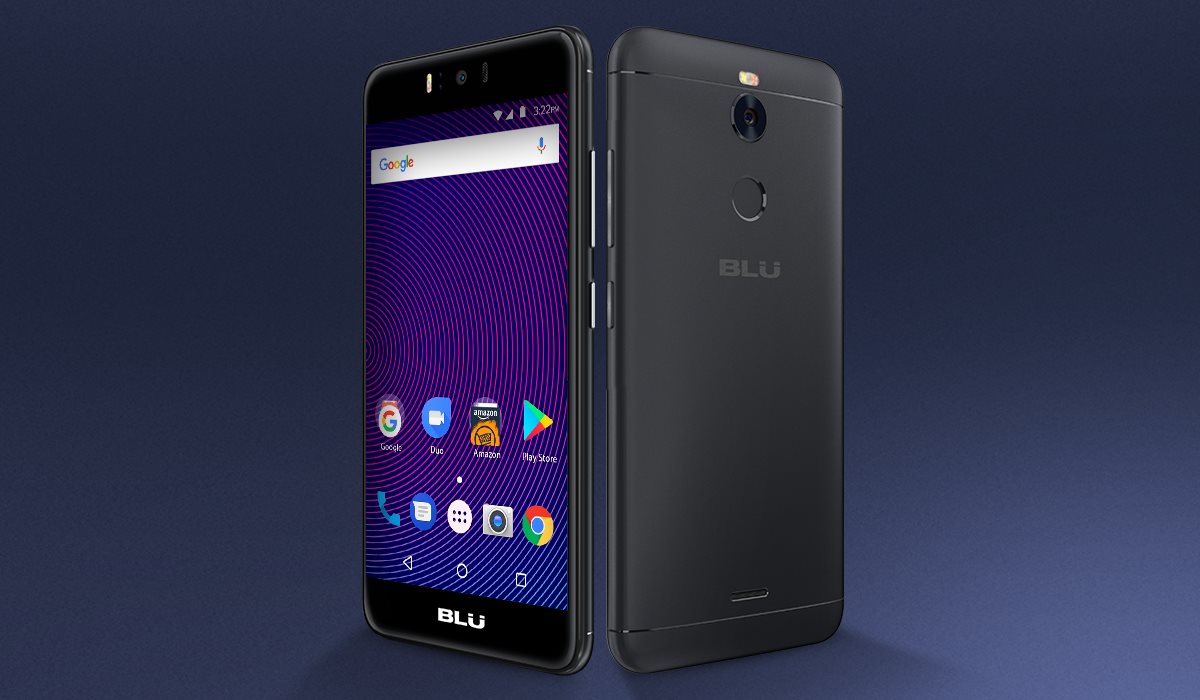
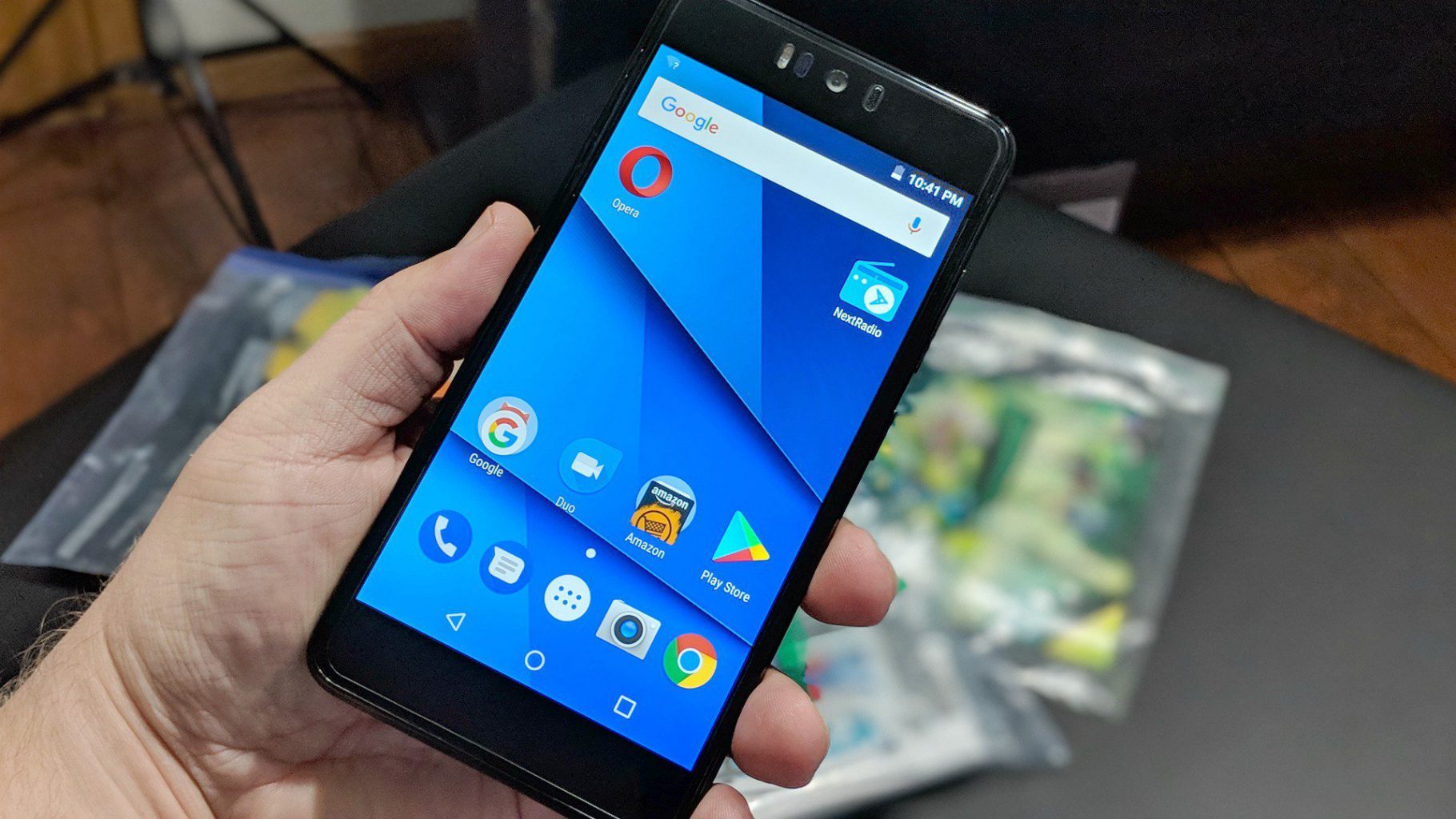
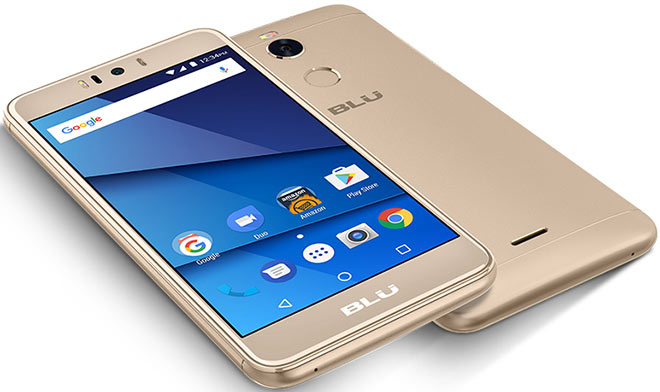
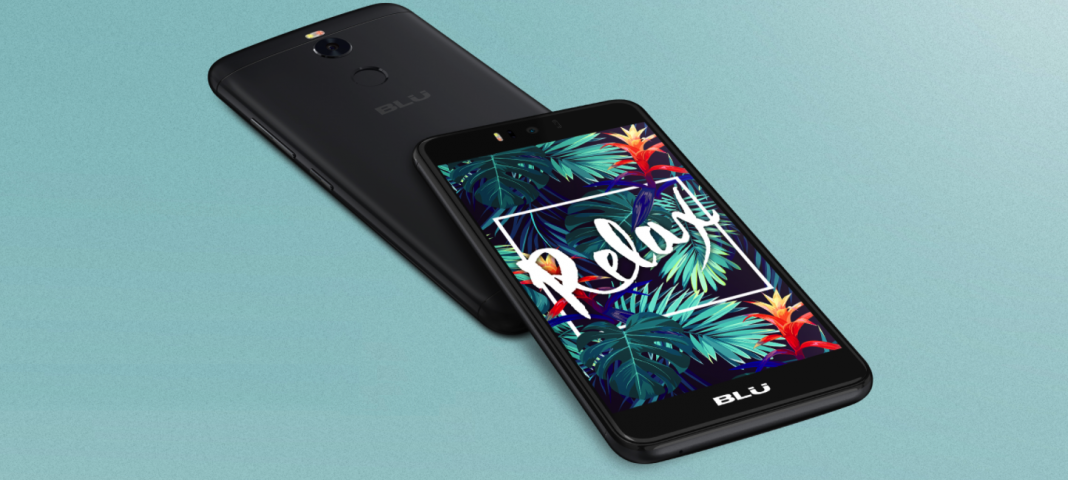
    BLU R2 Plus is a mid-level smartphone that has a good design and build quality. It ships with Android 7.0 and is not for the camera phone junkies. It takes ads to another level by presenting them in the Lock screen.

    The Great

    • Fingerprint sensor
    • Good display
    • Low price
    • Decent cameras for a budget phone

    The Not

    • The Ads
    • Odd design
    • Poor battery life
    • Laggy performance
    • Outdated software


    The Conclusion

    While the budget line gets a timely and worthwhile refresh its still crappy. The phone’s price wows, but that’s about it

    But It Sells

    At $129 unlocked on Amazon, the Blu R2 Plus is one of the least expensive Android phones out there. It supports GSM networks including AT&T, T-Mobile, MetroPCS and Cricket, meaning you can easily take it to one of those carriers, pop in the appropriate SIM card, and enjoy service immediately.

    The display in Blu’s big budget offering notched a peak full-screen brightness of 481 nits, represented 119.2 percent of the sRGB color space, and delivered a Delta-E color accuracy score of 0.38 when we put it through our round of tests. Those are among the best numbers in the budget class, and even more impressive considering how little the R2 Plus costs

    The camera hits and misses, not worthy of any real explanation. Its just cheap and terrible

    Quick Spec Look

    • Unlocked Dual SIM smartphone; Android 7.0 nougat
    • 5.5” Full HD 1080p curved glass display, metal housing design with finger Print scanner
    • 13 MP Main Camera with flash + 13 MP selfie Camera with flash
    • 32GB Internal memory 3GB RAM Micro SD up to 64GB; Mediatek 1.3 GHz Octa core processor with MALI T720 GPU
    • 4G LTE (1/2/3/4/7/12/17/28) 3G(850/900/1700/1900/2100):

    The Final Thought

    Blu is back with a successor, the appropriately named the R2 Plus, which sports a new processor, improved cameras, a fingerprint sensor and a slightly refreshed design. It’s even a bit cheaper, going for just $129 this time around. However, Blu made some sacrifices to hit that more attractive price, which leaves the R2 Plus feeling like a step backward

  • 5 “Smart Home” gadgets every house should have…

    5 “Smart Home” gadgets every house should have…

    It’s 2018 folks, and the future is here. Astronauts are driving Tesla’s through space and the Reese’s company is doing some really innovative stuff with popcorn. With all this technology around us, it’s easy to take it all for granted and we sometimes don’t get all the use we can out of it and take advantage of smart home gadgets.

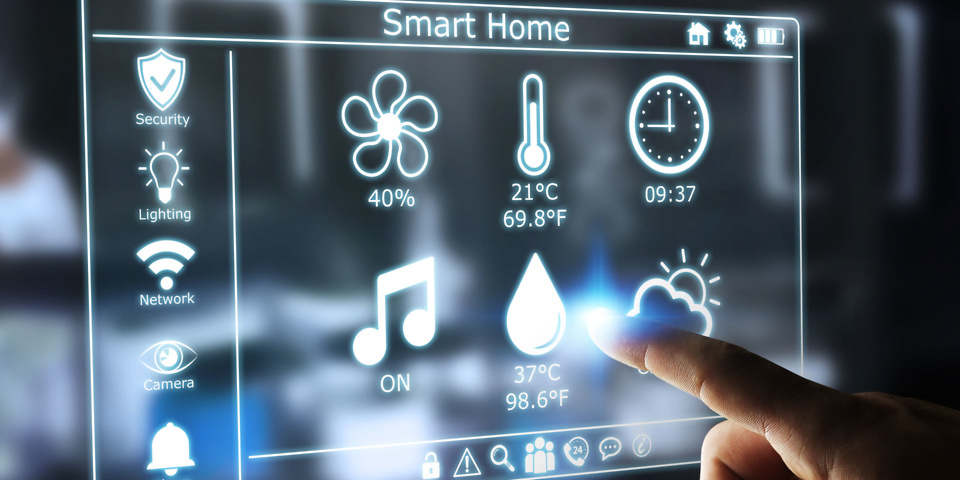
    And the most important place you can use all this cool tech to your advantage is right in your very own home. Here are some amazing new smart home gadgets to make your life easier…

    1. The iRobot Roomba

    Ever since it’s inception in 2002, the Roomba vacuum has been an integral piece of smart home tech. With the ability to program this round robot to vacuum your home 7 days a week it can be a real time saver. With the latest 980 Model, the Roomba is more advanced that ever. With cutting edge mapping technology and dirt detection programs, this “set it and forget it” vacuum is a must have! For dog or pet owners life myself, I can stress it’s value enough. I have a lot on my plate and one thing I don’t to concern myself with is the daily sweeping thank to “Roger the Roomba”. Yes I named my Roomba, he’s family, folks. Word of advice…there are several competitors is the robot vacuum department, do yourself a favor and stick with the iRobot Roomba. You may a little more, but in this case “you get what you pay for”. This was been probably the best $900.00 I’ve ever spent.

    2. The Nest Thermostat

    Coming in at a price tag of $279.00, the Nest Thermostat is well worth the extra cost. Thanks to it’s smart and adaptive AI, the Nest knows when your home and learns your work schedule to monitor the A/C usage. You can also control the thermostat right form your Nest App on your mobile device to fine tune your A/C needs. For a native Floridan like myself, A/C usage and consumption is a real beast you have to tame. In the summer months, electric bills can soar thanks to primitive thermostats. There is nothing like a thermostat shutting down for the day knowing your at work, and then turn on a half hour before you get home so you don’t walk into a hot and muggy house. It’s just bliss. Once I had installed the Nest, I noticed an immediate 50% drop in my A/C consumption and a large drop in my electric bill respectively. This is a must have in your home.

    3. Brilliant Light Switch

    With the ability to control your homes, light, music, ambiance, and even take pictures with voice commands, the Brilliant light switch is a 2018 must have gadget for your home. Brilliant light switch also connects to several of your home’s smart gadgets such as Nest, Alexa, Sonos Speaker, Ring doorbell system, and more. Starting at $200.00 per panel, Brilliant Switch is a costly addition but this innovative new gadget gives your home a brain.

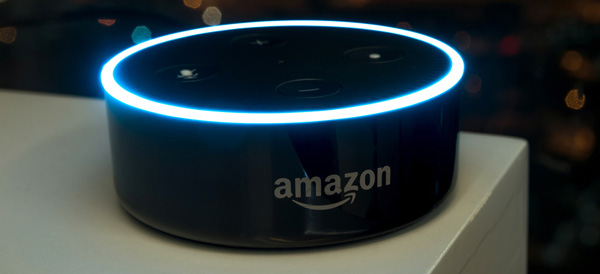
    4. Amazon Echo and Echo Dot

    This smart home “must” is quickly finding it’s way into every home, world wide. Alexa and Echo Dot, is a voice-controlled system that used to play music, make calls, send and receive messages, read the news, set alarms, and even order and Uber or takeout! With the capability of syncing up to Amazon-Fire, Apple Music, Audible, Pandora, and more, you easily find usage and justification for this piece of smart tech in your home. At a price tag of $150.00, the Amazon Echo has many uses to help in your home and is a fantastic smart home gadget. Word to the wise, Alexa has a built in microphone for consumer purposes that is ALWAYS LISTENING…Use responsibly. 

    5. The Ring II doorbell system

    The Ring Video Doorbell, provides you with the capability to see who is at your door from the safety and comfort of  your bed or couch. It lets you accept or deny visitor calls if you’re not home, and uses motion detection to alert you of activity on your doorstep even when the bell hasn’t been rung. By working off your home’s Wifi and mobile data, the 1080HD  camera will alert your smart phone of any activity at your door step day or night. For an extra $3.00 a month, you can pay for cloud storage and have all moments video recorded for later purposes if desired. The newest model also has a 2 way intercom system, and infrared night vision. For that extra bit of security at a relatively inexpensive cost of $199.00, this doorbell is the must have for any smart home.

    The Conclusion

    With so many smart gadgets available, some better than others, these products can make our homes better, safer, and more convenient. 2018 is going to be a big tech year and the “smart home” business is growing evermore advanced daily. If you can pick-up just one of these items this year, you’ll be headed in the right direction. I’m still anxiously awaiting the release for Rosie the robot maid, but I may have to hold my breath for awhile.


  • Shipping shakeup? Amazon may deliver some of its own orders

    Shipping shakeup? Amazon may deliver some of its own orders

    By The Associated Press

    Amazon’s next move may be to shake up the shipping industry.

    The online retailer is reportedly planning a new service called “Shipping With Amazon” that will allow it to pick up packages from businesses and deliver them to consumers. The service is expected to start in Los Angeles in the coming weeks, before it is rolled out more broadly as soon as this year, according to The Wall Street Journal , which cited anonymous sources.

    Shares of shipping companies FedEx and UPS slipped Friday. Amazon, which has been edging into the delivery business for some time, didn’t deny the report.
    “We’re always innovating and experimenting on behalf of customers and the businesses that sell and grow on Amazon to create faster lower-cost delivery choices,” said Kristen Kish, an Amazon spokeswoman.

    The news comes after a rocky holiday season for UPS. The company was caught off-guard by the crush of online shopping leading up to the season and said it must spend a chunk of its tax-cut savings to improve its package-delivery network.

    An Amazon entry into the delivery business would “send shivers down the spines of the traditional delivery companies,” said Neil Saunders, the managing director of GlobalData Retail.

    “The danger for the traditional delivery firms is twofold. Firstly, they are likely to lose business from Amazon; this will be slow at first but will accelerate as Amazon rolls out more of its own delivery services,” Saunders wrote. “Secondly, if Amazon starts offering delivery to businesses, it will likely do this at a reduced rate.”
    Amazon has made other forays into delivery. In August 2016, the company unveiled its first branded cargo plane, one of 40 jetliners that were expected to make up its own air transportation network.

    The report that it may kick off its own delivery service comes one day after the Seattle-based company announced two-hour food delivery for Prime members from Whole Foods, which it bought for nearly $14 billion.

    Shares of United Parcel Service Inc. and FedEx Corp. slipped about 2 percent in morning trading Friday.