Tag: apple

  • Best Video Chat App for Staying Connected

    Best Video Chat App for Staying Connected

    Everyone loves to stay connected. It’s why we love the internet! If you want a way to stay connected with your friends and family even when they’re not around, you probably like to use a video chat app. If you’re looking for a fantastic app with great functionality for chatting, keep reading! We’ve got a countdown of video chat apps we love! 

    Google Duo 

    Google Duo, standard with Android phones, can also be installed on iOS devices, which is great! Since iPhone users often have friends and family on Android devices they want to chat with, this is a great pick. Duo has a really simple, clean UI that is easy to use. It also has a neat “Knock-Knock” feature, allowing the person being called to see a video preview of who’s calling them. This is a cool little touch! 

    Duo is a great choice if you like clean, simple interfaces, one-touch calling and communicating across iOS and Android platforms. 

    Skype 

    Everyone knows Skype, thanks to its comparative age. Having launched in 2003 as a desktop application, Skype has seen quite a bit of history for a video chat app. Featuring great integration on Windows PCs and sporting a solid mobile app, Skype is a fine choice. If you like calling from a desktop to a cell phone, or vice-versa, Skype is for you!  

    Skype is also handy at synching with your contacts and helping you stay connected with all your friends. Skype remains one of the best chat apps, even after more than 15 years on the market! 

    Kik 

    Kik, primarily known as a text-chat app, has recently dipped its toes in the video chat app pool. The new video functionality is unique, earning its spot on the list be being different and endearing. The video functionality has a small thumbnail-style window of video for both participants and keeps the large text window open for text chatting.  

    This unique emphasis on text with a slight implementation of video is cute. It allows for a very casual chat setting, ideal for emulating a “just chilling” environment. Kik is a great choice for video chatting for a few hours with a good pal, just kicking back and doing a lot of nothing. 

    Our Favorite Video Chat App: Facebook Messenger 

    Facebook Messenger, believe it or not, tops our list! Primarily, we chose this one because it is easy to use, clean, and ubiquitous. Who doesn’t have Facebook? If you want to video chat with a friend, Facebook messenger is great, because they probably already have it. It’s so much easier to just go into an existing app and start chatting, rather than open the app store and download one. 

    Facebook Messenger is also simple and concise, using a great interface to help you get into calls with no fuss. An all-around great pick, and easily our favorite video chat app! 
  • Which Tablet is Worth your Money?

    Which Tablet is Worth your Money?

    Smart phones are nice, but sometimes you want a bigger screen for your smart device. Whether you’re drawing, looking at photos, watching movies or playing games, tablets are awesome addition to your smart device arsenal. When you just want that bigger screen for a handheld touch device, nothing else will do!

    Nothing says quality, solid build and premium design more than our 5 best premium tablets. From major manufacturers such as Apple, Samsung, Amazon, Microsoft and Google these tablets carry the state of art in technology and design. With that in mind, let’s check out some of our favorite premium tablets!

    Microsoft Surface Pro

    This tablet is so premium that it’s also a laptop. The Surface Pro made our list of best touchscreen laptops, too, which might sound weird until you see one in person: it really is both. With a stellar screen and great form factor, you can’t get a much cooler 2-in-1 tablet. Retailing for $659, it’s not too pricey.

    There are only a few real downsides for the Surface Pro. The very incremental advances it possesses when compared to its predecessors are slightly disappointing.  Additionally, the design is a little too minimalist: there is no USB-C port! Then again, it’s still a great tablet, so it’s a small nitpick.

    Google Pixel C

    Your favorite Android tablet, the Google Pixel C performs like a giant version of its phone siblings. The Pixel C also has an optional magnetic keyboard that is quite solid, letting the tablet act as a laptop. This is easily the most powerful Android tablet that exists, for what it’s worth. The tablet performs great while multitasking and rarely suffers stutters or slowdown.

    If you need a tablet for work or just like pushing your technology to its limit, this is a great pick for you. On the other hand, this one is a bit expensive, retailing for $950. Additionally, many users see Android as a drawback instead of a feature. Many apps are released on iOS first and often perform better there to boot.

    The Samsung Galaxy Book

    This tablet rightfully belongs on the quickly growing list of impressive Microsoft Surface Pro contenders. The Samsung Galaxy Book is a top-shelf Windows tablet with a price to match. Its robust processing power, high-end display and essential add-on accessories make it one of the best tablet-hybrids.

    It’s a Windows 10 tablet with a stunning 12-inch Super AMOLED display, Intel’s latest processors and detachable keyboard cover with stylus. It starts at $1,130 for the Wi-Fi-only version and $1,300 for the LTE model, sold via Verizon, which was the configuration we reviewed. Samsung offers a 10-inch variant that runs for $630, but this review is of the 12-inch model.

    iPad Pro

    No list of premium tablets would be complete without Apple’s contender in the mix. And this time around, unsurprisingly, Apple is our favorite. The iPad pro is a rock-solid tablet, with a gorgeous Retina display and fantastic performance. Many users have a preference for iOS, and for good reason. Slowdown is almost nonexistent, and app support is fantastic.

    If there are any drawbacks, they’re the same ones that apply to all Apple products: expensive peripherals and proprietary charging. If you want the Apple Pencil or proprietary keyboard to go with it, this one will run you some serious cash. For just the iPad itself, you’ll be spending around $600.


  • Looking to Organize? Find Out Our Favorite To-Do App!

    Looking to Organize? Find Out Our Favorite To-Do App!

    Everyone knows how hard it can be to stay organized during your busy day. Between all the things you have to remember and fighting traffic, simple errands can get left behind pretty easily. How do we recommend you organize your schedule? One way is with a handy to-do app! We love the ones we’ve rounded up here, you just might too! The apps we’ve picked are all available on both Android and iOS! 

    Todoist 

    Available in both premium and free forms, Todoist is a great app for everyday use. This app has a clean interface and great readability. For those who don’t mind paying around $30 a year, the premium version of the app has great functionality. Projects for increasing productivity, labels and the ability to share projects with other users are all pluses for this app.  

    This app also sports some really cool productivity charts and sharable progress trackers. It doesn’t have quite the same collaborative suite as, say, Asana (I’ll get to that) but it’s certainly cool funcitonality. 

    Remember the Milk 

    A great to-do app for household use, Remember the Milk offers a lot of functionality even in the free app. This app works offline and offers some great collaborative functionality, helping married couples or roommates organize chores and errands. The premium version, that boasts more general functionality, runs around $40 a year. This is a bit pricier than the competition. 

    This app doesn’t feature location-based reminders, which is a bit of a bummer. It also doesn’t have UI quite as clean or user-friendly as Todoist or Asana. These small gripes don’t hold it back from being a great to-do app, though! 

    Our Favorite To-Do App: Asana 

    If you’re trying to collaborate with a large group to increase productivity, Asana is for you. Featuring a great user interface and some downright awesome collaboration tools, this to-do app earns our spot for favorite. Exceptional for workplace productivity, consider this one if you want to help your office get organized.  

    While Asana doesn’t sport a desktop app, it makes up for it in its incredible shared functionality. The premium version, which goes for around $12 per month, allows you to access a large suite of functions. Advanced dashboards, search functionality and teams numbering much higher than the base 15-person cap. That all said, Asana is comparatively expensive, and if you want something a bit more affordable we recommend Todoist.  

    Those small nitpicks aside, Asana is a great app, and we recommend you try out the free version with your team and see if its right for you! 

  • The Best Tablet Computer Bang for Your Buck

    The Best Tablet Computer Bang for Your Buck

    Ah, the tablet. While everyone loves their smartphone, sometimes you want a bigger display. Whether you like the convenience of watching movies in bed, want a good device to play games on, or need to do actual work, tablets offer tons of handy versatility! However, some brands of tablet can be prohibitively expensive. If you’re looking for something more affordable, we’ve compiled a roundup of our favorite budget tablets!

    Amazon Fire HD 8

    Found on Amazon for $60, this little tablet is a great value for your money! Amazon’s proprietary tablet makes an awesome e-reader, as you might expect from the one-time bookseller. While the Amazon Fire 8 has rather lackluster cameras and somewhat less sharp display than its competition, it’s still a great value. If you want a tablet that works for web browsing, watching movies and reading books and don’t need a ton of fancy features and software, then this is a great pick. If you’re looking for something a bit better overall, but a tad pricier, read on!

    Lenovo Tab 4 8

    Lenovo, a respectable name on its own, has created a neat little tablet with a lot of personality in the Tab 4 8. If you’re already familiar with the Android OS from your smartphone then you’ll have no trouble with the OS in tablet form, which can make this a good choice for those who don’t want to learn a new OS. The Tab 4 8 is very solid, coming in at “middle of the pack” in nearly all ways, including its desirable price tag: you can pick this one up for $130. The Tab 4 8 has good battery life, a decent display, an inoffensive, likable design and great overall software performance. While this is a full $70 more than the Fire HD 8, you get a completely superior overall product, so if you don’t mind spending a bit extra then this is a great choice for you.

    iPad 2017

    The 2017 iPad is seeing a price drop now that the 2018 models are hitting the market. The iPad is far and away the most expensive tablet on this list, selling for around $270 on Amazon right now, but you absolutely get what you pay for. Retina Display and FaceTime cameras, Apple mainstays, are certainly great to have here, and the always-awesome iOS software is just as great on a tablet as on a smartphone. While it is expensive compared to the others on this list, if you’re looking for a tablet under $300 that delivers a premium experience and works like a dream, the iPad remains the best tablet out there. While some are put off by the relatively expensive accessories and high price of the device itself, this remains your best value, dollar-for-dollar, in tablets.

  • Expect Big Things from Apple’s WWDC

    Expect Big Things from Apple’s WWDC

    Last year’s WWDC (Worldwide Developers Conference) saw the announcement of the HomePod as well as the new iPad Pro 12.9 and iPad Pro 10.5. This was also when Apple revealed iOS 11 and watchOS 4. Apple will have to up the anty if it wants to compete with Google’s jaw dropping I/O conference. Lets look at some big things we expect to hear about in Junes WWDC.

    iOS 12

    This is a not a surprise, we have seen twelve iOS update keynotes at these things over the years. This year what we are looking to see is vast stability upgrades. Primary apps getting overhauled or upgrades, apps like  Mail, Camera and Photos ever calendars, calculators, and stocks. Could we make iMovie a little more mainstream and easier?  Security and performance focus would be less exciting but much needed. What not to expect is for apple to blow your hair back with some revolutionary feature or function, they will save that for September.


    iPhone SE

    I’ve written about this before, the SE has aged well and served its purpose but now its time for even the entry level iPhone to get a much needed upgrade. Why waste something this meaning less and cram it in with the big release in September when you can pop it out at the end of June and give a pop to the Q2 earnings.  I would expect the SE to unveiled and introduced at the WWDC and pre orders a week after.


    Watch OS 5

    They do this every year, while we are starting to hear rumors about the Watch 4, we will for sure see the preview for the new watch OS. Id like to see a quicker control option, new watch faces, and if the crowd gets too bored at this tech conference maybe test out a new sleep tracking feature.


    New Mac Pro

    We know a redesigned Mac Pro is coming, and Apple even recently made a point of reminding everyone when it said the following in a press release:

    “In addition to the new iMac Pro, Apple is working on a completely redesigned, next-generation Mac Pro architect-ed for pro customers who need the highest performance, high-throughput system in a modular, upgrade-able design, as well as a new high-end pro display.”

    Im thinking we will see a big keynote on this. I would expect it to be the highlight of WWDC, kinda mad I spent that $8000 on a new mac pro in Feb.


    What Else

    Those are the thing we know for sure they will hit upon at the WWDC but I wouldn’t be surprised to see a new Apple TV, with a boost to TV content. The Macbook and Mac Mini will be getting some attention as well, and don’t forget about a possible hint at a revamped iPad Pro for a fall release. Not to mention we will have to sit through hours of financial report and sales bragging from Tim Cook to look forward to..

  • Apple Issues Ultimatum to App Designers

    Apple Issues Ultimatum to App Designers

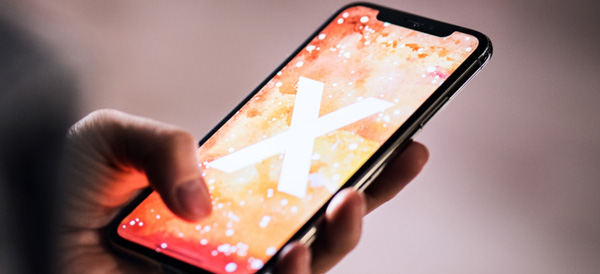
    New guidelines are now in the hands of Apple developers. By July 2018, all new apps will need to support the unique dimensions and top-of-screen notch on the iPhone X. This new guideline applies not just to new apps, but to all apps that already exist on the Apple App Store.

    Apple’s Statement

    “iOS 11 delivers innovative features and the redesigned App Store to hundreds of millions of customers around the world. Your apps can deliver more intelligent, unified, and immersive experiences with Core ML, ARKit, new camera APIs, new SiriKit domains, Apple Music integration, drag and drop for iPad, and more. Starting July 2018, all iOS app updates submitted to the App Store must be built with the iOS 11 SDK and must support the Super Retina display of iPhone X.”

    iOS 11 SDK

    The SDK in question is the new iOS 11 SDK, or software development kit. This will mean that all apps will support the features and unique screen characteristics of the iPhone X by the end of the summer. Most developers have found the top notch to not be the hardest thing to design their apps around. Instead that the always-on home indicator (the thin bar that indicates access to multitasking, etc.) has been the largest design challenge.

    This approach is nothing new and is similar to Apple’s support of previous iPhone releases. Most popular apps have already updated to reflect these design changes. Those that haven’t were already expected to follow suit shortly, even without the ultimatum from Apple. Given that the iPhone X has been fantastically popular this comes as no surprise.

    And the iPhone X’s popularity is no mistake! The iPhone X is also our favorite premium smart phone! To find out why, go check out our roundup of our favorite smart phones.

  • Apple Watch 4?

    Apple Watch 4?

    IF the rumors I’m hearing are true, which they look to be, we could be seeing an apple watch 4 this September. Apple announced the watch 3 last year with the release of the new iterations of iPhone. My insiders are telling me that this is looking likely this year.


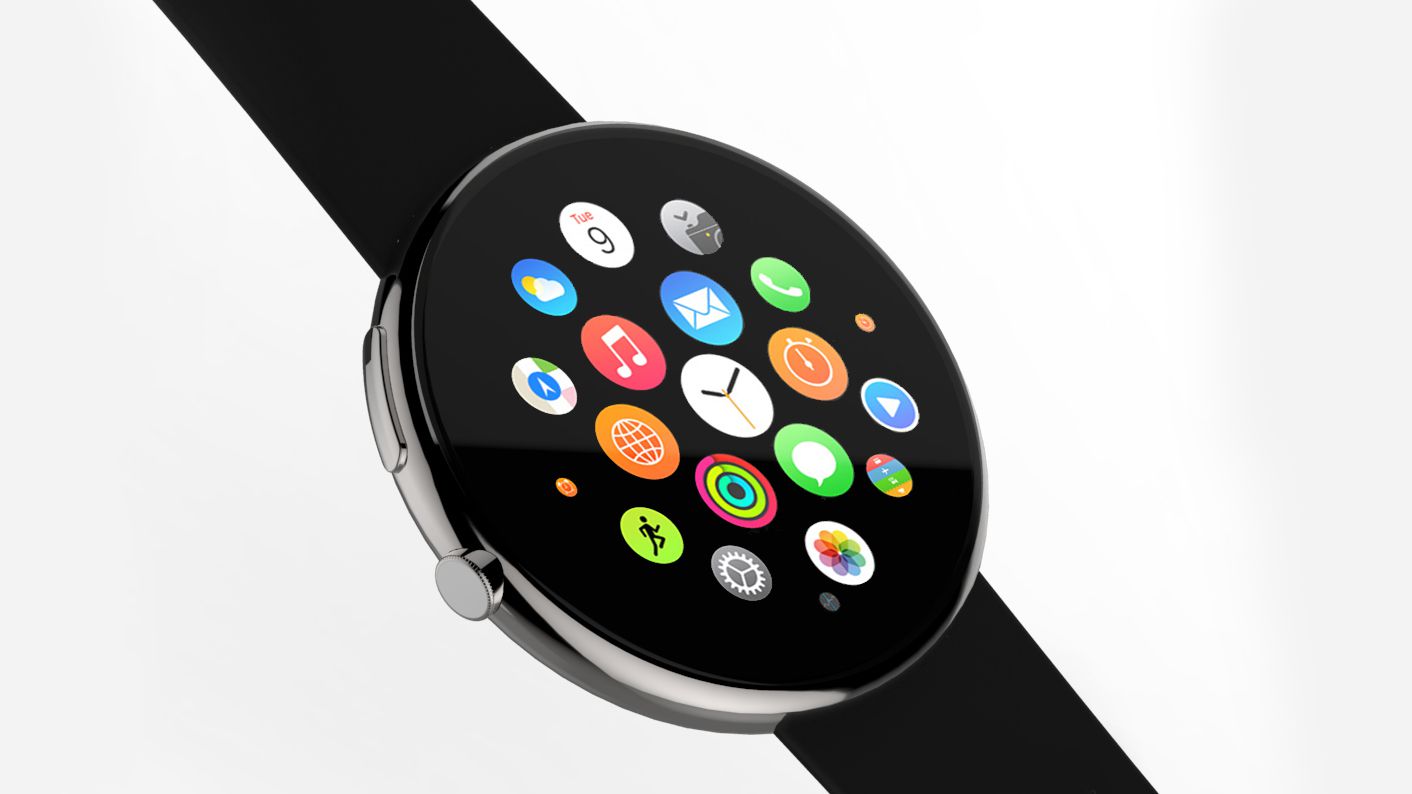
    In a brief release from an anonymous source…. A newly published Apple patent details a circular smartwatch screen. This probably won’t be used by the Apple Watch 4, but you never know. Plus, a new report suggests Apple may be willing to let third-party developers start work on watch faces for the Apple Watch. If this is the case, expect far more watch faces to debut in watchOS 5 and on the Apple Watch 4.

    While this hold no real substance, it is a good indication of what is coming. You are probably asking so what, let me fill in the gaps and lead your expecations.

    The Apple Watch 3 is the most excellent Apple has built. Its a tech masterpiece that I will surely be glowing over in 20 years as I write the tech throw back article for it. It most certainly  tops our best smartwatch list, it’s  the best smartwatch, and arguably watch from any manufacturer that you can buy right now. however, its a smart device, and as you know their is only one certainty in the tech world, stand still and you will die. Like playing Halo.  There is room for growth and improvements, the battery for instance, can I get a week?

    What Do You Need To Know

    Below I have  all of the leaks, rumors and speculation about the Apple Watch 4 I have gathered so far, plus a list of things I’d like to see Apple implement in its next generation wearable. A trusted analyst that has previous history of predicting Apple products suggests the Apple Watch 4 is set to undergo a big design overhaul. So far every generation of the Apple Watch has come in either 38mm or 42mm screen sizes, but KGI analyst Ming-Chi Kuo says he believes the Apple Watch 4 will have a 15% larger display. I need a bigger face, number one request. The Watch 3 has a lot of bezel space around the outside of the display, so it may be the company has slimmed this down to fit in the extra screen real estate and not necessarly a bigger watch..

    Like I said before I want a weeks worth of battery. Also lets talk speed, I have the need for speed, its inherent, its important, there is nothing I can do about it. Make my watch respond faster. We also have a report  from 9To5Mac found a suggestion in some watchOS 4.3.1 beta code that the company may be ready to allow for third-party watch faces in the next version of the Watch software.

    Apple may also add additional sensors for health-tracking, complementing the optical heart rate sensor built into the watch since launch. Apple has applied for a patent on a smartwatch band with built-in sensors, specifically ones that can measure motion when the wearer is gripping a “sports instrument” such as a dumbbell or golf club. That would make the watch a better fitness tracker.

    Face ID

    According to Patently Apple, which obtained and published the patents, Apple is also considering adding Face ID to the Apple Watch. The device would first need a front-facing camera, which Apple may include in the Series 4. But just because Apple has patented a feature doesn’t mean it will actually come to fruition.

    Could It Be Round?

    We have seen patents from Apple for a while that says this next iteration could have a round face. This opens alot of doors, more battery space, bigger screen. However Apple seems happy with the design of the Watch and hasn’t substantially changed it in the various versions it’s launched so far, so we don’t expect a redesign any time soon, let alone a completely different screen shape and the only real reason to change it is to intice other watch users more accusomed to that round design… Not Apples style, don’t bet on this.


    The Final Thought

    What ever they do with the watch it will be scrutinized, hated, celebrated and purchased in the millions. It will work flawlessly and be a substantial upgrade over the the three. Will they keep the red dot? who knows its all just speculation at this point. All I know for sure is that I just bought the 3…

  • Tech Throwback: iMac 20th anniversary

    Tech Throwback: iMac 20th anniversary

    I like to take a look at where I’ve been to evaluate where Im going. Technology is cyclical after all… wait no its not. That said I still like all the feels that come rushing back like a flood of nostalgia every time I get my hand on the tech I grew up with. Im going to go back periodically and take a looking at the stuff that used to blow our hair back and get our minds rolling. Some of these device blew up and changed the world, some where ahead of their time and some just fell flat and became colossal failures. Today we are going to talk about the original iMac on its 20th anniversary


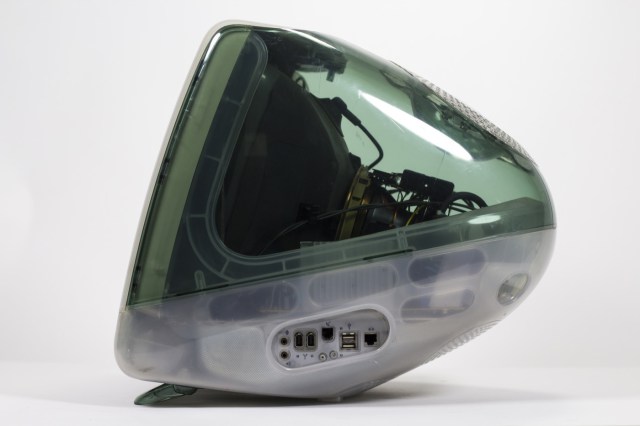
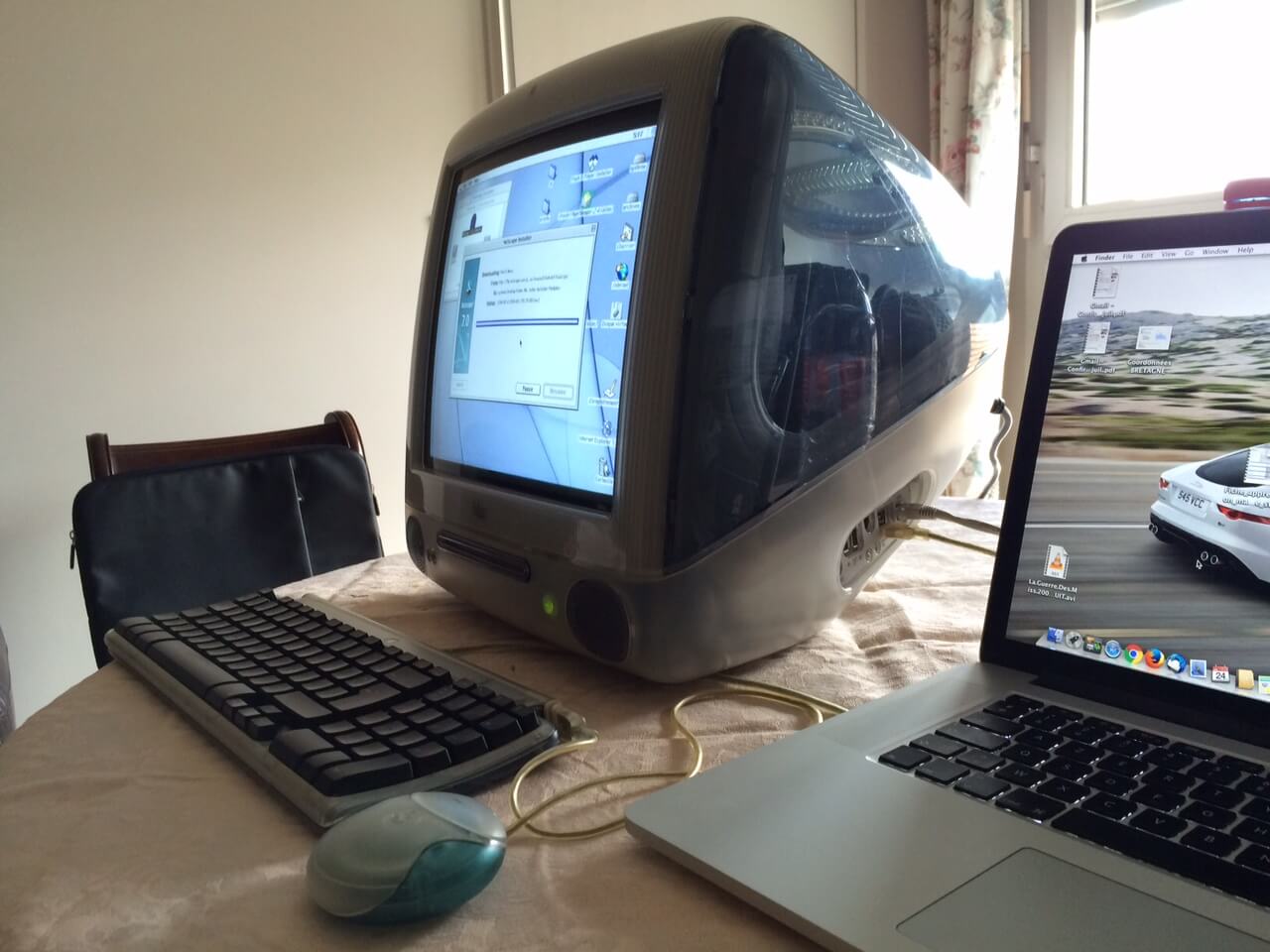
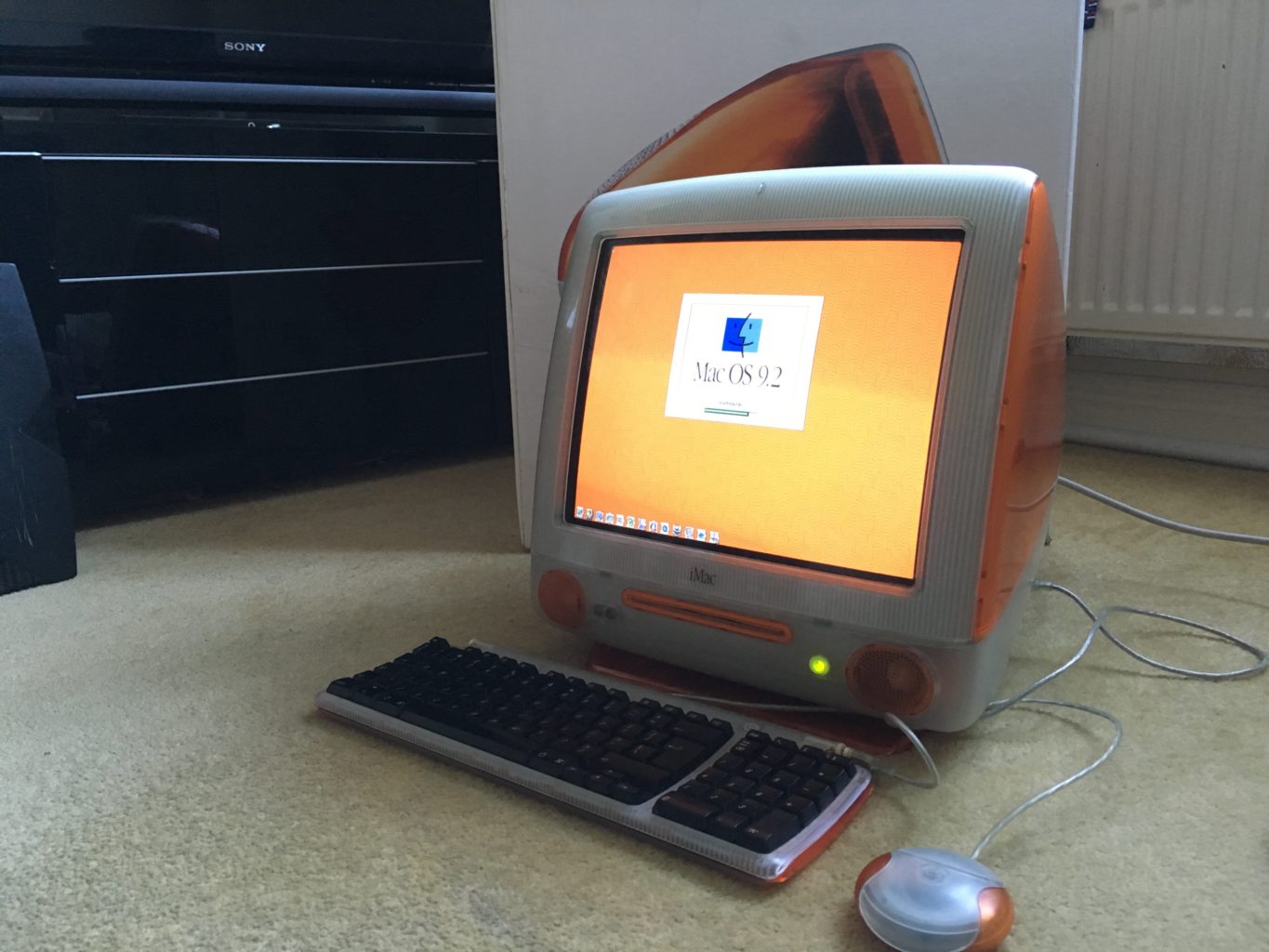
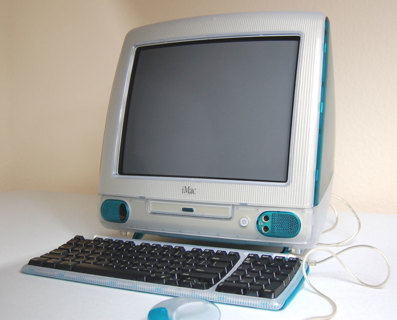
    Its been twenty whole years since  Steve Jobs introduced iMac on May 6th, 1998. It was a truly ambitious new Mac, with a very specific Internet  access ease-ability. It not only redefined the design and styling of tech products but charted a strategic course that would take Apple from being a that one PC maker from the 80s to the world’s most valuable  company. This computer set the path for apple to become more valuable then all but 17 countries in the world. Most importantly, iMac had an impact because it courageously made bold decisions that conventional thinking assumed to be wrong. The iMac, take aim at a broader market of individuals who wanted a practical, easy way to get on the Internet. What can you say about Steve Jobs that hasn’t already been said, the man just got us.


    Before unveiling the new iMac, Jobs outlined how it would be different. For starters, Apple was using a modern 233MHz G3 processor, the same chip it had used in its entry-level Pro Power Mac G3 just six months prior at a price $300 higher. That new generation Power PC chip boasted a performance edge “up to twice as fast” as Intel’s Pentium II processors at similar clock speeds. I had forgotten about the G3 processors, but this gives me a lot of anticipatory feelings for the next line of iMacs that apple is set to make there own chips again for starting next year.


    At a time when PCs generally needed an external modem to connect to the Internet over phone lines, the new iMac built in both its relatively fast modem (making it easy to connect by only plugging in a phone cord) and 100Mb Ethernet.USB ports had already appeared on PCs, but it generally sat unused because device makers kept building slightly cheaper products using RS-232 serial ports, PS/2 cables for keyboards and mice and Centronics Parallel ports on printers and disks. The new iMac also included IrDA, a way to beam (like a TV remote) data using invisible light. It wasn’t nearly as fast as the wireless technology Apple would roll out in the future, including Bluetooth and WiFi, but it offered an early way to transmit photos and other basic data without requiring cables at all.

    Quick Spec Look

    • Screen Size 15 inches
    • Processor 0.35 GHz PowerPC G3
    • RAM 32 MB
    • Hard Drive 20 GB
    • Graphics Coprocessor ATI Rage 128 Ultra

    The Final Thought

    It’s hard to overstate the importance of the iMac G3. The iMac G3 ushered Apple in to the future, and on its translucent back, Steve Jobs rebuilt the company. It was the end of the beige computer and everything we thought computers had to be. The i in iMac stood for 5 things, internet, individual, instruct, inform, and inspire, it most certainly did all off those things for the last 20 years.


  • New iPhone Mode May Lock Out Law Enforcement

    New iPhone Mode May Lock Out Law Enforcement

    ZDNet has found a “USB Restricted Mode” in the files for iOS 11.4, a feature that could have potentially massive implications. This feature disallows USB devices from accessing the phone if it hasn’t been unlocked in the last seven days. This could potentially work to stop intrusion devices, such as the Gray Key device, from functioning with iPhones in this mode.

    Gray Key

    Gray Key devices attempt to break into iPhones by guessing every permutation of the possible password. However, these devices require a connection through the Lightning port, and as such could be disabled by USB Restricted Mode. This could serve as an excellent security feature for iPhone users, ensuring that only individuals with the correct password access their phone.

    Law Enforcement

    Apple has notoriously clashed with law enforcement agencies in the past over encryption. Agencies have repeatedly requested that Apple provide or create a skeleton key of sorts capable of opening any iPhone. The use of such a key would allow law enforcement to access suspected criminals’ phones in an attempt to obtain incriminating evidence. Apple has had (understandable) reservations about the ethics of such a key.

    Where USB Restricted Mode Fits In

    While it is possible that USB Restricted Mode is something more experimental and less directed specifically at law enforcement, it would make sense if it was specifically a response to this ongoing struggle. In any event, any features that protect user privacy are good features: there is no guarantee that Gray Key devices don’t fall into the wrong hands. Having features that protect users from such malicious access to their devices is clearly a high priority to Apple, and it will likely continue to pursue similar initiatives in the future.

  • Tech Throwback: The Original iPhone

    Tech Throwback: The Original iPhone

    I like to take a look at where I’ve been to evaluate where Im going. Technology is cyclical after all… wait no its not. That said I still like all the feels that come rushing back like a flood of nostalgia every time I get my hand on the tech I grew up with. Im going to go back periodically and take a looking at the stuff that used to blow our hair back and get our minds rolling. Some of these device blew up and changed the world, some where ahead of their time and some just fell flat and became colossal failures. Today’s throwback is at the very center of our every day life, The iPhone.


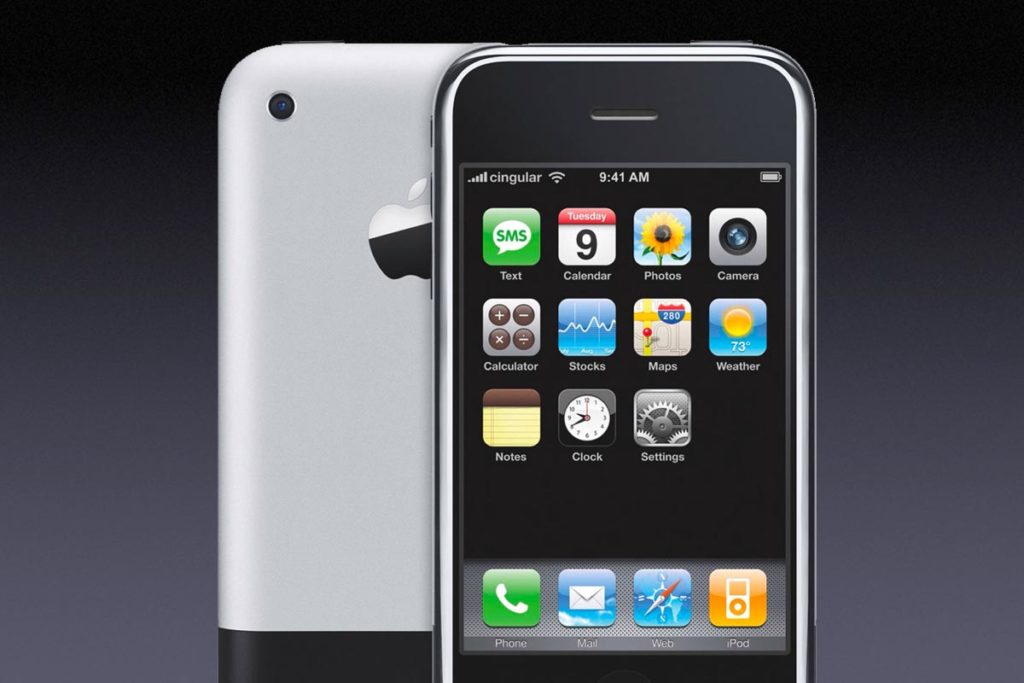
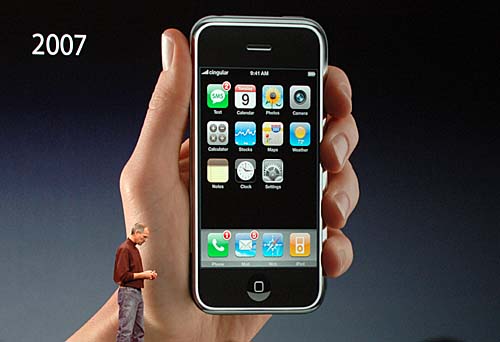
    Eleven years ago  Steve Jobs announced a wide-screen iPod with touch controls, a revolutionary mobile phone, and a breakthrough internet device. But it wasn’t three products. It was one product. And we got it, Steve. We got iPhone. Its mind boggling today to consider life with out this device. As a very early adopter, Yes I had my first of many iPhones the night before the release. One of the perks of working for Cingular at the time, I was instantly dependent on it. Since that day I have never spent another day in which I haven’t touched an iPhone.
    Steve said at the legendary iPhone reveal” iPhone is a revolutionary and magical product that is literally five years ahead of any other mobile phone. We are all born with the ultimate pointing device—our fingers—and iPhone uses them to create the most revolutionary user interface since the mouse.”

    The Stats

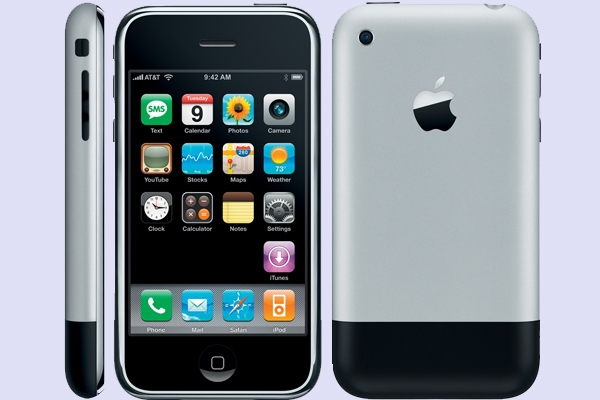
    The original iPhone, based on the P2 device of the Project Experience Purple (PEP) team, code-named M68 and device number iPhone1,1, had a 3.5-inch LCD screen at 320×480 and 163ppi, a quad-band 2G EDGE data radio, 802.11b.g Wi-Fi, Bluetooth 2.0 EDR, and a 2-megapixel camera.

    It was powered by an ARM-based 1176JZ(F)-S processor and PowerVR MBX Lite 3D graphics chip, manufactured by Samsung, with a 1400 mAh battery, and had 128MB of onboard RAM. Two NAND Flash-based storage tiers were available at launch: 4GB or 8GB.

    More importantly, iPhone also included several sensors to enhance the experience, like an accelerometer that could automatically rotate the screen to match device orientation, a proximity sensor that could automatically turn off the screen when close to the face, and an ambient light sensor that could automatically adjust brightness.

    Getting Back in Touch With My Roots

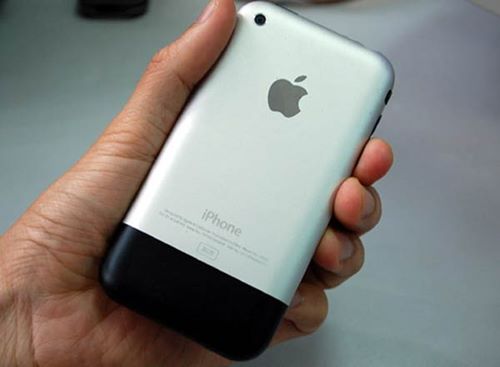
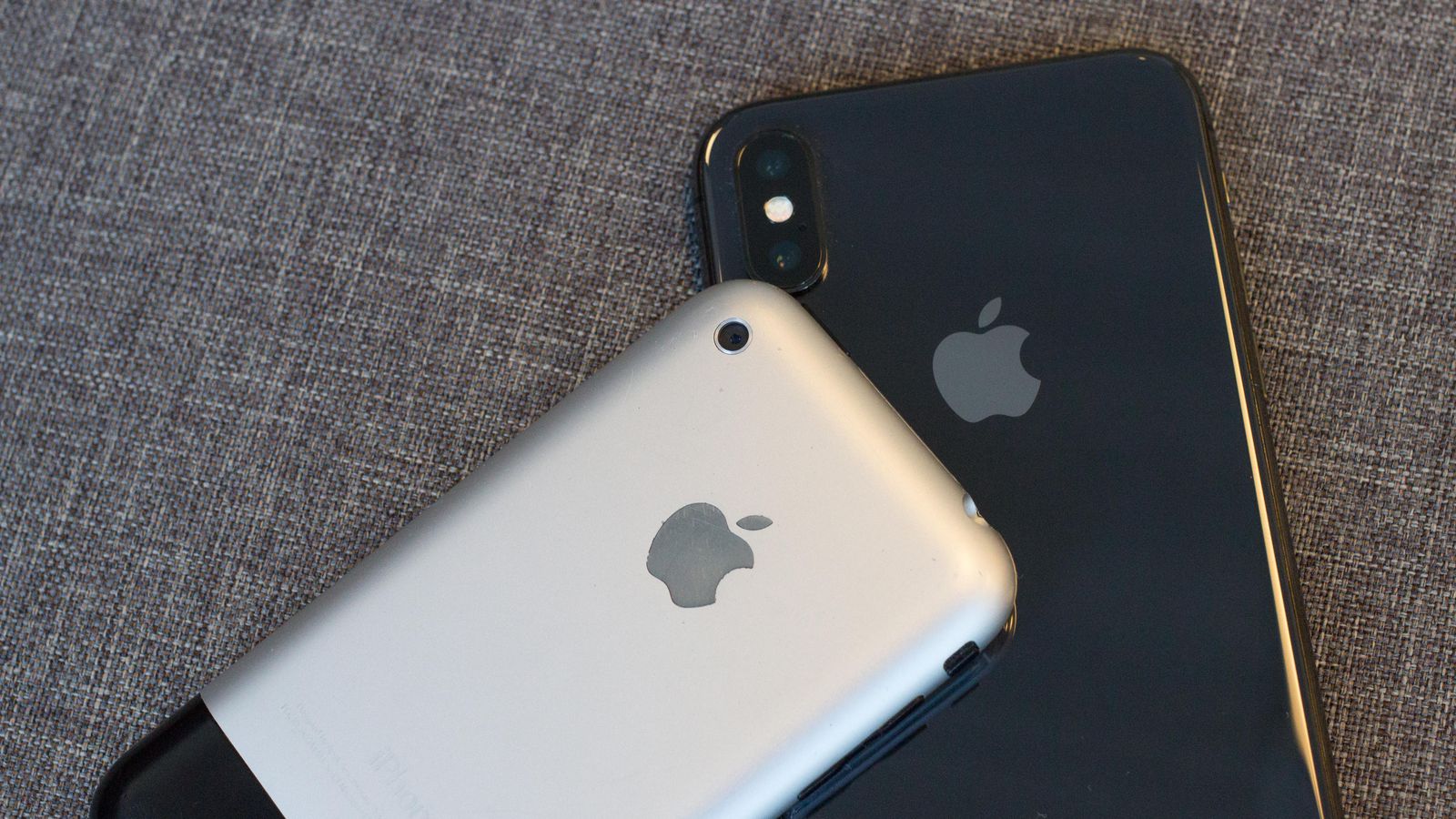
    First grip on this old original iPhone, its so small, I feel like i could crush it with just a squeeze of my palm. I always like the look of it a lot more then the 3g or iPhone 4 models, something about the brushed aluminum. The power cord is huge, the 30 pin adapter is so ancient looking. As I power it on, I see the absence of so many crucial apps. No app store, no tv app no iMovie or podcast. Its like an iPhone with out the bloatware? where is Garage band or iTunes U? no emojis, or Facebook, or text tones or background pictures, newsfeed, drop down or drag up options,  As the white girls would say.. This is so basic. but it dose have a native YouTube app, so that is neat.

    The iPhone is still 2g, not 3g so the internet is dreadfully slow and I can not send a multimedia message.. yeah, no picture messages. I did find a work around for this by emailing them to there sms number in an email format. I checked my Myspace which was still logged in on after 10 years. The cool thing about this particular iPhone, aside it being a day one model is I upgraded immoderately to the 3g the following summer, and I never updated the software after the December 2007 update, so this remains a pretty original iPhone.

    All the pictures are fuzzy old mobile phone pictures, I used to think they where amazing. It did make for some crazy action shots though. What has really astounded me is the battery still functions, It was only used for a year then a second year as an ipod but still 11 years is a long time for a battery to hold.


    The Final Thought

    This was the spark that set us up for this bizarre world we have evolved to. We all know it and love it, When school kids 100 years from now look back at this time in the world, they will study about the iPhone on a device that was inspired by the iPhone.