Tag: Chromebook

  • 2018’s Best Touchscreen 2-in-1 Laptops (So Far)

    2018’s Best Touchscreen 2-in-1 Laptops (So Far)

    There has been a huge increase the in number of 2-in-1 laptops that feature touchscreen controls for tablet mode. Love it or hate it, touchscreens are here to stay, and they will likely continue to be evolved into mainstream computing.

    Here are some of our favorite touchscreen laptops available right now.

    HP Spectre x360

    This lightweight, slim bezel 2-in-1 is a great option for the most mobile users among us. The battery life is amazing, and the keyboard is also a pleasure to use. You won’t find a better balance between tablet and laptop than this system.

    Microsoft Surface Pro

    The Microsoft Surface Pro has positioned itself to be the touchscreen laptop to beat. It is designed from the ground up to work around a touch interface and the Surface Pen. Going beyond simple touchscreen controls and note taking, the Surface Pro also aims to be a digital artist’s tool. Unfortunately, the newer version of the Surface Pro no longer includes the Surface Pen, so expect an accessory purchase right off the bat.

    Lenovo Yoga 920

    If screen real estate is your priority, then the Lenovo Yoga 920 should be where you begin looking. The general 13.9-inch display is larger than many 2-in-1 systems. With a fully metal build and an interesting take on laptop hinges, the
    Yoga makes a classy statement. It also features the same level of touchscreen sensitivity as the Surface Pro despite the larger screen.

    Samsung Chromebook Pro

    What would happen if you took a Samsung Note 8 and blew it up into a 2-in-1 computer? You’d get the Samsung Chromebook Pro. If Chrome OS is your jam but you find typical Chromebook offerings a little short on power, then the Chromebook Pro is well worth looking into. The Google Play store alone means that you will have more than enough apps for both your productive and procrastinating sides.
  • 2018’s Best Touchscreen 2-in-1 Laptops (So Far)

    2018’s Best Touchscreen 2-in-1 Laptops (So Far)

    There has been a huge increase the in number of 2-in-1 laptops that feature touchscreen controls for tablet mode. Love it or hate it, touchscreens are here to stay, and they will likely continue to be evolved into mainstream computing.

    Here are some of our favorite touchscreen laptops available right now.

    HP Spectre x360

    This lightweight, slim bezel 2-in-1 is a great option for the most mobile users among us. The battery life is amazing, and the keyboard is also a pleasure to use. You won’t find a better balance between tablet and laptop than this system.

    Microsoft Surface Pro

    The Microsoft Surface Pro has positioned itself to be the touchscreen laptop to beat. It is designed from the ground up to work around a touch interface and the Surface Pen. Going beyond simple touchscreen controls and note taking, the Surface Pro also aims to be a digital artist’s tool. Unfortunately, the newer version of the Surface Pro no longer includes the Surface Pen, so expect an accessory purchase right off the bat.

    Lenovo Yoga 920

    If screen real estate is your priority, then the Lenovo Yoga 920 should be where you begin looking. The general 13.9-inch display is larger than many 2-in-1 systems. With a fully metal build and an interesting take on laptop hinges, the
    Yoga makes a classy statement. It also features the same level of touchscreen sensitivity as the Surface Pro despite the larger screen.

    Samsung Chromebook Pro

    What would happen if you took a Samsung Note 8 and blew it up into a 2-in-1 computer? You’d get the Samsung Chromebook Pro. If Chrome OS is your jam but you find typical Chromebook offerings a little short on power, then the Chromebook Pro is well worth looking into. The Google Play store alone means that you will have more than enough apps for both your productive and procrastinating sides.


  • Feature Round-Up: Acer Chromebook Tab 10

    Feature Round-Up: Acer Chromebook Tab 10

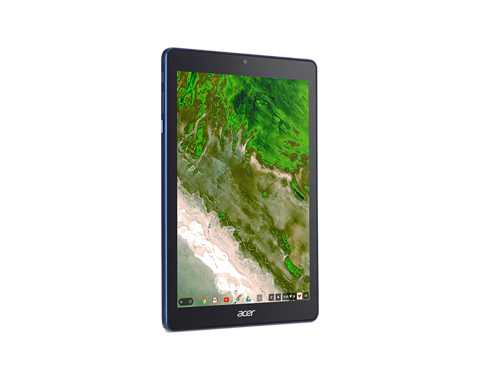
    While Android tablets are all but dead now, Google is still interested in using tablets for educators and students. To that end, the first tablet running Chrome OS, the Chromebook Tab 10, is slated to be the best classroom slate yet. We’ve got a quick roundup of some of the most notable features of the Acer Chromebook Tab 10. How will it make the class experience better for teachers and students? Let’s check it out! 

    The Specs 

    First off, it’s a huge tablet. It’s got a 9.7-inch screen and weighs a solid 1.2 lbs. This is great for the classroom, as it means it’s got enough mass to not get lost or misplaced! On the tech side, it’s got 4 GB of RAM, an OP1 CPU and a Mali T860 GPU. This all adds up to the tablet being more than powerful enough to handle any classroom duties. This will likely be many kids’ first experience with tablets, so it’s good that this one has all the power needed to handle basic tasks.  

    Interestingly, it also sports a USB-C port. That port’s versatility is a great boon for classroom settings! Charging, of course, is the primary use, but sending video and transferring data are also uses the port allows for. 

    Design 

    This big tablet has a rubberized back and big bezels. It’ll likely prove quite durable and kid-friendly. It’s set to come in a number of bright colors, making it great for kids. That big size does bring up a problem, though: it’s hard to type on. While Chrome OS allows for Bluetooth keyboard connection, the Acer Chromebook Tab 10 doesn’t have one included. As such, typing on the big on-screen keyboard is a little awkward. For kids with small hands, it’ll likely be even harder. The fix, laying it on a table and pecking the keyboard with the index finger, works, but itsn’t ideal.  

    Stylus 

    It also sports a Wacom stylus, which can be whipped out to easily pen notes in the middle of class. It’s a little short and wouldn’t be great for a professional or artist, but for a kid taking notes or drawing it’s perfect. It doesn’t recognize tilt, and it sports a bit of latency, but these are deal-breakers for what the tablet’s meant to do.  

    Acer Chromebook Tab 10: A Little Awkward, but Great for Students 

    The tablet is a bit funky, and the Chrome OS has some kinks when used for a tablet. However, Acer’s tablet is a great proof-of-concept. The student-friendly Chrome OS is absolutely well-positioned for tablet use, it just needs a bit of fine-tuning. The tablet costs $329, making it relatively affordable for classroom use. Thusly equipped, kids will be learning in no time. If we keep using technology like this, maybe the future will be pretty bright after all. 

  • Tablet Talk: The Samsung Chromebook Plus V2

    Tablet Talk: The Samsung Chromebook Plus V2


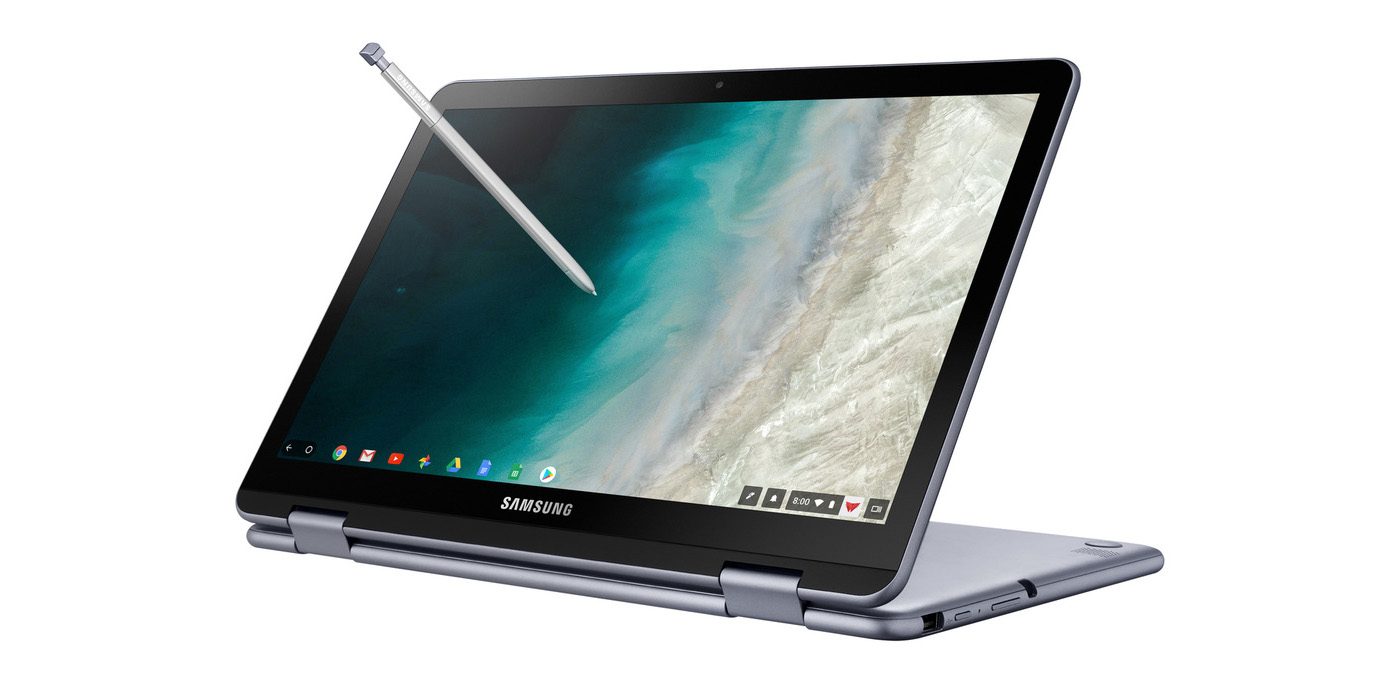
    Samsung announced a new version of its Samsung Chromebook Plus , titled the Chromebook Plus (V2) with an Intel Celeron processor and front and rear facing cameras. It will be available only from Best Buy and goes on sale June 24 starting at $499.99. Samsungs press release says “For those who use Chrome OS to do more on the go, the new light and thin Samsung Chromebook Plus (V2) sets the standard with front and rear cameras, built-in pen, and a more powerful processor”


    The Standard, Really Just Standard

    It looks like one thing Samsung got right for sure is the use of the word standard. This 2 in one is definitely that, standard. The 2-in-1 convertible is designed to help people get the most out of Chrome OS. Samsung has listed some highlight from the announcments..

    1. Front and Rear Facing Cameras to Stay Connected – Communicate visually with the 1M front-facing camera and a 13M F1.9 rear-facing camera with autofocus. Simply fold your laptop into tablet mode and capture your view from any angle. The front camera is ideal for video chats with classmates or clients, friends or family. Plus, store photos and videos right on your cloud.
    2. Unleashing Creativity – The Samsung Chromebook Plus (V2) stands out by comingwith a built-in pen. Experience the power and precision of the stylus. It’s always with you when you need it, and it never needs charging. Write a note, sketch out an idea, edit a document, sign a document, or even use the pen to magnify small text and capture carefully cropped screenshots.
    3. Do More, Store More – Tackle anything that comes your way, wherever you are, with more power and more storage. The upgraded Intel® Celeron® processor and long-lasting battery keep you going all day.In addition to users’ personal cloud storage, the Samsung Chromebook Plus (V2) has 32GB of built-in storage, with the option to add up to 400GB with a microSD card (sold separately) – room for favorite photos, documents and music, as well as for storing movies to watch offline on the go.
    4. Premium Design, Premium Experience – designed for comfort and peace of mind, with a curved-cap keyboard built to withstand spills up to 60cc. The device’s rounded edges offer users a comfortable grip whether it’s being used as a notebook or a tablet. The Samsung Chromebook Plus (V2) offers even more functionality to users with multiple connected devices, including easy file sharing between Chromebook and mobile devices. Smart Lock from Google makes it easy to store and use passwords across your devices.

    The laptop will use an Intel Celeron 3965Y processor (a change from the old Plus’ ARM processor, though the Chromebook Pro used an Intel Core M3). The “rear” camera, above the keyboard, for use in tablet mode, is a new addition. The laptop will have 4GB of RAM and 32GB of storage.
    The Chromebook Plus (V2) has a 1920 x 1080 display with a 16:10 aspect ratio. The previous model had a 3:2 aspect ratio with a 2400 x 1600 resolution. While an unexpected announcement, nothing unexpected here.

    Quick Spec Look of The Samsung Chromebook Plus

    • PROCESSOR Intel® Celeron® Processor 3965Y
    • MEMORY 4GB
    • STORAGE 32GB
    • GRAPHICS Intel® HD Graphics 615
    • POWER 39Wh
    • WEIGHT 2.93 lbs
    • CMF Stealth Silver
    • DIMENSION 11.34 x 8.19 x 0.63-7.0 inches
    • PORTS 2 x USB-C™ [4K display out with optional adapter, Charging] 1 x USB3.0
      MicroSD card reader
      3.5mm headphone jack
    • MATERIAL Aluminum alloy/Glass/Plastic
    • DISPLAY Aspect Ratio: 16:10
      Brightness: 300nit
      Touch Screen
    • CAMERA Dual: 1M (front); 13M (on keyboard deck)
    • SPEAKER Stereo Speakers (1.5W x 2)
    • STYLUS Built-in-pen

    The Final Thought

    This is just another mediocre Samsung device, put out by what is becoming the standard of a mediocre company. Samsung fails to innovate or at least manipulate someone eases innovation yet again. Uninspired, its just the Chromebook on the self if you need a Chromebook and you probably don’t.

  • 2018’s Best Touchscreen 2-in-1 Laptops (So Far)

    2018’s Best Touchscreen 2-in-1 Laptops (So Far)

    There has been a huge increase the in number of 2-in-1 laptops that feature touchscreen controls for tablet mode. Love it or hate it, touchscreens are here to stay, and they will likely continue to be evolved into mainstream computing.

    Here are some of our favorite touchscreen laptops available right now.

    HP Spectre x360

    This lightweight, slim bezel 2-in-1 is a great option for the most mobile users among us. The battery life is amazing, and the keyboard is also a pleasure to use. You won’t find a better balance between tablet and laptop than this system.

    Microsoft Surface Pro

    The Microsoft Surface Pro has positioned itself to be the touchscreen laptop to beat. It is designed from the ground up to work around a touch interface and the Surface Pen. Going beyond simple touchscreen controls and note taking, the Surface Pro also aims to be a digital artist’s tool. Unfortunately, the newer version of the Surface Pro no longer includes the Surface Pen, so expect an accessory purchase right off the bat.

    Lenovo Yoga 920

    If screen real estate is your priority, then the Lenovo Yoga 920 should be where you begin looking. The general 13.9-inch display is larger than many 2-in-1 systems. With a fully metal build and an interesting take on laptop hinges, the
    Yoga makes a classy statement. It also features the same level of touchscreen sensitivity as the Surface Pro despite the larger screen.

    Samsung Chromebook Pro

    What would happen if you took a Samsung Note 8 and blew it up into a 2-in-1 computer? You’d get the Samsung Chromebook Pro. If Chrome OS is your jam but you find typical Chromebook offerings a little short on power, then the Chromebook Pro is well worth looking into. The Google Play store alone means that you will have more than enough apps for both your productive and procrastinating sides.

  • HP Chromebook X2 Detachabley Terrific

    HP Chromebook X2 Detachabley Terrific

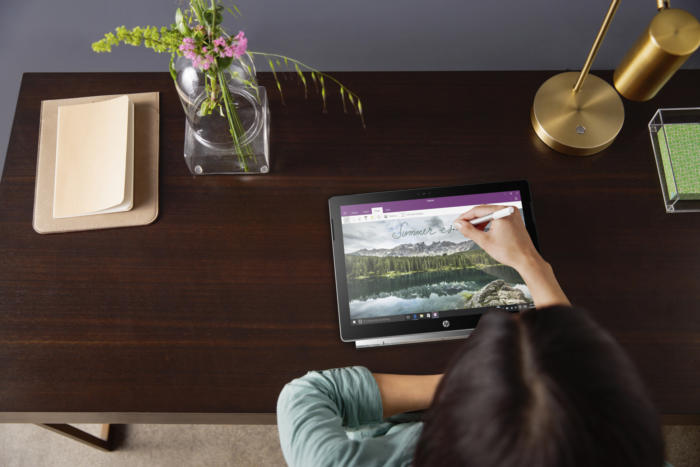
    So we have made it to a place in time where Chromebooks can run Android applications as natively as a Google Pixel 2, it is only natural that we’re starting to see detachable, hybrid Chromebooks that double as tablets.

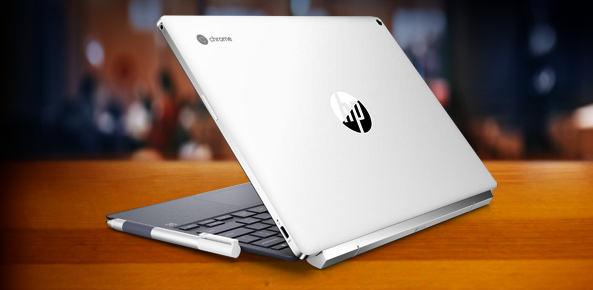
    Now HP is leading the charge in the 2-in-1 detachable Chromebook space with its Chromebook x2. Like the HP Spectre x2 before it, the HP Chromebook x2 is a thin and lightweight tablet that can be magnetically hinged to and unhinged from its included keyboard at will. That’s where the similarities end between the HP Chromebook x2 and its Windows-based predicessors.

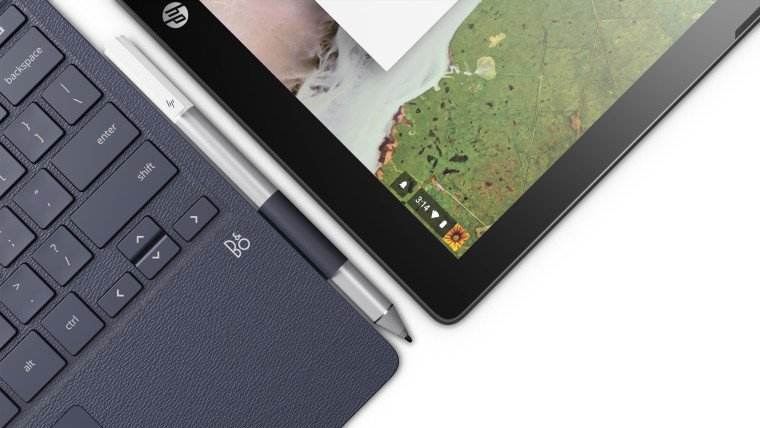
    HP is making Chrome OS devices that can do away with the keyboard. It just unveiled the Chromebook x2, a 12.3-inch laptop that’s really a detachable tablet — unlike the earlier Chromebook x360, you can leave the keyboard behind instead of merely flipping it behind the screen (though you can do that too). There’s an included pen for note-taking and sketching, and you’ll find a 13-megapixel rear camera on top of a more conventional 5-megapixel front shooter.


    Hows it Running?

    The Chromebook x2 has a Core m3 processor from Intel’s prior generation of Kaby Lake chips, 4GB of RAM (it can be configured with 8GB, too), 32GB of storage, a 2400 x 1600 resolution, stereo speakers, a 5-megapixel front camera, a 13-megapixel rear camera, two USB-C ports, a microSD card slot, a headphone jack, and an estimated 10.5 hours of battery life. It weighs a little bit more than an iPad Pro, and it’s a little bit thicker than an iPad Pro, but not by much.

    HP also emphasized that the keyboard was designed to hold firmly enough to the tablet that it should feel like a clamshell laptop when the two are connected. I haven’t seen the Chromebook x2 in person, but HP’s images make it look relatively nice. While the Chromebook x2 looks like a bargain compared to the iPad, it’s expensive for a Chromebook, which people often buy for around $300.


    The Final Thought

    So if you’re looking for a more premium Chromebook, and you don’t want to shell out $1,000 for Google’s Pixelbook, the Chromebook x2 seems like a potentially interesting middle-ground. But we won’t know for sure until it comes out later this summer on June 10th.