Tag: google home

  • Can’t Miss Electronics Gifts!

    Can’t Miss Electronics Gifts!

    Santa’s big day is just around the corner and while some have already checked off their entire shopping list, many of us are still trying to figure out the perfect gift and now we’re down to the wire.

    Adding to the stress of finding something they will love, is when you are looking for the dream gift for the tech-guru or simply tech lover in your life, especially if you are like most of “late-adopters” who are still trying to figure out how to update the latest Apple IOS, let alone determine what will delight your tech lovers.

    Our list is full of go-to gifts that can be found easily in stores or online and still arrive by Christmas, in two top categories that are hot and will not soon fall out of favor: the Smart Devices and their supporting speaker systems and Wearables.

    Below are recommendations on the best of the best in both arenas.

    SHOPPING TIP: Retailers are not only helping those of us who wait to the last minute, they have come up with clever ways to help us stay safe while we shop: On some products, Best Buy offers Ready in one hour with Curbside Pickup. Now with extended pickup hours throughout the holiday season. Same-day delivery. Order by 3 p.m, and get it by 9 p.m.Free next-day delivery on thousands of items.

    Smart Devices & Speaker Systems:

    1. Proven and Beloved, Google Home
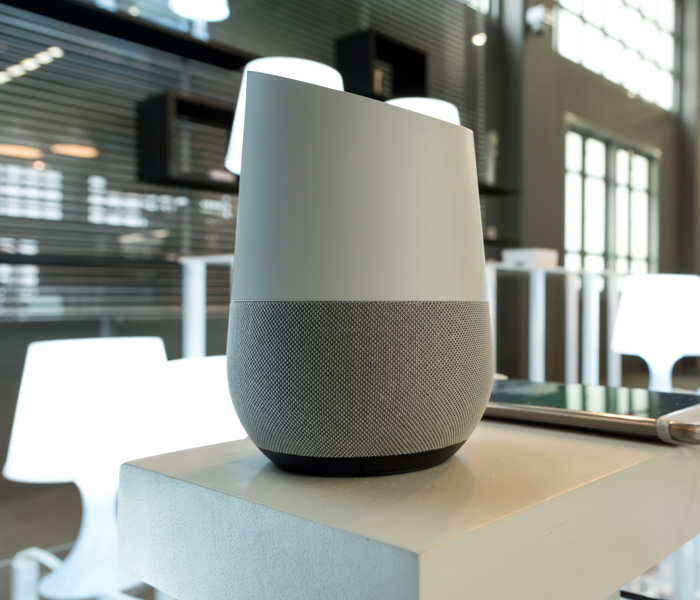
    One of the originals in the game, Google home is tops. Even though it has been surpassed by newer technology like Google Nest, Google Home is proven and extremely popular. Since its launch in 2016 there have been new releases like the Google home mini and Home hub, so you have many options.

    If you are ready to move to Google Nest, it will not disappoint. It boasts a pair of pretty impressive speakers below its 10-inch display. It’s not as powerful as some stand alone speakers, but it will enhance your kitchen vibes, as you fill it with great sounds.

    You can use a stop hand gesture to pause music without having to touch the screen or use your voice (AWESOME FEATURE!). It also features a camera to identify individual members of the house, only displaying information pertaining to each family member, and the larger display makes it great for watching cooking tutorials. Google also added support for group video calling through Duo and Google Meet, making this an even better pick if you regularly connect with friends using those services.

    2. Favorite Overall, Sonos One
    Many could argue that there are louder or more portable smart speakers on the market, the Sonos One is still considered the best of the best. Compatible with most systems like Alexa, Sonos, AirPlay 2, and Google Assistant, Sonos has impressive sound, outstanding connectivity and super easy to use mobile app.

    Important Note: software updates will no longer be available for the Sonos One, so this is not a lifelong system.

    3. Most Popular, Amazon Echo

    Hello, Alexa! A sound system that will fill the entire home from a small device is part of why the Echo is so popular. Easy to use anywhere in the home, blends in the scenery and is simple to use, this is popular amongst both tech heads and newbies.  Gifts cards might seem impersonal, but if they can wait, you can impress your tech lover with your knowledge of the forthcoming release of the all-new Echo Show 10 (3rd Gen) | HD smart display with motion and Alexa featuring:

    * Alexa can show you even more – With a 10.1″ HD screen that’s designed to move with you, video calls, recipes, and shows are always in view. The speakers deliver premium, directional sound.

    * Stay in frame – Video call friends and family or take a picture while the 13MP camera with auto-framing and motion keeps you front and center.

    * Smart home made simple – Set up compatible Zigbee devices or smart products without a separate hub. Ask Alexa to show you security cameras, control lights, and adjust thermostats.

    * Take a look around when you’re away – Securely access the built-in camera to remotely monitor your home anytime with the Alexa app or other Echo Show devices.

    * So much entertainment – Ask Alexa to play your favorite shows, music, and podcasts from Prime Video, Netflix (coming soon), Amazon Music, Spotify, and more.

    * The ultimate kitchen companion – Cook along with recipes on Food Network Kitchen, get unit conversions, set timers, add to your grocery list, and multitask with ease.

    * Put your memories on display – Use Amazon Photos to turn your home screen into a digital frame that makes your favorite pics look great in any light with adaptive color.

    * Designed to protect your privacy – Electronically disconnect the microphones and camera with one press of a button. Slide the built-in shutter to cover the camera. Disable motion at any time.

    4. Best on the go speaker, JBL Link Portable
    The 360 sound that comes from this small but mighty speaker is seriously impressive. It can fill an entire room to a back patio. Linking it to Google Assistant will allow for quick questions answered or for playing your favorite playlist.

    Extra perks:
    * Up to eight hours of playtime on a single charge
    * The IPX7 is water-resistant
    Speaking of JBL, do not overlook the JBL Link Portable which only costs $90, despite its age, it is still a fantastic speaker with impressive sound, bass and battery life.
    About JBL
    For more than 70 years, JBL® has delivered products that exemplify the technology and expertise gained through a leadership role in professional sound reproduction. The JBL name has been synonymous with the precise, naturally articulated sound found in many of the world’s most prestigious locations, including clubs, cinemas and recording studios, and live-music reinforcement in venues ranging from concert halls to outdoor stadiums. JBL loudspeakers are for those who won’t compromise – in the studio, at home or on the road. Due to increasing popularity, many great brands are subject to counterfeiting. These individuals and organizations take advantage of both the consumer and the brand they attempt to counterfeit with total disregard for the customer experience.
    https://www.jbl.com/

    6. Best Smart Soundbar, Yamaha YAS-209
    As an alternative to the producer made smart device, the YAS-209 from Yamaha offers compatibility and great sound. Fill every corner of your room with sound with this impressive device is considered the Best Buy you could make for personal speakers. It is compatible with Spotify and Alexa!

    Wearables:
    Wearables are not considered “new” technology to your Tech gurus friends, however thanks to advancements they are more accessible than ever and available in a variety of tools and options. Today’s technology makes it easy to monitor daily activity and stay connected. From basic activity trackers to sophisticated smartwatches, find the ideal wearable to help you stay up-to-date with the important details of your life.

    1. Wearables for activity tracking.
    No matter your level of fitness, there is a wearable technology to help you stay on track and reach your goals – from monitoring daily activity, to training for a marathon or simply tracking your heart rate, pairing a wearable device with the supporting app can be a big game changer. These days, trackers can be worn on your wrist or easily tucked on your belt. From discrete to high fashion the options are limitless. Wearable tech is set for another blockbuster year in 2020 – and there’s a host of big changes afoot that will shape our connected lives.

    Fitbit is one of the most trusted and a leader in the category offering a bevy of wearable styles, fits, support and accessories.
    https://www.fitbit.com/global/us/home

    2. Sleep tracking gets serious
    We all know that sleep is critical to your health, but getting the recommended eight hours is a big challenge for many, even without distractions from pets or kids. The right sleep can help curb food cravings, fight aging and depression, reduce your risk of heart disease and more. It’s no wonder that wearables have become so popular.
    Sleep tracker producers like Fitbit, Garmin and Withings are seeking to offer richer insights into your sleeping habits. It is longer just about how your quality of sleep, but learning about how to improve your sleep and what you can discover from you can sleep patterns. Fitbit uses SpO2 to help detect signs in your sleep that you could be suffering from the sleep disorder sleep apnea. It’s likely that Apple will join the game at some point too.

    3. Wearables make their way to the slopes!
    Carv is a newcomer that is helping change the way ski buffs improve their skills. Carv has packed 36 pressure sensors and a motion sensor into a ski boot insert and built it to withstand hard days of skiing while it analyses your technique and coaches you with live audio, in real time. The best part is, because Carv fits under the liner of your boot, you can use it in custom moulded ski boots, stock boots or rentals. It even works with your custom insoles. “It will improve your skiing, the live feedback and challenges are absorbing and will refine technique whether you are an intermediate, advanced or a pro.” Andy Townsend

    4. Don’t forget “Hearables” 
    Named best overall by Wired magazine.
    1More ColorBuds
    Headphones & Earbuds
    The lesser-known audio brand 1More has made the top of the list for all-around in-ears for two generations. Recently renamed ColorBuds, the second generation of 1More’s $100 wirefree headphones will be a fast favorite. Extremely comfortable, sweat-resistant, and sounds that compares to ear buds two to three times its price. Wear them for hours at a time and forget they’re there thanks to their comfortable design. Great for those who want to get outdoors for a little socially distant exercising. Small, light and a long battery life gives you even more reason to love these ear buds.

    5. For the tech loving dog owner: the Link Plus dog collar
    The link Plus smart tracker is a sophisticated GPS unit designed for dog comfort, fit and fashion. It lets you track a lost dog with GPS, monitor activity, health & wellness, log vet Records, receive ambient temperature alerts, and much more. The Link AKC app to be used with the link Plus smart collar helps you take a more informed and active role in managing your dog’s well-being and to feel connected to your dog when you’re apart from each other. Included with each link Plus smart tracker purchase is a link Plus tracking unit, universally compatible collar carrier and a sleekly-designed link Plus base station and charging cord. The base station is used to charge the tracking unit and also features a USB port to make it convenient to charge both your dog’s tracking unit as well as your cell phone simultaneously. Link Plus service plan is required in order to activate the tracking unit and have full feature functionality of the Link AKC app (available for download on iOS and Android). to learn more visit www. Linpac. Com website. Note: this does require a monthly subscription plan.

    Bonus ideas for the techie who has it all:
    Kodak Ultra Mini Portable Projector –

    Make cinema magic with the ultimate multimedia companion!
    Enjoy stunning HD video and imaging in the palm of your hand with the Small DLP Pocket Projector from KODAK. Integrating revolutionary innovations in compact digital design, this miniature movie player produces high quality imaging in a truly portable package. Transport to the fantasy world of your choice with a booming 1 W speaker and dazzling 16.7 million color display. Compatible with today’s most popular entertainment devices, the projector includes a 3.5mm input and integrated HDMI, USB and MicroSD hookups. Simply connect your PC, Mac, cable box, gaming console or HDMI video player without the hassle of complicated buttons and menu screens. Just plug, play and experience a pocketful of possibilities!

    What You Get:
    – 1 x DLP Pocket Projector from KODAK
    – An integrated 1 W speaker
    – Effortless onboard controls
    – The tiniest big screen movie projector in the world!

    Finally- Even water bottles have gotten smarter!

    Stay healthy and hydrated with Hidrate Spark 3!
    Meet our most advanced smart water bottle yet! With all new full-bottle glows, faster syncing and better battery life, the Hidrate Spark 3 makes drinking more water as easy as blink, drink, sync. This smart water bottle tracks your water intake and lights up to remind you to drink through our free Hidrate App powered by Bluetooth. The soft grip body makes it easy to keep your bottle in hand while on-the-go. Choose from three glow modes for extra motivation every day.
    www.hidratespark.com

  • Google Home vs Amazon Echo: Which Smart Home Hub is the Best?

    Google Home vs Amazon Echo: Which Smart Home Hub is the Best?

    If you’re considering jumping into the world of smart home devices, then your first big decision is which hub you want to go with. While Apple offers a hub through their HomePod, the Siri-powered device is much more expensive and limited in features than Amazon and Google’s offerings, respectively. Between the two smart home juggernauts, which is the best for outfitting your home?

    Google Home vs Amazon Echo

    Smart Hub Overview

    A smart hub is a device that coordinates all of your smart home devices. Typically, these hubs are also “smart speakers.” This means that they’re capable of music playback, and both Google and Amazon’s smart speakers contain virtual assistants that help you use your smart home features. For example, if you want to listen to a song, you can use voice commands to ask the virtual assistant to play it for you.

    The other major use of a smart home hub is calling on the virtual assistant to perform smart home tasks. This could include turning on smart lights, preheating smart ovens or tuning smart thermostats. All of these functions are controlled by voice commands, making them very satisfying for tech fans and very helpful for busy professionals. If you need to know what the traffic report is, you can ask your virtual assistant. If you want to lock your front door with a smart lock, tell your virtual assistant.

    Google Home

    Google Home is a bit newer to the market than Amazon’s Echo devices, but it quickly made up for lost time. Distinct from Amazon’s device in a few ways, the Google Home Mini is a great intro smart speaker for people looking to get into the smart home world. Google Assistant, the virtual assistant that powers the device, has a warm and conversational voice, and sounds only slightly robotic. It’s capable of controlling a wide variety of smart devices from many different manufacturers.

    Notably, Google’s Pixel phones can be used as Google Home devices when paired with smart home technology you have. As such, if you have a Google Pixel, you essentially already have a Google Home device. The Google Assistant that is on Pixel phones is the same software that is housed in Google Home speakers. If you’re already in Google’s ecosystem with devices like Google Wi-Fi, Google Pixel or the like, then Google Home is a great choice for you.

    Amazon Echo

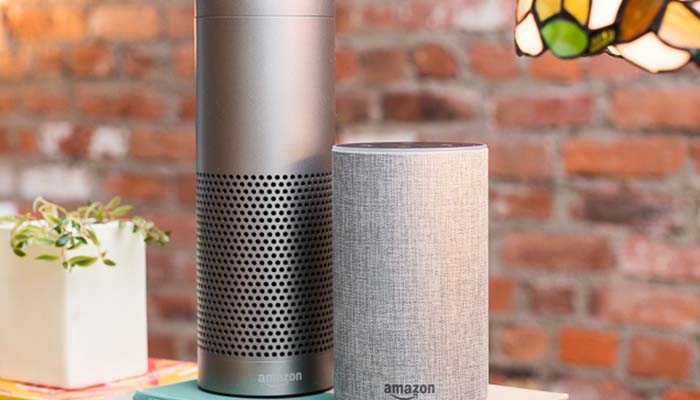
    The originator of the current smart speaker market, Amazon’s Echo devices hold the largest market share. They’re the most “generic” of the smart speakers you’ll find in stores and offer a wide variety of compatible smart home devices. Alexa, the virtual assistant that powers the Echo, is a very flexible and easy-to-use software. It responds quickly and accurately to a number of commands and can usually decipher even thick accents.

    The Echo Dot is priced similarly to the Google Home Mini, and the two are of comparable usefulness in everyday scenarios. In fact, the two devices are so similar that it’s hard to recommend one over the other. The main differences between the two is the performance of the virtual assistant. Google’s is a bit more robotic and colder, while Alexa is a bit livelier.

    Bottom Line

    Both Google Home and Amazon Echo are fine platforms for smart home hubs. If you like the idea of using a Google-based ecosystem for your home, of course, the Google Home is ideal for you. However, if you would rather have a more general and widely-applicable virtual assistant, the Amazon Echo is a bit more flexible. Both are excellent devices in the same price range, however, so it really comes down to personal preference.


  • Google Assistant Coming to Even More Devices

    Google Assistant Coming to Even More Devices

    Voice assistants are all the rage right now. Between Amazon’s stellar Alexa, Apple’s hit-and-miss Siri and Google’s excellent Assistant, there are a ton of options for home speakers with built-in assistants.

    Google is set to make an even bigger splash as their assistant technology comes to even more devices this year.

    Google Assistant Rolling Out on More Devices

    CES 2019

    This year’s Consumer Electronic Show, or CES, announced a number of new pieces of tech that will use Google’s Assistant software. JBL’s Link Bar, the Dolby Atmos soundbar and even Samsung TVs are slated to use the tech this coming year. This follows Google’s existing model of not marrying their software to their own tech, as seen with their Android phone operating system.

    CES 2019 marked a ton of new tech that Google Assistant would call home. This puts it apart from Apple, who only allow their Siri virtual assistant to live on Apple-branded products like the HomePod. Amazon, however, is no stranger to renting out their Alexa software.

    Earlier Models

    “Earlier models” of speakers are also slated to get updates to allow Google Assistant to live on them. Play:1, Play:5 and Playbar, for instance, will all be updated to allow for use with Google Assistant. It’s worth noting that these speakers don’t have native mics built in, so those wishing to use them as home hubs will need a go-between. A smartphone or another Google smart speaker are the two most likely candidates, though any microphone would do.

    So What?

    While millions of homes are now equipped with smart speakers, many people remain unconvinced of their usefulness. As such, this news might sound like no big deal. However, given the incredible usefulness and flexibility of smart speakers and virtual assistants, this is huge news.

    Smart speakers, first and foremost, are great for coordinating your media. If you want to listen to music or hear the weather, it’s easy to just call out to your smart speaker. Traffic reports, stock market changes and news are all available through these speakers as well, helping you streamline your morning routine.

    Smart speakers also can act as home hubs if you opt for smart appliances and lights. Controlling your home’s entire electronic ecosystem with your voice is a uniquely awesome experience. Asking to have the oven pre-heat while you also command the lights to enter “romantic dinner” mode is a sublime experience, to be sure.

  • Top Smart Home Gifts to Buy on Black Friday

    Top Smart Home Gifts to Buy on Black Friday

    The Google Home is getting better and better and that’s not going to change any time soon, especially considering Google’s artificial intelligence prowess. Google Home is a huge help to people who want a personal assistant for household tasks.

    But perhaps the best thing about the Google Assistant has nothing to do with the Assistant itself, but more to do with the fact that it can be used to control such a huge range of smart home devices. Unfortunately, not all smart home devices are created equal. If you’re looking to control your home with the Google Assistant, you’ll want to make sure you’re getting the right products.  That’s why we’ve put together this guide — to help you find the best Google Assistant-compatible products out there.

    Things like setting the lights, thermostat and music are as easy as using your voice with Google Home. To help you automate all the little things, here are the top 5 Google Home Devices you need for your home!

    Must-Have Google Home Devices

    Nest Thermostat

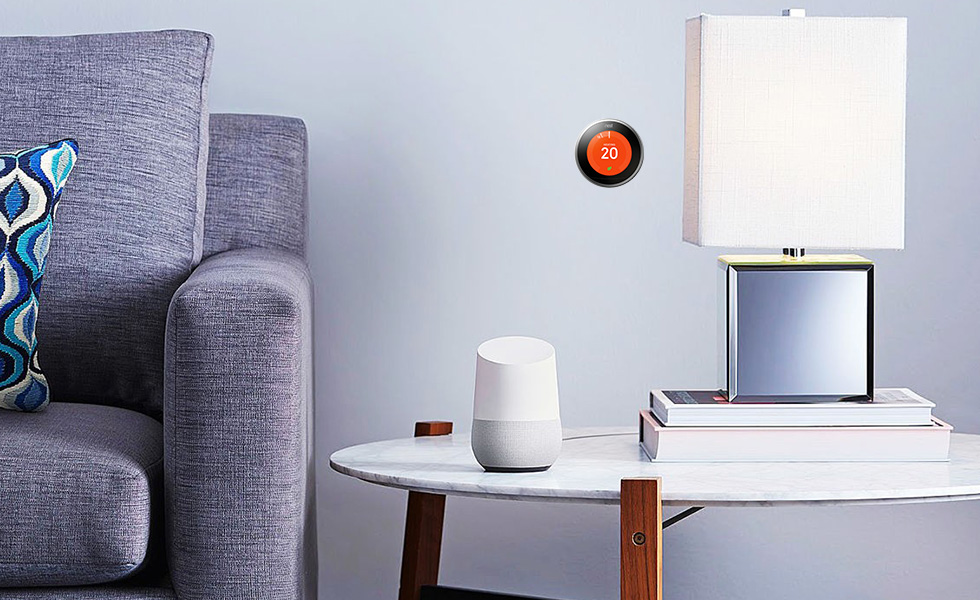
    The Nest Learning Thermostat is a great smart home device that works with Google Assistant. If you’re the kind of person who likes saving money on your power bill and keeping your home’s comfort front and center, you’ll want the Nest system. You can control your home’s temperature with your voice through Google Assistant or through the Nest app.

    The best part of this system, however, is the “Learning” part. The thermostat should learn your routine as you use it and develop a profile for you. This means that it will try to change the temperature intelligently before you even ask it to. When working properly, this means it keeps your power bill down and works invisibly. You shouldn’t even notice the system, as you’ll always be comfortable in your own home! How great is that?

    Nest Cam

    On the same note as the Nest Thermostat is the Nest Cam. Retailing at $300, the Nest Came is a pretty handy device. For one thing, it comes included with a Google Assistant, so you can control it with your voice out of the box. It’s also a great companion to an existing smart home system! It’s easily one of the best home security solutions for the money.

    If you’re often away from home and want to be able to keep an eye on things, the Nest Cam has you covered. Whether you’re checking in on pets or kids, or just making sure no one is in there when they shouldn’t be, the Nest Cam is super handy. It can even be set to function by being motion-activated. Hopefully you won’t need it, but it’s great to have! You can even view the camera’s feed from your smartphone over the internet.

    Phillips Hue

    The best way to equip your house with smart lights is through the Philips Hue system. These smart lightbulbs are really rather intuitive, and they work well with Google Assistant. The bulbs come with a variety of uses, as they can connect to several different smart home systems. If you have Alexa, for instance, these work well with that system too!

    To get started with Hue you need a Hue Bridge. Once you have that you can simply add more Hue bulbs to your Hue system. You can control the lights entirely with your voice, turning them on or off or even changing their colors. It’s a small touch, but it makes you feel like you’re living in the future when you can control your house with your voice!

    Hue makes it easy to set up and control the lights in your entire house. You need only get a Hue Bridge connected to your Google Home system. Then, you just tell it which bulb is in which room. You can even control the lights from a smartphone app while you aren’t home!

    Belkin WeMo

    The WeMo system by Belkin is a way to turn nearly any device into a smart device. WeMo plugs are smart switches that can simply be toggled on or off. That means if you plug a lamp into one, you can name that switch “lamp” and command it with your voice. Calling out “Google, turn off the lamp,” is a pretty satisfying command.

    The possibilities for WeMo are pretty wide and varied. It’s hard to overstate how handy this is for anything you want to become a smart device. Your speakers, your fans and the like can all be connected via this smart system. Talk about an easy way to get everything connected!

    Chromecast

    Ever wanted to pull up YouTube videos on your TV with your voice? Then you want a Chromecast. Simply tell Google what you want to see on the TV from the internet and Chromecast has you covered. It’s really quite satisfying to control your TV with your voice, and Chromecast isn’t even that pricey!


  • 5 Google Home Devices You Need

    5 Google Home Devices You Need

    The Google Home is getting better and better and that’s not going to change any time soon, especially considering Google’s artificial intelligence prowess. Google Home is a huge help to people who want a personal assistant for household tasks.

    But perhaps the best thing about the Google Assistant has nothing to do with the Assistant itself, but more to do with the fact that it can be used to control such a huge range of smart home devices. Unfortunately, not all smart home devices are created equal. If you’re looking to control your home with the Google Assistant, you’ll want to make sure you’re getting the right products.  That’s why we’ve put together this guide — to help you find the best Google Assistant-compatible products out there.

    Things like setting the lights, thermostat and music are as easy as using your voice with Google Home. To help you automate all the little things, here are the top 5 Google Home Devices you need for your home!

    Must-Have Google Home Devices

    Nest Thermostat

    The Nest Learning Thermostat is a great smart home device that works with Google Assistant. If you’re the kind of person who likes saving money on your power bill and keeping your home’s comfort front and center, you’ll want the Nest system. You can control your home’s temperature with your voice through Google Assistant or through the Nest app.

    The best part of this system, however, is the “Learning” part. The thermostat should learn your routine as you use it and develop a profile for you. This means that it will try to change the temperature intelligently before you even ask it to. When working properly, this means it keeps your power bill down and works invisibly. You shouldn’t even notice the system, as you’ll always be comfortable in your own home! How great is that?

    Nest Cam

    On the same note as the Nest Thermostat is the Nest Cam. Retailing at $300, the Nest Came is a pretty handy device. For one thing, it comes included with a Google Assistant, so you can control it with your voice out of the box. It’s also a great companion to an existing smart home system! It’s easily one of the best home security solutions for the money.

    If you’re often away from home and want to be able to keep an eye on things, the Nest Cam has you covered. Whether you’re checking in on pets or kids, or just making sure no one is in there when they shouldn’t be, the Nest Cam is super handy. It can even be set to function by being motion-activated. Hopefully you won’t need it, but it’s great to have! You can even view the camera’s feed from your smartphone over the internet.

    Phillips Hue

    The best way to equip your house with smart lights is through the Philips Hue system. These smart lightbulbs are really rather intuitive, and they work well with Google Assistant. The bulbs come with a variety of uses, as they can connect to several different smart home systems. If you have Alexa, for instance, these work well with that system too!

    To get started with Hue you need a Hue Bridge. Once you have that you can simply add more Hue bulbs to your Hue system. You can control the lights entirely with your voice, turning them on or off or even changing their colors. It’s a small touch, but it makes you feel like you’re living in the future when you can control your house with your voice!

    Hue makes it easy to set up and control the lights in your entire house. You need only get a Hue Bridge connected to your Google Home system. Then, you just tell it which bulb is in which room. You can even control the lights from a smartphone app while you aren’t home!

    Belkin WeMo

    The WeMo system by Belkin is a way to turn nearly any device into a smart device. WeMo plugs are smart switches that can simply be toggled on or off. That means if you plug a lamp into one, you can name that switch “lamp” and command it with your voice. Calling out “Google, turn off the lamp,” is a pretty satisfying command.

    The possibilities for WeMo are pretty wide and varied. It’s hard to overstate how handy this is for anything you want to become a smart device. Your speakers, your fans and the like can all be connected via this smart system. Talk about an easy way to get everything connected!

    Chromecast

    Ever wanted to pull up YouTube videos on your TV with your voice? Then you want a Chromecast. Simply tell Google what you want to see on the TV from the internet and Chromecast has you covered. It’s really quite satisfying to control your TV with your voice, and Chromecast isn’t even that pricey!


  • 5 Google Home Devices You Need

    5 Google Home Devices You Need

    The Google Home is getting better and better and that’s not going to change any time soon, especially considering Google’s artificial intelligence prowess. Google Home is a huge help to people who want a personal assistant for household tasks.

    But perhaps the best thing about the Google Assistant has nothing to do with the Assistant itself, but more to do with the fact that it can be used to control such a huge range of smart home devices. Unfortunately, not all smart home devices are created equal. If you’re looking to control your home with the Google Assistant, you’ll want to make sure you’re getting the right products.  That’s why we’ve put together this guide — to help you find the best Google Assistant-compatible products out there.

    Things like setting the lights, thermostat and music are as easy as using your voice with Google Home. To help you automate all the little things, here are the top 5 Google Home Devices you need for your home!

    Must-Have Google Home Devices

    Nest Thermostat

    The Nest Learning Thermostat is a great smart home device that works with Google Assistant. If you’re the kind of person who likes saving money on your power bill and keeping your home’s comfort front and center, you’ll want the Nest system. You can control your home’s temperature with your voice through Google Assistant or through the Nest app.

    The best part of this system, however, is the “Learning” part. The thermostat should learn your routine as you use it and develop a profile for you. This means that it will try to change the temperature intelligently before you even ask it to. When working properly, this means it keeps your power bill down and works invisibly. You shouldn’t even notice the system, as you’ll always be comfortable in your own home! How great is that?

    Nest Cam

    On the same note as the Nest Thermostat is the Nest Cam. Retailing at $300, the Nest Came is a pretty handy device. For one thing, it comes included with a Google Assistant, so you can control it with your voice out of the box. It’s also a great companion to an existing smart home system! It’s easily one of the best home security solutions for the money.

    If you’re often away from home and want to be able to keep an eye on things, the Nest Cam has you covered. Whether you’re checking in on pets or kids, or just making sure no one is in there when they shouldn’t be, the Nest Cam is super handy. It can even be set to function by being motion-activated. Hopefully you won’t need it, but it’s great to have! You can even view the camera’s feed from your smartphone over the internet.

    Phillips Hue

    The best way to equip your house with smart lights is through the Philips Hue system. These smart lightbulbs are really rather intuitive, and they work well with Google Assistant. The bulbs come with a variety of uses, as they can connect to several different smart home systems. If you have Alexa, for instance, these work well with that system too!

    To get started with Hue you need a Hue Bridge. Once you have that you can simply add more Hue bulbs to your Hue system. You can control the lights entirely with your voice, turning them on or off or even changing their colors. It’s a small touch, but it makes you feel like you’re living in the future when you can control your house with your voice!

    Hue makes it easy to set up and control the lights in your entire house. You need only get a Hue Bridge connected to your Google Home system. Then, you just tell it which bulb is in which room. You can even control the lights from a smartphone app while you aren’t home!

    Belkin WeMo

    The WeMo system by Belkin is a way to turn nearly any device into a smart device. WeMo plugs are smart switches that can simply be toggled on or off. That means if you plug a lamp into one, you can name that switch “lamp” and command it with your voice. Calling out “Google, turn off the lamp,” is a pretty satisfying command.

    The possibilities for WeMo are pretty wide and varied. It’s hard to overstate how handy this is for anything you want to become a smart device. Your speakers, your fans and the like can all be connected via this smart system. Talk about an easy way to get everything connected!

    Chromecast

    Ever wanted to pull up YouTube videos on your TV with your voice? Then you want a Chromecast. Simply tell Google what you want to see on the TV from the internet and Chromecast has you covered. It’s really quite satisfying to control your TV with your voice, and Chromecast isn’t even that pricey!


  • 5 Google Home Devices You Need

    5 Google Home Devices You Need

    The Google Home is getting better and better and that’s not going to change any time soon, especially considering Google’s artificial intelligence prowess. Google Home is a huge help to people who want a personal assistant for household tasks.

    But perhaps the best thing about the Google Assistant has nothing to do with the Assistant itself, but more to do with the fact that it can be used to control such a huge range of smart home devices. Unfortunately, not all smart home devices are created equal. If you’re looking to control your home with the Google Assistant, you’ll want to make sure you’re getting the right products.  That’s why we’ve put together this guide — to help you find the best Google Assistant-compatible products out there.

    Things like setting the lights, thermostat and music are as easy as using your voice with Google Home. To help you automate all the little things, here are the top 5 Google Home Devices you need for your home!

    Must-Have Google Home Devices

    Nest Thermostat

    The Nest Learning Thermostat is a great smart home device that works with Google Assistant. If you’re the kind of person who likes saving money on your power bill and keeping your home’s comfort front and center, you’ll want the Nest system. You can control your home’s temperature with your voice through Google Assistant or through the Nest app.

    The best part of this system, however, is the “Learning” part. The thermostat should learn your routine as you use it and develop a profile for you. This means that it will try to change the temperature intelligently before you even ask it to. When working properly, this means it keeps your power bill down and works invisibly. You shouldn’t even notice the system, as you’ll always be comfortable in your own home! How great is that?

    Nest Cam

    On the same note as the Nest Thermostat is the Nest Cam. Retailing at $300, the Nest Came is a pretty handy device. For one thing, it comes included with a Google Assistant, so you can control it with your voice out of the box. It’s also a great companion to an existing smart home system! It’s easily one of the best home security solutions for the money.

    If you’re often away from home and want to be able to keep an eye on things, the Nest Cam has you covered. Whether you’re checking in on pets or kids, or just making sure no one is in there when they shouldn’t be, the Nest Cam is super handy. It can even be set to function by being motion-activated. Hopefully you won’t need it, but it’s great to have! You can even view the camera’s feed from your smartphone over the internet.

    Phillips Hue

    The best way to equip your house with smart lights is through the Philips Hue system. These smart lightbulbs are really rather intuitive, and they work well with Google Assistant. The bulbs come with a variety of uses, as they can connect to several different smart home systems. If you have Alexa, for instance, these work well with that system too!

    To get started with Hue you need a Hue Bridge. Once you have that you can simply add more Hue bulbs to your Hue system. You can control the lights entirely with your voice, turning them on or off or even changing their colors. It’s a small touch, but it makes you feel like you’re living in the future when you can control your house with your voice!

    Hue makes it easy to set up and control the lights in your entire house. You need only get a Hue Bridge connected to your Google Home system. Then, you just tell it which bulb is in which room. You can even control the lights from a smartphone app while you aren’t home!

    Belkin WeMo

    The WeMo system by Belkin is a way to turn nearly any device into a smart device. WeMo plugs are smart switches that can simply be toggled on or off. That means if you plug a lamp into one, you can name that switch “lamp” and command it with your voice. Calling out “Google, turn off the lamp,” is a pretty satisfying command.

    The possibilities for WeMo are pretty wide and varied. It’s hard to overstate how handy this is for anything you want to become a smart device. Your speakers, your fans and the like can all be connected via this smart system. Talk about an easy way to get everything connected!

    Chromecast

    Ever wanted to pull up YouTube videos on your TV with your voice? Then you want a Chromecast. Simply tell Google what you want to see on the TV from the internet and Chromecast has you covered. It’s really quite satisfying to control your TV with your voice, and Chromecast isn’t even that pricey!


  • Google Home Receiving New Functionality

    Google Home Receiving New Functionality

    At this year’s I/O 2018 press conference Google unveiled a slew of new features and functionality for their Google Home platform. If you missed the event live, no worries, we have a recap of all the updates for Google Home right here!

    Google Smart Display

    As a direct competitor to Amazon’s Echo Show, the new Google Smart Displays go on sale this July. Representing a leap forward for the Smart Home line, the Smart Displays will be able to play YouTube videos and display search information directly on the screen. With all the Chromecast and Google Assistant support you’ve already come to expect from the platform, the Smart Display is an even better way to help you stay organized and connected.

    Duplex Functionality

    By far the most astonishing thing seen at I/O 2018 was Google’s new Duplex software. Essentially a highly advanced conversational AI, Duplex uses tons of neat linguistic tricks to sound eerily human. Originally pitched as a service that can make phone calls in lieu of users, in order to set up reservations and the like, Google has also teased that the highly advanced conversational program will make its way into the Google Home suite. Google Assistant functionality that speaks and reacts like a real person sounds simultaneously creepy and awesome. I, for one, welcome our new robot overlords!

    Play Movies Compatibility

    Bafflingly, Google Home has only recently received the functionality to launch movies purchased from Google’s own Play Store. Google Home has long had the ability to launch Netflix and other streaming services with just voice commands, but Google is only just now rolling out support for playing Google Play Movies from your library. While this one seems like a no-brainer, it’s always nice to small quality of life improvements like this not get overlooked in favor of massive new updates like the upcoming Duplex support.

  • Top Ten Things to Know About Google I/O 2018

    Top Ten Things to Know About Google I/O 2018

    Tuesday, May 8th marks the start of Google’s I/O press conference. What does Google I/O mean? What kind of things can you expect to see from Google during this event? Read on for our top ten things to know, including news, headlines, tech and more!

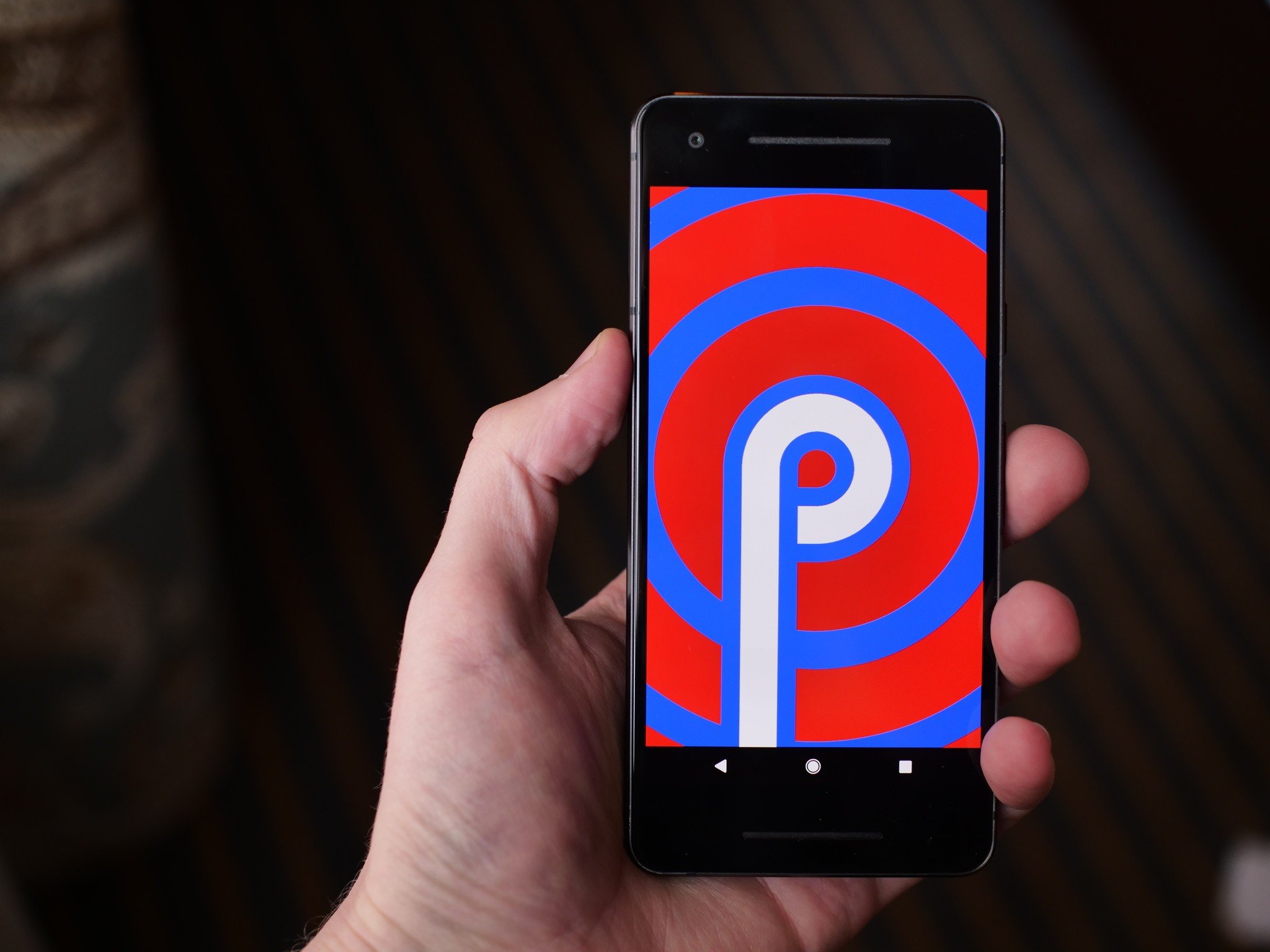
    Android P

    01g-androidp

    Photo Credit: Android Central

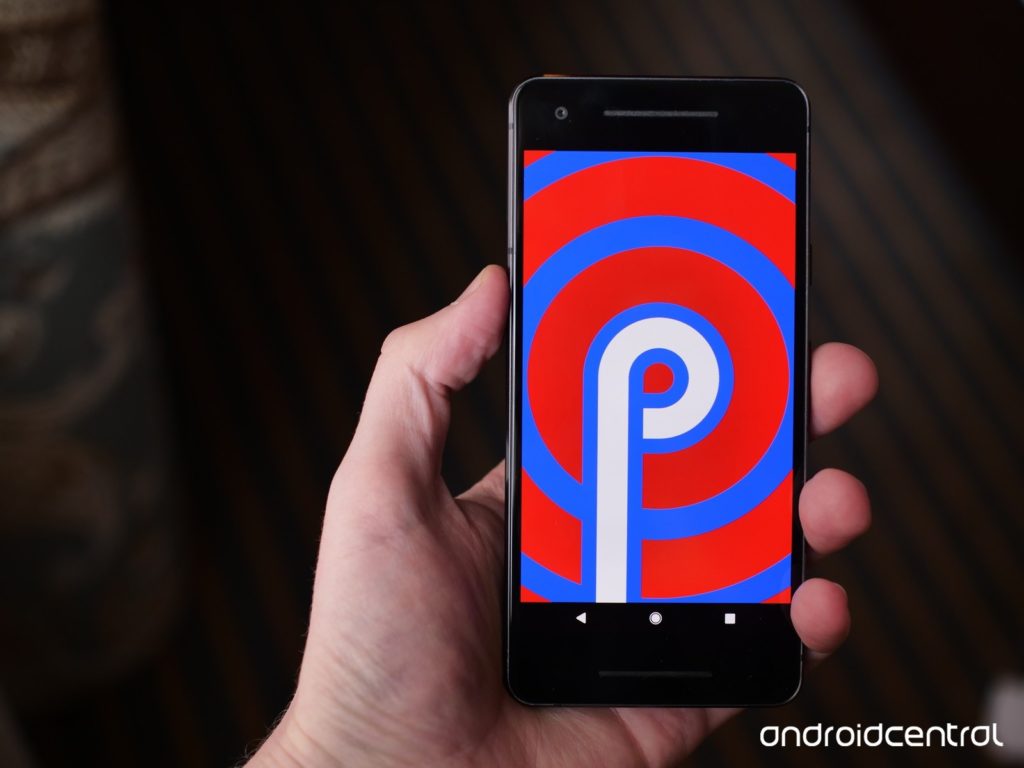
    Androids new operating system replaces all of the navigation buttons with one button, much like pre-X iPhones. Functions previously assigned to buttons will be moved to gesture controls, streamlining the user experience and modernizing the Android operating system. The new system has a focus on security and battery life. Additionally, Android P features a darker overall color palette than previous Android OS’s.

    Google Lens

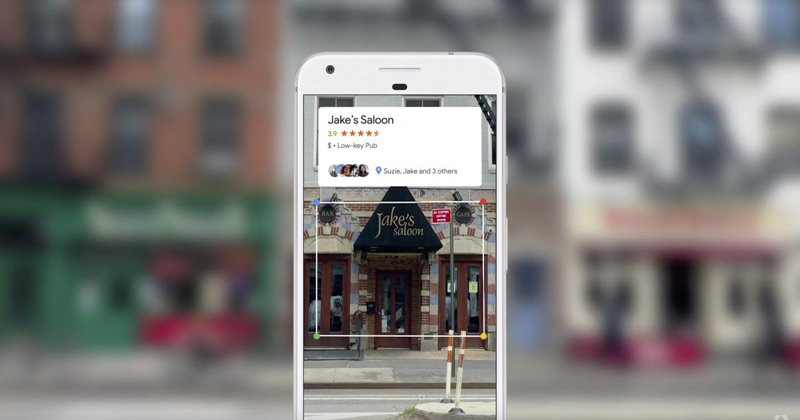
    Photo Credit: Android Guys

    Google Lens technology allows users to search using their phone camera. I/O 2018 is sure to unveil new functionality and features for the software, including new functionality and integration into upcoming smart phones. The technology is likely to be a focus of Google’s, as it allows the Android platform to further distinguish itself from Apple’s iOS-powered iPhones.

    Google Chrome

    Google is sure to have a lot to say about their Chromebook line of laptops at the event. As a leader in educational fields, the Chromebook has proven very popular with teachers and students. Also expect news regarding tablets running on Chrome OS, following in the example of Acer’s Chromebook Tab 10. Focusing on educational possibilities and Google Smart Home integration seems like the most likely avenue for Google to present their Chromebook hardware.

    Google Home

    With the recent success of smart home devices like smart speakers, Google is sure to continue pressing their smart home line. Eager to dig in to Amazon’s successful Alexa-powered Echo series, Google has been emphasizing their smart home integration with products like Google Home Mini and Google Wi-Fi. Likely to be seen at I/O 2018 are Google-branded smart displays and further connectivity between Android phones, Chromebook computers and Google Home systems.

    Wear OS

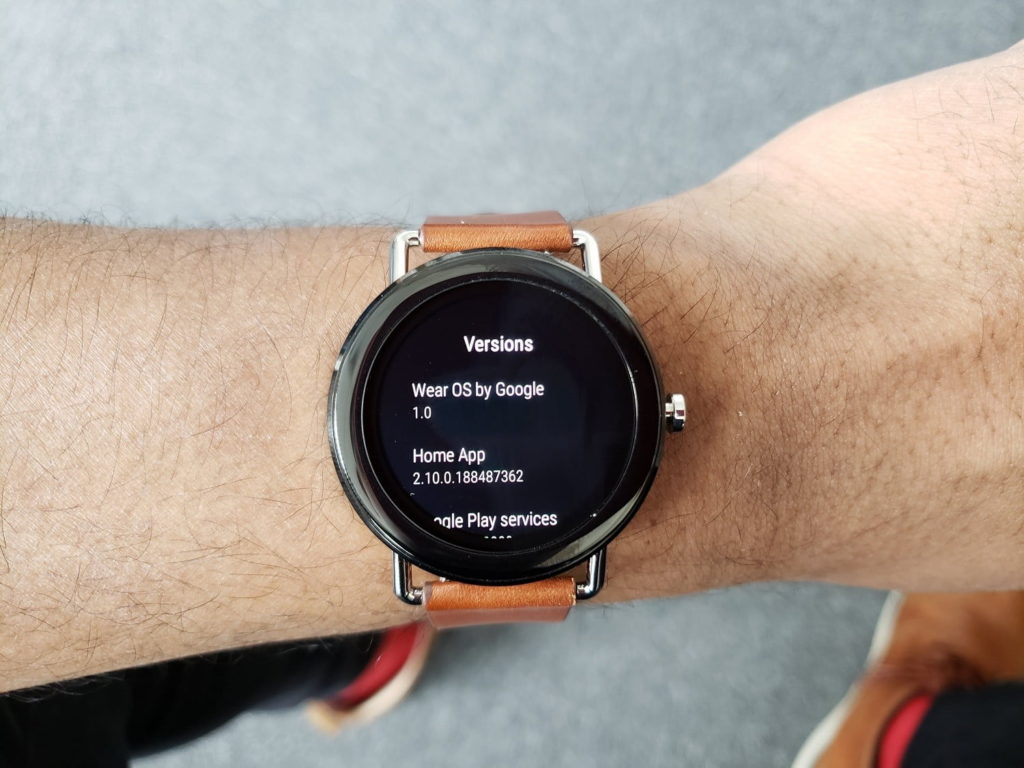
    Photo Credit: Digital Trends

    The recently-renamed Wear OS, once called Android Wear, will likely be a strong focus of Google’s presentation. Capitalizing on the success and popularity of fitness trackers and smart watches, Wear OS seeks to be a strong contender in a field largely dominated by Apple and FitBit. Additionally, voice command features more in line with Google Home-style functions seem to be a new focus for Wear OS devices. A Google-made smart watch is also not out of the question!

    VR Headsets

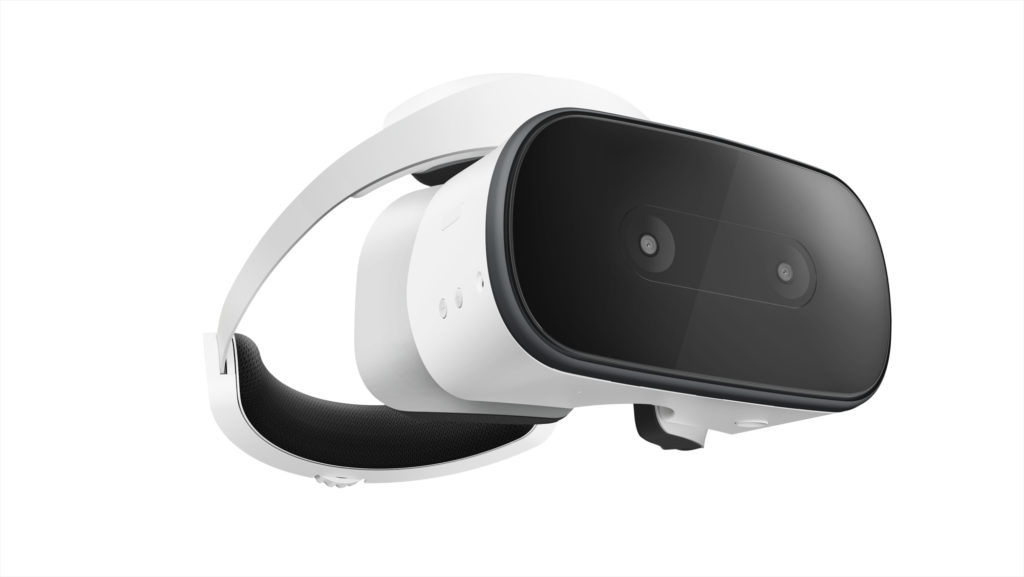
    Photo Credit: Ars Technica

    Another trend Google seeks to weigh in on, standalone VR headsets have proven quite popular, with models like the Oculus Rift wowing gamers and tech enthusiasts alike. Google’s own VR headset, the Lenovo Mirage Solo will certainly have a presence at I/O, and there is a possibility of a Google-developed, proprietary headset being unveiled at the press conference.

    Additionally, YouTube’s 180-degree VR app VR180 is likely to be a strong component of Google’s VR push. The app makes use of new camera technology, like the Lenovo Mirage, to film 180-degree, 3D video for an immersive VR experience.

    Google Duplex

    Google has unveiled this new feature for Google Assistant, an uncannily human-like AI voice pattern that can call businesses for you. The feature uses user data to make appointments and interact with humans who are none the wiser that they are speaking with an AI. This feature is certainly odd, and some have even commented that it has unsettling implications, but it is undeniably convenient. For those with phone anxiety, or busy schedules, this could be a potentially helpful feature. What is unknown is just how advanced and responsive the AI will be when interacting with a wide variety of scenarios and people.

    Google Assistant Updates

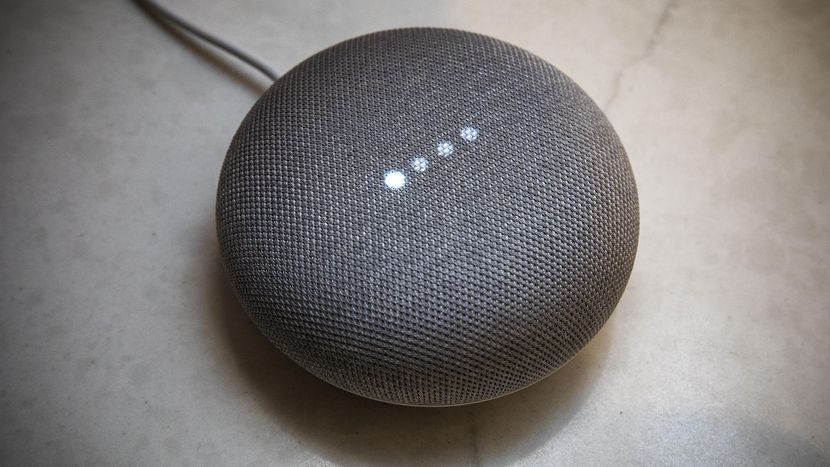
    Photo Credit: CNET

    Google Assistant is getting updated in many meaningful ways. For one, the Duplex technology will likely be implemented to allow it to have much more natural, human-like speech patterns. It will be receiving new functionality with children, attempting to teach them to be more polite. Additionally, the technology will soon be able to execute two actions on a single command and continue conversation while executing actions, making the user interface more natural and giving the AI more flow.

    Google Maps

    Google’s GPS app is set to receive augmented reality functionality. The new Google Maps will allow for superimposed directions in a manner that is similar to the Google Lens technology and allows for live tracking of crowds. The ability to navigate crowded city areas on foot by camera is certainly intriguing, making visiting new cities and exploring on foot more attractive and much safer!

    Google News

    Continuing the focus on AI technology, Google News is set to receive updates to increase personalization. As something of a response to growing anxiety over so-called “fake news,” the new Google News initiative uses technology to help users find and support news sources they trust, and to help users fully understand the news they consume. The technology will use your preferences and location to populate your news feed with stories relevant to you. Such a redesign is likely to be a big hit, helping users to trust their news sources and stay informed about events relevant to their lives.