Tag: ios

  • The Best iOS Photo Apps for Shooting and Editing

    The Best iOS Photo Apps for Shooting and Editing

    Everyone loves to snap pictures! Every smart phone is equipped with great camera functionality, but they lack a decent photo app to go with it. Whether you’re looking to send pictures to family or post them to show your friends, you’re probably wondering which photo apps are the best! Here’s a round-up of our favorite photo apps!

    Snapseed

    Snapseed is a user-friendly photo editing app for iPhone. Allowing for different filter types and tools for adjusting exposure and sharpness, Snapseed allows for professional-style photo editing from your iPhone. You’re also able to edit only selected parts of a photo, letting you fine-tune images to your taste! It even has a healing tool like Photoshop. Best of all, this app is free! Snaseep is our favorite iOS photo editor.

    Cortex Camera

    This app is fantastic for shooting in low-light or nighttime situations. Using a really neat process, Cortex Cam is able to cut down of visual grain that is so common in low light pictures. Typcally, when taking pictures in low light, your phone camera will increase the ISO to attempt to squeeze more light into the lens. This has the side-effect of creating grainy images. Cortex Cam combats this by taking a large number of images in a short span of time and collating them into one image, eliminating that visual noise. This is easily the best app for low-light shooting!

    Superimpose

    Another Photoshop-like app, Superimpose allows two pictures to be blended together. If you want an app to blend together two photos from your phone, this is the app for you! This app has gradient masks that allow for one photo to mask the dark aspects of another with its own light aspects, allowing for interesting artistic projects. Superimpose can also be used for double exposure-style pictures, like using a foreground from one photo and a background from another. Superimpose is $1.99 on the app store, but you get a ton of awesome functionality for that price. If you’re looking to make compositions from your phone, Superimpose is a great app for you!

    Our Favorite Photo App: Camera+

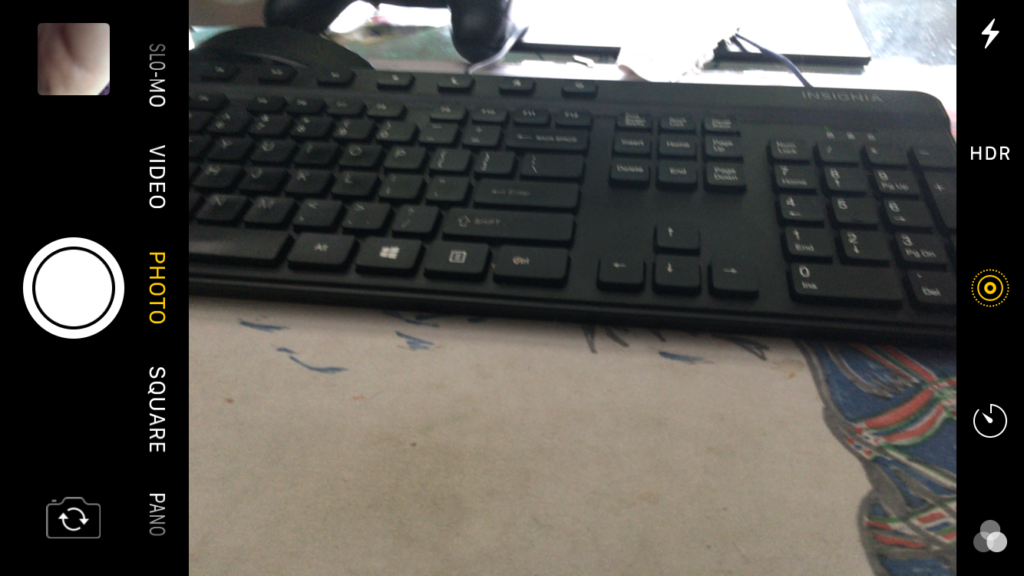
    This app is exactly what is says it is: an enhanced version of the iPhone’s existing camera app. This app gives shutterbugs precise control over their phone’s camera functionality. Between altering shutter speed and white balance, this app is a must-have for smartphone camera enthusiasts. Camera+ has a manual focus function that is especially helpful for photographing extremely close objects, which is great!  It also has a handy 30-second delay feature for those who want to take pictures with themselves in the frame.If you have the technical know-how, or want to develop it, this app is a great choice for you!

  • Which Tablet is Worth your Money?

    Which Tablet is Worth your Money?

    Smart phones are nice, but sometimes you want a bigger screen for your smart device. Whether you’re drawing, looking at photos, watching movies or playing games, tablets are awesome addition to your smart device arsenal. When you just want that bigger screen for a handheld touch device, nothing else will do!

    Nothing says quality, solid build and premium design more than our 5 best premium tablets. From major manufacturers such as Apple, Samsung, Amazon, Microsoft and Google these tablets carry the state of art in technology and design. With that in mind, let’s check out some of our favorite premium tablets!

    Microsoft Surface Pro

    This tablet is so premium that it’s also a laptop. The Surface Pro made our list of best touchscreen laptops, too, which might sound weird until you see one in person: it really is both. With a stellar screen and great form factor, you can’t get a much cooler 2-in-1 tablet. Retailing for $659, it’s not too pricey.

    There are only a few real downsides for the Surface Pro. The very incremental advances it possesses when compared to its predecessors are slightly disappointing.  Additionally, the design is a little too minimalist: there is no USB-C port! Then again, it’s still a great tablet, so it’s a small nitpick.

    Google Pixel C

    Your favorite Android tablet, the Google Pixel C performs like a giant version of its phone siblings. The Pixel C also has an optional magnetic keyboard that is quite solid, letting the tablet act as a laptop. This is easily the most powerful Android tablet that exists, for what it’s worth. The tablet performs great while multitasking and rarely suffers stutters or slowdown.

    If you need a tablet for work or just like pushing your technology to its limit, this is a great pick for you. On the other hand, this one is a bit expensive, retailing for $950. Additionally, many users see Android as a drawback instead of a feature. Many apps are released on iOS first and often perform better there to boot.

    The Samsung Galaxy Book

    This tablet rightfully belongs on the quickly growing list of impressive Microsoft Surface Pro contenders. The Samsung Galaxy Book is a top-shelf Windows tablet with a price to match. Its robust processing power, high-end display and essential add-on accessories make it one of the best tablet-hybrids.

    It’s a Windows 10 tablet with a stunning 12-inch Super AMOLED display, Intel’s latest processors and detachable keyboard cover with stylus. It starts at $1,130 for the Wi-Fi-only version and $1,300 for the LTE model, sold via Verizon, which was the configuration we reviewed. Samsung offers a 10-inch variant that runs for $630, but this review is of the 12-inch model.

    iPad Pro

    No list of premium tablets would be complete without Apple’s contender in the mix. And this time around, unsurprisingly, Apple is our favorite. The iPad pro is a rock-solid tablet, with a gorgeous Retina display and fantastic performance. Many users have a preference for iOS, and for good reason. Slowdown is almost nonexistent, and app support is fantastic.

    If there are any drawbacks, they’re the same ones that apply to all Apple products: expensive peripherals and proprietary charging. If you want the Apple Pencil or proprietary keyboard to go with it, this one will run you some serious cash. For just the iPad itself, you’ll be spending around $600.


  • Must Have Apps for Apple Watch

    Must Have Apps for Apple Watch

    If you’re a wearables enthusiast, odds are good you have an Apple Watch. Apple’s entry into the wearable market has been around for some time, but many users still don’t have some of the most useful apps! To remedy that, we’ve rounded up our favorite Apple Watchs apps. Check it out! 

    News 360 

    While it may seem counterintuitive at first to read articles on the small watch face, it’s actually quite handy. You can check the news on your workplace commute or just by over your morning coffee. Having it right at your fingers on your watch it quite convenient. Also, going through your watch can help you resist the urge to goof off, in case you’re reading on your lunch break. 

    Merriam-Webster Dictionary 

    For all the big-word and grammar enthusiasts out there, this app is for you. If you like punctuating debates with definitions, or just like reading, this is a great app to have on hand. Checking your watch for a word you don’t recognize is very useful: Give it a shot and you’ll see what we mean! Similar to the News 360 app, the font is pretty small, but it’s still convenient to have on hand. 

    Gymaholic 

    This is the kind of app everyone should have on their Apple Watch if they’re interested in fitness. Gymaholic has a different exercise for you each day, helping you keep interested in your fitness. The app will even show you how to do exercises you’re unfamiliar with. It then uses the watch’s biometric scanners to count reps and monitor your heartrate. You can even look back at your history to see your progress. This app is a must-have for fitness-minded Apple Watch users! 

    Our Favorite Apple Watch App: Pandora Music 

    If you already listen to Pandora on your phone, this one is a no-brainer! You can create new stations from the app with voice commands, scroll through your stations and thumb things up and down. While you have to have your phone on hand as an intermediary, this app is great for athletes or for office use. For instance, if you’re out for a jog, it’s much easier to control your music from your watch than having to go digging for your phone.  

    Additionally, the Pandora app for the watch is great for when you’re at work. If you don’t want your boss thinking you’re just messing on your phone, you can control your music from your wrist. This looks more professional and keeps you off your boss’s radar! Win-win! 

  • Steam Link iOS App Blocked from Release

    Steam Link iOS App Blocked from Release

    Steam Link, Valve’s game streaming app, has been blocked from release by Apple, Valve claimed in a statement to Ars Technica. The app, which can stream PC games to a separate device on the same Wi-Fi network, was blocked due to “conflicting with app guidelines,” according to Apple. 

    Why Was it Blocked? 

    The answer to that question is somewhat unclear. Perhaps Steam Link’s ability to stream games purchased through Valve’s Steam store didn’t comply with Apple’s guidelines. Apple requires a thirty percent share of every in-app purchase. This may have conflicted with the way Valve presents the Steam Link service. 

    Valve claimed in their statement that “the Steam Link app simply functions as a LAN-based remote desktop similar to numerous remote desktop applications already available on the App Store.” The decision was appealed, but the appeal was dismissed by Apple.  

    So No Steam Link on iOS? 

    Valve expressed their hopes for Apple to reconsider their decision in the future. As such, it’s not impossible that there may be a Steam Link on iOS someday. However, for the time being, the app remains blocked from release. Perhaps the two companies can work out a deal in order to greenlight the app. 

    While the app definitely competes directly with one of the App Store’s biggest revenue streams: games. Allowing users to stream games from their PC from a free app may have been a step too far for Apple. It seems the phone giant would rather be the big fish in a small pond in this fight. Allowing Valve to offer a free app for game streaming could have been seen as too big a threat to their games sales. 

    What if I Want to Stream to My Phone? 

    While the app was blocked from iOS, it is available on Android devices. While this is no help for iPhone users, it might convince those on the fence to switch to Android. Other alternatives include Steam’s Big Picture Mode, which allows users to play their Steam Library on a TV screen. In any event, it doesn’t seem Valve will be too badly hurt by Apple’s snub. Steam made $730 million dollars in 2014 alone, according to PC Gamer. 

  • 10 Things You Never Knew About Your iPhone

    10 Things You Never Knew About Your iPhone

    Do you fancy yourself as being tech savvy? How much do you really know about your phone? If you know all ten of these iPhone tips and tricks, you may really be a tech wizard! Check out these 10 crazy things you never knew your iPhone could do! 

    10. Snap Pictures with Your Volume Button 

    This one is cute, letting you snap a picture with your phone like it’s an old-school camera with a top button. You don’t have to do anything to enable this, it’s just already on out of the box! Have fun snapping pictures! 

  • Looking for a Weird Game? Here’s the Ten Weirdest Games for iOS

    Looking for a Weird Game? Here’s the Ten Weirdest Games for iOS

    Sometimes you don’t want to play by the rules and do normal stuff. Sometimes you want to let loose and be a little weird. If you’re looking for something delightfully odd and wickedly weird, we’ve got something for you! Check out our list of the top ten weird games to ever release on iOS. Let’s get weird! 

    10. Bear vs Art 

    Photo Credit: bearvsart.com 

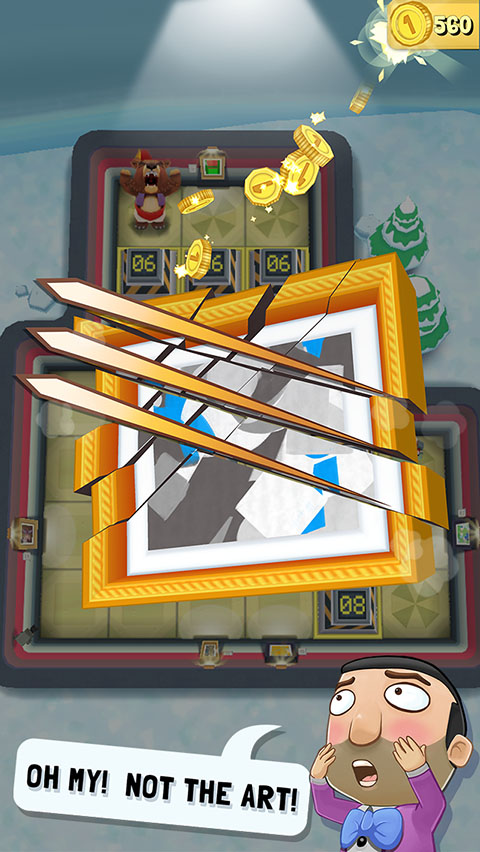
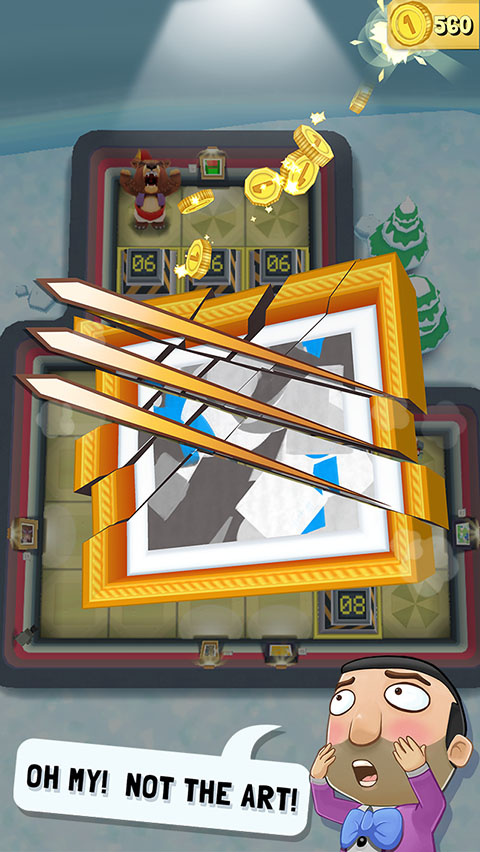
    In this odd commentary on gentrification, a bear fights off pretentious millionaires who hang bad art up in tacky galleries. This one is somewhat simple at first glance, featuring grid-based puzzle gameplay. You’ll avoid security guards and motion-sensing lasers, stop art thieves and roll over art critics. It’s pretty silly, and certainly worthy of the title “weird game.” Great for haters of snobby art critics! 

    9. I Am Bread 

    Photo Credit: Wikipedia 

    In this game, you become bread. And as this bread, you will attempt to become toast. As this piece of bread, you have to navigate the unforgiving space of the kitchen in an attempt to make it to the toaster. The catch is, if you fall in the floor, you fail. This one is rather addictive and fun, considering how ridiculous its premise is. If you’ve always wanted to know what it’s like to be bread, this game is for you! 

    8. Giant Boulder of Death 

    Photo Credit: Touch, Tap, Play 

    Have you ever wanted to be a giant boulder and rampage down a mountain? If so, this game will certainly help you live that fantasy. GBOD is an arcade-style autorunning game where you try to wreak as much havoc as possible before you are inevitably stopped. Hunting high scores and challenging your friends via the leaderboards is a fun way to kill some time with this supremely weird game! 

    7. CATS: Crash Arena Turbo Stars 

    Photo Credit: Zepto Lab 

    Ingredients for a weird game: adorable backronym, weird robot-building mechanics, cute cats piloting said robots. Throw them all together and you have a fun robot-building game starring some adorable felines! FCATS features tons of customization options for robots and fun player versus player modes. CATS is a great game for robot enthusiasts, cat people, or both! 

    6. Office Jerk 

    Photo Credit: Google Play 

    Everyone who has worked in an office has wanted to pelt that one annoying guy who works there. This oddly cathartic weird game has you lobbing random stuff at some jerk who works in your office. Or maybe you’re the jerk, since you’re the one tossing all this junk at the dude across from you. In any event, this one is fun, and you’ll probably get some kicks out of breaking his monitor or giving him a big old lump. 

    5. Robot Unicorn Attack 2 

    Photo Credit: The Gameological Society 

    It doesn’t get much weirder than being a robot unicorn. Well, it does: being a robot unicorn while running endlessly and listening to power metal. This one has been around for a while, but it’s still quite fun. And it is still a seriously weird game. Its gameplay consists of running endlessly, avoiding obstacles and being awesome. It’s a very addictive game, with emphasis on setting high scores and beating your best. You can also customize your unicorn and give it upgrades to help set higher scores! 

    4. Sausage Bomber 

    Photo Credit: Google Play Store 

    In this weird game you are tasked with repelling invading forces the only way you know how: by dropping your meat on them. What? I’m serious! You’re equipped with all manner of meat and have to bomb your opponents with it! This game features a ton of missions and a great difficulty curve. This one is made fun by just how much each level challenges you to up your game to progress. It’s also deliciously weird. 

    3. Booger Boing 

    Photo Credit: iTunes 

    First of all, gross. Alright? This game is nasty. You’re trying to navigate boogers around in a nose. Just, yuck, man. This must’ve been made by folks who loved that Garbage Pail Kids thing. Jokes aside, this one is in the same gameplay camp as something like Angry Birds. Featuring gross-but-cute graphics and a happy, upbeat soundtrack, Booger Boing is actually a fun little game. If you can get past just how freaking gross it is. 

    2. Amateur Surgeon 

    Photo Credit: Touch, Tap, Play 

    There are actually four games in this weird game series, and they’re all actually great. Something of a riff on surgeon simulators like Trauma Center, Amateur Surgeon puts you in the role of the titular ill-equipped “doctor.” With levels ranging from seriously gross to hilariously ridiculous, you’ll find a lot to love in this long-running and weird series. As long as you don’t mind performing a ton of dubious procedures on cartoon characters and being seriously grossed-out by some of them. 

    1. Our Favorite Weird Game: Goat Simulator 

    Photo Credit: Humble Bundle 

    Certainly, you’ve heard of this supremely weird game? If not, here’s a quick description. It’s a goat simulator. You live a day in the life of a totally normal goat. Who goes on a destructive rampage through the city. And isn’t beholden to the laws of physics. And has a seriously sticky tongue. Okay, maybe it’s not a totally normal goat. In any case, this game is riotous, weird fun and remains awesome after all this time. If you want a seriously weird and hilarious game to spend a few hours on, look no further than Goat Simulator. 

  • Which is the Best Map App to Get You Where You’re Going?

    Which is the Best Map App to Get You Where You’re Going?

    Your phone may have come included with a map app, but that doesn’t mean it’s the best one out there. If you’re looking for some better ways to navigate, we’ve got some good news for you! We’ve got a quick round-up of some of our favorite map apps. 

    Co-Pilot GPS 

    Normally I wouldn’t recommend paid map apps when there are perfectly good free alternatives. This one is a unique exception, though. Co-Pilot can be used offline! Once you’ve downloaded the maps for your area (over Wi-Fi to save data, of course) you can navigate in offline mode. This is awesome for navigating overseas or if you need to use a navigation app for work.  

    Preserving the precious data plan is the name of the game here! Other awesome features include warning you when you’re speeding, showing you where speed cams are, and 12 months of ActiveTraffic. The ActiveTraffic subscription helps route you based on live traffic updates! 

    Google Maps 

    Google, always rock-solid on the software and hardware sides of things, has a winner with their map app. Great for everyday navigation, Google Maps just works. While Android users have this pre-loaded, iOS users can download it after the fact. This app even has a handy “explore nearby” feature to find new places near you! 

    Google Maps also allows for downloading maps to use in offline mode. However, this app has the maps disappear after 30 days, so you need to make sure you keep updated. It’s a neat feature but consider Co-Pilot if you’re going to be driving without data often. 

    inRoute Route Planner 

    If you plan on going for long road trips, this is a great choice. Boasting a suite of features excellent for long round trips, this one is for you if you’re in for a long haul. This app lets you drop pins along your journey and find motels and gas stations near them. It also offers turn-by-turn directions if you opt for the paid version ($15), and you can even export routes you plan in this app to other map apps with the premium version. 

    Our Favorite Map App: Waze 

    Waze is a crowd sourced-style app designed for dodging traffic and other speed bumps. Users can report the presence of accidents, traffic jams, cops waiting to pull people over, and tons more. Its motto seems to be “we’re all in this together,” and it can be nice driving with a whole cadre of people watching your back.  

    If you hate traffic jams, or just wanna freaking move, Waze is a great app for you. I know I hate coming to a standstill, so this one is my go-to app for ducking slowdowns. 

  • Fitness Tracking App Round-Up: Which Ones Fit your Lifestyle?

    Fitness Tracking App Round-Up: Which Ones Fit your Lifestyle?

    Staying motivated to exercise is important. One of the best ways to do that is to use a fitness tracking app! Helping you stick to your routine and achieve your goals, these apps make great companions for busy people looking to stay fit. Which ones fit your lifestyle the best? We’ll help you narrow it down with this round-up! We only picked apps available on both iOS and Android, so don’t sweat which kind of phone you have! 

    JEFIT 

    JEFIT is great for anyone who wants to be spending time in the gym. Designed to be great for users of all skill levels, JEFIT lets you record you reps and weights and keep track of your progress. The app allows you to choose from tons of user submitted workouts to help keep things fresh. On the downside, the app doesn’t have routine planning, but this is a small gripe for a free app. Not to mention, the app’s other functionality is good enough to make it a great pickfor fitness tracking app.  

    Keelo 

    This fitness tracking app is great for those who want to do quick, one-off style workouts on the fly. Utilizing the HIIT strategy for workouts, Keelo is great for really busy users. If you can set aside between 10 and 20 minutes three or four times a week, this is the app for you. These fast-paced workouts are meant to get your blood pumping and show results in a few weeks! Did I mention the app is free? Because that’s worth mentioning! 

    Sworkit 

    If you really want to get in shape and really don’t want to (or can’t) go to the gym, Sworkit is your fitness tracking app. You tell the app what your fitness goals are and tell it how much time you can dedicate to a routine. The app then builds you a personalized regiment for a six-week program. It’s surprisingly in-depth for being a free app. You can also spring for the premium subscription ($60 per year, or $30 per 4 months) that gives you access to more features. Real fitness trainers and exclusive workours are available to premium users, too.  

    Our Favorite Fitness Tracking App: Aaptive 

    Aaptive is a cool app: you pay either monthly ($15) or yearly ($100) for access to thousands of audio fitness classes. New classes are added by the trainers each week, so you’ll never run out of engaging exercises. There are classes for lifting, cycling, running and more. If you’re really serious about fitness and don’t mind spending money on a subscription, you’ll find Aaptive a great app for working out.  

  • Which Tablet is Worth your Money?

    Which Tablet is Worth your Money?

    Smart phones are nice, but sometimes you want a bigger screen for your smart device. Whether you’re drawing, looking at photos, watching movies or playing games, tablets are awesome addition to your smart device arsenal. When you just want that bigger screen for a handheld touch device, nothing else will do!

    Nothing says quality, solid build and premium design more than our 5 best premium tablets. From major manufacturers such as Apple, Samsung, Amazon, Microsoft and Google these tablets carry the state of art in technology and design. With that in mind, let’s check out some of our favorite premium tablets!

    Microsoft Surface Pro

    This tablet is so premium that it’s also a laptop. The Surface Pro made our list of best touchscreen laptops, too, which might sound weird until you see one in person: it really is both. With a stellar screen and great form factor, you can’t get a much cooler 2-in-1 tablet. Retailing for $659, it’s not too pricey.

    There are only a few real downsides for the Surface Pro. The very incremental advances it possesses when compared to its predecessors are slightly disappointing.  Additionally, the design is a little too minimalist: there is no USB-C port! Then again, it’s still a great tablet, so it’s a small nitpick.

    Google Pixel C

    Your favorite Android tablet, the Google Pixel C performs like a giant version of its phone siblings. The Pixel C also has an optional magnetic keyboard that is quite solid, letting the tablet act as a laptop. This is easily the most powerful Android tablet that exists, for what it’s worth. The tablet performs great while multitasking and rarely suffers stutters or slowdown.

    If you need a tablet for work or just like pushing your technology to its limit, this is a great pick for you. On the other hand, this one is a bit expensive, retailing for $950. Additionally, many users see Android as a drawback instead of a feature. Many apps are released on iOS first and often perform better there to boot.

    The Samsung Galaxy Book

    This tablet rightfully belongs on the quickly growing list of impressive Microsoft Surface Pro contenders. The Samsung Galaxy Book is a top-shelf Windows tablet with a price to match. Its robust processing power, high-end display and essential add-on accessories make it one of the best tablet-hybrids.

    It’s a Windows 10 tablet with a stunning 12-inch Super AMOLED display, Intel’s latest processors and detachable keyboard cover with stylus. It starts at $1,130 for the Wi-Fi-only version and $1,300 for the LTE model, sold via Verizon, which was the configuration we reviewed. Samsung offers a 10-inch variant that runs for $630, but this review is of the 12-inch model.

    iPad Pro

    No list of premium tablets would be complete without Apple’s contender in the mix. And this time around, unsurprisingly, Apple is our favorite. The iPad pro is a rock-solid tablet, with a gorgeous Retina display and fantastic performance. Many users have a preference for iOS, and for good reason. Slowdown is almost nonexistent, and app support is fantastic.

    If there are any drawbacks, they’re the same ones that apply to all Apple products: expensive peripherals and proprietary charging. If you want the Apple Pencil or proprietary keyboard to go with it, this one will run you some serious cash. For just the iPad itself, you’ll be spending around $600.


  • Are You Hungry? Check Out Our Favorite Recipe Apps!

    Are You Hungry? Check Out Our Favorite Recipe Apps!

    I am terrible at cooking. Just absolutely terrible. I can’t make a scrambled egg without step-by-step instructions. Thankfully for me (and people like me) there are tons of great recipe apps. If you’re hungry and looking for a great app to help you make dinner, check out this round-up! These apps are available on both Android and iOS, so don’t sweat which platform you’re on! 

    BigOven 

    This simple and easy to use app has over 350,000 recipes. Now that’s a lot of meals! This app has some really neat functionality, too. Features like making a weekly planner for meals and making a grocery list make the app feel like an organizer and recipe app in one.  

    BigOven also has social functionality, allowing you to upload pictures of your recipes. You can even see what your friends who use the app are making! This functionality makes BigOven stand out from other recipe apps in interesting and helpful ways. 

    Cookpad 

    Featuring many social media-like feature, Cookpad is an interesting little app. Unlike most recipe apps, this one allows you to exchange recipes with your network of friends and family. The app builds a unique user profile as you upload and comment on recipes, helping you find recipes that are right for you. 

    Cookpad also lets others comment on your recipes. These comments could be for dishes that would pair well with the recipe, or for ingredient substitutions. Many vegetarian users or users with allergies love this aspect of Cookpad! If you’re looking for a great place to find and share recipes, Cookpad is for you! 

    The Coolest of all Recipe Apps: Yummly 

    Yummly’s best feature? It has a search function that helps you find recipes for your lifestyle. Whether you have a food allergy or prefer vegetarian meals, Yummly lets you search its huge database to find the right recipe for you. Even better, the app learns your preferences and suggests recipes for you that match your tastes! 

    Yummly also features Instacart support, unlike many other recipe apps. You can build a shopping list from a recipe and add that list to your Instacart. Then you can order everything on your list and have it delivered right to your door! This makes cooking dinner fast and convenient. This app is our favorite for good reason!