Tag: ipad

  • Foldable iPad on the Horizon? Rumor Mill

    Foldable iPad on the Horizon? Rumor Mill

    By now, if you haven’t heard of the Samsung Galaxy Fold, you’ve done a great job avoiding the folding smartphone hype that Samsung has generated. Many Apple fans have been left wondering: does this new folding phone hype mean that a foldable iPhone could be coming?

    According to insider info from an investor note reported by CNBC, it’s more likely we first see a folding iPad before the tech comes to the smartphone line that started the smartphone craze. The note indicates that Apple is “steadily working” on a folding iPad, and expects to release the device in 2020.

    Foldable Craze

    For a brief moment after the April delay of the Samsung Galaxy Fold, it looked like the folding phone hype might die before the first example of the technology even hit the market. However, Samsung seems to have course-corrected the beleaguered device and is set to launch it properly by the end of September. The hype surrounding this device can’t really be overstated.

    The biggest draw to these folding handset designs, like what we’ll also see on the Huawei Mate X, is that they pack the size of a tablet into the portability of a smartphone. That, alone, is a big reason to be excited about this tech getting traction. However, there are some serious hurdles to overcome in order to make the folding designs of these touchscreen devices a possibility.

    Folding Screen Hardware

    One of two things is required for a folding smartphone or tablet to become a reality. That’s either a firm, foldable plastic, or an as-yet undeveloped bendable glass to use as a display. The Samsung Galaxy Fold, for example, is using a durable, pliable and strong plastic for its display. It’s likely Apple will be utilizing similar materials for their folding devices, though they could be waiting for the much-rumored folding Gorilla Glass to become a reality.

    Another issue that Apple is likely looking to avoid is the same PR backlash that hit Samsung when the Fold was delayed. Review models of the Fold were reported to have serious hardware issues, including the screen flickering, debris working under the display and causing bulges, and a thin membrane that could be peeled off the display resulting in a complete screen failure. Apple will likely be more patient than Samsung in developing their own folding devices.

    Why iPad First?

    The news that Apple will focus on iPad before bringing folding tech to the iPhone is interesting. While Samsung has more interest in making their smartphone screens larger, Apple seems to want to start by making their larger devices more portable.

    It’s unlike Apple to roll new features to the iPad before the iPhone, though, in this case, the company could be hedging their bets. After all, folding displays have more hurdles to overcome than just hardware. There’s also the issue of hardware cost.

    Hardware Cost

    It’s no secret that smartphone tech is getting more expensive as the years go by and manufacturers are cramming more and more high-tech features into them. However, the eye-watering $2,000 price tag of the Samsung Galaxy Phone has even power users thinking twice before reaching for their wallets. It was already difficult for many to reconcile a $1,000 smartphone, but doubling that might be a bridge too far for some users.

    As such, it’s not surprising that Apple might test the waters with a folding iPad, first, to gauge interest. After all, the iPad tends to have a higher starting cost than the iPhone. Adding a few hundred more dollars to that cost to include a folding hinge might not be as big of a turn-off for iPad buyers as it would be for iPhone buyers.


  • Getting the Most out of Your iPad: Multitasking Functionality

    Getting the Most out of Your iPad: Multitasking Functionality

    The newest generation of the iPad implements two new functions that allow you to really multitask. If you’ve been wondering how you can get the most out of your iPad, it’s time to learn more about Split View and Slide Over. These new functions are some of the strongest additions to the iPad since it was launched nearly a decade ago. Let’s dig into them!

    iPad Multitasking

    Why Multitask?

    While your iPad might not be replacing your laptop for productivity tasks, the new multitasking features get it close. If you need to consult an image in one app and work on an email, you’re composing in another, the iPad can handle that. Maybe you’re stuck on a hard level in your favorite game and need a guide.

    Maybe you just want to watch a YouTube video while you work on something else in another app! No matter what your reasoning, there are a number of great applications for this multitasking tech.

    Slide Over

    Slide Over allows you to have one app running while another hovers above it in a pop-out panel. This is great for if you need to reference materials from one app while you’re doing complex tasks in another. For example, consulting a table for numbers while you compose an involved email. Another example would be drawing from a reference image without needing to switch between two apps over and over.

    Split View

    Split View, meanwhile, allows you to pin two apps open at the same time, allowing you to see more from the secondary app. This mode also allows you to do more work in the secondary app, such as composing a note in the Notes app while you’re researching things on Safari.

    Whichever multitasking method you prefer, the iPad works great as a smaller replacement for a laptop. All we need now is for Apple to fully implement mouse compatibility, and the iPad Pro can function as a proper miniature Mac!

  • Can the iPad Replace Your Laptop? An Upcoming Feature Might Change Your Mind

    Can the iPad Replace Your Laptop? An Upcoming Feature Might Change Your Mind

    Tablets are neat, but they’re really just a half-step between smartphones and laptops, right? Certainly, an iPad could never truly replace a laptop. When you need to be productive, you need to put the iPad away and bust out the laptop. Or, do you?

    iOS 13 promises to bring some long-awaited functionality to the iPad that might make you reconsider its usefulness. The much-anticipated feature in question? Mouse compatibility, for the first time since the iPad launched in 2011.

    iPad Mouse Functionality Coming in iOS 13

    Specifications

    Specifics and hard details are scarce at the time of this writing. This information comes courtesy of Federico Viticci, from the Connected podcast. This was corroborated on Twitter by Steve Troughton-Smith, an Irish Apple developer. Neither was forthcoming with hard-and-fast information, as the functionality isn’t yet officially confirmed.

    What Kind of Mouse?

    Rumor has it that every USB mouse will be included in this update, which is likely to be touted as an accessibility feature. This is great news for power-users who would prefer to just own one productivity device. Importantly, this could also be a huge help for mobility-limited people who want to use a mouse on their iPad for accessibility reasons.

    While USB supported was explicitly named in the rumor, we wouldn’t be surprised if Bluetooth mouse options were supported, too. It’s not a stretch to picture this feature being a low-key addition to iOS 13, though it would be a big deal for the right types of users.

    Apple and Laptops

    Apple’s relationship with laptops has been a bit rocky lately. Their own iMac line of products, alongside the MacBook product line, has been struggling as of late. Smartphones and tablets have been the focus of many “tech-forward” users who were once Apple’s laptop faithful.

    It would make sense, then, if Apple were to simply position the iPad as a competitor to, and replacement for, traditional laptops. This could simply be another step in that direction.

  • iPad Mini, iPad Air First Impressions: Are They Worth the Price?

    iPad Mini, iPad Air First Impressions: Are They Worth the Price?

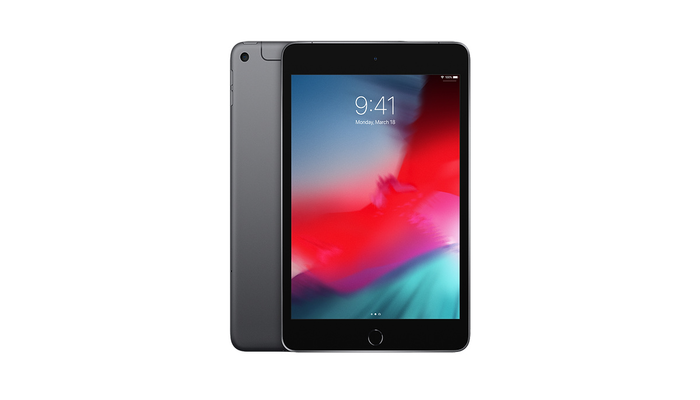
    Apple’s newest tablets, the iPad Mini and iPad Air for 2019, have been on the market for about a moth now. What are some of the early impressions of these devices, and how do they stack up against the competition? Let’s take a look at Apple’s newest tablets.

    iPad Mini and iPad Air

    iPad Mini and iPad Air

    The iPad Mini and iPad air both fill a great niche for the Apple lineup. While the iPad Pro nearly replaces a laptop and brings tons of features, the Mini and Air are both a great compromise point. If you like your laptop and want a tablet for home use and entertainment, the iPad Mini or Air both fill a great space as upscaled iPhones.

    Specs

    Unsurprisingly, the A12 chip found in the iPhone XS is here and as great as ever. No tablet or smartphone has a chip that holds a candle to the A12, as even Qualcomm and Snapdragon struggle to keep up with Apple’s machine-learning chips. Likewise, the Retina display screens look amazing, with vibrant colors and sharp blacks.

    On the port side, there’s a headphone jack on both of these models, which is great. The iPhone line hasn’t sported a 3.5mm jack since the iPhone 7, so it’s nice to see it here. The charging ports on these iPads use the proprietary Lightning charger, which is a slight disappointment. We were hoping for USB-C compatibility, like the iPad Pro, but that’s not a deal-breaker.

    Design

    The iPad Air is light enough to merit its name, and it sports a great form factor and size. On the same note, the iPad Mini feels great in the hand, and the lack of bezels, much like the iPhone X line, makes the screen feel enormous.

    Oddly, these iPads sport home buttons with Touch ID, instead of the buttonless design of the X line. There’s no option for the depth-sensing Face ID unlock system seen on the iPhone X.

    Bottom Line

    If you’ve been looking for a step between a full-blown laptop and your smartphone, the iPad Mini and iPad Air both fill that niche. For the price of $399 for the Mini or $499 for the Air, you can rock the newest Apple tablet in style.

  • iPad Pro 2018 Review Roundup: Is it Worth the Money?

    iPad Pro 2018 Review Roundup: Is it Worth the Money?

    The iPad Pro 2018 is here, and the reviews are rolling in. The question on everyone’s mind is whether the new iPad is actually worth the price tag. Well, we’ve got the roundup you’ve been looking for! From new features to returning peripherals, here’s what to expect from the iPad Pro 2018!

    iPad Pro 2018 Review

    Digital Trends

    The Specs

    First things first: the iPad Pro 2018 is an absolute beast from a technical standpoint. Much like the iPhone X set a new bar for smartphones in 2017, the iPad Pro is really the bar for tablets. The A12 Bionic chip that powers the tablet is a marvel, multitasking and running at blistering speeds. The massive, gorgeous AMOLED screen really has to be seen to be believed. If you haven’t seen the newest generation of Apple screens you won’t understand just how gorgeous this display is.

    The 2018 iPad Pro also sports the front-facing, depth-sensing equipment to power Face ID. There’s no home button and no fingerprint scanner, so your only option for biometric scanning is Apple’s excellent Face ID. It works great in landscape or portrait mode, in high or low light and in whatever surroundings. If you’ve used the iPhone X, you know what to expect here. Really, this iteration of the iPad could have been named the iPad X.

    The presence of that depth-sensing front-facing camera array also means that Memoji and Animoji both work on this iPad. Really, if you just think of this as a giant iPhone X, you won’t be far from the truth.

    Design

    And, much like the iPhone X, this iPad has hardly any bezels. The screen is huge compared to the body, leaving a scant amount of excess around the edges of the screen. In fact, the 12-inch model is noticeably smaller in profile than the 2017 version with the same screen size. This design is clean and attractive and really fits the iPad’s existing design ethos. While the sleek, rounded lines of the iPhone line might look odd at this scale at first, they really grow on you.

    Aside from these minor touches, however, the iPad Pro hasn’t changed too much. The lack of a home button does make the device much cleaner in appearance. It’s easy to tell that this is a new era of Apple product design at a glance. Again, the comparisons to the iPhone X come easily. That goes for the lack of a headphone jack, too, sadly.

    That’s right: there’s no proper headphone jack. The only port on this year’s iPad is a USB-C port. We were surprised to see that there was no Lightning port this time, but that’s a good thing. It makes finding conversion dongles much easier. It also means you’ll need to invest in Bluetooth or USB-C headphones for use with this device. Which is sort of a bummer.

    Peripherals

    The star of the show here, much like with the Microsoft Surface line, is the Pencil. The Apple Pencil was an excellent addition to the iPad ecosystem and remains a must-have. For whatever baffling reason, though, the Pencil from previous hardware generations doesn’t work on the 2018 iPad. What’s harder to believe, though, is that the new Pencil doesn’t even work on older iPads. This wouldn’t be as big a deal if the Pencil came with the iPad, but it doesn’t. In fact, it’s priced at a rather steep $129.

    That said, this new Pencil is awesome. It has more drag on the screen, which makes it feel like a real pencil. It magnetically snaps on the side of the iPad, which is also how it charges. It reminds us a lot of the Surface line of tablets and how its pen snaps on. It works wonders for artists.

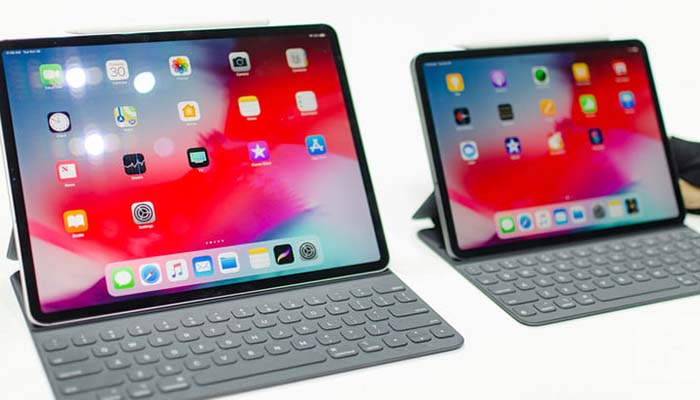
    The folio keyboard is back, and, like the Pencil, costs a lot. It also doesn’t come with the iPad, and it starts at $179 for the 11-inch iPad. The 12-inch model costs a staggering $199. That means you’ll be spending a lot on an iPad, given that the 11-inch model starts at $799 and the 12-inch starts at $999.

    Bottom Line

    This year’s iPad line is absolutely astonishing from a tech perspective. The question remains, however, if this awesome tech is fully worth the high price tag. The iOS ecosystem is a bit stifling and doesn’t lend itself well to replacing full-scale laptops. The lack of a mouse makes editing text a bit of a pain, and that goes double considering the keyboard “trackpad” experience is so hit-and-miss.

    Maybe Apple will deliver with more robust apps to help make the iPad a bit more attractive as a Mac alternative. As it stands, however, the iPad is only really a good investment for creatives who really want to draw on an Apple-branded tablet. Until then, it’s a bit too expensive for the casual user.

  • iPad Pro Leak, Maybe October Release?

    iPad Pro Leak, Maybe October Release?

    Apple will send out invitations to the press in the next few days for its October 2018 event. Its an event that is highly expected but completely classified. We are all waiting on some new iPad pros. It’s unclear how soon the new iPad Pro models will be released, Im hoping a launch could still take place before the end of the month. Apple, the Trillion Dollar Machine, Isn’t done with its product launches just yet for the year. The release of the third next-generation iPhone model of 2018 is obviously still in front of us, with iPhone XR pre-orders set to open next week ahead of an October 26th release. But there are several new Apple products that will be released this year that haven’t even been announced yet. Plus we have a new iPad Pro leak

    The Leak of the iPad Pro Cad Images

    Today we got a leak preview of the new iPad pros. Let’s poor over them and dissect every minute detail shall we? The image below is by a user named “Leakspinner” to slashleask, who has a decent track record with accuracy. It allegedly shows 3D CAD files from a factory in China that detail the next-generation iPad Pro’s design and dimensions.


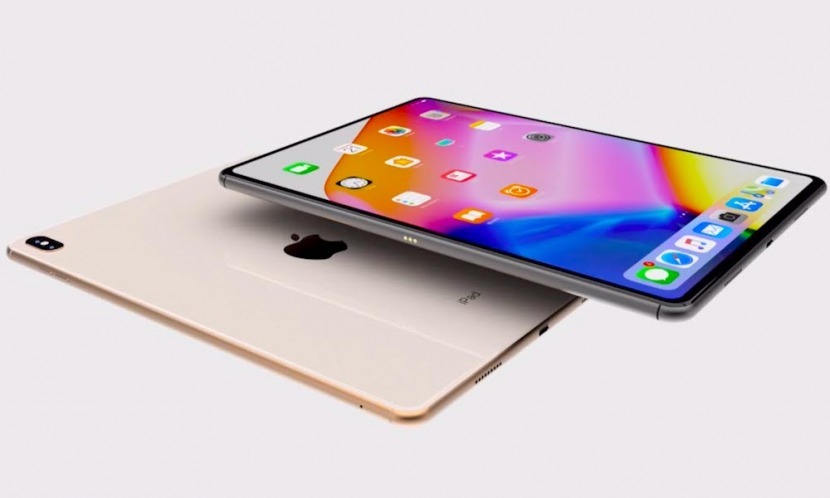
    The leaked photos also show new display dimensions, which shouldn’t come as much of a surprise. Like Apple’s new iPhones, the 2018 iPad Pro have no home button, making room for more screen. According to these leaked images, the smaller iPad Pro will sport an 11-inch display, up from 10.5 inches on last year’s model. The larger iPad Pro is listed as having a 13-inch screen, which would be a marginal increase from 12.9 inches on the current model. Both iPads appear to be less than 6mm thick.

    What is worth noting is that there is no notch, so there will likely be some bezel to accommodate the front facing camera lens. I wouldn’t expect the iPads to have a notch as there Is no need for the proximity sensor or phone speaker. However, there is a very useful and much needed front facing camera that will have to be crammed in there.

    The Final Thought

    There are still a lot of details to come and ill keep you abreast of any changes. Still waiting on the invites too….

  • 2 New iPad Pro

    2 New iPad Pro

    It is time for me to do some detective work and start to decipher where and when we will see a new iPad Pro. I was fairly certain they would mention it in the gather round event, but historically they have held another event in October for new iPads and Macs. Putting my internet sleuthing skills to the test, here is what I’ve come up with.

    2 iPad Pro Conclusions

    Apple’s release of iOS 12.1 earlier today has already given us a peek at a new feature: Memoji syncing. In that article, I suggested that this feature would make sense with the release of new iPads with a TrueDepth camera system later this year. Currently, Memoji is only supported on the iPhone – but adding support to the iPad would mean users would want to sync their characters between each device. Conclusion number 1. The new iPad Pro will have Memojis.

    An icon found in iOS 12 developer beta 5 has lead me to a key details about Apple’s iPad Pro. A blue icon update for the iPad shows a more iPhone x looking device as compared to the previous blue icon for the iPad. This is not a leak but merely an update to the icons in the developer tool. The icon itself is a symbol that will be used for the battery usage UI. The tiny blue iOS 12 icon shows a tablet with thinner, more uniform border lines and a home row of apps at the bottom. Having analyzed these side by side I’m ready for my second conclusion. Conclusion number 2 – the new tablet will have ultra-thin bezels, just like the iPhone X, but no notch. The existing iPad icon does show a home button and a front-facing camera at the top.

    The Final Thought

    Though Apple hasn’t announced anything officially, there’s a huge amount of buzz about two new Pro models surfacing before the end of 2018. Rumors are in full swing and the next big apple announcment awaits.  WHat we do know is Apple is prepping two new tablets for late 2018 — one that measures “around 11 inches,” which could be the rough equivalent of the current 10.5-inch model, and a 12.9-inch model.

  • What to Expect at Apple’s Gather Round Event

    What to Expect at Apple’s Gather Round Event

    September is a lot like Christmas for Apple fans. This is the time of year when Apple unveils their newest projects, hyping everyone up for the newest products. If you’re an iPhone fanatic, a Mac lover or anything in between, this is the time of year you wait for. Thankfully, on September 12th, at 1:00pm Eastern Time, Apple will hold their Gather Round event. What can we expect to see this year? We’ve got the speculation to get you hyped!

    What to Expect at Apple’s “Gather Round” Event

    A Livestream to Coincide with the Event

    Apple

    Image Credit: BGR.com

    Invitations have already been sent out to various members of the press to attend the event. If you didn’t get one, don’t sweat: the event will surely be livestreamed. It will start at 1:00pm Eastern Time, or 10:00am Pacific Time for you West Coast-ers! From the name, “Gather Round,” we’re guessing this press conference will have a cozy, home-like vibe. Intimate-style press conferences seem right up Apple’s alley, so we’re not surprised.

    New iPhones

    Image Credit: CNET

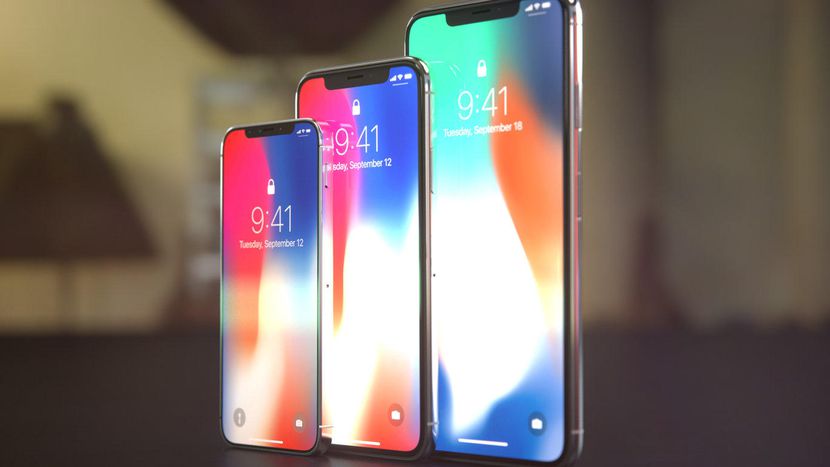
    iPhone 9

    Three iPhones will likely be on display, but one of the most interesting is likely to be the iPhone 9. While that might not be the real name, it seems likely that something like it will appear. The name iPhone 9, of course, is derived from its perceived placement between the iPhone 8 and iPhone X. This phone is set to have a smaller screen, LED display and lower price tag than the X. This would make it a more accessible version of the new, home-button-free design with Face ID and full front screen.

    iPhone XS

    This reported phone, also mocked up above, is the likely successor to the iPhone X. It will likely be an iterative step up, possessing and OLED screen and powerful processor much like its older brother. Whether it will be called the iPhone XI, iPhone 11 or something else entirely remains to be seen, but odds are good the name XS will stick. What is certain, though, is that Apple will have an update to the iPhone X ready.

    iPhone XS Plus

    Again, naming isn’t locked in on these phones, but the large-screen variant of the iPhone X formula is on its way. The largest handset by far, the iPhone X Plus will appeal to lovers of huge phones. Honestly, from the leaked specs, this phone much more closely resembles a phablet. One thing is certain: a ton of people with huge hands are going to love this massive, premium smartphone.

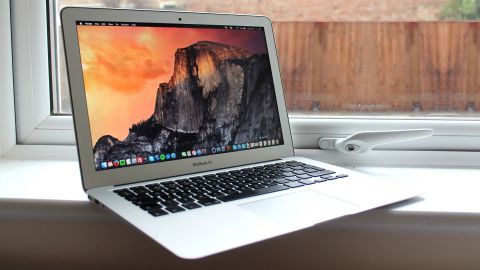
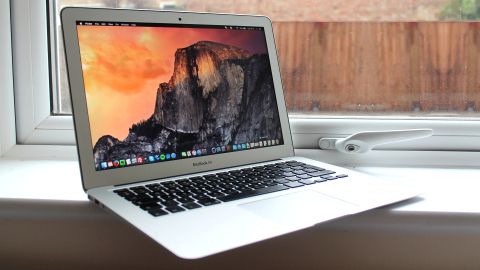
    MacBook Air

    Image Credit: TechRadar

    Apple has been hinting at the possibility of a new, low price-point MacBook for some time now. We expect to hear more details on that front soon. Laptops are struggling to stay relevant in the face of smartphones, much as tablets did before them. As such, expect features like LTE to rival new initiatives from Microsoft. Additionally, expect a huge Retina display and USB-C ports.

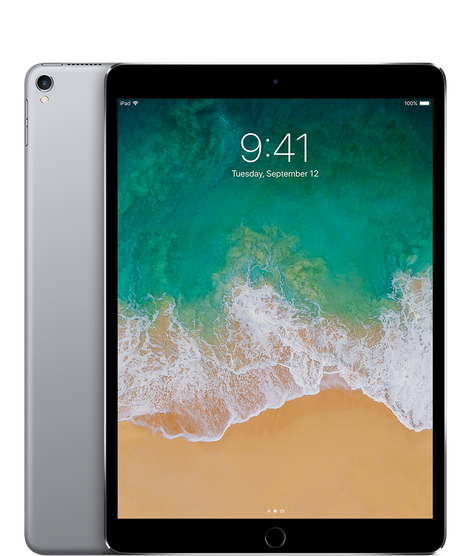
    iPad Pro

    Image Credit: Apple

    Speaking of tablets, we’d be surprised if there weren’t changes coming along for the iPad. The device that launched the tablet craze has been somewhat under-loved recently, so we’d like to see it get some attention. Rumors point to an iPhone X-style iPad, with slim bezels and Face ID. It’ll be interesting to see how the iPhone X’s revolutionary gesture interface fares on a tablet!

    New Operating Systems

    Image Credit: CNET

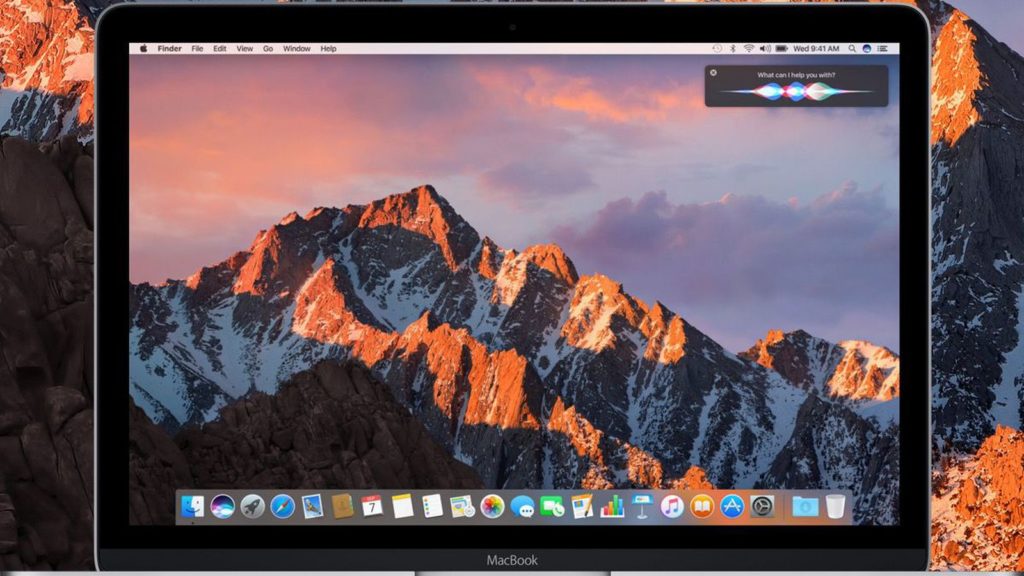
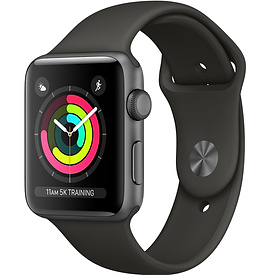
    Don’t expect just hardware announcements: Apple’s certainly been hard at work on new software. iOS 12 will almost certainly be making its debut during the event, but that’s just the start. WatchOS 5 will also be unveiled, we’d be willing to bed, coinciding with announcements of Series 4 Apple Watches. We’ll get to those. Finally, MacOS Mojave will likely be announced, along with its new Dark Mode and other features.

    Apple Watch Series 4

    Photo Credit: Apple

    That Series 4 Apple Watch we were mentioning? Yeah, this is it. Rumor has it that the display is going to be much bigger, taking on an iPhone X-like screen with small bezels. It seems Apple’s really cracked how to do that and is super pleased to slap it on everything. That’s fine by us, the iPhone X’s screen looks incredible, we’d be happy to have it on everything. Another rumor holds that they’ll be scrapping the Wi-Fi only model and just doing an LTE model. That makes sense, as it was a bit complicated having two.

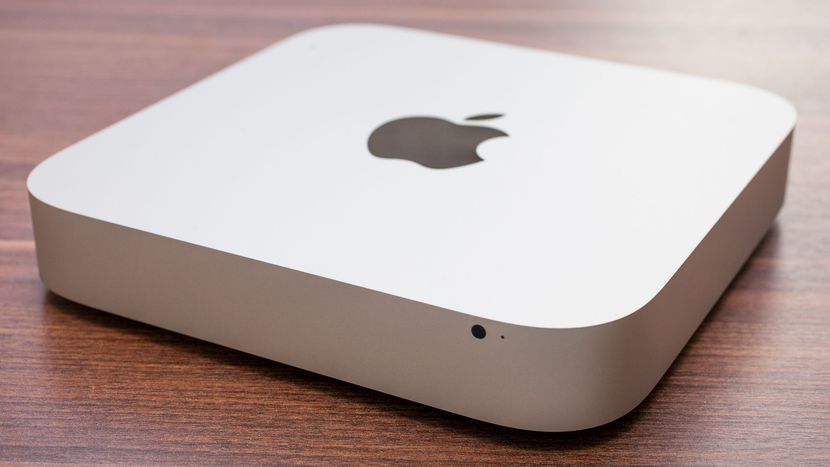
    Mac Mini

    Photo Credit: CNET

    Remember the Mac Mini? The compact computer is due to show up at the Gather Round event in some capacity. We expect to see a new suite of ports, such as USB-C compatibility, and a slight redesign. Implementation of solid-state-only models seems likely, as does adoption of new processors. In all, they haven’t touched this line since 2014. As such, it’s due for a bit of an overhaul!

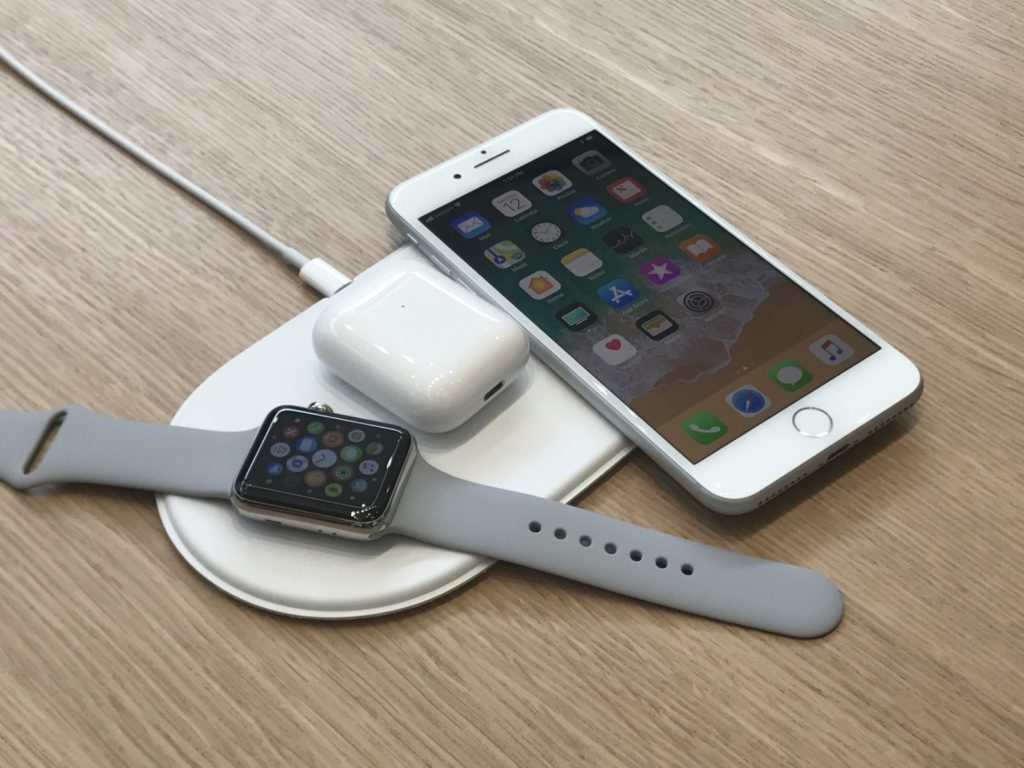
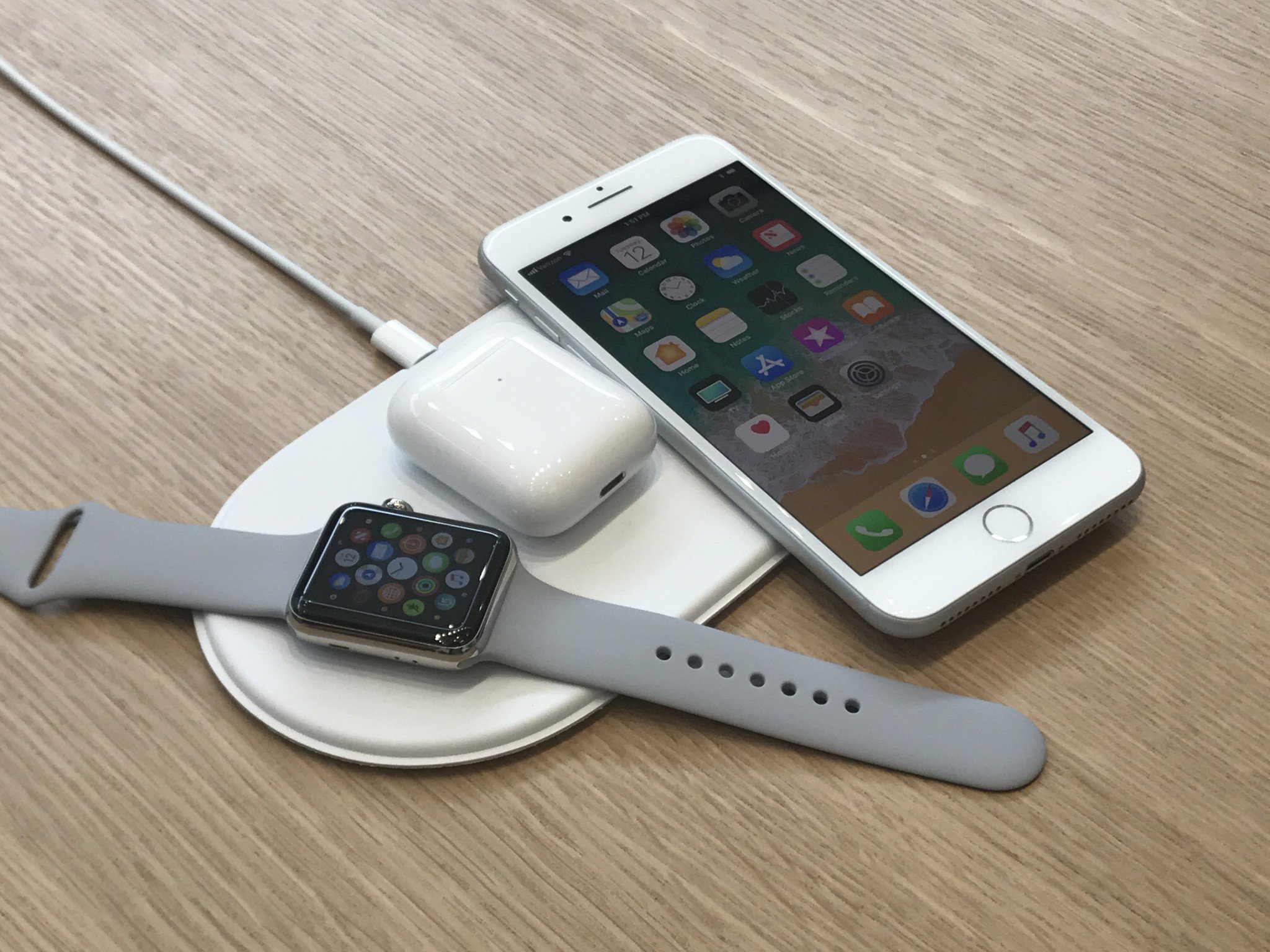
    Airpower

    Photo Credit: iMore

    Believe it or not, it’s been a full year since Apple announced their wireless Airpower charging pad. It’s likely that the very interesting pad could be on display at Gather Round. The unique device is capable of charging up to three different devices at once, providing the correct amount of power by identifying what type of device is on it. This allows it to safely power multiple items at once! Rumors are scarce on the Airpower pad, but we’ll see come September 12th.

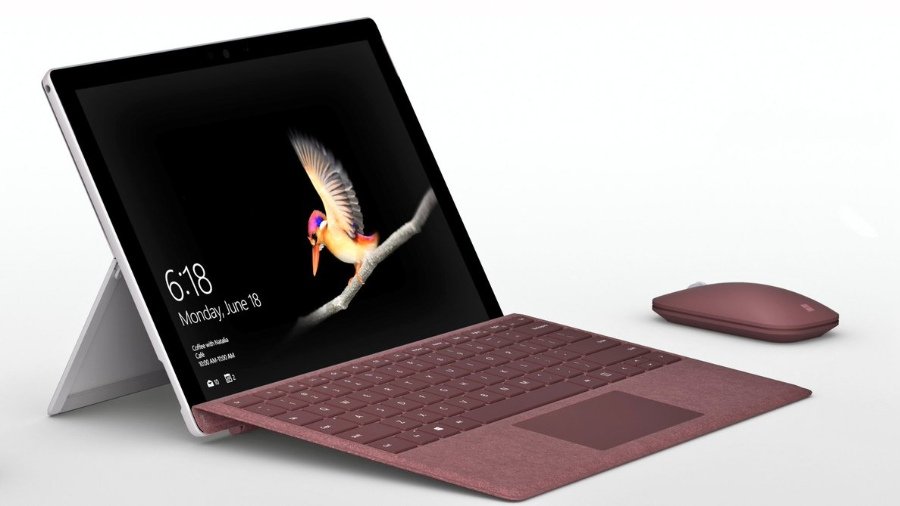
  • Apple’s iPad vs Microsoft’s Surface Go: Which Tablet Wins?

    Apple’s iPad vs Microsoft’s Surface Go: Which Tablet Wins?

    With the Microsoft Surface Go taking on the iPad, many are wondering which tablet wins in a head-to-head. While neither is the most powerful in its respective hardware family, the two are both priced aggressively. The iPad is $329, while the Surface Go is $399, putting them in pretty direct competition. We’ll get into the pros and cons of each and see which the better buy is for your money!

    Apple’s Trusty iPad

    The iPad hasn’t changed too much since it was first introduced. While it now supports Apple Pencil and sports a retina display, the tablet is largely the same device it was when it launched the tablet craze. The 2018 model is slightly smaller and less expensive than the Surface Go, but they have similar power under the hood. That said, the iPad’s A10 Fusion chip is a bit more powerful than the Pentium Gold processor in the Surface Go. Similarly, the screen on the iPad is ever-so-slightly crisper and clearer than Microsoft’s 2-in-1.

    The iPad runs on iOS, the same as you’d find in an iPhone. That means you have access to the suite of apps from the App Store, but nothing resembling a full desktop ecosystem. iPad is compatible with both keyboards and the Apple Pencil, so you can use it as a pseudo-2-in-one.

    Microsoft’s New Hotness

    The Surface Go is definitely the new hotness on the tablet block. It has a few things on the iPad: firstly, it has more memory out of the gate. It sports 64GB of memory to the iPad’s 32GB, which is sizable. That means you can have more apps, photos, songs, whatever you please. Similarly, the Surface Go has double the RAM of the iPad, but that’s just a step up from 2GB to 4GB. How much difference that makes in day-to-day activities is hard to say, as neither is going to be running full AAA video games any time soon.

    The Surface Go is also capable of running Windows 10 in full desktop mode. It ships in 10 S, which is the tablet-style operating system that is an Apple competitor. If you want to upgrade it, you can do so for free, but its irreversible. However, many everyday users would likely prefer the full Windows 10 suite so that they can use more than just apps from Microsoft’s store.

    Which Tablet Wins?

    As all “this versus that” discussions between Apple and Microsoft, its hard to say which one wins. On the one hand, the iPad has the superior display and is much more stylish. The Surface Go, however, offers the full Windows 10 experience on a tablet, which is a big deal. They allow you to do similar things, but in different-looking ecosystems. It almost comes down to a “feel,” which is to say there is no right answer. Both are fantastic, but neither has a distinct edge. If one appeals to you aesthetically, or from a design perspective, go with it. They’re otherwise evenly matched!

  • Is the New Apple iPad Worth It?

    Is the New Apple iPad Worth It?

    Whether the newly released Apple iPad is a worthy purchase depends on a few factors, but there is no denying that the 2018 iPad is the best tablet you can buy for under $500.

    Education Push

    It’s clear that Apple wants iPads in every classroom. After establishing a foothold years ago, Google swept in with its Chromebook computers and has come to dominate school systems around the country.

    Apple wants their new classroom software to be the magic bullet in retaking the classroom, but time will tell. The new iPad, $329 for retail and $299 with an educational discount, is still pricier than many Chromebook models.

    Apple Pencil

    One great feature the new iPad has going for it is the ability to use the Apple Pencil. It uses the same touch sensor that the first iPad Pro used, which should be a very satisfying user experience. Since the Apple Pencil will set users back another hundred bucks, the adaptation rate for a budget-friendly tablet remains to be seen.

    Hardware

    The design can probably now be called “classic” as the new iPad looks identical to last year’s model and can trace its lineage back to 2013. It’s 7.5mm thick and weighs just over a pound.

    As far as processors go, the new iPad uses Apple’s A10 Fusion chipsets – the same kind that the iPhone 7 and 7 plus used.

    Pros and Cons

    For the price, the new iPad is a great value and you’ll have access to an incredible number of curated apps. The Apple Pencil support is also a fantastic feature if you can swing the extra hundred bucks.

    However, the classic design is pretty long in the tooth and the new iPad is thicker than some of the other iPads. The 8 megapixel camera on the back is decent for snapshots, but not much for creativity. And finally, although the price-to-value ratio is solid, $299 may still be too expensive for many schools looking to put a device in all of their students’ hands.