Tag: PC

  • Tech Throwback: The IBM PC Personal Computer

    Tech Throwback: The IBM PC Personal Computer

    I like to take a look at where I’ve been to evaluate where Im going. Technology is cyclical after all… wait no its not. That said I still like all the feels that come rushing back like a flood of nostalgia every time I get my hand on the tech I grew up with. Im going to go back periodically and take a looking at the stuff that used to blow our hair back and get our minds rolling. Some of these device blew up and changed the world, some where ahead of their time and some just fell flat and became colossal failures. Today we have The Original IBM PC.

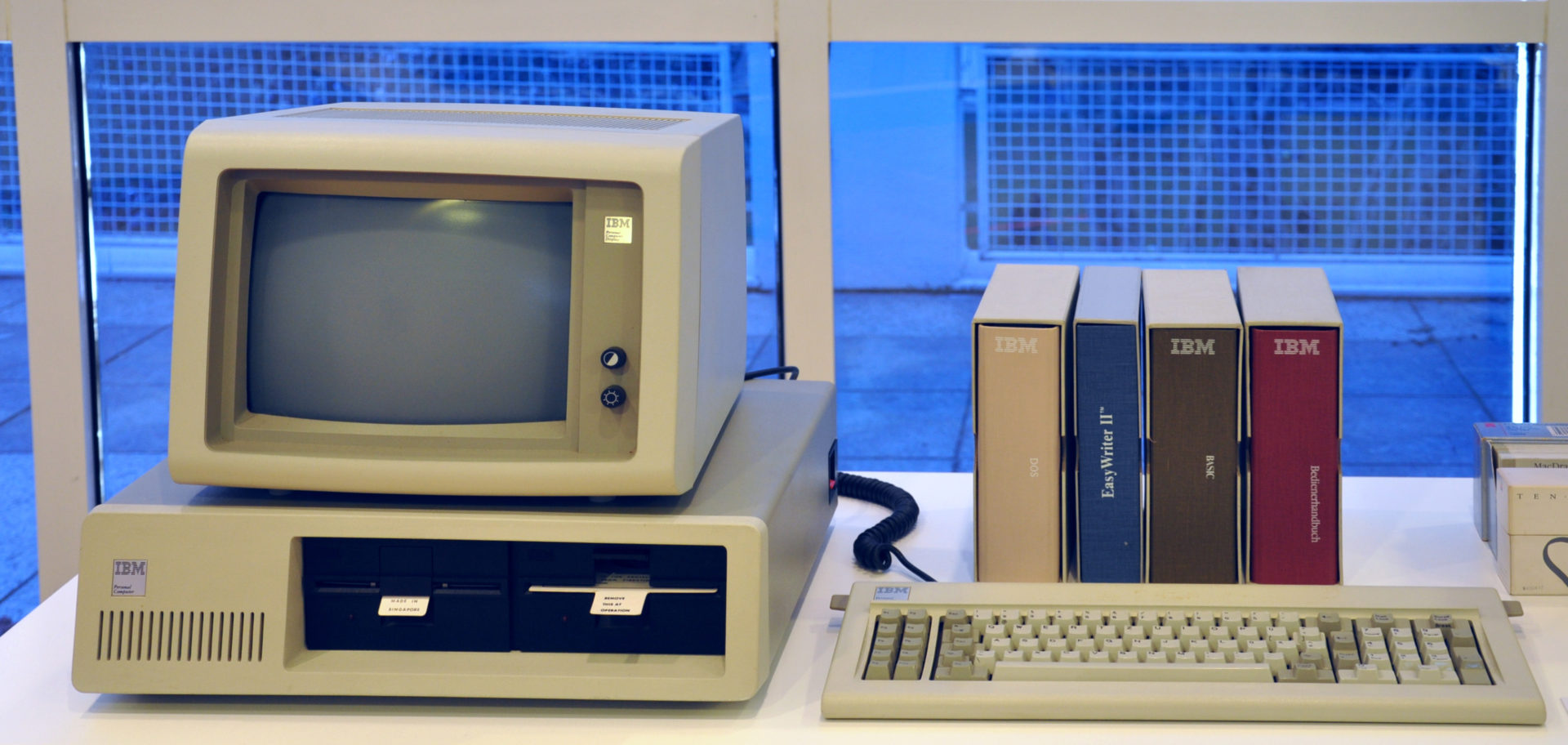
    IBM Personal Computer, also known as the IBM PC . While it wasn’t the first computer that didn’t have to be housed in a separate room. It was the first to be built and consecrated by Big Blue itself, legitimizing the whole concept. It was created by a team of engineers and designers in Boca Raton, Florida, in the early 1980s. The rest, as you know, is history.


    International Business Machines (IBM), one of the world’s largest companies was up to something and we all just knew it.  In the late 1970s the new personal computer industry was dominated by the Commodore PET, Atari 8-bit family, Apple II, Tandy Corporation’s TRS-80, and various CP/M machines. With $150 million in sales by 1979 and projected annual growth of more than 40% in the early 1980s, the microcomputer market was large enough for IBM’s attention.

    In 1980 and 1981 rumors spread of an IBM personal computer, perhaps a miniaturized version of the IBM System/370. The IBM Personal Computer (“PC”) was not as powerful as many of the other personal computers it was competing against at the time of its release. The simplest configuration has only 16K on-board RAM and uses an audio cassette to load and save data – the floppy drive was optional, and a hard drive was not supported.

    A basic system for home use attaches to an audio tape cassette player and a television set (that means no floppy drives or video monitor) sold for approximately $1,565. PC-DOS, the operating system, was not available on cassette, so this basic system is only capable of running the Microsoft BASIC programming language, which is built-in and included with every PC.

    Powering Back Up the IBM PC

    Im not sure what I was expecting. I remember being bored using my Dads and it didn’t really do anything cool. That didn’t stop me from entering any number of absurd command in the command prompt. I spent the next 15 mins repeating this childhood obsession. C:>Cancel School, C:> Where are my shoes?, C:> PRINT Money. C:> Make Robot. That was fun..

    Now its on to Leather goddess of Phobos. It was the only game I could remember and Im not sure why my parents let me play it. Its been a long time since i played one of these text adventure games. They seem to be gaining some hipster popularity back after Ready Player One. I forgot how tedious and boring not to mention for the spelling impaired annoying. But Basic, there is always Basica. This I still enjoy, creating and problem solving on a high level for a basic out put.


    The Final Thought

    I learned a lot about progress in my time with the IBM PC, both in 1986 and now. Its fascinating to see how far we have come in a very short amount of time. The IBM wasn’t the best option for a PC at the time, it lacked some of the innovations The Commador and HP’s had. This IBM PC’s success sparked my generations programmers to get us here. This is the computer all us kids got our hands on and that makes it special.
  • That’s No Mac Pro, That’s a Samsung ArtPC PULSE

    That’s No Mac Pro, That’s a Samsung ArtPC PULSE

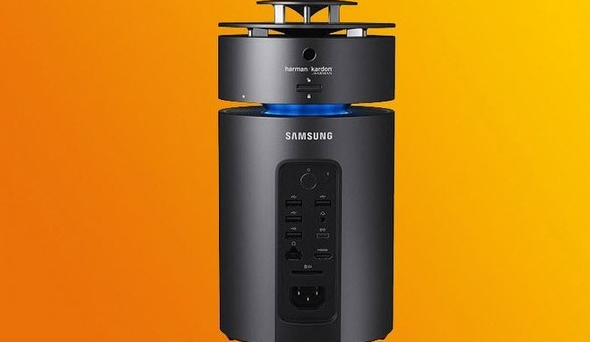
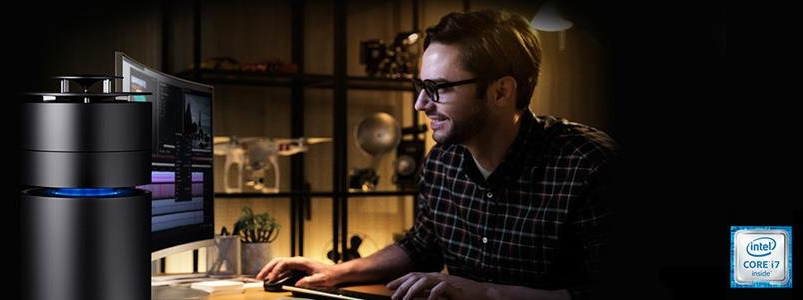
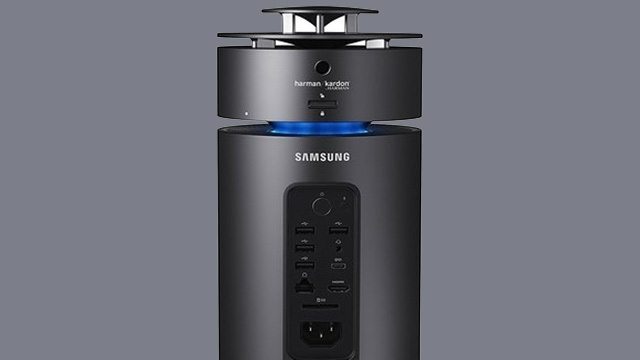
    Samsung ArtPC PULSE is trying to redefine the design of computers like Apple has already done. This computer is impeccably slim and exquisitely  premium. The Samsung ArtPC PULSE is built with full metal in a cylindrical form factor. This is actually the second computer you want to place at the center of your space.


    The Great

    • Very Pretty
    • Beautiful Desgin
    • Stackable Expandable HDD
    • LED Notifications
    • Great 360 Sound


    The Not

    • Mac Pro Knockoff
    • Standard Power
    • Uninspired


    The Conclusion

    The desktop PC is undergoing a renaissance, with designs that beg to be showcased in a living room or creative space. Samsung is joining HP as they mock what Apple does best. Think outside the box and innovate. It’s a distant 3rd in a playing field of 3.


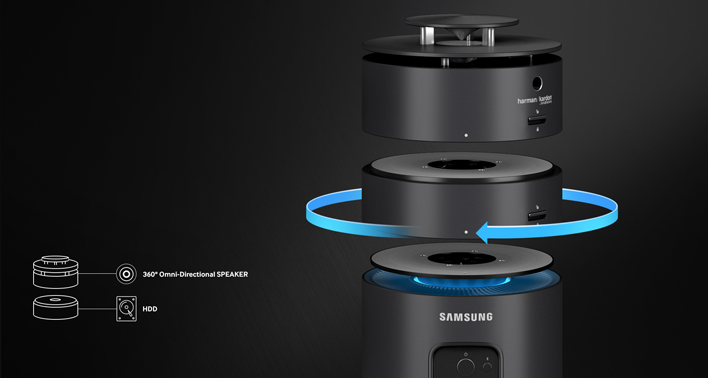
    The ArtPC draws immediate comparison to Apple’s machined Mac Pro. With an aluminum build, integrated 360-degree speakers tuned by Harman Kardon— an audio and electronics brand that Samsung is in the process of acquiring— and a modular, expandable design, the ArtPC’s aesthetic is divisive. Part minimalist metal and fully utilitarian, the ArtPC Pulse invites comparisons from passersby to my desk to anything from a futuristic space capsule to Oscar the Grouch’s trash can abode.


    Give Us The Deats

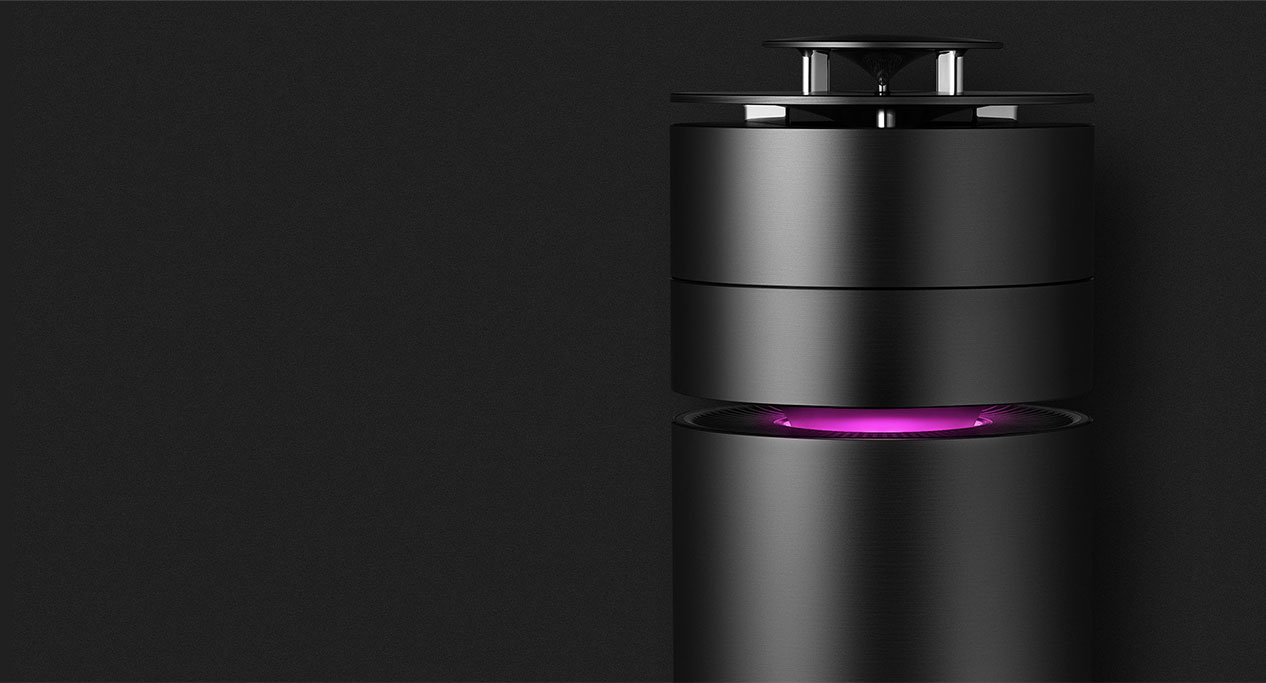
    The small, cylindrical shape of the desktop machine is quite innovative and attractive. It looks magnificent sitting on a table top with a lighting band proving to be a striking contrast against its full metal, black body. It is equipped with a brilliant and fast working processor. The Radeon Rx graphics card ensures that the graphics you view on your screen are always impeccable. One of its greatest features the way it is engineered. You can twist and turn and remove storage whenever you do not need it, and fix the module back on whenever you do need it.


    The Sound And Design

    Harman Kardon 360 degree Speakers are the best part about the Samsung ArtPC. They are crisp clean and booming. I’ve always found sound quality lacking in computers and it’s nice to see Samsung up the game. This shows that PC manufacturers are teaming up with the best sound system providers to give users good audio systems alongside powerful PCs


    The design is fairly minimal in design and measures 5.51 x 5.51 x 12.18 inches (13.9 x 13.9 x 30.9 cm) and uses the single central fan concept. It’s pretty but it’s not as stunningly elegant as the Mac Pro.


    There is one more interesting and innovative design of the Samsung ArtPC PULSE. This Computer allows you to attach and detach more storage whenever you need. Position the HDD unit and spin to click and easily add more storage. Think easily stackable hard drives. Kinda cool.

    Quick Specs of The Samsung ArtPC PULSE

    • CPU Intel Core i7 (6th Gen) 6700 / 3.4 GHz
    • Chipset Type Intel H110 Express
    • Form Factor Memory SO-DIMM 260-pin
    • Slots Qty 2
    • HD SSD  NVM Express (NVMe) 256GB + 1TB Serial ATA-600
    • GPU AMD Radeon RX 460 2 GB GDDR5 SDRAM
    • RAM Technology DDR4 SDRAM Memory Speed  2133 MHz Configuration Features 2 x 8 GB


    The Final Thought

    In A Samsung world of being second best this is just that. If you said to yourself want a mock Mac Pro “speaker as a Desktop” that runs windows 10, well  then you have found your dream machine.


  • Laptop Lookout: Dell XPS 15 2 in 1

    Laptop Lookout: Dell XPS 15 2 in 1

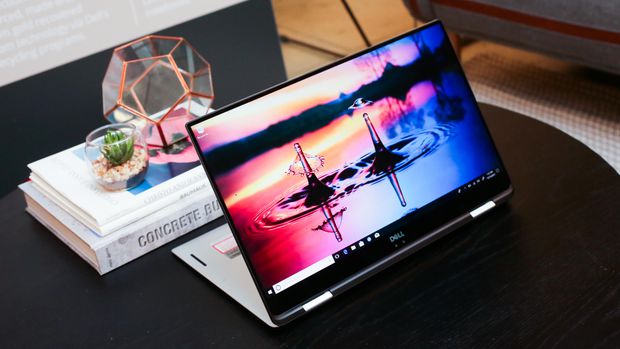
    It’s a hybrid inside a hybrid. That’s the best way to think about the new XPS 15 two-in-one from Dell. This big-screen laptop has a 360-degree hinge, so it folds all the way back to form a tablet — we’ve seen that plenty of times before, but never in Dell’s high-end XPS 15 line.


    The Great

    • Gorgeous 4K display
    • Blazing fast CPU
    • Much improved battery
    • Legacy ports still at play
    •  Clear audio
    • Strong performance

    The Not

    • Middling graphics
    • Poor webcam placement
    • Lots of Bloatware

    The Conclusion

    This is the best 15-inch laptop money can buy. That’s thanks to strong build quality, a brilliant screen, a comfortable soft-touch deck and an Nvidia GeForce GTX 1050 GPU that can handle entry-level gaming and some serious Photoshopping.


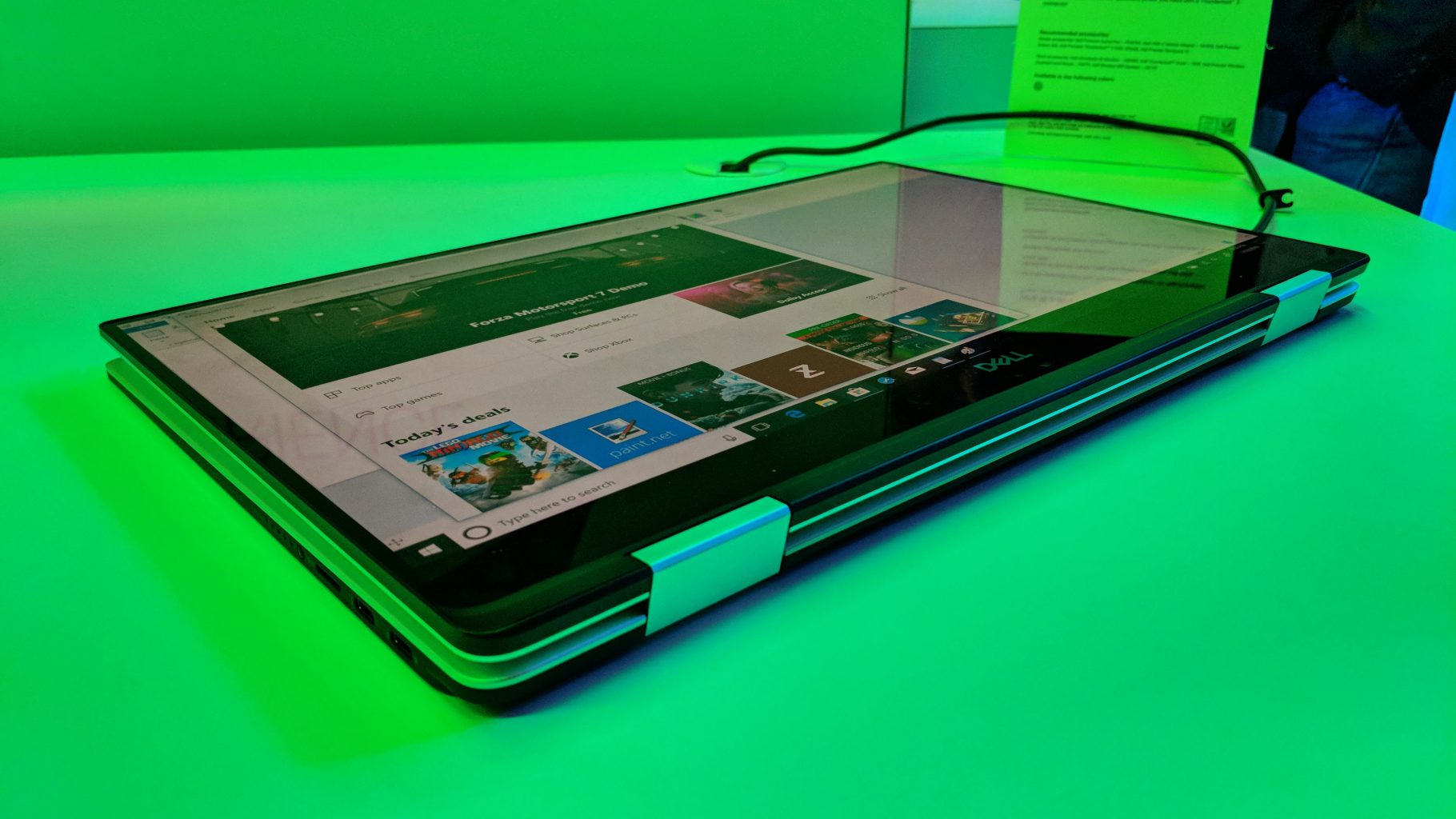
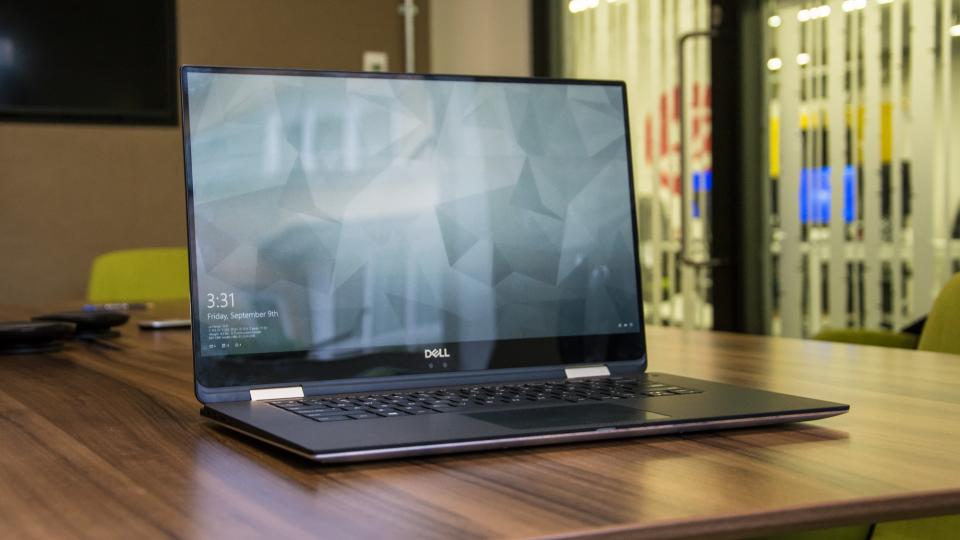
     Dell’s new XPS 15 2-in-1 makes the statement this time around. As its name implies, the XPS 15 is a 2-in-1 convertible that lets you fold the 15.6-inch screen back on itself for use in tablet mode or tent mode.
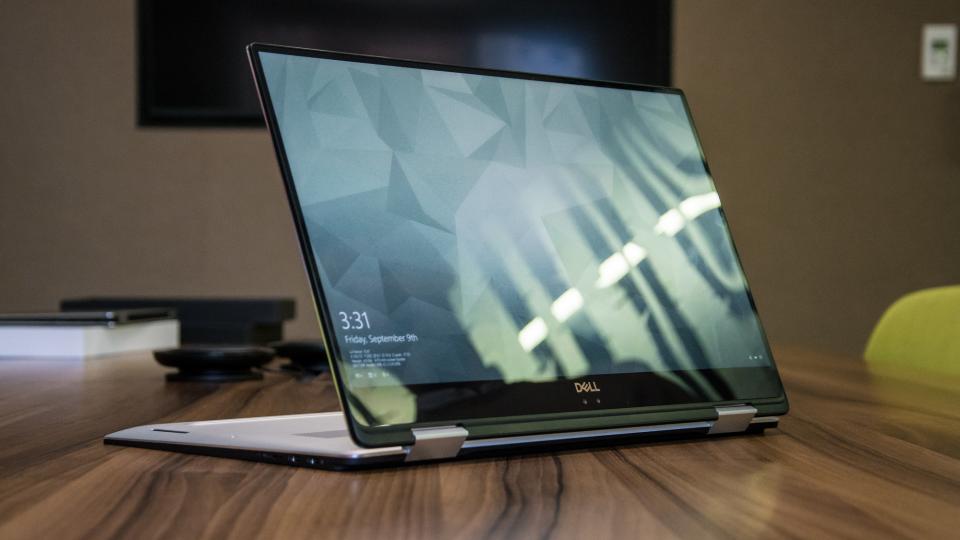
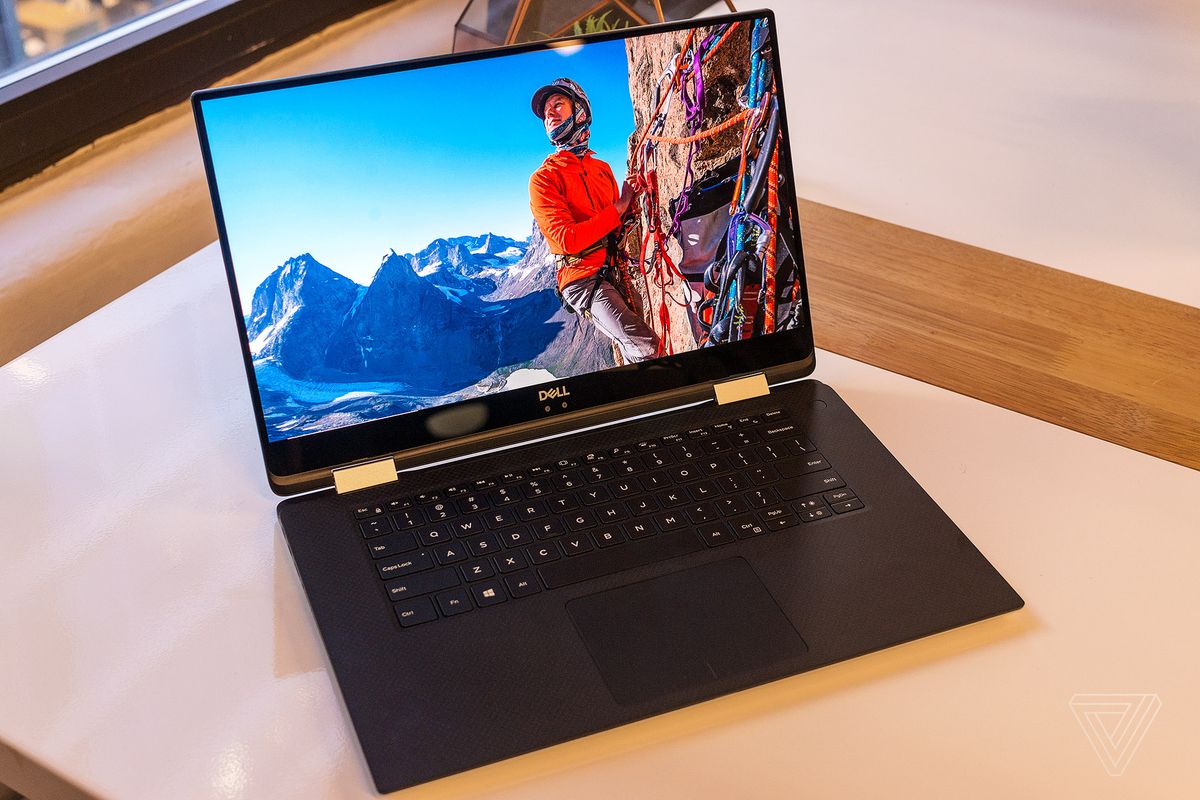


    The XPS 15 combines jaw-dropping resolution and vibrant color in a large 15.6″ touch display. Its crisp, sharp detail and rich color is perfect for editing photos and graphic design with Full HD or the optional UltraSharp™ 4K Ultra HD (3200×1800). Comes with 500GB 7200RPM Hard Drive + 32GB Solid State Drive Windows 10 Home 64-bit English and 8GB 2400MHz, DDR4; up to 32GB (additional memory sold separately). View amazing graphics on the 15.6″ FHD (1920 x 1080) InfinityEdge, Non-touch and Intel HD Graphics 630 videocard.


    The Updates

    It looks a lot like the notebook, but Dell has done more than slap a new hinge on its existing design. The XPS 15 2-in-1 is an all-new design that takes dramatic measures to reach its weight of 4.3 pounds and thickness of .63 inches – figures that are among the best in its class.

    Dell has incorporated Gore fabric into its chassis. More commonly used for lightweight athletic apparel, Gore is an excellent insulator, yet also light and thin. That apparently makes it a good fit for directing heat through a notebook chassis. You can’t feel the fabric when you touch the machine, but it’s there, keeping heat where it should be.


    Quick Spec Look

    • Intel Core i5-8305G or i7-8705G
    • GPU       Radeon RX Vega M
    • RAM      Up to 16GB
    • Storage Up to 1TB PCIe SSD
    • Display  15.6-inch 4K or 1080p
    • Size        3.9 x 9.3 x 0.6 inches
    • Weight 4.3 pounds
    • Battery Up to 15 hours
    • Ports     Thunderbolt 3, USB Type-C, microSD card, HDMI, Headphone

    The Final Thought

    All the benefits of the 2 in are here, it has the flexibility. Its durable and powerful, sounds great and a performance monster. I can say it runs a little hot, and i wish there was a better GPU for new gaming.

  • Laptop Lookout: Dell XPS 13

    Laptop Lookout: Dell XPS 13

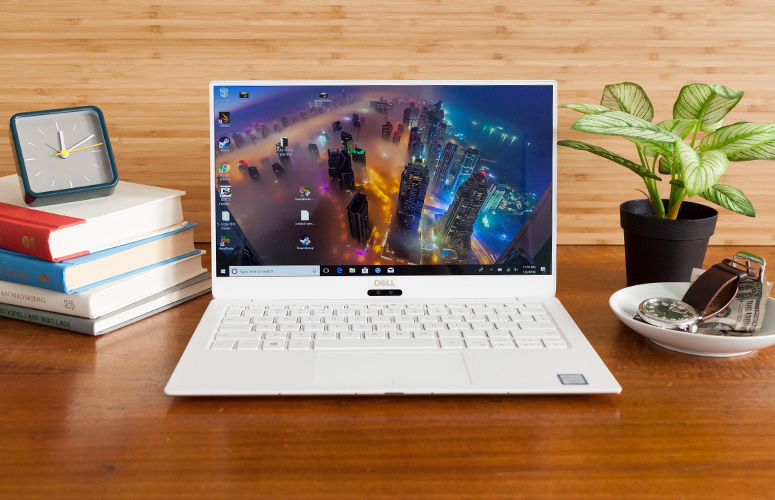
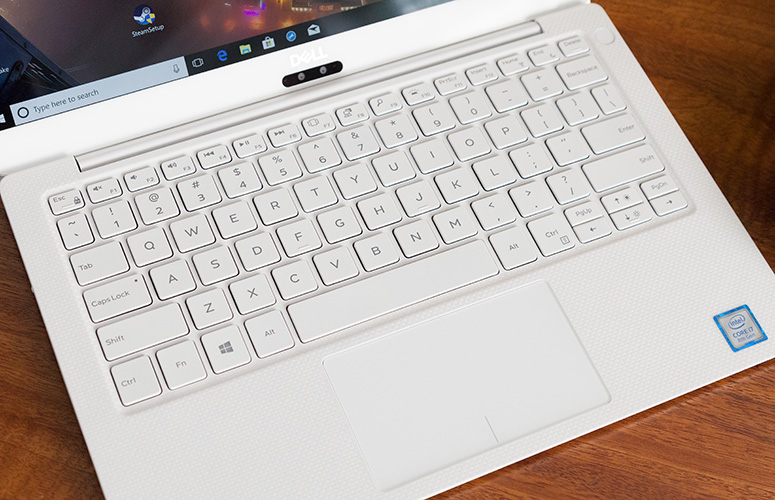
    The razer-thin, Dell XPS 13 has been my  favorite consumer laptop for a few years, thanks to its attractive design, gorgeous screen and strong battery life. Dell’s laptop is now available in two different models, both of which we recommend.


    The Great

    • Attractive design
    • Vibrant screen
    • Strong performance
    • Good battery life overall
    • Runs cool

    The Not

    • No USB Type-A Ports
    • Improved webcam still looks up your nose
    • Steeper starting price
    • White option is pricier


    The Conclusion

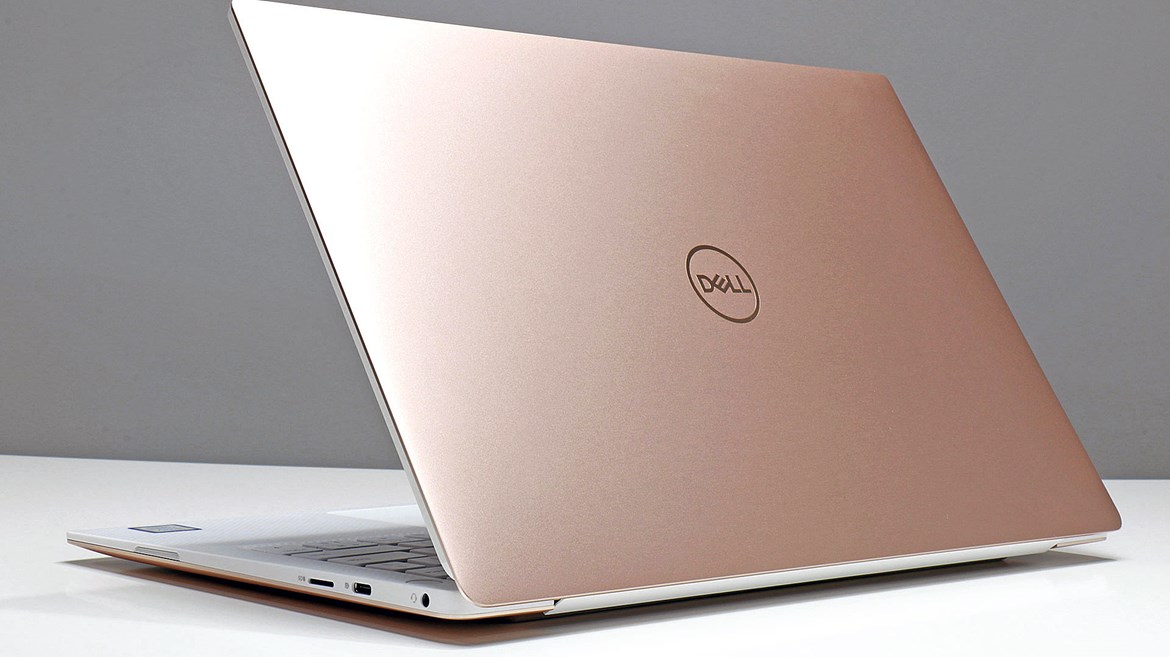
    The new XPS 13 9370 is the slimmest and lightest model yet, with a stunning new rose gold and white color scheme. It also sports an extremely vibrant display, which is available in 4K resolution, better performance and up to 12 hours of battery life. However, if you want an even-longer, 16 hours of endurance and access to full-size, USB Type-A ports, the older, XPS 13 9360 could be an even better choice.


    Dell Xp is the standard all widely adopted laptops are measured, and usually sound wanting. Its the supreme, the alpha. It has everything most of us need, with none of the stuff we don’t at a price we can handle.
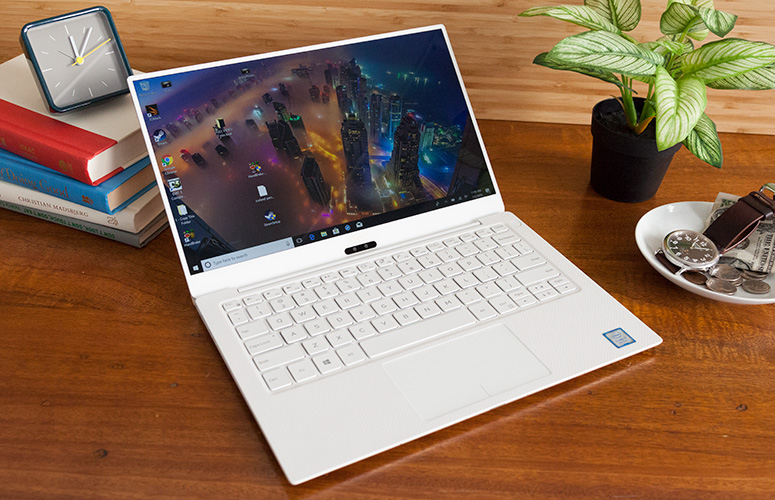
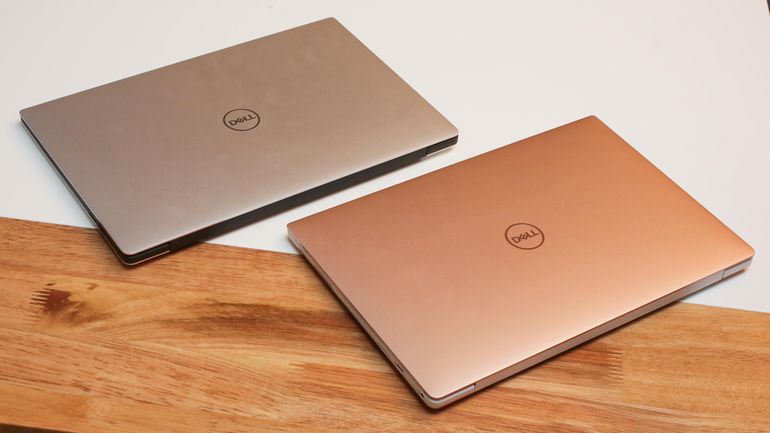
    Like most laptops in 2018, there is the choice to buy a high-end configuration, complete with the specs that you need for your daily duties. If you need a faster processor, there are two models featuring a 1.8GHz Intel Core i7-8550U (4GHz with Turbo Boost) to choose from.

    Quick Specs Look

    CPU: 1.8GHz Intel Core i7-8550U (quad-core, 8MB cache, up to 4.0GHz)
    Graphics: Intel UHD Graphics 620
    RAM: 16GB DDR3 (2,133MHz)
    Screen: 13.3-inch, Ultra HD (3,840 x 2,160) UltraSharp InfinityEdge touch display
    Storage: 1TB PCIe SSD
    Ports: 2 x Thunderbolt 3 (USB-C), 1 x USB-C 3.1, micro SD card reader, headset jack
    Connectivity: Killer 1435 802.11ac Wi-Fi,  Bluetooth 4.1
    Camera: Widescreen HD (720p) webcam with 4 array digital microphones
    Weight: 2.67 pounds (1.21kg)
    Size: 11.9 x 7.8 x 0.3-0.46 inches (3.02 x 1.99 x 0.78-1.16cm; W x D x H)


    The Final Thought

    Dells XP laptops are already best in class, so  to make its laptop thinner, Dell switched to a smaller battery and got rid of USB Type-A ports. As a result, some users will prefer the previous XPS 13 9360,  which is still for sale and is powered by the same Intel 8th Gen Core CPUs. It’s a little more expensive than it was previously, but the Dell XPS 13 makes up for the higher price tag by noticeably boosting the performance.

  • Laptop Lookout: HP ZBook X2

    Laptop Lookout: HP ZBook X2

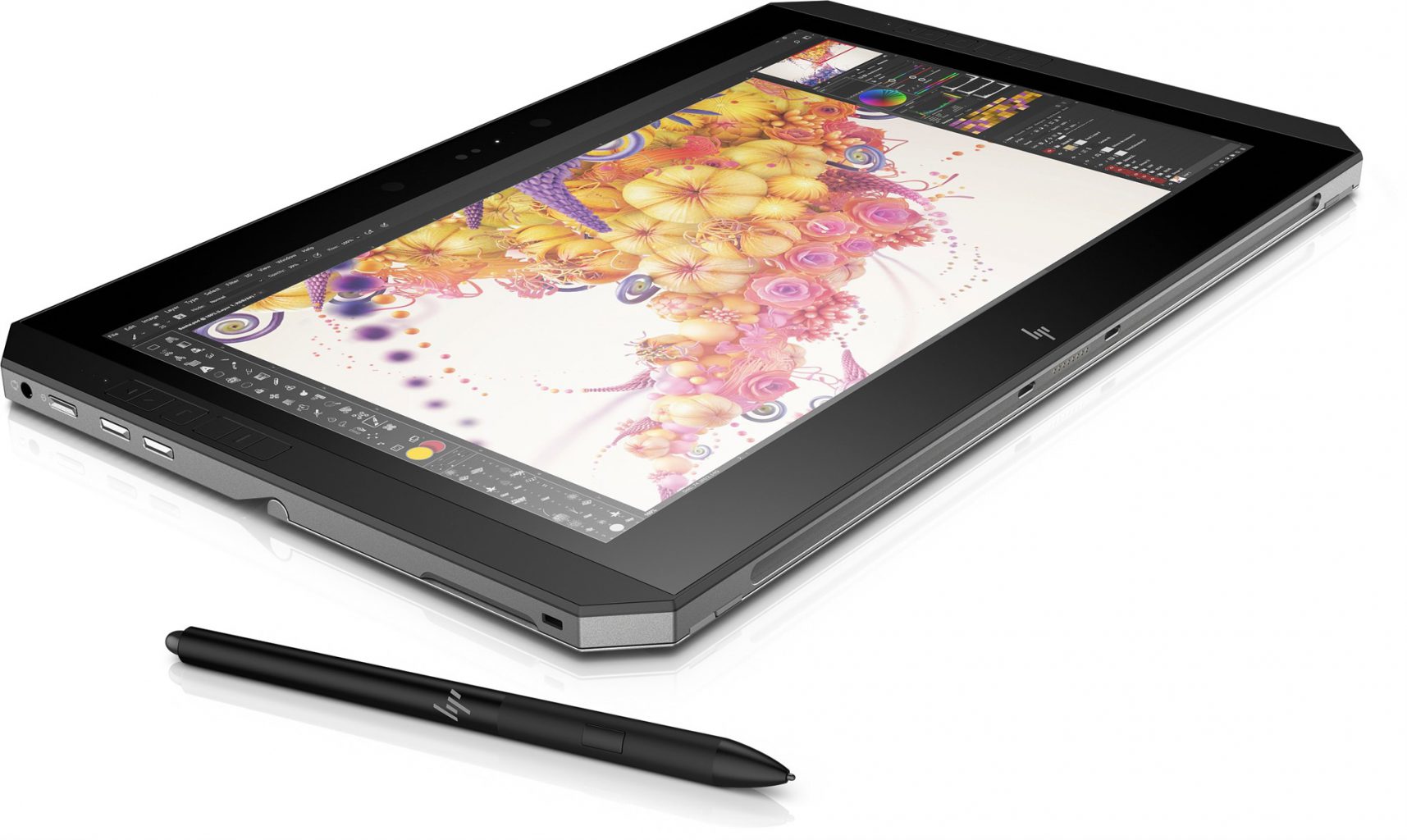
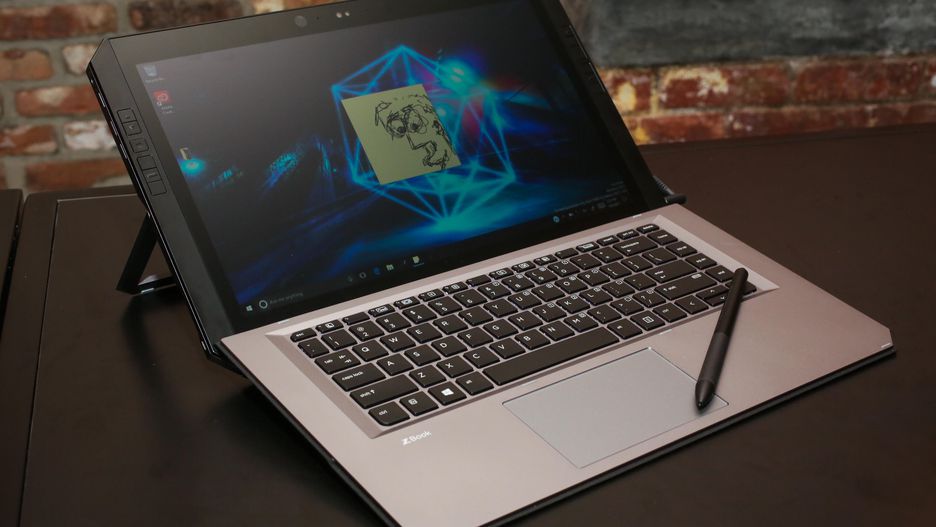
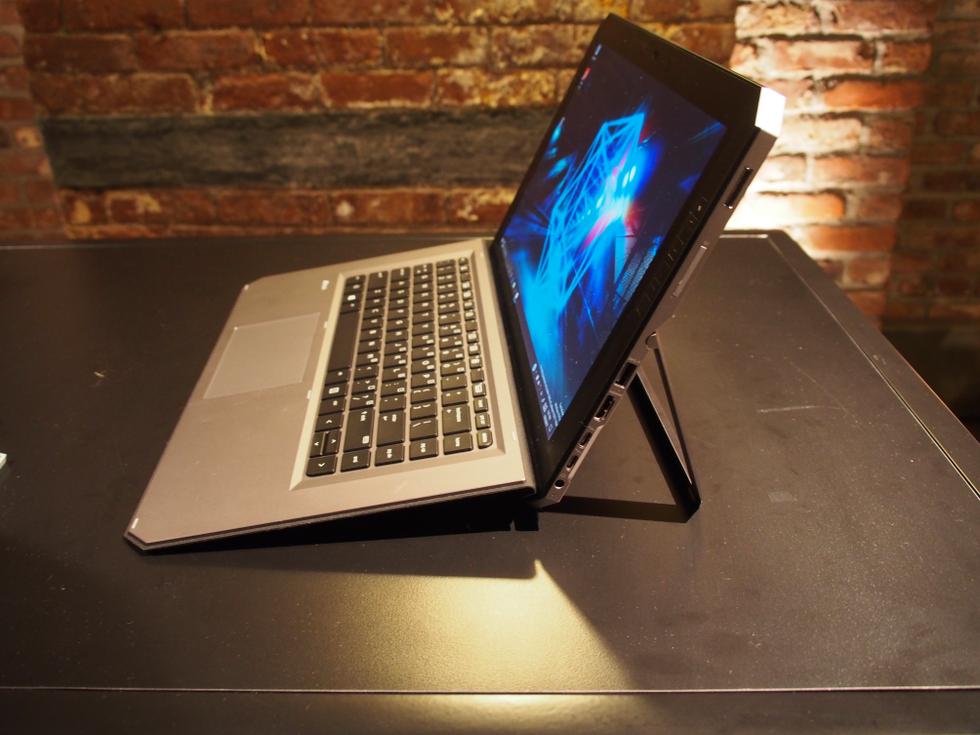
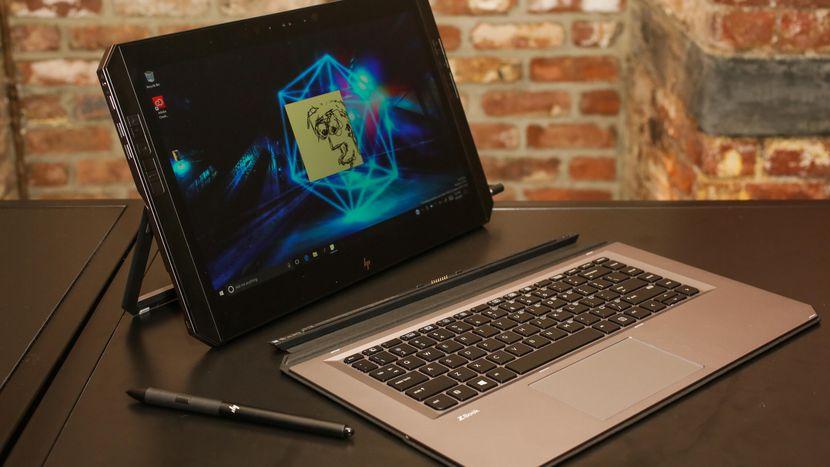
    Its not a Notebook, barely a laptop but it a great PC solution. Hp is Introducing the world’s most powerful detachable PC with remarkable performance and versatility to push your favorite Adobe applications to the limit. Yes it’s a full-performance workstation-class laptop experience with full-sized keyboard and integrated stand. With HP Quick Keys, keep working in your Adobe® apps without the use of a keyboard. The full-sized Bluetooth® keyboard stays active when detached, so you can keep working.


    The Good

    • Adobe featured
    • great stylus
    • Great shortcut OS features
    • Good Keyboard


    The Not

    • Battery-life not great
    • Lacks graphic performance
    • Overpriced


    The Conclusion

    I cant call it a 2 in 1, its barley a laptop but much more then a notebook or tablet. Really its everything and does it all pretty well but is a master of none.


    This is no notebook. This is  a specialized tool designed to serve as a complete solution for digital artists, photographers and other creatives. It’s massive, but designed to provide easy access to shortcuts. It also has a professional-grade stylus and a matte 4k display that feels as if you’re drawing on paper.


    The Design

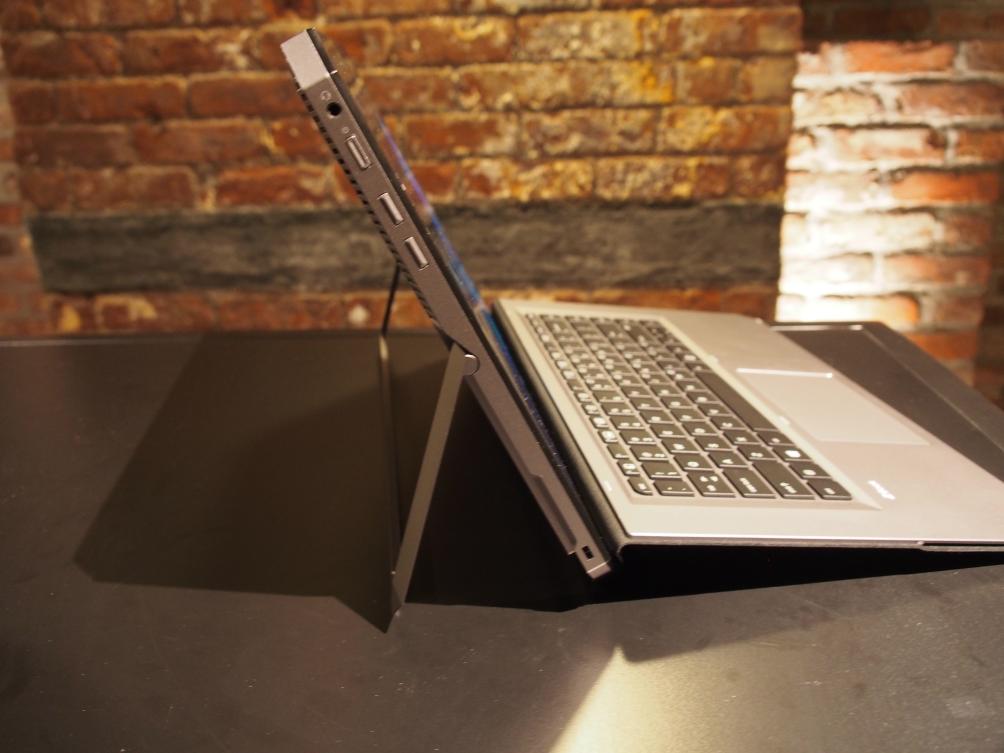
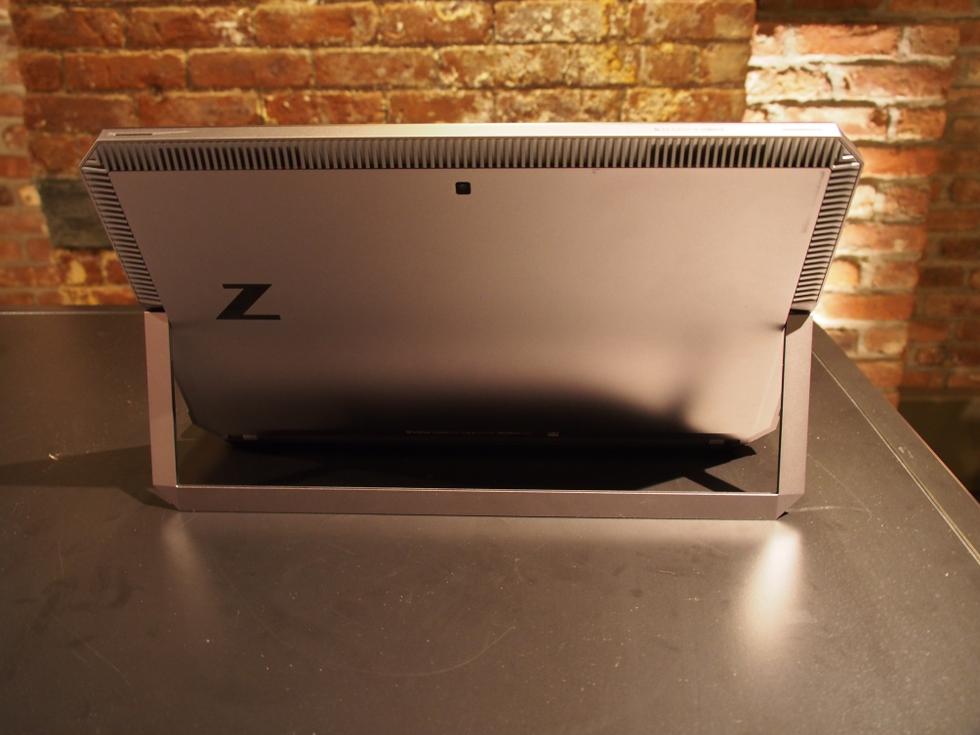
    You’ve never seen a laptop like this before. The ZBook is industrial in a way that looks powerful. It’s a large octagon of metal. The back is a very plain gunmetal gray with a reflective Z logo and a whole bunch of vents for cooling. The pull-out kickstand could use a little more to put you fingers in the small notches on the side, but it pulls out almost flat, up to 165 degrees.


    With a 4k Display and only a 14 inch bezel surrounding it makes it very attractive to look at. Windows Hello is in place with an infrared camera and webcam stuffed in the top. The best part of the design is the 12 programmable shortcut buttons built down the sides. Down the right side you will find  a fingerprint reader, an SD card slot, a USB 3.0 port, an HDMI output, a pair of Thunderbolt ports and a barrel-shaped charging jack.Its a big heaver then the others in its class at 4.9lbs but it feels much more rugged and sturdy. The metal body helps this.


    The Power

    It has the power,  it has all the specs of a workstation PC: a quad-core i7 processor (from Intel’s Kaby Lake-R line), an Nvidia Quadro M620 graphics card, and up to 32GB of RAM and a 2TB SSD in a versatile desgin. These are the top line specs so you are gonna have to pay more to get the juice. It also rocks a  Wacom EMR-enabled and battery-free stylus with 4,096 levels of pressure, comparable to many of Wacom’s gaphics tablets. Then there’s the four modes that the detachable 2-in-1 can be used in. That includes a docked mode where the device can connect to two external 4K displays simultaneously and a “detached” mode where the keyboard functions as a Bluetooth keyboard.


    The Final Thought

    Its got some neat, unique features and functions. The short-cut keys, the kickstand. Its got the versatility being a tablet, 2-1, and powerful PC. Yes its the most powerful detachable pc tablet laptop but at what cost?  It’s a good fit for for artists, 4K videographers, and anyone who needs massive power in a versatile form…


  • PC’s…Build or Buy?

    PC’s…Build or Buy?

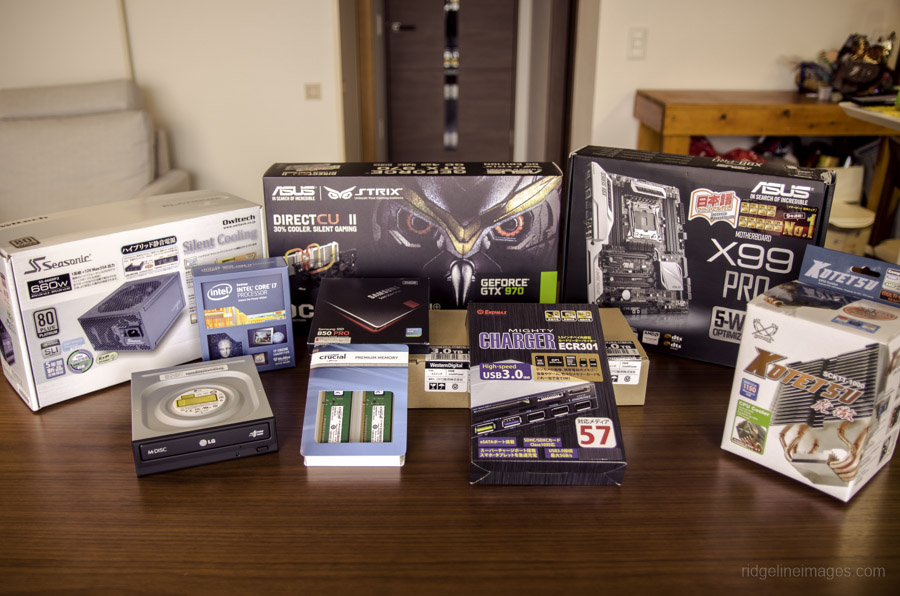
    Image result for PC build

    Pros to Building a PC

    • Full customization of PC’s interior and Exterior looks and funtions
    • Advances in PC tech, make building a PC relatively easy for intermediate users
    • With proper shopping, building can be a much cheaper option.

    Cons to Building a PC

    • High chance for PC software bug if not built right
    • Can be a laborious and frustrating practice at times
    • Ensuring that all parts are compatible and will function together is a task in itself

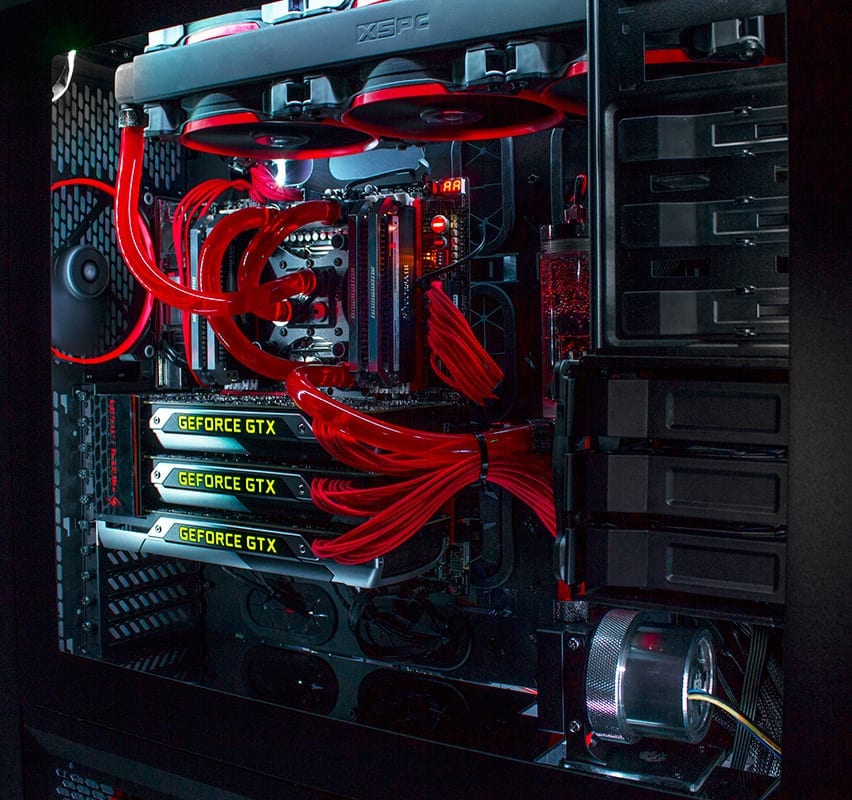
    Related image

    Conclusion

    PC building is a beauty in the eye of the beholder. Completing a fully custom, kick-butt, gaming PC can be a lot of fun with a rewarding product afterwards. But with great PC names such as Alienware, is it better to just spend the money and call it a day? If you have the time, I say build. With all PC parts easily available online at Amazon, and all the fun extras you can attach, making your own PC is almost an art nowadays. But prepare for frustration…

    Image result for PC build

    The build

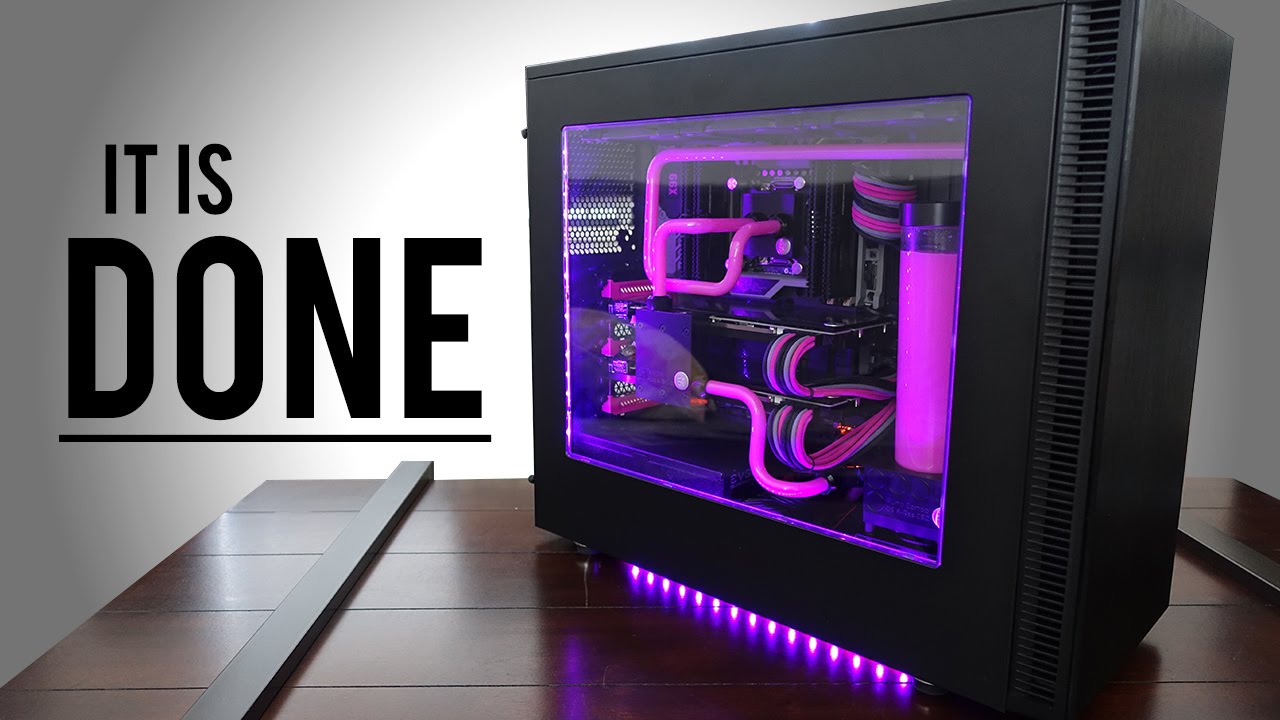
    At first it seems like an overwhelming amount of work, but after a while all the parts your ordered and purchased seem to click in place and the PC is starting to come together. Fully customized to your liking with color schemes, attachments, and paint jobs, there is no end to what you can do to your custom PC. But is it cheaper than buying a big name PC? On average with all your high-end graphics cards, processors, memory, and motherboard, you cost can easily creep to $2,000.00. On top of the rising cost, you have to make sure all parts are compatible, get all software up and running together, and get past a sometimes long bug fixing period. I see why folks, to walk down to the outdoor Sunday computer market and grab something they know they can just plug in and go. But those big market gaming computers can cost around $5,000.00 and come equipped with essentially the exact same parts that you can buy and build for $2,000.00.

    Image result for PC build

    Final thoughts

    Ultimately, building you own PC is fun, cheaper, and the end result is building something you can be proud of. Complete with customized LED lights, personalized motherboards, fans, and graphics cards. But prepare yourself for frustrating moments and know it’ll take some time. But you’ll get through it and at the end of the day, you’ll call that PC your baby.


  • HTC Vive? Sure, if You’ve Got The PC for it…

    HTC Vive? Sure, if You’ve Got The PC for it…

    The Good

    • Stunning visuals
    • very responsive and interactive gaming world
    • lasting fun and very immersive experience

    The Bad

    • A powerful gaming is needed to enjoy the full experience
    • Using the Vive can take some getting used to, mind your surroundings
    • Costly gaming product

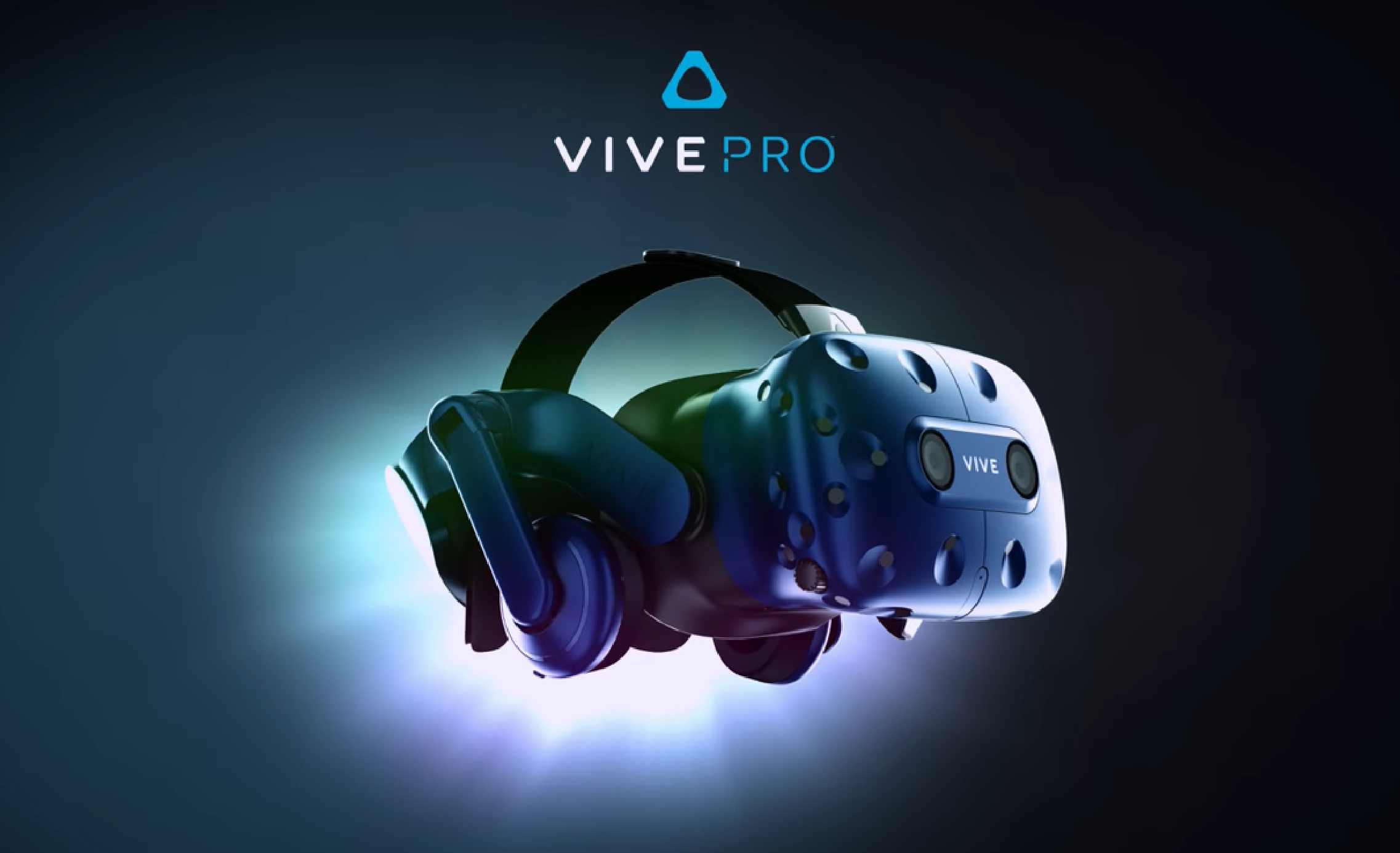
    Image result for htc vive

    The conclusion

    I found the HTC Vive to be solidly built and well made. HTC has created a very immersive and responsive world that keeps you entertained and surprised for hours. You will need a powerful computer and a fair amount of space to fully enjoy the Vive. In terms of cost, considering a price drop from $599.00, it is certainly worth purchasing.

    Related image

    The Gist.

    As long as you have a powerful PC to push the Vive, it’s pretty incredible. The system pushes a lot of pixels to the small monitors, and you need a pretty fancy graphics card and processor to match up. The required PC components is partly due to the HTC Vive, providing just about a 180 degree field of virtual vision, and it’s stunning features that come with it. The price is a little steep relative to most gaming gear at $599.00, but it’s pretty cutting edge. As time passes the price will come down. It’s an early adopter product at this point but I have to say that as far as early adopter gear goes, it’s been surprisingly robust. For how new the product is it’s surprisingly smooth and a polished. The responsiveness of turning your head and immediately having the environment respond is impressive. I didn’t notice any real lag when playing with it. The unit is reasonably light, but does get little warm after extended use. SteamVR makes using and purchasing VR games a quick and easy process. Steam also offers a large variety of VR games for how new this system is.

    Image result for htc vive

    Final thoughts

    HTC Vive is a truly great system and HTC obviously put a lot of work into this product. The wiring, controls, and overall setup is a bit cumbersome, but that is expected with any new technology at this level. I’m sure as time passes, the controls will be simpler, sleeker, and everything will be wireless. But for now, if you’re into gaming, the Vive is definitely worth a try!