Tag: smart devices

  • iPhone vs Android: Which is Right for You?

    iPhone vs Android: Which is Right for You?

    One of the fiercest rivalries in the tech world today is the ongoing feud between Google and Apple over control for the soul of the smartphone. Despite ostensibly designing the first true smartphone with 2007’s iPhone, Apple doesn’t enjoy the majority market share that Google’s Android does today. What’s the deal with the Android versus iOS feud? Which of the two big operating systems is better for you, and why?

    Today, we’re going to look at the two OS’s, what makes them different, and whether you should be “taking a side” in this battle. We’ll be looking at features, phones and corporate cultures in order to give you a full picture of the battle of the smartphones.

    Design Ethos

    Google and Apple have very different design strategies when it comes to their operating systems. Much like Apple’s own Mac line of computers, iPhones operate in a sort of “walled garden.” There’s less software available on Apple products overall, but the company curates the selection very diligently. Ostensibly, you won’t find shovelware on the App Store, nor will you be at any risk of ever happening upon a virus.

    However, with Apple, you’re stuck playing inside the wall: you’ll likely not find the same breadth of customization and modularity you see on Android. Google’s more hands-off approach to their OS has made it very wide-ranging in appeal: manufacturers from Samsung to Huawei all create phones that run on some variation of the Android OS. The more open, customizable user interface of Android is more popular with some users who like to fine-tune their own experience.

    “It Just Works”

    Apple is often described as “high technology for people with low tech tastes,” and this is often true in practice. Apple’s products tend to be bleeding edge, top-of-the-line, and terribly expensive. Their user interface tends to be easy-to-navigate and aesthetically pleasing, and people who even have little tech knowledge are usually able to easily find what they’re looking for. In short, it just works.

    Android is a different story. Less tech-savvy users might find it difficult to navigate Android’s more open-ended operating system: there is little structure or direction unless the phone manufacturer has installed their own proprietary launcher. Launcher, in turn, can be downloaded for any Android device to help tailor your phone more explicitly to your tastes and preferred experience.

    Security Features

    This might come as a surprise to Android users, or be a strange statement if you’re an iOS user, but the iOS platform only has one app store. It’s just called the App Store, and it’s locked down tight. Apple strictly controls what can be put up for sale or download on the App Store, meticulously combing for any potential security threats to their users. Viruses on Apple devices are literally unheard of for this reason.

    Likewise, Apple users might be shocked to hear that Android devices actually have several third-party app stores available. As such, viruses are a reality on Android devices. They’re far from common, and you’d be hard-pressed to get one unless you were being careless, but they’re still a cause for some concern. The more pressing reality of Android’s open-ended style is that more apps are allowed in, but there’s less quality control.

    Cognitive Load and User Functionality

    On a more academic note, researchers have found that Apple’s clean, no-frills design ethos lessens cognitive load when using their devices when compared to Android. Android home screens can be done up with tons of widgets and information, making them significantly more likely to overwhelm some users.

    However, this isn’t to say Android is inferior: far from it! However, Android and iOS are simply designed for different types of buyers. In the end, Android remains more popular primarily because it’s available on a wider variety of devices. Further, those devices run the gamut from high-end flagship phones to budget handsets, while Apple’s iOS is only available on the premium-priced iPhone line.


  • iPhone vs Android: Which is Right for You?

    iPhone vs Android: Which is Right for You?

    One of the fiercest rivalries in the tech world today is the ongoing feud between Google and Apple over control for the soul of the smartphone. Despite ostensibly designing the first true smartphone with 2007’s iPhone, Apple doesn’t enjoy the majority market share that Google’s Android does today. What’s the deal with the Android versus iOS feud? Which of the two big operating systems is better for you, and why?

    Today, we’re going to look at the two OS’s, what makes them different, and whether you should be “taking a side” in this battle. We’ll be looking at features, phones and corporate cultures in order to give you a full picture of the battle of the smartphones.

    Design Ethos

    Google and Apple have very different design strategies when it comes to their operating systems. Much like Apple’s own Mac line of computers, iPhones operate in a sort of “walled garden.” There’s less software available on Apple products overall, but the company curates the selection very diligently. Ostensibly, you won’t find shovelware on the App Store, nor will you be at any risk of ever happening upon a virus.

    However, with Apple, you’re stuck playing inside the wall: you’ll likely not find the same breadth of customization and modularity you see on Android. Google’s more hands-off approach to their OS has made it very wide-ranging in appeal: manufacturers from Samsung to Huawei all create phones that run on some variation of the Android OS. The more open, customizable user interface of Android is more popular with some users who like to fine-tune their own experience.

    “It Just Works”

    Apple is often described as “high technology for people with low tech tastes,” and this is often true in practice. Apple’s products tend to be bleeding edge, top-of-the-line, and terribly expensive. Their user interface tends to be easy-to-navigate and aesthetically pleasing, and people who even have little tech knowledge are usually able to easily find what they’re looking for. In short, it just works.

    Android is a different story. Less tech-savvy users might find it difficult to navigate Android’s more open-ended operating system: there is little structure or direction unless the phone manufacturer has installed their own proprietary launcher. Launcher, in turn, can be downloaded for any Android device to help tailor your phone more explicitly to your tastes and preferred experience.

    Security Features

    This might come as a surprise to Android users, or be a strange statement if you’re an iOS user, but the iOS platform only has one app store. It’s just called the App Store, and it’s locked down tight. Apple strictly controls what can be put up for sale or download on the App Store, meticulously combing for any potential security threats to their users. Viruses on Apple devices are literally unheard of for this reason.

    Likewise, Apple users might be shocked to hear that Android devices actually have several third-party app stores available. As such, viruses are a reality on Android devices. They’re far from common, and you’d be hard-pressed to get one unless you were being careless, but they’re still a cause for some concern. The more pressing reality of Android’s open-ended style is that more apps are allowed in, but there’s less quality control.

    Cognitive Load and User Functionality

    On a more academic note, researchers have found that Apple’s clean, no-frills design ethos lessens cognitive load when using their devices when compared to Android. Android home screens can be done up with tons of widgets and information, making them significantly more likely to overwhelm some users.

    However, this isn’t to say Android is inferior: far from it! However, Android and iOS are simply designed for different types of buyers. In the end, Android remains more popular primarily because it’s available on a wider variety of devices. Further, those devices run the gamut from high-end flagship phones to budget handsets, while Apple’s iOS is only available on the premium-priced iPhone line.

  • Best Budget Smart Phones: Getting More Bang for Your Buck

    Best Budget Smart Phones: Getting More Bang for Your Buck

    While everyone knows that Samsung and Google make great phones, they also charge flagship prices for their flagship phones. In order to help you make the most of your money, today we’re looking at some of the best deals out there for smart phone users. Let’s look at the best budget smart phones, starting with the least expensive and working our way up.

    Best Budget Smart Phones

    Moto G7

    Motorola made the first commercial cell phone decades ago, and they’re still producing some of the best budget cell phones you can get. The Moto G7 is no exception to this, either! Despite its low $300 price tag, it’s surprisingly quick and responsive. Many budget phones suffer from laggy, jerky or otherwise weak performance due to their budget processors. Motorola’s done a good job optimizing the Android OS running on this budget phone, however, and it shows.

    The camera is also surprisingly solid for a $300 smartphone. Despite using cheaper parts and sidestepping the expensive multi-camera setups of phones like the iPhone XS and Pixel 3, the Moto G7 takes pretty good-looking photos. The make quality is quite solid, too, sporting a stylish glass back like some of the big flagship phones you see in 2019. All in all, this is a great value for $300.

    Pixel 3A

    The Google Pixel 3A is the budget variation of their stellar Google Pixel 3. While we love the Pixel 3, it’s a little on the pricey side, so the 3A budget version is a welcome addition to the lineup. The most striking thing about the 3A, out of the box, is just how premium it feels for its price. Solid construction, a great-looking display and a strong processor all underscore the otherwise “budget” price of this smartphone.

    The most impressive thing in the Pixel 3A, however, is that there is no compromise on the camera despite the price. Google’s Pixel lineup has been renowned for their stellar camera performance, and the 3A follows in those footsteps. If you’re looking for a great Android phone to snap beautiful pictures and work quickly and easily without breaking the bank, look no further than the Pixel 3A.

    OnePlus 6T

    On the higher end of the “budget” spectrum, we’ve got the OnePlus 6T, coming in at $550. OnePlus might not have a lot of name recognition in America, but it’s a stellar brand that offers up premium-feeling smartphones for less-than-premium prices. The 6T is a generation behind the current OnePlus 7 Pro, but it’s still a rock-solid Android handset with a great processor and better-than-most camera.

    If you’re into flashy technology to show off to your friends, the 6T offers up a cool wrinkle: it’s got an in-display fingerprint scanner, like the Galaxy S10 and OnePlus 7 Pro. The phone also sports monthly security updates, and is sold unlocked on OnePlus’s website. Once you have yours, you need only go by a carrier and get the phone activated.

    iPhone XR

    While few people would call the iPhone XR’s $750 price tag “budget,” it’s got a great suite of features for the price tag. For people interested in dipping their toes into Apple’s new status quo (no home button, Face ID, gesture commands) the XR is the most affordable way to do so. Following in the footsteps of the revolutionary iPhone X, the XR offers up all the power of the flagship iOS device without the flagship price.

    Notable features include the stellar Bokeh-style portrait mode, an overall phenomenal processor, blazing-fast performance and a superb display. Everything about the iPhone XR screams “cutting edge,” from the appearance of the device to its sci-fi feeling Face ID unlock system. If your budget can allow for it, this is a great phone for the tech-savvy.


  • Best Smartphones in 2019: Best Phones Money Can Buy

    Best Smartphones in 2019: Best Phones Money Can Buy

    When it’s time to upgrade, you want nothing but the best. If money is truly no object and you want to own the very best cellphone, you’ve got an overflowing number of options in 2019. From Samsung phones with killer displays to Google’s unbelievably cameras, there are ample options. If you’re looking for something from Apple, the newest iPhone X models are also stellar options.

    Today we’re breaking down some of the top smartphones on the market and what each offers. For today’s list, we’re not worried about price: we’re only concerned with raw performance. Here are the best of the best, the cream of the crop, the best smartphones that money can buy.

    Android or iOS?

    While the conversation about the best phone rages on, so does the conversation about the best phone OS. Of course, both iOS and Android have their distinctive pros and cons. However, we’re not going to tell you which side to pick, so we’ve included top phones from both sides of the ongoing smartphone wars.

    iPhone XS

    The newest iteration of Apple’s revolutionary iPhone X line is a worthy successor to the phone lineage that started the smartphone craze. No physical face buttons, no fingerprint reader and no bezels, aside from that controversial screen notch, make this a sleek, black mirror. The Face ID unlocking tech is stellar, working in a variety of lighting and weather conditions. This tech is truly years ahead of other phone maker’s facial recognition. This is all powered by the unparalleled A12 Bionic chip running the phone.

    The iPhone XS also sports a number of incredible cameras, each taking stellar pictures in both standard mode and portrait mode. What’s more, those pictures pop incredibly on the XS’s massive OLED screen, its deep blacks and vibrant colors making for a truly impressive handset. That being said, this is quite the pricey phone: starting out at $1,000 for the normal size one, and jumping even higher for the larger iPhone XS Plus, this one will set you back. However, that’s the price you pay for the best iPhone ever made.

    Samsung Galaxy S10 Plus

    If you didn’t expect the Samsung Galaxy line’s newest iteration to show up, you might not be a smartphone enthusiast. The S10 Plus carries forward a number of innovations seen on prior iterations of the Galaxy line, including a long battery life, a huge screen and a top-of-the-line processor. While the Infinity-O design isn’t the most popular design decision Samsung has ever made, but it’s easy enough to overlook.

    Using the MicroUSB input, you can expand the phone’s storage to an impressive 1.5 TB. That’s a lot of music and photos! Likewise, the phone’s astonishing Live Focus photo style looks incredible for pictures taken with the interior selfie cams. Now, if only those selfie cams didn’t cut an ugly hole in the middle of the screen…

    Google Pixel 3 XL

    The closest thing to an iPhone you’ll see on the Android platform, Google’s Pixel phone line has the keys to the Android kingdom. As Google makes Android, their in-house smartphone line gets all of the latest goodies and updates for the OS. Essentially, this is the Apple “walled garden” design ethos, but executed on an Android device.

    The Pixel 3 XL impresses in pretty much every way. The screen is huge and gorgeous. Camera performance is unparalleled and blows us away every time. The processor running under the hood gives Apple a run for their money, and that’s really saying something. If you’re interested in being on the cutting edge of Android updates and love Google’s design philosophy, then you’ll love the Pixel 3 XL.


  • Is Your Screen’s Blue Light Keeping You Up at Night?

    Is Your Screen’s Blue Light Keeping You Up at Night?

    Television screens, phone screens and computer screens all emit blue light that can make it very difficult to sleep. Your brain often perceives blue light as being similar to the light of the Sun. As such, this light has the effect of making your circadian rhythms misread the time of day and can lead to restlessness.

    What should you do to keep this blue light from keeping you awake late at night? There are a few ways you can keep your screen in check. Let’s get into a few.

    Screen Blue Light Keeping You Up Late

    Put the Phone Down

    The most surefire way to keep blue screen light from interfering with your sleep schedule is to simply practice more discipline. When it’s getting close to time for bed, just put your phone down. A good way to incentivize this is to plug your phone in to charge across the room, not beside your bed. That way, it’s too far for you to mess with.

    Keep Distractions out of Your Room

    Reserve your bedroom for sleeping. Consider not having a TV in your bedroom, or a laptop or tablet. Keeping these things in the same space you sleep in could make you more likely to interact with them instead of going to sleep.

    Consider, instead, having a game room or a rec room in your house where you store these electronics. That way, when you go to bed, your room is free of distractions that could keep you up.

    Activate Night Mode

    Most devices have some kind of night mode that allows you to alter the amount of blue light their screens emit. Many newer smartphones do this automatically. You can download add-ons for Windows that perform this function for your computer, as well.

    Using dark mode on apps and UIs can be helpful, too. Dark modes tend to use dark blue or black background colors to keep the overall brightness of their interface down. This makes them easier on the eyes late at night!

  • Stop Cleaning Your Phone with the Wrong Materials: Tech Tips

    Stop Cleaning Your Phone with the Wrong Materials: Tech Tips

    When your phone gets dirty, you might be tempted to clean it with your shirt or your jeans. However, you should seriously avoid cleaning your phone without the proper materials and solutions. Cleaning your phone the right way will help it last longer and look better!

    Here are the items you should stop using to clean your phone, and what you should use instead.

    Stop Cleaning Your Phone with These Items

    Rubbing Alcohol, Makeup Remover, Window Cleaner

    Window cleaners like Windex and the like have harsh chemicals that can harm your phone screen. The same goes for rubbing alcohol, handwipes and any other chemicals that you might use for cleaning.

    Many newer phones have a protective coating that resists scratches, so using such cleaners could even hasten the wear on such a coating. Avoid any abrasive cleaners when cleaning your phone. The coating is a critical part of how your phone screen stays clear and free of scratches, so treat it gently.

    Paper Towel

    Paper towels are flimsy and thin and can shred easily. This can just result in your phone getting even messier. Also, remember that paper fibers can even scratch up your phone if you’re rough or hasty with them. Don’t use these on your new phone.

    Compressed Air

    Compressed air is bad for phones. The internal mechanisms and ports of your phone are all quite fragile, and blowing harsh, fast-moving compressed air into them can cause damage. Most phone manufacturers warn specifically against using compressed air to clean their products.

    Use a Microfiber Cloth

    To err on the side of caution, just use a simple microfiber cloth to clean your phone. There’s little chance to cause any damage to the delicate electronics or coating if you stick to a microfiber cloth. In the case of extreme amounts of grease or dirt, you can use a bit of distilled water to dampen the cloth. Never spray water directly onto your phone’s screen, though.

  • The Best Qi Charging Pads: Charge Your Phone Wirelessly

    The Best Qi Charging Pads: Charge Your Phone Wirelessly

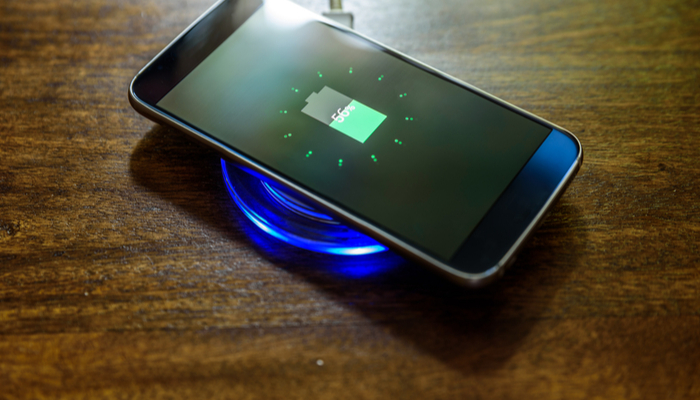
    No one likes having to fumble and look for their charging cord when they just want to charge up their phone. Between being hard to see in the dark and easy to lose track of, charging cables just feel so outdated. Thankfully, Qi-enabled phones can use wireless charging pads to juice up.

    Today we’re going over some of our favorite Qi charging pads. These are totally safe, wireless pads that allow you to simply place your phone on them and then watch as it charges up wirelessly. Ditch the cords: wireless charging is here.

    Qi Charging Pads

    Mophie Charge Stream Pad+

    This handy charing pad is made of a non-slip material that ensures your phone won’t just slide off when you’re trying to charge it. Most Qi pads are so small that it’s not uncommon to accidentally knock your phone off of it, though this Mophie pad has much better grip, so this is less of an issue.

    That said, this is a bit on the pricey side, running around $50. That’s a bit much for the average Qi charger.

    RavPower RP-PC063 Wireless Charger

    Coming in at $16, this RavPower Wireless Charger is one of the best budget Qi pads out there. It charges quickly and efficiently without breaking the bank. The build quality and structure of this pad won’t be winning any awards, but it’s a small trade-off for the great low price. In short, if you’re looking to just try out Qi charging to see what all the buzz is about, this is a good intro for you.

    RavPower RP-PC034 Fast Charger

    One of our favorite Qi charging pads is the RavPower Fast Charger. This is one of the fastest-charging pads out there, even rivalling some wired charging solutions. Remember, wireless charging, by its nature, is slower than wired charging, though it is much more convenient. As such, a fast charger like this is ideal for people used to faster charging times.

    This pad tends to keep phones cooler while charging, offering less heat dispersal of energy. It’s a simple-looking black pad with just the RavPower logo on it, and it looks completely discreet on a desk or side table. Best of all, it’s not too pricey, coming in at $30.

  • The Future Unfolds: Samsung Could Unveil New Folding Phone

    The Future Unfolds: Samsung Could Unveil New Folding Phone

    Samsung’s official Twitter account had an interesting teaser on Monday. The short video shows unfolding Korean text and promises that “the future unfolds.” While this may seem cryptic, it’s likely this is a sly nod to the upcoming Samsung Galaxy F, the new folding phone the company has been teasing recently. Could it launch alongside the Galaxy S10?

    The Future Unfolds

    Samsung Folding Phone

    A prototype of the Samsung folding phone was spotted in November 2018, though it was hardly a pretty sight. The prototype was almost more proof-of-concept than an advertisement for an upcoming product. However, it did show us what to expect from Samsung’s folding smartphone.

    The outer, wrap-around screen appears to be made of an unusual material. The design is not dissimilar from a bifold wallet, though the practical usefulness of such a device remains to be seen. At time of writing, little is known about the specifics of a potential Samsung Galaxy F. It’s uncertain whether the device would even be a mass-market consumer device or an experimental prototype.

    Galaxy S10

    Samsung has many other big products on the horizon. Later this week they are set to properly unveil their newest line of Galaxy flagship phones, the Samsung Galaxy S10. The S10 will be the stock-standard version, while the S10+ will be the larger model with a longer battery life and higher price. A budget-friendly model, the S10e, is set to debut at a lower price and with less bells and whistles.

    Strange designs seem to be the current rule at Samsung: the S10 looks to forego the ever-popular phone notch for a phone pinhole instead. This punch-out screen has met with mixed responses from tech news sites, with many stating it looks unsightly. However, the phone notch received similar criticisms when it was featured on the iPhone X, though it has gone on to be regarded as elegant.

  • Ways to Tech-ify Your Space: Our Favorite Home Technology

    Ways to Tech-ify Your Space: Our Favorite Home Technology

    Whether you’ve had your place for a while now or just got your first apartment, you’re definitely looking for cool tech. Everyone wants a high-tech, sci-fi setup, right? Well, not quite: everyone loves the convenience of having cool tech around the house. With that in mind, we’ve got a list of some of our favorite pieces of home technology for your pad! 

    Smart Air Conditioning 

    This one might sound weird but hear us out. The Frigidaire Smart Window Air Conditioner (boy that’s a mouthful) is a very handy device for any apartment. The Smart AC connects to Wi-Fi, so you can control it from an app, which is great. If you’re out of town and want to make sure the electric bill isn’t sky-high, you can adjust the temperature from far away. Additionally, it supports Alexa voice commands, which is even more handy.  

    Smart Lock 

    If you’re like me, you absolutely hate getting locked out. Wouldn’t it be great if you could just unlock your door from your phone? Well, good news: you can! Companies like August and ADT offer various smart locks, but August is a great choice for those who don’t want ADT service. August’s Smart Lock Pro + Connect is $279 and comes with Apple HomeKit functionality. If you have friends coming over but you’re not home yet, you can unlock the door remotely. If you’re lying in bed worried about whether you locked the door, you can double check. 

    Robot Vacuum 

    A robotic vacuum is a fantastic companion for any home owner. I personally can’t stand having to sweep and vacuum all the time, so having a robot to do it for me is a must. Roomba is the most well-known brand of robotic vacuum, but they’re not the only player in town! Brands like iLife and Ecovacs also offer a great selection at various price ranges. The iLife V8s is a great budget pick at $260. 

    Our Favorite Piece of Home Technology: Amazon Echo 

    This one had to top the list. It’s just so handy! Between reading you the news, making calls for you and helping you with recipes, Alexa is the ultimate assistant. You can even connect your Echo to other smart home devices, like the aforementioned Smart AC and Smart Lock, allowing you to control all the aspects of your house with your voice. You’ll be feeling like a sci-fi tech master in no time with all this home technology! 

  • New Smart Wall for Smart Homes

    New Smart Wall for Smart Homes

    Smart homes are getting smarter and smarter. The Wall++ offers a new way to control smart homes, one that doesn’t involve repeating phrases to a smart speaker.

    Wall++

    The Wall++ was developed by researchers at Carnegie Mellon University and Disney Research. They created a way to make the walls of a smart home into gesture-sensing touchpads. They used conductive paint and a custom sensor board to create electrodes to turn walls into an “electromagnetic sensor to detect and track electrical devices and appliances.”

    What’s so great about a smart wall? Researchers say the wall system could monitor activity in rooms, send alerts when an appliance goes off, adjust lights, and control televisions. It can also track people who are wearing certain electronic devices that emit an electromagnetic signature.

    The Wall++ is an idea that built off of Carnegie Mellon’s previous work in a system called Electrick. Electrick took the first step in spraying conductive paint onto smooth surfaces to enable touch controls.

    Smart Wall Could Replace Smart Speaker Systems

    Home smart speakers are popular, but Carnegie Mellon researchers predict the smart wall could be an improvement and become more popular.

    It will be some time before the Wall++ is available to the public, however. Researchers are currently installing prototypes by putting a sensor board in the wall’s baseboard, but they think they can make improvements for easier installation. They also have aims to optimize the Wall++’s energy consumption. Overall, the Wall++ is looking to be extremely promising for the future of smart homes.