Tag: smartphone

  • Which Galaxy Phone Is Right For You?

    Which Galaxy Phone Is Right For You?

    Samsung has been pretty busy making smartphones in their Galaxy family of phones. No fewer than nine Galaxy devices are new for this year, so it might be difficult deciding which is right for you. Thankfully, we’ve got the lowdown for you: here’s our guide to the Galaxy family of phones.

    Samsung Galaxy Guide

    Samsung Galaxy S10

    For starters, the Galaxy S10 is the flagship phone of the Galaxy line. It offers the most standard-style experience, with a medium screen size, solid build quality, great battery life and a sharp display. Lots of unique features, like the in-display fingerprint scanner and the ability to wirelessly charge, aren’t quite as new and flashy as they once were.

    However, just because its family of phones offers some of its cool features elsewhere doesn’t mean you should write off the S10: at $900, it represents a great price for the mainline Galaxy phone lineup. For those looking for a great, standard-style handset with the best build quality and don’t mind a high price tag, the S10 is one of the best Android phones out there.

    Galaxy S10 Variants

    The S10E is the budget version of the Galaxy S10, occupying a similar space to the iPhone XR and Pixel 3A. Unlike its bigger brother, the S10E retails for only $750, and it sports a smaller overall display and handset size. If you’re looking for a phone with a lot of features and a smaller profile that fits easily in a pocket, the S10E is a good option. However, if you love massive displays and cutting-edge tech, consider looking into the full-fledged S10 line.

    On the other end of the spectrum from the budget S10E is the S10 Plus, a $1,000 smartphone with a 6.4-AMOLED screen that looks downright amazing. Fans of huge screens and long battery life should consider the S10 Plus a must-buy, as it offers both in abundance. If you can swing the huge price, this is easily the best S-line Galaxy phone that Samsung has yet made, though its massive size might be a bit of a drawback for those who prefer smaller handsets. A 5G-enabled version of the S10 Plus is also available for $1,300.

    Samsung Galaxy Note 10 Line

    The Note line of phones popularized the massive “phablet” size handsets that are commonly sold as “Plus” or “XL” models of other flagship lines. Ironically, despite the note being the “plus size” Galaxy phone, the Galaxy S10 Plus offers a bigger screen than the Note 10. The main difference, however, is that the Note sports the excellent S Pen, a productivity aid that doubles as a Bluetooth trigger for the camera. Coming in at $950, the Note 10 actually slots comfortably between the S10 Plus and the standard S10.

    Samsung Galaxy Note 10 Plus sports an extremely massive 6.8-inch display that easily bests every other Galaxy device (barring, of course, the Galaxy Fold). It retails for $1,100, making it the most expensive non-folding Galaxy device as well as the largest. Unlike the standard Note 10, the Plus offers expandable memory with an SD card. There is also a 5G-enabled Note 10 Plus, retailing for $1,300.

    Samsung Galaxy A50

    The discount-priced Galaxy A50 is one of our favorite budget Android phones. The A50 sports an in-display fingerprint scanner, a big 6.4-inch screen and three great cameras. For the old-school users, this phone also sports a conventional 3.5mm headphone jack! For only $350, this is a great entry-level, budget smartphone. If you’re looking for something with lots of new bells and whistles, though, the A50 might not be the best choice for you.

    Samsung Galaxy Fold

    The yin to the Samsung Galaxy A50’s yang, the Galaxy Fold will retail for $1,980 and offers a tremendous 7.3-inch, tablet-like inner display. The front face of the folded device is only 4.6 inches, though its far from the main attraction on this stylish and futuristic phone. If you’re looking for the fanciest and craziest smartphone in the world, the Fold is what you’re after. That is, of course, if you can swing the two thousand bones to buy the thing.
  • Google’s New Pixel 4: Should You Upgrade?

    Google’s New Pixel 4: Should You Upgrade?

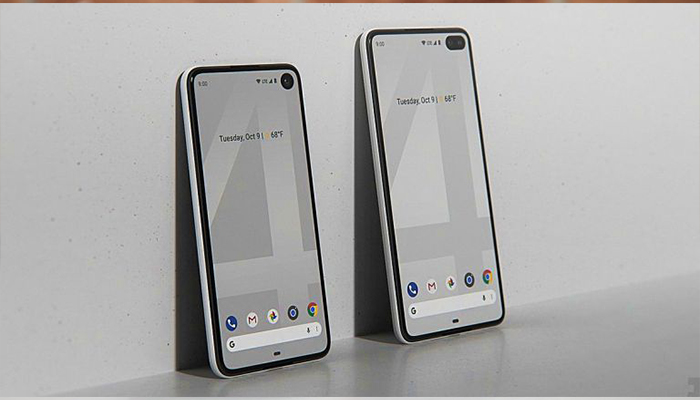
    With the Pixel 4 bringing so much newness to the table, why in the world should you keep your Pixel 3? It shouldn’t come as any surprise that the Pixel 4 is loaded with upgrades compared to the Pixel 3. For some, the changes Google’s made might be enough to encourage them to upgrade, here’s why:

    While the Pixel 3 isn’t nearly as flashy as its newer sibling, it’s still plenty capable these days and should get you through another year of use just fine. There’s no denying that Google created a killer smartphone with the Pixel 4.

    With a camera that captures detail that the competition can’t, a futuristic way to use your phone without even touching it, your own personal Google Assistant, and a fast and responsive display, Pixel 4 packs new technology into a must-have new design.

    Get the perfect photo

    Pixel 4 brings Google’s biggest camera upgrade yet. The Pixel 4 comes two cameras on the back of the phone and includes a new telephoto lens. When you combine this new hardware feature with Google’s Super Res Zoom software, it gives you exceptional image quality, even planets away.

    Night Sight already takes beautiful photos in full darkness, and now you can use Night Sight for shots of the night sky, the stars, and even the Milky Way (when you find a clear night). Pixel 3 and 3a will also get a version of this capability with the latest camera app update!

    Your new Google Assistant

    Thanks to a deeper integration into Pixel 4, the Google Assistant is now a faster way to get more things done, think of it like your own personal assistant. Google redesigned the Assistant so it doesn’t take up too much room on your screen, letting you better multitask across other apps. It can quickly open apps, search your phone, share what’s on your screen, and more.

    It also considers the context of your query to do a better job answering. For example, you can ask the Assistant to “show my photos from Miami” and then say, “the ones in South Beach.” Then, you can share a picture by saying “send it to Brad.”

    A phone that senses what you want it to do

    Pixel 4’s Motion Sense feature uses a miniature radar sensor to detect movement around your phone. It can sense when you’re reaching for the phone and will initiate face unlock, or turn off your screen when you’re not around. New Quick Gestures let you skip songs when you don’t want to pick up your phone. Just wave your hand to snooze alarms, dismiss timers, or silence your phone.

    Built for performance and security

    With 6GB RAM, a 90hz display, and Pixel Neural Core, Pixel 4 is fast and powerful. Pixel Neural Core is the engine for on-device processing, always-on computing, and machine learning, meaning more tasks are done on the device for performance and privacy.

    Pixel 4 also includes Google’s custom-built Titan M security chip to protect your most sensitive data and ensure the integrity of the operating system. Combined with the latest version of Android 10, monthly security updates for 3 years, and access to Google’s advanced security services, Pixel 4 is designed to keep your data secure.

    Pricing

    Beginning today, October 15, you can pre-order a Pixel 4 for $799 and Pixel 4 XL for $899, and phones will ship on October 24, globally. Pixel 4 comes in three colors, including white, black and a limited-edition orange!


  • Whoa, New iPhone 12 Starts at ONLY $481! What’s the Catch?

    Whoa, New iPhone 12 Starts at ONLY $481! What’s the Catch?

    In typical Apple fashion, the company played up improvements to the battery life, camera system and hardware under the hood of the new phones. But, what would it take for you to dish out another $1,000 for a new smartphone? What if we told you that you could get your hands on the brand-new iPhone 12 for only $481? Here’s how:

    They’re sporting even more sophisticated cameras and a handful of other premium features. All three new iPhone versions still look just like their predecessors, but Apple has upgraded their camera to allow for wide-angle photos while making improvements under the hood that result in longer battery life and faster performance than before.

    Price

    At $799, the iPhone 12 is $100 more than its predecessor, the iPhone XR. The new iPhone 12 Pro and iPhone 12 Pro Max pick up where last year’s iPhone XS and iPhone XS Max left off, starting at $999 and $1,099. Here’s the secret: you can get the new iPhone 12 for as little as $481 when you trade in your current iPhone!

    Camera

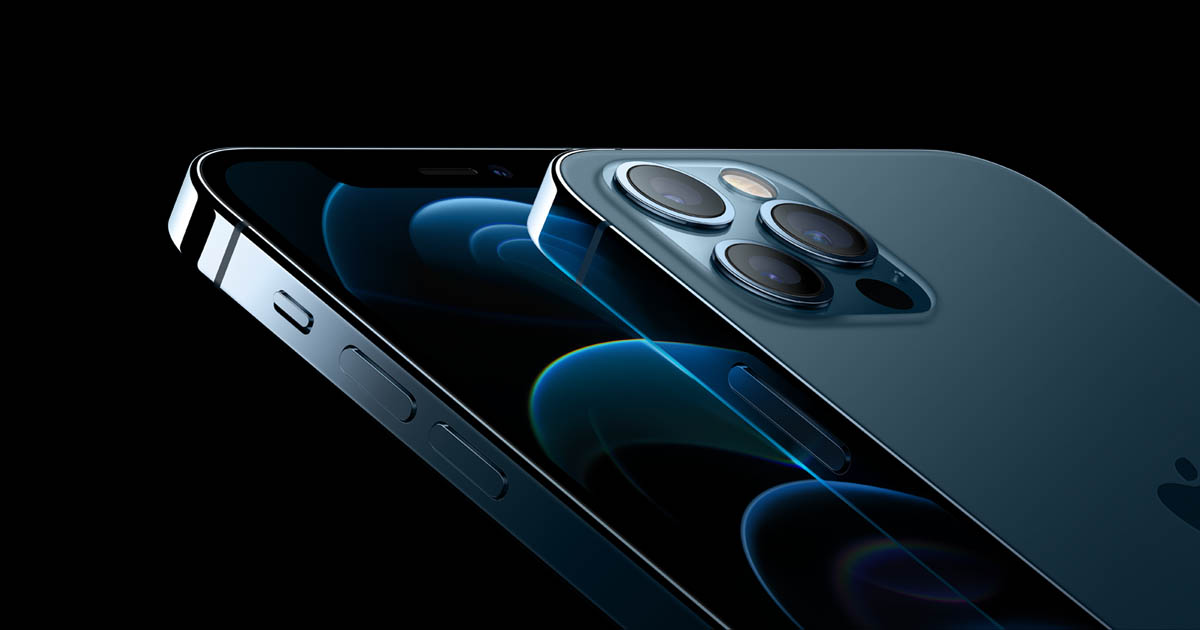
    There’s a big focus on the camera this year, and that’s because it’s a dual-lens sensor (12MP) with a f2.4 ultrawide camera paired with a f1.6 wide camera . Both rear cameras utilize Apple’s propriety night mode and night mode time lapse. They believe the iPhone 12 is three times faster in low-light scenarios too.

    Video

    Video modes include 4K video recording at 24, 30 or 60 frames per second. Not only that, the new iphone12 features HDR video with dolby vision up to 30 FPS. Apple says it has improved image stabilization on the new phone too. Apple has even included HDR Dolby Vision video recording on the front-facing selfie camera. Overall, Apple claims to have the “highest quality video recording in a smartphone.”

    Water Resistance

    It’s also water-resistant, coming with an IP68 rating. That should mean you’re able to submerge it in the bath or take it in the shower, as it can survive in up to two meters of water.

    What’s new in the iPhone 12


    A14 Bionic chip
    Faster Face ID unlocking
    Super Retina XDR display
    Dual lens sensor (12MP) with a f2.4 ultrawide camera paired with a f1.6 wide camera
    Both rear cameras utilize apples propriety night mode and night mode time lapse
    2x-5x optical zoom
    Lidar
    12-megapixel front-facing camera
    4K HDR Dolby Video for both front and rear cameras
    New Night Time photo and time-lapse mode

    New iPhone 12 Pro and Pro Max

    Two screen sizes: 6.1- and 6.7-inch OLED
    Super Retina XDR display supports HDR 10 with Dolby Vision and Dolby Atmos
    Three rear cameras with 4x optical zoom: Wide, ultra-wide, telephoto lenses
    Upcoming camera feature called Deep Fusion compiles 9 images to reduce noise and amp up details
    Faster Face ID unlocking
    4K video for both front and rear cameras, with slow-motion video for the selfie camera
    New night-time mode
    Lidar sensor
    Mag safe technology


  • Want the New Galaxy S Pen for Free? Here’s How:

    Want the New Galaxy S Pen for Free? Here’s How:

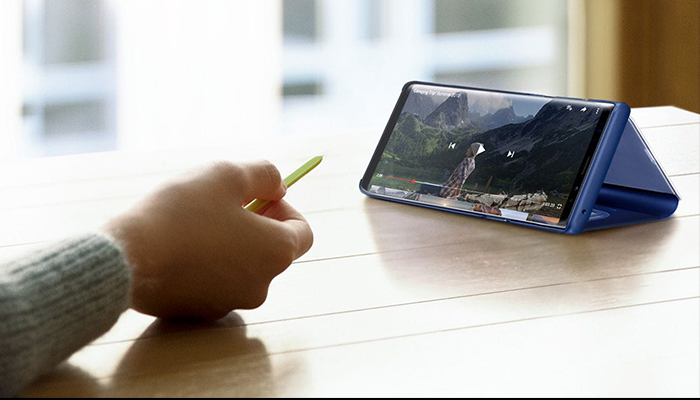
    The Samsung Galaxy line of devices still has that one feature, that one tool that no other phone pulls off quite as well – the S Pen stylus. Are you interested in the new S Pen but not quite ready to dish out $1,000+ on a new smartphone? Here’s a hack on how you can get it for free:

    If you’re like most Android or Apple users, you probably just upgraded your smartphone not too long ago. But, as usual, the new versions keep rolling out. Who can keep up? We’ve got great news, these retailers are slashing $100 – $150 off the Samsung Galaxy Tab S4, which includes the brand-new S Pen! We’ve got the scoop on the best deals.

    Samsung is a dominant player in the smartphone industry, so it should come as no surprise that the company also makes a great range of tablets. Named of the best iPad Pro alternatives, the Samsung Galaxy Tab S4 brings more than just a tablet experience into the table. You can now take advantage of the portability of a tablet with the productivity of a desktop computer, all in one device.

    If you’ve been eyeing that brand-new S Pen and could use a new tablet, this is your chance! Check out this list of retailers slashing major $$$ off prices:

    Amazon

    Amazon currently has a deal on the Samsung 9.7-inch Galaxy Tab S3 (S Pen included) that lets you have it for only $449 – that’s 18% lower than its usual $550 price tag. From entertainment and creativity to productivity, there’s so much you can do with the Samsung Galaxy Tab S3. Grab the black version today on Amazon at a discounted price of $449 while in stock.

    Walmart

    If you are looking for an all-around premium tablet, the Samsung Galaxy Tab S4 10.5-inch Tablet a legit contender – and it comes with that S Pen you’ve been eyeing. Available in 64GB and 256GB models, Walmart is giving away $150 discounts on both variants, selling it now for $498 and $598 from its original price of $648 and $748, respectively.

    Best Buy

    The cheapest Samsung Galaxy Tab S4 model typically sells for $650, but you can get one right now for just $500 from Best Buy. Apart from the $150 discount, customers who purchase the tablet will also receive a free S Pen and a $50 e-gift card, and a six-month Trend Micro Internet Security subscription.


  • Which Galaxy is Which? Our Guide to the Crowded Samsung Phone Lineup

    Which Galaxy is Which? Our Guide to the Crowded Samsung Phone Lineup

    Samsung has been pretty busy making smartphones in their Galaxy family of phones. No fewer than nine Galaxy devices are new for this year, so it might be difficult deciding which is right for you. Thankfully, we’ve got the lowdown for you: here’s our guide to the Galaxy family of phones.

    Samsung Galaxy Guide

    Samsung Galaxy S10

    For starters, the Galaxy S10 is the flagship phone of the Galaxy line. It offers the most standard-style experience, with a medium screen size, solid build quality, great battery life and a sharp display. Lots of unique features, like the in-display fingerprint scanner and the ability to wirelessly charge, aren’t quite as new and flashy as they once were.

    However, just because its family of phones offers some of its cool features elsewhere doesn’t mean you should write off the S10: at $900, it represents a great price for the mainline Galaxy phone lineup. For those looking for a great, standard-style handset with the best build quality and don’t mind a high price tag, the S10 is one of the best Android phones out there.

    Galaxy S10 Variants

    The S10E is the budget version of the Galaxy S10, occupying a similar space to the iPhone XR and Pixel 3A. Unlike its bigger brother, the S10E retails for only $750, and it sports a smaller overall display and handset size. If you’re looking for a phone with a lot of features and a smaller profile that fits easily in a pocket, the S10E is a good option. However, if you love massive displays and cutting-edge tech, consider looking into the full-fledged S10 line.

    On the other end of the spectrum from the budget S10E is the S10 Plus, a $1,000 smartphone with a 6.4-AMOLED screen that looks downright amazing. Fans of huge screens and long battery life should consider the S10 Plus a must-buy, as it offers both in abundance. If you can swing the huge price, this is easily the best S-line Galaxy phone that Samsung has yet made, though its massive size might be a bit of a drawback for those who prefer smaller handsets. A 5G-enabled version of the S10 Plus is also available for $1,300.

    Samsung Galaxy Note 10 Line

    The Note line of phones popularized the massive “phablet” size handsets that are commonly sold as “Plus” or “XL” models of other flagship lines. Ironically, despite the note being the “plus size” Galaxy phone, the Galaxy S10 Plus offers a bigger screen than the Note 10. The main difference, however, is that the Note sports the excellent S Pen, a productivity aid that doubles as a Bluetooth trigger for the camera. Coming in at $950, the Note 10 actually slots comfortably between the S10 Plus and the standard S10.

    Samsung Galaxy Note 10 Plus sports an extremely massive 6.8-inch display that easily bests every other Galaxy device (barring, of course, the Galaxy Fold). It retails for $1,100, making it the most expensive non-folding Galaxy device as well as the largest. Unlike the standard Note 10, the Plus offers expandable memory with an SD card. There is also a 5G-enabled Note 10 Plus, retailing for $1,300.

    Samsung Galaxy A50

    The discount-priced Galaxy A50 is one of our favorite budget Android phones. The A50 sports an in-display fingerprint scanner, a big 6.4-inch screen and three great cameras. For the old-school users, this phone also sports a conventional 3.5mm headphone jack! For only $350, this is a great entry-level, budget smartphone. If you’re looking for something with lots of new bells and whistles, though, the A50 might not be the best choice for you.

    Samsung Galaxy Fold

    The yin to the Samsung Galaxy A50’s yang, the Galaxy Fold will retail for $1,980 and offers a tremendous 7.3-inch, tablet-like inner display. The front face of the folded device is only 4.6 inches, though its far from the main attraction on this stylish and futuristic phone. If you’re looking for the fanciest and craziest smartphone in the world, the Fold is what you’re after. That is, of course, if you can swing the two thousand bones to buy the thing.

  • Best Ways to Save Battery on your Phone: Stop Running for the Charger

    Best Ways to Save Battery on your Phone: Stop Running for the Charger

    If you’re constantly finding yourself dashing for the phone charger, you’re probably sick of your short battery life. Why is your phone always dying, you ask? Well, you might have your phone settings drawing too much power from the battery. Here are some of the best ways to save battery life on your phone.

    How to Save Phone Battery

    Brightness

    The first setting you want to check is your brightness. If your phone is dying too fast, turn off auto-brightness and turn your phone’s screen brightness way down. Your phone’s huge, backlit screen is a massive draw of power, so having it turned all the way up is a surefire way to burn through your battery quickly.

    Low Power Mode

    Most phones have some form of battery saver mode. For instance, with the iPhone, when your phone is below 70 percent power, you can activate low power mode to cut off nonessential functions and let your phone operate at a much lower power consumption rate.

    If you want to save battery even before you hit that 70 percent benchmark, though, here are some more steps you could take to slow your battery’s depletion rate.

    Location Settings

    Go into your phone’s settings and deactivate location services for all of your apps. If you use your maps app to navigate, consider keeping that one on. However, leaving location services on for all apps lets them drag on your battery as they run in the background, doing you no good other than targeting you with ads based on where you’ve been.

    Background Functions

    Turn off your app’s background functions, like automatic updating or refreshed. While you’re at it, you can go into your settings and turn down the frequency with which apps fetch new data in the background. That means that app like Facebook and Twitter will look for new notifications less frequently.

    If you really want to cut back on your phone’s power use, consider cutting your cellular data off entirely when you’re not using it to surf the web or use an app. Background features in apps are a massive draw on your battery life.

  • Which Smartphone has the Best Camera? Head to Head

    Which Smartphone has the Best Camera? Head to Head

    Smartphones are getting better all the time, and one of the areas they’ve been excelling in recently is the camera. Smartphone cameras are an area where this is especially true: it seems that they’re always getting that much better! Which phone camera is the best, though? Today we’re going to look at some of the best cameras available in a smartphone!

    Best Smartphone Cameras

    Google Pixel 3

    The Google Pixel 3 sports an incredible camera that will impress you in any conditions. Taking pictures in dark or moody environments still yields gorgeous pictures, thanks to some crafty software solutions from Google. The Pixel 3 offers gorgeous portrait mode shots, too, using its software to simulate the Bokeh dual-focus style of portrait pictures.

    All of this is housed in one of the most stylish and slick Android phones on the market. If you want to take some great pictures and own a flagship phone, the Pixel 3 is the phone for you.

    iPhone XS

    The iPhone XS sports the best iPhone camera we’ve ever seen. While it takes great night shots thanks to its software, it also takes stellar portrait mode shots due to its multiple rear-facing cameras. Interestingly, it can even take selfies in portrait mode, using the multiple forward-facing cameras, though these are of a lower quality than the rear camera.

    Notably, the iPhone XS offers the best phone video recording on the market. While a few Android phones offer better-looking still shots, none of them can match how silky and gorgeous the video quality on the iPhone XS is. That’s not to mention just how good images look on the iPhone XS’s huge OLED screen!

    Huawei P30 Pro

    This phone isn’t for sale in the US, thanks to some complex legal pressures on Huawei. However, if you’re in the market for a great Android phone with the best still-shot camera around, consider buying the P30 Pro from a third party. Just beware of sketchy sellers when you’re shopping!

    The P30 Pro is a great handset, though it’s a bit on the pricey side, even before you have to buy it secondhand in the US. That said, if you want to take the best pictures around, the P30 Pro is the phone for you.

  • Can’t Find the Time? Try these To-Do Apps

    Can’t Find the Time? Try these To-Do Apps

    You’re busy every single day. You’ve got tons of stuff to do, but you can never find the time to squeeze it all in. How are you supposed to organize your time and take command of what you need to get done? One of the easiest ways to get your time back is to use a to-do app. These to-do apps are some of the best available and will help you organize your time and get back on track!

    Best To-Do Apps

    Any.do

    Any.do is only available on iOS, but it’s a stellar to-do list app for those with iPhones. There’s a free version available, which is great for those on a budget. This app can nudge you when you need to do something you’ve set up, which is great if you’re trying to build new habits.

    For instance, if you’ve been meaning to hit the gym more. Another example is if you’ve been meaning to get in the habit of cleaning more regularly or going for walks. Whatever good habit you’re trying to cultivate, Any.do can help you get it down to second nature.

    Todoist

    Todoist, available for iOS and Android, is a great option for those who need to be more productive. If you’re a student trying to juggle time between work and school, this is a great option. Likewise, if you’re a professional who works from home, or does freelance work, this is a great way to organize your time and make sure you hit deadlines.

    Asana

    Another app available on both iPhone and Android, Asana is great for busy professionals who need help organizing their workflow. The free version is quite robust, and the app is clean, clear and easy to use. Setting up recurring tasks is a breeze. Essentially, this app can act as a second set of eyes to make sure you went over everything you meant to get to in the day.

    It’s impossible to put a price on discipline, but these apps are free. So, if you’re trying to get it together and organize your time, you’ve got nothing to lose with these wonderful to-do apps.

  • Fix that Cracked Phone Screen Today

    Fix that Cracked Phone Screen Today

    A lot of people rock around this world with a cracked phone screen. However, you really shouldn’t. It’s not only bad for your phone, but it’s bad for your wallet and even your well-being. You need to get that cracked phone screen fixed, sooner rather than later! Don’t believe us? Check out these crazy facts about cracked phone screens.

    Fix that Cracked Phone Screen

    It Looks Bad

    Firstly, it looks really unsophisticated to roll around with that spiderweb crack in your phone. If you’re going to a job interview or meeting new networking connections, you really don’t want them to think you’re clumsy and irresponsible. You don’t want to look like the kind of person who can’t be bothered to get their phone fixed.

    Health Hazards

    It’s much harder to read what’s on a screen if the screen is badly cracked. If you’re squinting and trying to discern what’s on your phone screen, then you’re likely putting too much strain on your eyes. Another health hazard of a cracked screen is that, if it’s badly cracked, you could accidentally slice your finger open on the glass. Why put your health at risk instead of getting the phone screen fixed?

    Hardware Problems

    If you’re got a newer smartphone, odds are good that both the front and back are glass. If the back glass is cracked, this is still an issue. Newer smartphones are waterproof and dust-resistant. However, when they have cracks in the glass, both of these defenses are down.

    You need a vacuum seal from both the front and back of the phone in order for the water proofing and dust resistance to work. If you’re gotten accustomed to being able to dunk your phone underwater, this might come as an unwelcome surprise.

    Resale Value

    When you go to trade your phone in for a new one, you’ll get a lot less if it has a cracked screen. Often, this difference in resale value is more than it would have been for you to just get the phone’s screen fixed. In short, it’s literally bad for your wallet to leave your screen broken.

    Structure

    Even if you’re not planning on trading the phone in soon, why put off getting the screen fixed? It’s worse than just unsightly. If your phone is cracked, further drops could result in even more severe damage. A small crack can turn into spiderwebbing. A spiderweb crack can result in the screen busting out of its housing entirely.

    In short, just get your screen fixed. What’s stopping you?

  • Should You Buy an LG V40?

    Should You Buy an LG V40?

    The newest phone from LG, the LG V40, is here and making waves. Is it worthy of all the hype surrounding it? Or is it a lame entry into the packed Android market? Today we’re going to take an in-depth look at this new smartphone and tell you whether it’s worth your hard-earned money.

    LG V40 Review

    Design

    First things first: this is a smart-looking phone. All-glass designs are a favorite of ours, and this phone feels great in the hand. In fact, it’s probably one of the best-feeling LG phones we’ve seen. The screen is huge and vibrant, and, unlike other premium phones, the LG V40 still has a traditional headphone jack.

    The V40 also sports the industry-standard water resistance and wireless charging capabilities. While these features are unsurprising, they remain as convenient as ever. If you’ve been waiting to upgrade your smartphone you’re going to be impressed by these quality-of-life upgrades.

    Cameras

    The five (yes, five) cameras are the star of the show here. While the Pixel 3 and iPhone XS are impressive for snapshots, the LG V40 is a real photographer’s smartphone. The wide-angle lens is unparalleled for sprawling vista shots. The lighting and colors in bright shots are absolutely stellar. There are low-light options, great portrait settings and more. If you love snapping photos and like a ton of options, this is the phone for you.

    Pricing

    The V40 runs between $900 and $980 in the US, depending on where you go to get it and which carrier you choose. That makes it comparable in price to most premium smartphones like the Galaxy Note 9 and iPhone XS. It is a tad bit less expensive than those phones, but not by much. While it might cost a bit less, you don’t sacrifice on power or speed.

    Bottom Line

    If you’re an Android fan who wants a great phone for taking pictures then you’re going to love the V40. However, casual shutterbugs might find the multitude of settings a bit overwhelming. Compared to the Note 9 and Pixel 3, this is a solid phone. You won’t be disappointed in this phone for the price, and we can fully recommend it (especially for photographers).