Tag: tablets

  • Laptop or Tablet: Which is Right for You?

    Laptop or Tablet: Which is Right for You?

    There are times when you’re not quite sure which device you need for your various tech applications. If you’re looking for an all-around entertainment device, a productivity machine or something in between, it can be hard to decide between a laptop or a tablet. If you add two-in-ones to the mix, things get even more complex. Today we’re looking at the pros and cons of each to help you narrow down which is right for you.

    Best Portable Technology Primer

    Laptop vs Tablet

    The first question you need to ask when considering a laptop versus a tablet is what you need your technology to do. If you’re just looking for something to watch Netflix in bed or play fun games, you might be looking for a tablet. Essentially, if you wish you had a giant version of your cell phone, you want a tablet. If you need something with a bit more horsepower, however, a tablet might not be right for you.

    For instance, if you want something that can render more impressive graphics than a tablet, you’re probably leaning more toward a laptop. Similarly, if you plan to do a ton of typing, like for school or work, you’ll need a laptop; or, at least, a two-in-one with a keyboard. Similarly, if you plan on playing more in-depth games than phone ports, you’ll want a laptop.

    Two-in-One

    If you’re looking for a combination of both pieces of technology, you want a two-in-one. There are a few compromises to be made on both sides when it comes to a two-in-one, though. Firstly, let’s talk about what a two-in-one is. A two-in-one refers to a computer that is both a laptop and a tablet. Typically this means that the screen is a touchscreen and can be detached from the keyboard.

    If you like the touch-screen functionality and comfortable media player aspect of tablets but also want to be able to type and work on documents, a two-in-one is probably a good fit. Keep in mind, however, that the two-in-one screen is often much bigger and runs hotter than a dedicated tablet. The actual computational power of the two-in-one is also typically lower than a dedicated laptop.

    Phablet

    Another option, if you’re really into the idea of a tablet but find most of them too large, is to get a phablet. A phablet is an oversized smartphone, something of a cross between a phone and a tablet. Examples include the Galaxy Note line and the upcoming suite of folding phones from manufacturers like Samsung and Motorola.

    These offer a larger screen sized for more comfortable phone gaming and media viewing while also being small enough to fit in a pocket or purse. You get to roll the costs of your smartphone and tablet together, too, allowing you to save a bit of money.

    Other Entertainment Portables

    If you’re in the market for portable entertainment but want more power than a tablet, you’re probably wondering what a good in-between would be. There are a few options for affordable-yet-powerful entertainment portables. For example, if you’re looking for an entertainment device for a child, you could opt for a Nintendo 3DS, a handheld gaming device.

    Similarly, if you’re looking for a portable piece of technology for entertainment during commutes and breaks from work, you could get a Nintendo Switch. The Switch has Hulu and YouTube support, too, making it similar to a small tablet you can use for general media. A full suite of Nintendo games like Mario and Zelda doesn’t hurt, either!

    So, there you have it. Hopefully this primer helps you decide on what portable technology you need to round out your tech demands!

  • Pixel Slate: Why Can’t Google Get Tablets?

    Pixel Slate: Why Can’t Google Get Tablets?

    Google’s been fighting to make a name for themselves as a hardware manufacturer. Scattered successes, like the Google Pixel smartphone, have been tempered by oddball releases like Google Home and Google Wi-Fi.

    One notable failure for the company, however, has been the sure-fire winner Pixel Slate, which has failed to make an impact.

    Pixel Slate

    Trying to be Apple

    Google’s hardware initiatives have largely seen them following closely in the footsteps of Apple. Where Apple has the iPhone, Google has the Pixel. Where Apple has the Apple Watch, Google will release a Pixel Watch. It only follows that Apple’s iPad must be met by a Pixel Slate tablet.

    The Pixel smartphone has been doing a pretty good job of emulating the iPhone’s success, just for Android. As such, it would make sense to see the Pixel Slate performing like the iPad did for the Android crowd. Why did it miss so badly?

    Tablets and Laptops

    A lot of people who bought the iPad, it would seem, weren’t terribly tech-inclined. Apple’s made quite the name for themselves by catering high-tech goodies to people who aren’t terribly bothered by the nitty-gritty of their tech.

    As such, it makes sense that the iPad sold as well as it did: most Apple fans probably didn’t have laptops, or, if they did, they didn’t use them like they would a tablet. Laying around reading from a tablet is much more natural than doing so on a laptop.

    Android fans, on the other hand, are more likely to be dialed-in to existing tech. As such, their laptops are likely already playing the role that a tablet might otherwise be taking. Essentially, they already have technology pulling the job that a Pixel Slate would.

    Changing Markets

    It’s also worth noting that the iPad itself largely created the tablet-style of tech. In so doing, it shifted the laptop market around itself. Modern laptops usually have tablet-like features, including touch-screens and OS modes that cater to touch-screen only users.

    Two-in-one laptops with detachable keyboards are also a huge portion of the modern laptop landscape. When the iPad launched, it was the only piece of technology operating in the space of “large smartphone-like computer for home use.”

    Google is insistent in their drive to take over the world. As such, it’s always strange, if slightly reassuring, to see them miss the mark. In the case of the Pixel Slate, it appears that Google’s desire to be Apple, but with a search engine, led them astray.

  • Tablet Talk: The Samsung Chromebook Plus V2

    Tablet Talk: The Samsung Chromebook Plus V2


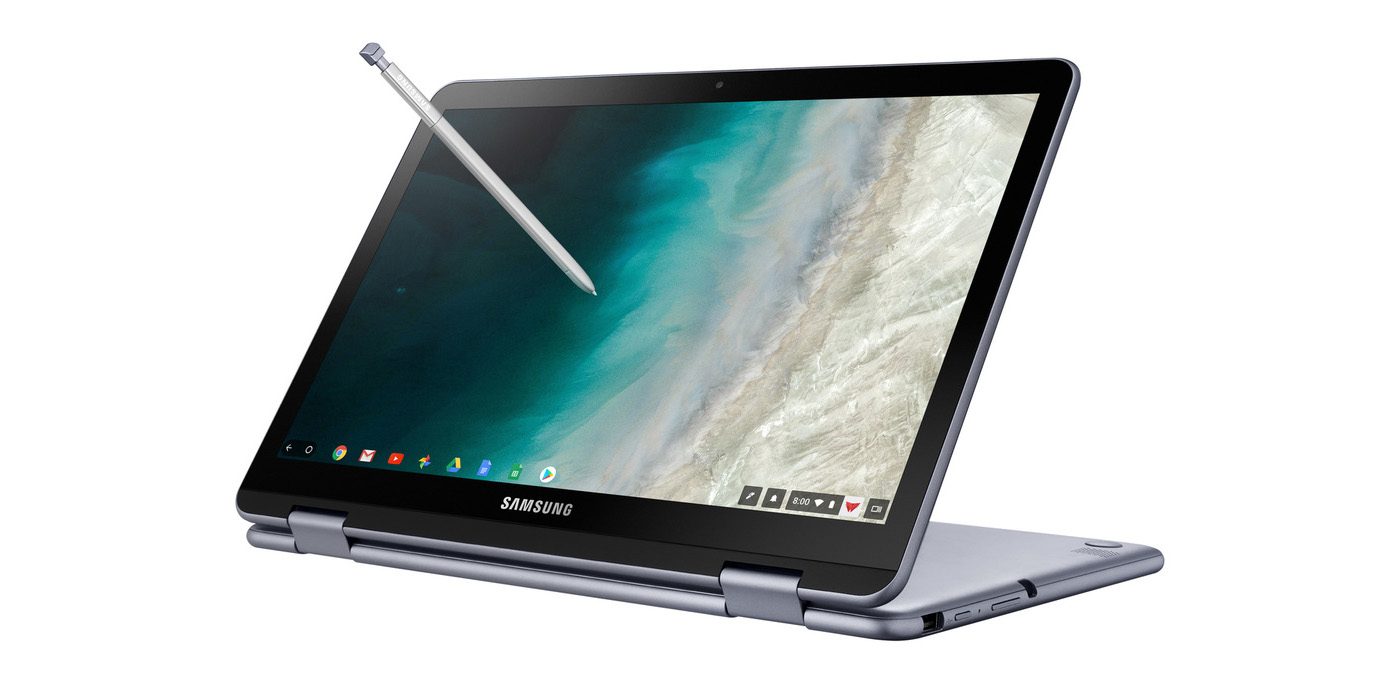
    Samsung announced a new version of its Samsung Chromebook Plus , titled the Chromebook Plus (V2) with an Intel Celeron processor and front and rear facing cameras. It will be available only from Best Buy and goes on sale June 24 starting at $499.99. Samsungs press release says “For those who use Chrome OS to do more on the go, the new light and thin Samsung Chromebook Plus (V2) sets the standard with front and rear cameras, built-in pen, and a more powerful processor”


    The Standard, Really Just Standard

    It looks like one thing Samsung got right for sure is the use of the word standard. This 2 in one is definitely that, standard. The 2-in-1 convertible is designed to help people get the most out of Chrome OS. Samsung has listed some highlight from the announcments..

    1. Front and Rear Facing Cameras to Stay Connected – Communicate visually with the 1M front-facing camera and a 13M F1.9 rear-facing camera with autofocus. Simply fold your laptop into tablet mode and capture your view from any angle. The front camera is ideal for video chats with classmates or clients, friends or family. Plus, store photos and videos right on your cloud.
    2. Unleashing Creativity – The Samsung Chromebook Plus (V2) stands out by comingwith a built-in pen. Experience the power and precision of the stylus. It’s always with you when you need it, and it never needs charging. Write a note, sketch out an idea, edit a document, sign a document, or even use the pen to magnify small text and capture carefully cropped screenshots.
    3. Do More, Store More – Tackle anything that comes your way, wherever you are, with more power and more storage. The upgraded Intel® Celeron® processor and long-lasting battery keep you going all day.In addition to users’ personal cloud storage, the Samsung Chromebook Plus (V2) has 32GB of built-in storage, with the option to add up to 400GB with a microSD card (sold separately) – room for favorite photos, documents and music, as well as for storing movies to watch offline on the go.
    4. Premium Design, Premium Experience – designed for comfort and peace of mind, with a curved-cap keyboard built to withstand spills up to 60cc. The device’s rounded edges offer users a comfortable grip whether it’s being used as a notebook or a tablet. The Samsung Chromebook Plus (V2) offers even more functionality to users with multiple connected devices, including easy file sharing between Chromebook and mobile devices. Smart Lock from Google makes it easy to store and use passwords across your devices.

    The laptop will use an Intel Celeron 3965Y processor (a change from the old Plus’ ARM processor, though the Chromebook Pro used an Intel Core M3). The “rear” camera, above the keyboard, for use in tablet mode, is a new addition. The laptop will have 4GB of RAM and 32GB of storage.
    The Chromebook Plus (V2) has a 1920 x 1080 display with a 16:10 aspect ratio. The previous model had a 3:2 aspect ratio with a 2400 x 1600 resolution. While an unexpected announcement, nothing unexpected here.

    Quick Spec Look of The Samsung Chromebook Plus

    • PROCESSOR Intel® Celeron® Processor 3965Y
    • MEMORY 4GB
    • STORAGE 32GB
    • GRAPHICS Intel® HD Graphics 615
    • POWER 39Wh
    • WEIGHT 2.93 lbs
    • CMF Stealth Silver
    • DIMENSION 11.34 x 8.19 x 0.63-7.0 inches
    • PORTS 2 x USB-C™ [4K display out with optional adapter, Charging] 1 x USB3.0
      MicroSD card reader
      3.5mm headphone jack
    • MATERIAL Aluminum alloy/Glass/Plastic
    • DISPLAY Aspect Ratio: 16:10
      Brightness: 300nit
      Touch Screen
    • CAMERA Dual: 1M (front); 13M (on keyboard deck)
    • SPEAKER Stereo Speakers (1.5W x 2)
    • STYLUS Built-in-pen

    The Final Thought

    This is just another mediocre Samsung device, put out by what is becoming the standard of a mediocre company. Samsung fails to innovate or at least manipulate someone eases innovation yet again. Uninspired, its just the Chromebook on the self if you need a Chromebook and you probably don’t.

  • Tablet Talk: Amazon Fire HD 10

    Tablet Talk: Amazon Fire HD 10

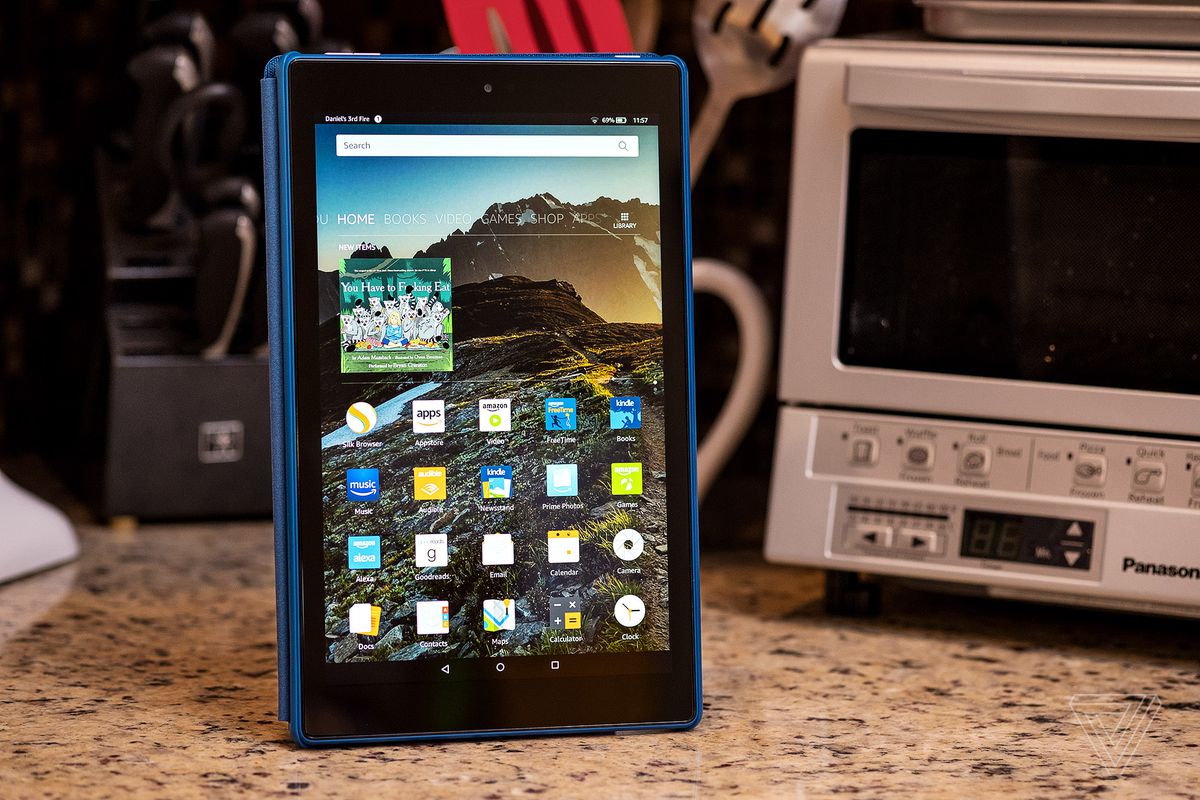
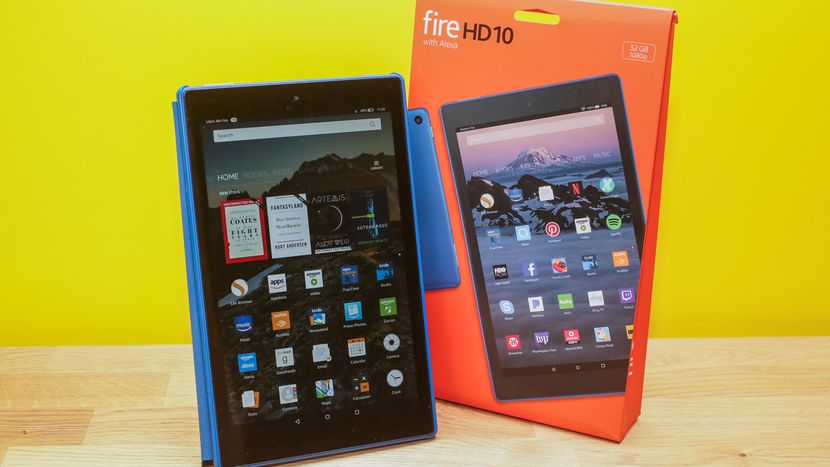
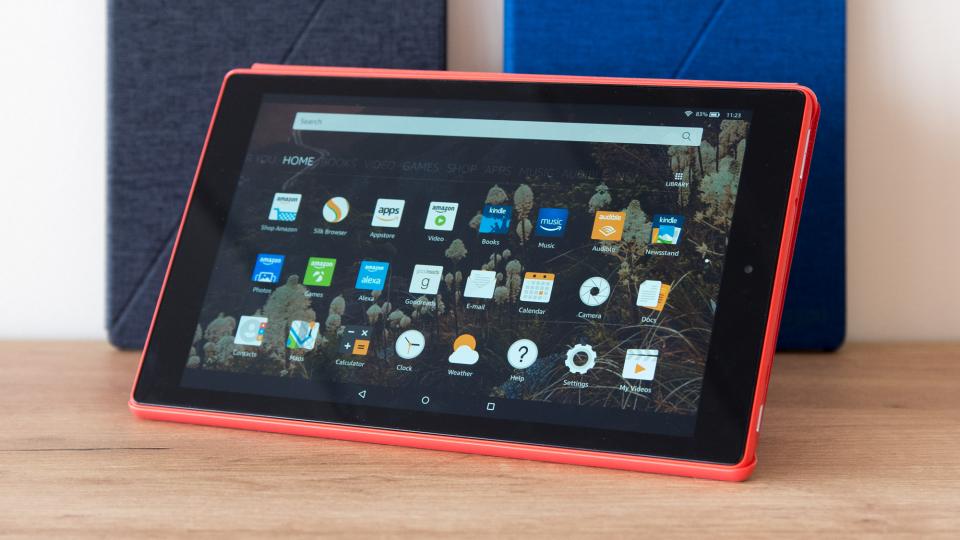
    Tablets are the mash of our technology dependence theses days. They are big phones or weak laptops or any combination of the two. They can be big, they can be powerful, They can be an all in one device or just a side gadget. In all future set movies or media the tablet is a main stream tool, they call them data pads or data cards, but no one uses a keyboard in the future. This being said there are a lot of tablets with many options to navigate through so Im going to break them down in an easy to read guide to help you find the tablet match of your dreams. Today we are going to talk about the Fire HD 10.


    The Great

    • Bright
    • Vivid screen
    • Sharp performance
    • Significant RAM and processor upgrade


    The Not

    • Expensive
    • Lack of Google Apps
    • Slow Gaming

    The Conclusion

    While its 10.1-inch Full HD display is the best of any Amazon tablet you can buy, it’s also the most expensive Fire, costing three times as much as the Fire 7 and $70 more than the Fire HD 8


    The Design

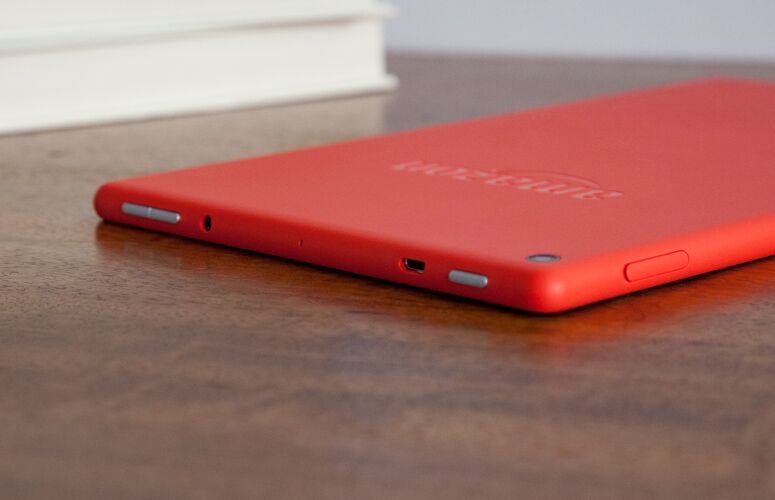
    The Fire HD 10’s matte shell — which comes in black, orange and blue — is made of a plastic that feels far more reliable than it looks.Weighing 1.1 pounds and measuring 0.4 inches thick, the Fire HD 10 is slightly thicker than the Lenovo Tab 4 10 (1.1 pounds, 0.3 inches), but heavier than the 7-inch Amazon Fire 7 (0.7 pounds, 0.4 inches) and the 8-inch Fire HD 8 (0.8 pounds, 0.4 inches). It is bigger but it has a cheap plasticy feel to it that is disappointingly low class. The rest looks uninspired and functional with no sleek tech feeling at all.


    The Display

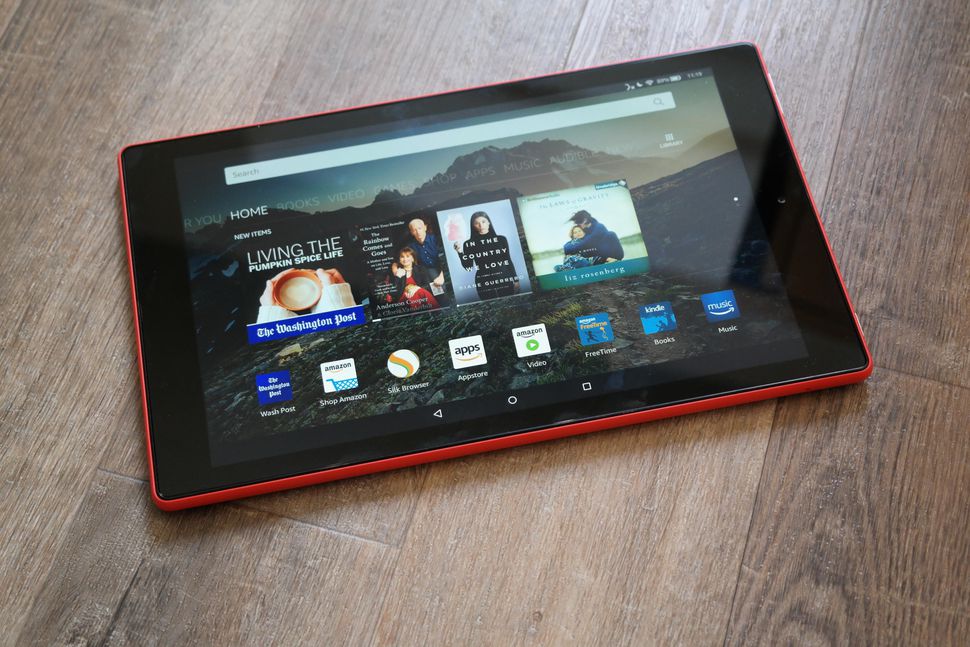
    Bright.Vivid. Easy to read. That is there angle. The Fire HD 10’s 1920 x 1200-pixel panel produces crisp, bright and vivid images, making a case for its larger 10.1-inch screen. The HD 10’s panel is significantly more colorful than its competitors’, producing 104 percent of the sRGB spectrum. That’s similar to the 99-percent tablet average and above the 87-percent Tab 4 10, the 78-percent Fire 7 and the 79-percent Fire HD 8. This display is not the sharpest or most beautiful ive seen in a tablet, but its brighter and easier to read then any other.


    The Other Stuff

    The Fire HD 10 features two stereo speakers, as well as Dolby Atmos for headphones, which helps to make surround-sound audio more immersive. Amazon also included a 2-megapixel camera on the rear, which is a laughably low resolution for a front-facing camera these days. Alexa works kinda cool on this,  you can simply say “Alexa” out loud, even when the tablet is asleep. It works much like Amazon’s Echo devices, except you also get some on-screen feedback in addition to the assistant’s voice responses. I do have to note some Alexa functions are missing, but some one shouting hey Alexa buy 10 bottles of shampoo will still result in me getting $500 worth of tea tree shampoo rushed to my home.

    Fire HD 10 Quick Spec Look

    • Display10.10-inch
    • Processor1.2GHz quad-core
    • Front CameraYes
    • Resolution1280x800 pixels
    • RAM1GB
    • OSFire OS
    • Storage16GB
    • Rear Camera5-megapixel


    The Final Thought

    Never been a big fan of amazon tablets, they to me always seemed like old people tablets. In reality they’re not bad, especially given their low prices, but they’re much slower than I am accustomed to. However for the Price, you cant beat the screen size and it functions much better then expected.

  • The Best Tablets for Kids

    The Best Tablets for Kids

    Screen-time for kids may be a controversial topic, but plenty of parents have discovered fun, educational ways to integrate technology into their children’s lives. We’ve rounded up the best tablets for kids of different ages so that you can make an informed decision about which one to purchase.

    Why Buy a Kids’ Tablet?

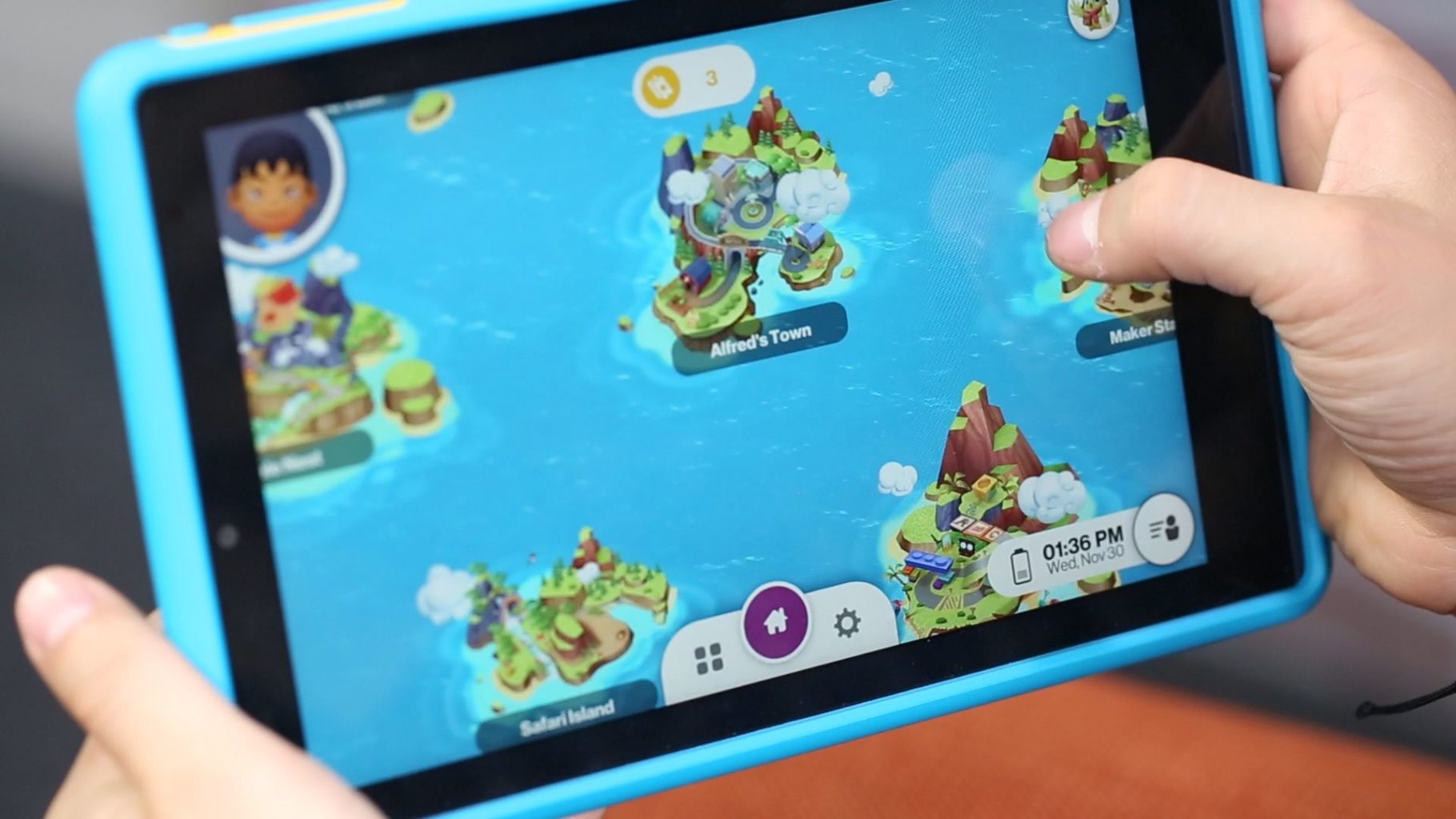
    Unlike “grown-up” tablets and smartphones made by Samsung or Apple, devices designed for kids have more robust designs to withstand rough handling and more options for parental controls to limit or block certain functions. Many kids’ tablets come pre-loaded with age-appropriate apps; for example, the kid editions of the Amazon Fire tablets are bundled with a subscription to FreeTime.

    Best Tablets for Ages 3 to 6

    For the littlest ones, a kid-friendly tablet like those made by Leapfrog is your best bet. The LeapFrog Epic is tough but basic, with an intuitive Android OS that can run either the premium proprietary apps from LeapFrog or third-party apps from Amazon. One downside to the Epic is the battery life, which only lasts about five hours. If you’re planning a trip and need to keep the kiddos entertained, make sure to bring the tablet’s charger!

    Best Tablet on a Budget

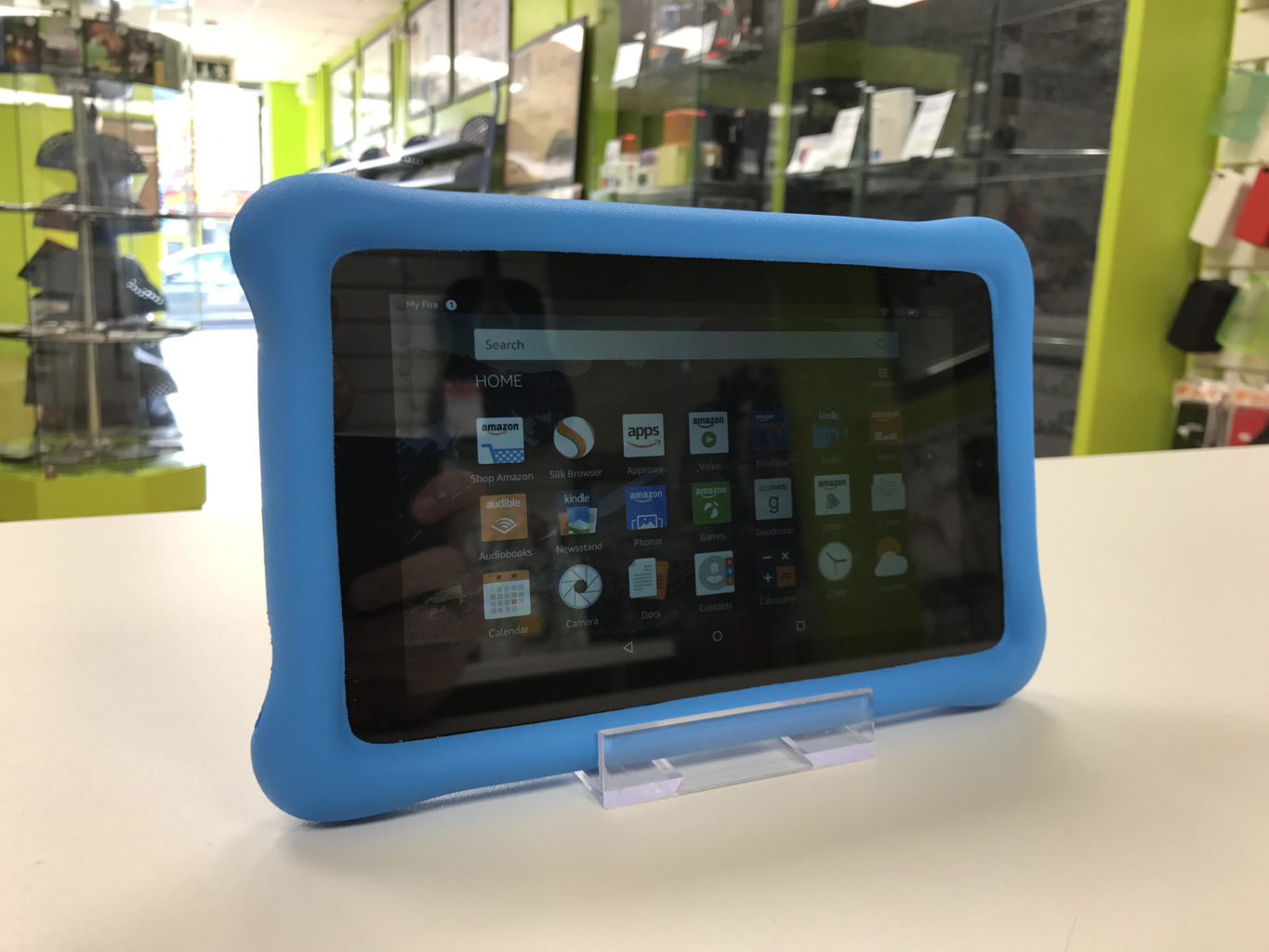
    Although it doesn’t have as many bells and whistles as the newest model, the Amazon Fire 7 Kids Edition is the best value on the market. We love the sturdy, bright case that comes with the Kids Edition, as well as the year-long subscription to Amazon’s FreeTime Unlimited, which is stocked with plenty of games, books, videos, and other digital delights. Best of all, Amazon offers a two-year replacement plan, so if accidents happen—and with kids, they often do—you will be covered.

    Best Tablet for Work and Play

    The Kurio Smart is an interesting hybrid of kids’ tablet and basic laptop. The detachable keyboard and Windows 10 operating system lets the Kurio Smart function more like a simple laptop, which is great for kids who need to browse the internet and use Microsoft Office products for schoolwork. It performs equally well as a tablet for reading and games once the homework is done.

    Best Tablet to Grow with the Child

    If you have the budget for it, the iPad Mini is the most versatile tablet on the market. While we wouldn’t recommend it for toddlers, elementary school kids can get years of use out of an iPad as their educational and entertainment needs change. Though more fragile than the tablets made just for kids, the iPad Mini can also do a lot more. Great display, long battery life, and top-notch support from Apple make the iPad Mini a worthwhile investment. Just make sure you also purchase a kid-friendly plastic case and a screen protector—you’ll want this tablet to last!

  • Top 3 Tablets For The Kids

    Top 3 Tablets For The Kids


    The Kids these days love their tech toys, and continue to blow are minds how quickly they can learn to use them and the functions they get out of them. Here is the top beginner tablets for kids that wont break the bank and can handle their abuse.


    1.Lenovo Tab 4 8

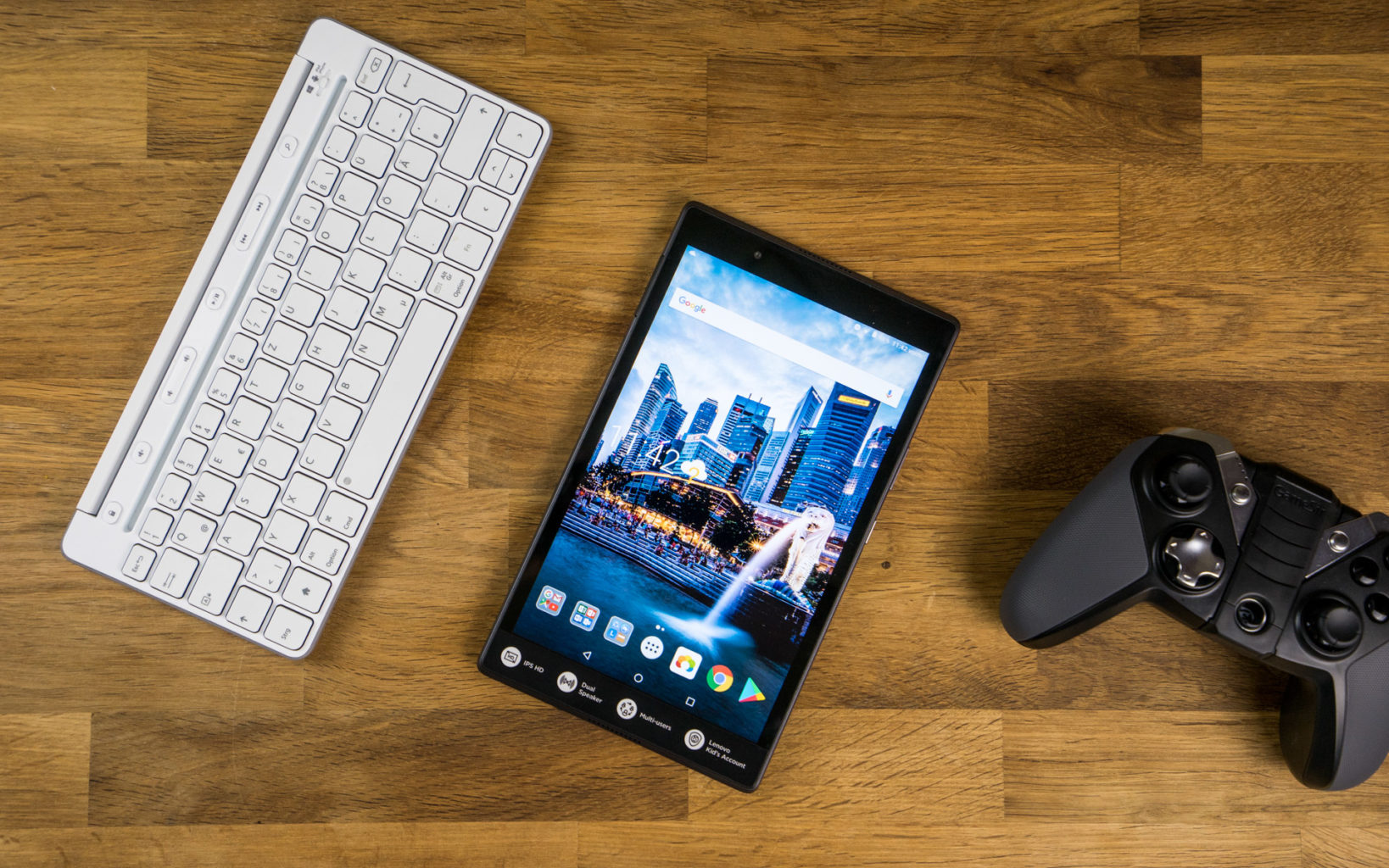
    Lenovo’s new 8-inch tablet is a good option for slightly older kids, ones with more experience with technology that don’t need the training-wheels of a tablet made for younger tots. Unlike Amazon’s Fire tablets, the Tab 4 8 offers a true Android experience, so you can use Google’s apps without the annoyances and risks involved with side-loading. It also offers good battery life and performance, and a bright, colorful display.

    For $20 extra, you can get Lenovo’s Kids Pack add-on, which includes content curated just for kids, parental controls, options for scheduling and limiting play time, a protective bumper case, stickers and a blue light filter.


    2.Amazon’s Fire 7 Kids Edition

    .Amazon’s Fire 7 Kids Edition bundles the company’s 7-inch budget tablet ($49 on its own) with a new protective bumper and a year’s subscription to Amazon’s FreeTime Unlimited for just $99 (16GB). Right now, it’s even cheaper, thanks to a sale that knocked it down to the nice price of $69. FreeTime Unlimited gives you more than 10,000 books, videos, educational apps and games curated for children. Plus, a two-year guarantee promises a no-questions-asked replacement if your child destroys the tablet.


    3.Acer’s Chromebook Tab 10

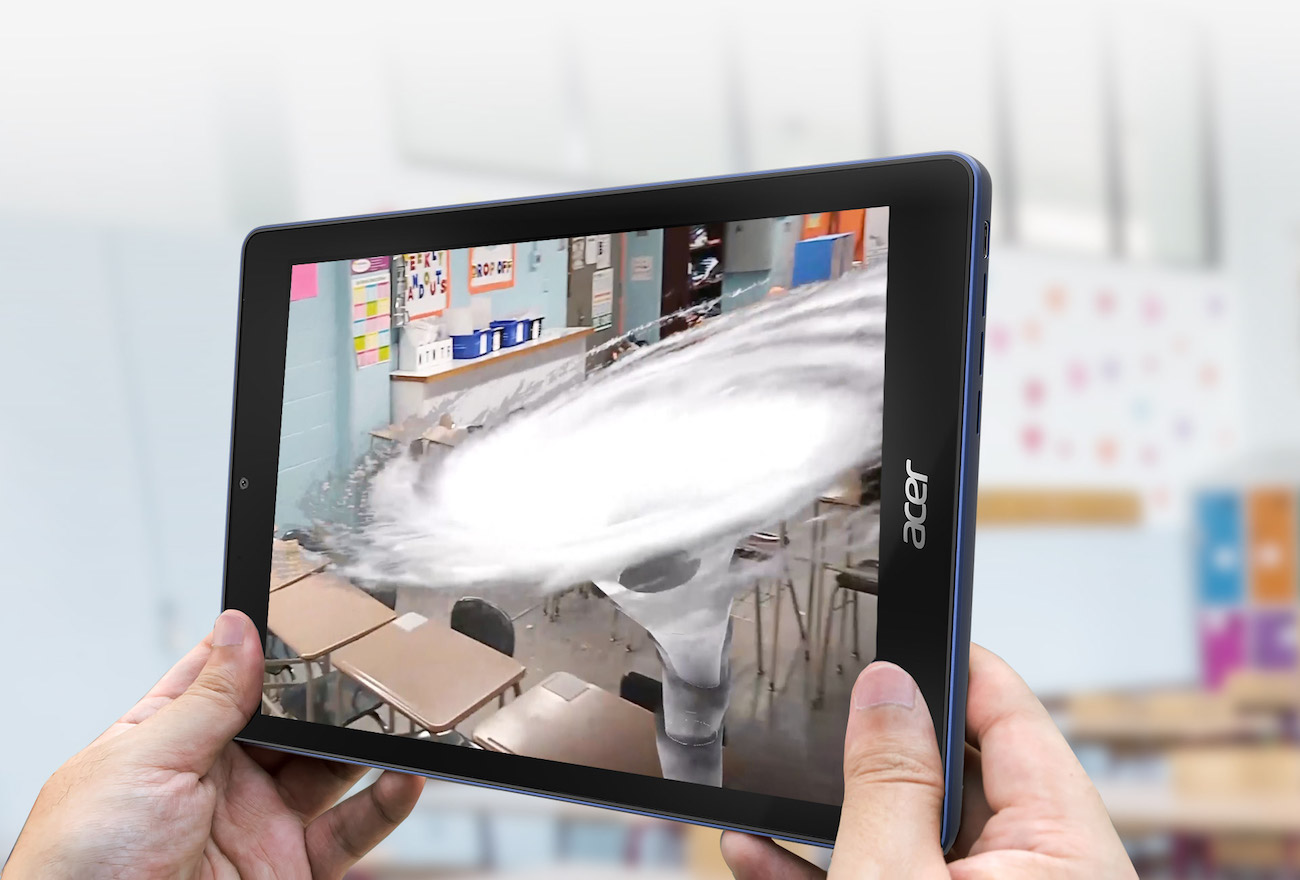
    Acer’s announced the Chromebook Tab 10, the first tablet running Chrome OS. Made for the classroom, and priced to compete with the 2017 iPad ($329), it features a 9.7-inch, 2048 x 1536-pixel screen, runs on a OP1 CPU with 4GB of RAM and offers 32GB of storage. Includes aWacom EMR stylus and will (eventually) feature Google’s Expeditions AR, a classroom learning tool.


    Honorable Mention: Verizon’s GizmoTab

    Unlike every other tablet on this page, Verizon’s GizmoTab ($80 with a 2-year contract, $250 off-contract) packs LTE connectivity. This way, your kids can never complain about not being able to stream videos or download games on the go. The 8-inch slate comes with a rubber bumper that protects it from falls, so junior can’t break it. If you use the GizmoTab with a Verizon data plan, you’ll get access to 300 kid-friendly apps that offer educational and entertaining experiences.


    The Final Thought

    This generation will prove to be the most knowledgeable, what they do with that knowledge is up to us. They will know where the answers are to any question they can think of, leaving their brain open to progressing those thoughts and answers. Getting them started on the path earlier is probably a good idea and getting the right tablet to do it.