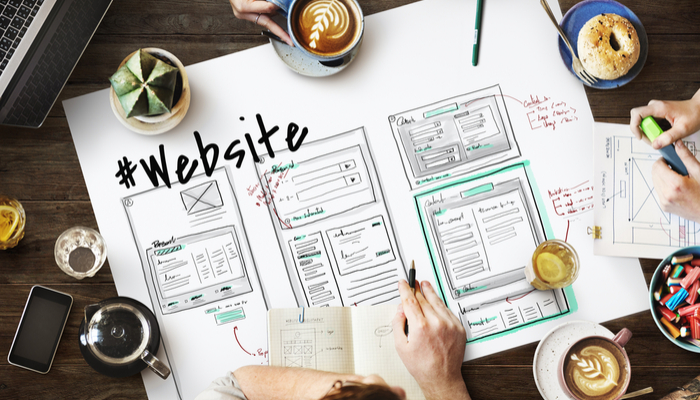
Tag: website

  • Create Your Own Website for Free: Get Yourself Out There

    Create Your Own Website for Free: Get Yourself Out There

    No matter what you do, having your own website can be a huge boon. There’s a lot to be said for the strength of having an online presence for your brand.

    Maybe you’re an artist, a designer, a PR firm, a small business owner or a visionary. No matter what you do, a website can help anchor your image and give you an online identity.

    Today we’re going over how you can make your own website for free and make your mark on the internet.

    When it comes to making a splash in the digital sphere, less can often be more. Here are our tips for how you can make your own website for free.

    Create Your Own Website

    Pick Your Builder

    The first thing you have to do is pick out the site you’ll use to build your website. There are a few popular options, though the top three are undisputed. We’ll go over the top three and tell you what the major pros and cons of each are.

    Wix

    Wix is a popular platform that you may have seen advertised on various YouTube videos or web ads. A lot of people like Wix due to its high-quality mobile templates and ready-to-use site building tools.

    One need not know a great deal about web design to make a good-looking website with Wix.

    The free version of the Wix website builder results in a domain name that is under the Wix banner. If you opt to pay, you can get your own URL, which is great if you’re a small business owner and want your own identity.

    The free site builder, however, does allow for a robust suite of tools to make a site that looks great.

    uKit

    uKit is a very popular pick for site building, though it’s not as well-known as Wix and WordPress. It’s preferred by business owners, due to its unique layout and ease of use. The biggest draw to uKit isn’t the free version, however, but the affordable $3/month business plan.

    WordPress

    WordPress is one of the most popular site building tools in the world. In fact, this site was built on WordPress! Text-based sites that focus on articles are a great fit for WordPress. The free version, like Wix, gives you a WordPress domain.

    Keep in mind when you’re considering WordPress for your own personal website that it’s easy to add and change images and designs. There’s a lot of flexibility with WordPress, though the focus is much more on words than on images.


  • What’s the Best Website Builder for 2021?

    What’s the Best Website Builder for 2021?

    When it comes to making websites, it’s much easier today than it was 20 years ago. If you’re looking to make a great website, look no further than these excellent resources. Below are our picks for the best web creation tools for 2021!

    The Best Website Builder tools for 2021

    Wix

    Wix is a cloud-based site building platform that is quite popular. It offers a lot of templates and tons of customization options. Their site builder is a drag-and-drop style, meaning it’s incredibly straightforward and easy-to-use. If you’re brand new to web design, it’s a great launching point. Their free version has limited bandwidth and storage, but you can use it to see if you like the style. If so, you can upgrade to premium and get to building more content for your site! The downsides are there, though: it’s unwieldy to move from Wix to another platform. That said, it’s still a good choice.

    Shopify

    A great resource for building online storefronts, Shopify is a fully-hosted site builder. All the data and backups are hosted on their servers. They’re a little on the pricey side, but they offer a great service. You can even integrate your Shopify page into WordPress! They also use a drag and drop style, meaning building your site is very straightforward. If you’re looking to open an online storefront, this is your way to do it.

    Weebly

    Weebly is another fully-hosted site, which is a pro and a con. While your data is backed up and safe, you also can’t change the site functionality. Their site builder is quick and intuitive, though, so you’ve got nothing to worry about there. They also have e-commerce integration, but they charge a 3% transaction fee. All said, they’re a good choice, but not the most popular.

    Squarespace

    Thanks in large part to aggressive advertising via YouTubers, Squarespace is a well-known name on the internet. The web-building tools are top-notch, and it’s easily one of the best out there. You don’t sacrifice a good-looking website for how easy it is to build with the platform. Many swear by the platform’s tools, and it’s rapidly gaining ground as a favorite of web-builders. The only downsides are the limited third-party integration. For instance, they only accept transactions through Apple Pay, PayPal or Stripe, so your options are limited.

    WordPress

    One of the most popular web platforms, WordPress is a fantastic resource. In fact, the site you’re currently on is powered by WordPress! It’s a relatively inexpensive service, but it has a bit of a learning curve. That said, it’s a flexible and robust tool to create any kind of site you would like to make. If you want to exert maximum control, this is a great tool for you! Consider WordPress if a small learning curve doesn’t deter you from making whatever site you have in mind.


  • What’s the Best Website Builder for 2020?

    What’s the Best Website Builder for 2020?

    When it comes to making websites, it’s much easier today than it was 20 years ago. If you’re looking to make a great website, look no further than these excellent resources. Below are our picks for the best web creation tools for 2020!

    The Best Website Builder tools for 2020

    Wix

    Wix is a cloud-based site building platform that is quite popular. It offers a lot of templates and tons of customization options. Their site builder is a drag-and-drop style, meaning it’s incredibly straightforward and easy-to-use. If you’re brand new to web design, it’s a great launching point. Their free version has limited bandwidth and storage, but you can use it to see if you like the style. If so, you can upgrade to premium and get to building more content for your site! The downsides are there, though: it’s unwieldy to move from Wix to another platform. That said, it’s still a good choice.

    Shopify

    A great resource for building online storefronts, Shopify is a fully-hosted site builder. All the data and backups are hosted on their servers. They’re a little on the pricey side, but they offer a great service. You can even integrate your Shopify page into WordPress! They also use a drag and drop style, meaning building your site is very straightforward. If you’re looking to open an online storefront, this is your way to do it.

    Weebly

    Weebly is another fully-hosted site, which is a pro and a con. While your data is backed up and safe, you also can’t change the site functionality. Their site builder is quick and intuitive, though, so you’ve got nothing to worry about there. They also have e-commerce integration, but they charge a 3% transaction fee. All said, they’re a good choice, but not the most popular.

    Squarespace

    Thanks in large part to aggressive advertising via YouTubers, Squarespace is a well-known name on the internet. The web-building tools are top-notch, and it’s easily one of the best out there. You don’t sacrifice a good-looking website for how easy it is to build with the platform. Many swear by the platform’s tools, and it’s rapidly gaining ground as a favorite of web-builders. The only downsides are the limited third-party integration. For instance, they only accept transactions through Apple Pay, PayPal or Stripe, so your options are limited.

    WordPress

    One of the most popular web platforms, WordPress is a fantastic resource. In fact, the site you’re currently on is powered by WordPress! It’s a relatively inexpensive service, but it has a bit of a learning curve. That said, it’s a flexible and robust tool to create any kind of site you would like to make. If you want to exert maximum control, this is a great tool for you! Consider WordPress if a small learning curve doesn’t deter you from making whatever site you have in mind.


  • Need a Website Made? The Best Web Creation Tools for 2018

    Need a Website Made? The Best Web Creation Tools for 2018

    When it comes to making websites, it’s much easier today than it was 20 years ago. There was a time when you needed to have a great grasp on coding and web design to make a webpage. Now, however, that process has been made much easier by the existence of powerful web creation tools! If you’re looking to make a great website, look no further than these excellent resources. Here are our picks for the best web creation tools for 2018!

    The Best Web Creation Tools for 2018

    Wix

    Wix is a cloud-based site building platform that is quite popular. It offers a lot of templates and tons of customization options. Their site builder is a drag-and-drop style, meaning it’s incredibly straightforward and easy-to-use. If you’re brand new to web design, it’s a great launching point. Their free version has limited bandwidth and storage, but you can use it to see if you like the style. If so, you can upgrade to premium and get to building more content for your site! The downsides are there, though: it’s unwieldy to move from Wix to another platform. That said, it’s still a good choice.

    Shopify

    A great resource for building online storefronts, Shopify is a fully-hosted site builder. All the data and backups are hosted on their servers. They’re a little on the pricey side, but they offer a great service. You can even integrate your Shopify page into WordPress! They also use a drag and drop style, meaning building your site is very straightforward. If you’re looking to open an online storefront, this is your way to do it.

    Weebly

    Weebly is another fully-hosted site, which is a pro and a con. While your data is backed up and safe, you also can’t change the site functionality. Their site builder is quick and intuitive, though, so you’ve got nothing to worry about there. They also have e-commerce integration, but they charge a 3% transaction fee. All said, they’re a good choice, but not the most popular.

    Squarespace

    Thanks in large part to aggressive advertising via YouTubers, Squarespace is a well-known name on the internet. The web-building tools are top-notch, and it’s easily one of the best out there. You don’t sacrifice a good-looking website for how easy it is to build with the platform. Many swear by the platform’s tools, and it’s rapidly gaining ground as a favorite of web-builders. The only downsides are the limited third-party integration. For instance, they only accept transactions through Apple Pay, PayPal or Stripe, so your options are limited.

    WordPress

    One of the most popular web platforms, WordPress is a fantastic resource. In fact, the site you’re currently on is powered by WordPress! It’s a relatively inexpensive service, but it has a bit of a learning curve. That said, it’s a flexible and robust tool to create any kind of site you would like to make. If you want to exert maximum control, this is a great tool for you! Consider WordPress if a small learning curve doesn’t deter you from making whatever site you have in mind.

  • New FDA Website To Begin Outing Companies Blocking Cheaper Medicine

    New FDA Website To Begin Outing Companies Blocking Cheaper Medicine

    In a bold move to support the Hatch-Waxman Act related to the operation of pharmaceutical companies, the FDA has announced a new website. The proposed site hosts the names of branded medicine manufacturers blocking generic versions of their medicines. This move, announced by FDA Commissioner Scott Gottlieb, seems to be directly aimed at shaming companies for unethical practices.  

    Gottlieb’s Take 

    “I don’t think this is publicly shaming,” Gottlieb was quoted as saying by S&P Global Market Intelligence. “I think this is providing transparency in situations where we see certain obstacles to timely generic entry.” However, Gottlieb has publicly stated he wouldn’t be against legislation to shame companies acting in ways that were unethical.  

    How Did they Get Away with This? 

    How were these companies keeping their competition from developing generics? One way was blocking samples of their drugs being given to generics makers by hiding behind risk evaluation and mitigation strategies (REMS). REMS allow drug makers to identify which of their drugs have potentially harmful side effects and thus limit who can be given samples of them.  

    The other method for sidestepping the generic process involves contracts with distributors that block sample delivery to generic makers. Both of these practices, according to Gottlieb, violate the spirit, if not maybe even the letter, of the Hatch-Waxman Act. 

    The FDA Flexing Their Muscles 

    This turn of events is potentially quite good for consumers. This move makes it easier to develop cheaper, more accessible drugs. By making it harder for drug makers to hide behind misinformation, the FDA makes it more likely that companies act more ethically. Many commenters view this move as a bold one on the part of Gottlieb. 

    The drug makers themselves have had little response to the proposed website, which launches on May 17th. This turn of events must be frustrating for these manufacturers, though. The agency that oversees you publicly shaming you has to sting.