Tag: windows

  • Hurricane Impact Windows

    Hurricane Impact Windows

    Every time a huge hurricane starts moving towards coastal regions, you’ll see footage and photos of plywood over windows. This is a sensible strategy to keep debris and wind from destroying your windows. However, hurricane impact windows are the best way to keep the wind and debris from destroying the windows.

    Hurricane Impact Windows

    What They Are

    “Hurricane windows” is somewhat misleading, and a better term is impact windows. If you’ve never looked into impact windows, you might be wondering what we’re talking about. They come in two main designs. The first is designed for small projectile impact and is made of several layers of polyvinyl butyral between glass panes. The glass panes are further tempered to increase their durability.

    The second type of impact windows are those made for large projectiles. These are PET laminated glass, usually attached directly to the building’s frame. Such windows are actually polycarbonate with a glass casing. Typically, they are bonded to the building’s frame by a silicone adhesive.

    Installation

    It’s not as simple as slapping hurricane impact windows into your window frame and calling it a day, though. Installation must take the functional aspects of the windows into account. For instance, you need to make sure you use reinforced window frames to match the impact windows. After all, what good is a shatter-resistant window if the frame around it breaks when impacted by debris?

    Another tip for installation is to replace all windows in your house, and all frames. If you have a few impact-resistant windows but don’t replace them all, you’re just asking for disaster. If one of your other windows gives out, the resulting change in pressure could cause serious damage to the rest of the house. Similarly, make sure you replace every frame: a window is only as strong as the frame that holds it.

    Why to Upgrade

    Modern impact windows have been tested to withstand even the most devastating weather conditions. If properly installed, these windows can turn your home’s weak point into a strong, storm-resistant window. These offer you the best chance of your home surviving extreme storm conditions, giving you peace of mind.
  • Tech Throwback: Windows 95

    Tech Throwback: Windows 95

    I like to take a look at where I’ve been to evaluate where Im going. Technology is cyclical after all… wait no its not. That said I still like all the feels that come rushing back like a flood of nostalgia every time I get my hand on the tech I grew up with. Im going to go back periodically and take a looking at the stuff that used to blow our hair back and get our minds rolling. Some of these device blew up and changed the world, some where ahead of their time and some just fell flat and became colossal failures. Today, we’re highlighting Windows 95.


    Windows 95

    You know it well, It kicked our Technology revolution in to 5th gear.  Know around the world as  a quantum leap in difference in technological capability and stability. Windows 95. Windows 95 (codenamed Chicago) is the operating system developed by Microsoft as part of its Windows 9x family of operating systems. It is the successor to Windows 3.1x, and was released to manufacturing on August 15, 1995, and generally to retail on August 24, 1995. Do you remember the lines to get a copy?

    All we had prior to this was DOS. Now Windows 95 was capable of running DOS and Windows-based applications, although it had completely removed DOS as the underlying platform, unlike previous versions of Windows. This helped in overcoming two limitations: eight-character file names and memory-related problems.

    Windows 95 sported new technical features along with updating existing features. It brought updated visual styles and interface advancements. It had new and improved Windows control and introduced the desktop, which was represented as a folder which holds different files. Shortcuts, icons and the recycle bin were introduced in Windows 95. The Computer was no longer for the super tech geek, your mom could now operate it.

    Windows 95 Social Impact

    Twenty years ago, Microsoft changed the world. On August 24, 1995, Windows 95 was released to the public. It was the beginning of a revolution that has helped shaped the technology world for the next two decades. There was even a one hour instructional video with  Matthew Perry and Jennifer Aniston. You know them better  as Chandler and Rachel from Friends. Then the Empire State Building and Toronto’s CN Tower were lit up in Microsoft’s colours. Lastly the Rolling Stones were paid a rumoured $8m for allowing “Start Me Up” to provide the soundtrack to its television adverts. We now lived in a different world then we had just a few hours before.


    The Final Thought


    Computers changed what could be done, Windows 95 changed who could do it. Together they changed the world overnight. It came, it was upgraded, it went. We all know by the time Windows 95 was finally ushered off the market in 2001. It had undoubtedly become a fixture on computer desktops around the world.

  • 2018’s Best Touchscreen 2-in-1 Laptops (So Far)

    2018’s Best Touchscreen 2-in-1 Laptops (So Far)

    There has been a huge increase the in number of 2-in-1 laptops that feature touchscreen controls for tablet mode. Love it or hate it, touchscreens are here to stay, and they will likely continue to be evolved into mainstream computing.

    Here are some of our favorite touchscreen laptops available right now.

    HP Spectre x360

    This lightweight, slim bezel 2-in-1 is a great option for the most mobile users among us. The battery life is amazing, and the keyboard is also a pleasure to use. You won’t find a better balance between tablet and laptop than this system.

    Microsoft Surface Pro

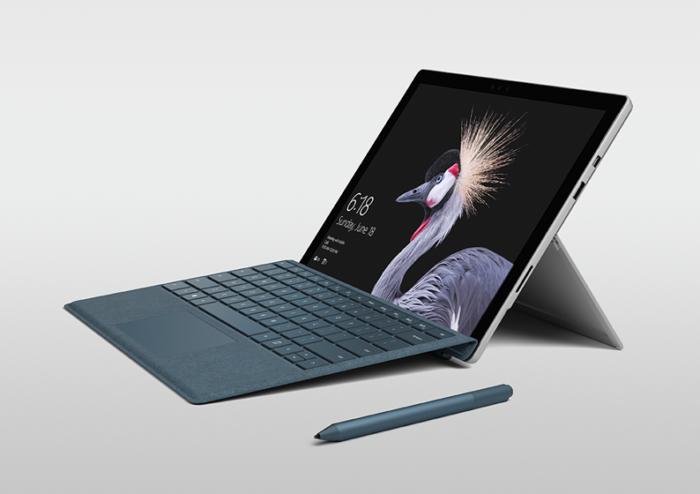
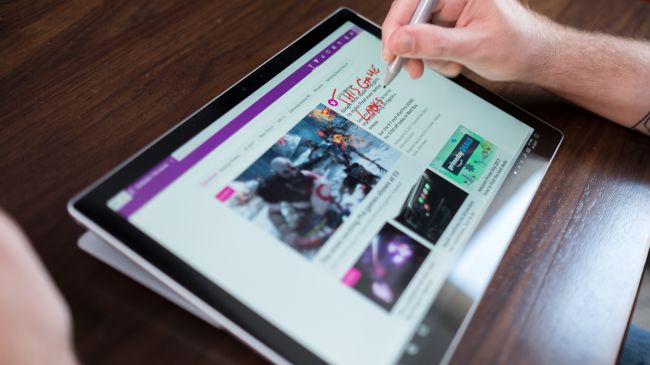
    The Microsoft Surface Pro has positioned itself to be the touchscreen laptop to beat. It is designed from the ground up to work around a touch interface and the Surface Pen. Going beyond simple touchscreen controls and note taking, the Surface Pro also aims to be a digital artist’s tool. Unfortunately, the newer version of the Surface Pro no longer includes the Surface Pen, so expect an accessory purchase right off the bat.

    Lenovo Yoga 920

    If screen real estate is your priority, then the Lenovo Yoga 920 should be where you begin looking. The general 13.9-inch display is larger than many 2-in-1 systems. With a fully metal build and an interesting take on laptop hinges, the
    Yoga makes a classy statement. It also features the same level of touchscreen sensitivity as the Surface Pro despite the larger screen.

    Samsung Chromebook Pro

    What would happen if you took a Samsung Note 8 and blew it up into a 2-in-1 computer? You’d get the Samsung Chromebook Pro. If Chrome OS is your jam but you find typical Chromebook offerings a little short on power, then the Chromebook Pro is well worth looking into. The Google Play store alone means that you will have more than enough apps for both your productive and procrastinating sides.


  • 2018’s Best Touchscreen 2-in-1 Laptops (So Far)

    2018’s Best Touchscreen 2-in-1 Laptops (So Far)

    There has been a huge increase the in number of 2-in-1 laptops that feature touchscreen controls for tablet mode. Love it or hate it, touchscreens are here to stay, and they will likely continue to be evolved into mainstream computing.

    Here are some of our favorite touchscreen laptops available right now.

    HP Spectre x360

    This lightweight, slim bezel 2-in-1 is a great option for the most mobile users among us. The battery life is amazing, and the keyboard is also a pleasure to use. You won’t find a better balance between tablet and laptop than this system.

    Microsoft Surface Pro

    The Microsoft Surface Pro has positioned itself to be the touchscreen laptop to beat. It is designed from the ground up to work around a touch interface and the Surface Pen. Going beyond simple touchscreen controls and note taking, the Surface Pro also aims to be a digital artist’s tool. Unfortunately, the newer version of the Surface Pro no longer includes the Surface Pen, so expect an accessory purchase right off the bat.

    Lenovo Yoga 920

    If screen real estate is your priority, then the Lenovo Yoga 920 should be where you begin looking. The general 13.9-inch display is larger than many 2-in-1 systems. With a fully metal build and an interesting take on laptop hinges, the
    Yoga makes a classy statement. It also features the same level of touchscreen sensitivity as the Surface Pro despite the larger screen.

    Samsung Chromebook Pro

    What would happen if you took a Samsung Note 8 and blew it up into a 2-in-1 computer? You’d get the Samsung Chromebook Pro. If Chrome OS is your jam but you find typical Chromebook offerings a little short on power, then the Chromebook Pro is well worth looking into. The Google Play store alone means that you will have more than enough apps for both your productive and procrastinating sides.


  • Surface, Its New Version and a Price Drop

    Surface, Its New Version and a Price Drop

    The Surface wants to compete with the ipad for a broader market, so look for a price drop. A new report out today by Bloomberg claims that Microsoft is planning its next tablet line to be lower-cost in an effort to attract people to their products who aren’t interested in the more expensive Surface Pro. The move is directly aimed at competing with Apple’s recently launched $329 iPad, and could see Microsoft debut the devices as soon as the second half of 2018.


    Low Cost Surface

    From what I am hearing  the tablets will be priced at around $400, so not quite iPad cheap but not far off. They will be the first Surface devices to adopt USB-C and rounded edges “like an iPad,” instead of the square corners of the current devices. Storage tiers will include 64GB and 128GB, as well as LTE options, and the devices will feature 10-inch screens.  All good news.

    There are also rumors of a significant decrease in battery power. While I cant confirm any yet and wont until it gets the Beau’s 6 hour injustice marathon battery test, I will say that the rumors holds some weight. Currently everyone has come to a 6.6 – 14 hour battery life estimate for the current models. What we have hear it the new cheaper tablet will be coming in around 4 hours less. Knocking four hours of battery off a tablet with a 13.5 hour runtime is bad. Knocking four hours of run time off a tablet with a 9.6 hour battery life is terrible. In fact, if that penalty carried over across the board, this new Surface tablet wouldn’t even break the three hour mark. Relax, ill continue to monitor and keep you updated.


    The Final Thought

    Like always Apple steps in and delivers and the rest  of the tech world follow suit. follow suit. This is good new, a low cost Microsoft device is a great option for the marketplace. When the marketplace has diverse low cost options we all win.


  • 2018’s Best Touchscreen 2-in-1 Laptops (So Far)

    2018’s Best Touchscreen 2-in-1 Laptops (So Far)

    There has been a huge increase the in number of 2-in-1 laptops that feature touchscreen controls for tablet mode. Love it or hate it, touchscreens are here to stay, and they will likely continue to be evolved into mainstream computing.

    Here are some of our favorite touchscreen laptops available right now.

    HP Spectre x360

    This lightweight, slim bezel 2-in-1 is a great option for the most mobile users among us. The battery life is amazing, and the keyboard is also a pleasure to use. You won’t find a better balance between tablet and laptop than this system.

    Microsoft Surface Pro

    The Microsoft Surface Pro has positioned itself to be the touchscreen laptop to beat. It is designed from the ground up to work around a touch interface and the Surface Pen. Going beyond simple touchscreen controls and note taking, the Surface Pro also aims to be a digital artist’s tool. Unfortunately, the newer version of the Surface Pro no longer includes the Surface Pen, so expect an accessory purchase right off the bat.

    Lenovo Yoga 920

    If screen real estate is your priority, then the Lenovo Yoga 920 should be where you begin looking. The general 13.9-inch display is larger than many 2-in-1 systems. With a fully metal build and an interesting take on laptop hinges, the
    Yoga makes a classy statement. It also features the same level of touchscreen sensitivity as the Surface Pro despite the larger screen.

    Samsung Chromebook Pro

    What would happen if you took a Samsung Note 8 and blew it up into a 2-in-1 computer? You’d get the Samsung Chromebook Pro. If Chrome OS is your jam but you find typical Chromebook offerings a little short on power, then the Chromebook Pro is well worth looking into. The Google Play store alone means that you will have more than enough apps for both your productive and procrastinating sides.


  • The Best Features from the New Windows 10 Update

    The Best Features from the New Windows 10 Update

    The latest Windows 10 update landed yesterday for PCs and tablets. Like the Fall Creators Update, this spring update adds new features and refreshes Windows 10 without changing the platform itself. Here are some of our new favorite features.

    Timeline

    The biggest new feature in this Windows update is Timeline. Essentially, it replaces the Task View button and allows you to see a synchronized view of all your past apps and activities across your multiple Windows 10 systems.

    You can use this feature to easily transfer activity from one Windows system to another. You can also combine the Timeline with Microsoft Edge on your smartphone to sync your browser history as well.

    Microsoft Edge Tab Mute

    Following in Chrome’s footsteps, Edge will also have the ability to mute tabs. Those annoying websites that like you blast you with autoplaying videos or sounds can now be easily muted.

    Fixed App Scaling

    A new Advances Scaling setting will allow you to fix desktop apps that appear blurry after your display settings change. The caveat is that it will only work on your main display and may not work for every single app.

    Faster Bluetooth Pairing

    In an effort to make pairing peripherals via Bluetooth simpler, Microsoft is working with vendors to ensure hardware will support their new fast pairing feature. Currently, the Surface Precision Mouse is the only one to support it, but new devices should appear soon.

    Enhanced Graphic Settings

    This is particularly useful for laptop users who may not want to use the same performance or power saving settings for every game. You now have the ability to customize the graphics performance per game.

  • Tablet Talk: ThinkPad X1 Carbon

    Tablet Talk: ThinkPad X1 Carbon

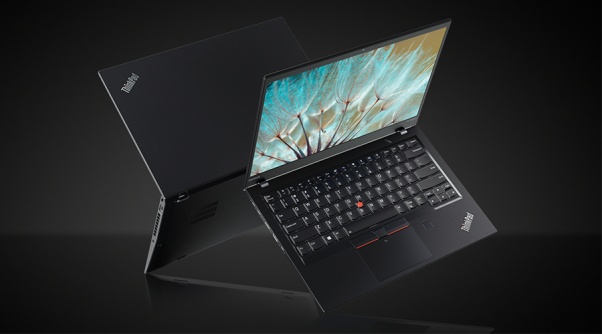
    Tablets are the mash of our technology dependence theses days. They are big phones or weak laptops or any combination of the two. They can be big, they can be powerful, They can be an all in one device or just a side gadget. In all future set movies or media the tablet is a main stream tool, they call them data pads or data cards, but no one uses a keyboard in the future. This being said there are a lot of tablets with many options to navigate through so Im going to break them down in an easy to read guide to help you find the tablet match of your dreams. Today we are going to talk about the Lenovo ThinkPad X1 Carbon.


    The Great

    • Beautiful, vivid display
    • Strong performance
    • MIL-STD 810G tested
    • Keyboard with TrackPoint comes standard


    The Not

    • Long battery life only with the extended batter sold seperately
    • Adding faster parts and optional modules will cost a lot

    The Conclusion

    he ThinkPad X1 Tablet is a lightweight laptop replacement with strong performance and a great display, but you will to buy the extended battery, non negotiable.


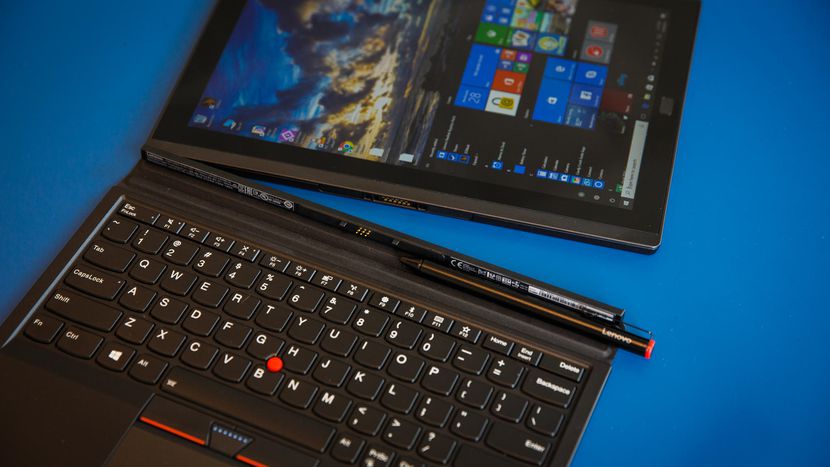
    This is the latest in the high-end ThinkPad X1 Tablet, which stands out by offering not only a standard keyboard cover, but also a series of modular add-ons, making this potentially a very flexible system. If flexible is what you want in a tablet, is it? read further then.

    The Design

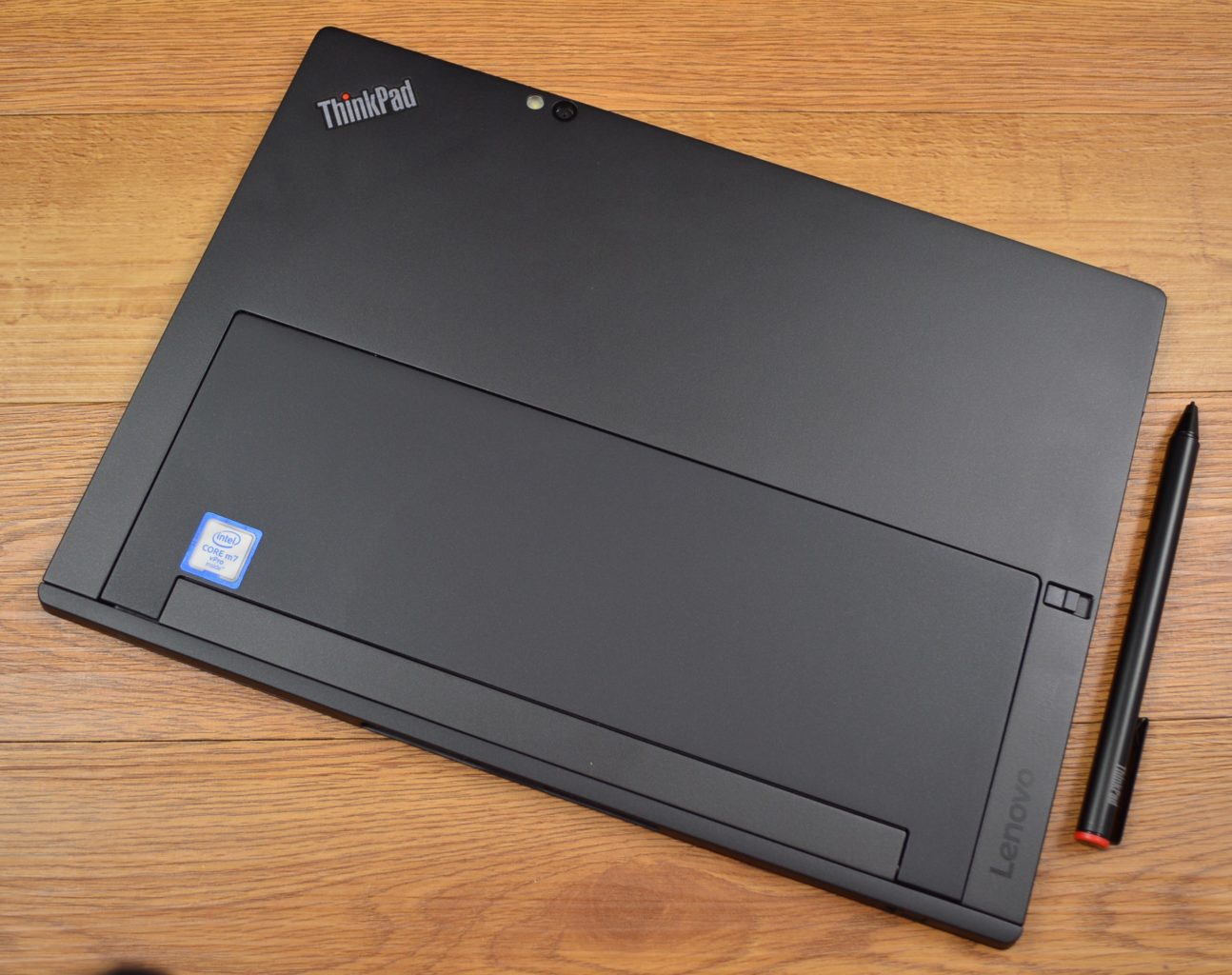
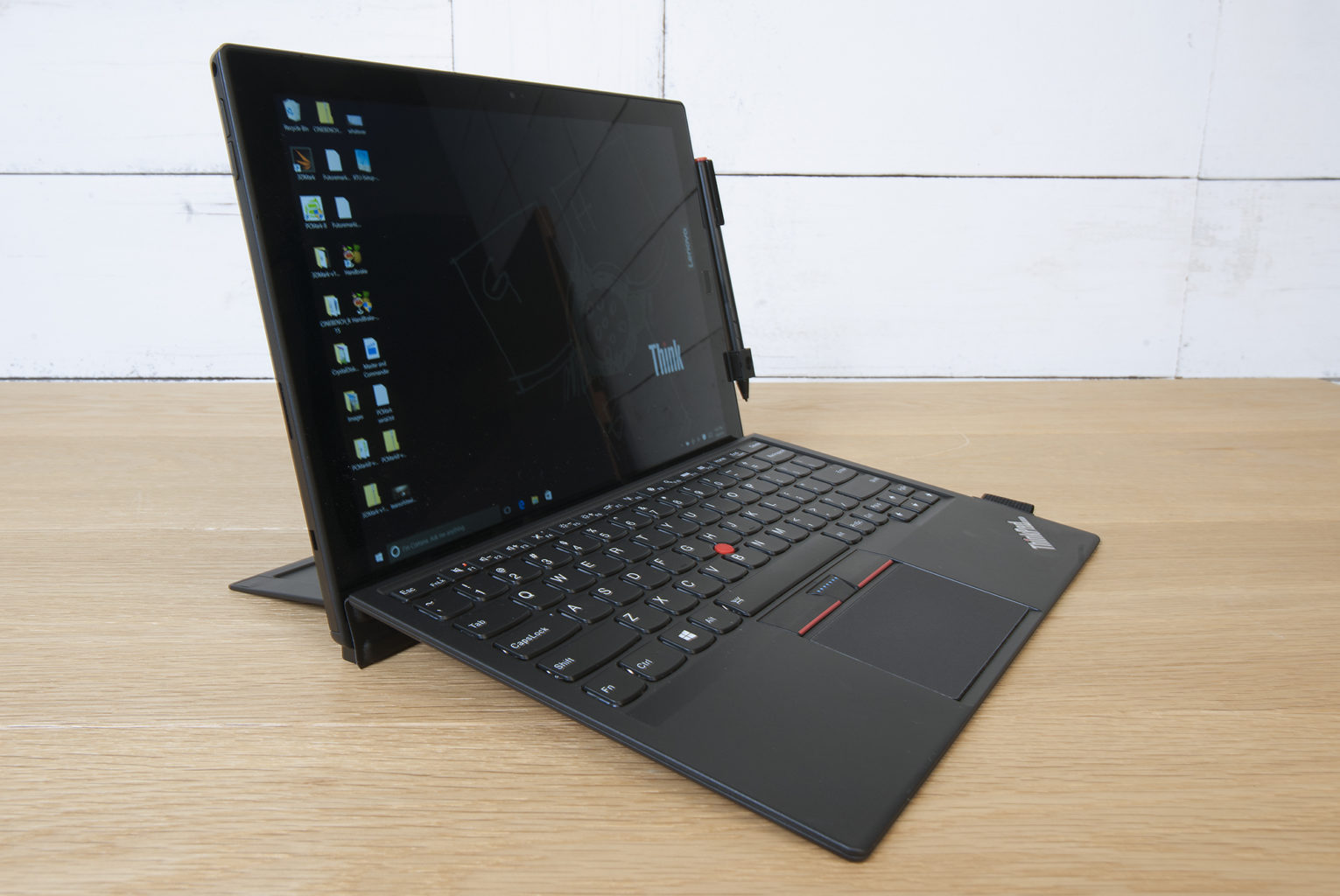
    The slim X1 Tablet shares a family resemblance with the rest of the ThinkPad line, thanks to its matte black finish, and the overall design of the tablet is unchanged from the 2016 model. The design is almost industrial, in matte black with sharp angles rather than smooth curves. Outwardly, it’s the same system, with a magnesium chassis, a durable business-rugged design and a built-in kickstand. It looks and feels great, no issues physically, its a stud. Lenovo is known for keyboards, and even in this attachable keyboard format, these keys are not too shallow. Lenovo has managed to create a small keyboard that works, and typing on it is a solid experience. The touchpad on here is a lot smaller, but you still get the familiar red trackpoint.

    The Display

    The 12-inch display is an IPS LED panel with a resolution of 2,160×1,440 pixels, which is essentially 2K. It provides a great viewing experience, one that stays vibrant with bright colors and shows good contrast. The image does not appear washed out from side angles, so theoretically you could share the display by watching Netflix with a few people.


    Quick Spec Look

    • Starting Price $1,599
    • CPU Up to 8th Gen Intel Core i7
    • RAM Up to 16GB
    • Storage Up to 1TB PCIe NVMe M.2
    • Display 13-inch, 3000 x 2000
    • Battery Life Up to 9.5 hours
    • Size 11.5 x 8.2 x 0.3 inches
    • Weight 1.9 pounds
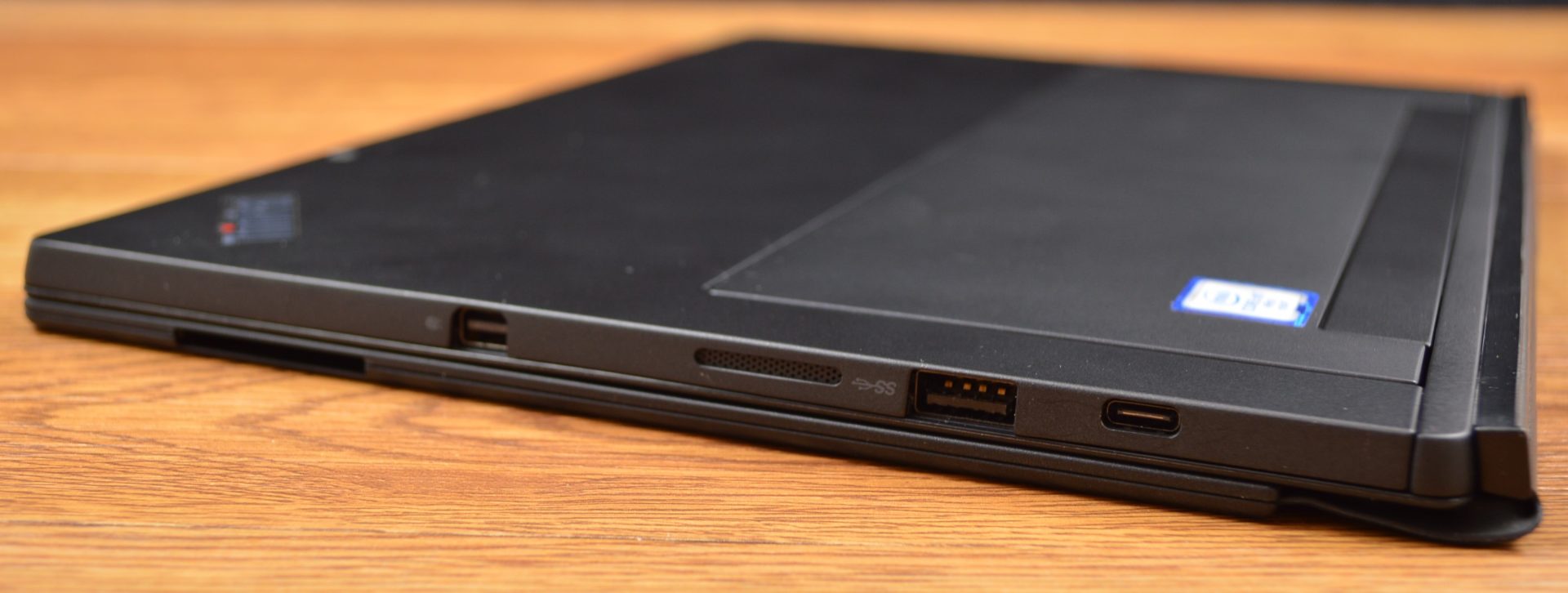
    • Ports Thunderbolt 3, SD card reader, Nano SIM, headphone


    The Final Thought

    It lacks side by side in every way next to the Microsoft surface, You can do better, Lenovo can do better, we will get better. For now if you like carrying around a lot of peripherals and add ons with what is supposed to be the grab and go computing gadget then please go right ahead and find the Lenovo Think pad Tablet x

  • Tablet Talk: Microsoft Surface Pro

    Tablet Talk: Microsoft Surface Pro

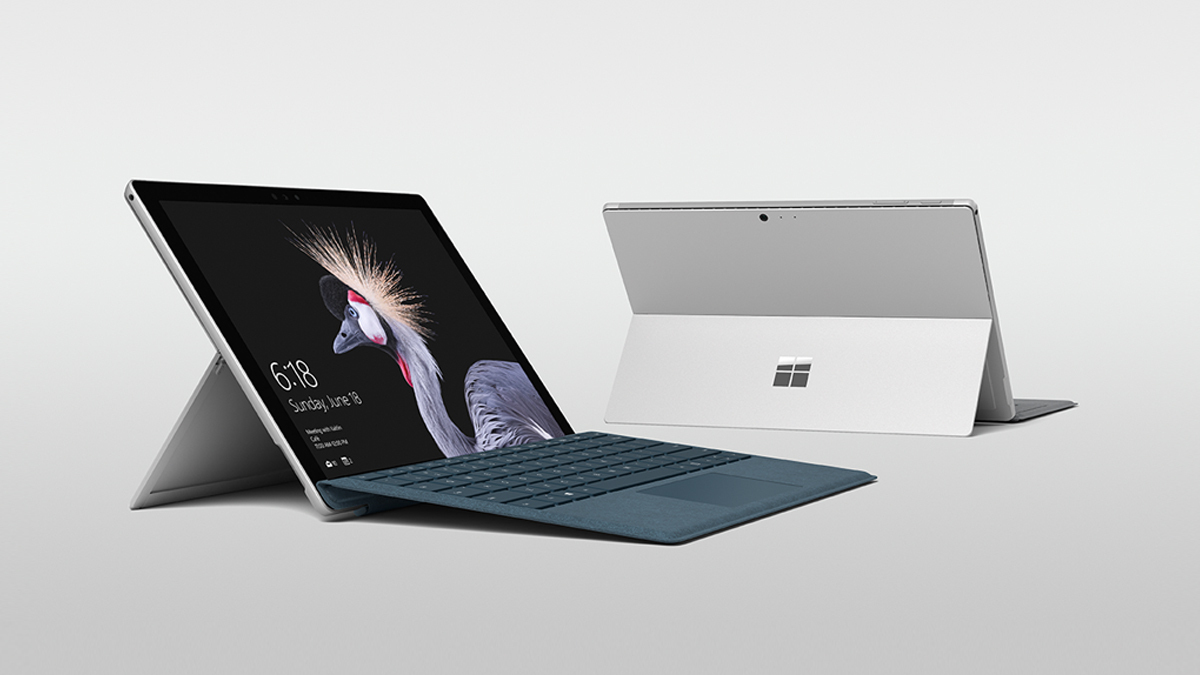
    The Surface Pro has always been the The ultimate laptop with versatility of a studio and tablet. Now its better than ever, the new Surface Pro gives you a best-in-class laptop, plus the versatility of a studio and tablet. The stunning PixelSense Display supports Surface Pen1 and touch, while up to 13.5 hours of battery life2 gives you plenty of juice to work all day and play all night.

    The Great

    • Brilliant PixelSense display
    • Simple, elegant design
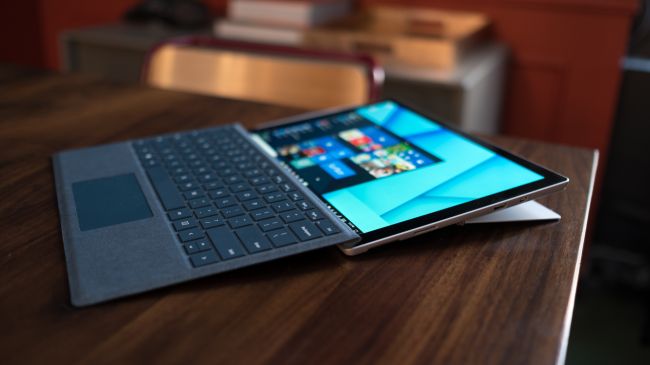
    • Improved Type Cover keyboard
    • Fantastic performance


    The Not

    • No USB-C
    • Surface Pen and Type Cover sold separately
    • Better, but still mediocre battery life

    The Conclusion

    With its fantastic PixelSense display, improved Type Cover, faster performance and even better battery life, the Surface Pro is still the king of detachable 2-in-1s.

    The Design

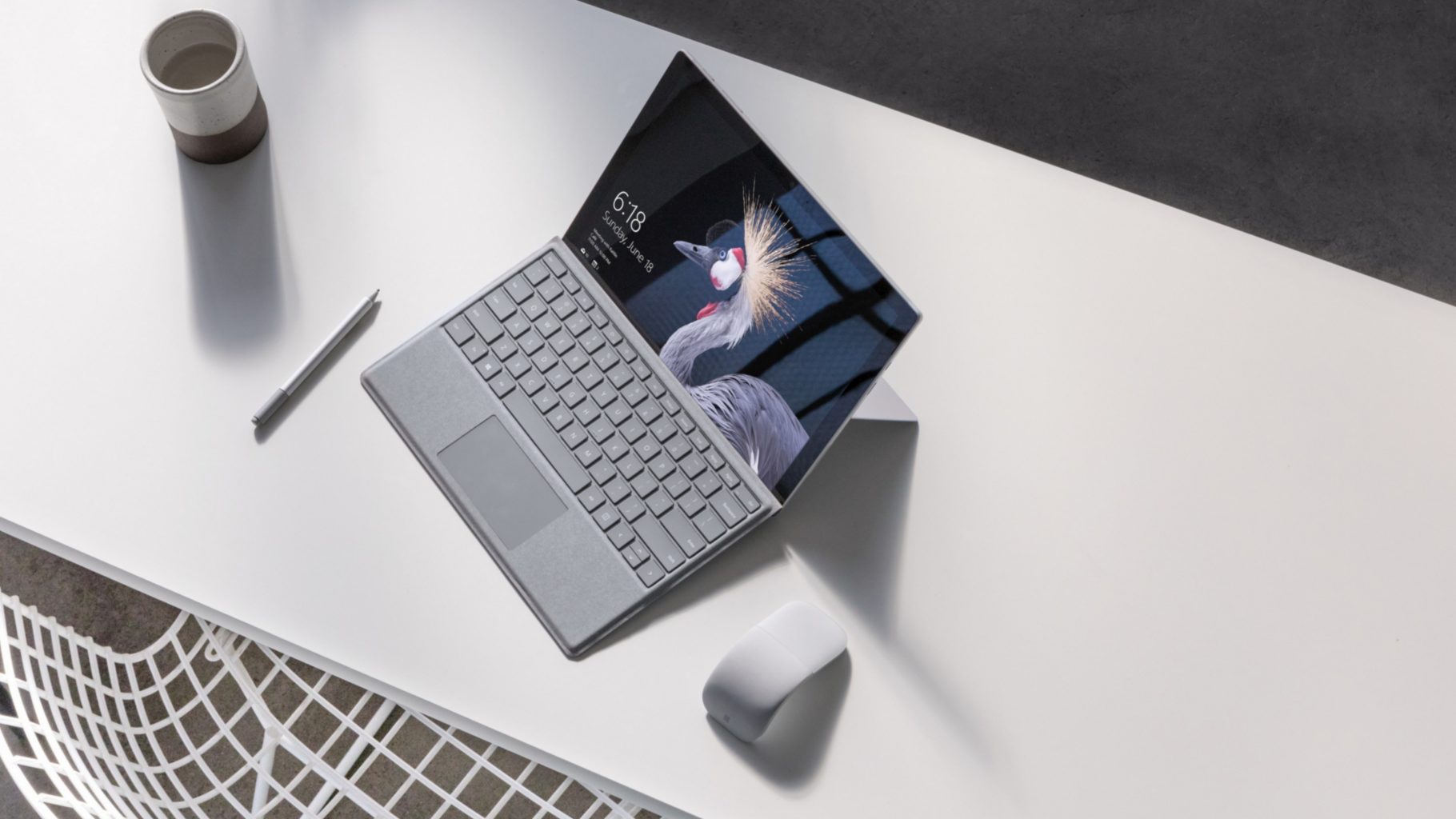
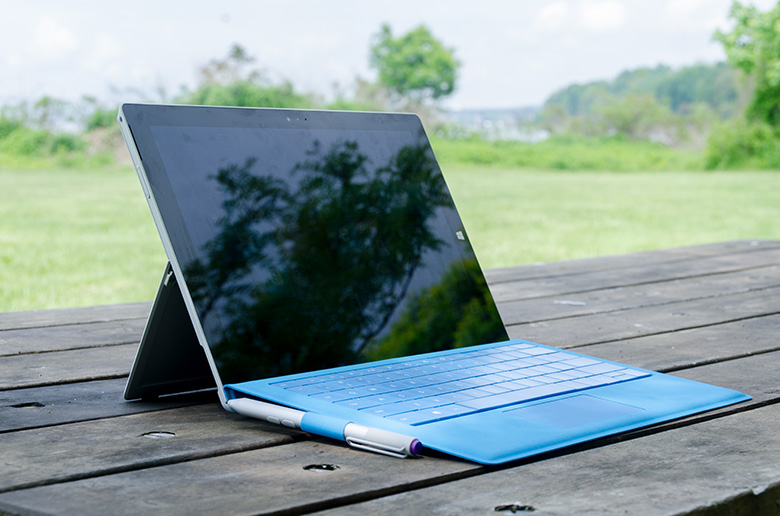
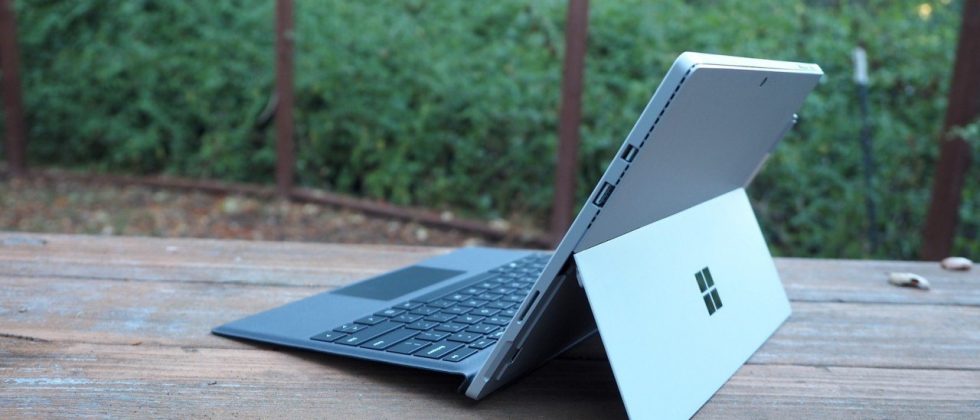
    Not wanting to tempt fate by messing with an exceptional design, Microsoft made the new Surface Pro look almost identical to the previous two models.Sure, the company has rounded off a few edges to make the Surface Pro a little curvier and more pleasant to hold, but all the familiar elements are here, including the kickstand, power button, volume rocker and front-facing speakers.

    The Performance

    I  can see why Microsoft is moving away from referring to the Surface Pro as a tablet, given that it’s packed with very laptop-like components. Our review model was equipped with a fast dual-core Intel i7-7660U CPU and 16GB of RAM. The Core i7-7660U is no longer at the cutting edge, as Intel’s 8th-gen Core processors are now available, but it managed respectable performance.

    Surface Pen is Vastly Improved

    Why Microsoft opted not to call this the Surface Pro 5 is beyond us, as you can now see the firm changed practically every facet of the product. The Surface Pen got some of the most meticulous and belabored treatment.

    For one, Microsoft upped the pressure sensitivity of its pen to 4,096 levels of detectable pressure, meaning creators have more control over the width and intensity of their lines in illustrations or designs than before. Perhaps more importantly, the Pen now sports a much lower latency, meaning that the tip of your Pen has a far lower chance of “leading” the ink on the PixelSense display.

    Finally, the Pen also supports tilt detection now, though only through the new Surface Pro – the other current Surface devices will get the support for this feature through a firmware update.


    Quick Spec Look

    • CPU: 2.5GHz Intel Core i7-7660U (dual-core, 4MB cache, up to 4GHz with Turbo Boost)
    • Graphics: Intel Iris Plus Graphics 640
    • RAM: 16GB LPDDR3
    • Screen: 12.3-inch, 2,736 x 1,824 PixelSense display (Contrast ratio: 1,300:1, 100% sRGB color, 10-point multi-touch, 3:2 aspect ratio)
    • Storage: 512GB SSD (PCIe 3.0)
    • Ports: 1x USB 3.0, mini DisplayPort, microSDXC card reader (UHS-I), headphone/mic jack
    • Connectivity: 802.11ac Wi-Fi (2 x 2 MIMO), Bluetooth 4.1 (Low Energy)
    • Cameras: 8MP rear-facing, auto-focus camera (1080p HD); 5MP front-facing, 1080p HD camera
    • Weight: 1.73 pounds
    • Size: 11.5 x 7.93 x 0.33 inches (W x D x H)

    The Final Thought

    Nearly five years after Microsoft introduced the device that created the 2-in-1 category, the company’s Surface Pro systems are still the detachables other companies are trying to beat. So how does Microsoft improve upon its class-leading hybrid? By refining its simple tried-and-true design, improving performance, shoring up some concerns about battery life, and creating a new line of enhanced and more colorful Surface accessories.

    I think Microsoft is still playing it a bit too safe in a few areas. While improved, the Surface Pro’s battery life still lags behind those of other ultraportable laptops, and the lack of a USB-C or Thunderbolt 3 port are strange omissions for a premium flagship device. And after three years in which the Surface Pro has had essentially the same aesthetics, I find myself wanting a bit more excitement out of this machine’s design. But if you want the best detachable out there, the Surface Pro is still the one to get.

  • Laptop Lookout: Dell XPS 15 2 in 1

    Laptop Lookout: Dell XPS 15 2 in 1

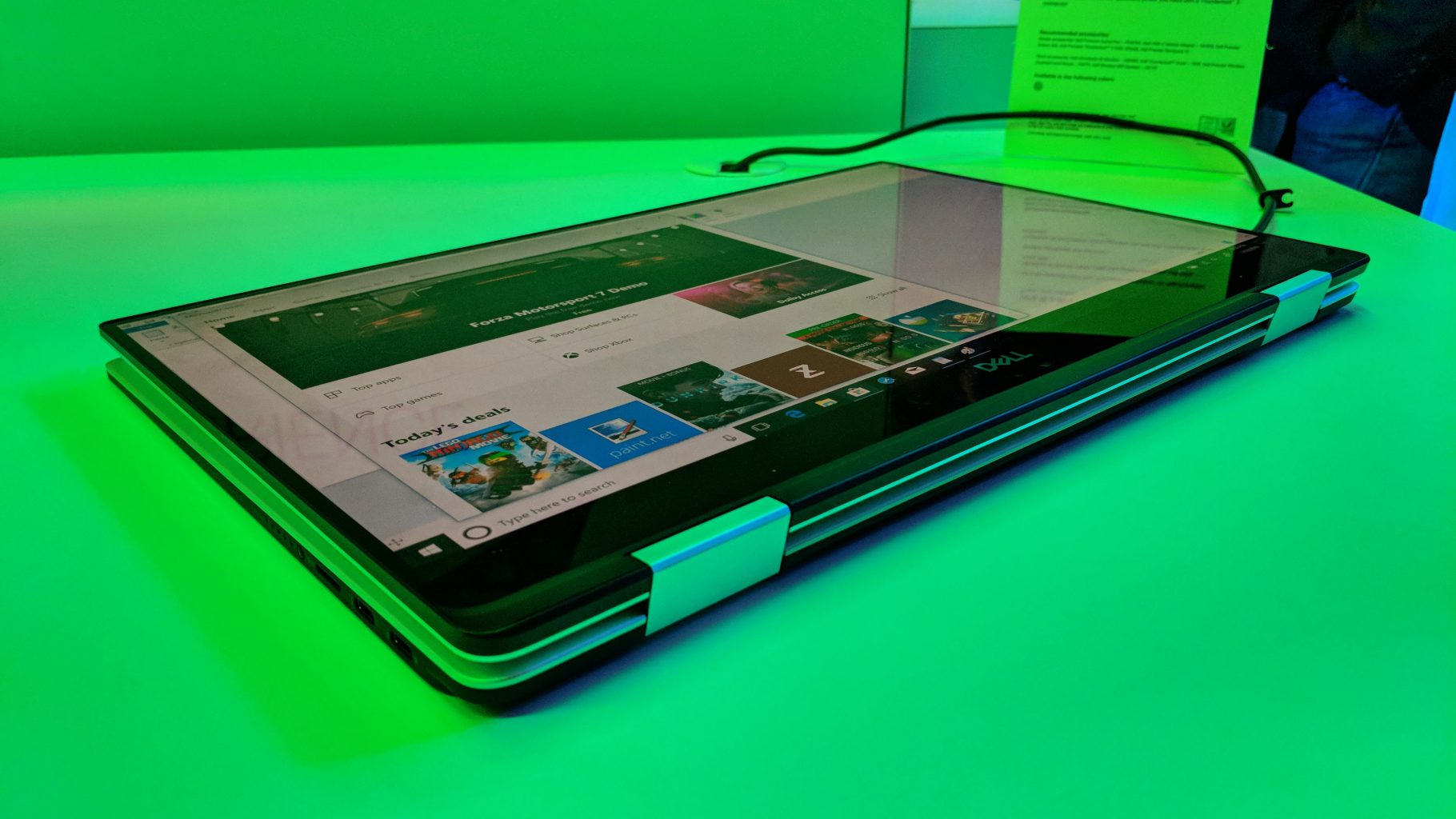
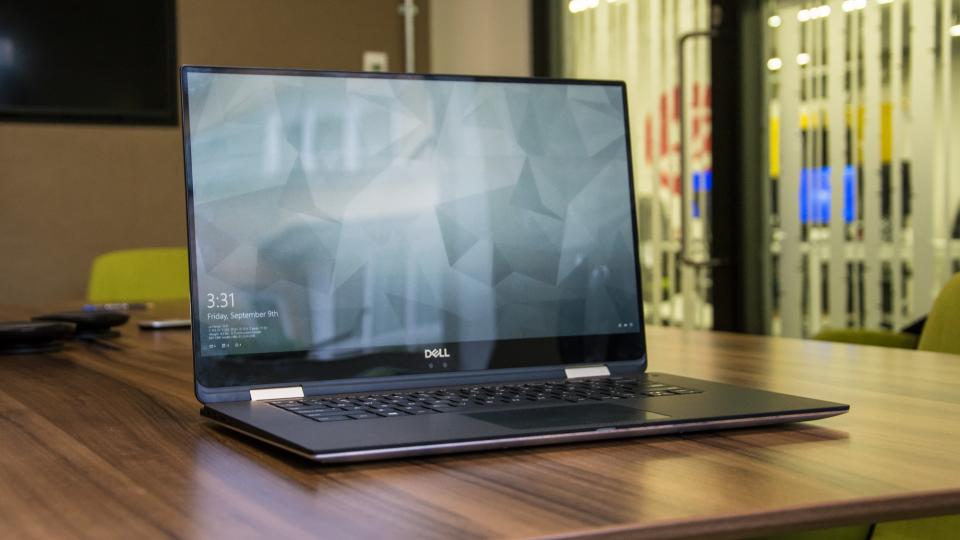
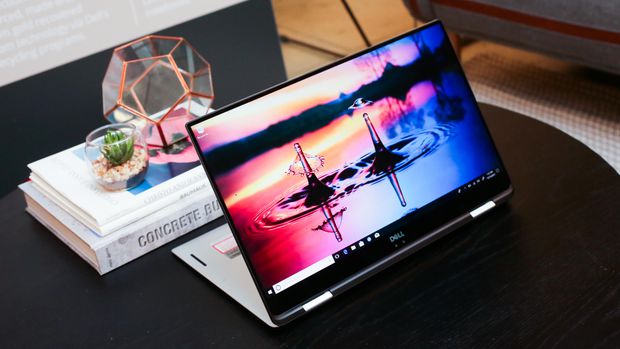
    It’s a hybrid inside a hybrid. That’s the best way to think about the new XPS 15 two-in-one from Dell. This big-screen laptop has a 360-degree hinge, so it folds all the way back to form a tablet — we’ve seen that plenty of times before, but never in Dell’s high-end XPS 15 line.


    The Great

    • Gorgeous 4K display
    • Blazing fast CPU
    • Much improved battery
    • Legacy ports still at play
    •  Clear audio
    • Strong performance

    The Not

    • Middling graphics
    • Poor webcam placement
    • Lots of Bloatware

    The Conclusion

    This is the best 15-inch laptop money can buy. That’s thanks to strong build quality, a brilliant screen, a comfortable soft-touch deck and an Nvidia GeForce GTX 1050 GPU that can handle entry-level gaming and some serious Photoshopping.


     Dell’s new XPS 15 2-in-1 makes the statement this time around. As its name implies, the XPS 15 is a 2-in-1 convertible that lets you fold the 15.6-inch screen back on itself for use in tablet mode or tent mode.
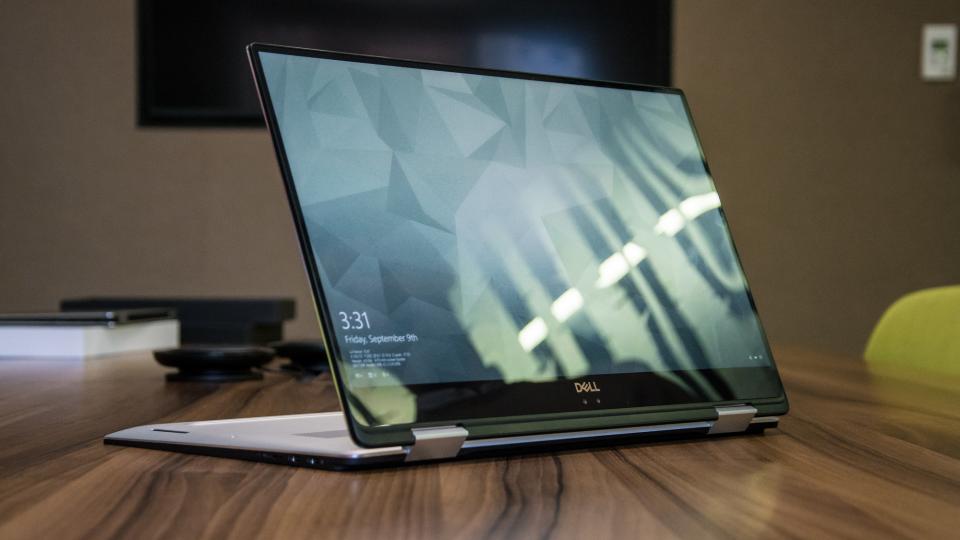
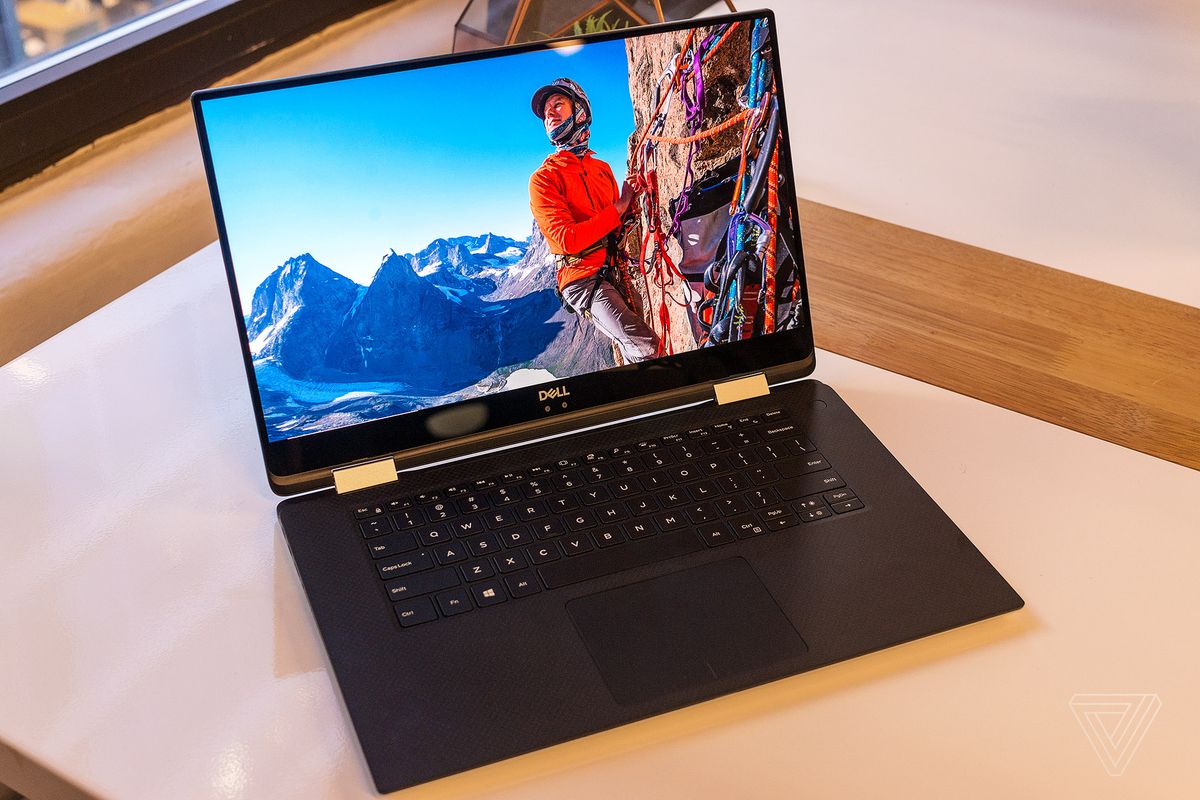


    The XPS 15 combines jaw-dropping resolution and vibrant color in a large 15.6″ touch display. Its crisp, sharp detail and rich color is perfect for editing photos and graphic design with Full HD or the optional UltraSharp™ 4K Ultra HD (3200×1800). Comes with 500GB 7200RPM Hard Drive + 32GB Solid State Drive Windows 10 Home 64-bit English and 8GB 2400MHz, DDR4; up to 32GB (additional memory sold separately). View amazing graphics on the 15.6″ FHD (1920 x 1080) InfinityEdge, Non-touch and Intel HD Graphics 630 videocard.


    The Updates

    It looks a lot like the notebook, but Dell has done more than slap a new hinge on its existing design. The XPS 15 2-in-1 is an all-new design that takes dramatic measures to reach its weight of 4.3 pounds and thickness of .63 inches – figures that are among the best in its class.

    Dell has incorporated Gore fabric into its chassis. More commonly used for lightweight athletic apparel, Gore is an excellent insulator, yet also light and thin. That apparently makes it a good fit for directing heat through a notebook chassis. You can’t feel the fabric when you touch the machine, but it’s there, keeping heat where it should be.


    Quick Spec Look

    • Intel Core i5-8305G or i7-8705G
    • GPU       Radeon RX Vega M
    • RAM      Up to 16GB
    • Storage Up to 1TB PCIe SSD
    • Display  15.6-inch 4K or 1080p
    • Size        3.9 x 9.3 x 0.6 inches
    • Weight 4.3 pounds
    • Battery Up to 15 hours
    • Ports     Thunderbolt 3, USB Type-C, microSD card, HDMI, Headphone

    The Final Thought

    All the benefits of the 2 in are here, it has the flexibility. Its durable and powerful, sounds great and a performance monster. I can say it runs a little hot, and i wish there was a better GPU for new gaming.