Author: Beau

  • Tech Throwback: The Original iPhone

    Tech Throwback: The Original iPhone

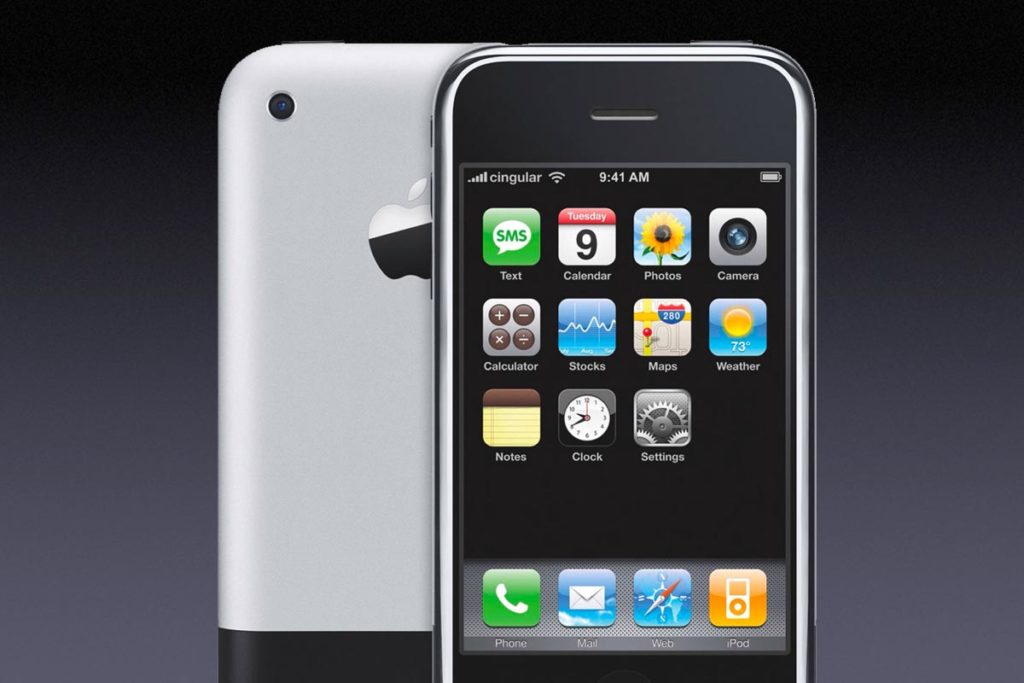
    I like to take a look at where I’ve been to evaluate where Im going. Technology is cyclical after all… wait no its not. That said I still like all the feels that come rushing back like a flood of nostalgia every time I get my hand on the tech I grew up with. Im going to go back periodically and take a looking at the stuff that used to blow our hair back and get our minds rolling. Some of these device blew up and changed the world, some where ahead of their time and some just fell flat and became colossal failures. Today’s throwback is at the very center of our every day life, The iPhone.
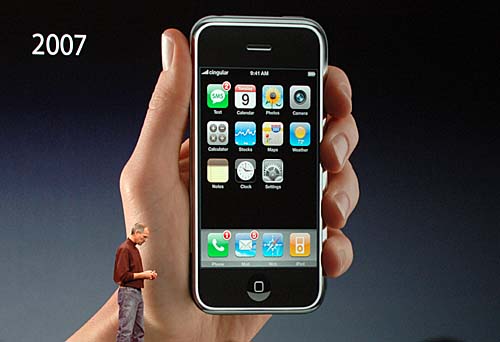
     

    Eleven years ago  Steve Jobs announced a wide-screen iPod with touch controls, a revolutionary mobile phone, and a breakthrough internet device. But it wasn’t three products. It was one product. And we got it, Steve. We got iPhone. Its mind boggling today to consider life with out this device. As a very early adopter, Yes I had my first of many iPhones the night before the release. One of the perks of working for Cingular at the time, I was instantly dependent on it. Since that day I have never spent another day in which I haven’t touched an iPhone.

    Steve said at the legendary iPhone reveal” iPhone is a revolutionary and magical product that is literally five years ahead of any other mobile phone. We are all born with the ultimate pointing device—our fingers—and iPhone uses them to create the most revolutionary user interface since the mouse.”
    The Stats

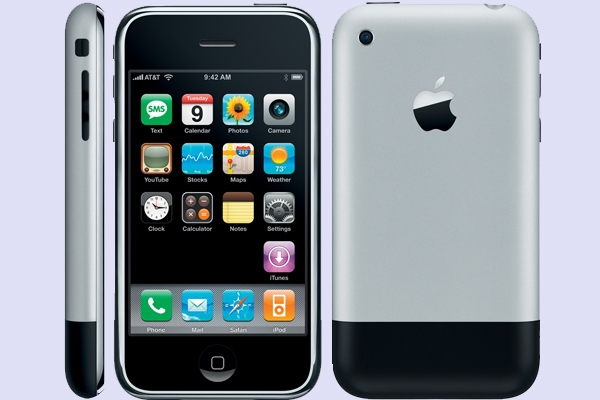
    The original iPhone, based on the P2 device of the Project Experience Purple (PEP) team, code-named M68 and device number iPhone1,1, had a 3.5-inch LCD screen at 320×480 and 163ppi, a quad-band 2G EDGE data radio, 802.11b.g Wi-Fi, Bluetooth 2.0 EDR, and a 2-megapixel camera.

    It was powered by an ARM-based 1176JZ(F)-S processor and PowerVR MBX Lite 3D graphics chip, manufactured by Samsung, with a 1400 mAh battery, and had 128MB of onboard RAM. Two NAND Flash-based storage tiers were available at launch: 4GB or 8GB.

    More importantly, iPhone also included several sensors to enhance the experience, like an accelerometer that could automatically rotate the screen to match device orientation, a proximity sensor that could automatically turn off the screen when close to the face, and an ambient light sensor that could automatically adjust brightness.

    Getting Back in Touch With My Roots

    First grip on this old original iPhone, its so small, I feel like i could crush it with just a squeeze of my palm. I always like the look of it a lot more then the 3g or iPhone 4 models, something about the brushed aluminum. The power cord is huge, the 30 pin adapter is so ancient looking. As I power it on, I see the absence of so many crucial apps. No app store, no tv app no iMovie or podcast. Its like an iPhone with out the bloatware? where is Garage band or iTunes U? no emojis, or Facebook, or text tones or background pictures, newsfeed, drop down or drag up options,  As the white girls would say.. This is so basic. but it dose have a native YouTube app, so that is neat.
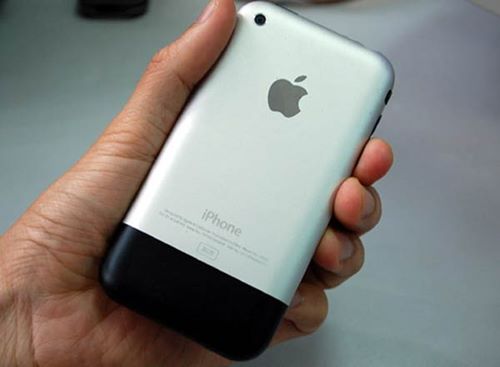
    The iPhone is still 2g, not 3g so the internet is dreadfully slow and I can not send a multimedia message.. yeah, no picture messages. I did find a work around for this by emailing them to there sms number in an email format. I checked my Myspace which was still logged in on after 10 years. The cool thing about this particular iPhone, aside it being a day one model is I upgraded immoderately to the 3g the following summer, and I never updated the software after the December 2007 update, so this remains a pretty original iPhone.

    All the pictures are fuzzy old mobile phone pictures, I used to think they where amazing. It did make for some crazy action shots though. What has really astounded me is the battery still functions, It was only used for a year then a second year as an ipod but still 11 years is a long time for a battery to hold.
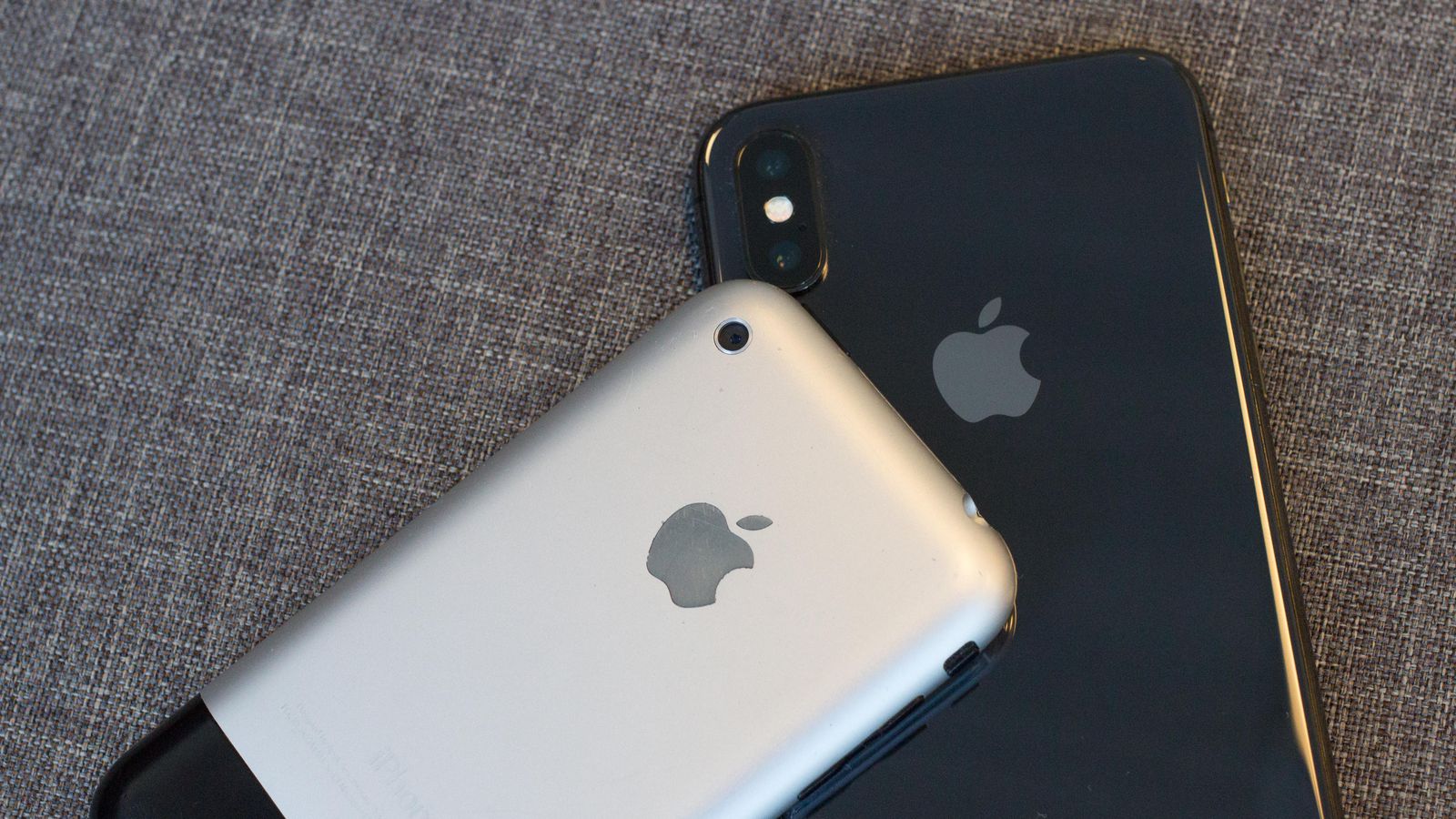


    The Final Thought

    This was the spark that set us up for this bizarre world we have evolved to. We all know it and love it, When school kids 100 years from now look back at this time in the world, they will study about the iPhone on a device that was inspired by the iPhone.

     

  • Beau’s Number 1 App Reveiw: Love Balls

    Beau’s Number 1 App Reveiw: Love Balls

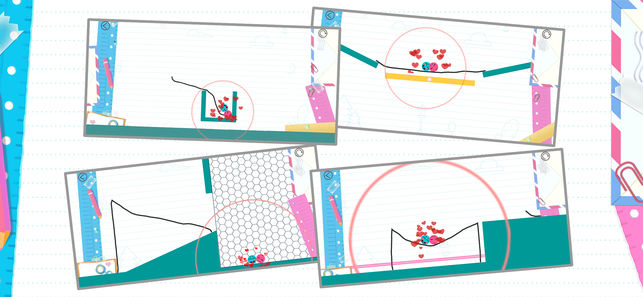
    Beau’s App series. Each week, I install whatever is the No. 1 bestselling app on the iOS or Android store and review it, to save you the effort in case it’s total waste of life. This week a game called Love Balls, calm down. Its a game that has you drawing lines to make balls touch and fall in love. Ok that sounds worse when i read it back. Love Balls is in the top spot and Im taking it on. How did it get to No. 1? Because it’s free, because it just came out for phones, and because they advertise this game on all social media networks and all you sheep just download it because you don’t want to be the only ones that didn’t in case its the next Pokemon go or candy crush.

    Hows it Rated

    Very Poorly, its a cheap, mind numbingly simple game that helps you time travel through monotonous parts of your day. The game is simple, use your brain and find a way to bump the balls. draw lines or shapes to bump the balls, use minimum amounts of  wisdom and imagination. Yes I played it, 3 and half days dissapeared from my life and I missed the premier of super troopers 2. Not really I was done with this app and review in 20 mins.


    But The Ads

    The biggest reason why this game is a waste of life is the ads. Like all free and cheaply designed app games to distract the masses are its packed with 30 seconds of ads for every 15 seconds of game play. They design  the ads to insist on finishing with no option to exit out, and if you leave the game they just pause that ads untile your patients level returns and you open the game again.


    The Final Thought

    Just pass, next week app will be better I hope. Also as a side note if you google love balls make sure you also add the word app, just trust me.


  • Tablet Talk: ThinkPad X1 Carbon

    Tablet Talk: ThinkPad X1 Carbon

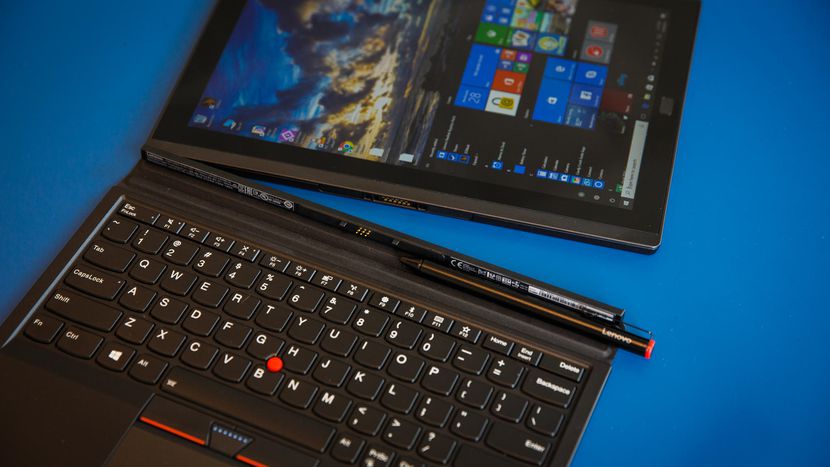
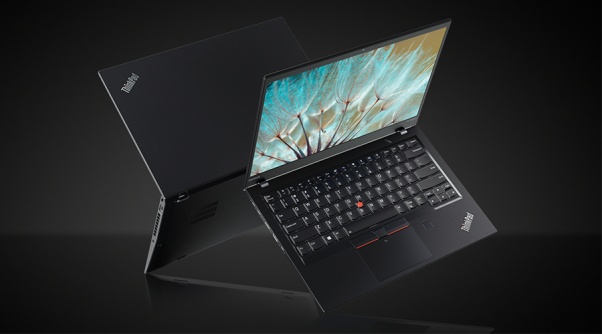
    Tablets are the mash of our technology dependence theses days. They are big phones or weak laptops or any combination of the two. They can be big, they can be powerful, They can be an all in one device or just a side gadget. In all future set movies or media the tablet is a main stream tool, they call them data pads or data cards, but no one uses a keyboard in the future. This being said there are a lot of tablets with many options to navigate through so Im going to break them down in an easy to read guide to help you find the tablet match of your dreams. Today we are going to talk about the Lenovo ThinkPad X1 Carbon.


    The Great

    • Beautiful, vivid display
    • Strong performance
    • MIL-STD 810G tested
    • Keyboard with TrackPoint comes standard


    The Not

    • Long battery life only with the extended batter sold seperately
    • Adding faster parts and optional modules will cost a lot

    The Conclusion

    he ThinkPad X1 Tablet is a lightweight laptop replacement with strong performance and a great display, but you will to buy the extended battery, non negotiable.


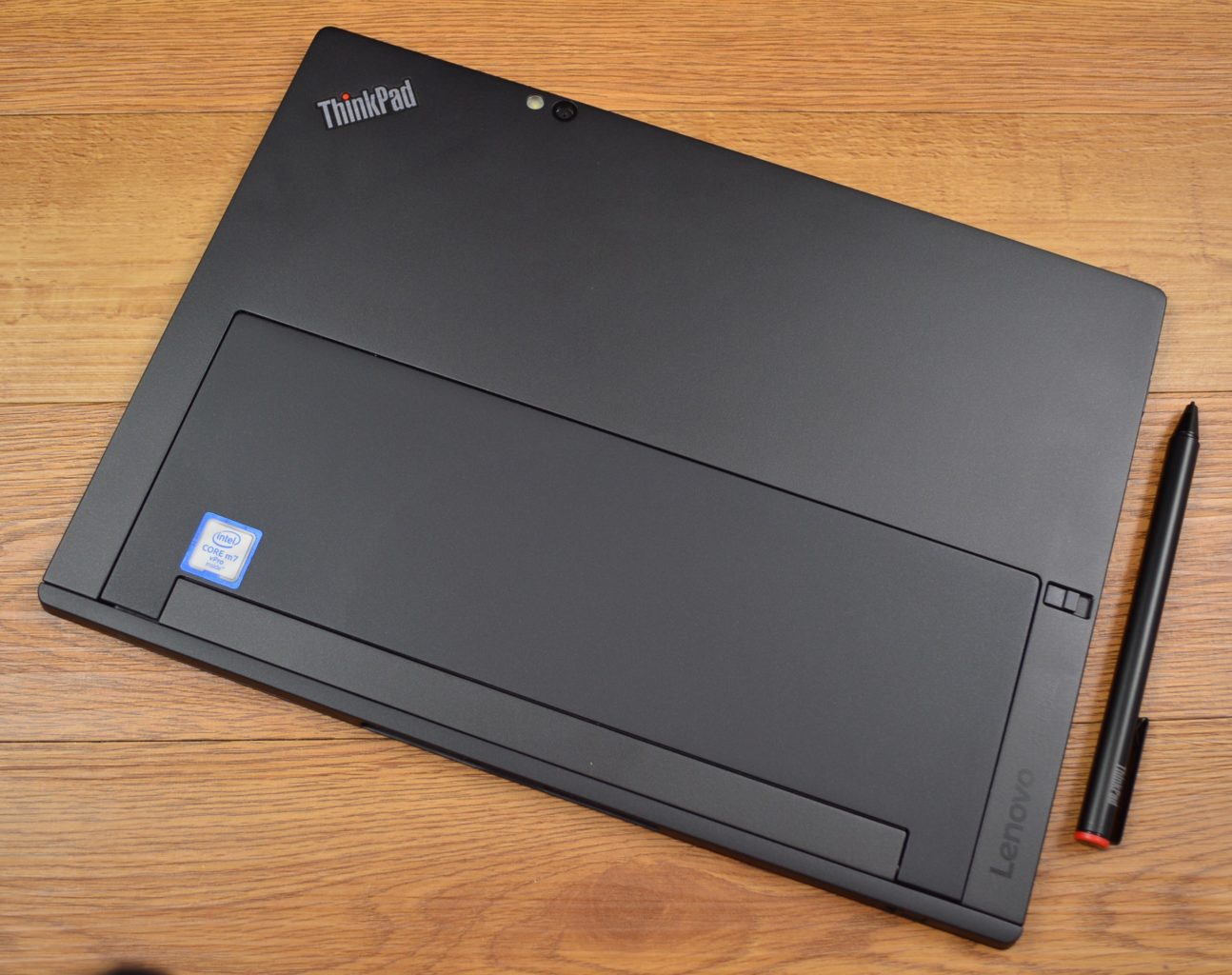
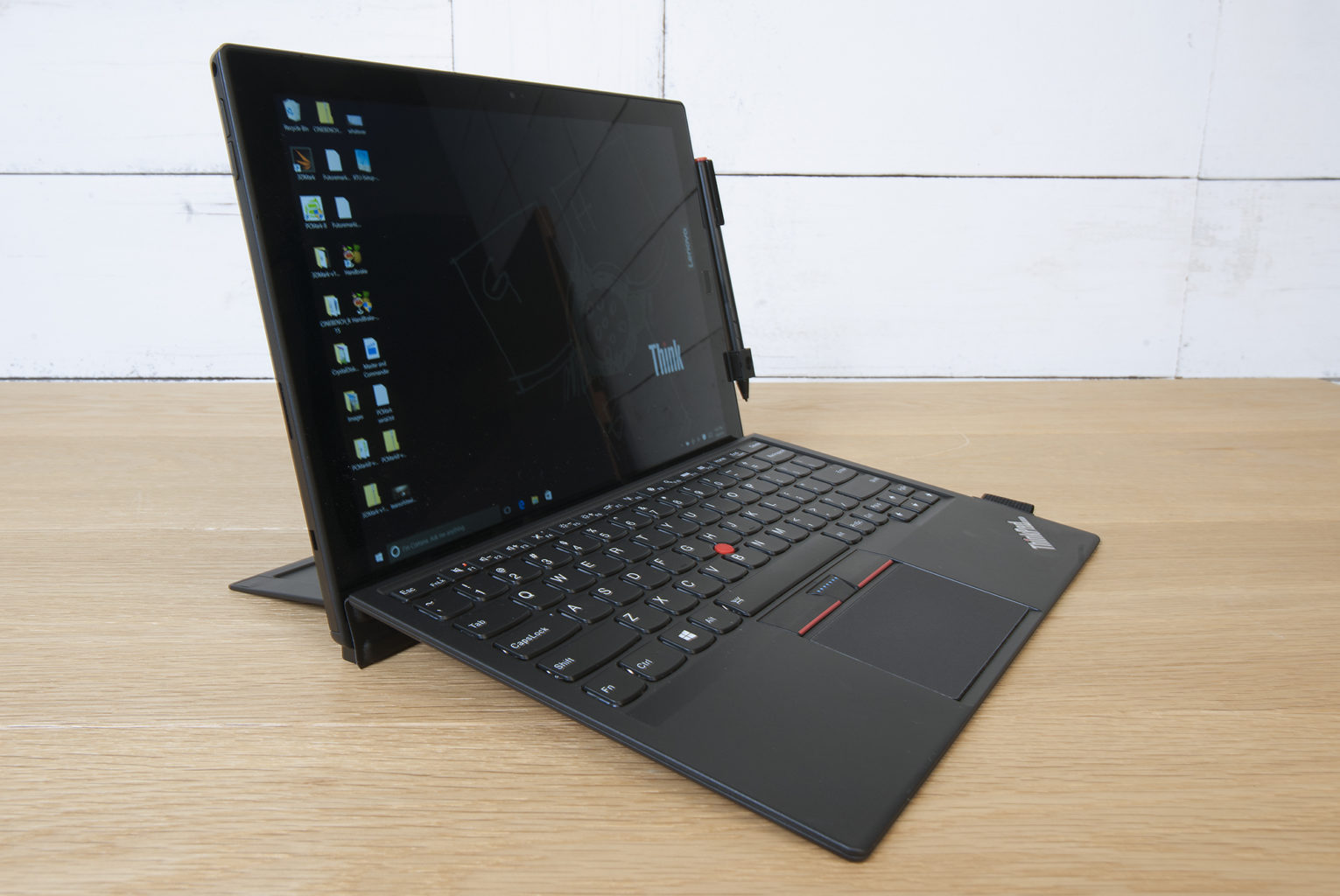
    This is the latest in the high-end ThinkPad X1 Tablet, which stands out by offering not only a standard keyboard cover, but also a series of modular add-ons, making this potentially a very flexible system. If flexible is what you want in a tablet, is it? read further then.

    The Design

    The slim X1 Tablet shares a family resemblance with the rest of the ThinkPad line, thanks to its matte black finish, and the overall design of the tablet is unchanged from the 2016 model. The design is almost industrial, in matte black with sharp angles rather than smooth curves. Outwardly, it’s the same system, with a magnesium chassis, a durable business-rugged design and a built-in kickstand. It looks and feels great, no issues physically, its a stud. Lenovo is known for keyboards, and even in this attachable keyboard format, these keys are not too shallow. Lenovo has managed to create a small keyboard that works, and typing on it is a solid experience. The touchpad on here is a lot smaller, but you still get the familiar red trackpoint.

    The Display

    The 12-inch display is an IPS LED panel with a resolution of 2,160×1,440 pixels, which is essentially 2K. It provides a great viewing experience, one that stays vibrant with bright colors and shows good contrast. The image does not appear washed out from side angles, so theoretically you could share the display by watching Netflix with a few people.


    Quick Spec Look

    • Starting Price $1,599
    • CPU Up to 8th Gen Intel Core i7
    • RAM Up to 16GB
    • Storage Up to 1TB PCIe NVMe M.2
    • Display 13-inch, 3000 x 2000
    • Battery Life Up to 9.5 hours
    • Size 11.5 x 8.2 x 0.3 inches
    • Weight 1.9 pounds
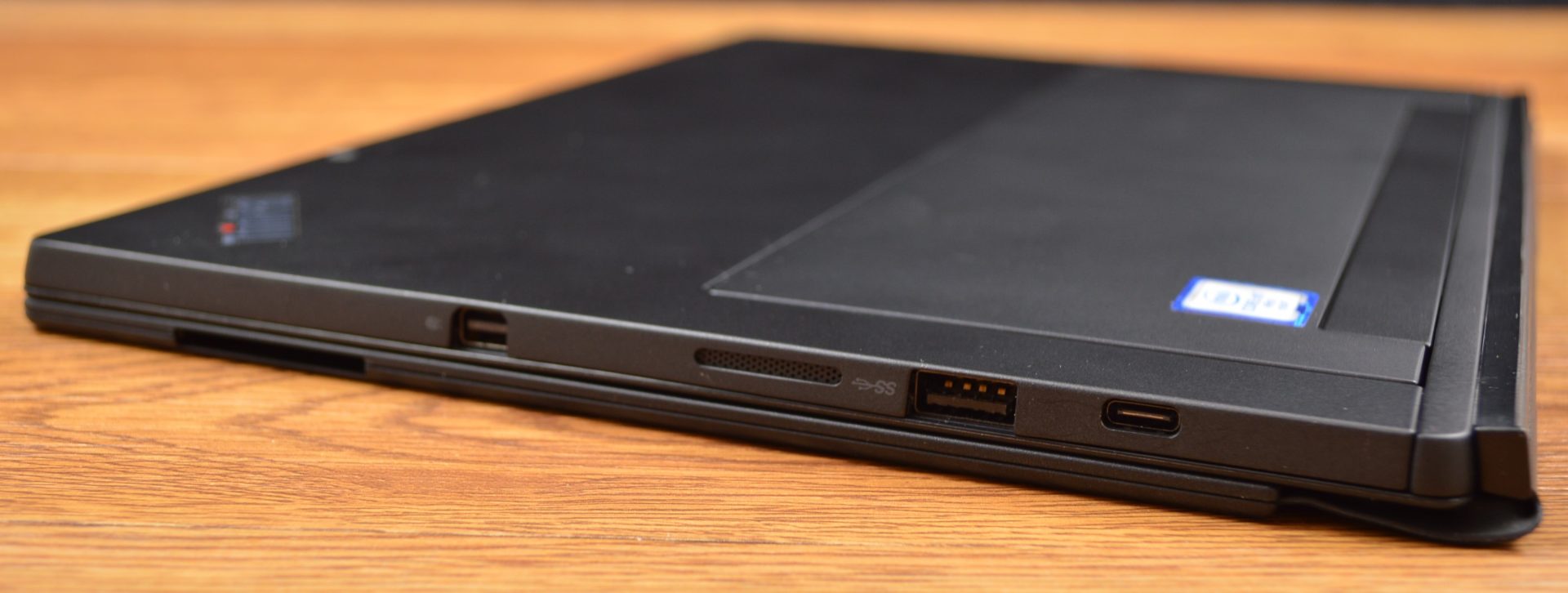
    • Ports Thunderbolt 3, SD card reader, Nano SIM, headphone


    The Final Thought

    It lacks side by side in every way next to the Microsoft surface, You can do better, Lenovo can do better, we will get better. For now if you like carrying around a lot of peripherals and add ons with what is supposed to be the grab and go computing gadget then please go right ahead and find the Lenovo Think pad Tablet x

  • Tech Throwback: Motorola Bravo Pager

    Tech Throwback: Motorola Bravo Pager

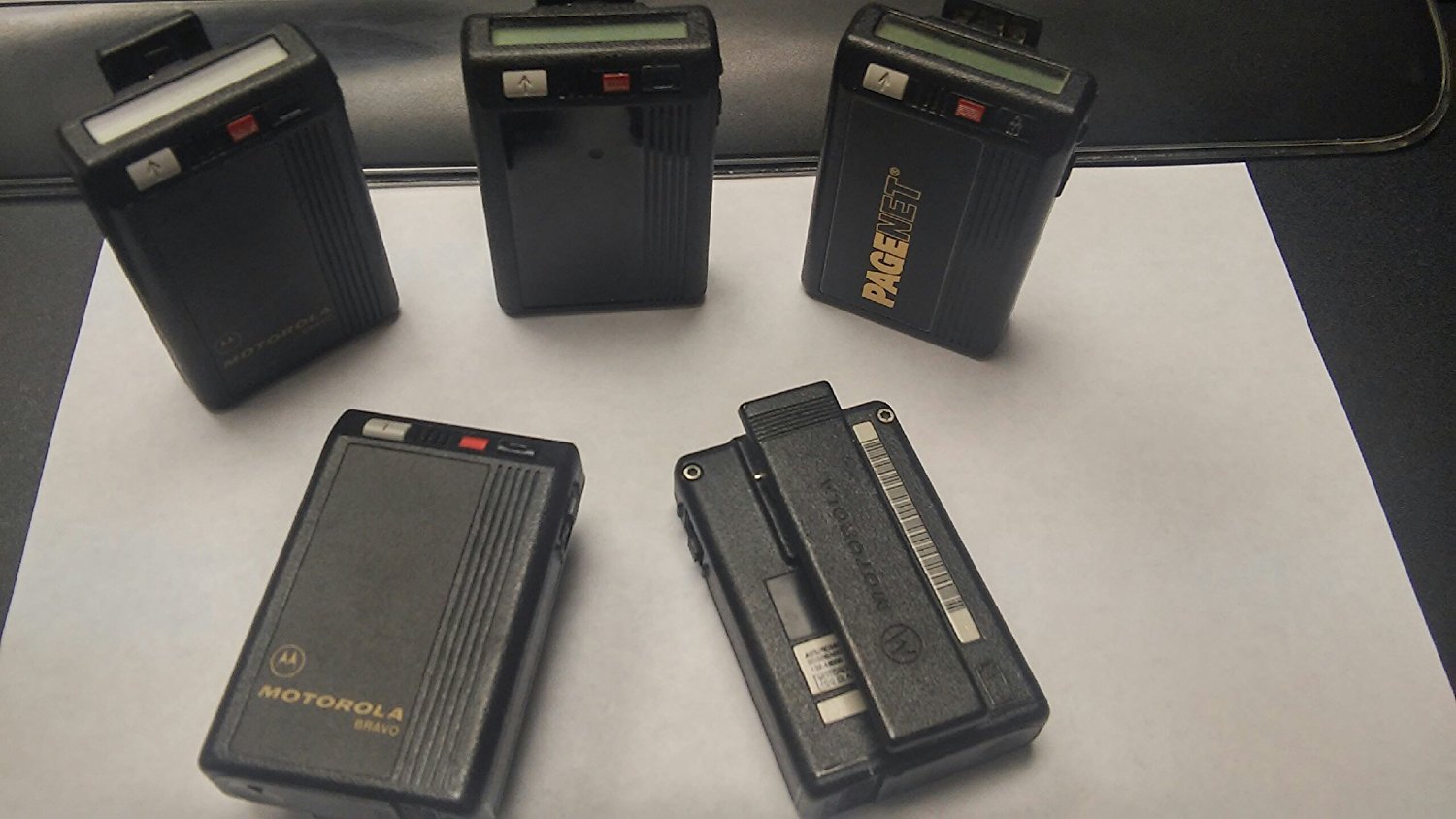
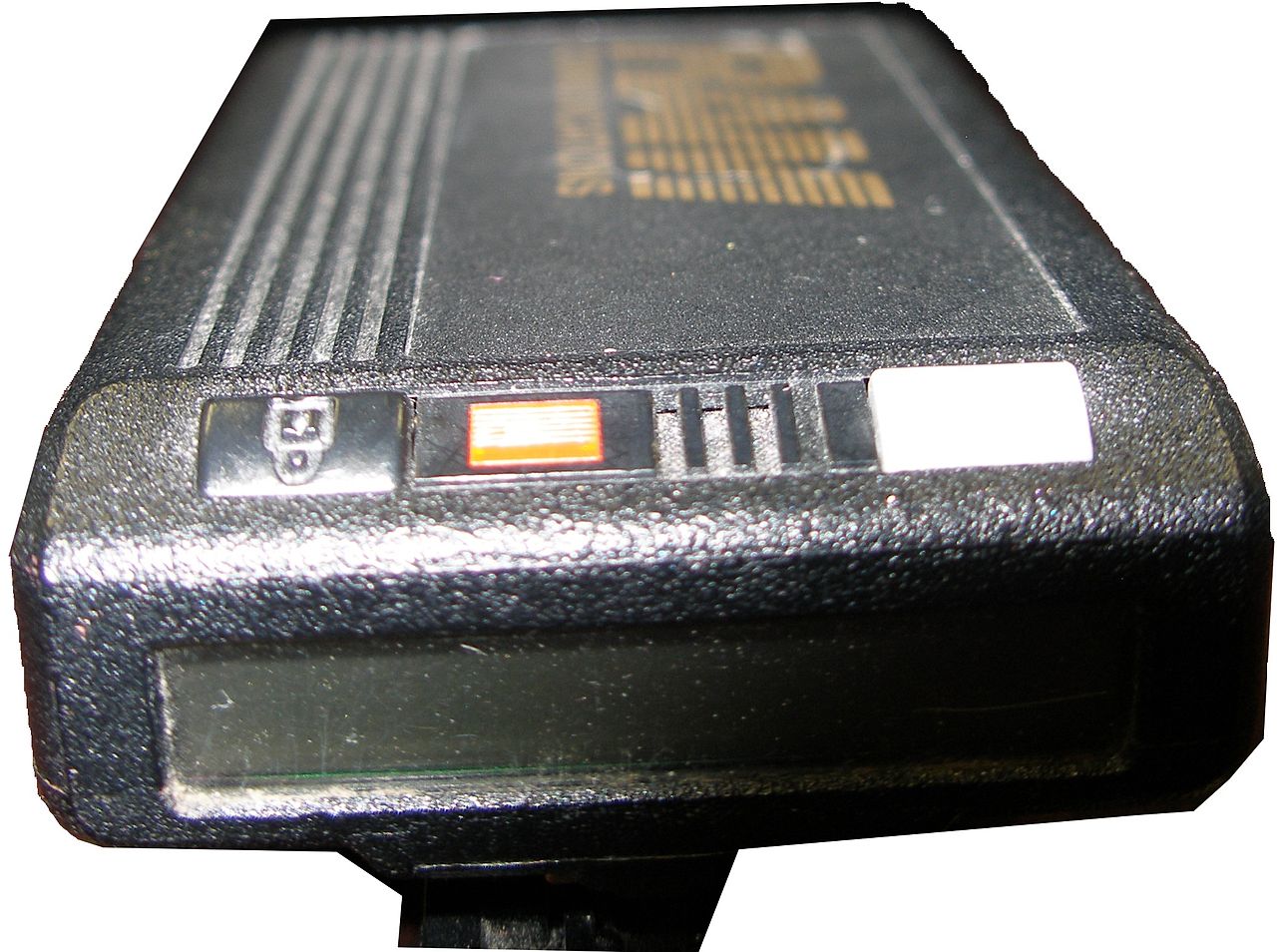
    I like to take a look at where I’ve been to evaluate where Im going. Technology is cyclical after all… wait no its not. That said I still like all the feels that come rushing back like a flood of nostalgia every time I get my hand on the tech I grew up with. Im going to go back periodically and take a looking at the stuff that used to blow our hair back and get our minds rolling. Some of these device blew up and changed the world, some where ahead of their time and some just fell flat and became colossal failures. Today I’ve got my hands on the old Motorola Bravo Pager, beep beep


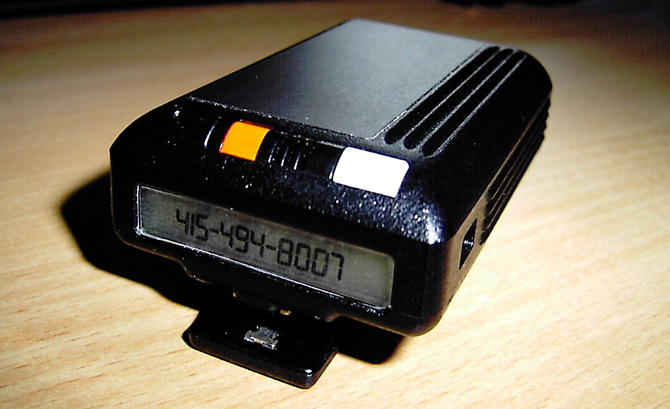
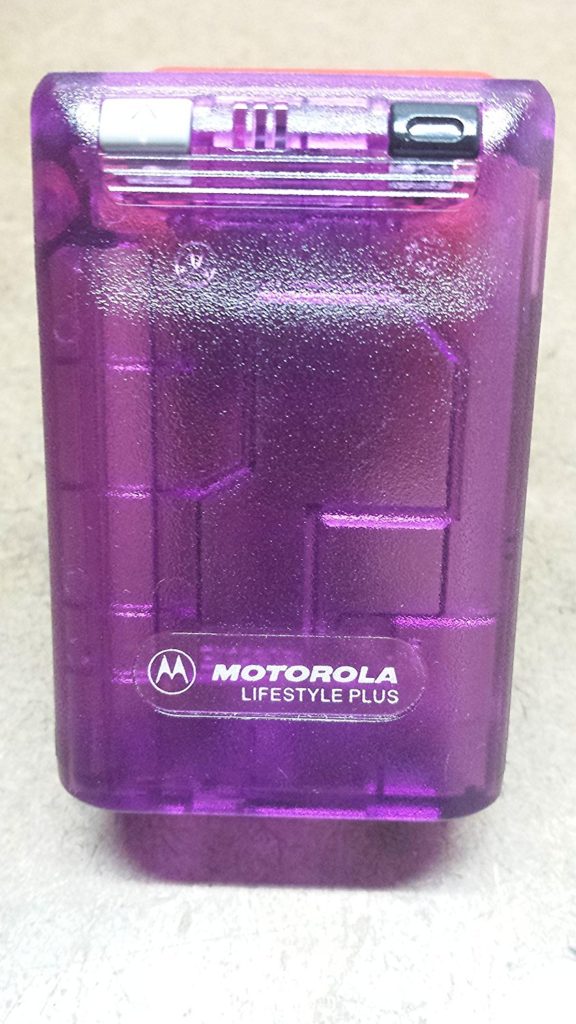
    A pager (also known as a beeper) is a wireless telecommunications device that receives and displays alphanumeric messages and/or receives and announces voice messages. The Motorola Bravo pager was the king of all one way pagers. Yes one way..One-way pagers can only receive messages.

    I had one, Your mom had one and every doctor on the planet had one. Amazon still sells them, but purchased mostly by people looking for the quintesenintal Halloween accessory.   They are iconic and just looking at one brings back memories of short coding your friends a party invite.

    How Did It Work

    In 1999, 45 million Americans had pagers. They were an equal-opportunity technology, owned by drug dealers, whores, doctors and CEOs—and new college students whose parents couldn’t drop the leash.All one had to do was simple dial the phone number associated with said pager, then enter in up to 16 numbers from your touchtone phone to deliver a call back number. simple. genius. reliable.


    At least there was the code.There was also an accepted system of sending numbers so that, when written together, looked vaguely like letters. We’d grown up getting adults to spell “BOOBLESS” on calculators by typing in the elements of a story about Dolly Parton and then holding the calculator upside down. From there, it was an easy jump to many other words. Hello was 07734. That was one of the easiest ones. We said “Hello” a lot.  Then 3838-07734 (hello baby) or 17-31707-1( I love you). However my personal fav and constant go to was the old 187 (your dead).

    The Final Thought

    They functioned without coverage, with out fail. Never did I ever say legitimately ” i didnt get that page”. It was the most reliable and widely accepted form of mobile communication for over 40 years. While Motorola announced the end of its new pager manufacturing in 2001, pagers remain in use today in places where mobile phones typically cannot reach users, and also in places where the operation of the radio transmitters contained in mobile phones is problematic or prohibited. In places like hospitals, rural emergency response ares you can still spot the endangered species know as the Motorola pager.


  • The Razor Phone 2 Rumors and Gossip

    The Razor Phone 2 Rumors and Gossip

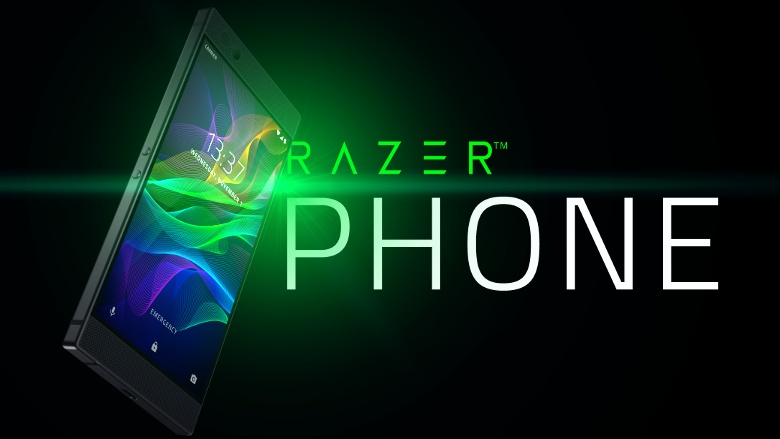
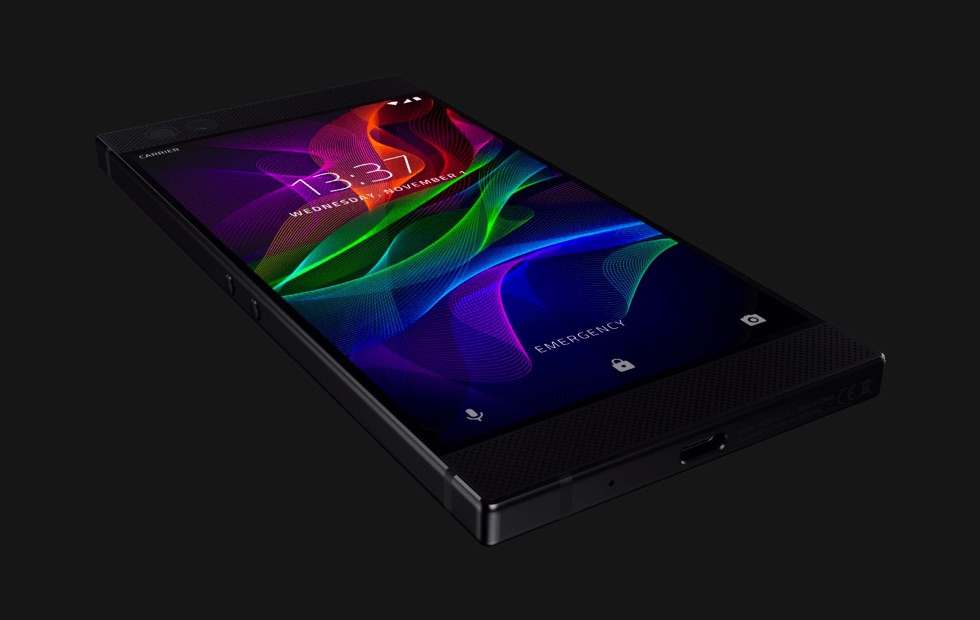
    No no not the Motorola Razr phone you are thinking of, The Razor Phone.  Razor phone set the standard in mobile gaming with the Razer Phone: the world’s first 120Hz screen on a mobile phone. It is the first android enabled phone Ive considered swapping my iPhone for. Like technology does though the new cutting edge phone is ready for an upgrade. We are seeing chatter of the Razor 2, so we are sorting out the rumors, leaks and details to bring you the scoop on the Razor Phone 2


    While Razor has already increased the capabilities of the Razer Phone – the last major software update added HDR support for Netflix as well as Dolby Digital 5.1 sound for apps that support the immersive audio standard. Everyone is now expecting updates for all the various cornucopia of the gaming focused smartphone to arrive at the same time.While the company is not going to confirm or deny any future plan there have been  discussions that the Razer Phone 2  will arrive later in 2018. That would be less than a year from the launch of the first Razer Phone, but getting the handset not only in sync with the smartphone market cycle but also available in-store with better timings ahead of the festive period makes a lot of commercial sense.


    The Consensus is the phone will be announced at the  Berlin’s IFA in early September. We are also hearing with some substance behind it that  Razer might also turn Project Linda into a real product. This is a laptop that you slot the Razer Phone into, using the phone to power it and become a touchpad. It was demoed at CES 2018, and it would make sense for Razer to launch it alongside a new handset.


    What We Are Looking For

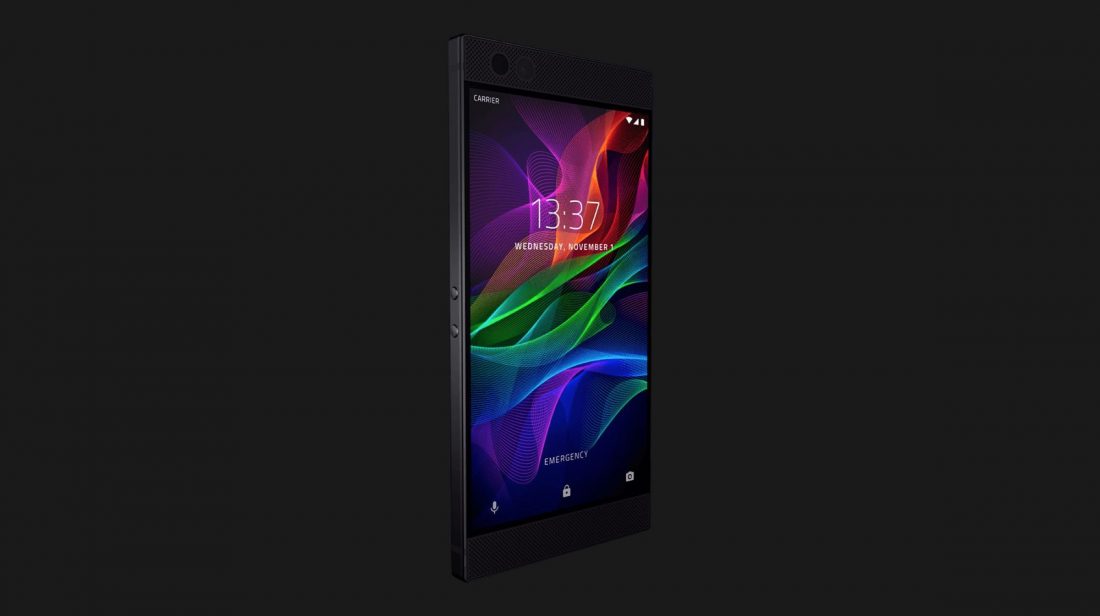
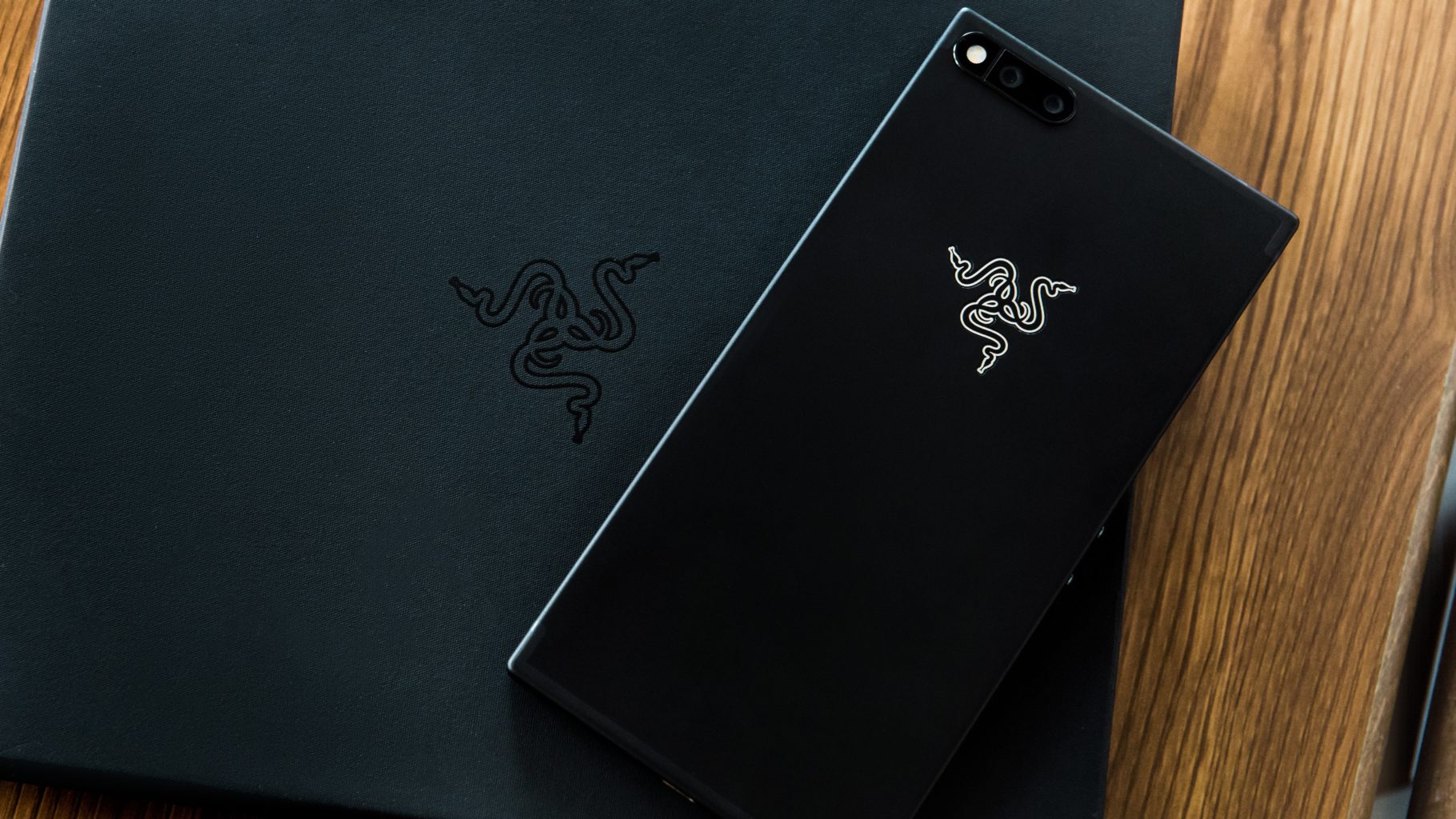
    There are a few key elements that will need to be improved for the Razor 2 to be the commercial success it should be. First off the desgin, The Razor is far to blocky and plain. Its current desgin is boring and uninspired. Razor knows how to design a curve, we have seen it in other products.  So most of us are looking to Razer’s next phone to shake things up and curve it out.

    Headphone port? We need it. Looking at the Razer Phone, there’s ample room for it, so its omission is perhaps more inexcusable than other phones that lopped off the feature. If your phone is not waterproof it should have a headphone jack

    We are going to need HD quality stereo speakers in this model. Again there is plenty of room and battery power to facilitate this, it is just lazy that the Razor doesnt have this now.Dual front-facing speakers can really make an impact in the day-to-day use of a phone.

    Wireless charging is the last very common function the Razor 2 should have. The Razer Phone doesn’t support wireless charging and there is no reason the new one should not. The company’s next phone is made with glass, that would be perhaps the easiest way to make that happen. But looking at its Hyperflux wireless charging technology currently employed with PC peripherals like the Razer Mamba Hyperflux, it seems like this feature is destined to make an appearance on its upcoming phone.

    One Other Thing

    Razor 2 will reportedly be working with google to release more timely updates. The Razor was released with Nougut when Oreo had already been available. The Razor 2 is set to be released with Android P and will receive the latest updates in much quicker fashion then its predecessor, reportedly.  A phone that adopts new software quickly is likely to become a fan-favorite, but Razer’s time with Nougat certainly didn’t spoil the experience. That’s partially due to its Nova Launcher software. It’s likely to keep with that going forward, only upgrading when its launcher is compatible with Google’s software.


    The Final Thought

    While I shudder to consider a life with out the iPhone, Razor is doing cutting edge stuff and should be considered the premium android brand. Considering the demographic of the android enthusiast this should be the desired and most anticipated android device on the market.


  • Tablet Talk: Microsoft Surface Pro

    Tablet Talk: Microsoft Surface Pro

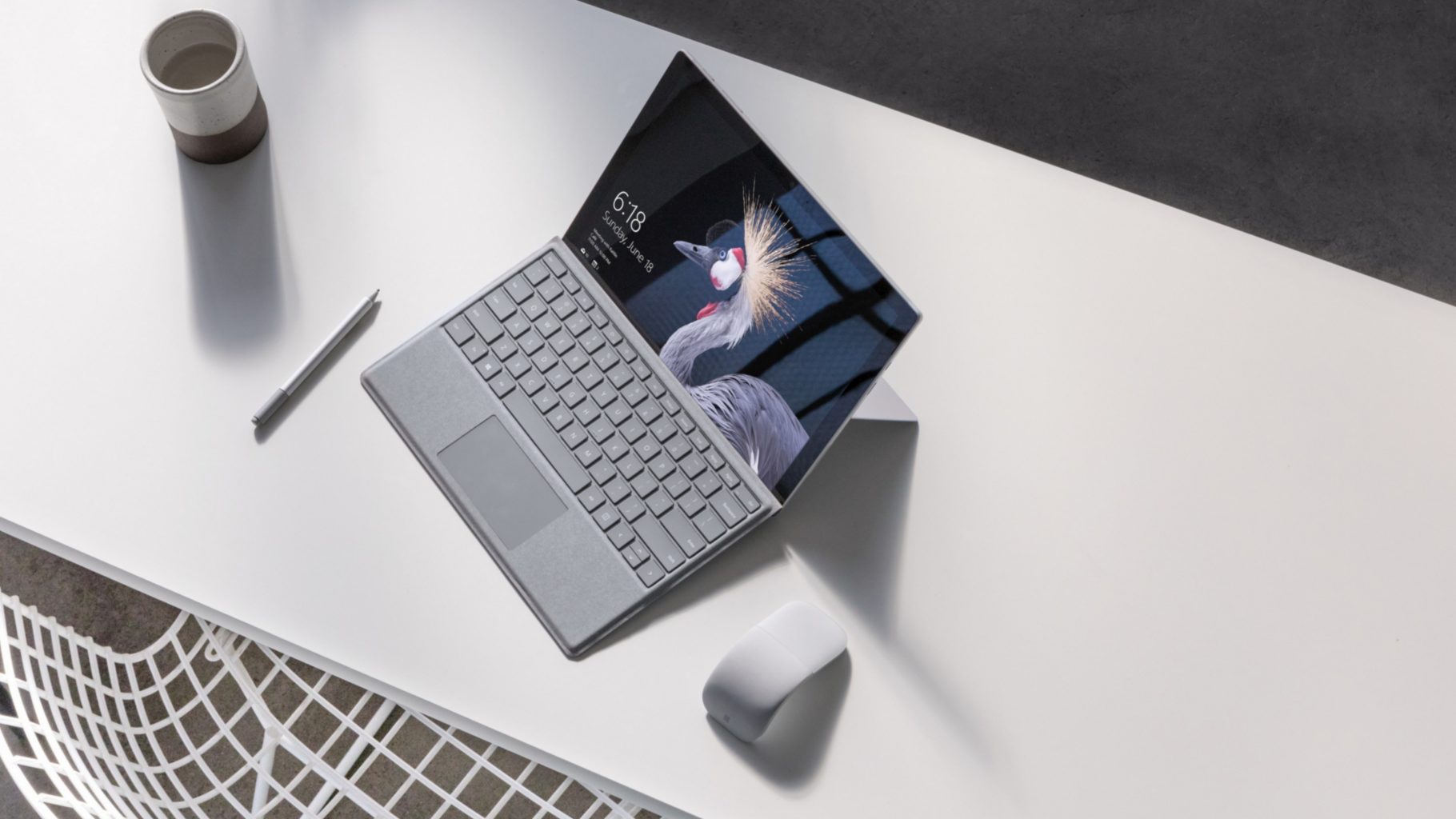
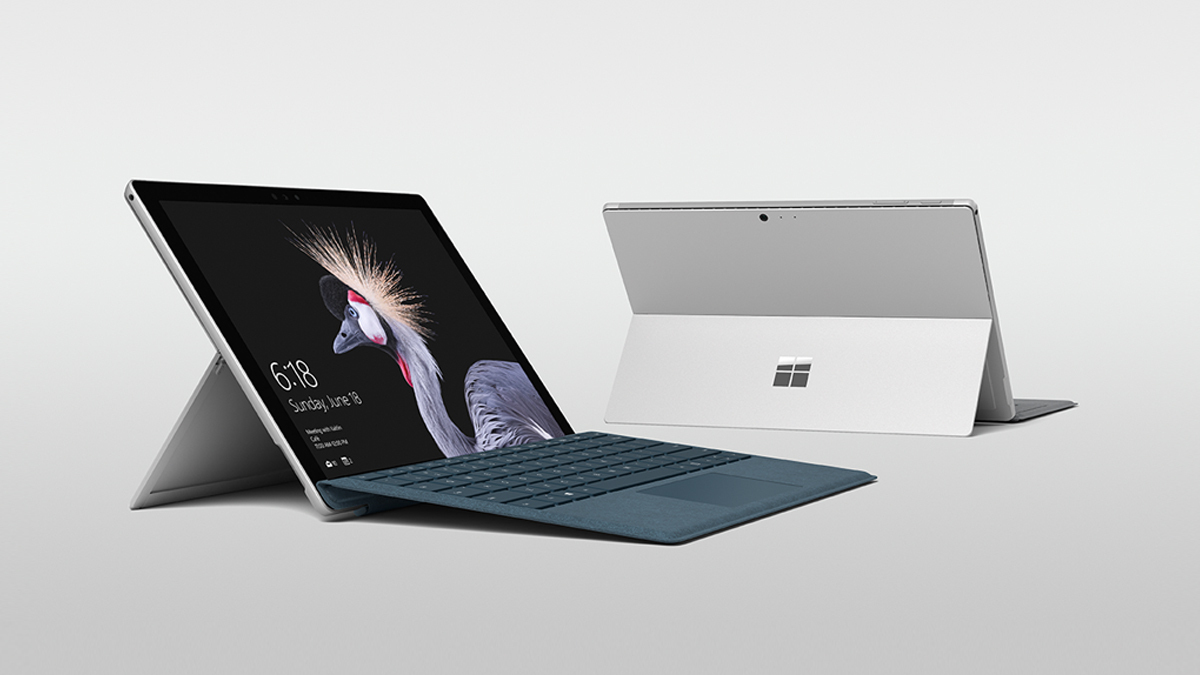
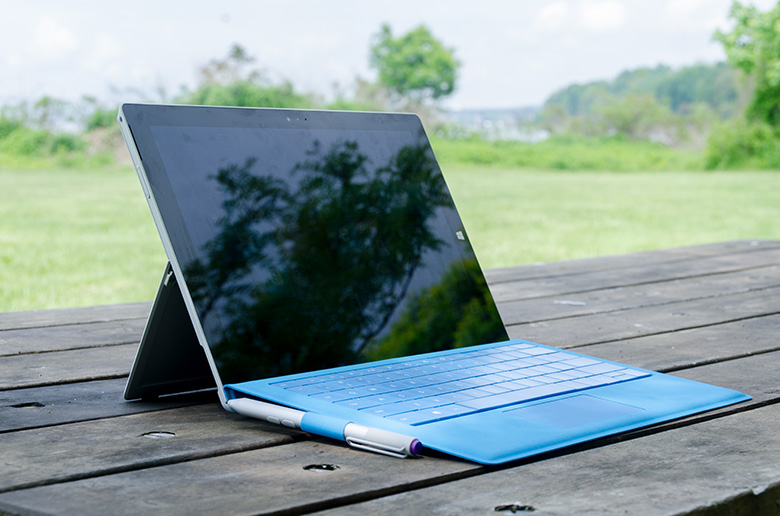
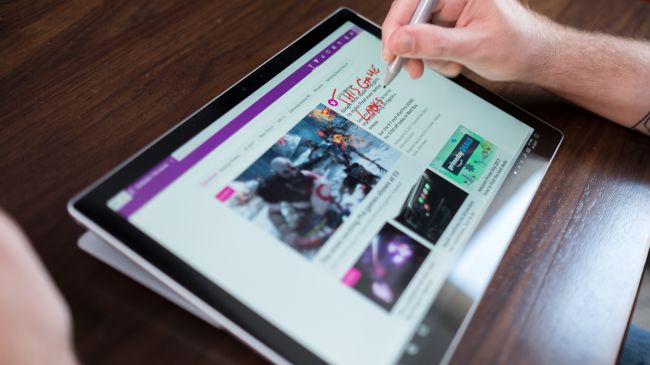
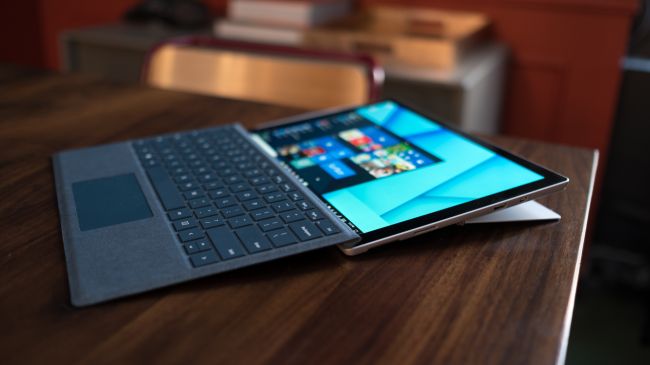
    The Surface Pro has always been the The ultimate laptop with versatility of a studio and tablet. Now its better than ever, the new Surface Pro gives you a best-in-class laptop, plus the versatility of a studio and tablet. The stunning PixelSense Display supports Surface Pen1 and touch, while up to 13.5 hours of battery life2 gives you plenty of juice to work all day and play all night.

    The Great

    • Brilliant PixelSense display
    • Simple, elegant design
    • Improved Type Cover keyboard
    • Fantastic performance


    The Not

    • No USB-C
    • Surface Pen and Type Cover sold separately
    • Better, but still mediocre battery life

    The Conclusion

    With its fantastic PixelSense display, improved Type Cover, faster performance and even better battery life, the Surface Pro is still the king of detachable 2-in-1s.

    The Design

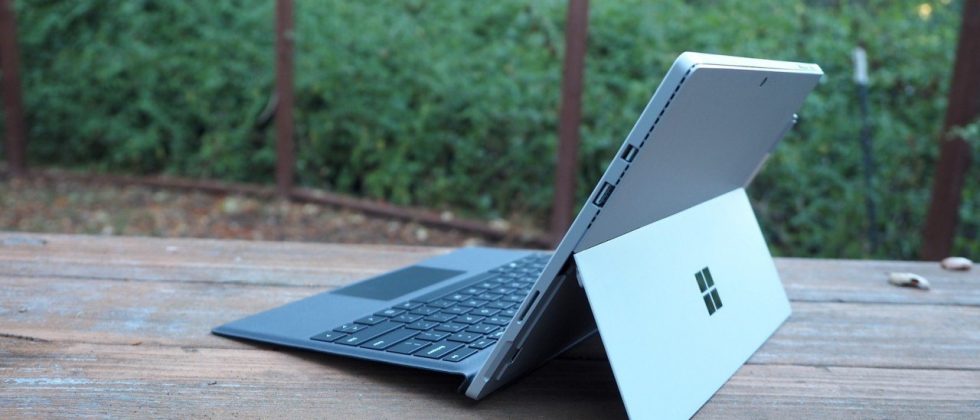
    Not wanting to tempt fate by messing with an exceptional design, Microsoft made the new Surface Pro look almost identical to the previous two models.Sure, the company has rounded off a few edges to make the Surface Pro a little curvier and more pleasant to hold, but all the familiar elements are here, including the kickstand, power button, volume rocker and front-facing speakers.

    The Performance

    I  can see why Microsoft is moving away from referring to the Surface Pro as a tablet, given that it’s packed with very laptop-like components. Our review model was equipped with a fast dual-core Intel i7-7660U CPU and 16GB of RAM. The Core i7-7660U is no longer at the cutting edge, as Intel’s 8th-gen Core processors are now available, but it managed respectable performance.

    Surface Pen is Vastly Improved

    Why Microsoft opted not to call this the Surface Pro 5 is beyond us, as you can now see the firm changed practically every facet of the product. The Surface Pen got some of the most meticulous and belabored treatment.

    For one, Microsoft upped the pressure sensitivity of its pen to 4,096 levels of detectable pressure, meaning creators have more control over the width and intensity of their lines in illustrations or designs than before. Perhaps more importantly, the Pen now sports a much lower latency, meaning that the tip of your Pen has a far lower chance of “leading” the ink on the PixelSense display.

    Finally, the Pen also supports tilt detection now, though only through the new Surface Pro – the other current Surface devices will get the support for this feature through a firmware update.


    Quick Spec Look

    • CPU: 2.5GHz Intel Core i7-7660U (dual-core, 4MB cache, up to 4GHz with Turbo Boost)
    • Graphics: Intel Iris Plus Graphics 640
    • RAM: 16GB LPDDR3
    • Screen: 12.3-inch, 2,736 x 1,824 PixelSense display (Contrast ratio: 1,300:1, 100% sRGB color, 10-point multi-touch, 3:2 aspect ratio)
    • Storage: 512GB SSD (PCIe 3.0)
    • Ports: 1x USB 3.0, mini DisplayPort, microSDXC card reader (UHS-I), headphone/mic jack
    • Connectivity: 802.11ac Wi-Fi (2 x 2 MIMO), Bluetooth 4.1 (Low Energy)
    • Cameras: 8MP rear-facing, auto-focus camera (1080p HD); 5MP front-facing, 1080p HD camera
    • Weight: 1.73 pounds
    • Size: 11.5 x 7.93 x 0.33 inches (W x D x H)

    The Final Thought

    Nearly five years after Microsoft introduced the device that created the 2-in-1 category, the company’s Surface Pro systems are still the detachables other companies are trying to beat. So how does Microsoft improve upon its class-leading hybrid? By refining its simple tried-and-true design, improving performance, shoring up some concerns about battery life, and creating a new line of enhanced and more colorful Surface accessories.

    I think Microsoft is still playing it a bit too safe in a few areas. While improved, the Surface Pro’s battery life still lags behind those of other ultraportable laptops, and the lack of a USB-C or Thunderbolt 3 port are strange omissions for a premium flagship device. And after three years in which the Surface Pro has had essentially the same aesthetics, I find myself wanting a bit more excitement out of this machine’s design. But if you want the best detachable out there, the Surface Pro is still the one to get.

  • Acer Spin 1 the 2 in 1 with Incredable Value

    Acer Spin 1 the 2 in 1 with Incredable Value

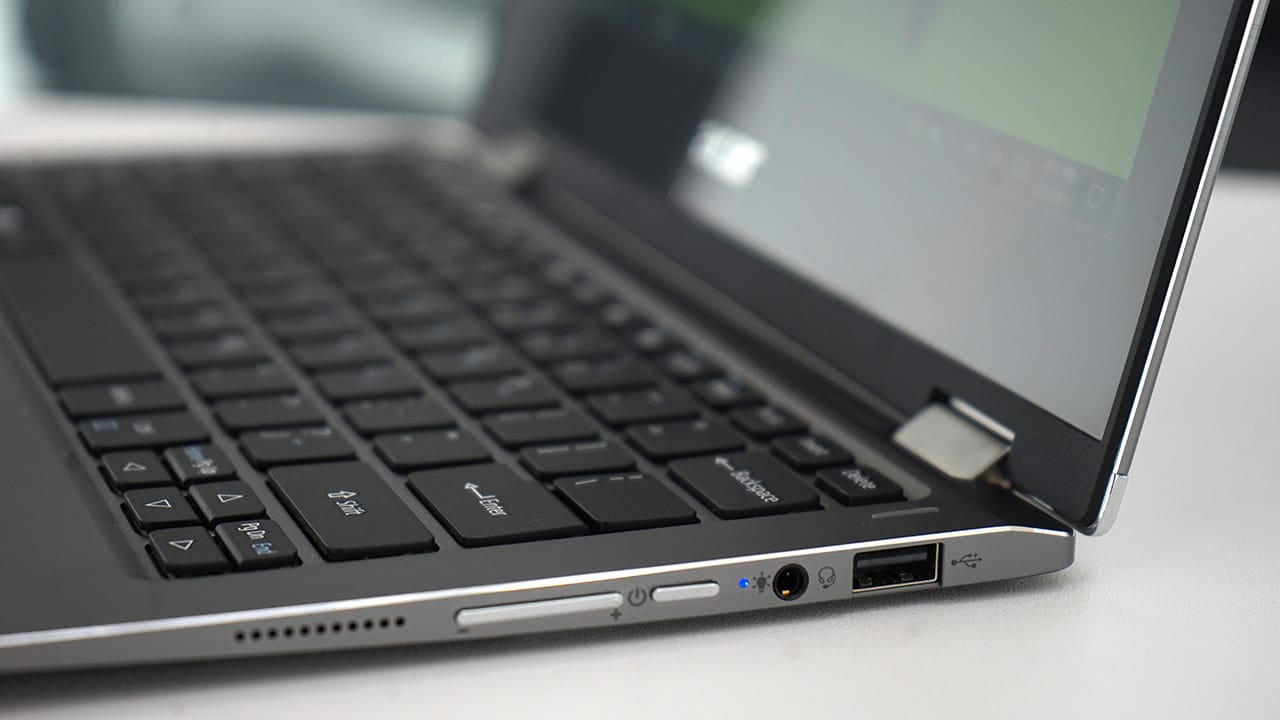
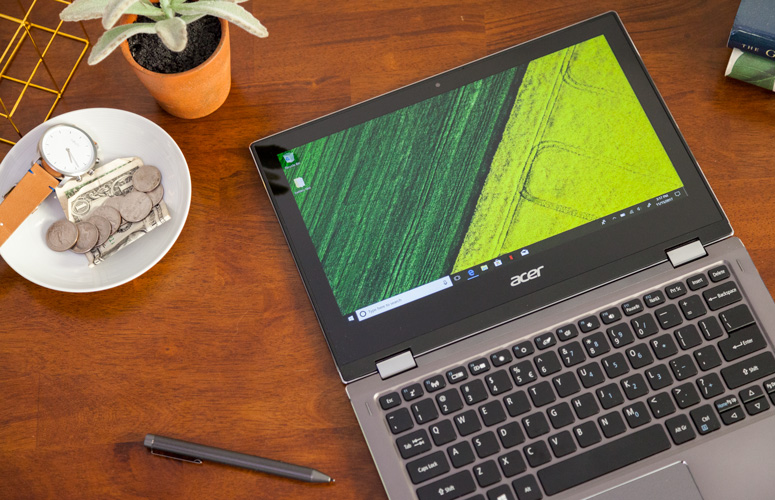
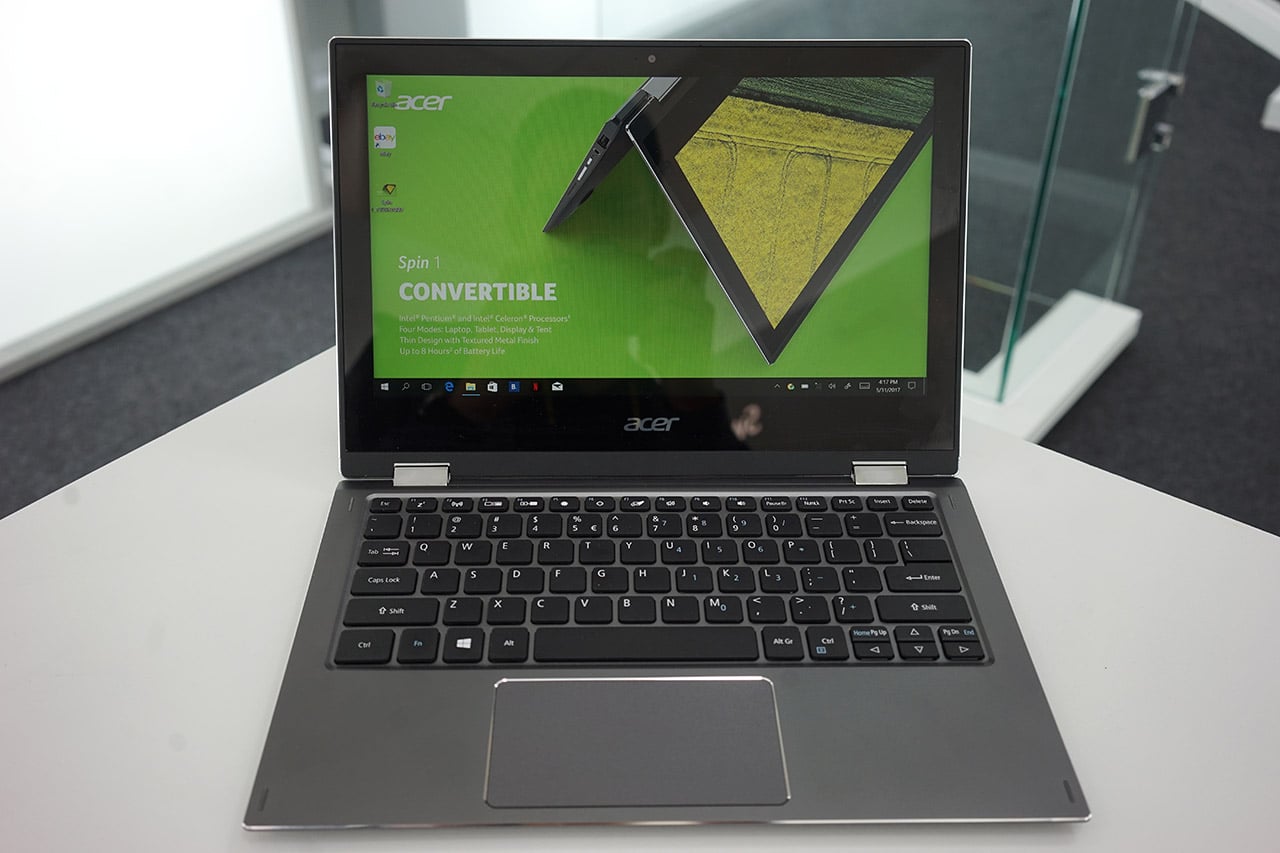
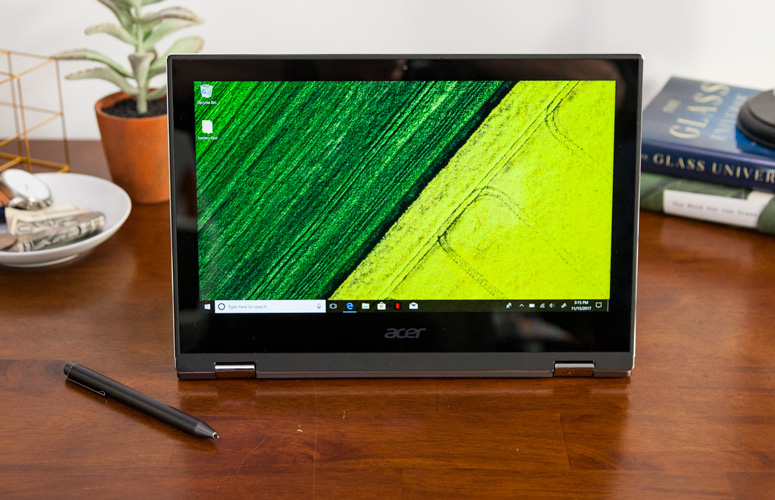
    Quickly turn thoughts into action on Acer’s Spin 1 Convertible laptop. Portable and light, this boundless device is fast and fun with an included stylus and Windows Ink so you can jot down a note or capture ideas as easily and quickly as they occur. It features a vibrant 11.6” Full HD IPS display and battery life that has enough juice to last you though your entire journey while the 360° hinge laptop smoothly converts between four modes —laptop, display, tent or tablet—by simply ‘spinning’ it into position.

    The Great

    • Sharp
    • Colorful display
    • Attractive metal chassis
    • Comfortable keyboard

    The Not

    • Below-average battery life
    • Small storage drive


    The Conclusion

    For under $350, the Spin 1 provides some features you usually see in laptops that cost closer to $1,000. Clad in a snazzy all-aluminum chassis, this 11.6-inch convertible has one of the most colorful and brightest 1080p screens on the market, giving it a better viewing experience than many systems three times its price. It also comes standard with an active stylus that supports 1,024 levels of pressure. With a Celeron processor and 32GB of storage, the Spin 1 probably won’t replace your primary PC, but it makes a great secondary device and is a fantastic choice for kids.


    The Design

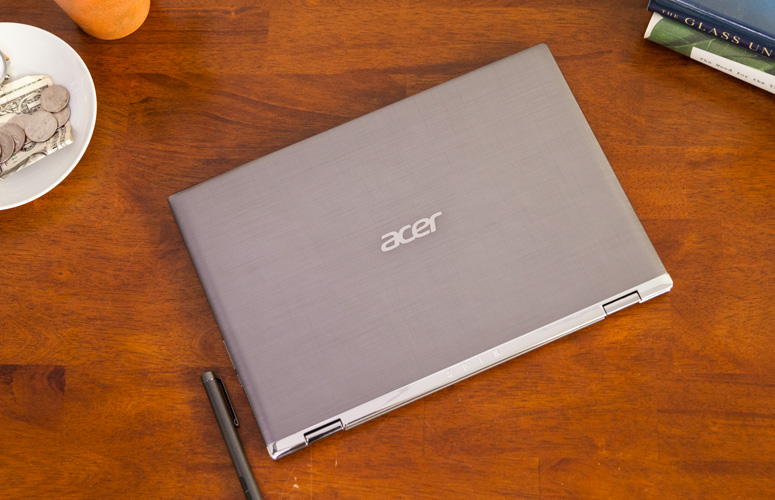
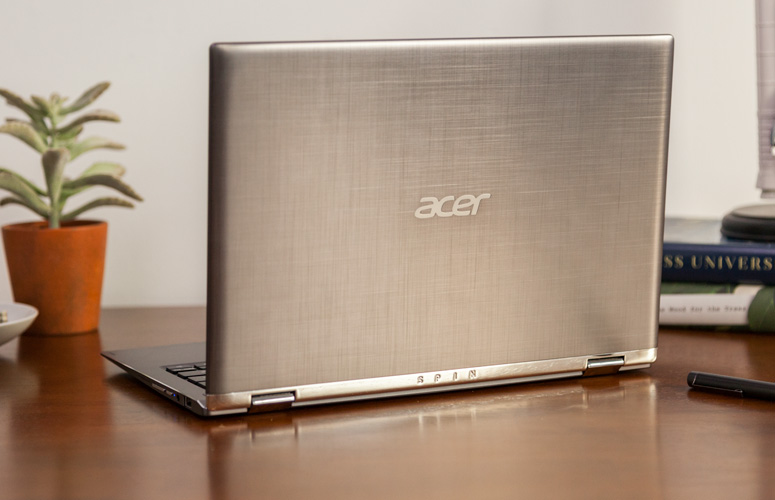
    The Acer Spin 1 doesn’t look anything like a $329 laptop. Its gunmetal-gray aluminum chassis stands out in a price band where cheap, glossy plastic is the norm. I particularly like the subtle, cross-hatch pattern on the dark gray lid and how it contrasts with the shiny, silver hinge area. Thick screen bezels, however, keep the inside of the system from looking quite as stunning as the outside of the package


    The Display

    The 11.6-inch screen on the Spin 1 is so bright and colorful that it has caused me to question my assumptions about the laptop industry. If Acer can put a 1920 x 1080 IPS touch display this vibrant on a $329 laptop, why can’t manufacturers offer this kind of display quality in their $800 and $1,000 laptops?

    Keyboard and Touchpad

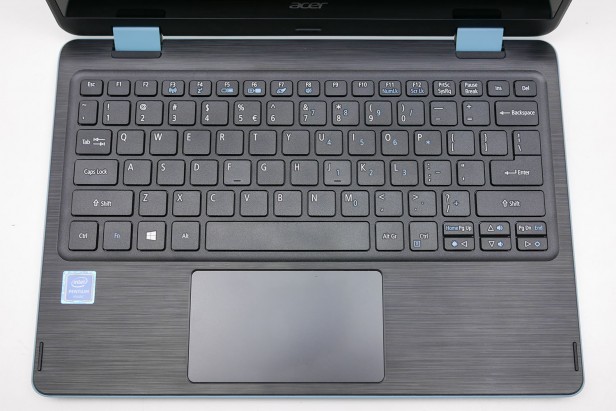
    When it comes time to type on most budget laptops, particularly 11-inchers like the Spin 1, I gird myself for an unpleasant experience. However, Acer’s 2-in-1 blew away my expectations with a snappy, responsive keyboard that didn’t have any of the flex or key stiffness I often see on much more expensive system

    The Performance

    We’ve spent more time than usual really paying attention to what the Acer Spin 1 feels like in use, because a lot of older Atom and Celeron laptops were just too slow to be enjoyable. For the most part this Celeron actually performs fine for the basics.Browsing the web, writing documents and other basic productivity jobs are painless. Using the Acer Spin 1 to write a few of our reviews felt much as it would on a laptop with a Core i5 CPU

    Quick Spec Look

    •  11.6-inch,
    • 1080p IPS screen
    • 4GB of RAM,
    • 32GB eMMC Storage
    • Intel Celeron N3350 CPU
    • 2.65 pounds

    The Final Thought

    If you want a cheap hybrid and have realistic expectations about performance, you should jump at the Acer Spin 1. It’s well-made, is comfortable to type on and has a superb screen for the price.


  • Laptop Lookout: Razer Blade Pro

    Laptop Lookout: Razer Blade Pro

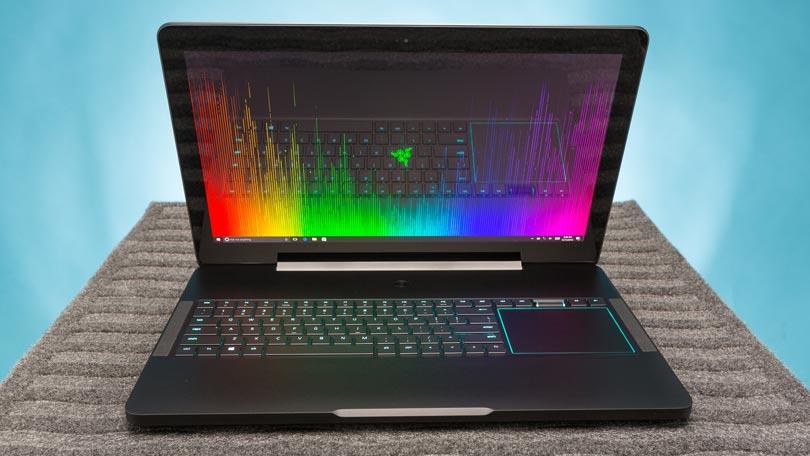
    The new 14” Razer Blade gaming laptop in Full HD or 4K UHD strikes the perfect balance between power and portability. Experience streamlined performance with the latest 7th Gen Intel® Core™ i7 Quad Core processor and smoother, detailed gameplay graphics or connect a VR headset for an even more immersive gaming experience.
     
    [adSOC]  

    The Great

    • Slim, attractive chassis
    • Choice between a 4K Nvidia G-Sync display and 1080p panel with 120Hz refresh rate
    • Great overall and graphics performance
    • Excellent sound
    • 1080p version has a super-comfortable, customizable keyboard

    The Not

    • Expensive
    • SSD not very fast
    • Gets hot when gaming

    The Conclusion

    Razer manages to fit a high-end graphics card into an amazingly thin laptop. Gamers and graphics pros alike will love the performance, but not the loud fans and misplaced touchpad.

    The Design


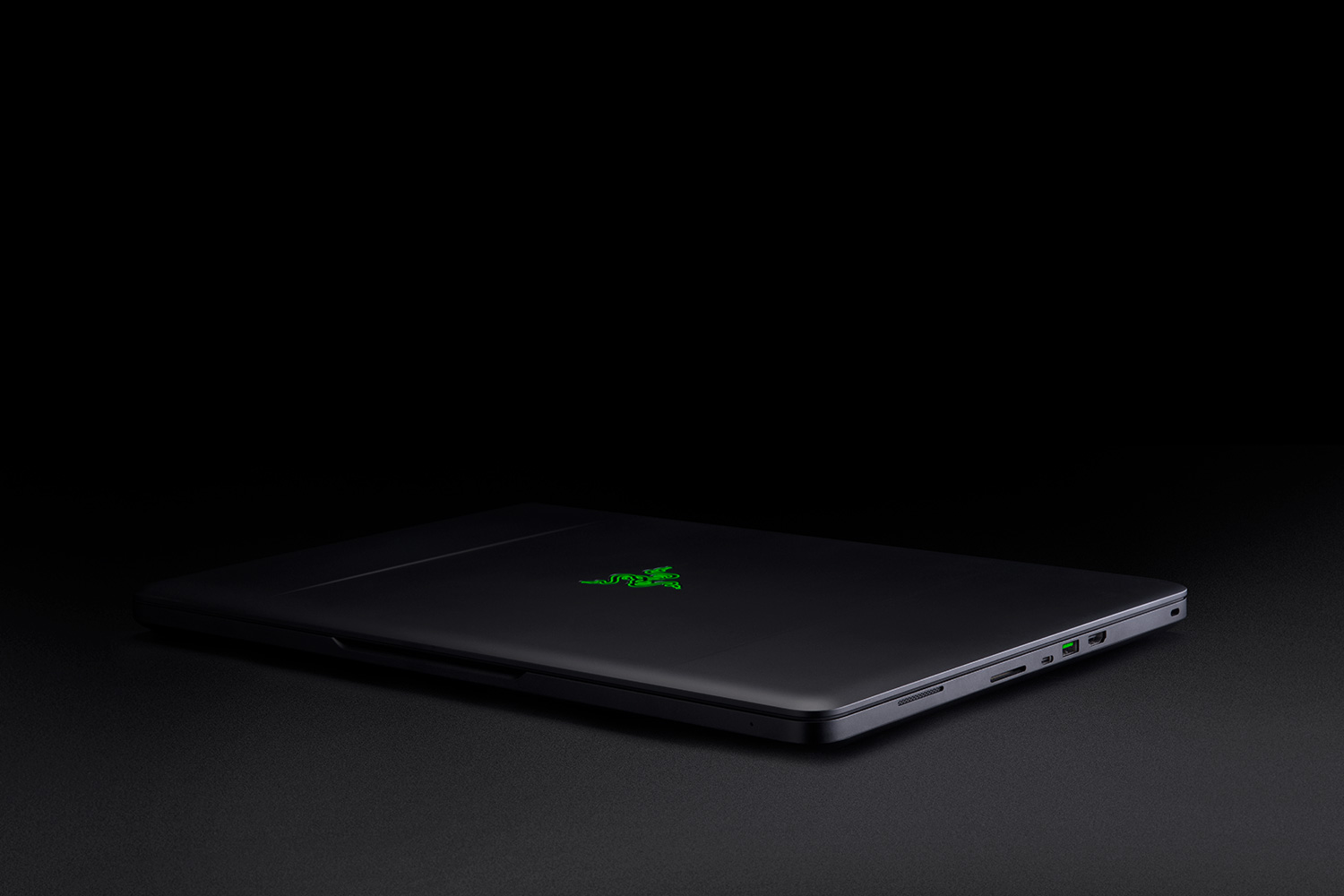
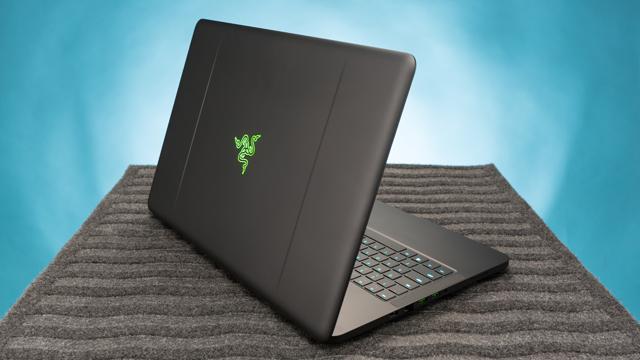
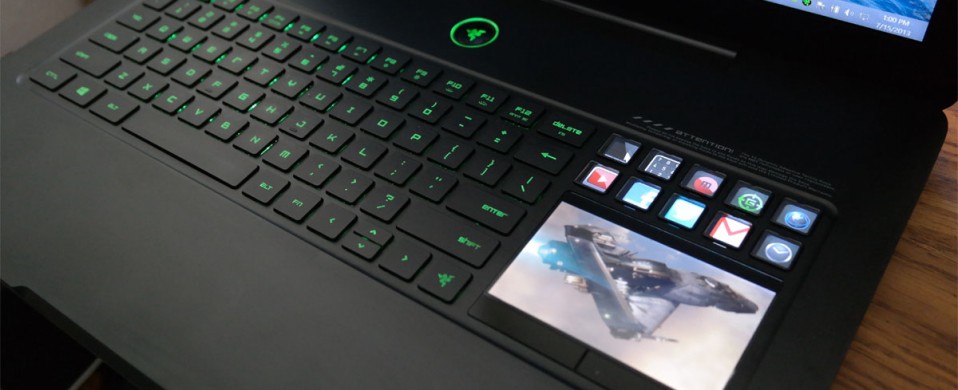
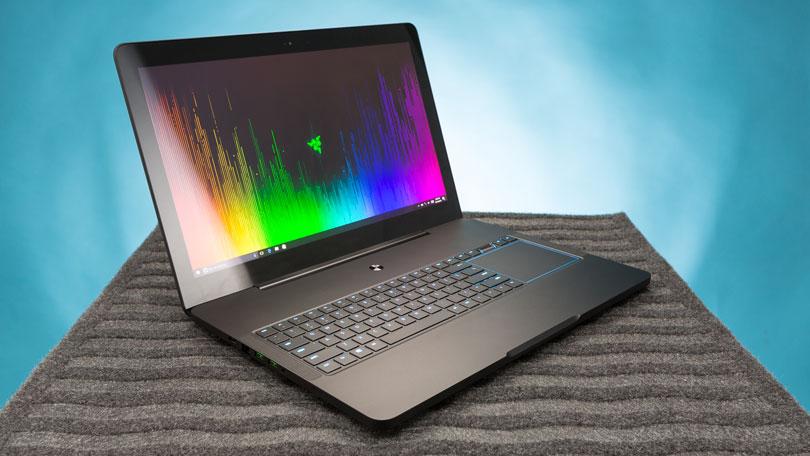
    There’s just something about a Razer laptop that makes the pulse quicken ever so slightly when you see it. Constructed from black CNC aluminum, the Blade Pro follows the Razer design dictates to a T, just on a bigger scale. The center of the laptop’s lid is slightly recessed, creating a pair of subtle ridges that help accentuate the glimmering emerald three-headed snake emblem.

    The system’s interior offers more ebony aluminum, with the center of the deck housing the full-size keyboard and rather large touchpad in a slightly recessed compartment. A power button sits at top center on the device, daring you to press it. At 7.7 pounds, the 16.7 x 11 x 0.89-inch Blade Pro is still the slimmest and lightest 17-inch gaming laptop in the land.

    The Variables


    This system doesn’t seem to struggle at all, even when playing demanding games set to high at its full 4K resolution. Drop your resolution to full HD and you still get playable frame rates with settings at ultra.The Blade Pro can easily replace a desktop, and if that’s your goal, there is an HDMI 2.0 output that handles video and audio. It’s joined by a Thunderbolt 3 port that can also handle display output in addition to three USB 3.0 ports, an SD card slot and Killer E2400 Gigabit Ethernet.
     
    [adSOC]  
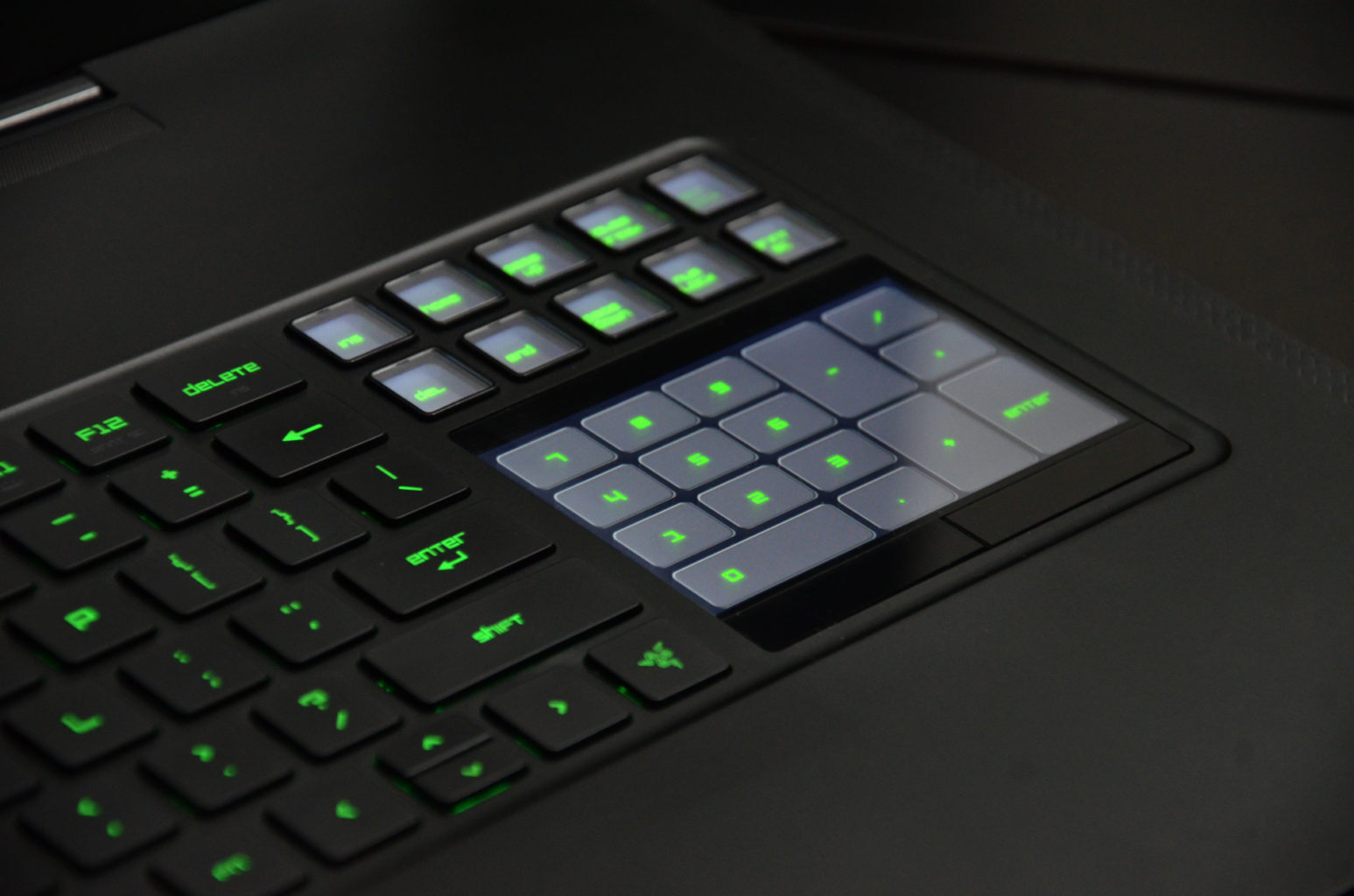
    Rather than positioning the trackpad beneath the keyboard, the Blade Pro’s pointing device is beside it on the right-hand side. More than once, we found ourselves tickling the surface below the keyboard, but it doesn’t take too long to get over this phantom pain. The taller, squarer shape makes scrolling a breeze. It’s an arrangement that feels familiar if you’re used to having your mouse next to a keyboard and it’s also far more convenient to use than a trackpad positioned between the wrist rests.

    What Are The Options


    I had a grand ol’ time reviewing the $3,999 base configuration of the Razer Blade Pro, which has an overclocked 2.9-GHz Intel Core i7-7820HK processor with 32GB of RAM, a pair of 256GB PCIe SSD in RAID 0 configuration and a Nvidia GeForce GTX 1080 GPU with 8GB of VRAM.

    Want more storage? It’s definitely going to cost you. A pair of 512GB PCIe SSD in RAID costs $4,399, while the RAID 0 1TB option brings the price up to $4,899.

    But if you’re looking for a less expensive option, there’s the $2,299 model, which has a 2.8-GHz Intel Core i7-7700HQ CPU, 16GB of RAM, a 256GB PCIe M.2 SSD with a 2TB 7,200-rpm hard drive, an Nvidia GeForce GTX 1060 GPU with 6GB of VRAM and a 1920 x 1080p display.

    The Display


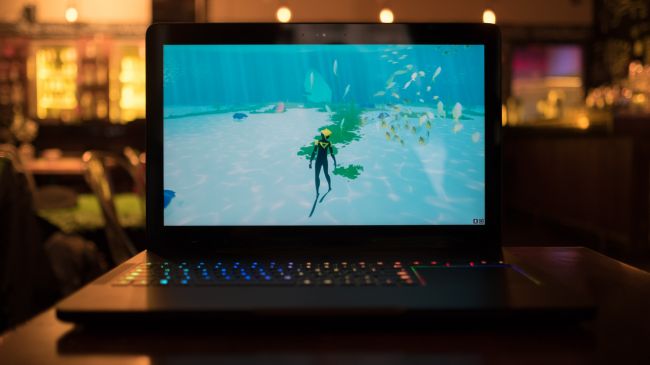
    Staring at the Blade Pro’s 4K panel is like looking into a fever dream of color. The Nvidia G-Sync technology made sure that Geralt’s ashen-white hair cascaded realistically over his broad shoulders as he ran toward a cadre of flesh-eating Ghouls in Witcher 3: Wild Hunt.For gamers who value buttery-smooth graphics over higher resolution, the Blade Pro is also available in full HD (1920 x 1080), a first for this iteration of the desktop replacement. Instead of a super-high resolution, the 1080p panel has a 120Hz refresh rate. It’s not Nvidia’s G-Sync technology, but you should still get some lovely graphics.

    Quick Speck Look

    • CPU: 2.6GHz Intel Core i7-6700HQ (quad-core, 6MB cache, up to 3.5GHz)
    • Graphics: Nvidia GeForce GTX 1080 (8GB GDDR5X VRAM), Intel HD graphics 530
    • RAM: 32GB DDR4 (2,133MHz)
    • Screen: 17.3-inch IGZO UHD (3,840 x 2,160) LED with multi-touch G-Sync
    • Storage: 1TB PCIe SSD
    • Ports: 3 x USB 3.0 port (SuperSpeed), 1 x Thunderbolt 3 (USB-C), HDMI 2.0, SDXC card reader, Killer E2400 Gigabit Ethernet, headset jack
    • Connectivity: Killer DoubleShot Pro Wireless-AC 1535; Bluetooth 4.1
    • Camera: 2MP built-in webcam
    • Weight: 6.76 pounds (3.07kg)
    • Size: 16.8 x 10.9 x 0.88 inches (42.7 x 27.7 x 2.24cm; W x D x H)

    The Final Thought


    Thanks to these features, the Razer Blade Pro lends itself to be just as good at rendering beautiful game worlds as it is for accurately color correcting videos.There’s always been a distinction between gaming laptops and desktop replacement laptops, not any more this is Razor town now, Charlie.
     
    [adSOC]  

  • Top 3 Tablets For The Kids

    Top 3 Tablets For The Kids


    The Kids these days love their tech toys, and continue to blow are minds how quickly they can learn to use them and the functions they get out of them. Here is the top beginner tablets for kids that wont break the bank and can handle their abuse.


    1.Lenovo Tab 4 8

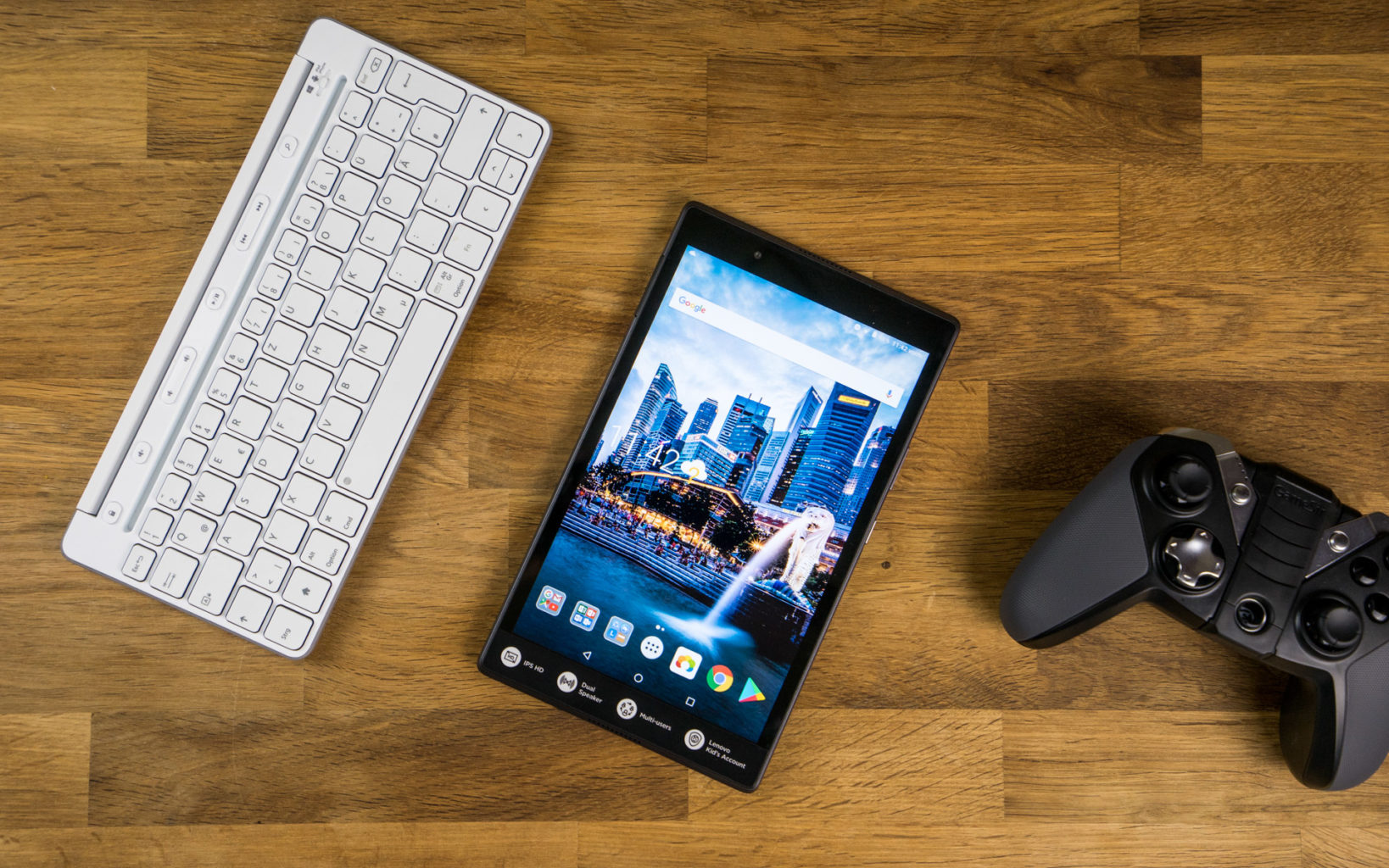
    Lenovo’s new 8-inch tablet is a good option for slightly older kids, ones with more experience with technology that don’t need the training-wheels of a tablet made for younger tots. Unlike Amazon’s Fire tablets, the Tab 4 8 offers a true Android experience, so you can use Google’s apps without the annoyances and risks involved with side-loading. It also offers good battery life and performance, and a bright, colorful display.

    For $20 extra, you can get Lenovo’s Kids Pack add-on, which includes content curated just for kids, parental controls, options for scheduling and limiting play time, a protective bumper case, stickers and a blue light filter.


    2.Amazon’s Fire 7 Kids Edition

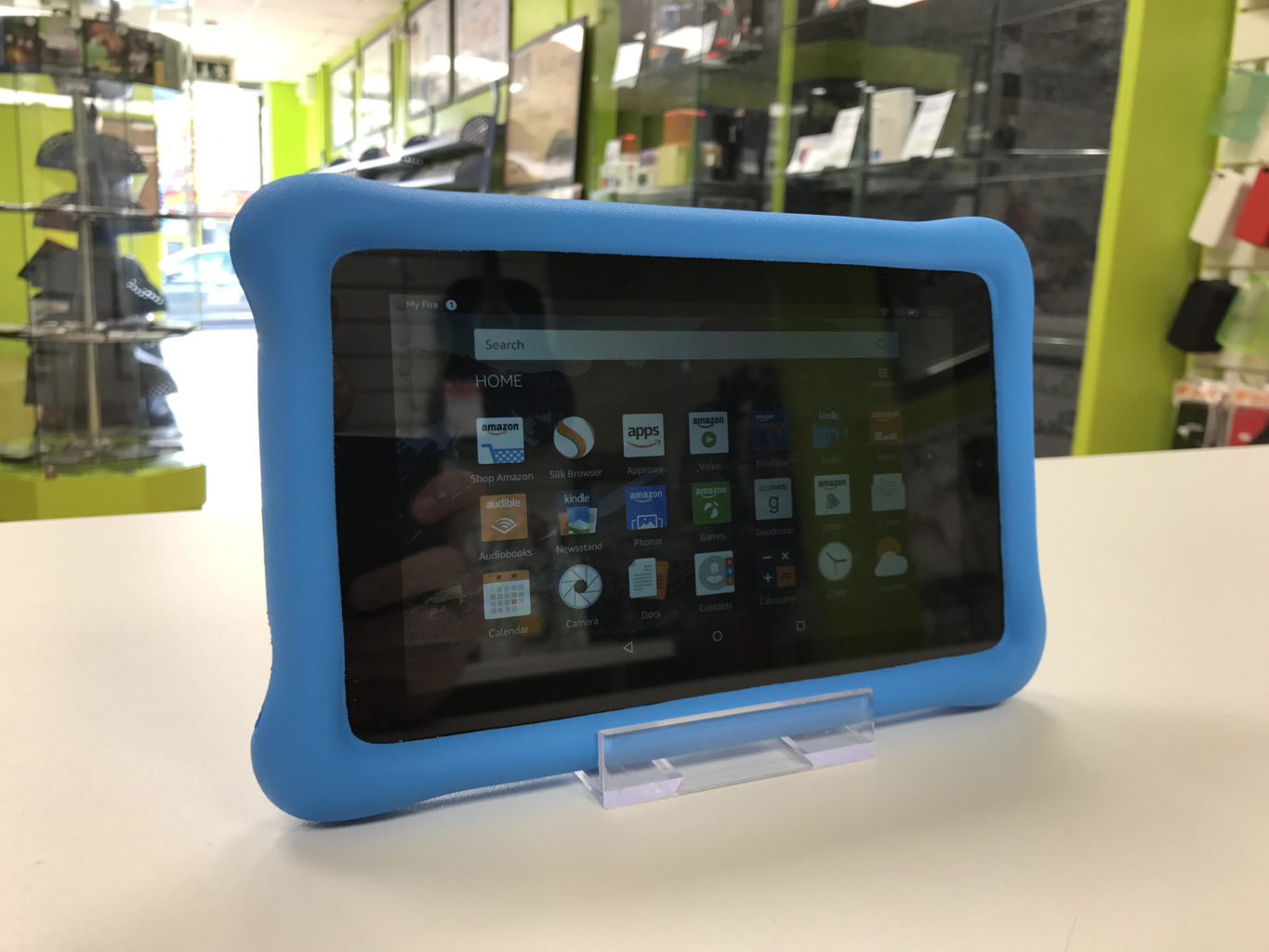
    .Amazon’s Fire 7 Kids Edition bundles the company’s 7-inch budget tablet ($49 on its own) with a new protective bumper and a year’s subscription to Amazon’s FreeTime Unlimited for just $99 (16GB). Right now, it’s even cheaper, thanks to a sale that knocked it down to the nice price of $69. FreeTime Unlimited gives you more than 10,000 books, videos, educational apps and games curated for children. Plus, a two-year guarantee promises a no-questions-asked replacement if your child destroys the tablet.


    3.Acer’s Chromebook Tab 10

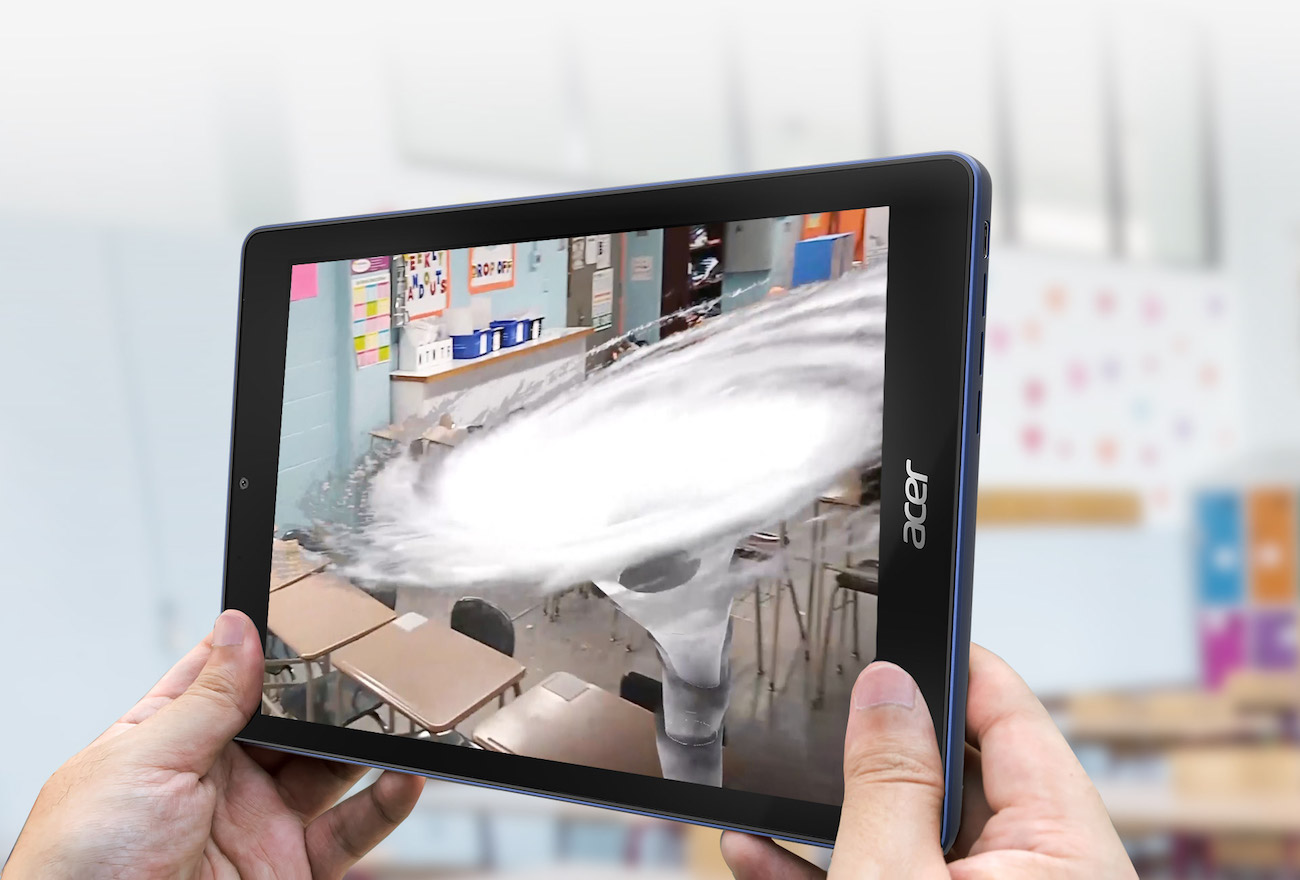
    Acer’s announced the Chromebook Tab 10, the first tablet running Chrome OS. Made for the classroom, and priced to compete with the 2017 iPad ($329), it features a 9.7-inch, 2048 x 1536-pixel screen, runs on a OP1 CPU with 4GB of RAM and offers 32GB of storage. Includes aWacom EMR stylus and will (eventually) feature Google’s Expeditions AR, a classroom learning tool.


    Honorable Mention: Verizon’s GizmoTab

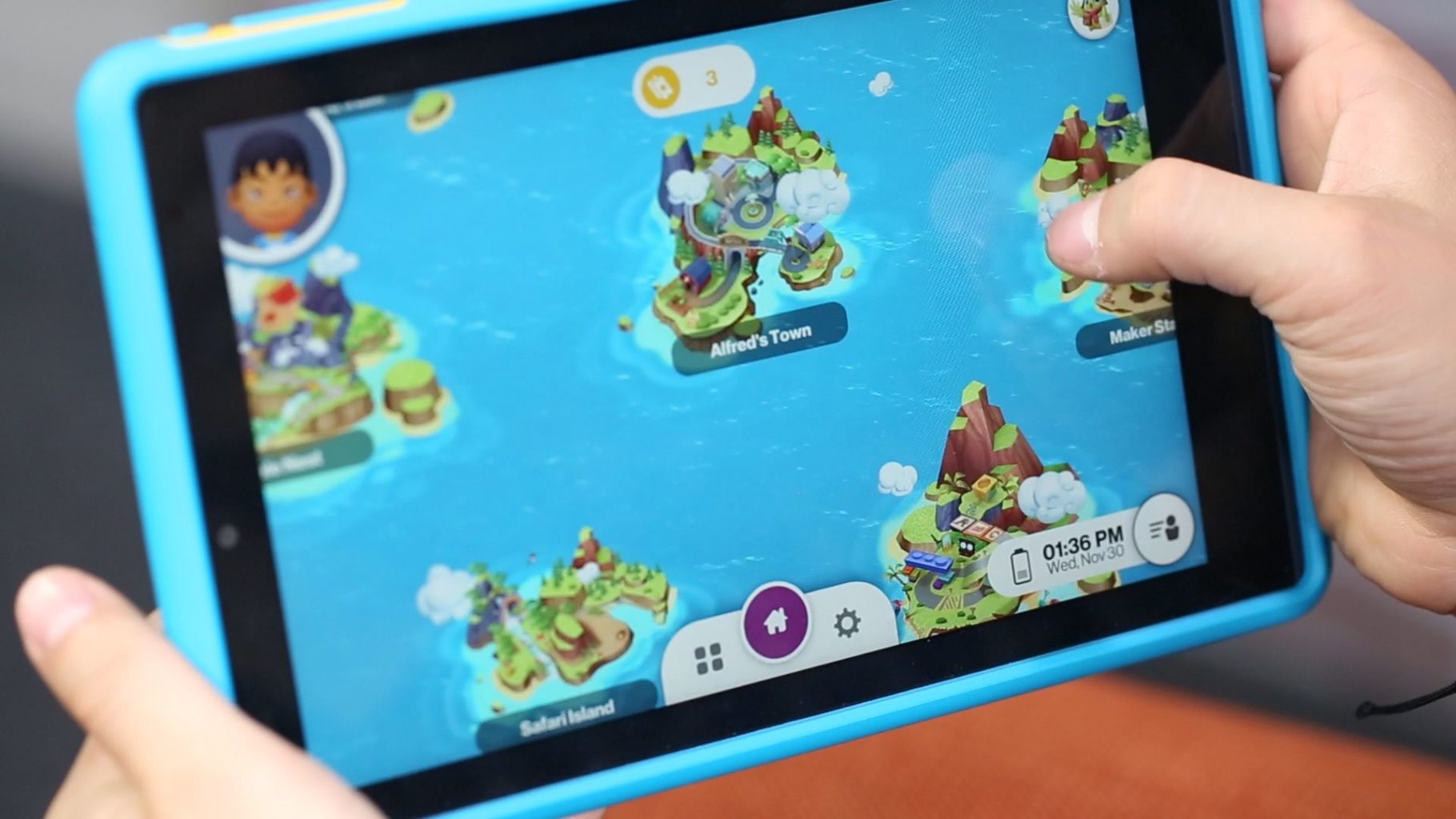
    Unlike every other tablet on this page, Verizon’s GizmoTab ($80 with a 2-year contract, $250 off-contract) packs LTE connectivity. This way, your kids can never complain about not being able to stream videos or download games on the go. The 8-inch slate comes with a rubber bumper that protects it from falls, so junior can’t break it. If you use the GizmoTab with a Verizon data plan, you’ll get access to 300 kid-friendly apps that offer educational and entertaining experiences.


    The Final Thought

    This generation will prove to be the most knowledgeable, what they do with that knowledge is up to us. They will know where the answers are to any question they can think of, leaving their brain open to progressing those thoughts and answers. Getting them started on the path earlier is probably a good idea and getting the right tablet to do it.

  • Tablet Talk:  ASUS ZenPad Z8s 

    Tablet Talk:  ASUS ZenPad Z8s 

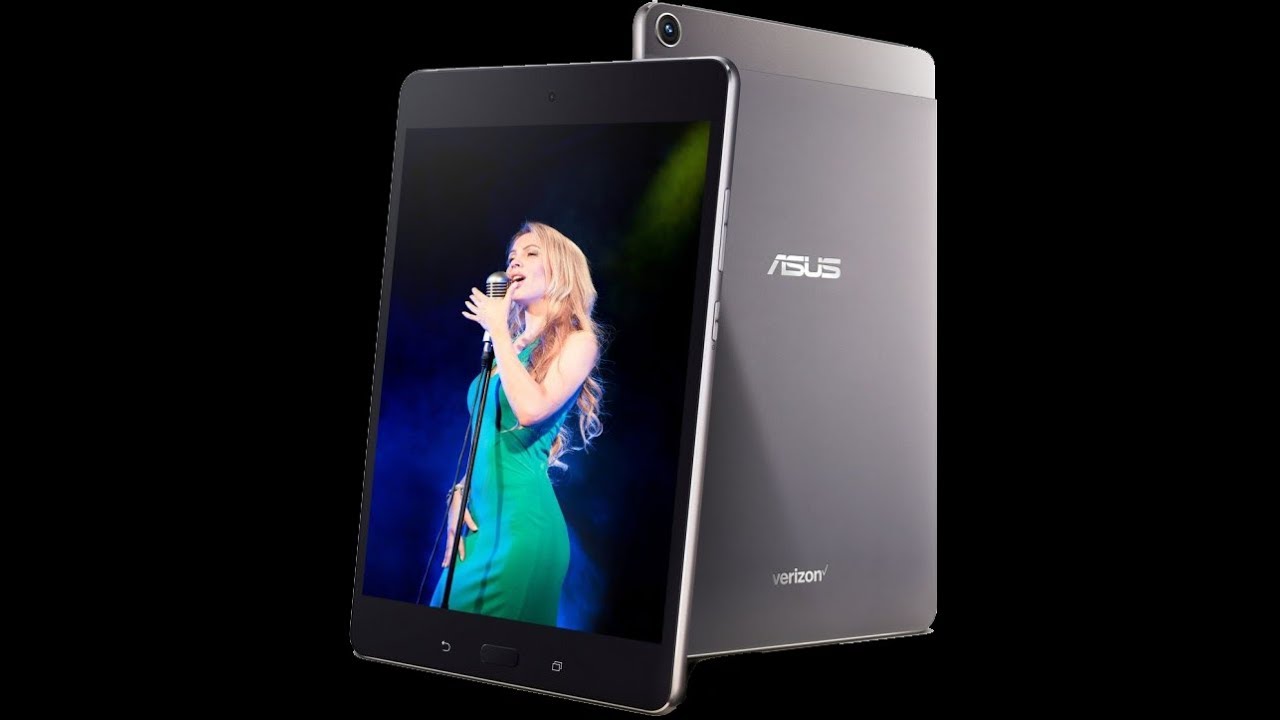
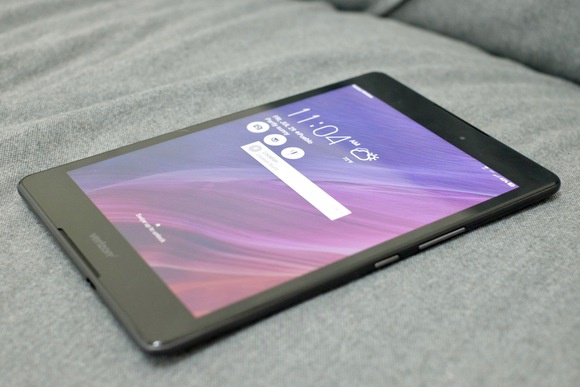
    ASUS ZenPad Z8s  is a Premium 7.9-inch tablet with a stylish, all-metal design, and featuring vivid visuals, cinematic audio, and powerful all-around performance ideal for both entertainment and productivity. ASUS ZenPad Z8s has elegant, modern styling with clean lines and an exquisite metallic texture that feels great to the touch. Its forged aluminum body weighs just 306g, is only 6.9mm thin, and is accented by double, diamond-cut edges, giving ZenPad Z8s a singular beauty that elevates the tablet experience.

    The Great

    • Bright and colorful display
    • Great performance
    • Solid audio
    • Stylish design

    The Not

    •  Verizon Exclusive
    • Short battery life


    The Conclusion

    The Asus ZenPad Z8s is a high-performance tablet that offers a bright display, loud audio and stylish design.


    If you’re a Verizon customer, then you’re in luck, because Asus has an exclusive tablet to serve your media needs. The 8-inch ZenPad Z8s provides a bright display, an impressive sound system and good looks, all for $250. Whether you want to watch videos on YouTube or takes notes in Google Docs, the Asus ZenPad Z8s is a reliable Android tablet that’s worth considering.
    Design: Stunning

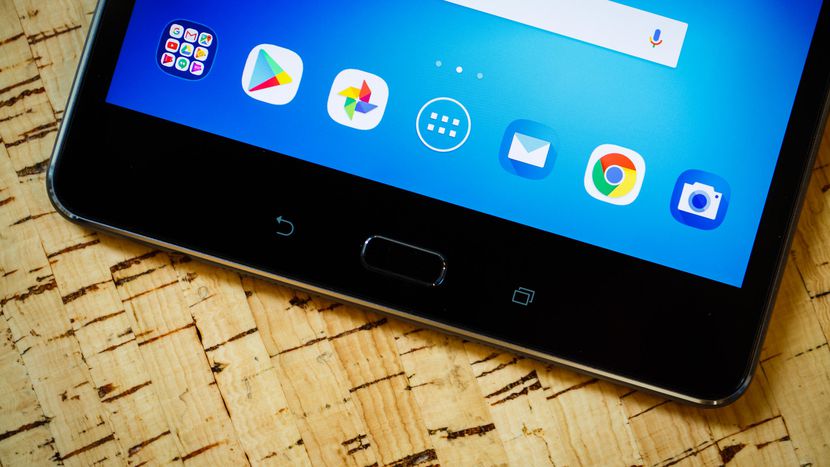
    The Asus ZenPad Z8s measures 8.0 x 5.3 x 0.27 inches and weighs 10.7 ounces, making it the lightest 8-inch tablet I’ve seen so far. Competitors like the Lenovo Tab 4 8 measured 11.2 ounces, while the Amazon Fire HD 8 measured 13 ounces and the 9.7-inch Apple iPad came in at 16.5 ounces.The ZenPad Z8s has a sophisticated appearance. Its aluminum backing is a matte, gunmetal shade with matching plastic sides and a top bezel that houses a 13-megapixel rear shooter. Thin chrome accents decorate the edges of the tablet and rear camera, which really makes the ZenPad Z8s stand out from the competition. A bright silver Asus logo sits in the middle of the shell, while a smaller Verizon logo is situated at the bottom

    The Asus ZenPad Z8S features a Snapdragon 652 Octa-core chipset with an Adreno 510 GPU, 3GB of RAM, and 16GB of internal storage expandable to 128GB via a microSD card.

    The ZenPad Z8S’s performance is generally passable, but not extraordinary. In our testing, it ran most things well, though we did experience slow-downs, occasional delayed response, and dropped framerates in games. The lag is most noticeable while opening the app drawer, Recent Apps or waking the device up. Basically, it seems to struggle with changes to onscreen content. Most of the time it runs smoothly, but the little hiccups are noticeable. Oddly, the default Asus keyboard doesn’t play too nicely with the processor, and feels clunky, but that was nothing a switch to Google’s Gboard couldn’t resolve.

    Quick Speck Look

    • Android 7.0
    • 1.8GHz Snapdragon 652
    • 3GB RAM
    • 16GB internal storage
    • MicroSD card reader, up to 128GB SDXC
    • Micro SIM card slot

    The Final Thought

    The $250 Asus ZenPad Z8s is a speedy media tablet at a decent price. Offering a bright display, great audio and sophisticated design, the ZenPad is hard to beat for the price. And if you’re not sure if you want to shell out the cash all at one time, Verizon offers 24-month financing for $10.41 per month. Or you can opt for a two-year contract and get the ZenPad for $150 instead.

    Shoppers who just want an inexpensive 8-inch tablet may prefer Lenovo’s $128 Tab 4 8 or Amazon’s $80 Fire HD 8, both of which have longer battery life but slower performance. If you don’t mind getting your hands on a slightly bigger screen with better overall specs, then Apple’s $329 iPad may be worth the investment. However, if you just want a 4G Android tablet that you can add to your Verizon line, the ZenPad Z8s is a great choice.