Author: GoodFind

  • The Best Cities to Find Tech Jobs

    The Best Cities to Find Tech Jobs

    Demand for software engineers, programmers and other tech jobs has only gone up in the past decades. If you’re a tech professional looking for a city to call home and find work, we’ve compiled a round-up of our favorite cities for tech jobs. If you’re thinking about moving, we’re here to help you with your considerations. Read on to find out which cities we think are the best for tech jobs!

    Seattle

    Between Amazon, Microsoft and Boeing there are plenty of opportunities for tech professionals to find work in Seattle. Salaries for the tech field average nearly $100k per year, making this a desirable home for many who aren’t scared off by near-constant rainfall or expensive housing. While progressive tax bill proposals have stopped planning for new Amazon locations, these plans are likely to resume. Amazon isn’t the only game in town, and they’re hardly likely to stop focusing on their home city over a few tax code changes.

    Philadelphia

    Home of tons of new start-ups, the city of brotherly love is a great place for a tech professional. Salaries in Philly average around $97k, making it a reasonable consideration on the basis of money alone. As for those start-ups, they range from initiatives to increase diversity in the tech field to programs intended to feed newborns. This city is also the home of Philly Tech Week, a week-long celebration of the city’s bright future in technology. The deep history and rich culture of the city are certainly considerations to keep in mind when weighing options!

    Los Angeles

    You would’ve been surprised if this one hadn’t made the list, huh? Home of clogged freeways and gorgeous beaches, LA remains a giant in the tech field. If you can stand the traffic, there is plenty of money to be made in LA: tech professionals average $99k per year. Between the weather and the opportunities here, LA is a fantastic home for a professional, and those second-guessing the city due to the corwds, fret not. Tesla’s Elon Musk has promised a solution to the traffic problem in the form of “boring tunnels.” Here’s to boring solutions to boring problems!

    San Diego

    Sporting some crazy tech professional salaries averaging $101k per year, San Diego is a great choice for those in the tech field. Home of tech giant Qualcomm, San Diego is clearly a city focused on tech: they recently started a 3-year test program for drones with the Department of Transportation. This test program will allow for more pilot programs for food deliveries and the like via drones. Much like Los Angeles, San Diego boasts stellar weather and beautiful beaches, making it an ideal pick for professionals looking to enjoy their days off in the sun.
  • The Best iOS Photo Apps for Shooting and Editing

    The Best iOS Photo Apps for Shooting and Editing

    Everyone loves to snap pictures! Every smart phone is equipped with great camera functionality, but they lack a decent photo app to go with it. Whether you’re looking to send pictures to family or post them to show your friends, you’re probably wondering which photo apps are the best! Here’s a round-up of our favorite photo apps!

    Snapseed

    Snapseed is a user-friendly photo editing app for iPhone. Allowing for different filter types and tools for adjusting exposure and sharpness, Snapseed allows for professional-style photo editing from your iPhone. You’re also able to edit only selected parts of a photo, letting you fine-tune images to your taste! It even has a healing tool like Photoshop. Best of all, this app is free! Snaseep is our favorite iOS photo editor.

    Cortex Camera

    This app is fantastic for shooting in low-light or nighttime situations. Using a really neat process, Cortex Cam is able to cut down of visual grain that is so common in low light pictures. Typcally, when taking pictures in low light, your phone camera will increase the ISO to attempt to squeeze more light into the lens. This has the side-effect of creating grainy images. Cortex Cam combats this by taking a large number of images in a short span of time and collating them into one image, eliminating that visual noise. This is easily the best app for low-light shooting!

    Superimpose

    Another Photoshop-like app, Superimpose allows two pictures to be blended together. If you want an app to blend together two photos from your phone, this is the app for you! This app has gradient masks that allow for one photo to mask the dark aspects of another with its own light aspects, allowing for interesting artistic projects. Superimpose can also be used for double exposure-style pictures, like using a foreground from one photo and a background from another. Superimpose is $1.99 on the app store, but you get a ton of awesome functionality for that price. If you’re looking to make compositions from your phone, Superimpose is a great app for you!

    Our Favorite Photo App: Camera+

    This app is exactly what is says it is: an enhanced version of the iPhone’s existing camera app. This app gives shutterbugs precise control over their phone’s camera functionality. Between altering shutter speed and white balance, this app is a must-have for smartphone camera enthusiasts. Camera+ has a manual focus function that is especially helpful for photographing extremely close objects, which is great!  It also has a handy 30-second delay feature for those who want to take pictures with themselves in the frame.If you have the technical know-how, or want to develop it, this app is a great choice for you!

  • Need a New Monitor? Check Out Our Favorite Curved Displays!

    Need a New Monitor? Check Out Our Favorite Curved Displays!

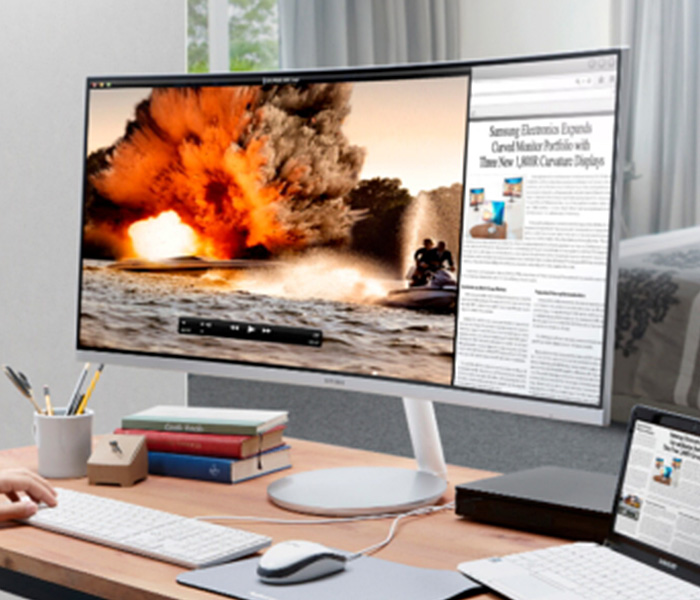
    Experts say that curved displays are the most natural viewing experience for humans, since our eyes are round. This, they claim, makes curved displays more natural and pleasing to the eyes, reducing eye strain and leading to a better experience. Curved displays are measure in terms like 1800R, which refers to the radius of the imaginary circle the curvature would create. Thus, larger numbers mean less curvature. With that said, let’s check out our favorite curved monitors!

    HP Z38c

    Sporting a 3,840 x 1,600 resolution and an impressive 37.5″ display, this curved HP is a great pick for professionals. At 2300R, this isn’t the most curve-y screen on the market, but its ultra-wide aspect ratio and deep color display make it a comfortable viewing experience. This display sports ports for HDMI, DisplayPort and USB-C. On the flip side, it has no built-in speakers and no audio out, so you’re going to be using a separate device for sound.

    This monitor boasts an impressive IPS panel display, allowing for superb curved monitor viewing. With stunning colors and impressive brightness, this monitor would look great on a desk and work even in brightly-lit office buildings. For professionals who want an excellent curved 4K image, this is a great pick. It is a little expensive, though, coming in at $1200.

    Samsung C27F398

    Our favorite curved monitor for those on a budget, this Samsung gives you a great, comfortable viewing experience without costing you too much money. For $280, you get a screen with 1800R, which is a real sweet spot when it comes to curved displays. This display is 27″, notably smaller than the previous entry, but it still puts out a phenomenal image for the cost.

    It is notably less bright than the HP, as well, making it more suited for home use instead of office use. This monitor also comes with eco-friendly picture modes as well as eye-friendly, blue light-reducing modes. An overall impressive value for the price, this Samsung makes a great choice for first curved monitor for the curious.

    Our Favorite Curved Display: Samsung CF791

    This is our favorite overall monitor and offers a fantastic image quality. This monitor has a 1500R curvature, making it the most curved display on this list. Samsung’s monitor utilizes “quantum dot” technology, which supposedly uses a series of microscopic dots to produce colors and images. This supposedly leads to a sharper, crisper, “purer” image. Either way, the results are stunning: this monitor looks downright amazing.

    This monitor sports two HDMI ports, a DisplayPort, and two USB-A ports, as well as a headphone jack. For gamers, this monitor sports AMD FreeSync, synchronizing the monitor refresh rate with the frames per second of an AMD graphics card. This is a feature designed to reduce visual tearing and other noise caused by out-of-synch refresh rates.

    The monitor also has the Samsung proprietary Game Mode, which turns off a number of superfluous display functions in order to minimize display lag. The CF791 is an overall fantastic monitor, and our pick for favorite. The only downside on this display? It’s a little expensive, retailing for $950.

  • Controversy Erupts over Securus Location Tracking Used by Law Enforcement

    Controversy Erupts over Securus Location Tracking Used by Law Enforcement

    The New York Times reported that a company called Securus is offering a service to law enforcement allowing them to track real-time locations of cell phones. The report claims that Securus is offering this service without going through the due process of law, allowing law enforcement to sidestep the proper legal process and track suspected criminals. This is done using a location API, the type of which is typically used to advertise to cell phone users based on location.

    Securus

    Securus, when confronted on the legality and procedures of this service, had this to say: “The responsibility of ensuring the legal adequacy…lies with our law enforcement customers and their counsel.” This shirking of legal responsibility is not only incredibly flippant and ill-advised, but also incorrect. A senator from Oregon named Ron Wyden has stated that these claims are going to be investigated, and further pushed for the FCC and AT&T to give detailed answers to the questions of how this will be dealt with.

    Regarding the process for accessing the Securus service, Wyden wrote: “To access this private data, correctional officers simply visit Securus’ Web portal, enter any US wireless phone number, and then upload a document purporting to be an official document giving permission to obtain real-time location data.” This is certainly an unprecedented use of such technology, and one that many would find to be both invasive and frightening.

    Sidestepping Legal Process?

    Up to this point, law enforcement agencies have had to rely on records from phone companies to view location data, and that data is only acquired by having a warrant granted by a judge. By providing this same service to law enforcement in just a few clicks, Securus is directly sidestepping the entire legal process associated with location tracking. This story is only just beginning, as there are likely cases going before the courts to address the questions of the legality of this practice.

  • Is The Phone Notch Here to Stay?

    Is The Phone Notch Here to Stay?

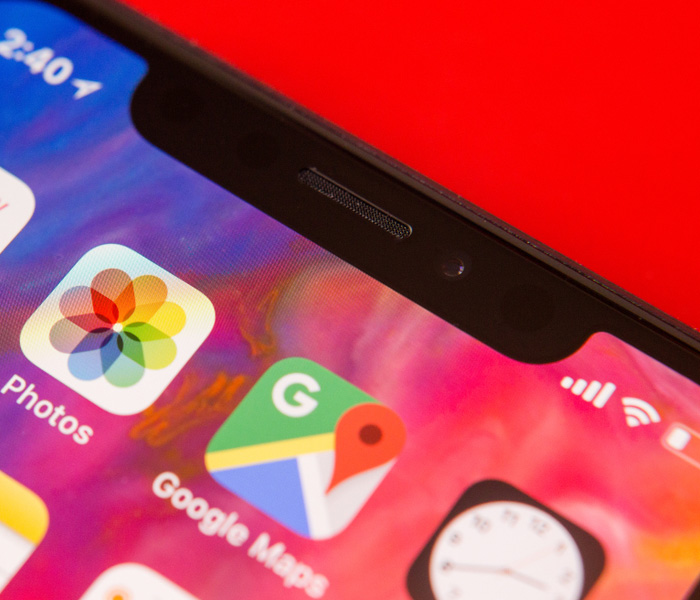
    It seems Apple once again has set a trend for the smartphone industry. The beta for Android P operating systems is now being rolled out and developers are revealing more details of the new Android operating system. According to developers, the new OS supports three different phone notch designs: the standard, iPhone X style notch that many find so odd, a top-right corner notch that looks even more strange, and a double-style, top and bottom notch. This somewhat solidifies suspicions that notch-style designs may be the norm for smartphones going forward.

    Why Notches?

    Many find the phone notch to be an odd choice, aesthetically. Why break up the edge-to-edge screen display with a random notch? Well, the answer is one of functionality: if the whole front face of the handset is a display, where do you put the hardware? Things like selfie cameras and speakers for actual phone calls have to go somewhere. This question has a few answers, but it seems, for now, the answer that manufacturers have chosen is the small cut-out notch.

    Surprisingly Appealing

    The success of the iPhone X is no mistake, to be sure: it’s our favorite smart phone right now too! People love the edge-to-edge display, and most users have said they got used to the phone notch pretty early on in their time with the new handset. The initially off-putting design actually has its own aesthetic appeal in addition to being something of a technological necessity for the time being. I, for one, don’t mind it too much. For many, though, these notches are incredibly bothersome and break up an otherwise uninterrupted screen. In any event, it looks like the notch is here to stay.

  • Don’t Overpay For K-Cups – Find The Best Online Deals

    Don’t Overpay For K-Cups – Find The Best Online Deals

    Need coffee? K-cups are the most convenient and fastest way to get your daily dose of caffeine in the morning. Great for people always on the go, K-Cups are a godsend to working people and stay-at-home parents everywhere.

    Available in grocery stores and other retail stores nationwide, K-Cups have come to dominate the coffee industry. With tons of K-Cup options and accessories available, you can find any flavor and type of coffee you can imagine, making for a whole lot of options, and with K-Cup refill filters, you can use any brand of coffee you prefer and save money. If you are interested in learning more about K-Cups where to get them at the best prices, read more below.

    When they first came out, there were only a few choices of K-Cups available, now there are literally hundreds to choose from. You can find Keurig brand K-Cups at most stores including popular flavors such as Keurig’s Donut Shop coffee. If you aren’t sure which cups you might like, you can purchase a variety sample pack, just like the ones you might find included with your Keurig machine. If you already have a coffee brand you prefer, you can find both home-brew brands like Folgers and Café Bustelo, and coffee shop brands like Starbucks, Peet’s Coffee and Dunkin Donuts in a variety of their flavors. With these conveniently ready-to-brew pods, you can make coffee almost instantly – just turn on your Keurig coffee machine, load the pod, press the button and you’ll have a piping hot cup of coffee in less than a minute.

    How You Are Overpaying Now

    When it comes to replenishing your supply, there are a few different ways to go about it. The most expensive way is to buy your K-Cups in the store. Often, you’ll find K-cups in packs of 10 for around $6 or $7, but this is not the most economical option. This brings you to $0.70 per cup of coffee…

    How to Save Now

    When it comes to saving money, the key is to buy the larger boxes because, the more you buy, the more you can save in the long run. While the packs of 10 are great for trying out certain flavors, you can buy larger boxes of 60 to 75 K-Cups for $35 to $40 in wholesale stores like Costco, in some grocery stores like Ralphs, or even online from websites like Amazon. Doing this could bring you to $0.50 per cup of coffee or less, saving you almost a quarter each cup that you drink. If you are anything like our staff at GoodFind, that savings adds up very quickly.

    With Amazon, you can subscribe and save on K-Cups, having your preferred brand and flavor ordered and shipped to you automatically each month. Another option for subscription services is to use Keurig’s Auto-Delivery service that allows you to buy all Keurig branded cups as often as you like with a savings of 25% off. There’s also premium coffee subscription services like Coffee cargo, where you can try premium coffees that you can’t get anywhere else.

    Other Options

    Another great way to fill up is with refillable options. With K-Cup refillable pods and filters, you can use literally any coffee you prefer, because you can add your own ground coffee into the pod. This is a great way to get that same fresh ground taste right out of your Keurig machine. Refillable K-Cups called GoodCups can be purchased through Amazon and are loaded into the same spot where you would put your disposable K-Cups. Coffee Bean N Leaf Brews makes another great refillable coffee pod that is completely reusable and dishwasher safe. Of course, Keurig also makes their own refillable pod: the Keurig My K-Cup that allows you to use your own gourmet coffee by adding it to the filter provided. Replace the filter with the pod loader attached to your machine and you are ready to go. Using any refillable pod is not only a great way to have your favorite coffee not available in disposable cups, but it’s also great for the environment too!

    Keurig Green Mountain said it plans by 2020 to change the plastic composition in the billions of K-cup single-serving coffee containers it sells annually, making them more lucrative to recyclers while removing one of the nagging complaints that mountains of the little pods are piling up in landfills.

    “Our goal is 100 percent Keurig K-cup pods diverted from landfills by curbside recycling,” said Monique Oxender, the coffee brewer’s chief sustainability officer. “The consumer is going to brew it, peel and empty it, and pop the pod into the recycling bin in the same behavior they would do with a yogurt cup. We want them to make it a habit.”


  • The Best Wireless Home Security Systems

    The Best Wireless Home Security Systems

    Sadly we live in a world where  wireless home security systems are not just a necessity but vital. There are a lot of options for wireless home security systems, even do it our self options. Do-it-yourself setups are ideal for homeowners on a budget because they can save you a bundle on installation charges and subscription fees. Then there are the professional systems. The nice thing about professionally installed systems is you don’t have to lift a finger; after you’ve placed your order a technician will come to your home, set everything up for you, and show you how the system works. When it comes to my home and my family I want a professional wireless home security system. Lets take a look at the 3 best options available today.


    1.ADT Pulse

    ADT formed in the 1800s as American District Telegraph, the world’s first telegraph-based alert system. They are not number one for being the oldest, they are also by far the best. With features like  Wireless or Hardwired options, Professional instillation, Doorbell monitors, Intrusion Protection, Medical Response and state of the art  Home Automation. Just having the sign in your lawn reduces your risk of intrusion by 63%.

    The cost is manageable, and miniscule for piece of mind. ADT home security costs can range from $9/week * to $14/week * based on your monitoring package. However, an ADT home security cost depends on which monitoring package best fits your needs. The ADT monthly fee for the standard Essentials package starts at $36.99/month

    2.SimpliSafe

    This solutions is making a big splash. Using small and efficient IoT enabled devices and 24/7 live human monitoring they offer a complete protection package. Utilizing, Entry and motion sensors, Glassbreak detection, Video security.  Heads up burglars, start running. Being totally wireless, Its easy to install your self and customer service is just a quick call away. It’s like having your own personal security guard with a direct line to the police. Video equipment with instant live link anytime an alarm is triggered lets you see whats happening when you are not at home. You can Arm and disarm SimpliSafe with just a single touch on those incidental false alarms.

    3. Vivint

    Vivint the solution for All-wireless security. All your home controls on one app. Vivint Smart Home helps you live more and manage less. THey have a wonderful small sensor that can be placed at any entry point. This sends you a wireless alerts anytime a door or window opens. With a total control app you can manage your security entry points, Smart Locks, Doorbell Camera, Outdoor Camera, and Element Thermostat.


    The Wireless Home Security Systems Final Thought

    All of these will secure your home, protect your family and significantly reduce the chance of a home invasion. They are all very low cost and almost completely  hassleless. With all the threats we have looming, wireless home security systems are a non-negotiable for any homeowner.


  • Top 5 Laptop Brands

    Top 5 Laptop Brands

    So its time to purchase a new laptop. There are so many options to consider, size,weight, screen size, power and batteryand dont forget which brand to buy. All Laptops Brands will give you the plethora of build and model options to customize so starting with the brand of laptop is probably the best place to start. Whether you’re purchasing a $1,500 gaming laptop or a $200 Chromebook, the brand matters. That’s why we rate the top 5 laptop brands each year, based on their support, design, innovation, value/selection and, most of all, product quality.
    [adTextOnly]

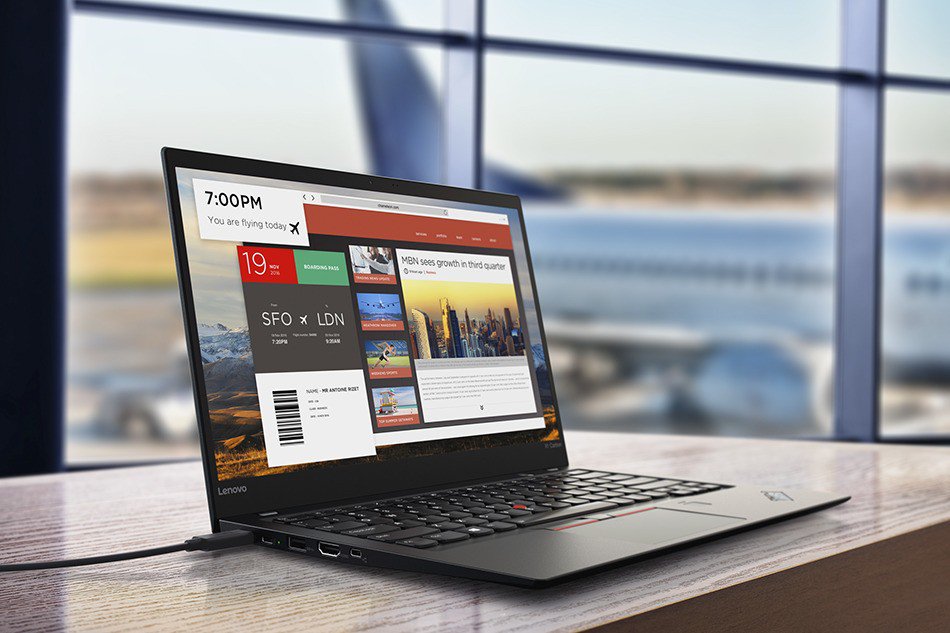
    1. Lenovo  (8.6/10)

    For 2018, Lenovo retained its place for a second year as the best laptop vendor, but it just barely edged out second-place Dell and third-place HP. Apple, which used to dominate this contest, fell all the way to fourth place, down from second last year.

    Lenovo takes first place again this year, on the strength of the company’s fantastic product lineup. From the beautiful ThinkPad X1 Carbon, which was the only product to get a perfect, 5-star review in the past year, to the versatile Yoga 920, Lenovo’s laptops earned the most Editors’ Choice awards of any brand. And a full 53 percent of the company’s laptops scored 4 or higher. However, Lenovo’s tech support scores declined from last year, and stiff competition from HP and Dell made this a nail-bitingly close race.

    [adTextOnly]


  • Best Ways to Check Credit Score

    Best Ways to Check Credit Score

    If you’re looking to make a big purchase, like a car or a house, odds are you’re going to need a loan. The way lenders check to see if you’re eligible for that loan, of course, is your credit score. If you often pay bills on time and are financially secure, your score should be high but you should regularly check your score.

    Grab hold of your financial potential with free information about your credit score. Knowing your credit score is important because it helps you decide what your buying power is and what areas to focus on to improve this important score.

    There are many factors that go into determining a credit score, including employment status, credit history, and financial consistency. There are also several different types of credit scores rather than a standard way to measure creditworthiness. Although banks and lenders may have their own method to determine a credit score, there are ways that general consumers can monitor their credit activity and keep on top of the score as it changes over the years.

    If you’re looking to check your credit score you’ll want to do it for free. That’s where these free credit check sites come in!

    Best Free Credit Reports

    Credit.com

    Credit.com allows you to see your Experian and VantageScore results for free. VantageScore is a newer model of credit scoring that is usually more up-to-date than the traditional FICO score. You have to sign up for an account with Credit.com, but it’s a free process. The site is known for its credit report card, a quick glance at which things go into your credit. This way, you can see what factors you may need to address to get your score higher!

    Credit Karma

    Credit Karma has become the most popular of the free credit monitoring sites for many reasons. You’ve likely heard of this one. Credit Karma offers scores from TransUnion and Equifax, and both are shown as VantageScore. Credit Karma is a free site as well, and they don’t share customer information. If you’re looking for a no-frills credit check, you’re looking for Credit Karma. They offer a great mobile app, too.

    Quizzle

    Since 2008, Quizzle has been helping its customers understand their credit history and providing free access to their full credit report and credit score. Quizzle offers free Equifax and VantageScore reports. Once every three months you can see a free report of your score. Quizzle technically has a premium account too, though you’re better off just using the free functions. The free functionality doesn’t require a credit card, too.

    WalletHub

    WalletHub offers personal financial tools to users online. Their main product is offering a free daily credit score and report associated with it. WalletHub requires you to take a pre-screening questionnaire before you get your free score. Once you answer a few basic questions, such as your income and the last four digits of your Social, you get a TransUnion credit score. The report is similar to Credit.com’s credit report card, showing you what factors influence your score the most.


  • Smartphone Spotlight: Galaxy Note 9

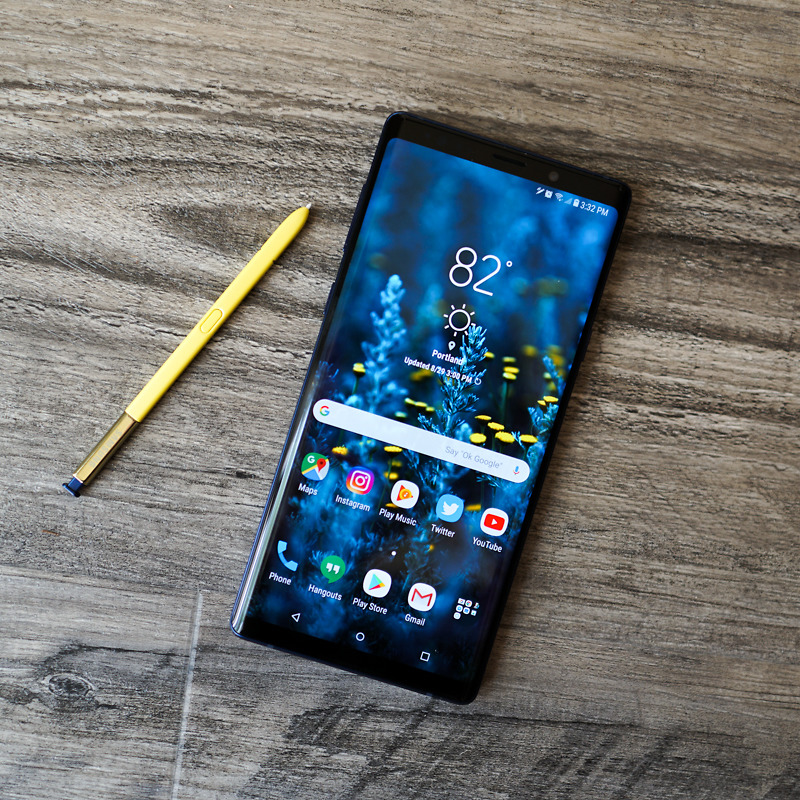
    Smartphone Spotlight: Galaxy Note 9

    The 128GB Galaxy Note 9 can be purchased through carriers including AT&T, Sprint, T-Mobile, U.S. Cellular, Verizon Wireless and Xfinity, along with Best Buy, Costco, Sam’s Club, Straight Talk Wireless, Target, Walmart, Samsung.com and the ShopSamsung app.

    The Great

    • Slamtastic Screen
    • Instalike worthy camera
    • Adequate long battery
    • Interesting new S-Pen tricks
    • All the Specs needed

    The Conclusion

    The Galaxy Note 9 is Samsung’s Ultimate cry for tech geek attention. It has all the specs, a gigantic, magnificent, Fortnite worthy screen, a Bluetooth-powered S Pen, and a headphone jack… you know just all the essentials on the checklist for the kind of Android user that Samsung is targeting with a Note update. It’s a Phablets lover’s dream come true!

    I’m sure we all remember the note 7 scandle, but that is all history for the Galaxy Note brand. That was two years ago, this is the Note 9 we are talking about today.

    Galaxy Note 9 puts powerful technology in the hands of the tech geeks and gamers who demand more powerful and more screen from their smartphones. It certainly boast Innovative features and design make it the only phone to keep up with the next generation of users. Yes the rumors we have been telling you are true. Packed with a huge battery, a massive screen, and a powerful stylus, the Note 9 has more of everything than any other phone on the US market.

    How does it look and feel

    It’s large, I mean this phone is obscenely large. And when you put it in a case, it will become a liability. This is not a one-handed phone for any but the largest hands. Samsung moved the fingerprint sensor so no longer will the Note 9 fit into Note 8 case. On the bright side no more inadvertently smudging the camera lens.

    The Galaxy Note 9 has a 6.4-inch quad HD Super AMOLED curved screen, and USB-C and standard headphone jacks, it is IP68 Waterproof. We have been through this, the checklist of required wants and needs are covered. Not only that but it is stunning, think Charlene Theron on the red carpet elegant.

    No 5g on The Galaxy Note 9

    We have talked about 5G coming next year, Don’t get hung up on that; it will be another year before 5G is widespread and before chipset makers work out the power-management kinks that come with new wireless data systems. Yes write that down you are hearing it here first. Next year’s Note 10 will be 5G. Wanna wait that long? Anyways, The existing X20 modem get speeds up to 700Mbps with the right carrier setup, showing there’s still plenty of room in 4G. That’ll do, That’ll do just fine.

    Sounds and Stuff

    The Note 9 brings the S9+’s dual speakers to the Note line. The two speakers are by the earpiece, and along the bottom. Compared to the previous Note 8’s single bottom speaker, the speakers here aren’t much louder but clarity and treble are off the charts. Outside of the iPhone X I don’t think I have heard a better device speaker.

    The Biggest Difference

    The Galaxy Note 9’s biggest upgrade is its enhanced and gargantuan 4,000mAh battery hit it with a 10-hour battery test video. Yes you know the one where I leave it on the10 hour loop of He-Man singing 4 non blondes “what’s going on”. Results, 13% left, astounding. This leads me into projecting screen-on battery life out to 12 and half hours. That Destroys all other flagship smartphone on the market. The battery is significantly larger than the one in the Galaxy S9+ (3,500mAh, 10+ hours), the Galaxy Note 8 (3,300mAh, 6 hours), or the Galaxy Note 5 (3,020mAh, 8 hours and 30 minutes).

    Quick Speck Look

    • Graphics Mali-G72 MP18
    • Processor Octa core (2.7 GHz, Quad core, M3 Mongoose + 1.7 GHz, Quad core, Cortex A55)
    • Architecture 64 bit
    • Ram 6 GB
    • Audio Features Dolby Atmos, Dolby Digital, Dolby Digital Plus
    • Display Type Super AMOLED
    • Aspect Ratio 18.5:9
    • Screen Size 6.4 inches (16.26 cm)
    • Screen Resolution 1440 x 2960 pixel

    The Final Thought

    If this thing doesn’t explode in our face we have a monster here. The screen alone will improve your Fortnite results instantly giving you an unfair advantage over any other player on a regular smartphone. It’s the battery though, it’s just too good to be true. Add in their shaky past and it’s something to be weary off.