Author: Christine

  • Facebook Wants to Help You Find Love

    Facebook Wants to Help You Find Love

    Are you one of the 200 million Facebook users who listed themselves as “single”? Soon, you’ll be able to try out their new matchmaking feature. After all, Facebook knows more about you than all but your closest friends, so the company may have a better shot at introducing you to the love of your life than, say, your coworker or an acquaintance from book club.

    The new feature was announced by CEO Mark Zuckerberg at Facebook’s annual F8 developers conference. Considering that Zuckerberg originally created Facebook to rank the relative hotness of his female classmates, it seems only fitting that the social media platform would make a foray into online dating.

    How It Works

    Although we don’t yet have a firm release date for Facebook Dating, we have an idea of how the service will work. According to the official announcement, it will “mirror the way people meet in real life — through the experiences they have in common.”

    Once the feature becomes available, users can opt in by creating a profile. This will be quarantined from the rest of your social media presence so that your friends and family won’t know that you’ve signed up. You also won’t be matched with anyone already on your friends list. Instead, you’ll be able to browse Groups and Events in your area to find other Facebook Daters and browse their profiles.

    If you find someone you like, you can exchange messages through a text-only system, meaning that you won’t be able to exchange pics—wanted or otherwise. The communication system will be separate from Facebook Messenger.

    Tinder Stock Plummets

    Although it uses some of the same mechanics as hookup apps like Tinder, Facebook Dating is more focused on matchmaking for long-term relationships. Despite this, Tinder’s parent company Match Group saw their shares drop by 17 percent following Zuckerberg’s announcement.

    It’s not clear yet whether Facebook users will embrace the dating feature. On the one hand, it could be an effective way to meet like-minded singles in your area. But on the other hand, do you really want to give Facebook even more influence over your life and the data collected about it?

    Concerns Over Safety and Privacy

    Facebook is still trying to do damage control over the Cambridge Analyitca scandal, and many people are already wary about the way the company handles personal data. It doesn’t help that in April, Grindr was discovered to have shared sensitive information—including HIV status—with its advertisers.

    Beyond concern over how Facebook will use the information it gathers, there’s also a question of how safe those who opt in to the dating service will be from creeps and stalkers. Facebook Dating profiles will show your first name as well as the city you live in, and potentially your workplace. Determined stalkers could easily use that information to find you.

    Zuckerberg did not address these privacy concerns at F8, but the company should be very careful as it proceeds to ensure that its users are protected. Otherwise, it’ll be Cambridge Analytica all over again.

  • Hulu Hopes Updated Features Will Entice New Customers

    Hulu Hopes Updated Features Will Entice New Customers

    In the battle of the streaming media titans, Hulu has long been struggling to compete with Netflix and Amazon Prime. The company announced several new features and updates, along with the renewal of their most popular original show, The Handmaid’s Tale. But will it be enough to continuing growing their customer base?

    Manage Your Suggestions

    One feature that’s been missing from Hulu is the ability to stop the site from suggesting you watch shows that you’re not interested in viewing. After the twentieth time the streaming service helpfully recommends you check out the Will Ferrell/Mark Wahlburg movie Daddy’s Home, you just want it go away.

    “We want you to be in control of the experience. If you don’t like something, you should be able to tell us,” said Hulu’s Head of Experience, Ben Smith. With that in mind, you will soon be able to choose “Stop Suggesting” whenever Hulu offers up a show or movie you don’t want to see. The button will be underneath the suggested content.

    New Original Series

    Hulu’s original content has lagged behind their competitors, but the company hopes that their new slate of projects will change that. In addition to securing an exclusive agreement with DreamWorks Animation to stream their feature films, Hulu will also be premiering several new prestige series this season.

    George Clooney will be bringing Joseph Heller’s mind-bending war novel Catch-22 to the small screen, while Mindy Kaling will be producing a comedy series based on the 1994 film Four Weddings and a Funeral. Blumhouse, the studio that brought us The Purge, Split, and Get Out, will be dipping its toe into television with a one-hour horror anthology called Into The Dark, which will roll out a new episode on the first Friday of each month beginning in October.

    Offline Viewing

    Other streaming services have offered offline viewing for a while, but Hulu is doing it in a slightly different way. Subscribers will be able to download content for future viewing, but there’s a catch—if you don’t have a premium commercial-free membership, you’ll be forced to sit through ads. Hulu will be the first streaming platform to package commercials with downloaded content, and since the ads can’t be skipped, advertisers can be confident that their message is being seen.

    That’s good news for the company and its advertisers, but slightly less good news for viewers. Only time will tell how much pushback Hulu will get from its downloadable ad-supported content, but if it works, you can expect to see other streaming services trying something similar.

  • 4K UHD Blu-ray Player Round-Up

    4K UHD Blu-ray Player Round-Up

    If you are planning to upgrade to a shiny new 4K television, then your next step will likely by purchasing a 4K Blu-ray player. After all, how else will you be able to watch The Last Jedi or Bladerunner 2049 in all of their 4K glory? Read on for our list of the best 4K Blu-ray players currently on the market.

    Xbox One X – Around $500

    Watching movies in 4K is a phenomenal experience – but so is gaming! If you are interested at all in the modern era of video games, then you should consider Microsoft’s Xbox One X to pull double duty as your 4K player and gaming machine.

    The interface is slightly awkward and you’ll need to purchase a universal remote if you don’t want to power own a controller every time you want to start a movie, but we think that the pros outweigh the cons when it comes to versatility and power.

    If the Xbox One X is out of your price range, consider the Xbox One S. You’ll get similar 4K UHD capability at a much cheaper price. The visuals on some games will be less impressive than the Xbox One X, but that’s why the X costs twice as much.

    Sony UBP-X800 – Around $250

    The Sony UBP-X800 should be your top choice for a more media-focused experience. It supports almost everything you could throw at it. Of course, it supports 4K UHD Blu-rays, but you can also upscale standard Blu-rays, 3D Blu-rays and DVDs at superior quality. HDR and Bluetooth audio support round out the features.

    The machine comes ready to stream and supports most of the major services and has a customizable menu. It’s a sturdy feeling machine with a metal chassis that gives off a premium vibe. If you’re not interested in gaming, this should be your go-to player.

    Samsung UBD-M8500 – Less than $200

    The Samsung UBD-M8500 is a solid entry-level and budget-friendly 4K player that will handle your UHD content with crisp and beautiful clarity. Compared to the Sony, however, the upscaling of DVDs and 1080p Blu-rays are a bit lackluster. HDR is supported but note that 3D Blu-ray discs are not.

    You can also use this unit to stream your content from the major providers. The menu system on this model takes advantage of 4K screens and looks better than Sony’s menus. The Samsung SmartHub UI gives users quick access to key menu features and apps without having to go back to a home screen.

  • 2018 is Saddling Up to be The Year of the Cowboy

    2018 is Saddling Up to be The Year of the Cowboy

    Pirates are so yesterday. There seems to be some real cowboy synergy happening this year with the release of some highly anticipated television and games based on the storied era of the wild west. If you are a fan of the western genre, then be sure to take note!

    Westworld Season 2

    No need to caution – we will avoid spoilers! HBO has begun airing the highly anticipated second season to one of the best western/sci-fi shows to ever hit television. The legendary Michael Crichton (whom you may remember wrote the book Jurassic Park was based on) wrote and directed a film in 1973 that the current show is loosely based on.

    HBO spared no expense when it came to Westworld season 1, and it looks like season 2 will take it even further. Featuring a stellar cast with beautiful cinematography and a storyline that will keep you guessing, Westworld is an absolute must-watch. Sure, there is a heavy dose of sci-fi mixed in, but we think any fan of the western genre will find something to love here.

    Red Dead Redemption II

    Rockstar Games is delivering a sequel to one of the best western games ever created later this year. The first Red Dead Redemption followed a character named John Marsten, a former outlaw whose wife and son are taken hostage by the government in exchange for his services as a hired gun. The first Redemption took place in 1911, when the frontier was declining. The new sequel appears to be a prequel, taking place in 1899 and featuring a different protagonist.

    Rockstar Games, known best for their Grand Theft Auto games, are masters as creating open-world environments that allow players to pursue different interests and tasks. Red Dead Redemption II will surely feature a great story with top-notch voice talent, but players will also be able to leave the beaten path and just explore the countryside. There’s no better way to feel like a real cowboy from the comfort of your couch.

    Wild West Online

    Wild West Online is a massively multiplayer game where potentially thousands of players will all simultaneously inhabit the same world. The game is still in development, but early access packages will be available on May 10.

    It’s set in a fictional county with a general time period feeling between 1870 and the early 1900s. Players can assume various roles: hunters, farmers, miners, prospectors, bandits and more. Rather than offering a story-driven narrative, the developers aim to create a systems-driven open world environment peppered with small stories. This allows players to create their own stories rather than be railroaded into a certain narrative.

  • Three of the Best SSD Drives to Speed Up Your Computer

    Three of the Best SSD Drives to Speed Up Your Computer

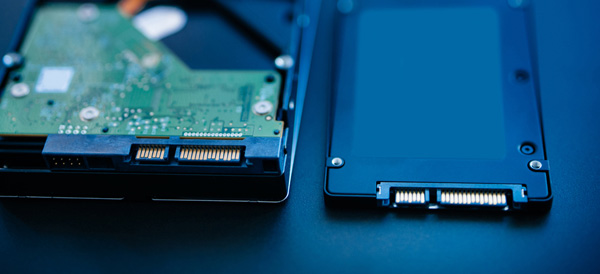
    Of all the upgrades that you can perform on an existing computer, swapping an old spinning hard disk with a solid state drive (SSD) will net you the best results. Your computer will boot up faster, copy/paste/load files faster and generally feel snappier.

    SSDs were incredibly expensive when they debuted, but as with all tech prices have steadily fallen. Here are some of the best upgrade options if you are shopping for an SSD drive.

    Samsung 850 EVO

    Consistently rated among the best SSD drives available, now is a great time to find a deal on the Samsung 850 EVO. Prices can fluctuate, but the introduction of the new 860 model will help a great deal.

    Available in both M.2 and mSATA configurations, the 850 is available in a variety of storage sizes. Fast read and write speeds built around 3D NAND flash storage backed by a 5 year warranty makes the Samsung 850 EVO a great choice for upgrading to SSD.

    Crucial MX500

    If your budget is the main priority for your upgrade, then the Crucial MX500 may be a better option than the Samsung 850 EVO. It comes in the standard 2.5 inch drive size that will fit any desktop (you may need a mount) and many laptops.

    While performance isn’t quite what the Samsung can offer, this is still a massive upgrade from a spinning hard drive. It features 3D NAND flash storage and a 5 year warranty.

    Adapta XPG SX7000

    While most M.2 SSD drives are much more expensive than their SATA counterparts, the Adapta XPG SX7000 has managed to keep their prices relatively competitive while giving you a super-fast M.2 PCIe option for your SSD storage.

    You’ll need to research your computer’s motherboard to see if it is compatible with an M.2 SSD, but if it is then you are in for a treat! Outperforming SATA drives by a wide margin, the Adapta SSD is perfect for hardcore gamers and professional word that requires a lot of file manipulation.

  • The 5 Strangest Biohacks That Turn Man into Machine

    The 5 Strangest Biohacks That Turn Man into Machine

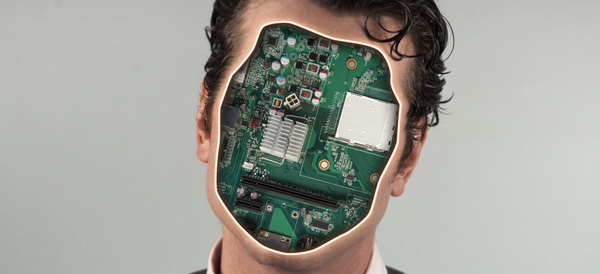
    While many of us already carry or even wear technology to help us streamline our day-to-day lives or collect health data, a group of biohacking “ginders” take it one step further. Why wear the tech when you can go full transhuman and implant the tech directly into your body?

    While gory and somewhat unsettling to see, biohacking seems to be a niche subculture that is here to stay.

    5. The Eyeborg Project

    05-eyeborg

    inverse

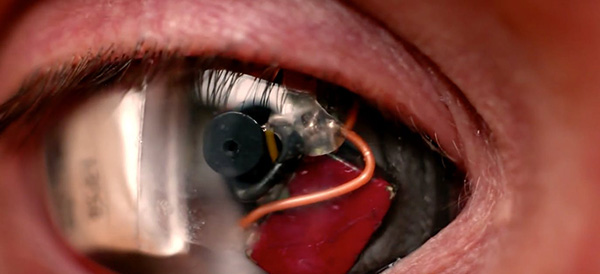
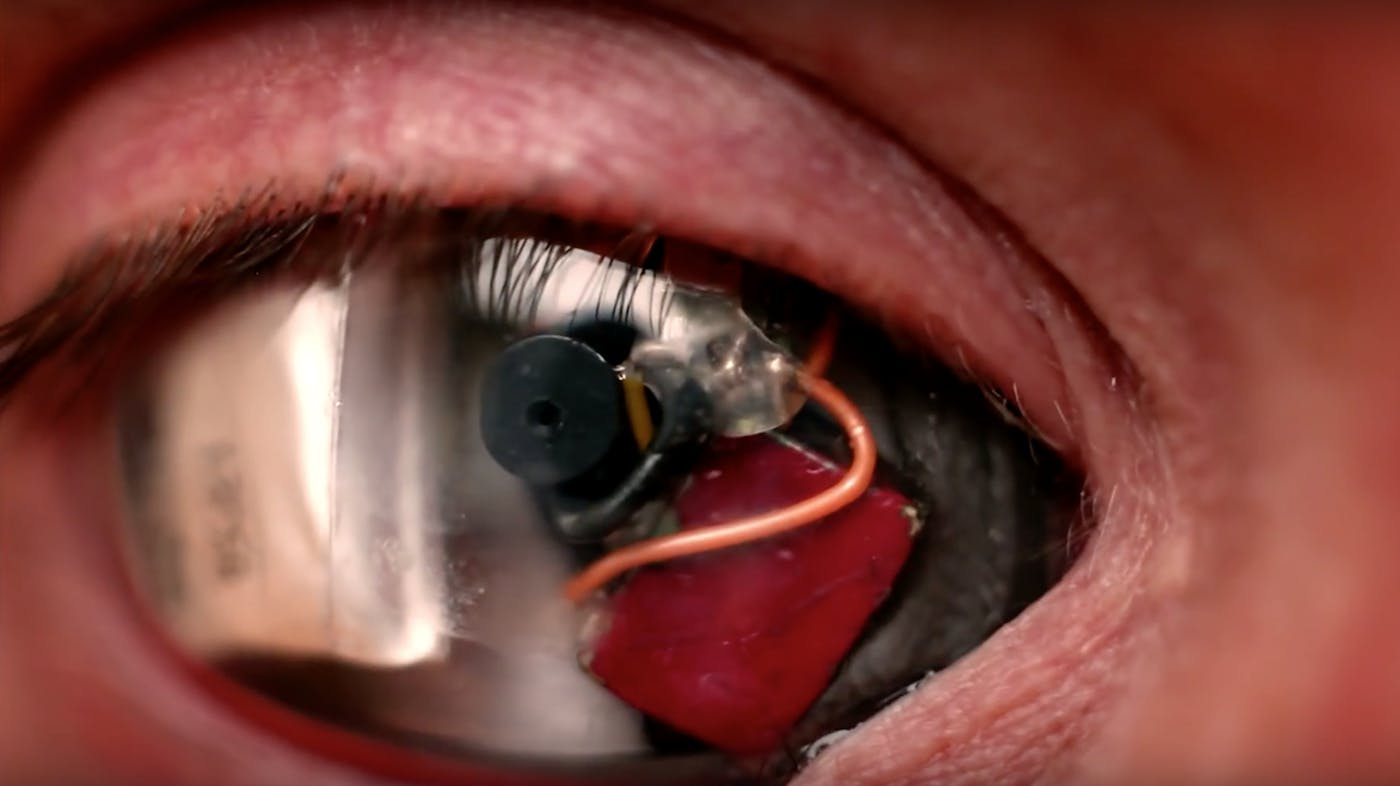
    Filmmaker Rob Spence wanted to create the perfect “point-of-view” filming experience. In order to do that, his team worked with ocularist Phil Bowel to design a prosthetic camera and electronic eye shell housing. A miniature camera, created by engineers working with RF Links, was designed to fit the housing. The result? An eyecam that creates a literal POV feed.

    Next, Spence wants to design an eyecam that looks less Terminatorand more human.

    4. Biomagnets

    04-biomagnets

    digitaltrends

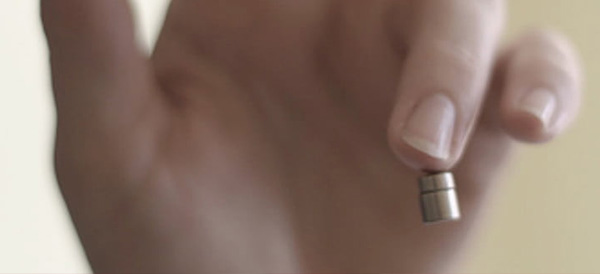
    Biomagnets are small magnetic implants shaped like discs implanted to dense nerve-ending areas like fingertips which give humans a new way to sense and interact with the world. “Magnetic vision” is a field sending ability where the augmented human can sense magnetic fields. Essentially, in nerve-ending rich area like a fingertip, even the smallest movement of the biomagnet can be felt.

    Of course, magnets can also be implanted for lifting purposes. These magnets are more cylinder based and are less useful for sending magnetic fields – instead their purpose is simply to lift.

    The usefulness of biomagnets can certainly be argued, but one thing is for certain – augmented humans may be much more likely to negatively interfere with electronic devices.

    3. Blood Test

    03-blood-implant

    digitaltrends

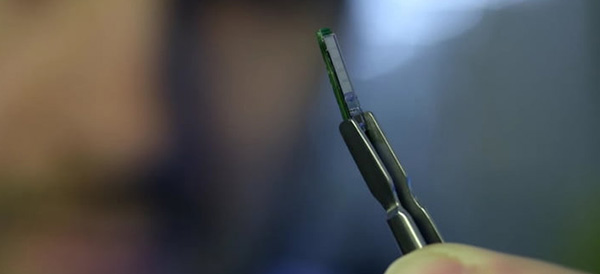
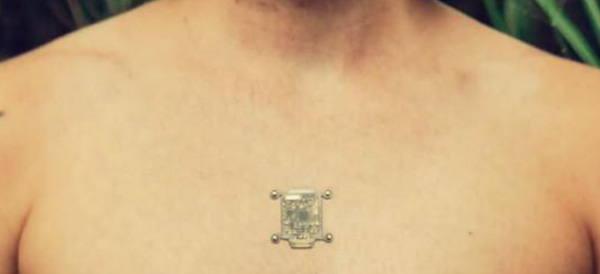
    Not all biohacks are bizarre subculture inventions, some come straight from the lab. The Swiss Federal Institute of Technology in Lausanne (EPFL) developed a device which could assist future doctors by monitoring substances in the body. The five sensors on the implant is capable of reporting lactate, glucose and ATP levels.

    After the device analyzes the user’s blood, it can transmit the information to a doctor over a cellular network. While still in a research phase, the scientists at EPFL believe it could be ready for the market within a few years.

    2. The North Sense

    02-north-sense

    cyborgnest

    Cyborg Nest’s North Sense device isn’t actually implanted into the wearer. Instead it is attached to the surface of the skin, but we think it still qualifies as a biohack. Right now, the functionality is incredibly basic – the device simply vibrates with the wearer is facing magnetic north.

    The North Sense is an experiment in new stimuli input. Cyborg Nest is looking to further their technology by developing new ways to interpret panoramic audio and visual sensing, which could give the wearer 360 degrees of awareness. Pretty sweet!

    1. Bioluminescence

    01-bioluminscence

    Ryan O’Shea

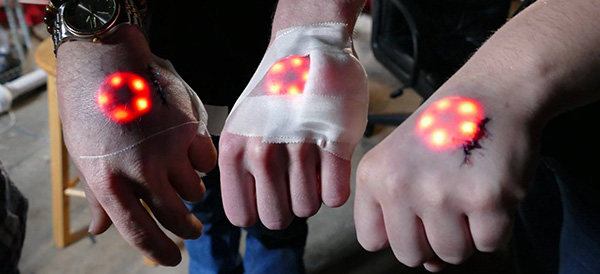
    There’s no way to recreate actual bioluminescence in humans (yet), so for not you’ll have to settle for the LED variety. Grown out of the reoccurring request for glow-in-the-dark tattoos, implanted LEDs are about the closest thing to emulating the bioluminescent look.

    These are purely cosmetic biohacks with little else to offer, but if you can’t imagine life without a Tony Stark-like glowing implant then this may be for you.

  • Aloe Bud Is the Self-Care App You Need Now

    Aloe Bud Is the Self-Care App You Need Now

    Do you ever feel stressed out? Well, there’s an app for that.

    Aloe Bud offers push notifications to remind you to be kind to yourself. You can configure notifications for everything from drinking more water, taking deep breaths, to getting up from your desk to move, and many other options.

    Millennial Mindfulness

    With its quirky design and cheerful retro graphics, the Aloe Bud app is clearly designed with Millennials in mind. The oft-maligned generation is more open to incorporating practices like yoga and meditation into their daily routines. Not only that, but they’re willing to shell out a few bucks at a time to get the latest mindfulness app.

    Self-care is a thriving business, and with an increased focus on wellness pervading almost every industry, it’s easy to get cynical about the whole thing. However, there is real value in being reminded to take a moment out of your day to look after your wellbeing. Aloe Bud makes it easier to do just that.

    Easy-to-Use App

    Aloe Bud is unusual in that it doesn’t require a ton of personal information to create an account—no sign-up process that gathers your name and address, and no Facebook link to turn self-care into a competitive sport.

    The interface is straightforward, with a grid of boxes containing a cute graphic and intuitive label for each type of self-care activity. You can choose to get alerts for any of these activities throughout your day. The app is also useful for tracking your good habits!

    Deceptively Simple

    Developer Amber Discko created the app based on her own need to de-stress and take better care of her wellbeing. Working with a mental health professional, her team carefully chose language that was positive, encouraging, and respectful of common triggers for anxiety.

    The app is free from the Apple store, although there is a $4.99 expansion pack of new texts to keep things fresh.

  • Facebook Is Rolling Out a Downvote Button

    Facebook Is Rolling Out a Downvote Button

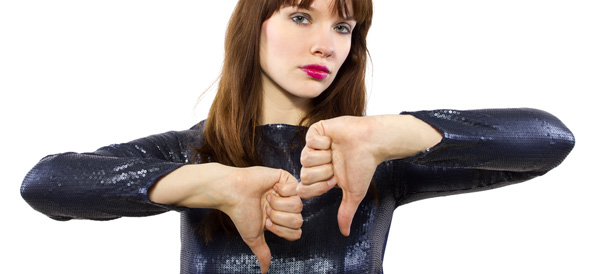
    Facebook is experimenting with a downvote button in certain markets. But before you get excited, it’s not the same thing as a dislike button. We’re still waiting for a thumbs-down react option, but in the meantime, there will be a new way to rank comments so that the “best” content appears first.

    Follow the Arrows

    In addition to the set of emoji reacts—like, love, haha, wow, sad, and angry—you’ll soon be able to hit an up or down arrow to show whether a comment was helpful, insightful, or relevant to the discussion.

    This new feature mimics other platforms like Reddit or the commenting system Disqus, used by many sites around the web. After the hits Facebook’s reputation has taken recently, the move can be seen as part of an overall strategy to make the social media site a more appealing place to spend your time. By downvoting comments that are disrespectful, hateful, or off-topic, users have more control over the content that’s displayed.

    Fostering Communication

    The goal with the downvote option is ultimately to clean up the comments with less hate and fake news. “People have told us they would like to see better public discussions on Facebook, and want spaces where people with different opinions can have more constructive dialogue,” a Facebook spokesperson said. “Our hope is that this feature will make it easier for us to create such spaces, by ranking the comments that readers believe deserve to rank highest, rather than the comments that get the strongest emotional reaction.”

    Limited Trial Run

    For now, the feature is only available in New Zealand and Australia. Assuming everything goes well there, the social media giant intends to extend the downvote feature to other territories. No word on when it will arrive in the US, but you can probably expect to see the upvote/downvote options sometime this year. As for how Facebook plans to deal with potential abuse of the system…well, we will have to wait and see.

  • Were You a 90s Kid? This Now-Ancient Tech Will Get Your Nostalgia Flowing!

    Were You a 90s Kid? This Now-Ancient Tech Will Get Your Nostalgia Flowing!

    Ah, the 90s. Technology was really picking up speed and the World Wide Web was beginning to unite the planet. Looking back, it’s easy to laugh at how bizarre or quaint some of the tech was. From the cast of Friends teaching you how to use Windows 95 to that ubiquitous AOL connection screen, here are some of our favorite tech from the 90s to help spiral you off into nostalgic-fueled daydreams!

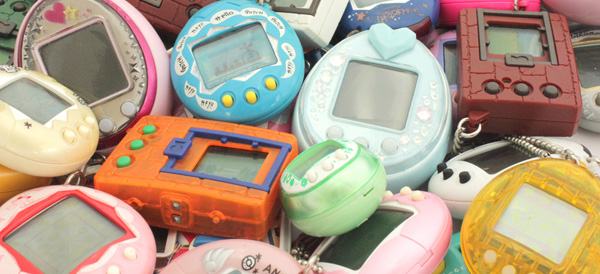
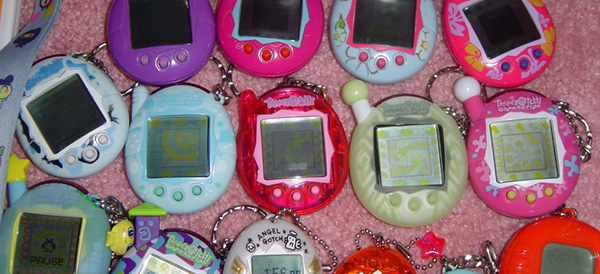
    10. Tamagotchi

    10-tamagotchi

    panelsonpages

    Be honest, how many of you killed your Tamagotchi pet? This wasn’t a fad that lasted long (at least where I lived), but for a short while every kid at school was taking breaks to feed and play with this primitive digital pet. The interface was horrid, the graphics were stick-figure-simple, but it captured the imagination of kids around the world.

    Tamagotchi was relaunched by Bandai in 2017 without much critical fanfare – We think people remembered how much of a pain they were.

    9. “You’ve Got Mail!”

    09-aol

    youtube

    You remember the internet before broadband, right? When you had to check with the family to make sure they didn’t need to use the phone for a while? When the sound of the Internet was a piercing, screeching noise that simultaneously irritated and excited you.

    In those days, America Online was the ISP of choice and geeks judged people on whether they used the built-in AOL browser or the infinitely better Internet Explorer. Let’s not even get into what adolescents were up to in chat rooms back then. A/S/L anyone?

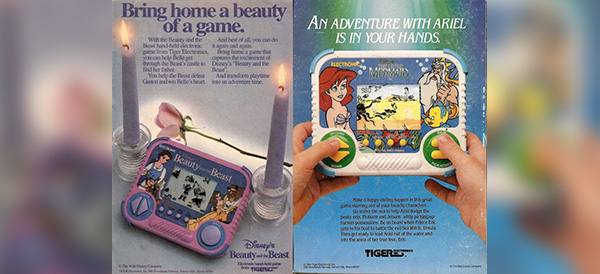
    8. Handheld Games Like This

    08-disney-handheld

    popsugar

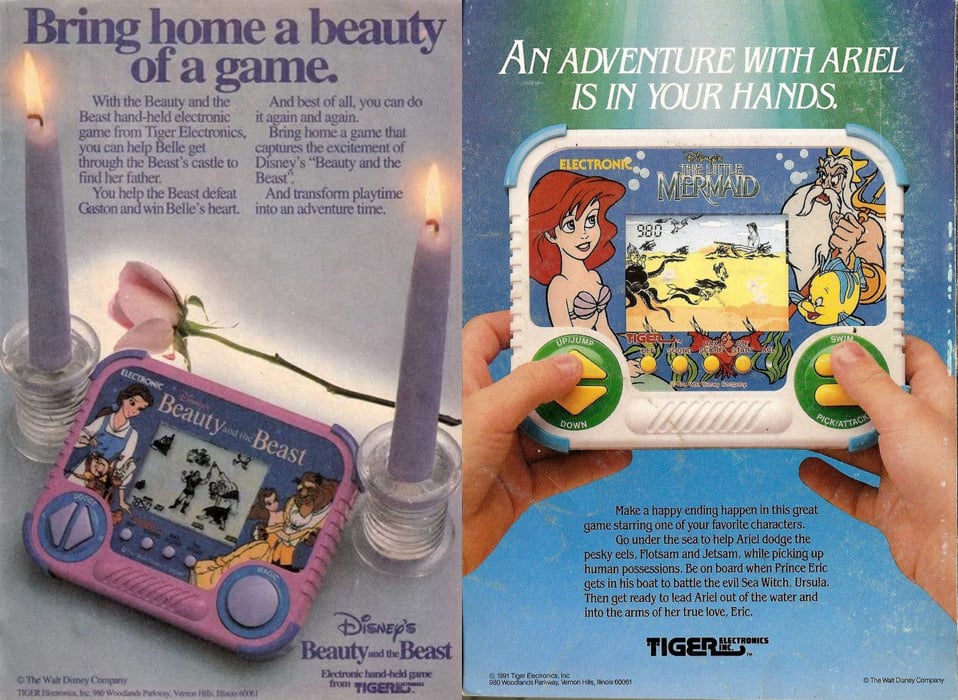
    This was a weird in-between period for video games. The old style handheld games popular in the 80s (think baseball, football and the like) had been completely surpassed by the Nintendo Gameboy. But Gameboys were expensive, so for a while, these single-game, two-color tech monstrosities continued to find some level of profitability. These days you might find a hipster playing his OG Gameboy on the subway, but one of these things? Likely not!

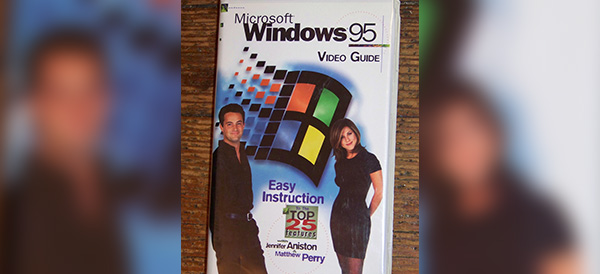
    7. The Windows 95 VHS Starring Rachel and Chandler

    07-windows-95

    flickr

    Windows 95 was a really big deal. Before then, people were using DOS and Windows 3.1, which were old-fashioned even by 90s standards. Even still, it’s funny to look back at how incredibly quaint it is to bring in some television stars for a VHS release on how to use Windows 95. The only thing it proves, I think, is that old people of every generation need a little extra help with these newfangled contraptions the kids like so much.

    6. Pokémon

    06-pokemon

    youtube

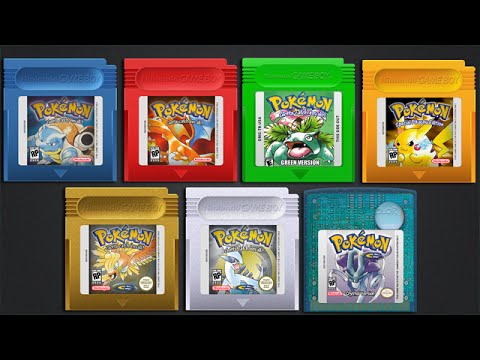
    Okay, so Pokémon never really went away and by some accounts is as popular as it ever was. But 90s kids remember the origins of Pokémon… These are the true Pokémon veterans. Coming out of Japan and landing in the US in the late 90s, every kid who did not have a Gameboy Color to play Pokémon was looked upon with pity. These days there are more Pokémon games than you can count on your fingers and toes and the popularity seems to have a Star Wars-like longevity. Here’s to the OG fans of the 90s!

    5. Video Rental Stores

    05-blockbuster

    wikipedia

    Before digital streaming or even digital media like DVDs, VHS tapes were the only way most of us were able to watch movies. I mean, who had Laserdisc? Going out to the video store to rent movies for the weekend was a family tradition for myself and many other people. Rows and rows of movies to choose from and the sheer joy when Blockbuster started renting video games. These are some of the best memories for many 90s kids.

    4. Tape Rewinders

    04-rewinder

    wikipedia

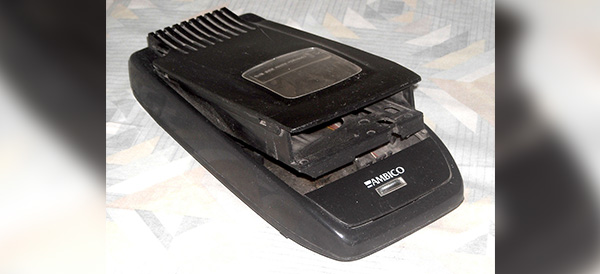
    Speaking of renting movies, do you remember the “Be Kind Rewind” stickers on every single VHS you brought home from Blockbuster? Those were the days. The problem was that rewinding video tapes was actually bad for your VHS player and you couldn’t do anything else with it while you waited for the tape to be rewound. Enter the tape rewinder – an extra device that most of us owned whose sole purpose was to rewind VHS tapes. Somehow that made sense to everybody.

    3. Floppy Disks

    03-floppy-disk

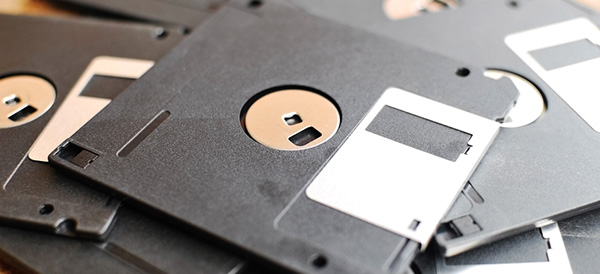
    Holding a whopping 1.44 megabytes of data, the floppy disk was the ubiquitous mode for moving data around. Kids from the 90s probably remember carrying around at least one floppy disk for the one or two classes in school that required using word processors. CD-ROMS may have increased the amount of data storage available for software, but CD burners were somewhat of a slow luxury that many of us did not have.

    2. Encarta

    02-encarta

    shopify

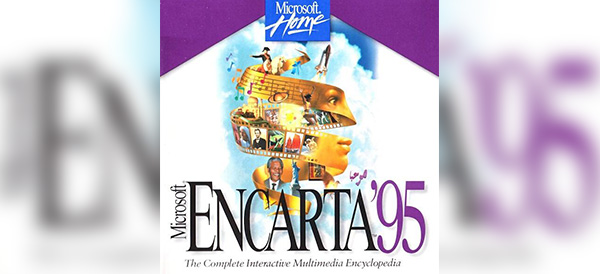
    Did your family have a bookshelf full of massive encyclopedia volumes? I know mine did. And I can remember the utter disbelief painted across my father’s face when our Packard Bell family computer came with an Encarta CD-ROM. “All of that?” he asked, pointing at tomes on the shelf, “In this?” Yeah dad, with video and sound, too. Welcome to the future!

    1. Giant Car Phones

    01-car-phone

    thetruthaboutcars

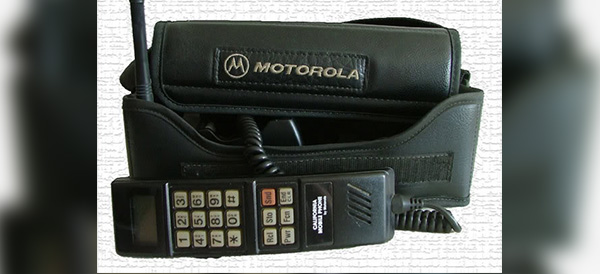
    In the 90s, I had a friend who drove to high school every day in the ugliest, brownest, most beat up car I had ever seen. We called it “The Brown Thing” and most people would have been embarrassed to be seen in it. But The Brown Thing had something I had never seen before – a giant phone console. This tech blew my mind and put my friend at Zack Morris levels of cool. “Wait a second, you can make phone calls from your car?” To which he replied, “Well yeah, but I can only call my mom.”

    Decades may change, but moms never do.

  • How Camera Lens Accessories Surpass Smartphone Camera Limitations

    How Camera Lens Accessories Surpass Smartphone Camera Limitations

    One of the greatest things about smartphones is the simple fact that you always have a camera on you. Gone are the days of lugging around a point-and-shoot camera… and thank goodness! To make matters even better, Apple, Samsung and other smartphone makers are constantly one-upping each other and packing better and better cameras into their tiny devices.

    But smartphone photography is still underwhelming when compared to the kinds of photos that a full-featured digital camera can take. However, there is some middle ground that is now being explored by manufacturers of smartphone camera lenses. Does snapping on an external lens turn your smartphone into a professional camera? No, but it does offer some advantages for those looking to capture certain types of images.

    Limitations of Smartphone Cameras

    First, let’s quickly explore exactly why your smartphone camera is limited compared to other types of cameras. A camera lens needs light in order to take a picture and your phone has a tiny lens. That means less light. And because the lens is embedded into the phone’s case, there is no optical zoom capabilities. The digital zoom that smartphones can perform reduces the quality of your photo drastically.

    Where you get your real bang with smartphone photography is through the software. The post-image processing that occurs on a top-of-the-line device allows you to take photos that look better than they would without software. This is most evident if you use portrait mode or take panoramic photos, but it applies to every shot.

    Surpassing Limitations

    Smartphone camera lenses really shine when a photographer is looking to get around the basic limitations of their lenses that we described above.

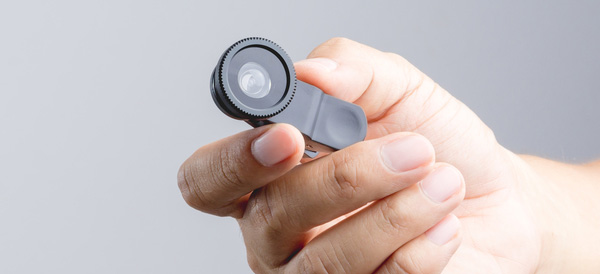
    A telephoto lens will allow photographers to achieve optical magnification to zoom in and get photos that are more crisp than digital zooms.

    Wide angle lenses and fisheye lenses allow the photographer to capture more in their frame. The fisheye apps out there don’t even come close to achieving what even a snap-on fisheye lens can achieve.

    Macro lenses will allow a photographer to get those up-close photos without having to fight the smartphone on focusing while holding the camera close.

    Who Needs a Smartphone Camera Lens?

    It really boils down to specific photo needs. If you need to take macro, zoomed, wide angle or fisheye photos with your smartphone, then a lens is absolutely worth it.

    The casual smartphone photographer who just wants to take snaps when the opportunity arises will most likely never need a lens accessory. Their needs are just too basic. The hassle of lugging around and caring for external lenses are probably not worth it.

    But whether or not it sounds like you need a camera lens accessory, happy shooting!