Blog

  • Best Medicare Supplemental Insurance

    Best Medicare Supplemental Insurance

    If you rely on Medicare for your health care, you might have found that Medicare doesn’t cover everything. For those on a fixed income, it can be extremely difficult to afford medication or any additional health care costs not covered by Medicare.

    If you are in a difficult situation where the health care bills are piling up, consider Medicare Supplemental Insurance. Medicare Supplemental Insurance is insurance that can help cover what Medicare doesn’t. We analyzed several plans with our experts and today we are breaking down the Best Medicare Supplemental Insurance!

    Best Medicare Supplemental Insurance

    Information About Supplemental Insurance

    An important note: in order to get supplemental insurance, you must have both Medicare Part A and Medicare Part B. Part A covers inpatient, and Part B covers outpatient care. Anoter factor to consider is Supplemental insurance only covers one person. Additionally, as long as you’re paying your premiums, Medicare supplemental  insurance can’t drop you, no matter what medical issues you may begin to suffer from.

    Supplemental insurance won’t always cover everything Medicare doesn’t.  Supplemental insurance is not going to cover all expenses. Things like vision, dental, prescriptions, long term care and private nursing are also not typically covered. Finally,  supplemental insurance must be acquired within the first sixth months of you turning 65 and you must already be on Medicare to qualify.

    United Healthcare Insurance Company

    The United Healthcare Insurance Company is endorsed by the AARP, and for good reason. This company offers a great deal of benefits for those on Medicare. They have a 94 percent user satisfaction, which is stellar. They also offer coverage that can be combined with a Medicare Part D plan. Those with this policy can visit any doctor that accepts Medicare! United Healthcare allows you to choose from a wide variety of plans, coverage, deductibles and benefits so you have coverage to fit your health needs and your financial situation.

    State Farm

    State Farm is another option for supplemental insurance. State Farm Medicare Supplement Insurance is designed to cover the gaps in Medicare, helping to pay deductibles, coinsurance and copayment amounts not covered by Medicare. State Farm also provides you the flexibility to choose between different plans to meet your individual needs and budget. They are a well-respected agency and are renowned for their high customer satisfaction ratings “Like a Good Neighbor, State Farm is There” tagline is very true. State Farm insurance might be able to cover hospital or medical services your Medicare won’t pay for as well.

    Humana

    Humana offers Medicare supplemental insurance that covers Medicare Part A and B. Humana’s policy covers coinsurance for medical expenses, co pays, hospice care and hospitalization, skilled nursing facility care, and blood work. Additionally, the Humana plan also covers copayments for outpatient services. Remember, this is in addition to your Medicare coverage, so getting this extra coverage could save you a lot of money when you have expensive outpatient services. Particularly if you have frequent doctor’s visits, you may find yourself saving a ton with this supplementary policy.

  • Top 5 Email Providers

    Top 5 Email Providers

    Email  has become a primary form of communication for work, family and friends. It is the cornerstone of everything from keeping up with loved ones to confirming purchases. We are all walking around with priority access to our email accounts at all times.

    With so many email options it may be hard to pick one email provider. Which one is the best for your priorities and needs? I always recommend everyone have at least 2 email addresses. One for important accounts and security that you only use for personal and financial accounts. Then a second one you use to register for Netflix, social media, communicating with family and spam registrations.

    Getting hold of an email account is easy. Getting the right email account is more difficult, as there’s a lot to consider. What are the spam filters like? How easy is it to keep your inbox organized? Can you access the account from other email clients? Keep reading and we’ll highlight some of the best email providers around. Here are the Top 5 Email Providers!

    1.Gmail

    Google’s webmail juggernaut needs no introduction. It’s easy, reliable and most importantly free. Your Gmail  email address gives you access to a plethora of Google apps and functions. There is no reason not to have at least one and it’s great as your primary email address. First released back in 2004, Google’s Gmail has become the market leader in free email services with more than a billion users across the globe.

    Gmail’s stripped-back web interface is a highlight. Most of the screen is devoted to your inbox, with a minimum of toolbar and other clutter. Messages are neatly organized via conversations for easier viewing, and you can read and reply to emails with ease, even as a first-time user.

    2. Outlook

    Outlook provides plenty of power and features, especially for Office 365 users. Focused inbox, powerful events and calendar abilities and litany of app based integrations are some of the great features of Outlook.

    Outlook’s web interface follows the same familiar style as its desktop incarnation, and most other email clients: folders and organizational tools on the left, the contents of the current folder in the center, and a simple preview pane on the right (with adverts in the case of the free account).

    A toolbar gives you speedy access to common features, and right-clicking folders or messages shows you just about everything else. If you’ve ever used another email client, you’ll figure out the key details in moments.

    If that’s still not enough, Microsoft offers a bunch of app-based integrations to take the service further. You get built-in Skype support via the beta, and apps give you easier access to Evernote, PayPal, GIPHY, Yelp, Uber and more.

    3. Yahoo

    Yahoo mail has a powerful offering with some surprisingly neat extras. Useful extras like disposable email addresses, 1 TB of inbox storage and limited low level options.  Yahoo Mail doesn’t make the headlines so much, these days, but its latest version is a polished and professional service which stands up well against the top competition.

    The well-designed interface resembles Gmail, at least initially, with a large view of your inbox, one-click filters for common messages and content (Photos, Documents, Travel), and easy browsing of all the emails in a conversation. But you can also organize mails into custom folders, and the layout can be tweaked to display a message preview in a couple of clicks.

    4. Proton Mail

    Proton Mail is email with an emphasis on security and privacy. It includes tight privacy features and end to end encryption for messages. Signing up with an email provider will often involve some privacy compromises. Yahoo Mail asks for your name and mobile number, for instance. Gmail and other services might scan your messages to carry out useful actions (such as adding events to calendars), and just about everyone serves you with ads.

    ProtonMail is a Swiss-based email service which focuses on privacy above all else. You can sign up anonymously, there’s no logging of IP addresses, and all your emails are end-to-end encrypted, which means there’s no way ProtonMail (or anyone else) can read their contents. Also, address verification (which allows you to be sure you are securely communicating with the right person) and full support for PGP email encryption is available.

    In reality, ProtonMail is a specialist tool which is intended for use alongside services like Gmail – not to replace them – and overall it performs its core tasks very well.

    5. Mail.com

    Mail.com offers most of the important email features that you might be thinking about. Most importantly, you can select the email domain name that will suit you best from over 200 domain names. They provide unlimited email storage capacity and you can attach up to 50MB of file in one attachment.

    You can also set up your email to receive and reply all your emails from this one address. They also provide mobile support. You can use your email on BlackBerry, iDevices and Android devices. You also have an online calendar to use.


  • Monday Movie Review : Venom

    Monday Movie Review : Venom

    Hooray,  Its Monday. That means like most of you, and the rest of the free world, I got to hit the theaters over the weekend. I like to do this every weekend. I wanted to take a little bit of time to tell you my experience at the movie,. Just a minute to shed a little insight and perspective on Hollywood’s latest hit. Seeing a great movie in the theater can be a life altering experience. It can also be an easy way to waste a couple of hours and 30 bucks. My hopes is that with a quick review from this self proclaim movie connoisseur I can save readers  a few hours.  Or better yet, possibly change a few more lives. I saw Venom this past weekend.

    Venom is the latest superhero film based on the Marvel Comics character of the same name. Produced by Columbia Pictures in association with Marvel. Let talk about it


    Venom 57% Life Altering

    We have a Superhero movie. This one is interesting though. Venom is not altruistic, he is a down right evil symbiote. His human pair Eddie Brock is a tragically flawed man of biblical proportions. The two combine and special effects chaos ensues. The movie follows Tom Hardy’s “Eddie” struggle to come to grips with an alien parasite hosting on him, controlling his actions and eating peoples heads. Both Venom and Eddie share a common antagonist and the movie flows to that confrontation aboard a launching rocket. Abort.

    What Did I Think?

    Its a predictable superhero movie, you can write it out your self before seeing it. Culminating in an over the top and unnecessary 3rd act. For a superhero movie it strayed from the original Todd McFarland comic. Venom is a Spiderman villain. Most of what makes him unique is the symbiote bonds with the spidey suit. This is what gives Venom the characteristic we know and love. So that is a %10 loss in score.

    Tom Hardy does an amazing job. He alone makes this movie watchable. He adds depth and layers to Eddie and makes him instantly likable. The likability and struggle Tom does with Eddie is completely fantastic and worth watching.

    Riz Ahmed, you know him as the pilot from Rouge One. He does a delightful job with a one dimensional, terribly scripted villain. With just a little bit of forethought Drake could have been a wildly interesting villain.

    The road to hell is paved with good intentions, good intentions were what was missing from Drake. Think Thanos, his actions are selfless. Drake is  a character in a position to do some fantastic things, and a tragic fall, matched with a massively evil smybiote could have been cool. But instead Venom misses, I do not sympathize or care or really believe in Drake or Riot at all. 

    The Final Venom Thought

    Eddie, Watch it for Tom’s Eddie. Tom is one of the greatest actors of our generation, and this only adds to his impressive body of work.  The Post scene could open doors for a good 5-6 movie universe. We know Marvel has got the rights to Peter Park and Spiderman. However Sony still has Miles Morales’s Spidey, or Spider-Juan as I like to call him. They could introduce Miles and have a new spider man universe with Venom and Carnage and crew. All we ask Sony is plan for 5 movies, don’t rush, spend time developing the characters. That is what we love after all, its not the CG, its the characters.

  • Dell XPS 15 Review Roundup

    Dell XPS 15 Review Roundup

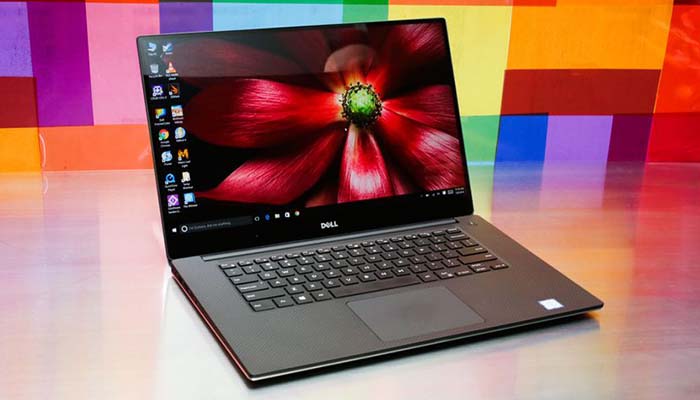
    The Dell XPS 15 is upon us, and it keeps up Dell’s recent string of high-quality laptop releases. The XPS 15 offers a lot of great power and design for the intro price of $1,000, keeping this laptop just in the range of “affordable.” For a laptop, at least. Let’s get into the review roundup!

    Dell XPS 15

    dellxps15
    CNet

    Design

    There aren’t really any surprises in this department for 2018. The outer lid is silver-colored aluminum with a shiny Dell logo. The screen still has the crazy-small bezels you’ve come to expect from XPS. Unfortunately, that means the webcam is under the screen, which is probably the least flattering angle imaginable. Other than that, the design is pretty stellar.

    You get tons of ports, a great form factor and good battery life. Additionally, the laptop sports a Thunderbolt 3 charging port for blazingly-fast charging. All in all, other than the webcam, it’s hard to pick on this laptop. If you’re a fan of flashy aesthetics, this Dell is a bit understated. However, for most folks it’ll look just sleek enough to be stylish.

    Specs

    If you’ve been tuned out for the past few years, you might think the name Dell means low quality. However, in recent years, Dell’s quality has improved markedly. The XPS 15 is no exception! The 15 inch display looks fantastic in most lighting conditions. It boasts an Intel i7 processor, making it a solid choice for multitasking. You can open tons of tabs and stream music and video all while operating productivity programs.

    If you opt for the Nvidia GeForce GTX 1050 Ti Max-Q GPU you can even do some light gaming. Games look pretty solid on the 15-inch screen, though if you opt for the 4K screen, of course, it looks markedly better. Also, the laptop does an ample job cooling down during long gaming sessions.

    Bottom Line

    In summary, the Dell XPS 15 is a rock-solid laptop. While you can pick it up for $1,000, that configuration wouldn’t be the beefiest. If you want decent gaming specs and good productivity, your configuration could run up to $1,500. The $2,000 version boasts a 4K display and is well worth the money, although those with no interest in 4K would be fine with the mid-level version.

    The bottom line is that this is a great laptop in any configuration. If you’re in the market for a new laptop, consider getting the Dell XPS 15!

  • Top Ten Nintendo Console Redesigns

    Top Ten Nintendo Console Redesigns

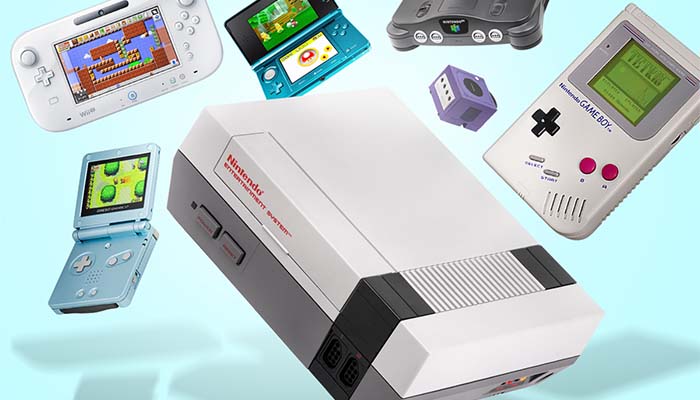
    News broke last week regarding the possibility of a redesign for the Nintendo Switch. From the very first Nintendo console, the Game and Watch, console redesigns have been a huge part of Nintendo’s business strategy. Today, in honor of the potential new Switch, we’re looking at the top ten Nintendo console redesigns!

    Top Ten Nintendo Console Redesigns

    nintendo
    Stuff

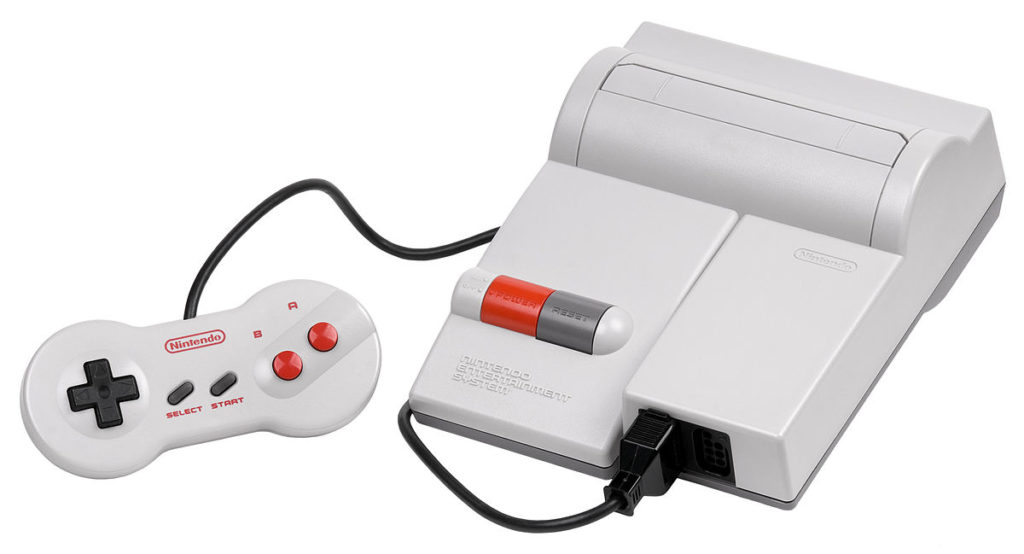
    10. NES Top Loader

    This interesting, late-life NES upgrade actually hit in 1993. Strangely enough, this console redesign came after the release of the SNES, seemingly to keep up with demand for the then-outdated NES console. It also sports a redesigned controller that mirrors the look of its successor. Not to mention, it paved the way for many redesigned consoles to come over the years!

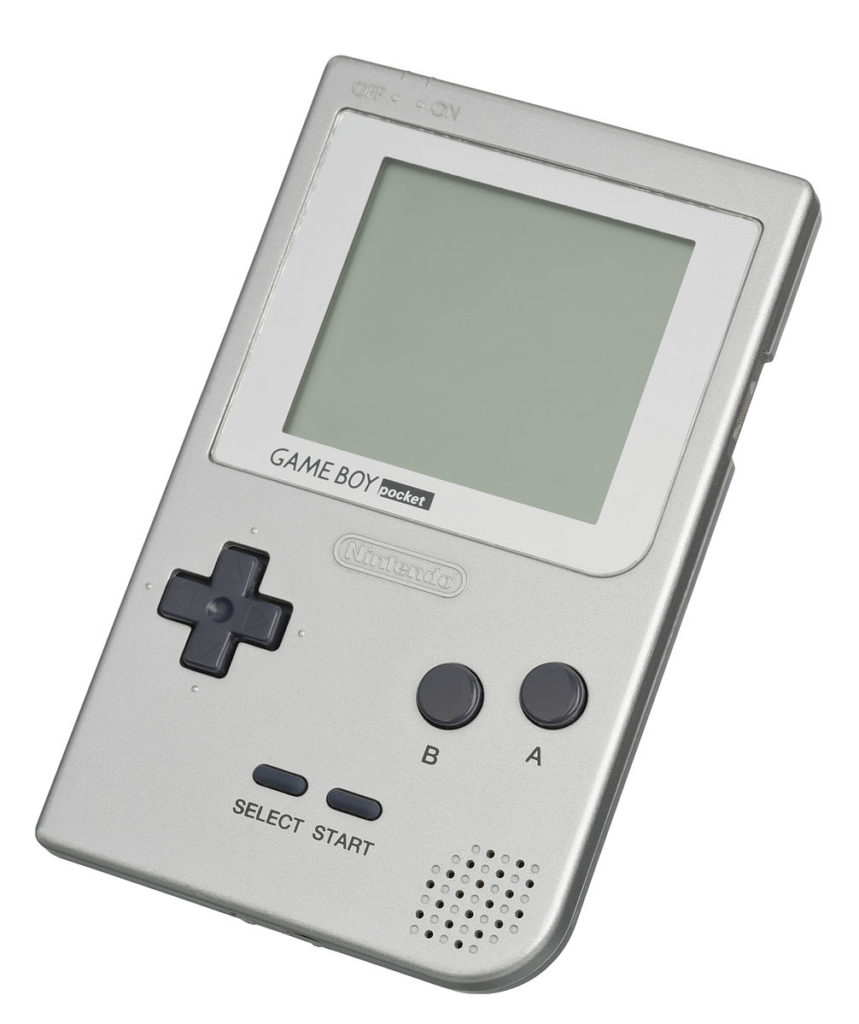
    9. Gameboy Pocket

    The first major rework for the mega-popular Gameboy handheld, the Gameboy Pocket is adorably small. This tiny little handheld slims down the bulky profile of the original in clever ways. For one, it sports less “dead space” in its design, utilizing a smaller board. Additionally, it is powered by two AAA batteries instead of four AA’s, like its older brother. This means shorter battery life, but smaller profile for pocketing!

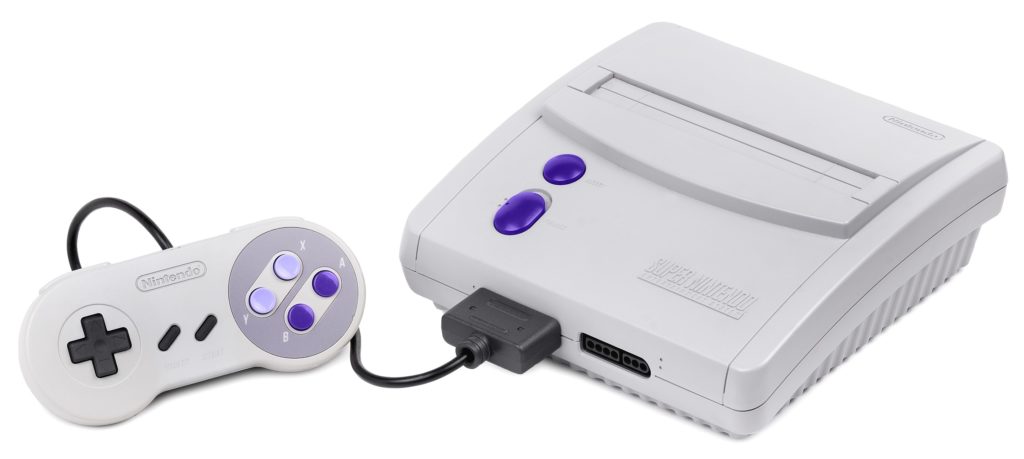
    8. New Style SNES

    In 1997, a year after the N64’s release, Nintendo realized they could copy the success of the NES Top Loader with the SNES. So, in the twilight of the SNES’s popularity they released this smaller, more affordable configuration. By ditching some features, like LED power indicators, Nintendo was able to make this a budget option for the holiday season.

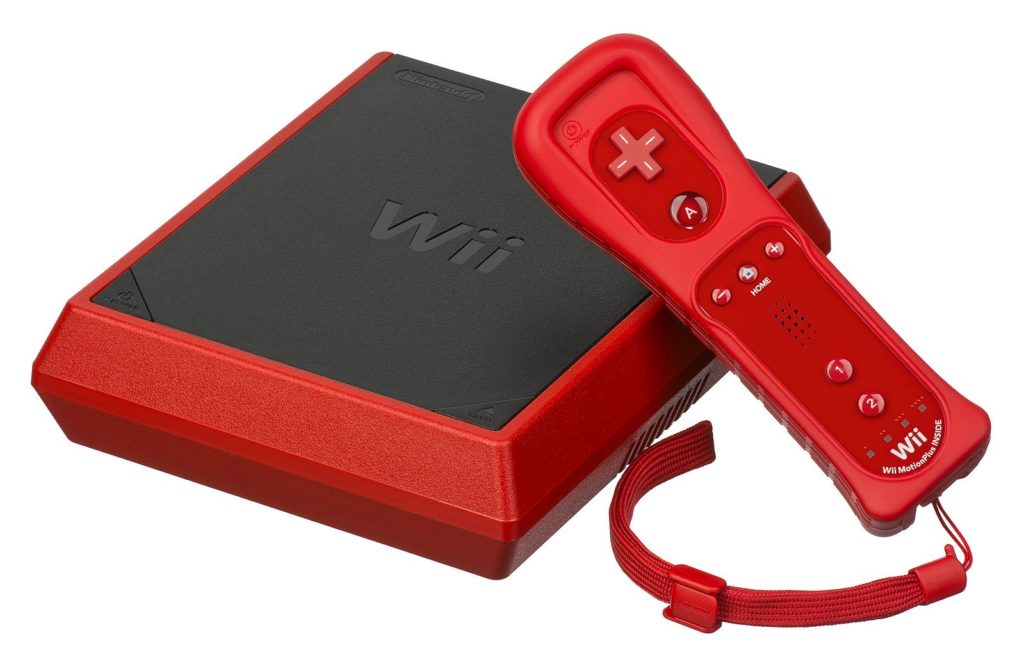
    7. Wii Mini

    While the N64 and GameCube skipped redesigns (in the West, at least) the Wii Mini returned to the tradition. This tiny update for the Wii released shortly after the Wii U released in 2012. It had to leave a lot of features out to achieve its tiny size, including GameCube controller ports and SD card support. However, the result is adorable and affordable all at once! It’s somewhat collectable, as well, since it had such a short shelf life.

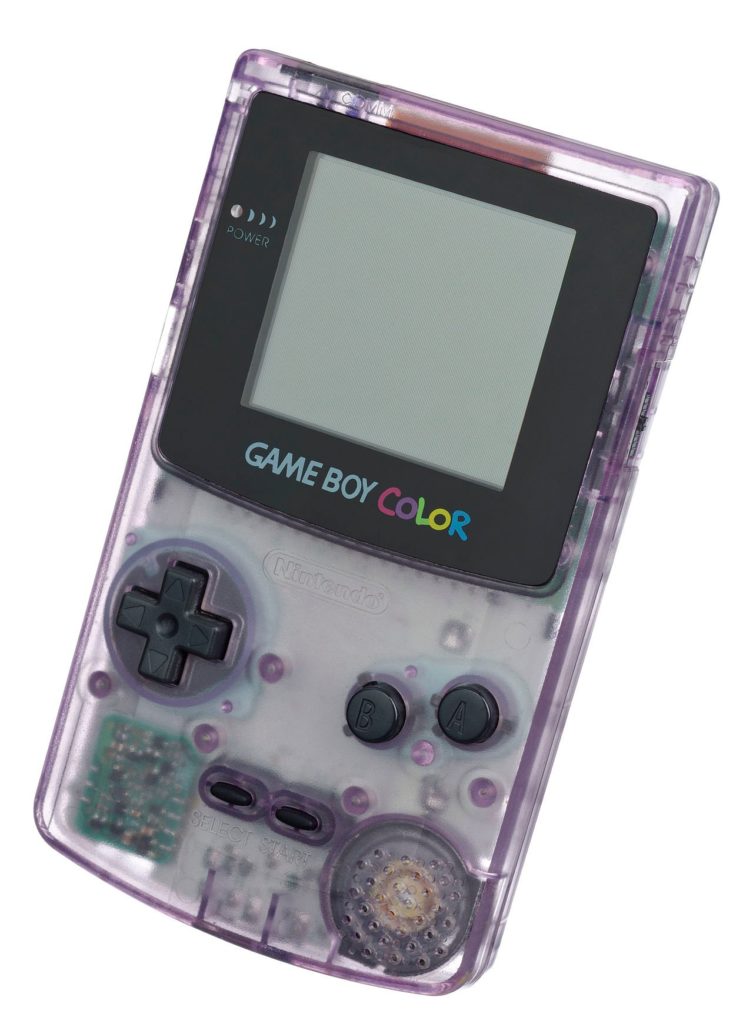
    6. Gameboy Color

    One of the most well-known console redesigns of all time, the Gameboy Color was part rework and part successor. Oddly, many games in the Color library could be played on original Gameboys. However, the Gameboy Color is most well-remembered for its stellar lineup of exclusive games. Namely, Pokemon Gold and Silver could only be played on the Gameboy Color!

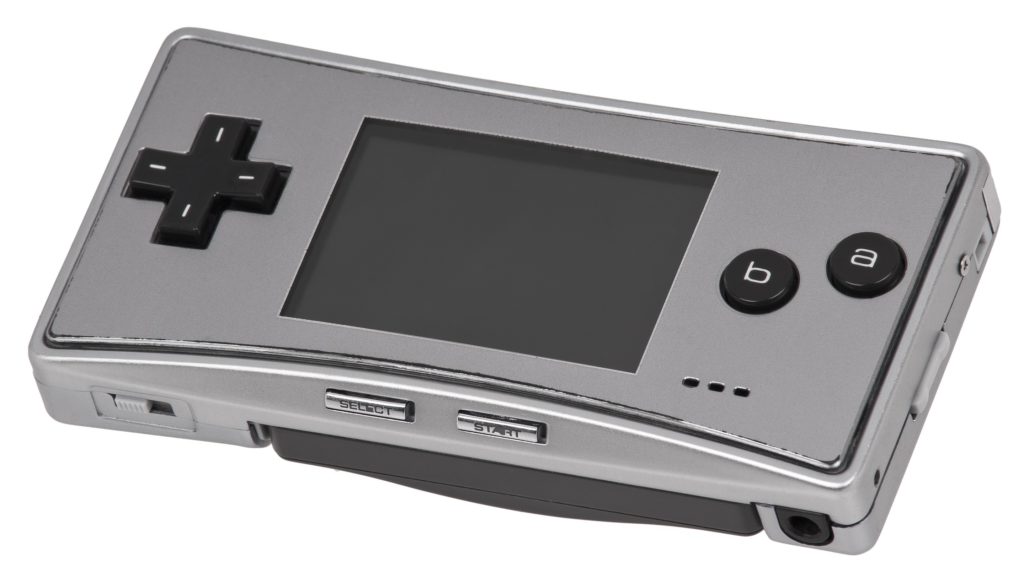
    5. Gameboy Micro

    The Gameboy Micro followed in the footsteps of the Gameboy Pocket a short nine years later. This time, the miniaturized Gameboy Advance system returned to the horizontal form-factor of the original but incorporated a backlit screen and exchangeable faceplates. Adorably, it sports lower-case letters on it’s A and B buttons, which just makes us happy. Additionally, it includes a headphone jack, which was a much-requested feature.

    4. DS Lite

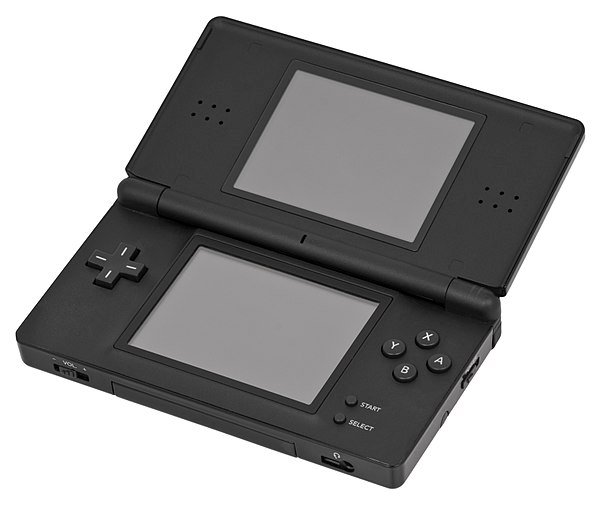
    A much-needed redesign for the original DS (DS Phat, as it is affectionately known,) the DS Lite sports a slimmer profile and brighter screens. It also features a longer battery life! Many felt as though the buttons on the original DS were too small, and the DS Lite addresses this concern as well. The Lite was the first of many DS redesigns, though.

    3. Nintendo 2DS

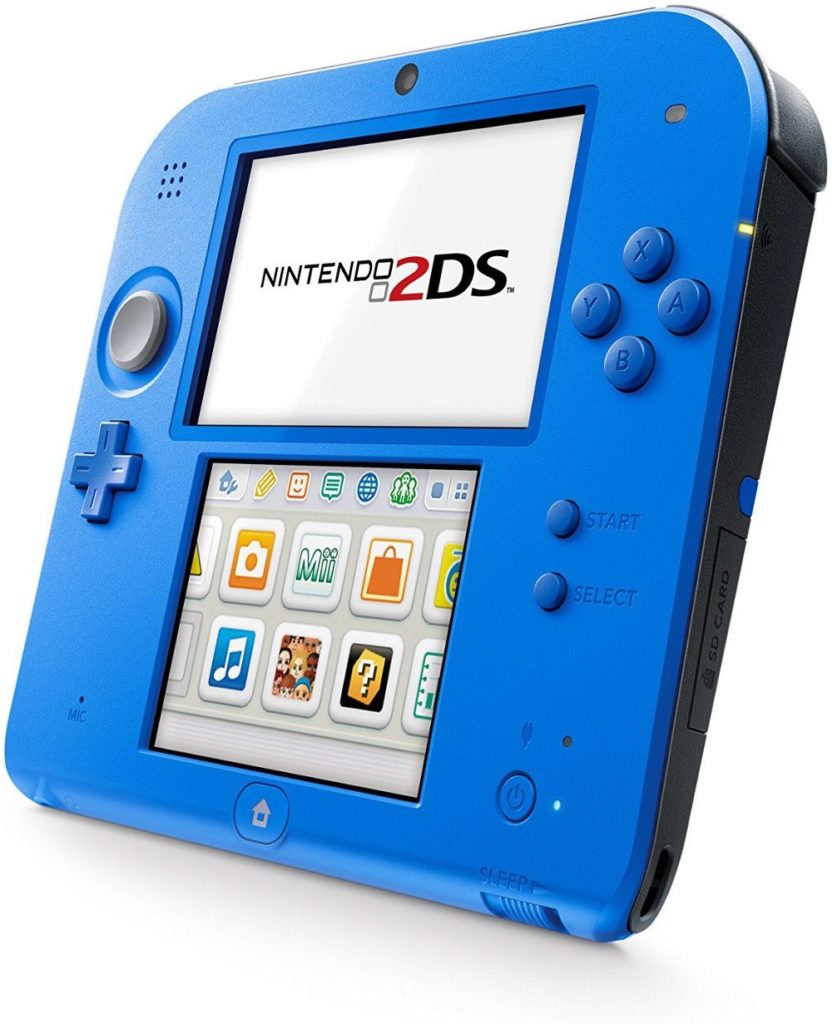
    The 3DS has a huge library of kid-friendly titles, but its price was somewhat prohibitive. Additionally, the stereoscopic 3D functionality can be damaging to the developing eyes of children. To address both concerns, Nintendo sidestepped the issue entirely and released the ultra-budget Nintendo 2DS. The resounding success of a console reinvigorated sales of Pokemon, Mario Kart and the like for the 2013 holiday season.

    2. New Nintendo 3DS

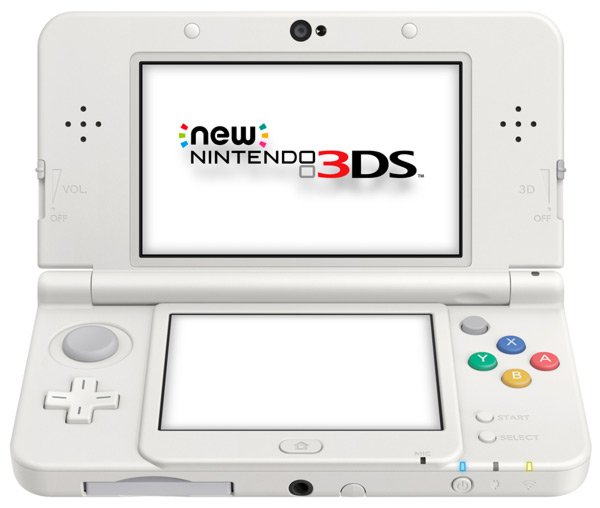
    Released in 2014, the New Nintendo 3DS has an unfortunate name and an interesting design. Adding a nub-like C-stick and two extra shoulder buttons, the New 3DS nearly replicates the control scheme of home consoles. This move somewhat predicts the Switch about three years before its launch. The New 3DS also boats more RAM, and as such has exclusive games that take advantage of the updated graphical capabilities.

    Gameboy Advance SP

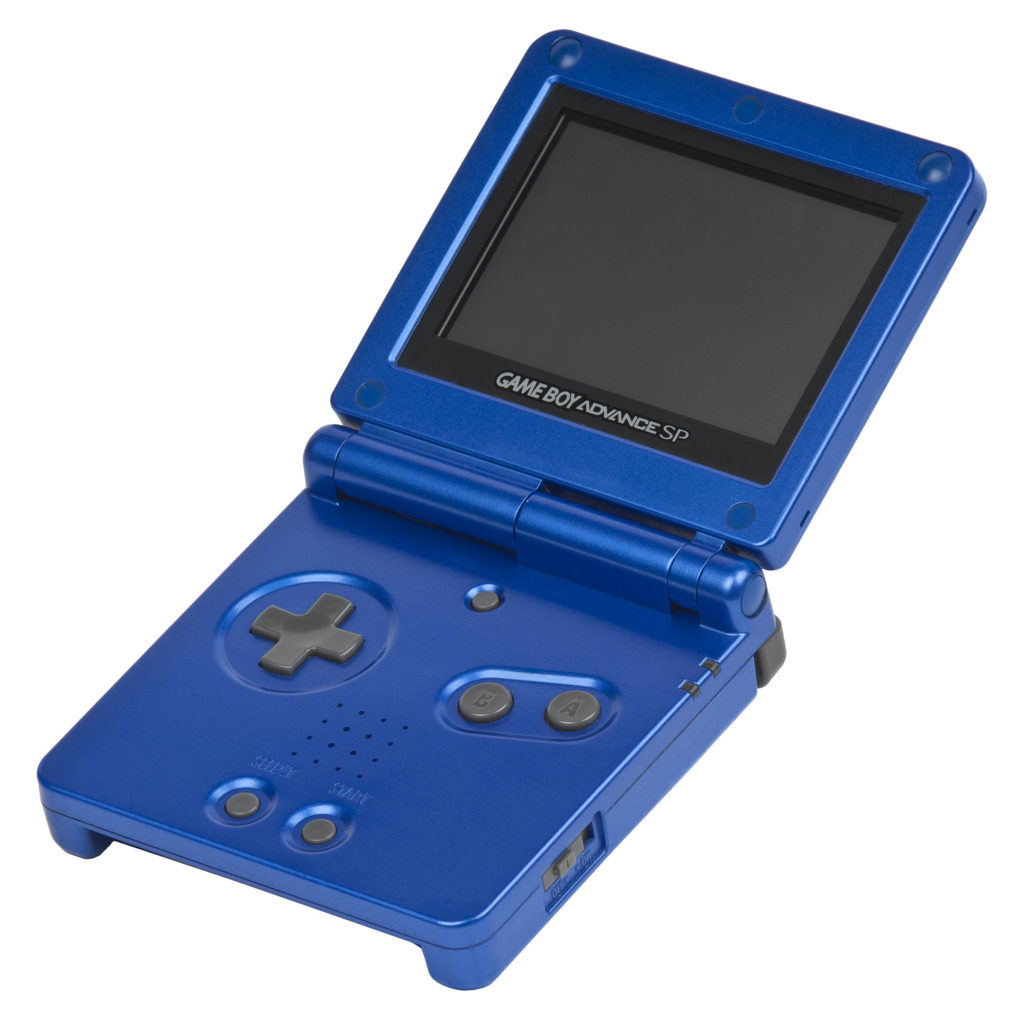
    The very finest Nintendo console redesign comes courtesy of the Gameboy Advance SP. The folding, clamshell design cleverly cut the profile down significantly while also protecting the screen and buttons while pocketed. Additionally, this redesign sports a backlit screen and a rechargeable battery. Really, with the exception of a headphone jack, the SP is the definitive Gameboy Advance model.

    If the updated Switch is as much of a masterclass in industrial design as the SP, we’re excited to see what Nintendo has in store!

  • Google Pixel 3 Leaks

    Google Pixel 3 Leaks

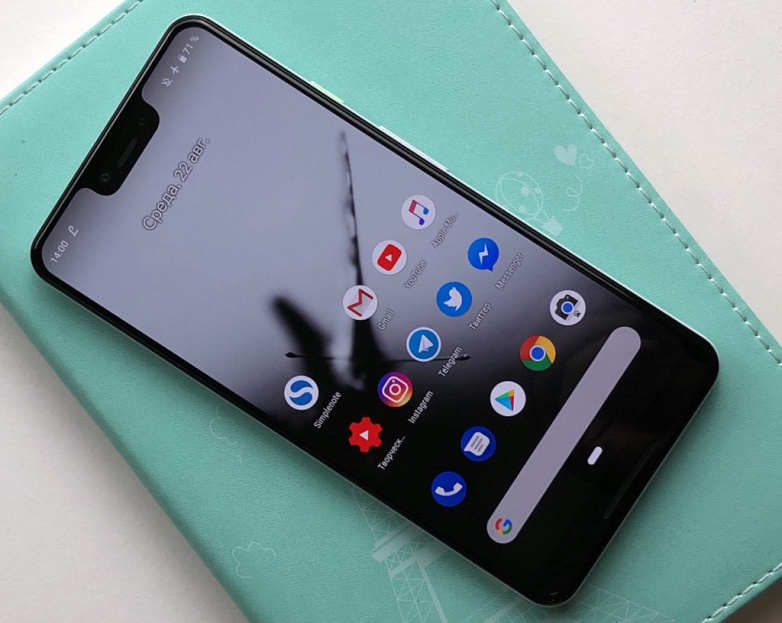
    Google will hold an event on Tuesday, October 9th, starting at 11AM ET. This will be to unveil the Google Pixel 3. This is the latest and 3 incarnation of googles flagship smartphone. The last 2 have been impressive and the 3 is looking to follow suit. Lets take a loot at what we know already. Lets sort through all the Google Pixel 3 Leaks

    The Google Pixel 3 is not much of a mystery. It  has been plagued with Google Pixel 3 Leaks info. In the lead up its launch everyone is showing off the screen, colors, wireless charging capabilities, cameras, and more.  The Pixel 3 XL  has a 6.3-inch screen, 128GB of storage space.The Google Pixel 3 has some impressive and unique  gestures. The specs line up with a disappointing expectations: it uses Qualcomm’s Snapdragon 845 chipset, only has 4GB of RAM and a 3,732mAh battery. Pretty standard, and standard for the Google Pixel 3 is a tremendous waste.

    The phone’s cameras info has leaked and looks equally uninspiring. We are hearing it has a 12.2-megapixel main camera, as well as a pair of 8-megapixel front-facing cameras, which allows it to take extra-wide shots.The primary camera is said to be capable of recording 4K videos at 30fps while the front is ‘limited’ to 1080p. Again I find this uninspired. Various images of the Google Pixel 3 XL corroborating previous leaks reveal a notch-style display. The device could be seen featuring minimal bezels on the front-fascia with a slightly thick chin at the bottom. From the backside, the Google Pixel 3 XL seems to carry similar design cue to that of the Google Pixel 2 XL with a mix of glass, aluminium and a circular-shaped fingerprint sensor at the center.


    The Final Google Pixel 3 Leaks Thought

    tiple leaks and reviews say the retail box suggest that the phone bundle a few accessories that include a USB-C dongle, a pair of USB-C earphones, USB-C to USB-C cable, a USB-C to USB-A dongle and an 18W USB-C two-pin power adapter. You are probably asking yourself how all this info got leaked, so we have so much details. Well apparently a Honk Kong Retailer is already selling the Google Pixel 3.

    If you still care to follow Google will hold its Pixel 3 event on October 9 at 11am ET. Besides the new Pixel 3 series, the Mountain View company is expected to unveil a “Home Hub,” a new Chromecast and a Chrome OS tablet or the Pixel Slate as it is being called at the event.


  • Facebook Clone Hoax, Did You Fall For It?

    Facebook Clone Hoax, Did You Fall For It?

    Facebook Clone Hoax Alert. So you got a message that said something like this on Facebook this weekend?

    “Heads-up!! Almost every account is being cloned. Your picture and your name are used to create a new face book account (they don’t need your password to do this). They want your friends to add them to their Facebook account. Your friends will think that it’s you and accept your request. From that point on they can write what they want under your name. I have NO plans to open a new account. Please DO NOT accept a 2nd friend request from ‘me’. please forward to all your contacts.” Its a Facebook clone hoax.


    The Great Facebook Clone Hoax

    Calm Down. You have not been hacked. say it back with me. You have not been hacked. The friend that sent you this, while gullible, has not been hacked.Don’t forward it. This is a text book classic Facebook clone hoax That message is fake.“It’s bogus. And you’re just making it worse,” the Plaquemines Parish Office of Homeland Security and Emergency Preparedness said in a Facebook post.This is just a well timed Chain letter. Their is no threat to your Facebook.

    Facebook says there has been no known uptick in cloned accounts this week, when the messages started circulating. Facebook keeps an eye on trends and anomalies as part of their cyber security. Massive amounts of Clones, different from hacks, means a spammer created a new account under your name, using your pictures and requesting your friends. They would see the large duplication of accounts and stop this before it affects the masses. It is also easy to check for a cloned account. just search your name and see if there is more then one account with you name and a picture of you.

    This well time hoax comes as news Facebook had a massive and malicious date breach. This is still a developing story and the details are still to marking to actually report on. However this is potentially world altering situation and needs to be monitored. In the mean time, change your password. Said it before, the Apocalypse will start on Facebook.


  • Five Things to Consider When Buying a New Cell Plan

    Five Things to Consider When Buying a New Cell Plan

    Your cell phone and cell plan is a huge purchase and the center of all of your communication, and primary social tool. No longer are they for making calls in an emergency, they are now our most used possession. When we become so dependent on these devices, the cost tend to creep up and rise out of control.

    To help you save on this important cost, we are going to break down the cost and some tips when looking for new cell service. Whether you want to upgrade to a new phone or lower your monthly cost, we will take a look at all the dos and don’ts. Here are the five things to consider when looking for a new cell plan and the no contract cell phone plans as well.

    First Things First

    First off you need to decide on the phone you want to use. There are a lot of options and they update constantly. There are 3 options to consider here, iPhone, Android, non-smartphone or feature phone as they are called today. I don’t recommend buying a feature phone to anyone. You may think it is easier, it is not. A feature phone will lacking functionality also has a more cumbersome operation process. The smartphone is easier to operate and easier to customize to only use the features and functions you want.

    Do You Need a Flagship Device?

    As far a smartphones go you have the iPhone or an Android. The iPhone’s are more powerful, easier to use, more reliable and last longer. The Androids have more advanced feature sets and more customizable. Apple and Samsung make the 2 main device but there are a slew of other brands when looking in to Android. LG, HTC, OnePlus, Motorola all make new top of the line phones every year. You can get a great android device for half the cost of the premium Samsung Flagships.

    iPhone?

    This is always my recommendation. Due to their reliability, durability and ease of use and cost of ownership being much lower. The average iPhone will last 3.5 years, stay current and cutting edge. Isn’t the cost very high? Not really, The highest end new iPhone is the most expensive device on the market, but last year’s models or cheaper models like the XR are available. There is always an iPhone for any budget and they are always the best option in their class. Even today you can purchase an iPhone 7 for less than $450.

    No Contract No Cry

    Wait! $450? Aren’t phones supposed to be free! I never paid for a phone before… No they have never been free, and yes you paid a lot more for your free phone then you think. This brings me to my next point. Contracts. Don’t do them. Years ago the iPhone 7 that is selling for $450 with no contract would have been free with a 2 year contract. The cost of the subsidy was built in to your cellular plan at an average of $40 per month. Did you do that math? Your free phone cost you $960. Your best option is to find the phone you want and purchases at full price.

    The New Cell Plan

    This lead me to my last tip, by bringing your own phone you can get the best price on your plan. No longer do you have to worried about prepaid or postpaid. You can pick the plan you want and the carrier you want. Verizon and AT&T are the premium providers, with better, faster and more extensive coverage. They mock each other plans so cost are just about the same. Sprint and T-Mobile are your bargain carriers, cheaper and service will have holes and speed issues. You may not notice but odds are you will. Their new cell plan will run you a few dollars less.

    The Next option is to go with non-carrier 3rd parties. MetroPCS, StraighTalk, Cricket, Boost. These are providers that don’t have a network of their own and instead piggy back on the Carriers network. While these can be the cheapest option, they do not receive the same level of coverage. Even though they are using the same network, they are at a much lower priority and do not share in with the roaming agreements the major carriers have in play. So while you may get to use T-Mobile’s network, you will be out of service when it is not available. With a direct T-Mobile service you would jump on to one of the other networks. This is something you want to evaluate when buying a new cell plan.


  • Best Credit Cards in 2018

    Best Credit Cards in 2018

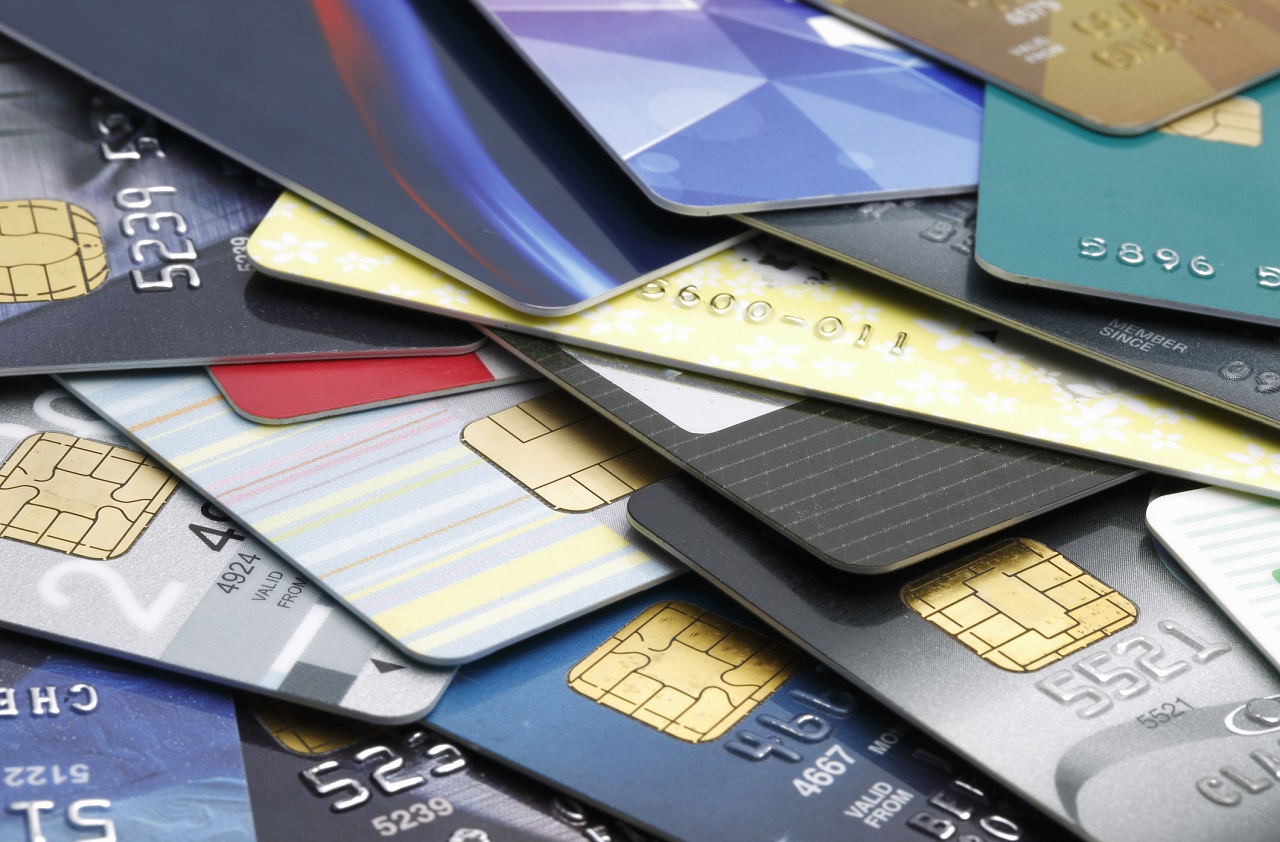
    From huge sign-up bonuses to generous rewards, there is a lot of factors to consider when you are choosing a credit card. The best credit cards will pay you cash back, offer luxury perks, provide travel rewards, and help you quickly pay off existing balances.

    Our experts analyzed  credit cards to find the best credit card offers  Today, we’re going to take a look at some of the best credit cards for various rewards and purposes. Without further ado, let’s look at the best credit cards in 2018! Explore our top picks and start getting rewarded.

    Best Credit Cards in 2018

    Citi Double Cash Card

    The best credit card for flat-rate cashback, the Citi Double Cash card is a good deal if you keep your monthly balances at zero. You earn one percent cash back on every dollar you spend, which is pretty standard. The cool thing? The 18-month, zero-percent interest period on balance transfers made in the first four months.

    Hilton Honors American Express Ascend Card

    As for the best hotel rewards card, this Hilton Honors card is the way to go. You get all the expected benefits for Hilton hotels, but you also get rewards points for normal purchases! That’s literally win-win. Oh, you get access to certain airport lounges, too! Who could pass that up?

    British Airways Visa Signature Card

    This card is easily the best for airline rewards. While Americans might question what they’d do with a British Airways card, don’t get hung up on the name. You can book American Airlines flights through Avios, so there’s no need to worry! Besides, the rewards you get with this card are stellar, no matter who you fly with.

    Blue Cash Preferred Card from American Express

    The best tiered-reward cashback card, the Blue Cash Preferred offers a number of really great benefits for cardholders. The first, and most obvious, is the tiered cashback. It offers 6 percent cashback on purchases made in grocery stores, which makes it a very easy to use reward card. You buy groceries, right? Then this is the card for you!

    Chase Sapphire Preferred Card

    The Chase Sapphire Preferred Card is by far the best travel rewards card. If you spend a good deal of time traveling, this is the card for you. You can spend the reward points you earn through the card on hotel and airline rewards, or in the Chase portal. As for how you get points, you get two points per dollar you spend traveling or dining while traveling. Well, that’s hard to beat!


  • 5 Google Home Devices You Need

    5 Google Home Devices You Need

    The Google Home is getting better and better and that’s not going to change any time soon, especially considering Google’s artificial intelligence prowess. Google Home is a huge help to people who want a personal assistant for household tasks.

    But perhaps the best thing about the Google Assistant has nothing to do with the Assistant itself, but more to do with the fact that it can be used to control such a huge range of smart home devices. Unfortunately, not all smart home devices are created equal. If you’re looking to control your home with the Google Assistant, you’ll want to make sure you’re getting the right products.  That’s why we’ve put together this guide — to help you find the best Google Assistant-compatible products out there.

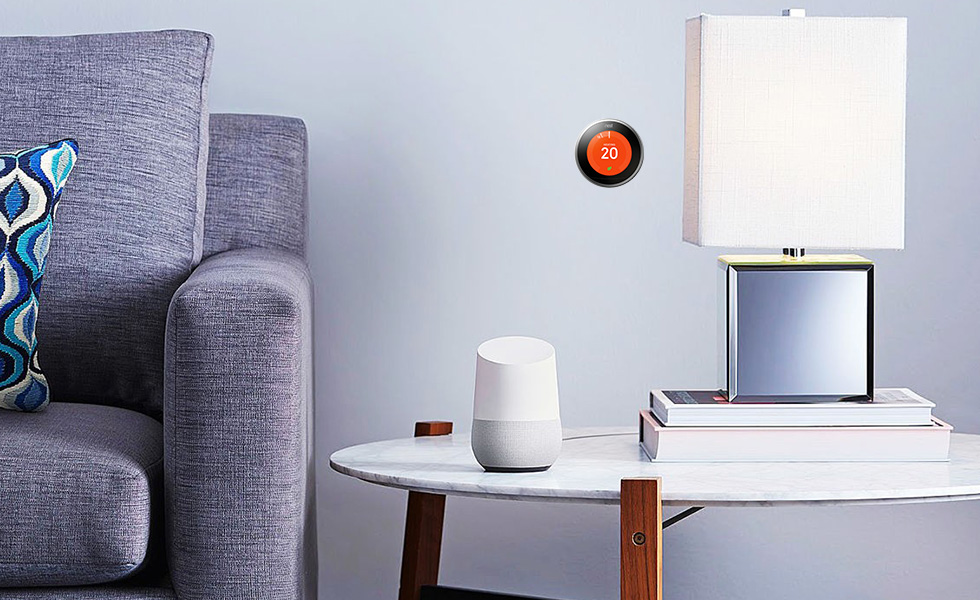
    Things like setting the lights, thermostat and music are as easy as using your voice with Google Home. To help you automate all the little things, here are the top 5 Google Home Devices you need for your home!

    Must-Have Google Home Devices

    Nest Thermostat

    The Nest Learning Thermostat is a great smart home device that works with Google Assistant. If you’re the kind of person who likes saving money on your power bill and keeping your home’s comfort front and center, you’ll want the Nest system. You can control your home’s temperature with your voice through Google Assistant or through the Nest app.

    The best part of this system, however, is the “Learning” part. The thermostat should learn your routine as you use it and develop a profile for you. This means that it will try to change the temperature intelligently before you even ask it to. When working properly, this means it keeps your power bill down and works invisibly. You shouldn’t even notice the system, as you’ll always be comfortable in your own home! How great is that?

    Nest Cam

    On the same note as the Nest Thermostat is the Nest Cam. Retailing at $300, the Nest Came is a pretty handy device. For one thing, it comes included with a Google Assistant, so you can control it with your voice out of the box. It’s also a great companion to an existing smart home system! It’s easily one of the best home security solutions for the money.

    If you’re often away from home and want to be able to keep an eye on things, the Nest Cam has you covered. Whether you’re checking in on pets or kids, or just making sure no one is in there when they shouldn’t be, the Nest Cam is super handy. It can even be set to function by being motion-activated. Hopefully you won’t need it, but it’s great to have! You can even view the camera’s feed from your smartphone over the internet.

    Phillips Hue

    The best way to equip your house with smart lights is through the Philips Hue system. These smart lightbulbs are really rather intuitive, and they work well with Google Assistant. The bulbs come with a variety of uses, as they can connect to several different smart home systems. If you have Alexa, for instance, these work well with that system too!

    To get started with Hue you need a Hue Bridge. Once you have that you can simply add more Hue bulbs to your Hue system. You can control the lights entirely with your voice, turning them on or off or even changing their colors. It’s a small touch, but it makes you feel like you’re living in the future when you can control your house with your voice!

    Hue makes it easy to set up and control the lights in your entire house. You need only get a Hue Bridge connected to your Google Home system. Then, you just tell it which bulb is in which room. You can even control the lights from a smartphone app while you aren’t home!

    Belkin WeMo

    The WeMo system by Belkin is a way to turn nearly any device into a smart device. WeMo plugs are smart switches that can simply be toggled on or off. That means if you plug a lamp into one, you can name that switch “lamp” and command it with your voice. Calling out “Google, turn off the lamp,” is a pretty satisfying command.

    The possibilities for WeMo are pretty wide and varied. It’s hard to overstate how handy this is for anything you want to become a smart device. Your speakers, your fans and the like can all be connected via this smart system. Talk about an easy way to get everything connected!

    Chromecast

    Ever wanted to pull up YouTube videos on your TV with your voice? Then you want a Chromecast. Simply tell Google what you want to see on the TV from the internet and Chromecast has you covered. It’s really quite satisfying to control your TV with your voice, and Chromecast isn’t even that pricey!