Blog

  • Razer Expands RGB Support to Third Parties

    Razer Expands RGB Support to Third Parties

    Serious PC gaming doesn’t require you to have a flashy assortment of glowing peripherals and PC parts. It does, however, look super awesome. WIth tha in mind, Razer has expanded their back-end Chroma support to work with a wider range of manufacturers’ hardware.  

    Wait, What? RGB? Synchronization? 

    RGB is a type of lighting that is quite popular with PC gamers. As awesome as the flashing lights can look, it’s often a pain to synchronize their colors and flashing lights. This is due to the software used to control their color schemes: nearly every company uses different software. Corsair, AMD, Logitech and even Razer all have their own control programs. 

    To remedy this, Razer has issued its new Chroma partnership program. The stated goal? Helping make your entire set-up much more synchronized. Now, if you have hardware from AMD, MSI, Thermaltake, NZXT, or a few others, you can synch them all with the Chroma program. 

    What’s the Big Deal? 

    For those who haven’t used RGB, it might not seem like that big of a deal. However, many games, like Overwatch and Fortnite, offer some awesome functionality with the technology. Overwatch, for instance, changes your RGB colors when you change characters, further immersing you in the game. Additionally, having a unified keyboard, mouse, headset and PC case can make your set-up look slick and futuristic. Unless, of course, the colors and pulses are all out of sync. 

    The Downside 

    The only bad news in this announcement is the timeline. For the time being, very few manufacturers have hardware out that supports the partnership project. Razer’s new program is a step up over its previous initiatives, though. The previous partnership program required that hardware had to be hard-programmed to work with Chroma. This means that manufacturers had to consider Chroma while making their own peripheral. The new program, however, uses a new Razer API to connect all the devices through software. 

    Razer has stated that we can expect supporting hardware by the end of the year. If you’re interested in just jumping in with a great gaming keyboard, though, you can check out our favorites right here. 

  • Bitcoin Falling: Less than Half as Valuable as it Was Last Year

    Bitcoin Falling: Less than Half as Valuable as it Was Last Year

    Last year, in December of 2017, Bitcoin hit its all-time high, an astronomical $20,000 per Bitcoin. Following this high-water mark, the cryptocurrency has been steadily losing value. On Sunday it dipped even lower, now being worth only $7,200 per Bitcoin. It is worth noting, however, that the price is far above what it was this time last year. At that time, a single coin cost $2,800. 

    A Sign of a Dying Fad? 

    It seems unlikely that this volatility is suggesting any long-term issues for Bitcoin, or indeed, for cryptocurrency in general. Many find cryptocurrencies to be ideal, as the blockchain technology that powers them is secure and difficult to fool. While most markets have been hesitant to pick up the currency, it’s likely not becoming irrelevant any time soon. Recent fluctuations are only natural. As demand waxes and wanes, mining operations scale up and GPU prices stabilize, changes in price like this are to be expected. 

    Notable opponents of Bitcoin, Warren Buffet and Jamie Dimon have both recently reiterated their reservations about the new form of currency. Regarding Bitcoin, Buffet had this to say: “When you’re buying nonproductive assets, all you’re counting on is the next person is going to pay you more because they’re even more excited about another next person coming along,”

    Effect on Power Companies 

    Power companies have taken note of the extreme demand of large crypto-mining operations. Mining Bitcoin requires a tremendous use of power to solve the complex algorithms that yield them. Due to this, mining companies prefer to operate in regions like Quebec, where energy is cheap. In response to this increased demand, Hydro-Quebec, the company that supplies power for the province, has cut off power to mining companies.  

    The company has stated it holds no ill-will towards mining companies. In fact, they expressed that they saw crypto-mining as an avenue of growth worthy of consideration. However, in Hydro-Quebec’s own words, they want to exercise caution. “Guidelines are nevertheless required to ensure that the development of this industry maximizes spinoffs for Québec without resulting in rate increases for our customers. We are actively participating in the Régie de l’énergie’s process so that these guidelines can be produced as quickly as possible.” 

    Similarly, a few months ago, power companies in New York raised energy rates for mining companies. It seems their ravenous power consumption has begun to have an effect on the average person in their region.  

  • Next Apple Watch to Sport no Physical Buttons, Report Says

    Next Apple Watch to Sport no Physical Buttons, Report Says

    A report from FastCompany promises a trustworthy has confirmed that the next Apple Watch will sport no buttons. This is a growing trend in Silicon Valley: many gadgets are ditching unneeded artifacts of past design in the name of design purity. The iPhone X, for instance, has no 3.5mm headphone jack. Similarly, Apple’s phones from the iPhone 7 forward use haptic feedback to simulate the feel of pressing  the home button.  

    Apple Watch: Buttonless? 

    The design outlined in the report isn’t truly buttonless. The crown and traditional button will still be on the watch, but they will be stationary nubs that are touch sensitive. This accomplishes a few things. Firstly, it is easier to design and manufacture gadgets with less moving parts. Secondly, that lack of moving parts also makes the gadgets have more longevity. One of the most common hardware breakdowns is buttons, so eliminating them is wise.  

    Thirdly, the lack of buttons frees up more space in the gadget for things like processors and other chips. Finally, it helps make a device more waterproof. All these considerations make it hard for button lovers to defend their stance! 

    Classic Apple Move 

    Apple is somewhat famous for minimizing or eliminating buttons and other unneeded design artifacts. Famously, the mouse used for Mac computers has no right click button, but instead just one central button. While either side can be clicked, the device itself is just one large button.  

    The new Apple Watch could be releasing this September, or perhaps next year. The nature of these kinds of rumors makes them inherently a little suspect, but this one seems reasonable. Their track record of cutting features from their gadgets would suggest this rumor isn’t wild speculation. Not to mention, this would be an odd piece of trivia to spread falsely. In the meantime, rest assured that Apple will continue leading the anti-button charge. 

  • Microsoft Looking to Shore Up First-Party Development for Xbox, Buys Four Game Studios

    Microsoft Looking to Shore Up First-Party Development for Xbox, Buys Four Game Studios

    During their E3 press conference, Microsoft aimed to dispel the doubts about the Xbox One. The biggest doubts they took aim at, of course, where those of exclusive games. Recently, Sony has been absolutely sprinting past Xbox in terms of sales, and many gamers chalk this up to the exclusives. Sony has huge names like Uncharted, The Last of Us, God of War, Nier Automata and many more to bolster their brand. This is understandably frustrating for the company, as their Xbox One X system outpaces the PS4 Pro in terms of raw power. Microsoft’s answer? Their greatest strength: money to throw at the problem. 

    As it Has Been, so it Shall Be 

    This isn’t a new strategy for Microsoft, either. In the earliest days of the Xbox, monetary incentives were the primary reasons developers made games for the system. Halo creator Bungie was bought by Microsoft in 1999, and Rare, Banjo-Kazooie creators, were bought a few years later. This strategy helped Xbox make a name for itself with its exclusives.  

    That strategy worked once, and clearly the compnay behind Xbox hopes it can work again. At their E3 conference they announced their acquisition of four game studios. The studios in question: Compulsion Games, Ninja Theory, Playground Games and Undead Labs. 

    Why Now? 

    It is a bit late in the Xbox One’s life cycle for Microsoft to only just now be acquiring these studios. Surely, any future games from these studios won’t be out for a year at least, meaning that their contributions likely won’t be felt on the Xbox One. Instead, it seems, this is a preemptive move to bolster the launch of the next Xbox. 

    Phil Spencer, head of the gaming division of Microsoft, confirmed at E3 that the hardware teams are hard at work on the next Xbox consoles. The pluralization is interesting, too. Is Microsoft working on multiple systems? Only time will tell. 

    Microsoft Learning from Their Own Mistakes 

    Hopefully Microsoft now sees the importance of their exclusives, and the importance of a consoles first impression. In 2013, their Xbox One announcement was met with near-universal criticism. Between the strong DRM and lack of focus on games, many saw the system as a step backwards. The next Xbox will need a stronger announcement and launch if it hopes to dislodge Sony and compete with Nintendo.  

    Hopefully the wealth of new talent being brought on board means stellar new IPs to bolster the brand. After all, competition between Microsoft and Sony just means more awesome games for us! 

  • Top Ten Father’s Day Gifts Under $100

    Top Ten Father’s Day Gifts Under $100

    Father’s Day is this Sunday! Have you picked out a gift for Dad yet? If not, don’t worry, we’ve got a list of our favorite gifts for Father’s Day under $100! Giver your Dad something awesome! 

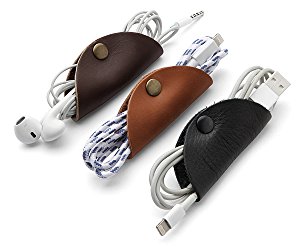
    Cord Taco 

    Photo Credit: Amazon 

    Dad probably has a ton of cords and cables loose in a drawer somewhere. Why not help him organize with these handy tools? They’re stylish and functional and Dad will love them! 

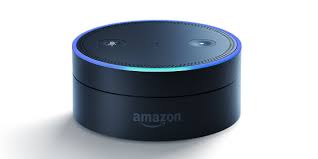
    Amazon Echo Dot 

    Photo Credit: Venture Beat 

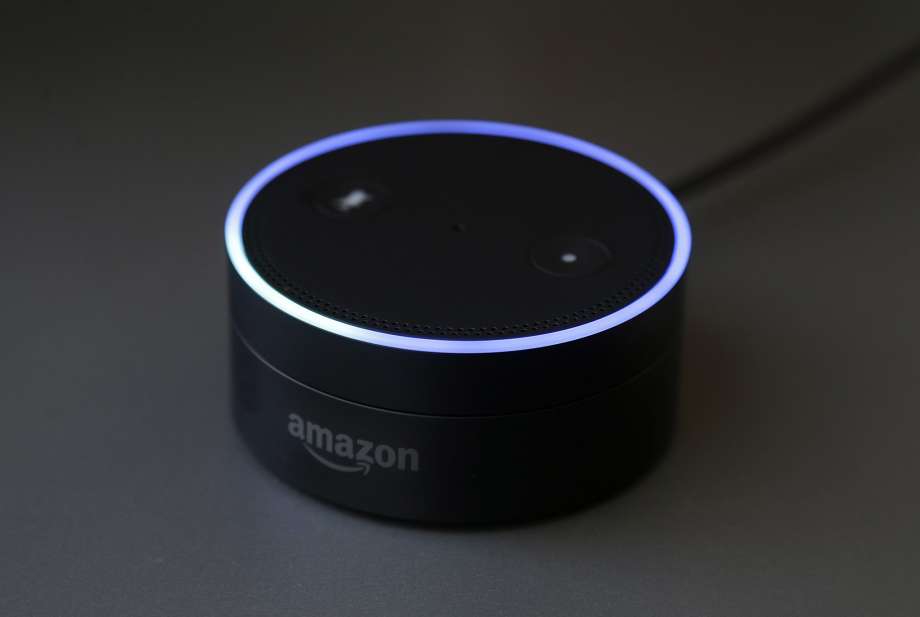
    Commanding a virtual assistant with your voice is pretty cool. Alexa helps you schedule your day, reads your messages to you, tells you the news and so much more. The best part is, an Echo Dot is only $40 from Amazon! Talk about a cool gift at a great price! 

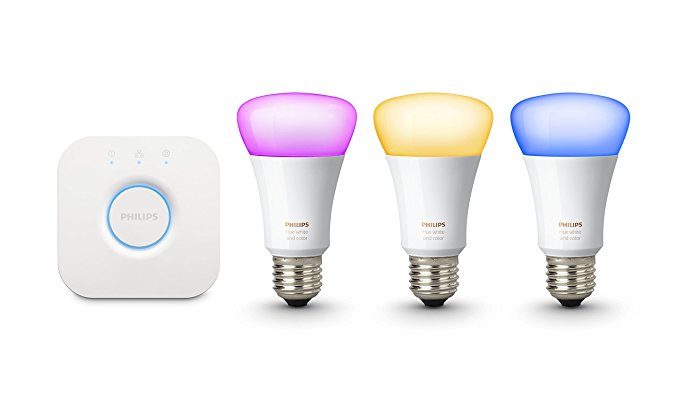
    Philips Hue 

    Photo Credit: Amazon 

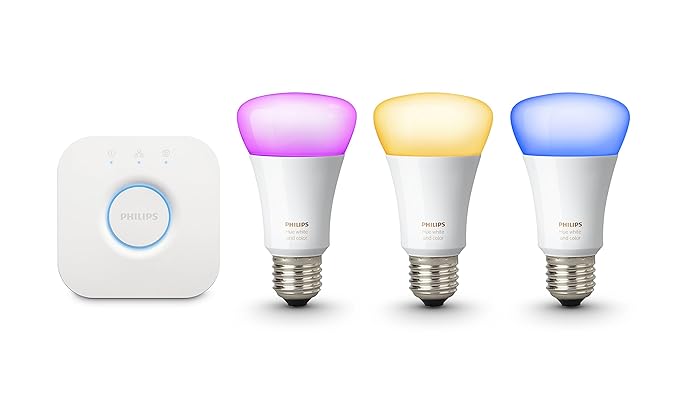
    If your dad already has an Alexa device, you could get him these awesome smart bulbs from Philips. The Philips Hue bulbs can be controlled via Alexa, and they are seriously bright! You can even change the color of light they produce. You can even control the lights with an app, so if Dad forgets to cut the lights off before he leaves, no sweat! It’s just a tap away! 

    Looftlighter 

    Photo Credit: Williams Sonoma 

    If your dad is like mine, he loves to put on a bonfire in the back yard. An awesome gift for a grillmaster dad is a Looftlighter! This handy wand sets fire to wood or kindling without need for lighter fluid. As we all know, lighter fluid is bad for the environment, so finding sustainable alternatives is awesome! You can pick one of these awesome flame wands up for $80. 

    Hoveric Levitating Speaker 

    Photo Credit: MoMA Design Store 

    Every dad loves goofy magic tricks, so give your dad the gift of a cool floating speaker! When music is played through this futuristic speaker, it is lifted from I’s pedestal by the sound waves. How awesome is that? Dad will certainly love this one! It’s only $99, too, which is awesome! 

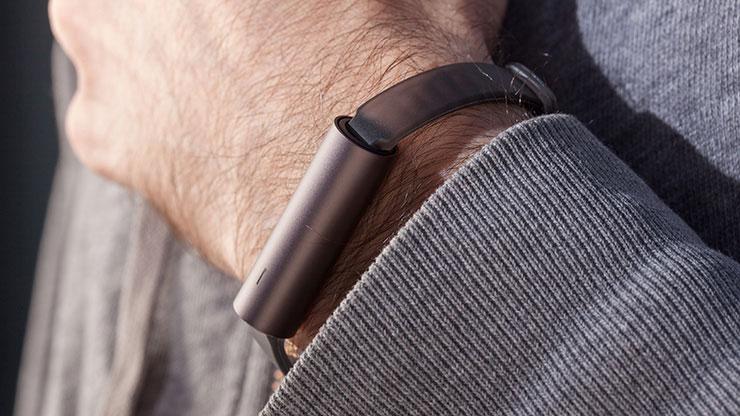
    Misfit Ray 

    Photo Credit: PC Mag 

    Dad probably doesn’t want some big flashy screen like an Apple Watch, but he’d probably love a fitness tracker. For the dad who’s trying to stay in shape, check out the Misfit Ray. It’s slick and doesn’t call attention to itself, and it sports a long battery life. You don’t need to charge it for four months after a full charge! It pairs to a smartphone app to show you your statistics. It’s a great price, too, at $40. 

    Kindle E-Reader 

    Photo Credit: Amazon 

    Your dad might just love an e-reader. There are so many awesome books out there, but it can be difficult to find enough shelf space for all of them! And they’re hard to bring with you on a long trip, or to the beach. To remedy that, get your dad a Kindle! Their simple interface and non-reflective screen make them excellent for reading by the pool or at the beach! You can snag one from Amazon for $60. 

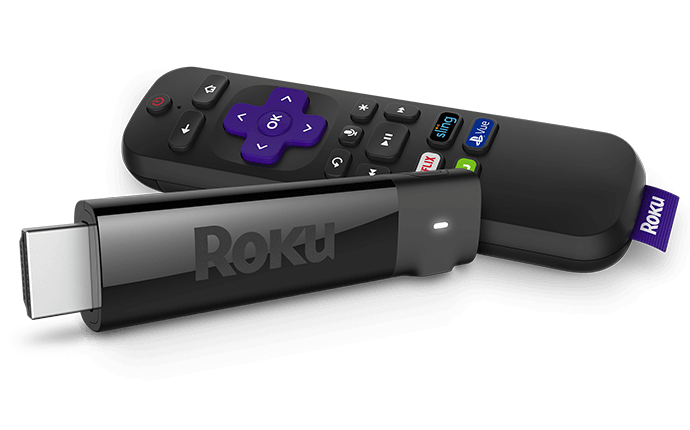
    Roku Streaming Stick 

    Photo Credit: Roku 

    Dad’s probably complained about the cable bill. Loudly. And often. If your dad hates the price of cable but loves TV, consider getting him a Roku Streaming Stick. Roku lets him watch Netflix or Hulu through his account, and it even supports Sling streaming TV. All that for just $54! Not too shabby! 

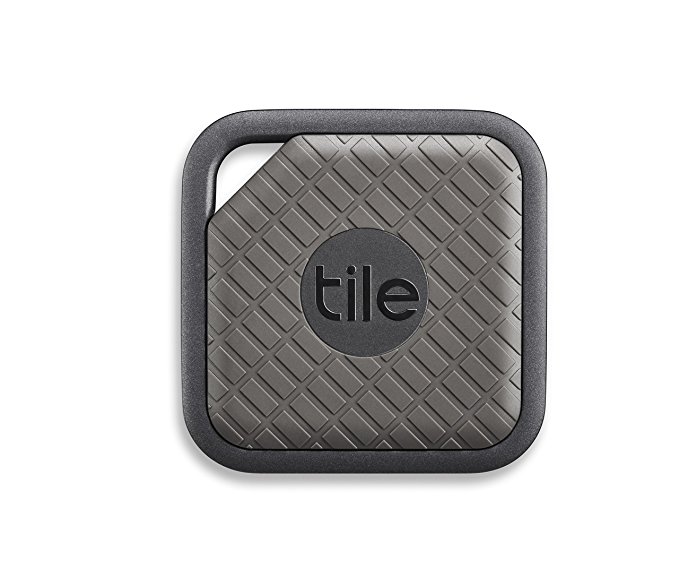
    Tile Sport 

    Photo Credit: Amazon 

    If your dad’s constantly misplacing stuff, you should get him a Tile. Tile will help him find nearly anything he loses. All he has to do is attach the tracker to his valuables and install the Tile app. Ta-da, never lose that particular thing again! Well, not permanently, at least. 

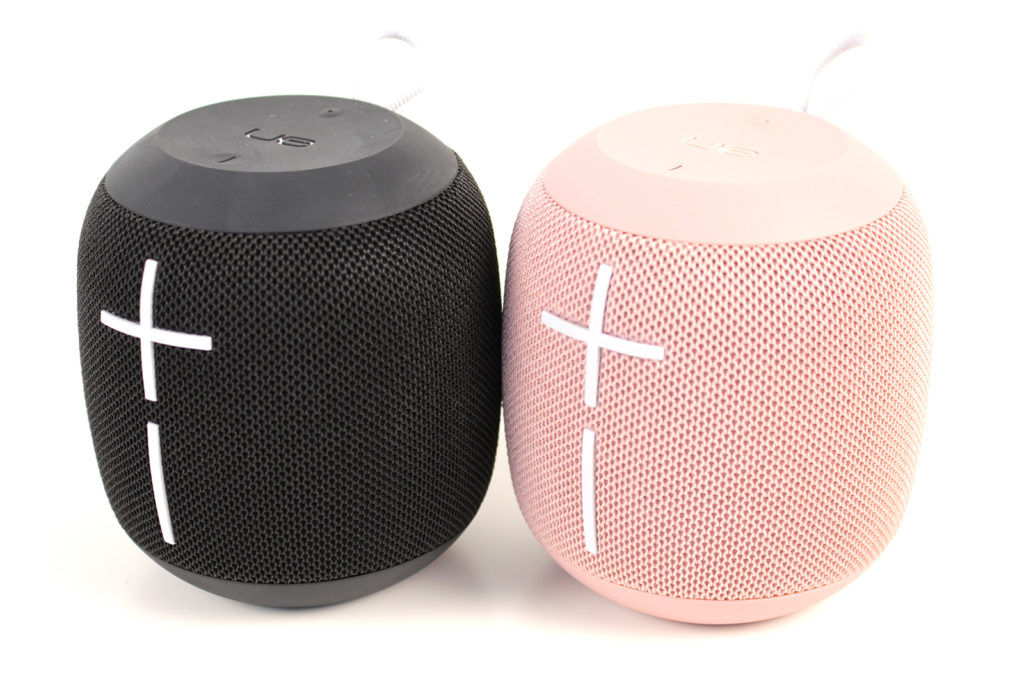
    Our Favorite Gift for Father’s Day: UE Wonderboom 

    Photo Credit: Allround PC 

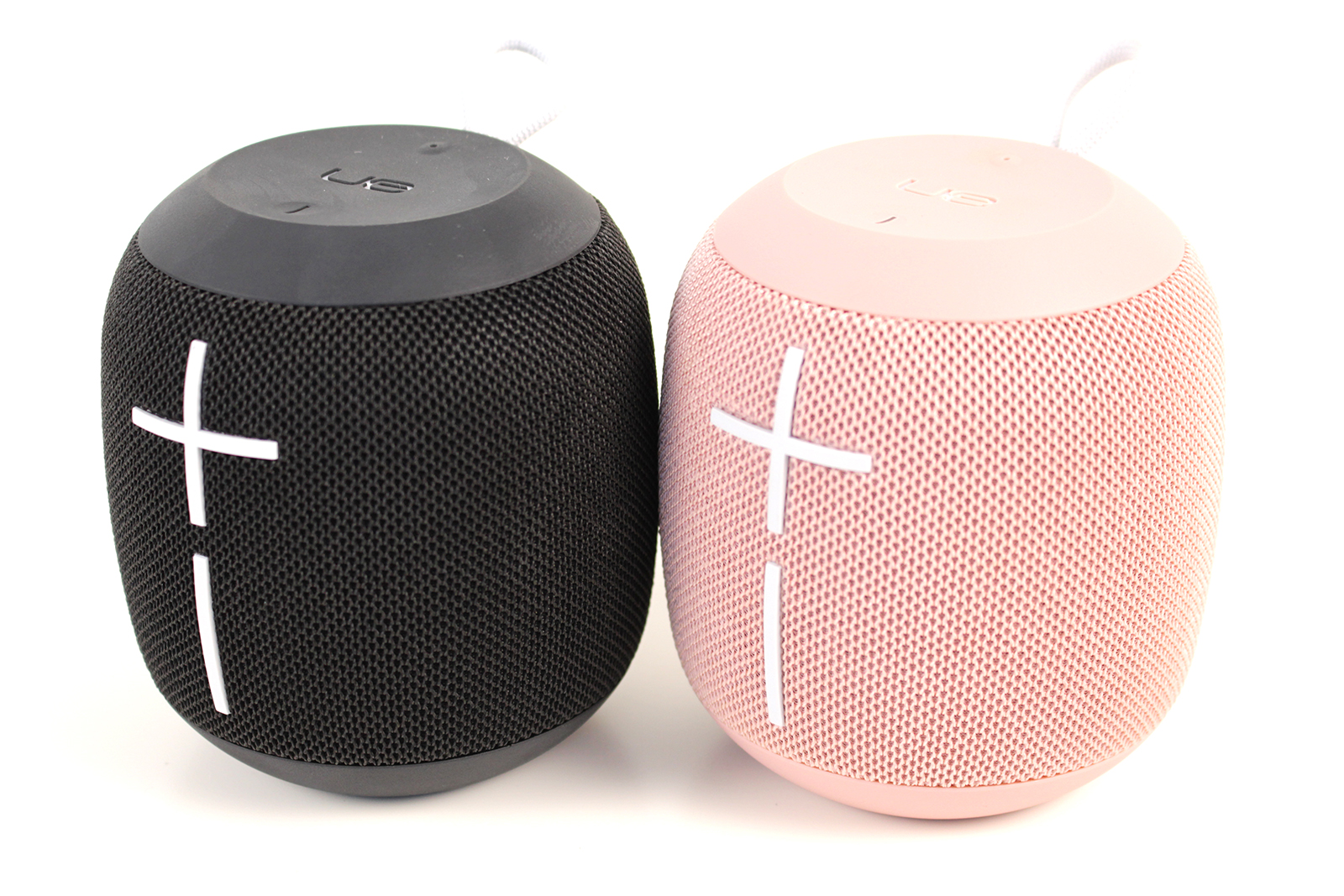
    Our favorite Father’s Day gift? The portable, loud and waterproof UE Wonderboom Bluetooth speaker. Sporting a great amount of battery life and durability, it’s perfect for any situation. Whether by the pool, at a party or at the beach, the Wonderboom provides excellent sound. The Wonderboom is a great value, too, costing only $70. You can usually find it on sale for less, too! 

  • Laptop Lookout: Alienware 17 R5

    Laptop Lookout: Alienware 17 R5

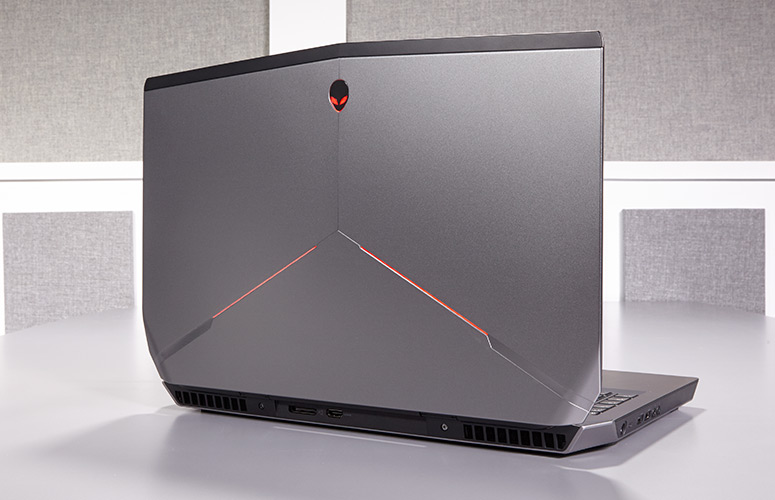
    Alienware has a new gaming laptop for their 17 line. They have spared no expense, except yours of  course, to develop a mind boggling, earth shattering, nay I say completely volatile piece of gaming tech here. Alienware threw everything it could at the Alienware 17 R5 , cramming a 6-core Intel Core i9 processor in there, along with 32GB of RAM, and a GTX 1080 graphics card. It’s certainly outfitted like a gaming desktop, so here we go.


    The Great

    • Excellent build quality
    • High refresh rate display
    • Variety of configuration options
    • Exceptional gaming performance
    • Tobii Eye Tracker
    • 13 customizable lighting zones
    • High Quality Audio


    The Not

    • Heavy and large
    • Mediocre 3 hour battery life
    • CPU performance fails to  competitors


    The Conclusion

    Its Bad, bad bad to the bone. Its all you can ask for in a gaming laptop. It has the power, the speed, the sound and the look. Not to mention a functioning eye tracking for aiming.. Moderatly priced and highly impressive fps in all test I’ve done, including a stunning 93 fps in Battlefront.

    Whats New With The Alienware 17 R5

    For the Alienware 17 R5, Alienware made design modifications to the exterior design, creating a slimmer chassis with even more customized lighting opportunities. Completely revamped the cooling and audio systems make for quieter fans and louder speakers. Then did an overhaul of the Alienware Command Center software making it much easier to  customizing your lighting and overclocking your processor and graphics card. Add in a powerful Intel 8th Gen Core i9 processor that can be overclocked to 5 GHz and and a factory overclocked Nvidia GeForce GTX 1080 GPU plus speedy SSD and a brilliant QHD screen, you have the premier gaming laptop.  The Alienware 17 RS is also the first in the series to implement Intel’s new 2.9-GHz, 8th Gen Core i9-8950HK processor with a whopping 32GB of RAM, and thanks to the Alien Command Center, you can overclock this bad boy to a smoking 5 GHz.

    Design

    Alienware added even more LED zones to the Laptop, while making the system slimmer with its new hinge-forward design. There are now 13 LED zones you can control from the control center. Once open you find yourself staring at a full-size traditional keyboard glowing with stunning backlights. The keyboard and a massive touchpad glow in excitement. The 17.3-inch panel sits above the glossy plastic strip housing the Tobii Eye Tracker.


    Quick Speck Look

    • CPU Intel Core i9-8950HK @ 2.9GHz
    • Operating System Windows 10 Home
    • RAM 32GB
    • Hard Drive Size 256GB SSD
    • Hard Drive Type PCIe m.2 SSD
    • Secondary Hard Drive Size 1TB
    • Secondary Hard Drive Speed 7,200rpm
    • Display Size 17.3
    • Highest Available Resolution 2560 x 1440
    • Native Resolution N/A
    • Graphics Card Nvidia GeForce GTX 1080 (8GB GDDR5X)
    • Video Memory 8GB
    • Wi-Fi 802.11ac
    • Wi-Fi Model Killer 1435 802.11ac 2×2 WiFi
    • Bluetooth Bluetooth 4.1
    • Touchpad Size 4.0 x 2.1
    • USB Ports 4
    • Warranty/Support 1-year
    • Size 16.7 x 13.1 x 1.2 inches
    • Weight 9.77 pounds

    The Final Thought

    One Word.. Fantabulous. Its not the gaming laptop we needed but its the laptop we deserve. Eye tracking aiming is game changing for me, makes battlefront so much more fun..

  • Net Neutrality Repeal Likely to Occur Monday

    Net Neutrality Repeal Likely to Occur Monday

    By the time you’re reading this article, it is likely that Ajit Pai’s net neutrality repeal will have been finalized. And with it, a great deal of protections that keep consumers safe will have been stripped away. While the sky likely won’t fall overnight, it is certain to be the beginning of a very different era for the internet.  

    Challenges to Net Neutrality 

    Net neutrality regulations that were put into place during the Obama era have been under fire for some time. The regulations, which saw that internet providers must treat all data equally, has been instrumental in keeping the internet fair and free. Republicans, however, have largely railed against the protections, claiming they are evidence of governmental overreach and that they compromise the free market. While this is ironic, it is also tragic.  

    The repeal of net neutrality will likely be a non-issue for giants like Amazon and Facebook, but it will be crippling for smaller sites. Start-up sites are likely to be largely relegated to back-channels by ISPs, as they don’t bring in the same revenue as larger sites. As such, the internet will likely grow more homogenous and it will become harder to navigate away from “preferred” content. ISPs may even block access to certain sites unless those sites, or consumers, pay a premium. 

    The Repeal 

    The Senate voted to negate FCC Chairman Ajit Pai’s repeal on May 16th, but the issue hasn’t come to a vote in the House of Representatives. Since the House has a Republican majority, it is unlikely that it will have come to a vote by the time this article is published. This is a shame, and a great loss for the freedom of expression on the internet. Hopefully the repeal won’t cause dramatic shifts overnight, but the outlook is not good.  

    With luck, the worst of the effect we could see won’t have gotten in full swing by the end of the next election cycle. If the right people are voted into office, net neutrality legislation could become a focus of the legislative branch. Then, hopefully, consumer protections could be reinstated. For the time being, we have our fingers crossed. On June 11th, the internet will be without its previous guidelines, and we will be at the mercy of internet providers to act in good faith.  

  • Laptop Review: HP Spectre 13

    Laptop Review: HP Spectre 13

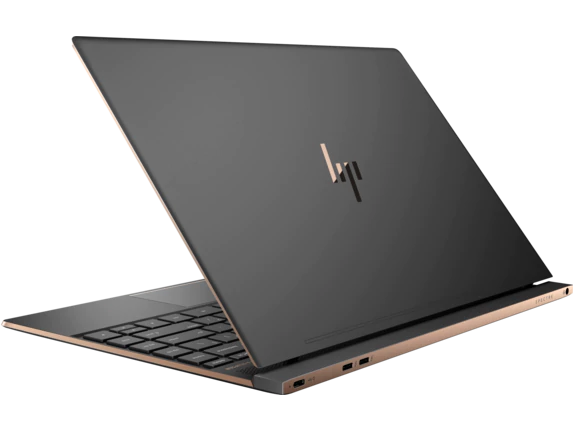
    The HP Spectre 13 is marketed as the world’s thinnest touchscreen laptop. Is it a good laptop, though? Has it made too many sacrifices to be as thin and portable as it is? Or is it just right? To find out, check out our review! 

    HP Spectre 13: Razor Thin 

    It is seriously thin. That’s not just marketing hype, this laptop only measures 0.41 inches thick. That’s not the thinnest laptop in the world, that honor currently belongs to the Swift 7. Runner-up Dell XPS 13 has a taper that ranges from being thinner than the Swift 7 at one end to thicker than the Spectre 13 at the other, so it’s sort of cheating. What makes this thinness truly impressive, though, is the touchscreen. None of the other laptops mentioned have touchscreen functionality, which gives this razor thin laptop a natural edge. 

    Design 

    The HP Spectre 13 is a pretty machine, with a very alluring form factor that looks right at home in an office or on the go. The lid is aluminum and the bottom is carbon fiber, and the body is scratch-resistant. It has a trimmed-down, fashionable design that appeals to those who want a stylish computer. The only complaint about the design is that the model’s signature thin frame renders it a bit fragile. Be careful applying too much pressure to it or carrying it in a bag without padding. 

    Inputs 

    The keyboard is punchy and responsive in ways that are surprising for its dimensions. The screen is somewhat below-average, but it can be forgiven for just how novel the touchscreen is on such a small notebook. The speakers are above-average and situated underneath the display, which makes them rather inconspicuous. The touchpad does leave a pit to be desired, sadly, and is a bit of a black spot on an otherwise nice input suite. 

    Verdict 

    This is a very sleek and attractive notebook. If you really like the thin design and want a computer that is also fashionable, this one is right for you. However, if you’re remotely interested in gaming or anything computationally demanding, this one isn’t the right pick. However, if you’re okay with a fragile computer that doesn’t have too much power under the hood, this one might be your speed. This one is great for college students or high school kids who just need a device to type essays and do homework on. The HP Spectre 13 retails for around $1,400 when outfitted with a decent chipset, which is a pretty big drawback for how weak its computing power is. 

  • Luxury Car Breakdown: 2018 Tesla Model 3

    Luxury Car Breakdown: 2018 Tesla Model 3

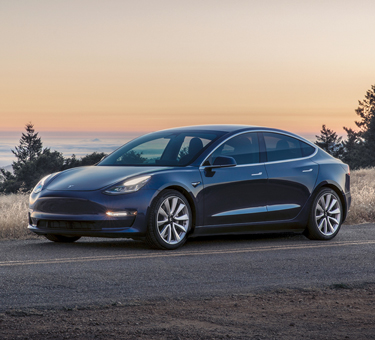
    Everyone’s talking about Tesla right now. Their CEO, Elon Musk, is something of a celebrity and their cars are hot-ticket luxury items. Tesla’s newest luxury car, the 2018 Model 3, is here. Well, for some people. If you happened to reserve yours in advance. And you happened to be towards the front of the line. What’s the verdict? Read on to find out our thoughts on the futuristic vehicle. 

    Biggest Draw: Price 

    Tesla has a bit of a reputation as a company that makes cars rich people can afford, and that’s it. In order to bring themselves to mass-market, though, Tesla has made the Model 3 affordable. Musk has been promising a $35,000 electric car for years now, and the Model 3, nominally, delivers. It is worth noting, however, that the models currently available for reservation are closer to $58,000 than $35,000. Why is that, you might ask? 

    Well, there’s a few reasons. For one, the car is currently only available in its long-range configuration, which starts at $44,000. The long-range version can drive 310 miles on a full charge, while the standard-range gets about 220 miles on a full charge. Not to mention the price for wheels and paint, which add Additionally, amenities like heated seats come in the “Premium Package,” which adds $5,000 to the price tag, as does Autopilot. If you want to enable the vehicle to use the eventual self-driving functionality, you’ll spend another $3,000. Finally, you have to pay another $1,000 to have it delivered.  

    Okay, we finally have the thing paid for. Now what? Well, according to those who’ve gotten theirs and taken it for a spin, the next part is pretty sweet. 

    Interior 

    To get into the vehicle, you use a sleek black card that comes with it to unlock it. You can also pair an iPhone or Android phone to the car to have it unlock as you approach, which is awesome. Once you’re in, the interior is sparse and minimal. The design is either incredibly clean or dreadfully bland depending on who you ask. Personally, I tend towards the former, but I can see how someone might be put off by just how spartan it is for how much the car costs.  

    Oddly, the vehicle has no gauge cluster. Instead, it has a large, iPad-like display that handles all of the measurements and functions usually displayed on such gauges. It’s… it’s weird. But also, kind of cool? So, this display handles everything from speedometer to displaying how much charge is left. You control the radio, the autopilot, the wiper blades and nearly every other feature through it. It’s the only spot of note in the otherwise bare interior. If you’re into discreet, sleek tech you might love it. It’s as though Apple made a car with their focus on slick, immutable form. 

    The Drive: Worthy of the Title “Luxury Car”? 

    Is the car fun to drive, though? That’s the really important part. Thankfully, the answer is yes, and dreadfully so. The vehicle almost begs to be driven hard and fast, which, tragically, drains the battery pretty rapidly. That said, it hugs turns very well and steers like a dream. All reports say the Model 3 is a zippy, mean machine, especially considering it’s 100% electric.  

    The Verdict: Awesome, but Unfinished 

    Time will make the Model 3 the coolest car ever. Once it’s available for the (much more affordable) $35,000 and the kinks are worked out of the awkward interface, that is. As it stands, for how much you spend for the thing, and how clunky (and dangerous) it is to take your eyes off the road to fiddle with settings, it’s a bit disappointing. That said, the car is still stellar. It’s sleek, fast and high-tech, so enthusiasts won’t be disappointed. The average consumer will still be left wanting by the few wrinkles in the design, but I’m confident Tesla will have them ironed out in time. 

  • Is Your Home Smart Yet? Best Smart Home Gadgets for Alexa

    Is Your Home Smart Yet? Best Smart Home Gadgets for Alexa

    Unless you’ve been living under a rock, you’ve heard of Alexa. Amazon’s virtual assistant is indispensably useful for anyone looking to organize their lives and homes. She can read your messages, tell you the news, shop for you online and so much more. If you’ve recently hopped on the bandwagon and gotten an Amazon Echo, you’re probably on the look-out for great gadgets to pair with it. Which ones are the best? Which cool functions did you not even know you could tie into Alexa? Let’s get into it! 

    Robot Vacuum 
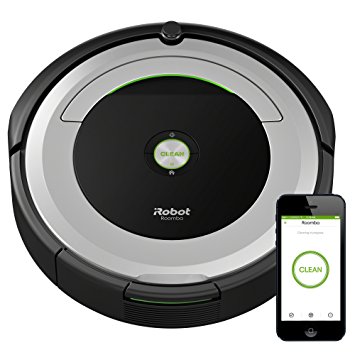
    Photo Credit: Amazon 

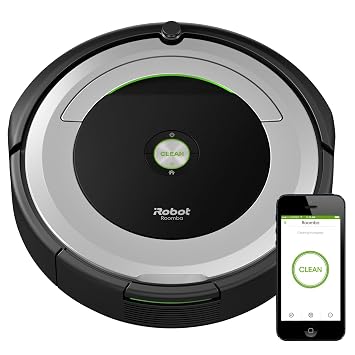
    Robot vacuums, like the picture iRobot Roomba 690, are awesome with Alexa. No one wants to do chores, but with a voice-activated robot assistant, vacuuming is easy. Just call out to Alexa and tell her to vacuum the house for you, and, boom! That’s one less chore on your to-do list. Not to mention, you’ll feel like Tony Stark, commanding your robot fleet with your voice. Well, not quite a fleet, but you know, it’s the thought that counts! In any event, you can find the iRobot Roomba on Amazon for $300, and the rest of the Roomba line is awesome too. Check it out! 

    Streaming Devices 
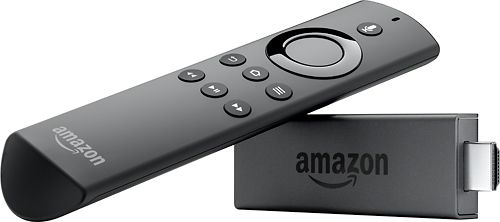
    Photo Credit: Best Buy 

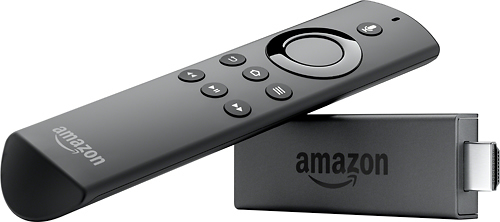
    If you like controlling your TV with your voice, you’ll want an Alexa-enabled streaming device. We recommend the Amazon Fire TV Stick. However, the Amazon Fire TV Cube, a successor to the technology, was recently announced, so that one might steal the spotlight when it launches later this month. In either event, being able to tell Alexa which shows you want to watch is pretty sweet. It also helps you cut down on the number of remotes you have to juggle or trying to find the remote to play the next episode. The Fire TV Stick is $40, and the TV Cube will go for $120 when it launches.  

    Smart Bulbs 
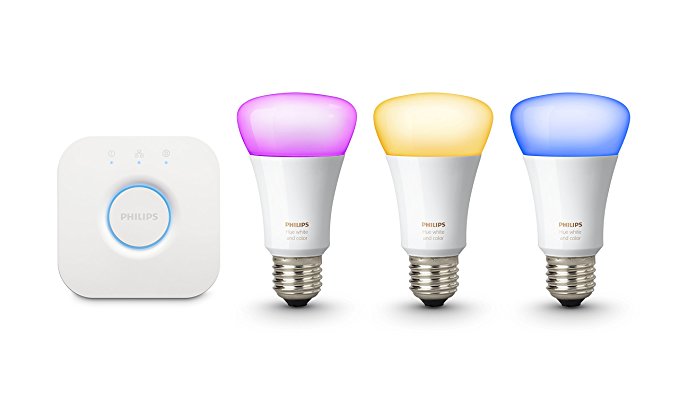
    Photo Credit: Amazon 

    The first of Alexa’s compatible devices, Philips Hue is still the best in this field. Commanding your room to illuminate with your voice is not only convenient, it’s very safe! Entering a dark room and unable to find the light switch? Call out for Alexa to turn the lights on! You can also change the color of the lights to change the mood of the room. Having company over for the evening? Consider casting a soft, pink glow over the room!  

    Smart Thermostat 

    Photo Credit: Amazon 

    A must-have for Alexa users, smart thermostats are great at helping you save energy and stay comfortable. Programming automation is a breeze with products like the picture Nest Learning Thermostat. Setting your thermostat with your voice is much easier than having to fiddle with tons of menus. Setting your thermostat to “away” mode as you leave the house is easy to forget, so getting to automate it can really help your power bill. A Nest Thermostat runs about $220. 

    Security Cameras 
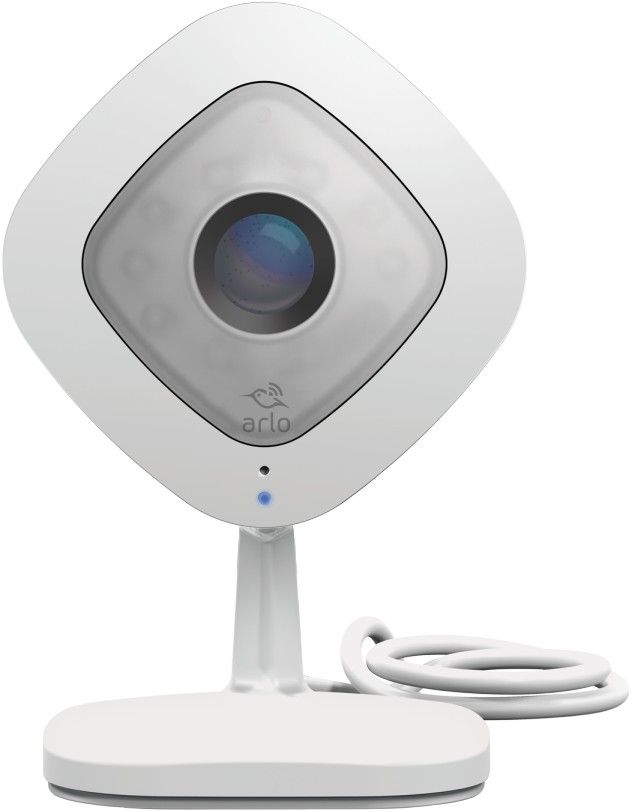
    Photo Credit: Arlo 

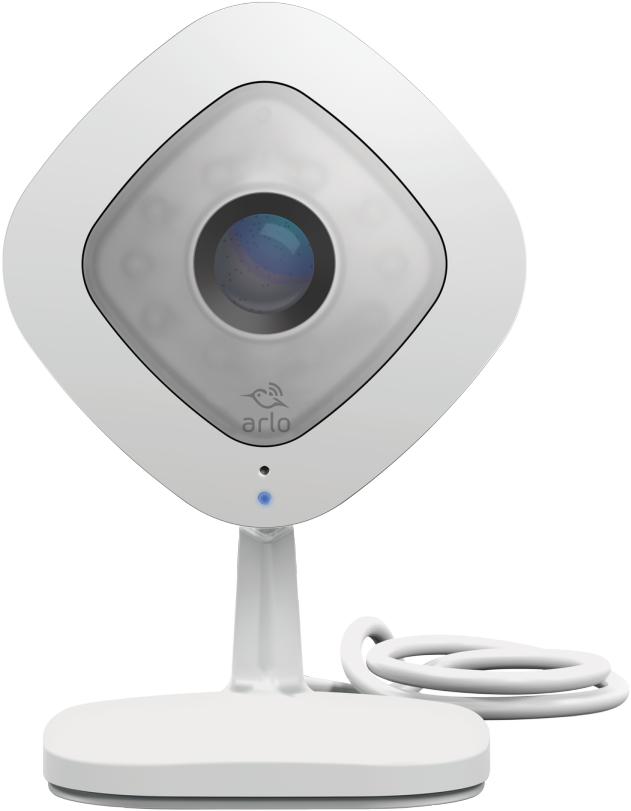
    Alexa is awesome for streamlining your home security cameras. The pictured Netgear Arlo Q works with Alexa and can be displayed on Echo Show and Amazon Fire TV. You can use your voice to arm and disarms cameras in different parts of the house. You can also remotely view the camera’s feed, which is great for when you’re on vacation or keeping an eye on pets at work.Security and convenience in one package, how awesome! This one would set you back only $150. 

    Smart Plugs 
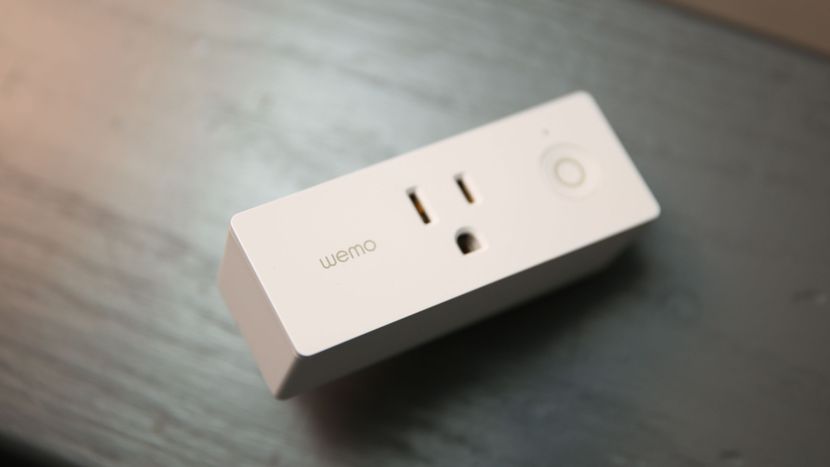
    Photo Credit: CNET 

    Smart plugs, like Belkin’s Wemo ($30 from Amazon), can turn any electronic device into a smart device. Effectively a glorified on-off switch that connects to Alexa, Wemo is great for lamps or appliances you don’t want powered on all the time. Fans and hairdryers come to mind immediately. You can control them with your voice, of course, or set them on schedules. If you get home from work late every night and want to make sure the lamp in your living room is on when you get home, you can schedule that! 

    Doorbell Cameras 

    Photo Credit: SkyBell 

    If you’re a fan of security, doorbell cameras are great smart home gadgets. The SkyBell HD doorbell camera, pictured above, is a great pick. With Alexa functionality, you can use your voice to ask the virtual assistant to take stills or video of the doorbell cam. You can even have Alexa display the video on your Echo Show or Echo Spot. Or, if you’re entertaining company and don’t want to be bothered, you can disable the chime through Alexa. The SkyBell HD retails for $200, but you can find it for $160 through Amazon. 

    Smart Locks 

    Photo Credit: Kwikset 

    A natural companion to a doorbell camera, smart locks like the Kwikset Kevo ($183 from Amazon) are a must-have for smart homes. When paired with the Kevo Plus Hub, which retails for an additional $100, enables a ton of smart features. For one, it allows you to use your smartphone to lock and unlock the door remotely, which is awesome for guests. Say you’re late getting home from work but your guests are already at your house. No sweat, just use the app and let them in! Similarly, if you’re expecting company but are upstairs when they arrive, Alexa could help. You could just tell Alexa to show you who’s at the door with your doorbell camera. Then, seeing it’s your friends, you tell her to unlock the door. Just like that, you’re a high-tech host.  

    Smart Light Switches 
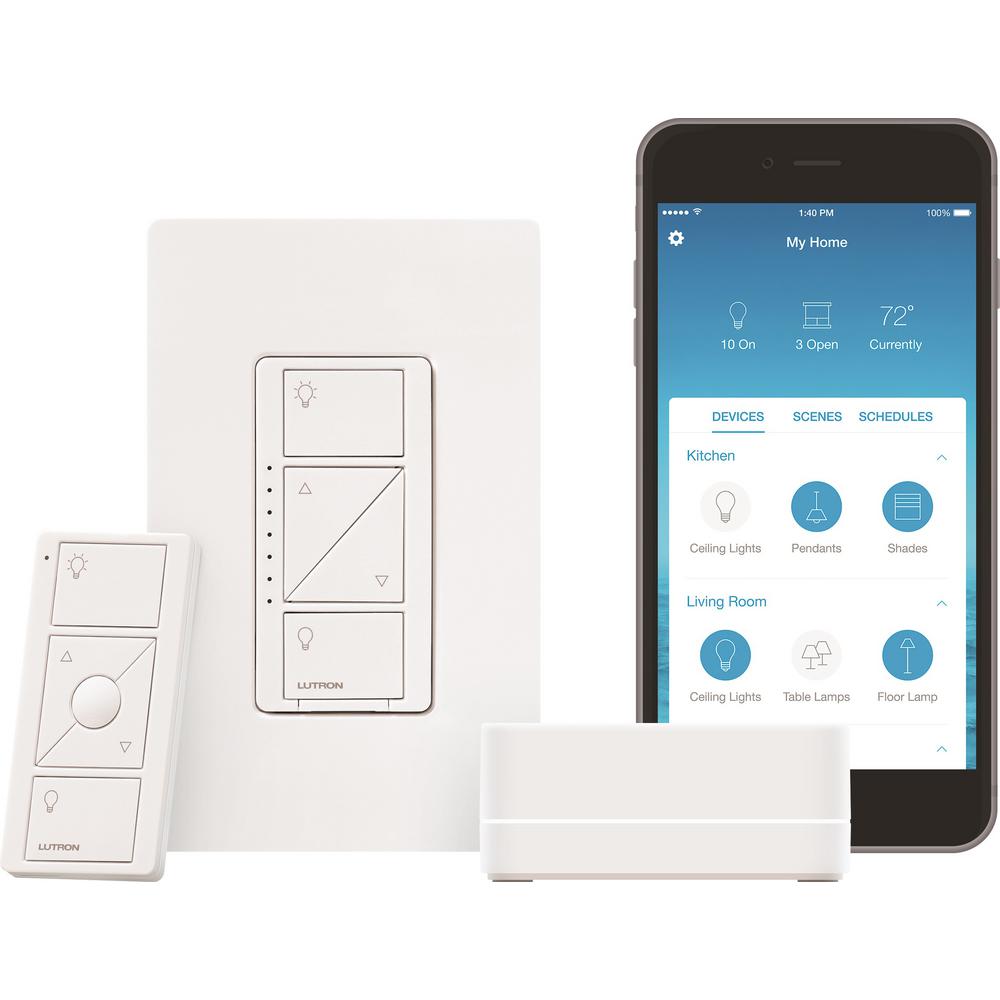
    Photo Credit: Home Depot 

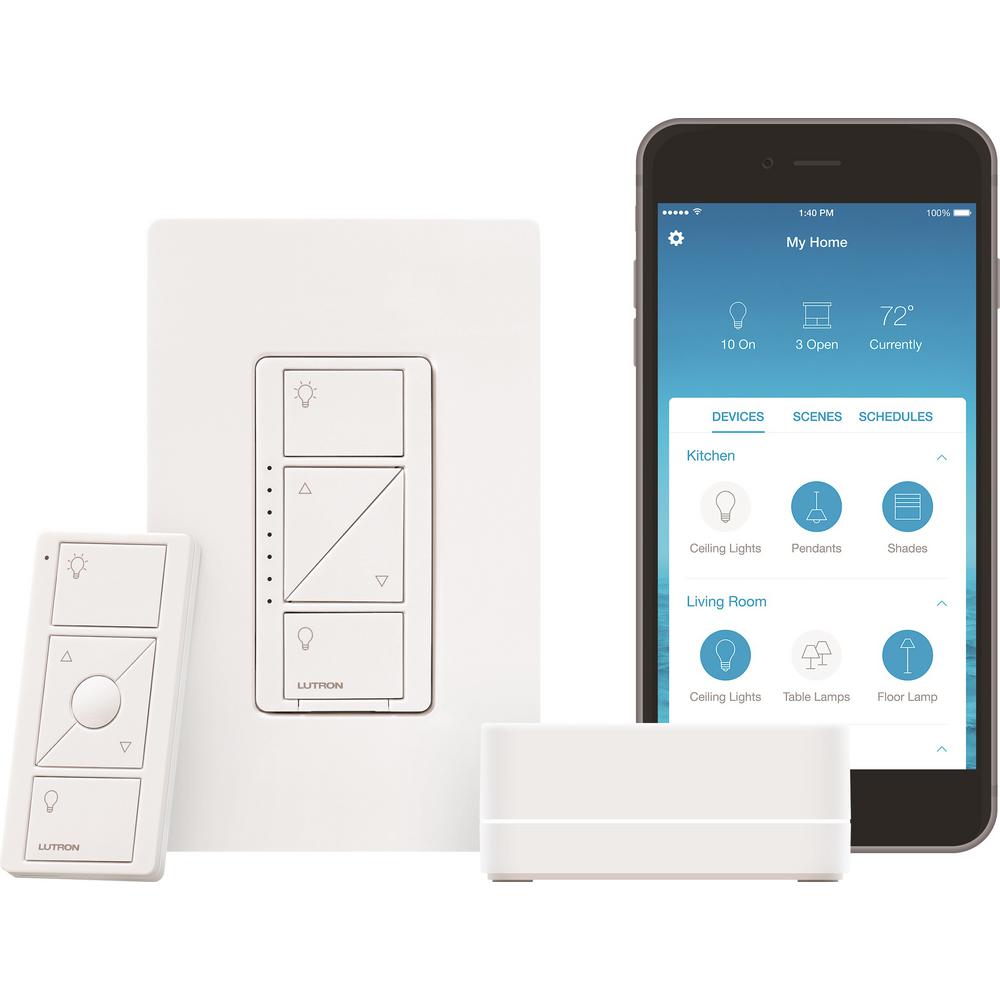
    Smart switches like the pictured Lutron Caseda ($55) are awesome for controlling entire lighting systems. For instance, you could pair the Caseda to Alexa and use your voice to control all the lights in your living room. Saying, “Alexa, turn off all living room lights,” would bring down the entire system controlled by the Caseda. Trying to do that without a system hub would be a pain. Imagine having to tell Alexa to cut off four or five different smart bulbs! It’s doable, but far from optimal. If you plan to have complex lighting systems controlled by Alexa, a smart light switch is the way to go! 

    Our Favorite Smart Home Gadgets: Smart Home Hubs 
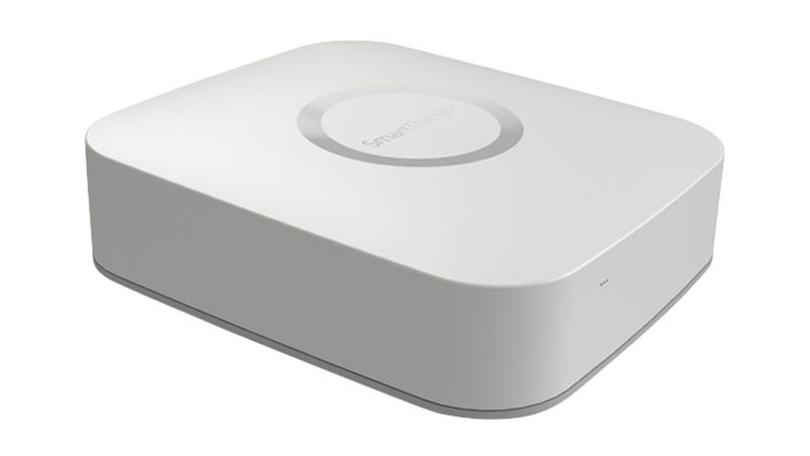
    Photo Credit: PC Mag 

    While Alexa is handy, you can make her even more useful with automations. Automations make your smart home gadgets even smarter. For instance, when you say “Alexa, I’m getting ready for work,” she can unlock the door, set the thermostat to an “away” temperature and read you the news. How do you do that, you ask? Why, with a smart hub! By hooking some of your smart devices into your hub and programming automations, you’re that much closer to full control of your house with your voice. Pictured here is the Samsung SmartThings Hub, which retails for around $85. Treat yourself to a nice smart home system!