Blog

  • The Ten Coolest Games Showcased at E3 2018

    The Ten Coolest Games Showcased at E3 2018

    With Nintendo’s Direct in the books, the E3 2018 press conferences have now wrapped. There were some huge reveals from all the major players. Let’s check out some of the hottest games showcased during the show! 

    Gears of War 5 

    Photo Credit: NDTV Gadgets 

    As one of Microsoft’s flagship franchises, Gears of War has had some serious longevity. The newest entry focuses on Kait Diaz, pictured above. Kait was first introduced in Gears 4 and is a refreshing change from the monotonous macho-man mayhem the series is known for. The trailer Microsoft showed featured colorful new vistas and an arctic environment. Previous entries were criticized for their gray-and-brown color pallet, so it’s nice to see some color in the series. The trailer also showed off some interesting new monsters for the protagonists to chew through. Get ready for war! 

    Fallout 76 

    Photo Credit: ComingSoon 

    Few franchises command as much fanatic devotion as Fallout. After a teaser before the show, Bethesda unveiled more details during E3 2018. This time around, players will work together to make a settlement and defend it from monsters. Oh, and other players. In Fallout 76, all NPC are replaced by players. Those marauders looking for nuclear launch codes to wreck your settlement? Yeah, those are players. Go get ’em, hero! Or join them, if you want. Bethesda is giving players the freedom to adventure how they wish. 

    Spider Man 
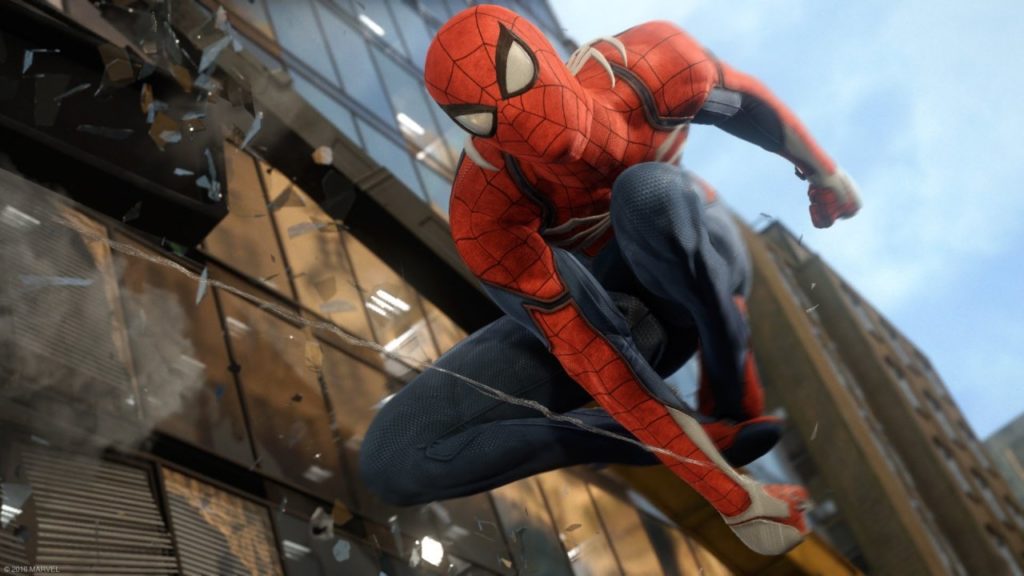
    Photo Credit: GameSpot 

    Insomniac’s amazing-looking Spider Man game got a new trailer. In this game, things look rough for the web-slinger. The Raft, a floating prison for super-criminals, has had a prison break. Rhino, Scorpion, Vulture, Electro and Mister Negative are all teaming up to take down Spidey. The trailer showed off some Arkham Asylum-esque combat and fluid, fast-paced web-slinging. If any game is going to make you feel like Spider-Man, this is the one. Another killer exclusive for the PS4! Spider Man hits September 7th. 

    Super Mario Party 
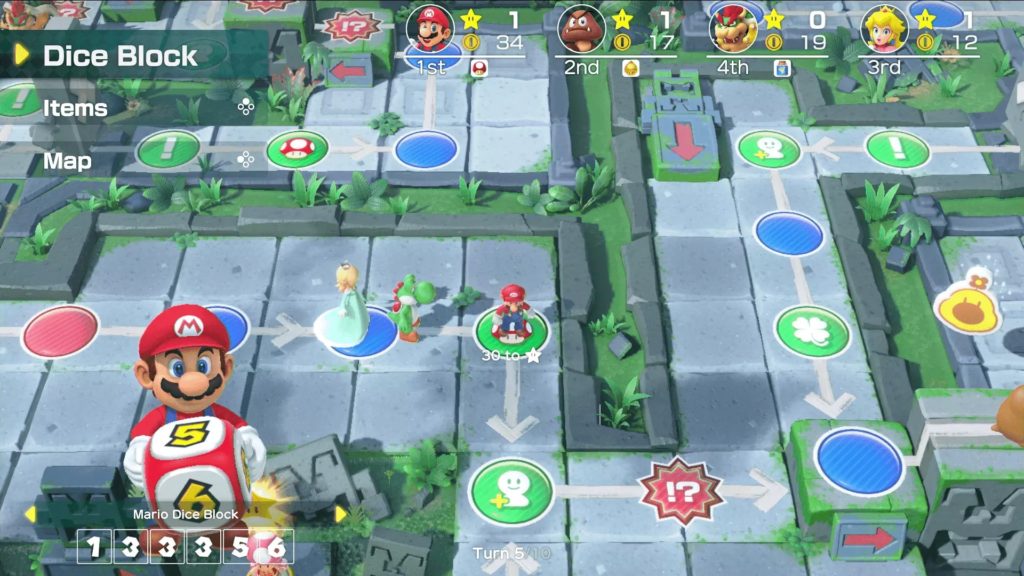
    Photo Credit: VG 24/7 

    One of Nintendo’s surprise reveals this year was Super Mario Party. Showcasing board game-like play with multiple Switch systems, the game seems perfect for the hybrid console. While it has been a few years since the last Mario Party, this one seems poised to revitalize the series. This outing will be bolstered by the flexible “go-anywhere” Switch hardware. Mario Party while camping? Sure! Game night at a friend’s house? Bring your Switch! Meeting some friends for lunch one lazy Sunday? Bring Mario Party and make an afternoon of it! Nintendo is really bringing the heat to Switch this holiday season. Super Mario Party is landing on October 5th. 

    Halo Infinity 
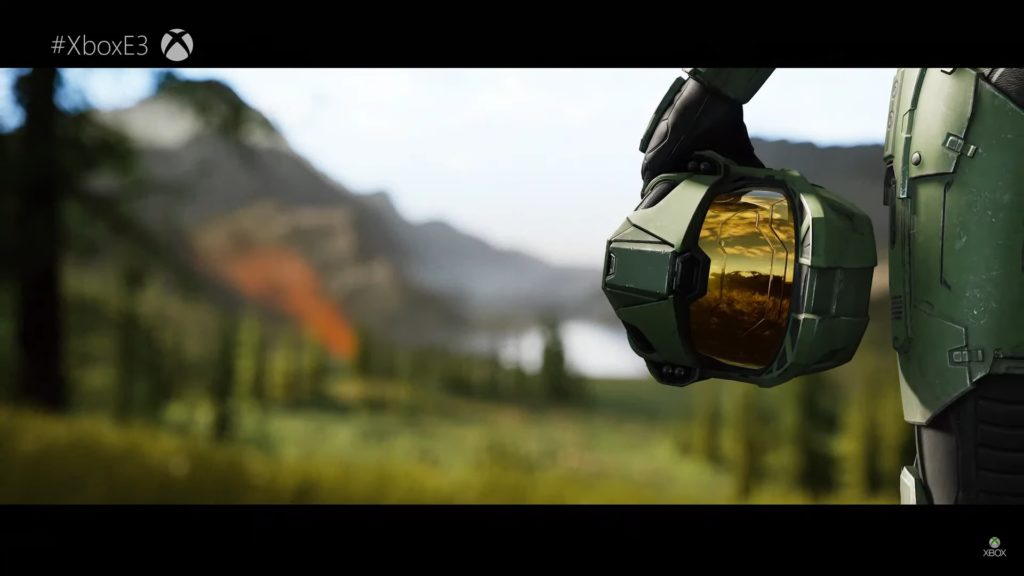
    Photo Credit: VG 24/7 

    Halo, Microsoft’s juggernaut first-person shooter, was due for an appearance. The cutscene shown at the show looked absolutely incredible, but scant details about the story were shared. Apparently, the game will run in a new “Slipspace” Engine, designed from the ground up for Halo. The cutscene shown ran in that engine, which is assuring. While the game is likely still a year or two away, it looks exciting! Here’s hoping developer 343 Industries doesn’t repeat the narrative mistakes of Halo 5. 

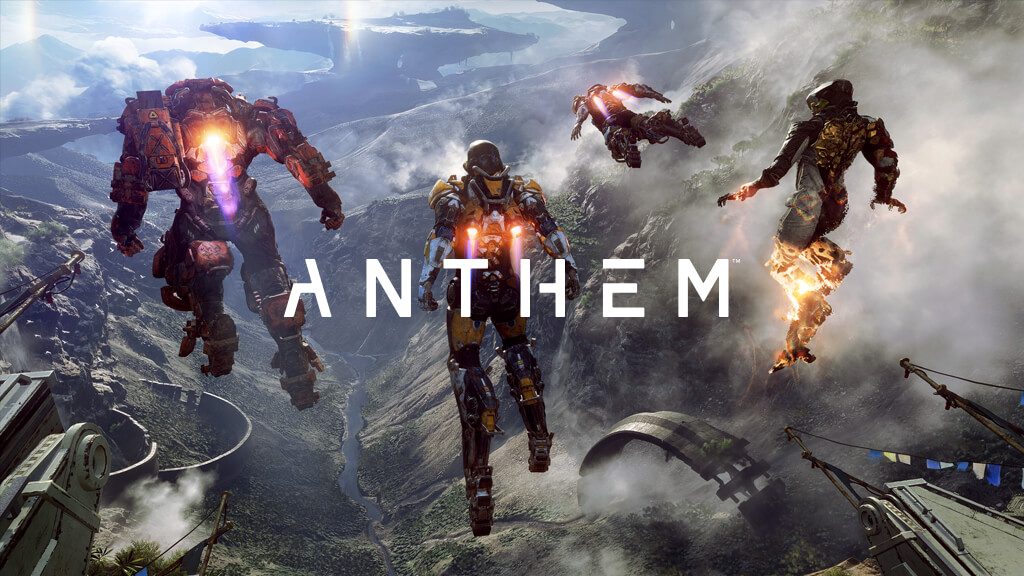
    Anthem 
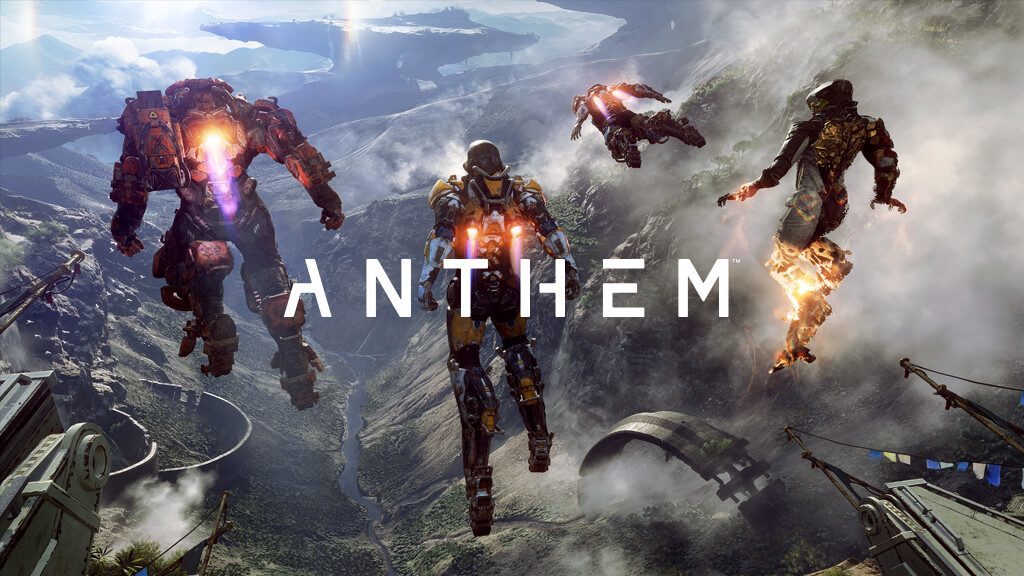
    Photo Credit: EA 

    BioWare’s newest project looks like a serious contender for Bungie’s Destiny. The gameplay shown looks fast-paced and exciting, and the game is gorgeous. Many have reservations about the explosions-first direction, as developer BioWare has a history of story-based games. However, the trailers shown certainly reaffirm the tight, explosive gameplay looks fun. And why else play video games than to have fun? Not to mention, the latest attempt at a story-based game by the studio was a disaster. Mass Effect: Andromeda will forever remain a black spot on developer BioWare. Hopefully they can forge a new legacy with the promising-looking Anthem. 

    Death Stranding 

    Photo Credit: Wccftech 

    Hideo Kojima-led project Death Stranding still makes no sense, but it looks awesome. Featuring Norman Reedus of Walking Dead fame as the apparent protagonist, the game seems to be a horror-exploration hybrid. The trailers so far haven’t exactly explained the plot or why exactly the main character has a baby in a tank in stasis. That said, the trailers have all been quite gripping and intense. The trailer shown at Sony’s press conference showed gameplay footage that involved traversing a gorgeous, desolate open-world. The protagonist was also shown hiding from an invisible monster with hands for feet (apparently) and avoiding shadowy, human-like monsters. And those monsters have umbilical cords, for some reason. Yeah, the game looks weird. And I can’t wait to see more. 

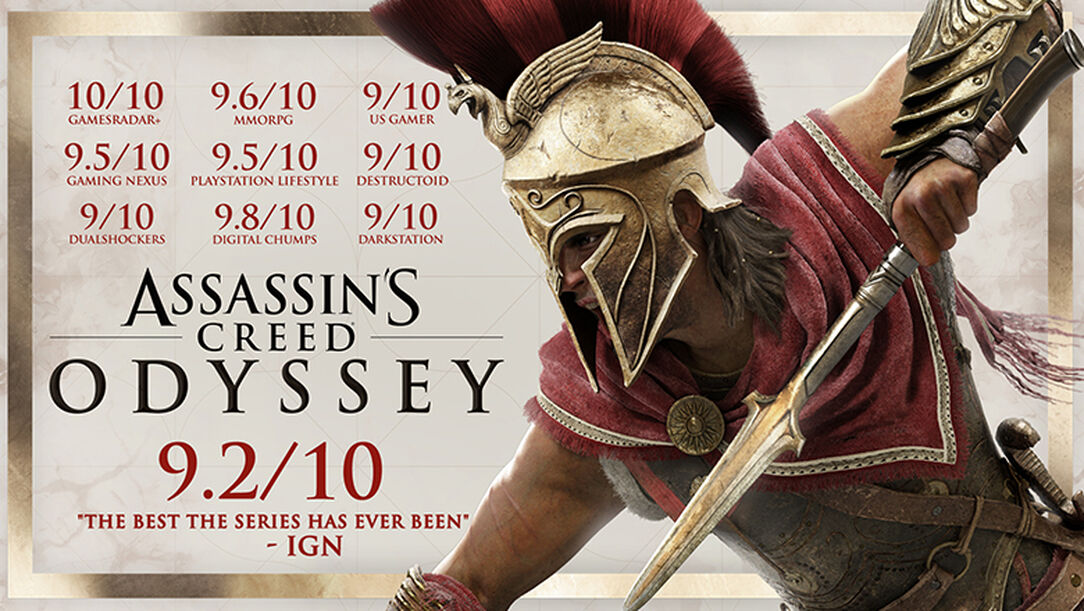
    Assassin’s Creed Odyssey 
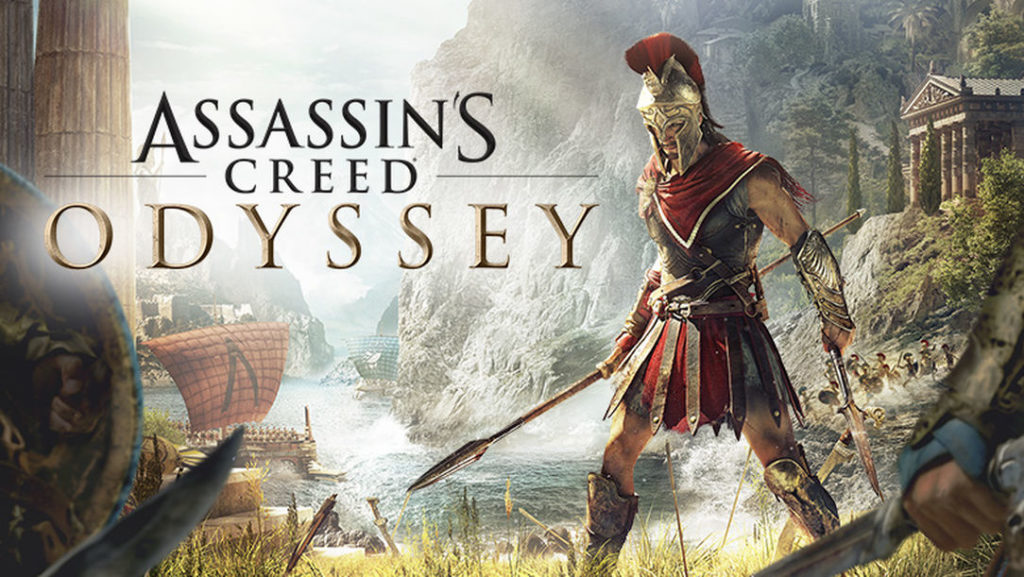
    Photo Credit: Ubisoft 

    The latest entry in the long-running open-world series takes place in Hellenic Greece. Like, all of it. And a huge swath of the Mediterranean. It looks downright stunning, as one would expect from this series. This entry also introduces new RPG-like elements, allowing the player to shape the unfolding story. There are also now quests to engage in romance with NPCs, instead of just, y’know, stabbing them. With wrist-mounted knives. But don’t worry, there will still be tons of badies to shank. 

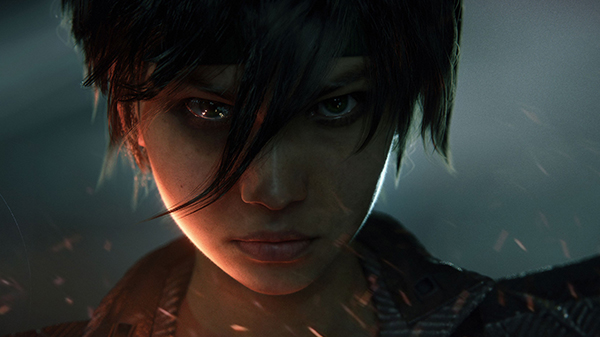
    Beyond Good and Evil 2 

    Photo Credit: Gematsu 

    Cult classic Beyond Good and Evil is finally getting a sequel! Well, a prequel, but, hey, we’ll take it. No gameplay or release dates yet, but the trailers confirm Jade and Pey’j will both return. Aside from the amazing-looking cinematic, though, we have scant few details on the game. However, Ubisoft seems dedicated to providing awesome experiences and really knocked it out of the park at E3 2018. 

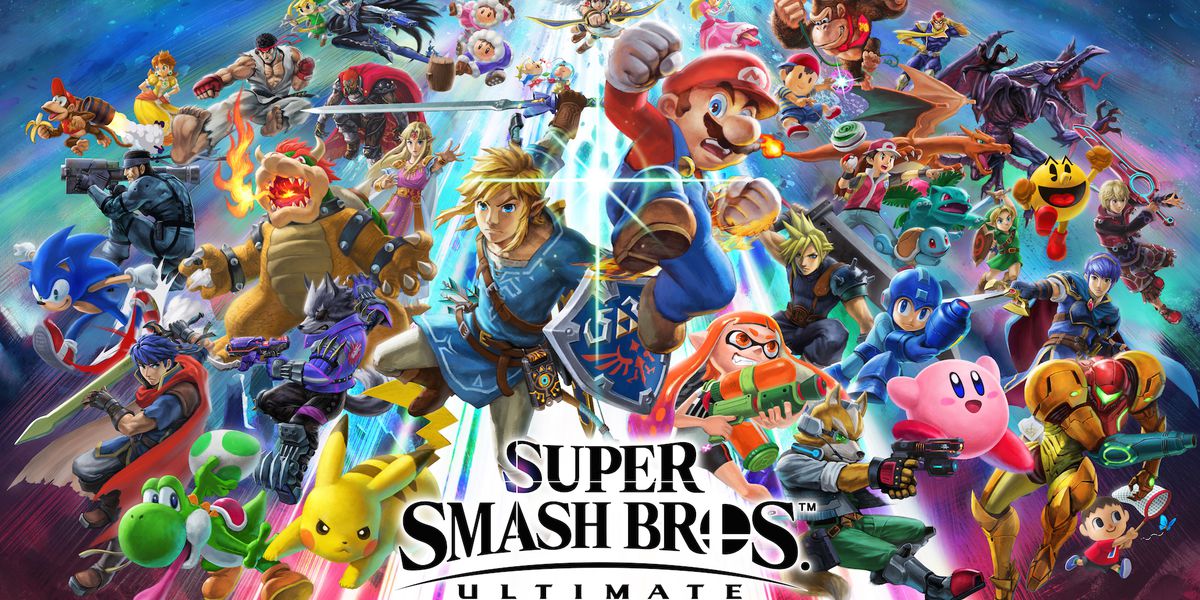
    The Star of E3 2018: Super Smash Bros Ultimate 
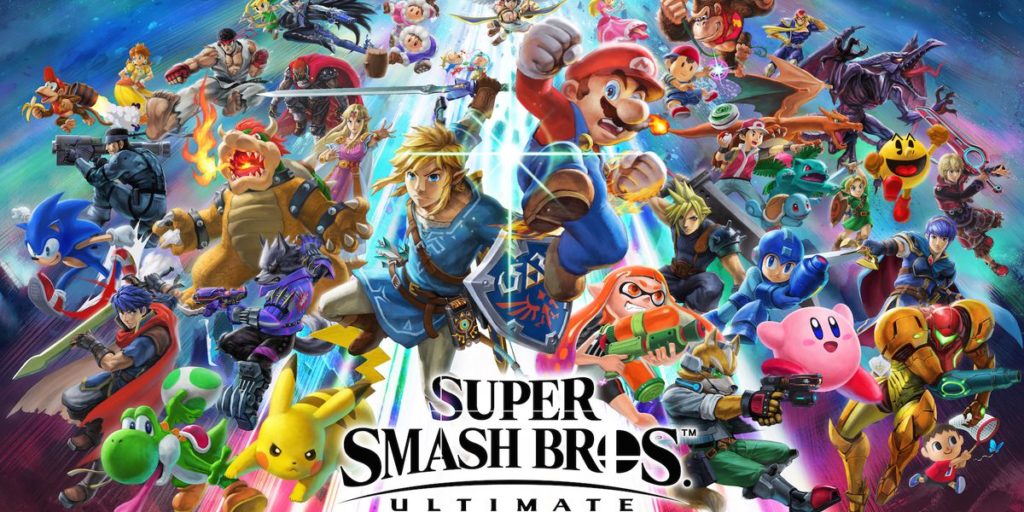
    Photo Credit: The Verge 

    Easily the biggest game of the show, Smash Bros Ultimate promises the return of every character to ever grace the legendary series. Even Solid Snake and Pichu are back this time! Additionally, developer Masahiro Sakurai has promised this will be the biggest Smash Bros yet. The game has been made from the ground-up with new animations and mechanics for every fighter. Truly, the development team has been putting in crazy amounts of work. It looks like the game is walking the razor-thin balance of appealing to both competitive and casual players. Super Smash Bros Ultimate is sure to break records when it drops on December 7th. 

  • Washington First State to Pass Net Neutrality Laws

    Washington First State to Pass Net Neutrality Laws

    Washington put new laws into effect on Monday with the federal repeal of net neutrality. The laws Washington put forth stop ISPs from blocking or slowing lawful internet traffic. It also prevents ISPs from charging online services a fee to make themselves a higher priority. This means that ISPs will have a hard time making their services look as convoluted and anti-consumer as cable services. 

    Ahead of the Curve 

    Washington actually approved the law in March, following the FCC’s repeal of federal net neutrality in December. While there are currently no lawsuits challenging the law, they are likely to come soon. Many telecom companies opposed the legislation, as it effectively continues the federal regulations that were just repealed.  

    Washington isn’t alone in this fight, but they were the first on the field. California has a similar law in the pipe, and it’s awaiting approval by the State Assembly. After passing the Assembly, it would go to Governor Jerry Brown. It seems unlikely that either will have any qualms with the bill. 

    Net Neutrality Alternatives 

    Washington and California aren’t the only states taking steps, either. They are to be joined by Hawaii, Montana, New Jersey, New York and Vermont. Those states governors have issued executive orders to enforce net neutrality rules on ISPs that serve their state governments. While these orders aren’t as broad as those in Washington or California, they are still steps in the right direction. 

    It seems that, in the wake of the federal repeal, many states will be issuing their own regulations over what ISPs can do in their states. It seems likely that this situation will get very complicated very quickly. No two states will likely allow the same things of any given ISP, which could result in serious operational headaches for ISPs. Hopefully the companies who lobbied for the repeal of consumer protections find themselves caught in a maze of regulations as thanks.  

    Who knows, maybe those companies will miss the days when they could just meet a federal standard and not worry about the myriad of rules they must follow. It would be just deserts for their haphazard repeal of what were considered mild protections. 

  • Tesla Updates Autopilot to Insist on Safer Driving

    Tesla Updates Autopilot to Insist on Safer Driving

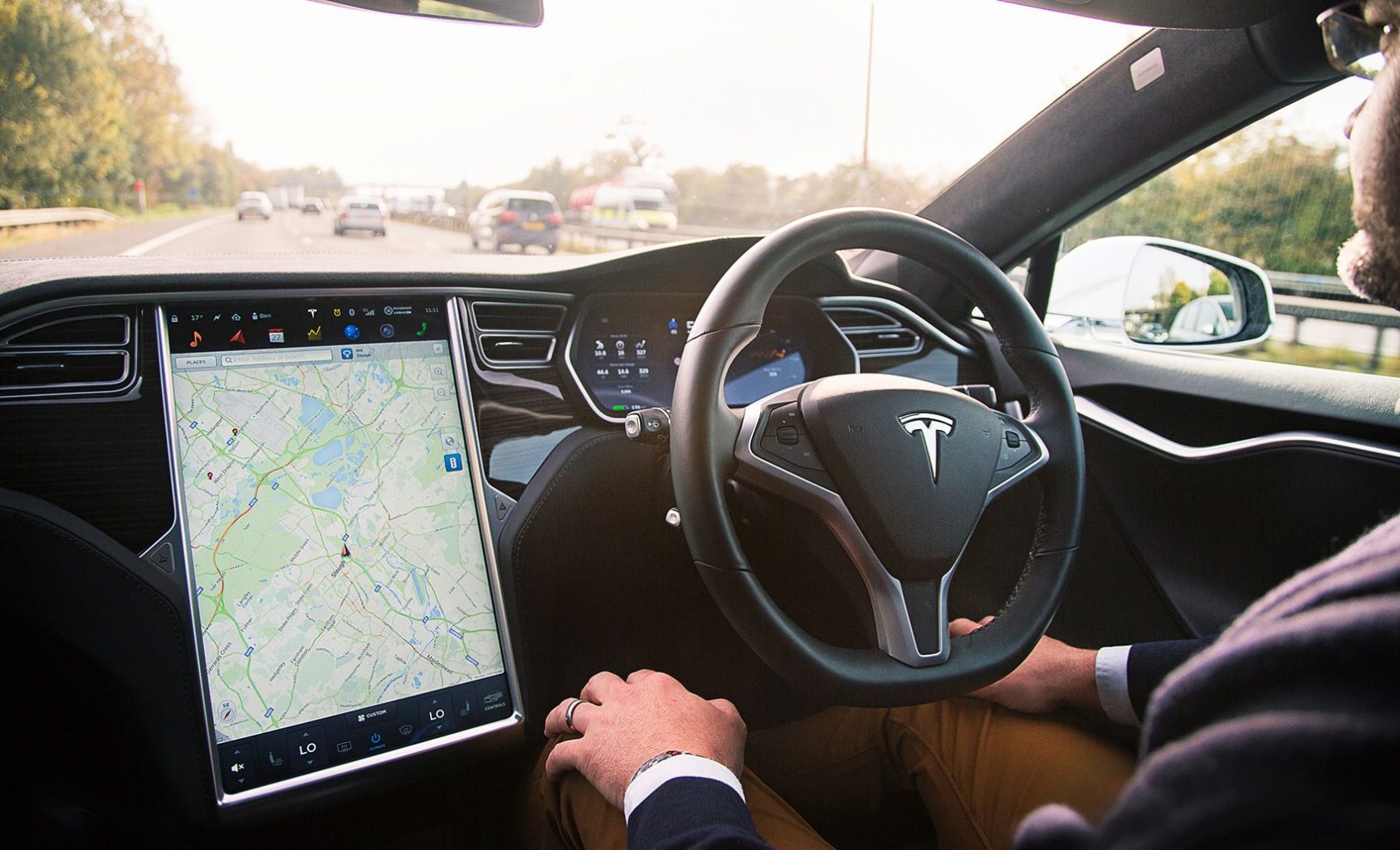
    Following three crashes involving Autopilot since the start of the year, Tesla is pushing out an update called 2018.21.9. This new update shortens the time a driver can have their hands off the wheel of their vehicle before it begins to warn them to return their hands to the wheel. These measures seek to reduce the number of accidents that involve Autopilot by making sure the driver stays aware of the road while using the technology. 

    The Tension of Safety and Convenience 

    Tesla CEO Elon Musk is convinced that Autopilot increases safety on the road. This claim is dubious at best, and Tesla’s own safety regulations somewhat undercut it. If Autopilot is meant to be so safe, why are drivers encouraged to stay razer-sharp and aware while it is online? Truly, what is the point of an autopilot feature if you’re supposed to stay as aware and ready to intervene as you would if you were just driving anyway?  

    Tesla’s current update now alerts the driver once their hands have been off the wheel for thirty seconds. This begs the question: is the technology even ready yet? Elon Musk seems convinced that it is safe, and that true self-driving technology is just around the corner. Yet, it doesn’t look that way from the outside looking in. Every few months another autopilot-related accident occurs, and then Tesla issues another update. At what point does that update involve simply disabling Autopilot?  

    Walter Huang’s Case 

    The most recent fatality involving Autopilot was Walter Huang. Huang’s vehicle veered into a concrete lane divider while using Autopilot and he was killed by the impact. While Tesla maintains that Huang would have had to be ignoring the road in order for the crash to occur, a report from the National Transportation Safety Board suggests otherwise. The report holds that Huang last touched the wheel about six seconds before the crash. 

    This suggests that Tesla’s 2018.21.9 update would have had no effect on Huang’s death. Should the Autopilot function alert the driver five seconds after they release the wheel? At what point do we simply say that this experiment has failed? 

    Tesla and Ambition 

    There is something truly inspiring about a company trying to push the limits of technology. And, truly, Tesla seems to be on the edge of some amazing breakthroughs. However, when the safety of the public is compromised, any and all bets are off. Pushing technology through despite its glaring safety holes is irresponsible. Musk’s insistence on its safety in spite of the accidents is frustrating at best, and negligent at worst.  

    Maybe there will come a day when Tesla is the leader in self-driving car technology. Maybe one day we’ll look back at these days as the growing pains of a new form of transportation. But today, Walter Huang is dead. Whether or not he was paying attention to the road, his Autopilot steered him to his death, literally. This technology clearly still needs some serious work. 

  • Wishlist Roundup: Ways We Wish Apple Would Update Mac

    Wishlist Roundup: Ways We Wish Apple Would Update Mac

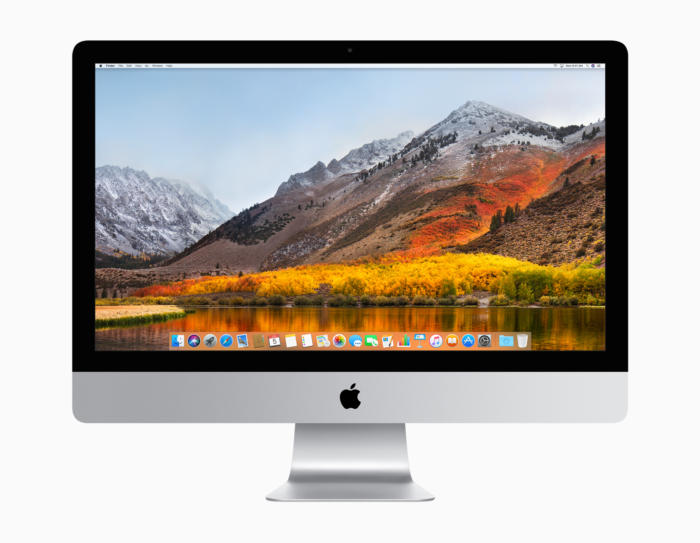
    WWDC has come and gone without a whiff of a new design for Apple’s iconic Mac brand of computers. While there were many incremental changes to iOS teased, it’s still disappointing to see one of the world’s leading tech brands leave questions unanswered. When will they address some of the most pressing issues plaguing the current generation of Macs? That all said, what issues are we talking about? What aspects of Apple’s MacBook line need addressing? 

    The Butterfly Keyboard 

    The current keyboard design is just straight-up bad. If you get the slightest crumb or piece of debris in the keyboard it can cause a stuck key. Those stuck keys are incredibly difficult to correct and often require taking the MacBook in for costly repairs. This issue seems to have cropped up only recently with the “butterfly” design keyboards. 

    Even when they aren’t sticking, the keys are notoriously hard to type on. Their small size and incredibly short travel time make it very easy to make typos, and they are quite noisy. Hopefully Apple gives their MacBook keyboards a full redesign soon. 

    Just a Few USB-A Ports, Apple, Please 

    The USB-C port is a wonder, we get it. Google and Apple both swear by it, and for good reason. It’s a wonderful advancement, capable of handling tons of roles and sporting a reversible design so that you don’t bend pins by trying to slot it in upside-down. But the new MacBooks having only USB-C ports is downright absurd. Plenty of people still have thumb drives and accessories that use USB-A.  

    Sure, there are companies that sell reasonably-price USB-A to USB-C dongles. But it’s a step we shouldn’t have to take to use basic functionality on our computers. Come through on this one, Apple! 

    Optional Touch Bar 

    While the 13-inch MacBook has the option for Touch Bar or not, the 15-inch has no such choice. The 13-inch without the Touch Bar costs a full $500 less than the Touch Bar-sporting version, which is quite a bit for a glowing AMOLED bar. Handy as it is, it should be treated as an optional design, not a mandatory part of high-end MacBooks. If Apple were to offer a less-expensive, Touch Bar-free 15-inch Macbook, they would certainly earn some goodwill. And certainly some new customers, to boot! 

    Better Mac Pro Support 

    Not every Mac user has a laptop. There are dozens of desktop Mac users! Dozens, I tell you! Unfortunately for them, the Mac Pro hasn’t seen any substantial updates since 2013. What was meant to be the high-end for Mac has ended up being a disappointment. Serious video/photo editing, graphic design and other creative tasks are handled well by Mac. However, professionals who once turned to Mac are now opting for PC’s instead. 

    What could Apple do to reverse this? Well, they could start by acting more like normal computer manufacturers and allow users to customize their own rig. This could also allow them to sell lower-priced, entry-level Macs and appeal to a wider audience. As it stands, Apple’s closed-ended design is great for phones but a hindrance for their computers. 

  • Google Pay, Samsung Pay, Apple Pay; Which is the Best Virtual Wallet?

    Google Pay, Samsung Pay, Apple Pay; Which is the Best Virtual Wallet?

    Between Apple, Samsung and Google there are a ton of virtual wallet apps looking to power your transactions. Today we’ll break them down based on their strengths and weaknesses and tell you which one is our favorite! 

    Google Pay 

    Google Pay and Apple Pay have a lot in common. They both use NFC technology to broadcast information over short-range bands. This means the merchant you’re buying from needs to have an NFC-enabled card reader. While most modern businesses are equipped with standard NFC technology, some Mom and Pop places will be behind the curve on this. Google Pay also allows you to send money to other people, regardless of whether they use Android or iPhone. You can also use certain Android Wear watches to pay! 

    The downside to Google Pay, though, is that it only has one layer of authentication. One your phone is unlocked, Google Pay just works automatically. It doesn’t ask for a fingerprint or PIN, it just sends the transaction. This could be an issue for those who shop a lot online and are used to using the secondary authentication as confirmation that they’re about to actually spend money. The other drawback to Google Pay is that it isn’t as widely accepted online as Apple Pay, which is ubiquitous. 

    Samsung Pay 

    Samsung has an edge over the competition: magnetic secure transmission. Where Google and Apple both use NFC technology to broadcast info, Samsung can use MST to “trick” older machines. Card machines all read magnetic information, so Samsung Pay fools them into thinking a card has been swiped. This allows you to use e-pay even at vendors who aren’t explicitly set up for it. The Samsung Gear S3 also supports MST, if you’re a smartwatch fan. Samsung Pay, like Apple, does require a biometric scan or PIN to confirm purchases, which is good.  

    The drawbacks? Samsung has no peer-to-peer payment option, which is a bummer. It’s also only available on Samsung phones, making it the most limited of the three. It’s MST technology is pretty awesome, though. 

    Apple Pay 

    Apple Pay is the most widespread of the three as far as online support goes. It’s available only on iPhones, though. It uses NFC, like Google Pay. You can send peer-to-peer payments, but only to other iOS users with an Apple ID. You can also use an Apple Watch to pay if you don’t want to go digging in your pockets for your phone at checkout. It uses either a fingerprint scan or Face ID to authenticate purchases.  

    The drawbacks here are the lack of MST and the Apple-only peer-to-peer.  

    Which Virtual Wallet is the Best? 

    Turns out, they’re pretty evenly matched. Apple has a slight edge over Google with its authentication and ubiquity, but Google has peer-to-peer payments with anyone. While Samsung has no peer-to-peer payments, it does have MST, which is critical in certain cities with less high-tech merchants. The bottom line is that they are all fine and shouldn’t influence your decision to buy a phone. Unless, of course, you intend to replace your real wallet with you virtual one. In that case, I would have to recommend Samsung, as it works with the widest variety of card readers. 

  • Jurassic World Evolution, 9 out of 10 Goldblums!

    Jurassic World Evolution, 9 out of 10 Goldblums!

    The Feebled Dream of a Mad Man

    Frontier Inc., the creators of Planet Coaster have a rebellious nature and a real passion for sandbox games. The founders of the company previously worked under the developers of Roller Tycoon but eventually realized that the company had lost its passion, so they departed from RCT and embarked to create their own theme park simulator. The result was the astounding, addicting, and intricate game known as Planet Coaster. After the release and success of Planet Coaster in 2016, much was expected of Frontier’s next project. So the developers had to come up with a big idea. And like all great ideas, it starts with an ember…or in this case an Amber. (See what I did there)

    Image result for jurassic park evolution

    It’s DINOmite!  

    Frontier’s passion for gaming shows through from the moment you launch Jurassic World Evolution. With John Williams original score and Jeff Goldblum narrating you the tutorial, you’re immediately drawn in to what we all know and love. A user-friendly interface and smooth mechanics make picking the game up a breeze. Then comes the scenery…The landscaping and environment is absolutely incredible. There is so much intricate detail everywhere you look. The water, the mountains, and the grasslands truly transport you to Isla Nubar (Ultra High settings of course). But the games true graphics feat is the dinosaurs themselves. Frontier was able to partner up with the original designers of Spielberg’s Jurassic Park (1993) dinosaurs in an attempt to create the most realistic dinosaurs in a game to date. You can literally see every muscle fiber move when the animal runs, eats, and even attacks…It’s truly a work of art.

    Related image

    Running a Jurassic Park

    Once your park is up and running, you have to do everything you think you would need to do when running a theme park filled with man eating dinosaurs. Keep power sources on and fences electrified, feed guests and dinos alike, Animal containment units on constant patrol, etc. After about an hour of playtime, my favorite aspect of the game is taking your ACU jeep on free roam through the park. With an open world feel, you can enter habitats for a up close encounters with Mr. T-Rex, explore the mountains and really take in the games amazing scenery.

    To keep attractions and guest numbers high, you constantly have to be adding new dinosaurs and genetically modifying new breeds. You send crews on dig sites around the world who return with the highly coveted DINO-DNA. Also since you are on a chain of islands off Costa Rica, weather plays a big factor in the game. Hurricanes, tornados, severe rains can affect your habitats and fences. If a Dino gets out of a perimeter and eats the guests, then…well let’s just say that mountains that surround you will pale in comparison the mountains of lawsuits you’ll have.

    Image result for jurassic park evolution

    The summary 

    Jurassic World Evolution is a very compelling and immersive gaming experience. For a long time JP fan boy such as myself, I am just over the moon that there is finally a game that the captures awe and admiration of these dinosaurs that the first film did. They game could have more content when it comes to buildings and amenities,  but I’m sure Frontier is purposely holding that stuff back for future expansions to keep gamers coming back for more. In my opinion, it’s a game that’s hard not to love.

  • Too Old For Tinder? Try These Adult Dating Apps

    Too Old For Tinder? Try These Adult Dating Apps

    If you’re an older person trying to find a decent dating app, you might have noticed that there aren’t too many great options. It seems like the apps are mostly geared towards young adults trying to just hook up. Where are the apps for adults who are actually trying to date? Well, we have good news. We’ve got a roundup of the best dating apps for older folks! 

    Stitch 

    Photo Credit: iTunes 

    Do you like to meet people based on what you have in common? Are you a fan of dates that involve activities like going to a coffee shop or going to a concert? You might like to try Stitch. The best part is, Stitch is a great place to find anything from a new friend to a new relationship!

    Stitch is an app that focuses on connecting users over 50 based on their shared interests. Travel is a big one, and the app even helps find discounted rates on rooms! You can connect with people over any interest, though, including music, movies, and taste in food. There is a free version of the app, but you can also opt for a premium paid membership. The paid version costs $80 per month, but gives you access to calling other members, direct messaging and community features. If you’re looking to connect with someone over mutual interests and shared activities, try Stitch! 

    OurTime.com 

    Photo Credit: Ask Men 

    Our Time is a great site for those over 50 looking for a relationship. The site actually boasts a higher ratio of women than men, which is a welcome change from most dating sites. The site also has an iPhone and Android app that offer Tinder-like swiping!  

    You can get a paid subscription, but the free version allows for viewing profiles and matches. You also can see who views your profile for free! The paid subscription allows for seeing when your messages are read and highlighting your profile in searches. You can even see who’s interested in you! Our Time is worth checking out if you’re looking for a relationship. 

    Plenty of Fish 

    Photo Credit: YouTube 

    Popular dating app Plenty of Fish gets a nod for just how many people use it. The name of the site is actually quite accurate! If you don’t mind filtering through a large number of people to try to find good matches, Plenty of Fish can be great. The best part is, the wide user base means you’re bound to find someone you connect with!  

    The site does a good job matching you with people you’re looking for thanks to its algorithms. If you tell it you want to meet people your own age, it can filter for that! That way you’re sure to meet people who are at the same place in life as you, leading to more genuine connections. 

    Senior People Meet 

    Photo Credit: iTunes 

    This popular app has a very large user base and intuitive interface. If you’ve used Tinder, you know what to expect! You swipe left or right on profiles based on whether or not you’re attracted to the person based on their profile. The focus, however, is on senior people, as the name suggests. With this app, you can be certain that your matches will be people your own age, not kids! This makes it an excellent alternative dating app to Tinder for older users.  

    That said, it does hide a number of features behind a paywall. Seeing who is interested in you, who has read your messages, and being able to send and receive email is all behind a monthly subscription. That said, messaging and viewing profiles is free, as is seeing who likes your profile. If you’re in for a Tinder-like experience with mature adults, check out this app! 

    Our Favorite Dating App: OK Cupid 

    Photo Credit: PC Mag 

    You’ve likely heard of OK Cupid. It has millions of users and an in-depth question and answer section. The questions help to filter your matches to people who have compatible personalities and values, which is great! The site also has some great features for paid subscribers, like seeing who likes your profile, disabling ads and using advanced search functions.  

    OK Cupid is great because it focuses on who you are, not just how you look. Other dating apps can be quite superficial, but OK Cupid is not that way at all! It’s an excellent choice for older people looking for a more thoughtful dating app. The iPhone and Android apps both have great ratings for their usefulness and design. OK Cupid comes highly recommended! 

  • Top 5 Gaming Laptops for 2018

    Top 5 Gaming Laptops for 2018

    It takes a lot of stones to be a full fledged gaming laptop and those stones come a large price. These gaming laptops are built to handle what ever our nest and most bizarre gaming programmers can throw at them, and they do it with style and grace. Today we are gonna take a look at the 5 best gaming laptops for 2018.

    1. Alienware

    • CPU: Intel Core i9-8950HK
    • Graphics: Nvidia GeForce GTX 1080 (8GB GDDR5X VRAM)
    •  RAM: 32GB
    •  Screen: 17.3-inch QHD (2,560 x 1,440)144Hz
    •  Storage: 246GB PCIe M.2 SSD, 1TB 7,200RPM HDD

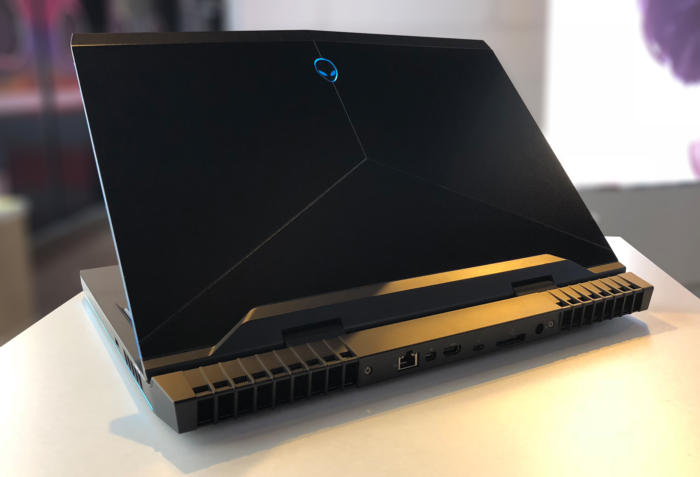
    What has this beast at the top is not only the brand new and highly overclocked processor, top of the line GPU and the 13 zone customizable LEDs, but the Tobii Aware software and eye tracker..It works and its awesome. This is hands down the best gaming laptop and will be for at least a year.

    2. MSI GS 65

    • CPU: Intel Core i7
    • Graphics: Nvidia GeForce GTX 1070 (8GB GDDR5X VRAM, Max-Q)
    •  RAM: 16GB
    •  Screen: 15.6-inch FHD (1,920 x 1,080) anti-glare, wide-view 144Hz panel
    • Storage: 512GB M.2 SSD

    The MSI GS65 packs a ton of power into a very breathtaking and inspiring design. Blasting on with an 8th-generation Intel Core i7-8750H CPU and an Nvidia GeForce GTX 1070 GPU, But a quick run down of the specs will see why this Laptop didn’t grab the number one spot, but cut it a little bit of slack it is a few months older and its still a very bad,bad man gaming laptop.

    3. Razer Blade Pro

    • CPU: Intel Core i7-8750H | 7th Gen
    • Graphics: Nvidia GeForce GTX 1080 (8GB GDDR5 VRAM) |
    • RAM: 16GB | Screen: 17.3
    •  Storage: 512GB M.2 SSD

    This is one of my favorites, it  was crafted to deliver incredible performance in an impossibly thin form factor. It is also the world’s first THX® Certified Mobile Device, the Razer Blade Pro sets a new standard for desktop replacement laptops.

    4. Dell G3 17

    • CPU: 8th Generation Intel® Core™ i7-8750H Processor
    •  Graphics: NVIDIA® GeForce® GTX 1060 with NVIDIA® Max Q Design technology, 6GB GDDR5 video memory |
    • RAM: 16GB DDR4
    •  Screen: 17.3-inch HD 1,366 x 768 TN – QHD 2,560 x 1440 OLED touchscreen
    •  Storage: 180GB – 512GB SSD

    While this has some respectable power, this configuration will cost a little more the $1000 making this the best value for a gaming laptop with out suffering any power loss. It will deliver an ultimate and immersive gaming experience.


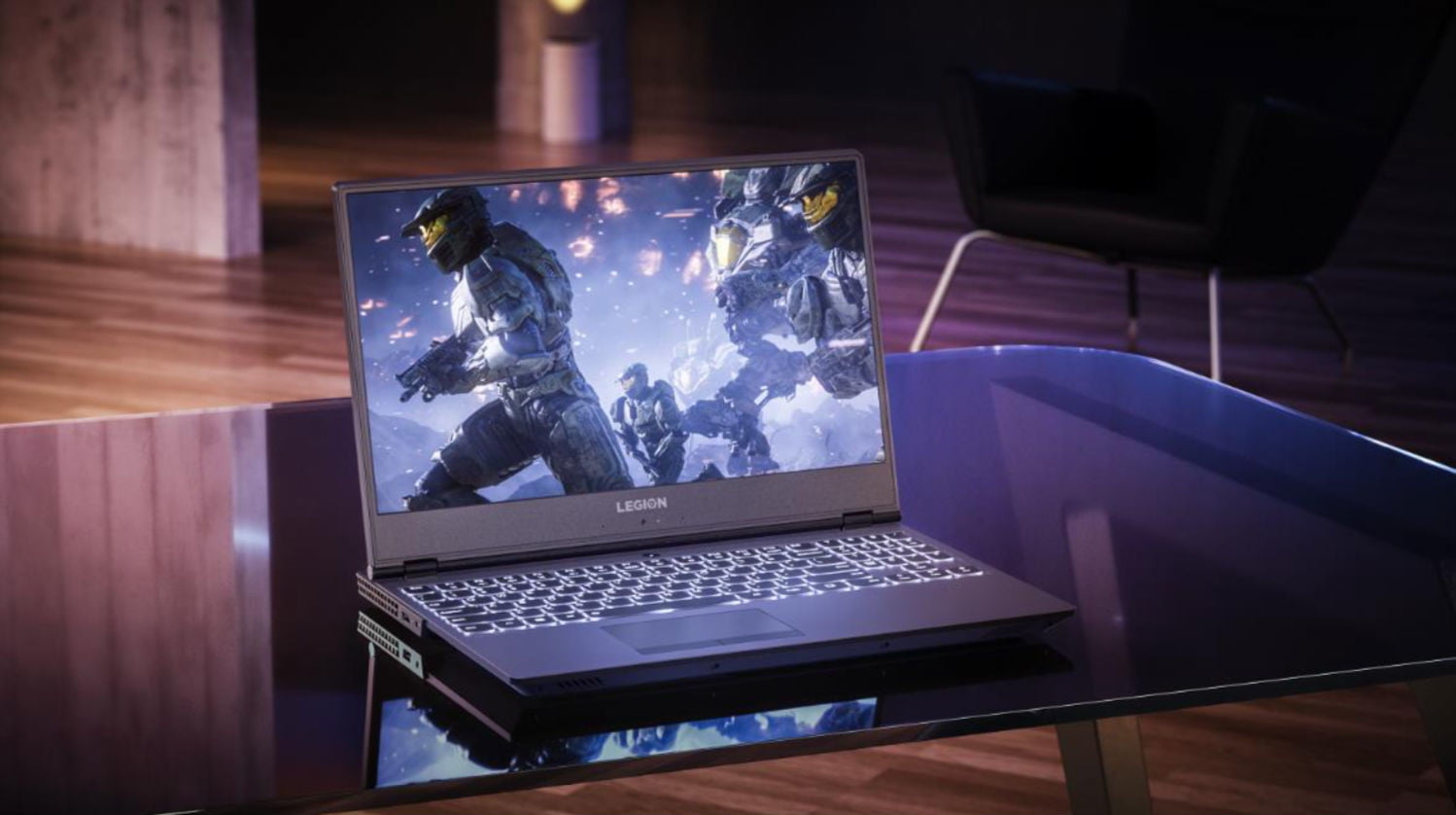
    5. Lenovo Legion Gaming Laptops

    CPU: 8th Generation Intel® Core™ i7-8750H Processor
    Graphics: NVIDIA® GeForce® GTX 1060 with NVIDIA® Max Q Design technology, 6GB GDDR5 video memory |
    RAM: 32GB DDR4
    Screen: 17-inch HD 144fps
    Storage: 180GB – 512GB SSD

    Clean new design. Relatively light. Fantastic 144 screen refresh-rate options. Corsair keyboard with per-key RGB lighting. The fresh design of the Legion Y730 holds promise, with a well-rounded feature set at a relatively modest price. Its big hold back it for a brand new released Gaming laptop its not blasting the i9 chip and maxes out with the GTX 1060 on top a high price then the G3 although the 730 is but better looking and dosent feel as cheap as the G3.


  • Laptop Lookout: Lenovo Legion Revamped

    Laptop Lookout: Lenovo Legion Revamped

    Laptops are the cornerstone of our computing resources in this day and age. We need power, robust performance and ultimate portability for every aspect of our daily lives. This is a guide and insight to the best Laptops on the market and today I’m here to talk about the Revamped Lenovo Legion Gaming Laptop.

    The Great

    • Nice Responsive Keypad and Trackpad
    • Solid Performance
    • Great FPS
    • Premium Graphics and Audio & Optional Dual Drive Storage


    The Conclusion

    Lenovo’s new approach to gaming focuses on entry and mid-tier consumers looking to play games without breaking the bank. The new Legion series laptops meets minimum specks for a 2018 gaming laptop and it can deliver great frame rates at medium settings for even the most demanding games. While they’re all built for gaming but designed for everyday use.

    Lenovo has announced four new Lenovo Legion gaming laptops. There’s the $929.99, 15-inch Legion Y530 available in June, and the $959.99 Y7000 available in August. There’s also the 15 and 17-inch Y730s available in September starting at $1,179,99 and $1,249. Today we will talk about their strengths, weakness and the difference between

    Breakdown The Lenovo Legion

    The first two Lenovo Legions, the Legion Y730 and Y530 laptops, feature skinny and slight bezel screens, dual-chamber cooling,  and up to Nvidia’s GeForce GTX 1050Ti GPU. Wait, what? That is a low end gaming GPU.. That wont run some of the top games out now, let alone whats coming out.  Eighth-gen Intel Core i7 processors, but we have 9th gen available. An optional 144Hz full HD IPS display is offered on the Y530, while the Y730’s noteworthy feature is its Corsair iCUE RGB backlit keyboard (which features six macro “Y” keys).Each of Lenovo’s new systems feature top and side bezels that are 0.26-inches thin, allowing for viewers to enjoy more of the laptop’s display.

    The Y530 laptop, which will be a Best Buy exclusive when it’s available in June for $930, is noticeably smaller than its predecessor, and loses the red accents from before. Instead, you’ll find an all-black lid with a Legion logo, which some might find more attractive, although others might call boring.

    Lenovo partnered with Corsair to bring credibility to its RGB lighting scheme for the Lenovo Legion Y730 laptops. The RGB, 16MM-color backlit keyboard, vent lighting, and underlighting are all controllable via Corsair’s iCUE software. Good news is if you like the out of the box generic look for the Legion Y530 and Legion Y7000, you can turn them all off.

    Quick Spec Look

    • CPU: 8th-gen Intel Core i5-8300H or Core i7-8750H
    • Memory: Up to 32GB DDR4, or you can get up to 8GB of that and 8GB of Corsair Overclocked Memory.
    • Display: All displays will be FHD (1920×1080) anti-glare IPS with a maximum brightness of 300 nits, with the choice of either 60Hz or 144Hz refresh rates.
    • GPU: Choice of Nvidia GeForce GTX 1050 or GTX 1050 Ti. These are Nvidia’s midrange discrete GPUs.
    • Storage: Choices of 128GB-512GB PCIe NVMe SSDs and 1TB or 2TB hard drives.
    • Connectivity: Lenovo arrayed most of the ports on the back of the Legion Y730. There you’ll find (as seen in the photo below, left to right) miniDisplayPort, full HDMI, USB 3.1 Type A, RJ-45 ethernet, another USB 3.1 Type A, the power port, and a lock port. On the left side you’ll find a Thunderbolt port and an audio jack, and on the right side you’ll find a third USB 3.1 type-A port.


  • Hassle-Free Charging: Which Is Our Favorite Qi Wireless Phone Charger?

    Hassle-Free Charging: Which Is Our Favorite Qi Wireless Phone Charger?

    I have forgotten to plug in my phone before bed more times than I can count. The frustration of missing your alarm because you forgot to charge your phone is quite profound. You have no one to be mad at but yourself. Well, yourself and whoever decided we were going to charge our phones with wires like low-tech losers. To remedy this, Qi has become the industry standard for wireless charging. Compatible phones like the iPhone X and Galaxy S9 can be charged as easily as just dropping them on the charging pad. Which wireless phone charger is our favorite? Check out our list! 

    Best Budget Option: Choetech Aluminum Wireless Charger 

    Choetech’s charger is only $13, which is a great price! It has an aluminum body and internal heat management, too, which helps keep it safe from overheating. It doesn’t support fast charging, but it’s also only $13. It has a sleek design and sports a glowing LED ring to indicate when it’s in use. It even has a light sensor to dim the indicator at night. An option to disable the indicator when sleeping would have been welcome, but it’s not a deal breaker. This is a great budget charger overall. 

    Native Union Drop Wireless Charger 

    The Native Union wireless charger is a very elegant and feature-filled device. It has ridged, rubberized grips on the top, and a rubber foot to keep it from sliding on your desk or table. The charger uses a USB-C connection and has a thick, durable, braided cord and an LED indicator for charging status. At $60, it’s a fair bit more expensive than Choetech’s charger. However, that increased price gets you fast charging through a safe and temperature-controlled pad. Native Union promises about three hours to charge from zero to full with their pad. That’s not too bad! 

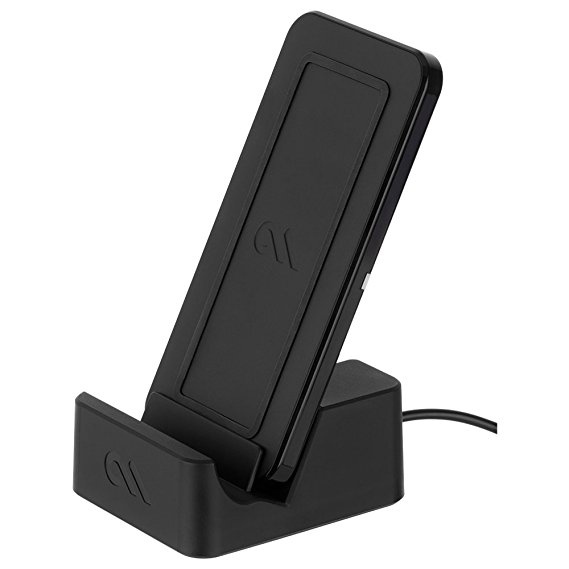
    Our Favorite Wireless Phone Charger: Case Mate Power Pad 

    Case Mate’s pad is also $60, but it sports a unique feature: a stand. The Case Mate with the stand allows you to wirelessly charge your phone while it’s in landscape mode, letting you watch movies or TV while charging! How cool is that? Like the Native Union, it has rubberized feet and an LED status indicator. While it doesn’t sport the same durable cable or USB-C plug-in, the Case Mate does sport fast cahrging. If you’re on the lookout for a great wireless charger with a stand, the Case Mate Power Pad is for you!