Blog

  • Top Ten Apps for Encouraging Mental Health

    Top Ten Apps for Encouraging Mental Health

    Mental health is a serious issue. Medical studies report that mood disorders like anxiety and depression are the third-highest cause for hospitalization among adults 18-44. A few steps anyone can take towards bettering their mental state include regular exercise and a healthy diet. However, there are other steps available too. As always, if you are able, seek professional help for mental disorders that are negatively impacting your quality of life. None of these apps should be considered a substitute for a doctor. That said, these apps all make great companions to help you promote healthy mental health habits! 

    Pacifica 

    Photo Credit: Routine Coach 

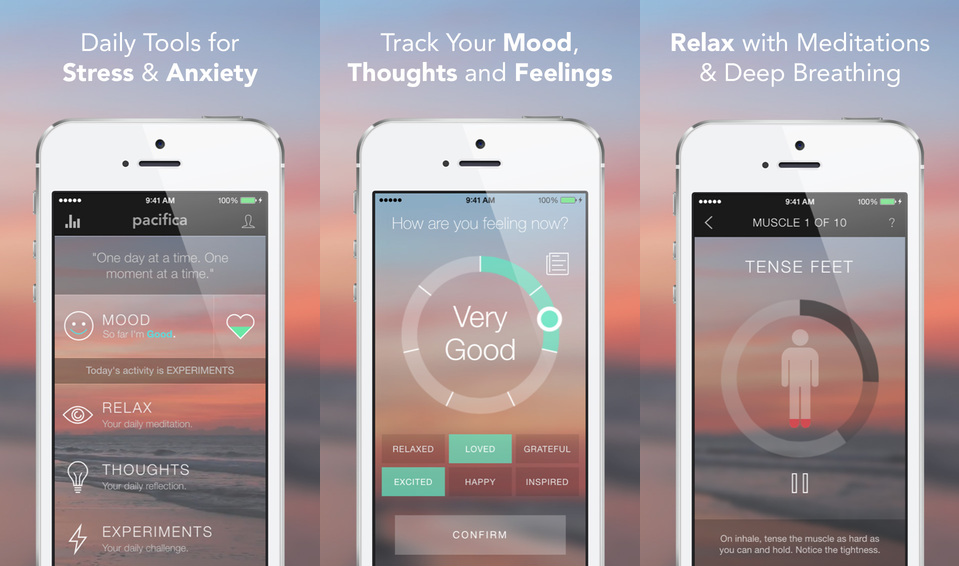
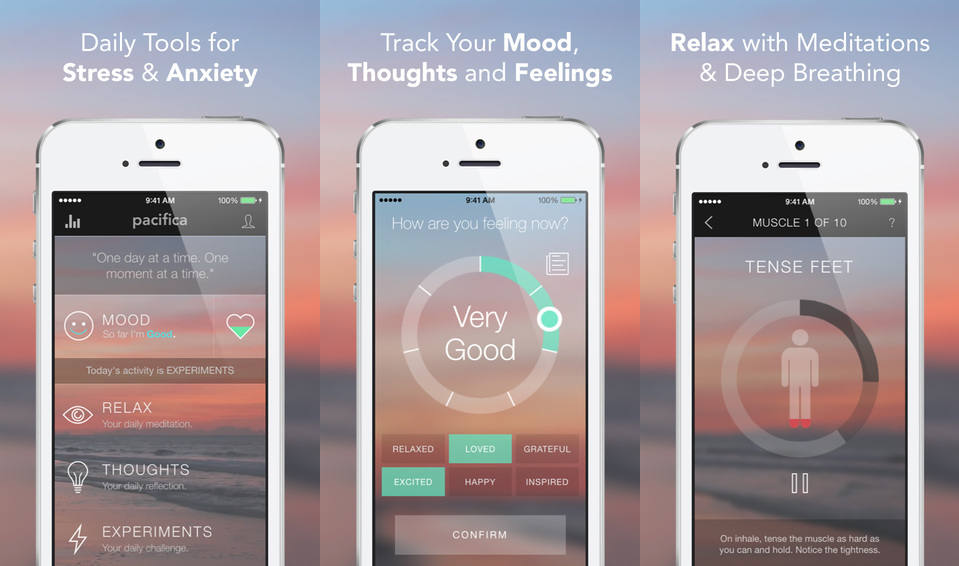
    Stress and anxiety are the main focus of Pacifica. Connecting users with a community of supportive people experiencing similar things, Pacifica is a great platform. The app also offers audio lessons to help with relaxation and mindfulness. Meditation and relaxation are also part of the app’s repertoire. Pacifica is described as an app that “helps break cycles of unhealthy thoughts.”  

  • Best Credit Cards in 2018

    Best Credit Cards in 2018

    From huge sign-up bonuses to generous rewards, there is a lot of factors to consider when you are choosing a credit card. The best credit cards will pay you cash back, offer luxury perks, provide travel rewards, and help you quickly pay off existing balances.

    Our experts analyzed  credit cards to find the best credit card offers  Today, we’re going to take a look at some of the best credit cards for various rewards and purposes. Without further ado, let’s look at the best credit cards in 2018! Explore our top picks and start getting rewarded.

    Best Credit Cards in 2018

    Citi Double Cash Card

    The best credit card for flat-rate cashback, the Citi Double Cash card is a good deal if you keep your monthly balances at zero. You earn one percent cash back on every dollar you spend, which is pretty standard. The cool thing? The 18-month, zero-percent interest period on balance transfers made in the first four months.

    Hilton Honors American Express Ascend Card

    As for the best hotel rewards card, this Hilton Honors card is the way to go. You get all the expected benefits for Hilton hotels, but you also get rewards points for normal purchases! That’s literally win-win. Oh, you get access to certain airport lounges, too! Who could pass that up?

    British Airways Visa Signature Card

    This card is easily the best for airline rewards. While Americans might question what they’d do with a British Airways card, don’t get hung up on the name. You can book American Airlines flights through Avios, so there’s no need to worry! Besides, the rewards you get with this card are stellar, no matter who you fly with.

    Blue Cash Preferred Card from American Express

    The best tiered-reward cashback card, the Blue Cash Preferred offers a number of really great benefits for cardholders. The first, and most obvious, is the tiered cashback. It offers 6 percent cashback on purchases made in grocery stores, which makes it a very easy to use reward card. You buy groceries, right? Then this is the card for you!

    Chase Sapphire Preferred Card

    The Chase Sapphire Preferred Card is by far the best travel rewards card. If you spend a good deal of time traveling, this is the card for you. You can spend the reward points you earn through the card on hotel and airline rewards, or in the Chase portal. As for how you get points, you get two points per dollar you spend traveling or dining while traveling. Well, that’s hard to beat!


  • Elon Musk’s Boring Company Selected to Build Tunnel in Chicago

    Elon Musk’s Boring Company Selected to Build Tunnel in Chicago

    Chicago’s downtown area is notably difficult to get to from the airport. O’Hare International is extremely busy, and traffic back and forth from there to Downtown Chicago is a nightmare any time of day. Obviously fed up with the gridlock, the Chicago city government has selected The Boring Company to build a tunnel from O’Hare to Block 37. Locals know downtown’s Block 37 as the Loop. 

    A Huge Win for the Boring Company 

    Until this point, the Boring Company’s biggest claims to fame were the concept tunnels underneath LA and Elon Musk owning it. This tunnel, if successful, could work as a template for future projects like it in other cities. Musk’s concept of a multilayered, car-centric network still seems rather far-off. A more grounded approach like this tunnel, however, seems to be a great starting point.  

    How the Company Was Chosen 

    Chicago had an open period of “Requests for Qualification,” and Boring passed through two rounds of such requests. Chicago maintained that the tunnel project was to not cost tax payers any money, for one thing. Another request was that it be capable of conveying passengers from the Loop to O’Hare in less than 20 minutes. Finally, Chicago requested that a ride on one of the tunnel cars cost less than a comparable taxi ride. It seems that Musk’s company fit all criteria, as Chicago has decided to go ahead with them. 

    A Few Details 

    The company has stated that the tunnel cars will travel between 125-150 MPH, meaning they can take passengers downtown in about 12 minutes. That’s a huge step up from the normal time to commute via car. It was also reported that cars would leave from both stations once about every 30 seconds, meaning you’re never waiting to board a car. While the exact costs and length of the construction are still to be negotiated, it seems Chicago is eager to have the project underway.  

    The most difficult part of these projects isn’t the actual work of moving earth and constructing tunnels. The hardest part is getting through all the regulations and safety protocols that come with digging beneath a city. The Boring Company likely wants to it can complete this project with speed and for a reasonable cost. If it can do that, and the tunnel is safe, they will have made quite the name for themselves. However, if the project is a bust, it might spell disaster for the company and Chicago’s plans. 

  • Which Alexa Skills are Our Favorites?

    Which Alexa Skills are Our Favorites?

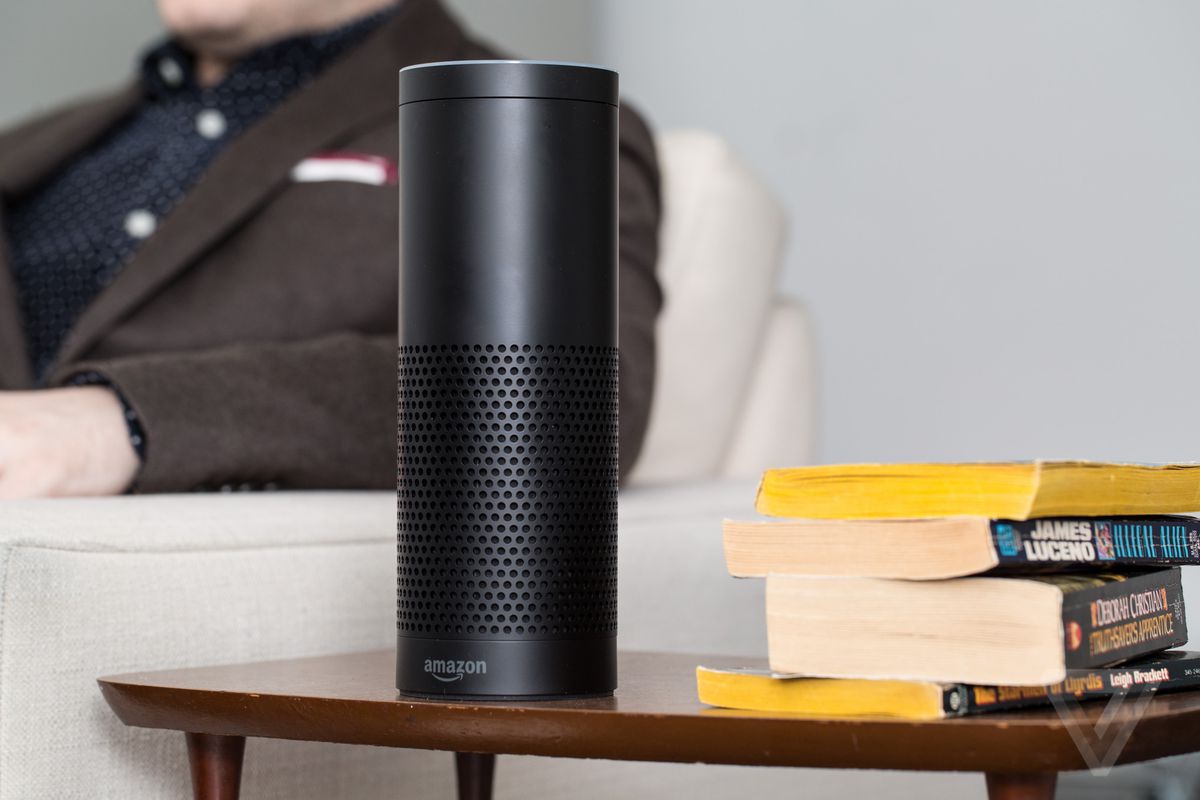
    Alexa has a ton of skills. Over 30,000 skills, to be exact. That’s a pretty crazy number! With that many skills available, how do you know which ones are even worth getting? We’ve got a list for you of some of our favorite Alexa skills. The skills here are the most useful or fleshed-out, easy-to-use or helpful. Alexa, do something cool! 

    StubHub 

    The StubHub skill is great for finding out what’s going on around you. Say “Alexa, ask StubHub what’s going on tonight?” Then, it will have StubHub pull up events and shows in your area. You can even ask about other cities. As you could expect, you can buy tickets to any event connected to StubHub through the smart speaker. Going out for a night on the town, made easy! 

    Audible 

    Having your smart speaker read to you can be a great way to catch up on books you’ve been meaning to read. While Audible is awesome in the car, the Alexa skill lets you enjoy your audiobooks from the comfort of the couch! Whether you’re doing chores, relaxing or just showing off what books your trying to read, Alexa is a great medium for Audible. The callouts are common-sense and easy to remember. “Alexa, read my book” calls up your most recent audiobook. Or you can say “Alexa, read (insert book here)” and she’ll pull up that one instead. It’s simple and intuitive! 

    BBC 

    The BBC skill is great for getting news. You can set up Flash Briefings through your Alexa settings, and the BBC is a good source for news for such a briefing. If you like to hear your news while you take your coffee, Flash Briefings are awesome. They’re effectively a fast-paced recap of everything happening in the world, helping you to stay current. Just call it up by saying “Alexa, what’s in the news?” 

    Philips Hue 

    If you have the smart bulbs of the same name, the Hue skill lets you control them with your smart speaker. This is just super cool, to be honest. Once you set your various “scenes” from the app, they’re ready to be called up by voice. Ready for bed? Tell your virtual assistant to set the lights to sleep mode. Time for hosting company? Use your voice and set the room to “relax” mode. It’s quite convenient and makes you look like a tech wiz in front of company! 

  • You Need to be Comfortable to Play Your Best! Which are the Best Gaming Chairs?

    You Need to be Comfortable to Play Your Best! Which are the Best Gaming Chairs?

    If you’re rocking a sweet new gaming rig, chances are you’re going to be sitting in front of it for a while. And if you’re going to be gaming, you should do it in comfort! With what in mind, we’ve got a list of some of our favorite gaming chairs! 

    X Rocker Pro Series Pedestal 2.1 

    X Rocker makes an interesting, banana-shaped design chair that comes with some pretty awesome features. First, it looks like an awesome sci-fi piece of furniture and would match with most gaming setups. Second, it has two speakers and a subwoofer! The sound system is connected to a wireless receiver, so you don’t have to run cords to it, keeping your walkway clear. It’s also huge, cushioned and super comfortable, with big arm rests. If you like the design and speakers, it’s a great choice! The X Rocker retails for around $190. 

    Merax Racing Style Gaming Chair 

    If you’re looking for something a bit more traditional-looking, this $115 chair from Merax is a bit more subdued than most racing-style chairs. It doesn’t have many bells or whistles, but it’s big, comfortable and looks pretty cool. If you want to split the difference between traditional office chair and full-on gaming chair, this is a good compromise. It’s quite comfortable, and rather affordable for such a high-end chair! If you’re in the market for a better computer chair but don’t want to look too much like a gamer, this is a good option. 

    The Best of the Gaming Chairs: Vertagear Racing Series SL4000 

    The $340 Vertagear is a favorite of Twitch stars and pro gamers. It’s easy to see why: it offers great support, it’s comfortable, and it looks great. It has a ton of different color options and looks right at home in any gaming battle station. If you’ve always wondered which high-end gaming chair is the best, our recommendation goes to Vertagear. It’s a little hard to assemble, but once you have it together you won’t be disappointed. Featuring firm cushions and an ergonomic design, the Vertagear is a great choice for a serious gamer. We recommend setting it so that you’re sitting in a nice, upright position with good posture. This helps ensure you don’t experience back or shoulder pain during long gaming sessions! 

  • Microsoft Seeks to Break into Retail Stores, And Kinect May be Involved

    Microsoft Seeks to Break into Retail Stores, And Kinect May be Involved

    Remember Kinect? It seemed like Microsoft trying to infringe on Nintendo’s turf at the time. If you remember the distant epoch of 2010, the Wii was still riding on some serious popularity. Motion-controlled gaming was huge, and Microsoft wanted a slice of that pie. So, to compete, they released a camera and microphone combination called Kinect.  

    The real wonder of the technology wasn’t the camera, though, it was the software powering it. Fast forward to 2018, when AI is a breath away from being a reality, and Microsoft is reviving the once-dead Kinect software in some innovative ways. And one is the elimination of checkout lines and cashiers. 

    Amazon’s Influence 

    The influence of bookseller-turned-juggernaut Amazon on the face of technology is hard to overstate. One example is Amazon’s cashier-free convenience store, Amazon Go. If you missed it, the first Amazon Go opened in Seattle last year and has a truly unique business model.  

    There are no cashiers, and there is no checkout line. Instead, you scan in past a turnstile with your Amazon Go app, which has your credit card info on file. Then you grab the stuff you want and technology in the store tracks what you have. When you leave, the app bills you for whatever stuff you have in your bag. Simple, right? Well, it’s powered by a pretty complicated suite of technology.  

    So complicated, in fact, that many traditional retailers are made quite nervous by it. How could they afford to implement such a complex change in their stores to stay competitive? Amazon is certainly saving costs by not having cashiers, and customers love the convenience. Could this spell doom for traditional retailers? 

    Not if Microsoft Has Anything to Say About It 

    Enter Kinect’s new lease on life. Microsoft is currently working to help implement technology like Amazon’s in traditional retail store like Walmart and Target. While details are currently slim, the move makes sense. Retailers scared of becoming irrelevant can pay for Microsoft’s Kinect AI and stay competitive. Microsoft, in turn, keeps up with Amazon without having to invest in any inventory or construction.  

    At the moment, it’s not set in stone. There are currently no announcements as far as roll-out or implementation of this technology. It’s still in the planning phase. However, if it materializes, it could spell the end of a lot of retail jobs. Hopefully the retailers affected would find other positions for the employees losing jobs. 

  • Competition Heats up Over Processors, Intel’s Dominance Threatened

    Competition Heats up Over Processors, Intel’s Dominance Threatened

    Intel is a processor juggernaut. No other company has been able to hold a candle to Intel for the past decade, and it shows. When you go out and try to buy a laptop, what chips do you see advertised as being inside? Intel. If you ask someone which chips their PC has, the answer is Intel. And that’s terrible for the consumer! A lack of meaningful competition means that things stagnate, and prices rise. Well, there’s good news: Intel’s competitors are closing in. Today we’ve got a quick roundup of the companies that are making processors to compete with the massive CPU manufacturer. 

    AMD 

    The biggest competition that comes to mind when you think of processors is AMD and Intel. However, AMD’s reputation has always been that they play second fiddle to Intel. However, after AMD unveiled their monster 32-Core Threadripper 2, things look a bit different. The absurdly-powerful Threadripper blows all of Intel’s processors out of the water, even when Intel’s dubious experimental prototypes. It seems AMD might be able to carve a niche for themselves as high-end makers of speedy processors. 

    That said, AMD alone can’t hope to change the face of the CPU market. Thankfully for consumers, they’re not the only major player gunning for Intel. You see, Intel has caught no end of flak for overlooking the smartphone market. That blunder may yet come back to haunt them. 

    Qualcomm 

    That brings us to Qualcomm, a company you may not be familiar with. Qualcomm makes processors called System on Chip that run in Android smartphones. The best part? They’re actually quite powerful. While they likely won’t be putting their CPUs in desktops anytime soon, Qualcomm is aiming to break into the laptop market. In a partnership with Windows, Qualcomm has begun shipping processors in Always Connected PCs. The Always Connected line aims to make laptops more comparable to smartphones by giving them LTE connection and higher battery life.  

    Qualcomm is the ideal manufacturer for processors for such a project, as they have a great track record with efficient chips that conserve battery. Balancing power use with performance is a delicate process that Qualcomm is adept at, making them a critical aspect of breaking up Intel’s stranglehold. While AMD beats Intel in the desktop space, Qualcomm can outperform them on laptops. This could get Intel moving again, making their processors better, faster and cheaper. There is, however, a third threat looming over Intel. 

    Apple to Make their own Processors 

    For the better part of a decade, Intel has provided the CPUs for Apple’s laptops and desktops. In 2006 Apple started using them instead of their in-house PowerPC chips that had failed to compete with Intel. That might all change soon, though. Apple has opened their own engineering lab, and rumor has it that they have been snatching up prior Intel employees. For years, the processors in iPhones have been made in-house by Apple. It seems like the smartphone giant might be posed to make the leap to putting their own chips in their computers, too. 

    The iPhone X, for instance, sports an A11 Bionic chip that puts all other cutting-edge smartphone CPUs to shame. If Apple scales that same tech up and ships Macs with it, Intel could be in for some serious competition. Between their alliance with Apple being under threat and two competitors moving in on their once-uncontested claim, things look to be heating up for Intel. And that’s awesome for the consumer. When companies are forced to change, adapt and compete, the quality of their products is sure to go up. And we’re sure to reap the benefits! 

  • New to PC Gaming? Here’s the Top 10 Things You’ll Need

    New to PC Gaming? Here’s the Top 10 Things You’ll Need

    So, you’re looking to start PC gaming? While you probably know how daunting it can be to start out, we’re here to help. From slick looking peripherals to high-end hardware, we’ve got a list of ten must-haves for PC gamers! 

    Set of Tools 

    Photo Credit: Amazon 

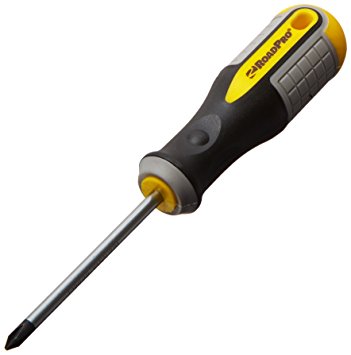
    The first thing you’re going to want is a set of tools. Preferably a magnetic screwdriver and an anti-static wristband. Being able to open your rig and troubleshoot is a key aspect of PC ownership. If you spend top dollar for the very best gaming PC, make sure you take care of it! You’ll also probably want a magnetic parts tray so that you don’t lose too many screws. Also, you should get some extra case screws, because you’re going to lose screws. 

    Canned Air 

    Photo Credit: Walmart 

    This is the last boring entry, I swear. Once you open your computer up, you might notice some dust has collected in recesses. It’s best to clean this dust out once a month or so. If you don’t your computer’s performance will suffer as it experiences higher-than-average temperatures. Canned air is also great for cleaning out debris from keyboards! 

    PC Gaming Chair
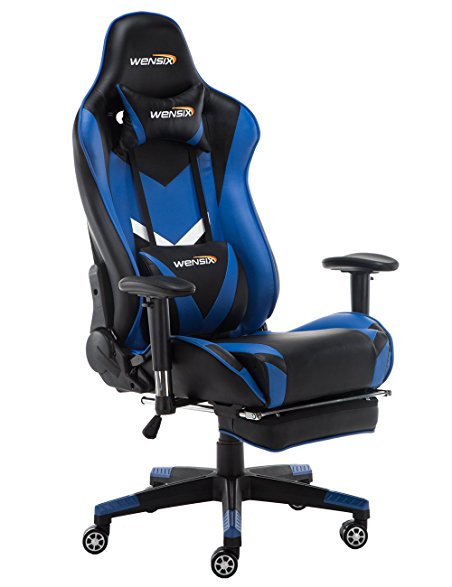
     

    Photo Credit: Amazon 

    If you intend to sit in front of your computer for a few hours at a time, make sure it’s in a comfortable chair. There are a few well-known brands of gaming chair to choose from. Vertagear and Furmax both make solid options, and there are often good deals on sites like Amazon. Racing-style chairs are particularly popular at the moment with streamers and pro gamers! 

    RGB Lighting
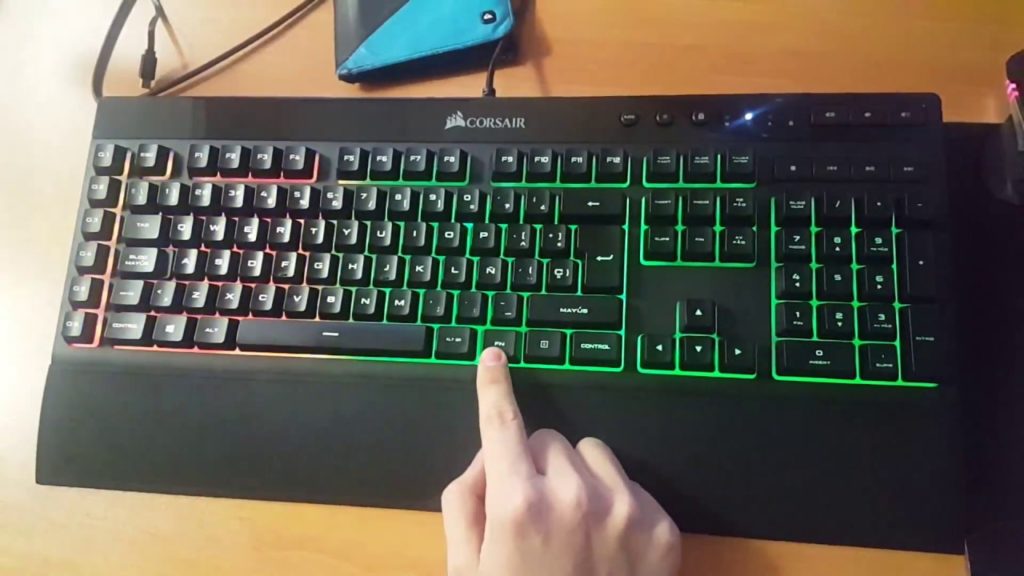
     

    Photo Credit: YouTube 

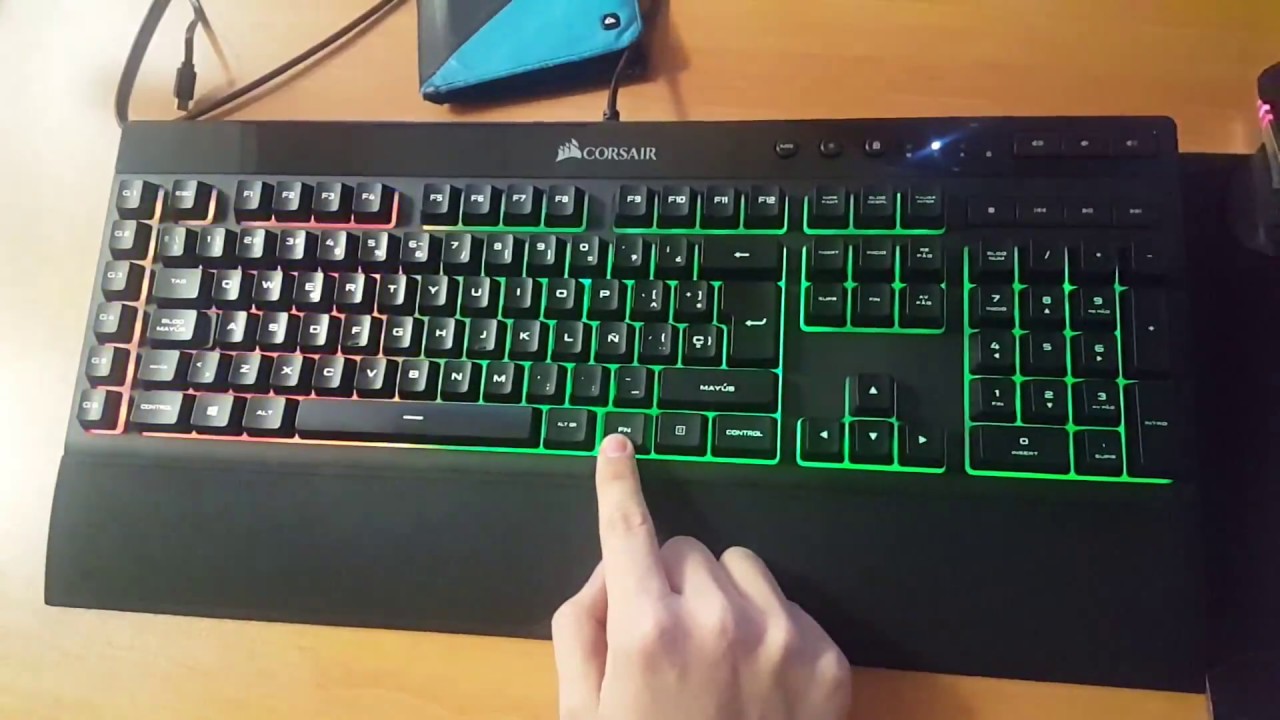
    PC gamers love few things more than high-end graphics. One of the things that comes close, though, is glowing keyboard and mouse setups. High-end peripheral makers like Corsair and Razer make most of their ranges with RGB lighting built in. You can then use software to choose what colors and patterns you want your RGB to take on. Many games even offer compatibility, like Overwatch and Fortnite. If you want your setup to look as serious as it is, consider getting some RGB gear! 

    Gaming Monitor
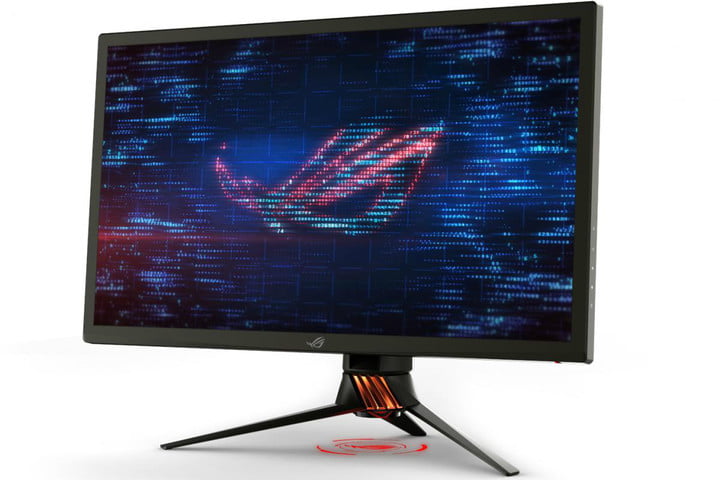
     

    Photo Credit: Digital Trends 

    What’s the point in having an awesome graphics card if your monitor can’t resolve the images it’s being sent? Springing for a 4K monitor is a must if you want 4K graphics. While there are a ton of options out there, finding the best one for your rig is important. Some people like ultra-wide, curved screens. Others may prefer large, flat monitors. Whatever you pick, make sure it’s something you won’t mind sitting very close to for hours on end! 

    Second Monitor
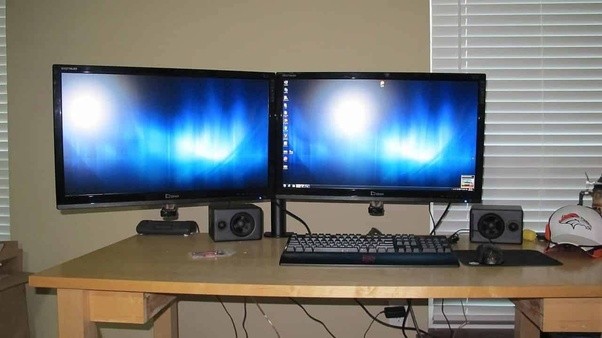
    Photo Credit: Quora 

    Many PC gamers swear by a two-monitor setup. Odds a good you already have a normal monitor, but not a dedicated gaming monitor. Well, after you upgrade, don’t sell your old monitor just yet! Instead, consider rocking a two-monitor setup. That way you can multitask! Your awesome new gmaing computer surely has enough RAM that you can do two things at once. Stuck in a hard section of a new game? Watch a step-by-step guide on your other screen. Chatting with friends in between boss fights? Use your second monitor! Some people just like throwing YouTube or Netflix up while they grind their favorite games. 

    Gaming Headset
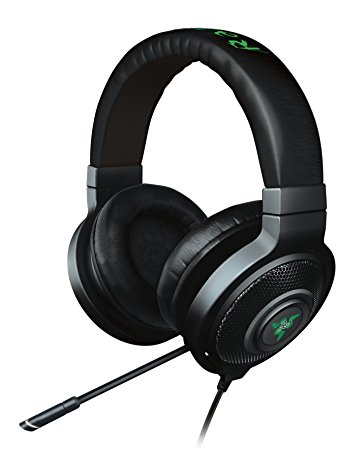
    Photo Credit: Amazon 

    Gaming headsets are a must if you plan on chatting with your team. While some games don’t require them, nearly all games are made better by the surround sound quality of a gaming headset. Not to mention, your team will appreciate how clear your voice is thanks to your awesome mic! This is an expense worth undertaking if you take competitive team games seriously. 

    DualShock 4 Controller
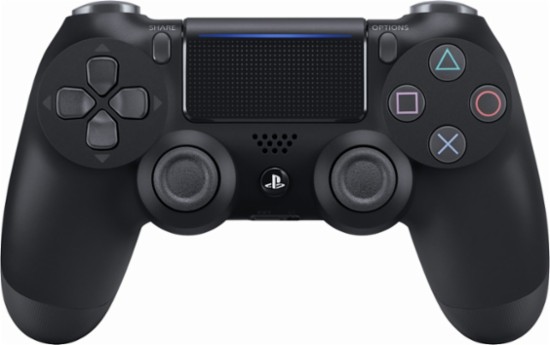
    Photo Credit: Best Buy 

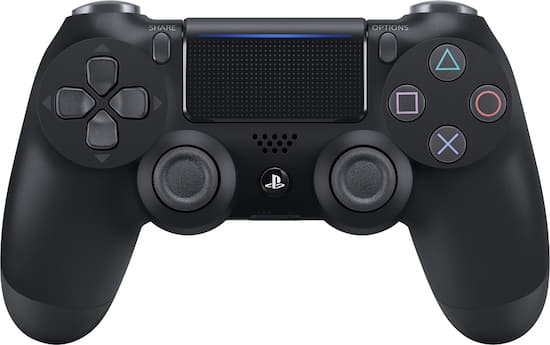
    This one probably seems a little out of place. After all, PC gamers are always talking about how awesome keyboard and mouse is! Well, keyboard and mouse controls are great for certain games. Real-time strategy games, first-person shooters and the like were really made to be controlled by keyboard and mouse. Some games were just made for use with a controller, though, and for those, you’ll want a real game pad. Many consider the DualShock 4 to be one of the greatest game pads ever, with its matte finish and ergonomic design. If you’re more inclined to Microsoft’s offset analog sticks, the Xbox One controller is also a fine choice! Both will work with minimal issue and a bit of setup on pretty much every game. 

    Gaming Mouse
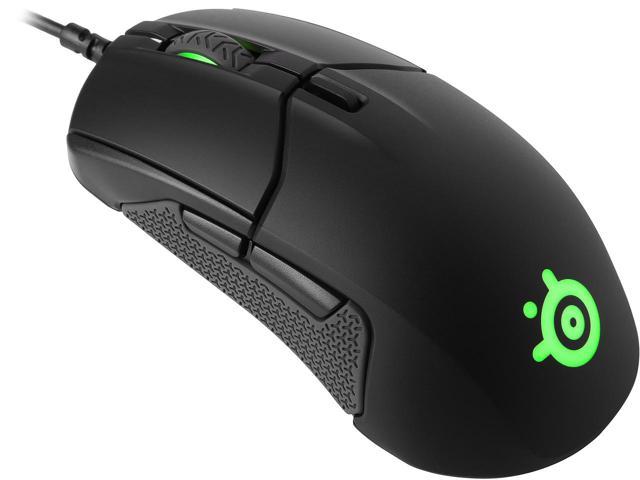
     

    Photo Credit: Newegg 

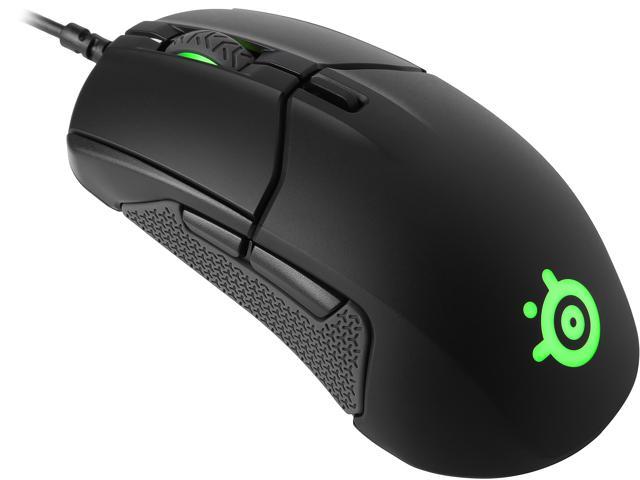
    For those times when you need a mouse and keyboard control setup, though, you’re going to want the best. High DPI, performance gaming mice aren’t cheap, but you’ll know the difference right away. Sporting high-precision and buttons right on the mouse, these are the best way to play. You’ll find yourself skipping less pixels, aiming more precisely and binding common tasks to your mouse buttons. If you’re gaming seriously, you’ll want a serious mouse. 

    The Most Important PC Gaming Peripheral: Mechanical Keyboard
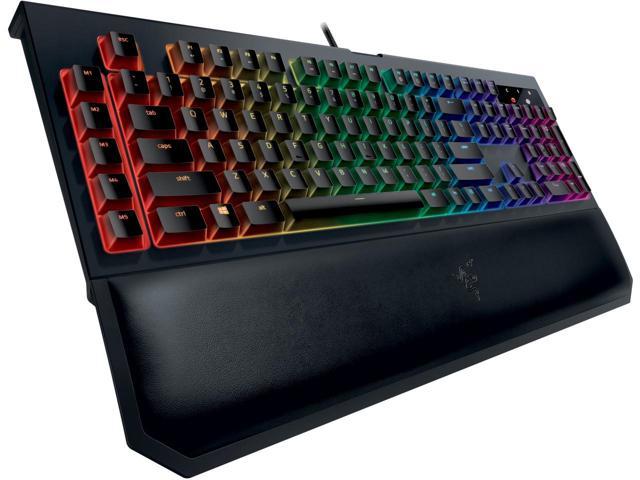
    Photo Credit: Newegg 

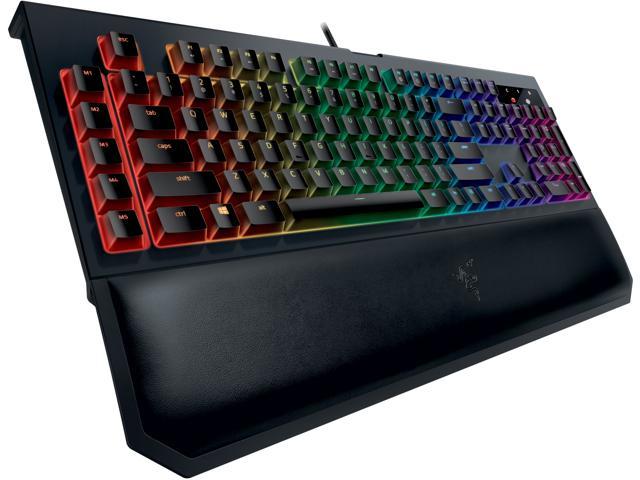
    If you intend to play video games from your PC, get a mechanical keyboard, full stop. It might sound absurd, but those loud, clunky keys are a revolution when you first use them. You won’t accidentally hit a key. You’ll know when you press down that your input was read. While they take a bit of getting used to, mechanical keyboards are the best for gaming. They’re not ideal for heavy typing, so keeping a traditional mesh keyboard around for typing tasks isn’t the worst idea. But aside from writing papers or turning in work, mechanical keyboards are the way to go. 

  • Tablet Talk: The Samsung Chromebook Plus V2

    Tablet Talk: The Samsung Chromebook Plus V2


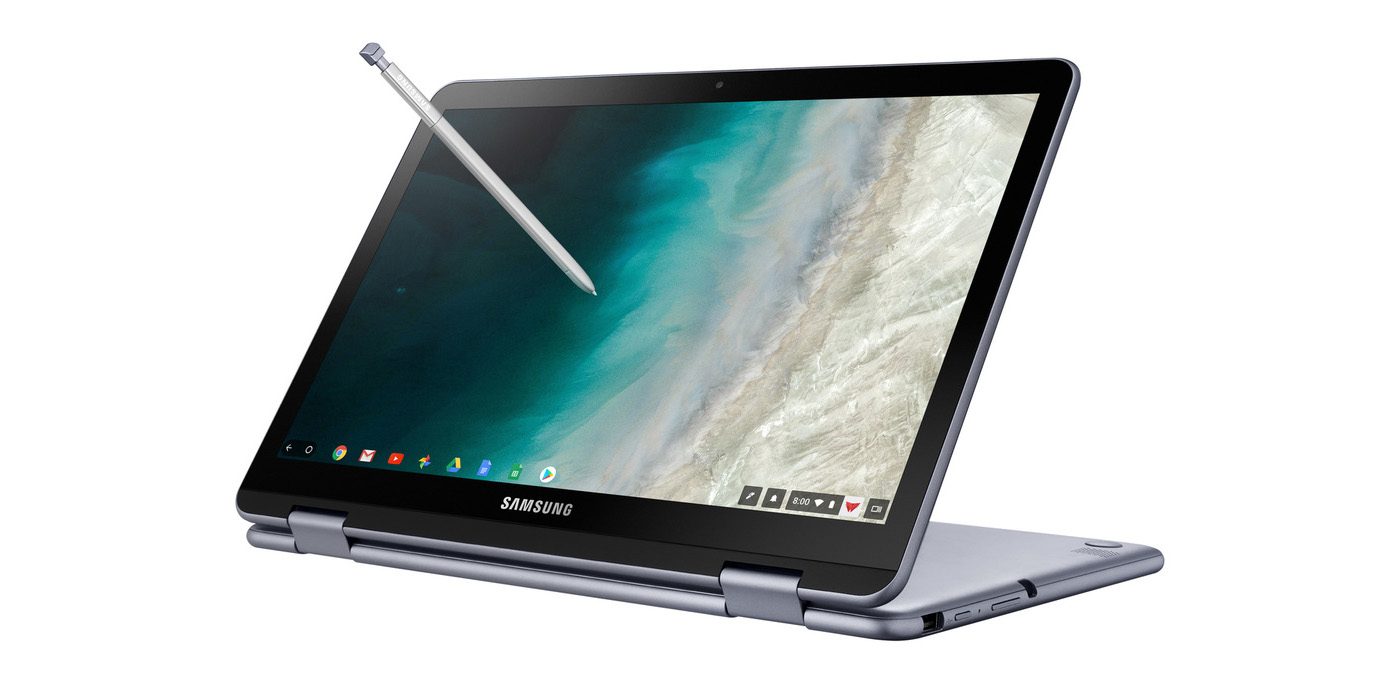
    Samsung announced a new version of its Samsung Chromebook Plus , titled the Chromebook Plus (V2) with an Intel Celeron processor and front and rear facing cameras. It will be available only from Best Buy and goes on sale June 24 starting at $499.99. Samsungs press release says “For those who use Chrome OS to do more on the go, the new light and thin Samsung Chromebook Plus (V2) sets the standard with front and rear cameras, built-in pen, and a more powerful processor”


    The Standard, Really Just Standard

    It looks like one thing Samsung got right for sure is the use of the word standard. This 2 in one is definitely that, standard. The 2-in-1 convertible is designed to help people get the most out of Chrome OS. Samsung has listed some highlight from the announcments..

    1. Front and Rear Facing Cameras to Stay Connected – Communicate visually with the 1M front-facing camera and a 13M F1.9 rear-facing camera with autofocus. Simply fold your laptop into tablet mode and capture your view from any angle. The front camera is ideal for video chats with classmates or clients, friends or family. Plus, store photos and videos right on your cloud.
    2. Unleashing Creativity – The Samsung Chromebook Plus (V2) stands out by comingwith a built-in pen. Experience the power and precision of the stylus. It’s always with you when you need it, and it never needs charging. Write a note, sketch out an idea, edit a document, sign a document, or even use the pen to magnify small text and capture carefully cropped screenshots.
    3. Do More, Store More – Tackle anything that comes your way, wherever you are, with more power and more storage. The upgraded Intel® Celeron® processor and long-lasting battery keep you going all day.In addition to users’ personal cloud storage, the Samsung Chromebook Plus (V2) has 32GB of built-in storage, with the option to add up to 400GB with a microSD card (sold separately) – room for favorite photos, documents and music, as well as for storing movies to watch offline on the go.
    4. Premium Design, Premium Experience – designed for comfort and peace of mind, with a curved-cap keyboard built to withstand spills up to 60cc. The device’s rounded edges offer users a comfortable grip whether it’s being used as a notebook or a tablet. The Samsung Chromebook Plus (V2) offers even more functionality to users with multiple connected devices, including easy file sharing between Chromebook and mobile devices. Smart Lock from Google makes it easy to store and use passwords across your devices.

    The laptop will use an Intel Celeron 3965Y processor (a change from the old Plus’ ARM processor, though the Chromebook Pro used an Intel Core M3). The “rear” camera, above the keyboard, for use in tablet mode, is a new addition. The laptop will have 4GB of RAM and 32GB of storage.
    The Chromebook Plus (V2) has a 1920 x 1080 display with a 16:10 aspect ratio. The previous model had a 3:2 aspect ratio with a 2400 x 1600 resolution. While an unexpected announcement, nothing unexpected here.

    Quick Spec Look of The Samsung Chromebook Plus

    • PROCESSOR Intel® Celeron® Processor 3965Y
    • MEMORY 4GB
    • STORAGE 32GB
    • GRAPHICS Intel® HD Graphics 615
    • POWER 39Wh
    • WEIGHT 2.93 lbs
    • CMF Stealth Silver
    • DIMENSION 11.34 x 8.19 x 0.63-7.0 inches
    • PORTS 2 x USB-C™ [4K display out with optional adapter, Charging] 1 x USB3.0
      MicroSD card reader
      3.5mm headphone jack
    • MATERIAL Aluminum alloy/Glass/Plastic
    • DISPLAY Aspect Ratio: 16:10
      Brightness: 300nit
      Touch Screen
    • CAMERA Dual: 1M (front); 13M (on keyboard deck)
    • SPEAKER Stereo Speakers (1.5W x 2)
    • STYLUS Built-in-pen

    The Final Thought

    This is just another mediocre Samsung device, put out by what is becoming the standard of a mediocre company. Samsung fails to innovate or at least manipulate someone eases innovation yet again. Uninspired, its just the Chromebook on the self if you need a Chromebook and you probably don’t.

  • AMD ThreadRipper 2, 32 Core Processor Announced

    AMD ThreadRipper 2, 32 Core Processor Announced

    AMD has a major announcement that may alter the axis of the processor world. They have announce a new AMD ThreadRipper 2, 32 core, 3gz goliath of processing power. Intel… panic. That’s just what they did. While Intel has maintained a dominance over its main chip rival AMD, today they panic as the tide may be turning and Intel’s 28-core demo during Computex 2018 is a sign it is worried about the chips AMD is bringing to market this year. They became so worried in fact they held a borderline suspect speed test of their 28 core processor that ended up boasting 5GHz.

    Intel demonstrated the chip as running at 5GHz across all core. This seemed more then a little dudious. While a true score, the setup required to achieve it is far from conventional and well beyond what could currently be achieved in a desktop PC for a reasonable price. The motherboard alone used to conduct the test is well over $10,000.

    More about the AMD ThreadRipper 2

    This new AMD ThreadRipper 2 is raw, unadulterated power. The chip runs at 3GHz, but achieves a 3.4GHz all-core boost on demand. Its TDP is 250W, so it can be used with already available X399 motherboards sporting the TR4 socket, and is expected to be available to buy in August. While not much more is know, we will watch this develop with great interest

    But How Would I Cool Something Like This,

    The raw power alone should have your mind bending with complex thoughts of the logistics on that kind of computer power. How do you keep that cool and from overheating. Rest asure the AMD’s ThreadRipper 2 announcement has us all excited at the prospect of 32 cores and 64 threads coming to the desktop, but we are going to need to top the processor with a capable cooler to bring the rumored 250W TDP under control. AMD told us at Computex that the new ThreadRipper 2 models will come with the Asetek bracket that provides compatibility with leading AIO watercoolers. But the company has also worked with Cooler Master to develop a new air cooler, Wraith Ripper, specifically for the Threadripper’s TR4 socket. Problem Solved

    The AMD Wrait Ripper has Seven copper heatpipes wick heat up into the hefty fin stack while a concealed 120mm fan in the center of the cooler provides airflow at a relatively tame 39dBA. The top of the housing features four Phillips head screw mounts that attach directly to the four threaded fasteners that mount into the TR4 socket. Supes simple to install. However it seriously heavy, as it would have to be so it can dissipate roughly 250W of thermal output.

    The Final Thought

    When I think back to the computing power used to send us to the moon for the first time, The AMD ThreadRipper 2 seems untheroretical, but yet here we are. We are on the Verge of a processor explosion, The landscape will change. New players will emerge and AMD is on its way to a decade of processor dominance. Your move intel.