Blog

  • The Best Retro USB Controllers

    The Best Retro USB Controllers

    Retro is back in a big way, and nothing shows that more than the popularity of retro re-releases like the SNES and NES Classic consoles, the presence of game anthologies on Steam, and RetroPie custom gaming rigs. If you’re a retro enthusiast, chances are you’re looking for the best USB controller to relive some of those classic games. Well, look no further, because we’ve found four awesome USB controllers that you’re going to love!

    Retrolink N64-Style Controller

    While the N64 controller itself is somewhat awkward and more than a little difficult to use with most games, if you plan on playing N64 games via emulation, the Retrolink is great. The controller has a great make, with satisfying, clicky buttons and good feedback, but is hindered by the very thing it is: it’s shaped and laid out just like an N64 controller, for better or worse. This controller has little appeal across a wide library of retro games, but if you’re looking to play Ocarina of Time, or Mario 64, and want an authentic experience, then the Retrolink is for you! The Retrolink can be picked up on Amazon for around $15, making it a very affordable option for those seeking to emulate via RetroPie rigs.

    Hyperkin Genesis Controller

    For those who grew up loving the little blue hedgehog over the mustachioed plumber, the boomerang-shaped Genesis controller design holds a special place in their hearts. This controller features the iconic glossy black look and boomerang shape of the controller that inspired it and sports the full six face buttons. If you’re absolutely diehard about Sega and want to play nothing but Genesis titles on your RetroPie or through Steam, then this controller will feel right at home in your hands. However, for more general retro gaming, I still have to recommend the Buffalo Classic Gamepad, as the classic SNES design is tried-and-true, and just feels more natural on so many retro games. However, if your nostalgia is for the forgotten glory days of Sega, you won’t be disappointed by the Hyperkin.

    8BitDo SNES30 Pro Wireless Controller

    8BitDo’s SNES30 Pro is an odd-looking gamepad at first, as it appears, at first, much like the North American SNES controller, but it also sports two analog sticks, much like Sony’s Dualshock controller. The SNES30 Pro is wireless, using Bluetooth to connect, which certainly adds to the controller’s cost: it’s around $50 from Amazon. It’s also a bit on the small side for being a dual-analog controller, measuring nearly the same as the Buffalo Classic. This can be a problem during extended play periods when using the analog sticks, as those with larger hands will likely find their hands cramping during play. However, if you plan on playing some 3D retro games, or you don’t mind the small size, this controller is an excellent choice!

    Buffalo Classic USB Gamepad

    Our pick for best retro gamepad! Sporting a look straight out of the early 90’s, this game pad is a pretty faithful clone of the SNES classic dog-bone style controller design. The make on this controller is exceptional, the buttons have great resilience and action, and the D-Pad clicks and reacts just like the fantastic SNES original. You can snag this beauty on Amazon for $20, and I couldn’t recommend it more for retro 2D gaming. However, the lack of analog sticks means this controller is nearly unusable for 3D games and is best used on SNES and Genesis-era titles. However, that’s less bug than feature, and for games from this era, you won’t find a better controller.

    Looking for an Easy Way to Make Your Own Emulator?

    Check out our article on the best Raspberry Pi starter kits! Within, you’ll find our picks for the best kits to use when starting your own Raspberry Pi project, so you can get started making your own retro gaming rig!

  • Twitter Urges All Users to Change Password

    Twitter Urges All Users to Change Password

    Thursday, Twitter began urging all 336 million of its users to change their passwords, following news that passwords had been erroneously stored in plaintext on an unencrypted log. Users logging in after Thursday are met with a pop-up urging them to change their passwords and explaining the situation. Jack Dorsey, Twitter CEO, expressed the need to be “open about this internal deficit.”

    How Long Have They Known?

    What is unknown, in spite of Twitter’s semi-transparency on the issue, is when this data mishandling was discovered, or for how long the data has been stored in this way. Typically, passwords are stored in logs using a technique called “hashing,” which is an encoding that replaces characters with other, random characters, thus rendering them as gibberish to someone without access to the encryption key. The log that Twitter disclosed the passwords were being stored on, however, were being stored in plain text.

    Not a Breach

    Twitter has been quick to point out that this was not a data breach, like the Target credit card debacle, nor did they have to inform anyone of this lapse in security. Twitters CTO, Parag Agrawal, tweeted: “We are sharing this information to help people make an informed decision about their account security. We didn’t have to, but believe it’s the right thing to do.”

    Best Way to Handle This?

    This news is unique, in that it was disclosed by Twitter, and as Agrawal so humbly observed, they didn’t have to inform the world of their mishandling of users’ passwords.  However, had the news broken without an official word from Twitter, the news would have gone from “unusual blip” to “full blown security scandal,” so the choice to inform the public was surely a wise one.

  • The Best VPNs

    The Best VPNs

    VPNs, or Virtual Private Networks, have become immensely popular lately. Whether you want to use one to increase your internet speed, browse more safely, or just watch Netflix episodes that are region-locked in your area, VPNs are awesome to have to increase your browsing experience! With that in mind, here are our four favorite VPNs! Keep in mind that we’ve picked only paid service VPNs, as they offer more security and a higher quality browsing experience.

    StrongVPN

    StrongVPN lives up to its name. With a large number of dedicated IP addresses, servers and server locations, users have a great deal of privacy and security with Strong. All of Strong’s network infrastructure is owned by the company, and as such there are no bandwidth or traffic restrictions, a definite plus to a VPN provider. Strong has a reasonable monthly fee of $10, or you can opt for the $70 yearly price, which is easily a great deal for your money among the most popular VPNs.

    IPVanish VPN

    For users who want a the most anonymity possible from a VPN in their browsing, IPVanish is a good choice. Their main selling point is that they keep absolutely zero logs, promising a great deal of privacy to the user. The service’s other features tailored to privacy include a connection kill switch, allowing the user to go dark at the push of a button, and IPVanish is dedicated to supporting the Kodi media platform.

    Kodi is known for hosting media such as movies and TV, and is popular among VPN users due to its accessibility and lack of a monthly fee, unlike comparable services like Netflix and Hulu. IPVanish is also the not expensive in terms of VPNs, costing either $7.50 a month or $58.49 for a year and offering support for BitCoin.

    PureVPN

    Another great VPN option, PureVPN accepts BitCoin like IPVanish and offers a 30-day refund policy. While PureVPN keeps logs, unlike IPVanish, they are still a quality choice. For $11 per month, or $70 for three years, PureVPN makes up what they lack in privacy in a blazing fast connection. PureVPN is also unique in that it has support for ChromeBook and, much like IPVanish, they support Kodi. For a user looking for a relatively inexpensive, very fast VPN, who doesn’t mind a relative lack of privacy, PureVPN is a good pick!

    Nord VPN

    Our favorite VPN, and really the best all-around pick! On the other end of the spectrum from IPVanish, Nord offers a solid user experience with a smaller number of incognito options but for a very competitive price and with a fantastic user-end experience. Nord offers various levels of subscription to their service, but their best plan is $106 for their three-year option. Otherwise, the monthly price is around $12 for their premium options, although they have more budget-concious options too.

    Nord’s other upsides are their six simultaneous connection slots, allowing more than any other popular VPN, and their dedicated IP address option is helpful for those looking to geo-spoof in order to sidestep region locking.

  • The 5 Must Have Tech Devices for the Gym

    The Gym is the place you  squeeze in to your busy day, for no other reason than it has to be. 

    You roll in to your local YMCA to workout and get out as quickly as possible completely sweaty and gross. This is the only acceptable place to ever wear sweatpants.

    Fast forward to 2018 where the gym has become the new club scene. This is the place to look your best, show off your hottness and socialize with the gym elite. Its even become super important look the part while hanging at the gym and getting your pump on. If you don’t understand what I am saying, try to get that beef cake on the elliptical to give you a spot while you wear your old gym shorts, a torn tee and new balances. Its just not gonna happen. Its apparent, you need to boost your gym cred, and also to get the most from your time working out.  The Gym is the one place we should all spend a little more time, it is also the place where we definitely could stand to be smart and more efficient. Here are the 5 must have tech toys for the gym scene

    1. Athos Smart Clothing

    The Athos Smart Clothing line includes embedded sensors to track a variety of fitness and health data. They have that gym sheek look you are going for while keeping you on top of your work outs. All clothing includes an Athos Core module which is a processing unit of sorts that gathers all data from sensors in clothing and transmits it to a mobile app via Bluetooth. iOS support only, for now, sorry Android users. Purchase the corresponding garment to determine what parts of your body can be tracked. Ultimately, they can monitor biometric data, muscle activity, heart rate, calories burned, active time, sedentary time. Do remember that if you purchase just one article of clothing that it has the core module.

    2. Jabra Sport Coach Earbuds

    These babies let you eliminate of the  noise of the gym and keep you focus on your performance. They have superior sound quality, passive noise cancellation and enhanced bass, This will ensure your favorite playlist, you know the one that kicks off With Jimmy Eat Worlds – Take my sounds better than ever and will maximize your musical motivation. Add in a Built-in TrackFit motion sensor will automatically count your reps and track your every move and let the in-ear “coach” count your reps, guide you through the circuit and track your performance. These are the ear bud anyone who is anyone at the gym is rocking.

    3. Skulpt

    Skulpt measures your body fat and muscle. Skulpt is a remarkable tracker that lets you see a ton of detailed stats regarding your activity and fitness. It will measure body fat percentage – in 24 different areas of your body no less – and provide in-depth muscle analysis. It can even deliver some workout tips and guidance to help you build more muscle, boost your strength, or just burn some fat. Skulpts stylish pad loudly grunts that you know what you are doing at the gym. If your workouts involve less cardio and more strength training, this is definitely the tracker for you. All information is synced with a mobile app via Bluetooth. You can get it in a bundle that includes a tracker, charging cradle, spray water bottle, and of course access to the mobile app.

    4. Beast

    Beast is a fitness and health sensor that can tell you a little more about your body. The beast however isn’t meant for cardio, this is the big boys tracker, You wear this bad boy while you’re pumping iron. It will track things like strength levels, explosiveness, average power, weight volume, density, energy burn, reps and sets, tonnage, and much more. When you are getting your pump on this is the tracker you need to look cool, get the info and make sure you see the results.

    5. Digitsole Smart Shoes

    Digitsole Smartshoe is touted as the “first intelligent sneaker” and is equipped with technologies including self-lacing, temperature regulation, health tracking. If you want all the white boys at the gym to stop and say “what are those” you want the Digitsole Smart Shoes. These Kicks can automatically tighten themselves, keep your feet warm while you work out and once they reach a temperature threshold they will automatically turn off to conserve battery life. They also track your activity – like a wrist wearable – to help you monitor calories burned, distance traveled, steps taken, and more. All information is synced via Bluetooth 4.0 with your smartphone through a mobile app: Android and iOS flavors are available.

    Bonus Credit For Baller Hydration: Mark One Pryme Vessyl

    Now this is a useless tool for tracking how much water you drink. Everyone knows everyone needs 8 cups of water a day right? nope. Mark One’s Pryme Vessyl is an iPhone-connected cup that’s designed to track your daily liquid intake, making sure you’re at your optimal hydration level. According to Mark One, hitting an ideal hydration level can increase your energy level and improve your mental balance. Plus this will def make you look cool and boost your status at the gym club.

    The Final Thought

    You got your Athos body suit that looks like something Tony Stark wears under his Iron Man suit, Fresh Back to the Future Style Marty McFly self lacing kicks, The Beast wrist tracker, the Jabra Ear buds in and your skulplt sensor and you are ready to go looking fly. These five things will have you at your own special table in the VIP section of the gym sipping protein shakes with the elite. Also it will all give you a complete and comprehensive data detail of every movement of your work out, but please, how important can that be?

  • It’s Star Wars Day! Here is the Top 10 Coolest Tech From Our Favorite Space Opera.

    It’s Star Wars Day! Here is the Top 10 Coolest Tech From Our Favorite Space Opera.

    May the 4th be with you! A long time ago, in a galaxy far, far away, there’s some positively awesome pieces of technology. The Star Wars films paint a picture of an ancient, lived-in galactic community, with rusty, beat-up machines churning away at their tasks. With that in mind, let’s check out the top ten coolest pieces of technology in Star Wars!

    10. Blasters

    Photo Credit: StarWars.com

    Where the series’ main protagonists prefer to use the more elegant lightsaber, most scoundrels, smugglers and pirates in the galaxy far, far away prefer to use the tried-and-true blaster. Capable of blasting open doors, blasting doors closed, slagging combat droids, and everything in between, the blaster is the workhorse of the average Star Wars hero’s arsenal. Apparently never needing to reload or cool down and sporting some really cool special effects from Industrial Light and Magic, these slick pieces of combat tech are sure to stick with the viewer!

    9. Holographic Displays

    Photo Credit: Richard Hoefer

    With a galaxy as large and far-flung as the one Star Wars takes place in, it helps to communicate remotely. An iconic aspect of the series, the holographic display first seen in Obi Wan’s hut on Tatooine, immediately sets the heroic tone of the series: a distant princess sends a distress signal to a forgotten knight in the middle of nowhere. He and his young apprentice rush to save the day.

    While we have similar technology in our own world, with video communication services being commonplace, we’re still hashing out the details of proper holographic displays and three-dimensional projections. It seems even in the sci-fi Star Wars universe they haven’t yet figured out how to project holograms in any color but blue…

    8. X-Wing Fighters

    Photo Credit: Wookiepedia- Fandom

    While Luke Skywalker would come to be known for his lightsaber skills, in his first adventure it was his ace piloting of the series’ signature X-Wing Starfighter that saved the day and destroyed the Death Star. Complete with a full suite of communication tech, a port for navigational droids like R2-D2, and full support for combat targeting (that Luke promptly disables: Space Magic, baby!) the X-Wing fighter is a very advanced and iconic piece of tech for the series.

    Seeing X-Wing fighters engaged in tense dogfights with their Imperial counterparts, the TIE Fighters, evokes the WWII-era film reels that Lucas was inspired by as a child, lending a swashbuckling, adventurous feeling to the otherwise mythical and heavy monomyth the film is presenting at its heart.

    7. Bacta Tanks
    Photo Credit: StarWars.com

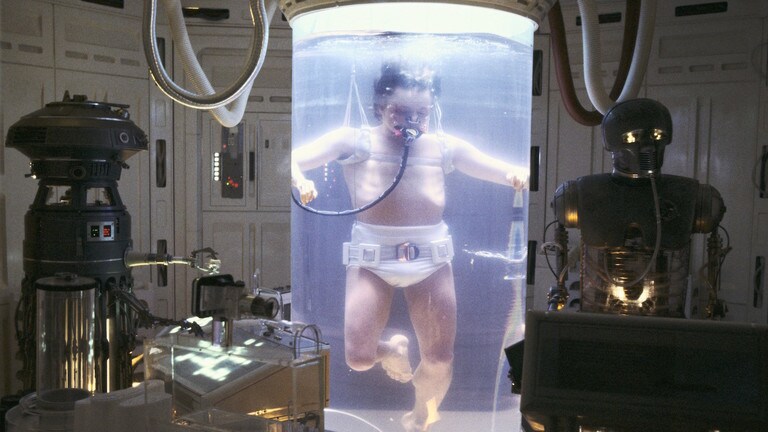
    In Empire Strikes Back, Luke is badly injured in the opening and to facilitate his speedy recovery, he’s put in a diaper and submerged in healing goo. Okay, that doesn’t sound too cool, but the Bacta tank is a slick piece of medical tech! I don’t know about you, but I’d certainly prefer to float in a gel tank to heal severe wounds in a few hours instead of having to wait for months in a hospital bed. Access to this sort of tech in the real world would be revolutionary for medical science, and the number of deaths to things like traffic accidents and other traumatic injuries would likely go way down! It seems the Rebels on Hoth just take the tank for granted, as it’s a completely normal occurrence for them, suggesting that tech like this has all but replaced traditional doctors.

    6. Hyperspace Drives

    Photo Credit: Tor.com

    As we discussed, galaxies are very big. If one wishes to tell a tale on a galactic scale, faster-than-light travel is a requirement. True to genre, Star Wars sees its ships outfitted with Hyperspace Drives, like Han Solo’s Millennium Falcon, that allow them to accelerate past the speed of light and cross vast distances of space in the blink of an eye. In later films, interactions between ships in hyperspace, such as tracking ships that travel through hyperspace, and accelerating a ship into hyperspace to perform a destructive ramming maneuver, have become a hallmark of the series’ space combat. While the best and brightest scientists in our world study quantum physics in pursuit of a real-world answer to hyperspace, in the Star Wars galaxy even scoundrels like Solo have access to this reality-altering tech.

    5. Jet Packs

    Photo Credit: Sideshow Collectibles

    While not seen often, the jet pack technology utilized by bounty hunters like Boba Fett and his father Jango, are objects of envy for nearly every kid who watches Star Wars. The freedom to jet about while blasting bad guys is an exciting prospect, and really, what sci-fi series is complete without a few jet packs? While most folks would likely end up hurting themselves while trying to impress their friends, you could rest assured that if tech as cool as this was made available, I’d be all over it! Cat in a tree? Got it. Frisbee on the roof? No problem! Traffic jam? Hop on, guys, I’ll boost us out of here!

    4. Droids

    Photo Credit: Screenrant

    Another series mainstay, droids with various applications and skills populate the Star Wars universe. From the prim and proper C3PO to the spunky, dauntless R2D2, droids have been a core part of the series from the very beginning. In our world, we’re actually not too far from similar technology: leaps and bounds in robotics and artificial intelligence brings the concept of a fully autonomous robotic companion or worker closer to reality. Star Wars, in contrast to films like Terminator and I, Robot, presents a world where the robotic companions are happy to live with their human creators and don’t resent their lives as something between ally and tool.

    3. Advanced Prosthetics
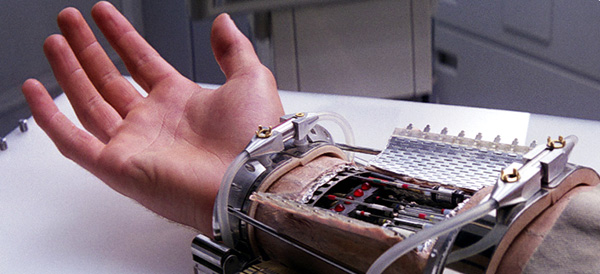
    Photo Credit: CNN.com

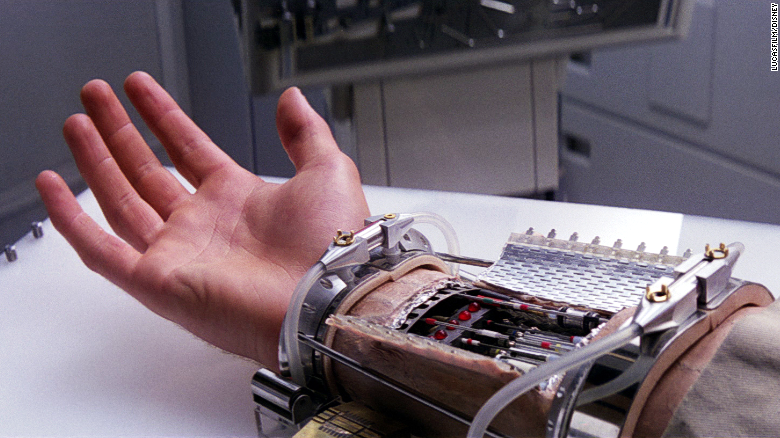
    During his lightsaber showdown with his father in the Cloud City, Luke has his arm removed unceremoniously and painfully. Thankfully, just like with the Bacta tanks, the Rebels have ample medical technology on hand to restore Luke to fighting shape: not long after he lost his original hand, Luke is outfitted with an advanced robotic prosthetic. Luke’s new hand looks and acts just like the original, and likely has superior strength and durability, to boot! While this technology was firmly in the realm of science fiction in the 80’s, it has since become a much more plausible piece of tech. Modern robotics and prosthetic technology has created very similar devices for amputees, and every year the fine motor control and accessibility of these prototypes goes up.

    2. Landspeeders & Speeder Bikes
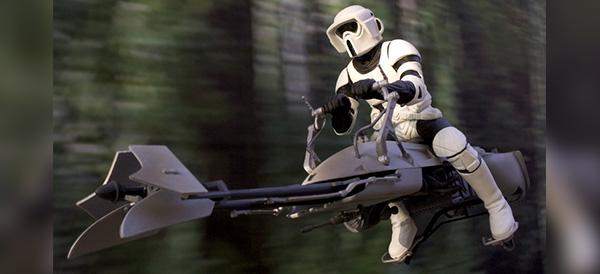
    Photo Credit: Geek Tyrant

    The coolest way to crash into a tree this side of Tatooine! Landspeeders and speeder bikes are endlessly awesome, jetting around effortlessly and efficiently. Using what we can only assume is advanced antigravity tech, the speeders of the series hover a few feet off the ground and avoid the typical vehicular pratfalls of rough terrain and wear and tear to tires or treads. In our world, tech like this, while potentially possible, is still so difficult to replicate as to make it an unlikely prospect for us to see any time soon. Antigravity technology in the real world is incredibly bulky, costly, and experimental, so don’t expect to see it in a motorcycle-shaped vehicle in the near future.

    1. Lightsabers
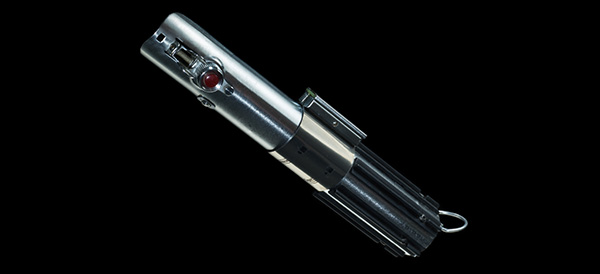
    Photo Credit: Wookiepedia

    No list of the coolest technology in Star Wars would be complete without mentioning the Jedi’s signature weapon. Combining sci-fi beam projection technology with the form factor and fighting style of ancient samurai warriors, the lightsaber sets Star Wars apart from its contemporaries, like Star Trek and 2001: A Space Odyssey; the lightsaber represents the series mythical soul, its fascination with the monomyth and with the classic tale of the young hero against all odds.

    Where other sci-fi series use blasters, phasers and the like as armaments for their protagonists, Star Wars outfits a sword for the main characters to carry. This elegant, and downright awesome, weapon might be unrealistic, even in the context of the universe it exists in, but the Jedi’s mastery over the mystical Force that pervades their universe allows them a supernatural control of themselves and their weapon.

    Coordinating the superheated beam in such a way that the user doesn’t harm themselves or destroy the beam projector surely takes immense skill coupled with a mastery of the Force, and as such the lightsaber is a much more elite and exclusive weapon than the blaster, and marks those that carry it as worthy opponents.
  • Our Favorite Smart Speakers

    Our Favorite Smart Speakers

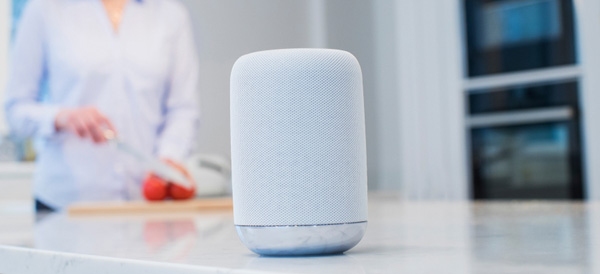
    Smart devices are a fantastic companion to a busy lifestyle, helping you organize your event and play music with your voice. Streamlining all your digital needs with a virtual assistant is easier than ever thanks to the large number of smart speakers on the market. Which one is right for you? Read on to find out which speakers we love!

    Sonos One

    The Sonos One sports great sound quality and comes with Alexa, Amazon’s personal assistant software. Sonos One can pair with other speakers to produce stereo sound and can even be used as a home sound system. The speaker’s high sound quality is complemented by Spotify compatibility. The only thing going against this speaker is the price, coming in at around $400. That said, it’s a great buy if you want a high sound quality and tons of flexibility in a home sound system.

    Google Home

    Google’s answer to the Amazon Echo, the Google Home has its own proprietary virtual assistant. Alexa and Google Home have a lot in common, but Google’s speaker has the edge in terms of aesthetic and general audio quality. However, Alexa is a more robust software suite, sporting much more fleshed-out response cases and more general usefulness. Google Home, retailing at $129, is a spot cheaper than the Amazon Echo, and for those of you who are Google die-hard fans, or just prefer the aesthetic of the Google Home, it’s a fine speaker and well worth the cost.

    JBL Link 20

    The JBL is a great option for those who want a portable answer to the Google Home. At a reasonable price point of $150, and with a stellar battery life of 10 hours, the JBL Link 20 is great for backyard cookouts and pool parties. Speaking of pool parties, the JBL is also water resistant, able to withstand around half an hour of submersion! If you’re active and often in the backyard, the JBL is for you!

    Amazon Echo Dot Gen II

    Our favorite home speaker is the Amazon Echo Dot’s second-generation model. You can grab this speaker from Amazon for $240, and you certainly won’t be disappointed in it for that price. Alexa is a fantastic home assistant, responsive and user-friendly. The Echo Dot is a high-quality speaker, although not quite as impressive as the Sonos One, but what it lacks in raw sound output, it makes up for in solid all-around performance as a smart home device. It’s really the best overall speaker for the price.

  • The Best Phones Money Can Buy

    The Best Phones Money Can Buy

    When it comes to premium smartphones, there’s certainly no shortage of choices out there for the discerning customer. If you’re on the lookout for the very best, look no further: here’s a round-up of the best of the best in the crowded smart phone field! Read on to find out what our favorite phones are.

    iPhone X

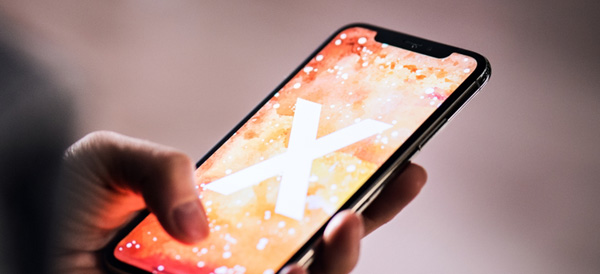
    The company that invented the smartphone retains their spot at the top of the heap. The iPhone X is an exemplary piece of modern tech, well worth its (admittedly hefty) price tag. This phone is sexy, for lack of a better term, with its edge-to-edge AMOLED display and sleek front face. This proves to be the phone’s drawback, as well: it’s very fragile, even compared to its younger siblings.

    However, the X is sporting the mighty A11 Bionic processor under the hood, making it the strongest iPhone ever from a technical standpoint. The star of the show on the software side is the new Face ID technology, which is consistently impressive and works in all kinds of environments and through all manner of obscuring features.

    Sunglasses, hats, facial hair: none of them managed to flummox the new face-reading tech. In summary, the phone is a stunner and will absolutely look great in your hand or handbag. As a luxury item from an instantly recognizable brand, the iPhone X is the future of more than just iPhone, it’s the future of smartphones.

    Samsung Galaxy S9

    Samsung, the challenger to Apple’s throne, certainly didn’t phone in their iPhone X competitor. The S9 isn’t quite as impressive as the iPhone X, but it comes very close. From a hardware perspective, the S9 is the absolute cream of the crop for Android phones, and even the most complicated of apps and multitasking are handled with aplomb by Samsung’s little powerhouse.

    The Infinity Edge display is almost as striking as Apple’s AMOLED screen on the iPhone X, but it lacks some of the same appeal at a glance. That all being said, the S9 is a very, very good phone. If you’re a die-hard believer in Android and would never be caught dead with an iPhone, then you will not be disappointed in this phone. However, the S8 is significantly less expensive and the S9 does not represent a massive leap forward in technology when compared to its predecessors in the way the iPhone X does for its own family. In summary: it’s great, but it’s not an iPhone X.

    GOOGLE PIXEL 2

    Meanwhile, the Google Pixel 2 presents itself as a very different device from what Samsung and Apple are pushing. The Pixel is a distinct and striking device, but it has a somewhat plastic-like finish and just isn’t quite as sleek as the iPhone X or S9. The Pixel does, however, have the best camera of the bunch, taking incredibly high-resolution photos. It also sports silky-smooth software and a fantastic user interface, with personal assistant technology that gives Siri a run for her money.

    If you prefer a slightly larger screen, the Pixel 2 XL is also a fantastic choice and comparable to its smaller counterpart. Google’s device is playing in a slightly different space than Samsung and Apple’s, and that’s okay! However, the Pixel lacks a lot of that same “wow” factor and desirability when it comes to its competitors.

    In summary, however, all three of these phones represent the very best of what the market has to offer, and each will make an excellent addition to your lifestyle, whether you’re concerned primarily with turning heads, taking stunning pictures, or just having a top-notch user experience!

  • Adobe Wants to Recruit Lifelong Fans with Huge K-12 Discount

    Adobe Wants to Recruit Lifelong Fans with Huge K-12 Discount

    Do you want access to the Adobe Creative Suite for $5 a year? Then you’re in luck…as long as you’re under 18. Adobe hopes that their latest promotion will introduce a whole new generation to their design tools.

    Major Discount for Kids

    Adobe announced that, starting May 15, students in the US will be able to use its full suite of creative tools—including Photoshop, Muse, Dreamweaver, Illustrator, and more—for just $5 a year. That’s a massive drop from the previous educational discount of $240 per year.

    Kids will be able to use all of the Adobe products through the Creative Cloud. The cloud-based system allows users to log in from home or school and access their files anywhere. Even after they age out of the program, students will be able to keep their files from the cloud.

    Training the New Generation

    As smartphones and web-based apps dominate the market, especially for younger generations, Adobe has seen its popularity begin to wane. To stay competitive and bring in new users as early as possible, Adobe is also revamping its training tools and tutorials to make their products easier to use.

    Considering that software like Photoshop can be challenging even for industry professionals to master, it will be interesting to see how the company can make its complex products more user friendly.

    No Break for College Students

    Unfortunately for students over 18, the new price drop stops at the end of high school. College students can still take advantage of a slight discount for access to the Creative Cloud ($420 per year, compared to the full price of $600).

    Although the deal is only available to schoolchildren in the US, Europe, Japan, New Zealand, and India right now (albeit with slightly different pricing for different territories), an Adobe spokesperson says that the company plans to expand to other countries soon.

  • What Is Going on With Tesla Right Now?

    What Is Going on With Tesla Right Now?

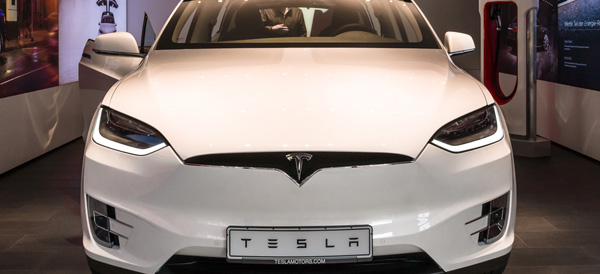
    Tesla—the brainchild of real-life Tony Stark, Elon Musk—has been in the headlines a lot lately. We’re pretty sure Musk isn’t actually building a cyborg dragon, as he Tweeted earlier this week, but he’s certainly been busy. Here’s a roundup of the news you might have missed.

    Record Revenue…and Record Losses

    Although Musk promises that Tesla will be in the black by Q3, the company reported net losses of over $780 million for the first quarter. This is despite also reporting record-setting revenue for the same quarter. The troubled production of the Model 3 (see below) has been a stumbling block for the company.

    Model 3 Production

    Roll-out for the Model 3, the most reasonably priced of Tesla’s electric vehicles, has been anything but smooth. Last year, they only managed to produce 260 cars during Q3. Considering that Musk’s stated goal was 5,000 cars a week, there were obvious problems afoot.

    Production seems to be back on track, however, with April showing a rate of 2,270 cars per week. The goal is still 5,000 per week, a number that Tesla expects to hit before the end of summer.

    Nikola Versus Tesla

    Nikola Motor Company and Tesla have been at odds since day one. Both are named after the legendary inventor, and both are developing electric vehicles. Nikola filed a lawsuit that alleges Tesla’s electric truck infringes on their patents. The truck company is seeking $2 billion in damages, claiming that Tesla’s design has created “confusion in the market” and will “harm Nikola’s ability to attract investors.” Musk has dismissed the lawsuit as baseless.

    Workplace Safety Concerns

    California’s Division of Occupational Safety and Health (Cal-OSHA) is investigating Tesla’s Fremont factory for evidence of workplace hazards. The factory has been running night and day to hit the ambitious Model 3 production numbers, and reports claim that Tesla has been underreporting injuries on the factory floor. A separate 2016 investigation found that Tesla’s plant had significantly more injuries than the average auto manufacturer.

    Self-Driving Ridesharing

    Self-driving cars are the current Holy Grail for auto companies. Tesla hopes to create an autonomous ridesharing network by the end of next year. Musk described his idea as something of a hybrid between Uber and Airbnb, where you can let others use your car for a fee during times you don’t need it.

    Considering that both Tesla and Uber have been in the news for crashes of their autonomous vehicles, the world might not be ready for this idea.

    Model Y on the Horizon

    Finally, Musk announced that the long-awaited Model Y—a crossover-style vehicle—will go into production sometime in 2020. Model Y will be built at an all-new factory, the site of which has not been decided. This isn’t the first time that Tesla has teased the electric crossover, however, and eager consumers might need to prepare for another pushback.

  • Tablet Talk: Amazon Fire HD 10

    Tablet Talk: Amazon Fire HD 10

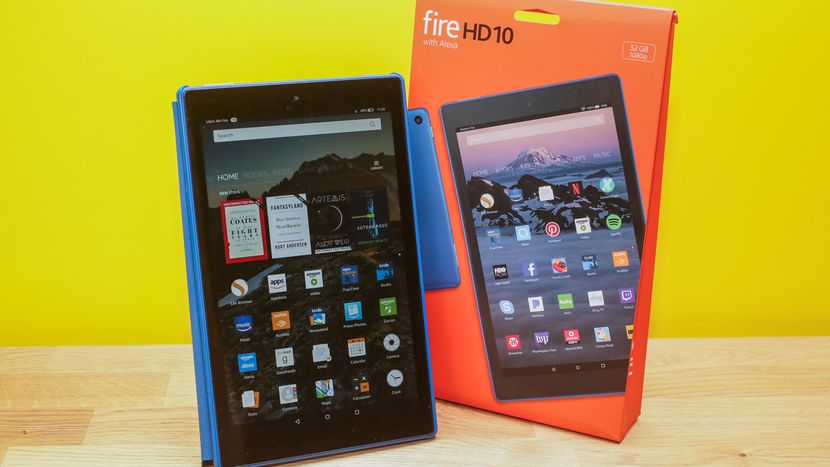
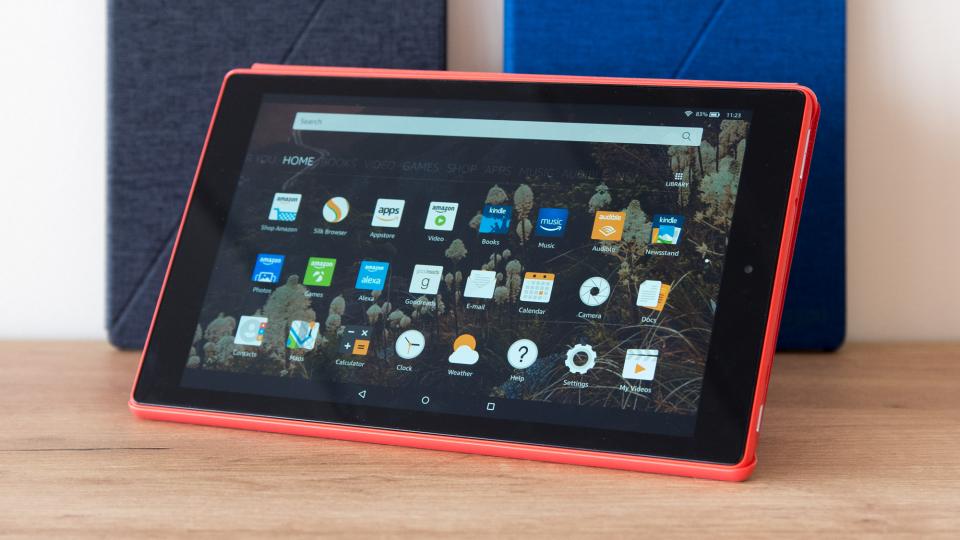
    Tablets are the mash of our technology dependence theses days. They are big phones or weak laptops or any combination of the two. They can be big, they can be powerful, They can be an all in one device or just a side gadget. In all future set movies or media the tablet is a main stream tool, they call them data pads or data cards, but no one uses a keyboard in the future. This being said there are a lot of tablets with many options to navigate through so Im going to break them down in an easy to read guide to help you find the tablet match of your dreams. Today we are going to talk about the Fire HD 10.


    The Great

    • Bright
    • Vivid screen
    • Sharp performance
    • Significant RAM and processor upgrade


    The Not

    • Expensive
    • Lack of Google Apps
    • Slow Gaming

    The Conclusion

    While its 10.1-inch Full HD display is the best of any Amazon tablet you can buy, it’s also the most expensive Fire, costing three times as much as the Fire 7 and $70 more than the Fire HD 8


    The Design

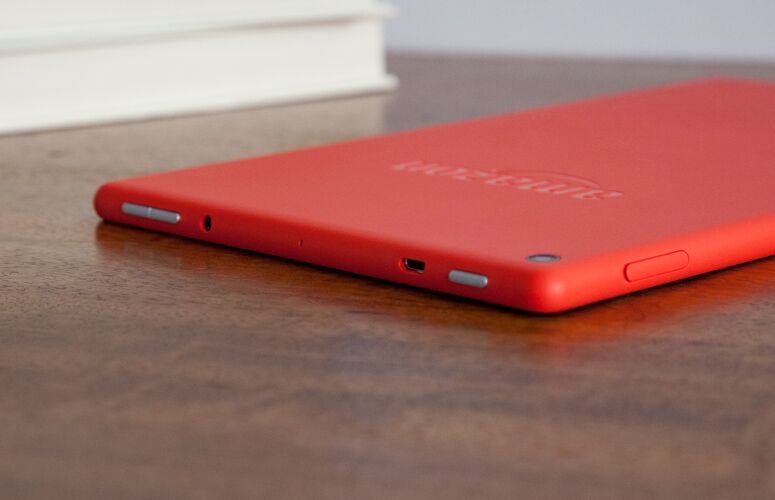
    The Fire HD 10’s matte shell — which comes in black, orange and blue — is made of a plastic that feels far more reliable than it looks.Weighing 1.1 pounds and measuring 0.4 inches thick, the Fire HD 10 is slightly thicker than the Lenovo Tab 4 10 (1.1 pounds, 0.3 inches), but heavier than the 7-inch Amazon Fire 7 (0.7 pounds, 0.4 inches) and the 8-inch Fire HD 8 (0.8 pounds, 0.4 inches). It is bigger but it has a cheap plasticy feel to it that is disappointingly low class. The rest looks uninspired and functional with no sleek tech feeling at all.


    The Display

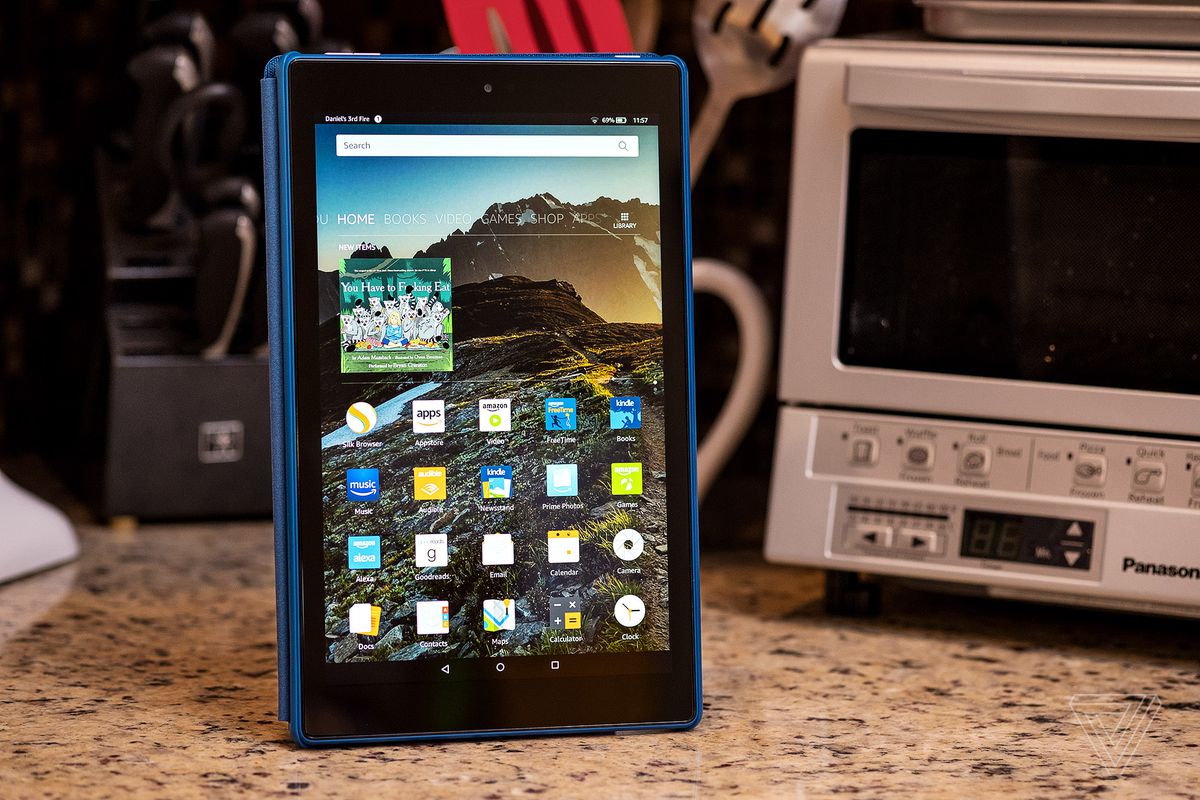
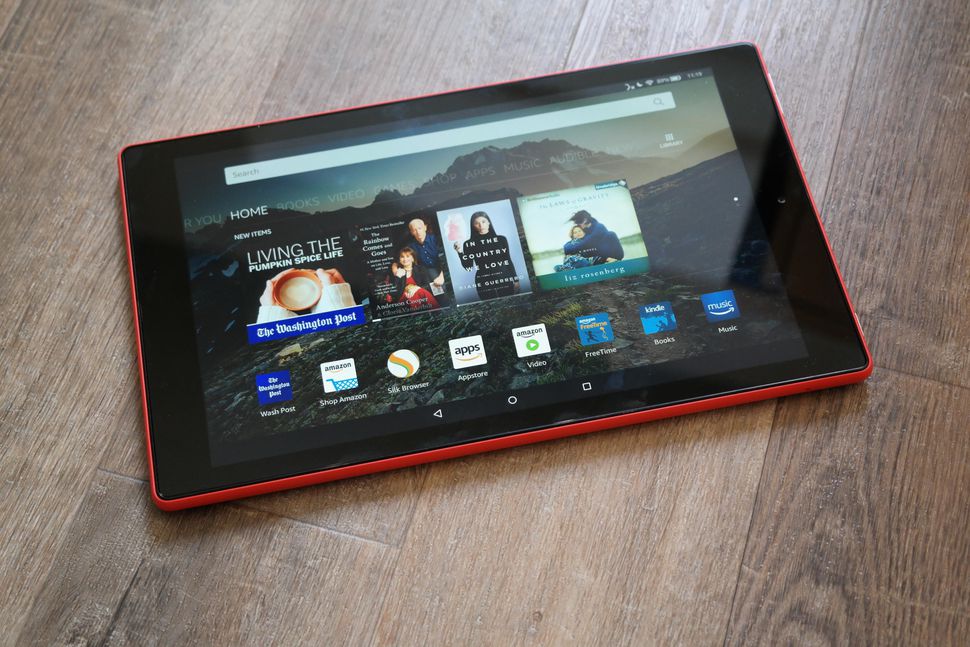
    Bright.Vivid. Easy to read. That is there angle. The Fire HD 10’s 1920 x 1200-pixel panel produces crisp, bright and vivid images, making a case for its larger 10.1-inch screen. The HD 10’s panel is significantly more colorful than its competitors’, producing 104 percent of the sRGB spectrum. That’s similar to the 99-percent tablet average and above the 87-percent Tab 4 10, the 78-percent Fire 7 and the 79-percent Fire HD 8. This display is not the sharpest or most beautiful ive seen in a tablet, but its brighter and easier to read then any other.


    The Other Stuff

    The Fire HD 10 features two stereo speakers, as well as Dolby Atmos for headphones, which helps to make surround-sound audio more immersive. Amazon also included a 2-megapixel camera on the rear, which is a laughably low resolution for a front-facing camera these days. Alexa works kinda cool on this,  you can simply say “Alexa” out loud, even when the tablet is asleep. It works much like Amazon’s Echo devices, except you also get some on-screen feedback in addition to the assistant’s voice responses. I do have to note some Alexa functions are missing, but some one shouting hey Alexa buy 10 bottles of shampoo will still result in me getting $500 worth of tea tree shampoo rushed to my home.

    Fire HD 10 Quick Spec Look

    • Display10.10-inch
    • Processor1.2GHz quad-core
    • Front CameraYes
    • Resolution1280x800 pixels
    • RAM1GB
    • OSFire OS
    • Storage16GB
    • Rear Camera5-megapixel


    The Final Thought

    Never been a big fan of amazon tablets, they to me always seemed like old people tablets. In reality they’re not bad, especially given their low prices, but they’re much slower than I am accustomed to. However for the Price, you cant beat the screen size and it functions much better then expected.