Category: Computers

  • AMD Releases New Ryzen Processors

    AMD Releases New Ryzen Processors

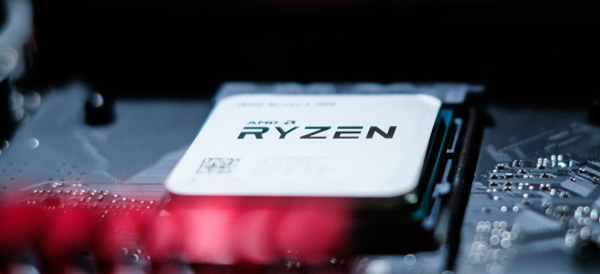
    Last year, AMD made a successful re-entry into the high-performance world of desktop computing with their Ryzen processors. Now, they have announced the second generation of their fiercest competition to Intel in years.

    Ryzen Generation 2

    At the upper end of the new Ryzen chips is the Ryzen 7 2700X. The 2700X replaces both the 1700X and 1800X chips from the first-generation Ryzen processor lineup – those two older chips were extremely similar.

    The base clock of the 2700X is 3.7GHz with a boost up to 4.3GHz, which makes it up to 300Mhz faster than the 1800X. The price has also come down, with the 2700X selling at $329 compared to the 1800X’s $499 price point. This puts the price close to Intel’s six-core i7-8700K.

    Their budget offering is the Ryzen 5 2600, a six-core chip with will sell for $199. The base clock on the 2600 is 3.4GHz with a boost up to 3.9GHz. The most similar Intel chip is the Core i5-8500.

    The Lineup

    Ryzen 7 2700X – 8 cores, 16 threads, 3.7 to 4.3GHz, $329

    Ryzen 7 2700 – 8 cores, 16 threads, 3.2 to 4.1GHz, $299

    Ryzen 5 2600X – 6 cores, 12 threads, 3.6 to 4.2 Ghz, $229

    Ryzen 5 2600 – 6 cores, 12 threads, 3.4 to 3.9GHz, $199

    Up Next?

    AMD will debut their new platform, Zen 2, next year. So far, they have been mum on details but there are a few knowns. The new Zen chips will run on their new 470 AM4 chipset and they’ll support its StoreMI technology which links SSDs, platter hard drives and RAM together, increasing performance.

  • 7 New Products From Samsung

    7 New Products From Samsung

    I tend to focus on what Apple is doing alot more because I live in that bubble but Samsung has got a much bigger universe but occuping the appliace and tv space. They also seem to have their fingers in just about evey pie you could think of, so here is the top 7 Samsung releases for 2018 you should know about
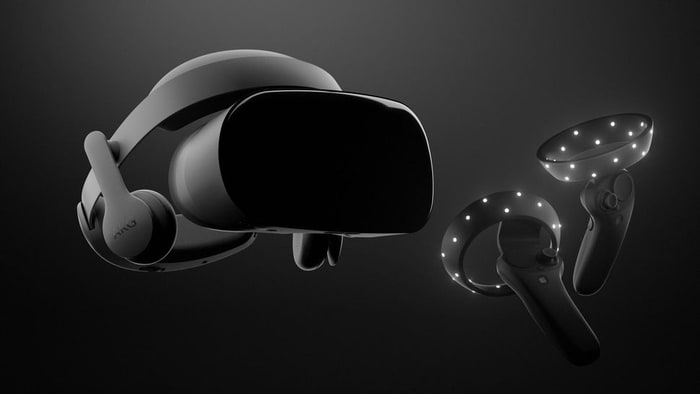


    1.Samsung HMD Odyssey Windows Mixed Reality Headset​​
    $499.00


    The Samsung HMD Odyssey is the best mixed reality headset for Windows 10. It features a sharp AMOLED display, built-in AKG headphones, and comfortable fit. It also comes bundled with a pair of excellent wireless controllers.

    There are thousands of mixed-reality experiences for Windows 10 you can try. The headset is also compatible with Steam VR titles, so we got that going for us.
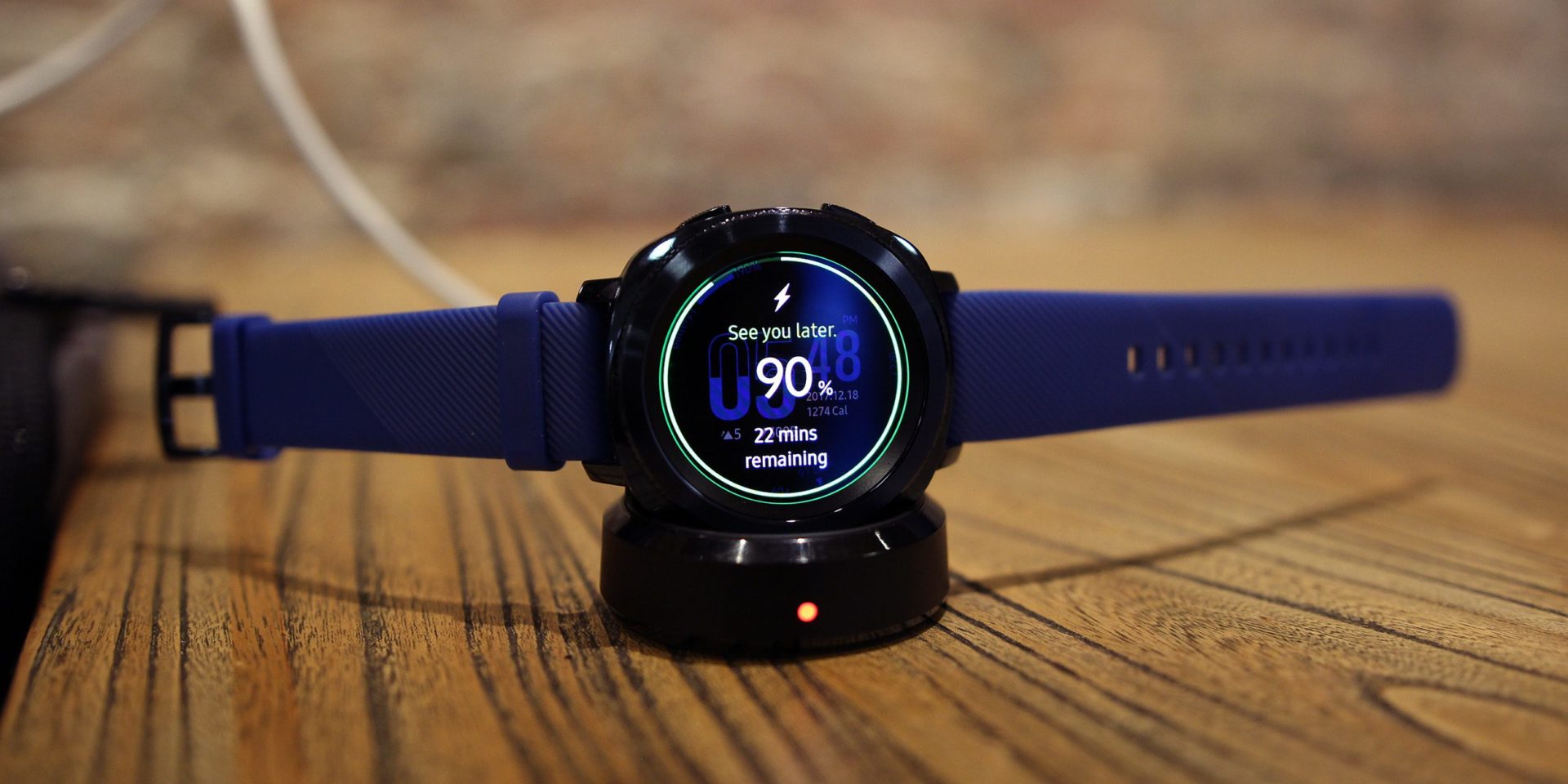
     

    2.Samsung Gear Sport Smartwatch
    $247.99

    The Samsung Gear Sport is the best smartwatch for Android smartphone users. The device has a powerful set of fitness-tracking features, including the ability to guide users through various workouts.

    Its waterproof body can withstand depths of up to 50 meters, so users can take it for a swim, too. An intuitive interface and interchangeable bands are also among the wearable gadget’s cool features.
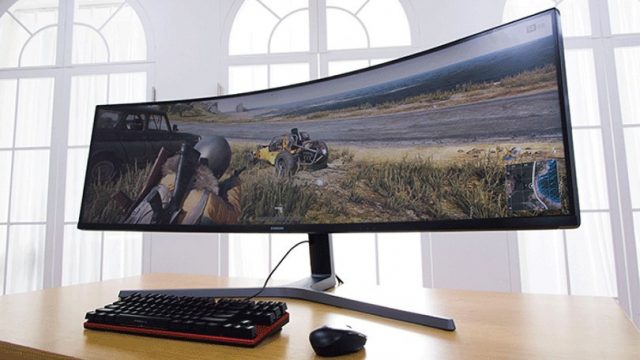
     

    3. Series 49-Inch ​Curved Gaming Monitor
    $949.99

    Samsung’s gigantic CHG90 series curved gaming monitor has a gloriously excessive 49-inch QLED display with 32:9 aspect, which will literally expand your in-game field of view. Capable of fully replacing two standard monitors, the CHG90 has superb image quality with HDR support, an ultra fast refresh rate of 144 Hz, and a plethora of gaming modes to choose from.
    4.Samsung Galaxy S9+ Android Smartphone
    $839.99

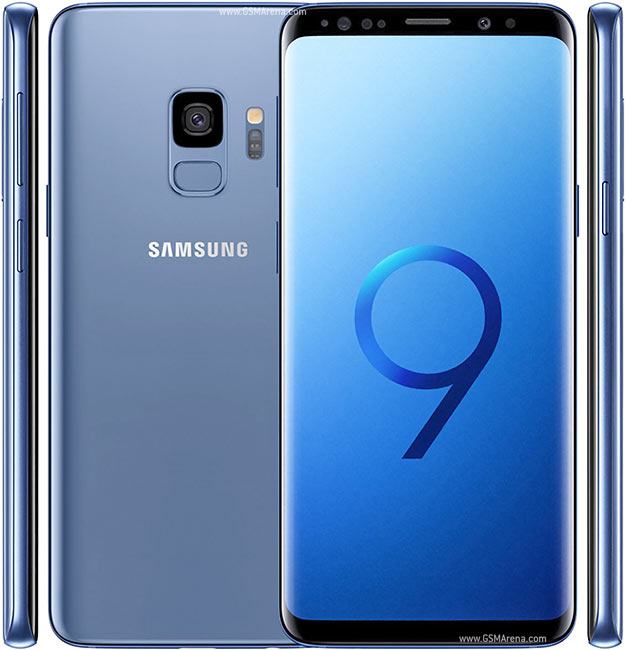
    The Galaxy S9+ is the most advanced smartphone from Samsung to date. It features an eye-grabbing 6.2-inch Infinity display, an advanced camera setup with two optically stabilized sensors (a wide-angle and a telephoto one), and built-in stereo speakers.

    Of course, the waterproof phone also comes with a long list of cutting-edge hardware specs, headed by a powerful Snapdragon 845 chipset and 6 GB of RAM. There are three colors to choose from — black, blue, and purple.

     

    5.Samsung Q9S QLED TV (available in 85-inches)

    Unbelievably, Samsung’s monstrous, 85-inch 8K TV is still considered a QLED TV. It’s the top of the list for numerous reasons – size and resolution being the most obvious two – but also its ability to use artificial intelligence upscale SD content to 8K HDR. We don’t know how much this TV is going to cost yet but, considering how much technology is going into it, it wouldn’t surprise us to see a price tag in the tens of thousands.
     

    6. Samsung Family Hub Refrigerator

    $3,499.99

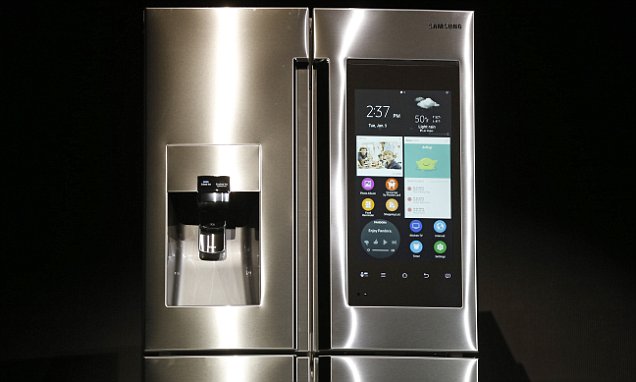
    Family Hub in 2018 offers a wide range of smart features that allow consumers to do what they could not do before. These include syncing up food storage with meal preparation, keeping family members better connected and organized, and providing enhanced entertainment. Family Hub is also more intuitive and intelligent with the addition of Bixby voice control and its integration with Samsung’s SmartThings IoT ecosystem.

    The interactive touchscreen with interactive and customizable widgets allows your family to stay connected: Sync calendars for all family activities and events, remotely share photos, notes and memos, receive personalized information through voice recognition and challenge each other with daily trivia questions.
    7.Samsung – ArtPC Pulse Desktop

    $1,599.99

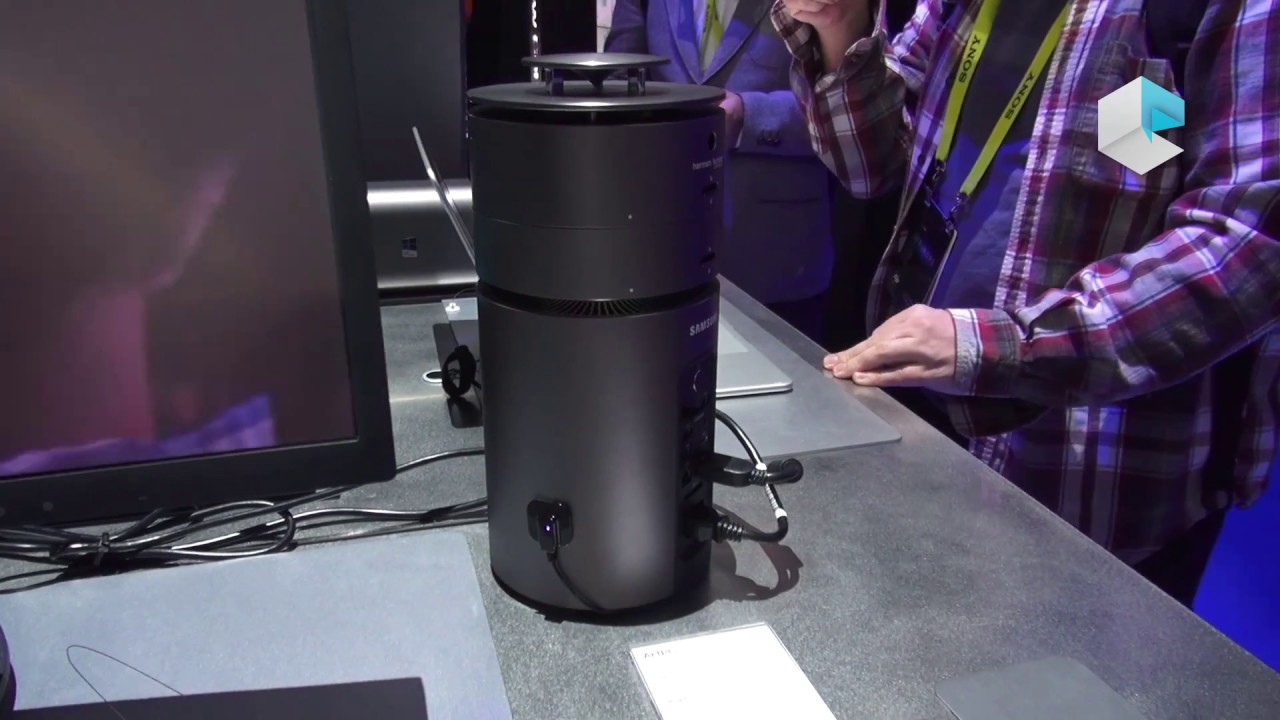
    Step into the future with this Samsung ArtPC PULSE computer tower. Its Intel i7-6700 processor and 16GB of RAM deliver top performance, and its 256GB solid-state drive combines with a 1TB hard drive to provide ample room for all your programs and multimedia files. The 360-degree speaker of this Samsung ArtPC PULSE computer tower provides powerful sound.


    The Final Thought

    They may not be the best, but they are not far off. Living in the Samsung world of tech is being completely integrated, they have the option and gear before you know you need it. Samsung is where innovation meets perfection meets total integrated solutions.
  • Laptop Lookout: MacBook Pro 15

    Laptop Lookout: MacBook Pro 15

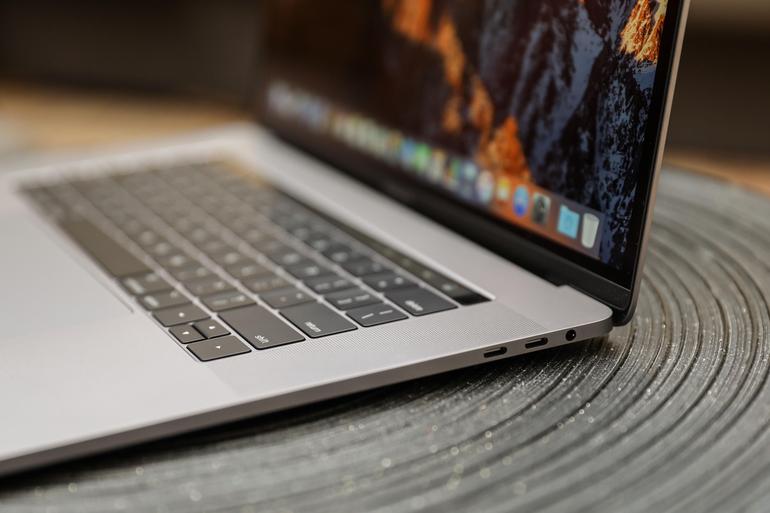
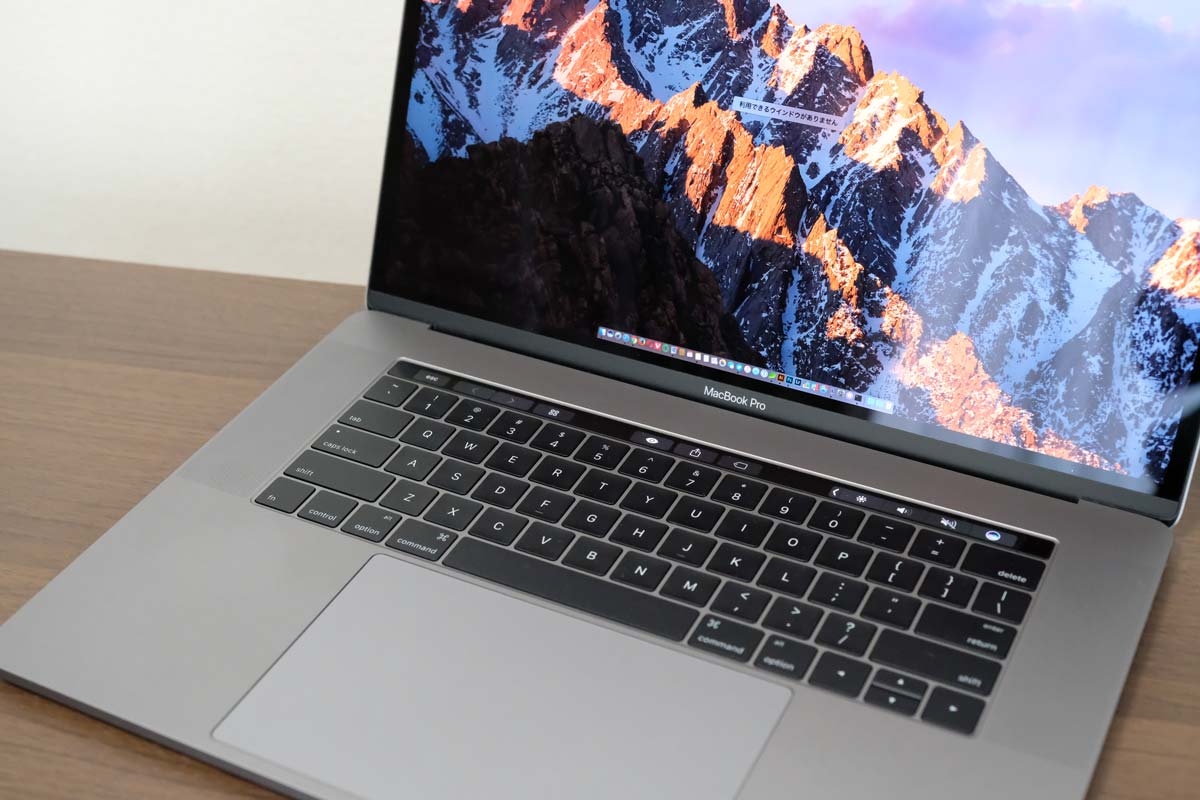
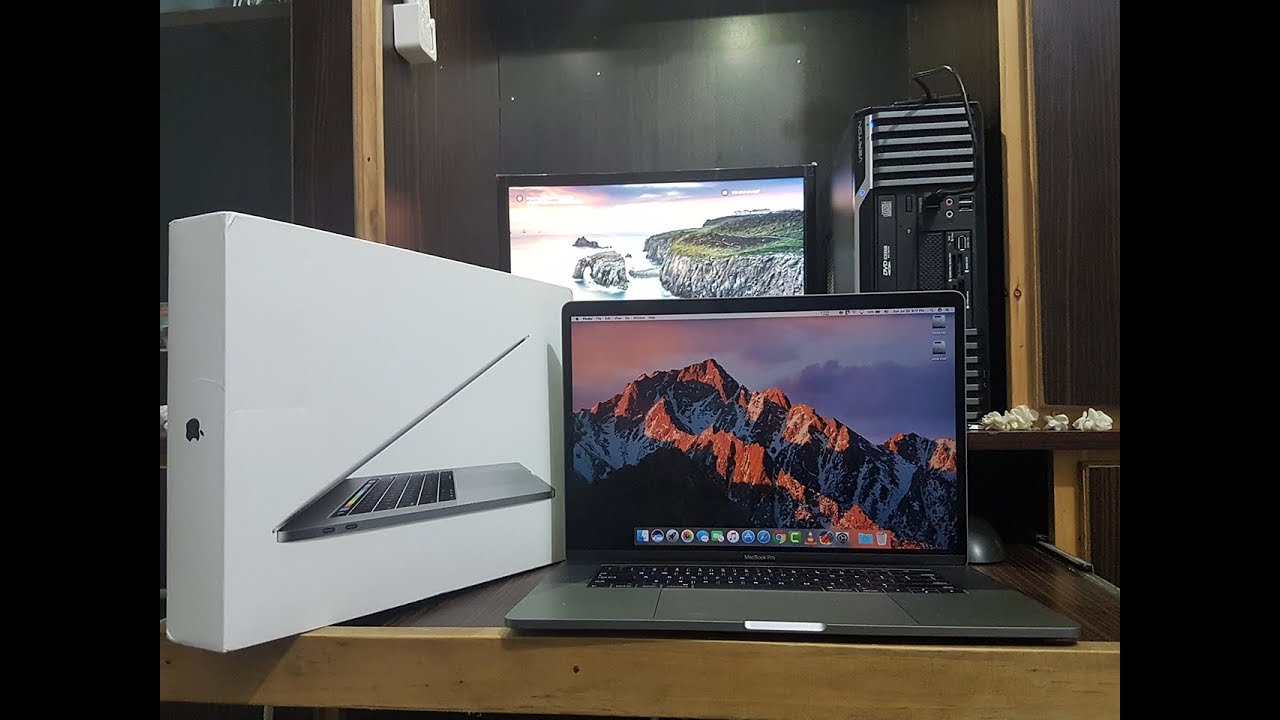
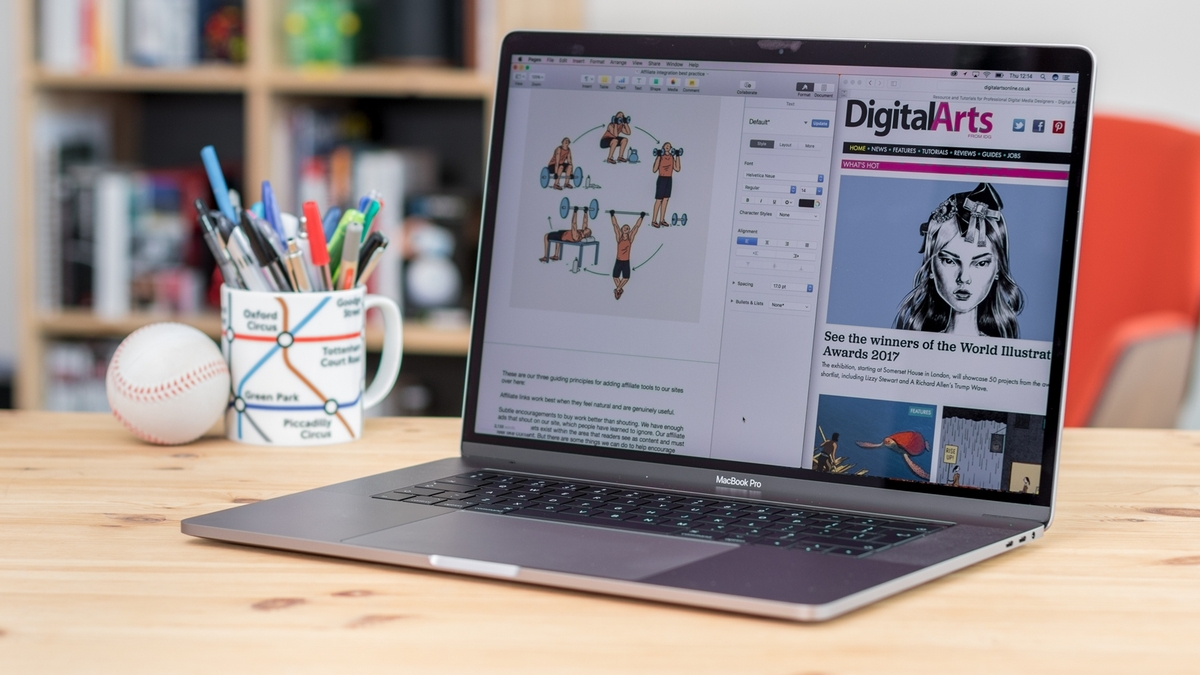
    It’s razor thin, feather light, and even faster and more powerful than before. It has the brightest, most colorful Mac notebook display ever. And it features the Touch Bar — a Multi-Touch enabled strip of glass built into the keyboard for instant access to the tools you want, right when you want them. MacBook Pro is built on groundbreaking ideas.


    The Great

    • Stronger processor
    • Faster RAM
    • Same excellent design

    The Not

    • Subpar battery life
    • Keyboard learning curve
    • Awfully pricey for the parts

    The Conclusion

    It is the standard for which all great laptops are measured and found wanting.


    The Pro status of Apple’s 15-inch MacBook depends on what sort of ‘pro’ you are. Traditionally creative pros would have turned to the Mac for their needs, be it design work, editing photos, working with video and animation, or other jobs that require decent graphic capabilities.


    The Design

    Weighing 4 pounds and measuring 0.61 inches thick, the 2017 15-inch MacBook Pro is lighter and thinner than my personal 2012 model (which is 4.46 pounds and 0.71 inches), but I noticed the thinness a lot more than I noticed the weight, as my bag would feel just as heavy no matter which machine I was lugging.

    Touch Bar Really Useful for Only One Thing

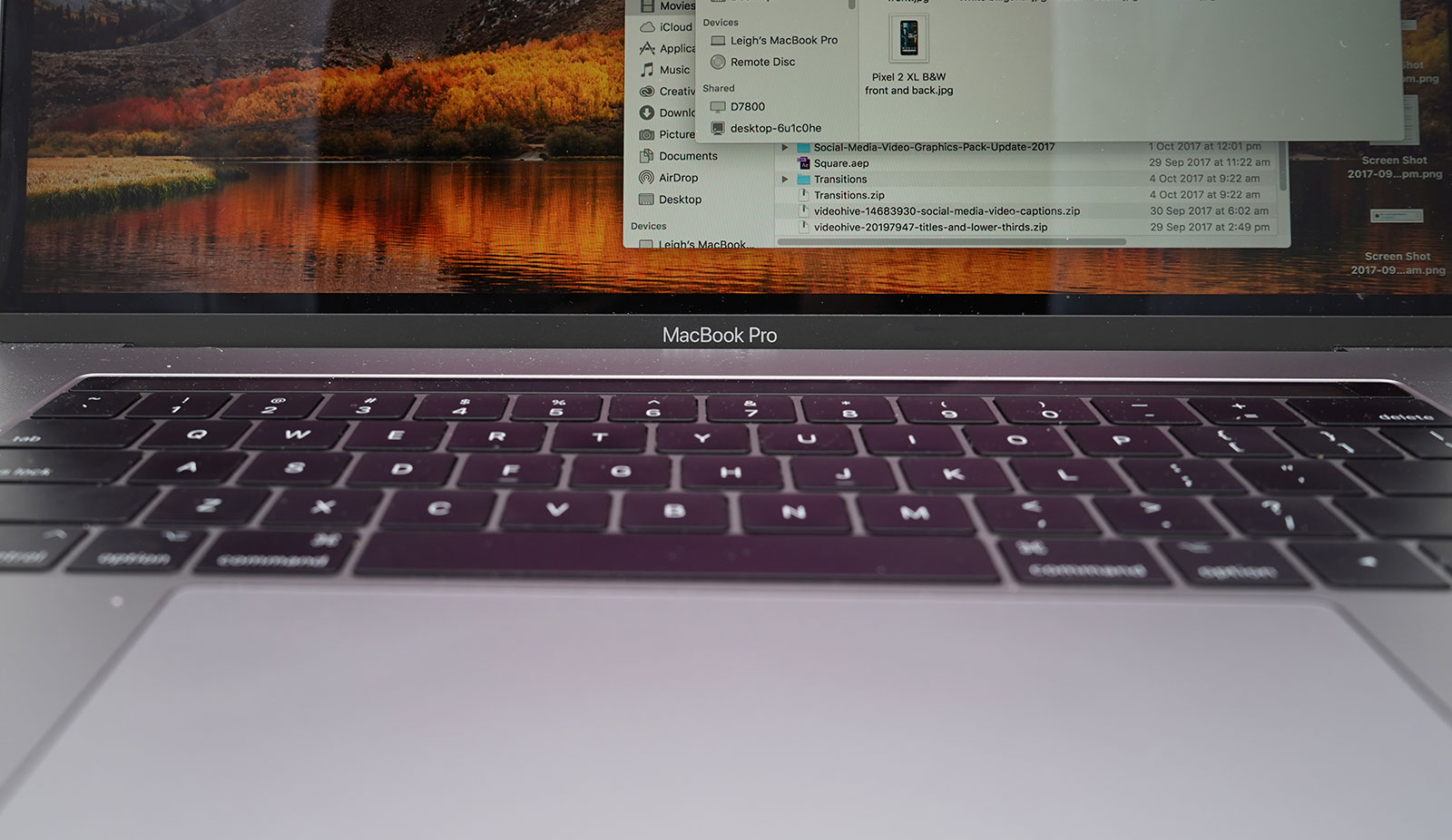
    The biggest innovation in the 2016 MacBook Pro (as well as this 2017 model) is Apple’s sliver of an OLED touch screen, which the company calls the Touch Bar My reaction? I’m sorry, but I want (most of) my effin Fn keys back.


    In my whole month with this MacBook Pro, I found that the Touch Bar was mostly an accident waiting to happen. The majority of my interactions with it happened unintentionally; while typing, I would activate the digital Esc key while trying to hit the ` or 1 keys.

    On the upside, the far right end of the Touch Bar contains a Touch ID sensor, which is my favorite part of the MacBook Pro’s outer body. The convenience it offers, allowing me to unlock my login IDs and passwords from the 1Password utility, is electric, especially when the alternative is typing out my complex, 23-character pass code.

    Though, having Siri as a button for easy, constant access is a major plus, given the wide control it has over macOS in comparison to other digital assistants.


    The Graphics Upgrade

    The 2017 Pro also gets an updated set of graphics hardware options. The integrated graphics chip goes from the Intel HD 530 to the HD 630 (part of that jump to the Kaby Lake platform), and the discrete graphics go from AMD Radeon Pro 450 and 455 parts to — you guessed it — Radeon Pro 555 and 560 options. Every 15-inch MacBook Pro laptop includes an AMD GPU, while the 13-inch models make do with Intel’s built-in graphics.

    If that’s the good news, then the bad news may be that if one or more of the features of the new MacBook Pro design kept you away, (the super-flat keyboard, the Touch Bar, USB-C ports, etc.) then this set of 2017 revisions isn’t going to do anything much to change your mind.


    Quick Spec Look

    • 15.4-inch LED-backlit display with IPS technology, 2880-by-1800 native resolution at 220 pixels per inch
      2.6GHz quad-core sixth-gen Intel Core i7 processor
      AMD Radeon Pro 450 graphics based on the 14-nanometer Polaris architecture
      16GB RAM
      256GB SSD
      4 x Thunderbolt port
      Touch Bar with Touch ID
      Price: $2,399 (up from $1,999 for the previous entry model)
      A fully kitted-out 15-inch MacBook Pro (featuring 2.9GHz quad-core i7, 2TB SSD, and Radeon Pro 460 with 4GB of memory) costs $4,299


    The Final Thought

    The updated 15-inch MacBook Pro gets faster processing and graphics options. It’s still the biggest and most powerful laptop Apple makes. The giant touchpad is easy to use and battery life is excellent. If you are in need of a new laptop look not further you will not find a better example of excellence.

  • HP Caters to Budget-Conscious Gamers with New PC Lineup

    HP Caters to Budget-Conscious Gamers with New PC Lineup

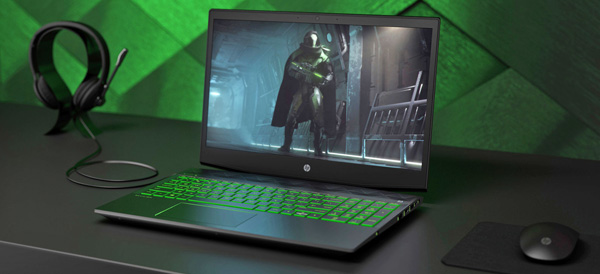
    Sure, there are some folks who don’t mind throwing three grand at a new computer rig that will run every game in existence at ultra-high 4K settings. But some of us have tighter budgets to deal with, and HP just released a new line of gaming computers with us in mind.

    Desktop Entries

    The Pavilion Gaming towers (690 and 7900 are aimed at gamers not interested in mobility or custom-building a rig. The swing-out hard drive trays make upgrading drives easy and the dual fans should be adequate for standard cooling.

    The desktop price range for the 690 starts at $549 for an entry level system: 3.5GHz Ryzen 3, Radeon RX550, 8GB of RAM and a 1TB platter hard drive. Buyers can scale the price up to $1,699 for the 790 for an uptick in performance: a 3.2GHz Core i7, GTX 1070 video, 32GB of RAM, a 256GB SSD and a 2TB platter disk.

    There are options for even higher-end video cards such as the RX580 and GTX 1080. Hard drive space can be maxed out at 3TB and more RAM can be added. The 690 tops off at 16GB while the 790 can go up to 64GB.

    Laptop Entries

    The Pavilion Gaming laptop starts at $799, featuring a 2.3GHz quad Core i5, Radeon RX560X, a 1080p display, a 1TB platter drive and 16GB of Optane storage. If you want to bump your spend to $1,019, you can get a six core 2.2GHz Core i7, GTX 1060 graphics and a 1080p screen at 144Hz.

    Other options can move the screen up to 4K resolution and a storage combo that pairs a 128GB SSD with 2TB of platter storage.

    Non-Gaming Entries

    HP isn’t only catering to gamers, however. There’s also a new version of the 14-inch Pavilion x360 with a fresh design that features a smaller bezel and a fingerprint reader. The standard Pavilion desktops and laptops also got a design refresh and performance boost.

    Look out for all of these new computers sometime between May and June!

  • Four Free Microsoft Office Alternatives

    Four Free Microsoft Office Alternatives

    Microsoft Office may dominate the standard office application world, but that doesn’t mean you have to shell out money to Microsoft to meet your needs. There are more than a few alternatives to Microsoft’s ubiquitous word processor, spreadsheet and more.

    LibreOffice

    This free and open source office suite is fully compatible with Microsoft Office and features six apps. Writer (word processor), Calc (spreadsheet), Draw (vector diagrams), Math (complicated mathematical functions) and Base (database program). Base is of special note to some users who may be looking for an alternative to Microsoft Access.

    LibreOffice is available for Windows, Mac and Linux. There are no official mobile versions aside from a document viewer on Android, but if your computer is still your home base, then LibreOffice may be the replacement office suite you need.

    Google Docs

    It’s hard to talk about Microsoft Office replacements without mentioning Google Docs. The search company’s collection of online office apps should meet most user needs. The fact that every document you ever create is safely stored in the Google cloud can be a lifesaver.

    You won’t find some of the advanced tools like you’d see in Microsoft Office or even LibreOffice. Compatibility can also be a bit tricky when you try to open Microsoft formats – the conversion doesn’t always look pretty.

    But if you are a basic office suite user who needs to simply create some text documents or simple spreadsheets, then Google Docs may be your best bet.

    Microsoft Office Online

    Microsoft wasn’t keen to stand by and watch Google Docs take a bite out of their user base. So they decided to release their own free versions of Microsoft Office apps.

    These stripped-down versions of their desktop program counterparts are similar to Google Docs in that they are missing some advanced features. But if you are living in a world of Microsoft formatted files and you don’t want the hassle of converting them all to Google Docs, then Microsoft Office Online has you covered.

    Zoho Workplace

    Zoho is a fairly new and exciting addition to online office applications. The new-look word processor ditches the classic Microsoft Word-style interface and uses a formatting sidebar instead. The spreadsheet similarly features a unique interface. Both can produce professional-looking documents.

    Zoho also offers a site creation tool, a file management solution and collaborative tools. If you are starting a small business, then Zoho might have all of your needs covered.

  • HP Chromebook X2 Detachabley Terrific

    HP Chromebook X2 Detachabley Terrific

    So we have made it to a place in time where Chromebooks can run Android applications as natively as a Google Pixel 2, it is only natural that we’re starting to see detachable, hybrid Chromebooks that double as tablets.

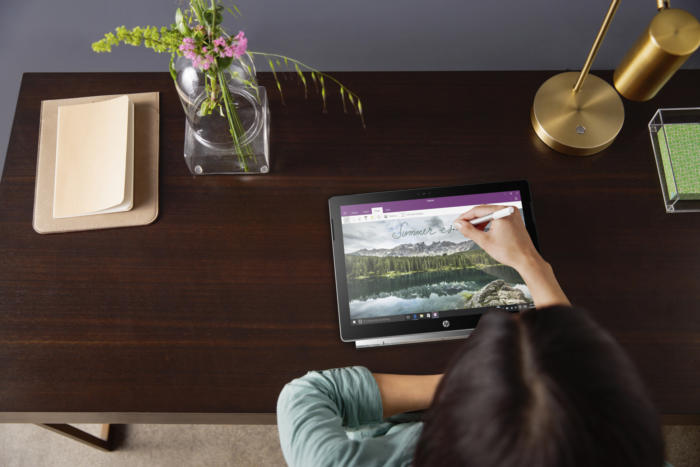
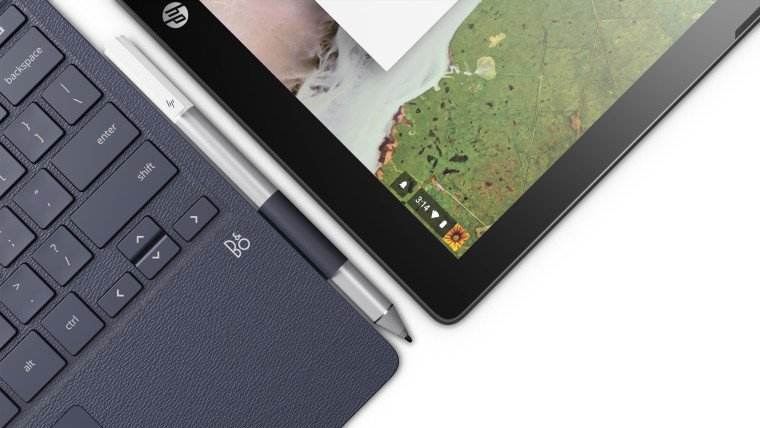
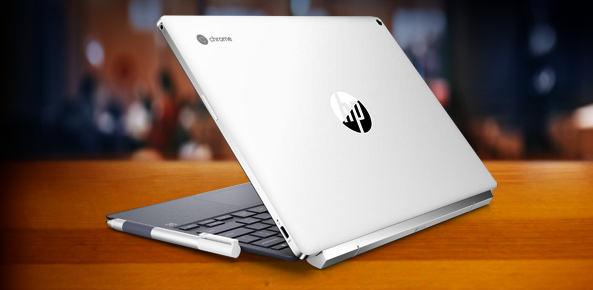
    Now HP is leading the charge in the 2-in-1 detachable Chromebook space with its Chromebook x2. Like the HP Spectre x2 before it, the HP Chromebook x2 is a thin and lightweight tablet that can be magnetically hinged to and unhinged from its included keyboard at will. That’s where the similarities end between the HP Chromebook x2 and its Windows-based predicessors.

    HP is making Chrome OS devices that can do away with the keyboard. It just unveiled the Chromebook x2, a 12.3-inch laptop that’s really a detachable tablet — unlike the earlier Chromebook x360, you can leave the keyboard behind instead of merely flipping it behind the screen (though you can do that too). There’s an included pen for note-taking and sketching, and you’ll find a 13-megapixel rear camera on top of a more conventional 5-megapixel front shooter.


    Hows it Running?

    The Chromebook x2 has a Core m3 processor from Intel’s prior generation of Kaby Lake chips, 4GB of RAM (it can be configured with 8GB, too), 32GB of storage, a 2400 x 1600 resolution, stereo speakers, a 5-megapixel front camera, a 13-megapixel rear camera, two USB-C ports, a microSD card slot, a headphone jack, and an estimated 10.5 hours of battery life. It weighs a little bit more than an iPad Pro, and it’s a little bit thicker than an iPad Pro, but not by much.

    HP also emphasized that the keyboard was designed to hold firmly enough to the tablet that it should feel like a clamshell laptop when the two are connected. I haven’t seen the Chromebook x2 in person, but HP’s images make it look relatively nice. While the Chromebook x2 looks like a bargain compared to the iPad, it’s expensive for a Chromebook, which people often buy for around $300.


    The Final Thought

    So if you’re looking for a more premium Chromebook, and you don’t want to shell out $1,000 for Google’s Pixelbook, the Chromebook x2 seems like a potentially interesting middle-ground. But we won’t know for sure until it comes out later this summer on June 10th.

  • Spring 2018 Dell Lineup Includes All-In-Ones and Gaming Laptops

    Spring 2018 Dell Lineup Includes All-In-Ones and Gaming Laptops

    Dell has refreshed their computer lineup for Spring 2018 with some new choices in all-in-one machines as well as blazing fast gaming laptops called Dell G.

    All-In-Ones

    Two new Inspiron models land featuring different screen sizes and resolutions. The Inspiron 24 5000 has a 23.8 inch 1080p screen, while the Inspiron 27 7000 features 1080/4K on a 27 inch screen. The Inspiron 27 7000 even has optional HDR support (although it’s not as bright as a true HDR television).

    They are sleek looking computers, similar to Dell’s XPS laptops in their style. Metallic cases, simple lines and no bezels.

    Both of the Inspiron models are powered by 8th generation Intel Core processors. They can hold up to 32 GB of memory. The best video card you can opt for is a GTX 1050, which can handle most new games at 1080. If you’re looking to game at 4K on the Inspiron 27 7000, the 1050 will not be enough power.

    The Inspiron 24 5000 starts at $850 and the Inspiron 27 will be at least $1000 when it launches in May.

    Dell G

    Evolving from the Inspiron 7000 gaming series, the new Dell G laptops are aimed squarely at those who want to game on-the-go. They aren’t flashy like Dell’s Alienware computers, but their sharp aesthetic suits us just fine.

    The Dell G laptops come in three flavors: G3, G5 and G7, with each incremental step featuring more powerful hardware. You can get a 15 or 17 inch screen for each model.

    The G3 features 8th generation Intel processors and a GTX 1060 Max-Q GPU. Limited to 1080p, they should have no problem running the newest games.

    The G5 and G7 feature the same GTX 1060 Max-Q but have better cooling for lengthy gaming sessions. The G5 and G7 can also be upgraded to 4K screens with an HDMI 2.0 output to connect to a bigger screen.

    The G3 15 starts at $749, the G3 17 and G5 start at $799 and the G7 15 starts at $849.

  • Best 5 Laptops Under $500 in 2018

    Best 5 Laptops Under $500 in 2018

    Laptops are very essential these days- for school, work, or just personal use. The price of a premium new laptop can cost up to $1,000, which is pricey for anyone. Numerous companies have made laptops more affordable while keeping the quality and capabilities of more expensive laptops.

    You don’t have to feel like you’re settling when shopping for a laptop under $500. There are value-priced notebooks that include full-HD displays, solid performance and long battery life, plus all the ports you need. We picked all the best all-purpose laptops in $500 price range which we think are best laptops to suit the wide range of requirements of people. Here is a list of the best five laptops under $500!

    1. Dell Inspiron i3567 Laptop

    The latest version of this Dell laptop has a powerful system in place with 8GB of memory and a 128GB hard drive and a Intel Core i3-7100U 2.4GHz processor. It has a professional feel in it’s all black look with a 15.6-inch laptop with a screen resolution of 1366 x 768. The operating system runs smoothly with Windows 10 and is backed with a 12 month warranty, with 12 months of tech support.

    • A new, powerful hardware system
    • Has many ports and slots to use your external devices
    • 8 GB Ram
    • 7th Gen Intel Core i5 processor
    • It is not backlit enabled
    • Battery life up to 5 hours

    2. Acer Aspire A515-51-50RR Laptop

    The Acer Aspire 5 is one of the best budget full-size laptops you can find in stores today. It checks most of the right boxes: well built, slim and fairly light, gets a decent keyboard, an IPS screen and modern hardware, performs well, runs cool and quiet and lasts for a long while on a charge. This slim and sleek laptop is a great all round performing laptop, especially for the price. The visuals are spot on with vivid, bright colors.

    • LCD display and is backlit
    • 2.50 GHz Intel Core i5-7200U processor
    • Storage: 1TB hard disk
    • Intel HD 620 graphics
    • Battery life up to 7 hours
    • All-plastic chassis

    3. HP 15-ay191ms Laptop

    The HP 15-ay191ms, a signature edition laptops that comes with a seventh-generation Intel Core i3 processor, 8GB DDR4 system memory, 1TB of storage and a touchscreen, but still remains insanely affordable. It’s one of those laptops you’d buy without a second thought if you find inexpensive chromebook attractive, but really, really need Windows. If you love touchscreen, this one’s for you! This laptop contains the Kaby Lake processor which makes this laptop consume little power. Apps are not an issue here, they all run very smoothly.

    • Touchscreen
    • Intel Core i3-7100U processor
    • 8GB RAM
    • 1TB hard drive
    • Lag-free performance
    • Battery life up to 6 hours

    4. Dell Inspiron i3567-5185BLK Laptop

    Yet another Inspiron made this list! This version comes in different color options and a textured finish.  Packed with a large 15.6 Inches display and a decent 7th Gen Intel Core i5-7200U up to 3.1GHz CPU processor. This Dell laptop model would work well for portability with its 4.85 Pounds lightweight design and sleek black look. Great for school work or the family computer. A huge bonus with this laptop is it doesn’t heat up much!

    • 2.4 GHz Intel Core i3-7100U processor
    • 8GB RAM
    • TB hard drive
    • LED display with a built-in webcam and mic
    • Battery life is up to 6 hours

    5. ASUS Chromebook Flip

    This is one of the best convertible laptops on the current market. The Asus Chromebook Flip C302 is worthy of its premium stature with a gorgeous screen, tactile keyboard and a classy design that’s equally as comfortable to use in tablet mode or as a traditional laptop. The screen is a full HD touchscreen and can be converted from a laptop to a tablet by turning the screen. A top pick for a college student!

    • Intel Core m3 processor
    • 4GB RAM
    • 64GB of SSD storage
    • Battery life of up to 10 hours

  • Google’s Wear OS Watch Previewed.

    Google’s Wear OS Watch Previewed.

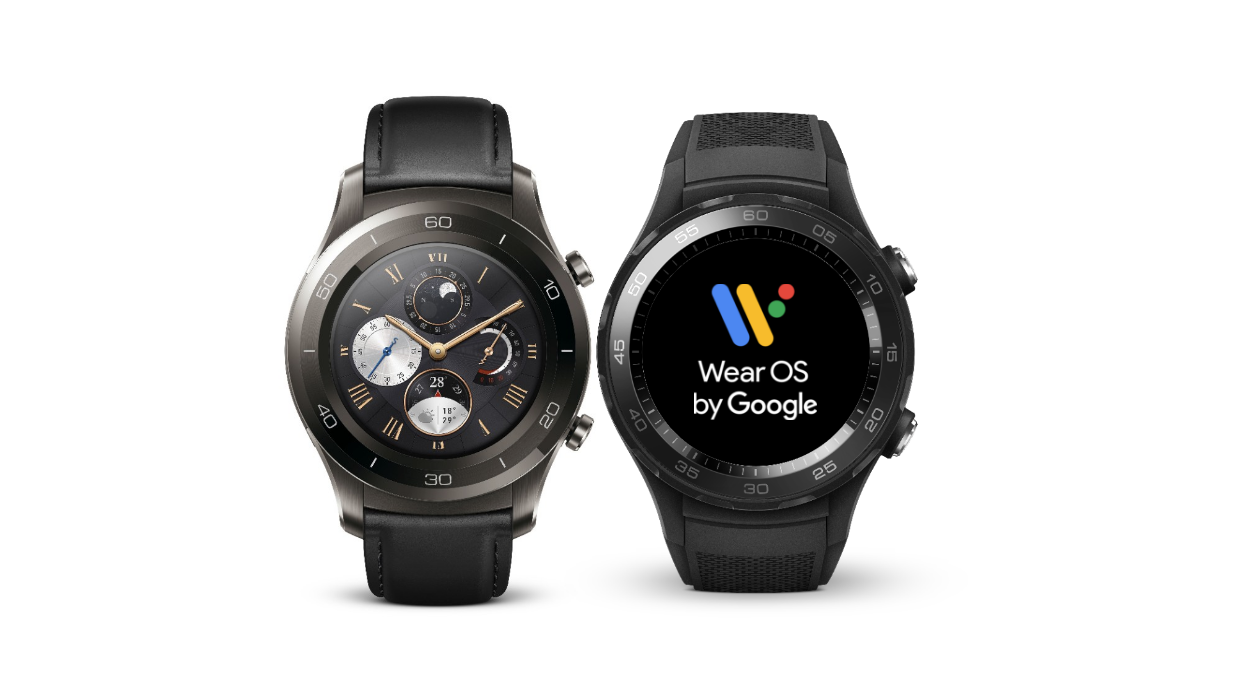
    Weeks after Google changed the name from Android Wear to Wear Os, a developer preview for Wear OS is out. One of the major changes that the preview brings to Android wearables is it’s efforts to preserve battery life. Until now, Wear OS, had no battery consumption patterns or give the user ability to manual preserve the battery. However, that’s all soon to change with the upcoming update.

    Image result for google wear os

    The New News.

    Google unveiled the first preview of its new Wear OS wearables which is set to replace the Android Wear brand mentioned earlier this month. Along with preserving device battery life, the re-brand also brings the software in line with the new functions of Android P, the newest update to Google’s MOS, coming in later 2018. Other major changes include restricted Wi-Fi while the watch is not connected to any Bluetooth device. The new update also features Limited background activity along with Low-power mode. With the Wear OS, the background activity of apps will be restricted. In its developers’ blog, Google explains, “To improve power, apps will no longer be allowed to run in the background unless the watch is on the charger.” This is all an effort to increase and extend the battery life a little longer.

    Image result for google wear os

    Having cell/data connection or Bluetooth switched on over extended period can also lower the battery on smartwatches. After the new update, Wear OS will automatically turn off Bluetooth, WiFi, and cellular connection when users are not wearing the smartwatch. The watch is programmed to know when it is not being worn by the consumer and will automatically shutdown after a short period. Google has not specified the exact time lapse before the feature kicks in, but we can probably assume within a few minutes or less.  The Wear OS will restrict smartwatches from immediately switching on WiFi connection after Bluetooth is switched off by users. It will connect to WiFi only if users want to or when it is being charged. This is actually a great little feature to further assist the lazy consumer or the one who forgets to be attentive to such things.

    The Summary.

    Google will release the finalized version of the Wear OS in the fourth quarter of 2018 and hopefully all the kinks and issues can be resolved by then. Im interested to see exactly how user friendly can get the software. Who knows, could be a real home run for the company on this ambitious new endeavor.

  • Best 5 Laptops Under $500 in 2018

    Best 5 Laptops Under $500 in 2018

    Laptops are very essential these days- for school, work, or just personal use. The price of a premium new laptop can cost up to $1,000, which is pricey for anyone. Numerous companies have made laptops more affordable while keeping the quality and capabilities of more expensive laptops.

    You don’t have to feel like you’re settling when shopping for a laptop under $500. There are value-priced notebooks that include full-HD displays, solid performance and long battery life, plus all the ports you need. We picked all the best all-purpose laptops in $500 price range which we think are best laptops to suit the wide range of requirements of people. Here is a list of the best five laptops under $500!

    1. Dell Inspiron i3567 Laptop

    The latest version of this Dell laptop has a powerful system in place with 8GB of memory and a 128GB hard drive and a Intel Core i3-7100U 2.4GHz processor. It has a professional feel in it’s all black look with a 15.6-inch laptop with a screen resolution of 1366 x 768. The operating system runs smoothly with Windows 10 and is backed with a 12 month warranty, with 12 months of tech support.

    • A new, powerful hardware system
    • Has many ports and slots to use your external devices
    • 8 GB Ram
    • 7th Gen Intel Core i5 processor
    • It is not backlit enabled
    • Battery life up to 5 hours

    2. Acer Aspire A515-51-50RR Laptop

    The Acer Aspire 5 is one of the best budget full-size laptops you can find in stores today. It checks most of the right boxes: well built, slim and fairly light, gets a decent keyboard, an IPS screen and modern hardware, performs well, runs cool and quiet and lasts for a long while on a charge. This slim and sleek laptop is a great all round performing laptop, especially for the price. The visuals are spot on with vivid, bright colors.

    • LCD display and is backlit
    • 2.50 GHz Intel Core i5-7200U processor
    • Storage: 1TB hard disk
    • Intel HD 620 graphics
    • Battery life up to 7 hours
    • All-plastic chassis

    3. HP 15-ay191ms Laptop

    The HP 15-ay191ms, a signature edition laptops that comes with a seventh-generation Intel Core i3 processor, 8GB DDR4 system memory, 1TB of storage and a touchscreen, but still remains insanely affordable. It’s one of those laptops you’d buy without a second thought if you find inexpensive chromebook attractive, but really, really need Windows. If you love touchscreen, this one’s for you! This laptop contains the Kaby Lake processor which makes this laptop consume little power. Apps are not an issue here, they all run very smoothly.

    • Touchscreen
    • Intel Core i3-7100U processor
    • 8GB RAM
    • 1TB hard drive
    • Lag-free performance
    • Battery life up to 6 hours

    4. Dell Inspiron i3567-5185BLK Laptop

    Yet another Inspiron made this list! This version comes in different color options and a textured finish.  Packed with a large 15.6 Inches display and a decent 7th Gen Intel Core i5-7200U up to 3.1GHz CPU processor. This Dell laptop model would work well for portability with its 4.85 Pounds lightweight design and sleek black look. Great for school work or the family computer. A huge bonus with this laptop is it doesn’t heat up much!

    • 2.4 GHz Intel Core i3-7100U processor
    • 8GB RAM
    • TB hard drive
    • LED display with a built-in webcam and mic
    • Battery life is up to 6 hours

    5. ASUS Chromebook Flip

    This is one of the best convertible laptops on the current market. The Asus Chromebook Flip C302 is worthy of its premium stature with a gorgeous screen, tactile keyboard and a classy design that’s equally as comfortable to use in tablet mode or as a traditional laptop. The screen is a full HD touchscreen and can be converted from a laptop to a tablet by turning the screen. A top pick for a college student!

    • Intel Core m3 processor
    • 4GB RAM
    • 64GB of SSD storage
    • Battery life of up to 10 hours