Category: Computers

  • The Best Gaming Mouse for Your Buck

    The Best Gaming Mouse for Your Buck

    When it comes to PC gaming, picking the right mouse is important! It’s the way you aim, point, select, and shoot! Finding a mouse with all the right features and at the right price point can be difficult, and with that in mind we’ve compiled a round-up of our four favorite gaming mice. Let’s get right to it!

    Corsair Dark Core RGB SE

    If you’re looking for a wireless gaming mouse with tons of versatility and customizability, look no further! Corsair’s name is synonymous with quality in PC enthusiast circles, and for good reason! Their Dark Core RGB is no exception. With only one millisecond of latency and sporting a fantastic 16,000 max DPI, the Dark Core is the rare wireless mouse made with gaming in mind. The Dark Core is on the high end, price-wise, retailing for $80, but it comes with fully programmable, customizable buttons and bright, elegant RGB LEDs. Even cooler, the Dark Core makes use of wireless Qi charging, so if you pick up the Corsair MM1000 Qi Mousepad you can wirelessly charge your mouse after every gaming session.

    Logitech G903

    For those Logitech faithful, the G903 is a solid wireless mouse. A slight iteration on the older G900 model wireless gaming mouse, the G903 boasts a respectable 12,000 DPI and low latency. The mouse can also be wirelessly charged from Logitech’s own PowerPlay mousepad. The finish and feel of the G903 are both high-quality, as is expected of Logitech. It is worth noting that the G903 is somewhat overshadowed by the Corsair Dark Core, as all of the G903’s key features (wireless mouse with wireless charging, high DPI, low latency, etc.) are all replicated with aplomb by the Dark Core, all for a lower MSRP. The G903 is surprisingly expensive, at around $115 on Amazon, while the Dark Core is only $80.

    SteelSeries Sensei 310

    Affordable and reliable, the Sensei is one of two SteelSeries products on this list. The Sensei sports a TrueMove 3 optical sensor, offering nearly unmatched tracking and responsiveness. With a sleek metallic finish and superior make, and going for around $55 on Amazon, the Sensei is a stellar choice for gaming enthusiasts looking to not spend an arm and leg on a gaming mouse but still desiring a precise and accurate mouse.

    Our Favorite Gaming Mouse: SteelSeries Rival 600

    In our opinion, this is the absolute best gaming mouse in the world right now. Sporting a rock-solid 12,000 DPI and a revolutionary depth-sensor, the Rival has loads of bells and whistles for its price. It features customizable weight and full-spectrum RGB LED support, and also bears satisfyingly-clicky mechanical switches on the side. The Rival can be snagged from Amazon for right around $80. This putsit in the same price range as the also-excellent Dark Core. With its superb build quality, customizable buttons, RGB support and precise optical performance, there is really no better wired gaming mouse for the price. If you’re remotely serious about gaming and have $80 to spend on a peripheral, this is an auto-purchase.

    What Next?

    Now that you’ve got your pick for gaming mouse, it’s time to check out gaming keyboards! Check out our roundup of the best gaming keyboards to pair with your new mouse!

  • NVIDIA Shuts Down Unpopular GeForce Partner Program

    NVIDIA Shuts Down Unpopular GeForce Partner Program

    NVIDIA has canceled its extremely unpopular GeForce Partner Program after a mere two months. The program comprised a series of guidelines and regulations on various computer and laptop manufacturers that was intended to, in NVIDIA’s words, ensure that “gamers who want NVIDIA tech get NVIDIA tech,” by having manufacturers include NVIDIA graphics cards exclusively. This was met with harsh criticism from many sources and has been a PR nightmare for the already-maligned NVIDIA, who is largely seen as monopolizing GPU manufacturing.

    Why is this Happening?

    According to research done by Kyle Bennet of HardOCP, the GPP was much more insidious and bullying than it would appear on its face. The GPP heavily discouraged manufacturers from opting out, going so far as to hold back inventory from manufacturers who refused to participate in the terms of the program. This type of behavior has been called “anti-competition” and further emphasizes the growing tension of the ever-more monopolized world of GPU manufacturing.

    NVIDIA’s Response

    NVIDIA, of course, denied accusations of anti-competition behavior, claiming that reports of the GPP were grossly exaggerated, and that rather than fight a losing PR battle, they would sooner just cancel the program. This response is somewhat typical of the attitude that many describe as “condescending and anti-consumer” that NVIDIA is known to hold. Further, many have expressed concerns that shutting down the program, even as early as they have, changes little. According to Bennet’s report, the program was simply an evolution of practices NVIDIA was already engaging in.

    The Future

    NVIDIA’s GPP is likely still to have an effect on gaming PC’s and laptops that are still to be released, as any projects that were started or nearing completion during its short lifespan will already be compliant, meaning that the cancelation will likely have little short-term effect. Additionally, behavior like this is likely to draw attention from regulatory agencies such as the FTC in the United States, which may see programs like the GPP to be inherently anti-consumer and thus worthy of investigation into NVIDIAs other business practices. Consumers and manufacturers alike will likely feel the effects of the much-maligned GPP and NVIDIAs other initiatives for some time, whether or not NVIDIA official codifies them.

  • The Best Gaming Keyboards

    The Best Gaming Keyboards

    For most, a keyboard is simply a keyboard. For a gamer, a gaming keyboard is a cross between a controller and a statement of purpose. A good gaming keyboard is an extension of oneself, the physical bridge to the digital world. Choosing the keyboard that works for you and the genres you play can be difficult. Making a wrong choice is expensive and frustrating. With that in mind, here is our round up of our four favorite gaming keyboards.

    SteelSeries Apex M750

    A somewhat minimal choice, the SteelSeries Apex features highly customizable keys and key colors, and is marketed primarily at professional gamers and aspiring professionals. The keyboard has a very standard layout, with no media keys or specialized buttons, and boasts an impressive array of backlighting options, including notifications for chat and an audio visualizer.

    The SteelSeries doesn’t have a USB pass-through and doesn’t have a terribly thick connecting cable, making it a very stripped-down keyboard. The SteelSeries doesn’t have adjustable feet, but this is a small gripe. For those seeking a simple, customizable keyboard with no frills and great linear, click-free key action, seek no more: the SteelSeries is for you.

    Logitech G610 Orion Brown

    For fans of the Cherry-MX brand of switches who don’t want to spend a fortune on a keyboard, the Logitech Orion Brown, retailing for $120, offers a great gaming keyboard on a budget. The G610 sports customization support through Logitech’s gaming software suite, making it a great choice for those who wish to customize the LEDs or disable certain keys during gameplay.

    Unlike the linear and click-less key switches found in the SteelSeries Apex, the Orion Brown features the titular Cherry-MX Browns, which are soundless but have a slight click at the end of their action. This allows a great tactile feedback for a user who wishes to use the keyboard for both gaming and typical typing.

    Razer Ornata Chroma

    Razer’s Ornata Chroma is our favorite keyboard under $100, sporting a unique switch feel and gorgeous RGB chroma LEDs. The Ornata Chroma sports “Mecha-Membrane” key switches. They are hybrid of the traditional gaming mechanical switches and the more general silicone dome switch style. This “Mecha-Membrane” has the click of MX Blue or Brown switches but a bit of the smoothness (or stickiness, depending on your perspective) of membrane-style keyboards.

    While the hybrid-style switches require a bit of acclimation, they provide an excellent experience for both typing and gaming, making the Ornata Chroma a fantastic choice for those who need to use the same keyboard for both gaming and normal typing tasks like work or writing.

    Corsair K95 RGB Platinum

    Our favorite gaming keyboard and Corsair’s current flagship gaming keyboard. Corsair is known for their exemplary computer components and peripherals, and the K95 Platinum upholds that sterling pedigree. Speaking of Sterling, the K95 uses the new Cherry MX Silver switches. These are a new take on the straight, linear action of the Cherry MX Reds. They sport a shorter travel time and smoother performance.

    These Silver switches are ideal for fast-paced games like Overwatch or similar first person shooting experiences. The Silvers feel like a slightly higher quality version of the Razer Ornata Chroma’s “Mecha-Membrane” style switches. They are much cleaner and with less “stickiness” in their action.

    The K95 is a somewhat larger keyboard, with wide key caps and tall keys. This makes it easy to tell which key your finger you’re on without having to look down to the keyboard. As expected of a premium RGB keyboard, the K95 offers a full suite of RGB customization and backlighting options. Using the Corsair Utility Engine, you can customize everything from RGB to macros. This makes it a fantastic choice for hardcore gamers. If you’re looking for the very best and not afraid to spend some money, look no further.

    What’s Next?

    You’ve checked out some of the best gaming keyboards around! Now it’s time to check out every keyboard’s closest friend: mice! Our roundup of our favorite gaming mice  can be found here!

  • Top Ten Coolest Raspberry Pi DIY Projects

    Top Ten Coolest Raspberry Pi DIY Projects

    Anyone who has ever built their own computer and watched it whir to life for the first time can tell you the sheer joy of creating a complicated piece of technology with their own two hands. Operating in that same space is the Raspberry Pi family of DIY-friendly microcomputers. The new Raspberry Pi 3 B+ and the Raspberry Pi Zero W (which sports built-in wi-fi!) are flexible, all-purpose boards capable of tons of awesome applications! Everything from miniature Macintosh computers to retro console emulators can be built from these slick little circuit boards, and here we round up our top ten favorite Raspberry pie DIYs!

    A Disposable GIF Camera
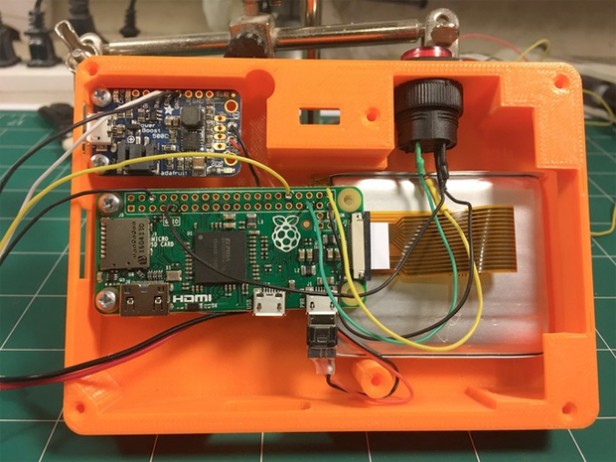
    Photo Credit: TrustedReviews.com

    A neat little piece of throwback-style tech, the Pix-E, pet project of Nick Brewer, takes advantage of the Pi Camera Module and GifCam, PiCamera and GraphicsMagic to create easily-sharable GIFs. With 3-D printable cases and paper print-outs that emulate a 90’s aesthetic, the Pix-E is a stylish and functional piece of DIY tech. It does require a bit of engineering skill: some bread-boarding and a bit of soldering are required to get this sucker moving. The Pix-E would make a neat little addition to a vacation or hike, making GIFs on the fly as you move from place to place!

    DIY NES Classic Mini
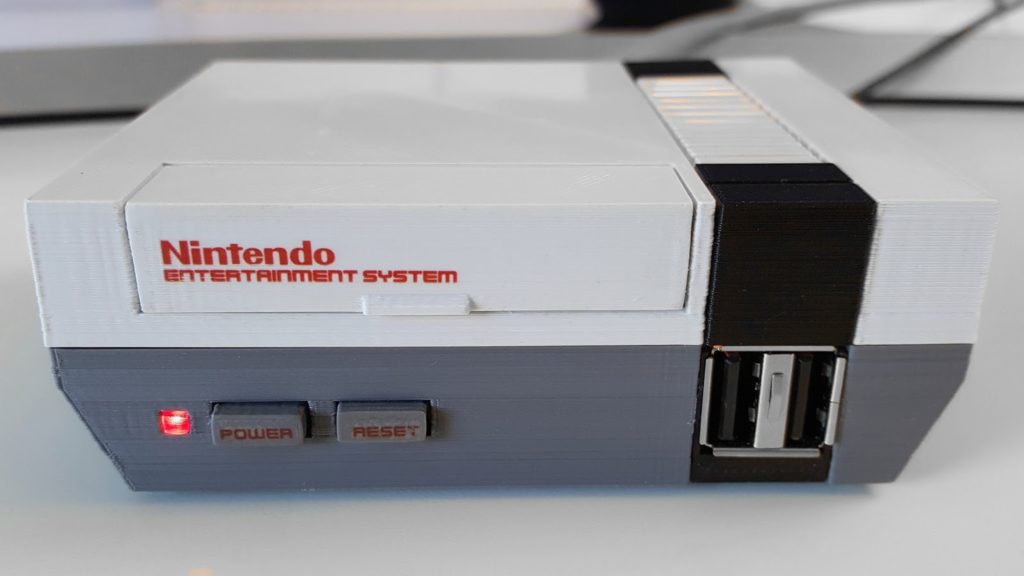
    Photo Credit: RetroPie

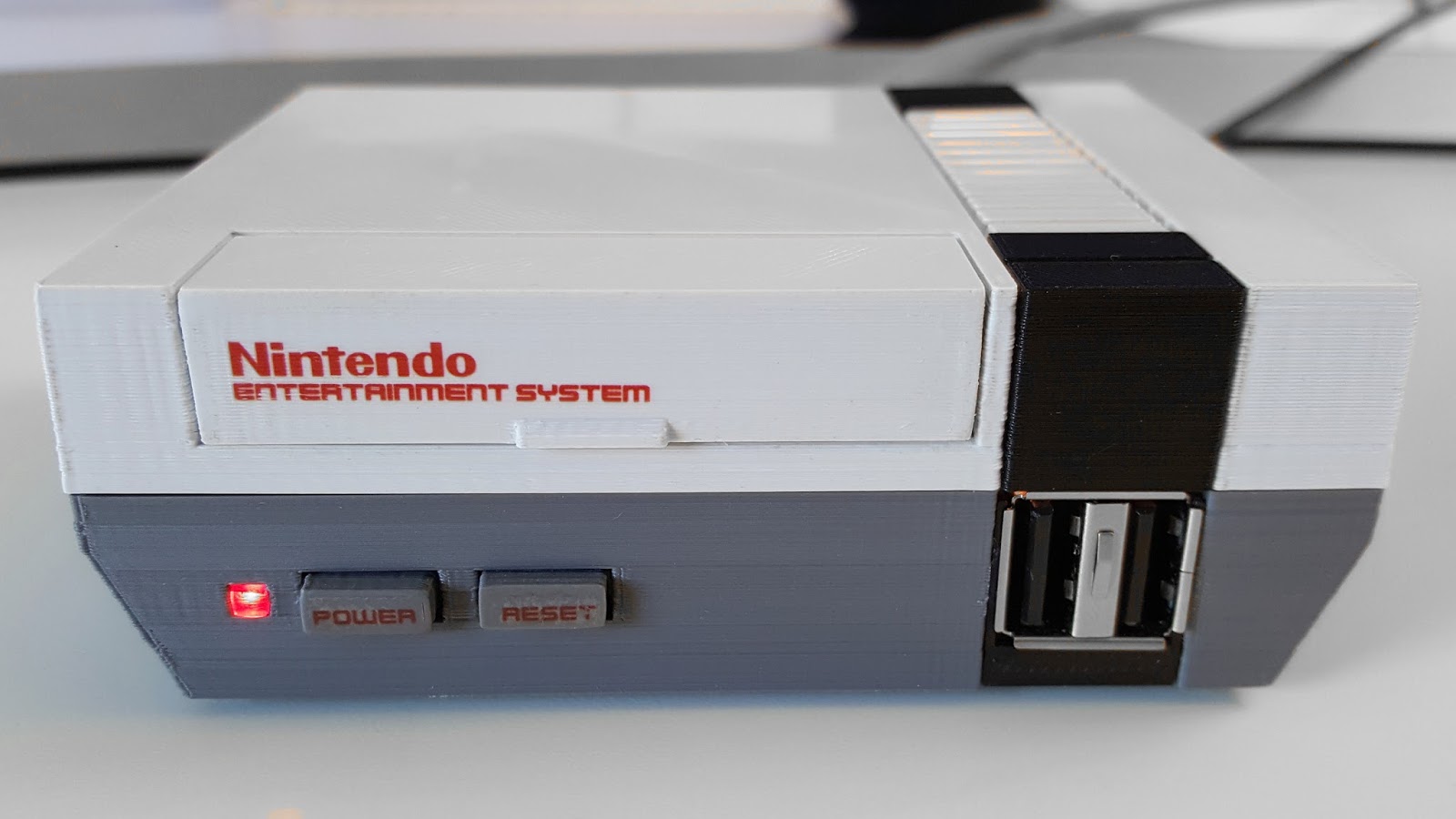
    The NES Classic was a much bigger hit than Nintendo anticipated (turns out people love retro games! Go figure!) and sold out everywhere in a matter of weeks. eBay scalpers sell the mini console for many times more than MSRP, and even if you are lucky enough to lay hands on one, it is only outfitted with 30 games. In order to add more, you would need to do some serious hacking to your expensive collector’s item.

    Thankfully, a bit of tech know-how allows you to build your own using Raspberry Pi boards! Using the Pi Zero board and RetroPie software, you can create near-perfect emulation for a fraction of the price of an NES Classic on eBay. You can even get an NES-like case to house the console (or 3-D print one!), completing the look and feel of a retro console!

    Stylish Word Clock

    Photo Credit: HardTech.tv

    Where clocks were once commonplace pieces of simple technology found in everyone’s house, smart devices and interconnected smart watches have all but rendered the traditional clock obsolete. This word clock, by comparison, is a very cool piece of tech to have on a shelf: eye-catching and easily understood, this simple project can lend a hip and stylish vibe to any room! A simple program, some LEDs and a bit of soldering, and boom! A fashionable way to make sure you’re not running late!

    A Functional Desktop Computer
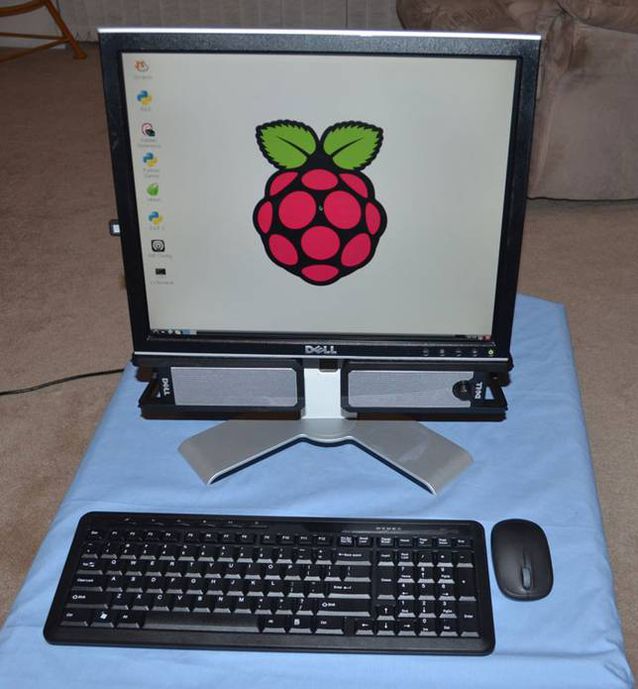
    Photo Credit: Michael Davis

    As adorable as it is functional, the Raspberry Pi can even be used as the brains of a desktop computer. While it certainly won’t be running any modern games or pulling duty as your full-time home computer, it’s a cute project and would work great as a computer for a young child or a student who simply needed access to email, word processors and a simple web browser for research. The desktop even has a very stylish upside: it’s CPU is a tiny circuit board, so it’s easy to mount behind the monitor to save space in an office or bedroom!

    A One-Touch Audiobook Player
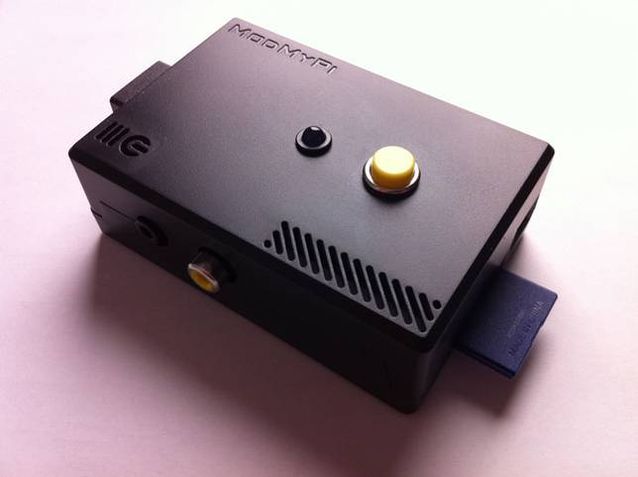
    Photo Credit: Michael Clemens

    The schematics for this minimalist design were drawn up as a prototype to help older users with disabilities easily access audiobooks. The playback device reads the data from a USB port, and then plays the media with a push of the top button. In addition to being very useful for those with disabilities, the player is very minimal and light, and those who wish to keep their smartphone memory from being filled by audiobooks may wish to use this device instead, carrying USB thumb drives loaded with books instead!

    A Kodi Media Center
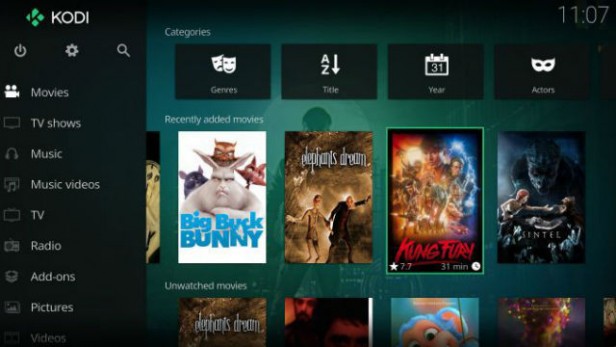
    Photo Credit: TrustedReviews.tv

    While Roku devices, Amazon’s FireStick and SmartTV devices are popular for using official streaming services like Netflix and Hulu, those wishing to customize and personalize their media experience are often drawn to the Kodi platform. Raspberry Pi-based media centers make natural pairs for Kodi, as the two of them are both user-friendly DIY-style products. Using a Wi-Fi USB converter, or a Raspberry Pi Zero W, connecting to wi-fi with a Pi based streaming box is simple and easy. Saving money and getting to watch TV is a win-win in our book!

    MintyPi2.0 Retro Console

    Photo Credit: YouTube.com

    The tiny, endearing and portable MintyPi retro console fits inside an empty Altoids can. Using Zero W boards allows for built in wi-fi to update and games. With a form-factor reminiscent of the GameBoy Advance SP model, the MintyPi is a delightful little device and controls beautifully. While creating one of these devices requires a good deal of 3-D printing, soldering and technical know-how, the finished product is an enviable, minty little piece of tech! Full guides for how to build these are available online!

    Mini Lego Macintosh
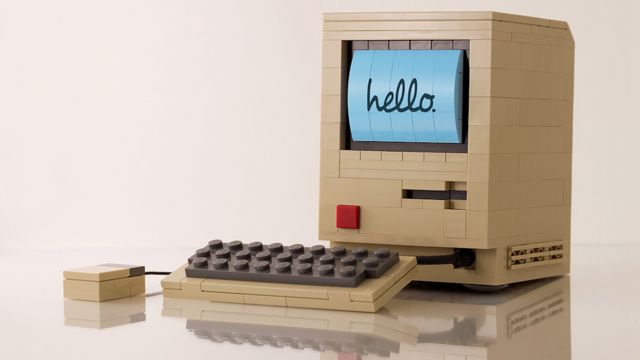
    Photo Credit: Mactrast

    Using a very small e-paper display, sporting a lego housing and powered by a Raspberry Pi board, Jannis Hermanns created this tiny, adorable Mac. The device technically functions but is so tiny and simple that it’s mostly a labor of love and adorable conversation piece. While Hermanns has posted guides for how to create these online, creating your own Mini Mac would require quite a bit of soldering and careful work with tiny parts. However, Mac and Lego enthusiasts would likely find such a project very rewarding!

    Arcade Table

    Photo Credit: grahamgelding

    Echoing the table-top arcade design of pizza parlors and bowling alleys, this cool blend of furniture and technology is powered by a Raspberry Pi board. Capable of playing classics like Space Invaders, Galaga, Asteroids and Pac-Man, as well as browsing the internet and displaying cool images, this table would make a welcome addition in any game room or den. While a good bit larger and more involved than many other projects on this list, this gaming table would make a striking impression on friends who came to game!

    Electric Skateboard

    Photo Credit: YouTube.com

    Our favorite DIY project yet has got to be this stellar electric skateboard project made by YouTuber “the Raspberry Pi Guy,” who is known for his DIY work on his channel. Powered by a Raspberry Pi board and controlled from a Wii Remote (yes, that Wii. I know, right?) this electric skateboard is an awesome intersection of extreme sports, video game peripherals and circuit boards. Really, a nerdy kid’s dream tech. The assembly and code for this project are all quite simple compared to how awesome the finished project is, and as such makes a great DIY for a user looking for a first “big” project!

    Anxious to get started? Be sure to check out our top recommended Raspberry Pi Starter Kits!

  • The Best Raspberry Pi Starter Kits

    The Best Raspberry Pi Starter Kits

    The tiny, easily customizable computer Raspberry Pi is a very popular choice for aspiring tinkerers and DIY enthusiasts. The flexible, affordable Raspberry Pi technology is somewhat daunting for new users, so to help you make an informed decision, we’ve rounded up our favorite Raspberry Pi starter kits! Whether you’re looking to make a retro game console or a DIY desktop computer, we’ve found the kit for you!

    Vilros Raspberry Pi 3 RetroPie Arcade Gaming Kit

    For gaming enthusiasts who may have missed the chance to own an NES or SNES Classic during their limited release windows, Vilros has this excellent starter kit for $84. Unlike the official Nintendo mini consoles, the RetroPie is not limited to certain specific games or even systems. The RetroPie software included with the kit can emulate a wide variety of retro systems, including the Game Boy, Dreamcast, Neo Geo and others.

    This kit comes with a power supply cable, heat sinks, an HDMI cable, a 32gb microSD card, and, importantly, two SNES-style USB controllers. The highlight of this kit is the adorable and sturdy NES-style case that can house your tiny computer, completing the retro aesthetic of any emulation project.

    Raspberry Pi 3 Desktop Starter Kit

    The Desktop Starter kit is a great, affordable option for those who have an HDMI cable already on hand and simply want to get started tinkering. For $60, this officially licensed starter is a great value, and comes with a case for the computer, a power supply, a 16gb microSD card, and comes pre-loaded with NOOBS and Raspbian software.

    This starter kit is great for those who simply wish to start on projects right away, or who have projects that don’t require HDMI cables and want to save money over more involved starter kits, like the aforementioned Vilros Retro Kit. It is worth noting, however, that this kit also doesn’t have any heat sinks, which means you’ll need to provide those yourself if you don’t want to risk damaging your computer. However, for those who are already savvy builders with tech know-how, this kit is a great way to introduce yourself to the Raspberry Pi platform.

    Sunfounder Picar-S Raspberry Pi 3 Robot Car Kit

    The most expensive starter kit on this list, but also the most involved, the Robot Car Kit is $160 and tons of fun. This kit comes with everything you need to build your own remote-controlled car, and comes equipped with sensors to detect light sources, follow preprogrammed paths and even navigate around obstacles!

    The car can even be controlled via an app from a phone or a computer, making it an excellent project for a young robotics enthusiast or an aspiring builder! As a first foray into more “active” Raspberry Pi builds, this car kit is a fun way to learn about the Raspberry Pi platform, and mechanics in general.

    CanaKit Raspberry Pi 3 Complete Starter Kit

    Canakit’s starter is a fantastic all-around choice for enthusiasts to begin their projects. For $70 you get a Raspberry Pi 3, a glossy black case, a 2.5-amp power supply cable, heat sinks, an HDMI cable, and an all-important 32gb microSD memory card. This kit comes pre-loaded with NOOBS software to get you started, and CanaKit also offers a $50 version of the kit with a clear case for those who wish to show off the circuit board that makes their computer tick.

    This kit is by far the best selling Raspberry Pi starter, and for good reason: everything you need to start your own projects is right here. Made with newcomers to computer-building in mind, this kit has all the basics you need to get started with your own inventions. Highly recommended to those with little to no experience building computers or working with hardware!

    Want More Raspberry Pi?

    If you liked this article, make sure to check out our Top 10 Raspberry Pi DIY Projects! Maybe you’ll find inspiration for your next project!

  • Twitter Urges All Users to Change Password

    Twitter Urges All Users to Change Password

    Thursday, Twitter began urging all 336 million of its users to change their passwords, following news that passwords had been erroneously stored in plaintext on an unencrypted log. Users logging in after Thursday are met with a pop-up urging them to change their passwords and explaining the situation. Jack Dorsey, Twitter CEO, expressed the need to be “open about this internal deficit.”

    How Long Have They Known?

    What is unknown, in spite of Twitter’s semi-transparency on the issue, is when this data mishandling was discovered, or for how long the data has been stored in this way. Typically, passwords are stored in logs using a technique called “hashing,” which is an encoding that replaces characters with other, random characters, thus rendering them as gibberish to someone without access to the encryption key. The log that Twitter disclosed the passwords were being stored on, however, were being stored in plain text.

    Not a Breach

    Twitter has been quick to point out that this was not a data breach, like the Target credit card debacle, nor did they have to inform anyone of this lapse in security. Twitters CTO, Parag Agrawal, tweeted: “We are sharing this information to help people make an informed decision about their account security. We didn’t have to, but believe it’s the right thing to do.”

    Best Way to Handle This?

    This news is unique, in that it was disclosed by Twitter, and as Agrawal so humbly observed, they didn’t have to inform the world of their mishandling of users’ passwords.  However, had the news broken without an official word from Twitter, the news would have gone from “unusual blip” to “full blown security scandal,” so the choice to inform the public was surely a wise one.

  • The Best VPNs

    The Best VPNs

    VPNs, or Virtual Private Networks, have become immensely popular lately. Whether you want to use one to increase your internet speed, browse more safely, or just watch Netflix episodes that are region-locked in your area, VPNs are awesome to have to increase your browsing experience! With that in mind, here are our four favorite VPNs! Keep in mind that we’ve picked only paid service VPNs, as they offer more security and a higher quality browsing experience.

    StrongVPN

    StrongVPN lives up to its name. With a large number of dedicated IP addresses, servers and server locations, users have a great deal of privacy and security with Strong. All of Strong’s network infrastructure is owned by the company, and as such there are no bandwidth or traffic restrictions, a definite plus to a VPN provider. Strong has a reasonable monthly fee of $10, or you can opt for the $70 yearly price, which is easily a great deal for your money among the most popular VPNs.

    IPVanish VPN

    For users who want a the most anonymity possible from a VPN in their browsing, IPVanish is a good choice. Their main selling point is that they keep absolutely zero logs, promising a great deal of privacy to the user. The service’s other features tailored to privacy include a connection kill switch, allowing the user to go dark at the push of a button, and IPVanish is dedicated to supporting the Kodi media platform.

    Kodi is known for hosting media such as movies and TV, and is popular among VPN users due to its accessibility and lack of a monthly fee, unlike comparable services like Netflix and Hulu. IPVanish is also the not expensive in terms of VPNs, costing either $7.50 a month or $58.49 for a year and offering support for BitCoin.

    PureVPN

    Another great VPN option, PureVPN accepts BitCoin like IPVanish and offers a 30-day refund policy. While PureVPN keeps logs, unlike IPVanish, they are still a quality choice. For $11 per month, or $70 for three years, PureVPN makes up what they lack in privacy in a blazing fast connection. PureVPN is also unique in that it has support for ChromeBook and, much like IPVanish, they support Kodi. For a user looking for a relatively inexpensive, very fast VPN, who doesn’t mind a relative lack of privacy, PureVPN is a good pick!

    Nord VPN

    Our favorite VPN, and really the best all-around pick! On the other end of the spectrum from IPVanish, Nord offers a solid user experience with a smaller number of incognito options but for a very competitive price and with a fantastic user-end experience. Nord offers various levels of subscription to their service, but their best plan is $106 for their three-year option. Otherwise, the monthly price is around $12 for their premium options, although they have more budget-concious options too.

    Nord’s other upsides are their six simultaneous connection slots, allowing more than any other popular VPN, and their dedicated IP address option is helpful for those looking to geo-spoof in order to sidestep region locking.

  • Three of the Best SSD Drives to Speed Up Your Computer

    Three of the Best SSD Drives to Speed Up Your Computer

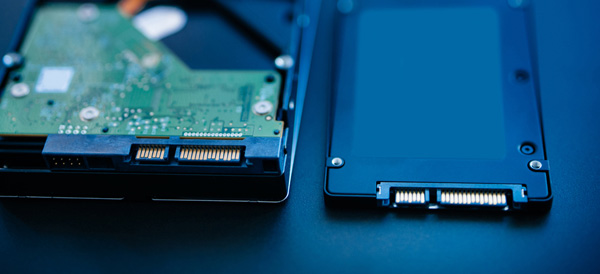
    Of all the upgrades that you can perform on an existing computer, swapping an old spinning hard disk with a solid state drive (SSD) will net you the best results. Your computer will boot up faster, copy/paste/load files faster and generally feel snappier.

    SSDs were incredibly expensive when they debuted, but as with all tech prices have steadily fallen. Here are some of the best upgrade options if you are shopping for an SSD drive.

    Samsung 850 EVO

    Consistently rated among the best SSD drives available, now is a great time to find a deal on the Samsung 850 EVO. Prices can fluctuate, but the introduction of the new 860 model will help a great deal.

    Available in both M.2 and mSATA configurations, the 850 is available in a variety of storage sizes. Fast read and write speeds built around 3D NAND flash storage backed by a 5 year warranty makes the Samsung 850 EVO a great choice for upgrading to SSD.

    Crucial MX500

    If your budget is the main priority for your upgrade, then the Crucial MX500 may be a better option than the Samsung 850 EVO. It comes in the standard 2.5 inch drive size that will fit any desktop (you may need a mount) and many laptops.

    While performance isn’t quite what the Samsung can offer, this is still a massive upgrade from a spinning hard drive. It features 3D NAND flash storage and a 5 year warranty.

    Adapta XPG SX7000

    While most M.2 SSD drives are much more expensive than their SATA counterparts, the Adapta XPG SX7000 has managed to keep their prices relatively competitive while giving you a super-fast M.2 PCIe option for your SSD storage.

    You’ll need to research your computer’s motherboard to see if it is compatible with an M.2 SSD, but if it is then you are in for a treat! Outperforming SATA drives by a wide margin, the Adapta SSD is perfect for hardcore gamers and professional word that requires a lot of file manipulation.

  • 2018’s Best Touchscreen 2-in-1 Laptops (So Far)

    2018’s Best Touchscreen 2-in-1 Laptops (So Far)

    There has been a huge increase the in number of 2-in-1 laptops that feature touchscreen controls for tablet mode. Love it or hate it, touchscreens are here to stay, and they will likely continue to be evolved into mainstream computing.

    Here are some of our favorite touchscreen laptops available right now.

    HP Spectre x360

    This lightweight, slim bezel 2-in-1 is a great option for the most mobile users among us. The battery life is amazing, and the keyboard is also a pleasure to use. You won’t find a better balance between tablet and laptop than this system.

    Microsoft Surface Pro

    The Microsoft Surface Pro has positioned itself to be the touchscreen laptop to beat. It is designed from the ground up to work around a touch interface and the Surface Pen. Going beyond simple touchscreen controls and note taking, the Surface Pro also aims to be a digital artist’s tool. Unfortunately, the newer version of the Surface Pro no longer includes the Surface Pen, so expect an accessory purchase right off the bat.

    Lenovo Yoga 920

    If screen real estate is your priority, then the Lenovo Yoga 920 should be where you begin looking. The general 13.9-inch display is larger than many 2-in-1 systems. With a fully metal build and an interesting take on laptop hinges, the
    Yoga makes a classy statement. It also features the same level of touchscreen sensitivity as the Surface Pro despite the larger screen.

    Samsung Chromebook Pro

    What would happen if you took a Samsung Note 8 and blew it up into a 2-in-1 computer? You’d get the Samsung Chromebook Pro. If Chrome OS is your jam but you find typical Chromebook offerings a little short on power, then the Chromebook Pro is well worth looking into. The Google Play store alone means that you will have more than enough apps for both your productive and procrastinating sides.


  • The Best Features from the New Windows 10 Update

    The Best Features from the New Windows 10 Update

    The latest Windows 10 update landed yesterday for PCs and tablets. Like the Fall Creators Update, this spring update adds new features and refreshes Windows 10 without changing the platform itself. Here are some of our new favorite features.

    Timeline

    The biggest new feature in this Windows update is Timeline. Essentially, it replaces the Task View button and allows you to see a synchronized view of all your past apps and activities across your multiple Windows 10 systems.

    You can use this feature to easily transfer activity from one Windows system to another. You can also combine the Timeline with Microsoft Edge on your smartphone to sync your browser history as well.

    Microsoft Edge Tab Mute

    Following in Chrome’s footsteps, Edge will also have the ability to mute tabs. Those annoying websites that like you blast you with autoplaying videos or sounds can now be easily muted.

    Fixed App Scaling

    A new Advances Scaling setting will allow you to fix desktop apps that appear blurry after your display settings change. The caveat is that it will only work on your main display and may not work for every single app.

    Faster Bluetooth Pairing

    In an effort to make pairing peripherals via Bluetooth simpler, Microsoft is working with vendors to ensure hardware will support their new fast pairing feature. Currently, the Surface Precision Mouse is the only one to support it, but new devices should appear soon.

    Enhanced Graphic Settings

    This is particularly useful for laptop users who may not want to use the same performance or power saving settings for every game. You now have the ability to customize the graphics performance per game.