Category: Computers

  • Laptop Lookout: HP Envy 17

    Laptop Lookout: HP Envy 17

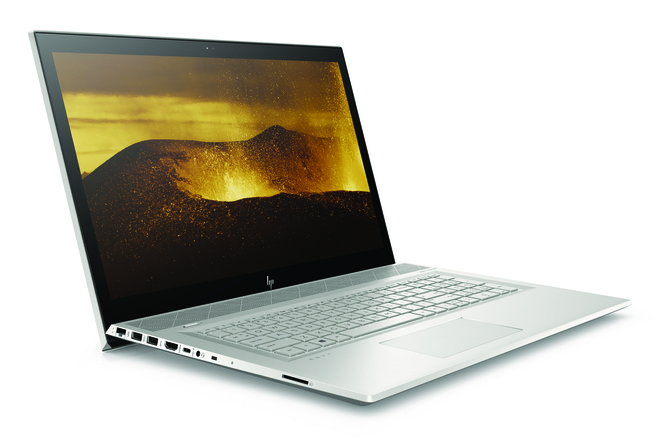
    HP is announcing an update to its Envy Line. HP Envy 17 will be available this summer, and is packing a nice bit of power. Now in 2018, HP has slimmed the bezels around the screens on the Envy laptops. Making the 17 big, powerful and beautiful.

    The Great

    • Great Screen
    • Fantastic Performance
    • Great Battery
    • Sleek Desgin

    The Not

    • Bigger, Heavy

    The Conclusion

    THe HP Envy 17 is a powerful laptop, pretty that most can afford. Its big, to big to always have with you, but it should keep you from missing your desktop PC in most ways.


    The Envy 17 packs a high-end quad-core mobile processor that will deliver more power than most people will use. Our tests on other laptops have shown that a simple dual-core processor suffices for mainstream applications, but quad-core comes in handy for more intensive uses such as gaming and creating graphics-heavy content.


    Sound Upgrades

    HP has now designed a  row of Bang & Olufsen-tuned speakers line the front and they’re angling up at 45 degree. This points them at your ears for listing and not lower, much better sound receptions. I guess its the little things. The volume is now controlled by a touch scroll wheel in the base, where there is also a high-speed wireless charger.

    Webcam, Pop Up

    I’ve seen this getting adapted around a few tech devices that I hope catches on. Its the pop up camera. I know its kinda gimmicky but i like the assurance of not having some hack in to my camera and spy on my life. The pop up camera can be popped down and blinded when I’m not using it.

    Lets Talk Speed

    Speed and performance are off the charts. On the performance front, HP has updated from 7th Generation CPUs to the latest 8th Generation Intel Core quad-core CPU (4C/8T) running at a base frequency of 1.8 GHz with a maximum Turbo frequency of 4 GHz while fitting in a 15W TDP at base frequency. The 17-inch runs the massive processor but has 12GB of DDR4-2400 in a 4+8 GB tilted configuration.

    Quick Spec Look

    • CPU: Intel 8th-generation Core i7-8550U
    • Memory: Up to 16GB of DDR4-2400 SDRAM (the base model has 8GB)
    • Display: 17.3-inch FHD (1920×1080) IPS WLED backlit touchscreen
    • Graphics: Nvidia GeForce MX150 with 2GB GDDR5 memory
    • Storage: 1TB 7,200rpm hard drive with a 16GB Intel Optane Memory module, plus a DVD drive

    The Final Thought on the HP Envy 17

    Solid, solid upgrades, beautiful design. I didn’t want to talk to much about the look of this, because its impressively stunning and something to experience first hand with about pre-building expectations. Just look at it you will know what I mean. Its got the screen and power we need but I think it will be more of a home computer for us,  because of its size and weight, and not get to travel and see the world like the smaller versions. Sad


  • Graphics Card Roundup for Gamers and Crypto Miners

    Graphics Card Roundup for Gamers and Crypto Miners

    With the price of the graphics card finally falling, now is a great time to start looking at upgrading. Whether you’re looking to upgrade your rig to handle the most demanding AAA titles or just want better performance for games like League of Legends and Overwatch, we’ve got something for you. Check out our roundup of our favorite graphics cards.

    Nvidia GeForce GTX 1080 Ti

    This is an expensive graphics card, usually found for between $800-$1000, but its price has been falling as of late. The GTX 1080 Ti is a notable upgrade over the 1060, but its price holds it back from being our recommended “best overall” graphics card. For those interested in lots of 4K gaming, though, this graphics card will not disappoint. The card has great cooling; you won’t find it running too hot like some of its premium cousins.

    This card has performance comparable to the Titan X, but without carrying the same absurd price tag. It’s worth noting that this single card isn’t quite as impressive as two standard GTX 1080’s in SLI (linked together to run as one graphics card) but it is more affordable and more easily installed and supported than an SLI set up. If you’re not afraid to spend some money and want a somewhat future-proof card for 4K gaming, this one is for you.

    AMD Radeon RX Vega 56

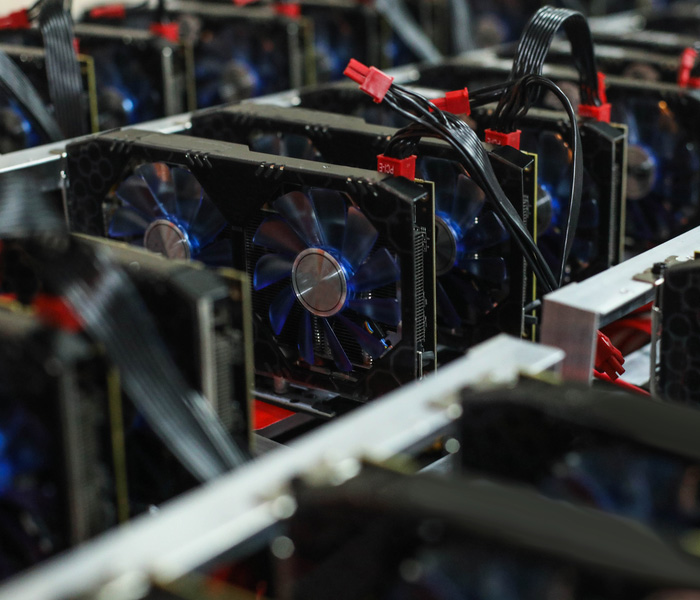
    The Vega 56 is an impressive card for its overall, consistently overperforming from what we expect. It is somewhat pricey thanks to BitCoin mining, but as we’ve mentioned, as that craze dies down, this card and others in its class will come down from their lofty markups. With that in mind, the Vega 56 is a fantastic choice for those looking to run Full HD gaming, consistently outperforming the Nvidia GTX 1070.

    As an investment, it is future-proofed to a degree, as it is somewhat overkill on most 1080p HD games. As 144-240 Hz monitors become more commonplace, this graphics card will begin to really shine, as it will have no trouble keeping up with such blistering refresh rates. On the downside, this one runs pretty hot, so you’ll need a hefty cooling system to keep your rig from overheating.

    As you might expect, it’s also power-hungry, so be prepared to see your power consumption go up as this card chugs away. If you want a high-end card for HD and don’t mind a bit of a price tag, consider the Vega 56.

    Our favorite overall graphics card: Nvidia GeForce GTX 1060

    If you want a solid graphics card to play HD games and don’t want to spend an arm and a leg, look no further. The GTX 1060 won’t be blowing the other cards on this list out of the water in terms of raw performance, but what it lacks in pure power it more than makes up for in value.

    You can probably snag this part for around $300 on Amazon and you expect to see that price fall as the GPU market settles down. For that price you get a reliable card that can be overclocked to even handle 4K, as long as you have ample cooling and power to maintain it.

    On the flipside, this card doesn’t over SLI, so you won’t be pairing it with another 1060 to double its output. That said, for those who simply want a strong card for a reasonable price, the 1060 hits all the benchmarks you want it to and doesn’t compromise on overclocking.

  • Google Home Receiving New Functionality

    Google Home Receiving New Functionality

    At this year’s I/O 2018 press conference Google unveiled a slew of new features and functionality for their Google Home platform. If you missed the event live, no worries, we have a recap of all the updates for Google Home right here!

    Google Smart Display

    As a direct competitor to Amazon’s Echo Show, the new Google Smart Displays go on sale this July. Representing a leap forward for the Smart Home line, the Smart Displays will be able to play YouTube videos and display search information directly on the screen. With all the Chromecast and Google Assistant support you’ve already come to expect from the platform, the Smart Display is an even better way to help you stay organized and connected.

    Duplex Functionality

    By far the most astonishing thing seen at I/O 2018 was Google’s new Duplex software. Essentially a highly advanced conversational AI, Duplex uses tons of neat linguistic tricks to sound eerily human. Originally pitched as a service that can make phone calls in lieu of users, in order to set up reservations and the like, Google has also teased that the highly advanced conversational program will make its way into the Google Home suite. Google Assistant functionality that speaks and reacts like a real person sounds simultaneously creepy and awesome. I, for one, welcome our new robot overlords!

    Play Movies Compatibility

    Bafflingly, Google Home has only recently received the functionality to launch movies purchased from Google’s own Play Store. Google Home has long had the ability to launch Netflix and other streaming services with just voice commands, but Google is only just now rolling out support for playing Google Play Movies from your library. While this one seems like a no-brainer, it’s always nice to small quality of life improvements like this not get overlooked in favor of massive new updates like the upcoming Duplex support.

  • GPU Prices (Finally) Dropping

    GPU Prices (Finally) Dropping

    If you’re like me and have less interest in using a GPU for cryptocurrency than video games, you’ve surely lamented the absurd prices of high end graphics cards over the last few years. Thankfully, prices are finally starting to drop on GPUs due to a variety of factors.

    The Crypto-Elephant in the Room

    For starters, the market for cryptocurrencies like BitCoin and Etherium is starting to cool down. This has been gradual, as the initial rush for the currencies was exponential, but now more reasonable expectations for the technology have led to most currency miners backing off somewhat on their investments in expensive mining rigs.

    Supply is Meeting Demand

    GPU manufacturers are finally starting to meet up with demand on their shipments. High end graphics cards are not easy or cheap to produce, and so the initial gold rush for cryptocurrency largely wiped out back inventory of premium GPUs. However, enough time has now passed that manufacturers are filling shipments again, which is great for consumers.

    ASICs on the Horizon

    Seeing the potential in the market, computer parts manufacturers have promised to deliver dedicated mining rigs, called ASICs, by the end of 2018. In preparation for this, most major mining operators are pulling back in their GPU purchases, consolidating their funds for the release of dedicated platforms for their trade. This is only good news: miners will be happy to have more specialized set ups and gamers will be able to affordably acquire high-end GPUs without taking out a small loan.

    Bottom Line

    Don’t feel the pressure to buy a new GPU right away. If you really want one, now isn’t a bad time, as most high-end cards are going for right around MSRP now, which is fantastic. However, as supply continues to catch up to demand and the release of ASICs rigs grows nearer, we will likely see further discounts on GPUs when the mining bubble moves on. Less likely, but more helpful for consumers, would be if the cryptocurrency bubble burst altogether.

    While some gamers and PC enthusiasts have fingers crossed, that eventuality seems to be less likely the longer BitCoin and the like persist. Either way, we’ll very likely continue to see price drops on graphics cards for the foreseeable future.

  • Four Big Reveals from Google’s I/O 2018 Conference

    Four Big Reveals from Google’s I/O 2018 Conference

    Google’s massive I/O 2018 conference unveiling all their new tech and software has come and gone. If you missed it, don’t fret! We’ve got you covered. Check out the biggest news from Google this year!

     I/O 2018 Reveal #1: Smart Compose for G-Mail

    As a hybrid of predictive text and AI assistant, Smart Compose aims to make your email composition faster and easier. Using knowledge of your typing patterns and schedule, Smart Compose helps you automatically fill in chunks of sentences and streamlines your typing process.

    This functionality is sure to be useful for those who have to compose dozens of emails a day. Helping cut down on the amount of time those people spend typing will allow them to focus on more productive or thought-heavy tasks, rather than bogging them down with routine emails.

    I/O 2018 Reveal #2: Android P Public Beta

    Google announced that they are rolling out the public beta of their new Android OS, Android P. Uniquely, this beta isn’t exclusive to Google’s Pixel line of phones. It will also be available on select phones from other manufacturers. Notably, the OnePlus 6 will be eligible for the beta when it releases later this year.

    Android P is slated to be the next “big” thing. It streamlines the user experiences and adopts a more modern software suite. The new OS opts to clear out the four navigation buttons in favor of an iPhone X-like home button in the shape of a horizontal bar at the bottom of the screen. Android P also sports app suggestions based on time and location, another idea inspired by iOS.

    I/O 2018 Reveal #3: Google Smart Displays

    Continuing Google’s push to be a part of your daily routine, their Google Assistant functionality gets an update this summer with the launch of Google Smart Displays. These displays will be like Google Home speakers with screens, for lack of a better descriptor.

    Coming in July, these smart displays are poised to compete with Amazon’s Alexa-powered Echo Show displays. Interestingly, Google’s device can play YouTube videos, while the Echo Show doesn’t have that capability.

    I/O 2018 Reveal #4: Google Duplex

    This robust speaking AI software stole the show. Google Duplex is a feature of Google assistant capable of making realistic phone calls to businesses to make reservations and other phone-based services. Duplex sounds natural, lifelike, and completely unlike any speaking AI we have heard before.

    Complete with pauses and “ums,” Duplex manages to navigate conversation better than some humans and will be revolutionary for those with phone anxiety or those who simply don’t have time to make phone calls in their busy day.

  • Laptop Lookout: MSI GS65 Stealth

    Laptop Lookout: MSI GS65 Stealth

    Laptops are the cornerstone of our computing resources in this day and age. We need power, robust performance and ultimate portability for every aspect of our daily lives. This is a guide and insight to the best tablets on the market and today I’m here to talk about the GS65 Stealth. This is a  Thin   ultra-portable 15.6-inch laptop with a thin bezel gaming display and its brand new gold-and-black premium design. Its a complete laptop solution that can fit in any dynamic.

    The Great

    • Attractive, subtle design
    • Gorgeous, fast display
    • Excellent performance
    • Effective thermal management

    The Not

    • Bottom gets burning hot
    • Lack of biometric login
    • Poor  audio

    The Conclusion

    The MSI GS65 Stealth laptop is making a run at being my favorite gaming laptop. It is a powerhouse of a machine with cutting edge components, which includes an 8th-generation Intel Core i7-8750H CPU and an Nvidia GeForce GTX 1070 GPU.


    Taking the reigns as the best gaming laptop is a tall task that MSi Set out on, The result is a sleek, portable 15-inch laptop within a 14-inch device that’s capable of high-end gaming as well as intense productivity work for a decent price – cheaper than key competitors.

     The Design

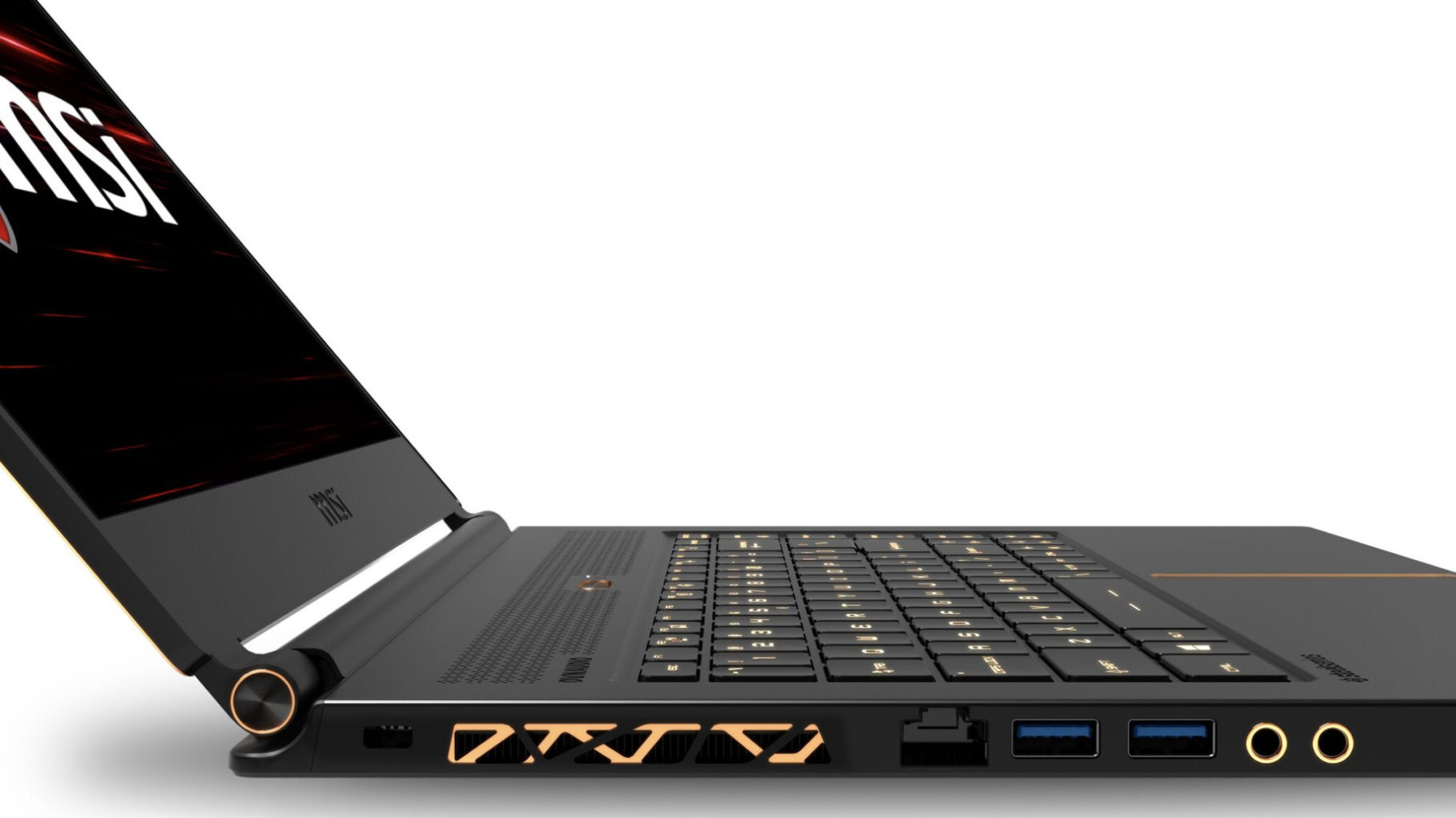
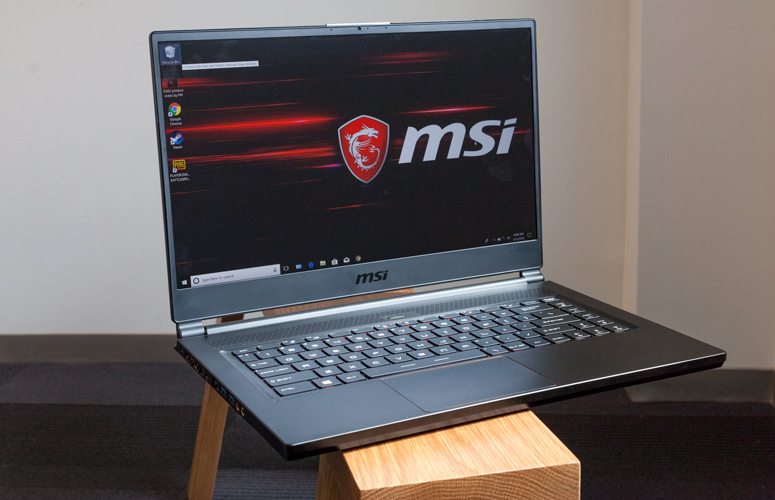
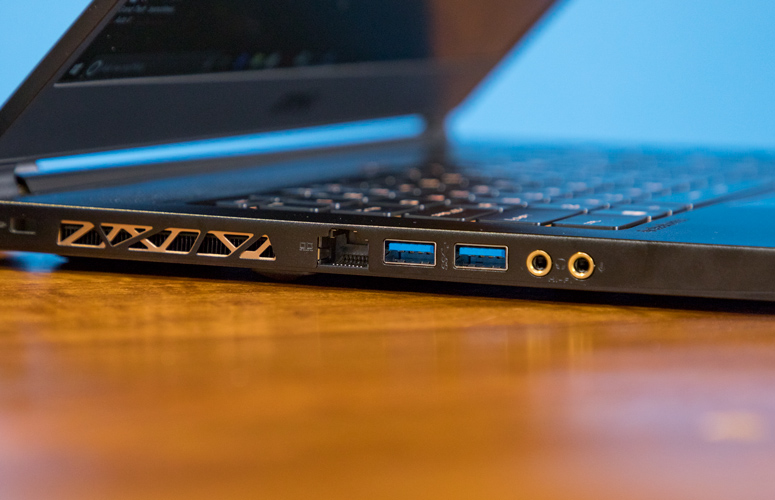
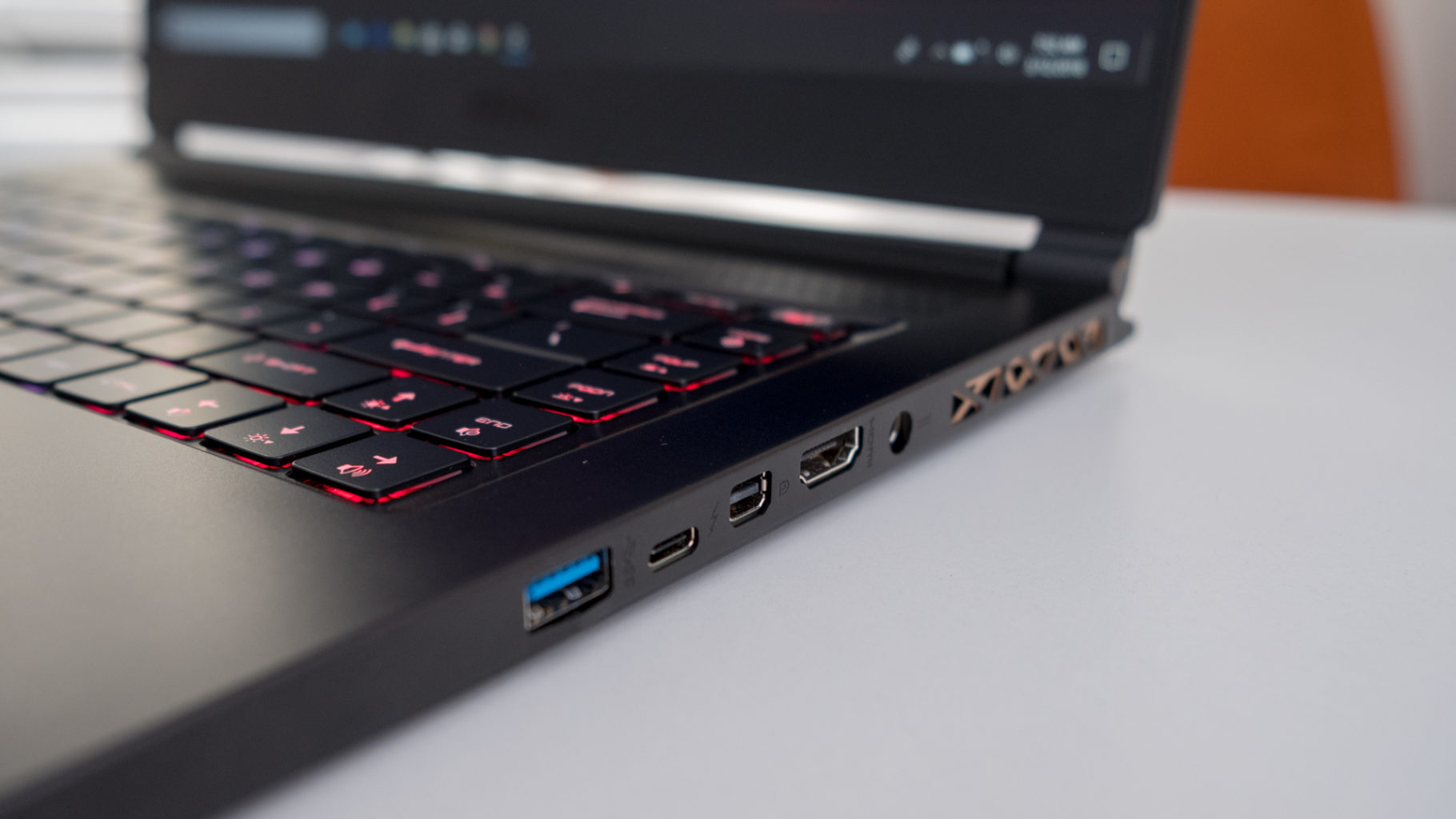
    There are no sharp angles or red LEDs all over this laptop, on the contrast really, you are going to l find a sleek, all-black device with subtle gold accents on its lid, within its dual hinges and surrounding its touchpad. Those gorgeous gold accents are also found highlighting the laptop’s heat vents, but nowhere else on the brushed, black aluminum frame. The result is one of the most visually arousing laptops on the market. its nice

    The Display

    It is bright and it is beautiful. 144hz panel the refresh rate is just right for seizure inducing gaming and contents of dark corridors in games just fine at even 50% brightness. Plus, MSI’s True Color 2.0 produces color gamuts that meet 100% of Adobe RGB and close to 100% of sRGB standard, and also supports game-specific color modes as well as anti-blue light modes.

    The Performance

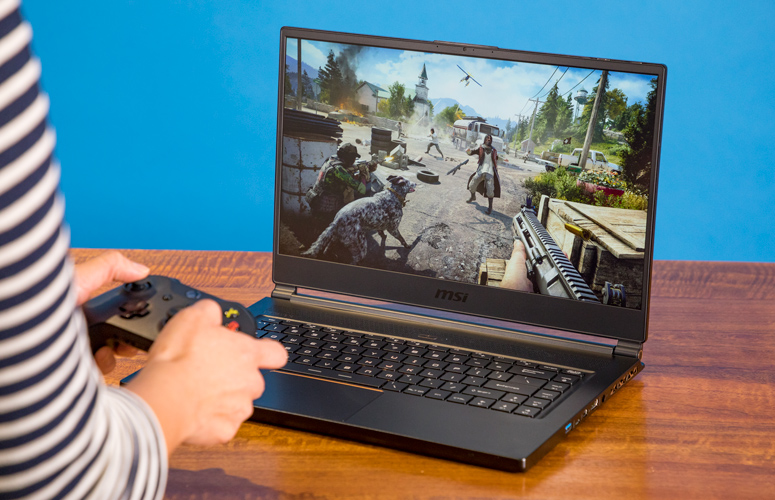
    The H-series Intel Core i7 processor, paired with that Nvidia Max-Q GTX 1070, make quick work of everything we throw at the GS65 Stealth. Its a combination matched with the screen and design that have this laptop purring.  If it can handle a full run at Battlefront II it will surely handle your morning email parade whilst listening to Golic and Wingos morning show with power to spare.  AS far as battery goes well you should know that almost none of these gaming laptops bring decent battery life to the table, but it is quite adequate considering the teeth on this guy.


    MSI GS65 Stealth Quick Spec Look

    • CPU: Intel Core i7
    • Graphics: Nvidia GeForce GTX 1070 (8GB GDDR5X VRAM, Max-Q)
    • RAM: 16GB
    • Screen: 15.6-inch FHD (1,920 x 1,080) anti-glare, wide-view 144Hz panel
    • Storage: 512GB M.2 SSD

    The Final Thought

    The MSI GS65 Stealth is officially the most impressive Nvidia Max-Q gaming laptop that I’ve tested.  Only the Razor blade pro can even compare. GS65 Stealth with lots of pre-loaded software, but it artfully avoids ‘bloatware’ status by providing functionality that’s actually useful. Its sleek, pretty and great as a everyday work laptop as well as a monster for gaming. Its reasonably priced and considering everything it is an incredible value.


  • Need a Touchscreen Laptop? Here are Our Favorites.

    Need a Touchscreen Laptop? Here are Our Favorites.

    For artists, students and professionals, a touchscreen laptop is a great way to get more hands on with work, research and play. Good laptops are expensive, though, so making a decision about which to buy can be very difficult. To help guide you, we’ve compiled some of our favorite touchscreen laptops! Ready for some new tech? Read on!

    Surface Book 2

    For those who want the best of all worlds, the Surface Book 2 touchscreen laptop has you covered. This convertible laptop converts into a 15-inch tablet for ease of handling and boasts an incredible display. The Surface Book 2 is very light and durable in both tablet and laptop mode, to boot. This laptop also sports a pretty tremendous amount of processing power, with 16 GB of RAM, usingan Nvidia GeForce GTX 1060 graphics card, all powered by an 8thGen Intel Core i7. If that all sounds very expensive, that’s because it is. The Surface Book 2, while awesome, is expensive: it retails for $2500.

    If the initial sticker shock of this touchscreen laptop fades and you still find yourself wanting this level of power, flexibility and control, then the Surface Book 2 is for you. Everything from video and photo editing to computer gaming comes natural to a rig this beefy, and with its convertible modes and lightweight design, this really is the best package to house it all in.

    Samsung Chromebook Pro

    This touchscreen laptop is the absolute best choice for students or note takers. The Chromebook Pro has a nifty storable stylus and a slick, easily-stashed design that makes it great for traveling in a backpack. The Chromebook saves all of your handwritten notes to Google Keep, which is fantastically useful by itself. This feature is made even more desirable for note takers when you take into account its main function: it stores your notes in a digitized, searchable text file!

    Being able to search back through your handwritten notes with an automated function makes studying a breeze. If you constantly find yourself searching your notebooks or saved note files for lectures and test answers, the Chromebook Pro was made for you. Retailing at a reasonable $600, this one doesn’t break the bank as much as the Surface Book 2, so it won’t set students back too far. The downside? It only sport about 9 hours of battery life, which can be frustrating on long days when you haven’t finished your studying or note taking yet. That gripe aside, the Chromebook Pro is still the best touchscreen laptop for students.

    Our Favorite Touchscreen Laptop: Microsoft Surface Pro

    Microsoft’s Surface Pro touchscreen laptop is technically a tablet 2-in-1, but we’ll let it slide onto the list for just how useful it is. It is beefy enough under the hood to make it feel like a fine laptop when it has its keyboard attached, and it also sports Bluetooth support for wireless mice. The stylus and note taking steal the show: this is a device designed with touch functionality in mind first and foremost. The optional Surface Pen is responsive and accurate, making it a fantastic tool for artists and students.

    If you’re in the market for something affordable and strong and don’t mind picking up the Surface Pen separately, this is the best touch laptop on the market. A must-have for artists and just an overall great device for everyone else. I really can’t think of anything else to knock the Surface Pro for aside from the lack of an included Surface Pen, and the Pen itself is so excellent that it’s hard to fault Microsoft for making it a separate product.

  • Best Photo Printers for Your Buck

    Best Photo Printers for Your Buck

    Everyone loves taking pictures with their smartphone, but sometimes you want physical copies of your pictures! Whether you’re concerned with losing your data or want to have a keepsake of good memories, we’ve rounded up our favorite digital photo printers!

    Epson SureColor SC-P800

    Our favorite printer for professional photographers! The Epson SureColor meets all the rigorous requirements of a full-time, gallery-quality printer. The SureColor can print very large photos and has exceptionally high print quality but is very expensive by comparison to other printers on this list. Sporting an LCD display and tons of bells and whistles, the SureColor is sure to meet all the needs of a professional. However, this one wouldn’t be a good pick for a casual photographer or a beginner, as its high number of settings and features can be intimidating.

    HP Sprocket Photo Printer

    The Sprocket fits in a pocket or bag and turns any smartphone into a Polaroid-style camera! The Sprocket has no need for ink, instead using unique dyed prints and applying heat to create the desired image. While the Sprocket won’t be creating any galley-quality prints, it is exceptionally cute and fun! Great for vacations and trips, this one is a good conversation starter and fun diversion. It is battery powered and boasts a sleek design but would not be a good fit for those looking for a more professional printer. For those looking to print on the go for fun with friends, the Sprocket is perfect, though!

    Epson PictureMate PM-400

    This small printer is handy to have around! Weighing only 4 pounds, it travels easily and tucks away great when not in use. Something between the pocket-sized Sprocket and the more professional SureColor, the PictureMate prints off decent quality photos. The PictureMate would make a great choice for those who wish to print out digital pictures of the family to hang in the hall, or for holiday cards and keepsakes. Those wishing for something a bit better on print speed and quality should look to the SureColor or Pixma instead, however.

    Canon Pixma Pro-100S

    The Pixma Pro is an impressive printer. With reasonably fast print speed and fantastic color quality, the Pixma does your photography justice. The prints from the Pixma could be considered gallery-quality, which is high praise. Using an 8-dye system, the Pixma creates positively stunning images in color and in grayscale. The only downsides are the relatively high ink price and somewhat low durability of the prints themselves. These complaints come with the quality, though, and so it’s hard to knock this printer too hard. This one has a much-needed wireless printing feature, allowing for prints straight from smart phones. A fantastic choice for any aspiring photographers!

  • Live Life in 4K with These Ultra Resolution Monitors!

    Live Life in 4K with These Ultra Resolution Monitors!

    While 4K technology has been available for some time now, it is becoming more and more affordable. More video games, streaming services and computer programs are taking advantage of the crystal-clear resolution, and we have our picks for best 4K monitors, all in one place for you to review! Check it out!

    BenQ PD3200U 32″ 4K Designer Monitor

    This monitor from BenQ has a very interesting feature: dual upstream USB ports, allowing for two computers to be hooked into one monitor and controlled from the same keyboard and mouse. For those who want a 4K picture experience with excellent color and crispness and the convenience of cooirdinating a dual-computer set-up, this BenQ monitor is a great choice. This one also has the added benefit of not requiring scaling, meaning that most third-party apps won’t give you any trouble, and its tremendous 32″ size makes for a gorgeous viewing experience! The only downside to this one is the price: it goes for a fairly steep $800.

    Dell P2715Q

    As far as older model monitors go, this Dell is a great choice for 4K viewing. Thanks to Dell’s awesome three-year warranty, you don’t need to worry about dead pixels ruining your viewing experience, and this monitor has a fantastic viewing experience at that. Excellent color quality pairs with its DisplayPort input’s 60 Hz 4K picture to make for a fantastic picture quality. This monitor has multiple USB 3 ports and a very adjustable, user-friendly stand for ergonomic viewing angles. For a reasonable $430, this Dell is a great choice. The only downsides are its relative age and large bezels, which somewhat cut into the otherwise stellar picture.

    Dell P2415Q

    For those who want a great-looking 4K image but have less desk space to dedicate to a monitor, this 24″ Dell is a great choice. This monitor is essentially just a smaller P2715Q, with comparable colors and black values, and all the same bells and whistles as its larger sibling. It also sports a USB 3 hub and is under the same excellent 3-year warranty and has a very adjustable stand. This one runs around $350, making it a significantly lower price point than the P2715Q. Much like its sibling, however, this monitor has large, unsightly bezels that cut into the image, but this is a small gripe. The P2415Q is certainly the greatest 24″ 4K monitor on the market, and if you’re looking for a smaller 4K experience, this is right for you!

    LG 27UD68P-B

    Our favorite 4K monitor, this LG impresses at every level. For $400 this is a fantastic value, sporting user-friendly menus and amazing picture. The color accuracy and black values of this display are some of the best on the market, and there is no better monitor for the price. LG has always been known for quality displays, and this is no exception to that reputation. This monitor also supports the new FreeSync technology, an adaptive scaling technique that pairs with compatible AMD graphics cards to minimize graphical tearing. If you’re looking for the very best in 4K monitors for a very reason

  • 3 Big Takeaways from the Microsoft Build Confrence

    3 Big Takeaways from the Microsoft Build Confrence

    Microsoft has slowly become this generations IBM. What I mean by this is they are your Dads tech co, that is not a good thing. For the last 2 days Microsoft has been hosting the Build Keynote to show us all they are not dead yet. After sorting through the keynote here are the 3 big takeaways and what we can expect from Microsoft in the future.


    1. Cortana and Alexa Will Integrate

    Good news Everybody! Soon you’ll be able to speak with Cortana through an Amazon Echo or reach Alexa through your Windows 10 PC. Microsoft and Amazon will be making each of their smart assistants available on one another’s platform. This is not new news, as they did announce this last year but we are seeing progress toward the launch. This opens up the digital assistant game by drastically changing the device eco system for both products. Side-note, who will use Cortana when you have Alexa?


    2. iOs and Android Will Get Timeline.

    Just an app from Microsoft that lets you back up your phone to specific times. Wanna take your phone back to January before you got obsessed with the Love Balls app… done. With this upgrade that Microsoft has already had in Windows you will be able to  keeps track of all the apps you’re using and what you’re doing in them. You can open up the timeline to view your history and jump right back to where you were. A nice function of Timeline is  that it can sync across Windows 10 devices, So if you use the same apps on your phone and desktop, you’ll be able to pick something up on mobile that you started on a desktop.


    3.Your Phone

    Microsoft has another new app called Your Phone that will allow you to sync Android phones and iPhones with Windows 10. You’ll be able to use the app to send text messages, access your photos, and view mobile notifications from your computer. With a launch date this fall and it already going to beta I may be able to stop having 3 devices on my desk all day going off, mostly with the same notification.


    The Final Thought

    If you are not seeing a theme here, Microsoft is quietly expanding the comparability of the Microsoft device ecosystem. While there’s no doubt Windows 10 will continue to ship on laptops and desktops for years and years to come, Microsoft as a company is shifting its attention to a bigger picture. Its a pretty brilliant move