Category: Computers

  • Laptop Lookout: Dell G3 15 Gaming Laptop

    Laptop Lookout: Dell G3 15 Gaming Laptop

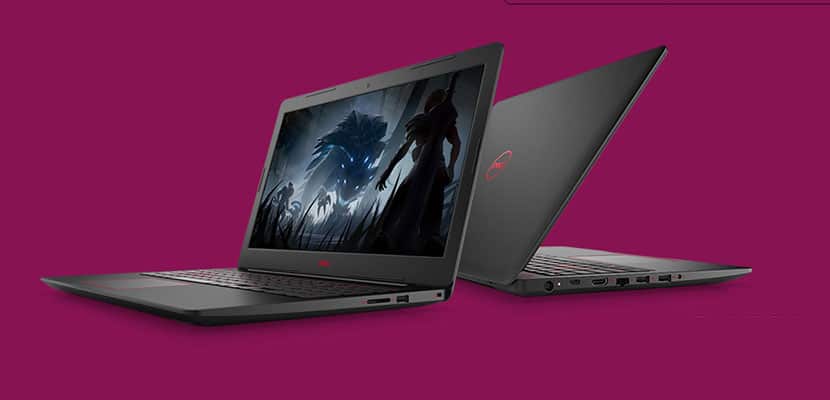
    Laptops are the cornerstone of our computing resources in this day and age. We need power, robust performance and ultimate portability for every aspect of our daily lives. This is a guide and insight to the best Laptops on the market and today I’m here to talk about the Dell G3 15 Gaming Laptop. This is a Thin ultra-portable 15.6-inch laptop with a thin bezel gaming display.. Its a complete laptop solution with gaming at a affordable cost in mind.

    The Great

    • Slim, subtle design
    • Dell Product Support
    • Excellent performance
    • Red Backlight Option

    The Not

    • Terrible TouchPad
    • Tacky Keyboard
    • Cheap Plastic Look and Feel

    The Conclusion

    Dell’s budget gaming laptops get a line of their own, some redesigns and Intel Core eighth-generation options. For the price its quite average  for gaming laptop.


    Dell’s G-series line is the new laptops  intended to be Dell’s new affordable gaming machines. At 0.5 inches thick, the Dell G3 15 Gaming Laptop is Dell’s thinnest 15-inch gaming oriented laptop. While it still has some Inspiron lingering design, core and feel in it, it also has a unique youthful appeal with stripes decals  and faux carbon fiber patterns. It also packs Intel’s new Core i7 H-series six-core CPU, which sits at the top of Intel’s CPU hierarchy.

    Its got the goods, 8th Gen Intel® hex-core processors provide responsive, powerful performance whether you’re gaming, streaming videos, or working on CPU-intensive projects. With Dual fans let you experience uninterrupted gaming while your system stays cool and Dual drives with SSD options including NVMe PCIe ensure faster performance and better reliability, and a new Ethernet port supports full 100/1000 Gigabit connections for quick performance.

    Power?

    There are configuration options and with a price this series now goes up to the six-core i7s and as high as a Core i9 in the top-end G7. One of the important ways they remain different from Dell’s gaming-focused Alienware brand is the GPU options, which run only from a Nvidia GTX 1050 to a GTX 1060 Max-Q for the G models.

    Quick Spec Look

    •  eighth-generation mobile Core i-series processors
    • Installed Size 16 GB, 1x16GB, DDR4, 2666MHz
    • Capacity 256 GB Solid State Drive (Boot) + 1TB 5400RPM Hard Drive (Storage)
    • Clock Speed 4.1 GHz
    • Diagonal Size 15.6 -inch FHD (1920 x 1080) IPS Anti-Glare LED-Backlit Display
    • OS Provided: Type Windows 10 Home 64bit English
    • Graphics Processor NVIDIA GeForce GTX 1050 Ti with 4GB GDDR5 graphics memory

    The Dell G3 15 Gaming Laptop  Design

    The G3 looks a lot more like the latest mainstream Inspirons, with touches like the patterned keyboard surround and notably slim profile for a gaming system. One nice design feature that you get with the Dell G3 15 Gaming Laptop is something you dont typically get with a budget laptop. LED Backlighting. Its simple and always impressive but the G3’s backlight comes in blue and red.


    The Final Thought

    Despite its cheap design, the Dell G3 15 Gaming Laptop is one of the best and powerful bangs for the buck. Starting at $750 with a I7 Processor you are really getting the best deal available for this kind of power. The track-pad is an issue but none of us game with a track-pad anyway, add a good wireless gaming mouse an enjoy the savings.
  • 10 Cool Things You Didn’t Know You Could Do with Windows 10

    10 Cool Things You Didn’t Know You Could Do with Windows 10

    Windows 10 is a robust, fascinating operating system. It’s user-friendly and deep, and there’s likely tons of neat little tricks in it you don’t know about. How many of these interesting Windows 10 tricks do you know? You’re sure to find something here you didn’t already know how to do! 

    Old-School Desktop 

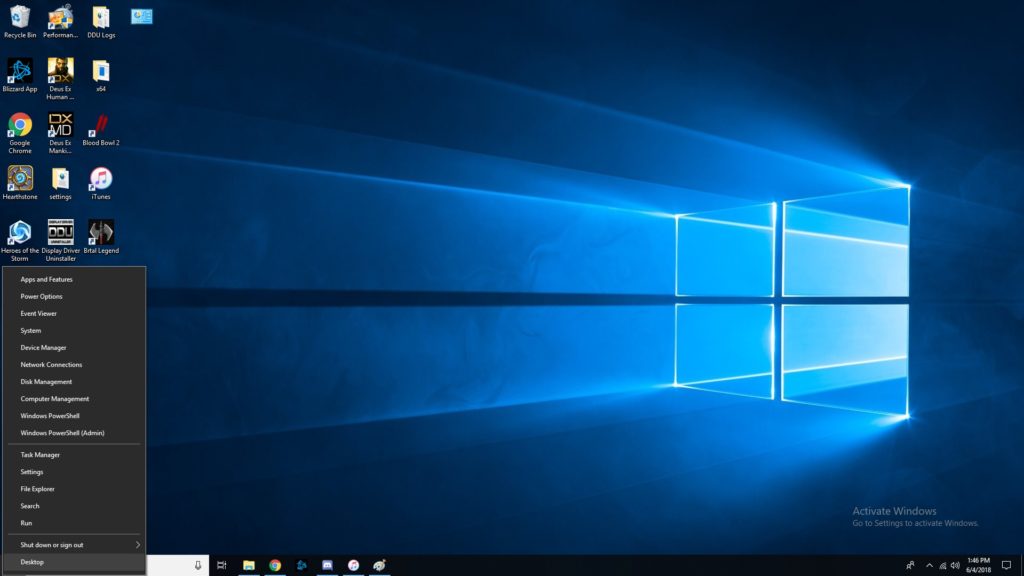
    If you like the more old-school look, try right-clicking the Windows button. This pulls up a set of controls that are familiar to long-time users. Hopefully if you’re having trouble navigating the OS, this trick helps you find your bearings. 

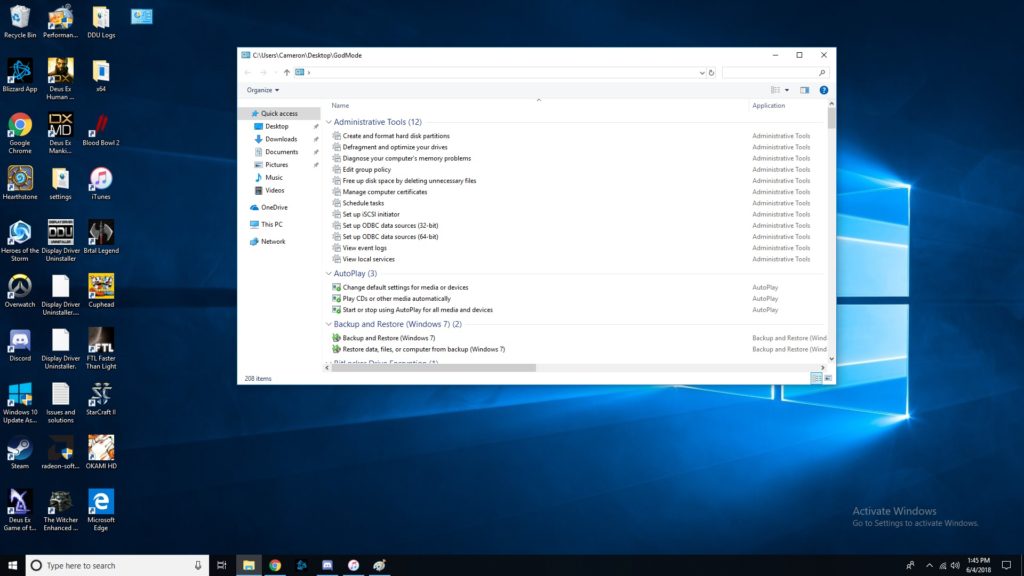
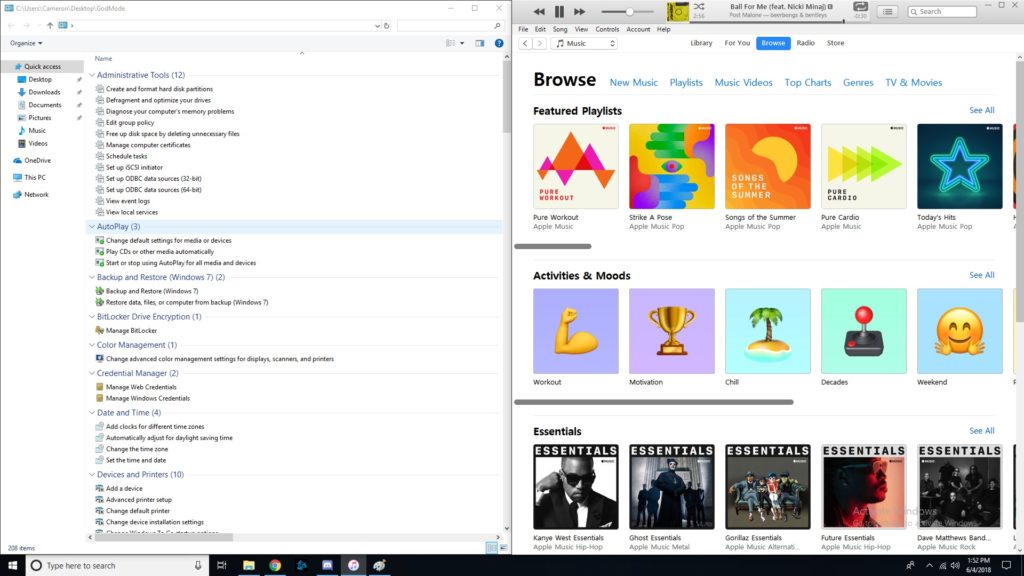
    God Mode, Enabled 

    If you’ve ever wanted to take direct control, you’ll love God Mode. It’s surprisingly easy to enter this Windows “cheat code,” but it’s super useful. To start, you should go to your desktop, right click, and make a new folder. Then, rename the folder “GodMode.{ED7BA470-8E54-465E-825C-99712043E01C}”. Congratulations, you’ve now enabled God Mode. Have fun with all these commands! 

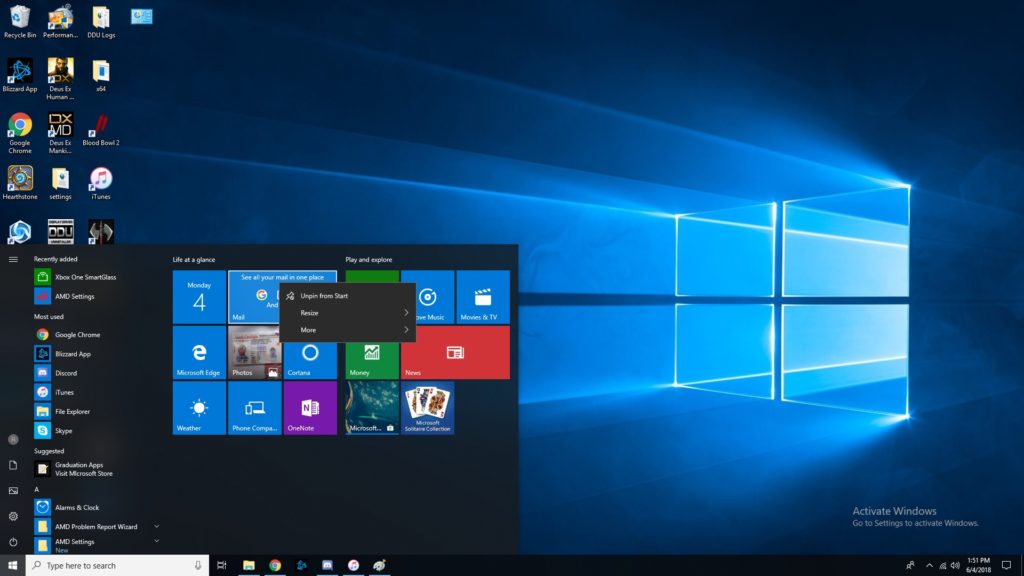
    Customize Tiles 

    If you want to customize your tiles, right click them. Now you can unpin, resize, pin to taskbar and more. You tile dashboard is meant to be an all-inclusive display, so having direct control of it is awesome. Make it your own, and have it show all the info you want at a glance! Remember, Windows 10 was made to be a great desktop OS and a great tablet interface in one. 

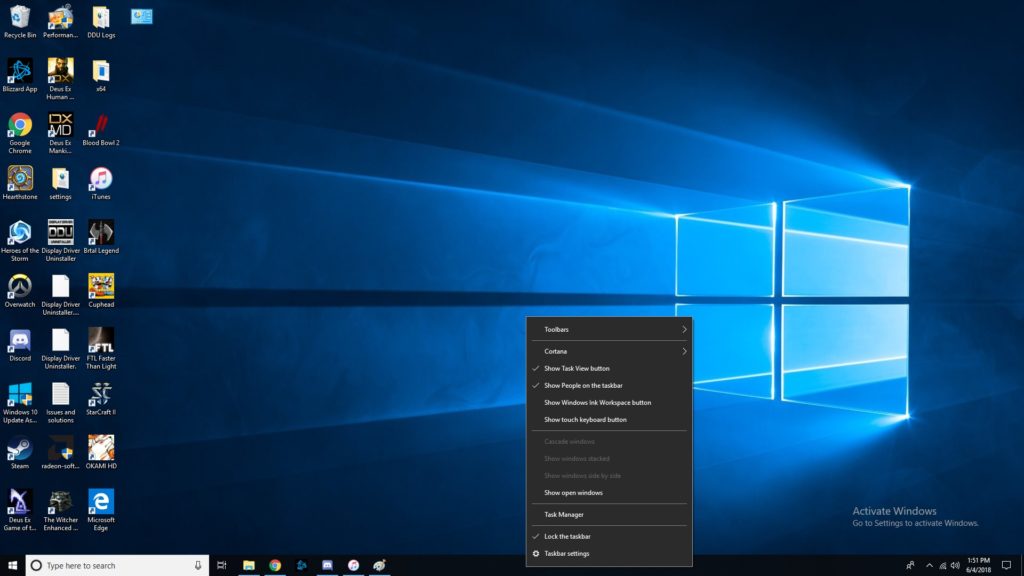
    Right Click Taskbar 

    Right clicking the taskbar brings up tons of awesome functions. Don’t be afraid to try it out! Some Cortana functionalities are controlled through here, you can mess with Windows schemes, and more! This one is simple but helpful. A lot of folks don’t even know this menu is there! 

    Show Desktop Button 

    That tiny little bar down there in the bottom-right corner where the cursor is in the image is the show desktop button. If you have a bunch of windows open and want to see the desktop, this is a great shortcut. Clicking in the bottom right corner is much easier than having to minimize four or five windows one after the other! 

    Pinning Windows  

    If you drag a window to one side of the screen, it’ll get pinned there as exactly half the screen. If you drag it to a corner, it will become a quarter of the screen. This is awesome for professionals who need to multitask! If you often use editing software or have to multitask a lot, you’ll love this feature. It’s also just cool to have for when you want to live-Tweet a stream and not have to hold your phone the whole time. 

    Fun with Cortana 

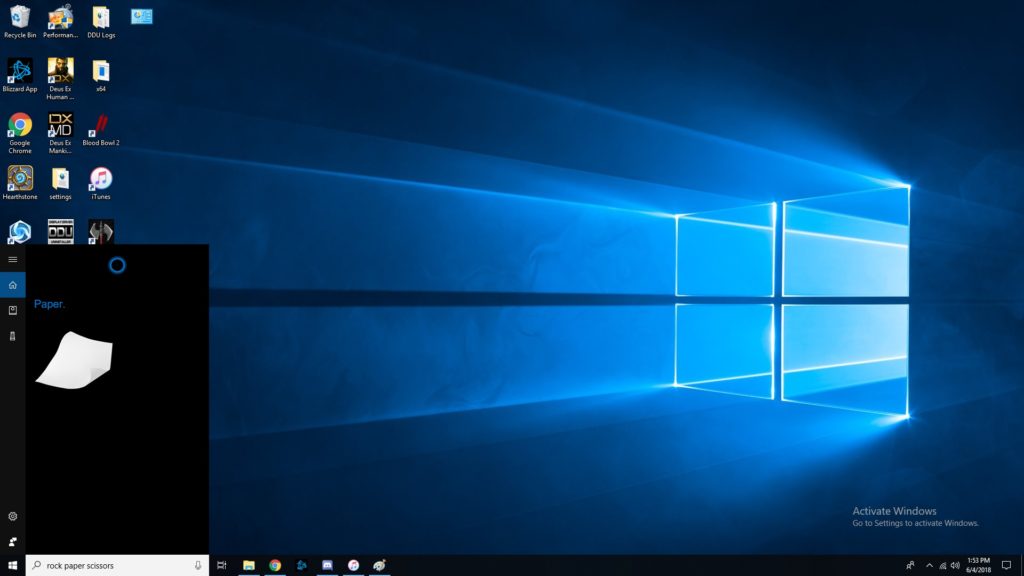
    Did you know Cortana knew a bunch of games? She can play rock, paper scissors, for one. She can flip coins, roll dice and more. Just type in the Cortana box any of those commands, or, if you’ve enabled it, use voice commands. These little diversions are a fun use of Cortana’s functionality. 

    Focus Assist 

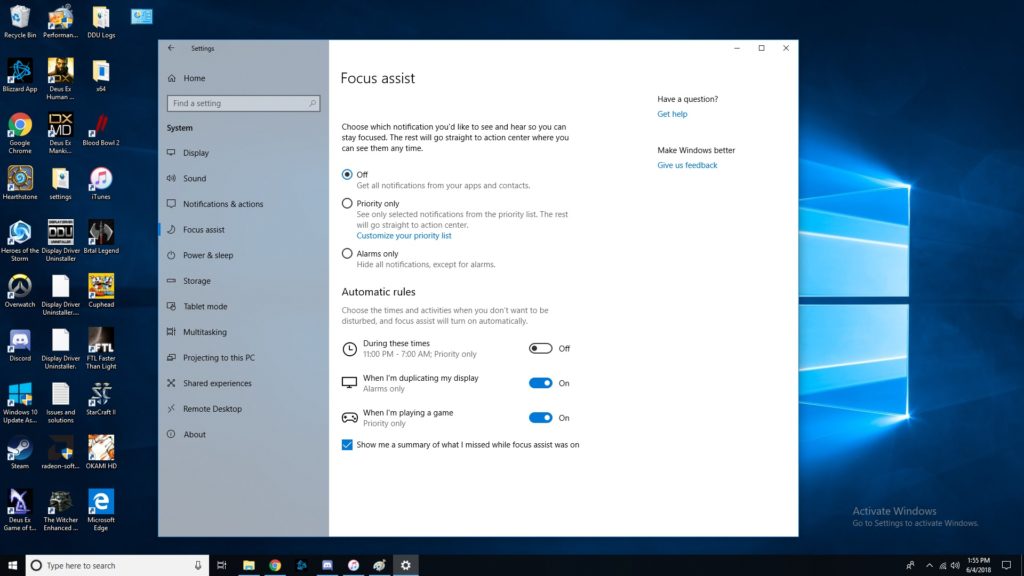
    Sick of notifications throwing you off when you’re trying to work? Try Focus Assist. Go to settings, and under system settings you’ll find Focus Assist. This mode lets you set hours you’d like to silence notifications, and even lets you customize which notifications are high-priority. This functionality is similar to smartphones’ Do Not Disturb mode. It isn’t frequently used, though, as many people don’t even know that it’s there! 

    Transparent Command Prompt 

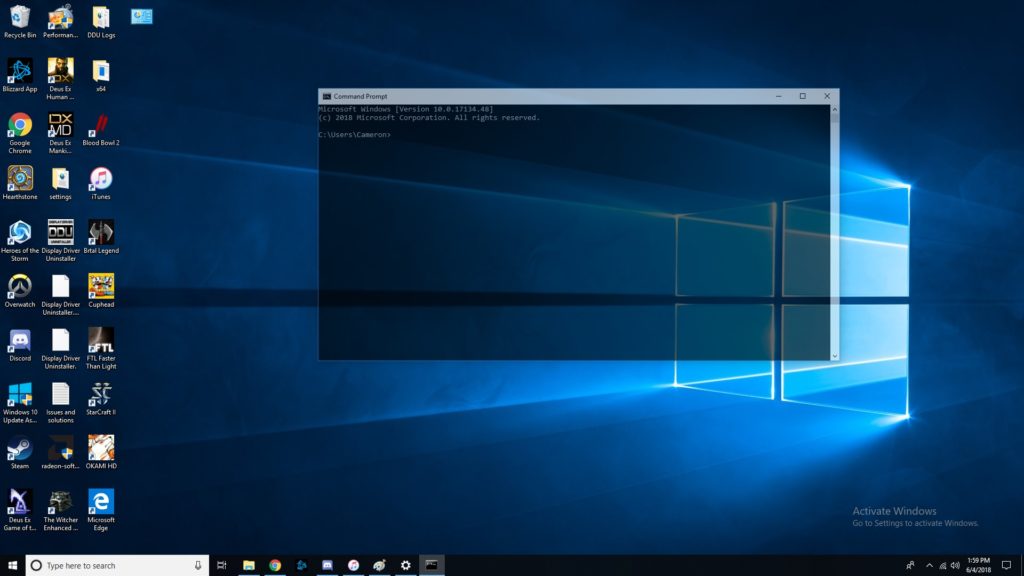
    The command prompt is super handy for programming and debugging. If you often use the command prompt but would like to be able to monitor other windows while doing so, try this trick. When using the command prompt, right click the top of the bar. Then, click on colors, and look for the opacity slider at the bottom. Slide until the window is as transparent as you want it! Now you can watch your commands get reflected in real time. 

    The Coolest Hidden Windows 10 Function: Dictating 

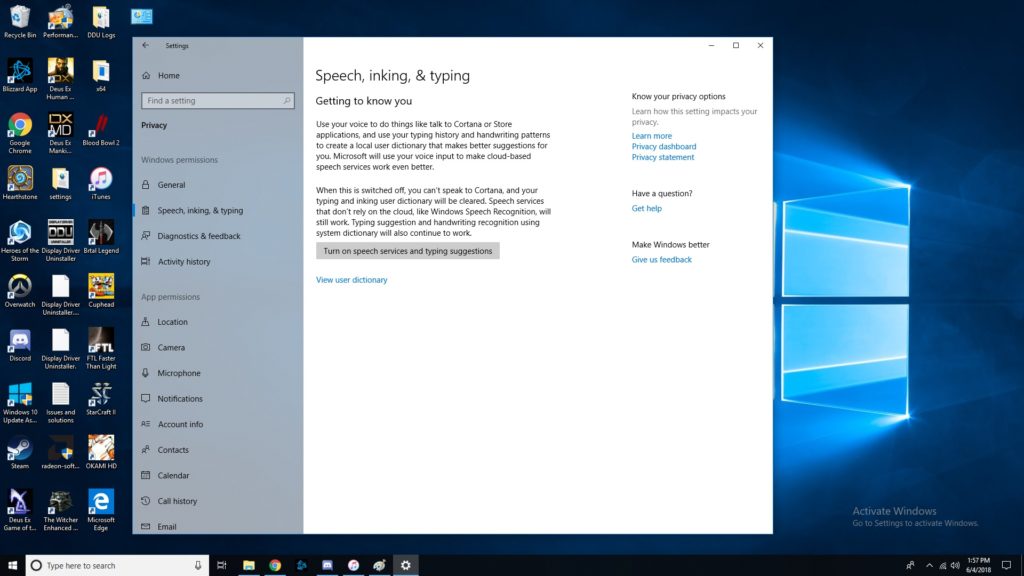
    Dictation is super handy for a number of uses. For one, it’s good for when you just don’t feel like typing or feel like you can speak faster than type. More importantly, it’s a great accessibility tool for those unable to use a keyboard. In any event, enabling dictation is simple! Go to settings, then speech, then related settings. Then, click on “Speech, inking and typing privacy settings” and enable dictation. Boom, now we’re talking! Literally!  

    Did you know all of these cool Windows 10 tricks, or did you learn something new? Now, go forth and enjoy your operating system with all these new tricks you know! 

  • Computex 2018: What is Asus Up To?

    Computex 2018: What is Asus Up To?

    Asus, known for typically playing second fiddle to Apple, wowed crowds at Computex 2018 on Monday. Asus showed off some absolutely crazy pieces of new tech! These will certainly get you excited for the future of technology. Since we’re so hyped, we rounded up Asus’ three big reveals from the conference.

    ZenBook Pro 

    A very sleek, technologically advanced new laptop, the ZenBook Pro is the more traditional option for those wary of Project Precog. What’s Project Precog? We’ll talk about it in a minute. The ZenBook Pro, though, is this year’s Asus innovation, featuring a trackpad that doubles as a display. You read that right, the new laptop has a tiny 5.5-inch display as a trackpad. Asus is calling this innovation the ScreenPad. The display seems geared at productivity, including functions with Microsoft Office suite of apps. Apple’s TouchBar plays in a similar space, but the ScreenPad is much beefier. This looks pretty awesome, but time will tell just how useful it is. 

    VivoWatch BP 

    This smart watch is promised to carry the world’s first medical-grade blood pressure sensor in a smart watch. Tech like this is a huge step in the right direction. The future of wearables is likely a fusion of medical and consumer technology. While the VivoWatch isn’t the flashiest wearable we’ve ever seen, it still shows that Asus is putting some serious thought into their offerings this year. Not to mention, they’re pioneering a field that will likely define the way we think of wearables, and that alone is worth praise. 

    Asus Highlight from Computex 2018: Project Precog 

    This dual-screen, AI-enabled laptop was a show-stealer. Featuring two massive touch screens and no physical keyboard, Project Precog promises to be the laptop of tomorrow. The laptop is set to ship with AI functionality to make your life easier. Suggested uses of the AI at the show were things like battery life conservation, helping you make Excel spreadsheets and recognizing users by face. If none of that sounded cool enough, it’ll also read where your hands are in relation to the display and generate a virtual keyboard under your hands when you want to type. How cool is that? Project Precog is set to launch in 2019. 

  • Which Gaming Mousepad is Our Favorite? Check Out Our Round-Up!

    Which Gaming Mousepad is Our Favorite? Check Out Our Round-Up!

    The hottest new trend in PC gaming is huge, desk-covering mousepads. Gone are the days of gaming with small, office-approved mousepads! The era of the gaming mousepad is here. Which one is the best for upping your game? Which ones are our favorites? Read on to find out! 

    Razer Sphex v2 

    If you’re a minimalist, you’ll love Razer’s entry in the gaming mousepad race. This incredibly thin mousepad looks great on a desk and helps your space look less busy. It even comes in a small size for those who have less space. It’s durable in spite of its thin profile and works great as a no-frills gaming mousepad. Razer sells this awesome product for $15. 

    SteelSeries QcK 

    Much like the Razer Sphex, the QcK is a no-frills, straightforward mousepad. It sports a very high thread count, your mouse slides beautifully along its surface. If you would like to hook your mousepad into your RGB lighting suite you could also opt for the Prism model! This one lets your whole setup flash in matching RGB illumination, which is super cool! It’s available from SteelSeries in a wide array of sizes and shapes for any desk. A great pick for a serious-minded gamer! 

    Corsair MM1000 Qi 

    This mousepad is a bit different from the ones discussed earlier. The MM1000 sports wireless Qi charging for your gaming mouse, allowing it to stay topped-off without interrupting your gaming! You can even charge your phone while you play if your phone is Qi enabled. This huge, smooth mousepad won’t break the bank, either, coming in at around $80. If you have a Qi enabled mouse and/or phone, give the MM1000 a shot! 

    Our Favorite Gaming Mousepad: Corsair MM600 

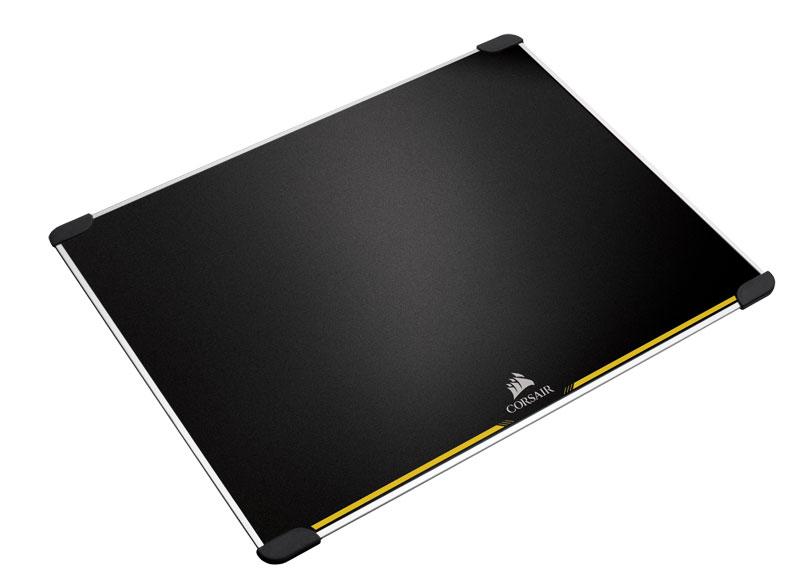
    The huge MM600 is a low-tech yet awesome mousepad for gamers. It’s double sided and features rubber feet in each corner to keep it in contact with your desk. It’s made from aluminum and its surface is treated to be low-friction. This mousepad truly feels premium, and it’s very affordable for how high quality it is. You can pick one up for yourself for around $40 from Amazon. 

  • Interested in Losing Yourself in Another World? Check out our Favorite VR Laptops

    Interested in Losing Yourself in Another World? Check out our Favorite VR Laptops

    Since VR-capable computers tend to be very hefty machines, they are commonly desktops. However, what’s the fun of a VR set-up if you can’t show it off to your friends? Nothing’s quite as cool as showing up to a friend’s house and letting them try out VR. Parties were people can try the tech out are super fun! You can even take it on a plane ride to help pass the time while waiting to arrive at your destination. Which laptops are the best for VR, though? It’s pretty resource-heavy, so you have to pick the right one! 

    Dell Inspiron 15 7000 

    Dell’s Inspiron line carries some pretty hefty graphics, which is great for VR! It’s also at a great price point, coming in at $800, which makes it the most budget-conscious pick on this list. The main drawback to this laptop is the display, which is suboptimal. But if you’re looking to have a VR headset on while using it, it’s actually not as big a drawback! It also sports a great battery life, helping you get the most time out of your virtual reality fun! 

    Origin PC EVO15-S 

    The Origin is a very, very slim machine with a lot of power under the hood. It boasts an impressive Max-Q GTX 1070 graphics card that manages to be small, quiet and powerful all at once. You’ll be able to throw this laptop in a bag and still have plenty of room for your VR headset’s carrying case! The origin also has a great amount of storage, so you can download tons of games, and it offers great battery performance. All of this can be yours for around $1,600, which, considering how great of a laptop this is, is a great price. 

    Asus ROG Zephyrus 

    Asus, known for their high-quality builds and rock-solid durability, has a great laptop for VR. The Zephyrus also boasts an N-Vidia Max Q graphics chip, which helps it to be a thin, powerful machine like the Origin. The drawbacks to this laptop are a bit more noticeable, though. For one, it has a relatively short battery life, which somewhat negates the purpose of having a laptop instead of a desktop. It also has this weird, small, right-aligned track pad that is just… It’s bad. The 1080p screen isn’t as much of an issue if you mean to spend more time with the VR headset on, though. If you can get over those drawbacks, and the $2,700 price point, this Asus is awesome for VR. 

    The Strongest Laptop For VR: Alienware 17 R4 

    The Alienware 17 R4 is one of the strongest gaming laptops on the market. It sports a ton of options for configuration, allowing you to customize your experience. VR enthusiasts won’t be disappointed: framerate, graphics and response time will all be top-notch with this laptop. It has Nvida GTX 1080 graphics, putting some serious power in your hands.  This one gets our nod because of its wide array of options. If you’re a VR enthusiast, you can customize it to suit all your needs. As such, the price will reflect that. For comparison, a high-end model of this laptop would run around $3,000, but you can outfit it to your tastes. 

  • HP Omen 15: Early Reports of HP’s New Gaming Flagship

    HP Omen 15: Early Reports of HP’s New Gaming Flagship

    Once considered a bit of a joke among gaming enthusiasts, HP has managed to recapture some of their lost respect with their Omen line. Omen gaming laptops are surprisingly excellent, sporting great design, size and performance all for a reasonable cost. The HP Omen 15 is no exception: early takes on the new laptop show it’s got some seriously impressive hardware under the hood. Not to mention, it’s sleek, sexy and well worth the attention it’s getting. Let’s dive on in! 

    Design 

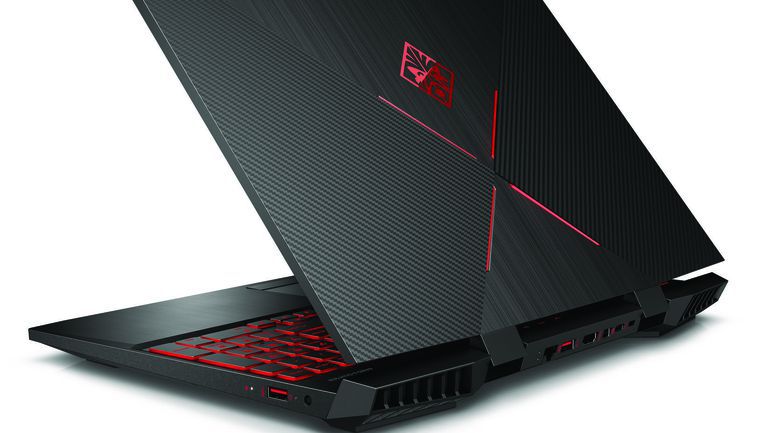
    HP took a page from Razer’s book and went with the sleek, black matte plastic look. It even has the glowing logo on the back, but Omen’s logo is much less subdued than Razer’s. The back plate has a series of cross-hatchings that give the laptop an industrial, almost alien appearance. The keyboard section of the computer is aluminum, giving the laptop a premium finish.  

    The most striking aspect of this year’s design, however, is the incredibly small bezels. Compared to other laptops, the Omen 15’s display looks huge, even though it’s comparable to most modern gaming laptops. The reduced bezel size does wonders for the viewer: the laptop itself vanishes and only the game you’re playing remains. 

    Hardware 

    The Omen 15 wouldn’t be a gaming machine without the right graphics. And boy, does it have the right graphics. This mean machine sports Nvidia cards, specifically the GTX 1070 with Max-Q, 8th gen Intel processors, and options for 32gb of RAM. What’s more, the laptop has both solid state and hard drive options for memory, allowing for the best of both world when it comes to storing your games.  

    Both forms of memory, as well as the RAM, can all be accessed through a single panel. This is an excellent design decision for those who want to upgrade their rigs as technology improves. These design decisions, coupled with the beefy hardware, make the Omen as serious contender in the realm of gaming laptops. The high-tier rigs of the Omen 15 will be able to handle 4K graphics at 60Hz, which puts it on par with modern gaming desktops. That’s some serious power for this little thing! 

    Omen 15 Meant to be Gaming Hub 

    HP also announced some additional features and accessories for their new laptop. Omen’s new program, Omen Game Stream, is slated to launch with the laptop. It will allow users to stream games from their laptop to another screen, like the one in their living room. The Omen 15 promises 15 gigabit wi-fi, which should allow for even the most demanding of games to be streamed via the software. 

    Other accessories set to launch include the Reactor Mouse and the Sequencer keyboard. Their cool sci-fi names underscore their cool sci-fi innards. Both are stated to make use of optical mechanical sensors, allowing for lightning-fast response time from both. HP has also announced a headset called the Mindframe headset, set to launch later in the year. The Mindframe is stated to have internal cooling, an odd choice for a headset, but perhaps required during more serious gaming sessions! 

  • Razer Blade 2018: Worth the Hype?

    Razer Blade 2018: Worth the Hype?

    Razer’s name is synonymous with computer gaming. Despite some diversions, like the Razer phone, the company is still dedicated to delivering top-notch gaming experiences. The new line of Razer Blade gaming laptops is no exception. What are some early impressions of the new line? Is it worth all the hype? And, more to the point, are these laptops worth all the money? 

    Speaking of Price… 

    How much value you get out of your computer really depends on how much you’re willing to spend. The Razer line certainly will have you spending: the cheapest of them, a 1080p-equipped rig, runs for $1,900. A 4K-enabled version is at market for even more, retailing for $2,900. These are some high numbers, so it’s a good thing Razer’s name is attached. How do they stack up, though? 

    How Does it Look? 

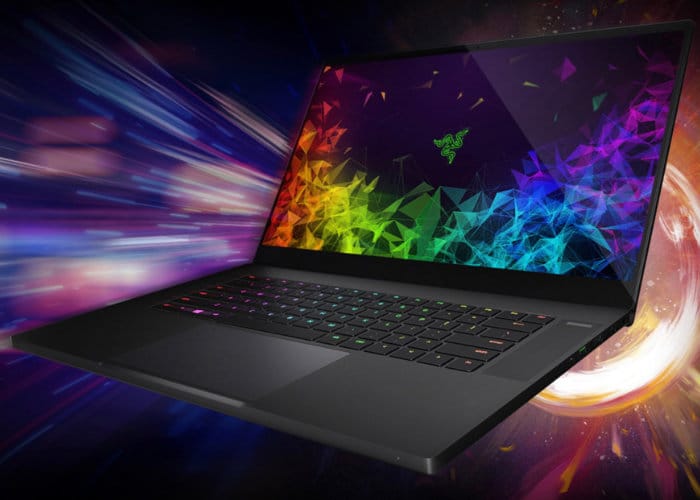
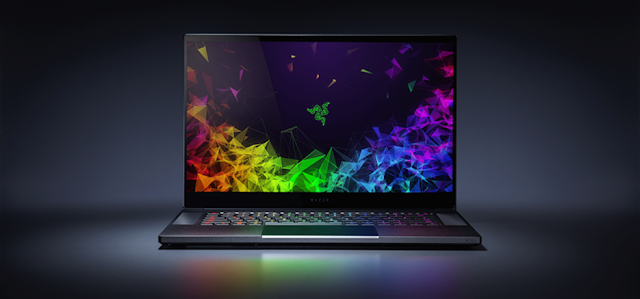
    It looks great. The screen is crisp and luminous, and a great companion for modern games. The laptop itself has an angular, industrial look akin to the Razer Phone line. The iconic Razer logo glows a neon green on the back of the laptop, glistening like the eyes of a hidden snake. In short, the machine looks mean. It looks like it means business, and the powerful processors within certainly deliver on that promise. 

    Razer Blade for Any Problem 

    Performance-wise, this laptop is a beast. Silky smooth graphics and impressive heat management in this laptop rival modern-day home consoles. Performance rarely slows down or overheats the machine. Razer’s Synapse software lets you customize your cooling profile, helping ensure the best perfomance from your computer. 

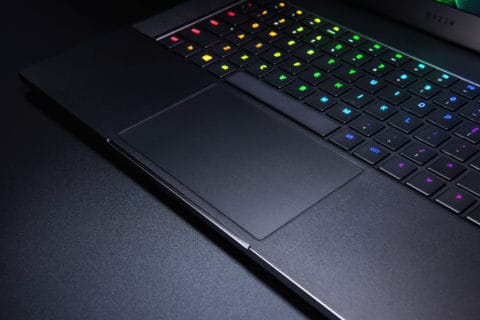
    Even better, the keyboard is (of course) a Razer Chroma, which looks awesome in any light. The keys have great travel time, they’re super responsive and offer great feedback. If you’ve ever used a Chroma keyboard and loved it, you’re in for a treat with this laptop. 

    Bottom Line 

    If you’re looking for 4K gaming on the go and don’t mind spending a bit of money, this Razer Blade line is a fantastic choice. It’ll set you back nearly $3,000 to pick up the 4K-ready laptop, but it’s a fine investment. The Razer Blade models offer upgradeable RAM, ensuring they’ll stay relevant for a number of years. This is money well-spent, and a great consideration for any serious gamer. 

  • Dell XPS 15 2-in-1 Features Unique Intel and AMD Partnership

    Dell XPS 15 2-in-1 Features Unique Intel and AMD Partnership

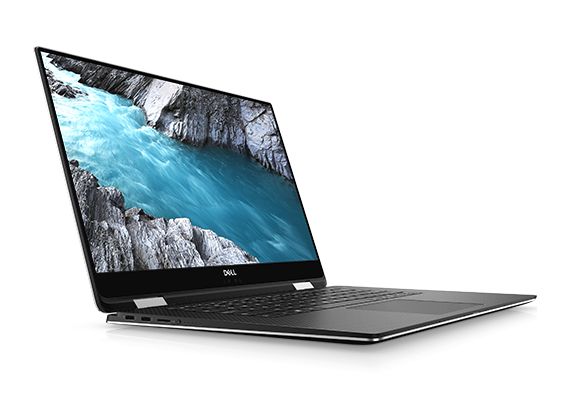
    Intel, maker of processors, and AMD, maker of graphics cards, have partnered to create an interesting feature. The Dell XPS 15 2-in-1 houses a part called the Kaby Lake-G. This part is a fusion of an Intel CPU and an AMD graphics chip. This has some significant ramifications for the computer it’s housed in. 

    Discrete vs Integrated Graphics 

    Most people who use a laptop for “normal” stuff, like writing and watching YouTube, aren’t concerned with their graphics card. Only high-end games and some professional applications require tremendous graphical computing power. However, those that want to play high-end games or use AutoCAD on their laptop tend to opt for discrete graphics cards.  

    Discrete cards are separate from the motherboard, allowing them more space to perform their advanced processes. They also put off tremendous heat, take up space and use more power. Integrated graphics, on the other hand, are processed in the same place as the motherboard. Integrated graphics are less expensive, less noisy and generate less heat. But they are also notably ill-equipped for gaming, as they are underpowered. 

    The Solution? A Compromise 

    Enter the Kaby Lake-G. While still technically a discrete graphics card, this processor is an interesting hybrid. The Kaby Lake-G is comprised of an Intel Core i7 (in high-end builds) and a Radeon RX Vega M GL GPU. In short, it’s a hybrid of two critical processors, linked to save space and energy and produce less heat. This kind of hybrid is perfect for small laptops and tablets to be able to put out graphics comparable to traditional gaming rigs.  

    XPS 15 2-in-1 Performance 

    Dell promises this new chip will perform at (or above) the level of current mid-tier graphics cards. This is a bold claim, considering how small the hybrid chip is. But given the nature of the cooperation between Intel and AMD, this might be true. If it is, this type of hybrid chip could be the future of gaming laptops. This technology would allow the computers to remain small and portable without sacrificing in computing power.  

    The XPS 15 2-in-1 itself is rather impressive, if a little noisy. While not exactly a gaming laptop, it can run games reasonably well. Considering how thin it is and how weird its graphics card is, it’s pretty impressive. Clocking about 45 frames per second at 1080p with little issue, this little 2-in-1 packs a lot of punch. 

  • Best 5 Laptops Under $500 in 2018

    Best 5 Laptops Under $500 in 2018

    Laptops are very essential these days- for school, work, or just personal use. The price of a premium new laptop can cost up to $1,000, which is pricey for anyone. Numerous companies have made laptops more affordable while keeping the quality and capabilities of more expensive laptops.

    You don’t have to feel like you’re settling when shopping for a laptop under $500. There are value-priced notebooks that include full-HD displays, solid performance and long battery life, plus all the ports you need. We picked all the best all-purpose laptops in $500 price range which we think are best laptops to suit the wide range of requirements of people. Here is a list of the best five laptops under $500!

    1. Dell Inspiron i3567 Laptop

    The latest version of this Dell laptop has a powerful system in place with 8GB of memory and a 128GB hard drive and a Intel Core i3-7100U 2.4GHz processor. It has a professional feel in it’s all black look with a 15.6-inch laptop with a screen resolution of 1366 x 768. The operating system runs smoothly with Windows 10 and is backed with a 12 month warranty, with 12 months of tech support.

    • A new, powerful hardware system
    • Has many ports and slots to use your external devices
    • 8 GB Ram
    • 7th Gen Intel Core i5 processor
    • It is not backlit enabled
    • Battery life up to 5 hours

    2. Acer Aspire A515-51-50RR Laptop

    The Acer Aspire 5 is one of the best budget full-size laptops you can find in stores today. It checks most of the right boxes: well built, slim and fairly light, gets a decent keyboard, an IPS screen and modern hardware, performs well, runs cool and quiet and lasts for a long while on a charge. This slim and sleek laptop is a great all round performing laptop, especially for the price. The visuals are spot on with vivid, bright colors.

    • LCD display and is backlit
    • 2.50 GHz Intel Core i5-7200U processor
    • Storage: 1TB hard disk
    • Intel HD 620 graphics
    • Battery life up to 7 hours
    • All-plastic chassis

    3. HP 15-ay191ms Laptop

    The HP 15-ay191ms, a signature edition laptops that comes with a seventh-generation Intel Core i3 processor, 8GB DDR4 system memory, 1TB of storage and a touchscreen, but still remains insanely affordable. It’s one of those laptops you’d buy without a second thought if you find inexpensive chromebook attractive, but really, really need Windows. If you love touchscreen, this one’s for you! This laptop contains the Kaby Lake processor which makes this laptop consume little power. Apps are not an issue here, they all run very smoothly.

    • Touchscreen
    • Intel Core i3-7100U processor
    • 8GB RAM
    • 1TB hard drive
    • Lag-free performance
    • Battery life up to 6 hours

    4. Dell Inspiron i3567-5185BLK Laptop

    Yet another Inspiron made this list! This version comes in different color options and a textured finish.  Packed with a large 15.6 Inches display and a decent 7th Gen Intel Core i5-7200U up to 3.1GHz CPU processor. This Dell laptop model would work well for portability with its 4.85 Pounds lightweight design and sleek black look. Great for school work or the family computer. A huge bonus with this laptop is it doesn’t heat up much!

    • 2.4 GHz Intel Core i3-7100U processor
    • 8GB RAM
    • TB hard drive
    • LED display with a built-in webcam and mic
    • Battery life is up to 6 hours

    5. ASUS Chromebook Flip

    This is one of the best convertible laptops on the current market. The Asus Chromebook Flip C302 is worthy of its premium stature with a gorgeous screen, tactile keyboard and a classy design that’s equally as comfortable to use in tablet mode or as a traditional laptop. The screen is a full HD touchscreen and can be converted from a laptop to a tablet by turning the screen. A top pick for a college student!

    • Intel Core m3 processor
    • 4GB RAM
    • 64GB of SSD storage
    • Battery life of up to 10 hours

  • GoodBye 14 inch Razer Blade,  Hello 15.6 inch

    GoodBye 14 inch Razer Blade, Hello 15.6 inch

    Razer is the hipster king of gaming laptops. For the last 5 years the 14 inch Razer Blade has been the cornerstone of their lineup. That is  all going to change now. No longer will Razer be offering the 14 inch super laptop. Instead they will be offering a suped up version in a slimmer 15.6 inch model.   Razer is calling it the smallest gaming system in its class. Its packed with an excruciating amount off cool stuff lets take a look.


    Design

    For starters Razer got rid of the rounded curves of the previous laptops for a more boxy shape. The company also ditched the pair of lines flanking the glowing green Razer emblem. Its a bit more classy look in my opinion. Measuring 14 x 9.3 x 0.68-inches and weighing 4.6 pounds, the Blade is notably larger than its predecessor (4.2 pounds and 13.6 x 9.3 x 0.7 inches). But it’s also slimmer and lighter than a lot of its current competition. As Razer said it, its the smallest gaming system available. Ports, its got em, you can expect a trio of USB 3.1 ports, a Thunderbolt 3 port, mini DisplayPort, HDMI 2.0, a headset jack and a power input.

    The Display

    This is were its gets cool. The 14-inch variant of the Blade is gone and with it goes those unsightly thick bezels. Razer has shaved the bezels down to 0.19 inches along the sides, allowing the company to squeeze a 15.6-inch panel into a 14-inch chassis. More screen less size for the win. The Razer Blade is available with several screen variants and refresh rates: Full HD with 60Hz, Full HD with 144Hz and a 4K touch panel with 60Hz. The 144Hz, 1080p screen and 4K panels will be individually color calibrated from stock.

    The Razer Blade Extras

    Of course Razer is gonna back this with there G-ed out Chroma keyboard and killer trackpad. That is just a given. Razer is swapping out the two discrete mouse buttons in favor of a massive precision touchpad. The new touchpad should deliver more accurate gestures and swipes. With the bigger chassis we are getting a bigger battery too. Bonus.

    Quick Spec Look


    • six-core, 8th Gen 2.2-GHz Intel Core i7-8750H processor,
    • 16GB of RAM,
    • 256GB PCIe SSD,
    • Nvidia GeForce GTX 1060 Max-Q GPU with 6GB of VRAM
    • 1920 x 1080 (60Hz) display.

    The Final Thought

    All good things must come to an end, but new begins lead to greatness.  From what I’ve seen so far, the 15-inch Blade is a great new start and we should be excited. Growth is always a good sign and as much as Im sad to see the 14 inch go, I love the way it walks away.