Category: Computers

  • Which Budget Gaming Laptop has the Most Bang for your Buck?

    Which Budget Gaming Laptop has the Most Bang for your Buck?

    Everyone loves to throw down with a great video game! What’s even better is getting to game on the go. What’s the best is saving money on a budget gaming laptop! Today we’re looking at the best gaming laptops that won’t break the bank.

    Lenovo Legion Y530

    Lenovo’s laptops are generally well-built, sturdy computers that don’t disappoint. Starting at $750 for a configuration that sports GTX 1050 graphics, or $840 for 1050Ti, it’s a solid price. If you just need a simple, sturdy laptop to play games on, this one is a solid pick. It’s got a minimalist design, a back-lit keyboard and a good display. This is an all-around solid pick and you can’t go wrong with Lenovo.

    Asus TUF Gaming FX504GD

    Asus is renowned for their balance of performance and price, and this one doesn’t disappoint. This laptop sports a comfortable, durable keyboard that’s great for gaming and will last for millions of keystrokes. In our opinion, the best configuration of this one is the $899 one with a 1050Ti GPU, a six cored i7 processor and a great display. It also boasts an edgy, industrial design that screams “awesome gaming laptop.”

    Acer Nitro 5

    The Acer Nitro 5 is a great budget gaming laptop for those who want a ton of performance on a small budget. For $650, you get GTX 1050 graphics, which is a really great deal, dollar-for-dollar. For a sight more, at $730, you get 1050Ti, which is also a great deal and can even put out images on par with most gaming desktop rigs. If you want a really solid balance of power and cost, this is it. The Nitro 5 is a bit lacking in some other areas, and it could be considered a slightly cumbersome machine. That said, it’s still an amazing value for the power under the hood.

    Best Overall Budget Gaming Laptop: Dell Inspiron 15 7000/G5 15

    If you’re really looking to make your money stretch, the durable and reliably Dell Inspiron 15 is right for you. There are a number of various models available in this range, and configuration for any budget and gaming taste exist. If you’re trying to keep the budget low, the G3 15 Gaming configuration comes in under $700 and has GTX 1050 graphics under the hood. Alternatively, if you want a more high-end experience, the GTX 1060 Max Q enabled rig runs for $999. All that power, and it still comes in under $1000! Not bad, huh?

  • Best 5 Laptops Under $500 in 2018

    Best 5 Laptops Under $500 in 2018

    Laptops are very essential these days- for school, work, or just personal use. The price of a premium new laptop can cost up to $1,000, which is pricey for anyone. Numerous companies have made laptops more affordable while keeping the quality and capabilities of more expensive laptops.

    You don’t have to feel like you’re settling when shopping for a laptop under $500. There are value-priced notebooks that include full-HD displays, solid performance and long battery life, plus all the ports you need. We picked all the best all-purpose laptops in $500 price range which we think are best laptops to suit the wide range of requirements of people. Here is a list of the best five laptops under $500!

    1. Dell Inspiron i3567 Laptop

    The latest version of this Dell laptop has a powerful system in place with 8GB of memory and a 128GB hard drive and a Intel Core i3-7100U 2.4GHz processor. It has a professional feel in it’s all black look with a 15.6-inch laptop with a screen resolution of 1366 x 768. The operating system runs smoothly with Windows 10 and is backed with a 12 month warranty, with 12 months of tech support.

    • A new, powerful hardware system
    • Has many ports and slots to use your external devices
    • 8 GB Ram
    • 7th Gen Intel Core i5 processor
    • It is not backlit enabled
    • Battery life up to 5 hours

    2. Acer Aspire A515-51-50RR Laptop

    The Acer Aspire 5 is one of the best budget full-size laptops you can find in stores today. It checks most of the right boxes: well built, slim and fairly light, gets a decent keyboard, an IPS screen and modern hardware, performs well, runs cool and quiet and lasts for a long while on a charge. This slim and sleek laptop is a great all round performing laptop, especially for the price. The visuals are spot on with vivid, bright colors.

    • LCD display and is backlit
    • 2.50 GHz Intel Core i5-7200U processor
    • Storage: 1TB hard disk
    • Intel HD 620 graphics
    • Battery life up to 7 hours
    • All-plastic chassis

    3. HP 15-ay191ms Laptop

    The HP 15-ay191ms, a signature edition laptops that comes with a seventh-generation Intel Core i3 processor, 8GB DDR4 system memory, 1TB of storage and a touchscreen, but still remains insanely affordable. It’s one of those laptops you’d buy without a second thought if you find inexpensive chromebook attractive, but really, really need Windows. If you love touchscreen, this one’s for you! This laptop contains the Kaby Lake processor which makes this laptop consume little power. Apps are not an issue here, they all run very smoothly.

    • Touchscreen
    • Intel Core i3-7100U processor
    • 8GB RAM
    • 1TB hard drive
    • Lag-free performance
    • Battery life up to 6 hours

    4. Dell Inspiron i3567-5185BLK Laptop

    Yet another Inspiron made this list! This version comes in different color options and a textured finish.  Packed with a large 15.6 Inches display and a decent 7th Gen Intel Core i5-7200U up to 3.1GHz CPU processor. This Dell laptop model would work well for portability with its 4.85 Pounds lightweight design and sleek black look. Great for school work or the family computer. A huge bonus with this laptop is it doesn’t heat up much!

    • 2.4 GHz Intel Core i3-7100U processor
    • 8GB RAM
    • TB hard drive
    • LED display with a built-in webcam and mic
    • Battery life is up to 6 hours

    5. ASUS Chromebook Flip

    This is one of the best convertible laptops on the current market. The Asus Chromebook Flip C302 is worthy of its premium stature with a gorgeous screen, tactile keyboard and a classy design that’s equally as comfortable to use in tablet mode or as a traditional laptop. The screen is a full HD touchscreen and can be converted from a laptop to a tablet by turning the screen. A top pick for a college student!

    • Intel Core m3 processor
    • 4GB RAM
    • 64GB of SSD storage
    • Battery life of up to 10 hours

  • Laptop Look Out: Macbook Pro Updates

    Laptop Look Out: Macbook Pro Updates

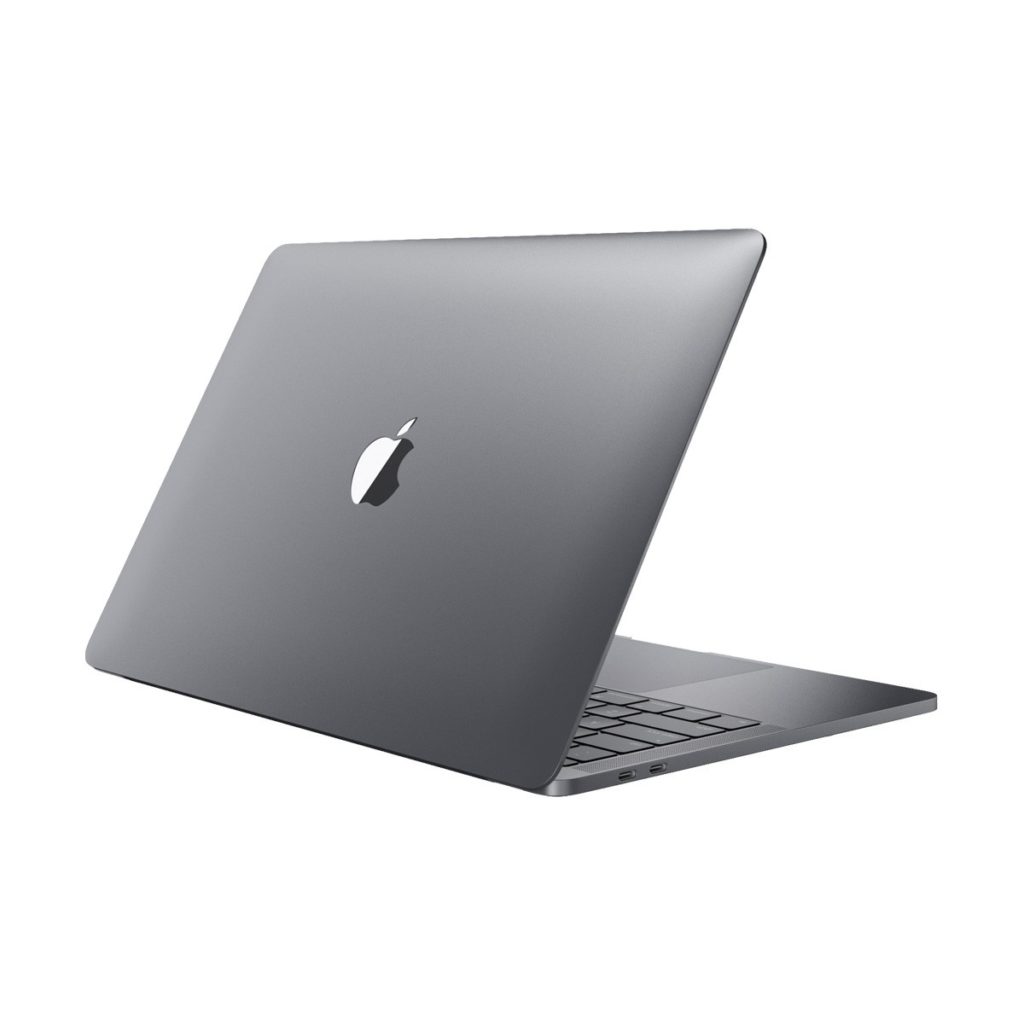
    Today Apple has updated its 13-inch and 15-inch Touch Bar MacBook Pros today with Intel’s latest eighth-generation chips. In addition to the processor up grades they are also offering up to 32GB of RAM and 4TB of SSD storage. Boom, hair officially blown back. Wait, just how much are these gonna cost me? With the standard models of Apple’s laptops will cost about the same (starting at $1,799 for the 13-inch model or $2,399 for the 15-inch model). The updated MacBook Pro, brace your self, can set you back a massive soul crushing $6700 big ones.

    Is it Worth it?

    Considering the $7000 Mac Pro I purchased earlier this year with 2.7GHz 12-core processor, 64GB of RAM, and a 1TB SSD. The new MacBooks only have half that power for the same price. Is it still a lot to pay for a computer? Most Definitely. But it’s worth remembering that the extra price is for optional hardware, so it’s ultimately up to you to decide whether or not to pay the cost. For comparison sake, the top  $2599 Alienware’s 15 inch laptop with 8th gen I9 and 16gb of RAM is a viable option at a fraction of the cost.

    What Else is New for The 2018 Macbook Pro

    Thanks to a T2 chip, which showed up previously in the iMac Pro, you can now summon Siri by simply shouting at your machine. Previous MacBook Pros required you to click a button, but now Siri is hands-free. The display isn’t getting any kind of resolution bump (or a touchscreen), but it does now have Apple’s alternating display temperature function, called True Tone, which means additional sensors have been built into the laptop. It has the same Touch Bar and Touch ID capabilities as previous models.

    The Final Thought

    Apple will sell Macbook Pros. The focus on the high end Macbook Pro are the design professionals and rich kids with their parents credit cards. Its nice to have those options and specs but no real commercial need for a few more years. Other wise very solid Macbook Updates and will keep them in the front of the best laptop line for a while.

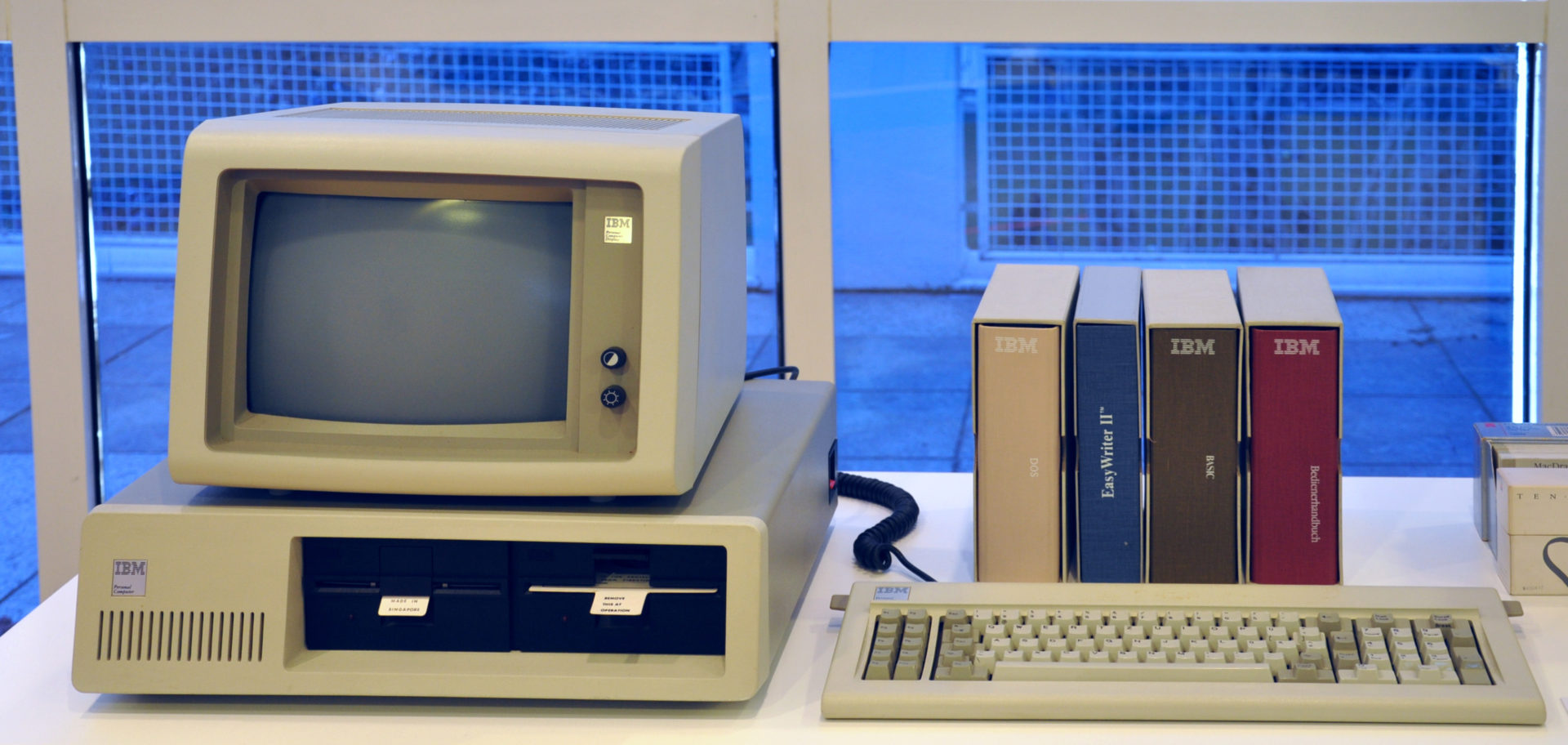
  • Tech Throwback: The IBM PC Personal Computer

    Tech Throwback: The IBM PC Personal Computer

    I like to take a look at where I’ve been to evaluate where Im going. Technology is cyclical after all… wait no its not. That said I still like all the feels that come rushing back like a flood of nostalgia every time I get my hand on the tech I grew up with. Im going to go back periodically and take a looking at the stuff that used to blow our hair back and get our minds rolling. Some of these device blew up and changed the world, some where ahead of their time and some just fell flat and became colossal failures. Today we have The Original IBM PC.

    IBM Personal Computer, also known as the IBM PC . While it wasn’t the first computer that didn’t have to be housed in a separate room. It was the first to be built and consecrated by Big Blue itself, legitimizing the whole concept. It was created by a team of engineers and designers in Boca Raton, Florida, in the early 1980s. The rest, as you know, is history.


    International Business Machines (IBM), one of the world’s largest companies was up to something and we all just knew it.  In the late 1970s the new personal computer industry was dominated by the Commodore PET, Atari 8-bit family, Apple II, Tandy Corporation’s TRS-80, and various CP/M machines. With $150 million in sales by 1979 and projected annual growth of more than 40% in the early 1980s, the microcomputer market was large enough for IBM’s attention.

    In 1980 and 1981 rumors spread of an IBM personal computer, perhaps a miniaturized version of the IBM System/370. The IBM Personal Computer (“PC”) was not as powerful as many of the other personal computers it was competing against at the time of its release. The simplest configuration has only 16K on-board RAM and uses an audio cassette to load and save data – the floppy drive was optional, and a hard drive was not supported.

    A basic system for home use attaches to an audio tape cassette player and a television set (that means no floppy drives or video monitor) sold for approximately $1,565. PC-DOS, the operating system, was not available on cassette, so this basic system is only capable of running the Microsoft BASIC programming language, which is built-in and included with every PC.

    Powering Back Up the IBM PC

    Im not sure what I was expecting. I remember being bored using my Dads and it didn’t really do anything cool. That didn’t stop me from entering any number of absurd command in the command prompt. I spent the next 15 mins repeating this childhood obsession. C:>Cancel School, C:> Where are my shoes?, C:> PRINT Money. C:> Make Robot. That was fun..

    Now its on to Leather goddess of Phobos. It was the only game I could remember and Im not sure why my parents let me play it. Its been a long time since i played one of these text adventure games. They seem to be gaining some hipster popularity back after Ready Player One. I forgot how tedious and boring not to mention for the spelling impaired annoying. But Basic, there is always Basica. This I still enjoy, creating and problem solving on a high level for a basic out put.


    The Final Thought

    I learned a lot about progress in my time with the IBM PC, both in 1986 and now. Its fascinating to see how far we have come in a very short amount of time. The IBM wasn’t the best option for a PC at the time, it lacked some of the innovations The Commador and HP’s had. This IBM PC’s success sparked my generations programmers to get us here. This is the computer all us kids got our hands on and that makes it special.

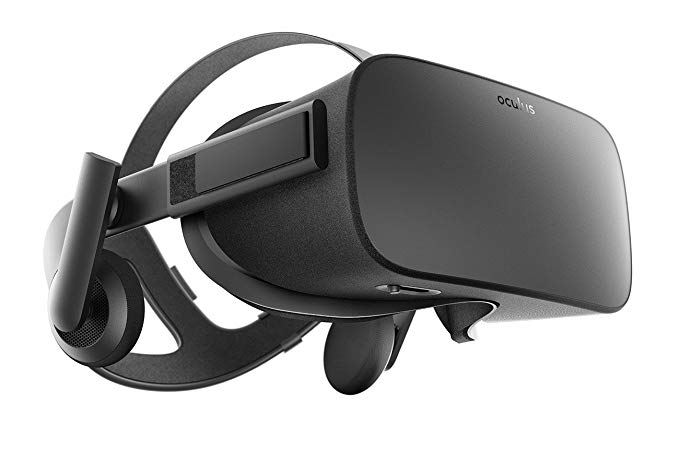
  • PC Roundup: The Best PCs for Oculus Rift

    PC Roundup: The Best PCs for Oculus Rift

    The Oculus Rift virtual reality headset is an amazing way to experience immersive video games. Virtual reality experiences have been around for some time, but they are now more accessible than ever. In fact, they’re more accessible than you might think! Today we’re rounding up some of the best PCs for Oculus Rift; they cost less than you think! 

    Dell XPS Tower Special Edition 

    Retailing for right around $1,000, the Dell XPS Special Edition is a great pick for VR. It sports an Intel i7-8700 processor, clocking in at 3.2 GHz. While the processor is important, it’s the graphics card that powers a lot of your VR experience! This computer’s Nvidia GeForce GTX 1070 won’t disappoint on that front, seeing to it that your games will look gorgeous. All that comes in a nice, compact case that takes up little room. That compact size does have its drawbacks, though. The case leaves little room to work in for upgrades, and the fans are quite loud. That said, it’s still a fine gaming PC, and perfect for VR headsets. 

    Dell Inspiron Gaming Desktop 

    The second Dell to make the roundup, the Inspiron Gaming Desktop is a great value at $600. It sports the exact same processor as the Tower Special Edition, but it only boasts 8GB of RAM to the Special Edition’s 16. Similarly, it has an Nvidia 1060 GPU, a slight step down from the 1070. However, those small steps back result in a $400 price reduction, making this an excellent choice even for power gamers. And, as expected, it’s fantastic for VR. It has plenty of power to render immersive worlds and engross you in your games.  

    Our Favorite PC for Oculus Rift: Origin Neuron 

    The Origin Neuron is the very top of the line when it comes to gaming PCs. If you’re interested in high-end gaming at all, this is the computer for you. It also just so happens to be amazing for VR! Your games will run butter-smooth on this machine’s Nvidia 1080 Ti graphics card. The 5 GHz i7-7700K processor puts in some serious work for this rig, and its 16GB of RAM let you multitask with the best. As top-of-the-line computers go, you can’t go wrong with the Neuron. It retails for a hair over $950, and it’s well worth the price. If you’ve been itching to try out Oculus RIft VR, this is the machine to do it on. 

  • Laptop Roundup: Best Laptops of 2018

    Laptop Roundup: Best Laptops of 2018

    Today, we’ve got a laptop roundup to bring you some of the best laptops of 2018 so far. If you’re in the market for a new laptop, these are the cream of the crop. While your mileage may vary, we’ve included a few different choices in case your tastes differ from ours. Alright, let’s get into it: the best computers for the pro on the go! 

    MacBook Pro 13-inch 

    The MacBook Pro is a fantastic laptop for creative professionals. The model without the Touchbar is a fantastic value, but the Touchbar model is a tad pricey. If you’re interested in creating content and looking for a laptop to keep up, this is the one. Mac has a reputation for being great for creators, and they’ve earned it. A sleek interface, beautiful aesthetic and great design decisions bolster this laptop. The only drawbacks? It’s still relatively expensive at around $1,300, and the keyboard leaves a lot to be desired. That said, Macs are notoriously well-made and Apple’s customer service is top-notch. 

    Chromebook Pro 

    Samsung’s Chromebook Pro may be an odd decision on its face but hear us out. If you’re a student, or looking for a second computer, this inexpensive option is great. It’s got everything you need for studying, composing papers and taking notes. While you won’t be editing films or hardcore gaming, you probably don’t need that if you’re in the market for a Chromebook. It’s worth noting that the Chrome OS is a scaled-back, user friendly but overly-simple operating system. If you’re a power user, steer clear. If you’re just looking for an affordable laptop, though, this is a great pick. 

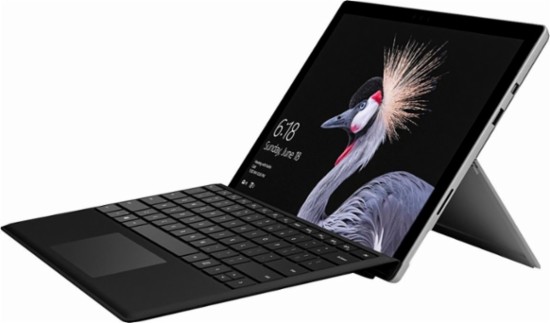
    Surface Pro 

    Microsoft’s Surface Pro is the very best 2-in-1 on the market, and that’s saying a lot. The crowded 2-in-1 market is an attempt to appeal to those that want something between a tablet and a laptop. The Surface Pro impresses on both fronts and compromises nothing to be the very best tablet and an excellent laptop. The power on this sucker rivals most other laptops in its price range. It just so happens to also have a detachable keyboard and a touch screen! Creative types, students and business professionals all love the Surface Pro. It even comes with a great stylus to get you started. All that, starting around $800. It’s a steal! 

    Our Favorite of this Laptop Roundup: Dell XPS 13 

    Our current favorite laptop overall is the Dell XPS 13. A fantastic all-rounder at a decent price, the XPS 13 is great for everyone. Well, everyone except gamers, but gamers already know what they’re looking for. Everyone else will love this sleek, fast laptop. The i5 version of the XPS 13 runs at $1,000, and the i7 runs $1,400, but that’s a reasonable price for this premium laptop. If you don’t mind footing that bill, you’ll get a powerful, zippy and portable laptop that’s sure to impress and delight. 

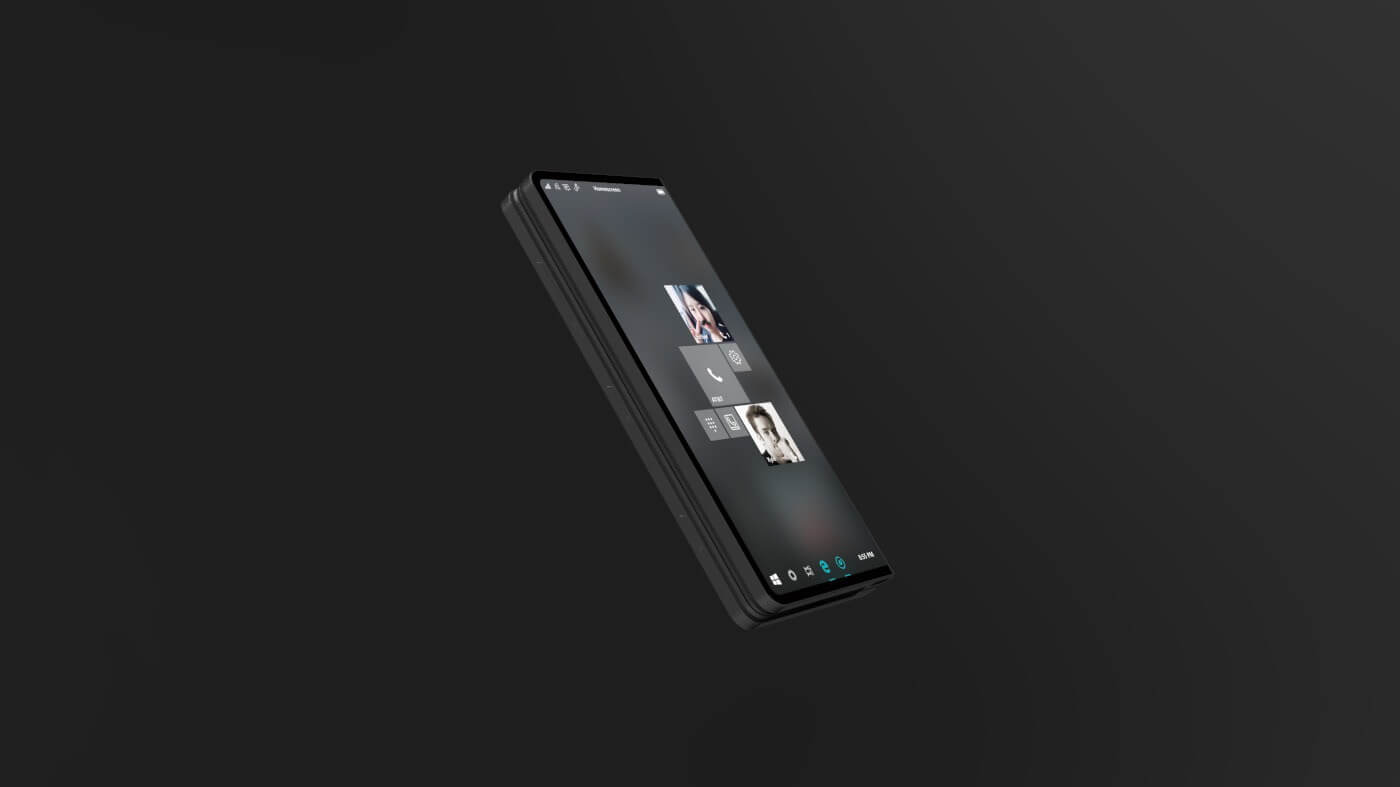
  • Microsoft’s Andromeda Can Fold Our Lives

    Microsoft’s Andromeda Can Fold Our Lives

    Microsoft’s dual-screen Andromeda computing device, which is understood to launch and explode the pocketable PC has been gather rumors for months like a snow ball. While not much is solid we know this will collaborate the mobile space with the laptop PC power.  Now, according to recently leaked internal emails, we are learning that Microsoft’s Andromeda is a “new and disruptive” device that will be part of the company’s Surface hardware family.

    What We Already Know

    Microsoft says “It’s a new pocketable Surface device form factor that brings together innovative new hardware and software experiences to create a truly personal and versatile computing experience,”. Microsoft’s Andromeda could become the ultimate convertible computing device. It will have the capability to transform into any one of five form factors depending on usage. While today’s convertible notebooks with 360-degree hinges can only be used in up to three usage modes, Andromeda can transform between closed, flat, convex, concave, and full modes.

    Microsoft’s Andromeda is  a unique and innovative response to the massive and putrid disaster that Windows mobile and its terrible devices have become to be.  Microsoft commented on what this foldable surface could be by saying  “It will blur the lines between mobile and stationary computing,”. Microsoft is tentatively planning to release Andromeda in 2018. They also noted similar devices from some of Microsoft’s top OEMs to “follow afterwards.”

    We have know for years that Intel is also working on similar dual-screen devices. Its said  that it will eventually exploit and embody Microsoft’s software break through with Andromeda. Intel has already created prototype devices with dual displays and electronic paper displays s.  Asus and Lenovo are creating devices that are inspired by Intel’s own concepts. I can say with the ut most certainty one device will be available later this year.

    The Final Thought

    The pictures of Microsoft’s Andromeda paint a much better vision then I can with words. Mark my words thought, his is the future being developed today. The 20’s, the 2020’s,  will roar once again with the foundation this foldable tech will bring. Our future will hold just one device, a tablet, laptop, smartphone, TV and massive desktop in one pocket.  I’m excited the tech of my 40s could finally be the consolidation I’ve always desired. Now I’m getting very excited for this next decade. One device to rule them all…..

  • VPN Roundup: Best Free VPNs

    If you’re looking to browse undetected, or speed up your internet connection, a VPN might be a good choice. 

    However, you’re probably a bit wary of paying for something that you don’t exactly understand fully. If you’re interested in trying out a VPN, but don’t want to spend money, we’ve got a list of the best free VPNs for you! Check it out!

    Speedify 
    As the name would suggest, Speedify makes sure your internet speeds are blistering fast. It uses any connections available to make sure you’re connecting as efficiently as possible. The only downside to this one is the small data allowance. You first free month, you get 4GB of downloads for free. Subsequent months, you get just 1GB. If you try it and love it, though, you can subscribe to get the full service.

    Hotspot Shield Free
    A free VPN powered by ads, Hotspot Shield Free is a solid option. While it’s free, you get access to 500 MB of download per day! The paid version gains access to full geo-spoofing features, but the free version is locked into a few pre-selected locations. If you’re looking to try some basic geo-spoofing features and use a bit of data, though, this is a great one to check out. Be aware, though, there’s currently a controversy surrounding Hotspot Shield’s advertisers. Do a bit of research and decide for yourself how you feel about the situation, as it’s still developing at time of writing.

    TunnelBear 
    TunnelBear is our runner up among free VPNs. While it has a cute, friendly design, it’s also a powerful VPN for anonymity and security. It would get higher marks if free users got more than a paltry 500MB of data per month. However, if you try the service and like it, paying for it isn’t terribly expensive. The paid subscription runs about $10 per month, but you get a considerable amount of protection and speed with your browsing. If you’re interested in trying it, the free option is very secure, if a little short on data.

    Our Favorite Free VPN Our Favorite Free VPN Windscribe 
    Those looking for a very secure free VPN need look no further. Windscribe has some phenomenal security features and eight different server locations. It doesn’t store what sites you visit, your connection logs or your IP stamps. Other information is deleted from the server about 3 minutes after your session ends. You get 10GB of data per month, which is rather generous for a free service, and you can get more for Tweeting about it and suggesting it to friends. It even sports a built-in firewall and ad-blocker! As free VPNs go, this one is your best bet. As free VPNs go, this one is your best bet. 

  • Tech Throwback: Web TV

    Tech Throwback: Web TV

    I like to take a look at where I’ve been to evaluate where Im going. Technology is cyclical after all… wait no its not. That said I still like all the feels that come rushing back like a flood of nostalgia every time I get my hand on the tech I grew up with. Im going to go back periodically and take a looking at the stuff that used to blow our hair back and get our minds rolling. Some of these device blew up and changed the world, some where ahead of their time and some just fell flat and became colossal failures. Today we have a massive swing and a miss. This was an idea that seemed right and destined for greatness but just missed. Today lets pull up the old Web TV.

    This was the brain child of  Steve Perlman. He first combined computer and television as a high-school student when he decided his home PC needed a graphics display. He went to build software for companies such as Apple and Atari. While working at General Magic, the idea of bringing TVs and computers together resurfaced.

    One night, Perlman was browsing the web and came across a Campbell’s soup website with recipes. He thought that the people who might be interested in what the site had to offer were not using the web. It occurred to him that if the television audience was enabled by a device to augment television viewing with receiving information or commercial offers through the television, then perhaps the web address could act as a signal and the television cable could be the conduit. Pretty brilliant and right there in front all of our faces.

    Web TV and How it Worked

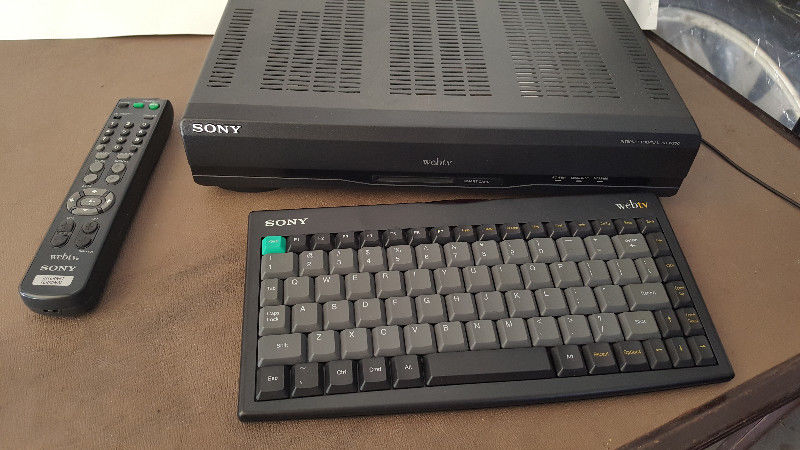
    Web TV was launched on September 18, 1996 with Web TV set-top boxes in stores from Sony and Philips. They ran all of the servers in an old BMW dealership.The initial price for the Web TV set-top box was US$349 for the Sony version and US$329 for the Philips version, with a wireless keyboard available for about an extra US$50. The monthly service fee initially was US$19.95 per month for unlimited Web surfing and e-mail.  The box featured a 64-bit RISC CPU chip, and a smart card reader. The smart card reader was not utilized significantly. The web browser was compatible with both Netscape Navigator and Microsoft Internet Explorer and the Web TV set-top box featured 2 MB of RAM. The first WebTV set-top boxes had a 33.6 kbit/s modem, and later versions had 56kbit/s modems.

    By 1998 Web TV was on its way, they where pulling 1.3 billion dollars a year and it looked like we where on the way to a TV/computer consolidation. Then Microsoft stepped in 2001. They purchased Web TV and it all seemed to fall apart. They keyboard and controls where difficult to use. The applications where not growing with the rest of the tech world. Shortly after the MSN TV re-branding it was all but dead in the water.

    The Final Thought

    With out the adaptations of the most popular internet apps and functions this just became that cool thing that one friend in the neighborhood had. Skip forward a few years and Smart tvs are a cornerstone to our digital world. While I attempted to find an old Web Tv box and play with it in a demonstration for this article, apparently its just not feasible with there being no internet connection service to log on through. Web Tv came and went with no fanfare, soon to be totally forgotten. Never getting its just deserves and never to be seen or used again but for those brief years of 95-2001.

  • Acer Nitro 5: Gaming Muscle, Laptop Price

    Acer Nitro 5: Gaming Muscle, Laptop Price

    Gaming laptops are usually pretty expensive. If you want graphical fidelity and snappy processors, you have to spend a pretty penny. At least, that’s conventional wisdom.

    [iFrameGen iframe_type=”Y_iFrame” template_key=”adlist_gfg_green_v7_070102018″ keyword=”portable%20gaming%20laptop” type_tag=”_gfg-20180830-gaming-laptop-green-top” placement=”_pc1″]

    Acer wants to change that with the Acer Nitro 5, though. Acer can talk a big game, but does it deliver on its promise of gaming-goodness at a low price?

    First Consideration: Price

    It doesn’t really matter how strong it is if the price isn’t right, though. Thankfully, the Nitro 5 is in the right place with its MSRP. Coming in at a reasonable $670, and available at less than $600 from wholesalers, the Nitro 5 doesn’t break the bank. Where once you’d have to spend more than $900 for a decent gaming laptop, recent innovations in graphics and processors seem to have brought prices down. While the Nitro 5 isn’t the strongest laptop around, it’s certainly the best bang for your buck.

    What’s Inside, Though?

    Okay, so you’re sold on the price. But what’s in it? Well, that’s where things get interesting. The most cost-efficient layout has a 2.3 GHz Intel i5 running the show, 8GB of RAM and a 4GB Nvidia GeForce GTX 1050Ti. While there are slightly cheaper versions of the laptop, we recommend this setup for maximum gaming potential for your buck. So, what does all of that mean? It means this is a surprisingly powerful machine for its price. You won’t be disappointed when the Nitro 5 takes on modern games: graphics will be high-fidelity, and frames will be smooth.

    [iFrameGen iframe_type=”Y_iFrame_2″ template_key=”adlist_gfg_green_v7_070102018″ keyword=”portable%20gaming%20laptop” type_tag=”_gfg-20180830-gaming-laptop-green-bottom” placement=”_pc2″]

    Design

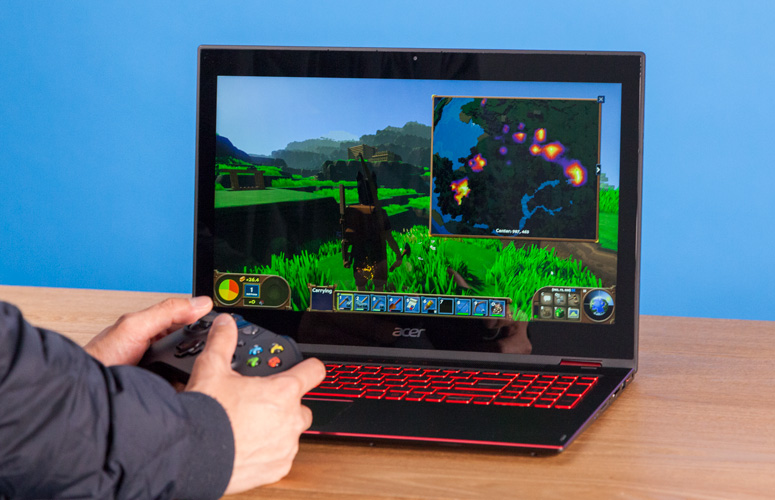
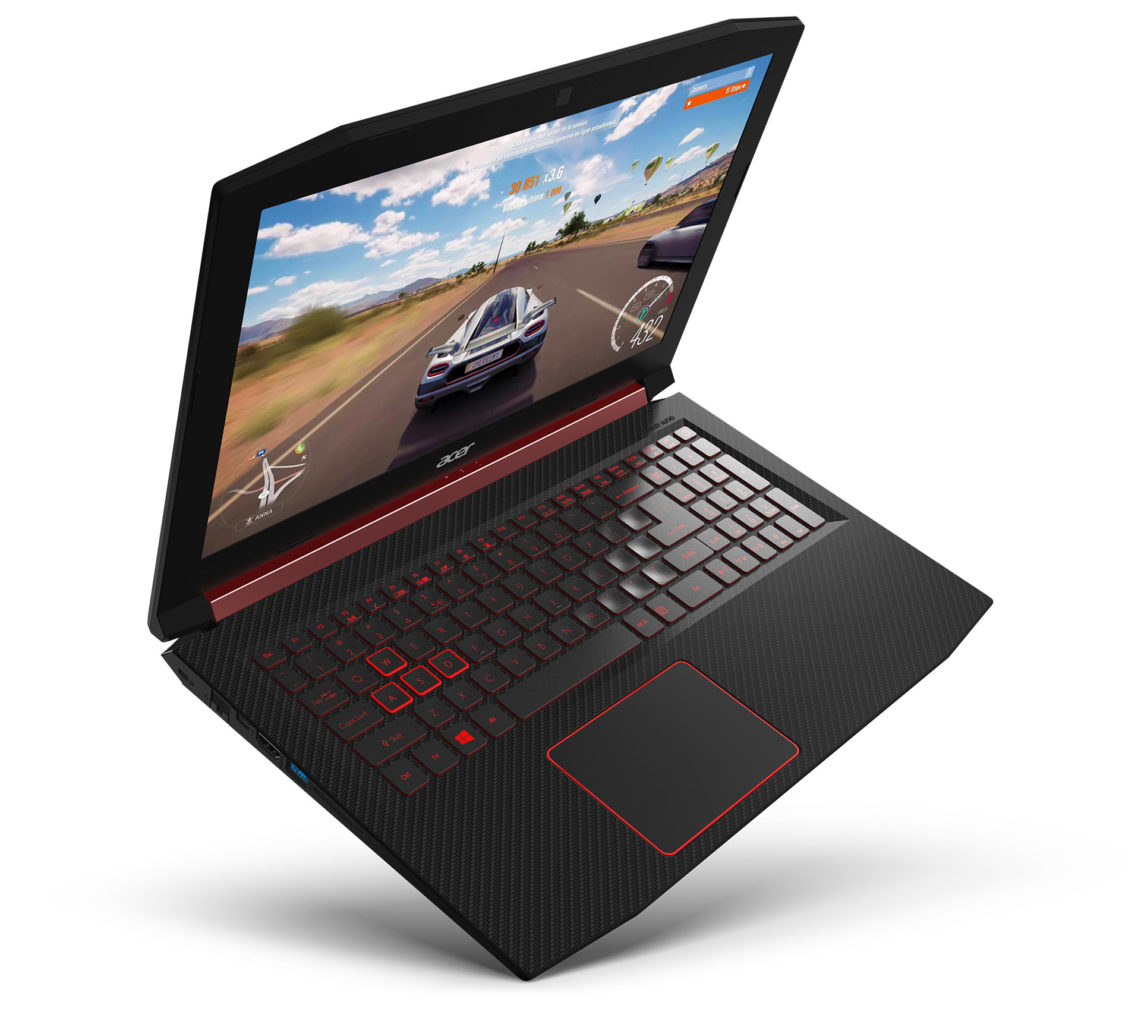
    This one looks the part of gaming laptop, to be sure. The keyboard is huge and glows with red back-lights and the vents are stylized and mean. It has a touchpad, which is responsive and gets the job done. It has no dedicated buttons for left or right click, though; you have to click the pad itself. This is awkward for some, but others don’t mind it. All that being said, we recommend gaming with an actual mouse, so the trackpad isn’t a big concern.

    The display is the most important part of the exterior design, though, as it’s what you’ll be viewing the games through. It’s got a solid 1,920×1,080-pixel resolution, but doesn’t have the best colors. Images look slightly washed-out and blah. That said, the images are crisp, just a little bland.

    Acer Nitro 5: Worth the Price?

    With the right configuration, the Nitro 5 is a great gaming laptop for mid-sized games. For a laptop to game on lunch breaks or on the bus, you could do much worse. If you’re looking to play through a back-catalogue of older games, or simpler games like Fortnite, this is a great pick. Newer AAA games might not look too smooth, though. If you’re looking for a full-scale gaming PC replacement, it doesn’t quite have the power for that.  That said, the price is right for a portable gaming platform with reasonable power.