Category: Computers

  • Best 5 Laptops Under $500 in 2018

    Best 5 Laptops Under $500 in 2018

    Laptops are very essential these days- for school, work, or just personal use. The price of a premium new laptop can cost up to $1,000, which is pricey for anyone. Numerous companies have made laptops more affordable while keeping the quality and capabilities of more expensive laptops.

    You don’t have to feel like you’re settling when shopping for a laptop under $500. There are value-priced notebooks that include full-HD displays, solid performance and long battery life, plus all the ports you need. We picked all the best all-purpose laptops in $500 price range which we think are best laptops to suit the wide range of requirements of people. Here is a list of the best five laptops under $500!

    1. Dell Inspiron i3567 Laptop

    The latest version of this Dell laptop has a powerful system in place with 8GB of memory and a 128GB hard drive and a Intel Core i3-7100U 2.4GHz processor. It has a professional feel in it’s all black look with a 15.6-inch laptop with a screen resolution of 1366 x 768. The operating system runs smoothly with Windows 10 and is backed with a 12 month warranty, with 12 months of tech support.

    • A new, powerful hardware system
    • Has many ports and slots to use your external devices
    • 8 GB Ram
    • 7th Gen Intel Core i5 processor
    • It is not backlit enabled
    • Battery life up to 5 hours

    2. Acer Aspire A515-51-50RR Laptop

    The Acer Aspire 5 is one of the best budget full-size laptops you can find in stores today. It checks most of the right boxes: well built, slim and fairly light, gets a decent keyboard, an IPS screen and modern hardware, performs well, runs cool and quiet and lasts for a long while on a charge. This slim and sleek laptop is a great all round performing laptop, especially for the price. The visuals are spot on with vivid, bright colors.

    • LCD display and is backlit
    • 2.50 GHz Intel Core i5-7200U processor
    • Storage: 1TB hard disk
    • Intel HD 620 graphics
    • Battery life up to 7 hours
    • All-plastic chassis

    3. HP 15-ay191ms Laptop

    The HP 15-ay191ms, a signature edition laptops that comes with a seventh-generation Intel Core i3 processor, 8GB DDR4 system memory, 1TB of storage and a touchscreen, but still remains insanely affordable. It’s one of those laptops you’d buy without a second thought if you find inexpensive chromebook attractive, but really, really need Windows. If you love touchscreen, this one’s for you! This laptop contains the Kaby Lake processor which makes this laptop consume little power. Apps are not an issue here, they all run very smoothly.

    • Touchscreen
    • Intel Core i3-7100U processor
    • 8GB RAM
    • 1TB hard drive
    • Lag-free performance
    • Battery life up to 6 hours

    4. Dell Inspiron i3567-5185BLK Laptop

    Yet another Inspiron made this list! This version comes in different color options and a textured finish.  Packed with a large 15.6 Inches display and a decent 7th Gen Intel Core i5-7200U up to 3.1GHz CPU processor. This Dell laptop model would work well for portability with its 4.85 Pounds lightweight design and sleek black look. Great for school work or the family computer. A huge bonus with this laptop is it doesn’t heat up much!

    • 2.4 GHz Intel Core i3-7100U processor
    • 8GB RAM
    • TB hard drive
    • LED display with a built-in webcam and mic
    • Battery life is up to 6 hours

    5. ASUS Chromebook Flip

    This is one of the best convertible laptops on the current market. The Asus Chromebook Flip C302 is worthy of its premium stature with a gorgeous screen, tactile keyboard and a classy design that’s equally as comfortable to use in tablet mode or as a traditional laptop. The screen is a full HD touchscreen and can be converted from a laptop to a tablet by turning the screen. A top pick for a college student!

    • Intel Core m3 processor
    • 4GB RAM
    • 64GB of SSD storage
    • Battery life of up to 10 hours

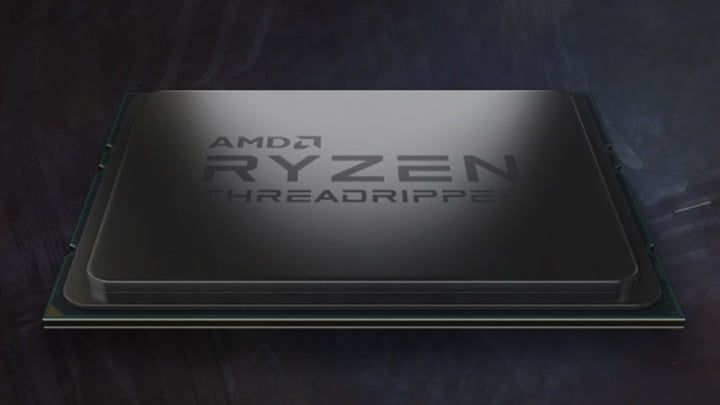
  • AMD ThreadRipper 2, 32 Core Processor Announced

    AMD ThreadRipper 2, 32 Core Processor Announced

    AMD has a major announcement that may alter the axis of the processor world. They have announce a new AMD ThreadRipper 2, 32 core, 3gz goliath of processing power. Intel… panic. That’s just what they did. While Intel has maintained a dominance over its main chip rival AMD, today they panic as the tide may be turning and Intel’s 28-core demo during Computex 2018 is a sign it is worried about the chips AMD is bringing to market this year. They became so worried in fact they held a borderline suspect speed test of their 28 core processor that ended up boasting 5GHz.

    Intel demonstrated the chip as running at 5GHz across all core. This seemed more then a little dudious. While a true score, the setup required to achieve it is far from conventional and well beyond what could currently be achieved in a desktop PC for a reasonable price. The motherboard alone used to conduct the test is well over $10,000.

    More about the AMD ThreadRipper 2

    This new AMD ThreadRipper 2 is raw, unadulterated power. The chip runs at 3GHz, but achieves a 3.4GHz all-core boost on demand. Its TDP is 250W, so it can be used with already available X399 motherboards sporting the TR4 socket, and is expected to be available to buy in August. While not much more is know, we will watch this develop with great interest

    But How Would I Cool Something Like This,

    The raw power alone should have your mind bending with complex thoughts of the logistics on that kind of computer power. How do you keep that cool and from overheating. Rest asure the AMD’s ThreadRipper 2 announcement has us all excited at the prospect of 32 cores and 64 threads coming to the desktop, but we are going to need to top the processor with a capable cooler to bring the rumored 250W TDP under control. AMD told us at Computex that the new ThreadRipper 2 models will come with the Asetek bracket that provides compatibility with leading AIO watercoolers. But the company has also worked with Cooler Master to develop a new air cooler, Wraith Ripper, specifically for the Threadripper’s TR4 socket. Problem Solved

    The AMD Wrait Ripper has Seven copper heatpipes wick heat up into the hefty fin stack while a concealed 120mm fan in the center of the cooler provides airflow at a relatively tame 39dBA. The top of the housing features four Phillips head screw mounts that attach directly to the four threaded fasteners that mount into the TR4 socket. Supes simple to install. However it seriously heavy, as it would have to be so it can dissipate roughly 250W of thermal output.

    The Final Thought

    When I think back to the computing power used to send us to the moon for the first time, The AMD ThreadRipper 2 seems untheroretical, but yet here we are. We are on the Verge of a processor explosion, The landscape will change. New players will emerge and AMD is on its way to a decade of processor dominance. Your move intel.

  • Data Caps Blatant Money Grab? Comcast’s Latest Announcement Makes It Seem that Way

    Data Caps Blatant Money Grab? Comcast’s Latest Announcement Makes It Seem that Way

    Comcast implemented a data throttling program in 2008 that was aimed primarily at slowing BitTorrent users. However, the system hasn’t been used much in the past few years, and now, a decade later, it has been disabled altogether. In an announcement on June 11th, Comcast had this to say: 

    “As reflected in a June 11, 2018 update to our Xfinity Internet Broadband Disclosures, the congestion management system that was initially deployed in 2008 has been deactivated. As our network technologies and usage of the network continue to evolve, we reserve the right to implement a new congestion-management system if necessary in the performance of reasonable network management and in order to maintain a good broadband Internet access service experience for our customers and will provide updates here as well as other locations if a new system is implemented.” 

    What This Means for Data Caps 

    While common sense has held for years that companies charging for data overages are just squeezing consumers, this announcement is proof. Straight from the horse’s mouth, as it were, we now have Comcast saying they are perfectly capable of meeting demand. They claim that their data caps are in place in order to promote “fairness,” but that makes little sense. Data isn’t a finite resource, so someone using more isn’t leaving less to the people around them.  

    What’s even worse than Comcast’s insistence on data caps is their implementation of them. Users are limited to 1TB of data per month and must pay an extra $10 for every 50GB over that. Otherwise, users can opt to pay an extra $50 per month to have no data cap. However, consumers have no way to verify that the metrics Comcast uses to determine how much data they have used are accurate. In fact, reports of users being charged overages for data they didn’t use aren’t unheard of.  

    Worst of all, Comcast maintains that the overages help to pay for system upgrades, not day-to-day traffic. But they already have heavy-traffic users pay more. Higher speeds, which are required for downloading large amounts of content or competitive gaming, are much more expensive than lower bit-rates. This means that those who pay for faster internet will chew through their allotted data faster, meaning they’re getting hit by these higher costs twice when they go over the cap. 

    Comcast Could Prove a Dangerous Example Post-Net Neutrality 

    Comcast now has little incentive to act ethically, as the regulations that reigned them in are gone. Instead, data throttling and de-prioritization will likely become key aspects of their business model. Why shouldn’t the company charge more for the service they could provide for less? What’s stopping them from unfairly throttling content they don’t approve of? Articles like this one could be flagged and be unable to render on the screen of someone using Comcast for internet.  

    This dystopian prediction might sound like hyperbole, but it would be well within Comcast’s power to do so. It would also fit with their previous practices. Then, other ISPs would be likely to follow in their example. Since ISPs are largely monopolies in their areas, consumers would have no recourse. While only time will tell, one thing is clear. Comcast, and other telecom companies, implemented data caps for one reason: to shake down consumers for more money. They’re clearly completely capable of meeting current data demands without the need for such harsh caps. But the caps are good for their bottom lines, so they’re not going anywhere. 

  • Tech Throwback: America Online

    Tech Throwback: America Online

    I like to take a look at where I’ve been to evaluate where Im going. Technology is cyclical after all… wait no its not. That said I still like all the feels that come rushing back like a flood of nostalgia every time I get my hand on the tech I grew up with. Im going to go back periodically and take a looking at the stuff that used to blow our hair back and get our minds rolling. Some of these device blew up and changed the world, some where ahead of their time and some just fell flat and became colossal failures. Today we have not just a tech throwback, not a device or toy, but an internet revolution. The name even says it all… America Online, and that is just what happened. America went on line.


    And so it was America On Line or AOL as we came to designate this revolution first started out in 1983 as an online video game service for the Atari 2600. Shortly after that founder and CEO  Bill von Meister wanted to converge in to a music on demand service. The idea was squashed by Warner bros music department…

    Later in the decade, these innovative thoughts and dream has merged into an online portal for the commador 64 and apple II, called q-link. Then in August 1988, Quantum launched PC Link, a service for IBM-compatible PCs developed in a joint venture with the Tandy Corporation. After the company parted ways with Apple in October 1989, Quantum changed the service’s name to America Online. Case promoted and sold AOL as the online service for people unfamiliar with computers, in contrast to CompuServe, which was well established in the technical community.

    Its now 1991 and AOl Charged its users an hourly fee, mostly gamers where using the platform and it hosted 2 exclusive dungeons and dragons, title called Neverwinter Nights from Stormfront Studios; which was one of the first Multiplayer Online Role Playing Games to depict the adventure with graphics instead of text. Gaming was still the backbone of America Online.

    America Goes on Line With America Online

    In 1996 America Online changed its billing and pricing from an hourly rate to a 19.95 monthly fee. America responded. During this time, AOL connections would be flooded with users trying to get on, and many canceled their accounts due to constant busy signals.

    What We Remember

    BEEEEEEEE DEEEEE DEEEEE. We all remember the sound to connect, the little guy running across those little boxes to get on the line. They after a few eternal minuets, You’ve got mail… With only a handful of boxes to click on, we were blown away by all the endless information we now had at our finger tips.

    Then the Chat Rooms, oh we spent weeks of our lives during the late 90s in those rooms. The connections we discovered to random people validated our very existence. We had reached a pinnacle of society and were all now connected.

    And all those free trial disks and cds. We collected them, used them to create new account for temporary or incognito service, then

    The World at Our Finger Tips

    America Online brought us on the line, all of us, on the line. Now we are all here, what do we do with this unprecedented power? Globalization. AOL is the backbone of our world today, it set it up and paved the way for Amazon, Ebay, Napster and all of the internet companies that could turn minuet transnational profits to worldwide unimaginable wealth.


    The Final Thought

    It would take the world almost a decade to catch up to Americas latest boom. Instantly, due to our ingenuity, desires and “why cant we” bravado made another giant leap in society. Much like everything else in america, their was a meteoric rise, unprecedented success, and the world was forever changed overnight. The following year would see mergers and purchases, evolving in to a giant conglomerate. Today AOL is nothing more then a small branch in Telecom giant Verizon’s portfolio, but for a time it was a revolution.


  • Washington First State to Pass Net Neutrality Laws

    Washington First State to Pass Net Neutrality Laws

    Washington put new laws into effect on Monday with the federal repeal of net neutrality. The laws Washington put forth stop ISPs from blocking or slowing lawful internet traffic. It also prevents ISPs from charging online services a fee to make themselves a higher priority. This means that ISPs will have a hard time making their services look as convoluted and anti-consumer as cable services. 

    Ahead of the Curve 

    Washington actually approved the law in March, following the FCC’s repeal of federal net neutrality in December. While there are currently no lawsuits challenging the law, they are likely to come soon. Many telecom companies opposed the legislation, as it effectively continues the federal regulations that were just repealed.  

    Washington isn’t alone in this fight, but they were the first on the field. California has a similar law in the pipe, and it’s awaiting approval by the State Assembly. After passing the Assembly, it would go to Governor Jerry Brown. It seems unlikely that either will have any qualms with the bill. 

    Net Neutrality Alternatives 

    Washington and California aren’t the only states taking steps, either. They are to be joined by Hawaii, Montana, New Jersey, New York and Vermont. Those states governors have issued executive orders to enforce net neutrality rules on ISPs that serve their state governments. While these orders aren’t as broad as those in Washington or California, they are still steps in the right direction. 

    It seems that, in the wake of the federal repeal, many states will be issuing their own regulations over what ISPs can do in their states. It seems likely that this situation will get very complicated very quickly. No two states will likely allow the same things of any given ISP, which could result in serious operational headaches for ISPs. Hopefully the companies who lobbied for the repeal of consumer protections find themselves caught in a maze of regulations as thanks.  

    Who knows, maybe those companies will miss the days when they could just meet a federal standard and not worry about the myriad of rules they must follow. It would be just deserts for their haphazard repeal of what were considered mild protections. 

  • Jurassic World Evolution, 9 out of 10 Goldblums!

    Jurassic World Evolution, 9 out of 10 Goldblums!

    The Feebled Dream of a Mad Man

    Frontier Inc., the creators of Planet Coaster have a rebellious nature and a real passion for sandbox games. The founders of the company previously worked under the developers of Roller Tycoon but eventually realized that the company had lost its passion, so they departed from RCT and embarked to create their own theme park simulator. The result was the astounding, addicting, and intricate game known as Planet Coaster. After the release and success of Planet Coaster in 2016, much was expected of Frontier’s next project. So the developers had to come up with a big idea. And like all great ideas, it starts with an ember…or in this case an Amber. (See what I did there)

    Image result for jurassic park evolution

    It’s DINOmite!  

    Frontier’s passion for gaming shows through from the moment you launch Jurassic World Evolution. With John Williams original score and Jeff Goldblum narrating you the tutorial, you’re immediately drawn in to what we all know and love. A user-friendly interface and smooth mechanics make picking the game up a breeze. Then comes the scenery…The landscaping and environment is absolutely incredible. There is so much intricate detail everywhere you look. The water, the mountains, and the grasslands truly transport you to Isla Nubar (Ultra High settings of course). But the games true graphics feat is the dinosaurs themselves. Frontier was able to partner up with the original designers of Spielberg’s Jurassic Park (1993) dinosaurs in an attempt to create the most realistic dinosaurs in a game to date. You can literally see every muscle fiber move when the animal runs, eats, and even attacks…It’s truly a work of art.

    Related image

    Running a Jurassic Park

    Once your park is up and running, you have to do everything you think you would need to do when running a theme park filled with man eating dinosaurs. Keep power sources on and fences electrified, feed guests and dinos alike, Animal containment units on constant patrol, etc. After about an hour of playtime, my favorite aspect of the game is taking your ACU jeep on free roam through the park. With an open world feel, you can enter habitats for a up close encounters with Mr. T-Rex, explore the mountains and really take in the games amazing scenery.

    To keep attractions and guest numbers high, you constantly have to be adding new dinosaurs and genetically modifying new breeds. You send crews on dig sites around the world who return with the highly coveted DINO-DNA. Also since you are on a chain of islands off Costa Rica, weather plays a big factor in the game. Hurricanes, tornados, severe rains can affect your habitats and fences. If a Dino gets out of a perimeter and eats the guests, then…well let’s just say that mountains that surround you will pale in comparison the mountains of lawsuits you’ll have.

    Image result for jurassic park evolution

    The summary 

    Jurassic World Evolution is a very compelling and immersive gaming experience. For a long time JP fan boy such as myself, I am just over the moon that there is finally a game that the captures awe and admiration of these dinosaurs that the first film did. They game could have more content when it comes to buildings and amenities,  but I’m sure Frontier is purposely holding that stuff back for future expansions to keep gamers coming back for more. In my opinion, it’s a game that’s hard not to love.

  • Top 5 Gaming Laptops for 2018

    Top 5 Gaming Laptops for 2018

    It takes a lot of stones to be a full fledged gaming laptop and those stones come a large price. These gaming laptops are built to handle what ever our nest and most bizarre gaming programmers can throw at them, and they do it with style and grace. Today we are gonna take a look at the 5 best gaming laptops for 2018.

    1. Alienware

    • CPU: Intel Core i9-8950HK
    • Graphics: Nvidia GeForce GTX 1080 (8GB GDDR5X VRAM)
    •  RAM: 32GB
    •  Screen: 17.3-inch QHD (2,560 x 1,440)144Hz
    •  Storage: 246GB PCIe M.2 SSD, 1TB 7,200RPM HDD

    What has this beast at the top is not only the brand new and highly overclocked processor, top of the line GPU and the 13 zone customizable LEDs, but the Tobii Aware software and eye tracker..It works and its awesome. This is hands down the best gaming laptop and will be for at least a year.

    2. MSI GS 65

    • CPU: Intel Core i7
    • Graphics: Nvidia GeForce GTX 1070 (8GB GDDR5X VRAM, Max-Q)
    •  RAM: 16GB
    •  Screen: 15.6-inch FHD (1,920 x 1,080) anti-glare, wide-view 144Hz panel
    • Storage: 512GB M.2 SSD

    The MSI GS65 packs a ton of power into a very breathtaking and inspiring design. Blasting on with an 8th-generation Intel Core i7-8750H CPU and an Nvidia GeForce GTX 1070 GPU, But a quick run down of the specs will see why this Laptop didn’t grab the number one spot, but cut it a little bit of slack it is a few months older and its still a very bad,bad man gaming laptop.

    3. Razer Blade Pro

    • CPU: Intel Core i7-8750H | 7th Gen
    • Graphics: Nvidia GeForce GTX 1080 (8GB GDDR5 VRAM) |
    • RAM: 16GB | Screen: 17.3
    •  Storage: 512GB M.2 SSD

    This is one of my favorites, it  was crafted to deliver incredible performance in an impossibly thin form factor. It is also the world’s first THX® Certified Mobile Device, the Razer Blade Pro sets a new standard for desktop replacement laptops.

    4. Dell G3 17

    • CPU: 8th Generation Intel® Core™ i7-8750H Processor
    •  Graphics: NVIDIA® GeForce® GTX 1060 with NVIDIA® Max Q Design technology, 6GB GDDR5 video memory |
    • RAM: 16GB DDR4
    •  Screen: 17.3-inch HD 1,366 x 768 TN – QHD 2,560 x 1440 OLED touchscreen
    •  Storage: 180GB – 512GB SSD

    While this has some respectable power, this configuration will cost a little more the $1000 making this the best value for a gaming laptop with out suffering any power loss. It will deliver an ultimate and immersive gaming experience.


    5. Lenovo Legion Gaming Laptops

    CPU: 8th Generation Intel® Core™ i7-8750H Processor
    Graphics: NVIDIA® GeForce® GTX 1060 with NVIDIA® Max Q Design technology, 6GB GDDR5 video memory |
    RAM: 32GB DDR4
    Screen: 17-inch HD 144fps
    Storage: 180GB – 512GB SSD

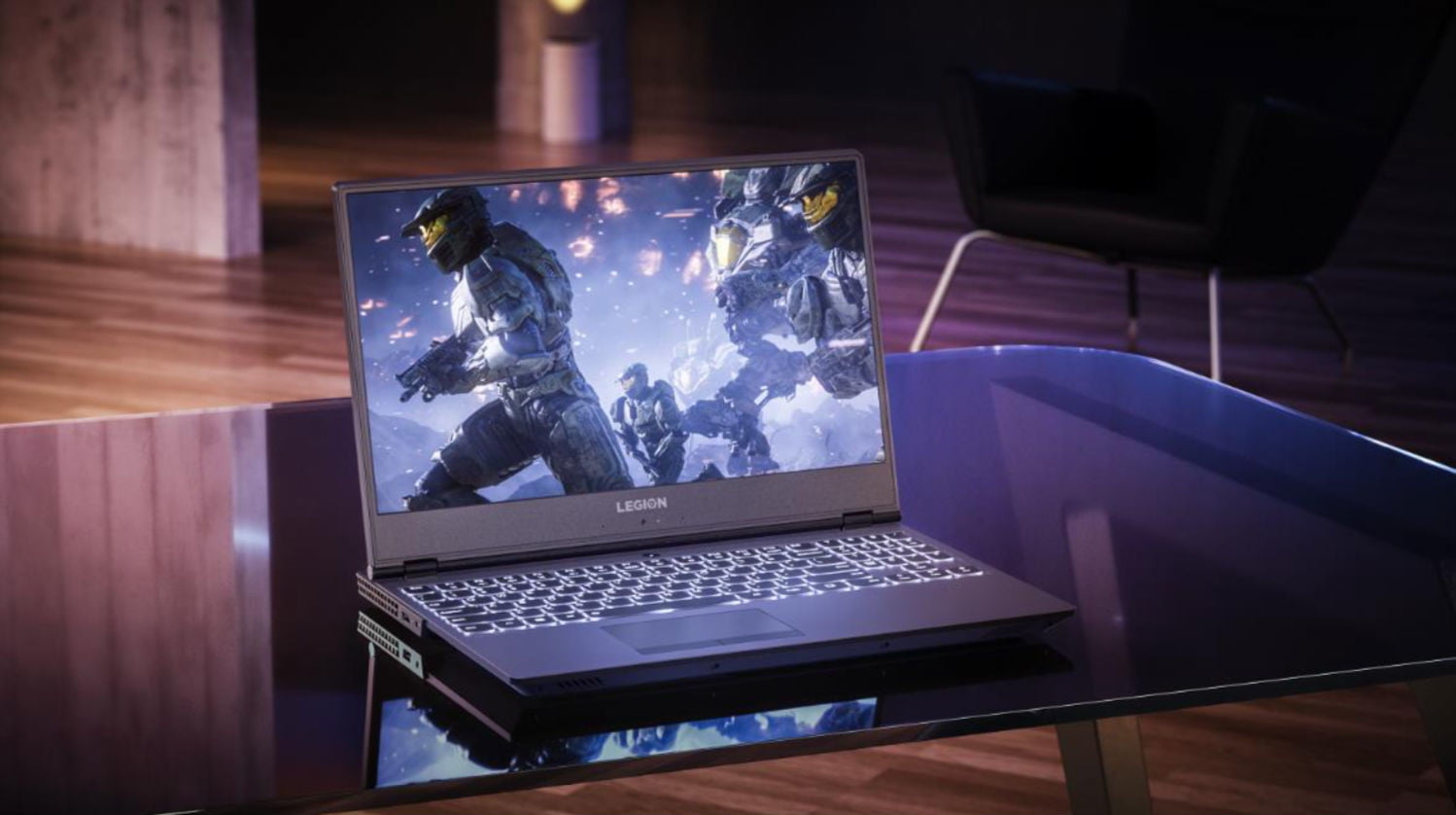
    Clean new design. Relatively light. Fantastic 144 screen refresh-rate options. Corsair keyboard with per-key RGB lighting. The fresh design of the Legion Y730 holds promise, with a well-rounded feature set at a relatively modest price. Its big hold back it for a brand new released Gaming laptop its not blasting the i9 chip and maxes out with the GTX 1060 on top a high price then the G3 although the 730 is but better looking and dosent feel as cheap as the G3.


  • Laptop Lookout: Lenovo Legion Revamped

    Laptop Lookout: Lenovo Legion Revamped

    Laptops are the cornerstone of our computing resources in this day and age. We need power, robust performance and ultimate portability for every aspect of our daily lives. This is a guide and insight to the best Laptops on the market and today I’m here to talk about the Revamped Lenovo Legion Gaming Laptop.

    The Great

    • Nice Responsive Keypad and Trackpad
    • Solid Performance
    • Great FPS
    • Premium Graphics and Audio & Optional Dual Drive Storage


    The Conclusion

    Lenovo’s new approach to gaming focuses on entry and mid-tier consumers looking to play games without breaking the bank. The new Legion series laptops meets minimum specks for a 2018 gaming laptop and it can deliver great frame rates at medium settings for even the most demanding games. While they’re all built for gaming but designed for everyday use.

    Lenovo has announced four new Lenovo Legion gaming laptops. There’s the $929.99, 15-inch Legion Y530 available in June, and the $959.99 Y7000 available in August. There’s also the 15 and 17-inch Y730s available in September starting at $1,179,99 and $1,249. Today we will talk about their strengths, weakness and the difference between

    Breakdown The Lenovo Legion

    The first two Lenovo Legions, the Legion Y730 and Y530 laptops, feature skinny and slight bezel screens, dual-chamber cooling,  and up to Nvidia’s GeForce GTX 1050Ti GPU. Wait, what? That is a low end gaming GPU.. That wont run some of the top games out now, let alone whats coming out.  Eighth-gen Intel Core i7 processors, but we have 9th gen available. An optional 144Hz full HD IPS display is offered on the Y530, while the Y730’s noteworthy feature is its Corsair iCUE RGB backlit keyboard (which features six macro “Y” keys).Each of Lenovo’s new systems feature top and side bezels that are 0.26-inches thin, allowing for viewers to enjoy more of the laptop’s display.

    The Y530 laptop, which will be a Best Buy exclusive when it’s available in June for $930, is noticeably smaller than its predecessor, and loses the red accents from before. Instead, you’ll find an all-black lid with a Legion logo, which some might find more attractive, although others might call boring.

    Lenovo partnered with Corsair to bring credibility to its RGB lighting scheme for the Lenovo Legion Y730 laptops. The RGB, 16MM-color backlit keyboard, vent lighting, and underlighting are all controllable via Corsair’s iCUE software. Good news is if you like the out of the box generic look for the Legion Y530 and Legion Y7000, you can turn them all off.

    Quick Spec Look

    • CPU: 8th-gen Intel Core i5-8300H or Core i7-8750H
    • Memory: Up to 32GB DDR4, or you can get up to 8GB of that and 8GB of Corsair Overclocked Memory.
    • Display: All displays will be FHD (1920×1080) anti-glare IPS with a maximum brightness of 300 nits, with the choice of either 60Hz or 144Hz refresh rates.
    • GPU: Choice of Nvidia GeForce GTX 1050 or GTX 1050 Ti. These are Nvidia’s midrange discrete GPUs.
    • Storage: Choices of 128GB-512GB PCIe NVMe SSDs and 1TB or 2TB hard drives.
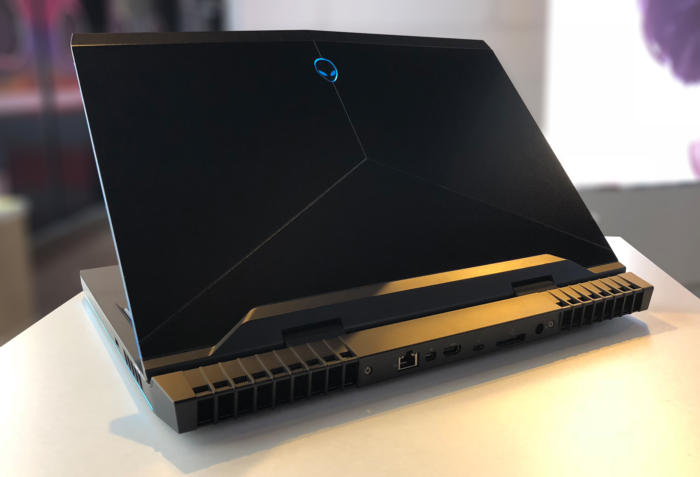
    • Connectivity: Lenovo arrayed most of the ports on the back of the Legion Y730. There you’ll find (as seen in the photo below, left to right) miniDisplayPort, full HDMI, USB 3.1 Type A, RJ-45 ethernet, another USB 3.1 Type A, the power port, and a lock port. On the left side you’ll find a Thunderbolt port and an audio jack, and on the right side you’ll find a third USB 3.1 type-A port.


  • Laptop Lookout: Alienware 17 R5

    Laptop Lookout: Alienware 17 R5

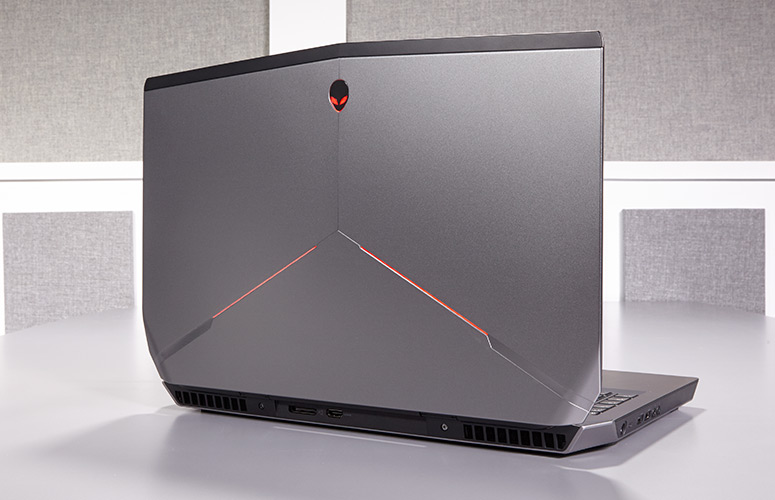
    Alienware has a new gaming laptop for their 17 line. They have spared no expense, except yours of  course, to develop a mind boggling, earth shattering, nay I say completely volatile piece of gaming tech here. Alienware threw everything it could at the Alienware 17 R5 , cramming a 6-core Intel Core i9 processor in there, along with 32GB of RAM, and a GTX 1080 graphics card. It’s certainly outfitted like a gaming desktop, so here we go.


    The Great

    • Excellent build quality
    • High refresh rate display
    • Variety of configuration options
    • Exceptional gaming performance
    • Tobii Eye Tracker
    • 13 customizable lighting zones
    • High Quality Audio


    The Not

    • Heavy and large
    • Mediocre 3 hour battery life
    • CPU performance fails to  competitors


    The Conclusion

    Its Bad, bad bad to the bone. Its all you can ask for in a gaming laptop. It has the power, the speed, the sound and the look. Not to mention a functioning eye tracking for aiming.. Moderatly priced and highly impressive fps in all test I’ve done, including a stunning 93 fps in Battlefront.

    Whats New With The Alienware 17 R5

    For the Alienware 17 R5, Alienware made design modifications to the exterior design, creating a slimmer chassis with even more customized lighting opportunities. Completely revamped the cooling and audio systems make for quieter fans and louder speakers. Then did an overhaul of the Alienware Command Center software making it much easier to  customizing your lighting and overclocking your processor and graphics card. Add in a powerful Intel 8th Gen Core i9 processor that can be overclocked to 5 GHz and and a factory overclocked Nvidia GeForce GTX 1080 GPU plus speedy SSD and a brilliant QHD screen, you have the premier gaming laptop.  The Alienware 17 RS is also the first in the series to implement Intel’s new 2.9-GHz, 8th Gen Core i9-8950HK processor with a whopping 32GB of RAM, and thanks to the Alien Command Center, you can overclock this bad boy to a smoking 5 GHz.

    Design

    Alienware added even more LED zones to the Laptop, while making the system slimmer with its new hinge-forward design. There are now 13 LED zones you can control from the control center. Once open you find yourself staring at a full-size traditional keyboard glowing with stunning backlights. The keyboard and a massive touchpad glow in excitement. The 17.3-inch panel sits above the glossy plastic strip housing the Tobii Eye Tracker.


    Quick Speck Look

    • CPU Intel Core i9-8950HK @ 2.9GHz
    • Operating System Windows 10 Home
    • RAM 32GB
    • Hard Drive Size 256GB SSD
    • Hard Drive Type PCIe m.2 SSD
    • Secondary Hard Drive Size 1TB
    • Secondary Hard Drive Speed 7,200rpm
    • Display Size 17.3
    • Highest Available Resolution 2560 x 1440
    • Native Resolution N/A
    • Graphics Card Nvidia GeForce GTX 1080 (8GB GDDR5X)
    • Video Memory 8GB
    • Wi-Fi 802.11ac
    • Wi-Fi Model Killer 1435 802.11ac 2×2 WiFi
    • Bluetooth Bluetooth 4.1
    • Touchpad Size 4.0 x 2.1
    • USB Ports 4
    • Warranty/Support 1-year
    • Size 16.7 x 13.1 x 1.2 inches
    • Weight 9.77 pounds

    The Final Thought

    One Word.. Fantabulous. Its not the gaming laptop we needed but its the laptop we deserve. Eye tracking aiming is game changing for me, makes battlefront so much more fun..

  • Laptop Review: HP Spectre 13

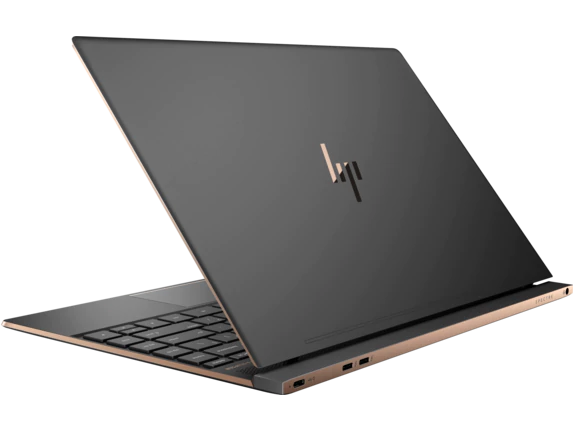
    Laptop Review: HP Spectre 13

    The HP Spectre 13 is marketed as the world’s thinnest touchscreen laptop. Is it a good laptop, though? Has it made too many sacrifices to be as thin and portable as it is? Or is it just right? To find out, check out our review! 

    HP Spectre 13: Razor Thin 

    It is seriously thin. That’s not just marketing hype, this laptop only measures 0.41 inches thick. That’s not the thinnest laptop in the world, that honor currently belongs to the Swift 7. Runner-up Dell XPS 13 has a taper that ranges from being thinner than the Swift 7 at one end to thicker than the Spectre 13 at the other, so it’s sort of cheating. What makes this thinness truly impressive, though, is the touchscreen. None of the other laptops mentioned have touchscreen functionality, which gives this razor thin laptop a natural edge. 

    Design 

    The HP Spectre 13 is a pretty machine, with a very alluring form factor that looks right at home in an office or on the go. The lid is aluminum and the bottom is carbon fiber, and the body is scratch-resistant. It has a trimmed-down, fashionable design that appeals to those who want a stylish computer. The only complaint about the design is that the model’s signature thin frame renders it a bit fragile. Be careful applying too much pressure to it or carrying it in a bag without padding. 

    Inputs 

    The keyboard is punchy and responsive in ways that are surprising for its dimensions. The screen is somewhat below-average, but it can be forgiven for just how novel the touchscreen is on such a small notebook. The speakers are above-average and situated underneath the display, which makes them rather inconspicuous. The touchpad does leave a pit to be desired, sadly, and is a bit of a black spot on an otherwise nice input suite. 

    Verdict 

    This is a very sleek and attractive notebook. If you really like the thin design and want a computer that is also fashionable, this one is right for you. However, if you’re remotely interested in gaming or anything computationally demanding, this one isn’t the right pick. However, if you’re okay with a fragile computer that doesn’t have too much power under the hood, this one might be your speed. This one is great for college students or high school kids who just need a device to type essays and do homework on. The HP Spectre 13 retails for around $1,400 when outfitted with a decent chipset, which is a pretty big drawback for how weak its computing power is.