Category: Computers

  • Best Online Stock Trading Platform

    Best Online Stock Trading Platform

    Stock trading can be a scary concept. After all, investing in markets is something difficult that only professionals can do, right? Well, not really. All you need to start trading today is some money to invest and a good online stock trading platform.

    E-Trade

    The poster child for online stock trading, E-Trade is a great place for beginners to start. If you’ve never done any trading before, we recommend E-Trade. You can get acquainted with the basics through their learning tools. They offer web seminars, reading material and more to get you comfortable with the idea of investing in stocks.

    They even have a team of market analysts who can help guide you in the best ways to invest your money. Their analyses are available through the site, and you can even contact a 24-hour helpline to give you market advice. Really, it’s a great all-in-one for beginners.

    Ally Invest

    Ally Invest is fantastic for those looking for a more budget-friendly way to trade. That’s because they have a low price for trading and a low commission structure for an online stock trading platform. They offer $5 trades, or $4 trades for people with more than 30 trades per quarter. That’s a pretty enticing deal for those looking to make a lot of trades!

    If you’re a relatively confident investor who just needs a good, stable and inexpensive platform, Ally Invest is for you. They’ve got a few nifty tools for users, and they offer the best bang for your buck.

    TD Ameritrade

    TD Ameritrade doesn’t have the low price of Ally Invest, but they offer some other interesting features. Trade Architect is TD Ameritrade’s beginner-friendly platform that will introduce new investors to all the concepts they need to know. The simplified platform is considered a rival to E-Trade’s easy-to-understand approach.

    TD Ameritrade also offers a platform called Thinkorswim, which is great for established and confident investors. Thinkorswim offers market analyses, charts, graphs and in-depth reports fit for the most discerning of investors. So, whether you’re a greenhorn or a grizzled vet, TD Ameritrade has an online trading platform that will work for you!


  • Need a New Laptop? Our Team Reviews the Best on the Market

    Need a New Laptop? Our Team Reviews the Best on the Market

    We’ve reviewed the top laptops and notebooks on the market today!-


    Samsung Chromebook Plus:

    Samsung’s Chromebook Plus is an excellent laptop for those who are looking for a laptop with a smaller screen. This laptop is great starting option for kids.

    • 11 hour batter
    • lightweight- 3lbs
    • 4GB of Ram and 32 GB of storage

    Acer Chromebook:

    Acer’s Chromebook is great for basic tasks without compromising on overall size. For the price it is a great option.

    • 15.6 inch screen
    • High processing power
    • 16GB of storage


    An excellent choice if you want a high quality windows laptop.

    • <$500 price point
    • 256GB SSD
    • 8GB of Ram


    Lenovo Ideapad S340:

    HP 15z Touch Laptop:

    Touchscreens are great for kids, a natural transition from interacting with a phone. This laptop has great better life and graphics.

    • 15 inch HD screen
    • 9 Hours battery life
    • Built in Webcam


    ASUS Vivobook 15

    Another amazing choice for those on a budget who also want a large screen.

    • Powerful video card
    • USB-C ports
    • 3.5 lbs


  • Staff Picks: Top 10 Electronic for 2021

    Staff Picks: Top 10 Electronic for 2021

    Gift-giving is one of the most intimate activities we as humans partake in. For one person to gift another, a certain relationship must have been formed prior, and a certain level of understanding has to be between the two parties. It is often that we find ourselves overwhelmed by the intensity of buying gifts for one another, because not only does the gift symbolize the extent of the relationship, but it also epitomizes the understanding you have of the recipient.

    Though a certain level of individuality is ubiquitous to all gifts, certain things will almost most certainly do the trick and leave you, the giver, proud of your accomplishment, and the receiver feels valued and understood in the most intimate of ways.

    We have compiled a list of ten of the best gifts you can give when it comes to electronics and computers for the 2021.

    1. Microsoft universal foldable keyboard.

    For the perfect gift, an equilibrium between uniqueness and usefulness has to be achieved. You don’t want to buy something so unique that the receiver doesn’t even know what to do with it or get something so common and available that anyone would have gotten it. Attaining this equilibrium can a bit of an onerous task. Luckily though, the Microsoft Universal Keyboard offers the best of both worlds.

    We live in a world where our lives revolve around technological devices. Typing emails and working from home has become the norm. However, shifting between two devices, like from your iPad to your laptop, can sometimes be a bit difficult, because you have to deal with the change of keyboards.

    The Microsoft universal foldable keyboard is compatible with every device there is one the market, be it the iPhone, the iPad, all android and windows devices. It is ultra-thin. This, coupled with its portability, make it one of the best devices to own. Its rechargeable battery is so powerful, when fully charged, it can provide up to three months of usage till the next charge. The icing on the cake is the spill-resistant design, which means even after liquid-induced accidents are taken care of.

    You can also decide to go for the Logitech G915 TKL White Tactile Tenkeyless Lightspeed Wireless RGB Mechanical Gaming Keyboard, which is an excellent gift if the person you are buying it for is into gaming. The Logitech k780 and the Omoton Ultra-Slim Bluetooth Keyboard are also excellent alternatives.

    2. Nintendo Switch Lite

    Gaming is as entertaining as it is cultivating. However, an understanding of the intricacies of gaming devices is needed before you purchase anything. With the Nintendo switch lite, you get the power and the speed associated with the larger consoles, with the portability of a phone.

    Another plus is the slickness and the chicness of the device. The contouring used in the device’s design is every gamer’s dream, and you can play for hours and hours without feeling exhausted. The Nintendo Switch Lite is compatible with every single Nintendo Switch game, physical and digital.

    With the LYRA Creoqode and the Nintendo Switch, you get two more hand consoles that offer another dimension to gaming. Either way, you can be assured that the person you are getting it for will be as pleased as can be.

    3. Eufy RoboVac 30C

    Technological advancements have managed to deluge every single aspect of our life, from how we work to how we do our chores. When it comes to the latter, you will find no better vacuum cleaner than the Eufy RoboVac 30C.

    This device fuses technology, efficiency, and efficacy. The suction on this device makes it one of the very best vacuum cleaners, digital or otherwise, in the market. As a direct consequence of the device’s low height, it can apply its suction more efficiently than most. What’s more, its height makes it possible for the vacuum cleaner to reach the areas it needs to.

    The digital aspect of the device proliferates its elegance. It supports Amazon Alexa and Google Assistant, so you can voice command it to do whatever area of the room you want, without leaving the comfort of your couch. Additionally, it comes with boundary strips, and works so quietly, you wound even member it is there.

    The iRobot Roomba 614, its 675 counterparts, and the Roborock S4 also offer a similar level of efficiency and efficiency when it comes to dry cleaning. Thus, you have a wide array of choices to spoil your friend.

    4. Ring video doorbell 3 plus

    Home security systems provide the peace of mind we all desire. Wherever we are, the knowledge that our residence or workplace is protected makes it possible for us to continue with all our endeavors without distractions.

    With the ring video doorbell, you get a doorbell system that also functions as a home security appliance. It provides 1080 HD video quality, and it also has features that ensure that you will be able to listen, see, and speak with whoever is at your door. You can do this through a variety of features, be it your phone, computer or tablet.

    Perhaps the selling points of the Ring Video Doorbell is that you can easily install it. You don’t even need a technician or a plethora of tools to do so. You can also decide to pair it up with Alexa, hence being able to communicate with the device to provide the most premium of services.

    The nest doorbell, the SkyBell HD Wi-Fi Doorbell, and the August Doorbell Cam Pro provide a plethora of choices, and thus you are spoilt for choice. Though they have some differences when it comes to the intricacies, each of them has something different to offer, and each has something you would like about it.

    5. Airpods pro

    The Airpod pros offer premium experiences when it comes to sound. Their noise cancellation feature makes it possible to block out all the distractions surrounding you, hence you can fully concentrate on what you are doing.

    Apple has made sure that everyone who uses the Airpod pros will experience the best sound for them. By deploying Adaptive EQ, the devices make sure that the music or sound the person is listening to is automatically tuned and regulated to the best quality.

    Its sweat and water resistance feature will ascertain that it will last for a long while. With other Apple devices, like the iPad and the iPhone, pairing the two is as easy as it can get. This is also applicable to all android phones there are in the market.

    Though many consider the Airpods as the best in the industry, there is still a myriad of Bluetooth pods that offer excellent sound and other features. They include the Sony WF-1000XM3 and the Amazon Echo Buds. The Mpow X3s also hold their own.

    6. Foreo Bear Facial Toning

    It may prove a bit of an arduous task to try and get your female friends a gift that revolves around technology. However, with the Foreo Bear Facial Toning, this burden is lifted. As stated earlier, technology has somehow managed to provide a simpler way of doing almost everything. This becomes especially prominent when it comes to beauty and cosmetic products.

    This device is a quintessence of this fact. It provides the best anti-aging properties by using technology. It produces micro-currents that exercise 65 plus muscles in the face and neck, while also making sure that your skin produces enough collagen. The overall result is radiance and glow unlike any other. As it comes with three intensities, you can be assured that the person you are buying the gift for will get the one that works best for him or her.

    Many facial toning devices are available in the market. It is only through testimonials and referrals that you can get the best of them. The NuDerma Portable Handheld High-Frequency Skin Therapy Wand, the Vijuve Skin Care Booster, and the Yeoman 4D Microcurrent Facial Massager are highly recommended, and thus are viable options in case you are looking for something else.

    7. Sonos move speaker

    The sound system in your workplace or your residence should be as immersive as it is of high quality. With the Sonos Move Speaker, you can get these two aspects, plus a lot more.

    The Sonos move speaker is everything you would want with a speaker. Its design also makes sure that it will always be able to produce the best sound, irrespective of the room in which it is placed. With two Sonos move speakers, you can pair the two speakers, and the result is an excellent stereo sound.

    The speaker comes with a built-in audio control, meaning that you can control the speaker, and everything it is playing, by simply speaking to it. On top of all these features, you can connect Sonos speakers wirelessly, irrespective of the rooms they are in in the house.

    The Apple Homepod and the Google Home provide the best home sound systems, and they each come with a set of individualistic features. Thus, it will be easy to find one that fits what you are looking for.

    8. GoPro Hero Waterproof camera

    It is always worthy to capture the moment. After all, as time progresses, all we are left with are memories of the ones we loved and the places we’ve been. It has thus become paramount that everyone has a camera and a good one at that.

    If the person you are getting the gift for is into adventure and photography, then the GoPro Hero Waterproof Camera would be perfect for them. As you can tell from the name, this particular camera is waterproof, meaning you can record all your underwater adventures. It is fully functional up to depths of 33 feet, or ten meters.

    Like many of the devices on this list, you can control this particular camera with your voice. Additionally, it has features like Bluetooth and Wi-Fi, which make it possible to share information with it.

    Alternatives for the GoPro Hero Waterproof Camera include the Garmin Virb XE and the TomTom Bandit. The Yi 4k Action Camera is also an excellent waterproof camera.

    9. Dragon Touch Digital Picture Frame

    With the modification of how we take and store pictures, it is only right that we also find the best way to display said pictures. Long gone are the days when photo albums were where we stored our photos.

    The dragon Touch Digital Picture Frame provides the best platform for you to display all your photos. The 10-inch screen is more than enough when it comes to showcasing your photos. With the WiFi and Bluetooth features it has, you can easily send photos from one device to another. All that being said, it is its ease of use and its enormous storage capacity that makes it the best in the business.

    There is a plethora of excellent photo frames in the market. They include the Pix-Star Wi-Fi Cloud, the Aura Mason Frame, the Nix Advance, and the Meural Photo frame. All these give you the options you need to get the best digital frames as a gift.

    10. The brilliant pad

    For pet owners, it becomes a bit hectic trying to keep the house as clean as it is supposed to be. Even though pets are bundles of joy, you still need to make sure you clean after them.

    The brilliant pad endeavors to make all your cleaning endeavors as easy as they can be. The device automatically replaces the dirty pads, and so you won’t have any need for poop bags. As soon as the pet relieves itself, the pad turns the liquid into gel, while also wrapping and sealing the solid wastes. This keeps the house smelling nice throughout.

    What’s more, the device also helps keep you updated about the health of your pet, by sending regular notifications on your phone, thus, you can keep a good look on the health of the pet.

    The Rocket & Rex Washable pads and the Fresh Patch Real Grass Dog Potty are also viable options when you are gifting a pet owner.


  • Home Internet Deals- Free Disney+, Hulu and other Big Incentives

    Home Internet Deals- Free Disney+, Hulu and other Big Incentives

    If it is time to upgrade your home internet, make sure you’re getting the absolute best deal on the market. Our team has put together a great list of the Best Home internet deals. Check it out!

    Verizon Fios: Internet plans start at $40 and come with a free year of Disney+If you opt for the Fios Gigabit plan, you’ll get a free year of HULU and a free router rental.

    Spectrum: Internet plans start at $50 a month, but the big incentive is if you switch, Spectrum will offer you a $500 Buyout  for switching.

    Optimum: Optimum has priced their gigabit internet at $65, and if you sign up now, you get that price for life! In addition, if you bundle internet and TV, Optimum is offering free Showtime and Starz for 1 year.

    AT&T: Pricing for AT&T starts at $40 for their 1000 Mbps gigabit plan. You get a free VISA card up to $300 when you bundle Internet and TV.

    Questions to ask when you’re shopping for Internet: 

    1. Is this service available in my area?
    2. What specials are currently being offered?
    3. What speed can I expect in my area? Is speed guaranteed?
    4. Is there a cancellation fee?
    5. How reliable is the service?
    6. What cyber-security measures are in place?
    7. Can plans be changed before the contract expires?
    8. What is your tech support like?

  • Can’t Miss Electronics Gifts!

    Can’t Miss Electronics Gifts!

    Santa’s big day is just around the corner and while some have already checked off their entire shopping list, many of us are still trying to figure out the perfect gift and now we’re down to the wire.

    Adding to the stress of finding something they will love, is when you are looking for the dream gift for the tech-guru or simply tech lover in your life, especially if you are like most of “late-adopters” who are still trying to figure out how to update the latest Apple IOS, let alone determine what will delight your tech lovers.

    Our list is full of go-to gifts that can be found easily in stores or online and still arrive by Christmas, in two top categories that are hot and will not soon fall out of favor: the Smart Devices and their supporting speaker systems and Wearables.

    Below are recommendations on the best of the best in both arenas.

    SHOPPING TIP: Retailers are not only helping those of us who wait to the last minute, they have come up with clever ways to help us stay safe while we shop: On some products, Best Buy offers Ready in one hour with Curbside Pickup. Now with extended pickup hours throughout the holiday season. Same-day delivery. Order by 3 p.m, and get it by 9 p.m.Free next-day delivery on thousands of items.

    Smart Devices & Speaker Systems:

    1. Proven and Beloved, Google Home
    One of the originals in the game, Google home is tops. Even though it has been surpassed by newer technology like Google Nest, Google Home is proven and extremely popular. Since its launch in 2016 there have been new releases like the Google home mini and Home hub, so you have many options.

    If you are ready to move to Google Nest, it will not disappoint. It boasts a pair of pretty impressive speakers below its 10-inch display. It’s not as powerful as some stand alone speakers, but it will enhance your kitchen vibes, as you fill it with great sounds.

    You can use a stop hand gesture to pause music without having to touch the screen or use your voice (AWESOME FEATURE!). It also features a camera to identify individual members of the house, only displaying information pertaining to each family member, and the larger display makes it great for watching cooking tutorials. Google also added support for group video calling through Duo and Google Meet, making this an even better pick if you regularly connect with friends using those services.

    2. Favorite Overall, Sonos One
    Many could argue that there are louder or more portable smart speakers on the market, the Sonos One is still considered the best of the best. Compatible with most systems like Alexa, Sonos, AirPlay 2, and Google Assistant, Sonos has impressive sound, outstanding connectivity and super easy to use mobile app.

    Important Note: software updates will no longer be available for the Sonos One, so this is not a lifelong system.

    3. Most Popular, Amazon Echo

    Hello, Alexa! A sound system that will fill the entire home from a small device is part of why the Echo is so popular. Easy to use anywhere in the home, blends in the scenery and is simple to use, this is popular amongst both tech heads and newbies.  Gifts cards might seem impersonal, but if they can wait, you can impress your tech lover with your knowledge of the forthcoming release of the all-new Echo Show 10 (3rd Gen) | HD smart display with motion and Alexa featuring:

    * Alexa can show you even more – With a 10.1″ HD screen that’s designed to move with you, video calls, recipes, and shows are always in view. The speakers deliver premium, directional sound.

    * Stay in frame – Video call friends and family or take a picture while the 13MP camera with auto-framing and motion keeps you front and center.

    * Smart home made simple – Set up compatible Zigbee devices or smart products without a separate hub. Ask Alexa to show you security cameras, control lights, and adjust thermostats.

    * Take a look around when you’re away – Securely access the built-in camera to remotely monitor your home anytime with the Alexa app or other Echo Show devices.

    * So much entertainment – Ask Alexa to play your favorite shows, music, and podcasts from Prime Video, Netflix (coming soon), Amazon Music, Spotify, and more.

    * The ultimate kitchen companion – Cook along with recipes on Food Network Kitchen, get unit conversions, set timers, add to your grocery list, and multitask with ease.

    * Put your memories on display – Use Amazon Photos to turn your home screen into a digital frame that makes your favorite pics look great in any light with adaptive color.

    * Designed to protect your privacy – Electronically disconnect the microphones and camera with one press of a button. Slide the built-in shutter to cover the camera. Disable motion at any time.

    4. Best on the go speaker, JBL Link Portable
    The 360 sound that comes from this small but mighty speaker is seriously impressive. It can fill an entire room to a back patio. Linking it to Google Assistant will allow for quick questions answered or for playing your favorite playlist.

    Extra perks:
    * Up to eight hours of playtime on a single charge
    * The IPX7 is water-resistant
    Speaking of JBL, do not overlook the JBL Link Portable which only costs $90, despite its age, it is still a fantastic speaker with impressive sound, bass and battery life.
    About JBL
    For more than 70 years, JBL® has delivered products that exemplify the technology and expertise gained through a leadership role in professional sound reproduction. The JBL name has been synonymous with the precise, naturally articulated sound found in many of the world’s most prestigious locations, including clubs, cinemas and recording studios, and live-music reinforcement in venues ranging from concert halls to outdoor stadiums. JBL loudspeakers are for those who won’t compromise – in the studio, at home or on the road. Due to increasing popularity, many great brands are subject to counterfeiting. These individuals and organizations take advantage of both the consumer and the brand they attempt to counterfeit with total disregard for the customer experience.
    https://www.jbl.com/

    6. Best Smart Soundbar, Yamaha YAS-209
    As an alternative to the producer made smart device, the YAS-209 from Yamaha offers compatibility and great sound. Fill every corner of your room with sound with this impressive device is considered the Best Buy you could make for personal speakers. It is compatible with Spotify and Alexa!

    Wearables:
    Wearables are not considered “new” technology to your Tech gurus friends, however thanks to advancements they are more accessible than ever and available in a variety of tools and options. Today’s technology makes it easy to monitor daily activity and stay connected. From basic activity trackers to sophisticated smartwatches, find the ideal wearable to help you stay up-to-date with the important details of your life.

    1. Wearables for activity tracking.
    No matter your level of fitness, there is a wearable technology to help you stay on track and reach your goals – from monitoring daily activity, to training for a marathon or simply tracking your heart rate, pairing a wearable device with the supporting app can be a big game changer. These days, trackers can be worn on your wrist or easily tucked on your belt. From discrete to high fashion the options are limitless. Wearable tech is set for another blockbuster year in 2020 – and there’s a host of big changes afoot that will shape our connected lives.

    Fitbit is one of the most trusted and a leader in the category offering a bevy of wearable styles, fits, support and accessories.
    https://www.fitbit.com/global/us/home

    2. Sleep tracking gets serious
    We all know that sleep is critical to your health, but getting the recommended eight hours is a big challenge for many, even without distractions from pets or kids. The right sleep can help curb food cravings, fight aging and depression, reduce your risk of heart disease and more. It’s no wonder that wearables have become so popular.
    Sleep tracker producers like Fitbit, Garmin and Withings are seeking to offer richer insights into your sleeping habits. It is longer just about how your quality of sleep, but learning about how to improve your sleep and what you can discover from you can sleep patterns. Fitbit uses SpO2 to help detect signs in your sleep that you could be suffering from the sleep disorder sleep apnea. It’s likely that Apple will join the game at some point too.

    3. Wearables make their way to the slopes!
    Carv is a newcomer that is helping change the way ski buffs improve their skills. Carv has packed 36 pressure sensors and a motion sensor into a ski boot insert and built it to withstand hard days of skiing while it analyses your technique and coaches you with live audio, in real time. The best part is, because Carv fits under the liner of your boot, you can use it in custom moulded ski boots, stock boots or rentals. It even works with your custom insoles. “It will improve your skiing, the live feedback and challenges are absorbing and will refine technique whether you are an intermediate, advanced or a pro.” Andy Townsend

    4. Don’t forget “Hearables” 
    Named best overall by Wired magazine.
    1More ColorBuds
    Headphones & Earbuds
    The lesser-known audio brand 1More has made the top of the list for all-around in-ears for two generations. Recently renamed ColorBuds, the second generation of 1More’s $100 wirefree headphones will be a fast favorite. Extremely comfortable, sweat-resistant, and sounds that compares to ear buds two to three times its price. Wear them for hours at a time and forget they’re there thanks to their comfortable design. Great for those who want to get outdoors for a little socially distant exercising. Small, light and a long battery life gives you even more reason to love these ear buds.

    5. For the tech loving dog owner: the Link Plus dog collar
    The link Plus smart tracker is a sophisticated GPS unit designed for dog comfort, fit and fashion. It lets you track a lost dog with GPS, monitor activity, health & wellness, log vet Records, receive ambient temperature alerts, and much more. The Link AKC app to be used with the link Plus smart collar helps you take a more informed and active role in managing your dog’s well-being and to feel connected to your dog when you’re apart from each other. Included with each link Plus smart tracker purchase is a link Plus tracking unit, universally compatible collar carrier and a sleekly-designed link Plus base station and charging cord. The base station is used to charge the tracking unit and also features a USB port to make it convenient to charge both your dog’s tracking unit as well as your cell phone simultaneously. Link Plus service plan is required in order to activate the tracking unit and have full feature functionality of the Link AKC app (available for download on iOS and Android). to learn more visit www. Linpac. Com website. Note: this does require a monthly subscription plan.

    Bonus ideas for the techie who has it all:
    Kodak Ultra Mini Portable Projector –

    Make cinema magic with the ultimate multimedia companion!
    Enjoy stunning HD video and imaging in the palm of your hand with the Small DLP Pocket Projector from KODAK. Integrating revolutionary innovations in compact digital design, this miniature movie player produces high quality imaging in a truly portable package. Transport to the fantasy world of your choice with a booming 1 W speaker and dazzling 16.7 million color display. Compatible with today’s most popular entertainment devices, the projector includes a 3.5mm input and integrated HDMI, USB and MicroSD hookups. Simply connect your PC, Mac, cable box, gaming console or HDMI video player without the hassle of complicated buttons and menu screens. Just plug, play and experience a pocketful of possibilities!

    What You Get:
    – 1 x DLP Pocket Projector from KODAK
    – An integrated 1 W speaker
    – Effortless onboard controls
    – The tiniest big screen movie projector in the world!

    Finally- Even water bottles have gotten smarter!

    Stay healthy and hydrated with Hidrate Spark 3!
    Meet our most advanced smart water bottle yet! With all new full-bottle glows, faster syncing and better battery life, the Hidrate Spark 3 makes drinking more water as easy as blink, drink, sync. This smart water bottle tracks your water intake and lights up to remind you to drink through our free Hidrate App powered by Bluetooth. The soft grip body makes it easy to keep your bottle in hand while on-the-go. Choose from three glow modes for extra motivation every day.
    www.hidratespark.com


  • Don’t get Hacked! Use a Password Manager

    Don’t get Hacked! Use a Password Manager

    Your password is one of your strongest tools to protect your accounts and all your personal data. But too many people do not pick out good passwords and then their information is vulnerable. To protect yourself against hackers and keep your online data and identity safe, you need to know all the rules about passwords.

    The Importance of Your Password

    The first thing we need to look at here is the importance of the password. The password is considered one of the most important things for any system that you would like to use. It is a great way to maintain your own identity online so that no one else is able to view the account at all. If you don’t have a good strong password, it is more likely that someone will guess it and take over the account. A password can be almost anything that you would like. Some organizations may set up certain safety parameters to make sure your password is safe, such as requiring one uppercase and one lowercase letter or some numbers or special symbols. Other websites give you more freedom. No matter the policy in place with that website, picking a strong password is a must. The stronger your password, the harder it is for someone to guess what the password is. Many hackers will try to steal your password with a password cracker, and one method is to just try out all of the most common password types. If your password is on the list, they have a better chance to get onto some of your important accounts.

    Ways Hackers Can Get Your Password

    Hackers are really good at discovering passwords, especially if you use a really simple password. They are able to try a few different methods to get ahold of your password and use it for their needs. Some of the most common ways a hacker can get your password include:

    Password Recycling

    Many times a hacker can harvest a list of passwords from a data breach. Passwords and credentials from data breaches are often bought and sold illegally. These passwords can be leaked and other hackers will decide to use them the way that they would like. Using the same email and password for multiple accounts can mean if one account is compromised in a data breach, your other accounts will also be at risk. The hacker is able to use that same password to access all of the sites that they want under your name. The best way to prevent this is to make sure that all of the passwords across your accounts are different and use a password management tool to help.

    Wi-Fi Sniffing

    This method allows a hacker to get onto your Wi-Fi and access all of the data that goes between you and other systems. This one takes some time because they need to get onto the Wi-Fi and then take the time to figure out where the passwords are located. But once they do, they can get all of the information they want. A good way to prevent against this is to make sure your Wi-Fi is strong and has a good protocol behind it, encrypt everything that is sent between you and another person, and do not use common passwords like your phone number or street address as your Wi-Fi password.

    Security Questions

    If you happen to forget a password on one of your accounts,  you will need to answer a few security questions before you have a chance to reset the password. Security questions may seem like a good idea, but they are usually weak and if the hacker has gotten ahold of your email or other passwords, they can probably figure it out. A good idea is to answer security questions differently for different accounts.

    Dictionary Attacks

    This is known as a type of brute force attack. While some sites will disable the account after three failed attempts, the dictionary attack can still be effective on websites that do not require this. To work with a dictionary attack, the hacker will need to run a script of their own that is able to try out all the words in the dictionary. To make this option harder to accomplish, make sure there is a minimum of one capital letter in the password.

    Why You Should Have Different Passwords for Each Website You Visit

    It is important that you have a different password for all of the websites that you decide to visit. This will help you keep your information safe. If there is a data breach or the hacker is able to gain access to your password on one site, they will try to use that same password on other sites as well. If you used the same password on all of them, then the hacker has access to all of your accounts. However, if you have different passwords on each account, this task becomes harder. Many people worry about remembering all those passwords, especially if they have a lot of them to keep in mind all the time. This is why you should choose a password manager. It can hold onto your passwords safely and make sure that you can get onto each website while the hacker can’t.

    Why Should I Have a Long Password?

    The longer you can make your password, the better. This makes it even harder for a hacker to get onto your system and gain the information that they need. Shorter passwords are not as tough to work with and can make it easier for the hacker to do any of the tasks that we talked about above. The longer, and more complicated, the password, the better for everyone. If you can, try to make the password into a bunch of letters and numbers mixed together. It shouldn’t even make sense or be readable. This makes it much harder on a hacker. Your password manager can handle the work for you by making sure you can remember those passwords later on.

    The Requirements of a Good Password

    We have spent some time talking about passwords and learning how important they are for protecting your information. Now we need to look at some of the recommendations that you need to remember in order to write out a good password and keep your data and personal information safe.

    If you are using a website that has specific instructions and requirements of their own for creating a password, then make sure to follow those instead. This will make it easier to keep it safe and are often really safe on their own. Some of the requirements you should consider when it comes to picking out a good password includes: It is 12 characters long at least: You should pick out a password that is longer than normal. There is not a minimum password length that each person will agree on, but picking one that is at least 12 characters long will make a big difference. If you can make one that is longer, you are doing even better. You also want to include a good deal of variety in the password. You should include capital letters, lowercase letters, symbols,  and numbers to make sure that the password is as strong as possible.  Don’t use words from the dictionary. Stay away from some of the more common dictionary words or even combinations of dictionary words. This will make it easier for the hacker to do a dictionary attack on you. Do not use substitutions that are obvious. As an example, substituting zero for ‘o’ or 3 for ‘e’ is not good practice. “H0us3” vs. “house” is just too easy to guess.

    What Should I Do If I Think Someone Has My Password?

    So your password was stolen and now someone else has been able to get onto your account. This can be a big hassle and lead to loss of data, money or worse. Sometimes even the good passwords can be taken if there is a big data breach. Knowing how to handle this situation can help you protect your own data safe. The first step to take is change up your passwords right away. Sign up for some text alerts for your accounts and if something does show up on your account, you will get a notification about this. If you were the one who did make that purchase, then you won’t have to do anything, but if it was a hacker, then you will need to make some changes and changing your password is the first step. If there are any other accounts that have the same password, then you need to change those as well. This leaves a little more protection on your accounts so you know everything will stay safe. If you suspect that someone has gotten your password, there are a few resources you can check out to help see whether your account information is readily available online.

    These include:

    1. haveibeenpwned.com: This website holds onto a database of password and username combinations found after a public leak.
    2. LastPass: This website will take a look at all the email addresses in your database and then will check those against a database to see if your information has been leaked.
    3. 1Password: This one works as a password manager as well, but has features that will check out whether your passwords have been leaked.

    How Password Management Software Can Help You Keep Your Information Safe

    Now that you know how important it is to have some tough passwords that are different for all of your accounts, you may be worried about who you will remember all of these different passwords for your needs. This is where a password manager will come into play. The password manager can take all of the work out of remembering and keep all your data safe. Benefits of using a password manager include:

    -You Don’t Need a Good Memory

    The main benefit of using this password manager is that it will give your security online a boost. You can make the passwords as strong as you would like without having to remember them. You can make them long with lots of different random characters and symbols and numbers and the password manager will remember it all for you.

    -You Can Choose Tougher Passwords

    Without having to remember all of those passwords, you can use stronger ones and even go with ones that are a random match of numbers and letters. This helps you to really get something strong that is hard to break through. You can even use a different password for each access point so if there is a breach, it won’t result in everything getting ruined in the process.

    -You Have Fast Access to Websites and Accounts

    These password managers help you to get onto your accounts quickly. You just need to type in one password and you can then automatically get all of your accounts opened up for you. This helps you to speed up your time without having to type in all of the usernames and passwords and remember them all.

    -Password Managers can help with more than just passwords

    While the password manager is awesome for helping with passwords, you will find that it can help you to store and manager a lot more than that. For example, some of these are designed to help you store and access the information for your credit card. Others can make it so you need to do more than one step to authenticate it is you so your information and data will stay safe.

    -They Help with Managing Any Accounts That are Shared

    If you share an account with others in the company, it is important to make sure that you can manage the passwords and only allow those with the right credentials to get one. A password manager makes it easier for you to manage and change the password when it is necessary. Some even have some features so that one person is able to be in control the password on the account while providing access to some other users, without even having to give out the password.

    There are many great password managers that you can choose to use to help you keep track of all those complicated passwords you now need to make. Some of the best include:

    1. Kaspersky
    2. Keeper
    3. Dashlane
    4. NordPass
    5. Google Chrome also has a password manager built in for you.
    6. RoboForm

    When it comes to your password, the stronger you can make it and the more you monitor your accounts, the easier it is to keep hackers away and protect all of your data. Make sure to check out the tips above to help you take care of yourself online.


  • How to Fix a Slow Computer

    How to Fix a Slow Computer

    When you first get your computer, there is a lot of excitement around it. You spend time trying it out, zooming in and out of it at a speed that seems amazing compared to the old system that finally died out on you. You have big plans for your computer and are ready to see what you can do with it.

    However, as time goes on, you start to notice the speed slows down. While a little speed reduction is pretty normal for a computer, many systems will start to wear down and go at a slower speed much earlier than they should. Often it is due to the kinds of actions the user does with the computer rather than something being wrong with the computer itself.

    Reasons Your Computer is Slowing Down

    There are a lot of different reasons why your computer may be slowing down. A little speed reduction is normal when you have had the computer for some time, but many systems tend to slow down way before their time. There are a number of reasons for this including:

    • Too many items in the trash bin: Whenever you delete files, they head to the trash bin instead of deleting from the hard drive. You should check the trash ban regularly and delete anything that is not important.
    • A desktop that is dirty: When the desktop is dirty and disorganized, it can slow down computers while making it hard to find what you need. Reorganize those files and delete anything you do not need.
    • Too much in your cache: Caches are good for making things easier and faster on a computer. But if you let too much get into the cache, it may slow down the computer. Take the time to delete your browsing history often to avoid this.
    • Software that is old: It is important to update your computer on a regular basis to keep it up to speed.
    • Too many programs; If there are a lot of unnecessary programs on your system, it will slow everything down. Take the time to uninstall these to free up some space on the computer.
    • Not enough space on the computer: You need to make sure the computer has enough memory and RAM space present for the tasks that you plan to do on the computer.
    • Too many processes: Your computer may slow down because the CPU performance is too low. Always take a look at what processes are running. If you see some that are not needed at the time, turn them off so your computer can go faster.

    Things You Can Do to Fix a Slow Computer

    Many times you are able to do a lot of the repair work on your computer on your own. This allows you a chance to fix it without spending a lot of money. Some of the steps you can use to fix a slow computer include:

    1. Remove Unused Programs and Applications: The more you use your computer, the more likely there are old programs and applications you are no longer using just sitting around. These can still use up a lot of the memory on your system, especially if they are set up to run in the background each time you start the computer. Taking a few minutes to remove all of the unwanted programs will free up some of the resources on the system, helping to improve how well it can perform.
    2. Get a Bigger Hard Drive: To see the best results with your computer, it is best to leave at least 15% of the hard drive open all the time. If you use up more than that at any time, it will affect the speed and performance of the computer a lot. Deleting some applications and programs can help. But sometimes it is best to upgrade to a hard drive that has more space. This will make ad drastic difference in how well your computer performs.
    3. Add in the RAM:Low memory is often the biggest culprit when it comes to how well the system can perform for you. When you try to access more than one program at a time without enough memory, your computer will slow down. You can always check the Performance Tab, which is located in the Task Manager to see how much memory is being used at a time. If it always seems to be high, then you may need to add in some more RAM, or random access memory, to the system to make it work better.
    4. Scan for Viruses: If your system does get a virus or some malware on it, it can slow down the whole computer while causing damage to the system. One of the first things you should try is a quick scan for viruses. This will help you see if that can be a problem and only takes a few minutes. It is best to keep a good quality antivirus software on the system all the time to keep your data safe.
    5. Delete the Temporary Files: Any time you decide to use your web browser, all of the browsing history will stay in the PC. This happens when you install something on the system as well. It’s something that you may never think about again, but can definitely slow down the computer and make it not work as well as you would like. Take the time to delete your temporary files and see if that is enough to speed up your computer.
    6. Do a disk defragment: This one is a little more advanced than some of the others, but you can still do a lot of the work on your own. This is basically just a way for you to optimize how efficient your hard drive is. To do this, you just need to head to My Computer, then right-click on the hard drive. Then click on Properties. You should notice under the tab for Tools there is an option for Defragment Now. You can click on that and walk away. It does take some time to complete but you should see a big improvement in your computer speed when it is done.
    7. Do a Disk Clean-Up: Next on the list is a disk clean-up to get rid of things that are large and not necessary on the computer. Using these will ensure that the system isn’t carrying around a lot of junk, without you accidentally deleting something that is important. There are a few steps to follow to work on this one. Click on Start and then go to All Programs, Accessories, System Tools, and Disk Cleanup to get it done.

    Fixing a Slow Mac Computer

    If you have a Mac computer, there are a few different things you can do to help speed this type up as well. Some are similar to what we discussed with a PC, but a few options to try include:

    • Close the Applications: Mac OS X likes to keep some applications running in the dock. Even if you thought you closed it out, it will still run in the background. This isn’t usually a big issue, but if the computer has slown down, you can look for any program with a dot next to it. Click Ctrl+clic and then select Quit to make these turn off.
    • Too many startup programs: You may need to manage your startup programs to help speed up the computer. You can open the System Preferences window, located under the Apple menu icon. Then click on Users and Groups. Click your account and then on Login Items. You can then uncheck the applications that you no longer want to run when you first log in.
    • Reduce the Animations: These may look cool, but they are going to tax your graphics hardware as the computer gets older. To help with this, you can open your System Preferences. Click on Accessibility and then Reduce Transparency. This can speed up some of the older Mac Computers.
    • Disable the FileVault Disk Encryption. This is found on the Yosemite version of Mac OS X. This is supposed to keep your files safer and make it so no one can change the password. However, it may cause the system to slow down. You can go to System Preferences, Security and Privacy and then FileVault to turn this off if you choose.

    The Best Software Solutions

    Sometimes there is something bigger wrong with the computer and even after doing the cleanup and all the other work suggested above, you will find it doesn’t work as well as you would hope. The computer is still slow and you can’t seem to get it to work. This is when it is time to bring on some clean-up software to make everything work a little better.

    There are a few options for clean-up software that you may want to try. Some of the best include:

    Glary Utilities

    This is a fantastic tool to use to make sure your computer will run faster. It provides a number of tools to remove clutter, while speeding up the computer. It is also a safe option to using it will not make the firewall or antivirus on your computer mad. Some of the benefits of using this cleanup software includes:

    • Cleanup and repair: This software is able to do registry and disk cleanup, find duplicate files and delete them and fix some of the shortcuts that are present.
    • System tools; it is a great option to use for repairs, restore, and backup of all your files.
    • Optimization: It can do a good disk defragmentation and memory optimization to make the computer stronger.
    • Privacy: You can even use the features to protect your privacy, like encryption and file shredding to name a few.

    You can even choose some customizations to make sure that this works for your needs. The regular price for this is $40 a year, but there is a special introductory price of $20 right now, with an auto-renewal option that is $20 a year until you cancel. This subscription can be used on up to three computers.

    Ashampoo Win Optimizer

    This is a great software that is able to scan your system and then will use its own tools to fix any problems that are found. This is a good scanner to use to look for bloated software, broken registries, and junk files on the computer. It can even help you by erasing some of the diagnosed directories while restoring the system to a clean state that is more efficient. It will run checks on the system while giving detailed descriptions so you are up to date.

    Ashampoo is a good option to use for defragmenting and finding any inefficiencies that may be in the system. This will speed things up and make it easier to use your computer for longer. The traditional price of this is $50 to use on up to ten computers, but they often run specials that make it more affordable.

    IOLO System Mechanic

    This is a utility cleaner that will get rid of everything extra on the system. It can also update or remove the diagnosed results based on what you have put in your settings. It will free up the PC RAM as well as removes any web browser history to free up more room. All of these come together to increase the computer performance for you to enjoy.

    This option does have a free edition that you can try out, though the features are limited. If you want all of the great features, there are two paid versions to give a try to as well. One year of professional services with this will cost about $70 if you get the paid subscription.

    Driver Sweeper

    Another great option that you can try is known as Driver Sweeper. This tool is one that will help you to sweep out the driver and make sure that nothing extra is left behind that will slow down the system. Any outdated drivers can cause some lag in startup and will increase the time it takes to boot up the system. Driver sweeper will help to clean out, update, and remove the drivers you no longer need.

    When you are looking for an installer tool that is able to scan and check out the latest drivers on your system, this is the right one. It will clear up a lot of space so your computer will perform better. This is a free option because it only provides a quick clean to the system.

    CleanMyMac X

    This is a professional cleaning service that will help speed up your Mac computer. it is able to scan all of your system to find the hidden junk and then you can remove quickly. It can even free up some of the disk space on the computer and can save you some time. This is one of the best tools out there for cleaning out the Mac and getting it to work well again. This service is free to download and run, and you can click on the Review Details to see what all has been found.

    Stellar SpeedUP Mach

    This software bills itself as being able to speed up your Mac computer by 25% or more depending on what is found inside. The app is designed to clean all of the computer up and all you need to do is download it and then click on the recommended scan. Then sit back and watch while the software does all the work for you.

    It will then provide you with a list of different things that you are able to clean up on your computer to make it a little faster. It is fast and efficient, giving you fantastic results. Right now they have a 30 day trial and then will charge you $40 a year to use the subscription.

    Summary

    No one likes working with a computer that is slow and hard to handle. It can cause crashes and is a big waste of time when you have important work to get done. Understanding what may slow down your computer, and trying a few methods on your own and with some clean-up software to get things moving can be one of the best ways to keep your computer running well, without the hassle of it slowing down.


  • Black Friday Deals You Can Get Right Now!

    Black Friday Deals You Can Get Right Now!

    Over the past decade, Black Friday has emerged as one of the premier shopping days to find deals. However, these days- many retailers have made their exclusive sales on certain items available before Black Friday. Sites like Amazon, Best Buy, and Macy’s have made it possible for their customers to enjoy the cheap prices that come with black Friday for a longer period of time. Don’t be surprised to find that many products on the sites are on sale right now. Our team has scoured the big retailers to find the best for you. We’ve managed, through testimonials and referrals, to identify the crème de la crème products, and as a result compiled a list of best deals to shop for during this black Friday period.

    Amazon Fire TV Stick lite

    Amazon is without a doubt one of the best shopping sites to find the exact item you are looking for. Additionally, as a company, it has produced some of the most innovative items. A quintessence of this is Amazon’s Fire TV. For a couple of years now, they have been producing one of the most powerful streaming hardware items in the market.

    That being said, none of the previous editions of the Fire TV Stick can be labeled as affordable, especially if you take into account the price of other competing brands. However, after the release of the Amazon Fire TV Stick Lite, you will find no streamer cheaper than this.

    The normal price for the Amazon Fire TV Stick Lite is $30. That is already a ridiculously cheap amount, but when you onto it the fact that the Black Friday offers that Best Buy is running place its price a cent shy of $18, you have yourself one of the best deals right now.

    Echo Dot (3rd Gen) – Smart Speaker with Alexa

    The Echo Dot is by far the most popular of the smart speakers in the market today, and that says a lot. Over the last couple of years, the market has been proliferated by these speakers, and thus to stand at the apogee and with little debate state that they are the best is something outstanding.

    The main reason why the speaker has become so popular is the fact that you can simply control it with your voice. This means that you don’t even have to get up to change the song that the speaker is playing, or even adjust the volume it is blasting at. All you have to do is use the voice command.

    Amazon is cutting the price for the Amazon Echo Dot (3rd Gen) – Smart Speaker with Alexa by 21 dollars, hence dropping the price from $40 dollars to $19 dollars. That does warrant a spot in the best deals in this year’s Black Friday list.

    Beats by Dr. Dre – BeatsX Wireless Earphones

    Having a nice set of earphones is essential in the modern-day world. Be it for playing music while you are working out, listening to a podcast while relaxing on the couch, or simply canceling out the noise while you take a walk in the park.

    When it comes to earphones or anything to do with sound for that matter, Beats by Dr. Dre will always stand at the zenith, head and shoulders above the competition. Their earphones, in particular, have deluged the whole world with the quality of sound they produce combined with durability and the freedom of being wireless.

    Just some days ago, for these premium earphones, you would have to part with around 100 dollars to acquire them. That being said, Best Buy has somehow managed to cut off more than $60 dollars from the price, ergo meaning for just $40 dollars, you will have some quality earphones that you are sure will not only give you the best musical experience but that they will also last.

    Ninja Mega Kitchen System (BL770) Blender/Food Processor

    Everyone likes a nice, cold smoothie, or a glass of juice. Sometimes this liking turns to a desire, a craving of sorts. To get yourself out of a quandary you know you may fall into, why not get yourself a homemade blender. This way, you will be able to experiment with all sorts of mixtures and concoctions.

    When it comes to blenders, it gets no better than the Ninja Mega Kitchen System (BL770) Blender/Food Processor. As the name suggests, you will have the ability to blend and process food. This blender has a 72-ounce pitcher, one that is capable of crushing ice into snow in just a matter of seconds, hence making it easy to create your smoothies.

    Additionally, it comes with a plethora of processing cups, from the 64-ounce bowl to the two 16-ounce cups, so you will be able to make whatever quantity of juice or smoothies you want at a go.

    Amazon has gone all out on this one. The normal price for the Ninja Mega Kitchen System (BL770) Blender/Food Processor is 260 dollars, but in this Black Friday period, you will be able to get it for $100 dollars less. It is just $160 dollars at the moment.

    Keurig K-Select Coffee Maker

    There is nothing better than a nice cup of finely brewed coffee in the morning. It stimulates you, and once you’ve had your share, you will be able to tackle all your tasks throughout the day head-on. The problem is that it is an arduous task to find a coffee place that serves your coffee exactly the same way you want it.

    To solve this conundrum, all you have to do is get yourself a nice coffee maker, and none is nicer than the Keurig – K-Select Single-Serve K-Cup Pod Coffee Maker. Nothing blends machinery, simplicity, functionality, and contouring more than this machine.

    It has a 52-ounce water reservoir, and thus you will be able to blend up to five cups without needing to make a refill. You will also be able to brew different amounts of coffee since it has multiple cup sizes. The control buttons make it simple to use, and thus anyone, regardless of age, will be able to use it.

    From the original price of $130 dollars, Amazon has cut out $20 dollars, so you will be able to get it for $110 dollars. That is a major coup for such a machine, and you will be more than pleased that you bought it.

    Razer – Ornata V2 Wired Gaming Mecha-Membrane Keyboard

    Over the years, gaming has gradually morphed into one of the biggest entities on the planet. Some play professionally, while many play to past time or as a hobby. Irrespective of whichever group you find yourself in, you should always endeavor to have the very best equipment.

    Razer is the bestselling manufacture when it comes to gaming peripherals. A simple look at their Ornata V2 Wired Gaming Mecha-Membrane Keyboard will clearly illustrate why this is the case. The keyboard has been designed ergonomically, so you will be able to feel comfortable even after several hours of gaming, or typing.

    This is a high-performance keyboard, specifically designed to make sure that all your commands receive the necessary feedback.

    The typical price for the Razer – Ornata V2 Wired Gaming Mecha-Membrane Keyboard is around $100 dollars. Amazon is offering the exact same one for ten dollars less.

    Microsoft Surface Laptop 3

    Laptops, and internet-accessible devices in general, have managed to deluge the entire world in their popularity. Nowhere will you go and not find a laptop being used, be it in a supermarket, a restaurant, or even a school.

    Since it is a necessity that you have one, why not get yourself one that not only does the basic but also offers so much more. You’ve probably heard of Microsoft, but you may not have heard of their surface laptop 3 yet.

    The clean contouring used for its design gives it an elegant, chic look, one you will be proud to associate with when you are at your workplace. But this machine isn’t all beauty and no brains. It has an Intel Core i7 processor, meaning that you will be able to run even the most powerful of programs without any fuss.

    All these attributes would be useless without a powerful battery, and the Microsoft Surface Laptop 3 offers exactly that. You will be able to use the computer for 11 hours straight without needing a recharge. What’s more, the computer has a fast charge, and you will be able to charge 80% of the battery in just an hour.

    Amazon has shaved off $200 dollars from its original price, $1600 dollars, and thus you can get it for just $1400 dollars.

    SAMSUNG T7 Portable SSD 2TB

    Everybody needs a little more storage in their life. Nothing brings out desperation and despair more than the notification, be it on your phone or on your computer, telling you that you need to delete some items to create a little more storage.

    With the SAMSUNG T7 Portable SSD 2TB, all that stress ceases to exist. With 2 terabytes worth of storage, you will be able to store everything offline. The icing on this already delicious cake is that it is portable, and thus you can use the data stored in the drive on multiple computers.

    During this Black Friday season, because it isn’t a day anymore, Amazon has cut $120 dollars from the original price of the drive. Thus, you can buy it not for $370 dollars, but for $250 dollars, which is an absolute bargain.

    Panasonic 4K Cinema-Like Video Camera

    Photos and videos are what make memories last. Though almost every single phone right now has a camera, you should nevertheless invest in a nice, quality camera. The Panasonic 4K Cinema-Like Video Camera is all that and then some.

    This camera can record at ultra-sharp 4K ultra HD, the highest resolution in the market right now. What’s more, at 1080p display, you won’t have to wait to do back to your computer to make the edits you want. You can simply do it in-camera.

    Amazon had priced this particular camera at 1000 dollars before, but now you can get it for $202 dollars less, at just $798 dollars. What’s more, for 879 dollars, you will be able to get the camera, a set of BM Premium 2 VW-VBT380 Batteries, and Charger for Panasonic, and the AmazonBasics 60-Inch Lightweight Tripod with Bag.

    Echo Show 8″ Smart Display

    Photos, like everything else in the world, have gone digital. No more handling negatives and such. As a result, you also need something that will be able to display digital photos. Enter the Echo Show 8″ Smart Display.

    That’s not the only thing this gadget does. In fact, dynamism is its selling point. You can also install your favorite music application, be it Spotify, apple music, or Pandora, and listen to music on it. Additionally, you can also make calls, both video, and audio, on it.

    That isn’t even half of it. You will be able to listen to your favorite audiobooks and podcasts using the Echo Show 8″ Smart Display. This device can also be fully integrated into your life, and you can place it in the kitchen, living room, or bedroom and control it using voice command.

    Amazon, maker of the Echo, sells the product at 130 dollars.  However, you can get the same exact device at a 65-dollar discount on Best Buy, meaning all you have to pay is $65 dollars, half the original cost. That is the magic of Black Friday.

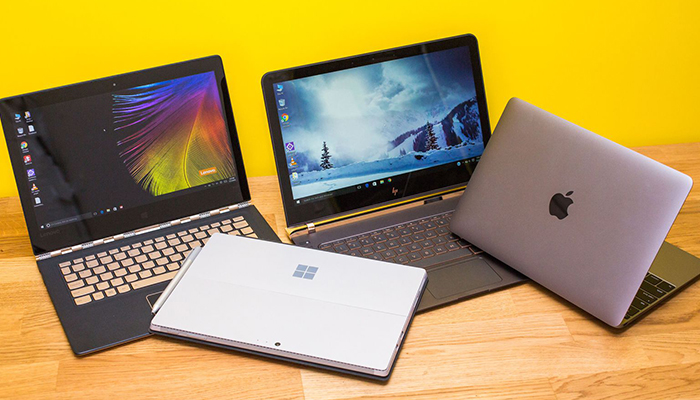


  • Search the Best Payroll and HR Software

    Search the Best Payroll and HR Software

    Software that helps to optimize your payroll might sound like a dry subject, but when you see how much time it can save you, you’ll perk up. It might sound difficult to figure out which is the best though: it’s not easy to experiment and try out different software. Not to mention, there are so many great options out there? Which payroll software is the best?

    We’re breaking down some of the best payroll software on the market to help you figure out which one will be right for your business.

    Which is the Best Payroll Software?

    ADP

    The go-to payroll software for most businesses is, of course, ADP. Originally known as Automatic Data Processing, this company got their start in the 1950’s and has grown to be the biggest payroll company in the world. This is no mistake: ADP’s software is top-notch and will greatly help to maximize your time. One out of six businesses use ADP, so it’s likely to be a great choice for your business.

    ADP Run is a software package that is ideal for small businesses with 50 or less employees. This software uses cloud storage to keep your information safely backed-up, and it also does a number of processes in the background to keep you from having to keep up with them. Processes like payroll deductions, tax calculations and even direct deposit can all be handled through ADP Run.

    There is a bit of downside: the software isn’t cheap. This software suite will run you twice what a service like Gusto would. The software price is highly variable, as well, depending on the size of your business and how often payroll is run.

    Gusto

    Speaking of Gusto, this software is highly user-friendly and can be learned easily. Small businesses love the Gusto software package, as it has great customer service and includes tax support and HR in the software.

    Those who want a simple payroll platform would be pleased to know that Gusto can run automatic payroll as well as managing both onboarding for new employees and benefits management. The onboarding in particular is a huge time-saver for a small business, as it allows your new employees to enter their own info and keep your records up-to-date.

    If you’re really not keen on keeping up with payroll yourself, you can actually set it up to run on a programmed schedule. If you want, the Gusto software package can run automatic payroll at set intervals. On top of that, workers’ comp, retirement plans and tuition savings plans can all be set up through Gusto.

    This affordable software package comes in at a solid $39 a month for their basic package, plus $6 per employee on the payroll. This, paired with Gusto’s super simple user-interface, makes it a great software suite for any small business.

    Sage

    Sage’s software suite is offered in two forms: an Essential Plan for companies with 10 or less employees, and a Full-Service Plan for companies with more than 10. The Sage software can be run via either cloud processing or on site. The functions are rather deep and accessible, and the ability to run multiple reports helps you see what minor adjustments change.

    The Essential Plan is great for very small companies, as data can even be entered via your smartphone. Then, payroll is quite simple. Employees can be paid out via direct deposit or prepaid debit cards, or just through old-fashioned checks. Taxes can also be calculated and deducted straight from the software with the Essential Plan.

    The Full-Service Plan offers everything you get with the Essential Plan as well as many functions better-suited to larger businesses. Additionally, Sage will set up the Full-Service Plan software for you once you purchase it and walk you through how to use it.

    The software isn’t terribly expensive, either, coming in at $50 per employee per month. This is markedly lower than ADP. It is, however, a good bit pricier than Gusto, making it a bit of a step between the two services. Sage does have a leg up over Gusto, though, in that it offers full QuickBooks integration. There is also a full online chat-support for customers, so you’ll never be lost without any help.


  • Cyber Security at Home: How to Stay Protected

    Cyber Security at Home: How to Stay Protected

    The most essential transactions these days happen over the internet. However, even though the increasingly connected world makes work easier, we expose most of our personal information to hackers. Hackers have several ways of stealing essential information that is put to misuse. This article has detailed several new tricks that hackers can use to steal your data and the best practices to promote more robust security.

    Latest tricks hackers use today and how to stay safe

    Phishing

    This is a fake email that hackers create that looks legitimate. The primary goal of using email phishing is to steal confidential information such as bank account details and passwords. The email may appear to have originated from the company you work for or your bank. The email tries to create panic or urgency by tricking users into providing their personal information. For instance, you may receive an email from your bank claiming that your ATM is disabled, and you have to confirm your card number for re-activation. Most users fall for the email, which malicious hackers send to have your data.

    How to protect your data

    When you receive a fake email, look for grammatical errors in email addresses or domain names. Hackers also use email addresses that resemble well-known organizations but slightly are altered.

    Also, check if the email has a link. If one is present, hover your mouse on the link and check if the URL matches the link provided in the email.

    Hackers use threats such as your account has been blocked or your security is compromised. Avoid such tricks.

    Malware

    Hackers write this malicious software intending to compromise your home computer cybersecurity to access confidential information. The software can perform functions that include deleting or stealing vital data, tracking the victim’s activities secretly, and modifying the system’s core functionalities. Some factors that lead to malware installation in your system, include running a pirated or older version of an operating system, installing pirated software or clicking on unknown links.

    Some of these malware software’s include:

    • A virus that can infect your software and disable system functionality
    • Trojans that create backdoors in your home computer cybersecurity for hackers to monitor your activities
    • Spyware that hackers design to spy on a user and track everything they do online including your surfing habits, passwords, and credit card numbers.

    How to maintain safety

    • Install legitimate antivirus software.
    • Avoid clicking on fake antivirus pop-ups generated from websites.
    • Avoid downloading fake software
    • Update your operating systems often
    • Avoid downloading pirated software or apps since they may contain malware

    Insecure networks

    Connecting your devices and systems to insecure networks creates an excellent opportunity for hackers to access your files and monitor your online activities. With that, a hacker can steal your bank account password and your social accounts or even inject malware on your trusted sites. With the wide range of programs available on the internet, a hacker can get close to your residence and gain access to your accounting data, passwords, usernames, and critical files. If such in-depth knowledge gets into the wrong hands, it can cause damaging consequences to your business.

    Connecting to free Wi-Fi at the airport or coffee shop is dangerous, especially when carrying out essential activities online, like having private conversations, banking, or browsing your email. The networks are not protected and can give hackers an opportunity in the same region to snoop on you.

    How to protect your data

    Do not connect to open, untrustworthy Wi-Fi networks. Free Wi-Fi may not be safe. When in a hotel or bar with Wi-Fi, do not connect randomly to any open network. Ask the staff which Wi-Fi is safe to connect to. That can minimize the chances of your accounts being hacked.

    Also, avoid accessing any vital information while connected or performing bank transactions. Use strong encryption like WPA2 on your home Wi-Fi router instead of WEP security or Open.

    Physical security threats

    This is threat involves people accessing your devices, such as mobile devices, laptops, and hard drives physically.

    People underestimate physical security threats in favor of technical threats like malware and email phishing. However, physical security threats occur when one can physically gain access to vital information, such as information collected from stolen devices.

    These physical breaches can take place at your home or workplace. For instance, one could access an unattended system that is not protected by a password or get access to your confidential files.

    How to stay safe

    • Use encrypted USBs and computer hard drives when storing confidential information. Avoid writing your passwords on a notepad or post-it.
    • Also, protect your system with a strong password. Avoid leaving your pc or phone unlocked. Ensure that you have proper backup and enable remote wipe services in case you lose your phone.

    Smishing

    This is where a hacker tries to trick you into providing them with your data via either an SMS message or a phone call. This technique is becoming more common and is a growing threat to online security.

    Smishing utilizes elements of social engineering to have you submit your vital data. The hacker earns the user’s trust and gets access to their personal information. The data can be anything from details of your bank account, OTPs, or online password to gain access your accounts. An attacker can use the information for various attacks. Sometimes the SMS messages come with short links with tempting offers and deals. When you click the link, the malware gets installed on your device.

    How to protect your data

    • Avoid sharing your personal information over an SMS or phone call
    • Before clicking links in a message, make sure you verify its identity. If you get a message claiming it is from a person you know and requests for critical data, contact the person using the phone number in your contacts and verify that they have requested the data.

    Malicious mobile apps

    Most people believe that every app available on the Apple Store or Google Playstore is legitimate. However, not every app on these stores is safe. Some apps contain some malicious codes that can jeopardize your privacy.

    A malicious app may have a code snippet that installs on your mobile phone or tablet. The app may also request permissions that may be valuable to hackers in getting your vital information, including your text messages, media, and contacts.

    It is essential to be smart before accepting permissions such as:

    • Accounts access
    • SMS permission
    • Microphone access
    • Contacts
    • Device admin permission

    How to protect your data

    • Before downloading an app from Google Playstore or Apple store, first, check the permissions.
    • Check the app’s reviews and ratings
    • Avoid downloading applications from unknown sources
    • Do not download cracked or pirated apps

    Top 10 vulnerabilities of using the same password

    Password reuse is among serious cybersecurity concerns. Users and administrators can use several ways to increase their password security, but they are often not adopted. Below is how you can ensure vital information in your web application is not compromised because of password reuse.

    The danger of password reuse

    Even with the most secure password, using it on several applications and websites can make it insecure. With the increasing global data breaches, there is a high chance that your password is stored in some applications or sites. Fortunately, some sites do not store passwords in plain text, meaning that the hacker only compromises the password hash in case of a data breach. In that case, a hacker only requires less time to get the password.

    Password manager security

    Most users resort to password managers to deal with password reuse. Most of the password managers are easy to use and cross-platform. That means that one can store their password database in the cloud and access it via a web interface from your mobile phone or PC. Password managers deal with password reuse and can generate unique passwords. However, such passwords can be challenging to remember.

    Length or complexity

    The most common password policy that administrators enforce in web applications, among other systems, is the length and complexity policy. However, the policy is weak.

    A few websites can check how long it can take a hacker to crack their password using a brute-force attack. For instance, if you feed an 8-character password with special characters, upper and lowercase, as well as numbers into the website, it can determine how long it can take to break the password. The sites can guide you on how to increase the complexity of your password.

    Is length enough?

    If the brute-force method is the only password cracking process, password length would be the best way to outdo attacks. However, dictionary attacks can decrypt passwords with commonly used words. A password with similar letters would be a hard nut to crack. If you use fake words that are easy to memorize, you can avoid the dictionary attacks.

    A false sense of security

    Force users to change their passwords regularly to increase your password security. Web applications and other systems use this common mechanism. Such mechanisms store hashes of old passwords, limiting the user to reuse their previous passwords.

    However, this policy introduces a false sense of security since most people only one character at the end, and they keep replacing it after every few months. Therefore, it is better not to implement this mechanism in your web application since it does not prevent dictionary attacks.

    Clear text passwords

    They are passwords stored in configuration files in exact text or passwords that remain visible even after the end-user types them. They are vulnerable to password hacking, be it as configuration files or inputs.

    The passwords pose a threat to password security since they expose the user’s credentials and allow attackers to act as legitimate users to access the accounts.

    Multi-factor Authentication

    Nowadays, the most robust defense against password attacks is the (MFA) multi-factor authentication. The mechanism is also part of most compliance requirements of DSS, PCI among others.

    The common (MFA) method is the one that the web application sends a one-time code SMS to the user’s mobile number. However, hackers compromise such mechanisms using SIM-swap attacks. They trick the mobile operator into providing a duplicate SIM card of the user and use it to get the SMS with a one-time code.

    To avoid that, use one-time-password (OTP) solutions like FreeOTP or Google Authenticator. Mobile apps send a push notification to your phone or send a one-time code generated by the app.

    Password recovery systems

    Applications with systems that allow users to reset or recover their password can also offer hackers the opportunity to access your vital information. The remember, a forgotten password mechanism is a possible way of authenticating a user, but it must be strong.

    Hackers can act as users and attempt to access users’ accounts by trying resetting the password. Applications that depend on security questions like a pet’s name or birthday are insignificant for authentication since attackers can access vital information for users in social networking accounts.

    Hardware tokens

    It is the ultimate security option for MFA. They are now becoming popular, especially the hardware keys. The idea has been in existence for several years and was used by certain software designers to combat piracy. Besides, there are keys one can use for mobile phones and computers. They can use either a wireless one or a physical interface.

    The hardware security mechanisms are now part of regular computing machines like laptops and desktops. Computers have hardware modules that offer encryption technologies. Operating systems like Windows 10 is compatible with the FIDO2 standard. That means that any device with Windows 10 and the hardware module can function as a hardware key. Nowadays, phones come with facial recognition or fingerprint scanners. With all these features and password combinations, one is sure of extra security.

    All passwords matter

    Most web application developers think that when an unprivileged user experiences a password breach, it will not endanger the web application. However, that is not the case. For instance, if a hacker uses SQL injection to a list of password hashes and hacks a user’s password, they can use it to gain access to privileged accounts in the system. The hacker can also get a user’s password via email phishing, social engineering, or malware, which is beyond a web application developer.

    Therefore, the application developer should make sure that users are using secure passwords at all times. You can test for weak passwords or use a password security mechanism in your application.