Category: Computers

  • The Best Cloud Computing Services in 2020

    The Best Cloud Computing Services in 2020

    The cloud computing architecture has evolved significantly in the past few years. The past year alone has seen exponential growth in how enterprises and small businesses use cloud computing services worldwide. The Software as a Service industry saw several companies opt for cloud migration in the wake of the Covid-19 pandemic. But the multi-cloud service was already the new rage as more vendors developed cloud services for an even better cloud experience. So, whether it’s infrastructure, applications, software, products, services, and even operating systems, it’s evident that everything is getting into the cloud. And that’s why several companies are investing millions of dollars in cloud migration.

    This detailed article aims to review the best cloud service providers to use, their cloud offerings, and which provider you should consider using for your cloud services in 2020, from a developer perspective.

    Some Key Benefits of Using Cloud Computing:

    • It allows businesses to cut their fixed and monthly operational costs of hardware, servers, databases, and software licenses. Cloud computing also significantly reduces the need for hiring IT resources.
    • It offers 24/7 uptime, about 99.99% uptime. Therefore, there’s no need for employee management.
    • Provide automatic updates and maintainability of new software, databases, OS, and third-party software.
    • It is scalable and highly reliable. There’s no limit to the number of resources or users. Also, the cloud increases resources and processing as needed. And you can also always scale down if you don’t need resources.
    • Providers have data centers in specific locations, which makes them a lot faster and more reliable. The larger cloud service providers have data centers worldwide for an even better and faster experience using their services.

    But enough of that, let’s get to the main section of this excerpt. Here’ a detailed overview of the top 5 cloud computing services to consider using in 2020:

    1. Microsoft Azure
    Microsoft Azure has been intentional about its services since it was founded nearly a decade ago, 2010. Azure services are built on the Windows Server, Visual Studio, and the .Net framework, making the lift and shift of the on-premise apps relatively painless. This cloud computing service now owns nearly 17% of the global market and continues to grow and expand into even wider markets.

    Microsoft Azure users can also run any service on the cloud or combine them with their existing applications, infrastructure, or data center. This cloud service provides users with a wide array of suitable solutions for all industries and businesses. You can rest assured that all your business needs will be met by using this service.

    With Microsoft Azure, you don’t need any physical servers onsite, which reduces the usual costs like hiring onsite server support teams. The solution is compatible with Linux as well, allowing it to reach an even wider market base.

    Benefits of Using Microsoft Azure:
    • 12-month free trial
    • Comprehensive services
    • Effective business-related solutions
    • Flexible and cost-effective technology
    • Windows and Linux compatible
    • Access to tools and resources for consistent performance

    Key Values/Differentiators:
    • Azure storage – to manage keys for your Azure Account, which it regenerates periodically.
    • Use cases – it can handle most cloud computing and IT storage needs, which is critical to be a direct competitor.
    • Enterprise security – enables users and several Microsoft Azure applications to store and use different types of key data.
    • DB service – this is a globally distributed database service used for building highly available, large-scale operations. By default, Azure’s DB service automatically indexes all data it ingests efficiently, ensuring a faster, more consistent SQL queries.

    Who uses Azure: SMBs to large enterprises

    2. Amazon Web Services
    AWS is the first and still one of the most effective and active cloud computing service providers in the world today. Founded in 2006, AWS offers infrastructure as a service to enterprises across the globe and has never looked back. It launches new services annually and is currently creating its own compute stack, which should make it even more efficient and desirable among cloud businesses.

    Since it was founded, AWS provides what most companies consider to be the best on-demand cloud computing services. It also offers extensive administrative controls that are available through their secure Web client. Its users can access several features from here, including auditing and encryption key creation.

    This is a cloud service that lets its users customize its infrastructure requirements according to their preferences and needs. This costs far less compared to setting everything up in your own premises.

    AWS has three pricing models; ‘Save when you reserve,’ ‘Pay less using more,’ and ‘Pay as you Go.’ This allows you to use the service that best fits your budget. For more information, you can visit their website or contact their sales team directly.

    Benefits of Using AWS
    • A 12-month free trial period
    • Highly customizable
    • Hassle-free sign-up process
    • Swift deployment
    • Huge choice of services
    • Unlimited access to storage
    • Billing on per-hour basis
    • Centralized management

    The Key Values/Differentiators
    • Scope – the largest hybrid cloud services provider globally.
    • Use cases – AWS can handle most cloud computing and IT storage needs. The mainstays include servers, general enterprise storage, archiving, data backup etc.
    • Security – AWS has its own highly secure in-house security solutions to protect all types of use cases. You will have several options to choose from.
    • Computing stack/databases – this is also a plus, especially for customers who name their configurations and let the service provider do all the grunt work.

    Who uses AWS: SMBs to large enterprises

    3. Google Cloud
    This is perhaps one of the most popular cloud service providers in the world, thanks largely to the name “Google.” Google Cloud Platform enables its users to create customized business solutions using its Google-provided, modular Web services. The service also offers several other services, including Infrastructure as a Service (IaaS) and Platform as a Services (PaaS) solutions.

    Google Cloud’s multi-layered secure infrastructure makes it one of the best, most secure cloud service providers that users can rely on. Anything you build, create, store, or code on this cloud service will be protected. The company’s commitment to transparency and highly trained engineers always ensures the safety and security of the service.

    Google Cloud also has several tools for ensuring consistent management and performance. These include App Engine, Cloud Storage, Big Query, Container Engine, and Compute Engine. Additionally, Google offers one of the best, smoothest migrations to virtual machines at very flexible pricing.

    Benefits of Using Google Cloud
    • 12-month free trial
    • User friendly
    • Access to AI and data analytics
    • Good range of services
    • No need for expensive server installments
    • Flexible technology
    • Full access to cloud-based services

    Key Values/Differentiators
    • Cloud expertise – you won’t find a better, more detailed cloud computing service that has the development expertise you need than Google.
    • Innovation galore – Google is where TensorFlow, Kubernetes, and several other cloud and storage technologies were invented. As a result, you should expect it to have a lot of residual intellectual property inherent in it.
    • Aimed at developers – if you are an enterprise cloud developer who is continuously creating and maintaining high-end cloud-based applications and services, Google Cloud will probably provide you with more surrounding support than other cloud service providers.
    • Use cases – Google Cloud is specially equipped to handle intense active IT and development applications. This is the cloud computing provider to create, update, and maintain applications in real-time (or near real-time.)
    Who uses Google Cloud: cloud developers and middle range to large enterprises are a target

    4. IBM Cloud
    Another renowned name in the online field is IBM. IBM Cloud is one of the best cloud computing service providers in the world. It is offered by the tech giant IBM, of course. It offers PaaS solutions, SaaS solutions, and IaaS.

    IBM Cloud also offers several services, but not all of them are cloud-based. This provider offers both virtual and hardware-based servers that are composed of private, public, and management networks.

    It combines its virtual and hardware-based servers into one on-demand cloud platform. With IBM Cloud, you will have full infrastructure control. The company claims that its hardware servers function more as “bare metal” that provides its clients with sole access to their servers. This greatly improves performance.

    The company also provides its customers with full server customization features. Therefore, you are always in control of everything that’s included in the server. This way, you never have to pay for any features or services that you may never use.

    Benefits of Using IBM Cloud
    • Management tools
    • Fully customizable
    • Pre-configured tools
    • Increases the value of your business
    • Excellent cloud performance
    Key Values/Differentiators
    • Full-service options – IBM Cloud has the widest range of products and services in the world, bar none.
    • IBM has a long-standing history of servicing and maintaining systems for mid-range to large enterprise customers.
    • Use cases – IBM Cloud handles the most requested cloud computing and IT storage. It operates several high-end data centers throughout the globe.
    • IBM’s reputation – IBM has a long-standing reputation for being one of the world’s best original IT companies. It started in 1916 during the First World War. Here is a company that you know delivers on the services and promises it pledges to its customers.
    • You get what you pay for – using IBM Cloud’s cloud computing services will cost you a lot more than almost all the other names on this list. So, you shouldn’t expect anything cut-rate.
    Who uses IBM Cloud: SMBs, midrange, and large enterprises

    5. Oracle Cloud Infrastructure
    Finally, we have Oracle Cloud Infrastructure, another renowned cloud service provider from a computing behemoth. As you would expect, Oracle Cloud Infrastructure is a powerful, feature-packed platform that’s used by millions of enterprises across the globe. Its services are especially strong for supporting different workloads, especially for Microservices, OLTP, IoT, along with other applications dependent on machine learning and AI. Oracle Cloud Infrastructure has two main service provisions, which include storage data and cloud architecture.

    Its cloud architecture includes databases, data management, and applications. On the other hand, its Data Cloud is mainly for driving big data analytics for intelligence insights. The company also provides a range of SaaS solutions such as EPM, SCM, HCM, and social media tools.

    Oracle Cloud Infrastructure has a vast range of services with the potential to serve several users. But you find that most of its cloud services are designed more to accommodate enterprise needs and not individuals or small businesses.

    Benefits of Oracle Cloud Infrastructure
    • Free tier
    • Enterprise-ready
    • Architecture and storage
    • Modern technologies like AI, chatbots, and machine learning
    • Access to unsanctioned applications
    • Next-generation data management tools
    • Protection against cyber attacks

    Key Values/Differentiators
    • One throat to choke – users who buy into Oracle Cloud Infrastructure are always in for a long haul. But the company will basically run everything for you. This entails software and some long-term hardware costs. But that is the business Oracle is in, and the main reason why it receives so much military and government business.
    • Speed is of the essence – whether in a cloud or a data center, Oracle database servers are perhaps some of the fastest in the world. You get exactly what you pay for using this cloud service, especially with regard to speed and performance.
    • Use cases – Oracle Cloud Infrastructure is also designed for cloud app developers and IT administrators. And the chief services sold include enterprise storage, enterprise applications, server, and database services.
    Who uses Oracle Cloud Infrastructure: SMBs to large enterprises, highly regulated companies, and government agencies

    The Verdict
    From the above excerpt, it’s evident that Microsoft Azure and AWS rank top of the list in the race for cloud supremacy. However, it’s also worth noting that other cloud service providers like Google, IBM, Oracle, Rack, etc. are getting better every day.
    So, if I were to choose a cloud service to work with, it would probably be Microsoft Azure or AWS. And the reason being that both cloud computing services are way ahead of the race. You can’t go wrong with either of these options. However, other cloud providers have tools and services that neither Azure nor AWS provides. These are some of the main reasons that may make an enterprise or SMB choose other cloud service options.
    Remember, with cloud service, there’s no one-size-fits-all. You must what your needs are and other cloud services that best fit your needs.

    The Bottom Line
    Choosing the best cloud service that meets your business’ needs depends on several factors. By this stage, you should have enough information to analyze the requirements needed for the best cloud service experience for your business. Try the options mentioned above and see how they work out for you.

    Related Posts
    Building a Website is Easy! Here’s How:

    Building a website is as simple as walking through the park. With the right tools and systems, nothing could be as simple to make. You don’t necessarily need any coding knowledge or need to hire a web developer because there are many self-serve platforms that are easy to use. The only tricky part is choosing […]

    2021 Phone Deals and Review

    If you are in the market for a new android phone to replace your current handset, you have a bit of work ahead. The breadth of options for new android phones can be overwhelming, especially if you don’t know what you’re looking for in your next android phone. But choice is the best thing about […]

    Don’t get Hacked! Use a Password Manager

    Your password is one of your strongest tools to protect your accounts and all your personal data. But too many people do not pick out good passwords and then their information is vulnerable. To protect yourself against hackers and keep your online data and identity safe, you need to know all the rules about passwords. […]
    Apple iPad Air Review

    Apple will release its fourth generation of the iPad Air line this October. There is much anticipation for this roll out because of the A14 Bionic System. The device was unveiled in September, along with Apple Watch 6 and Apple Watch SE. Unlike its predecessor, the latest iPad Air has more features and affordable pricing. […]

  • Apple iPad Air Review

    Apple iPad Air Review

    Apple will release its fourth generation of the iPad Air line this October. There is much anticipation for this roll out because of the A14 Bionic System. The device was unveiled in September, along with Apple Watch 6 and Apple Watch SE. Unlike its predecessor, the latest iPad Air has more features and affordable pricing. Its versatility is incomparable to the iPad Air 3. It is best compared to the iPad Pro 12.9. This fourth-generation Air iPad offers so much more considering how the iPad 3 Air was similar to the basic entry-level iPad. Apple has redeemed the Air line of product with this latest release. iPad Air 4 operates at the same level as the iPad Pro 2020.

    The specs for the iPad Pro 2020 include a 12-inch or 11-inch display and the A12Z bionic processor. It also does not come with the home button; users get to enjoy the edge-to-edge display.

    iPad Pro 2020 also comes with a LiDAR depth scanner for AR and the TrueDepth scanner for face identification. Users can also purchase accessories for use, including the Apple Pencil 2, the trackpad-fitted Magic Keyboard, and a Smart Keyboard Folio. The iPad Pro 2020 retails for $799 for the 128GB and $1,649 for the 1TB model.

    iPad Air 4 has a lower price compared to the iPad Pro 2020. It will cost $599 or $729, making it affordable considering the upgrades included. The third model of the Air series cost ranges between $499 to $649. Therefore, in regards to pricing alone, this latest release is reasonably priced.

    iPad Air Specs

    ● It comes with a 10. 9-inch Liquid Retina IPS LCD; the most advanced display technology in an Apple device
    ● It has a P3 wide color gamut and TrueTone.
    ● Has a display resolution of 1640 * 2360 pixels
    ● It has a scratch-resistant glass protecting the iPad from minor scratches and oleophobic coating, providing oily substances resistance.
    ● The primary camera is 12MP, similar to the iPad Pro, and has the HDR feature. It shoots videos at 4K, capturing images at 24 or 30 or 60 frames per second. It also captures images at 1080p at 30 or 60 or 120 frames per second.
    ● It has a Gyro-EIS feature, which improves low light photography. EIS provides a consistent frame compensating for handshaking.
    ● The FaceTime camera is 7MP with HDR and has a video quality of 1080p and captures 30 and 60 frames per second.
    ● It has a touch ID system that is mounted at the top, providing a larger display.
    ● It is fitted with an accelerometer, gyrocompass and barometer.
    ● It comes in silver, space gray, rose gold, green and sky blue.
    ● It has a USB-C port, Wi-Fi 6, stereo speakers and LTE
    ● It uses the second generation Pencil, Magic Keyboard, and Smart Keyboard Folio supported
    ● It possesses Apple’s latest A14 Bionic Processor.
    ● You get a free year of Apple TV when you purchase this device

    iPad Air Features: A Comparison

    Bionic Chip

    The new iPad Air comes with Apple’s latest A14 Bionic Chip. None of Apple products currently has the A14 Bionic chip. There are speculations that the chip will be available on iPhone 12.

    The A14 Bionic system will be the first 5-nanometer chip in the market. The size reduction allows Apple to pack in more transistors. It is now common knowledge that the A14 Bionic chip has 8 billion transistors compared to 8.5 billion transistors in the A13 Bionic system and 10 billion in the A12 Z series bionic system.

    The more the transistors, the better the chip is at multi-tasking and speeds. The chip makes iPad Air 4 excellent for gaming and AR.

    A14’s CPU
    Additionally, this latest bionic chip has a 6 CPU core with the perfect balance between energy-efficiency and performance. Two of the cores are high-performing Firestorm cores enabling the gadget to handle demanding tasks at impressive speeds. The remaining four are high-efficiency Icestorm cores which maximize the performance in different power budgets.

    What this means for the A14 Bionic chip provides faster performance and better power utilization. The A12 chip is 40% faster than A12 and 16% faster than the A13 chip. Therefore, this new iPad Air is expected to possess unprecedented speeds than any of Apple’s devices presently in the market.

    A14’s GPU

    Aside from the CPU, Apple has developed a GPU for the A14 Bionic chip. The purpose of this GPU is to maintain efficiency while saving energy. The GPU is a four-core graphics engine performs better than the A12 Bionic system by 30%. It works 8% better than the A13 chip.
    With this chip, users will get good performances while preserving battery life. The new chip enables tasks to be performed at a lower voltage frequency while the device maintenance peak performance.

    A14’s Neutral Engine

    Apple has included a silicon block in its SoCs called the Neural Engine. The hardware is an accelerator with machine learning and AI calculations functions. The Neural Engine is a product of continued innovation first introduced in the A11 Bionic Chip. Therefore, this next-generation chip is possibly more impressive than the original A11. While the A11 ANE performs approximately 600 billion operations per second and has the impeccable Face ID feature, the A14 chip does even better. A14 boasts of 16 cores, eight more cores than A12 and A11. It can perform 11 trillion operations per second.

    Apple is a master at integrating hardware and software on all its devices. Its inclusion of custom accelerators like the AMX and ANE is an ingenious way of improving learning. The AMX contains large-scale mathematical computations libraries for Apple’s developers to use without the need for low-level programming. Accelerate provides high-performance, energy-efficient computations on the CPU by leveraging its vector-processing capability.

    The Accelerates minimize room for errors and provides support for Apple’s novel hardware. The Neural Engine in the A14 chip is expected to perform ten times faster than the A13 chip and 20 faster than the A12 chip.

    Another big difference between the iPad Pro and previous releases from Apple is that the iPad Air 4 does not have Intel. It uses machine learning in the pace of Intel. In the current error of data analytics, machine learning applications are becoming increasingly important. However, the efficacy of Apple’s innovation remains to be evaluated.

    iPad Air Body -Comparison

    The new iPad Air is 9.57 inches long, 7.03 wide, and 0.24 thick. It maintains the same thickness as 2019’s iPad Air. However, iPad Air 2019 was longer by 0.03 inches and narrow by 0.18 inches. Both the previous and incoming iPad Air weigh 1.01lb. Both models iPad Air have a glass front and Aluminum back and frame. Compared with the iPad Pro, the latest iPad Air is small and 0.01 inches thicker. The iPad Pro is 11.05 inches long, 8.46 inches wide, and 0.23 inches thick.

    Display Features Comparison

    The iPad Air 2020 and 2019, and the iPad Pro have the same type of display features. They both use IPS LCD enabled touch screens with 16 million colors. However, iPad Air 2020 and iPad Pro have screens with an 85% screen-to-body ratio, while the iPad Pro has a 73.3% screen to body ratio. The iPad Air resolution is slightly inferior with 264 ppi density than iPad Pro’s and iPad Air 2019’s 265 ppi.

    All three iPad’s have a wide color gamut and TrueTone, but iPad Pro has a 120Hz refresh rate. While the lack of 120Hz ProMotion is a downer, it is a feature that can be done without unless you are using your iPad for drawing or video production.

    TrueTone adjusts your display lighting to accommodate your environment. The P3 wide color range makes your display, picture and video vibrant. Furthermore, the quality of the display is intensified with the 500 nits brightness for the iPad Air. iPad Pro has a 600 nits brightness while the iPad Air 2019 does not have this display feature.

    Nevertheless, the display features are standard with minor additions and subtractions. All in all, the three devices display high-quality images across the board.

    Camera, Photograph and Video Quality Comparison

    As for the Camera, both the iPad Pro and iPad Air 4 have a 12MP camera with dual-pixel PDAF. The feature uses all the camera pixels to autofocus; thus, it refines the focusing system’s speed and accuracy. However, the iPad Pro also has a dual-pixel and ultra-wide 10MP camera. Its camera features include a Quad-LED dual-tone flash and HDR, which provides light consistency resulting in a uniformly lit background and foreground. The Quad-LED feature enables you to shoot videos in low light.

    The iPad Pro also has Time-of-Flight sensors (ToF) and 3D Light Detection and Ranging (LiDAR) scanner for depth. LiDAR uses lasers to determine distances and depth. Although LiDAR is similar to ToF, used by Android devices, in function, ToF uses single pulse infra-red light to generate maps. On the other hand, LiDAR fires a train of laser pulses at different scenes over short time intervals giving an improved length of cover five meters and better object occlusion.

    The technology is currently in use by cars to determine how close they are to objects. Apple introduced the LiDAR scanner in iPad Pro and is expected to use the same technology in the iPhone 12. The feature is currently lacking in the iPad Air set to be released on 15th September.

    The iPad Air only has HDR, enabling you to get good photos and videos in high contrast situations. The iPad takes three pictures in succession and blends them, giving it better details in brightness and undertones.

    Nevertheless, the incoming camera iPad Air is an upgrade compared to the iPad Air 2019 camera. The iPad Air 2019 has an 8MP rear camera with an f/2.4 aperture. Pictures can only be shot in HDR. Both iPads have a 1.2MP shooter to a 7MP with an f/2.2 aperture that shoots in 1080p at 30frames per second. However, iPad Air 4 can also shoot 1080p at 60fps. The cameras on both devices can also shoot wide color capture in Photo and Live Photos.

    Apple Pencil and Keyboard Support

    All of Apple’s lineups support its pencil. In general, The Pro lineup released from 2018 uses Apple Pencils 2. The Air and mini lineups use Apple Pencil 1. However, the iPad Air uses Apple’s second-generation pencils. While the first generation of pencils supports abroad range of apple products, the second generation is the best of the styluses.

    Apple pencil 2 has a flat edge compared to the round-edged predecessor. The edges help prevent the pencil from rolling off. It also has a matte finish for better grip, an upgrade from Apple pencil 1, which has a glossy finish leading to slippage. Apple’s first-generation pencil picks up grease and leaves fingerprints.

    Both pencils have an 8.9 mm size, suitable for ergonomics compared to similar products in the market. Both pencils have good drawing performance.

    The iPad Pro and IPad Air fourth generation use the Magic Keyboard. The keyboard uses a Smart Connector. Additionally, it is a scissor-switch keyboard and a glass trackpad. The top layer of the keyboard looks like a piece of fabric that is water-resistant. The keys are printed with white paint.
    Smart Keyboard Folio only supports the fist and second-generation iPad Pro 11-inch and the third and fourth generation of the iPad Pro 12.9 inch. The iPad Air lineup does use the Smart Keyboard Folio except for its fourth generation. Additionally, the smart keyboard does not require Bluetooth to connect to the iPad. It uses a smart connector found on the iPad.

    iPad Pro Vs. iPad Air 4

    From the comparison, it is quite evident that the iPad Pro excels in many of the iPad features. However, the iPad Air offers the novel A14 Bionic chip with better performance and efficiencies. While we have to wait for the rollout to ascertain the A14 Bionic chip’s efficacy, it presently remains unmatched.

    Additionally, the iPad Air is much more affordable compared to iPad Pro. Therefore, if you are into staying ahead with technology, then the iPad Air is an excellent option. Similarly, if you are looking for a fast and energy-efficient device, the iPad Air 4 will serve you well. On the other hand, if you are into videography, gaming, or photography, the iPad Pro has better features.


  • Smarter Business Solutions: Best Employee Time Tracking Software

    Smarter Business Solutions: Best Employee Time Tracking Software

    Every business needs the right tools in order to succeed. Chief among these tools are employee management tools. When your employees clock in, when they leave: these are critical data points you have to have great tracking of. Time tracking software is how you generate payroll, and how you accurately keep up with billable hours, time management and project durations.

    When you get employee time tracking software, you need the best. It needs to be reliable, easy to use and easier to read. No one wants to have to decipher crazy tables and illegible data points in order to try to generate payroll. Today we’re looking at a few of the best employee tracking software solutions on the market to help you narrow it down to the best options. Run your business like a pro with these smart time tracking solutions.

    Beebole

    Don’t let the odd name fool you: Beebole is a great app for businesses of any size. Whether you have only 10 employees or 1,000, Beebole can help you to manage your team’s time. Of course, it can track basic time sheets, but it’s also great for coordinating project time management as well as budget monitoring.

    Beebole offers budget tracking, configurable time reports, one-click timers and a lot more. It’s incredibly simple and easy-to-use, but it’s also highly modular and can be configured to do pretty much whatever you need it to. To add to how easy it is to use, it’s also got a mobile app that works on all mobile devices, and can even be used when offline. Beebole only costs $6 per month, and there are even discounts for large groups.

    Scoro

    Scoro is a very popular time sheet program capable of handling tons of functions for your business. The basic time-tracking is there, of course, keeping up with billable hours employee in and out times and project durations. This information is presented in a clear and easy-to-read format, and can be used to help coordinate team efforts on project. This is a stellar tool for people who need their teams to work consistently on time-sensitive projects.

    Scoro is a lot more than just time-tracking, though. It also offers billing automation, quoting and invoicing, time and work reports, CRM and a lot more. It can probably replace three or four different tools you’re already using for these tasks, likely saving you a ton of money. Scoro costs only $26 per month per user, and you can try it out for 14 days for free.

    Harvest

    Harvest is a favorite time-tracking app of hundreds of businesses. It’s one of the best-known time tracking software solutions, and for good reason: it’s a very focused time tracker for businesses of small or medium size. It’s not like the other software suites on this list, though: it’s not a team collaboration tool, it’s primary function is as a time tracker. This single-mindedness makes it incredibly straightforward: it has one job, and it does that job quite well.

    Harvest is available in both free and paid plans. The paid version starts at $12 per month per user. The app supports real-time tracking of time spent on the job, generates estimates of invoices based on collected data, and can even integrate data from across a wide variety of time-tracking tools. In short, there’s a lot of very useful features under the hood of this deceptively simple time-tracking app. Whether you’re running a small business and just need an inexpensive solution for your time-tracking or you’re running a medium-sized business and need an efficient and focused time-tracker, Harvest can fill these roles for you.


  • Discover The Best Laptop Deals of the Holiday Season on  Apple, Microsoft, Dell, and More!

    Discover The Best Laptop Deals of the Holiday Season on Apple, Microsoft, Dell, and More!

    If you’re shopping for a laptop during Black Friday or Cyber Monday for your kids going back to school, or just looking for something to help you with productivity, there’s a lot to choose from. It’s becoming increasingly difficult for laptops on the lower end to distance themselves from competition in the form of tablets and even smartphones.

    Most of the year, it’s tough to find a worthwhile deal on a laptop. If you’re in the market for an upgrade, or are buying your first laptop, Black Friday is when all of the retailers and manufacturers mark down most, if not all, of their inventory to the best prices of the year. Regardless of whether you have your eye on a Windows 10 laptop or a MacBook, there will be plenty of both sorts on sale soon (and in some cases, right now).

    Apple

    Apple’s new 16-inch MacBook Pro is already $100 off at Best Buy, starting at $2,299 for My Best Buy members (Best Buy’s program is free to join and only requires an e-mail address to set up) instead of $2,399. This deal applies to all configurations.

    The latest MacBook Air will be $200 off beginning on Thanksgiving, starting at $899.99 for the base model with 128GB of storage, 8GB of RAM, and an Intel Core i5 dual-core processor. This model is available in several colors, and unlike the previous generation, this one has a True Tone display that can automatically match the screen’s color temperature to the ambient lighting in the room. Best Buy members can save $100 on this product now, but you’ll get a better discount if you wait just a little longer.

    Microsoft

    At the Microsoft Store, the brand-new Surface Pro 7 (Intel Core i5-1035G4 with a base clock speed of 1.1GHz, 8GB RAM, 128GB storage) will be bundled with a black Type Cover (usually sold separately) and sold for $799 starting on Friday, November 22nd. This model is currently priced at $899 for the tablet alone, and since the Type Cover is all but necessary, it’s a great deal given how recently this product was released. You should know that Best Buy will also offer this deal, but on Black Friday.

    Also at the Microsoft Store, the low-end option (Core i3-1005G1 with a 1.2GHz base clock speed, 4GB RAM, 128GB storage) is getting a $150 markdown starting on November 28th. Instead of $749, it will cost $599, and will include a Type Cover. This same deal will also happen at Best Buy on Black Friday.

    Dell

    Dell’s XPS 13 (13-inch 1080p display, Intel Core i7-8565U with a 1.8GHz base clock speed, 256GB SSD, 8GB RAM) currently costs $1,049 (usually $1,299). At Costco, Dell’s latest XPS 13 laptop (4K display, 10th Gen Intel Core i7-10710U with a 1.1GHz base clock speed, 16GB of RAM, 1TB SSD storage) will be $1,399 starting on Thanksgiving Day. The webcam is located at the top of the display on both of these laptops, and they each feature two Thunderbolt 3 ports. The XPS 13 is currently our top pick for best laptop, so you should check either of these models out if you’re in the market for a compact, very capable machine.

    Dell’s 2-in-1 version of the XPS 13 laptop is $1,449 right now. It has a 16:10 aspect ratio display (pictured at the top of this post), which offers a little bit more screen real estate for getting things done. It also has Intel’s new 10th Gen Core i7-1065G7 with a base clock speed of 1.3GHz, 16GB of RAM, and 256GB of storage. The updated specs, plus the ability to twist the screen around will cost you a premium, but might be worth it for your needs. My colleague Dan Seifert said that this model is “even better than the standard XPS 13” in his review.


  • The Ultimate Software Essentials For Every New Business

    The Ultimate Software Essentials For Every New Business

    Starting a new business can be tough. As a startup business owner, it’s crucial to discover the software solutions tools that can save you time and make your job easier. We’ve outlined the most essential new business software solutions of 2019.

    HR Software

    Whether you’re a Fortune 500 company or a start-up looking to make your first hire, modern-day HR solutions have never been more vital to businesses. Due to the ever-growing complexities of running a business in the last decade HR software has practically reinvented itself.

    While it can be tempting to outsource all aspects of your business with HR Software, it may not always be necessary. You should especially take this into consideration when pricing comes into play. Not all HR Software companies offer a complete package at one price. For example, Bamboo HR ups their prices for companies that run payroll with them by $4 per employee and $25 per month.

    Essential Accounting Software

    Keeping a close eye on your books is especially important when you first open your business. Having the right software solution in place can make this difficult task more straight forward and organized.

    The streamlined, seamless and easy-to-use Freshbooks software is one of the top picks for accounting software. Whether you’re running a large business or a small one, Freshbooks as an accounting suite is a strong choice. You can easily set up recurring invoices to pay out to various contractors, record your expenses easily and import to other software in a flash. The dashboard makes it easy to find what you’re looking for, while the easy-to-navigate menus and options make it impossible to get lost. Accounting can be quite difficult, but Freshbooks takes a lot of the difficulty out of the equation! Pricing for this software starts at $15 per month.

    Capeable Cloud Security and Storage

    There are a ton of great options when it comes to cloud storage! Many of them are free, but some offer some interesting paid features. If you have a lot of storage needs, whether it be for business or personal use, consider these great options for cloud storage!

    Microsoft’s answer to cloud storage is a great platform. Windows users have access to it as just another computer directory! It’s simple to access and offers 5GB of storage free to anyone. Just like Google Drive works closely with Google Office Suite, OneDrive works with Microsoft Office. If you commonly use Microsoft Word, PowerPoint and the like, OneDrive is a great option for you.

    If you decide to sign up for an Office 365 subscription Microsoft will reward you with an extra terabyte of storage on your OneDrive account. OneDrive for Business grants access to both storage and Microsoft Office. It’s just under $9 per person per month, which is actually a pretty good rate! If you already use a lot of Microsoft’s Office Suite, OneDrive is for you!

    Inventory Management Software

    Is your new startup going to require a large amount of inventory? If so, a comprehensive inventory management solution may be an essential piece of software for your business. Whatever solution you choose, it’s important that it’s capable of expanding with your business.
    Boxstorm, part of the Fishbowl inventory management system, allows you to track the cost of each item from the time it’s purchased to the time it’s sold. It allows you to have a real-time value of your existing assets. Ensuring your product gets from point A to point B is a core function of any business.
    Boxstorm can interface with multiple shipping solutions. It allows you the freedom to choose the solution that fits you best. They accommodate a wide variety of e-commerce solutions like WooCommerce, Shopify, Magento and Salesforce.


  • Freshbooks vs. Quickbooks: Which is Best for Your Business?

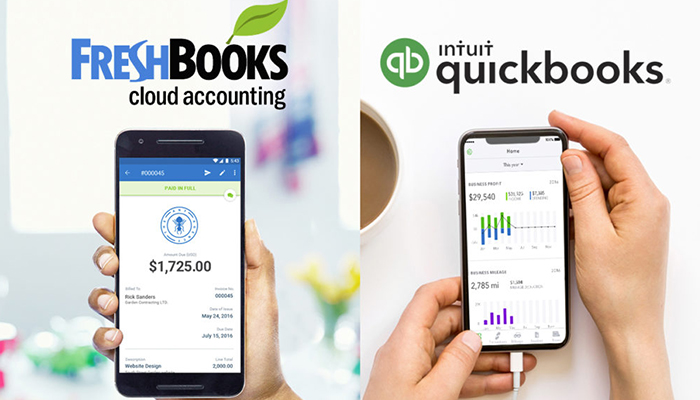
    Freshbooks vs. Quickbooks: Which is Best for Your Business?

    As a business owner, it’s important to find tools that can save you time and make your job easier. Finding the right accounting software for your business can be a tough decision. Software that works for one company, might not work for the other. This way having a good accounting solution in place from the start is a seriously good idea, so that you can ensure you can keep on top of tracking money!

    Luckily, there are some very easy to use and well-developed software applications available, which can not only make it easy to manage your accounts, but also make everything clearer for your accountant at the end of the year, saving administration costs there.

    Some accounting packages are downloadable software, but these days it’s more common for applications to run in the cloud, which means you can access them through a web browser or app on almost any device, including on your phone while on the go.

    Here then are the best in accounting software currently available:

    Freshbooks

    The streamlined, seamless and easy-to-use Freshbooks software is one of the top picks for accounting software. Whether you’re running a large business or a small one, Freshbooks as an accounting suite is a strong choice. You can easily set up recurring invoices to pay out to various contractors, record your expenses easily and import to other software in a flash. The dashboard makes it easy to find what you’re looking for, while the easy-to-navigate menus and options make it impossible to get lost. Accounting can be quite difficult, but Freshbooks takes a lot of the difficulty out of the equation! Pricing for this software starts at $15 per month.

    QuickBooks

    Intuit QuickBooks may have been around since the days of DOS, but the latest version is right up to date. It is an easy-to-use cloud-based suite for just about all your business needs. Even the Essentials plan for $20 per month has plenty of features: invoicing, expense tracking, as well as time tracking, manage bills, and works for up to three users. There’s also the option to add either self-service payroll or full-service payroll for an additional fee.

    Conclusion

    Overall, QuickBooks wins the race for the best small business accounting solution. The program has more features, the features it offers are more robust, and its pricing options are affordable (even if they are slightly more expensive than FreshBooks plans).

    If your business is small, starting with QuickBooks now could help you avoid headaches down the road. When your business grows, you may eventually need access to some of the more advanced features available through QuickBooks. Learning QuickBooks on the front end can help your business avoid the growing pains of learning a new accounting system down the road.

    However, there are still several instances where FreshBooks might be the better choice. If you’re a freelancer, solopreneur, or you need to track hours worked by your employees or contractors, FreshBooks may do a better job of meeting your needs at a slightly more affordable price.

    It is not a “one size fits all” concept. Research your options, test what works for you, and you will find the right fit for your company. Evaluate what features you need and what features you do not need. Line up those needs with one of the programs above, and you will find the right one for you. However, most importantly, don’t forget to take advantage of all the free trials and demos out there!


  • Biggest Mistakes People Make When Buying Laptops

    Biggest Mistakes People Make When Buying Laptops

    If you’re shopping for a laptop for your kids going back to school, or just looking for something to help you with productivity, there’s a lot to choose from. It’s becoming increasingly difficult for laptops on the lower end to distance themselves from competition in the form of tablets and even smartphones. As such, tons of weird gimmicks have started showing up on laptops across the entire market, and they can be hard to sift through.

    When you’re shopping for a new laptop, there are a few basic mistakes you’ll want to take care to avoid. Whether they’re experienced tech junkies or relative newcomers, here are the basic mistakes that people make when they’re shopping for a new laptop.

    Paying too Much

    Some of the higher-end laptops you’ll find are downright amazing. However, that doesn’t mean that every expensive laptop is a good deal. If a laptop feels like it’s straining your budget for you to fit it into your purchases, it’s likely rocking some features that are completely unnecessary. Don’t get suckered in to paying a huge upcharge for a 4K display, 4TB of memory and 12GB of RAM when the laptop is going to be used for taking notes and watching YouTube videos.

    Along this same line of reasoning, make sure you know what display resolution you’re comfortable with. If you want to use a laptop for lots of Netflix streaming, video games and photo editing, you might want to opt for the full 4K resolution. However, if you’re buying for a student so they can write research papers and check their email, then you might go for a 720p screen that costs less than half the price.

    Undershooting Your Needs

    On the flip side, if you buy a laptop entirely based on “oh, this is the cheapest one I could find!” then you’re likely going to get what you pay for. If your laptop barely has any storage or RAM, then you’ll find it quickly running out of usefulness for you. Likewise, if you need a lot of applications running at once but opt for a dual-core processor over a quad-core processor, just because the dual-core was cheaper, you’ve only short-changed yourself.

    When you’re buying a laptop, have a good idea of your needs. When you know what you need, then it’s easier to set your price point. If you undershoot what you need, then you’ll have issues on you hands that you won’t be able to fix until you just buy the laptop you should have bought in the first place. Likewise, if you overshoot and buy something hilariously overpowered for what you need, then you’ve wasted a ton of money on bells and whistles that aren’t helping you.

    Not Trying it Out

    Would you ever buy a car without test driving it, or a home without touring it? If you would, then, congratulations on your huge piles of disposable cash. However, people with normal budgets try things before buying them, and your laptop should be no exception. The prevalence of online buying has made this a bit less common in recent years, but this is a disturbing trend. It’s important that you try out any complex piece of technology before you buy it.

    The feel of the keyboard, the speed of the processors and the appearance of the resolution are all important things to see in person. Even minor touches, like the shape and weight of the laptop, are hard to gauge just by looking at stats and dimensions on a cold web page. Little things like the sensitivity of the touch pad or the lack of certain features might not jump off the page at you, but would be immediately apparent if you tried the device in-person.


  • Results Are In: Best HR Software Features & Prices in 2019

    Results Are In: Best HR Software Features & Prices in 2019

    Looking for the best combination in HR Management and the latest technology breakthrough? How much does this software cost and what do you need to look for? What are the pros and cons? We have the scoop! We’ve cut your search time in half by compiling a list of the best and most affordable state-of-the-art HR software available today.

    Whether you’re a Fortune 500 company or a start-up looking to make your first hire, modern-day HR solutions have never been more vital to businesses as they are in 2019. In the last decade we’ve seen HR software take great strides in practically reinventing itself.

    In fact, in the past couple of years we have seen features that we never knew we needed become indispensable for recruiters and businesses alike. But don’t sweat it, we know why you’re really here – what are those features and most importantly, what’s it going to cost you?

    Before we dive into pricing, lets take a look at what some of your basic goals are and how investing in HR software can transform your business:

    Size

    How many employees does your business currently have and how many are you projected to hire in the near future? This is an important aspect to take into consideration since most HR Software companies offer rates based on how many employees you have. For example, a company that runs payroll for 20 employees will have a greatly different pricing structure to work with in comparison to a company that runs payroll for 2,000 employees.

    Functions

    HR managements falls under a huge umbrella that covers a bunch of different essential features. What exactly are you looking for within your unique business structure? Most industries outsource tasks such as payroll, hiring, performance reviews, time off tracking, etc.

    While it can be tempting to outsource all aspect of your business with HR Software, it may not always be really necessary. You should especially take this into consideration when pricing comes into play. Not all HR Software companies offer a complete package at one price. For example, Bamboo HR ups their prices for companies that run payroll with them by $4 per employee and $25 per month.

    Budget

    But what’s this going to really cost you? Let’s dive in. There is no getting around the fact that HR Software pricing greatly varies from one provider to the other. How much should you spend on HR Software and is it really worth the price tag that comes with it?

    Typically, when licensing HR Software on a monthly basis, prices range anywhere from $50 – $1,000 each month. Subsequently, this will to depend on the factors mentioned above such as size and functionality of your unique business model.

    Most HR Software providers offer a trial month for you to try out their product, without dishing out a single penny. Win-win! As a business, you should take advantage of this. Take some time to go through the trial and error process before committing. This will not only help you compare different HR Software, but will also give you a concrete answer on what it’s going to cost you.

    Here is a list of the top-rated HR Software companies for you to try out in 2019:
    1. BambooHR
    2. Zoho People
    3. Dayforce HCM
    4. SAP SucessFactors
    5. Kronos Workforce Central
    6. Deputy
    7. Gusto
    8. Zenefits
    9. CakeHR
    10. ADP Workforce Now


  • Best Deals on Laptops

    Best Deals on Laptops

    Having a nice smartphone is cool, and a good tablet can be great for entertainment uses around the house. When it comes to productivity and getting things done, however, what you really need is a full-fledged laptop. As long as you’re not looking to go too far into the gaming side of things, which will quickly increase the price, you can get a good laptop for school or work for under $500. Let’s take a look at some of the best deals on laptops.

    We’re looking at these laptops based on a number of factors. The primary factor, of course, is price: only laptops under $500 can make this list. The secondary factor is overall usefulness: since laptops compete in price with tablets, we’re concerned primarily with laptops that can help you with your productivity for tasks like typing or creating presentations.

    Acer Aspire E 15

    Far from the prettiest or lightest laptop on the market, the Acer Aspire E 15 is a squat and industrial-looking laptop that you can pick up for under $400. The $360 configuration sports a low-end dual-core i3-8130U and a below-average 6GB of RAM. It offers a sizable 1TB hard drive, though, and the price is notably lower than many competing Windows laptops. The Aspire E 15 is an interesting little laptop for a number of other reasons, though.

    Coming in at 5.3 pounds, the Aspire E is also surprisingly weighty. That said, the design is rugged and likely to last you for a while. If you’re still working with physical media, the laptop includes a DVD drive and even a burner for encoding your own info. Interestingly, this laptop also supports memory expansion: you can open it up and add more physical memory and storage space.

    HP 15

    The very simple and straightforward naming convention of the HP 15 matches up with its very plain and almost dorky design. The 15 is a very inexpensive laptop, coming in for the low price of around $400, though it’s not winning any beauty contests. It sports big bezels, rounded corners and a bulky, blocky design that’s reminiscent of something a child might use. That said, it’s got the goods for someone looking for an inexpensive laptop.

    The HP 15 runs full Windows, which is unique for a laptop of this price range. Many laptops under $500 are Chromebooks, which run on Google’s low power consumption, budget-friendly Chrome OS. If you need a laptop for productivity, such as typing in Word or making PowerPoint Presentations, then the HP 15 is a great inexpensive option. It’s worth noting that it only supports the older, weaker 2.4 GHz Wi-Fi, so it might be worth skipping this one if you don’t use ethernet connections often.

    Dell Inspiron 15 5000

    Another 15-inch Windows laptop, the Inspiron 1500 can often be found on sale for just under $500. If you need a good compromise between low price and high power, this is the laptop for you. It offers up 8GB of RAM, allowing you to multitask and handle beefier requirements like photo editing. The CPU is an i5-8250U, making it a good mid-range CPU that can handle most task.

    Interestingly, the display here is a true HD display. This means that you get the best of both worlds: the price of a budget laptop with the features of a higher-end device. For the cherry on top, this laptop sports a 256GB solid state drive. Solid state drives have some notable advantages over hard disk drives: notably, they load information much more quickly, and they also have no moving parts, making them safer to travel with and likely to last longer.

    sc name=”disableGoogleAds” ]

  • Best Billing and Invoice Software for Small Businesses

    Best Billing and Invoice Software for Small Businesses

    Whether your business has ten employees or a hundred, you need invoicing and billing software. After all, keeping up with who gets money, and how much, is critical to operating your business daily. As such, you need the best billing and invoice software you can get. Today we’re taking a look at some of the best software on the market for your small business so you can get down to business.

    While there’s no one right answer for your business, these are some of the most popular and highly-rated software solutions out there. Your business deserves to succeed, so give it the best chance to by getting the best invoicing software!

    What is Billing and Invoice Software?

    For those who are just starting a small business and might not know, invoicing software is incredibly important to the daily operations of your business. Primarily, this software is for accounting and other financial operations. It can be as simple as something that allows single-entries of data points to more advanced, double-entry applications with more robust features.

    Depending on your business, you might be better served by a simpler software solution that allows you to quickly input and organize data and information. However, your business might be complex enough that it’s more important you have a more thorough and robust software suite available, with functionality such as double-checking your numbers and automating tasks.

    Quickbooks

    One of the most well-known and easily-recognized names in the realm of accounting software, you’ve likely seen commercials from or heard about Quickbooks. That name recognition comes honest: Quickbooks is one of the best software suites for accounting tasks, offering ample features for businesses without overwhelming users with options.

    The user interface is clean, easy-to-navigate and impressive. Task automation is easy and resources to help you find ways to solve problems with Quickbooks are plentiful. One of the best things about choosing a major name like Quickbooks is that most people are already familiar with the software, so your accounting employees will likely have no trouble using it or figuring out how to troubleshoot the software.

    Freshbooks

    Freshbooks, the similarly-named competition to Quickbooks, is another great option for small businesses. While not as recognizable or well-known as Quickbooks, Freshbooks offers a great platform for your accounting needs and is a bit less expensive than Quickbooks. The trade-off, however, is that less people will be familiar with the software, so your accounting employees may need more in-depth training with it.

    Freshbooks is a cloud-based accounting solution, so you can rest assured knowing your books are backed up offsite. Even if your computers go down or somehow you lose your hard drives, you won’t lose all of your accounting information. Automation solutions are as robust as Quickbooks; the only real step down from the competition is that Freshbooks is a bit more complex to learn and use.

    Sage 50cloud

    Another excellent accounting suite you can use for billing and invoicing is Sage 50cloud. Sage’s software solution is, as the name suggests, another cloud-based accounting option. This means that your books will be backed up in the cloud and can be recovered in case you lose your files or hard drive. This keeps incidents like fires or burglaries from being total wipeouts of your data.

    Sage 50cloud is also notable for its user interface. It’s a breeze to set up automated tasks, like payroll or recurring bills and invoices. Organizing invoices and expenditures is easy, and information is presented in a readable and easy-to-parse context. Exporting and importing data is a snap, and you don’t have to worry about minor clerical errors: the software double-checks behind you to make sure everything adds up.