Category: Electronics

  • 4K UHD Blu-ray Player Round-Up

    4K UHD Blu-ray Player Round-Up

    If you are planning to upgrade to a shiny new 4K television, then your next step will likely by purchasing a 4K Blu-ray player. After all, how else will you be able to watch The Last Jedi or Bladerunner 2049 in all of their 4K glory? Read on for our list of the best 4K Blu-ray players currently on the market.

    Xbox One X – Around $500

    Watching movies in 4K is a phenomenal experience – but so is gaming! If you are interested at all in the modern era of video games, then you should consider Microsoft’s Xbox One X to pull double duty as your 4K player and gaming machine.

    The interface is slightly awkward and you’ll need to purchase a universal remote if you don’t want to power own a controller every time you want to start a movie, but we think that the pros outweigh the cons when it comes to versatility and power.

    If the Xbox One X is out of your price range, consider the Xbox One S. You’ll get similar 4K UHD capability at a much cheaper price. The visuals on some games will be less impressive than the Xbox One X, but that’s why the X costs twice as much.

    Sony UBP-X800 – Around $250

    The Sony UBP-X800 should be your top choice for a more media-focused experience. It supports almost everything you could throw at it. Of course, it supports 4K UHD Blu-rays, but you can also upscale standard Blu-rays, 3D Blu-rays and DVDs at superior quality. HDR and Bluetooth audio support round out the features.

    The machine comes ready to stream and supports most of the major services and has a customizable menu. It’s a sturdy feeling machine with a metal chassis that gives off a premium vibe. If you’re not interested in gaming, this should be your go-to player.

    Samsung UBD-M8500 – Less than $200

    The Samsung UBD-M8500 is a solid entry-level and budget-friendly 4K player that will handle your UHD content with crisp and beautiful clarity. Compared to the Sony, however, the upscaling of DVDs and 1080p Blu-rays are a bit lackluster. HDR is supported but note that 3D Blu-ray discs are not.

    You can also use this unit to stream your content from the major providers. The menu system on this model takes advantage of 4K screens and looks better than Sony’s menus. The Samsung SmartHub UI gives users quick access to key menu features and apps without having to go back to a home screen.
  • The 5 Strangest Biohacks That Turn Man into Machine

    The 5 Strangest Biohacks That Turn Man into Machine

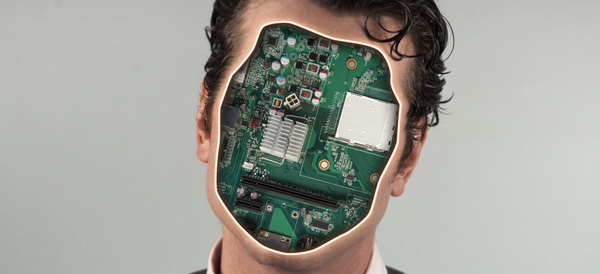
    While many of us already carry or even wear technology to help us streamline our day-to-day lives or collect health data, a group of biohacking “ginders” take it one step further. Why wear the tech when you can go full transhuman and implant the tech directly into your body?

    While gory and somewhat unsettling to see, biohacking seems to be a niche subculture that is here to stay.

    5. The Eyeborg Project

    05-eyeborg

    inverse

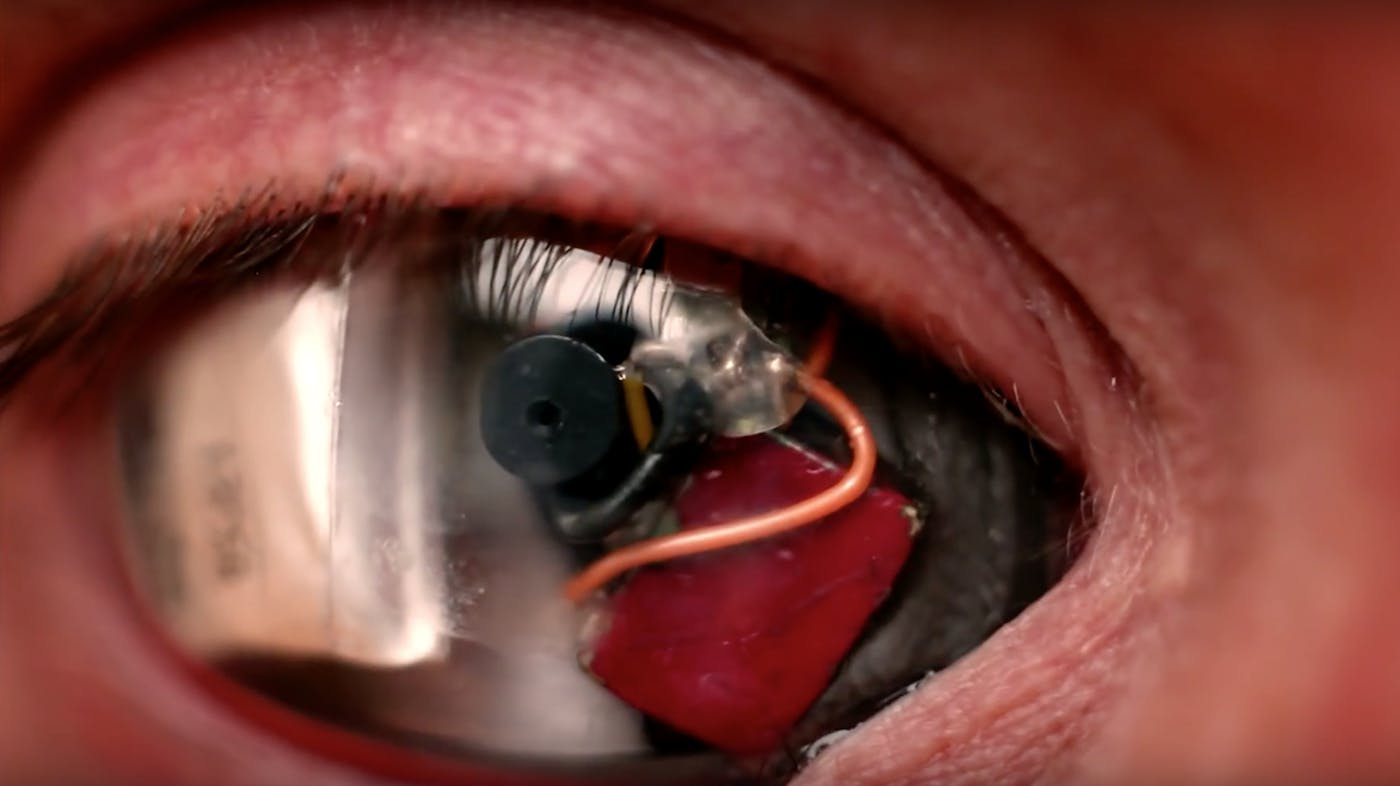
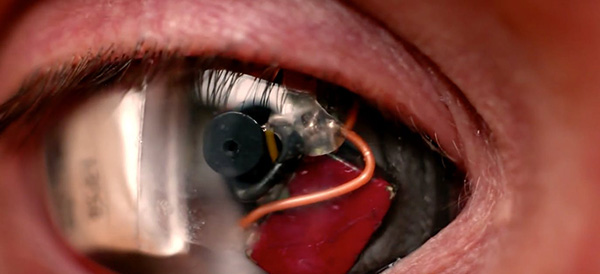
    Filmmaker Rob Spence wanted to create the perfect “point-of-view” filming experience. In order to do that, his team worked with ocularist Phil Bowel to design a prosthetic camera and electronic eye shell housing. A miniature camera, created by engineers working with RF Links, was designed to fit the housing. The result? An eyecam that creates a literal POV feed.

    Next, Spence wants to design an eyecam that looks less Terminatorand more human.

    4. Biomagnets

    04-biomagnets

    digitaltrends

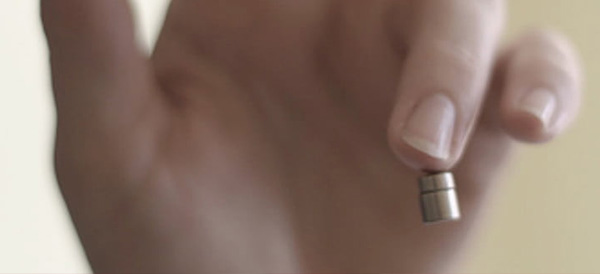
    Biomagnets are small magnetic implants shaped like discs implanted to dense nerve-ending areas like fingertips which give humans a new way to sense and interact with the world. “Magnetic vision” is a field sending ability where the augmented human can sense magnetic fields. Essentially, in nerve-ending rich area like a fingertip, even the smallest movement of the biomagnet can be felt.

    Of course, magnets can also be implanted for lifting purposes. These magnets are more cylinder based and are less useful for sending magnetic fields – instead their purpose is simply to lift.

    The usefulness of biomagnets can certainly be argued, but one thing is for certain – augmented humans may be much more likely to negatively interfere with electronic devices.

    3. Blood Test

    03-blood-implant

    digitaltrends

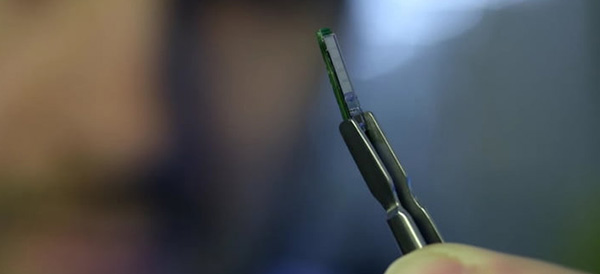
    Not all biohacks are bizarre subculture inventions, some come straight from the lab. The Swiss Federal Institute of Technology in Lausanne (EPFL) developed a device which could assist future doctors by monitoring substances in the body. The five sensors on the implant is capable of reporting lactate, glucose and ATP levels.

    After the device analyzes the user’s blood, it can transmit the information to a doctor over a cellular network. While still in a research phase, the scientists at EPFL believe it could be ready for the market within a few years.

    2. The North Sense

    02-north-sense

    cyborgnest

    Cyborg Nest’s North Sense device isn’t actually implanted into the wearer. Instead it is attached to the surface of the skin, but we think it still qualifies as a biohack. Right now, the functionality is incredibly basic – the device simply vibrates with the wearer is facing magnetic north.

    The North Sense is an experiment in new stimuli input. Cyborg Nest is looking to further their technology by developing new ways to interpret panoramic audio and visual sensing, which could give the wearer 360 degrees of awareness. Pretty sweet!

    1. Bioluminescence

    01-bioluminscence

    Ryan O’Shea

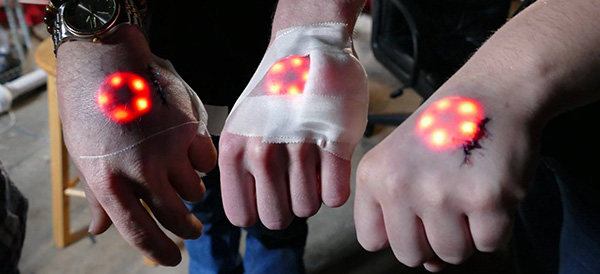
    There’s no way to recreate actual bioluminescence in humans (yet), so for not you’ll have to settle for the LED variety. Grown out of the reoccurring request for glow-in-the-dark tattoos, implanted LEDs are about the closest thing to emulating the bioluminescent look.

    These are purely cosmetic biohacks with little else to offer, but if you can’t imagine life without a Tony Stark-like glowing implant then this may be for you.

  • The Atari VCS Pre-Orders Start May 30 – Should You Get One?

    The Atari VCS Pre-Orders Start May 30 – Should You Get One?

    Gaming enthusiasts of the retro persuasion will finally get a chance to pre-order the upcoming Atari VCS console on May 30th. If you are undecided on whether the two versions of Atari VCS are worth the $200 and $300 price tags, then read on for a quick roundup of the most interesting features that have been revealed.

    Under the Hood

    Atari has finally revealed the internal specs of the VCS, which will be capable of playing more than just Atari games. They partnered with AMD to provide the chip which will support 4K resolutions, HDR and 60fps gameplay. There will be internal storage with external capabilities as well. Bluetooth 5, USB 3 and internal WiFi round out the specs.

    Collector’s Edition vs Onyx Edition

    Presumably, there is no difference between the two editions under the hood. The Collector’s Edition is a “time-limited” version of the console that harkens back to the old days of the Atari with a faux wood front paneling. Whether that’s worth an extra $100 is purely a personal decision – we understand what it’s like to be a collector.

    The Onyx Edition is a pure black console that doesn’t have that retro flair that some Atari fans may be looking for. Others who are planning to stuff it into an entertainment cabinet may not care.

    Gameplay Capabilities

    This is where Atari is still keeping their cards close to their chest. Obviously, the system will come preloaded with classic Atari games like Asteroids, Centipede, Missile Command and others… But the 4K/HDR/60fps capabilities of the machine don’t exactly make sense if Atari stopped there. By some reports, the Atari VCS will also be capable of supporting modern titles – but therein lies the mystery. There is no information on what these are yet.

  • The Best Wireless Home Security Systems

    The Best Wireless Home Security Systems

    Sadly we live in a world where  wireless home security systems are not just a necessity but vital. There are a lot of options for wireless home security systems, even do it our self options. Do-it-yourself setups are ideal for homeowners on a budget because they can save you a bundle on installation charges and subscription fees. Then there are the professional systems. The nice thing about professionally installed systems is you don’t have to lift a finger; after you’ve placed your order a technician will come to your home, set everything up for you, and show you how the system works. When it comes to my home and my family I want a professional wireless home security system. Lets take a look at the 3 best options available today.


    1.ADT Pulse

    ADT formed in the 1800s as American District Telegraph, the world’s first telegraph-based alert system. They are not number one for being the oldest, they are also by far the best. With features like  Wireless or Hardwired options, Professional instillation, Doorbell monitors, Intrusion Protection, Medical Response and state of the art  Home Automation. Just having the sign in your lawn reduces your risk of intrusion by 63%.

    The cost is manageable, and miniscule for piece of mind. ADT home security costs can range from $9/week * to $14/week * based on your monitoring package. However, an ADT home security cost depends on which monitoring package best fits your needs. The ADT monthly fee for the standard Essentials package starts at $36.99/month

    2.SimpliSafe

    This solutions is making a big splash. Using small and efficient IoT enabled devices and 24/7 live human monitoring they offer a complete protection package. Utilizing, Entry and motion sensors, Glassbreak detection, Video security.  Heads up burglars, start running. Being totally wireless, Its easy to install your self and customer service is just a quick call away. It’s like having your own personal security guard with a direct line to the police. Video equipment with instant live link anytime an alarm is triggered lets you see whats happening when you are not at home. You can Arm and disarm SimpliSafe with just a single touch on those incidental false alarms.

    3. Vivint

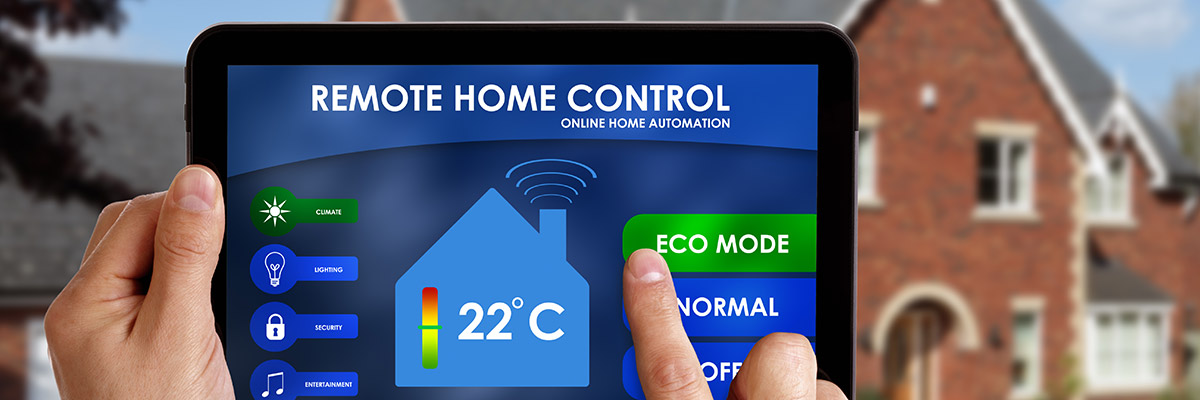
    Vivint the solution for All-wireless security. All your home controls on one app. Vivint Smart Home helps you live more and manage less. THey have a wonderful small sensor that can be placed at any entry point. This sends you a wireless alerts anytime a door or window opens. With a total control app you can manage your security entry points, Smart Locks, Doorbell Camera, Outdoor Camera, and Element Thermostat.


    The Wireless Home Security Systems Final Thought

    All of these will secure your home, protect your family and significantly reduce the chance of a home invasion. They are all very low cost and almost completely  hassleless. With all the threats we have looming, wireless home security systems are a non-negotiable for any homeowner.


  • The Best VR Headset for Your Budget

    The Best VR Headset for Your Budget

    Last week, Apple announced its plans to launch a wireless headset that includes both VR and AR technology. Unfortunately, you’ll have to wait until at least 2020 to get your hands on one. In the meantime, here are our top 5 VR headsets for a range of budgets and platforms.

    Tethered Versus Mobile Headsets

    VR headsets come in two flavors—tethered and mobile. As you can see below, tethered headsets cost significantly more than mobile headsets, but they also offer a much more advanced VR experience. Both types of headset require additional handheld controllers to interact with the virtual environment.

    Mobile headsets are designed to literally place your phone inside a box that you strap over your eyes. The lenses create separate images, one for each eye, giving you a sense of 3D space. Tethered headsets need to be connected to a separate computer. What you lose in flexibility, you gain in video quality, processing speed, and range of games with tethered tech.

    HTC Vive Pro ($799)

    There’s a reason the Vive series of tethered headsets is the most expensive on the market. The original Vive and the new Pro model have better specs than any of their competitors, but that may not be a big selling point to entry-level consumers, especially since you’ll also need a top-of-the-line PC to pair with the Vive Pro.

    One thing the Vive series does better than anyone else is room tracking. Their Lighthouse technology lets you move around with the headset on—a plus for a more immersive gaming experience—although you will still be connected by a cable to your computer. There are a decent number of titles that will work with the Vive Pro. In addition, HTC offers a subscription service called Viveport that includes giveaways, exclusive bonuses, and the ability to try out different games.

    Oculus Rift ($399)

    If you’re at all interested in VR, then chances are good you’ve already heard of the Oculus Rift. The biggest name in virtual reality also comes with the best, easiest to use controllers and the largest catalogue of games. The recent price drop also makes it more affordable, but like the Vive Pro, you’ll still need a powerful PC.

    The technology, originally funded by a Kickstarter campaign and then acquired by Facebook for around $2 billion, has improved since the earliest model of the Oculus Rift, but some users report issues with the built-in headphones and cite the precise positioning required for the headset to be frustrating. Still, it’s our choice for a mid-range PC headset.

    Sony PlayStation VR ($299)

    What if you don’t have a high-powered gaming PC but still want to dive into virtual reality? The Sony PlayStation VR headset is here for you. A hundred dollars cheaper than the Oculus Rift, the PSVR only requires—you guessed it—a PS4 to work. That’s a much smaller total investment if you’re just getting started.

    Plenty of people found the PSVR’s balance of quality and affordability to be right on the mark. Sony has sold more than 2 million of the headsets, outstripping the competition. It might not be the best possible VR experience, but this headset is a fun and novel way to interact with your PlayStation.

    Samsung Gear VR ($130)

    Let’s leave the realm of tethered headsets behind and check out the Samsung Gear VR. At less than half the price of the Sony PlayStation VR, Samsung’s mobile headset works with a range of Galaxy smartphones. If you’re looking to upgrade soon, Samsung frequently bundles the Gear VR with their newest phones.

    The mobile headset supports 360-degree video as well as a variety of apps and games. It is packaged with a Bluetooth controller to allow you to navigate the virtual world. Given that Oculus helped build the software, it’s no surprise that the Gear VR offers the best mobile virtual reality headset on the market today.

    Google Daydream View ($99)

    When Google announced the “Cardboard” VR headset in 2014, people couldn’t tell if it was a real product or a joke. The newest model of their Daydream View headset is streamlined, surprisingly comfortable, and a bargain at $100.

    The biggest advantage of this headset is that it will work with most smartphones, not just Google’s own Pixel. Keep in mind, however, that your experience will be limited by how well your phone can keep up. The new Daydream View has a full 100-degree field of view (an improvement over the previous model’s 90 degrees) and a simple 2-button controller.

  • Tablet Talk: ThinkPad X1 Carbon

    Tablet Talk: ThinkPad X1 Carbon

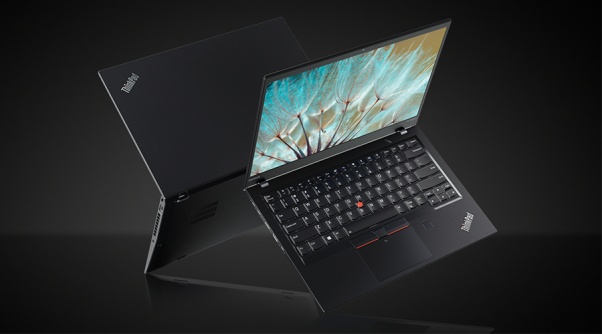
    Tablets are the mash of our technology dependence theses days. They are big phones or weak laptops or any combination of the two. They can be big, they can be powerful, They can be an all in one device or just a side gadget. In all future set movies or media the tablet is a main stream tool, they call them data pads or data cards, but no one uses a keyboard in the future. This being said there are a lot of tablets with many options to navigate through so Im going to break them down in an easy to read guide to help you find the tablet match of your dreams. Today we are going to talk about the Lenovo ThinkPad X1 Carbon.


    The Great

    • Beautiful, vivid display
    • Strong performance
    • MIL-STD 810G tested
    • Keyboard with TrackPoint comes standard


    The Not

    • Long battery life only with the extended batter sold seperately
    • Adding faster parts and optional modules will cost a lot

    The Conclusion

    he ThinkPad X1 Tablet is a lightweight laptop replacement with strong performance and a great display, but you will to buy the extended battery, non negotiable.


    This is the latest in the high-end ThinkPad X1 Tablet, which stands out by offering not only a standard keyboard cover, but also a series of modular add-ons, making this potentially a very flexible system. If flexible is what you want in a tablet, is it? read further then.

    The Design

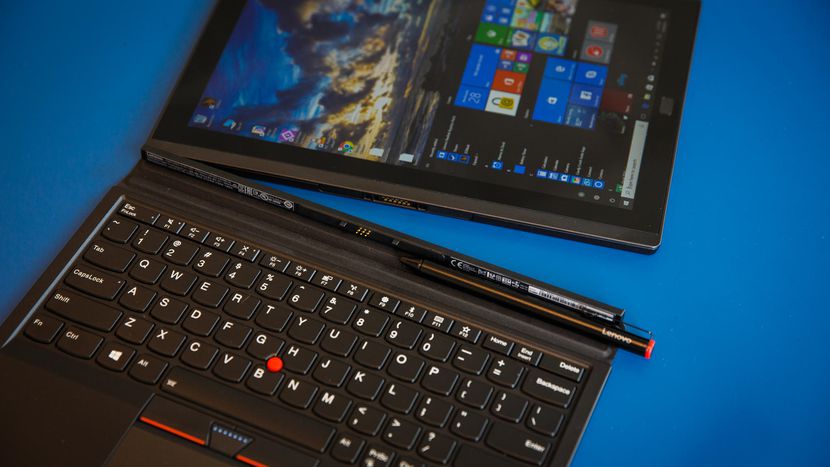
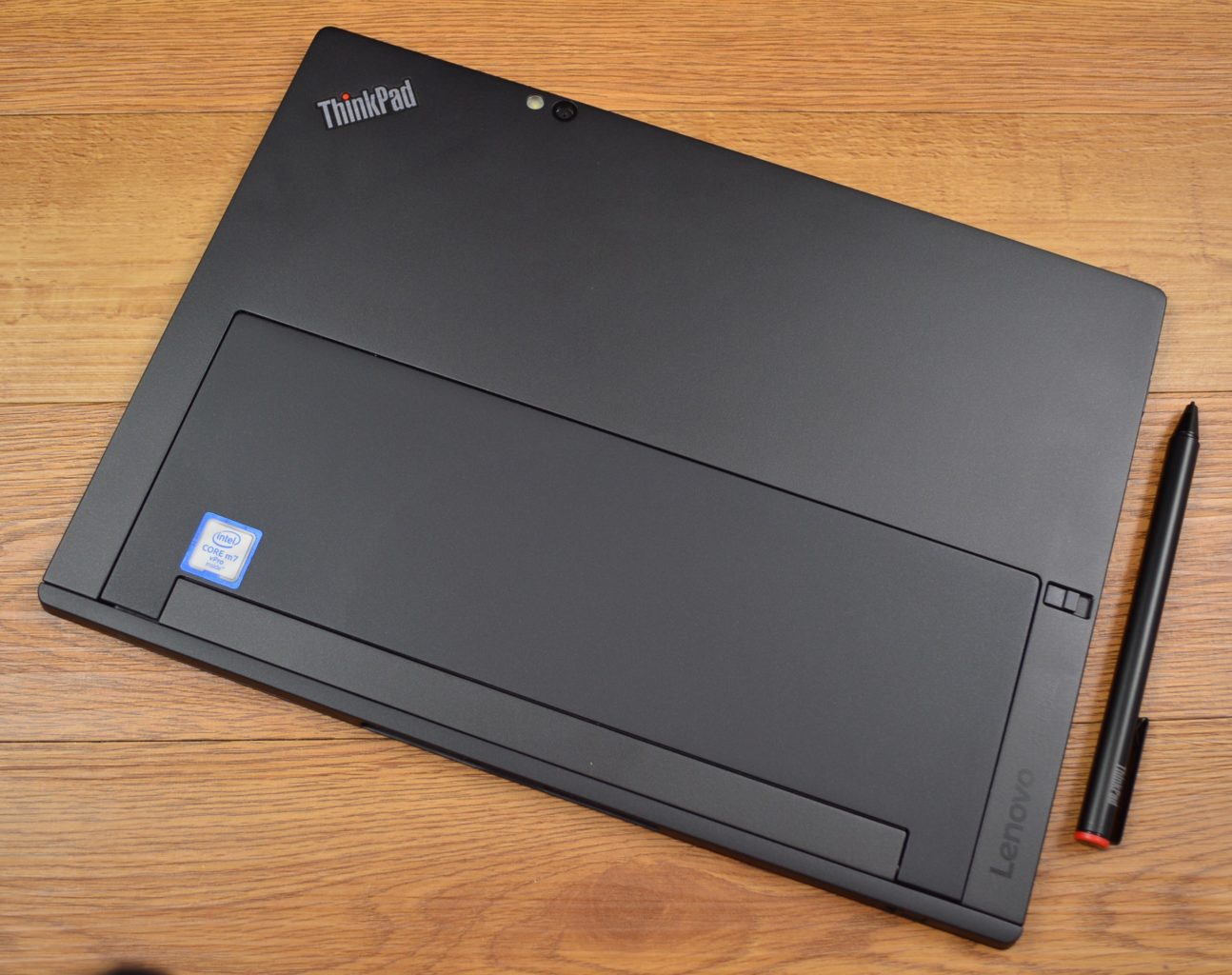
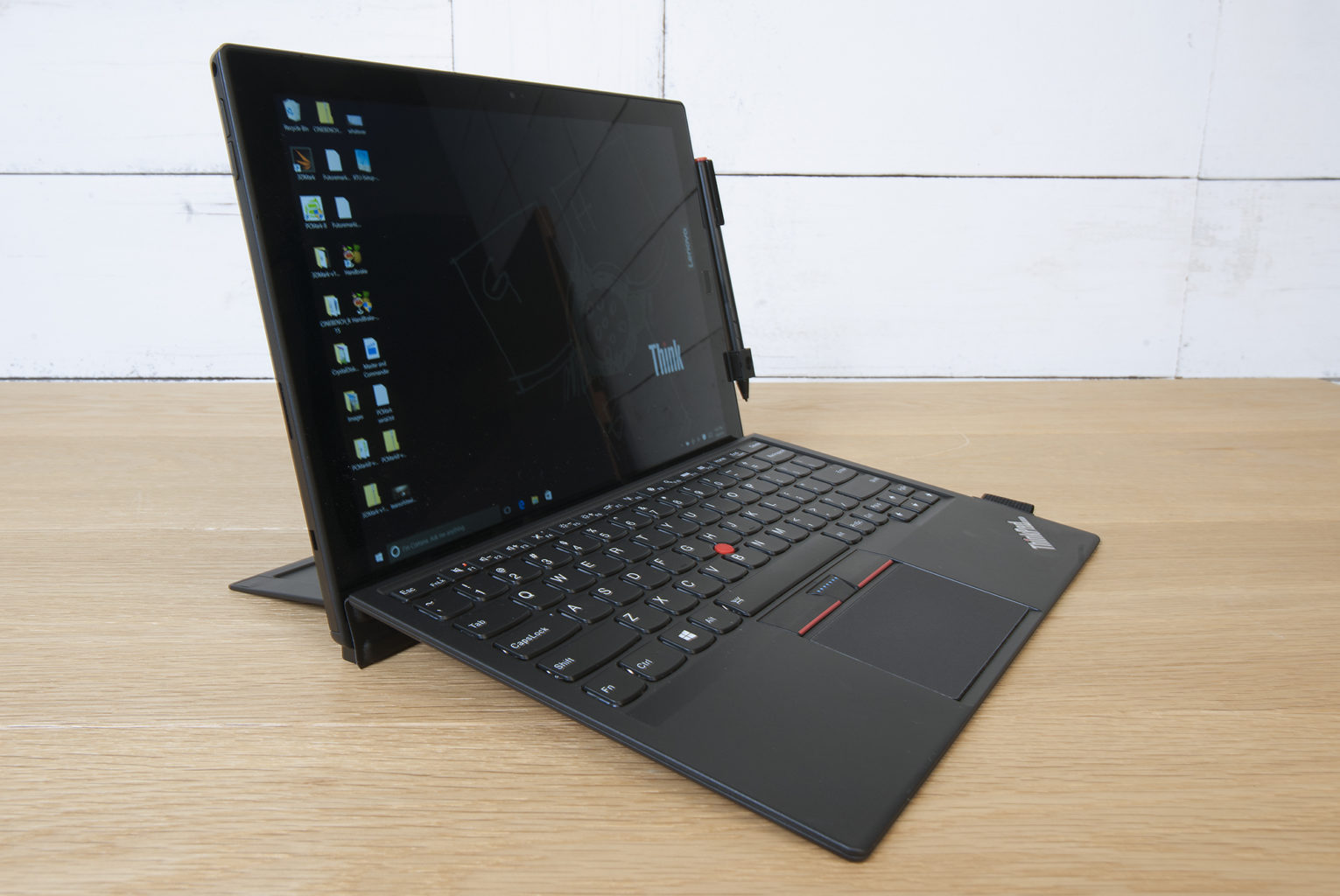
    The slim X1 Tablet shares a family resemblance with the rest of the ThinkPad line, thanks to its matte black finish, and the overall design of the tablet is unchanged from the 2016 model. The design is almost industrial, in matte black with sharp angles rather than smooth curves. Outwardly, it’s the same system, with a magnesium chassis, a durable business-rugged design and a built-in kickstand. It looks and feels great, no issues physically, its a stud. Lenovo is known for keyboards, and even in this attachable keyboard format, these keys are not too shallow. Lenovo has managed to create a small keyboard that works, and typing on it is a solid experience. The touchpad on here is a lot smaller, but you still get the familiar red trackpoint.

    The Display

    The 12-inch display is an IPS LED panel with a resolution of 2,160×1,440 pixels, which is essentially 2K. It provides a great viewing experience, one that stays vibrant with bright colors and shows good contrast. The image does not appear washed out from side angles, so theoretically you could share the display by watching Netflix with a few people.


    Quick Spec Look

    • Starting Price $1,599
    • CPU Up to 8th Gen Intel Core i7
    • RAM Up to 16GB
    • Storage Up to 1TB PCIe NVMe M.2
    • Display 13-inch, 3000 x 2000
    • Battery Life Up to 9.5 hours
    • Size 11.5 x 8.2 x 0.3 inches
    • Weight 1.9 pounds
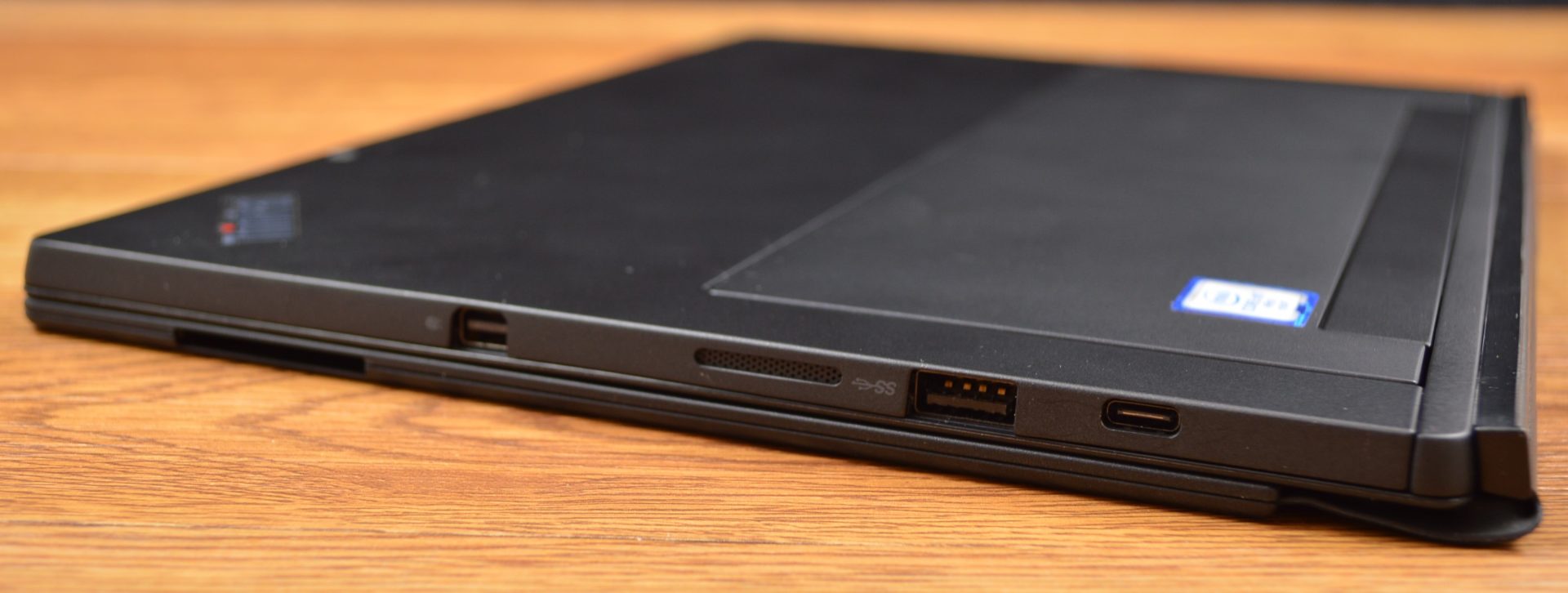
    • Ports Thunderbolt 3, SD card reader, Nano SIM, headphone


    The Final Thought

    It lacks side by side in every way next to the Microsoft surface, You can do better, Lenovo can do better, we will get better. For now if you like carrying around a lot of peripherals and add ons with what is supposed to be the grab and go computing gadget then please go right ahead and find the Lenovo Think pad Tablet x

  • The Best Tablets for Kids

    The Best Tablets for Kids

    Screen-time for kids may be a controversial topic, but plenty of parents have discovered fun, educational ways to integrate technology into their children’s lives. We’ve rounded up the best tablets for kids of different ages so that you can make an informed decision about which one to purchase.

    Why Buy a Kids’ Tablet?

    Unlike “grown-up” tablets and smartphones made by Samsung or Apple, devices designed for kids have more robust designs to withstand rough handling and more options for parental controls to limit or block certain functions. Many kids’ tablets come pre-loaded with age-appropriate apps; for example, the kid editions of the Amazon Fire tablets are bundled with a subscription to FreeTime.

    Best Tablets for Ages 3 to 6

    For the littlest ones, a kid-friendly tablet like those made by Leapfrog is your best bet. The LeapFrog Epic is tough but basic, with an intuitive Android OS that can run either the premium proprietary apps from LeapFrog or third-party apps from Amazon. One downside to the Epic is the battery life, which only lasts about five hours. If you’re planning a trip and need to keep the kiddos entertained, make sure to bring the tablet’s charger!

    Best Tablet on a Budget

    Although it doesn’t have as many bells and whistles as the newest model, the Amazon Fire 7 Kids Edition is the best value on the market. We love the sturdy, bright case that comes with the Kids Edition, as well as the year-long subscription to Amazon’s FreeTime Unlimited, which is stocked with plenty of games, books, videos, and other digital delights. Best of all, Amazon offers a two-year replacement plan, so if accidents happen—and with kids, they often do—you will be covered.

    Best Tablet for Work and Play

    The Kurio Smart is an interesting hybrid of kids’ tablet and basic laptop. The detachable keyboard and Windows 10 operating system lets the Kurio Smart function more like a simple laptop, which is great for kids who need to browse the internet and use Microsoft Office products for schoolwork. It performs equally well as a tablet for reading and games once the homework is done.

    Best Tablet to Grow with the Child

    If you have the budget for it, the iPad Mini is the most versatile tablet on the market. While we wouldn’t recommend it for toddlers, elementary school kids can get years of use out of an iPad as their educational and entertainment needs change. Though more fragile than the tablets made just for kids, the iPad Mini can also do a lot more. Great display, long battery life, and top-notch support from Apple make the iPad Mini a worthwhile investment. Just make sure you also purchase a kid-friendly plastic case and a screen protector—you’ll want this tablet to last!

  • Tech Throwback: Motorola Bravo Pager

    Tech Throwback: Motorola Bravo Pager

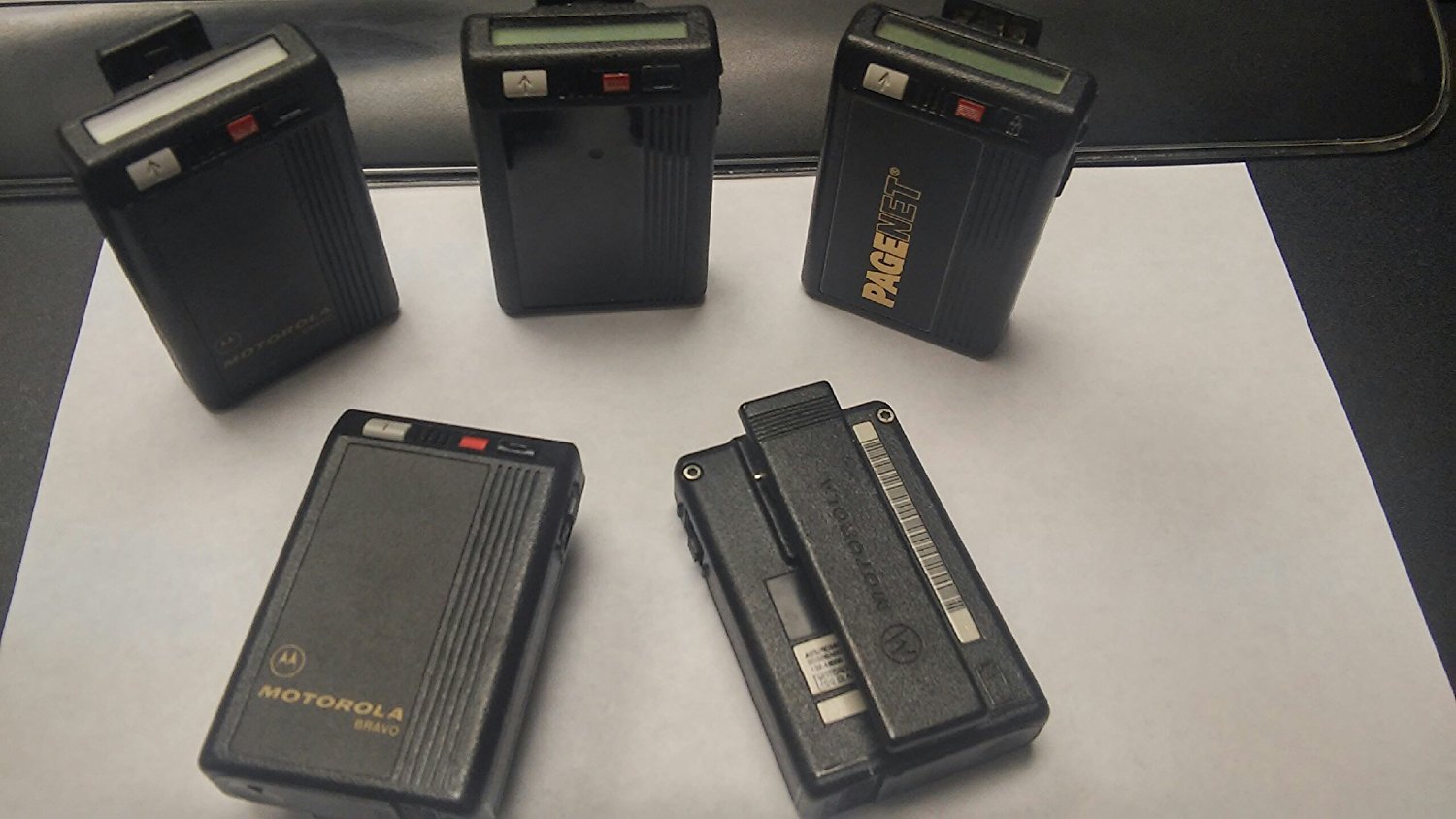
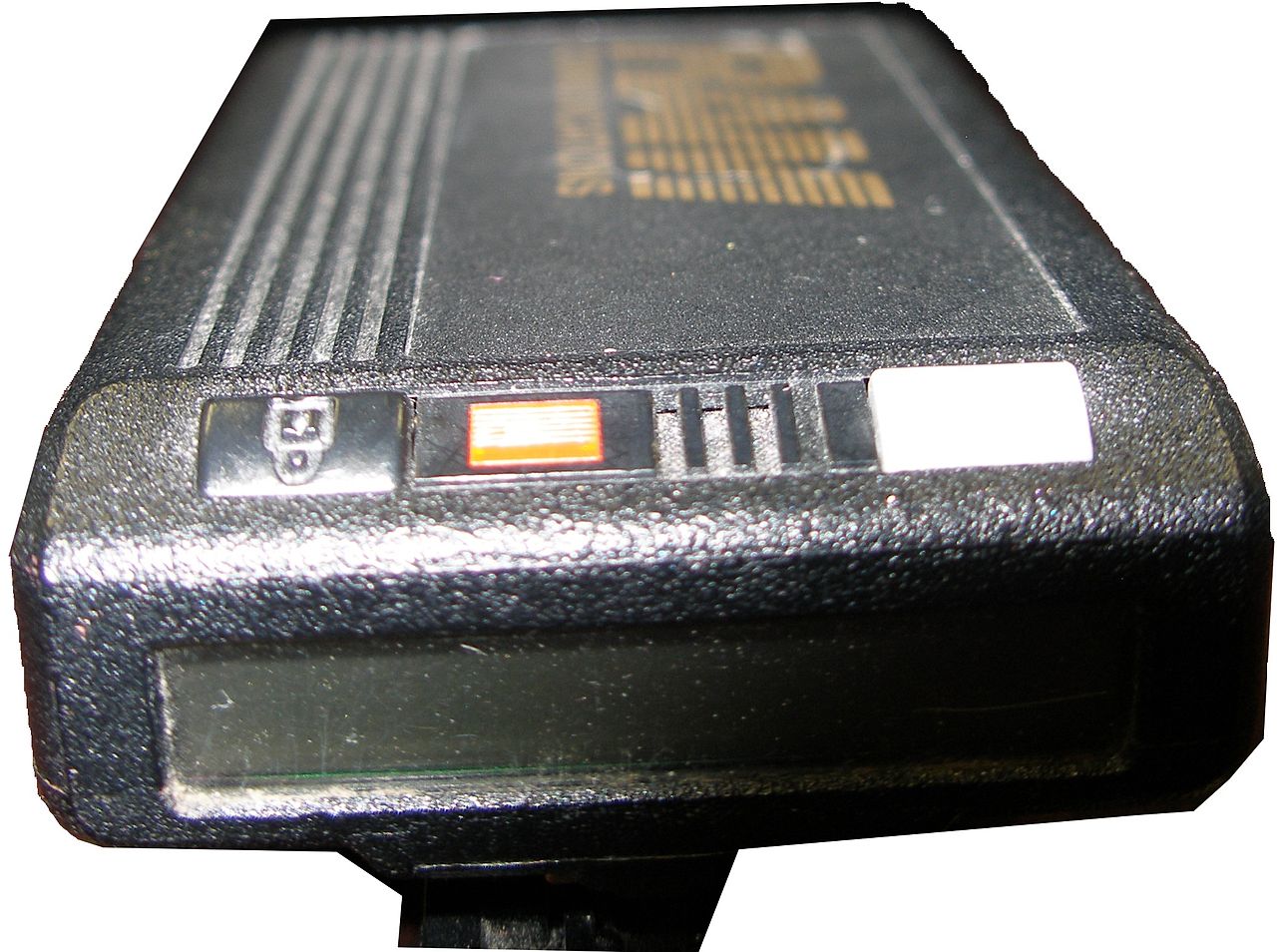
    I like to take a look at where I’ve been to evaluate where Im going. Technology is cyclical after all… wait no its not. That said I still like all the feels that come rushing back like a flood of nostalgia every time I get my hand on the tech I grew up with. Im going to go back periodically and take a looking at the stuff that used to blow our hair back and get our minds rolling. Some of these device blew up and changed the world, some where ahead of their time and some just fell flat and became colossal failures. Today I’ve got my hands on the old Motorola Bravo Pager, beep beep


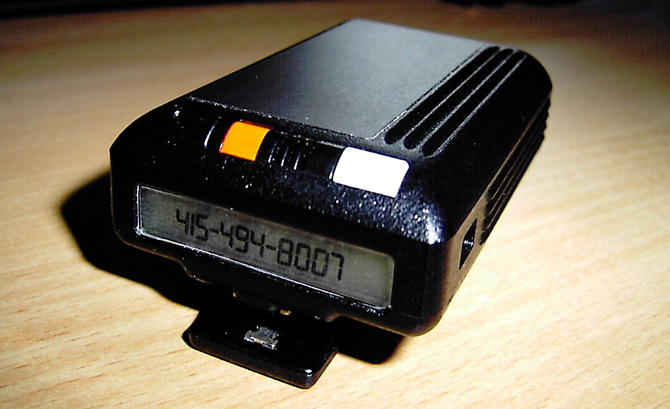
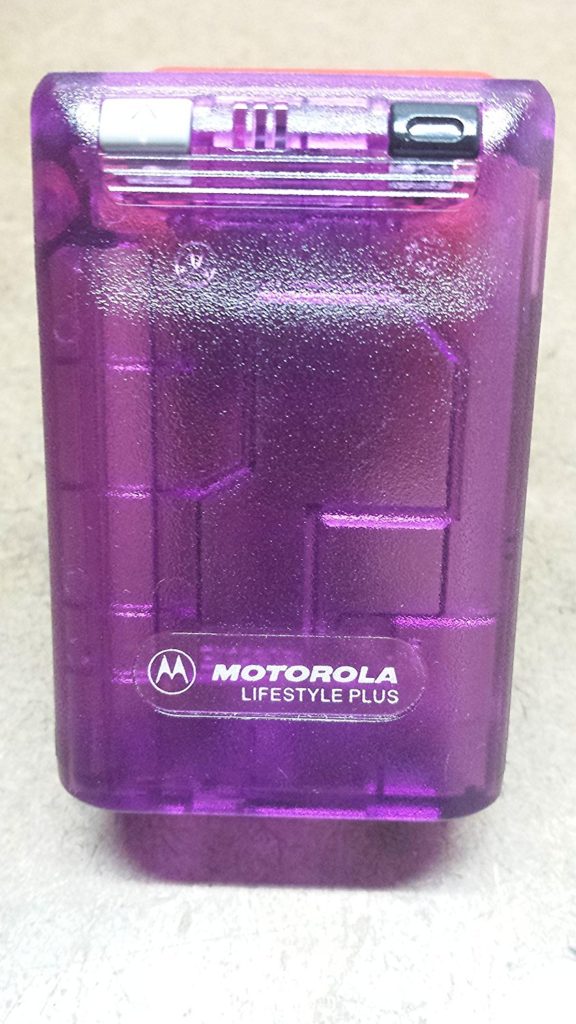
    A pager (also known as a beeper) is a wireless telecommunications device that receives and displays alphanumeric messages and/or receives and announces voice messages. The Motorola Bravo pager was the king of all one way pagers. Yes one way..One-way pagers can only receive messages.

    I had one, Your mom had one and every doctor on the planet had one. Amazon still sells them, but purchased mostly by people looking for the quintesenintal Halloween accessory.   They are iconic and just looking at one brings back memories of short coding your friends a party invite.

    How Did It Work

    In 1999, 45 million Americans had pagers. They were an equal-opportunity technology, owned by drug dealers, whores, doctors and CEOs—and new college students whose parents couldn’t drop the leash.All one had to do was simple dial the phone number associated with said pager, then enter in up to 16 numbers from your touchtone phone to deliver a call back number. simple. genius. reliable.


    At least there was the code.There was also an accepted system of sending numbers so that, when written together, looked vaguely like letters. We’d grown up getting adults to spell “BOOBLESS” on calculators by typing in the elements of a story about Dolly Parton and then holding the calculator upside down. From there, it was an easy jump to many other words. Hello was 07734. That was one of the easiest ones. We said “Hello” a lot.  Then 3838-07734 (hello baby) or 17-31707-1( I love you). However my personal fav and constant go to was the old 187 (your dead).

    The Final Thought

    They functioned without coverage, with out fail. Never did I ever say legitimately ” i didnt get that page”. It was the most reliable and widely accepted form of mobile communication for over 40 years. While Motorola announced the end of its new pager manufacturing in 2001, pagers remain in use today in places where mobile phones typically cannot reach users, and also in places where the operation of the radio transmitters contained in mobile phones is problematic or prohibited. In places like hospitals, rural emergency response ares you can still spot the endangered species know as the Motorola pager.


  • The Razor Phone 2 Rumors and Gossip

    The Razor Phone 2 Rumors and Gossip

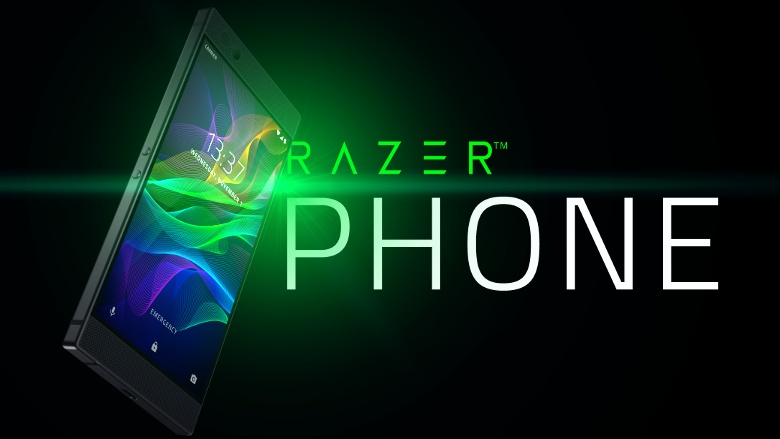
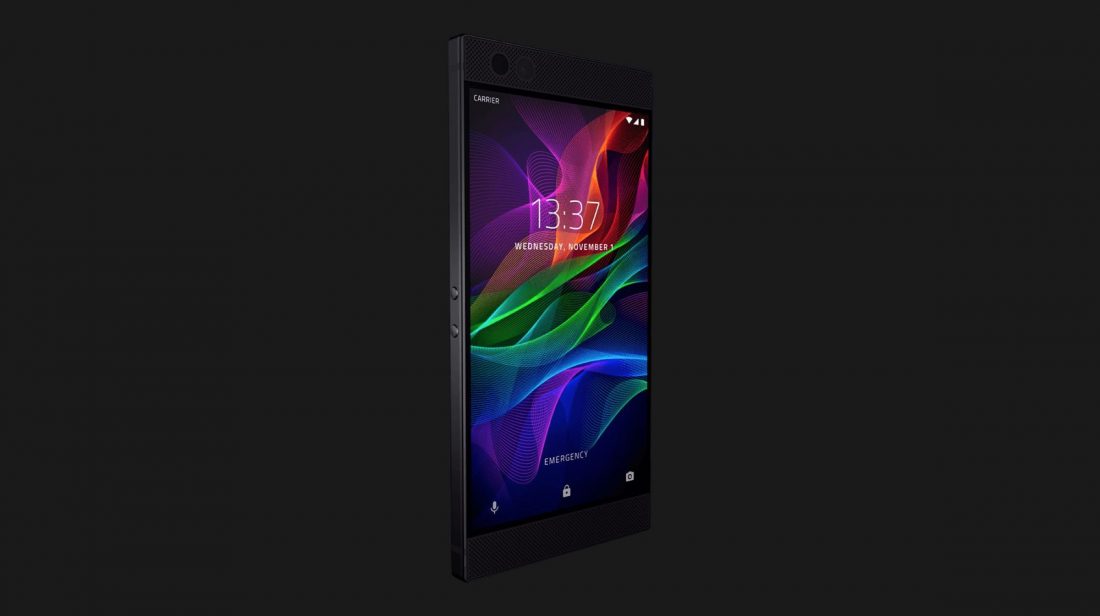
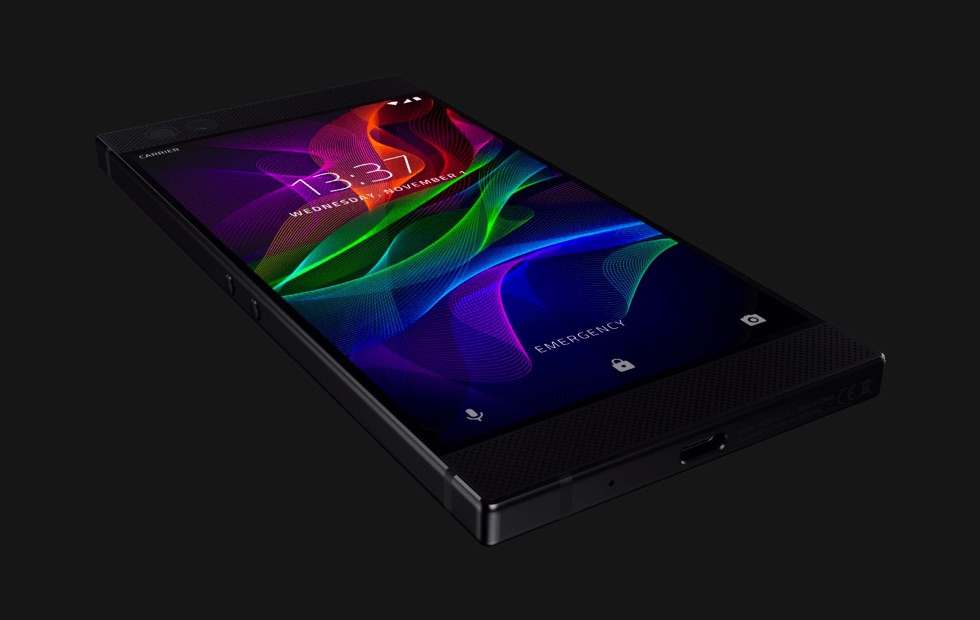
    No no not the Motorola Razr phone you are thinking of, The Razor Phone.  Razor phone set the standard in mobile gaming with the Razer Phone: the world’s first 120Hz screen on a mobile phone. It is the first android enabled phone Ive considered swapping my iPhone for. Like technology does though the new cutting edge phone is ready for an upgrade. We are seeing chatter of the Razor 2, so we are sorting out the rumors, leaks and details to bring you the scoop on the Razor Phone 2


    While Razor has already increased the capabilities of the Razer Phone – the last major software update added HDR support for Netflix as well as Dolby Digital 5.1 sound for apps that support the immersive audio standard. Everyone is now expecting updates for all the various cornucopia of the gaming focused smartphone to arrive at the same time.While the company is not going to confirm or deny any future plan there have been  discussions that the Razer Phone 2  will arrive later in 2018. That would be less than a year from the launch of the first Razer Phone, but getting the handset not only in sync with the smartphone market cycle but also available in-store with better timings ahead of the festive period makes a lot of commercial sense.


    The Consensus is the phone will be announced at the  Berlin’s IFA in early September. We are also hearing with some substance behind it that  Razer might also turn Project Linda into a real product. This is a laptop that you slot the Razer Phone into, using the phone to power it and become a touchpad. It was demoed at CES 2018, and it would make sense for Razer to launch it alongside a new handset.


    What We Are Looking For

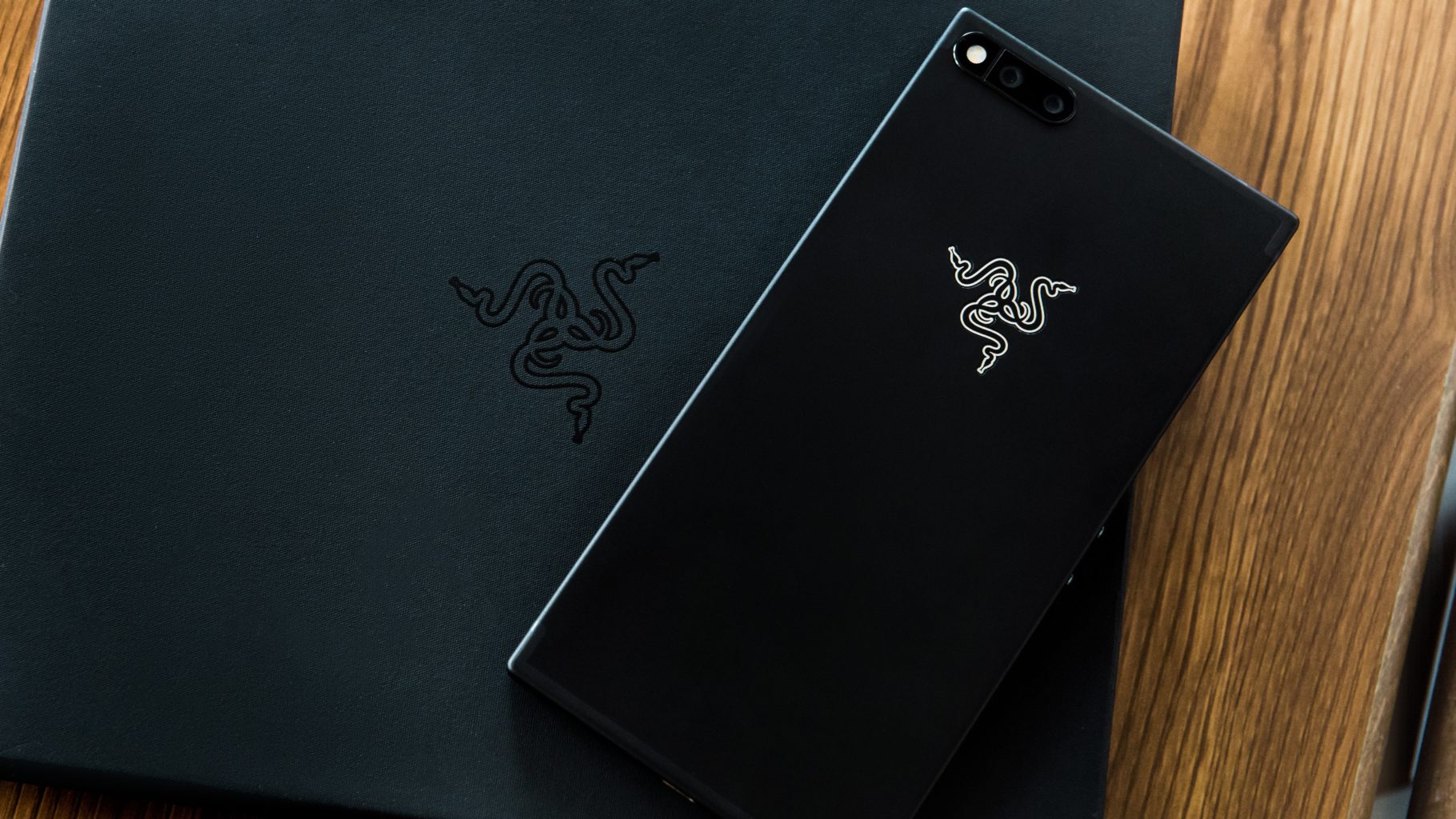
    There are a few key elements that will need to be improved for the Razor 2 to be the commercial success it should be. First off the desgin, The Razor is far to blocky and plain. Its current desgin is boring and uninspired. Razor knows how to design a curve, we have seen it in other products.  So most of us are looking to Razer’s next phone to shake things up and curve it out.

    Headphone port? We need it. Looking at the Razer Phone, there’s ample room for it, so its omission is perhaps more inexcusable than other phones that lopped off the feature. If your phone is not waterproof it should have a headphone jack

    We are going to need HD quality stereo speakers in this model. Again there is plenty of room and battery power to facilitate this, it is just lazy that the Razor doesnt have this now.Dual front-facing speakers can really make an impact in the day-to-day use of a phone.

    Wireless charging is the last very common function the Razor 2 should have. The Razer Phone doesn’t support wireless charging and there is no reason the new one should not. The company’s next phone is made with glass, that would be perhaps the easiest way to make that happen. But looking at its Hyperflux wireless charging technology currently employed with PC peripherals like the Razer Mamba Hyperflux, it seems like this feature is destined to make an appearance on its upcoming phone.

    One Other Thing

    Razor 2 will reportedly be working with google to release more timely updates. The Razor was released with Nougut when Oreo had already been available. The Razor 2 is set to be released with Android P and will receive the latest updates in much quicker fashion then its predecessor, reportedly.  A phone that adopts new software quickly is likely to become a fan-favorite, but Razer’s time with Nougat certainly didn’t spoil the experience. That’s partially due to its Nova Launcher software. It’s likely to keep with that going forward, only upgrading when its launcher is compatible with Google’s software.


    The Final Thought

    While I shudder to consider a life with out the iPhone, Razor is doing cutting edge stuff and should be considered the premium android brand. Considering the demographic of the android enthusiast this should be the desired and most anticipated android device on the market.


  • Tablet Talk: Microsoft Surface Pro

    Tablet Talk: Microsoft Surface Pro

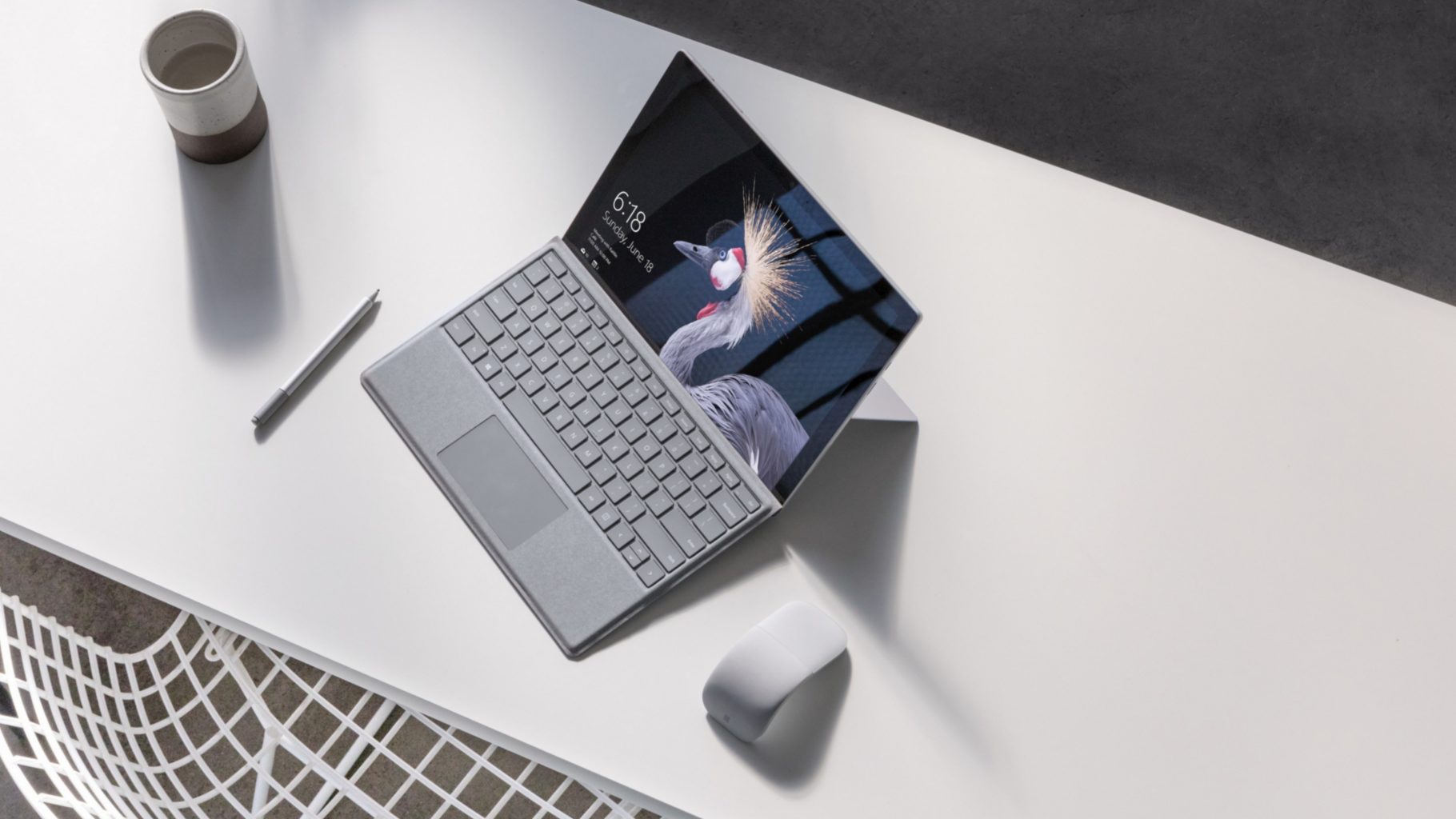
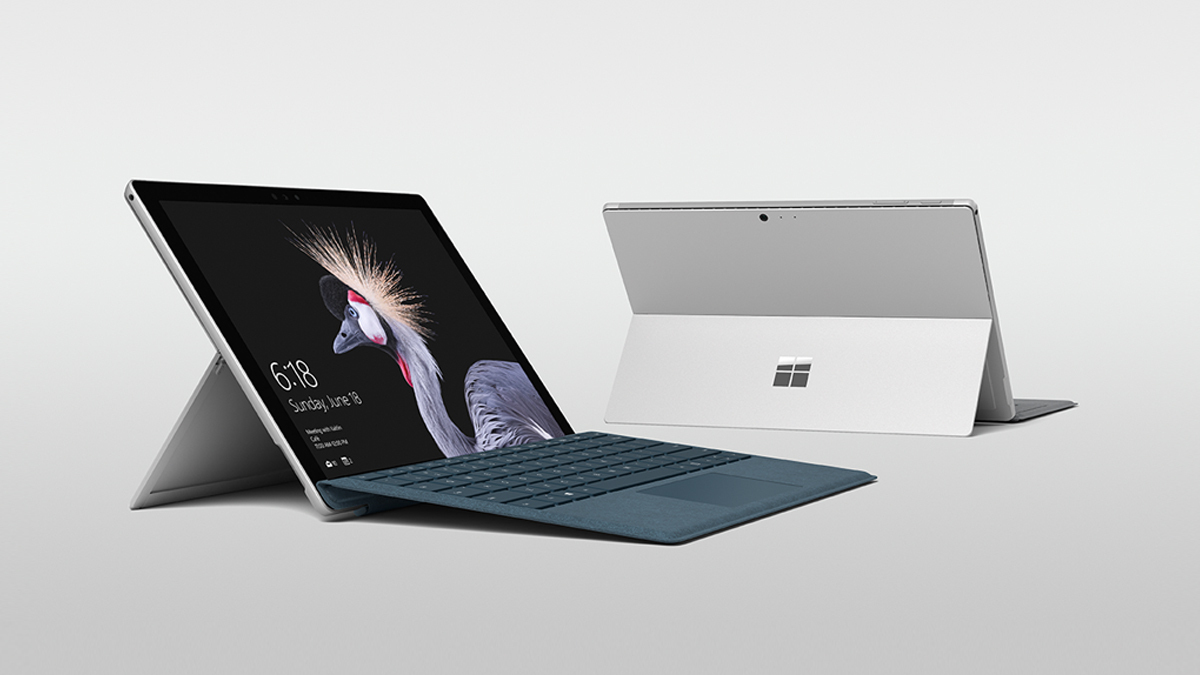
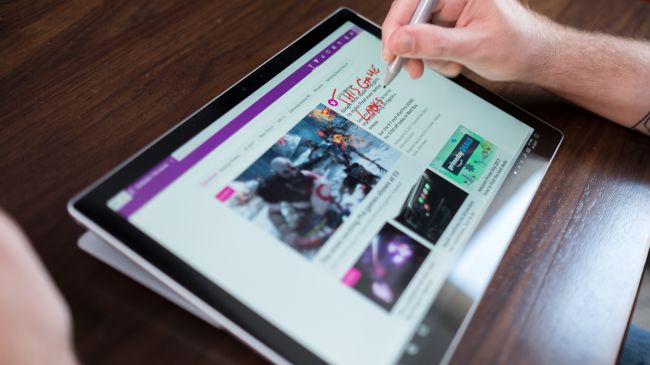
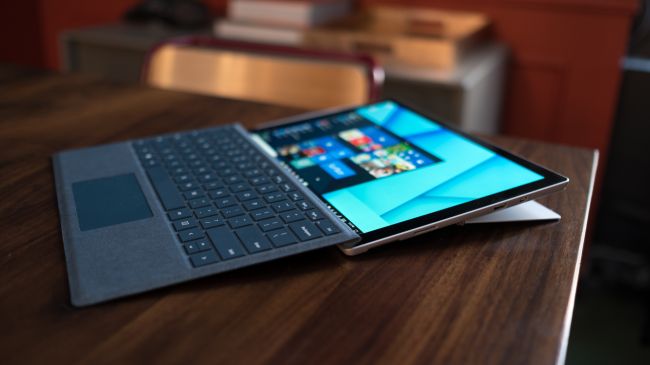
    The Surface Pro has always been the The ultimate laptop with versatility of a studio and tablet. Now its better than ever, the new Surface Pro gives you a best-in-class laptop, plus the versatility of a studio and tablet. The stunning PixelSense Display supports Surface Pen1 and touch, while up to 13.5 hours of battery life2 gives you plenty of juice to work all day and play all night.

    The Great

    • Brilliant PixelSense display
    • Simple, elegant design
    • Improved Type Cover keyboard
    • Fantastic performance


    The Not

    • No USB-C
    • Surface Pen and Type Cover sold separately
    • Better, but still mediocre battery life

    The Conclusion

    With its fantastic PixelSense display, improved Type Cover, faster performance and even better battery life, the Surface Pro is still the king of detachable 2-in-1s.

    The Design

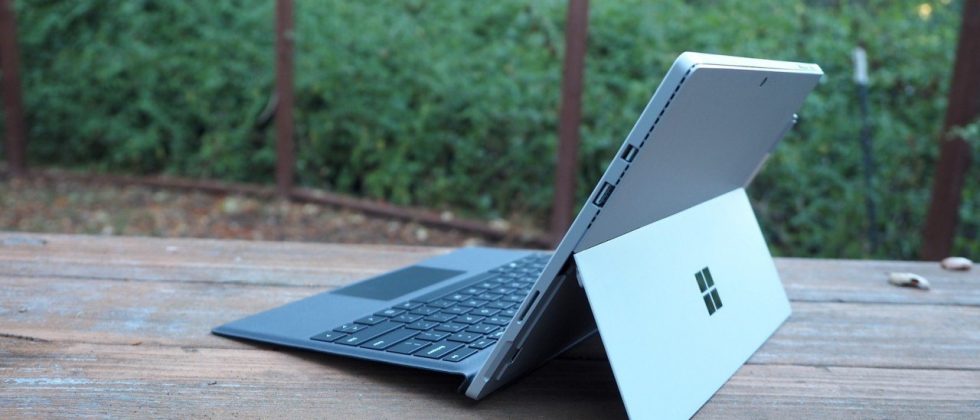
    Not wanting to tempt fate by messing with an exceptional design, Microsoft made the new Surface Pro look almost identical to the previous two models.Sure, the company has rounded off a few edges to make the Surface Pro a little curvier and more pleasant to hold, but all the familiar elements are here, including the kickstand, power button, volume rocker and front-facing speakers.

    The Performance

    I  can see why Microsoft is moving away from referring to the Surface Pro as a tablet, given that it’s packed with very laptop-like components. Our review model was equipped with a fast dual-core Intel i7-7660U CPU and 16GB of RAM. The Core i7-7660U is no longer at the cutting edge, as Intel’s 8th-gen Core processors are now available, but it managed respectable performance.

    Surface Pen is Vastly Improved

    Why Microsoft opted not to call this the Surface Pro 5 is beyond us, as you can now see the firm changed practically every facet of the product. The Surface Pen got some of the most meticulous and belabored treatment.

    For one, Microsoft upped the pressure sensitivity of its pen to 4,096 levels of detectable pressure, meaning creators have more control over the width and intensity of their lines in illustrations or designs than before. Perhaps more importantly, the Pen now sports a much lower latency, meaning that the tip of your Pen has a far lower chance of “leading” the ink on the PixelSense display.

    Finally, the Pen also supports tilt detection now, though only through the new Surface Pro – the other current Surface devices will get the support for this feature through a firmware update.


    Quick Spec Look

    • CPU: 2.5GHz Intel Core i7-7660U (dual-core, 4MB cache, up to 4GHz with Turbo Boost)
    • Graphics: Intel Iris Plus Graphics 640
    • RAM: 16GB LPDDR3
    • Screen: 12.3-inch, 2,736 x 1,824 PixelSense display (Contrast ratio: 1,300:1, 100% sRGB color, 10-point multi-touch, 3:2 aspect ratio)
    • Storage: 512GB SSD (PCIe 3.0)
    • Ports: 1x USB 3.0, mini DisplayPort, microSDXC card reader (UHS-I), headphone/mic jack
    • Connectivity: 802.11ac Wi-Fi (2 x 2 MIMO), Bluetooth 4.1 (Low Energy)
    • Cameras: 8MP rear-facing, auto-focus camera (1080p HD); 5MP front-facing, 1080p HD camera
    • Weight: 1.73 pounds
    • Size: 11.5 x 7.93 x 0.33 inches (W x D x H)

    The Final Thought

    Nearly five years after Microsoft introduced the device that created the 2-in-1 category, the company’s Surface Pro systems are still the detachables other companies are trying to beat. So how does Microsoft improve upon its class-leading hybrid? By refining its simple tried-and-true design, improving performance, shoring up some concerns about battery life, and creating a new line of enhanced and more colorful Surface accessories.

    I think Microsoft is still playing it a bit too safe in a few areas. While improved, the Surface Pro’s battery life still lags behind those of other ultraportable laptops, and the lack of a USB-C or Thunderbolt 3 port are strange omissions for a premium flagship device. And after three years in which the Surface Pro has had essentially the same aesthetics, I find myself wanting a bit more excitement out of this machine’s design. But if you want the best detachable out there, the Surface Pro is still the one to get.