Category: Electronics

  • Take Your Home From Believable to Unbelievable With These Cyber Monday Deals

    Take Your Home From Believable to Unbelievable With These Cyber Monday Deals

    We want turn Cyber Monday into Green Monday – Because that’s what you’re going to save this November 26th. We spent days finding the best ways to upgrade your home. From top to bottom we’ve gathered the hugest deals retailers have to offer.

    Living easy with living room upgrades

    These Cyber Monday deals will help you take your living from ordinary to extraordinary.

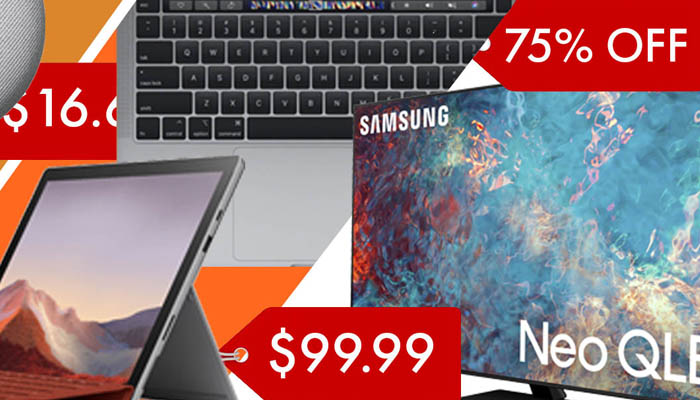
    If you’re in the market to make a BIG upgrade to your home entertainment center this Samsung 75-inch Neo OLED 4K UHD Smart TV is a great place to start. You’ll immediately notice the difference with Quantum LED’s for staggering contrast, an anti-glare screen, and a powerful new processor. This Cyber Monday at Best Buy you can save $900 off the retail price!

    Make everyday tasks easier with a new smart home speaker. You can score a great deal on the 2nd generation Google Nest mini smart speaker. With upgraded audio and the ability to easily connect to your other smart home devices this is the foundation you want to build your smart home on. This Cyber Monday at Best Buy you can get one for $25, that’s $25 off the retail price.

    Cooking like a pro with kitchen upgrades

    Upgrade your cooking skills and downgrade your cooking stress. These smart tools can help you reveal your inner 5-star chef.

    Air fryers allow you to enjoy a hot and crispy meal while avoiding the unhealthy things that normally come with it. The Bella Pro Series allows you to cook up to 3.6lbs of food at temperatures between 175F and 400F. Its matte black finish looks great on any countertop. This Cyber Monday you can score one from Best Buy for $39.99, that’s $20 off typical retail price.

    The Ninja Mega System Blender prepares you for any dicing, slicing, or food processing situation a meal can throw at you. You’ll cut your meal prep time in half. You can save $40 at Best Buy this Cyber Monday.

    Making work from home easier with home office upgrades

    Making sure that your home office is equipped with reliable high-performance business tools is key. If you’ve held off on your next upgrade that means you’ll want to take advantage of these Cyber Monday deals.

    Apple has resisted discounting their Macbook Pro line for a long time. But this Cyber Monday they’re offering a rare deal on their 13-inch version featuring its unique touch bar technology and quad core Intel processor. At Best Buy you can save a whopping $500 off the normal retail price.

    If you need a 100% mobile device that’s 100% capable of handling your daily tasks the 12.3 inch Surface Pro is a fantastic choice. It features a 10th generation Intel processor, 11 hour battery life, 8gb of ram and 256gb of internal storage so you’ll be ready to tackle any project on the go. You can score one this Cyber Monday deal for $699.99, that’s $200 off the normal retail price!

  • Best All New Wireless Headphones for 2021

    Best All New Wireless Headphones for 2021

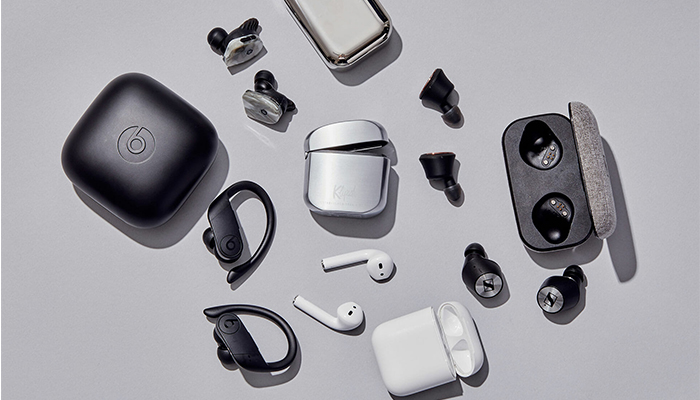
    Whether you’re looking for a good pair of headphones for working out or just something to wear while drowning out sounds during your commute, not having to fuss with wires is a huge plus. No one wants to worry about the tangle of wires in their pocket or bag, or their cord snagging on something and damaging their headphones. Thankfully, there are some stellar Bluetooth headphones on the market. Here are some of our top picks.

    Jabra Elite 75t

    If you like having wireless earbuds for sports activity, we can highly recommend the Jabra Elite 75t. These new earbuds fit snugly in most ears, and they have a great sound quality for their small size. The drivers are solid, offering punchy bass, good mid-levels, and decent overall sound: while these won’t be beating any dedicated audiophile headphones, they’re good for their price point and size.

    A notable draw to the Jabra Elite 75t is their microphones. They work incredibly well as a headset for taking phone calls, doing a great job of filtering out background noise. If you like wearing earbuds while jogging, cycling or other types of activity, this is a great draw. Taking a call while getting in your workout is a great two-in-one feature for busy professionals.

    Sony WF-1000XM3

    Sony has finally taken its wildly successful WF series headphones and put them into a smaller package. The WF-1000XM3 takes the quality of their full-size headphones and puts them into a smaller earbud form factor.

    Sennheiser Momentum True Wireless

    If you’re looking for the intersection of portability and sound quality, you’re looking for the Sennheiser Momentum True Wireless earbuds. These wireless earbuds offer incredible sound quality and accurate reproduction of recordings. They’re incredibly light: you might even forget they’re in your ears. When you need a good set of earbuds for taking with you on trips or to work and back, these are a great go-to.

    While they’re not the best for sports or activity, the Sennheiser earbuds are great for daily activities like walking or commuting. For the person who wants portable wireless earbuds that can be tucked into a pocket but still wants the best sound quality, these physics-defying little earbuds are the best option.

    AirPods Pro

    If you’re already in the Apple ecosystem, these are a no-brainer. Their intuitive gesture controls allow you to change the song, adjust the volume and answer calls quickly and without having to pull your phone out.

    The 2020 update brings even more useful tricks to the AirPods Pro. With Apple’s propriety H1 chip they feature snappier Siri integration. You can send messages, start playlists and ask for internet searches all while jogging, cleaning or whatever you’re doing while wearing the AirPods. If you love high-tech integration and cool fashion statements, the AirPods are a great pick for you.

    Beats Solo Pro

    Apple has finally stepped up the quality of their Beats headphones. The Beats Solo Pro is a set of over-ear, active noise canceling, headphones. They used the same noise-canceling technology featured on their more premium, over-ear, Studio3 Wireless. The H1 wireless chip makes sure they are easy to connect to your phone and feature full Siri support. They’re a bit more expensive than the average headphones, but their great technology integration and stellar sound quality on phone calls makes them great for people on the move.

    PowerBeats Pro

    If you love the idea of the AirPods but want a more fitness-oriented set of wireless earbuds, the Beats Powerbeats Pro are for you. The same technology that went into the second generation AirPods is on display in the PowerBeats Pro, just in a more fitness-oriented shape. The over-ear design on display here helps the earphones stay on your ears while your exercise, making them great for any active person.


  • Best Mother’s Day Gifts: Good Finds for Mom!

    Best Mother’s Day Gifts: Good Finds for Mom!

    Mother’s Day will be here before you know it. Have you picked out the best gifts for the Mom in your life yet? If not, don’t panic. You still have time to get her something special. Today we’re going over some of the best tech gifts you can get for Mom this Mother’s Day!

    Best Mother’s Day Gifts

    Wireless Charging Pad

    Does Mom use a phone that supports wireless charging? Maybe she does but hasn’t even used the wireless functionality yet. If that’s the case, you should consider picking her up a wireless charging pad for Mother’s Day! Qi chargers can be found for relatively inexpensive prices, and they’re quite useful for anyone who likes the convenience of charging without cables.

    Make sure the person you’re getting one for has a phone that can be wirelessly charged! Simply ask Mom what her phone is and look up its features before you go with this gift. Most phones released in the last two years have wireless charging, but it’s best to err on the side of caution.

    Fitness Tracker

    A fitness tracker or a smartwatch makes an excellent gift for Mom. We love the Apple Watch Series 4, though its steep price tag might be a bit much for some gift-givers. If you’re looking to get mom a fitness tracker without breaking the bank, consider a Fitbit Versa Lite, or even a Fitbit Inspire HR.

    All of these smart watches track fitness activity, and any of them would be a great gift for a Mom who is looking to get more serious about an active lifestyle. These also make great, stylish gifts with practical use and “wow” factor!

    Audible Subscription

    If Mom loves to read books but doesn’t often have the time to sit still and read, she might love a subscription to Audible. Amazon’s own audiobook service, Audible offers access to tons of audiobooks and a subscription, while not required, would be a great gift.

    A subscription offers a free audiobook once per month, as well as access to two “Audible originals”. Give Mom the gift of great stories with Audible.


  • Discover why people all over the world are ditching their tablets for these new phones

    Discover why people all over the world are ditching their tablets for these new phones

    Let’s be real, keeping track of all your electronic gadgets can be downright tough. Perhaps you’d prefer a simple solution that bundles the functionality of a phone with the versatility of a tablet. . Foldable flip phones have fully emerged on the market to bridge the gap between pocket phone and tablet. The quality of these devices have been on the rise in step with their affordability. Samsung has been leading the way with these devices for the last few years and in their most recent event they’ve unveiled a lineup that keeps other device makers struggling to match up.

    Galaxy Z Fold 2

    The Z fold 2 is the highly anticipated follow up to Samsung’s groundbreaking z fold phone/tablet hybrid. It has a uniquely premium look and feel when it comes to overall build quality. Samsung has taken note to export some of the strongest features from its premium galaxy line to this device. It’s not just their note in a larger form factor, but an entirely new experience of its own.
    With this new version, Samsung has made the phone a multimedia powerhouse. They’ve equipped the phone with the all-new 865 snapdragon processor featuring a blazing 120hz refresh rate. With this new iteration Samsung has also made sure to address the previous screen creases by narrowing the gap and reengineering the supports bridging the two halves together.
    They’ve also made sure not to leave photography-oriented consumers out in the cold. Its specs may not hold up when compared to Samsung’s but recent Note offering, but it’s certainly no slouch. The rear camera features 3 different 12-megapixel lenses (Prime, wide-angle and telephoto.) Editing your photos is also a dream with the extra space provided by the 7.6-inch screen. You’ll be ready for any shot.

    With Innovation comes challenges
    Samsung has been proven itself to be a leader in innovative folding tablet devices, but they aren’t without challengers. Motorola has reimagined its massively popular Razr phone to meet the needs of today’s consumers. Its unique form factor allows it to easily fit into a person’s pocket while closed but then also expand to one impressive singular screen while expanded. It utilizes their specially designed hinge and steel plates to reinforce the screen when in its open position and to prevent a crease from developing while folded. The front of the phone also features a new, one-of-a-kind, quick view notification screen. It gives you access to all your basic notifications without having to expand the phone to the full size.
    Motorola also took in the popularity of on-the-go media consumption when building this phone. The 21:9 ratio is uniquely suited to viewing movies shot in a wide aspect ratio. The screen reproduces colors that are true to their source and images that are ultra-crisp.
    The Razr features a 16-megapixel rear camera with a f1.7 aperture. The f1.7 aperture allows for beautiful portraits with soft bokeh. Where the Razr shines is it’s AI, built to optimize multiple camera settings, it can automatically pick the best settings for scenes like food, sports, night or even astral photography.

    Galaxy Z Flip
    If you love the clamshell form factor but don’t want to buy a Motorola device, Samsung has another option for you. The Galaxy Z Flip. This phone is built with style and durability in mind. It features a full HD 7.6 inch screen with two rear facing 12 mega pixel cameras. It also features a quick Snapdragon 855 Plus chipset that ensures your apps are able to keep up with the future.

  • Smarter Business Solutions: Best Employee Time Tracking Software

    Smarter Business Solutions: Best Employee Time Tracking Software

    Every business needs the right tools in order to succeed. Chief among these tools are employee management tools. When your employees clock in, when they leave: these are critical data points you have to have great tracking of. Time tracking software is how you generate payroll, and how you accurately keep up with billable hours, time management and project durations.

    When you get employee time tracking software, you need the best. It needs to be reliable, easy to use and easier to read. No one wants to have to decipher crazy tables and illegible data points in order to try to generate payroll. Today we’re looking at a few of the best employee tracking software solutions on the market to help you narrow it down to the best options. Run your business like a pro with these smart time tracking solutions.

    Beebole

    Don’t let the odd name fool you: Beebole is a great app for businesses of any size. Whether you have only 10 employees or 1,000, Beebole can help you to manage your team’s time. Of course, it can track basic time sheets, but it’s also great for coordinating project time management as well as budget monitoring.

    Beebole offers budget tracking, configurable time reports, one-click timers and a lot more. It’s incredibly simple and easy-to-use, but it’s also highly modular and can be configured to do pretty much whatever you need it to. To add to how easy it is to use, it’s also got a mobile app that works on all mobile devices, and can even be used when offline. Beebole only costs $6 per month, and there are even discounts for large groups.

    Scoro

    Scoro is a very popular time sheet program capable of handling tons of functions for your business. The basic time-tracking is there, of course, keeping up with billable hours employee in and out times and project durations. This information is presented in a clear and easy-to-read format, and can be used to help coordinate team efforts on project. This is a stellar tool for people who need their teams to work consistently on time-sensitive projects.

    Scoro is a lot more than just time-tracking, though. It also offers billing automation, quoting and invoicing, time and work reports, CRM and a lot more. It can probably replace three or four different tools you’re already using for these tasks, likely saving you a ton of money. Scoro costs only $26 per month per user, and you can try it out for 14 days for free.

    Harvest

    Harvest is a favorite time-tracking app of hundreds of businesses. It’s one of the best-known time tracking software solutions, and for good reason: it’s a very focused time tracker for businesses of small or medium size. It’s not like the other software suites on this list, though: it’s not a team collaboration tool, it’s primary function is as a time tracker. This single-mindedness makes it incredibly straightforward: it has one job, and it does that job quite well.

    Harvest is available in both free and paid plans. The paid version starts at $12 per month per user. The app supports real-time tracking of time spent on the job, generates estimates of invoices based on collected data, and can even integrate data from across a wide variety of time-tracking tools. In short, there’s a lot of very useful features under the hood of this deceptively simple time-tracking app. Whether you’re running a small business and just need an inexpensive solution for your time-tracking or you’re running a medium-sized business and need an efficient and focused time-tracker, Harvest can fill these roles for you.


  • How to Find the Best Recruiting Software

    How to Find the Best Recruiting Software

    Recruiting software is a huge aspect of most modern companies’ hiring processes. How do you find the best candidates for a given field in the most efficient way? For most recruiters, using the top recruiting software is how you do that.

    After all, most companies fill out their ranks using some of these recruitment programs. Here are some of the top recruiting software suites.

    How to Find the Best Recruiting Software

    LinkedIn

    Popular social networking site LinkedIn is a great way to recruit new employees. Potential candidates using the social media site will have a lot of the information you need right their on their page! Important info, such as their resume, work history and notable contacts, are all front and center.

    LinkedIn is like networking at lightspeed. You can quickly see professional connections across the internet and figure out who knows the right people and has the right experience. If your field is highly focused on networking and prior experience, LinkedIn is a great tool for recruiting.

    Indeed

    Indeed job boards are responsible for the majority of interviews that take place in the US. The site allows for a great user experience for both employers and candidates. It’s easy for candidates to find your job postings based on their criteria. Likewise, employers can filter applicants based on several criteria.

    If you’re looking for applicants with a certain level of education, that’s easy to filter for. Number of years in a relevant field? It’s easy to click through and get that info. The popular job board is also a first-stop for many job-seekers, meaning you know your posting will get a high amount of visibility here.

    Monster

    Much like Indeed, Monster offers a great user experience. While not as popular or prolific as Indeed, Monster gives your job postings still more visibility, making them that much more likely to be seen by qualified candidates.

    While it can be difficult to find the right person for the job, tools like Monster, LinkedIn and Indeed have your back. If you’re looking to fill a tricky position, try using these sites today to fill out your company with the top people.


  • Cloud Backup Services: Which One is Right for You?

    Cloud Backup Services: Which One is Right for You?

    Nothing quite compares to the feeling of losing all of your files. All the pictures, documents, movies, games and other digital materials you had saved are just gone. How can you make sure your files are backed up and safe?

    Using the Cloud, you can have peace of mind and security for your files. Here’s how.

    Could Backup Services

    What is Cloud Backup?

    A Cloud backup service is a service that periodically scans your computer’s files and uploads them to the Cloud. The Cloud is the colloquial term for the interconnected system of off-site storage servers used by various network companies. Namely, Cloud storage is decentralized storage for your files that is kept online.

    Cloud backup services are typically paid services that you subscribe to, not dissimilar from renting a storage unit in the real world. You’re essentially paying a company to hang on to digital copies of all of your files. This is a great system if you have a number of files that you want to keep backed up in case of emergency.

    Examples

    A number of companies offer these types of services. AT&T, Carbonite, Rubrik, Oracle and more offer you to access their cloud backup systems. These services are all similar: they let you back up and store your files off-site. Businesses often prefer to use these types of services, as they protect against hacking, sabotage, break-ins and fires destroying important files.

    For residential use, these cloud backups are awesome if you travel a lot or use laptops primarily. For busy people who are often on the go, automated cloud backups are a life-saver. You don’t have to even think about them: your files are just backed up. If you lose your laptop or it gets destroyed, you’re covered. Well, you need a new laptop, but, you know.

    Alternatives

    Cloud backups aren’t your only option, though. You can also opt to back up your files manually on an external storage drive. This requires you to actually sit down and manually make copies of the files to the external drive, though, so it’s not as “clean” as automated cloud backups.

    However, for those who want backups without having to pay a fee for cloud services, this is a good option. As long as you remember to back-up your files once per month or so, you’ll have a pretty good backlog of your own files. Then, if your files get lost, you can simply re-upload them from your external drive.


  • Create Your Own Website for Free: Get Yourself Out There

    Create Your Own Website for Free: Get Yourself Out There

    No matter what you do, having your own website can be a huge boon. There’s a lot to be said for the strength of having an online presence for your brand.

    Maybe you’re an artist, a designer, a PR firm, a small business owner or a visionary. No matter what you do, a website can help anchor your image and give you an online identity.

    Today we’re going over how you can make your own website for free and make your mark on the internet.

    When it comes to making a splash in the digital sphere, less can often be more. Here are our tips for how you can make your own website for free.

    Create Your Own Website

    Pick Your Builder

    The first thing you have to do is pick out the site you’ll use to build your website. There are a few popular options, though the top three are undisputed. We’ll go over the top three and tell you what the major pros and cons of each are.

    Wix

    Wix is a popular platform that you may have seen advertised on various YouTube videos or web ads. A lot of people like Wix due to its high-quality mobile templates and ready-to-use site building tools.

    One need not know a great deal about web design to make a good-looking website with Wix.

    The free version of the Wix website builder results in a domain name that is under the Wix banner. If you opt to pay, you can get your own URL, which is great if you’re a small business owner and want your own identity.

    The free site builder, however, does allow for a robust suite of tools to make a site that looks great.

    uKit

    uKit is a very popular pick for site building, though it’s not as well-known as Wix and WordPress. It’s preferred by business owners, due to its unique layout and ease of use. The biggest draw to uKit isn’t the free version, however, but the affordable $3/month business plan.

    WordPress

    WordPress is one of the most popular site building tools in the world. In fact, this site was built on WordPress! Text-based sites that focus on articles are a great fit for WordPress. The free version, like Wix, gives you a WordPress domain.

    Keep in mind when you’re considering WordPress for your own personal website that it’s easy to add and change images and designs. There’s a lot of flexibility with WordPress, though the focus is much more on words than on images.


  • The Best No-Contract Phone Providers

    The Best No-Contract Phone Providers

    You’ve got an awesome smartphone with a great display and slick new features? You probably don’t want to just use it as a tiny tablet, so you’re going to need a phone provider. Contracts aren’t for everyone: some people just want phone service and don’t want to be bound by contractual obligations. Which phone providers do we recommend? Read on!

    Cricket Wireless

    Using AT&T’s network coverage, Cricket Wireless offers a very affordable $35 (after autopay discount) plan that sports 5GB of data. Cricket’s data speeds cap at 8 Mbps, sadly, which makes them more of a budget consideration than a main provider, but they made the list since they offer some of the best data amounts per dollar. Cricket has the added benefit of rolling taxes and fees into this final price, helping alleviate “sticker shock” when the bill comes.

    Boost Mobile

    Boost makes the list thanks to its low price, same as Cricket. For $35 per month, you get 3GB of data on Sprint’s network. Sadly, this also means that you’ll experience some slowdown as Sprint’s network isn’t terribly speedy. On the bright side, like MetroPCS and Cricket, the monthly taxes and fees in this plan are rolled into the final bill price.

    AT&T

    AT&T offers a $40 with 8GB of data with no contract. This is a great pick for those who want to use loads of data and don’t mind the slightly lower coverage of AT&T’s network. The $40 price point is after enrolling in autopay, so consider that when shopping for plans. AT&T’s network works in Canada and Mexico, too, which allows for traveling users to stay tuned in to their internet and friends. This is our favorite plan for data, with great bang for your buck in terms of gigabytes!

    MetroPCS

    MetroPCS uses its parent company, T-Mobile, for its network, which means their prepaid plan sports better coverage than AT&T’s. For $40 you get 5GB of data, which is still a lot, and is definitely worth considering if you want better network coverage. Additionally, this plan allows for streaming from tons of music apps and websites without counting against your data allotment, which is certainly enticing for all you audiophiles out there! MetroPCS, like Boost and Cricket, includes taxes and fees in the final price. MetroPCS is our favorite plan for those who don’t need as much data, or plan on using audio services for the bulk of their data.


  • The Best Real Estate Apps to Find Your Forever Home

    The Best Real Estate Apps to Find Your Forever Home

    If you’ve been looking for a home to call “forever,” you’ve probably noticed how hard it can be to find the right one. Whether it’s because the prices aren’t right, the neighbors are too noisy or some other reason, shopping for a home can be a difficult process. However, today we’re here to help you find the best real estate apps for finding your forever home. Let’s find an app to help you get settled in somewhere for good!

    Best Real Estate Apps

    Century 21 Local Listing Search

    Our first app is ideal for searching in your local area and finding a home that is nearby. Not everyone wants to move across the country, after all! For the people looking to just move within their area, this is a great app to start with. Expected search features, such as number of bedrooms and bathrooms, are all present here, of course.

    The app also lets you check the area for nearby restaurants, grocery stores and schools, ensuring that the listing you’ve found isn’t too far from civilization. If you prefer, you can even draw in your own search area to find how far from given locations a home is. If you’re looking for a specific part of town you want to move to, this is a great app for that laser-precision.

    Xome

    Xome is a great app for those who love having options for selecting the best home for their unique needs. You can use the great “Xome Zoom” feature to zoom in on a listing and get a feel for where it is in the community. You can see the home’s score based on walkability, nearby schools and other factors. This tells you whether the home in question is good for families, for easy of walking to nearby parks and shops, and how much traffic you could expect in the area.

    Another great feature of Xome is the Xome Concierge service that allows you to go through a real agent to answer your questions regarding a listing. If a listing has a more complex feature or unusual setup that you need more information on, or if you’re simply having a hard time understanding something, this is a great service. You can even set up live walkthroughs of listings via Xome, making it a great all-in-one real estate app.

    Homes.com

    The aptly named Homes.com app is a great place to start for any prospective home buyer. You get access to a robust suite of search features, allowing you to see the relative value of given neighborhoods based on nearby property values. You can search recent foreclosures if you’re looking to save a bit of money, and you can even narrow your results by likely mortgage payments. That’s thanks to the Homes.com calculator, a big selling point of this app.

    Homes.com’s app is also well-regarded for its robust stats and pictures of every listing. You can find detailed and in-depth stats for the homes, including sale prices over the years, damages and upgrades reported, and even more. The pictures are also very illustrative, capturing the home and its rooms from many helpful angles to help you get a clear idea of what the place is like.

    Redfin

    Redfin is a golden standard for real estate apps. This is a very “big-picture” app, helping you find the right criteria and showing you the best ways to save on a great home. The first way it does this is through features like a foreclosure notifier, allowing you to scope out homes that might be on the market for much less than you expect them to be. You can also set up notifications for when a home goes up for sale by the owners, as well as for when short sellers make alterations to a listing.

    Redfin has a robust suite of search features that allow you to select based on nearby schools, home property values and the like. This way, you can be sure when you’re searching for homes that the home you’re getting is right for you. The app even has a built-in realtor feature that allows you to set up visits to homes so you can see if you like it in person!

    The cherry on top is the robust social and sharing features the app offers. If you find a listing that you really like you can send it over to someone you know via text, email or even through your preferred social media. This is really the best overall app for finding your forever home.