Category: Electronics

  • Accounting Software: Which One is Right for Your Business?

    Accounting Software: Which One is Right for Your Business?

    When it comes to running your business, nothing is quite as important as your accounting software. Whether you’re selling ice cream or life insurance, you’ve got to have accurate bookkeeping.

    The question remains, however, which accounting software is right for you business? Today we’re going to help you narrow it down.

    Which Accounting Software is Right For You?

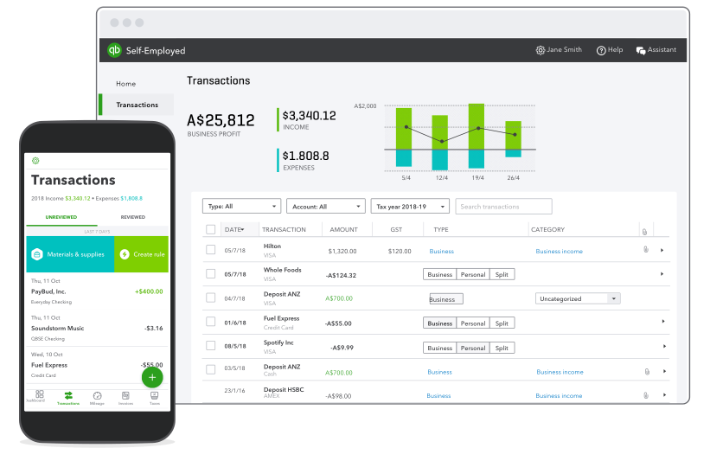
    Sage50 Cloud

    Designed primarily to help mid-to-small sized businesses, Sage50 Cloud is a great accounting software suite. It helps businesses to stay up on their taxes, keep their bookkeeping clear and concise, and generally stay compliant. Payroll, budgeting, inventory and more can all be tracked through the software.

    As the name suggests, Sage 50 utilizes the cloud to keep your information all backed up. This allows you to have the peace of mind that comes with knowing all of your important accounting information is saved and backed up. You can even track purchases and pay vendors all through this software!

    Sage50 Cloud has a variety of pricing options, which start around $45 per month. Depending on your needs, you can opt for more complex packages at higher rates.

    Freshbooks

    The streamlined, seamless and easy-to-use Freshbooks software is one of the top picks for accounting software. Whether you’re running a large business or a small one, Freshbooks as an accounting suite is a strong choice. You can easily set up recurring invoices to pay out to various contractors, record your expenses easily and import to other software in a flash.

    The dashboard makes it easy to find what you’re looking for, while the easy-to-navigate menus and options make it impossible to get lost. Accounting can be quite difficult, but Freshbooks takes a lot of the difficulty out of the equation! Pricing for this software starts at $15 per month.

    NetSuite ERP

    Another user-friendly and well-presented suite, NetSuite ERP is great for businesses of all sizes. Including integration for marketing, sales and customer relations, NetSuite is a rather robust accounting software. You can even handle your stocks through the excellently-designed suite!

    NetSuite ERP offers integration through inventory management tools, as well as a shipping module to keep track of all of your orders. The easy-to-use interface is available even on mobile devices! You don’t need to be an accounting expert to use the software, and it’s easy to find what you’re looking for through the simple dashboard.
  • Best Smartwatches: Fitness Tracking and Keeping Time in Style

    Best Smartwatches: Fitness Tracking and Keeping Time in Style

    One of the most notable changes in wearable tech in recent years has been the shift from more sci-fi, goofy wearables like Google Glass to more practical and stylish items like smartwatches. Whether you’re a busy professional who needs a handy wrist-mounted smartphone or a fitness enthusiast looking for a good tracker, there are tons of great smartwatches for you. Let’s take a look at some of the best.

    We prioritized two things in this list: firstly, price point. The best technology is the tech you can afford, so we only included smartwatches that are a good value for the features they offer. The second consideration was style. If you’re going to be wearing a piece of technology as a fashion statement, it needs to look good. Finally, and most importantly, we considered the overall usefulness of the features on display in the individual smartwatch.

    FitBit Versa

    If your primary reason for wanting a smartwatch is to track your fitness and tell time while you work out, then the Versa is a great choice for you. It’s notably on the lower end of the price spectrum for smartwatches, coming in at a solid $200 MSRP, and available on sale for under $170 at many retailers at time of writing. The simple and straightforward UI and barebones features can make this watch feel a little lacking for some tech enthusiasts, though it makes a solid fitness tracker.

    If you’ve never owned a smartwatch, starting with the Versa wouldn’t be a bad idea. There’s not a ton of bells and whistles to keep up with, nor are there complex menus to navigate to get to your fitness data. For someone looking for a straightforward and no-nonsense smartwatch for fitness tracking, the FitBit Versa makes a great workout companion.

    Apple Watch Series 4

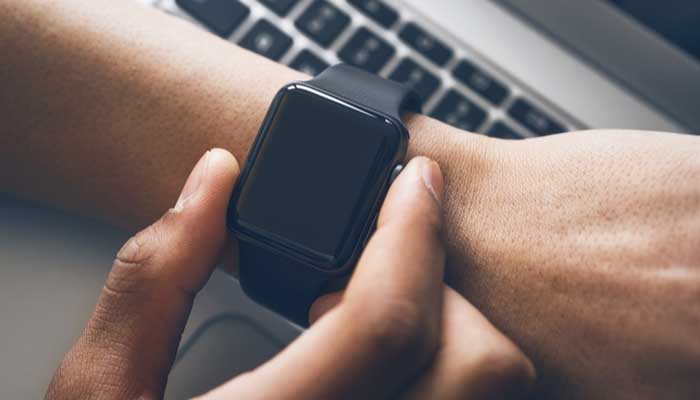
    The big, bold OLED face and the advanced heart monitoring functionality set the Apple Watch Series 4 apart from the competition in a big way. The signature square face with rounded corners makes the Apple Watch recognizable at a glance, and an easy status symbol for Apple faithful. A variety of stylish and functional bands are available from Apple’s own store, and numerous third-party outfitters make their own bands for the popular watch.

    Fitness features are a huge draw to Apple’s smartwatch. Advanced features for tracking heartrate over activity can even detect ECG! The watch can automatically detect workouts and track your runs, allowing you to keep track of your fitness with ease. The waterproof construction and loud speaker are also huge plusses for the stylish little smartwatch.

    Samsung Galaxy Watch Active

    In much the same way that the Apple Watch is the smaller iteration of the iPhone’s design, the Samsung Galaxy Watch is the scaled-down answer to Samsung’s own Galaxy smartphones. Much like the phones it gets its name from, it’s a solid competitor to Apple’s offering for fans of Samsung’s designs. The design is light and simple, and it’s a great companion for any fitness enthusiast. Robust fitness features like exercise tracking and great heartrate monitoring make this a stellar option for those looking for a fitness tracker.

    One of the best aspects of the Galaxy Watch Active is the price point. Coming in at only $200, it’s a fair sight more affordable than a lot of the competition, but it still offers comparable features. Many people prefer the round face, making it appear more like a traditional wristwatch. In fact, many watch faces mirror the appearance of a wristwatch, making the device more discreet and less flashy than some of the competition, too. This could be a pro or a con depending on your style.


  • Best VPN for iPhone

    Best VPN for iPhone

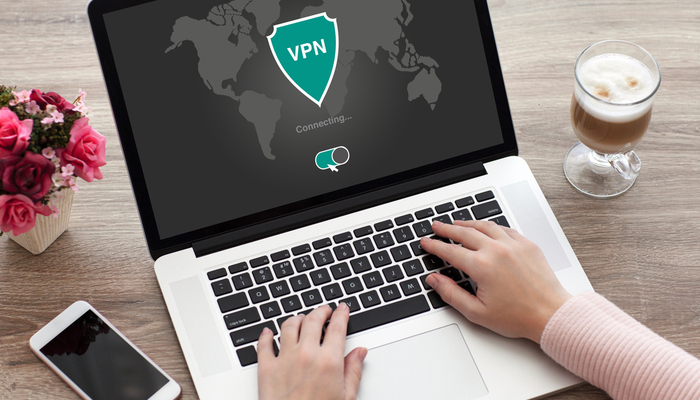
    While it might sound weird that you’d want a VPN for a phone, it’s not a bad idea to have one. While iOS is great at protecting user security, it’s not able to help you when you’re surfing the web. The real reason you’ll want one of these is if you use public Wi-Fi often. Public networks are often unsecure, and any data sent to and from your phone while on them could be intercepted by hackers. If you want to keep your encrypted info safe from prying eyes, try these VPNs! They offer great protection for your mobile browsing.  

    Golden Frog VyprVPN 

    Golden Frog is a clean, well laid-out VPN with a lot to offer. While it doesn’t offer as many licenses per subscription as some of the competition, it’s a solid pick. It’s ten dollars to start and five bucks a month. Sadly, it doesn’t offer any ad-blocking. What it does offer, though, is a free trial and a ton of servers. Your server speeds on this one will be blisteringly fast! If speed is your bag, try Golden Frog. 

    Cyber Ghost VPN 

    Offering seven licenses per $2.75 a month subscription, Cyber Ghost is a good choice. The interface is unique and weird in a good way. Privacy is a major concern of this one, and it does a good job logging very little user data. You can’t location spoof while streaming, though, so if you’re trying to appear as though you’re somewhere else, this isn’t the right VPN. That said, this is still a fine VPN, and it costs $12 to get started. The $2.75 per month deal is limited time, though, so check it out soon! 

    Nord VPN for iPhone 

    If you’ve ever looked into VPNs, you’ve definitely seen the name Nord. They’re well-renowned for a reason, and it’s because they’re good. Their VPN for iPhone offers a ton of servers and great features. Just like Cyber Ghost, it’s $12 to get started and $2.75 per month. Also, like Cyber Ghost, that’s a limited time price. That said, if you’re looking for a strong iPhone VPN, this is a great pick. Offering six simultaneous connections and blocking ads is a pretty mean feat on an iPhone. The app and layout are both friendly and welcoming, too! Great for first-time VPN users. 

    Our Favorite VPN for iPhone: KeepSolid VPN Unlimited 

    Starting a $8.99 per month, this is a fantastic VPN for the money. It supports Open VPN and sports great speeds. KeepSolid boasts servers specifically tooled for streaming, which is awesome. It also offers a personal VPN server for users! That said, it has no free trial, which is a bummer. Compared to Nord it has a small number of servers, too. That said, the interface is excellent, and the user experience is top-notch. If you’re looking for a fantastic VPN for iPhone, this is the one for you! 


  • VPNs: What They are, and Why You Need One

    VPNs: What They are, and Why You Need One

    You might have heard a bit about VPNs on the internet or around the office, but you’re not sure what they are or whether you need one. Today we’ll be taking a more in-depth look at VPNs, what they do, and whether getting one is right for you.

    Do You Need a VPN?

    What’s a VPN?

    Let’s start by defining some terms. Firstly, we need to explain what a VPN even is! “VPN” stands for “virtual private network”. Essentially, these private networks allow you to securely connect with another network over the internet. VPNs keep your data private from any software that would spy on you, and they offer incredibly secure connections to other servers on the internet.

    Originally, VPNs were created for business employees to work remotely, connecting to the secure business network from their home office. However, their popularity in recent years has little to do with corporate espionage or remote work, though they are still used for this. No, the modern applications of VPNs are much more varied, though they share a common thread: secure connections.

    Modern VPNs

    Today, VPNs are popular among internet users because they allow them to privately browse the internet without drawing attention from advertisers or the site’s own regional locks. VPNs forward all of your internet activity to a remote network, essentially “outsourcing” your internet access and then feeding it back to your home computer.

    One of the most common uses for today’s VPNs include sidestepping region restrictions by “geospoofing,” or fooling a website into thinking you’re accessing it from a different location than your current one. This has a multitude of uses, from watching videos on streaming services that your region can’t see to avoiding government-mandated internet censorship.

    The Benefits

    The benefits of VPN usage are mainly connected to the fact that you’re essentially browsing the internet through a remote server. This allows you to appear as though you’re not located where you’re accessing the internet from. This, in turn, offers you a bit of anonymity on the internet, so you can safely use unsecured WiFi networks, avoid internet censors and even avoid detection for some of your activities.

    VPNs are quite popular among torrent users for this very reason. In many countries, it’s illegal to share files of music or movies, so torrent sites and the people who frequent them often use geospoofing to avoid the law enforcement of their localities. Of course, we can’t condone this usage, as intellectual property rights are an important cornerstone of the exchange of information.

    How to Get One

    Now for the fun part: actually getting a VPN. It’s not as simple as Googling “VPN” and just flipping a switch, you have to find a VPN service you’d like to use, or perhaps use one a friend has set up. Some services are free and offer only the very basics of a virtual network. Other services, like Nord VPN and Tunnelbear, have paid tiers that give you access to more features and a more robust geospoofing selection.

    In short, if you want to use a VPN to simply encrypt your browsing and watch some videos that aren’t available in your country normally, a free VPN will be fine for you. Otherwise, if you’re a power user with more varied needs, you might need to opt to pay for a more robust VPN service. Another option is to set up your own VPN, though most people don’t have the resources to set up servers in various countries and then encrypt traffic to them from their home computer. In either case, just make sure that whatever you do isn’t illegal, as cybercrimes can still carry stiff penalties depending on where you live, and VPNs won’t protect you from law enforcement.


  • How LinkedIn Can Help You Find a New Job

    How LinkedIn Can Help You Find a New Job

    There’s no way to sugarcoat it: trying to find a new job is really, really difficult. It’s hard to even know where to begin. Who’s hiring? Who has good benefits and a good work environment? If you’re not using some kind of job board or have a ton of connections, you’re running in blind.

    That’s where LinkedIn comes in. More than just being a simple job board site, LinkedIn is the best social media app for meeting professional connections. After all, it’s much easier to get ahead in a crowded job market when you know the right people. Here’s how to have LinkedIn work for you.

    LinkedIn

    Take it Seriously

    LinkedIn might be a social networking site, but you should take it seriously. It’s not quite the same as Facebook or Instagram. It’s an opportunity to present yourself in a professional and well-curated way for potential employers and colleagues.

    As such, you should make sure you present your best self on LinkedIn. Make sure your pictures aren’t ones of you and your buddies hanging loose and partying. Make sure you’re well-dressed and well-groomed in your pictures!

    Use it Often

    Make sure to use LinkedIn often. Even if you’re employed and like your job, it’s good to have connections that you cultivate. If you only use the app when you’re looking for a new job, you’ll be out of luck. It’s not enough just to run to it in an emergency: you need to keep up to date!

    By using the app often, you ensure that you’ve got a presence online that potential employers and professional connections can see. This is essentially an ad for yourself as an employee. Take pride in it, and make sure everyone knows just how good of an employee you are.

    Resume

    Make sure you keep a well-formatted, up-to-date copy of your resume easily accessible on your LinkedIn. You never know when a recruiter or hiring manager might come along and see your profile. If they do, you want to make sure your info is all up-to-date and accurate!

    There’s no reason to potentially miss out on a great job just because you’ve got some goofy typos on your resume. Make sure you keep everything connected to your business page tight and well-formatted. This is an easy step to take that will take you only a few minutes, so don’t put it off!

    If you’re looking to make lasting businesses connections, LinkedIn is where it’s at. Get your profile active and looking great today.


  • Three of Our Favorite 4K Projectors

    Three of Our Favorite 4K Projectors

    There’s no denying that televisions can provide a great viewing experience. But if you want the true movie theater feel in your home, then you need a projector. Projectors can also be very handy for easier portability, so if backyard viewing is your thing, then a projector trumps a large television any day of the week!

    Here are some of our picks for the best 4K projectors available. Enjoy some ultra-HD goodness!

    Optoma UHD60 4K Ultra UD Home Theater Projector – $1,799

    Not only does the Optoma offer the stunning 4K resolution that you would expect, it also supports HDR10 color technology. This means the blacks are blacker and the colors are more vivid than ever (if the source film supports HDR).

    With 3,000 lumens and a contrast ratio of 1,000,000:1, the Optoma is able to deliver razor sharp images that you can see in 4K detail from up to 10 feet away. 1.6X zoom and 1.30 to 2.22 throw ratio means you can fit your images in various spaces 140 inches and up. The Optoma features a single DLP chip system for easy set up.

    Vivitek HK2288-WH 2000 Im Bright Ultra HD 4K DLP – $1,425

    This is the best budget 4K projector you can buy currently. At this price point, there is no competition!

    This Vivitek features a 2,000 lumen bulb and a 1,000,000:1 contrast ratio. Like the Optoma, it supports HDR10 for enriched brightness and beautiful color reproduction.

    Also, like the Optoma, this Vivitek features a DLP chip system.

    Epson Home Cinema 5040UB – $2,299

    The Epson 5040UB features a 3-chip design which ensures that there is never a rainbow effect to your picture. It also supports HDR10 high dynamic range and high contrast. Like the others, it features a 1,000,000:1 contrast ratio for better brights and darker darks.

    At 2,500 lumens, it lands between the Vivitek and the Optoma on the bulb output. You can set up to 10 positions for motorized focus, zoom and lens shift.

    Another great feature is the Bright 3D Drive which allows for 3D projection.


  • LG Cinebeam 4k Projector Truly Beams

    LG Cinebeam 4k Projector Truly Beams

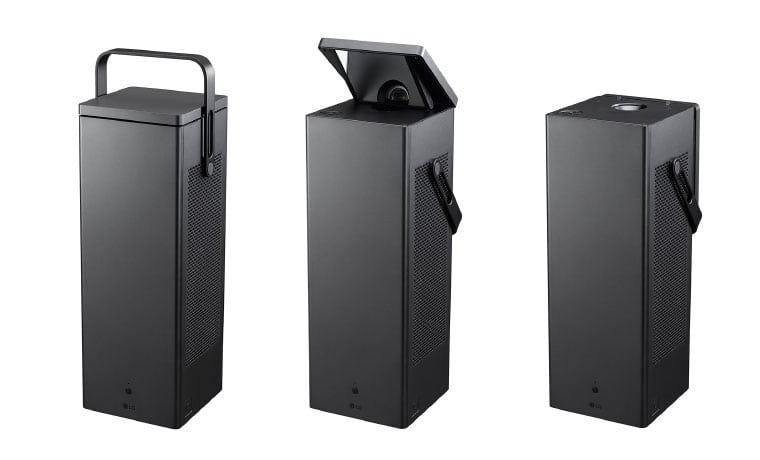
    The latest tech from the South Korean manufacturer LG is set to embrace the Ultra-HD revolution in its LG Cinebeam 4k Projector, specifically the all-new HU80KA 4K Projector that we saw at CES earlier this year: LG has just released that the portable projector starting at  $2,999.

    The Great

    • Bright
    • Light
    • Beautiful Picture
    • Ultimately Portable
    • Best Value for 4k Screen Size

    The Not

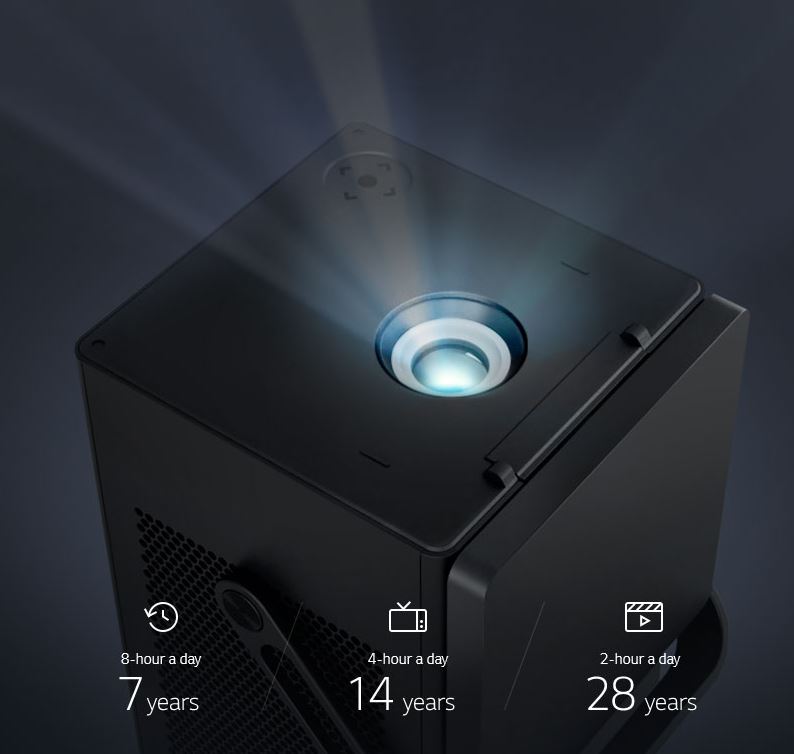
    • Limited Light Lifetime

    The Conclusion

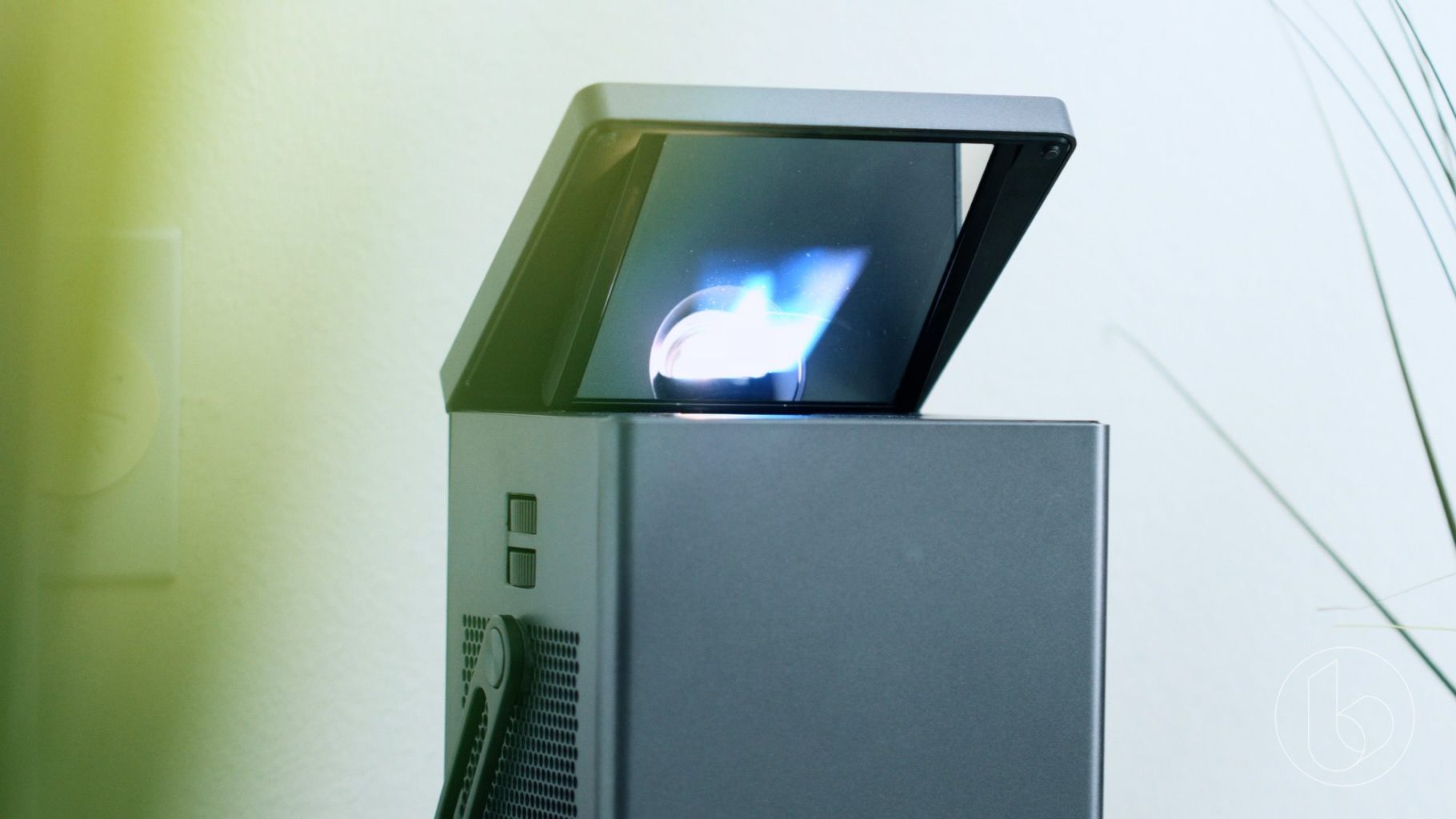
    The LG Cinebeam 4k Projector is LG’s brightest projector yet, able to display a 150-inch picture at 2,500 lumens, while its HD projectors top out at 2,000 lumens. To take advantage of this extra brightness, the HU80KA also supports high dynamic range via HDR10, though unfortunately, Dolby Vision doesn’t appear to be supported. Two built-in 7-watt speakers provide enough audio power in case you’re bringing the projector with you, but you can easily connect it to an external speaker system or sound bar using the optical output, HDMI, or wirelessly via Bluetooth.


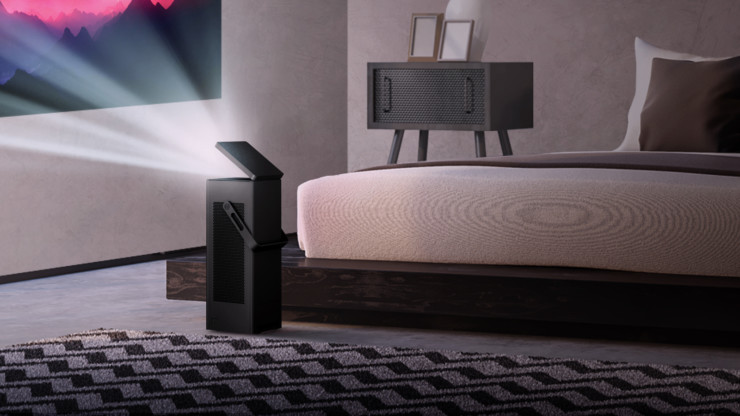
    The LG Cinebeam 4k Projector is a versatile and beautifully glorious black box. Spunky one-two 7 W speakers that you can choose to hook up to external speakers and sound bars via optical or Bluetooth. Size and weight, this compact package comes in at about 14 pounds, but delivers far above its competition with a stunningly sharp laser engine that projects up to 2,500 lumens, allowing crisp viewing even in bright conditions. Coupled with LG’s innovative Trumotion Technology, the compact box paints an amazing 150″ screen (74″ by 132″) on your wall from 14.1 feet. Do the math, and a screen 70″ or greater can be projected directly on the ceiling. Makes it Nice for viewing in bead but also just adding a nice Star light canopy or thunderstorm right above your bed.

    LG Cinebeam 4k Projector 77 Inch OLED

    Even a mammoth 77-inch OLED is dwarfed by a 150-inch picture, and that’s exactly what the new LG Cinebeam 4k Projector UHD projector brings to the table. Even better, the CineBeam is available now for a price that is close to what you’d expect to pay for a 75-inch 4K TV — not bad for what promises to be one of the best home theater projectors around.

    Not only can the LG Cinebeam 4k Projector deliver a huge picture, but it does so in a compact, portable form that doesn’t require you to find a table or stand for setting it at the exact right height. LG Says, as the projector’s mirrorless I-shaped engine allows the projector to display without problems whether it’s mounted on the wall, hung from the ceiling, or placed on the floor.


    The Final Thought

    Will the projector outclass OLED in terms of black levels? Probably not – especially without the aid of more advanced HDR formats like Dolby Vision or HDR10+. But, that said, its portability and price may help LG’s latest beamer beat out the competition in its design class.


  • Looking for the Biggest Display? Check out a 4K Projector!

    Looking for the Biggest Display? Check out a 4K Projector!

    While TV panels keep getting bigger and bigger, the hassles of installing and storing them do, too. Not to mention, they consume a ton of power and they’re super fragile! If you’re interested in having a massive, gorgeous 4K display but don’t want to worry about a TV, what are you supposed to do? Well, you could check out an awesome 4K projector!

    We’ve got three here, chosen for their various strengths, to help give you an idea of what to look for. 

    Epson 5040UB 

    While this projector is technically a 1080p projector, it uses some interesting optical shift technology. That optical shift makes it give the appearance of a 4K image without actually being 4K. This one is on the list for its price point, however, as it offers a great image quality for its cost. If you’re just looking to dip your toe into projecting, this $2,300 projector is a good place to start. It sports a great range of colors and looks vibrant. It’s only big drawback is that it only has an HDMI 2.0 input, meaning it’s not very future-proof for upcoming 4K releases.


    Sony VPL-VW285ES 

    If you want to see every single pixel of your 4K image, this Sony projector is for you. If you have true 4K you want to watch on a massive scale and have it look great, this projector is perfect. It is a little expensive, though, coming in at $5,000, but it’s well worth it. If you’ve ever wanted to have movie-theater quality images in your house, this is how you do it. Now all you need is a big tub of popcorn and a comically large soda to drink! The only downside to this one, aside from steep price, is the colors. The color range isn’t as good as the other projectors on this list, and our pick for favorite blows it out of the water in terms of black levels.  

    Our Favorite 4K Projector: JVC DLA-X590R 

    Much like the Epson we mentioned earlier, the JVC is technically a 1080p projector. However, it uses optical shift technology to scale the images it sends up to 4K. Its biggest strengths are its strong colors and intense contrast. This 4k projector will wow you with its deep black values and vibrant colors. While it isn’t quite as crisp or sharp as the Sony, it’s much more affordable and offers better color values. Those features alone make it our favorite, as it does an incredible job for the price. You can usually snag this projector on Amazon for around $3,000. You won’t be dissapointed: this little guy punches way above his weight class! 


  • Best Study Laptop for Students: What to Look For

    Best Study Laptop for Students: What to Look For

    When you’re shipping off for college, you want to make sure you’re bringing the best gear with you. Of course, you want only the best backpack, binders, pencils and such, but that’s not where you need to really worry about quality. The most important consideration you need to make for your college gear is in your laptop.

    When you’re studying, you’ll need to use your laptop to find the information. During class, when you’re taking notes, you’ll need to be able to quickly navigate your note-taking app and get everything in order while the professor is lecturing. When you’re writing essays, you need to be comfortable with the laptop’s keyboard. And, of course, you’ll want to make sure you’re aptly entertained when it comes time to unwind.

    Weight

    First off, when you’re shopping for a laptop for college, make sure it’s light and easy to throw in a bag and carry around with you. You’re already going to be sporting a ton of books and carrying all of your scrap paper and pencils to and from class. The last thing you need is to also have to worry about lugging a heavy laptop with all of this stuff.

    Remember, though, that a lot of your time using the laptop will involve typing and writing essays. This means you’ll want to have a good-sized trackpad and keyboard for the most ergonomic experience. If you do have to sacrifice on keyboard size to keep the laptop to a reasonable size and weight, of course, you can opt for a USB keyboard and mouse to keep in your room for heavy-lifting tasks.

    Screen

    You probably don’t need a massive, 17-inch OLED screen for the laptop you’re going to be using mostly for schoolwork. Also, per our last tip, you probably don’t want a laptop that big taking up so much space in your backpack. A 13- or 15-inch screen will likely be more than enough for scholastic purposes, so don’t go overboard when you’re looking at screens.

    If you’re looking for something to serve as a great entertainment device for when you’re back in your dorm, consider getting a Roku and a small HDTV. Alternatively, if you’re wanting to play video games, you could probably find a good deal on a Nintendo Switch, which would dramatically lighten your load compared to buying a full-fledged gaming laptop.

    Memory

    When you’re considering what kind of storage your laptop needs, make sure you’re getting a solid state drive. SSDs are more expensive than conventional hard drives, but they are well-worth the extra money. That’s because SSDs are stationary, unlike hard drives that spin in your computer, and so they travel much more safely. The less moving parts a portable computer has, the better!

    SSDs also load information significantly faster than hard drives. Keep in mind, however, that it’s hard to notice this bump for the types of tasks you’ll likely be using a school computer for. If you often use Photoshop or render graphics, such as for video games or design, however, you’ll see a marked improvement in speed for SSDs.

    Power

    Finally, we get to the big question. What kind of power should your school laptop have? Budget-conscious students will say “nearly none,” while gamers and tech fiends will say “all of it,” but neither is accurate.

    For the purposes of research, writing papers and browsing the web, all while not tearing too hard into the laptop’s battery life, the best option is more measured. A Coffee Lake processor, for instance, will offer a great balance of power and performance. However, if you’re looking for a more budget, school-focused machine, something like a Chromebook might be the best option.


  • Easy Smarthome Devices to Increase Your Homes Value

    Easy Smarthome Devices to Increase Your Homes Value

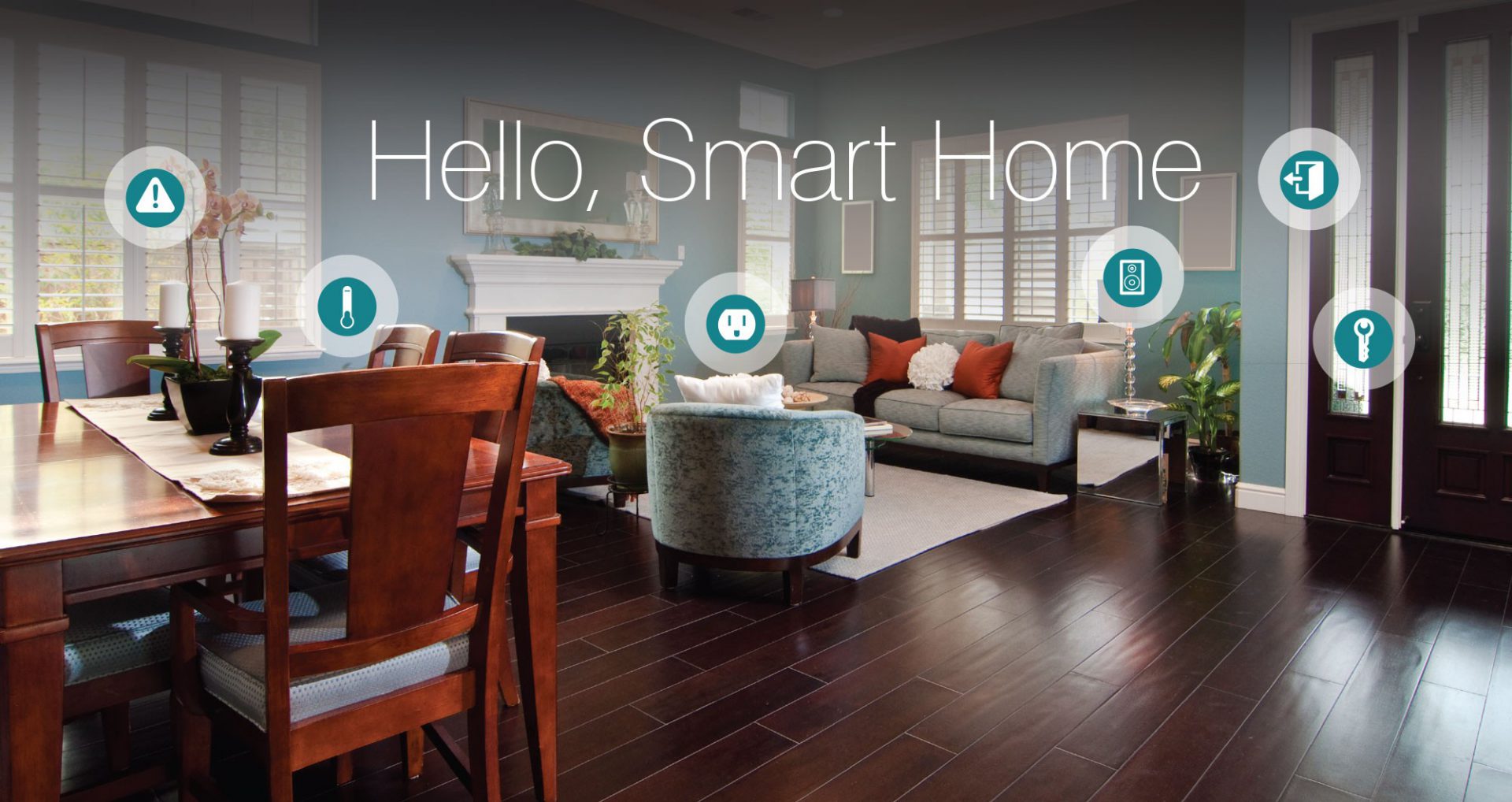
    From smart thermostats to automated lighting and everything in between, there’s no question that innovative, Internet-enabled technology can make a home more fun, convenient and safe. What you may not know, however, is that it also represents a potentially valuable investment. Im going to take a$7000 investment to smart home upgrade to increase my homes value by $25000. Lets look at how I spent it and what value it brings.

    Appliances

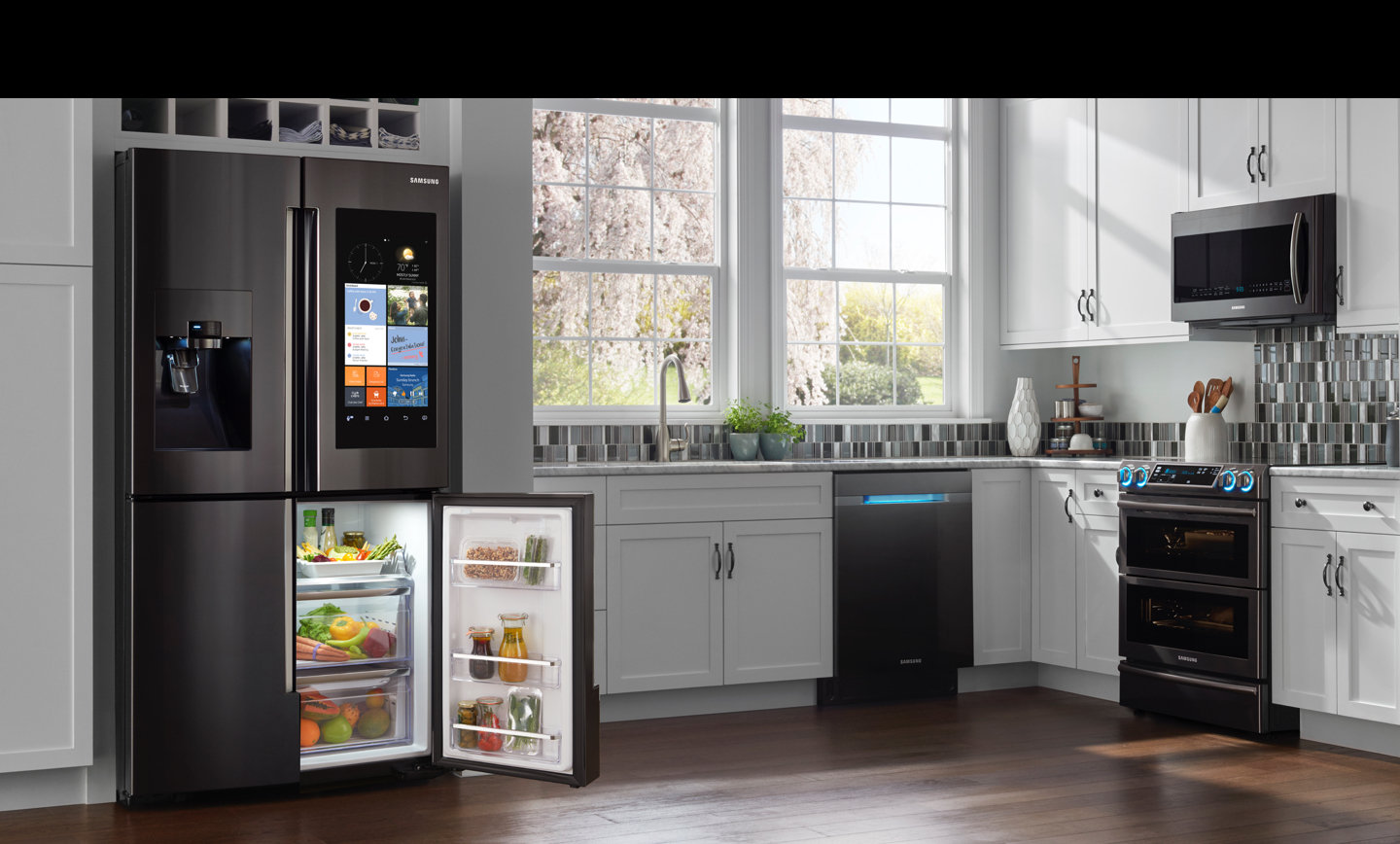
    I started with replacing the refrigerator and stove, with smart appliances.

    for a combined $4300 I installed the Samsung Family Hub 2.0 wifi enabled fridge and  the Self-Cleaning Slide-In Gas Convection Range both in stainless steel of course. considering I was going to have to spend $2000 anyway on these appliance the extra money to purchase the smart appliance is well worth it for the wow factor alone.  

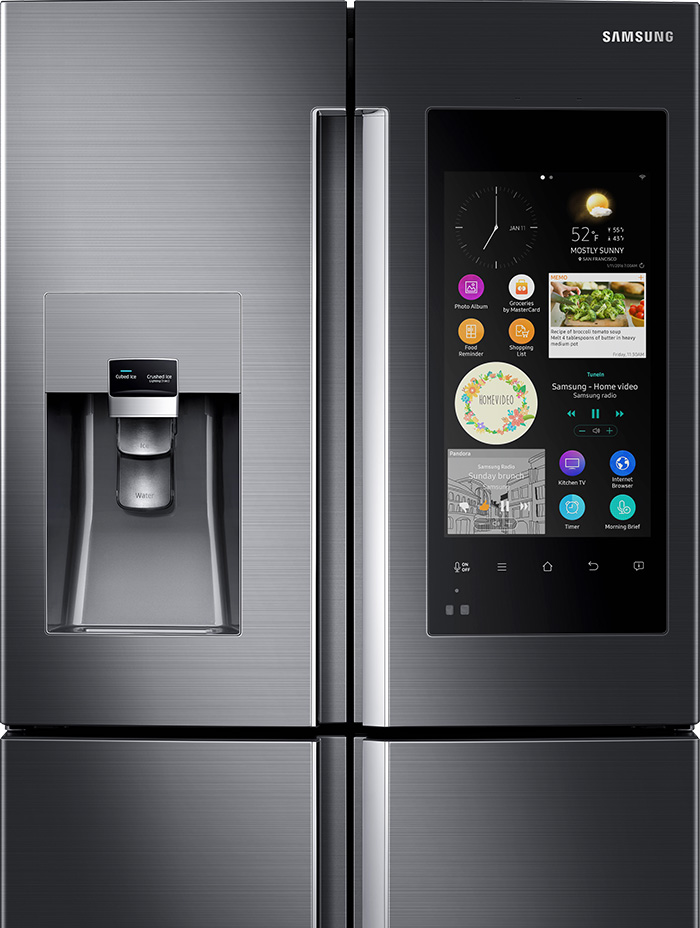
    Samsung Family Hub 2.0 Refrigerator

    The Samsung Smart Fridge is really cool, looks great, creates shopping lists and lets me see inside from anywhere with 3 built-in cameras. It  also set expiration notifications to make sure everything is fresh. Plus it has Bixby built in for a digital voice assistant right in the kitchen, I’ve always wanted to talk to my refrigerator.


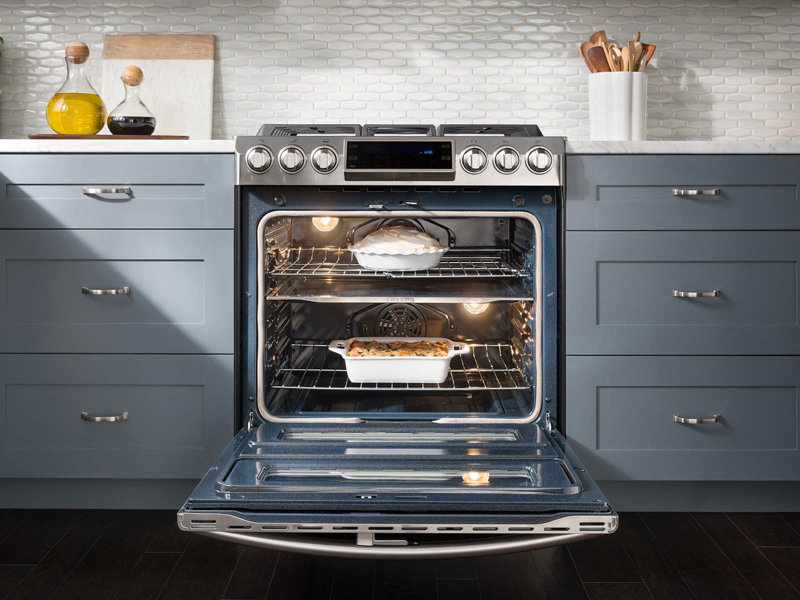
    Samsung Self-Cleaning Slide-In Gas Convection Range

    The stove looks like something you would see in a professionals kitchen, its no joke.  There are cooking options with the intuitive guiding light controls. This lets you program your favorite recipes, plus easily control temperature and  time settings. Wi-Fi connection gives you real-time alerts and control the cooktop and oven remotely. You just have to  download the app for iOS or Android devices.
     

    I was able to get both devices with a bundle package at best buy, factoring the money I was going to spend anyways im only out ($2130)

    Lighting

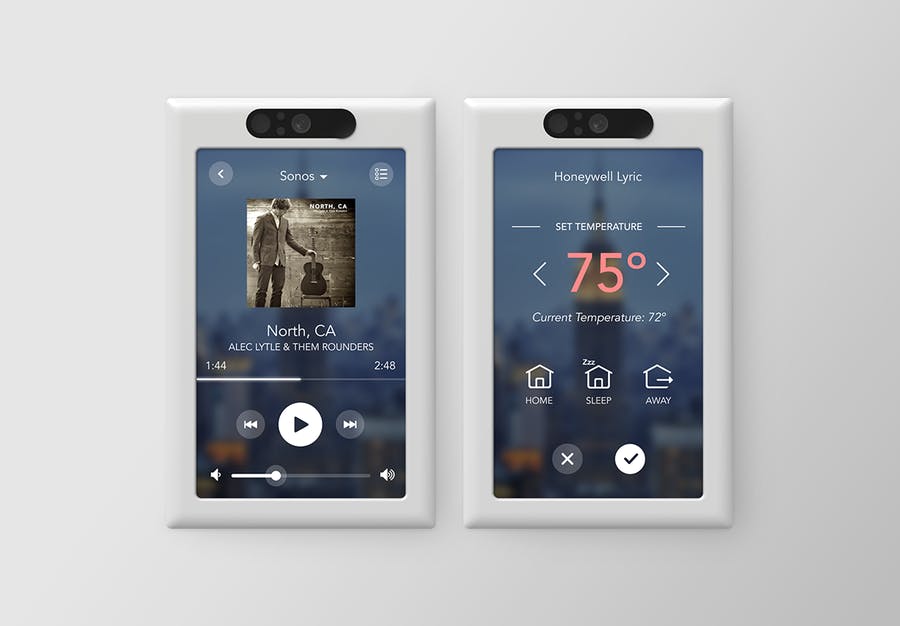
    Next step set the mood, for 3 main light switched I installed the Brilliant Smart Panel. With the digital touch screen or simple verbal commands, this switch can control your homes lights, air conditioning, intercom system, video surveillance, music and has a built in camera and even the ability to make video calls.
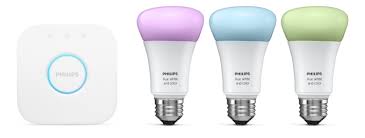
    I replaced all light bulbs with Phillips Hue Smart Lighting, this will allow the lights to be controlled from the 3 smart-panels, with the color bulbs setting different lighting and the colored light strips in the kitchen.
    This has added a great wow factor, adding in the Sonos speakers already through out the house. I can set music and lighting with just a shout. ($1000)

    Little Things

    The Smart Panel for Brilliant can control a lot of smart devices, so I upgrade my thermostat to the Nest, a Smart lock from August, Skydrop 8-Zone Smart Sprinkler Controller, Smart Security Video system from Nest with a video doorbell and an Amazon Eco Show for Alexa integration with all the new devices. ($1500)

    Bathrooms

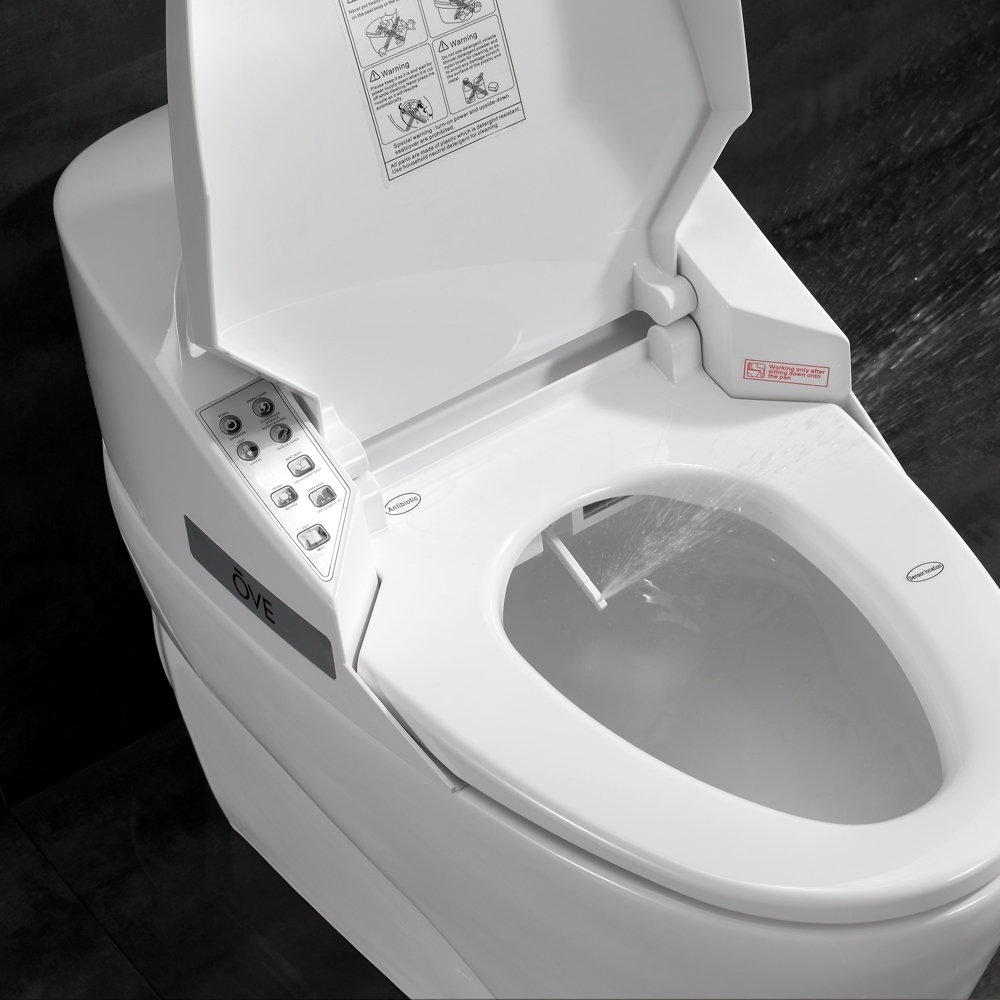
    This home has 2 bathrooms so I’ve updated both toilets to the Smart 1 Piece by OVE. Little expensive, but a heated seat, warm bidet water, and air drying features are a big sell for small price. This looks great and comes with a remote control. You can adjust the power and temperature right from your remote.
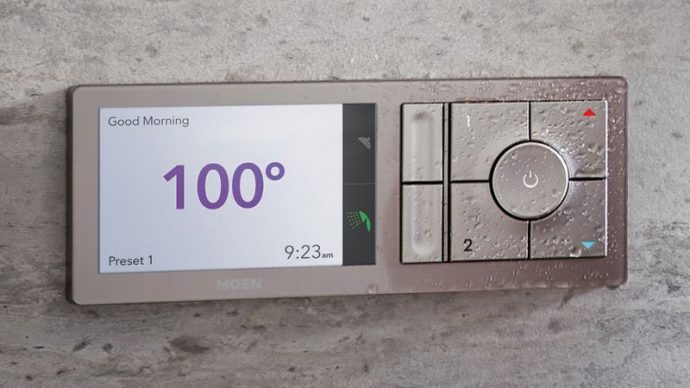


    I also updated the 2 shower-heads and added the Moen U Shower Smart Home Connected Bathroom Controller. The Moen U integrates smart temperature control, timers and also an app. You can even pre-time your morning shower, walk yourself to the bathroom and it turns on automatically as soon as it senses your presence!

    I have effectively updated my home and prepped it for sale. With these little upgrade I have moved my home from the bottom end of its appraisal to the top by making it a cutting edge smart-home and increasing my value and netting me an extra $18, 000 after the sale.