Tag: Electronics

  • Take Your Home From Believable to Unbelievable With These Cyber Monday Deals

    Take Your Home From Believable to Unbelievable With These Cyber Monday Deals

    We want turn Cyber Monday into Green Monday – Because that’s what you’re going to save this November 26th. We spent days finding the best ways to upgrade your home. From top to bottom we’ve gathered the hugest deals retailers have to offer.

    Living easy with living room upgrades

    These Cyber Monday deals will help you take your living from ordinary to extraordinary.

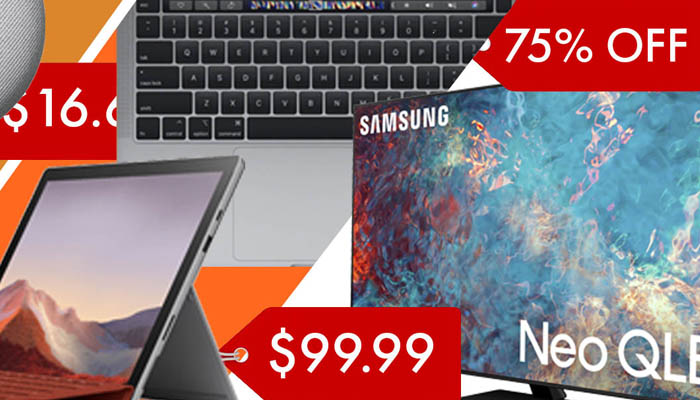
    If you’re in the market to make a BIG upgrade to your home entertainment center this Samsung 75-inch Neo OLED 4K UHD Smart TV is a great place to start. You’ll immediately notice the difference with Quantum LED’s for staggering contrast, an anti-glare screen, and a powerful new processor. This Cyber Monday at Best Buy you can save $900 off the retail price!

    Make everyday tasks easier with a new smart home speaker. You can score a great deal on the 2nd generation Google Nest mini smart speaker. With upgraded audio and the ability to easily connect to your other smart home devices this is the foundation you want to build your smart home on. This Cyber Monday at Best Buy you can get one for $25, that’s $25 off the retail price.

    Cooking like a pro with kitchen upgrades

    Upgrade your cooking skills and downgrade your cooking stress. These smart tools can help you reveal your inner 5-star chef.

    Air fryers allow you to enjoy a hot and crispy meal while avoiding the unhealthy things that normally come with it. The Bella Pro Series allows you to cook up to 3.6lbs of food at temperatures between 175F and 400F. Its matte black finish looks great on any countertop. This Cyber Monday you can score one from Best Buy for $39.99, that’s $20 off typical retail price.

    The Ninja Mega System Blender prepares you for any dicing, slicing, or food processing situation a meal can throw at you. You’ll cut your meal prep time in half. You can save $40 at Best Buy this Cyber Monday.

    Making work from home easier with home office upgrades

    Making sure that your home office is equipped with reliable high-performance business tools is key. If you’ve held off on your next upgrade that means you’ll want to take advantage of these Cyber Monday deals.

    Apple has resisted discounting their Macbook Pro line for a long time. But this Cyber Monday they’re offering a rare deal on their 13-inch version featuring its unique touch bar technology and quad core Intel processor. At Best Buy you can save a whopping $500 off the normal retail price.

    If you need a 100% mobile device that’s 100% capable of handling your daily tasks the 12.3 inch Surface Pro is a fantastic choice. It features a 10th generation Intel processor, 11 hour battery life, 8gb of ram and 256gb of internal storage so you’ll be ready to tackle any project on the go. You can score one this Cyber Monday deal for $699.99, that’s $200 off the normal retail price!
  • Best Smartwatches: Fitness Tracking and Keeping Time in Style

    Best Smartwatches: Fitness Tracking and Keeping Time in Style

    One of the most notable changes in wearable tech in recent years has been the shift from more sci-fi, goofy wearables like Google Glass to more practical and stylish items like smartwatches. Whether you’re a busy professional who needs a handy wrist-mounted smartphone or a fitness enthusiast looking for a good tracker, there are tons of great smartwatches for you. Let’s take a look at some of the best.

    We prioritized two things in this list: firstly, price point. The best technology is the tech you can afford, so we only included smartwatches that are a good value for the features they offer. The second consideration was style. If you’re going to be wearing a piece of technology as a fashion statement, it needs to look good. Finally, and most importantly, we considered the overall usefulness of the features on display in the individual smartwatch.

    FitBit Versa

    If your primary reason for wanting a smartwatch is to track your fitness and tell time while you work out, then the Versa is a great choice for you. It’s notably on the lower end of the price spectrum for smartwatches, coming in at a solid $200 MSRP, and available on sale for under $170 at many retailers at time of writing. The simple and straightforward UI and barebones features can make this watch feel a little lacking for some tech enthusiasts, though it makes a solid fitness tracker.

    If you’ve never owned a smartwatch, starting with the Versa wouldn’t be a bad idea. There’s not a ton of bells and whistles to keep up with, nor are there complex menus to navigate to get to your fitness data. For someone looking for a straightforward and no-nonsense smartwatch for fitness tracking, the FitBit Versa makes a great workout companion.

    Apple Watch Series 4

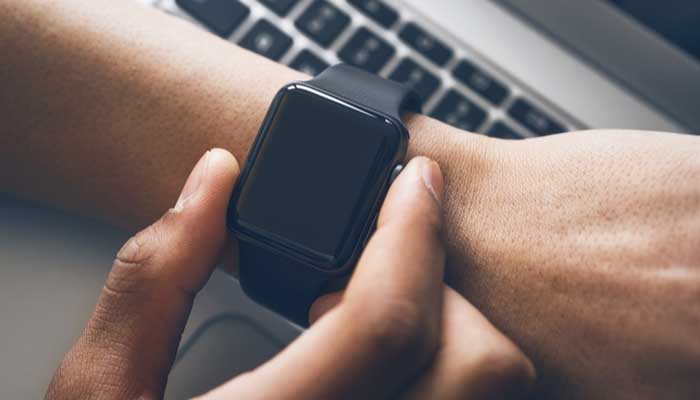
    The big, bold OLED face and the advanced heart monitoring functionality set the Apple Watch Series 4 apart from the competition in a big way. The signature square face with rounded corners makes the Apple Watch recognizable at a glance, and an easy status symbol for Apple faithful. A variety of stylish and functional bands are available from Apple’s own store, and numerous third-party outfitters make their own bands for the popular watch.

    Fitness features are a huge draw to Apple’s smartwatch. Advanced features for tracking heartrate over activity can even detect ECG! The watch can automatically detect workouts and track your runs, allowing you to keep track of your fitness with ease. The waterproof construction and loud speaker are also huge plusses for the stylish little smartwatch.

    Samsung Galaxy Watch Active

    In much the same way that the Apple Watch is the smaller iteration of the iPhone’s design, the Samsung Galaxy Watch is the scaled-down answer to Samsung’s own Galaxy smartphones. Much like the phones it gets its name from, it’s a solid competitor to Apple’s offering for fans of Samsung’s designs. The design is light and simple, and it’s a great companion for any fitness enthusiast. Robust fitness features like exercise tracking and great heartrate monitoring make this a stellar option for those looking for a fitness tracker.

    One of the best aspects of the Galaxy Watch Active is the price point. Coming in at only $200, it’s a fair sight more affordable than a lot of the competition, but it still offers comparable features. Many people prefer the round face, making it appear more like a traditional wristwatch. In fact, many watch faces mirror the appearance of a wristwatch, making the device more discreet and less flashy than some of the competition, too. This could be a pro or a con depending on your style.


  • Cool Uses for Your Old Smartphone: What to do When You Upgrade

    Cool Uses for Your Old Smartphone: What to do When You Upgrade

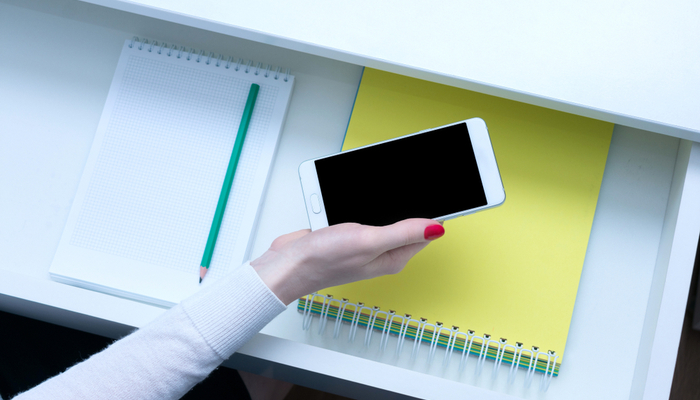
    When you upgrade to a new smartphone, it can be hard to decide what to do with your old phone. You don’t want to just toss it in a drawer, as it’s a great piece of technology. You could sell it, though doing so is a huge hassle and you normally don’t even get back half of what you paid for it. So, what are you supposed to do with an old smartphone to keep it useful even though you’ve got a better handset?

    Today we’re going over some fun and useful things you can turn your old phone into. Whether you’re looking for a new computer mouse or a game system, you’d be surprised at just how useful your old, worn-out smartphone can still be. Let’s get started!

    Wireless Mouse

    If you’ve got an old smartphone, why not turn it into a wireless mouse? No, seriously! If you download an app like Remote Mouse, you can use the phone’s gyro sensor to simulate the movement of a mouse. You connect your phone to your computer over the same wi-fi network, and then the phone functions as a mouse. It’s pretty simple!

    For instance, if you often use a laptop and want to keep a mouse with it, but don’t feel like buying any new pieces of technology, you can just use your old cell phone! This allows you to keep it in the same bag as your laptop and easily bust it out for when you need it. Not bad for something that was going to sit in a desk drawer!

    Universal Remote

    There are a lot of devices on your wireless network that can be controlled via a universal remote. For example, if you have a Roku, a Smart TV or a game console like an Xbox One or a PS4, you can control them all from a universal remote. However, proper universal remotes can be relatively expensive, and your old phone can do this just fine!

    Download an app like iRule, which offers an interface for proper universal remote control, and sync it with your wireless devices. You can even control your smart home tech, like your smart bulbs or smart locks, from this universal remote. Just dedicate the old phone to sitting on the coffee table to control all of your home’s functions, and you’re good to go!

    Game Boy

    Our favorite use for an old Android phone is easily to convert it into a Game Boy emulator. The HyperKin Smartboy Mobile Device is $50 from the HyperKin website, and it can convert most older Android devices into a proper, functioning Game Boy. If your phone is compatible with the device, you simply plug your phone into the device via the USB-C connector, and then plug and run your own Game Boy cartridges.

    The Hyperkin is fully compatible with both original Game Boy and Game Boy Color cartridges, allowing you to play hundreds of old games just like you used to on your old handheld! If you’ve got an old Android phone and some Game Boy cartridges lying around but nothing to play them on, the HyperKin Smartboy is the device for you.

    Google Home

    If you have an older Android device that is up-to-date on firmware, you can get a charging stand for it, connect it to a Bluetooth speaker, and create a Google Home yourself. While Google Home devices are $130, a Bluetooth speaker could cost you half as much or less and sound just as good. Just like that, you’ve built your own Google Home smart speaker to work as your smart home hub! It’s significantly less expensive if you already have the old Android phone lying around, and it works just as well as a proper smart speaker!


  • Best Smartwatches: Fitness Tracking and Keeping Time in Style

    Best Smartwatches: Fitness Tracking and Keeping Time in Style

    One of the most notable changes in wearable tech in recent years has been the shift from more sci-fi, goofy wearables like Google Glass to more practical and stylish items like smartwatches. Whether you’re a busy professional who needs a handy wrist-mounted smartphone or a fitness enthusiast looking for a good tracker, there are tons of great smartwatches for you. Let’s take a look at some of the best.

    We prioritized two things in this list: firstly, price point. The best technology is the tech you can afford, so we only included smartwatches that are a good value for the features they offer. The second consideration was style. If you’re going to be wearing a piece of technology as a fashion statement, it needs to look good. Finally, and most importantly, we considered the overall usefulness of the features on display in the individual smartwatch.

    FitBit Versa

    If your primary reason for wanting a smartwatch is to track your fitness and tell time while you work out, then the Versa is a great choice for you. It’s notably on the lower end of the price spectrum for smartwatches, coming in at a solid $200 MSRP, and available on sale for under $170 at many retailers at time of writing. The simple and straightforward UI and barebones features can make this watch feel a little lacking for some tech enthusiasts, though it makes a solid fitness tracker.

    If you’ve never owned a smartwatch, starting with the Versa wouldn’t be a bad idea. There’s not a ton of bells and whistles to keep up with, nor are there complex menus to navigate to get to your fitness data. For someone looking for a straightforward and no-nonsense smartwatch for fitness tracking, the FitBit Versa makes a great workout companion.

    Apple Watch Series 4

    The big, bold OLED face and the advanced heart monitoring functionality set the Apple Watch Series 4 apart from the competition in a big way. The signature square face with rounded corners makes the Apple Watch recognizable at a glance, and an easy status symbol for Apple faithful. A variety of stylish and functional bands are available from Apple’s own store, and numerous third-party outfitters make their own bands for the popular watch.

    Fitness features are a huge draw to Apple’s smartwatch. Advanced features for tracking heartrate over activity can even detect ECG! The watch can automatically detect workouts and track your runs, allowing you to keep track of your fitness with ease. The waterproof construction and loud speaker are also huge plusses for the stylish little smartwatch.

    Samsung Galaxy Watch Active

    In much the same way that the Apple Watch is the smaller iteration of the iPhone’s design, the Samsung Galaxy Watch is the scaled-down answer to Samsung’s own Galaxy smartphones. Much like the phones it gets its name from, it’s a solid competitor to Apple’s offering for fans of Samsung’s designs. The design is light and simple, and it’s a great companion for any fitness enthusiast. Robust fitness features like exercise tracking and great heartrate monitoring make this a stellar option for those looking for a fitness tracker.

    One of the best aspects of the Galaxy Watch Active is the price point. Coming in at only $200, it’s a fair sight more affordable than a lot of the competition, but it still offers comparable features. Many people prefer the round face, making it appear more like a traditional wristwatch. In fact, many watch faces mirror the appearance of a wristwatch, making the device more discreet and less flashy than some of the competition, too. This could be a pro or a con depending on your style.


  • Stop Losing Your Keys—And Other Bluetooth Tracker Life Hacks

    Stop Losing Your Keys—And Other Bluetooth Tracker Life Hacks

    Bluetooth trackers give you a ton of options for tech-savvy users looking for great life hacks. The possibilities are limited only by your imagination, so the more uses you can think of for them, the more useful they become. Today we’re going to help jumpstart your imagination by going over some of our favorite Bluetooth tracker life hacks.

    Bluetooth Tracker Life Hacks

    Key Tracking

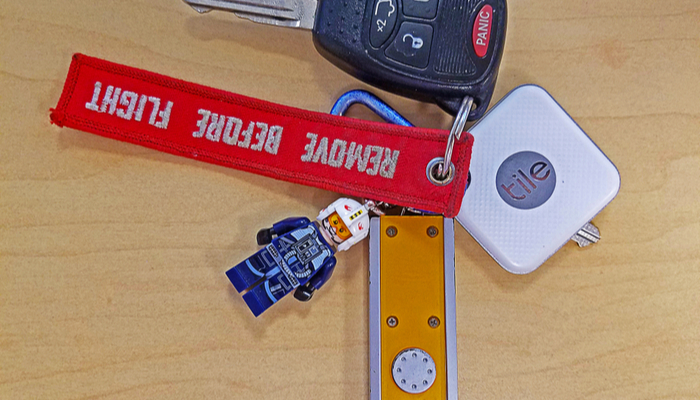
    How often have you lost your keys and wished you could call them the way you can call your cell phone when you lose it? There’s little in the world as frustrating as being in a hurry to leave the house but you can’t find your keys. The trick to this one is pretty straightforward: hook up a Bluetooth tracker and sync it with your phone. Then all you need to do is put the tracker on your key ring. If you misplace your keys, all you have to do is ping it from your phone.

    Most Bluetooth trackers will react to this by letting out a pinging sound, though some will buzz and vibrate and others still will light up, or some combination of the three. While keys are the most common items you’ll use the trackers on, there are some others you might not have considered.

    Wallet or Purse

    Another great use of Bluetooth trackers is stashing one in your wallet or purse. This allows you to safely find them if they are misplaced, though you can also rest assured that if someone tries to steal it, you can ping it for it to emit a loud tone. The presence of the tracker may even dissuade potential thieves, as they might think the tracker is a GPS-enabled device.

    If you want a more thief-proof tracker, you can opt for GPS-enabled trackers. These use either cellular or satellite networks to triangulate the tracker’s location, allowing you to track the item further than just through Bluetooth. If you often misplace items or you’re worried about them getting stolen, this is a great option for you.

    TV Remote

    One of the most commonly lost items in any household is the TV remote. If you’re constantly searching around for your remote, try attaching a tracker to it. This will let you ping the tracker through the phone app and find your remote in no time. The same goes for things like video game controllers, tablets and the like. If it’s small and often misplaced, a Bluetooth tracker is a great option.

    Luggage

    If you travel on planes often, you know how frustrating it can be to find your luggage on the carousel. What better way to keep track of exactly where your luggage is than by incorporating a Bluetooth tracker into your luggage? That way you’ll be able to quickly tell if your luggage is nearby, and even ping it to distinguish it from similar-looking bags to your own. This could save you a ton of time on your next trip.

    Kid’s Items

    If your kids are constantly losing their items at school or summer camp, it can be very frustrating. In order to help keep up with them, consider throwing a Bluetooth tracker in the items they commonly lose. For instance, if they consistently lose track of their lunchbox, their coat or their backpack, consider putting a tracker in those items.

    Keep in mind that most trackers aren’t meant to track kids or pets themselves, so while you might be tempted to throw one on your pet’s collar, that’s not what the items were designed to do. That said, the usefulness of the items depends on you use them.


  • Laptop or Tablet: Which is Right for You?

    Laptop or Tablet: Which is Right for You?

    There are times when you’re not quite sure which device you need for your various tech applications. If you’re looking for an all-around entertainment device, a productivity machine or something in between, it can be hard to decide between a laptop or a tablet. If you add two-in-ones to the mix, things get even more complex. Today we’re looking at the pros and cons of each to help you narrow down which is right for you.

    Best Portable Technology Primer

    Laptop vs Tablet

    The first question you need to ask when considering a laptop versus a tablet is what you need your technology to do. If you’re just looking for something to watch Netflix in bed or play fun games, you might be looking for a tablet. Essentially, if you wish you had a giant version of your cell phone, you want a tablet. If you need something with a bit more horsepower, however, a tablet might not be right for you.

    For instance, if you want something that can render more impressive graphics than a tablet, you’re probably leaning more toward a laptop. Similarly, if you plan to do a ton of typing, like for school or work, you’ll need a laptop; or, at least, a two-in-one with a keyboard. Similarly, if you plan on playing more in-depth games than phone ports, you’ll want a laptop.

    Two-in-One

    If you’re looking for a combination of both pieces of technology, you want a two-in-one. There are a few compromises to be made on both sides when it comes to a two-in-one, though. Firstly, let’s talk about what a two-in-one is. A two-in-one refers to a computer that is both a laptop and a tablet. Typically this means that the screen is a touchscreen and can be detached from the keyboard.

    If you like the touch-screen functionality and comfortable media player aspect of tablets but also want to be able to type and work on documents, a two-in-one is probably a good fit. Keep in mind, however, that the two-in-one screen is often much bigger and runs hotter than a dedicated tablet. The actual computational power of the two-in-one is also typically lower than a dedicated laptop.

    Phablet

    Another option, if you’re really into the idea of a tablet but find most of them too large, is to get a phablet. A phablet is an oversized smartphone, something of a cross between a phone and a tablet. Examples include the Galaxy Note line and the upcoming suite of folding phones from manufacturers like Samsung and Motorola.

    These offer a larger screen sized for more comfortable phone gaming and media viewing while also being small enough to fit in a pocket or purse. You get to roll the costs of your smartphone and tablet together, too, allowing you to save a bit of money.

    Other Entertainment Portables

    If you’re in the market for portable entertainment but want more power than a tablet, you’re probably wondering what a good in-between would be. There are a few options for affordable-yet-powerful entertainment portables. For example, if you’re looking for an entertainment device for a child, you could opt for a Nintendo 3DS, a handheld gaming device.

    Similarly, if you’re looking for a portable piece of technology for entertainment during commutes and breaks from work, you could get a Nintendo Switch. The Switch has Hulu and YouTube support, too, making it similar to a small tablet you can use for general media. A full suite of Nintendo games like Mario and Zelda doesn’t hurt, either!

    So, there you have it. Hopefully this primer helps you decide on what portable technology you need to round out your tech demands!


  • Best Smart Speakers in 2019

    Best Smart Speakers in 2019

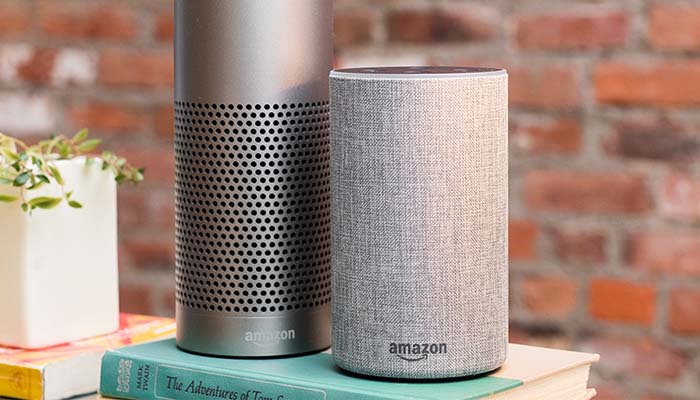
    While smart speakers were once seen as an unusual curio that your rich friends might have in their kitchen, they’ve become much more commonplace recently. The helpful and friendly voice that issues forth from the speaker is only part of the draw of these devices: they offer a wide variety of smart home functionality that you have to see to believe.

    If you’re thinking about getting a smart speaker but don’t know which one to go with, you’re not alone. There are a few great options out there, but it can be difficult to narrow the options down. Let’s take a look at some of the best smart speakers on the market to help you make a good decision.

    Apple HomePod

    Apple’s HomePod is something a black sheep when it comes to smart speakers. Powered by the familiar, if a bit outdated, Siri assistant that also runs in Apple’s phones and watches, HomePod is great for Apple lovers. It’s part of the Apple ecosystem, allowing for great integration with your iPhone, your Apple Watch and your Apple Music account. If you’re already rocking AirPods and an iPhone, you’re probably going to love the HomePod, too.

    However, if you’re not already an Apple faithful, you’ll probably find the HomePod’s steep asking price of $300 to be a bit much. Siri’s a bit more limited in her responses and case functions than Google Assistant and Alexa, as well. This all being said, the HomePod offers incredible sound that is tailored to the size and shape of the room it’s in. If you love Apple, or want a stellar sound quality, the HomePod is for you.

    Google Home Mini

    Google’s well on their way to world domination, and the Home Mini is a good indicator of why. The useful and great-sounding little speaker retails for just $50, making it a good entry-level option for those curious about the smart speaker “thing.” Google Assistant is really good at understanding commands, and can interpret plain language better than either Siri or Alexa. Not to mention, the assistant sounds normal and has human-like inflection, which can be comforting compared to the slightly robotic Siri.

    Google’s Assistant works very well when you need it to read off recipes or walk you through tasks you’re having it look up for you. If you forget the name of a smart home feature you have, it can normally figure out what you’re talking about. It’s also got a wider variety of smart home devices that it works with than the HomePod, coming close to the variety offered by Alexa’s Echo family of devices.

    Amazon Echo

    Amazon Echo devices are some of the most popular smart speakers on the market, for a number of reasons. Firstly, Amazon’s devices are often on sale on their online web store, and the devices are advertised heavily on TV. Alexa has a natural-sounding and calming voice, and can answer a number of questions and perform a lot of tasks for you with just your voice commands. If you’re just looking to try out a smart speaker and see what it’s all about, you want an Amazon Echo Dot, which can be found for $50 online.

    While Alexa might not be the clear winner in 2019 like she was in 2016, Amazon’s device is still the most useful overall for the price. There are so many smart home devices that are compatible with Alexa that you can safely buy just about any smart bulb or smart lock and know it’ll work with your device. The sound quality on the speaker is great for the price, and you can even hook the device up to your own speaker if you want to get better quality sound out of it. All in all, this is a great option for newcomers to the field.


  • Best Deals on Laptops

    Best Deals on Laptops

    Having a nice smartphone is cool, and a good tablet can be great for entertainment uses around the house. When it comes to productivity and getting things done, however, what you really need is a full-fledged laptop. As long as you’re not looking to go too far into the gaming side of things, which will quickly increase the price, you can get a good laptop for school or work for under $500. Let’s take a look at some of the best deals on laptops.

    We’re looking at these laptops based on a number of factors. The primary factor, of course, is price: only laptops under $500 can make this list. The secondary factor is overall usefulness: since laptops compete in price with tablets, we’re concerned primarily with laptops that can help you with your productivity for tasks like typing or creating presentations.

    Acer Aspire E 15

    Far from the prettiest or lightest laptop on the market, the Acer Aspire E 15 is a squat and industrial-looking laptop that you can pick up for under $400. The $360 configuration sports a low-end dual-core i3-8130U and a below-average 6GB of RAM. It offers a sizable 1TB hard drive, though, and the price is notably lower than many competing Windows laptops. The Aspire E 15 is an interesting little laptop for a number of other reasons, though.

    Coming in at 5.3 pounds, the Aspire E is also surprisingly weighty. That said, the design is rugged and likely to last you for a while. If you’re still working with physical media, the laptop includes a DVD drive and even a burner for encoding your own info. Interestingly, this laptop also supports memory expansion: you can open it up and add more physical memory and storage space.

    HP 15

    The very simple and straightforward naming convention of the HP 15 matches up with its very plain and almost dorky design. The 15 is a very inexpensive laptop, coming in for the low price of around $400, though it’s not winning any beauty contests. It sports big bezels, rounded corners and a bulky, blocky design that’s reminiscent of something a child might use. That said, it’s got the goods for someone looking for an inexpensive laptop.

    The HP 15 runs full Windows, which is unique for a laptop of this price range. Many laptops under $500 are Chromebooks, which run on Google’s low power consumption, budget-friendly Chrome OS. If you need a laptop for productivity, such as typing in Word or making PowerPoint Presentations, then the HP 15 is a great inexpensive option. It’s worth noting that it only supports the older, weaker 2.4 GHz Wi-Fi, so it might be worth skipping this one if you don’t use ethernet connections often.

    Dell Inspiron 15 5000

    Another 15-inch Windows laptop, the Inspiron 1500 can often be found on sale for just under $500. If you need a good compromise between low price and high power, this is the laptop for you. It offers up 8GB of RAM, allowing you to multitask and handle beefier requirements like photo editing. The CPU is an i5-8250U, making it a good mid-range CPU that can handle most task.

    Interestingly, the display here is a true HD display. This means that you get the best of both worlds: the price of a budget laptop with the features of a higher-end device. For the cherry on top, this laptop sports a 256GB solid state drive. Solid state drives have some notable advantages over hard disk drives: notably, they load information much more quickly, and they also have no moving parts, making them safer to travel with and likely to last longer.

    sc name=”disableGoogleAds” ]

  • Best Bluetooth Speakers for Your Summer Cookout

    Best Bluetooth Speakers for Your Summer Cookout

    There’s nothing quite like having friends and family over in the backyard while you’re grilling burgers and hot dogs in the back. While you’re at it, why not throw on some great tunes to get the party really going? Today we’re looking at some of the best Bluetooth speakers for your summer cookout.

    We’re going to be looking into speakers based on a few criteria. Firstly, the price point is important, as we don’t want to break the bank. Secondly, sound quality is a big concern, of course. Finally, portability and waterproofing are important for any outdoor-use speaker you buy. Hopefully this helps you narrow it down. Let’s jam!

    Best Bluetooth Speakers

    UE Wonderboom

    It’s no secret that we love UE here at GoodFind: they make all-around incredible Bluetooth speakers. The Wonderboom, which has been around for a while, is now only around $50 at most retailers. For the price, it’s hard to beat the Wonderboom. It’s tiny and light, waterproof and dust-resistant, and it offers great 360-degree sound.

    The bass from this little ball of speaker is impressive, putting out loud and driving sound that doesn’t warp at higher volumes despite its size. If you’re looking for a portable and durable speaker that doesn’t break the bank and will sound great at a pool party, there’s little that beats the Wonderboom.

    Bose SoundLink Revolve

    Bose is well-known for their stellar sound quality, and the SoundLink Revolve is no exception. This great speaker runs for $200, making it a bit pricey, but it’s sure to impress your guests with its powerful sound and deep bass. The SoundLink also offers a wonderful 360-degree sound coverage, meaning it sounds great no matter where you are in the room.

    Notably, this speaker isn’t dust-resistant or waterproof, meaning you’ll need to be more careful with it than some speakers. It’s more of a home speaker, not great for traveling, due to its lack of waterproofing and less robust construction.

    JBL Charge 4

    JBL’s Charge 4 speaker is enormous and heavy, but it offers great bass and can even charge your phone from its huge battery. The Charge 4 might not be the best-sounding speaker, but it’s got a great price point, coming in at $150, and it’s plenty durable. If you’re looking for a modern answer to the classic boom box, this is for you.

    The Charge 4 is waterproof, too, making it a great option for pool parties. Kicking bass sound is great from this speaker, thanks to its large footprint and huge woofers. We wouldn’t recommend this speaker for things like hiking, but it’s great for a pool party where you might need to charge your phone!

    UE Boom 3

    Ultimate Ears is far and away the best Bluetooth speaker manufacturer out there. As such, it’s no surprise that the UE Boom 3 is the best Bluetooth speaker for the money. Whether you’re trying to fill a small space like a dining room with sound, or trying to cover a large back porch area, the Boom 3 has you covered. The sound is huge and rich, the bass kicks well and it just sounds great.

    As with nearly all UE speakers, it’s IP67 waterproof and dust proof, meaning you can toss it in the pool and have a laugh as it keeps kicking out killer sound. The speaker is light, coming in barely over a pound, but it’s still incredibly durable and great for throwing in a bag. You’re not worried about it getting jostled too much, and it’s also not going to weigh down your bag. For only $150, it’s one of the best values out there.


  • 5G Networks are Coming: Are You Ready?

    5G Networks are Coming: Are You Ready?

    The biggest shift in wireless communications history is coming up soon, and it goes under the name “5G”. The newest advancement in wireless communications technology, 5G networks will revolutionize communications speed and change the way the world communicates. This might sound like hyperbole, but it isn’t: this will be a huge moment for technology. Are you ready for the changes?

    5G Networks

    What is 5G?

    5G is a network specification, much like 4G LTE or 3G. These are all types of wireless communication, defined by industry standards, bandwidth and speeds. Think of them like wireless internet speeds, and as loose indicators of the current face of wireless communications technology. Notable advances in technology in the last few years are what has made 5G a possibility.

    When 5G networks go live for a wide-release, carriers like AT&T, Verizon and Sprint will be offering cell phone networks powered by 5G technology. Samsung, Apple and other flagship smartphone manufacturers will also be creating phones with the capability of connecting to 5G networks and making the most of the new technology.

    What This Means

    5G connection speeds are expected to be absurdly fast. As in, downloading a movie in seconds, stream 4K video at 60 FPS, upload video in moments kind of fast. This will bring about big changes in more than just cell phone technology, of course. There will be robotic devices capable of letting a surgeon perform a procedure from across the country. Self-driving cars will be able to connect and make adjustments based on traffic reports in seconds.

    Other functionality could extend to entertainment, augmented reality and consumer products, too. Imagine holding your phone up while watching a football game, and having your screen superimpose live stats and graphics to help you keep track of players, all updated on the fly. That’s the kind of power 5G will bring: the applications are sure to be mind-blowing.

    When Can We Expect This?

    5G networks aren’t quite a widespread reality yet. The technology is currently undergoing rigorous testing and production and is in the final stages before wide release. Some smaller scale, individual-city level 5G tests have been done, but these are using somewhat limited versions of the expected 5G technology.

    At the earliest, we could expect to see some larger cities receiving 5G support in late 2019. However, this is an optimistic estimate and assumes that carriers push for early trial versions of the technology. As for nationwide coverage of 5G networks, that is likely as far away as mid- to late-2020. While this might sound like a long time, the massive increase in power will more than offset the long wait.

    What Phones Can Use 5G?

    It’s unlikely your current phone will be able to use a 5G network unless you have a bleeding-edge phone prototype. In fact, few manufacturers are even selling phones that will be able to use eventual 5G networks yet.

    However, there are a few brand-new phones that are either coming soon or have just been released that will be able to take advantage of 5G when it arrives. If you want to be absolutely future proof, here are some of the phones you should be looking at.

    Upcoming 5G Phones

    The Samsung Galaxy S10 5G, which starts at $1,300, was released in mid-May in the US and will offer 5G connectivity. The Galaxy Fold, which was delayed into later 2019, will also be able to use the upcoming network.

    The Motorola moto z3 will offer a 5G mod chip that will allow you to use the upcoming network, as well. It’s currently available for purchase, but the 5G chip will be launching later. Also coming to the 5G game will be phones for Chinese smartphone maker Huawei, including their Mate 20X 5G and upcoming foldable Mate X.