Tag: Electronics

  • Real HomePod Killer? Sony’s Smart Home Speaker Now Just $50

    Real HomePod Killer? Sony’s Smart Home Speaker Now Just $50

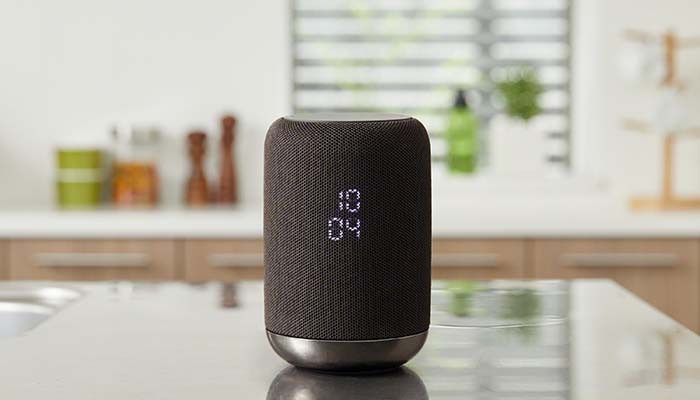
    Sony’s LF-S50G smart home speaker has recently received a price cut down to $50. The speaker started at $200, putting it at a comparable price point to Apple’s HomePod. With its new, reduced price, though, it’s a much sweeter deal than Apple’s expensive, ecosystem locked HomePod.

    Sony LF-S50G Speaker Now $50

    The Speaker

    The LF-S50G itself has stellar sound quality. Music, podcasts and audiobooks all sound great coming from this small, sleek speaker. Included in the device is Google Assistant, ready to help organize all of your smart home needs. In short, for only $20 than the Google Home Mini or Amazon Echo Dot, you get a speaker that’s far more powerful in sound quality.

    Google Assistant

    Google Assistant is helpful in a number of ways. You can ask the system basic questions, like for weather and traffic reports. If you have other smart home devices, like smart lights, locks, thermostats or the like, you can control them from your Google Assistant-enabled speaker. Most commonly, you can call out for the speaker to play your music for you.

    The Right Price

    If you’ve been looking to break into the smart home ecosystem, this is the speaker to do it with. The smart speaker is a small $20 more than the best budget smart speakers, and it packs way bigger, better sound into its small frame. It helps that this is all wrapped into a sleek, attractive package.

    The black finish and elegant styling makes this just as appealing as a piece of eye candy as it does a piece of tech. Did we mention this speaker sports 360-degree sound, like the HomePod? Nothing makes a room feel more alive when you have guests over than huge, room-filling sound coming from all directions.

    In short, this is a hard deal to pass up. For the low price of $50, it’s hard to beat the value of this smart speaker. The huge sound, small size and low price add up to make this the best deal on the smart speaker market right now.


  • Is Your Screen’s Blue Light Keeping You Up at Night?

    Is Your Screen’s Blue Light Keeping You Up at Night?

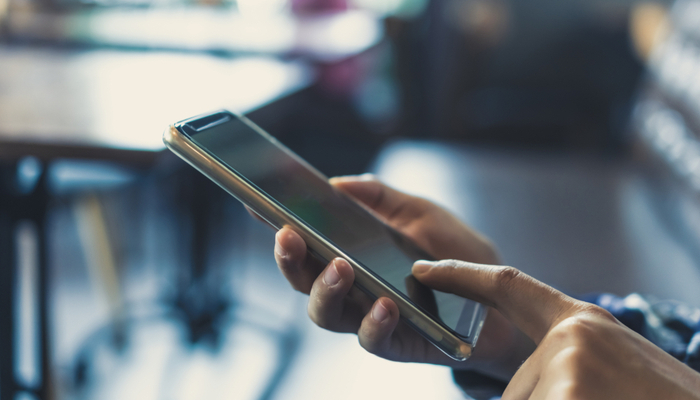
    Television screens, phone screens and computer screens all emit blue light that can make it very difficult to sleep. Your brain often perceives blue light as being similar to the light of the Sun. As such, this light has the effect of making your circadian rhythms misread the time of day and can lead to restlessness.

    What should you do to keep this blue light from keeping you awake late at night? There are a few ways you can keep your screen in check. Let’s get into a few.

    Screen Blue Light Keeping You Up Late

    Put the Phone Down

    The most surefire way to keep blue screen light from interfering with your sleep schedule is to simply practice more discipline. When it’s getting close to time for bed, just put your phone down. A good way to incentivize this is to plug your phone in to charge across the room, not beside your bed. That way, it’s too far for you to mess with.

    Keep Distractions out of Your Room

    Reserve your bedroom for sleeping. Consider not having a TV in your bedroom, or a laptop or tablet. Keeping these things in the same space you sleep in could make you more likely to interact with them instead of going to sleep.

    Consider, instead, having a game room or a rec room in your house where you store these electronics. That way, when you go to bed, your room is free of distractions that could keep you up.

    Activate Night Mode

    Most devices have some kind of night mode that allows you to alter the amount of blue light their screens emit. Many newer smartphones do this automatically. You can download add-ons for Windows that perform this function for your computer, as well.

    Using dark mode on apps and UIs can be helpful, too. Dark modes tend to use dark blue or black background colors to keep the overall brightness of their interface down. This makes them easier on the eyes late at night!

  • Which Media Streaming Device is Right for You?

    Which Media Streaming Device is Right for You?

    Today, most media we consume comes from the internet. Even if you get normal cable, you probably also want to watch Netflix or Hulu or some other service on your big screen. However, you’re wondering which streaming device you should use to stream this content to your living room. We’re going to help you figure out which one is right for you!

    Keep in mind that many smart TVs already come with some manner of streaming service built-in. For instance, many newer 4K TVs already include support for Roku, Apple TV or Android TV out of the box, so you may not need to buy a separate device. However, our guide can help you figure out which type of smart TV you’d prefer to buy!

    Best Media Streaming Devices

    Roku

    Roku is a big name in the world of streaming devices. The Roku Express is a wonderful budget option, often found for as little as $30. If you’re willing to spend a little more, however, you can get Roku Premiere for $40, which offers support for 4K streaming, voice controls for searching and control options through a smartphone app. In either case, Roku offers support for all major entertainment apps, such as Netflix, Hulu, HBO Now and Sling TV.

    Roku is a great introductory streaming device for people who have yet to step into the digital content world. We recommend their affordable devices very highly for newcomers.

    Amazon Fire TV

    Amazon Fire TV is a great pick for people who love the voice controls of Alexa. Likewise, if you like Amazon’s content services, like Instant Video and Prime Video, you’ll love how integral these services are to the Fire TV menu. The Fire TV Stick is $50, while the Fire TV Cube, which allows for hands-free voice control, is $120. Much like all good streaming devices, many entertainment app options are available.

    In our opinion, Amazon Fire TV is the best option for those who love voice controls and Amazon’s original content.

    Android TV

    While Amazon Fire TV technically uses Android, it’s a very heavily altered version from what you find on Google’s own Android TV platform. There are several devices that run Android TV, but the most notable among them is the Nvidia Shield. Android TV is perfect for users who are already fans of Google’s Android system. Android is fast, user-friendly and supports all of the major apps.

    We recommend Android TV for those users who like their Android phones or who love a very personalized streaming experience.

  • Emulation, ROMs and the Future of Video Games

    Emulation, ROMs and the Future of Video Games

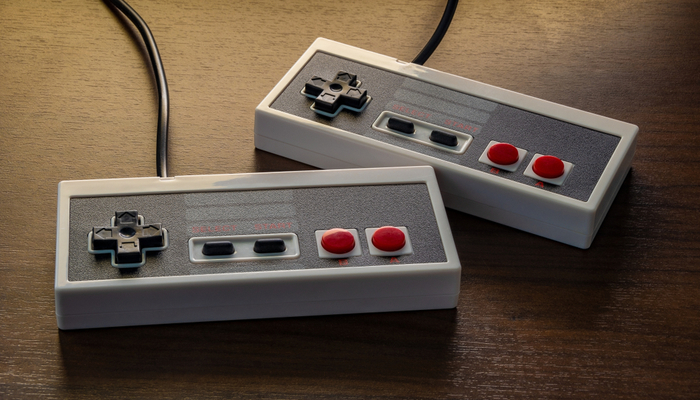
    Emulation, the process of writing code that plays video games outside of their originally intended hardware, is of somewhat murky legality. It’s quite popular among video game enthusiasts to download emulators and ROMs, or the raw code that makes up a video game. However, the legality and morality of such emulation is still a contentious topic in the industry. Let’s unpack it.

    Morality, Legality, and “Ownership”

    What’s Legal?

    Officially speaking, emulators and ROMs aren’t illegal. Downloading ROMs of games you don’t own, however, could be considered illegal file sharing. Making ROM backups of games you do own isn’t an issue, though, as it’s your property. What about downloading games you do own, but don’t have the equipment to back up? There’s no clear legal answer to these questions.

    What’s Right?

    Moreover, many emulation enthusiasts have noted that their hobby isn’t hurting anyone. If a company isn’t selling a certain older game anymore, someone downloading a ROM of it isn’t cutting into anyone’s bottom line. This issue comes up often with Nintendo, as the Big N is often hesitant to release their older games in an easy-to-acquire manner.

    Nintendo holds that, since their games are their property and theirs alone, it’s up to them how they distribute it. Someone making a ROM of a game they own and then distributing it over the internet steps on Nintendo’s rights, in their view. Whether or not they are actively selling a game is their call, and someone trying to bypass them could hurt future sales of a rerelease or remaster.

    Preservation

    Preservation of older eras of gaming is a big part of emulation. Many emulation enthusiasts have noted that, without their work, many games would simply be lost to history. Some games exist in only certain regions in some configurations, while others were simply distributed in small numbers and are very hard to find.

    Modern gaming presents many concerns in this field. As physical media becomes less popular and companies push their digital sales, many emulators worry that large corporations will hold the keys to gaming history. If a game is only released digitally, it’s impossible to make a backup of it. What happens when the company that released it decides they don’t want to host it on their servers anymore?

    Here Today, Gone Tomorrow

    The always-online nature of modern gaming means that ten or twenty years from now, gaming experiences you once had will simply be a thing of the past. For a modern example, look at games like Halo 2 and World of Warcraft. Halo 2’s revolutionary multiplayer was unavailable for years after the servers shut down before being recreated in the Master Chief Collections.

    Likewise, the always-updating World of Warcraft bears little resemblance to its launch build. Demand for the “vanilla” version of the game has become so high that published Blizzard is now working on a “Classic WoW” release that promises to be largely the same experience that gamers once had in 2004.

    What this means for the future of gaming, however, is that the companies that own these games will be the ones to make these calls. If a company has no desire to make a prior version of their game available, that’s the end of the conversation. No one can bust out a prior build on a disc or cartridge like with the prior generation of games.

    In short, the modern gaming landscape is shaping up to be more disposable, more temporary and more ephemeral than any era that’s gone before. What have we gained by giving up the older methods of distribution? Convenience and always-updating experiences. What have we lost?

    Potentially, we may have lost the ability to track the history of this very medium we love.

  • The Best Qi Charging Pads: Charge Your Phone Wirelessly

    The Best Qi Charging Pads: Charge Your Phone Wirelessly

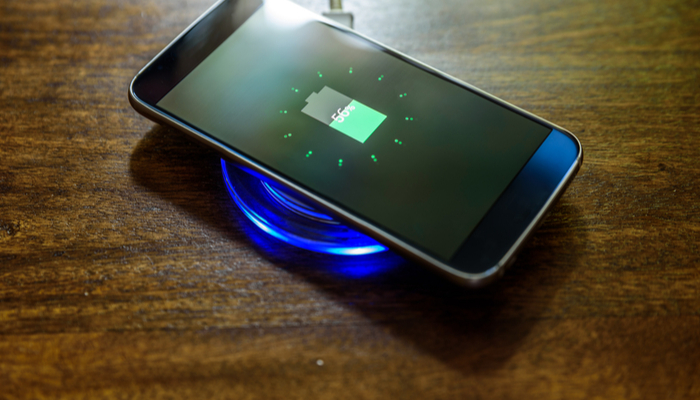
    No one likes having to fumble and look for their charging cord when they just want to charge up their phone. Between being hard to see in the dark and easy to lose track of, charging cables just feel so outdated. Thankfully, Qi-enabled phones can use wireless charging pads to juice up.

    Today we’re going over some of our favorite Qi charging pads. These are totally safe, wireless pads that allow you to simply place your phone on them and then watch as it charges up wirelessly. Ditch the cords: wireless charging is here.

    Qi Charging Pads

    Mophie Charge Stream Pad+

    This handy charing pad is made of a non-slip material that ensures your phone won’t just slide off when you’re trying to charge it. Most Qi pads are so small that it’s not uncommon to accidentally knock your phone off of it, though this Mophie pad has much better grip, so this is less of an issue.

    That said, this is a bit on the pricey side, running around $50. That’s a bit much for the average Qi charger.

    RavPower RP-PC063 Wireless Charger

    Coming in at $16, this RavPower Wireless Charger is one of the best budget Qi pads out there. It charges quickly and efficiently without breaking the bank. The build quality and structure of this pad won’t be winning any awards, but it’s a small trade-off for the great low price. In short, if you’re looking to just try out Qi charging to see what all the buzz is about, this is a good intro for you.

    RavPower RP-PC034 Fast Charger

    One of our favorite Qi charging pads is the RavPower Fast Charger. This is one of the fastest-charging pads out there, even rivalling some wired charging solutions. Remember, wireless charging, by its nature, is slower than wired charging, though it is much more convenient. As such, a fast charger like this is ideal for people used to faster charging times.

    This pad tends to keep phones cooler while charging, offering less heat dispersal of energy. It’s a simple-looking black pad with just the RavPower logo on it, and it looks completely discreet on a desk or side table. Best of all, it’s not too pricey, coming in at $30.

  • Budget Gaming Laptops: Get the Most for Your Money

    Budget Gaming Laptops: Get the Most for Your Money

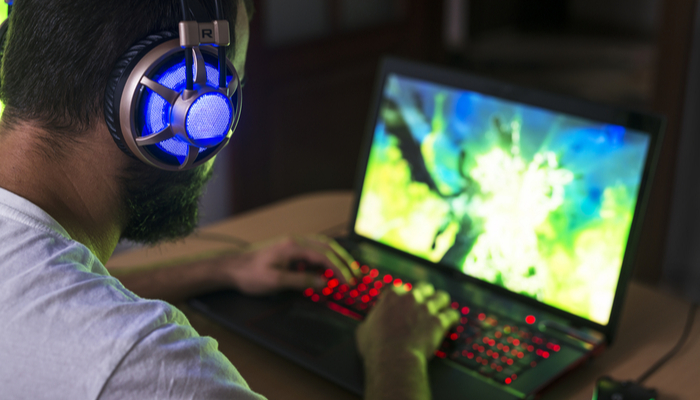
    Anyone who has ever considered getting into PC gaming might have been immediately scared off by a few things. The first thing, of course, is just how complex it can be to build you own gaming rig. The second thing is just how expensive it can be to purchase a pre-made gaming computer.

    In order to help you avoid both of these issues, today we’ve got a few of the best budget gaming laptops on the market rounded up for you. Here’s how you can get into PC gaming on a budget and without having to learn how to build your own system!

    Budget Gaming Laptops

    Dell G-5 15

    The G-series of Dell gaming laptops might not be as flashy as their Alienware subsidiary, but they’re rock-solid and well-worth the price. For an intro price of $800 for the G-5’s base model, you get a solid  4GB GTX 1050 graphics card.

    Such a card is more than capable to tackle most modern AAA titles. However, if you want some more power, you can upgrade to the 6GB GTX 1060 if you’re willing to pay $1,000. For those looking for something notably more powerful, a cool $1,200 gets you the RTX 2060, a much newer and very powerful graphics card.

    Acer Predator Helios 300

    This slick-looking gaming laptop is more than just a flashy case. This brand-new budget gaming laptop will hit stores later in April, and it’s rocking some seriously cool hardware under the hood for its $1,000 price tag.

    Inside the sleek case, you’ll find a 6GB Nvidia GTX 1060 GPU, Intel Core i7-8750H CPU, and a 144Hz refresh rate 15.6-inch HD IPS display. It also sports 16GB of system RAM, making it a multitasking beast. This is all bolstered by the 256GB NVMe SSD, a blazing-fast storage solution with a surprising amount of storage.

    Lenovo Legion Y7000

    Lenovo’s Legion line of gaming laptops are all available for a sub-$1,000 price tag, and the differences between them are pretty nitty-gritty. The mean-looking Y7000 is our favorite on its silver-and-angry aesthetic alone.

    Regardless of your aesthetic sensibilities, these are some stellar laptops and you can’t go wrong with any of them. From the Y7000 to the Y530 to the Y730, you need only find a price point and specs you like in the mix to make these laptops well worth the low asking price.

  • Best Earbuds for Running in 2019

    Best Earbuds for Running in 2019

    Whether you’re an avid runner, exercise often or just want to get started, having a good pair of earbuds is important. Running can be a bit boring without music to listen to. As such, we’re digging into some of the best earbuds for running available in 2019! Let’s talk about it.

    Best Earbuds for Running

    Jabra Elite Active 65T

    Jabra makes a killer set of earbuds with these Elite Active 65T true wireless earbuds. They use an anchoring design that helps them stay locked in the ear, making them a solid pick for runners. The earbuds are small but pack a ton of sound, as well as a great fit and comfort level.

    These earbuds are a bit on the pricey side, coming in at a solid $200 on average. However, for that price, you get what may be the best earbuds for activity on the market.

    Soundcore Spirit Sports

    These earbuds from peripheral manufacturer Anker come in at a stellar budget price of around $40. Featuring a rounded, off-the-neck design that ensures you won’t lose them while running, the Soundcore Spirit Sports pack a ton of features into a small budget.

    These are waterproof, sound great and sport a great 8 hours of battery life. In short, there’s a lot to love here for the low price. They fit well, they’ve comfortable and they’ll do the job. They don’t sound as great as the pricier options, of course, but that’s what you pay for.

    Optoma Nuforce BE Sport 4

    That name is a mouthful, but these are great Bluetooth earbuds for runners. Coming in around $70, these earbuds run the middle ground between the expensive Jabra Elites and the budget Soundcore Sports. They sound great, they have a good 10 hours of battery life and they fit beautifully.

    These aren’t truly wireless, sadly, as they have a bit of wiring on the headset. That’s not a huge drawback, though it’s not ideal for some conditions. If you absolutely must have true wireless, you’ll need to upgrade to the Jabra Elites.

  • The Microsoft Spring Sale is On

    The Microsoft Spring Sale is On

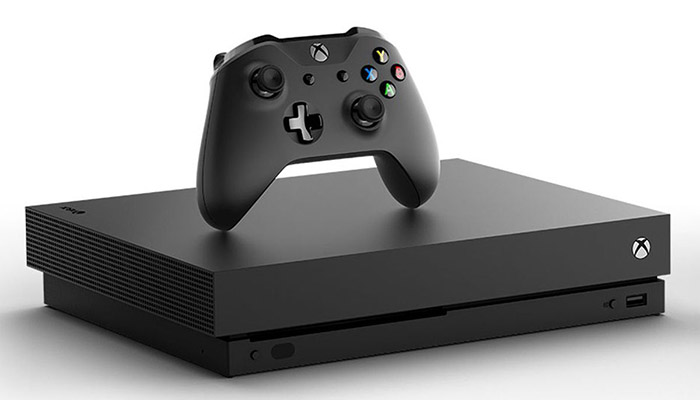
    The Xbox One isn’t exactly killing it in the sales department. While Microsoft carried the day in the prior generation with their Xbox 360, this generation has largely humbled the company. The PS4, with its slate of stellar exclusive titles, has led the pack. On the bright side, this means Xbox owners benefit from some great deals on video games. Here’s a peek at the Microsoft Spring Sale.

    Microsoft Spring Sale

    Xbox Games Pass

    Easily the most bananas part of this sale is the three-month deal on Games Pass. The service allows you to play over a hundred games, whether streaming or through download. Normally you would pay $20 per month for the service, but it’s currently just a single dollar for three months.

    This is an absolutely ridiculous deal. For the number of games you get access to, this is tantamount to Microsoft simply giving you games for buying their system.

    Xbox One X Discount

    The super-premium Xbox One X Bundle is also on sale, down to $399 from $499, letting you get in on high-end 4K gaming on the cheap. However, there is a drawback to what sounds like a great sale: the bundled game is Fallout 76. Well, we suppose you don’t have to play it. And honestly, why would you?

    There are other sales available online through the Microsoft Sale, too. These include discounts on the Samsung HMD Odyssey+ VR headset and the oddball indie title Goat Simulator. However, the Games Pass is the star of the show.

    Getting Into Microsoft’s Ecosystem

    At present, the most economically sound way to get into modern AAA gaming is to buy a used Xbox One S at your local gaming store, probably finding it for around $200 or $250. Then, for a solitary dollar, you get access to over a hundred modern games.

    As far as playing games legally goes, this is the very best bet you’re going to get. We also don’t condone piracy, by the way, but this is as close as you’re going to get to stealing these games without breaking the law.

  • Which Offers Better Sound: Analog or Digital?

    Which Offers Better Sound: Analog or Digital?

    The long-running debate over digital versus analog recording and playback has long divided music fans. Digital recording has been referred to as compressing and simplifying the sound of music. Analog recording and playback has been derided as outdated and inaccurate, mixing too much noise into the sound. Which one is truly the best way to experience music?

    Analog or Digital?

    Signal to Noise

    Analog recording and playback involve using physical media and storing information in a way that is physically visible. Digital recording, however, uses binary code, ones and zeroes, to encode sound in the form of digital text. Both forms require specialized methods to facilitate playback.

    In the case of analog, you need a machine that can read the physically encoded information. The most famous example of this is the needle of the record player interpreting the grooves of a record as sounds. Likewise, digital recordings require software to enable playback. Much like the needle reading the record, digital media players interpret the code as sound.

    Pros and Cons

    When sound is recorded, something is inevitably lost. There exists no perfect recording technique. However, there are some distinct strengths and weaknesses of both digital and analog. Digital has the issue of compressing sound, potentially distorting it, and being corrupted in slight ways.

    Analog, on the other hand, has more chances to introduce noise. Those who have used record players have doubtless heard the slight hisses and pops that are introduced by using physical media to store sound information. Fans of analog media have dismissed digital recordings as sounded “cold” and “distant,” unlike the “warm” and “intimate” sounds of analog.

    Digital recordings, however, can be transmitted easily over the internet. Streaming music services allow instantaneous acquisition of new songs, and digital is easier to transfer and edit.

    A Case for Audiophiles

    In fact, research has shown that increasing knowledge of recording techniques has led to digital recordings offering such high fidelity that it’s indistinguishable from an untouched master. Thanks to new software techniques in reading data, digital sounds can be rendered in perfectly accurate and crisp ways.

    What this doesn’t account for, of course, is the irreplaceable tactile feel of holding a record. The warmth of the sound of vinyl is undeniable. In short, there are a lot of reasons to love analog, even if it isn’t as accurate or convenient as digital. It’s got soul, and that counts for something.

  • Best Cell Phones Money Can Buy in 2019

    Best Cell Phones Money Can Buy in 2019

    Smartphones have hit something of a plateau in the last two years. While previous generations of phones were revolutionary, the last two have been more evolutionary. Leaps and bounds have given way to baby steps.

    That doesn’t mean the top-of-the-line isn’t still the most impressive type of phone you can find! It just means that this year’s high-end doesn’t look too different from last year’s. However, these are the top-of-the-line, and the best phones you can buy.

    Best Phones Money Can Buy

    Samsung Galaxy S10 Plus

    Samsung is known for being one of the best phone manufacturers in the world. Their stellar Galaxy line has been a defining flagship of Android for years now. The newest entry, the S10, is no exception, and it’s bigger brother, the S10, is one of our favorite smartphones. It has a huge, gorgeous OLED display, cutting-edge specs under the hood and great cameras.

    If you love Android over iOS, this is the best phone you can get on the platform. The cameras are killer, taking pictures of great quality in numerous conditions. The processor is fast and responsive, and multitasking is easy on this great phone. The only drawback? That huge $1000 price point.

    iPhone XS

    The iPhone X introduced a new paradigm for Apple’s handsets in 2017. Removing the home button and increasing the screen size to a nearly bezel-free display dramatically changed the look of the phone. The iPhone XS is all that, plus a newer A12 Bionic chip that makes other smartphones look like calculators.

    Apple’s product design might be your cup of tea or it might put you off. We’ll leave that question of taste to you: however, if you want the best iPhone on the market, it’s the XS. If you don’t mind paying a bit more, the XS Max sports a huge battery and a huge 6.5 inch AMOLED screen.

    Google Pixel 3

    The makers of the Android operating system bring in their best hardware with the Pixel 3. The Google Pixel 3 is most well-known for its incredible camera. By some metrics, the Pixel 3 has one of the best cameras you can find on a smartphone.

    The Pixel 3 is a great competitor to the Samsung line of phones, bringing a big, vibrant display and great features like a Night Mode for shooting pictures in the dark. If you’re an Android fan who wants to take pictures with their phone a lot, the Pixel 3 is for you.