Category: Smart Devices

  • The Best No-Contract Phone Providers

    The Best No-Contract Phone Providers

    You’ve got an awesome smartphone with a great display and slick new features? You probably don’t want to just use it as a tiny tablet, so you’re going to need a phone provider. Contracts aren’t for everyone: some people just want phone service and don’t want to be bound by contractual obligations. Which phone providers do we recommend? Read on!

    Cricket Wireless

    Using AT&T’s network coverage, Cricket Wireless offers a very affordable $35 (after autopay discount) plan that sports 5GB of data. Cricket’s data speeds cap at 8 Mbps, sadly, which makes them more of a budget consideration than a main provider, but they made the list since they offer some of the best data amounts per dollar. Cricket has the added benefit of rolling taxes and fees into this final price, helping alleviate “sticker shock” when the bill comes.

    Boost Mobile

    Boost makes the list thanks to its low price, same as Cricket. For $35 per month, you get 3GB of data on Sprint’s network. Sadly, this also means that you’ll experience some slowdown as Sprint’s network isn’t terribly speedy. On the bright side, like MetroPCS and Cricket, the monthly taxes and fees in this plan are rolled into the final bill price.

    AT&T

    AT&T offers a $40 with 8GB of data with no contract. This is a great pick for those who want to use loads of data and don’t mind the slightly lower coverage of AT&T’s network. The $40 price point is after enrolling in autopay, so consider that when shopping for plans. AT&T’s network works in Canada and Mexico, too, which allows for traveling users to stay tuned in to their internet and friends. This is our favorite plan for data, with great bang for your buck in terms of gigabytes!

    MetroPCS

    MetroPCS uses its parent company, T-Mobile, for its network, which means their prepaid plan sports better coverage than AT&T’s. For $40 you get 5GB of data, which is still a lot, and is definitely worth considering if you want better network coverage. Additionally, this plan allows for streaming from tons of music apps and websites without counting against your data allotment, which is certainly enticing for all you audiophiles out there! MetroPCS, like Boost and Cricket, includes taxes and fees in the final price. MetroPCS is our favorite plan for those who don’t need as much data, or plan on using audio services for the bulk of their data.


  • iPhone vs Android: Which is Right for You?

    iPhone vs Android: Which is Right for You?

    One of the fiercest rivalries in the tech world today is the ongoing feud between Google and Apple over control for the soul of the smartphone. Despite ostensibly designing the first true smartphone with 2007’s iPhone, Apple doesn’t enjoy the majority market share that Google’s Android does today. What’s the deal with the Android versus iOS feud? Which of the two big operating systems is better for you, and why?

    Today, we’re going to look at the two OS’s, what makes them different, and whether you should be “taking a side” in this battle. We’ll be looking at features, phones and corporate cultures in order to give you a full picture of the battle of the smartphones.

    Design Ethos

    Google and Apple have very different design strategies when it comes to their operating systems. Much like Apple’s own Mac line of computers, iPhones operate in a sort of “walled garden.” There’s less software available on Apple products overall, but the company curates the selection very diligently. Ostensibly, you won’t find shovelware on the App Store, nor will you be at any risk of ever happening upon a virus.

    However, with Apple, you’re stuck playing inside the wall: you’ll likely not find the same breadth of customization and modularity you see on Android. Google’s more hands-off approach to their OS has made it very wide-ranging in appeal: manufacturers from Samsung to Huawei all create phones that run on some variation of the Android OS. The more open, customizable user interface of Android is more popular with some users who like to fine-tune their own experience.

    “It Just Works”

    Apple is often described as “high technology for people with low tech tastes,” and this is often true in practice. Apple’s products tend to be bleeding edge, top-of-the-line, and terribly expensive. Their user interface tends to be easy-to-navigate and aesthetically pleasing, and people who even have little tech knowledge are usually able to easily find what they’re looking for. In short, it just works.

    Android is a different story. Less tech-savvy users might find it difficult to navigate Android’s more open-ended operating system: there is little structure or direction unless the phone manufacturer has installed their own proprietary launcher. Launcher, in turn, can be downloaded for any Android device to help tailor your phone more explicitly to your tastes and preferred experience.

    Security Features

    This might come as a surprise to Android users, or be a strange statement if you’re an iOS user, but the iOS platform only has one app store. It’s just called the App Store, and it’s locked down tight. Apple strictly controls what can be put up for sale or download on the App Store, meticulously combing for any potential security threats to their users. Viruses on Apple devices are literally unheard of for this reason.

    Likewise, Apple users might be shocked to hear that Android devices actually have several third-party app stores available. As such, viruses are a reality on Android devices. They’re far from common, and you’d be hard-pressed to get one unless you were being careless, but they’re still a cause for some concern. The more pressing reality of Android’s open-ended style is that more apps are allowed in, but there’s less quality control.

    Cognitive Load and User Functionality

    On a more academic note, researchers have found that Apple’s clean, no-frills design ethos lessens cognitive load when using their devices when compared to Android. Android home screens can be done up with tons of widgets and information, making them significantly more likely to overwhelm some users.

    However, this isn’t to say Android is inferior: far from it! However, Android and iOS are simply designed for different types of buyers. In the end, Android remains more popular primarily because it’s available on a wider variety of devices. Further, those devices run the gamut from high-end flagship phones to budget handsets, while Apple’s iOS is only available on the premium-priced iPhone line.


  • The Best iOS Photo Apps for Shooting and Editing

    The Best iOS Photo Apps for Shooting and Editing

    Everyone loves to snap pictures! Every smart phone is equipped with great camera functionality, but they lack a decent photo app to go with it. Whether you’re looking to send pictures to family or post them to show your friends, you’re probably wondering which photo apps are the best! Here’s a round-up of our favorite photo apps!

    Snapseed

    Snapseed is a user-friendly photo editing app for iPhone. Allowing for different filter types and tools for adjusting exposure and sharpness, Snapseed allows for professional-style photo editing from your iPhone. You’re also able to edit only selected parts of a photo, letting you fine-tune images to your taste! It even has a healing tool like Photoshop. Best of all, this app is free! Snaseep is our favorite iOS photo editor.

    Cortex Camera

    This app is fantastic for shooting in low-light or nighttime situations. Using a really neat process, Cortex Cam is able to cut down of visual grain that is so common in low light pictures. Typcally, when taking pictures in low light, your phone camera will increase the ISO to attempt to squeeze more light into the lens. This has the side-effect of creating grainy images. Cortex Cam combats this by taking a large number of images in a short span of time and collating them into one image, eliminating that visual noise. This is easily the best app for low-light shooting!

    Superimpose

    Another Photoshop-like app, Superimpose allows two pictures to be blended together. If you want an app to blend together two photos from your phone, this is the app for you! This app has gradient masks that allow for one photo to mask the dark aspects of another with its own light aspects, allowing for interesting artistic projects. Superimpose can also be used for double exposure-style pictures, like using a foreground from one photo and a background from another. Superimpose is $1.99 on the app store, but you get a ton of awesome functionality for that price. If you’re looking to make compositions from your phone, Superimpose is a great app for you!

    Our Favorite Photo App: Camera+

    This app is exactly what is says it is: an enhanced version of the iPhone’s existing camera app. This app gives shutterbugs precise control over their phone’s camera functionality. Between altering shutter speed and white balance, this app is a must-have for smartphone camera enthusiasts. Camera+ has a manual focus function that is especially helpful for photographing extremely close objects, which is great!  It also has a handy 30-second delay feature for those who want to take pictures with themselves in the frame.If you have the technical know-how, or want to develop it, this app is a great choice for you!


  • Easy Smarthome Devices to Increase Your Homes Value

    Easy Smarthome Devices to Increase Your Homes Value

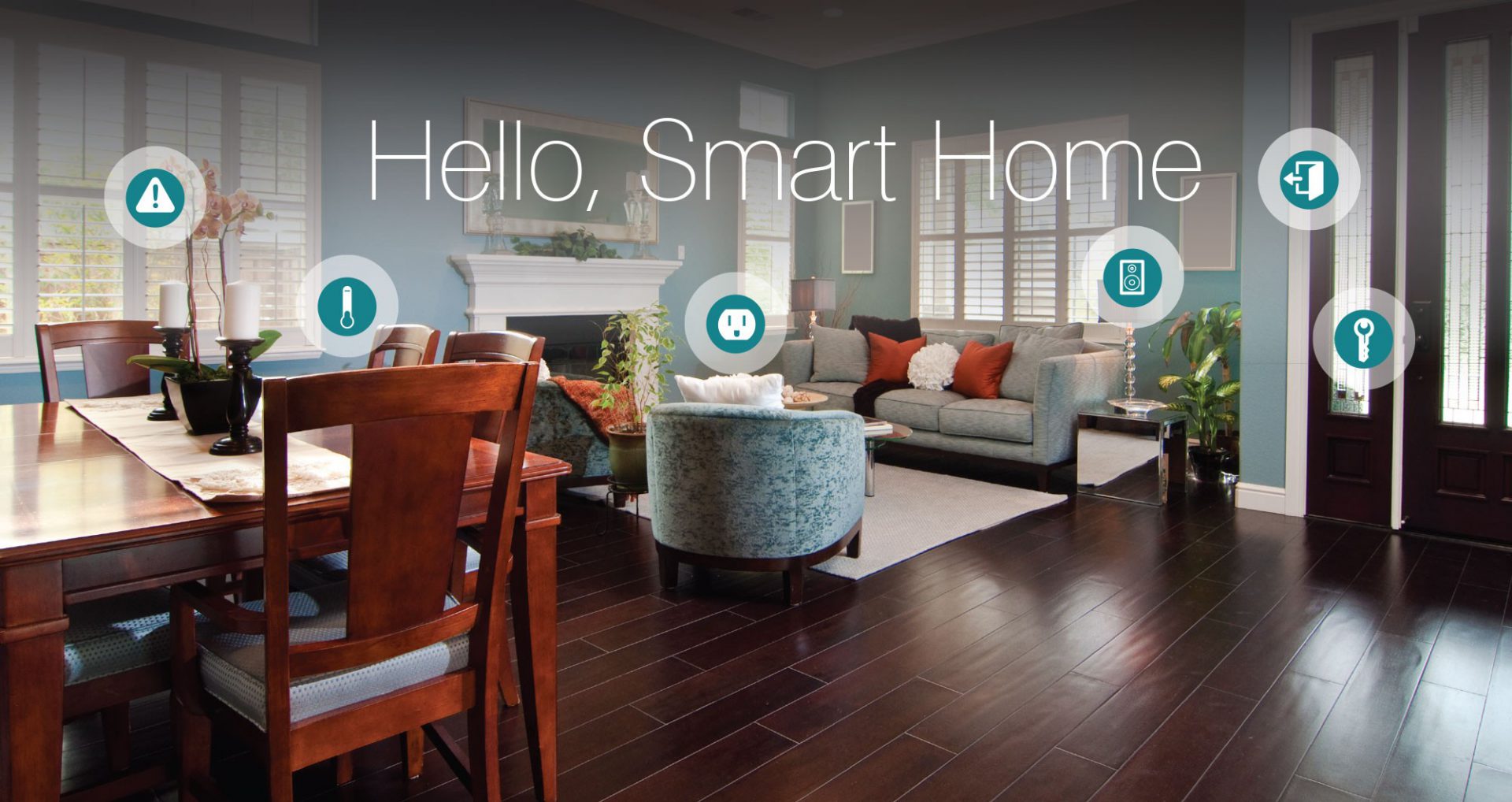
    From smart thermostats to automated lighting and everything in between, there’s no question that innovative, Internet-enabled technology can make a home more fun, convenient and safe. What you may not know, however, is that it also represents a potentially valuable investment. Im going to take a$7000 investment to smart home upgrade to increase my homes value by $25000. Lets look at how I spent it and what value it brings.

    Appliances

    I started with replacing the refrigerator and stove, with smart appliances.

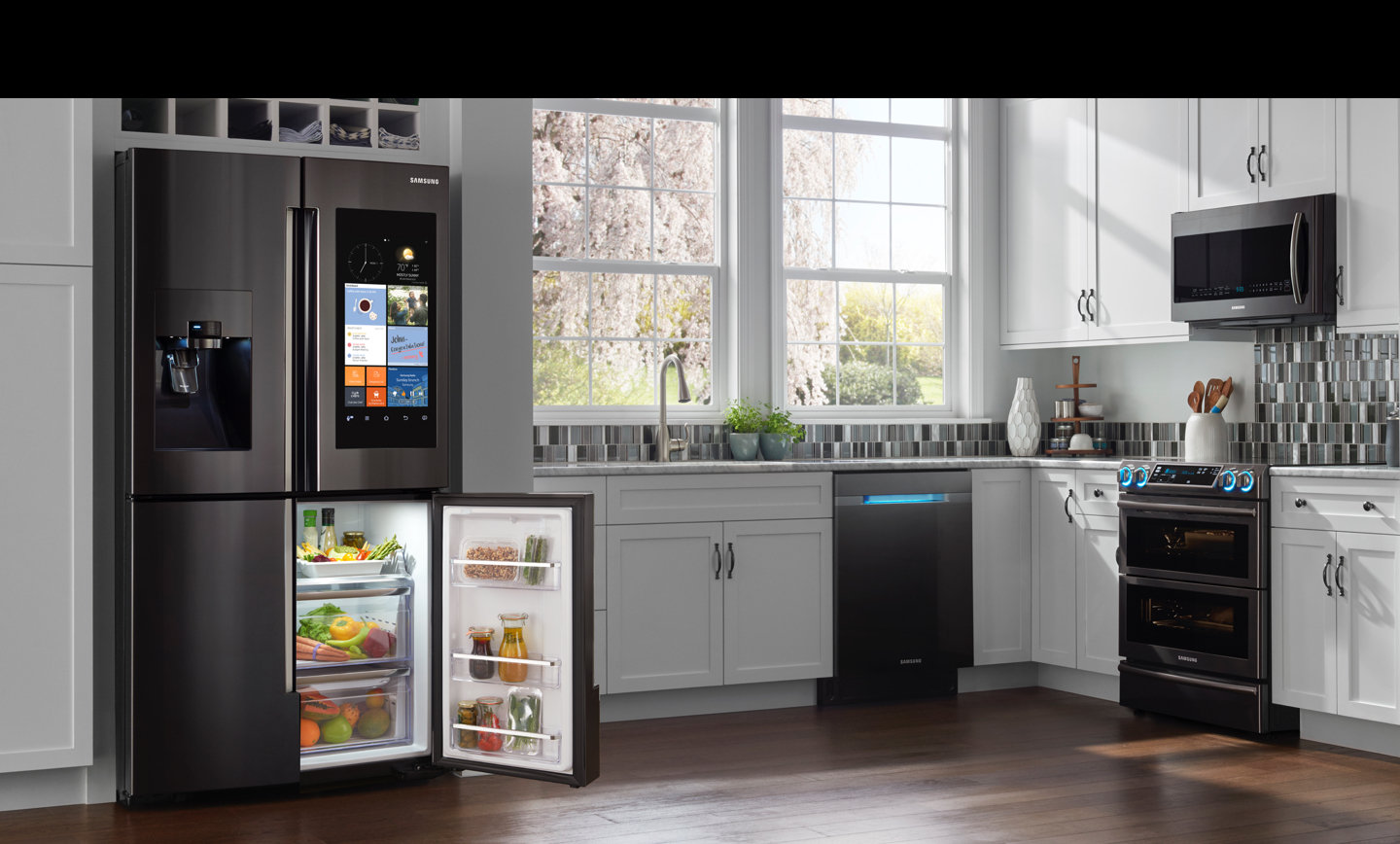
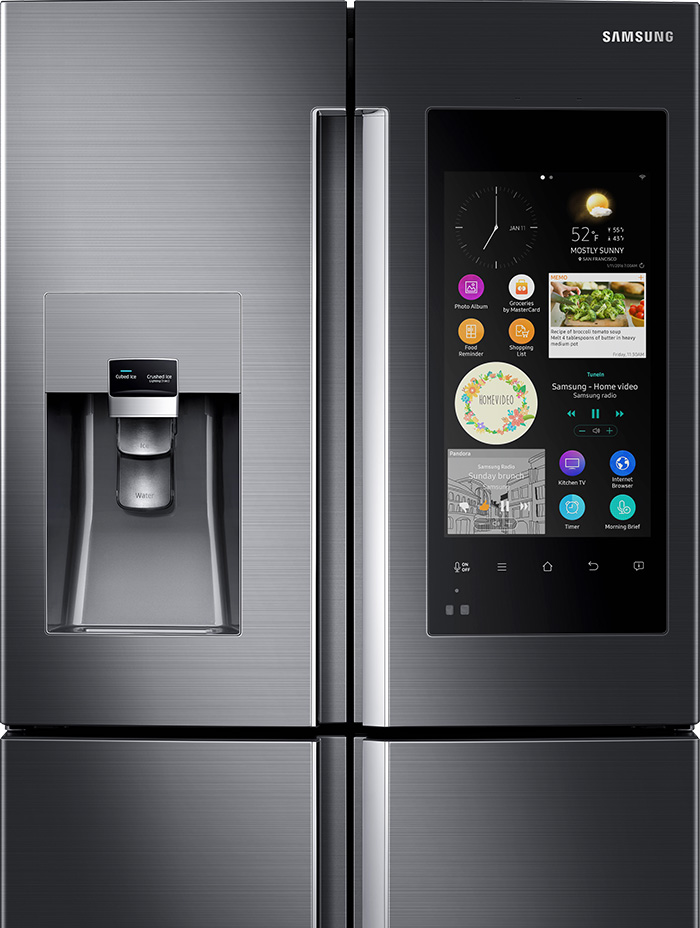
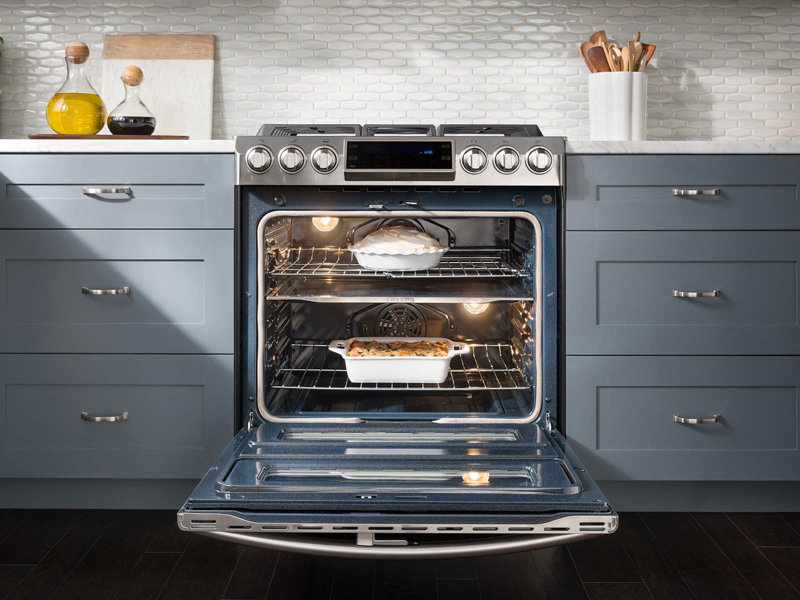
    for a combined $4300 I installed the Samsung Family Hub 2.0 wifi enabled fridge and  the Self-Cleaning Slide-In Gas Convection Range both in stainless steel of course. considering I was going to have to spend $2000 anyway on these appliance the extra money to purchase the smart appliance is well worth it for the wow factor alone.  

    Samsung Family Hub 2.0 Refrigerator

    The Samsung Smart Fridge is really cool, looks great, creates shopping lists and lets me see inside from anywhere with 3 built-in cameras. It  also set expiration notifications to make sure everything is fresh. Plus it has Bixby built in for a digital voice assistant right in the kitchen, I’ve always wanted to talk to my refrigerator.


    Samsung Self-Cleaning Slide-In Gas Convection Range

    The stove looks like something you would see in a professionals kitchen, its no joke.  There are cooking options with the intuitive guiding light controls. This lets you program your favorite recipes, plus easily control temperature and  time settings. Wi-Fi connection gives you real-time alerts and control the cooktop and oven remotely. You just have to  download the app for iOS or Android devices.
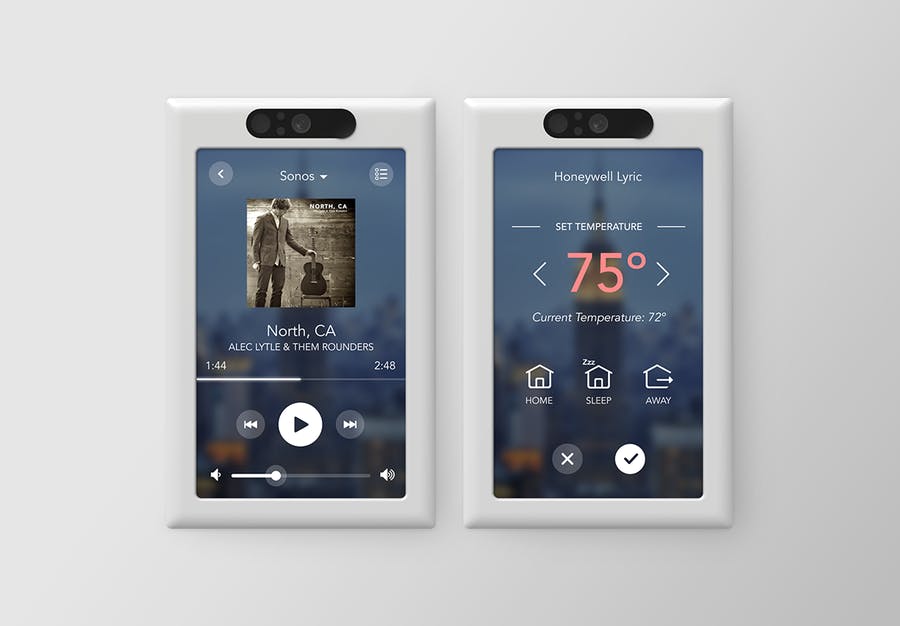
     

    I was able to get both devices with a bundle package at best buy, factoring the money I was going to spend anyways im only out ($2130)

    Lighting

    Next step set the mood, for 3 main light switched I installed the Brilliant Smart Panel. With the digital touch screen or simple verbal commands, this switch can control your homes lights, air conditioning, intercom system, video surveillance, music and has a built in camera and even the ability to make video calls.
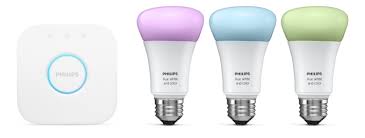
    I replaced all light bulbs with Phillips Hue Smart Lighting, this will allow the lights to be controlled from the 3 smart-panels, with the color bulbs setting different lighting and the colored light strips in the kitchen.
    This has added a great wow factor, adding in the Sonos speakers already through out the house. I can set music and lighting with just a shout. ($1000)

    Little Things

    The Smart Panel for Brilliant can control a lot of smart devices, so I upgrade my thermostat to the Nest, a Smart lock from August, Skydrop 8-Zone Smart Sprinkler Controller, Smart Security Video system from Nest with a video doorbell and an Amazon Eco Show for Alexa integration with all the new devices. ($1500)

    Bathrooms

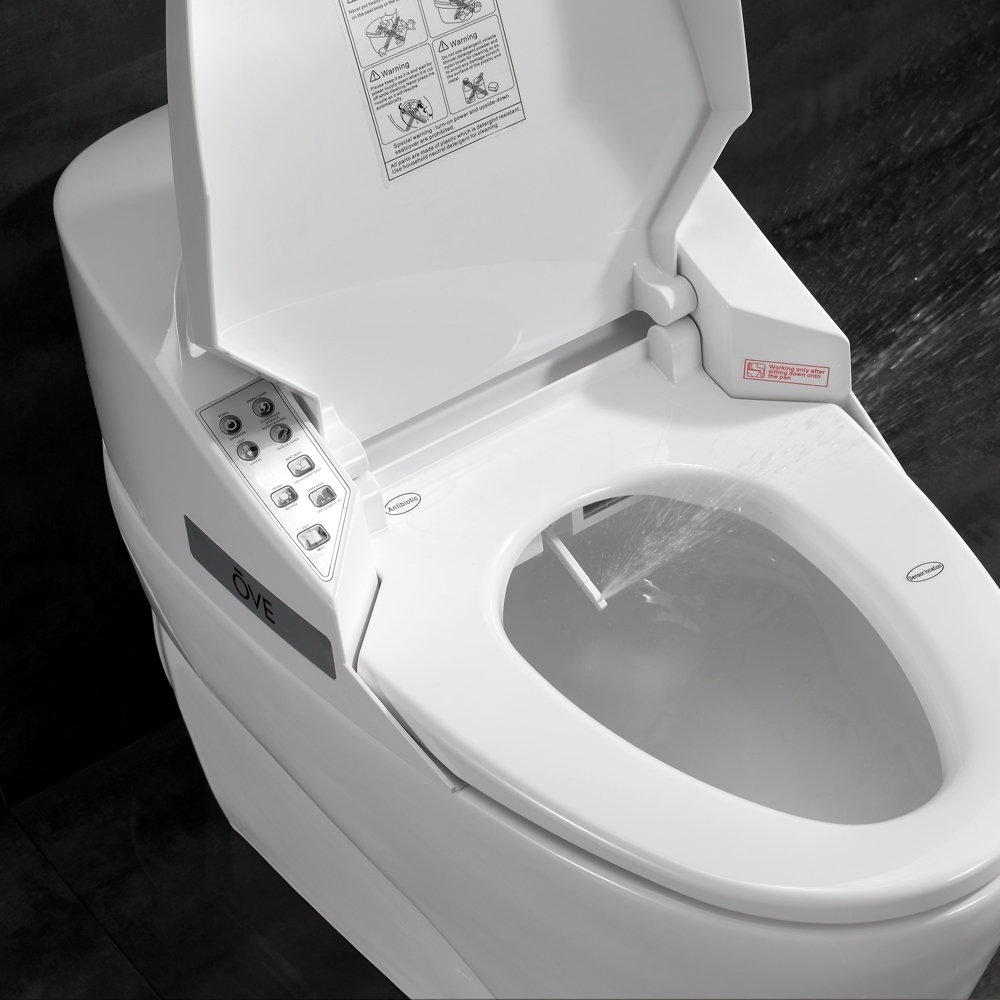
    This home has 2 bathrooms so I’ve updated both toilets to the Smart 1 Piece by OVE. Little expensive, but a heated seat, warm bidet water, and air drying features are a big sell for small price. This looks great and comes with a remote control. You can adjust the power and temperature right from your remote.
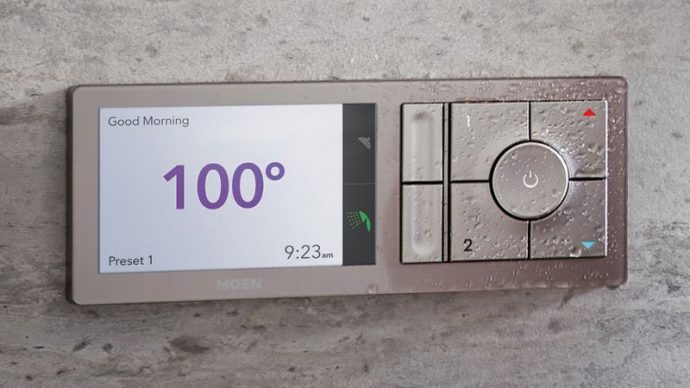


    I also updated the 2 shower-heads and added the Moen U Shower Smart Home Connected Bathroom Controller. The Moen U integrates smart temperature control, timers and also an app. You can even pre-time your morning shower, walk yourself to the bathroom and it turns on automatically as soon as it senses your presence!

    I have effectively updated my home and prepped it for sale. With these little upgrade I have moved my home from the bottom end of its appraisal to the top by making it a cutting edge smart-home and increasing my value and netting me an extra $18, 000 after the sale.


  • Top Ten Home Security Cameras

    Top Ten Home Security Cameras

    If you’re interested in home security, odds are that you would like to install a home security camera. However, there are tons of options out there for which one you should pick. Dealing with security companies and pushy salesmen is awful, to boot. So, what are you supposed to do? Luckily, we’ve compiled a list of the top ten home security cameras. If you’re hoping to secure your home, here’s a great place to start!

    Top Ten Home Security Cameras

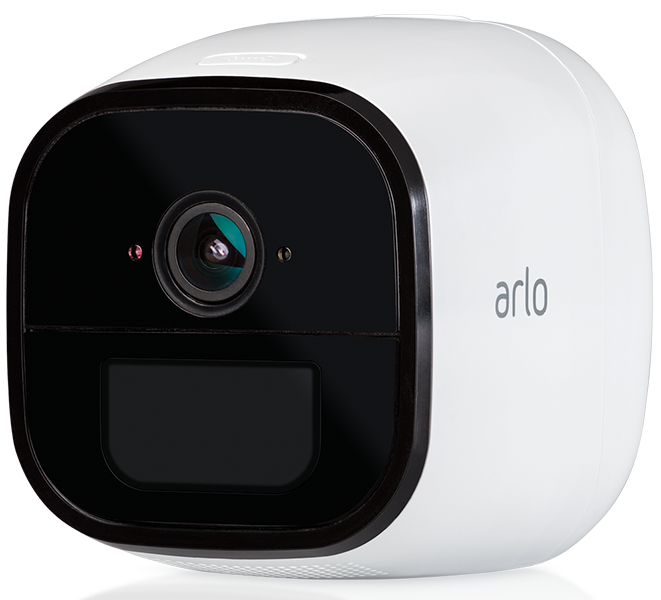
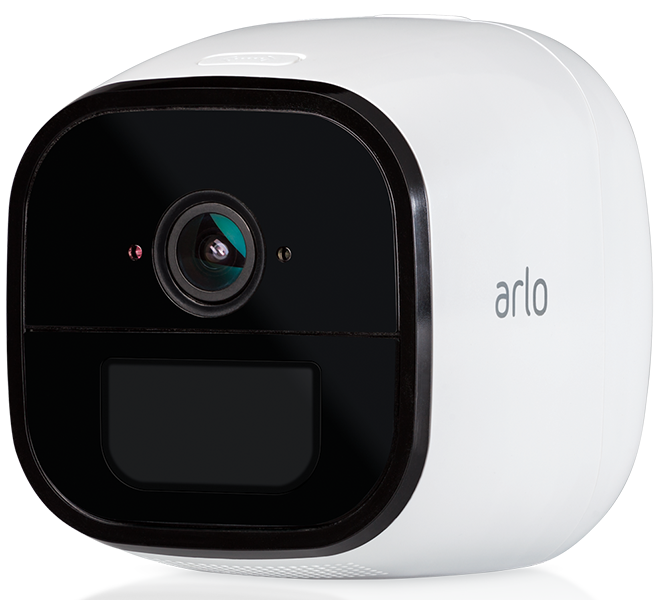
    10. Netgear Arlo Go

    Photo Credit: Arlo

    This wireless camera works with Alexa and shoots in 720p. It offers both cloud storage and on-site storage, which is a cool plus. It can send you live feed straight to your phone if you pay for the cell service. However, it is pretty expensive: this camera will cost you around $430. That’s a pretty hefty price tag for a device that only shoots in 720p.

    9. Reolink Argus 2

    Photo Credit: Amazon

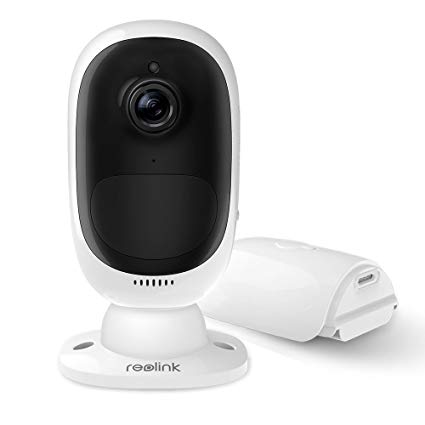
    This camera is a straightforward if dependable entry. It’s wireless and powered by its own internal battery. It doesn’t have a terribly loud siren, which is somewhat disappointing. It also can’t integrate with smart home devices, which is unfortunate. However, it’s weather-resistant and works great as an outdoor camera. This one will run you $130, which is a great price.

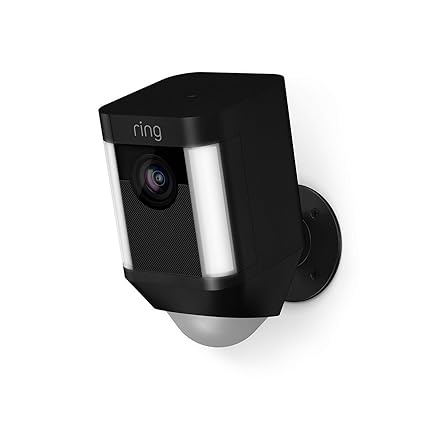
    8. Ring Spotlight Cam Battery

    Photo Credit: Amazon

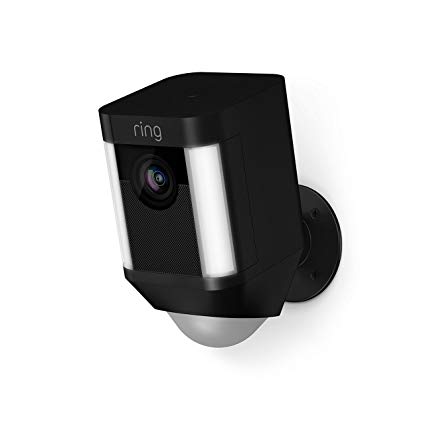
    Triggered recording and a bright spotlight are two big upsides to this camera. It shoots sharp footage and has a very loud siren, which is great. However, you have to have a subscription to Ring’s service in order to view the recorded video. If you already have Ring devices at your house this one is a no-brainer. It’s also wireless and works with Alexa, making it a true smart-home device. It’s also pretty affordable, running $200.

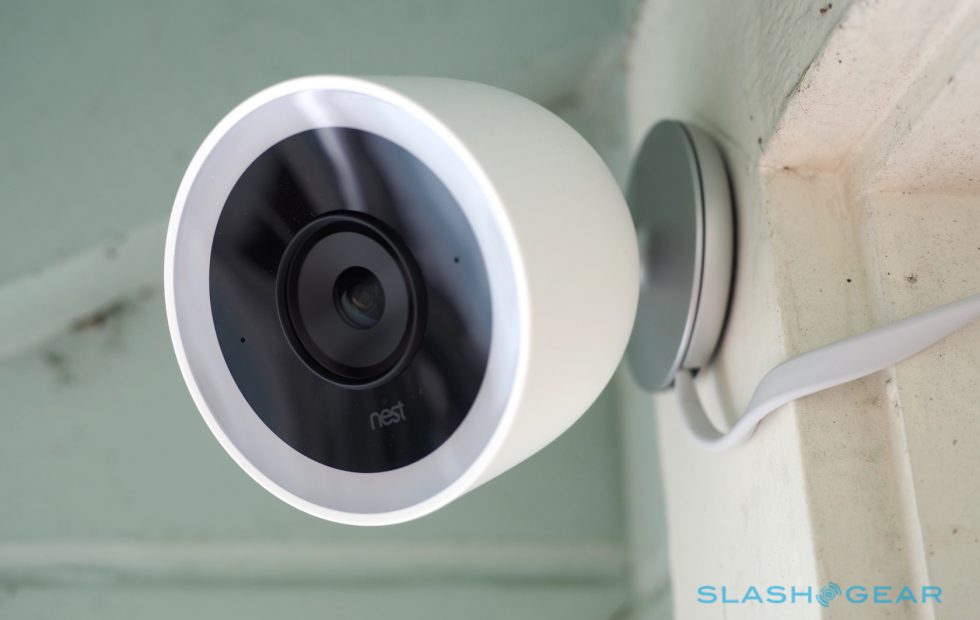
    7. Nest Cam IQ Outdoor

    Photo Credit: Slashgear

    Nest’s first entry on this list is excellent, shooting 4K footage 24/7. It’s totally weatherproofed, which makes it ideal for outdoor use. It even has close-up tracking and HDR, making it great for those who need to really see what’s happening around their house. It will set you back, though: it runs $350.

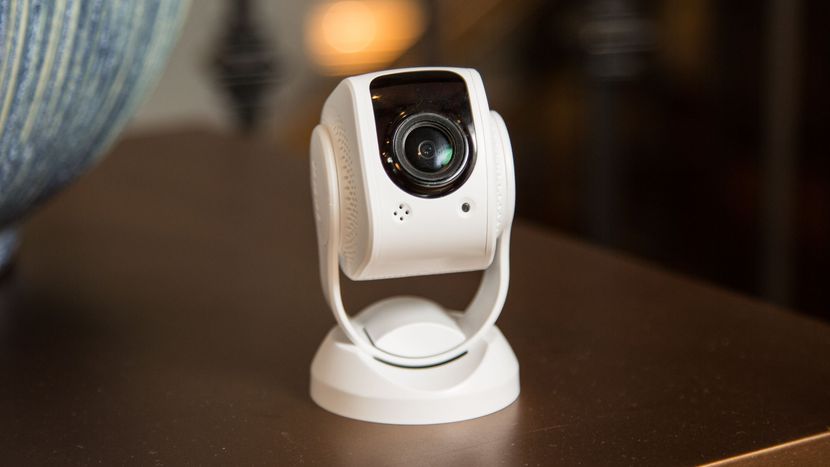
    6. Tend Secure Lynx Indoor

    Photo Credit: Cnet

    This camera makes the list for just how darn affordable it is. It only runs around $60, yet it still shoots in 1080p. That’s a great value, but it’s somewhat offset by the lack of smart home integration. That said, it offers free cloud storage and even has facial recognition! It only works indoors, though, so keep that in mind.

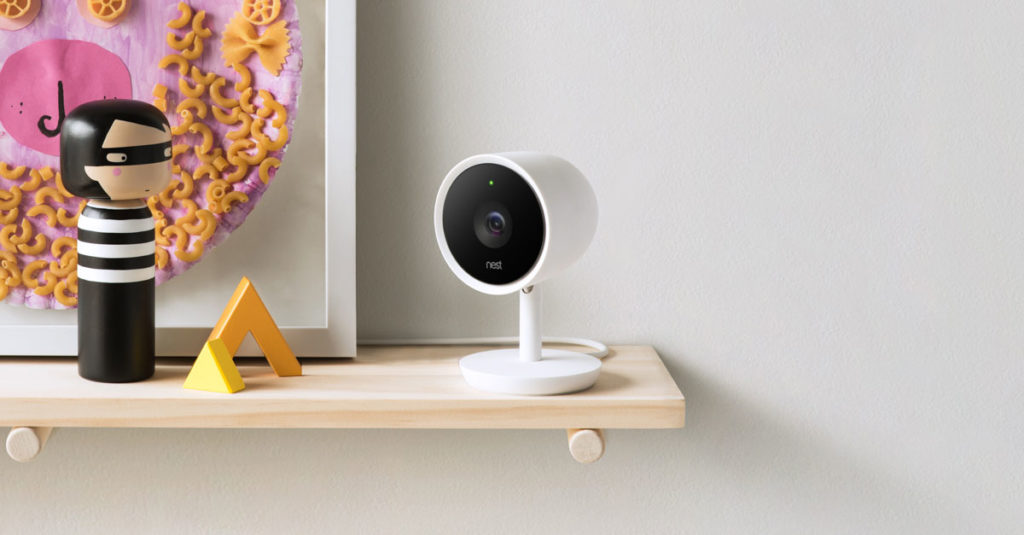
    5. Nest Cam IQ

    Photo Credit: Nest

    Another entry from Nest, the indoor version of IQ is also a solid option. It costs a bit less, coming in at $300, but it offers many similarly excellent features. The Nest Cam IQ has two-way audio, letting you talk to people you can see from the camera. It has a ton of great smart home integration and shoots in 1080p. If you’re looking for a solid, if pricey, indoor camera, this is a fine option.

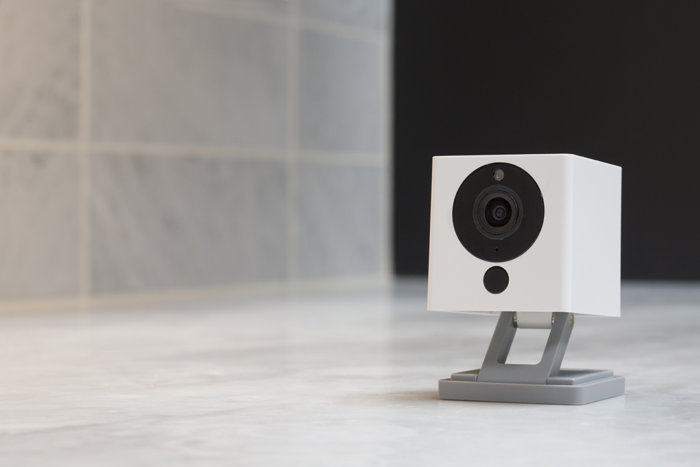
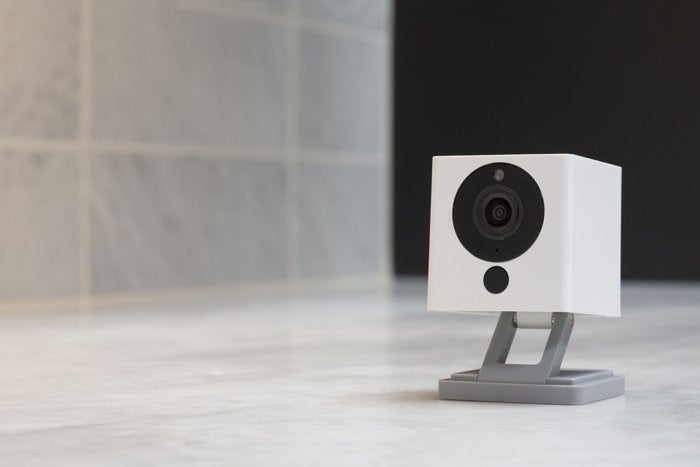
    4. Wyze Cam V2

    Photo Credit: TechHive

    If you though the Tend Secure Lynx Indoor was affordable, check out the Wyze Cam. This camera will run you a bank-shattering $20. Yeah, twenty, as in the same price as seeing a movie and getting some popcorn with it. For twenty bucks you get a camera that shoots in 1080p and offers local and cloud storage. It’s not the most high-tech thing in the world, but it will secure your home. If you’re looking for a simple, straightforward and affordable camera, go with this one. It’s a great deal!

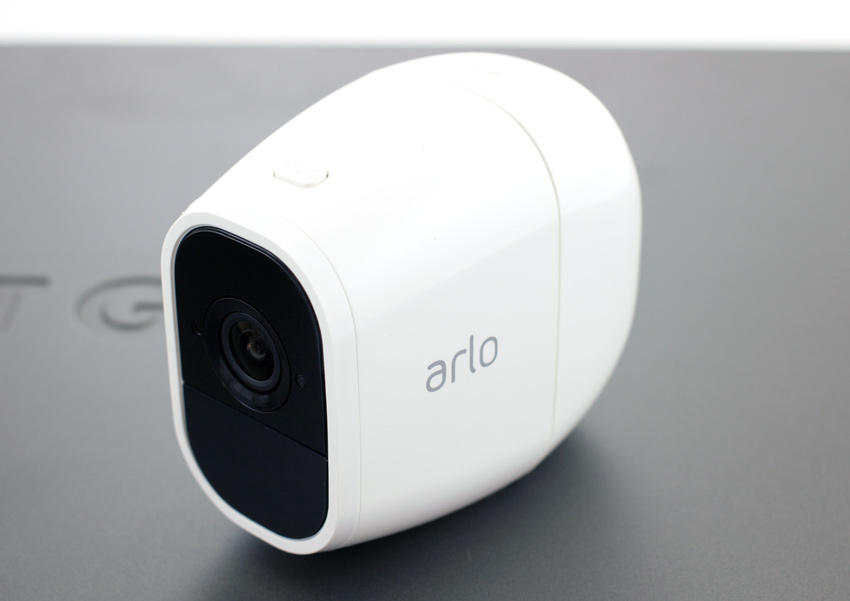
    3. Netgear Arlo Pro 2

    Photo Credit: Storage Reviews

    This expensive but hefty camera is likely the best overall on this list, but it’s far too expensive to recommend to everyone. It will set you back $430, which is a lot, but you get a ton of features. The system shoots 1080p video, is completely waterproof and is wireless. This camera works great both outdoors and indoors and offers cloud storage for free. It even pre-buffers your videos when you go to watch playback! If only it was more affordable.

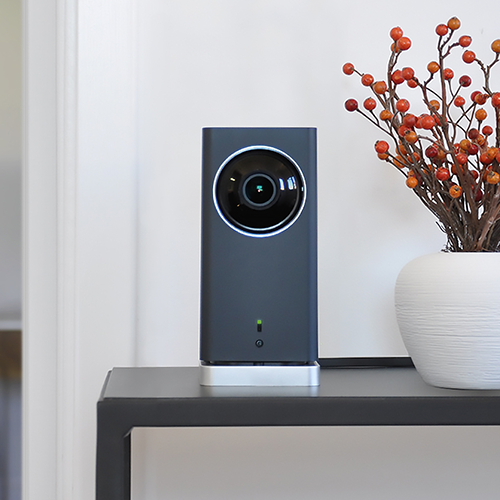
    2. iSmartAlarm iCamera Keep Pro

    Photo Credit: iSmartAlarm

    While this camera retails for $200, it offers a number of premium features. Mechanical tilt and pan let you feel like a master of security. You also get free cloud and local storage for all the footage you capture! As you would expect, it shoots 1080p and it even offers time-lapse shooting. The only downside to this camera is that it only works indoors!

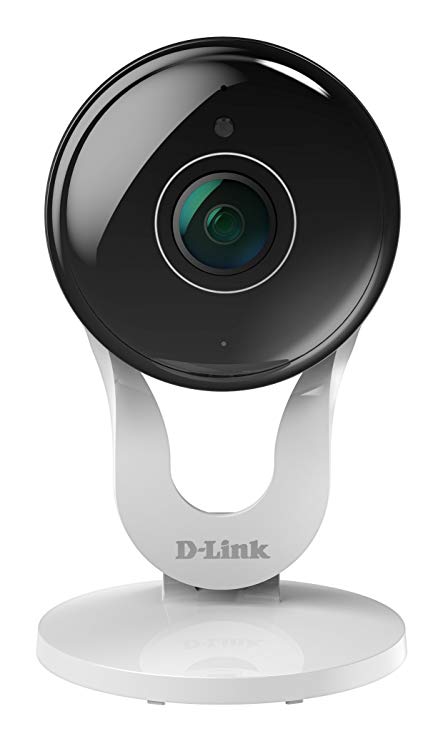
    1. D-Link Full HD Wi-Fi Camera DCS-8300LH

    Photo Credit: Amazon

    A fully-integrated home security camera that offers 1080p shooting and Alexa support? Yes, please! Free cloud and local storage along with great voice commands make this one of the best home cameras. It even costs less than most of the competition: it’ll only set you back $90. While the other cameras on this list are great, the D-Link Full HD Wi-Fi Camera is the best overall interior home security camera. The only real downside here is some minor distortion from the style of body, but that’s not enough to make this anything less than the best bang for your buck.


  • Review: Medical Alert Systems

    Review: Medical Alert Systems

    If you have been looking into buying a medical alert system, our team has put together a quick review on the leading options:

    How Medical Alert Systems work:

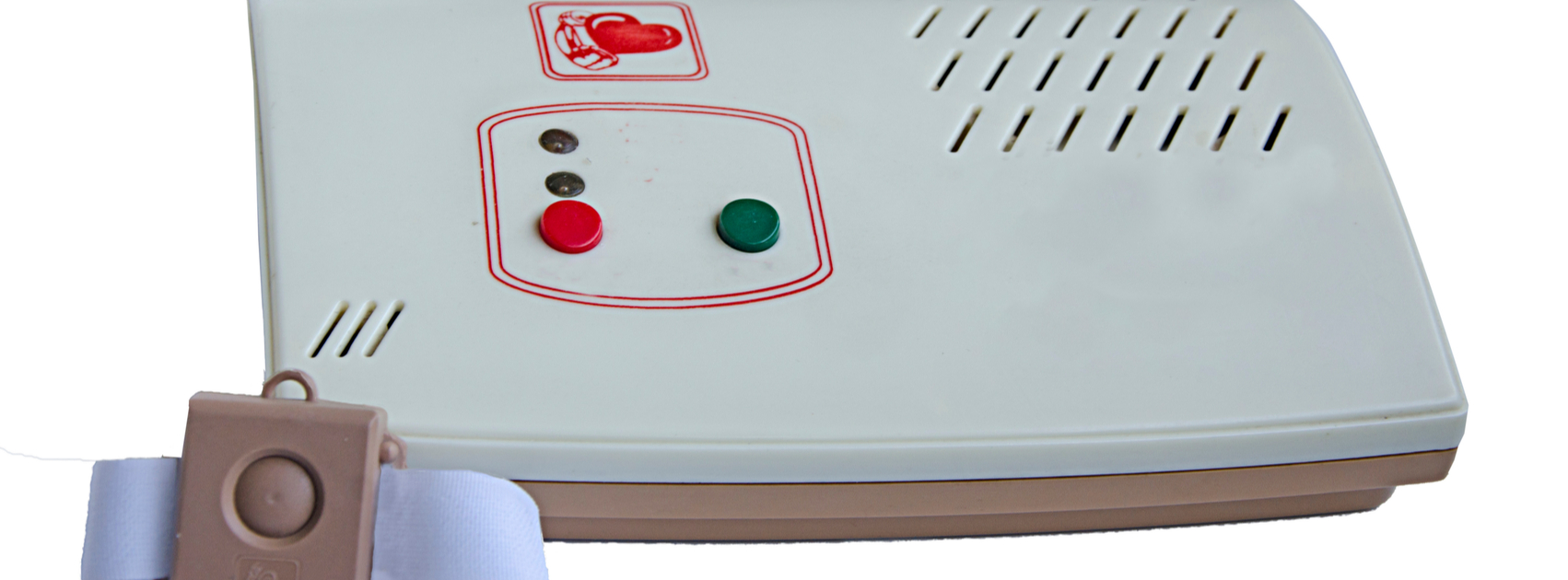
    Nearly all medical alert systems for seniors have a button that can be pushed if they are experiencing a medical emergency, fall or otherwise. The emergency button can come in the form of an alert bracelet, necklace or a watch. All systems are connected to an off-site emergency response system. Most systems come with a 2-way communication feature to help assess the situation and dispatch appropriate help or response. Apart from lifesaving benefits for the individual who may be in need, a Medical Alert System is also very beneficial for extended family who can receive notifications. Overall, these systems provide security and independence for those that may need them as well as peace of mind for extended families.

    Most recommended Medical Alert Systems:

    1. Medical Alert  Medical Alert is one of the nations’s largest providers of emergency monitoring systems. Packages start at $19.95 a month with no activation fees. A+rating with the Better Business Bureau. One free month and free shipping when you sign up for an annual plan.
    2. One Call Alert One Call Alert relies entirely on AT&T’s nationwide service for home and mobile devices. This means there is no need for a landline or wifi. Wearable in-home devices have a battery life of over five years with no need to charge them. Plans can be customized and start at $29.95
    3. MobileHelp:  MobileHelp is an FDA certified and offers on the go and residential plans. One standout is their Mobile Duo plan which is great for couples or roommates and provides protection for two individuals for the price of one. Other features include medication reminders as well as cellular and landline options. Pricing starts at $19.95 per month.

    Overall Benefits:

    Investing in a Medical Alert System can free you from the anxiety of being alone during a medical emergency. Features like automated fall detection, automated notifications and caregiver tracking will give independence and security to the disabled and elderly.


  • Which Galaxy Phone Is Right For You?

    Which Galaxy Phone Is Right For You?

    Samsung has been pretty busy making smartphones in their Galaxy family of phones. No fewer than nine Galaxy devices are new for this year, so it might be difficult deciding which is right for you. Thankfully, we’ve got the lowdown for you: here’s our guide to the Galaxy family of phones.

    Samsung Galaxy Guide

    Samsung Galaxy S10

    For starters, the Galaxy S10 is the flagship phone of the Galaxy line. It offers the most standard-style experience, with a medium screen size, solid build quality, great battery life and a sharp display. Lots of unique features, like the in-display fingerprint scanner and the ability to wirelessly charge, aren’t quite as new and flashy as they once were.

    However, just because its family of phones offers some of its cool features elsewhere doesn’t mean you should write off the S10: at $900, it represents a great price for the mainline Galaxy phone lineup. For those looking for a great, standard-style handset with the best build quality and don’t mind a high price tag, the S10 is one of the best Android phones out there.

    Galaxy S10 Variants

    The S10E is the budget version of the Galaxy S10, occupying a similar space to the iPhone XR and Pixel 3A. Unlike its bigger brother, the S10E retails for only $750, and it sports a smaller overall display and handset size. If you’re looking for a phone with a lot of features and a smaller profile that fits easily in a pocket, the S10E is a good option. However, if you love massive displays and cutting-edge tech, consider looking into the full-fledged S10 line.

    On the other end of the spectrum from the budget S10E is the S10 Plus, a $1,000 smartphone with a 6.4-AMOLED screen that looks downright amazing. Fans of huge screens and long battery life should consider the S10 Plus a must-buy, as it offers both in abundance. If you can swing the huge price, this is easily the best S-line Galaxy phone that Samsung has yet made, though its massive size might be a bit of a drawback for those who prefer smaller handsets. A 5G-enabled version of the S10 Plus is also available for $1,300.

    Samsung Galaxy Note 10 Line

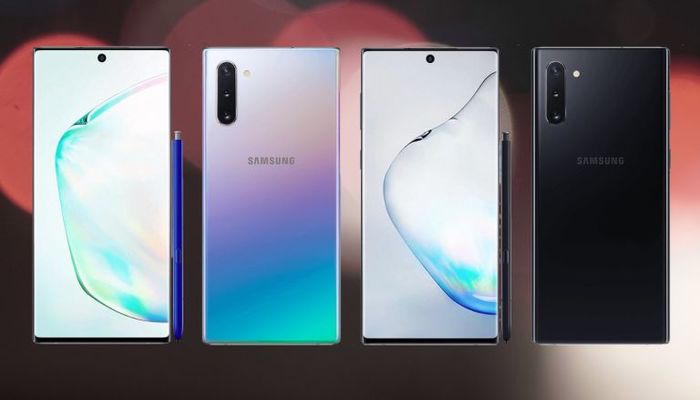
    The Note line of phones popularized the massive “phablet” size handsets that are commonly sold as “Plus” or “XL” models of other flagship lines. Ironically, despite the note being the “plus size” Galaxy phone, the Galaxy S10 Plus offers a bigger screen than the Note 10. The main difference, however, is that the Note sports the excellent S Pen, a productivity aid that doubles as a Bluetooth trigger for the camera. Coming in at $950, the Note 10 actually slots comfortably between the S10 Plus and the standard S10.

    Samsung Galaxy Note 10 Plus sports an extremely massive 6.8-inch display that easily bests every other Galaxy device (barring, of course, the Galaxy Fold). It retails for $1,100, making it the most expensive non-folding Galaxy device as well as the largest. Unlike the standard Note 10, the Plus offers expandable memory with an SD card. There is also a 5G-enabled Note 10 Plus, retailing for $1,300.

    Samsung Galaxy A50

    The discount-priced Galaxy A50 is one of our favorite budget Android phones. The A50 sports an in-display fingerprint scanner, a big 6.4-inch screen and three great cameras. For the old-school users, this phone also sports a conventional 3.5mm headphone jack! For only $350, this is a great entry-level, budget smartphone. If you’re looking for something with lots of new bells and whistles, though, the A50 might not be the best choice for you.

    Samsung Galaxy Fold

    The yin to the Samsung Galaxy A50’s yang, the Galaxy Fold will retail for $1,980 and offers a tremendous 7.3-inch, tablet-like inner display. The front face of the folded device is only 4.6 inches, though its far from the main attraction on this stylish and futuristic phone. If you’re looking for the fanciest and craziest smartphone in the world, the Fold is what you’re after. That is, of course, if you can swing the two thousand bones to buy the thing.


  • 5 Smart Devices to Improve Your Golf Game

    5 Smart Devices to Improve Your Golf Game

    The Players Championship starts today, so what better time to take a look at all the smart toys out there to improve your golf game. Smart devices are everywhere and in everything, golf just seems a natural fit. We are always looking to drop our score and an edge up and we need the data to do this. Well these 5 devices will have you the envy of your club house and playing like a pro.


    1. Cobra’s “first connected golf club.”


    The $349 King F7 Driver pairs the club with a smartphone app that allows you to track your game via GPS. Beyond that, the club features three different centers of gravity, allowing you three different potential approaches and flight paths. Say that again, yes it is Equipped with 3 Center of Gravity settings for maximum distance.It features an Arccos sensor seamlessly integrated into the grip to automatically record each drive, providing real-time stats for distance and accuracy. Not to mention it is one of the baddest drives out there even with out the connect.


    2. GolfBoard

    This electric-powered vehicle, which evokes a skateboard or snowboard, replaces a golf cart and promises to literally speed up your round of golf. Recently it’s gone from something vaguely futuristic to something you can find at more than 300 courses worldwide. You can even buy your own. Prices start at $6,500 for the standard model that motors up to 10 mph. Yes it looks like fun, and yes it will provide endless hours of youtube fail videos.


    3. FX-Sport VC Golf headphones

    FX-Sport specializes in wireless sport headphones. Its new VC Golf model is called “the first psychological coaching device for golf.” On it, you can access hours of soothing, sage words from golf gurus — they get in your head so you don’t lose yours. It’s listed at $199. The Headphones are preloaded with many hours’ worth of psychological coaching, mental preparation, practice drills and workouts, from world class golf psychologists, coaches and trainers. All practice drills have a strong emphasis on the psychological. Advice on how to focus, what to focus on and what to do when things are not progressing as you would like. I wish I could change the voice to Ty Webb. Be the ball Danny!


    4. TLink GPS Golf Watch

    Wearable golf tech that displays instant yardage ⏤ the distance to the back, middle, and front of the green ⏤ on 40,000+ courses worldwide. Simply open up the GPS app on your smartphone, connect TLink with your phone. Never worry about what club to use, you have the data right there.


    5. SetupEye

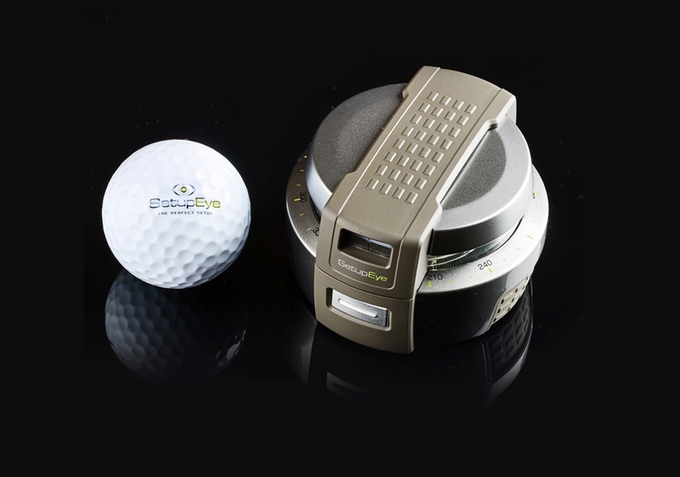
    Im pretty sure this was frowned upon in Caddyshack 2 but If your alignment is off, then you aren’t going to come anywhere close to firing on target. SetupEye uses lasers and “target lock technology” to help golfers take dead aim with absolute confidence. Simply lock onto the flag or your chosen target through the viewfinder, press the button, and place the device on the ground between you and your golf ball. From there, just follow the shooting green lightsaber as it points the way.


    The Final Thought

    You got the ultimate club to track your swing from your drives, the watch to tell you exactly how far to the pin and a golf coach in your ear. You are navigating the course quickly and stylishly on your gold board and you have the target locked on the hole to nail this last putt, see you at the tavern for a beer you golf pro.


  • Need a New Laptop? Our Team Reviews the Best on the Market

    Need a New Laptop? Our Team Reviews the Best on the Market

    We’ve reviewed the top laptops and notebooks on the market today!-


    Samsung Chromebook Plus:

    Samsung’s Chromebook Plus is an excellent laptop for those who are looking for a laptop with a smaller screen. This laptop is great starting option for kids.

    • 11 hour batter
    • lightweight- 3lbs
    • 4GB of Ram and 32 GB of storage

    Acer Chromebook:

    Acer’s Chromebook is great for basic tasks without compromising on overall size. For the price it is a great option.

    • 15.6 inch screen
    • High processing power
    • 16GB of storage


    An excellent choice if you want a high quality windows laptop.

    • <$500 price point
    • 256GB SSD
    • 8GB of Ram


    Lenovo Ideapad S340:

    HP 15z Touch Laptop:

    Touchscreens are great for kids, a natural transition from interacting with a phone. This laptop has great better life and graphics.

    • 15 inch HD screen
    • 9 Hours battery life
    • Built in Webcam


    ASUS Vivobook 15

    Another amazing choice for those on a budget who also want a large screen.

    • Powerful video card
    • USB-C ports
    • 3.5 lbs


  • Staff Picks: Top 10 Electronic for 2021

    Staff Picks: Top 10 Electronic for 2021

    Gift-giving is one of the most intimate activities we as humans partake in. For one person to gift another, a certain relationship must have been formed prior, and a certain level of understanding has to be between the two parties. It is often that we find ourselves overwhelmed by the intensity of buying gifts for one another, because not only does the gift symbolize the extent of the relationship, but it also epitomizes the understanding you have of the recipient.

    Though a certain level of individuality is ubiquitous to all gifts, certain things will almost most certainly do the trick and leave you, the giver, proud of your accomplishment, and the receiver feels valued and understood in the most intimate of ways.

    We have compiled a list of ten of the best gifts you can give when it comes to electronics and computers for the 2021.

    1. Microsoft universal foldable keyboard.

    For the perfect gift, an equilibrium between uniqueness and usefulness has to be achieved. You don’t want to buy something so unique that the receiver doesn’t even know what to do with it or get something so common and available that anyone would have gotten it. Attaining this equilibrium can a bit of an onerous task. Luckily though, the Microsoft Universal Keyboard offers the best of both worlds.

    We live in a world where our lives revolve around technological devices. Typing emails and working from home has become the norm. However, shifting between two devices, like from your iPad to your laptop, can sometimes be a bit difficult, because you have to deal with the change of keyboards.

    The Microsoft universal foldable keyboard is compatible with every device there is one the market, be it the iPhone, the iPad, all android and windows devices. It is ultra-thin. This, coupled with its portability, make it one of the best devices to own. Its rechargeable battery is so powerful, when fully charged, it can provide up to three months of usage till the next charge. The icing on the cake is the spill-resistant design, which means even after liquid-induced accidents are taken care of.

    You can also decide to go for the Logitech G915 TKL White Tactile Tenkeyless Lightspeed Wireless RGB Mechanical Gaming Keyboard, which is an excellent gift if the person you are buying it for is into gaming. The Logitech k780 and the Omoton Ultra-Slim Bluetooth Keyboard are also excellent alternatives.

    2. Nintendo Switch Lite

    Gaming is as entertaining as it is cultivating. However, an understanding of the intricacies of gaming devices is needed before you purchase anything. With the Nintendo switch lite, you get the power and the speed associated with the larger consoles, with the portability of a phone.

    Another plus is the slickness and the chicness of the device. The contouring used in the device’s design is every gamer’s dream, and you can play for hours and hours without feeling exhausted. The Nintendo Switch Lite is compatible with every single Nintendo Switch game, physical and digital.

    With the LYRA Creoqode and the Nintendo Switch, you get two more hand consoles that offer another dimension to gaming. Either way, you can be assured that the person you are getting it for will be as pleased as can be.

    3. Eufy RoboVac 30C

    Technological advancements have managed to deluge every single aspect of our life, from how we work to how we do our chores. When it comes to the latter, you will find no better vacuum cleaner than the Eufy RoboVac 30C.

    This device fuses technology, efficiency, and efficacy. The suction on this device makes it one of the very best vacuum cleaners, digital or otherwise, in the market. As a direct consequence of the device’s low height, it can apply its suction more efficiently than most. What’s more, its height makes it possible for the vacuum cleaner to reach the areas it needs to.

    The digital aspect of the device proliferates its elegance. It supports Amazon Alexa and Google Assistant, so you can voice command it to do whatever area of the room you want, without leaving the comfort of your couch. Additionally, it comes with boundary strips, and works so quietly, you wound even member it is there.

    The iRobot Roomba 614, its 675 counterparts, and the Roborock S4 also offer a similar level of efficiency and efficiency when it comes to dry cleaning. Thus, you have a wide array of choices to spoil your friend.

    4. Ring video doorbell 3 plus

    Home security systems provide the peace of mind we all desire. Wherever we are, the knowledge that our residence or workplace is protected makes it possible for us to continue with all our endeavors without distractions.

    With the ring video doorbell, you get a doorbell system that also functions as a home security appliance. It provides 1080 HD video quality, and it also has features that ensure that you will be able to listen, see, and speak with whoever is at your door. You can do this through a variety of features, be it your phone, computer or tablet.

    Perhaps the selling points of the Ring Video Doorbell is that you can easily install it. You don’t even need a technician or a plethora of tools to do so. You can also decide to pair it up with Alexa, hence being able to communicate with the device to provide the most premium of services.

    The nest doorbell, the SkyBell HD Wi-Fi Doorbell, and the August Doorbell Cam Pro provide a plethora of choices, and thus you are spoilt for choice. Though they have some differences when it comes to the intricacies, each of them has something different to offer, and each has something you would like about it.

    5. Airpods pro

    The Airpod pros offer premium experiences when it comes to sound. Their noise cancellation feature makes it possible to block out all the distractions surrounding you, hence you can fully concentrate on what you are doing.

    Apple has made sure that everyone who uses the Airpod pros will experience the best sound for them. By deploying Adaptive EQ, the devices make sure that the music or sound the person is listening to is automatically tuned and regulated to the best quality.

    Its sweat and water resistance feature will ascertain that it will last for a long while. With other Apple devices, like the iPad and the iPhone, pairing the two is as easy as it can get. This is also applicable to all android phones there are in the market.

    Though many consider the Airpods as the best in the industry, there is still a myriad of Bluetooth pods that offer excellent sound and other features. They include the Sony WF-1000XM3 and the Amazon Echo Buds. The Mpow X3s also hold their own.

    6. Foreo Bear Facial Toning

    It may prove a bit of an arduous task to try and get your female friends a gift that revolves around technology. However, with the Foreo Bear Facial Toning, this burden is lifted. As stated earlier, technology has somehow managed to provide a simpler way of doing almost everything. This becomes especially prominent when it comes to beauty and cosmetic products.

    This device is a quintessence of this fact. It provides the best anti-aging properties by using technology. It produces micro-currents that exercise 65 plus muscles in the face and neck, while also making sure that your skin produces enough collagen. The overall result is radiance and glow unlike any other. As it comes with three intensities, you can be assured that the person you are buying the gift for will get the one that works best for him or her.

    Many facial toning devices are available in the market. It is only through testimonials and referrals that you can get the best of them. The NuDerma Portable Handheld High-Frequency Skin Therapy Wand, the Vijuve Skin Care Booster, and the Yeoman 4D Microcurrent Facial Massager are highly recommended, and thus are viable options in case you are looking for something else.

    7. Sonos move speaker

    The sound system in your workplace or your residence should be as immersive as it is of high quality. With the Sonos Move Speaker, you can get these two aspects, plus a lot more.

    The Sonos move speaker is everything you would want with a speaker. Its design also makes sure that it will always be able to produce the best sound, irrespective of the room in which it is placed. With two Sonos move speakers, you can pair the two speakers, and the result is an excellent stereo sound.

    The speaker comes with a built-in audio control, meaning that you can control the speaker, and everything it is playing, by simply speaking to it. On top of all these features, you can connect Sonos speakers wirelessly, irrespective of the rooms they are in in the house.

    The Apple Homepod and the Google Home provide the best home sound systems, and they each come with a set of individualistic features. Thus, it will be easy to find one that fits what you are looking for.

    8. GoPro Hero Waterproof camera

    It is always worthy to capture the moment. After all, as time progresses, all we are left with are memories of the ones we loved and the places we’ve been. It has thus become paramount that everyone has a camera and a good one at that.

    If the person you are getting the gift for is into adventure and photography, then the GoPro Hero Waterproof Camera would be perfect for them. As you can tell from the name, this particular camera is waterproof, meaning you can record all your underwater adventures. It is fully functional up to depths of 33 feet, or ten meters.

    Like many of the devices on this list, you can control this particular camera with your voice. Additionally, it has features like Bluetooth and Wi-Fi, which make it possible to share information with it.

    Alternatives for the GoPro Hero Waterproof Camera include the Garmin Virb XE and the TomTom Bandit. The Yi 4k Action Camera is also an excellent waterproof camera.

    9. Dragon Touch Digital Picture Frame

    With the modification of how we take and store pictures, it is only right that we also find the best way to display said pictures. Long gone are the days when photo albums were where we stored our photos.

    The dragon Touch Digital Picture Frame provides the best platform for you to display all your photos. The 10-inch screen is more than enough when it comes to showcasing your photos. With the WiFi and Bluetooth features it has, you can easily send photos from one device to another. All that being said, it is its ease of use and its enormous storage capacity that makes it the best in the business.

    There is a plethora of excellent photo frames in the market. They include the Pix-Star Wi-Fi Cloud, the Aura Mason Frame, the Nix Advance, and the Meural Photo frame. All these give you the options you need to get the best digital frames as a gift.

    10. The brilliant pad

    For pet owners, it becomes a bit hectic trying to keep the house as clean as it is supposed to be. Even though pets are bundles of joy, you still need to make sure you clean after them.

    The brilliant pad endeavors to make all your cleaning endeavors as easy as they can be. The device automatically replaces the dirty pads, and so you won’t have any need for poop bags. As soon as the pet relieves itself, the pad turns the liquid into gel, while also wrapping and sealing the solid wastes. This keeps the house smelling nice throughout.

    What’s more, the device also helps keep you updated about the health of your pet, by sending regular notifications on your phone, thus, you can keep a good look on the health of the pet.

    The Rocket & Rex Washable pads and the Fresh Patch Real Grass Dog Potty are also viable options when you are gifting a pet owner.