Category: Smart Devices

  • Apple iPad Air Review

    Apple iPad Air Review

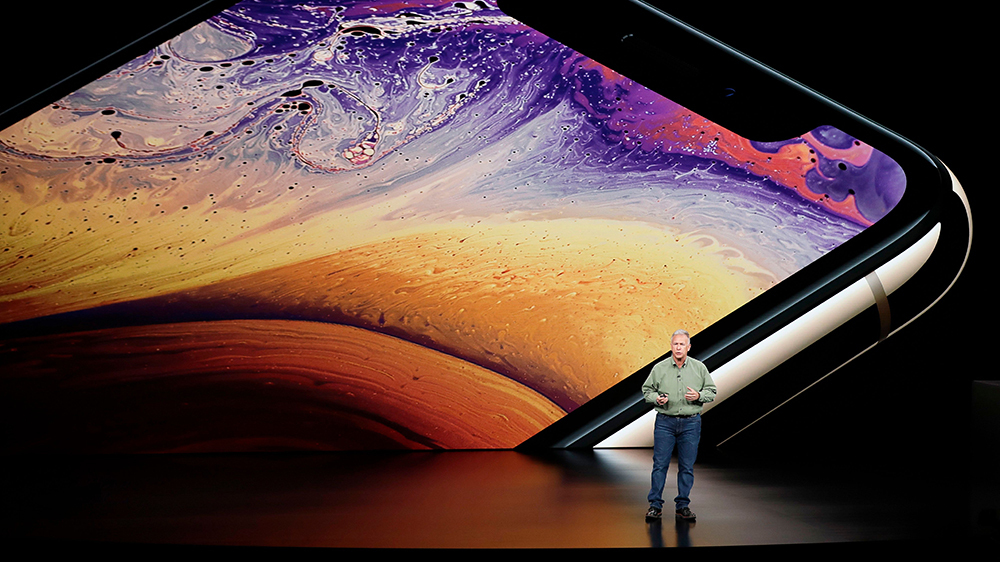
    Apple will release its fourth generation of the iPad Air line this October. There is much anticipation for this roll out because of the A14 Bionic System. The device was unveiled in September, along with Apple Watch 6 and Apple Watch SE. Unlike its predecessor, the latest iPad Air has more features and affordable pricing. Its versatility is incomparable to the iPad Air 3. It is best compared to the iPad Pro 12.9. This fourth-generation Air iPad offers so much more considering how the iPad 3 Air was similar to the basic entry-level iPad. Apple has redeemed the Air line of product with this latest release. iPad Air 4 operates at the same level as the iPad Pro 2020.

    The specs for the iPad Pro 2020 include a 12-inch or 11-inch display and the A12Z bionic processor. It also does not come with the home button; users get to enjoy the edge-to-edge display.

    iPad Pro 2020 also comes with a LiDAR depth scanner for AR and the TrueDepth scanner for face identification. Users can also purchase accessories for use, including the Apple Pencil 2, the trackpad-fitted Magic Keyboard, and a Smart Keyboard Folio. The iPad Pro 2020 retails for $799 for the 128GB and $1,649 for the 1TB model.

    iPad Air 4 has a lower price compared to the iPad Pro 2020. It will cost $599 or $729, making it affordable considering the upgrades included. The third model of the Air series cost ranges between $499 to $649. Therefore, in regards to pricing alone, this latest release is reasonably priced.

    iPad Air Specs

    ● It comes with a 10. 9-inch Liquid Retina IPS LCD; the most advanced display technology in an Apple device
    ● It has a P3 wide color gamut and TrueTone.
    ● Has a display resolution of 1640 * 2360 pixels
    ● It has a scratch-resistant glass protecting the iPad from minor scratches and oleophobic coating, providing oily substances resistance.
    ● The primary camera is 12MP, similar to the iPad Pro, and has the HDR feature. It shoots videos at 4K, capturing images at 24 or 30 or 60 frames per second. It also captures images at 1080p at 30 or 60 or 120 frames per second.
    ● It has a Gyro-EIS feature, which improves low light photography. EIS provides a consistent frame compensating for handshaking.
    ● The FaceTime camera is 7MP with HDR and has a video quality of 1080p and captures 30 and 60 frames per second.
    ● It has a touch ID system that is mounted at the top, providing a larger display.
    ● It is fitted with an accelerometer, gyrocompass and barometer.
    ● It comes in silver, space gray, rose gold, green and sky blue.
    ● It has a USB-C port, Wi-Fi 6, stereo speakers and LTE
    ● It uses the second generation Pencil, Magic Keyboard, and Smart Keyboard Folio supported
    ● It possesses Apple’s latest A14 Bionic Processor.
    ● You get a free year of Apple TV when you purchase this device

    iPad Air Features: A Comparison

    Bionic Chip

    The new iPad Air comes with Apple’s latest A14 Bionic Chip. None of Apple products currently has the A14 Bionic chip. There are speculations that the chip will be available on iPhone 12.

    The A14 Bionic system will be the first 5-nanometer chip in the market. The size reduction allows Apple to pack in more transistors. It is now common knowledge that the A14 Bionic chip has 8 billion transistors compared to 8.5 billion transistors in the A13 Bionic system and 10 billion in the A12 Z series bionic system.

    The more the transistors, the better the chip is at multi-tasking and speeds. The chip makes iPad Air 4 excellent for gaming and AR.

    A14’s CPU
    Additionally, this latest bionic chip has a 6 CPU core with the perfect balance between energy-efficiency and performance. Two of the cores are high-performing Firestorm cores enabling the gadget to handle demanding tasks at impressive speeds. The remaining four are high-efficiency Icestorm cores which maximize the performance in different power budgets.

    What this means for the A14 Bionic chip provides faster performance and better power utilization. The A12 chip is 40% faster than A12 and 16% faster than the A13 chip. Therefore, this new iPad Air is expected to possess unprecedented speeds than any of Apple’s devices presently in the market.

    A14’s GPU

    Aside from the CPU, Apple has developed a GPU for the A14 Bionic chip. The purpose of this GPU is to maintain efficiency while saving energy. The GPU is a four-core graphics engine performs better than the A12 Bionic system by 30%. It works 8% better than the A13 chip.
    With this chip, users will get good performances while preserving battery life. The new chip enables tasks to be performed at a lower voltage frequency while the device maintenance peak performance.

    A14’s Neutral Engine

    Apple has included a silicon block in its SoCs called the Neural Engine. The hardware is an accelerator with machine learning and AI calculations functions. The Neural Engine is a product of continued innovation first introduced in the A11 Bionic Chip. Therefore, this next-generation chip is possibly more impressive than the original A11. While the A11 ANE performs approximately 600 billion operations per second and has the impeccable Face ID feature, the A14 chip does even better. A14 boasts of 16 cores, eight more cores than A12 and A11. It can perform 11 trillion operations per second.

    Apple is a master at integrating hardware and software on all its devices. Its inclusion of custom accelerators like the AMX and ANE is an ingenious way of improving learning. The AMX contains large-scale mathematical computations libraries for Apple’s developers to use without the need for low-level programming. Accelerate provides high-performance, energy-efficient computations on the CPU by leveraging its vector-processing capability.

    The Accelerates minimize room for errors and provides support for Apple’s novel hardware. The Neural Engine in the A14 chip is expected to perform ten times faster than the A13 chip and 20 faster than the A12 chip.

    Another big difference between the iPad Pro and previous releases from Apple is that the iPad Air 4 does not have Intel. It uses machine learning in the pace of Intel. In the current error of data analytics, machine learning applications are becoming increasingly important. However, the efficacy of Apple’s innovation remains to be evaluated.

    iPad Air Body -Comparison

    The new iPad Air is 9.57 inches long, 7.03 wide, and 0.24 thick. It maintains the same thickness as 2019’s iPad Air. However, iPad Air 2019 was longer by 0.03 inches and narrow by 0.18 inches. Both the previous and incoming iPad Air weigh 1.01lb. Both models iPad Air have a glass front and Aluminum back and frame. Compared with the iPad Pro, the latest iPad Air is small and 0.01 inches thicker. The iPad Pro is 11.05 inches long, 8.46 inches wide, and 0.23 inches thick.

    Display Features Comparison

    The iPad Air 2020 and 2019, and the iPad Pro have the same type of display features. They both use IPS LCD enabled touch screens with 16 million colors. However, iPad Air 2020 and iPad Pro have screens with an 85% screen-to-body ratio, while the iPad Pro has a 73.3% screen to body ratio. The iPad Air resolution is slightly inferior with 264 ppi density than iPad Pro’s and iPad Air 2019’s 265 ppi.

    All three iPad’s have a wide color gamut and TrueTone, but iPad Pro has a 120Hz refresh rate. While the lack of 120Hz ProMotion is a downer, it is a feature that can be done without unless you are using your iPad for drawing or video production.

    TrueTone adjusts your display lighting to accommodate your environment. The P3 wide color range makes your display, picture and video vibrant. Furthermore, the quality of the display is intensified with the 500 nits brightness for the iPad Air. iPad Pro has a 600 nits brightness while the iPad Air 2019 does not have this display feature.

    Nevertheless, the display features are standard with minor additions and subtractions. All in all, the three devices display high-quality images across the board.

    Camera, Photograph and Video Quality Comparison

    As for the Camera, both the iPad Pro and iPad Air 4 have a 12MP camera with dual-pixel PDAF. The feature uses all the camera pixels to autofocus; thus, it refines the focusing system’s speed and accuracy. However, the iPad Pro also has a dual-pixel and ultra-wide 10MP camera. Its camera features include a Quad-LED dual-tone flash and HDR, which provides light consistency resulting in a uniformly lit background and foreground. The Quad-LED feature enables you to shoot videos in low light.

    The iPad Pro also has Time-of-Flight sensors (ToF) and 3D Light Detection and Ranging (LiDAR) scanner for depth. LiDAR uses lasers to determine distances and depth. Although LiDAR is similar to ToF, used by Android devices, in function, ToF uses single pulse infra-red light to generate maps. On the other hand, LiDAR fires a train of laser pulses at different scenes over short time intervals giving an improved length of cover five meters and better object occlusion.

    The technology is currently in use by cars to determine how close they are to objects. Apple introduced the LiDAR scanner in iPad Pro and is expected to use the same technology in the iPhone 12. The feature is currently lacking in the iPad Air set to be released on 15th September.

    The iPad Air only has HDR, enabling you to get good photos and videos in high contrast situations. The iPad takes three pictures in succession and blends them, giving it better details in brightness and undertones.

    Nevertheless, the incoming camera iPad Air is an upgrade compared to the iPad Air 2019 camera. The iPad Air 2019 has an 8MP rear camera with an f/2.4 aperture. Pictures can only be shot in HDR. Both iPads have a 1.2MP shooter to a 7MP with an f/2.2 aperture that shoots in 1080p at 30frames per second. However, iPad Air 4 can also shoot 1080p at 60fps. The cameras on both devices can also shoot wide color capture in Photo and Live Photos.

    Apple Pencil and Keyboard Support

    All of Apple’s lineups support its pencil. In general, The Pro lineup released from 2018 uses Apple Pencils 2. The Air and mini lineups use Apple Pencil 1. However, the iPad Air uses Apple’s second-generation pencils. While the first generation of pencils supports abroad range of apple products, the second generation is the best of the styluses.

    Apple pencil 2 has a flat edge compared to the round-edged predecessor. The edges help prevent the pencil from rolling off. It also has a matte finish for better grip, an upgrade from Apple pencil 1, which has a glossy finish leading to slippage. Apple’s first-generation pencil picks up grease and leaves fingerprints.

    Both pencils have an 8.9 mm size, suitable for ergonomics compared to similar products in the market. Both pencils have good drawing performance.

    The iPad Pro and IPad Air fourth generation use the Magic Keyboard. The keyboard uses a Smart Connector. Additionally, it is a scissor-switch keyboard and a glass trackpad. The top layer of the keyboard looks like a piece of fabric that is water-resistant. The keys are printed with white paint.
    Smart Keyboard Folio only supports the fist and second-generation iPad Pro 11-inch and the third and fourth generation of the iPad Pro 12.9 inch. The iPad Air lineup does use the Smart Keyboard Folio except for its fourth generation. Additionally, the smart keyboard does not require Bluetooth to connect to the iPad. It uses a smart connector found on the iPad.

    iPad Pro Vs. iPad Air 4

    From the comparison, it is quite evident that the iPad Pro excels in many of the iPad features. However, the iPad Air offers the novel A14 Bionic chip with better performance and efficiencies. While we have to wait for the rollout to ascertain the A14 Bionic chip’s efficacy, it presently remains unmatched.

    Additionally, the iPad Air is much more affordable compared to iPad Pro. Therefore, if you are into staying ahead with technology, then the iPad Air is an excellent option. Similarly, if you are looking for a fast and energy-efficient device, the iPad Air 4 will serve you well. On the other hand, if you are into videography, gaming, or photography, the iPad Pro has better features.
  • Unlimited Phone Plans with Netflix, Hulu & HBO Max

    Unlimited Phone Plans with Netflix, Hulu & HBO Max

    Did you know you can get Disney Plus with your Verizon account? Check out our reviews below.

    Overview:

    1. AT&T: Includes HBO Max
      • Stream all of your favorite movies, TV shows and Live TV right on your smartphone. These plans start at $50 a month.
    2. Sprint: Includes Hulu. 
      • All levels of Sprint’s unlimited plans include the ad-supported version of Hulu. Ad-free plans are available with an upgrade.
    3. Metro by T-Mobile: Includes Amazon Prime. 
      • For $60 a month with 100GB of Google store and Amazon Prime included.
    4. T-Mobile: Includes Netflix
      • Customers who choose a high level plan will get a basic Netflix account with their plan.

    Mobile carriers are constantly trying to recruit new subscribers with new bundled packages, lower rates and other incentives. It is always worth shopping the competition or checking for new offerings on the plan that you’re on. You never know- a better deal may be right in front of your eyes if you look for it! So when was the last time you reviewed your plan to ensure you’re getting the best extra services? There’s no time like the present~ Check into it!


  • The Future Is Here: 5G Smartphones! Samsung Galaxy S20 and Galaxy S20 Plus have officially been released.

    The Future Is Here: 5G Smartphones! Samsung Galaxy S20 and Galaxy S20 Plus have officially been released.

    The future is here – 5G is the latest version of cellular networks. This is a once in a decade upgrade to the way consumers can wirelessly deliver data, making the Galaxy S20 one of the fastest and most powerful smartphones in the market. Just how much faster? In this new era, the Galaxy S20 with 5G will average out to be roughly 20 times faster than the traditional 4G network you are currently using.

    5G, Done Right.

    Samsung’s brand new Galaxy S20 5G series are a part of Verizon’s lightning-fast 5G network. 5G will give you access to speeds that will change the way you use your smartphone for work, play and everything in between. What exactly does that entail?

    As 5G continues to expand, you’ll be able to play video games with almost no lag time. It doesn’t stop there, you’ll be able to upload photos and videos to your favorite social media platform as fast as you can shoot!

    Camera of the future: 3D scans and 8K resolution

    While Samsung is not the first to roll out 3D scanning, they came up with a cool application for 3D scanning with Augmented Reality. Consumers can now 3D scan objects and drop them into their photos and videos. Users can even animate them using motion capture. This will be huge for consumers that put out content on social media platforms such as Instagram and TikTok.

    For videographers, the devices can shoot in 8K so users can capture their world in true-to-life color and quality. Thanks to Super Steady’s anti-rolling stabilization and AI motion analysis, even the bumpiest videos look like they were shot using a gimbal.

    Lightning-fast charging

    Long gone are the days where your smartphone battery dies a few hours after charging. With a quick 30-minute charging session, the Galaxy S20 will hold battery juice all day long. Samsung did this by including a 45W charger to amp up the wattage in comparison to competitors that have a 30W charger.

    So, where can I get one and how much is this going to cost me?

    Preorders for the Galaxy S20+ 5G and Galaxy S20 Ultra 5G on Verizon start February 21 at 12:01am ET and both phones will be available in stores and online on March 6. The Galaxy S20 5G (6.2”), designed for Verizon’s 5G Ultra Wideband network, will be available in the second quarter of 2020. Pricing is as follows:

    Galaxy S20 Ultra 5G (6.9”) starts at $58.33 a month for 24 months on Verizon Device Payment (0% APR; $1,399.99 retail).
    Galaxy S20+ 5G (6.7”) starts at $49.99 a month for 24 months on Verizon Device Payment (0% APR; $1,199.99 retail).
    Galaxy S20 5G (6.2”), designed for Verizon’s 5G Ultra Wideband network, starts at $41.66 a month for 24 months on Verizon Device Payment (0% APR; $999.99 retail; coming to Verizon Q2 2020).


  • They’re FINALLY Here! The Best 5G Smartphones:

    They’re FINALLY Here! The Best 5G Smartphones:

    5G technology is now here, we can finally see the first phones using the new tech. This is a huge moment for technology. Are you ready for the changes? Many have wondered which first phones will be using the tech, well we’re going to delve a bit deeper into 5G technology and the smartphones we can expect to take advantage of it.

    5G technology, for the uninformed, is the next step in wireless connections. If you remember back when 3G was phased out in favor of 4G LTE, you’re familiar with what this process looks like. Originally, 4G was only available in large metro areas and only on the newest and best smartphones.

    The roll-out of 5G tech is likely to track quite similarly. Much like 4G LTE, 5G is a huge step up in terms of speed and accuracy. It will likely first be rolled out to primarily large cities where it can service the largest numbers of users. Over time, it will be rolled out nationwide.

    5G Smartphones

    Most phones that are on the market today will not have 5G compatibility, so this likely won’t even affect you until you upgrade. You won’t need to upgrade for a bit unless you’re living in an early-access area like New York or LA, though.

    If you’re interested in future-proofing, you can pick up one of these 5G-enabled phones in the coming months as they become available.

    Samsung Galaxy S10 5G

    Samsung come out of the gate strong with a 5G version of their Galaxy S10. What can we say about the Galaxy S10 that hasn’t already been said? It’s a great phone with a great suite of useful features, a beautiful display and a stellar processor. Add lightning-fast 5G speeds to that and you’ve got a real winner.

    iPhone 12

    We know what you’re thinking: iPhone 12? They just released the 11! Well, Apple did not roll out 5G integration on this year’s upgrade. Given the slow roll-out of 5G nationally, Apple’s focus won’t be on that tech until 2020, with the eventual launch of the iPhone 12.

    Huawei Mate X

    If you don’t mind importing, or dealing with a somewhat shady company, the Huawei Mate X will be releasing later this year. This folding, 5G-ready phone looks like a sci-fi device. The Chinese smartphone maker Huawei has been in hot water recently over some scandals, but they still make great phones.


  • Thank Goodness They Installed A Home Security System… You Wont Believe What They Found!

    Thank Goodness They Installed A Home Security System… You Wont Believe What They Found!

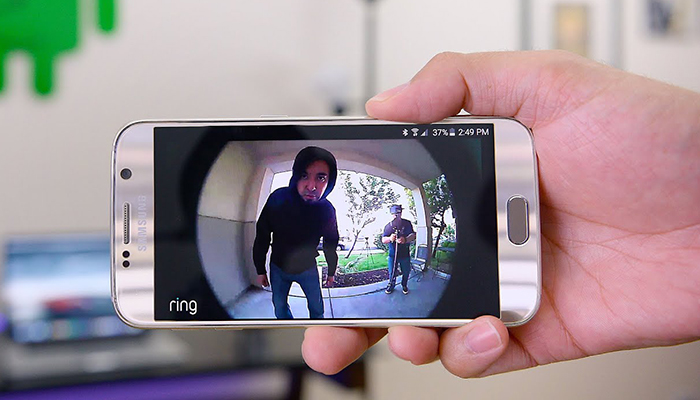
    Better safe than sorry…. Smart homes add convenience to your everyday life, but security systems are the most popular feature when homeowners want to feel safe in their own home.

    It is now easier than ever to set up a smart home in which you can remotely control your door locks, lights, thermostats, vacuums, lawn mowers, and even pet feeders, using your smartphone and an app. It’s also made it simple (and relatively affordable) to monitor your home from pretty much anywhere.

    SimpliSafe

    With plenty of deals available, the latest case in point: SimpliSafe, which is now offering 50% off any new home security system purchased via the company website. SimpliSafe packages typically start at $230 — but that drops to $115 with the Black Friday discount. Meanwhile, the company’s most popular starter kit, “The Essentials,” usually retails for $259, but you can snag it right now for $130.

    Ring Alarm

    Amazon cut prices on the Ring Alarm Home Security Systems eight-piece kit. Normally priced at $239, the Ring Alarm eight-piece system is $189 during this sale, plus it includes an Echo Dot smart speaker at no extra charge.

    The eight components in the kit include a base station that connects the whole system to your home Wi-Fi network, a keypad to arm and disarm the system from inside your home. The system includes a range extender so the base station signal will reach all installed components. There are also two motion detectors and three contact sensors to protect windows or doors in the kit.

    ADT

    The most well-known home security system is the professionally installed ADT. It’s not terribly easy to get pricing information from ADT without subjecting oneself to lots of salespeople, but here’s some rough numbers for a base system. For the upfront cost of around $129, and an ongoing cost of roughly $47, you get a 3-year contract with monitoring and two door contacts.

    ADT’s not for everyone, though, as the contract length and high price of monitoring can be a turn-off. However, the company is a trusted name, the monitoring is well-regarded and the system is high-quality.

    Nest Hello

    A stylish, modern and slick doorbell camera, Nest Hello is from the same company that makes the Nest Thermostat. Ample Alexa integration and face recognition make this a very high-tech security solution. It’s around $230 for the up-front cost to get the system installed, and then it’s about $5 per month for the ongoing costs for recording.

    For an upcharge, you can get the more upscale features like facial recognition. The most impressive part about the Nest Hello is the integration, though, as it works together with Alexa or other smart home systems.


  • Amazing Cyber Week Deals: Home Security Systems Are Now Half Off!!

    Amazing Cyber Week Deals: Home Security Systems Are Now Half Off!!

    You can save 50% on any SimpliSafe security system you like now through Cyber Monday. Smart homes add convenience to your everyday life, but security systems are the most popular feature when homeowners want to feel safe in their own home.

    It is now easier than ever to set up a smart home in which you can remotely control your door locks, lights, thermostats, vacuums, lawn mowers, and even pet feeders, using your smartphone and an app. It’s also made it simple (and relatively affordable) to monitor your home from pretty much anywhere.

    SimpliSafe

    With plenty of deals available well ahead of Thanksgiving, it might be time to start calling Black Friday “Black November,” instead. The latest case in point: SimpliSafe, which is now offering 50% off any new home security system purchased via the company website now through Cyber Monday. SimpliSafe packages typically start at $230 — but that drops to $115 with the Black Friday discount. Meanwhile, the company’s most popular starter kit, “The Essentials,” usually retails for $259, but you can snag it right now for $130.

    Ring Alarm

    Amazon cut prices on the Ring Alarm Home Security Systems eight-piece kit for the lead up to Labor Day sales. Normally priced at $239, the Ring Alarm eight-piece system is $189 during this sale, plus it includes an Echo Dot smart speaker at no extra charge.

    The eight components in the kit include a base station that connects the whole system to your home Wi-Fi network, a keypad to arm and disarm the system from inside your home. The system includes a range extender so the base station signal will reach all installed components. There are also two motion detectors and three contact sensors to protect windows or doors in the kit.

    ADT

    The most well-known home security system is the professionally installed ADT. It’s not terribly easy to get pricing information from ADT without subjecting oneself to lots of salespeople, but here’s some rough numbers for a base system. For the upfront cost of around $129, and an ongoing cost of roughly $47, you get a 3-year contract with monitoring and two door contacts.

    ADT’s not for everyone, though, as the contract length and high price of monitoring can be a turn-off. However, the company is a trusted name, the monitoring is well-regarded and the system is high-quality.

    Nest Hello

    A stylish, modern and slick doorbell camera, Nest Hello is from the same company that makes the Nest Thermostat. Ample Alexa integration and face recognition make this a very high-tech security solution. It’s around $230 for the up-front cost to get the system installed, and then it’s about $5 per month for the ongoing costs for recording.

    For an upcharge, you can get the more upscale features like facial recognition. The most impressive part about the Nest Hello is the integration, though, as it works together with Alexa or other smart home systems.


  • The Best Holiday Appliance Sales are Here!

    The Best Holiday Appliance Sales are Here!

    Holiday season is the best time to find great deals on furniture, Apple electronics, and clothes, you can expect to see a ton of rare great discounts on big-ticket items like kitchen appliances and Roomba vacuums.

    As soon as holiday deals officially start to roll in, we advise you to take full advantage of the offers and act quickly: there’s nothing worse than just missing a good sale and having to pay full price the next day.

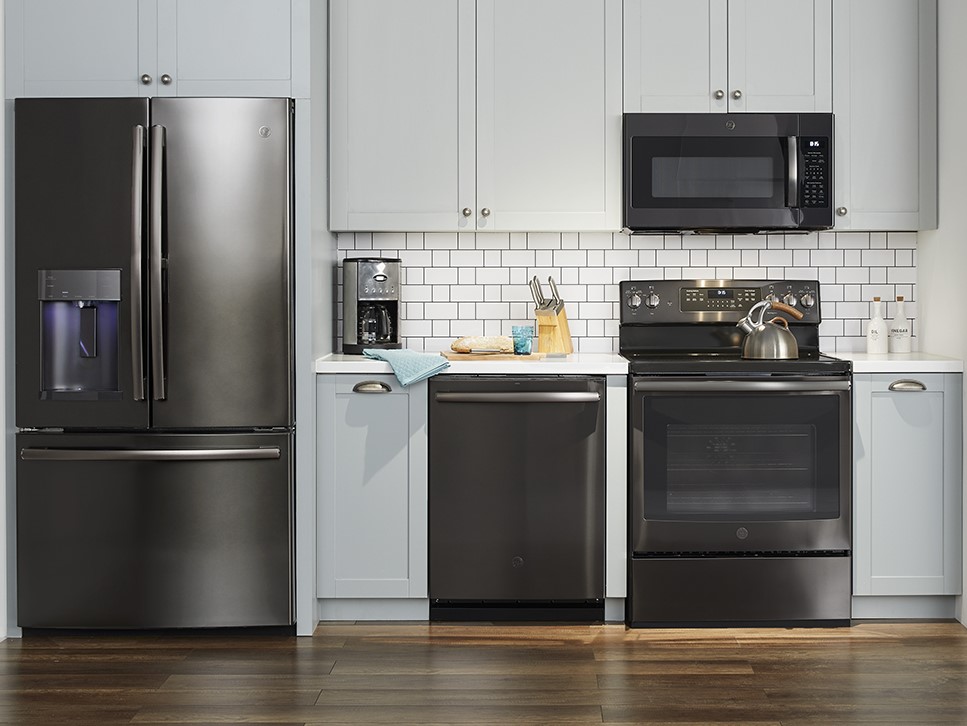
    If you’ve been waiting to buy a brand-new suite of matching appliances, November is the right time to do it. You will see some of the lowest prices of the year this month, on most major appliances—from ranges, refrigerators, and dishwashers to matching washer and dryer sets.

    But as good as those deals are on a one-off basis, you’ll save the most money buying a pre-packaged appliance suite like these best Black Friday finds we have listed below:

    Four-Piece Samsung Suite
    The deal: $1,858 at Home Depot
    Savings: $1,496
    What’s included:
    • Samsung French Door Refrigerator RF260BEAESR
    • Samsung Gas Range NX58H5600SS or Samsung Electric Range NE59M4320SS
    • Samsung Dishwasher DW80M2020US
    • Samsung Over-The-Range Microwave ME16H702SES

    Simply put, you won’t find a better-looking stainless steel appliance suite for this price, but you need to make some concessions. This package is all about the range. You can choose from gas or electric versions. The dishwasher cleans and dries well and the microwave is similar, proving decent at heating quickly and evenly. Samsung always earns a a good rating for both owner satisfaction and predicted reliability in French door refrigerators.

    Four-Piece Whirlpool Suite
    The deal: $2,699 at Home Depot
    Savings: $1,597
    What’s included:
    • Whirlpool Four-Door French Door Refrigerator WRX735SDHZ
    • Whirlpool Gas Range WFG540H0ES or Whirlpool Electric Range WFE540H0ES
    • Whirlpool Dishwasher WDT750SAHZ
    • Whirlpool Over-the-Range Microwave WMH32519HZ

    The savings here are substantial and this suite is a solid choice. The standout appliances are the dishwasher and microwave. The dishwasher cleans exceptionally well and earns an excellent rating for predicted reliability. The microwave also heats evenly and quickly, and is easy to use. The gas range is good at baking and has a big oven. The suite has a four-door French door refrigerator, a rare find in an appliance package that’s priced this low!

    It’s no secret that Black Friday is a great time to find kitchen and appliance deals. So if you’ve been holding out on getting that kitchen gadget or countertop appliance, now’s the time to finally take the plunge!


  • Top Rated Robot Vacuums That Do The Dirty Work For You

    Top Rated Robot Vacuums That Do The Dirty Work For You

    When it comes to house cleaning, vacuuming is rarely a chore any of us truly enjoy. We often find ourselves dealing with bulky machines that may or may not do the best job of removing debris. They not only tend to stir up dust, but some models also get clogged often as well. Instead of wrestling a big, old push vacuum out of the closet, what if you could have a robot do the vacuuming for you? Could it make your life easier?

    Smart Vacuums

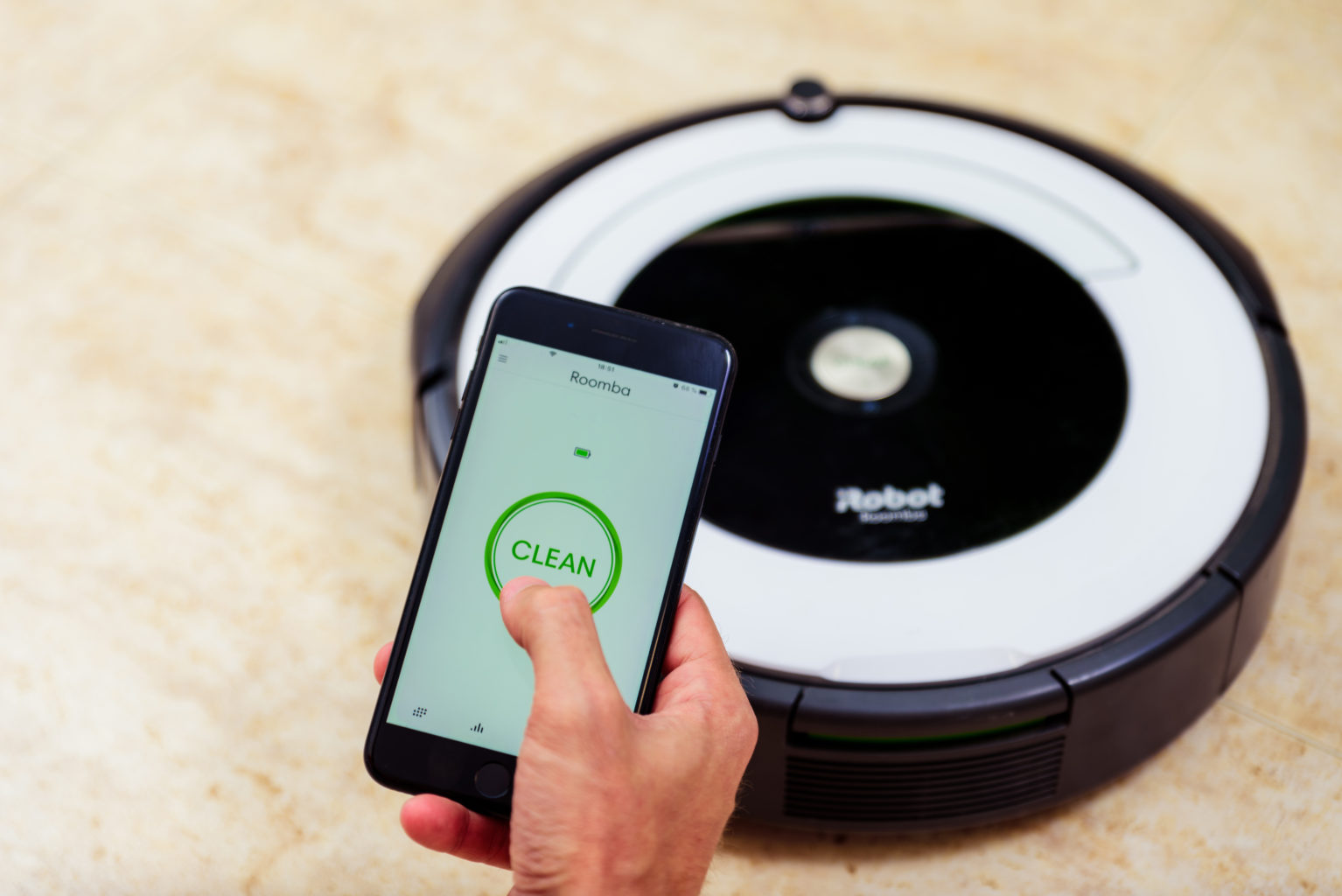
    Instead of wrestling a big, old push vacuum out of the closet, what if you could just press a button? With a robot vacuums, that’s often all you need to do.

    These little machines are essentially the future brought right into your home. They use special navigation technology and sensors to determine where to clean. Plus, they require very little effort on your part.

    They do, however, vary widely from one model to the next. The prices range anywhere from $150 to $1,000+, and some have special features that warrant higher price tags.

    Controlling a Robot Vacuum

    There are several different ways to control robot vacuums. Some use smartphone apps, others have remote controls. Many popular iRobot Roomba models also connect to wi-fi and allow for voice control using a home smart speaker.

    Luckily, in no instance are you forced to push it around yourself. And don’t worry, you don’t have to block off stairs either. Most of these vacuums have sensors to prevent them from traveling where they can’t go – like downstairs. (That is one minor drawback if you have stairs you need to vacuum.)

    Special Features

    Some robot vacuums do more than vacuum, too. There are models from ILIFE, iRobot, and others that can also sweep or mop hardwood, tile, and laminate floors. Many have special corner brushes, and some are also designed specially to tackle pet hair as well.

    Plus, most robot vacuums are exceptionally quiet and can easily transition from a one-floor type to another, too. You’ll honestly be surprised how far these things have evolved since the first models hit the market.

    A lot of models will also automatically return to a docking station where they’ll recharge themselves without any human intervention. Some of the really expensive ones can even empty themselves. However, that’s often a cost-prohibitive feature, especially when it’s not too difficult to empty them manually.

    Do you have a robot vacuum? Are you singing its praises, or do you prefer the old fashioned approach? Let us know in the comments below!


  • Google’s New Pixel 4: Should You Upgrade?

    Google’s New Pixel 4: Should You Upgrade?

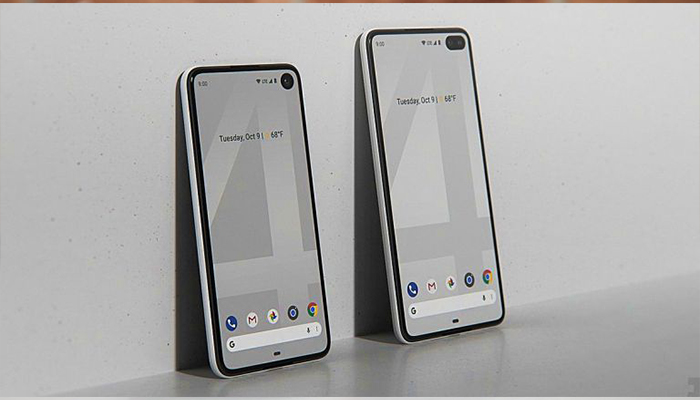
    With the Pixel 4 bringing so much newness to the table, why in the world should you keep your Pixel 3? It shouldn’t come as any surprise that the Pixel 4 is loaded with upgrades compared to the Pixel 3. For some, the changes Google’s made might be enough to encourage them to upgrade, here’s why:

    While the Pixel 3 isn’t nearly as flashy as its newer sibling, it’s still plenty capable these days and should get you through another year of use just fine. There’s no denying that Google created a killer smartphone with the Pixel 4.

    With a camera that captures detail that the competition can’t, a futuristic way to use your phone without even touching it, your own personal Google Assistant, and a fast and responsive display, Pixel 4 packs new technology into a must-have new design.

    Get the perfect photo

    Pixel 4 brings Google’s biggest camera upgrade yet. The Pixel 4 comes two cameras on the back of the phone and includes a new telephoto lens. When you combine this new hardware feature with Google’s Super Res Zoom software, it gives you exceptional image quality, even planets away.

    Night Sight already takes beautiful photos in full darkness, and now you can use Night Sight for shots of the night sky, the stars, and even the Milky Way (when you find a clear night). Pixel 3 and 3a will also get a version of this capability with the latest camera app update!

    Your new Google Assistant

    Thanks to a deeper integration into Pixel 4, the Google Assistant is now a faster way to get more things done, think of it like your own personal assistant. Google redesigned the Assistant so it doesn’t take up too much room on your screen, letting you better multitask across other apps. It can quickly open apps, search your phone, share what’s on your screen, and more.

    It also considers the context of your query to do a better job answering. For example, you can ask the Assistant to “show my photos from Miami” and then say, “the ones in South Beach.” Then, you can share a picture by saying “send it to Brad.”

    A phone that senses what you want it to do

    Pixel 4’s Motion Sense feature uses a miniature radar sensor to detect movement around your phone. It can sense when you’re reaching for the phone and will initiate face unlock, or turn off your screen when you’re not around. New Quick Gestures let you skip songs when you don’t want to pick up your phone. Just wave your hand to snooze alarms, dismiss timers, or silence your phone.

    Built for performance and security

    With 6GB RAM, a 90hz display, and Pixel Neural Core, Pixel 4 is fast and powerful. Pixel Neural Core is the engine for on-device processing, always-on computing, and machine learning, meaning more tasks are done on the device for performance and privacy.

    Pixel 4 also includes Google’s custom-built Titan M security chip to protect your most sensitive data and ensure the integrity of the operating system. Combined with the latest version of Android 10, monthly security updates for 3 years, and access to Google’s advanced security services, Pixel 4 is designed to keep your data secure.

    Pricing

    Beginning today, October 15, you can pre-order a Pixel 4 for $799 and Pixel 4 XL for $899, and phones will ship on October 24, globally. Pixel 4 comes in three colors, including white, black and a limited-edition orange!


  • Freshbooks vs. Quickbooks: Which is Best for Your Business?

    Freshbooks vs. Quickbooks: Which is Best for Your Business?

    As a business owner, it’s important to find tools that can save you time and make your job easier. Finding the right accounting software for your business can be a tough decision. Software that works for one company, might not work for the other. This way having a good accounting solution in place from the start is a seriously good idea, so that you can ensure you can keep on top of tracking money!

    Luckily, there are some very easy to use and well-developed software applications available, which can not only make it easy to manage your accounts, but also make everything clearer for your accountant at the end of the year, saving administration costs there.

    Some accounting packages are downloadable software, but these days it’s more common for applications to run in the cloud, which means you can access them through a web browser or app on almost any device, including on your phone while on the go.

    Here then are the best in accounting software currently available:

    Freshbooks

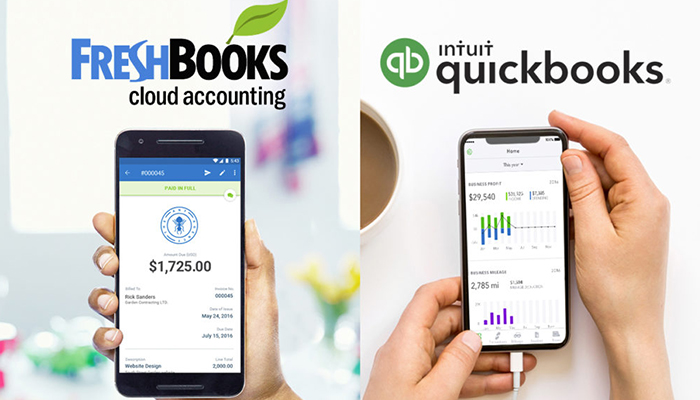
    The streamlined, seamless and easy-to-use Freshbooks software is one of the top picks for accounting software. Whether you’re running a large business or a small one, Freshbooks as an accounting suite is a strong choice. You can easily set up recurring invoices to pay out to various contractors, record your expenses easily and import to other software in a flash. The dashboard makes it easy to find what you’re looking for, while the easy-to-navigate menus and options make it impossible to get lost. Accounting can be quite difficult, but Freshbooks takes a lot of the difficulty out of the equation! Pricing for this software starts at $15 per month.

    QuickBooks

    Intuit QuickBooks may have been around since the days of DOS, but the latest version is right up to date. It is an easy-to-use cloud-based suite for just about all your business needs. Even the Essentials plan for $20 per month has plenty of features: invoicing, expense tracking, as well as time tracking, manage bills, and works for up to three users. There’s also the option to add either self-service payroll or full-service payroll for an additional fee.

    Conclusion

    Overall, QuickBooks wins the race for the best small business accounting solution. The program has more features, the features it offers are more robust, and its pricing options are affordable (even if they are slightly more expensive than FreshBooks plans).

    If your business is small, starting with QuickBooks now could help you avoid headaches down the road. When your business grows, you may eventually need access to some of the more advanced features available through QuickBooks. Learning QuickBooks on the front end can help your business avoid the growing pains of learning a new accounting system down the road.

    However, there are still several instances where FreshBooks might be the better choice. If you’re a freelancer, solopreneur, or you need to track hours worked by your employees or contractors, FreshBooks may do a better job of meeting your needs at a slightly more affordable price.

    It is not a “one size fits all” concept. Research your options, test what works for you, and you will find the right fit for your company. Evaluate what features you need and what features you do not need. Line up those needs with one of the programs above, and you will find the right one for you. However, most importantly, don’t forget to take advantage of all the free trials and demos out there!