Category: Gadgets

  • Want the New Galaxy S Pen for Free? Here’s How:

    Want the New Galaxy S Pen for Free? Here’s How:

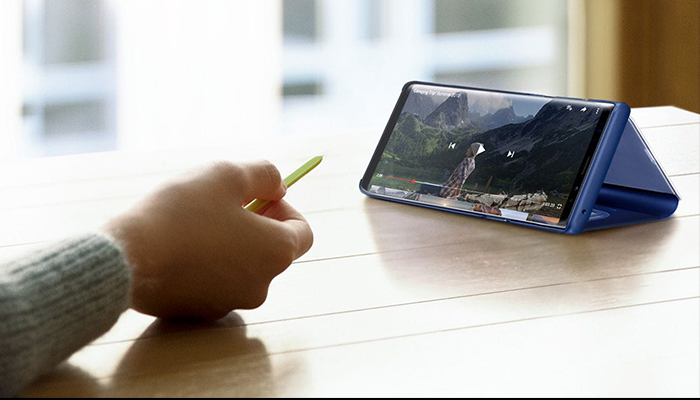
    The Samsung Galaxy line of devices still has that one feature, that one tool that no other phone pulls off quite as well – the S Pen stylus. Are you interested in the new S Pen but not quite ready to dish out $1,000+ on a new smartphone? Here’s a hack on how you can get it for free:

    If you’re like most Android or Apple users, you probably just upgraded your smartphone not too long ago. But, as usual, the new versions keep rolling out. Who can keep up? We’ve got great news, these retailers are slashing $100 – $150 off the Samsung Galaxy Tab S4, which includes the brand-new S Pen! We’ve got the scoop on the best deals.

    Samsung is a dominant player in the smartphone industry, so it should come as no surprise that the company also makes a great range of tablets. Named of the best iPad Pro alternatives, the Samsung Galaxy Tab S4 brings more than just a tablet experience into the table. You can now take advantage of the portability of a tablet with the productivity of a desktop computer, all in one device.

    If you’ve been eyeing that brand-new S Pen and could use a new tablet, this is your chance! Check out this list of retailers slashing major $$$ off prices:

    Amazon

    Amazon currently has a deal on the Samsung 9.7-inch Galaxy Tab S3 (S Pen included) that lets you have it for only $449 – that’s 18% lower than its usual $550 price tag. From entertainment and creativity to productivity, there’s so much you can do with the Samsung Galaxy Tab S3. Grab the black version today on Amazon at a discounted price of $449 while in stock.

    Walmart

    If you are looking for an all-around premium tablet, the Samsung Galaxy Tab S4 10.5-inch Tablet a legit contender – and it comes with that S Pen you’ve been eyeing. Available in 64GB and 256GB models, Walmart is giving away $150 discounts on both variants, selling it now for $498 and $598 from its original price of $648 and $748, respectively.

    Best Buy

    The cheapest Samsung Galaxy Tab S4 model typically sells for $650, but you can get one right now for just $500 from Best Buy. Apart from the $150 discount, customers who purchase the tablet will also receive a free S Pen and a $50 e-gift card, and a six-month Trend Micro Internet Security subscription.

  • Breaking News: You Can Now Rent Tesla Solar Panels for Super Cheap

    Breaking News: You Can Now Rent Tesla Solar Panels for Super Cheap

    Tesla CEO, Elon Musk, declared that 2019 would be “the year of the solar roof,” when launching a new program that lets homeowners rent Tesla solar panels for just $50 per month! An average solar installation will save homeowners tens of thousands of dollars over its lifetime. A green investment and passive income!

    Save money and our planet with renewable energy

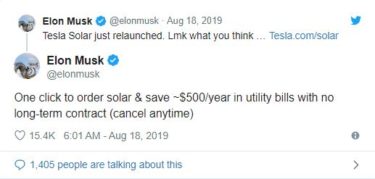
    Elon Musk took to twitter early Sunday morning to pitch Tesla’s new solar rental program. Tesla’s sales pitch for choosing the rental option is that it will be cheaper, quicker, and less of a burden for homeowners to get solar panels on their roof.

    According to Musk, the new program is “like having a money printer on your roof” for those who live in states with high energy costs. “Still better to buy, but the rental option makes the economics obvious.”

    Rentals now are available in six states: Arizona, California, Connecticut, Massachusetts, New Jersey and New Mexico. Tesla’s rental program will offer three solar panel packages, with no installation costs and no time commitment.

    Promising to make solar sexy, Tesla’s panels are virtually impossible to notice. The panels are nearly indistinguishable your neighbors normal roof tiles. To make these camouflaged solar panels, they created a special coating that becomes more or less transparent depending the angel you’re looking from.

    What’s this going to cost you?

    Under the new system, Telsa is offering customers the option to rent solar systems for anywhere from $50 a month for a small installation (except in California, where they start at $65 a month), to $195 for their largest installation. Customers only need to pay a fully refundable $100 charge. Tesla said customers can cancel the leases at any time.

    The rental rate varies by state and size of the system — small, medium, or large — but in all instances, the super cheap monthly fee covers anything from the hardware and installation to maintenance and support. According to the agreement, owners can purchase the system outright five years after it’s up and running, too.

    What’s the catch?

    For starters, Customers must own their home to have the panels installed. Tesla doesn’t require solar panel renters to sign a long-term contract and claims the process of signing up requires just “one click, instead of lengthy consultations and piles of paperwork.” While the contract can be canceled any time and renting Tesla’s solar panels might be cheap and easy, be aware that they will charge users $1,500 to remove the system once it has been installed.

    Just how powerful is the sun?

    According to the U.S. National Renewable Energy Laboratories (NREL), the amount of energy from the sunlight that falls to the earth in one hour could supply the world’s energy needs for an entire year! Powerful Indeed.

    What would it normally cost to purchase and install solar panels?

    Residential solar costs are at their lowest in over 30 years. For reference, Tesla sold the systems, which can cost upwards of $30,000, in Home Depot stores for several years, but now it relies entirely on direct sales like its electric vehicles. More affordable than ever, today’s residential solar panels feature technology advances that maximize power production.


  • 5 Best Features in the Samsung Galaxy Note 10 and Galaxy Note 10 Plus

    5 Best Features in the Samsung Galaxy Note 10 and Galaxy Note 10 Plus

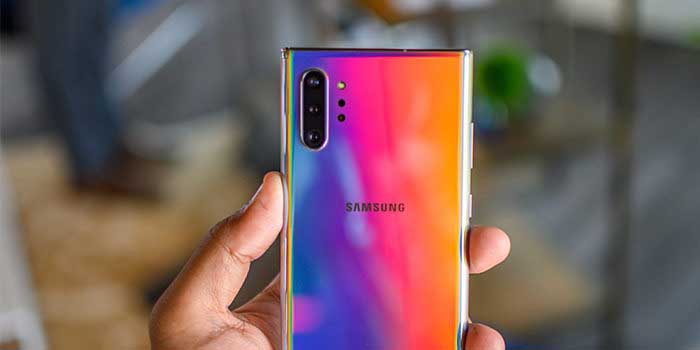
    To kick off the unveiling of the new Samsung Galaxy Note 10 and Galaxy Note 10 Plus, we’ve gathered a list jam-packed with the 5 coolest features included in the new smartphones. The Galaxy Note 10 is not just a new smartphone, it’s a gaming console, a film studio, a computer, comes with your own personal magic wand – and its all in one device!

    1. Smaller – and bigger
    The Samsung Galaxy Note has always been identified as a “big phone.” Users are pleased to see a smaller, hand-friendly version of the Note 10. It is about 0.2-inches smaller than the Note 9 and the Note 10+. 0.2-inches may not sound like much, however it makes a significant difference when it comes to fitting in your hand. On the contrary, this is the first time Samsung has rolled out two versions of the Note to include the Note+ for those who prefer a bigger smartphone.

    2. 3D Scanning
    While Samsung is not the first to roll out 3D scanning, they came up with a cool application for 3D scanning with Augmented Reality. Consumers can now 3D scan objects and drop them into their photos and videos. It doesn’t stop there; consumers can even animate them using motion capture. This will be huge for consumers that put out content on social media platforms such as Instagram and TikTok.

    3. Super-fast charging
    Long gone are the days where your smartphone battery dies a few hours after charging. With a quick 30-minute charging session, the Galaxy Note 10 will hold battery juice all day long. Samsung did this by including a 45W charger to amp up the wattage in comparison to competitors that have a 30W charger.

    4. S-pen
    Say goodbye to selfie sticks and self-timers because the Galaxy Note 10 comes with an S-pen that will allow consumers to take remote photos. It gets even better, with an accelerometer and gyroscope in the S-pen, consumers have their own personal magic wand with gesture-recognition technology.

    5. 5G
    The future is here – 5G is the latest version of cellular networks. This is a once in a decade upgrade to the way consumers can wirelessly deliver data, making the Galaxy Note 10 one of the fastest and most powerful smartphones in the market. Just how much faster? In this new era, the Galaxy Note 10 with 5G will average out to be roughly 20 times faster than the traditional 4G network you are currently using.


  • Alexa Will Keep Your Home Safe with Alexa Home Guard

    Alexa Will Keep Your Home Safe with Alexa Home Guard

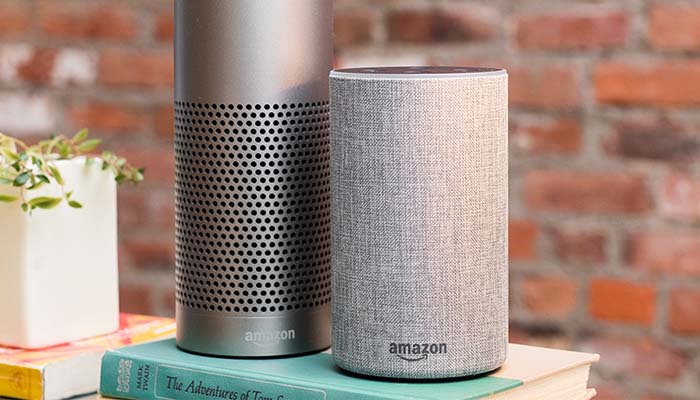
    Amazon’s Alexa is getting some new functionality for users in the US. The new functionality, Alexa Home Guard, will take steps to keep your home safer from burglars and home invasions. While Amazon has clarified that this new service will be no replacement for a home security service, it can be set up to send messages to your existing home security system.

    Alexa Home Guard

    How it Works

    The Alexa Home Guard command, “Alexa, I’m leaving” will set your Alexa into Home Guard mode. When you step out, Alexa will be on the listen for whatever criteria you’ve set up to listen for. This can include the sound of breaking glass, or the sound of a smoke alarm going off.

    When the system is tripped, you can set up a variety of responses the system goes through in reaction. Firstly, the system can send you a push alert to your phone to let you know what tripped the system, along with a recording of the incident.

    Additionally, you can set the Home Guard system up to bring up your smart lights in an attempt to scare off would-be intruders. While this isn’t exactly the same as having a home security system, it’s a close approximation that is free to use.

    Drawbacks

    While this service will be free and has lots of potential uses, there are a few drawbacks. For one thing, the system has to be listening the entire time you’re away. This could be a concern, given recent issues with Alexa listening in on conversations.

    Another drawback of the Alexa Home Guard system is that it is only listening for specific criteria, like breaking glass and a smoke alarm. More mundane sounds, like the door opening or a window being pushed open, wouldn’t fire off the alert system, making it a bit of a half-measure in terms of full home security. This explains why Amazon warns that this isn’t a replacement for a full-blown home security system.

  • Coolest Things Seen at Google I/O 2019

    Coolest Things Seen at Google I/O 2019

    Google I/O 2019 has come and gone, and we’ve learned a lot about Google’s upcoming slate of products. Today we’re taking a look at some of the coolest headlines from that massive event, from gaming infrastructure to new Android operating system updates!

    Google I/O 2019

    Android Q

    The newest version of Google’s own Android infrastructure, Android Q, is coming up later this year. Aside from questions regarding what desert name starts with Q, Google’s answering some interesting questions with their new OS. For instance, the OS will offer support for foldable smartphones, out-of-app functionality through “bubbles” and further system privacy settings.

    Google Stadia

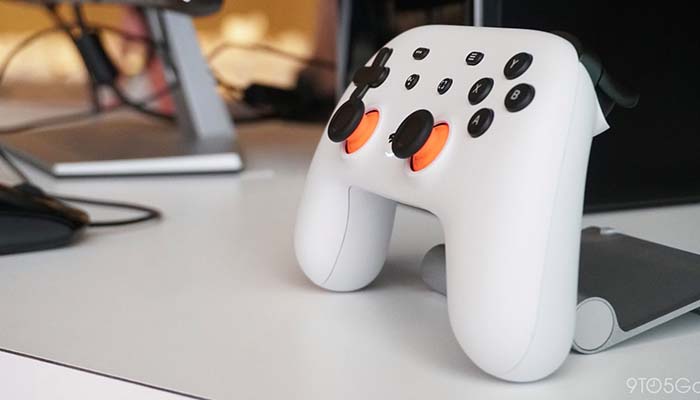
    Google’s upcoming cloud gaming infrastructure, Stadia, got name-checked at the event, as well. The system will allow high-end gaming on any screen that you can stream an internet signal to. While Google didn’t get into specifics, like release date or pricing, they spoke at length about the technical details of the system.

    Without getting too in-depth, Stadia will use a “streamer,” a program that helps to keep even a higher latency signal from appearing too stuttering or choppy. This is good news for people who were concerned about poor performance of the service on lower-end internet connections.

    Pixel 3a Line

    As everyone anticipated, Google launched the Pixel 3a line of affordable Pixel smartphones the day I/O started. The phones are some of the best budget Android phones on the market, making them a wonderful addition to Google’s lineup.

    The 3a sports the awesome cameras found on the Pixel 3, along with a huge screen and a great intro price of $400. If you’re looking for a low-price, entry-level Android phone, you can’t go wrong with the Pixel 3a.

    Google Duplex Updates

    Google Duplex will be receiving new functionality that will allow it to interface with websites as well as its existing phone applications. If you want to shop for something online, you can instruct Google Duplex to do so for you via your voice and it’ll simply get what you want without you having to take the hassle of the extra clicks.

  • What to Expect at Google’s 2019 I/O Conference

    What to Expect at Google’s 2019 I/O Conference

    Google’s annual developer summit, the I/O conference, is here Every Spring, Google summons a host of developers to Mountain View, where the company shows off the newest upcoming stuff coming in the next year. What can we expect to see the company show off this year?

    Google’s 2019 I/O Developer Conference

    Stadia News

    Google’s banking big on their Stadia game-streaming service. The game-changing game-delivery service still has a number of question marks circling around it. Will it be subscription based, or will you buy games as normal? How will Google make sure the games on their platform stay stable over weaker internet connections? Will the service allow for cross-platform play with PC and console gamers?

    We expect all these questions and more will be at least touched on, if not answered, during the conference. The biggest question still surrounding the service, of course, is when it will release. Given that we’ve heard it will be available before the end of the year, we’re guessing a Q4 2019 release.

    Google Pixel 3a

    The more budget-friendly Google Pixel, the Pixel 3a, is more than likely the best phone in is $400 price range. The camera is stellar and the build quality is solid for a phone of its price. Expect to see lots of hype and support for the Pixel 3a during Google’s developers conference.

    Android Q

    There are a few big questions looming over Android Q, none the least of which being what dessert food that starts with Q can Google use for the OS. The newest Android OS has been in beta-test mode since mid-March, so we can expect more thorough details on the system and what new features it brings during the conference.

    Namely, features like “bubbles,” an upcoming feature that will allow you to interact with other apps without leaving the app you’re currently in. Other new features are rumored to include share-sheets to allow for easier information sharing, as well as settings panels accessible from within apps. In general, expect lots of small quality of life tweaks.

    Most importantly, Google has promised Android Q will have an updated focus on privacy. The OS will limit what kind of things apps can do in the background, what information apps can transfer about the phone they’re on and more.

  • You Need a Smart Plug: Peace of Mind and Convenience at Once

    You Need a Smart Plug: Peace of Mind and Convenience at Once

    We’ve all been there: you’re driving to work and start to worry. Did you turn off your curling iron? You’re left sitting at work worrying that you should head home and check, but you don’t have time to step away from your desk. If only you could just check and turn it off from your phone!

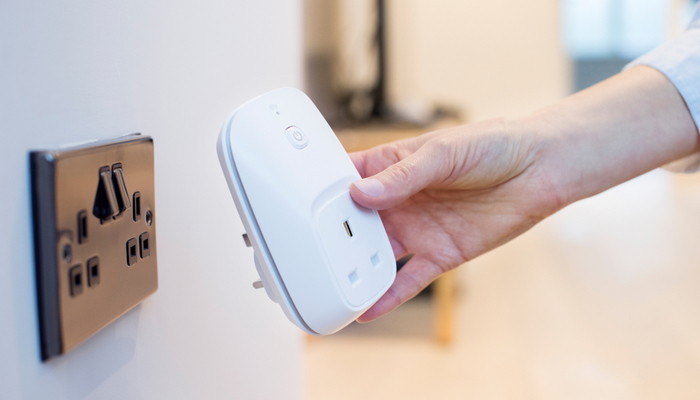
    Well, good news: now you can. By installing a smart plug in your bathroom, you can activate and power down your appliances from a distance.

    Why You Need a Smart Plug

    Electrical Safety

    The most straightforward reason to have a smart plug is so you can make sure your appliances are turned off even when you’re not home. This can be done through connecting your smart plug to your Wi-Fi and then using a phone app to control whether it sends power. No more worrying about your curling iron burning the house down!

    Convenience

    Smart plugs are also eminently convenient. You can plug any old appliance into a smart plug and make it a smart device. Floor lamp that’s awkward to get to? Smart plug it, now it’s a smart lamp. Fan in your room that you turn on when it’s hot and you’re trying to sleep? Power it on from your phone instead of having to cross the room.

    Smart Integration

    You can even integrate smart plugs into your existing smart home setup. If you use Google Home or Amazon’s Alexa, you can integrate most smart plugs into your voice control. Simple controls like “turn on the lamp in the living room” can be keyed to specific plugs.

    Nothing feels quite as high-tech as calling out to your personal AI assistant to turn the lights on and having it listen. It’s a stark reminder that we live in exciting times for technology and technical advancement!

  • Ready to Jam? Best Wireless Speakers for Music Streaming

    Ready to Jam? Best Wireless Speakers for Music Streaming

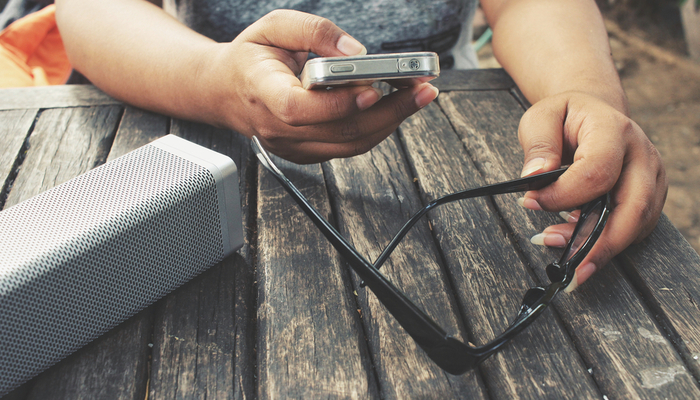
    Who doesn’t love to jam to their favorite tunes? In the era of streaming music, it’s never been easier to get your hands (and ears) on your favorite music. If you’ve been looking for a good wireless speaker for your music streaming, you’ve come to the right place. Let’s look at some of the best wireless speakers on the market!

    Best Wireless Speakers

    Denon HEOS 1

    Nothing beats a speaker that’s as rugged as it is high quality. That’s what the water-resistant Denon HEOS 1 brings to the table, all for the low price of $169. Control options through Alexa and Google Assistant are available, so you can stream your music straight to the smart speaker.

    Importantly, the sound quality is quite good. This speaker brings big sound when you want to really rock out, making it a good value. If flexibility is what you’re looking for, this is the speaker for you.

    Apple HomePod

    If you’ve got a bit of money to spend and don’t already have a proper smart home speaker, consider the Apple HomePod. Apple’s smart speaker uses their Siri voice assistant to synchronize all of your smart home devices. It’s also a really great speaker!

    The HomePod is also the best option for Apple fans who use Apple’s Music streaming service. If you’re already sold on the iPhone, Apple Watch and MacBook line of products, the HomePod is the right smart speaker for you.

    Sonos One

    The Sonos One comes in at $200, and it’s one of the best wireless speakers you can buy for the value. It features Google Assistant and Amazon Alexa support, making it as much a part of your smart home as any other smart device. The sound quality is full and rich, and it can fill a room with great-sounding music.

    You can pair two Sonos One speakers together, as well. This results in a high-quality and flexible audio system that can span multiple rooms. For the price, this is one of the best values you can get in a wireless speaker.

  • Which Media Streaming Device is Right for You?

    Which Media Streaming Device is Right for You?

    Today, most media we consume comes from the internet. Even if you get normal cable, you probably also want to watch Netflix or Hulu or some other service on your big screen. However, you’re wondering which streaming device you should use to stream this content to your living room. We’re going to help you figure out which one is right for you!

    Keep in mind that many smart TVs already come with some manner of streaming service built-in. For instance, many newer 4K TVs already include support for Roku, Apple TV or Android TV out of the box, so you may not need to buy a separate device. However, our guide can help you figure out which type of smart TV you’d prefer to buy!

    Best Media Streaming Devices

    Roku

    Roku is a big name in the world of streaming devices. The Roku Express is a wonderful budget option, often found for as little as $30. If you’re willing to spend a little more, however, you can get Roku Premiere for $40, which offers support for 4K streaming, voice controls for searching and control options through a smartphone app. In either case, Roku offers support for all major entertainment apps, such as Netflix, Hulu, HBO Now and Sling TV.

    Roku is a great introductory streaming device for people who have yet to step into the digital content world. We recommend their affordable devices very highly for newcomers.

    Amazon Fire TV

    Amazon Fire TV is a great pick for people who love the voice controls of Alexa. Likewise, if you like Amazon’s content services, like Instant Video and Prime Video, you’ll love how integral these services are to the Fire TV menu. The Fire TV Stick is $50, while the Fire TV Cube, which allows for hands-free voice control, is $120. Much like all good streaming devices, many entertainment app options are available.

    In our opinion, Amazon Fire TV is the best option for those who love voice controls and Amazon’s original content.

    Android TV

    While Amazon Fire TV technically uses Android, it’s a very heavily altered version from what you find on Google’s own Android TV platform. There are several devices that run Android TV, but the most notable among them is the Nvidia Shield. Android TV is perfect for users who are already fans of Google’s Android system. Android is fast, user-friendly and supports all of the major apps.

    We recommend Android TV for those users who like their Android phones or who love a very personalized streaming experience.

  • How Fitness Bands Can Help You Stay Active

    How Fitness Bands Can Help You Stay Active

    You’ve likely seen coworkers, friends and family sporting those trendy fitness bands, smartwatches or activity trackers. They seem interesting, but you don’t know if they’re right for you. Should you invest in one? Today we’re looking at the ways these bands can help you get active and stay active.

    Fitness Trackers and Activity

    Getting Started

    A lot of people find it hard to get started with physical fitness. Where do you even begin? Fitness trackers give you a great on-ramp to health and fitness. What better time to start than right now? Buying a fitness tracker can be your signal to yourself to start working at being more active.

    Setting Reasonable Goals

    Your fitness tracker can help you set reasonable fitness goals for yourself. You’re not about to get absolutely shredded in a week or two. You won’t be burning a thousand calories a day just to hit crazy goals. The fitness tracker, however, keeps you on track with reasonable goals to get you into an active lifestyle.

    Staying Accountable

    Fitness trackers show you the black-and-white numbers when it comes to your activity. There’s no fudging it to spare your feelings or undercutting it to make you feel bad. When you get out and work out, the fitness band records that.

    Essentially, a fitness tracker can act like a workout buddy who keeps you accountable. When you see your weekly reports about your fitness, they keep you accountable to your own goals.

    Making it Fun

    One of the best things that fitness bands do is make a healthy lifestyle into something fun. Who doesn’t love hitting goals and getting fun badges and rewards? Humans love working towards things and getting rewarded. It’s the base of many of our games and even economic systems.

    Applying this to fitness is a surefire way to make yourself excited about getting into shape. Nothing quite captures the fun of working out like an activity tracker that you use to hit your goals. Take control of your fitness with an activity tracker today!