Category: Gadgets

  • Tiny CPAP Machines that You Can Travel With

    Tiny CPAP Machines that You Can Travel With

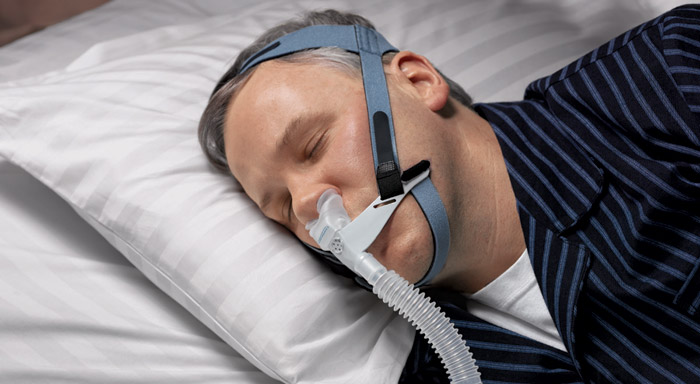
    Sleep apnea is a common sleep disorder in which an individual’s breathing repeatedly stops and starts during sleep. Symptoms include daytime sleepiness, loud snoring, and restless sleep.The involuntary pause in breathing can result either from a blocked airway or a signaling problem in the brain.

    There is a lot of overlap between problems with sleep and problems with mood. Depression, in particular, has a strong association with sleep apnea. Obstructive sleep apnea may have some surprising signs and symptoms of the condition. Sleep apnea can have profound effects on your ability to think clearly during the day. This is sometimes called “brain fog.” The repeated episodes of disrupted breathing that occur at night fragment sleep. Even diabetes and impotence can be caused or exacerbated by sleep apnea.

    After being diagnosed with sleep apnea, there’s a chance that your doctor may give you a CPAP machine as a form of treatment. It’s a little more unusual than, say, popping a pill, so understanding how it works may answer any questions that you might have and/or ease any concerns. CPAP stands for “continuous positive airway pressure”.

    The machines help people with sleep apnea breathe more easily and regularly every night while they are sleeping. A CPAP machine increases the air pressure in your throat to prevent your airway from collapsing when you inhale. However, being hooked up to a large breathing machine can cause problems for those that like to travel. Lets talk about some of the best tiny CPAP machines you can travel with.

    AirMini

    ResMed has recently released their own travel tiny CPAP called the AirMini, and it certainly lives up to its name. The AirMini is perfect for the frequent traveler. It’s very light and compact, and provides the same therapy options as a regular CPAP. It weighs 0.66lbs (300 grams), 30 decibels,  and only 5.4 x 3.3 x 2.0 inches. Highly portable. It has all 3 therapy modes built in – CPAP, AUTO, AUTO For Her (4-20CMH20 range of pressures). Air Mini has all the comfort features you are used to in a CPAP – EPR, RAMP, Response. Works specifically with a P10, N20 and F20 because of the new ActiveAir vent and built in HME. AirMini has built in Bluetooth and works with the AirMini APP (available on the APP store and Google Play).

    One secret to the AirMini’s compact design is its minimalist user interface on the machine, which is effectively only two buttons. One of these inputs is the Power button, while the other is the Bluetooth button, which connects the AirMini to your mobile device via the AirMini app. This innovative app turns a Bluetooth-equipped phone or tablet into the CPAP machine’s control panel, allowing users to select settings and customize their therapy experience. The AirMini app also allows patients to track their therapy, including both short and long-term results.

    The AirMini Travel tiny CPAP comes ready for the road with several travel-friendly accessories available. The standard issue travel pouch and exterior AC power supply are supplemented by the OPTIONAL accessory AirMini Travel Bag, AirMini Hard Case and an AirMini Mount System. ResMed is also continuing to develop accessories for the AirMini, including a DC converter and external battery pack.

    Philips DreamStation Go

    The DreamStation Go tiny CPAP from Philips Respironics gives travelers a real-world solution to portable CPAP therapy. Weighing in at a mere 1.86 pounds, the DreamStation Go Travel CPAP delivers the therapeutic benefits of a full-sized CPAP machine but in a compact, easy-to-transport package. And the discreet DreamStation Go can power cordless CPAP therapy thanks to its rechargeable lithium-ion battery.

    So whether you’re the jet-setting business type who’s constantly on the road, or an outdoor enthusiast looking for a reliable sleep therapy option while roaming off the grid, the DreamStation Go tiny CPAP is the ideal choice for sleep apnea patients on the go.

    The DreamStation Go also retains many of the advanced features found on its larger, full-sized siblings, including adjustable ramp mode and exhalation pressure relief. Ramp mode lowers pressure at the start of therapy before gradually increasing to the prescribed pressure setting. This gentler beginning pressure helps patients ease their way into sleep, with the ramp time adjustable in five-minute increments between 0 and 45 minutes.

    Tech-savvy features include standard Bluetooth, with the DreamStation Go, is fully compatible with Philips Respironics’ DreamMapper app. Billed as a “patient self-management tool,” the DreamMapper app makes it easy to track therapy, allowing users to sync data from multiple devices on a unified dashboard visible on your phone or tablet.

    So no need to worry about tracking compliance while out on the road, because the DreamMapper can combine therapy data from both the DreamStation Go and your full-sized DreamStation or System One CPAP machine at home.

    Z1 Auto

    The Z1 Auto, HDM’s latest travel CPAP design. Measuring just 6.5 inches long and weighing less than a pound, it’s the least obtrusive and most travel friendly device on the market. Boasting comfort features like Z-Breathe exhalation, automatic altitude adjustment, leak compensation, and an overhauled ramp design, the Z1 offers you effective therapy in an ergonomic package.

    The Z1 Auto Travel CPAP Machine also comes with an optional integrated battery and a built-in Bluetooth data management system that allows you to monitor your therapy statistics and information on your iPhone or iPad. The Z1 Auto Travel tiny CPAP Machine is one of the few automatic travel devices available to sleep apnea therapy patients, and is the ideal travel companion for anybody who prefers an automatic CPAP device.

    At just 26 dBA, the Z1 Auto is one of the quietest travel Ttny CPAP machines available. Travel machines are often noisier than traditional devices — they’re smaller and block noise less effectively — but the Z1 Auto’s unique structure helps to block noise. The machine is quieter than a typical ceiling fan and won’t be loud enough to disturb you or your bed partner.

    HDM’s Z1 Auto is built for the traveler. It weighs just ten ounces, and at 6.48 inches long x 3 inches wide x 2.02 inches high, it’s small enough to fit in almost any backpack or suitcase. Comparable in size to an iPod, the Z1 won’t take up much room on your nightstand or in a tent.

  • Be Like Kramer, Get Your Own Deli Meat Slicer

    Be Like Kramer, Get Your Own Deli Meat Slicer

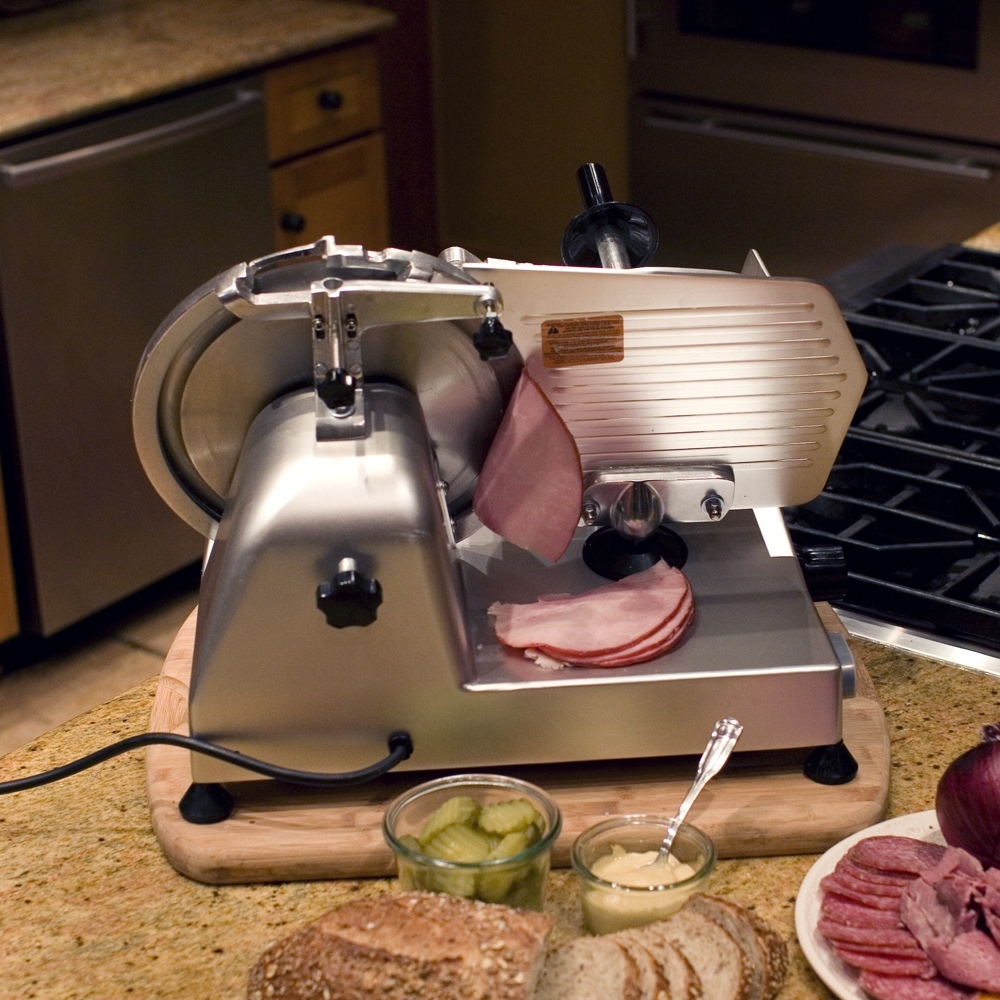
    All day I dream of fresh deli meats. The sweet tavern hams, the pastrami, prosciutto, and even fresh bologna. Just the idea of freshly sliced meats can make my mouth water. Then you remember the hours of waiting in line at the deli, or buying pre-packaged containers of meat loaded with salt and preservatives. There is an another option for fresh sliced cheeses, fruits, vegetables, and meats, however.

    Be like Kramer and get your own deli meat slicer! Whether you’re a professional chef, caterer, or home cook, a meat slicer is an essential kitchen tool for the thinnest cuts of meat. A deli meat slicer allows you to slice meat and other food items quickly, efficiently, and with the greatest of precision. But with so many options on the market, shopping for a deli meat slicer can be overwhelming.

    In this best of all times to be alive, owning your own deli meat slicer is an achievable reality.  They’re very reasonably priced – your local home improvement stores has them available for less than a few hundred dollars. Different models of deli meat slicers can handle various types of loads, from slicing through lean turkey breast to dense blocks of cheese. This makes getting the right deli meat slicer very important.

    What to Consider When Purchasing a Deli Meat Slicer

    Many factors come into play when making your purchase. Things like horsepower, blade size, or whether the meat slicer is driven by belts or gears. Then you will need to decide whether you want a manual or automatic slicer. Automatic slicers are safer and provide for better multi-tasking. However most users will prefer manual slicing. Before you purchase your deli meat slicer, try to take it for a short test drive. From small skin mole removal to plates of freshly sliced gourmet cheese, a deli meat slicer adds a tremendous value to your kitchen.

    Entry Level Slicers are best suited for operations where the slicer would be used for an hour or two at most per day. While designed for simple, safe operation, they are not recommended for slicing cheese, and do not offer as many safety or convenience features as higher-end models. They are not meant for cutting raw or frozen meat or cheese.

    Mid-Tier Slicers generally have larger blades, a bit more horsepower, and can withstand more constant use than an entry-level model. Some models can handle occasional slicing of cheese, but are primarily intended for a few hours of vegetable or deli meat slicing per day. They usually offer a few more safety and convenience features than an entry-level model too.

    Premium Slicers represent the top-of-the-line offerings from each manufacturer. Most are designed for heavy duty, constant use, and can slice cheese as well. These models offer design features that enhance the smoothness of operation, slice precision and safe operation. These deli meat slicers are the top of the line slicers designed for use at big restaurants. They are the type of slicers found in butcher shops and other meat markets because they can handle just about anything.

    Blade Size and Horsepower

    Mid tier and premium slicers usually have larger cutting blades (12″-14″) for all-around use, whereas entry level models often use smaller cutting blades (9″ and 10″) for lighter use. Industry-wide, a 12″ cutting blade is the most common size. When it comes to picking the size of your blade, you have to consider the volume of the food that you will be slicing with the blades. For smaller restaurants, your blade size should be 8 or 9. If you will be slicing larger volumes of food, your blade size can be anywhere between 9 and 14.

    Anyone that has used a meat slicer knows how important the blades are. If you intend to buy a slicer, you should make sure that the slicer comes with stainless steel blades because stainless steel blades do not rust and can cut through almost anything. You should also make sure the slicer has a built-in sharpener for the blades to keep them razor sharp.

    As for horsepower the more you use it the more horsepower you will want. Calm down Tim the Tool Man, be realistic in your HP needs. Generally, higher horsepower slicers are designed for more frequent use.

    Manual vs. Automatic?

    An automatic slicer, where an electric motor moves the product tray back and forth, is convenient when slicing large amounts of product because it can slice continuously without constant staff assistance. Automatic slicers can also be operated manually, so the main deciding factor is how much slicing you do. Large delis or supermarkets would see the most benefit from an automatic slicer. Automatic meat slicers are very fast, since the slicers are automatic, you don’t have to slice the meat by yourself.

    All you have to do is feed the meat into the machine and let it do the rest. Automatic slicers are turbo charged and can cut up to 60 slices per minute. As expected, these are the most expensive types of meat slicers available, and are only worth the price tag if your business involves a lot of meat slicing.

    What about belt driven or gear driven? Nearly all of the great slicers are belt driven. In theory, a slicer with a gear driven blade will be more durable, but in actual practice, if your gear-driven slicer does require a repair, it will cost a lot more than simply replacing a drive belt.

  • Snow Removal: Put Down the Shovel

    Snow Removal: Put Down the Shovel

    A snow blower is an indispensable piece of equipment when you’re stuck at the end of a long driveway during a tough winter. You can save time and your back with a snow blower that works with your terrain and average snowfall.

    A good snow blower will clear your driveway in about a quarter of the time it would take you to shovel it. The very best models can slice through 18 inches of snow and hurl it 40 feet or more, clearing a path as fast as you can push the machine along.

    There are so many different types of snow blowers on the market that it can be hard to know where to begin. How do you find the snow blower that has the right combination of design and power to keep your driveway clear during the winter? Let’s look at some of our favorite snow blowers.

    Troy-Bilt Gas Snow Thrower

    You may not use your snow thrower every day, but when you need it, you need it to work well and last for a long time. The all-new Troy-Bilt Gas Snow Thrower is a reliable machine that checks all of our boxes and then some, which is why it’s our best overall pick.

    The Squall features a 208cc 4-cycle overhead valve gas engine with a convenient push button electric start, which means you won’t have to waste time standing in the snow ripping a cord with your gloves on. Just click the button and get started. You can clear an impressive 21-inch-wide path with the Squall and cut through 13 inches of snow at a time.

    Toro Snowmaster 724 QXE

    The Toro Snowmaster 724 QXE is one of the most reliable snow blowers on the market. While its price point is great given its quality, it does have a few drawbacks compared to some of the other blowers on the list.

    Most notably, while it handles smooth surfaces like a pro, it struggles when it comes to gravel and other rough areas. While it is possible to move snow from rough areas with the Snowmaster 724, it is recommended to look at other options if you are going to be in that terrain frequently. The Toro Snowmaster shines on flat surfaces like parking lots, driveways and sidewalks. It is fast, throws snow far, and can handle 2-14 inches of snow.

    The Husqvarna ST 224

    Clearing a hill or a steep driveway in deep snow can be an inconvenient and dangerous prospect. To make your job a little easier, invest in a strong, self-propelled snow blower like the Husqvarna ST 224 Gas Snow Blower.

    The Husqvarna ST 224 is a 208cc two-stage gas engine-powered, electric start snow thrower with heated handles and LED headlights. The engine operates the auger as well as the wheels, doing the work for you on the way up or down hill. It features six different forward speeds for precise control as well as reverse, to prevent downhill skids. Additionally, the non-marking skids will protect your driveway. It is a quiet and efficient machine with a 24-inch-by-23-inch clearance.

    Craftsman 88173 24″ Snow Blower

    The Craftsman 88173 Snow Blower is a good all-around machine, perfect for clearing driveways and patios and for use on gravel, and we like it a lot. It is compact and simple to use, well-designed and efficient but does lack a couple of features that other models offer.

    The major factor in its favor is perhaps the price: you can find this model for under $700, which puts it a good way cheaper than some of its 24-inch rivals.

    Briggs and Stratton 1022ER

    The Briggs and Stratton 1022ER Single Stage Snow Thrower is a compact and efficient snow blower. This 208cc single stage gas-power snow blower works for most snow levels and is ideal for driveways. Not only can it easily clear an empty driveway, but the small size lets you fit into the tight spaces around cars. This snow blower has a push button electric starter and crank-based chute control system.

    This model also has a rubber-edged auger to keep the water and snow off and the whole machine moving. The quick-adjust deflector that lets you change your clearance from the handle bars, making it easy to control and use.

    The Final Thought

    Any snow blower is going to be a huge advantage in the winter. Tackling your driveway every morning is a nightmare this Florida boy can’t comprehend. Don’t get me wrong, shoveling is great exercise!  When the snow starts, you always intend to shovel your way out of each snowfall to stay fit.

    But after the first few snowstorms, intermittent back pain pays a visit, and it is time to give in to the calls of the snow blower. Investing in the right snow blower will save time, energy, and help you obtain peace of mind.

  • Small Business Outlook: Top POS Systems of 2019

    Small Business Outlook: Top POS Systems of 2019

    As a small business owner, you’re probably spending a lot of your time, effort, and attention on the process that leads up to the point when a customer makes a purchase. But what about that very moment? The exact point of sale?

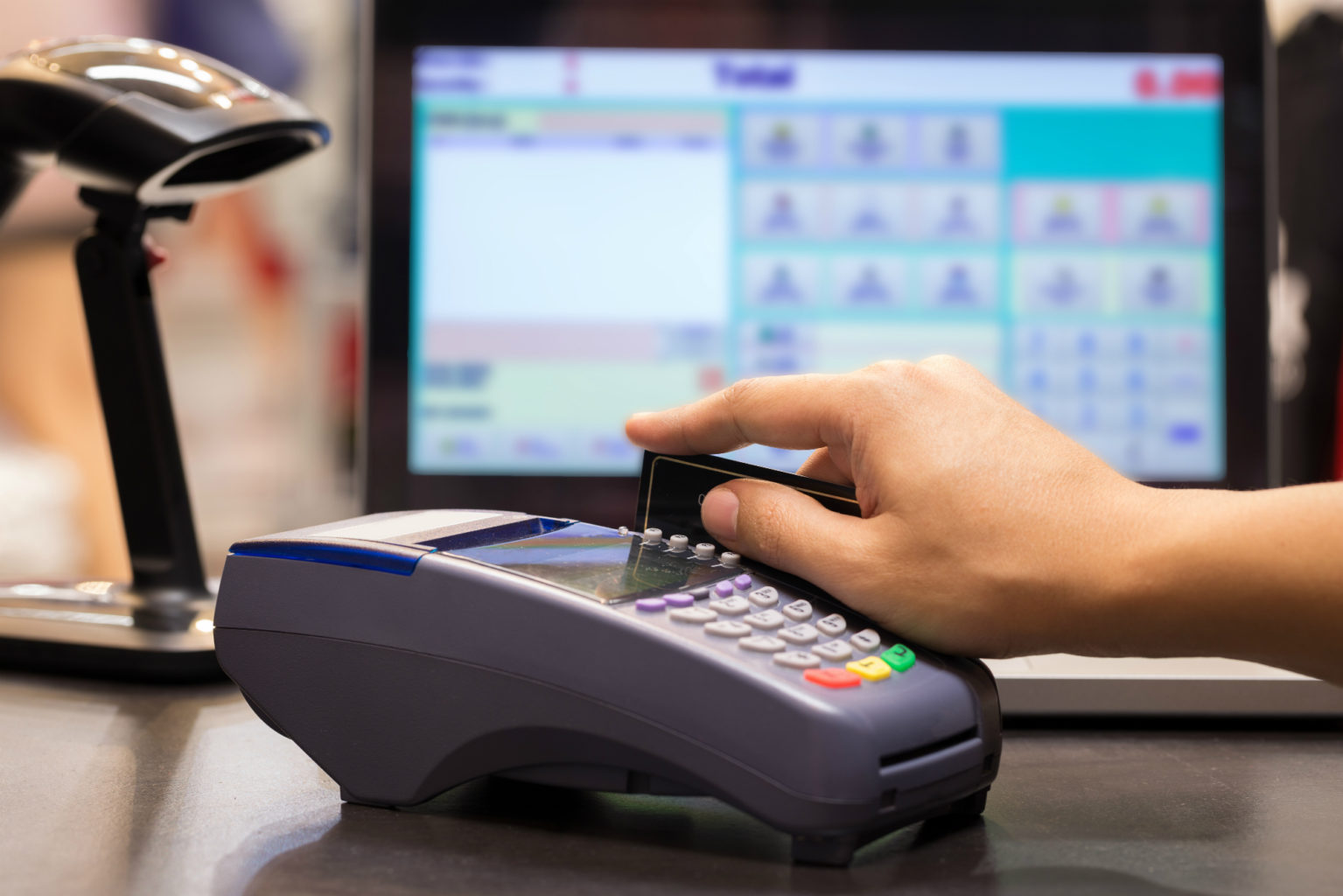
    A POS is a point of sale system that handles all of the transactions you make throughout your business day. It is where your employee will physically run the payment from a customer for goods or services rendered by your company. The POS is both the hardware and the software that keeps the heart of your company pumping. But too many small businesses neglect this all-important aspect of their business health and wellness, and that leads to one thing: cardiac arrest.

    The heart of any business is its sales structure. After all, the best product, service, marketing team, and PR staff won’t do you an ounce of good if you aren’t making sales. Which is why finding the right POS system for your business is so important. Make sure you know everything there is to know about the best POS systems, their benefits for SMBs, and how to choose the right one for you.

    There are many different hardware components that you can choose for your POS. Some of them include:

    • Cash register
    • Barcode scanner
    • Receipt printer
    • Credit card reader
    • Register screen

    With literally hundreds of retail, small business, bar, and restaurant point-of-sale (POS) systems on the market, buying a new POS solution can become overwhelming rather quickly. Let’s look at the top 5 POS systems of 2019 for your small business.

    The Square POS System

    The first top POS system for small business is the Square POS system, in all of its different shapes and sizes. Square point of sale is a cloud-based POS solution for iOS, Android devices and square’s own point of sale hardware. This software allows you to manage customers, transactions, inventory, invoicing, and payments. It also has additional tools for managing customer loyalty, employees, marketing, and payroll.

    Square POS also offers chip, magstripe, and contactless card readers for accepting payment via debit, credit cards, Google pay, and Apple pay. Square offers a wide variety of iterations of their POS system, all of which will be remarkably intuitive and fairly priced.

    The Square Register is the most souped-up version of the point of sale software that Square offers. For a cool $999, the Register will allow your business to accept all types of payments, no additional iPad necessary. Plus, the Register comes with two interfaces—one for you and your employees, and the other for your customers—in order to make the checkout experience as smooth as possible.

    Shopify

    Whether the order is placed through in-store, online or from a mobile device, all the orders are automatically synced through Shopify. It is also easy to monitor cash register adjustment and staff changes.

    Shopify reports will let you easily track customers, payments, and sales made both online and in-store. Shopify comes with robust hardware compatibility and freedom to use with any computer, iPad or Mac. You can custom design each register to suit its counter space and layout.

    Netsuite

    Netsuite is the top POS system with mobile-ready technology enables you to deliver a superior in-store experience, satisfies omnichannel users and builds customer loyalty. It is an end-to-end unified system that provides real-time insights into customers, sales, inventory, financials, and more.

    This helps to grow sales as it empowers sales associates with tools and information to build stronger customer relationships. The cross-channel functionality options are also available which can get used according to your requirement.

    Bindo

    Bindo is cloud-based and was designed specifically to work with iPad, so it’s mobile, but it also comes with an iPad stand if you want to keep the system in one place. You get a barcode scanner, a cash drawer, credit card reader, as well as a receipt printer and it integrates with QuickBooks. A product database manages inventory for you. Bindo can also handle e-commerce and mobile payments.

    One of Bindo’s neatest features is the way it handles employee time-keeping, photographing your workers as they punch in and out. You get free, unlimited, 24-hour customer support, although only via e-mail and in-app chats, and a built-in loyalty program.

    Clover

    Clover is ideal for just about any type of business, but it’s especially suited to larger businesses with more complex needs. You can start with a basic package, then build onto it through Clover’s own API to achieve the exact system your business requires. Ultimately, it will do everything from the basics to scheduling employee hours and maintaining and overseeing your customer loyalty program.

    The Clover System offers multiple POS systems. Clover Mini, introduced in 2015, might be compact, but it manages every sort of payment, as does Clover Mobile for more on-the-go business types. Clover Station is a cash drawer system and offers multiple integrations. One drawback is that you’re limited to using only the merchant processing company that you purchase the product from.

  • This New Piece of Technology is Bringing Families Together

    This New Piece of Technology is Bringing Families Together

    Video calls tend to feel like a bit of a chore from time to time. While they can be great for connecting with loved ones who you can’t be physically present with, they’re also somewhat stilted and can feel artificial. The Facebook Portal’s aim is bringing families together with revolutionary new smart AI technology.

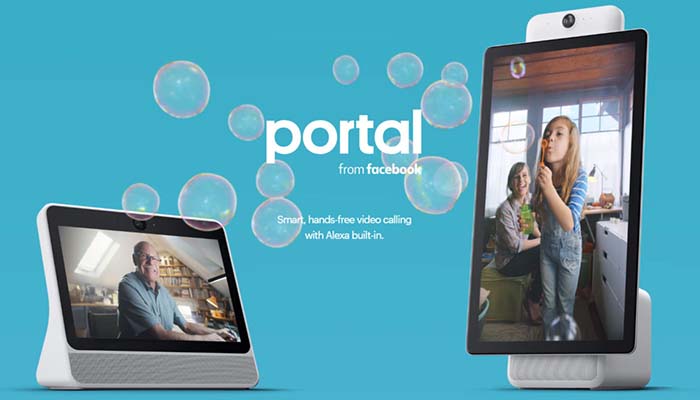
    The Portal device allows users to make video calls to their loved ones and makes them feel like they’re really there. Portal uses learning AI to follow the action with the camera and make sure the person speaking is audible and crisp. The huge 10-inch screen and clear display only add to this amazing experience.

    Bringing Families Together: Facebook Portal

    Portal and Portal +

    The newest devices from Facebook, Portal and Portal + allow you to connect with distant loved ones. These aren’t the first smart devices with video calling, but they are the first to be fully dedicated to that goal. With Portal, you’ll really feel like you’re in the room with your loved ones.

    Portal devices are surprisingly affordable considering how advanced the technology running them is. A Portal device retails for $200, and a Portal + retails for $350. However, if you buy two Portal devices at once you receive a $100 discount! That means buying two Portal devices only costs $300, and allows you to share the experience with a loved one right out of the box.

    Device Specifications

    The Portal device itself has a massive 10-inch screen with a crisp 1280 x 800 display. Those who want a larger, even sharper display can instead opt for the Portal +, which sports a 15-inch screen with a 1920 x 1080 resolution. The Portal + is perfect for big families who want to make calls to Grandma and still fit everyone in the frame at once!

    Additionally, the Portal experience is totally hands-free. Simply call out “Hey, Portal,” and tell it who you want to speak to and it will initiate the call. That hands-free accessibility makes it so your voice is all you need to interact with the device!

    If that sounds familiar, it’s because Portal works with Amazon’s Alexa right out of the box. That’s right, the Portal is an Alexa-enabled smart device, like the Echo Show and Echo Spot. Like those devices, the Portal has robust voice-recognition software and is fast and accurate in hearing your commands.

    Security and Privacy

    With the Facebook name comes understandable hesitation regarding security and privacy. However, Facebook has promised that the Portal device is very secure and users need not fear their personal information being misused. Specifically, the Portal device encrypts all calls sent out and doesn’t send any information regarding the call back to Facebook.

    Similarly, the device doesn’t listen to any conversations unless it is awoken with the “Hey, Portal” command keyword. Facebook has also promised that the camera and mic can be turned off with a single tap, allowing families to remain certain they aren’t being watched.

    Finally, the Portal even ships with a camera cover, allowing the most privacy-conscious to also simply block their camera’s view the old-fashioned way if they so desire. These steps do a lot to alleviate many concerns regarding Facebook’s recent history with data and privacy.

    Notable Features

    Features such as Story Time help set Portal apart from other video chat services. Story Time gives one person, the Story Teller, a teleprompter to read a short story from. As they read, the Portal uses its advanced technology to change their face and voice on the listener’s end, morphing them into the character they’re reading.

    This fun feature is perfect for when a relative wants to read a bedtime story to children who they live far away from. Another example of fun shared activities includes listening to music together, where the Portal device syncs with Spotify or Amazon Music to deliver a song to both parties simultaneously. This allows for listening parties over the Portal technology!

    Bottom Line

    In short, Portal’s goal is to help people who are far away from one another to simply hang out. The smart AI that follows your movements and cancels background noise. This ensures that you’re always the center of attention in a call. That way, the awkward nature of some other video chat services is eliminated.

    If you’re looking for a great Christmas present for someone who lives far from you, or is about to move away, consider getting them a Portal so you can keep in touch. After all, who doesn’t like hanging out with friends and family?

  • Best Amazon Alexa Features: Is it Time for You to Get an Echo Device?

    Best Amazon Alexa Features: Is it Time for You to Get an Echo Device?

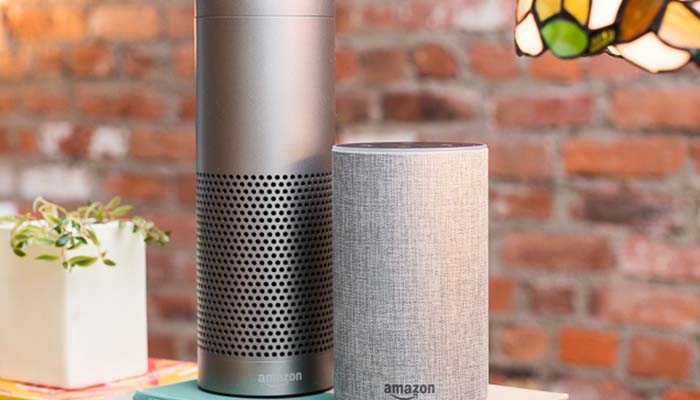
    Amazon’s Alexa personal assistant can be found in a number of the company’s hardware releases. The Echo line of smart home hubs as well as the Fire TV line have been using Alexa for a few years now. Today we’re looking at some of the best Amazon Alexa features to help you decide whether one of these devices is right for you.

    Alternatively, if you’re already an Alexa user, maybe you’ll learn about some new features you didn’t know about. There are so many Alexa features that it’s unlikely you’ve seen them all! It’s hard to overestimate just how many skills Alexa has. You might even learn about some new ways to use the technology in this article.

    Best Amazon Alexa Features

    Simple and Easy

    Alexa’s best features are often her simplest. If you’re getting ready for work and want to know how to dress for the day, simply ask Alexa about the weather. Rather than having to pull out your phone and check the weather app, Alexa can just read it off to you as you get ready. What’s more, she’ll tell you the expected high and low and if any precipitation is expected, in addition to the current temperature.

    Another excellent feature Alexa has built-in is simply telling time. It sounds like such a small thing but asking for the time and having it quickly announced back to you is about as convenient as it gets. If your phone is far away, or dead, it can be useful to quickly find out what time it is just by asking.

    The most useful “simple” task we’ve found that Alexa handles is setting timers while we’re cooking. Since the device is hands-free, you can call out to start a timer while you’re in the middle of cooking a meal or some other task. She’ll alert you when the timer is up, and you need only tell her to stop to make the alert go away. Easy and simple, simple and easy!

    Books

    You can have Alexa read your Kindle books to you. It’s a really cool way to keep up with the books you’re trying to read even while you’re doing things like cleaning or cooking. You can have her pause, skip ahead or back, and even skip to different chapters. It’s essentially a text-to-speech audiobook. There’s not a lot of personality to her voice, but she’ll keep you up-to-speed on your favorites.

    Additionally, you can have Alexa playback your Audible audiobooks. Audible sports a ton of books read aloud by professional voice actors, and they have much more in-depth emotional heft than a machine simply converting text-to-speech. That said, Audible audiobooks tend to cost a bit more than simply buying the book on Kindle.

    Organizing

    If you want, you can use Alexa to organize your activities. Telling her to add items to a shopping list lets you see them the next time you open Amazon. Alternatively, you can just flat-out shop through Alexa. You can use your voice to reorder common items or even browse Amazon’s online inventory.

    If you sync your Alexa with your Google Calendar, you can also ask Alexa to tell you what upcoming events you have. Asking her makes it easier on you, since you can be getting ready in the morning or cleaning and be reminded of what you have coming up later that day or week.

    Similarly, Alexa can set alarms for you so that you don’t miss important deadlines. If you need to leave at a certain time so that you don’t miss the window to be on time, have Alexa tell you when it’s time!

    Hosting

    The most advertised aspect of Amazon’s Alexa is her ability to act as an impromptu DJ. You can call out for Alexa to start playing music by naming an artist, genre or song you want to hear. The digital assistant grabs the song off of Prime Music and begins playback quickly. It’s very intuitive to tell the device to pause, skip or start over.

    Alexa can also play music through Spotify if you have an account and link it with your device.

    If you have house guests over and want to set the mood for a gathering, Alexa is your friend. If you’ve invested in smart lights like Philips Hue, you can have Alexa adjust the lights for you. Colors, intensity and more can be switched with your voice and on the fly. Be ready to wow your guests when you switch the mood of a room with music and lights just by telling Alexa which pre-sets to use.

  • Best Laser Hair Removal Options that Actually Work

    Best Laser Hair Removal Options that Actually Work

    No one likes having to shave manually. Between ingrown hairs and irritation, traditional razors just aren’t all that great for getting the job done. That said, laser hair removal hasn’t been a great alternative either until recently. Previously, laser hair removal gadgets were just too expensive and didn’t even really work all that well.

    However, modern gadgets are much better about actually, you know, removing hair. Not to mention they’ve become more affordable in the intervening years. That’s not to say you should feel compelled to remove body hair; it’s totally natural after all…  but if you do want to remove it, try these laser hair removal options.

    Laser Hair Removal Options

    Silk’n Infinity 400,000

    This device doesn’t actually use lasers, it uses Intense Pulse Light, or IPL, to eliminate hair. Interestingly, this IPL does a number of things when used on hair follicle. For one thing, the pulse itself burns the hair away easily. The second effect is the one that people love about laser treatments.

    It destroys hair follicle. No, seriously. After repeated IPL treatments, you’ll find that the hair follicle will be destroyed entirely. That means that some people who use these devices regularly will eventually have no hair growth in the treated area.

    As for the Silk’n Infinity, it’s a long-lasting device. As the name suggests, it has 400,000 IPL pulses stored in its battery. After it spends those pulses, though, it’s dead. That’s pretty much standard across all laser hair removal devices.

    This one is a bit on the pricey side, though. It retails for $350. That said, it’ll last you for a long time, and it works on all skin tones.

    Remington iLight Pro Plus Quartz Hair Removal System

    Speaking of skin tones, that’s this system’s drawback. This Remington iLight is a fantastic hair removal device… unless you have darker skin. This device won’t even activate if it can’t differentiate skin from hair, so people with darker skin often can’t even use this.

    The reason for this is that the Remington iLight system uses IPL, like the Silk’n Infinity. However, it can’t differentiate from hair and skin by any method other than color detection. That means people with especially fair body hair would also likely be unable to use it.

    Those complaints aside, this is a fine hair removal system. It retails for $243, and it sports an impressive 300,000 IPL bursts. Like the Silk’n Infinity, it can destroy hair follicle over repeated treatment. That means you won’t have to worry about hair in a treated area after multiple treatments.

    Tria Hair Removal Laser 4x

    The Tria Removal Laser is unique among gadgets on this list, as it is actually a laser hair removal device. As in, it uses energy in the form of lasers to eliminate hair follicle. It’s FDA approved for home use, making it nearly one-of-a-kind in this field. It also costs enough to balance out just how unique it is: it comes in at $450.

    While that may seem expensive, consider what you’re getting. This is a laser designed for home use that can make it so you don’t need to shave anymore. If you think about how much you spend on razer blades and other shaving products it makes it really hard to call this a bad investment.

    If you’re not already familiar with laser treatment, this device walks you through it quite easily. It’s recommended that you only use the device with clean, freshly-washed and shaven skin. If you don’t you could risk burning yourself or improperly using the device.

    After that, the device’s LED display walks you through the process step by step. That’s a good thing, as this process isn’t exactly straightforward. For those looking to use a real laser to get rid of their body hair, this is the device for you.

    Illuminage Touch Permanent Hair Reproduction System

    Another IPL device, the Illuminage system retails for $445. It sports a relatively small 120,000 IPL pulses, but that’s not the whole story. The notable thing about this system is that it can target hair follicles of red and blond colorations, making it unique among IPL devices.

    That’s because it has the ability to differentiate hair follicle of that color from the surrounding skin. This means that it’s safe to use even if you’ve got a fair complexion, unlike some other systems. This device offers best results if used once a week for about six or seven weeks.

    That said, consistency is key with this device and others like it. It’s important to get on a schedule and stick to it. While you may not see results immediately, god things come to those who wait. Keep up the treatments, stay consistent with shaving and keeping your skin clean, and you’ll see results.

    Remington iLight Ultra Face and Body Hair Removal System

    Another Remington iLight device, this one is a bit different than the Quartz from earlier. How so, you ask? Well, as the name implies, you can use it on your face. That’s right: any pesky facial hairs that are hanging out can be targeted with this device.

    Well, as long as they’re dark enough. Like most IPL devices, this one can’t easily target light hair colors. Blonde, gray and red hairs tend to avoid the IPL beams, making this more for people with darker colored hair they want to target.

    A note on this one: avoid your eyes. Don’t put the device anywhere near your eyes. The IPL bursts it lets out can literally blind you, so be careful when you’re using it. That goes for all of these devices, of course: don’t point them into your eyes. Seriously.

    This device is also $450, which seems to be a normal price for devices that can remove hair with a laser. If you’re looking to get into home laser hair removal, it is much less expensive than going to a clinic for treatment, and it’ll likely save you a ton of money on shaving supplies.

    Above all, remember: you should only change your body if it’s something that makes you happy. Body hair is completely natural, so only remove it if that’s what you want to do.

  • AKG N700NC Review: A True Bose Competitor?

    AKG N700NC Review: A True Bose Competitor?

    Premium, noise-canceling headphones carry a hefty price tag. That means that when you look to buy a pair, you make sure it’s a good one. Top name brands like Bose and Sony tend to dominate the conversation when it comes to noise-cancellation. Can the AKG N700NC stand up to the big dogs?

    AKG N700NC Review

    Sound

    These headphones sound great, all said. The sound is open, wide and spacious, which is hard to do with noise-canceling headphones. Bass notes pack some serious punch, the high end is vibrant and the sounds are quite crisp.

    The noise-cancelation is superb, as to be expected from a device this expensive. These headphones offer an AmbientAware mode that lets some sounds through in the event you need to be aware of your surroundings. For instance, if you’re on a plane and want to hear when a flight attendant asks you a question.

    Design

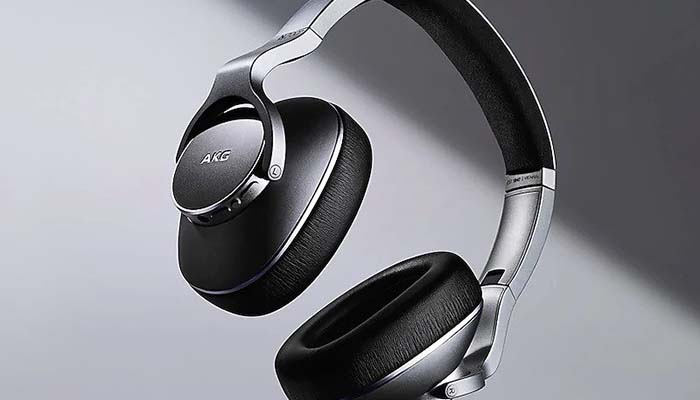
    The headphones are made from a premium plastic material and the build quality is great. They’re not quite as solid as the competition from Bose, but they’re good. The earcups have a memory foam outlining that feels good, if not great, on the ear. Again, the edge in comfort goes to Bose.

    The AKG N700NC headphones are also a touch heavier than the competition from Sony and Bose. That’s not a huge deal, but it is noticeable. In any event, the build is great and reflects the high price, even if it’s slightly overshadowed by the competition.

    Price

    Coming in at the high price of $350 does a lot to discourage the curious, though. While Bose and Sony offer very premium and fantastic headphones at that price range, these AKG headphones don’t quite reach that lofty bar. If Samsung (who owns AKG, believe it or not,) wants to compete with Bose and Sony in a more direct way, something has to give.

    The next step for AKG needs to be either to drop the price of the N700NC to around $260 or to make a stronger pair of headphones. While the N700NCs are excellent, they’re not quite as good as, say, the WH-1000XM3 from Sony. What’s worse, the WH-1000XM3 is also $350.

  • Best Tactical Gear Brands: Get Serious

    Best Tactical Gear Brands: Get Serious

    Are you a serious operator in need of some serious tactical gear? Then you need to know about the best tactical gear brands. Whether you’re a hunter, outdoors enthusiast or in the military or law enforcement, you want good tactical gear. Here’s where to find it.

    Best Tactical Gear Brands

    Special Forces

    Special Forces brand gear offers custom hats, shirts and patches for various members of the armed service or police. The gear is customizable and comes in various sizes, like men’s, women’s and youth. Special Forces brand gear can sport logos and styles from various organizations and branches. Show your support with this awesome gear!

    US Patriot Tactical

    US Patriot Tactical is known for their survival gear. Their MREs and survival gear are considered top-notch and are great for outdoors enthusiasts. If you have an emergency room or cabin in a remote region you can stock up on tactical gear through US Patriot Tactical. Multi-tools, water carriers and fire starters are also among their rugged outdoors selection of items.

    US Patriot Tactical gear is also great for camping enthusiasts. People who love being outdoors will appreciate their selection of emergency blankets, knives and knife sharpeners and water filters. If it’s rugged and works great outdoors, US Patriot Tactical has it.

    Tactical Gear

    Tactical Gear, the brand name, sports a wide variety of clothing and shoes that are tactical in nature. Combat boots, rugged pants and shirts and outdoor jackets are all available. Hikers, campers and outdoors enthusiasts love this kind of gear.

    They also sell sleeping bags, MREs and various other outdoors supplies. Survival foods are a specialty of Tactical Gear brand, sporting tons of dried fruits and dehydrated foods that will last for along time. These foods don’t need to be cooked so they can be easily stored and consumed when outdoors or in an emergency situation.

    Other Retailers

    You can also find great deals on tactical equipment through other retailers. Sites like Amazon and eBay often offer great savings on rugged outdoors gear. Often, you can even find products from the best tactical gear brands for discounted prices. On Amazon, users with Prime even get free shipping.

  • Stop Losing Luggage!..Best Luggage Tracking Options

    Stop Losing Luggage!..Best Luggage Tracking Options

    We’ve all been there. Waiting for your luggage to come around that conveyor belt, patiently standing around, just to realize that you’ve seen that pink suitcase come around three times and there’s no sign of your luggage.

    If you’ve ever waited impatiently at a baggage claim only to slowly realize your luggage is not among the bags and boxes and suitcases on the carousel, you understand the frustration that can come from lost luggage. If you travel often, it’s not a question of if, but of when, you will find yourself standing in an airport somewhere wondering where your luggage is. Thanks to innovative technology, however, there is a solution that can help you keep track of your luggage no matter where it ends up. Luggage GPS locators are a small devices that attach to your luggage and work in much the same way as a cell phone over a GSM cellular network, helping to reunite you with your lost luggage, rather than waiting for the people who lost your luggage in the first place to find it for you.

    These devices are designed to alert travelers to the location of their luggage quickly and easily, and there are quite a few to choose from, including LugLoc, Tile, Trackr and TrakDot. If you’re a frequent traveler or even an occasional traveler worried about keeping track of your luggage, keep reading to learn more about this innovative technology, so you never have to wonder where your luggage ended up again.

    Best Luggage Tracking Options

    Trak Dot

    TrakDot is a popular device for keeping track of your luggage while you travel by using cellphone towers to pinpoint an approximate location. TrakDot uses two AA batteries and is a bit smaller than other gps tracking devices. The fairly small device fits right inside your luggage is fully airline compliant and you can track where the device is within a radius through the Trak Dot website.

    TrakDot retails for around $50, which includes unlimited tracking in the first year, and then $19.99 per year after that, making this a great value for people who frequently travel.

    LugLoc

    A popular option, LugLoc is a GPS-enabled luggage tracker that you can pick up for roughly $60 (less if you purchase multiple units).  It’s about $5 per month for the tracking service and access to the mobile tracking app, and you get your first 30 days with the service for free. In order for the device to be able to send a signal from anywhere in the world, it has to be equipped with a SIM card, much like your cell phone uses. LugLoc comes with its own SIM card, allowing your lost luggage to be located virtually anywhere it may end up. Once the luggage is tracked, the location will be sent to your mobile app.

    LugLoc offers several payment options, including paying only when you use the service. For frequent travelers, however, paying monthly may be the more cost-effective option. To use the device, you’ll need to charge it before you leave, and a single charge lasts up to 15 days.

    While the device is fairly accurate in locating your lost luggage, you won’t get an exact location. The LugLoc tracker tells you where your luggage is within a radius, allowing you to narrow down where it’s gone. That way, you have a good sense of whether it even came on the plane with you, is lost somewhere in the airport, or has been accidentally taken off.

    Other Options

    While those are the two most popular GPS-enabled devices, they’re not the only tracking solutions available. Other luggage tracking options include smaller devices, such as Tile and Trackr, which can be attached to a variety of things, including luggage, keys, purses and backpacks, so you’re never left wondering where you’ve left something.

    Mainly these are used for keys or the remote control to the TV, but they can function as luggage trackers, too. These tiny devices are about the size of a quarter, have replaceable batteries and can easily be attached to your luggage or placed inside. They work by using Bluetooth technology, so they aren’t as far-reaching as other luggage tracking options, but can be a great way to locate lost items in your vicinity, which is especially great when traveling.

    Regardless of which luggage tracking device you choose, be sure to consider cost and read user reviews, so you can get the best device for your needs and budget. Once you’ve found the one that works best for you, you can say goodbye to lost luggage forever with these handy devices! Happy travels!