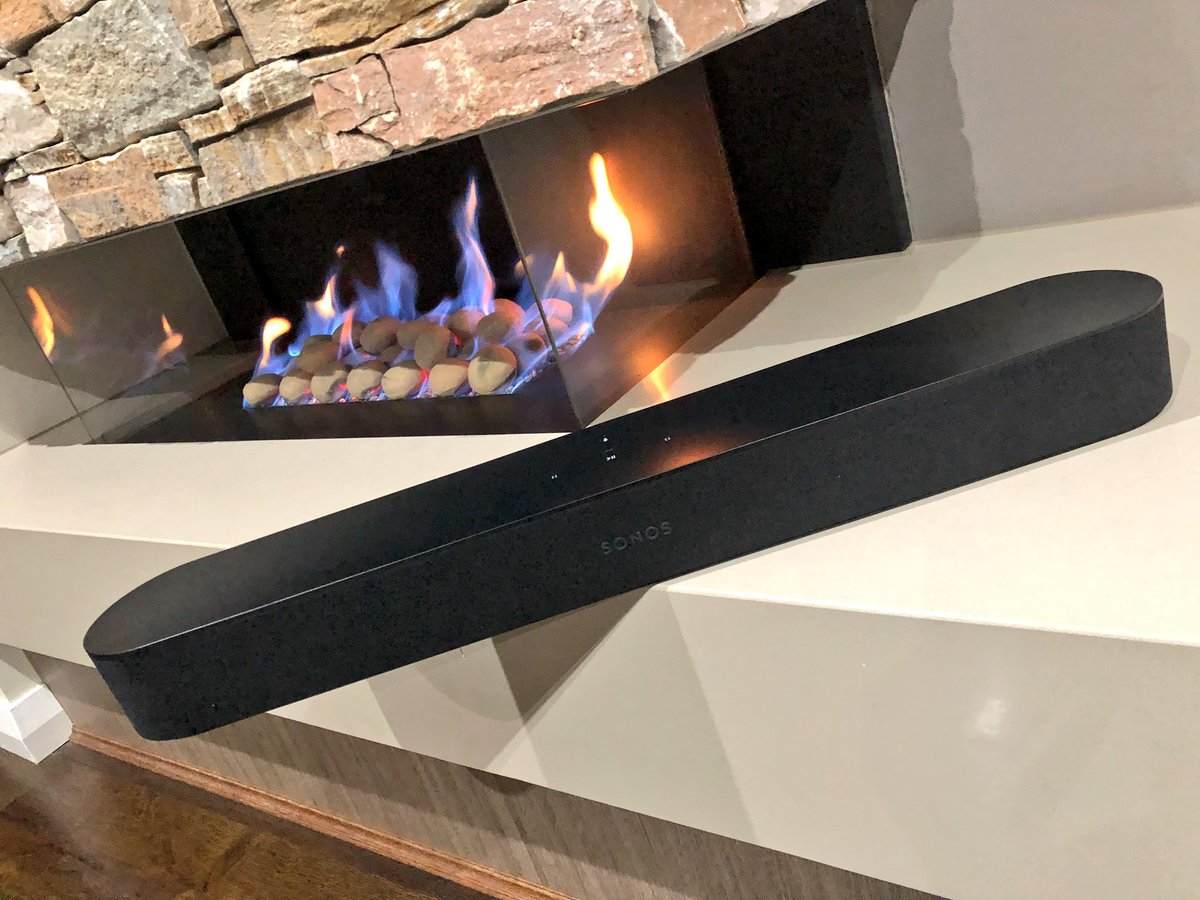
The Sonos playbase sound bar had its problems. It was large, unsightly and looked like it belonged in the low rent apartment of a Best Buy employee. Sonos is now fixing this with the Sonos Beam. The latest in the Sonos family of speaker includes Alexa — and promises Google Assistant support — and it improves your TV sound immensely. Designed as an add-on to your current TV, it can stand alone or connect with the Sonos subwoofer and a few satellite surround speakers for a true surround sound experience. It truly shines alone, however, thanks to its small size and more than acceptable audio range
The Great
Great Design
Terrifically Priced
Elegant Size
Big Amazing Sound
The Not
Lacks pop on Sound Effects in Movies
The Conclusion
The Sonos Beam is the best sounding, best looking soundbar you can buy for $300. Its a great way to get started on your Sonos collection and start the ultimate home filling speaker system.
The Design
No metal grill on this Sonos, surprisingly it sports a e wrap-around cloth grille of the Beam . You know, the ones most commonly associated with the company’s ultra-budget competition. Yes its a bit of a surprise on a Sonos product. Yet, the speaker retains a Sonos look with its plastic top and the touch control panel that debuted on the One. The pill-shaped Beam is smaller than most other sound bars at just 25.6 inches wide by 2.7 inches high and 3.9 inches deep (68.5 by 651 by 100 mm). You can get it in black or white. Unfortunately, the Beam doesn’t include a wall bracket in the box, but the company will sell you one for an extra $59.
The Beam is two feet long and three inches tall. It comes in black or white and is very unobtrusive in any home theater setup. Interestingly, the product supports HDMI-ARC aka HDMI Audio Return Channel. This standard, introduced in TVs made in the past five years, allows the TV to automatically output audio and manage volume controls via a single HDMI cable.
The Sound
Not surprisingly, the Beam sounds pretty great too, though not quite at the level of the Playbar or Playbase. The soundstage is wider and the bass reaches lower on both of those models, especially the Playbase, but they’re both significantly larger and more expensive. For its part, Sonos recommends the Beam for small and medium-sizes rooms, where these disadvantages are minimized.
The Sonos Beam does have some liabilities. Ive noticed with the soundbar by itself, it lacks sound and misses on sound effects. Mostly in high action movies with alot of explosions the Beam seems to sound flat, almost like it is dimming down the boost in sound. Im not entirely sure if this is a noise reducing functionality or a issue with the Beam itself> However when paired with other Sonos speakers they seem to fill the air and pick up what the Beam seemed to put down.
The Final Thought
With this low cost, High quality soundbar the Sonos Beam will be picking up a lot more customers and putting them in the Sonos sound world. Much like potato chips, when it comes to Sonos speakers, you cant stop at just one.
Believe it or not, some people still prefer a physical keyboard on their smartphones. BlackBerry was quite well-known in the early 2000’s for making early smartphones. And yes, those had physical keyboards too. The release of the iPhone brought about a near-universal change in the realm of smartphones, though, and most manufacturers scrapped physical buttons. It’s hard to imagine now, but at the time the digital keyboard of the iPhone was revolutionary. The tables have turned, now, as BlackBerry attempts to make physical keyboard cool again and is met with skepticism.
The Titular Keyboard
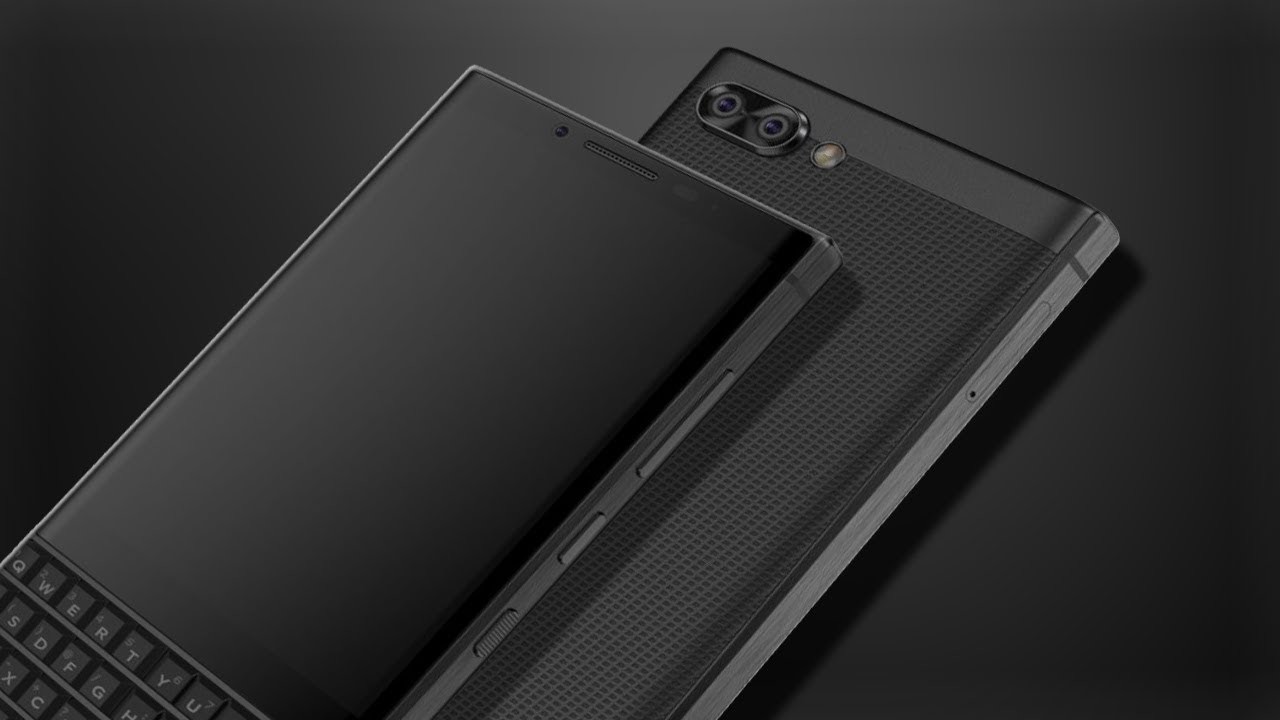
The most surprising thing about the Key 2 is that there was a KeyOne. Alright, jokes at BlackBerry’s expense aside, the Key 2 is better than its predecessor in every way. The keys are more distinct and taller, and they’ve got great grip. The issue, though, is how tiny and cramped the keyboard has to be. As you can tell, having this keyboard on the bottom of the phone cuts down on how much screen you can have. The phone is still almost awkwardly long with the shortened screen, and you can thank the keyboard for that.
While I understand that there are users who don’t want to give up their physical keyboards, the keyboard here compromises a lot to be attached to a smartphone. It simply serves too many masters: it’s far too small for comfortable typing and far too large to be convenient on a smartphone. It just reminds me of why smartphones moved away from physical keys.
Key-Based Shortcuts
The one cool thing the keyboard is capable of, though, is the shortcut feature. Every key on the face can be bound to a different app and called up with a short or long press. This functionality is one of the few that inspires confidence in the keyboard design decision. That said, the functionality isn’t quite enough to justify the keyboard for those accustomed to normal smartphones.
Laggy Touch Screen, Unpolished Operating System
The touchscreen isn’t very responsive; users will find themselves pressing the screen multiple times to no avail. The lag and slowdown would have been unforgivable in 2007 after the iPhone release, and it’s downright embarrassing now in 2018. If BlackBerry wants the Key 2 to be taken seriously, it has to function as well as other flagship smartphones. The most telling sign of the unpolished nature of this product, though, is in the UI. Some apps, like G Mail, will pull up a digital keyboard when opened. That keyboard can’t be closed, and, given the Key 2’s small screen, leaves very little real estate for viewing messages. It’s not a deal breaker, but combined with the phones other shortcomings, it makes it hard to recommend.
BlackBerry Key 2 Release Info
The Key 2 is set to release on July 13th, and will run on Android. It’s MSRP is $649, which, when compared to the competition, is somewhat laughable. If you absolutely must have a physical keyboard, this isn’t the worst phone ever. However, for the price, you can find much better options in both Android and iPhone lines.
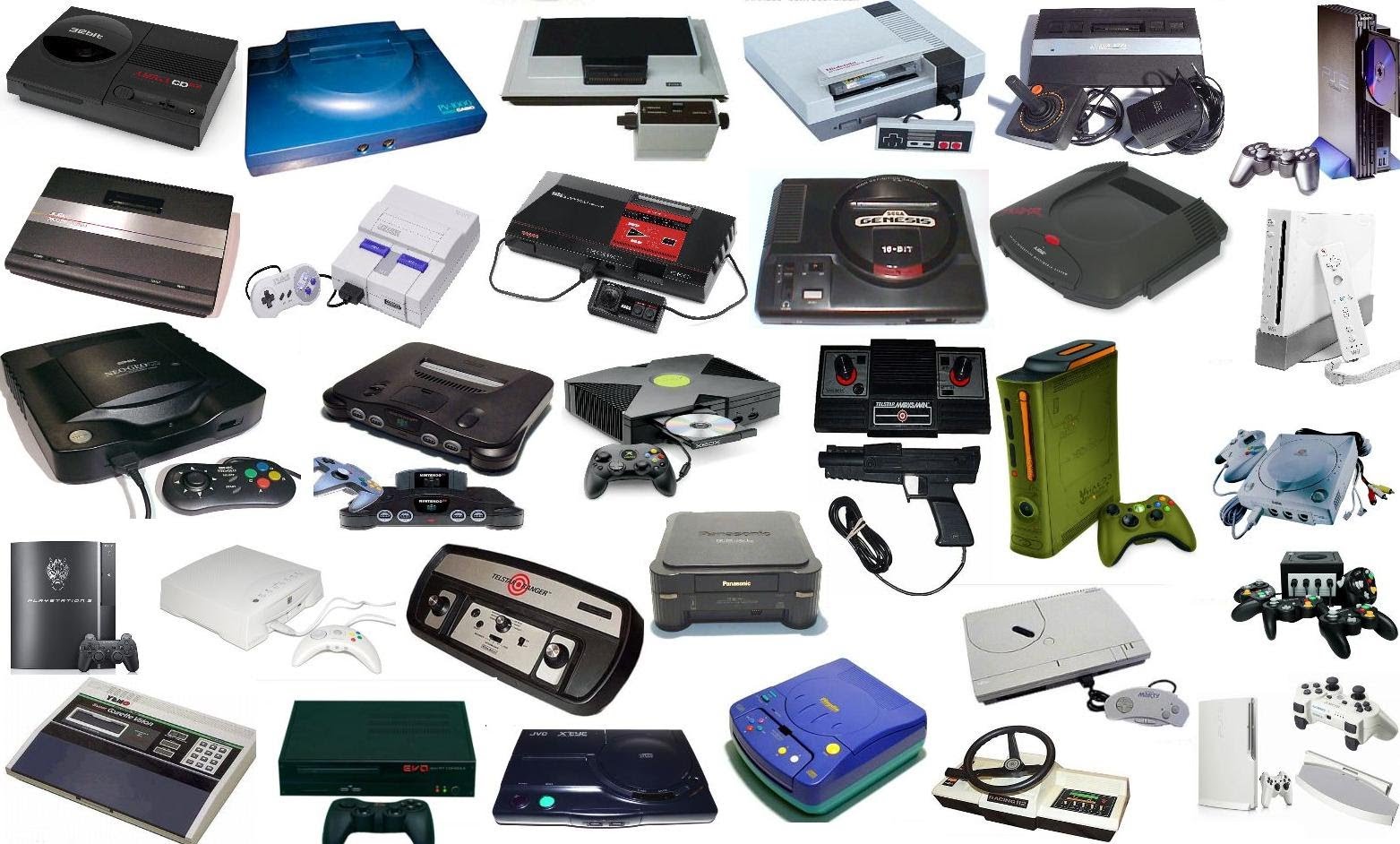
Today, instead of our usual Top Ten, we’re bringing you a Flop Ten! Everyone loves to look back at their favorite game consoles and remember the great times they had with them. However, it’s almost as fun to go back and poke fun at the worst consoles of all time. Today, we’re counting down the console flops that have defined their eras. From systems that failed despite being awesome, like the Dreamcast, to systems that were just plain awful, like the Virtual Boy, we’re counting them down. Let’s talk flops!
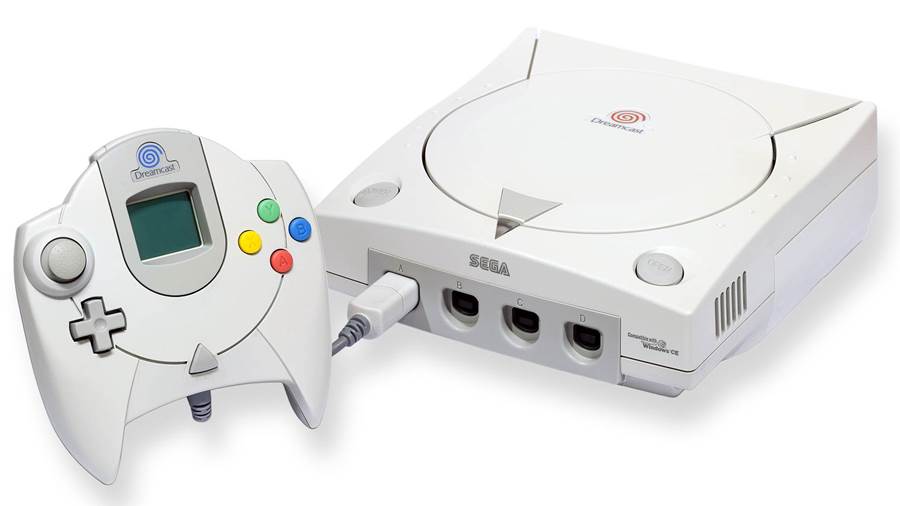
One of the saddest tales in gaming is of the crash of Sega. Sega was a bold company, unafraid to do literally whatever they thought would be cool. It was really their greatest strength: they had no fear! Going toe-to-toe with industry giant Nintendo was a no-brainer for the “no guts, no glory” company Sega. By the late nineties, though, after the failure of the Saturn and it’s many peripherals, Sega was in dire straits. So, their last hurrah was the release of the Dreamcast, an ostensibly excellent console that was doomed from the get-go. As console flops go, this one hurts.
Shenmue, Sonic Adventure and Crazy Taxi were some of the best releases at the turn of the century. However, Sega’s name didn’t inspire confidence in gamers, and Sony’s PS2 was on the horizon. Many gamers saw Sony as the new Sega, and as they believed it, so it was. The Dreamcast was to be Sega’s last home console, and the company transitioned to a third-party developer. Those who remember the Sega of 90’s still miss the bold, risk-taking Sega of that era, though.
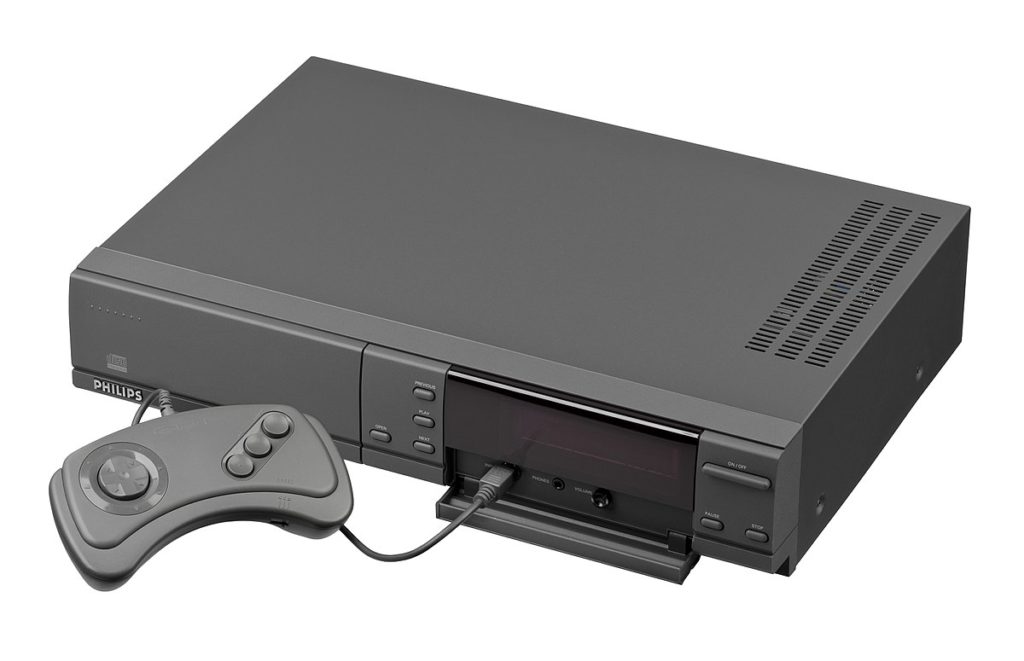
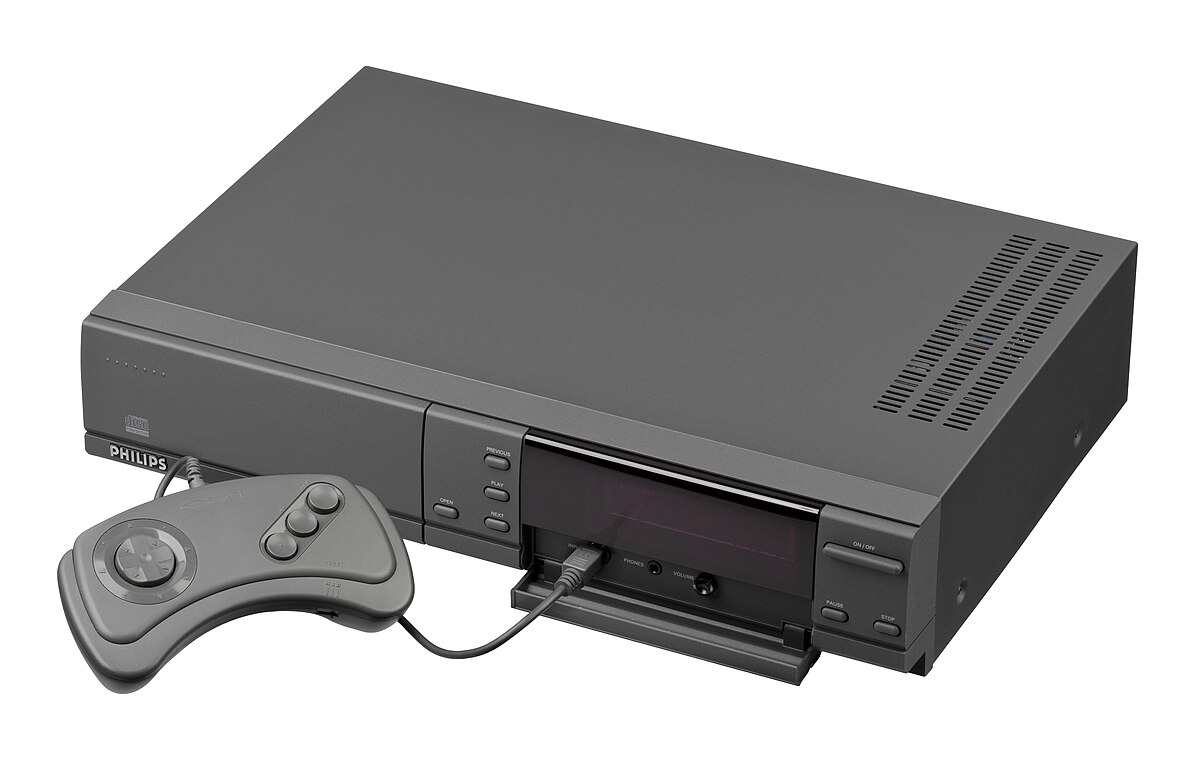
You might not have heard of the CD-I, but you’ve certainly heard of the terrible Legend of Zelda games released on it. Yeah, those, with the voice acting and hand-drawn animations. The CD-I was meant to be the step between home CD player and home computer. It was effectively a giant, glorified disk drive. And it was super weird, even at the time. It was released in 1991 for $700. If that sounds like it was a lot of money, go ahead and account for thirty years of inflation. Needless to say, Phillips didn’t make the mistake of entering the console wars again. While many console flops are due to marketing, this one was a more holistic “meh” reaction by the industry as a whole.
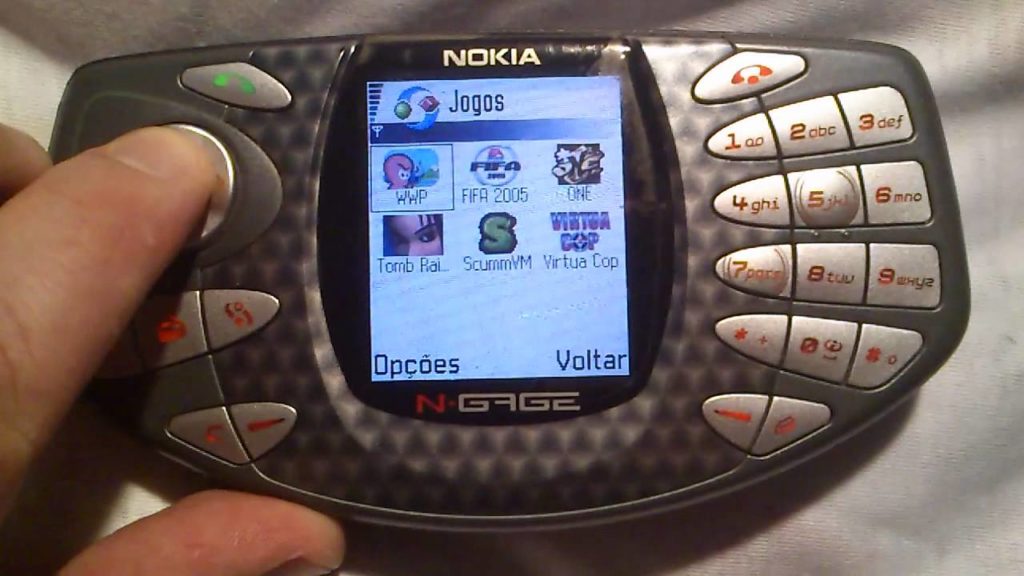
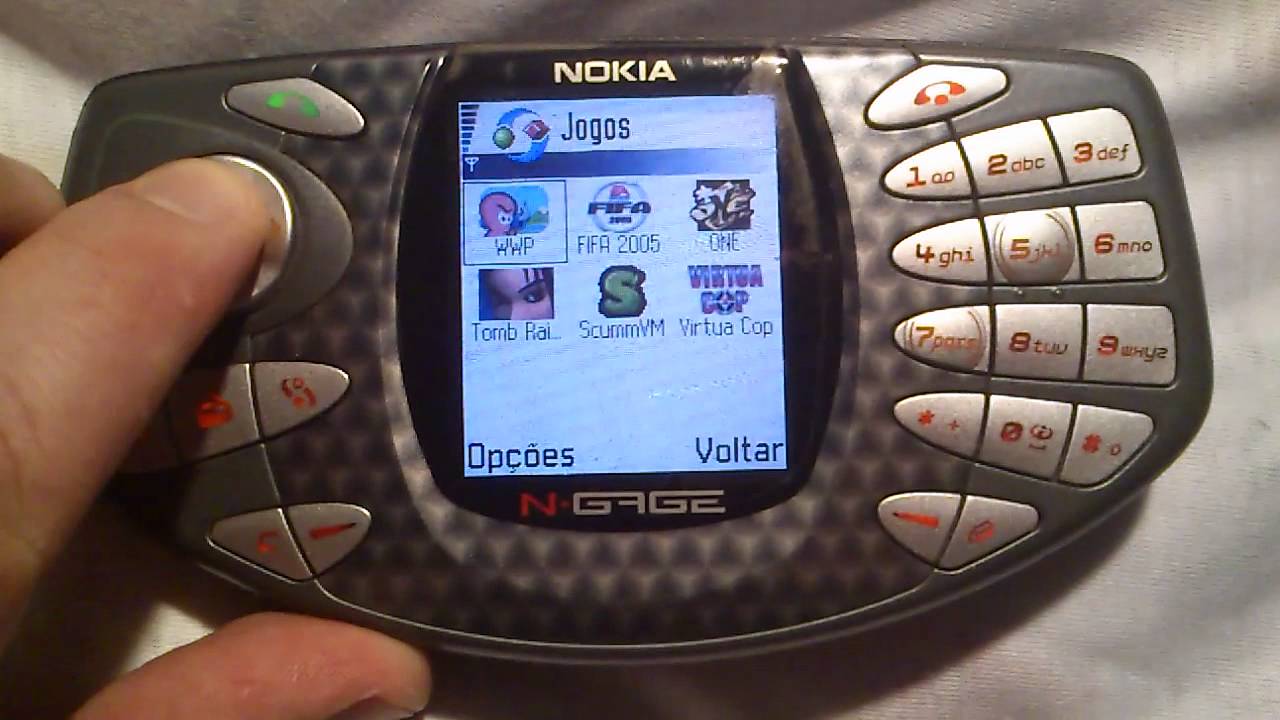
What a positively ridiculous idea, said everyone in 2003 as Nokia released this console/phone hybrid. Nokia’s idea with the Taco Phone was that gamers carried both cell phones and GameBoys. Why not combine these two pieces of technology into a freaking taco? Jokes aside, this thing bombed. No one wanted to play games with phone buttons, and no one wanted to talk into a taco-shaped gaming console. Nokia managed to fail to make the system appealing to any markets at all. A week after release, the system saw a $100 discount, but to no avail.
A year later, Nokia released a redesign called the N-Gage QD that was meant to address the problems of the first model. However, no one even took notice and the gaming community at large saw the platform as little more than a joke. Meanwhile, the GameBoy outsold the N-Gage literally 100-to-1. The moral of this story, and one that you’ll see later in this list, is “don’t mess with Nintendo’s handheld market.” Handheld console flops are a dime a dozen, and N-Gage is the poster boy of them.
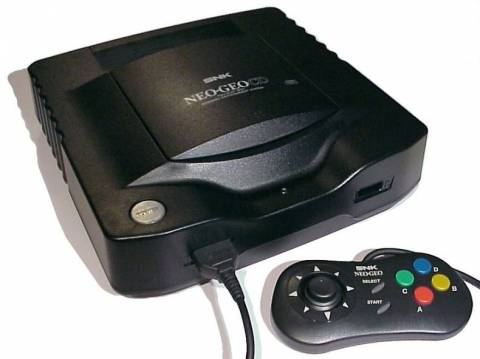
The 90’s, affectionately remembered as the “Disposable Era,” saw the birth of many absolutely terrible gaming consoles. One notable example is the final home console released by SNK, the Neo Geo CD. Between its small game library and long loading time, the Neo Geo wasn’t poised to tackle any of the consoles of the mid-90’s. It was released in 1995 in North America but had been available in Europe and Japan the year before. By the time it hit American stores, though, it had to compete with the more powerful PlayStation and N64. Seeing as how you’ve heard of PlayStation and Nintendo, you can probably guess how things ended for SNK.
For what it’s worth, the Neo Geo X handheld did eventually resurrect the once-dead console line. That handheld also went the way of its predecessors, though, tanking nearly a year after release. It’s tough to be SNK, it seems.
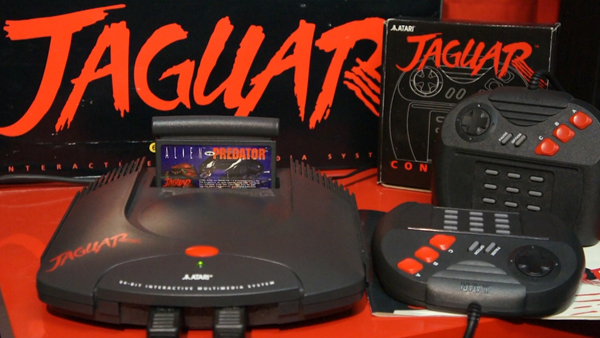
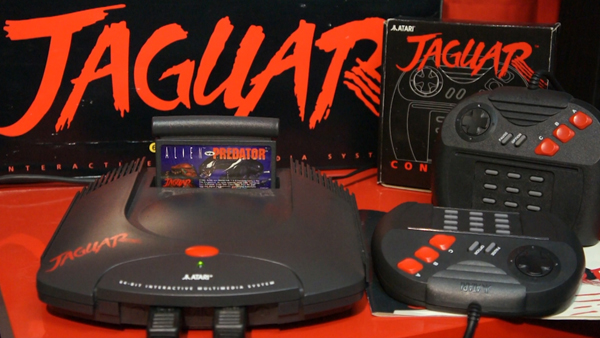
Atari struggled to find its footing again after the Video Game Crash in the mid-80’s. Nothing exemplifies that better than the botched Atari Jaguar. The system was actually much more powerful than the SNES and Genesis systems, but the games released for it were mostly garbage. A ton of rushed shovel-ware and underdeveloped games brought the system down. It was to be Atari’s final entry in the home console market. While the company plans to release a throwback console next year, their once-great name is now synonymous with an era of forgettable, poorly-made games.
5. Atari Lynx
Photo Credit: Atari Age
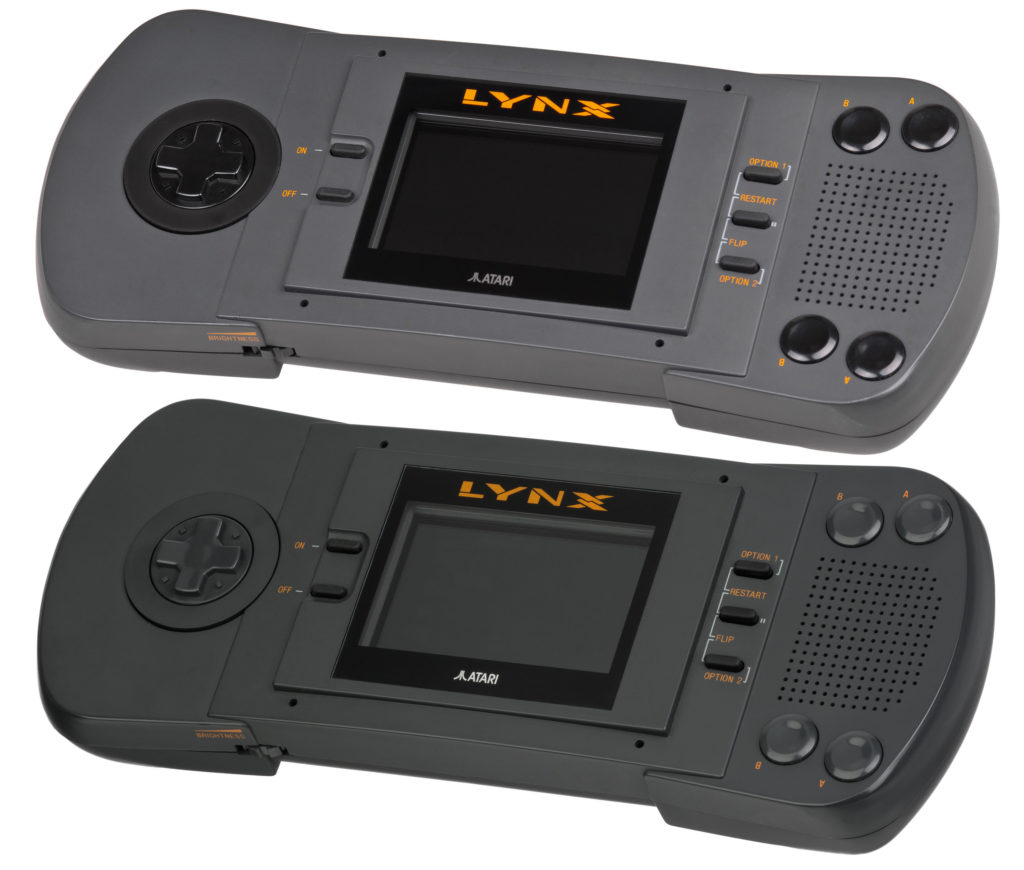
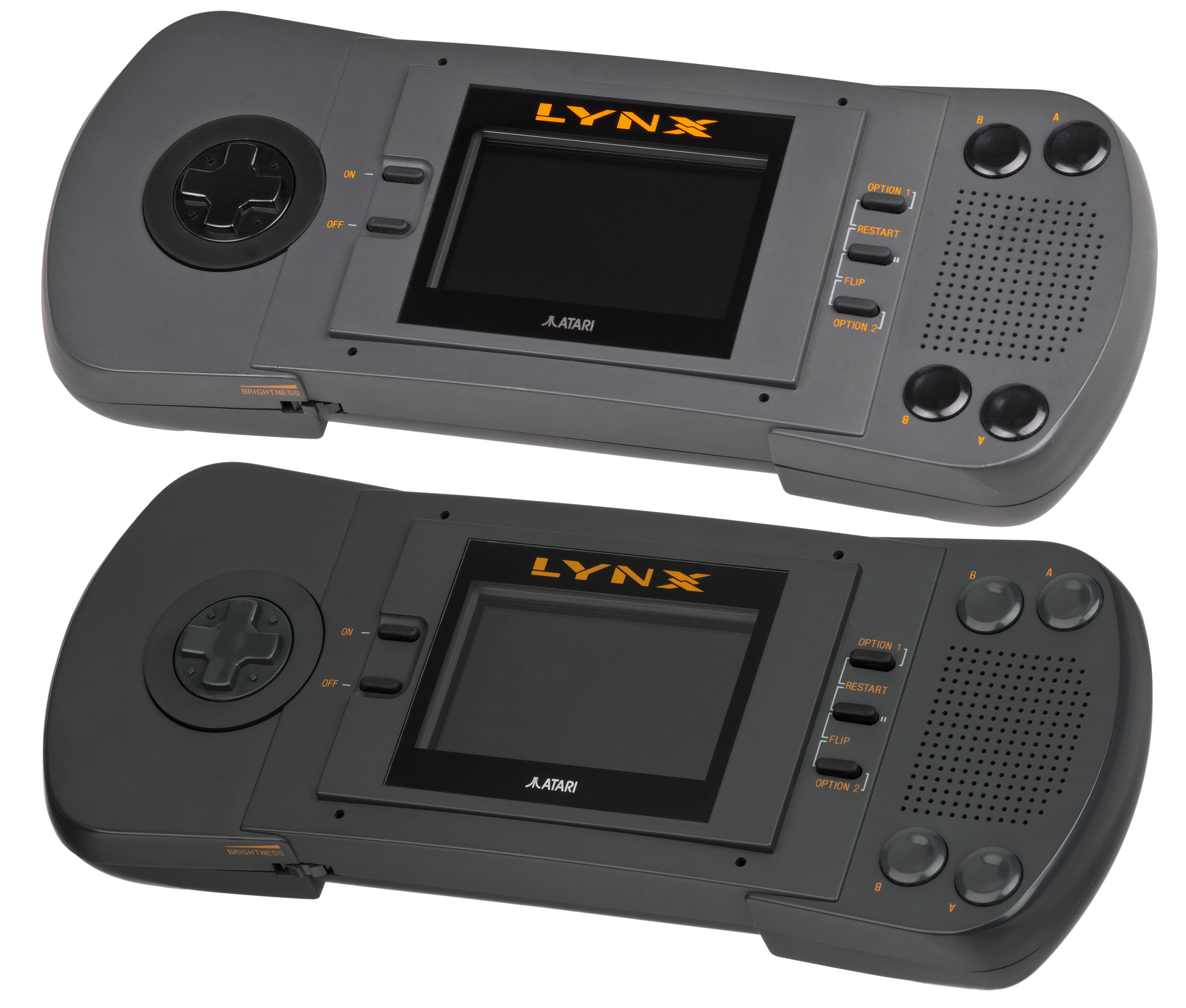
Remember when I said you really shouldn’t try to fight Nintendo on the handheld market? I meant it. Atari learned that lesson the hard way with the ill-fated Atari Lynx in 1989. The system was certainly more powerful than the GameBoy. It had a full-color screen, it sported more buttons and a much sleeker design. But it didn’t have Tetris, or Mario. And, as such, it was doomed to fail. While the system would go on to sell around 3 million units, the GameBoy sold 16 million units in 1991 alone. By 1996, Atari was on its last legs thanks to the failure of the Lynx and Jaguar. Atari sold out to Hasbro that year, thus signaling the end of an era.
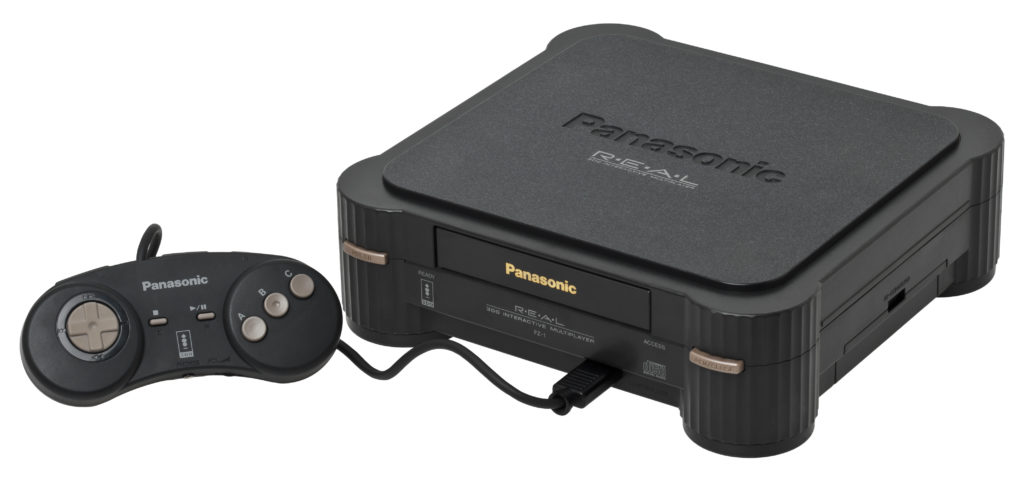
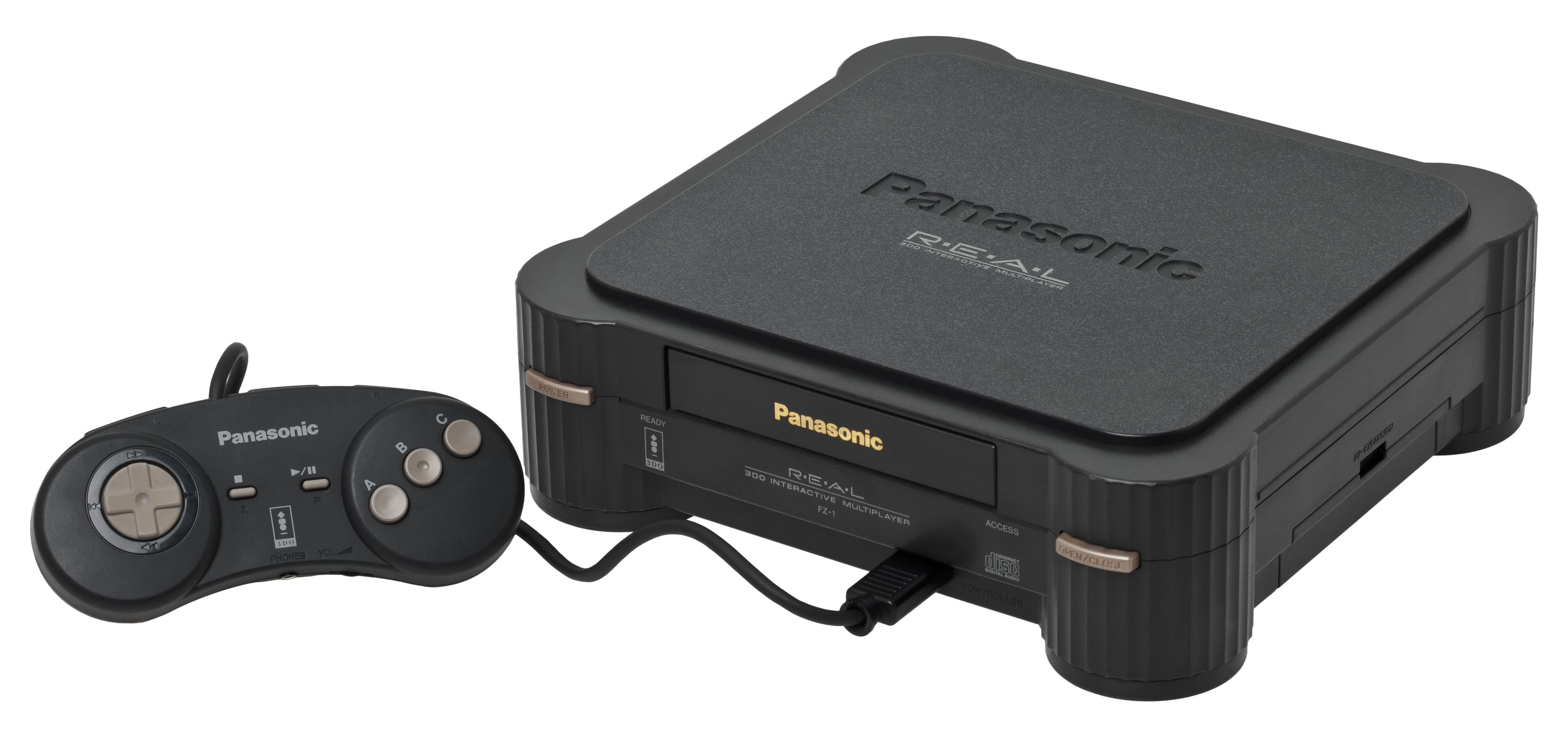
The 3DO, released in 1993, is an example of how poor marketing and pricing can kill an otherwise great system. Despite a strong library of games and good multimedia applications, the 3DO stumbled after the release of the Sega Saturn and PlayStation. The exorbitant price point, $700, didn’t drop until the system was already dead in the water. If the system had been priced more aggressively it could have sold better, but the company was stubborn. The rest is history; have you ever even heard of 3DO? Other companies could learn from their mistakes.
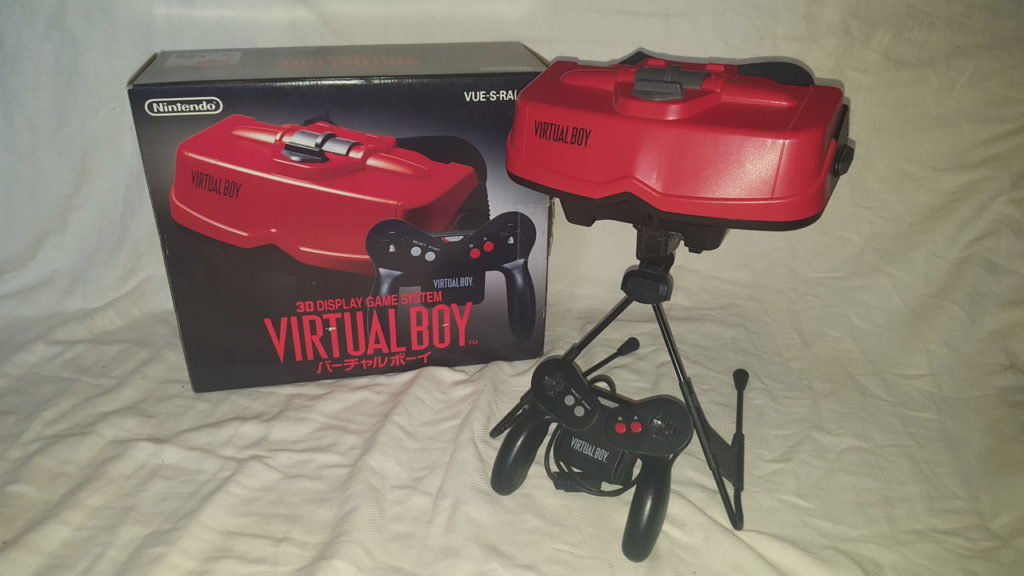
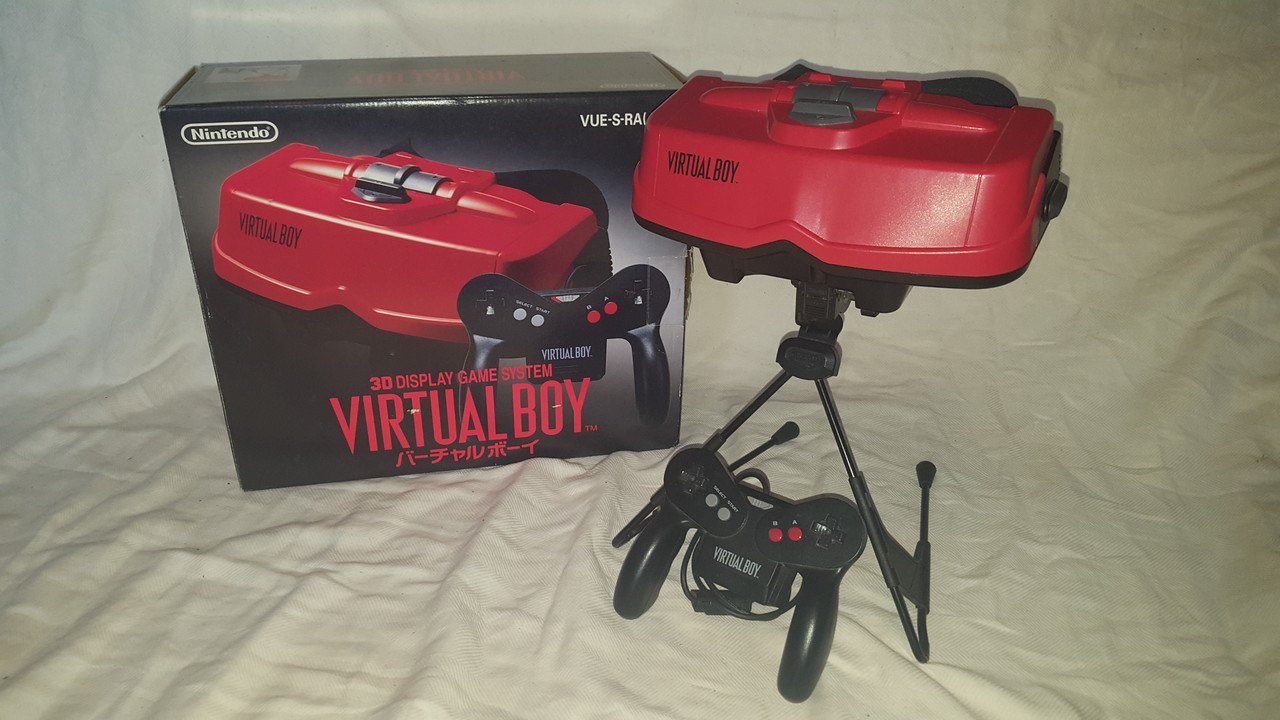
This eye-strain inducing virtual reality console was Nintendo’s first big console flop, but it wouldn’t be their last. Brainchild of GameBoy creator Gunpei Yokoi, the Virtual Boy was meant to appeal to older gamers who wanted a “fully-immersive” experience. Instead, the mono-chromatic red display and awkward headset just hurt people’s eyes and necks. The games themselves weren’t exactly very inspired, either. As the first major video game miss for the ascendant Nintendo, the Virtual Boy marked Yokoi’s exit from the company. The GameBoy Pocket would release after the virtual boy to mild success, but many blame the Virtual Boy for Yokoi’s departure. One thing’s for sure, though: the Virtual Boy sucked.
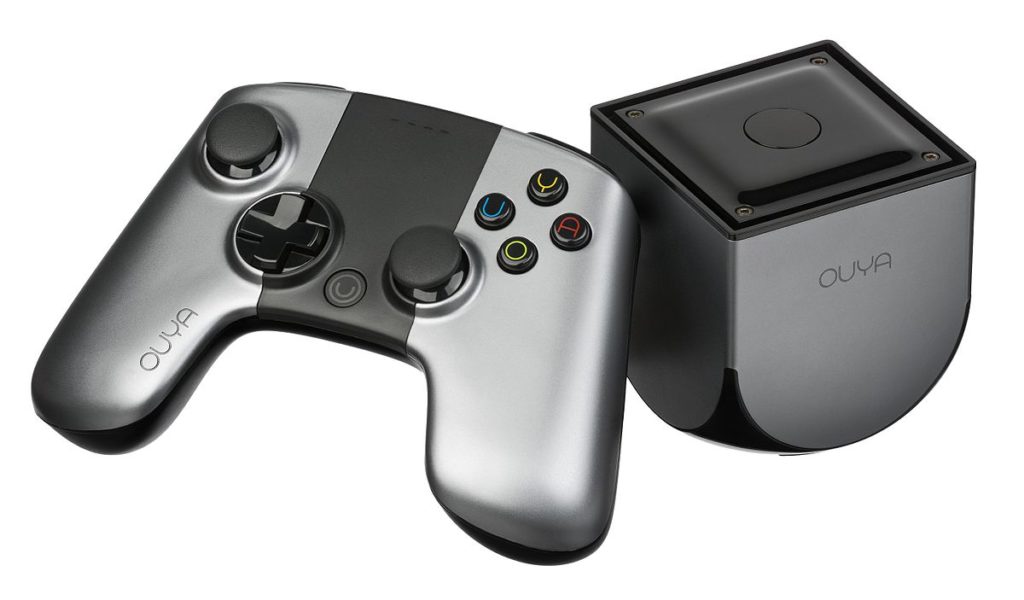
It’s often a good idea to not listen to hype. Especially when the hype claims that an Android-powered micro-console is the future of gaming. Once you finish with your hearty belly laugh at the expense of 2012-era industry analysts, let’s talk about this eminently forgettable Kickstarter project.
The idea here sounded great on paper: it’s a game console running on Android, and every system is also a developer kit! Every owner is a developer! The games will all be free, sort of! Except, no they won’t! The system performed unbelievably well via Kickstarter, where gamers fell in love with the idea of an open-ended platform for gaming that was easily modifiable. Then, the system released. And everyone remembered that PC gaming already existed. Yeah, the fine folks at Ouya missed that aspect of their console: they had accidentally invented PC gaming, but smaller scale and bland.
Flash forward to 2015 and the struggling platform is sold to Razer, makers of fine PC peripherals. Poetic, right? A company synonymous with PC gaming bought a company that tried to invent PC gaming for the console market. The Ouya’s name is now invoked as the punchline when discussing Kickstarter-based attempts to dethrone traditional consoles. Hey, isn’t Atari working on something like that? We’ll see how it goes.
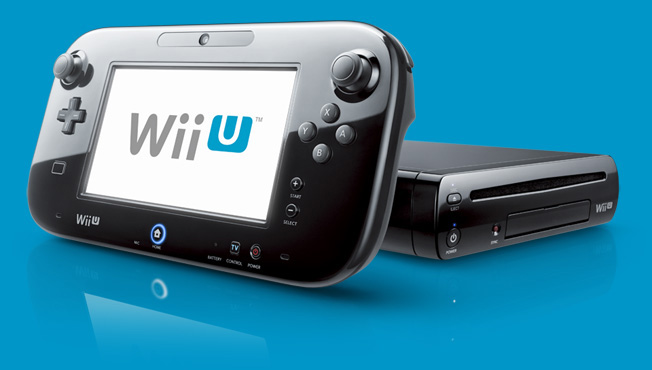
The Virtual Boy was Nintendo’s first big flop, but it wouldn’t be its last. The Wii U followed the mega-successful Wii and was supposed to be aimed more at hardcore gamers. That didn’t exactly pan out, and the system went on to sell less than 14 million units. Compared to the Wii, which sold upwards of 100 million, that number stung for Nintendo. What was worse than those low sales numbers were the glowing critical reviews of many of the Wii U’s games and features. The GamePad was praised by many and its integration in games like Mario Maker was considered revolutionary.
So why was it such a huge flop? For one thing, the marketing around it was terrible. Marketing was primarily aimed at kids and focused on children playing with the system and pestering their parents. The ads hardly screamed “hardcore system for real gamers,” and families were mostly over the whole Wii craze. Speaking of, the name Wii U worked directly against the system: no one knew what it was supposed to be. Was it a new peripheral? Was it a new console? Many thought the tablet-like GamePad was the Wii U, and that it was an add-on for the Wii. This created a perfect storm of negativity, tanking the Wii U and shaking public faith in Nintendo.
In January of 2017 the company discontinued the system entirely, and in March 2017 the Switch was released. The Switch has already sold more than the Wii U, and is on track to break record again this year. Many great Wii U games have been ported to the Switch, and thus get to live again on the successful platform. The Wii U will be remembered as an awesome but poorly positioned console. As console flops go, though, it may have been the most disappointing.
Cooler Master’s newest keyboard, the Cooler Master CK552, released on June 19th. It’s available exclusively through Best Buy. Today we’re rounding up its biggest features and giving you our thoughts! It’s out now for $79, which is a reasonably low price for a mechanical gaming keyboard. Is it good enough to consider for hardcore gaming, or does it compromise too much for that price point? Let’s get into it.
The Keys and Switches
Mechanical keyboards, of course, are known for their switches. The Cooler Master CK552 is available with three different Gateron switch types: reds, browns and blues. The red switches are the “balanced” option, being great for both typing and gaming. Browns are a slightly louder, more tactile switch. Blues are the loudest, clicking and clacking like a typewriter. They’re all great here, just go with whichever fits your preference. Gamers love blue switches for games like World of Warcraft, where key presses have to be purposeful and misclicks are deadly. Browns and reds are preferred for first-person shooters, where linear key inputs aren’t a problem.
Design
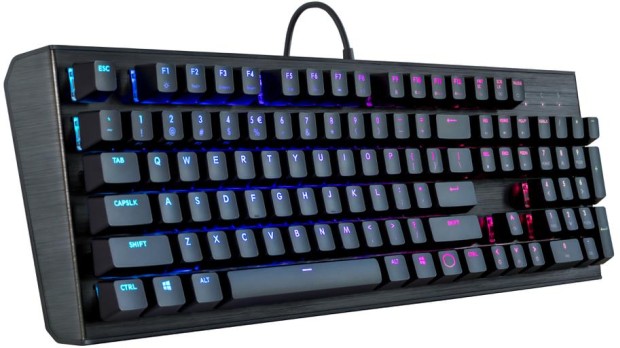
The keyboard itself has a sleek, futuristic look. It’s almost industrial-looking, sporting a brushed aluminum look with raised keys. The keys stick far off the base of the board, giving them a sci-fi appearance that looks right at home on a gamer’s desk. The CK552 comes in black, but other models are available in silver and gunmetal colors. The keyboard is sturdy and heavy-duty, which is great for its price. Many gaming keyboards of similar price range don’t feel as sturdy or solid as this, which puts it in the same league as Razer. That’s seriously high praise, as Razer sets the bar for gaming keyboards.
Cooler Master CK552 Star Feature: The Lighting
So, we’ve established that it’s durable and the keys have great action. But the star of the show here is the lighting. You can customize lighting profiles right from the keyboard, which is great for the software-averse. You can also download Cooler Master’s free software and get granular with your lighting profiles. That said, all the lighting options in the world wouldn’t matter if they didn’t look good. But they don’t look good here, they look great. The raised keys and open-style keyboard allow the lights under the keys to spill out all over your desk. It’s a fantastic visual experience, unrivaled by keybaords from any price range.
Bottom Line
For the reasonable price of $79, the CK552 is a stellar keyboard. If you’re in the market for a new RGB keyboard, or looking to try a mechanical keyboard, this is a great start. If you already have a good mechanical keyboard, this one isn’t going to sway you from your preferred input device. That isn’t to slam the Cooler Master, though. It’s still a great entry point for those looking to see what all the hype about mechanical keyboards is about.
If you’re a camper or backpacker, you’re certainly aware of how important a good sleeping bag is. The last thing you want is to be uncomfortable while trying to catch some winks in the wilderness. Whether your bag is too heavy for your pack, traps moisture too easily or is just too thin to keep you warm, the wrong bag can ruin a trip. To keep your trip on the “awesome” side of things, we’ve got a roundup of our favorite heavy-duty sleeping bags for camping! Let’s go on a wilderness adventure!
Patagonia Hybrid Sleeping Bag
Patagonia’s entry on this list is a little odd. It’s actually half a sleeping bag, which might sound like a rip-off, pun intended, but it’s actually pretty sweet. In the summer months, it’s great for cutting excess weight. When you don’t need a ton of extra warmth, having such a light sleeping bag will keep your pack light. Just carry a light blanket to cover your top half! In winter, just pair it with a thick, warm jacket. You’ll already be wearing one, so why not carry a lighter sleeping bag? The Patagonia Hybrid weighs in at 17.3 ounces, which is incredible. You can grab one for $300 straight from Patagonia.
REI Co-Op Igneo 25
A great buy at $270, the REI Igneo is a great pick for temperatures above 25 degrees Fahrenheit. During Fall, Spring and Summer, the Igneo will keep you comfortable and warm. The exterior is 20-denier ripstop nylon, meaning you won’t have to worry about water or rips during normal use. It only weights a hair over a pound, and it packs in beautifully. For a serious backpacker, this is a great buy for the price. The only situation you wouldn’t want this in? Winter time backpacking or camping, for which it’s not rated. For normal three-season outdoors expeditions, though, this is a great choice!
This one is our favorite for a number of reasons. For one thing, it’s incredibly comfortable. You won’t have to worry about being uncomfortable trying to get to sleep after a long hike. Just plop down, zip up and snooze. The warmth-to-weight ratio here is also absolutely nuts: it’s rated for 20 degrees, but you could take it even colder. Feather Friends is known for their modesty in temperature ratings, and it’s better to be safe than sorry. That said, experienced campers could take this one lower than the rating suggests. For $550, this one is expensive, but worth every penny for a serious hiker or backpacker.
Once you’ve bought, or mined, your bitcoin, you’ll need somewhere to keep them if you don’t plan on using them on an exchange right away. There are a few different applications, or wallets, that you can store them in. Today, we’re rounding up a few of our favorite “hot” Bitcoin wallets. “Hot,” in this instance, refers to the fact that these are always connected to the Internet, unlike “Cold” wallets that can be offline.
Exodus
A pleasing-looking multi-currency wallet, Exodus is a great user experience. If you plan on storing large amounts of crytpocurrency, though, it’s not the best, as it’s partly closed-source code. This means that if there are any bugs in the code that could lead to data breaches, the community can’t vet them and fix them. However, if you plan on storing smaller amounts of Bitcoin, or other currencies, this is a fine choice. You can even use the Shapeshift service to exchange your Bitcoin or other crypto right from the wallet.
Exodus has you generate a 12-word “seed” that it then encrypts your keys with. This means that if you somehow lose access to the version of Exodus you currently have, you can recover it with your seed. Simply write the seed down someplace safe and your Bitcoin is protected from hard drive wipes.
Jaxx
Jaxx, much like Exodus, is another multi-currency wallet that has Shapeshift. And, much like Exodus, it’s closed-source, so potential security gaps can’t be spotted by the community. In fact, last year, once such bug reared its head, allowing users with access to your version of Jaxx to steal your currency. That said, it’s a fine app for those who simply want to store small amounts of Bitcoin or other currencies. The ability to convert from different currencies through the app is quite convenient.
Closed-source code aside, Exodus and Jaxx are both visually appealing, convenient and user-friendly. If you’re just dabbling in a bit of crypto, Jaxx is a great Bitcoin wallet.
Bitcoin Core
A very early Bitcoin wallet, and easily the most robust, Bitcoin Core is a “full node.” That means it downloads the entire blockchain that tracks every Bitcoin transaction, which is around 160GB. The reason for this is security. Since Bitcoin Core knows the entire blockchain, it is nearly impossible to fool it, thus ensuring you won’t be defrauded. Someone attempting to spend the same coins twice, or spoof funds would be easily detected and shut down by this wallet.
Bitcoin Core is great if you intend on storing a ton of Bitcoin. It’s also great if you like your anonymity, as it encrypts transactions through the Tor network. This is all pretty costly on bandwidth, though, so it’s really for power-users first and foremost.
Our Favorite Bitcoin Wallet: Electrum
Electrum is a “thin” wallet, which is in contrast to a full-node like Bitcoin Core. Rather than downloading the full blockchain, it uses secure server connections to verify transactions. This means it uses much less internal memory and bandwidth, allowing it to be much leaner. Electrum, like Jaxx and Exodus, also allows for seed-based recovery in case you lose access to it. For general use, Electrum is our favorite overall wallet. It’s relatively secure and is quite useful for its file size and bandwidth use. While not the most robust wallet, it is the best option for most users.
While Android tablets are all but dead now, Google is still interested in using tablets for educators and students. To that end, the first tablet running Chrome OS, the Chromebook Tab 10, is slated to be the best classroom slate yet. We’ve got a quick roundup of some of the most notable features of the Acer Chromebook Tab 10. How will it make the class experience better for teachers and students? Let’s check it out!
The Specs
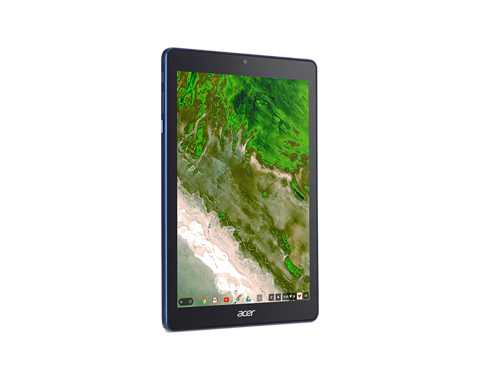
First off, it’s a huge tablet. It’s got a 9.7-inch screen and weighs a solid 1.2 lbs. This is great for the classroom, as it means it’s got enough mass to not get lost or misplaced! On the tech side, it’s got 4 GB of RAM, an OP1 CPU and a Mali T860 GPU. This all adds up to the tablet being more than powerful enough to handle any classroom duties. This will likely be many kids’ first experience with tablets, so it’s good that this one has all the power needed to handle basic tasks.
Interestingly, it also sports a USB-C port. That port’s versatility is a great boon for classroom settings! Charging, of course, is the primary use, but sending video and transferring data are also uses the port allows for.
Design
This big tablet has a rubberized back and big bezels. It’ll likely prove quite durable and kid-friendly. It’s set to come in a number of bright colors, making it great for kids. That big size does bring up a problem, though: it’s hard to type on. While Chrome OS allows for Bluetooth keyboard connection, the Acer Chromebook Tab 10 doesn’t have one included. As such, typing on the big on-screen keyboard is a little awkward. For kids with small hands, it’ll likely be even harder. The fix, laying it on a table and pecking the keyboard with the index finger, works, but itsn’t ideal.
Stylus
It also sports a Wacom stylus, which can be whipped out to easily pen notes in the middle of class. It’s a little short and wouldn’t be great for a professional or artist, but for a kid taking notes or drawing it’s perfect. It doesn’t recognize tilt, and it sports a bit of latency, but these are deal-breakers for what the tablet’s meant to do.
Acer Chromebook Tab 10: A Little Awkward, but Great for Students
The tablet is a bit funky, and the Chrome OS has some kinks when used for a tablet. However, Acer’s tablet is a great proof-of-concept. The student-friendly Chrome OS is absolutely well-positioned for tablet use, it just needs a bit of fine-tuning. The tablet costs $329, making it relatively affordable for classroom use. Thusly equipped, kids will be learning in no time. If we keep using technology like this, maybe the future will be pretty bright after all.
You’ve got your friends, your beers and your tunes. It’s time to cook up a storm! Everyone in the neighborhood needs to know you’re the grill master, right? Make sure you grill in style with these awesome grill gadgets! If you’re looking to up your backyard game, look no further! Whether you’re looking for automatic grill-cleaners or grills that can travel with you to the campsite, we’ve got you covered!
Refuel
There’s nothing worse than getting everyone over to the house just to find out you’re out of propane. A smart gauge for your propane tank, Refuel gives you a live view of how much propane you have. It even alerts you when It’s time to, you guessed it, refuel! Keep in mind, though, this one isn’t in production anymore, so scoop yours up fast before they’re gone! You can get yours for $43 at Amazon.
Looftlighter
Resembling a lightsaber, the Looftlighter is a great lighter fluid-free fire starter. If you’re looking to light your grill up in style, look no further! The Looftlighter costs $80 and will save you hassle and help the environment! Not to mention, it’s super cool and your guests will be wowed by it!
Front Runner Outfitters Spare Tire Mount: Stainless steel BBQ grate
For $137 you can have a spare tire holder that doubles as a grill. If you’re out in the wilderness but wanna get your grill on, drop the grate over a fire. It’s designed at the right height to sit comfortably above a fire and let you grill on its steel surface. How cool is that? Perfect for campers who want to go off the beaten path for a picnic!
Our Favorite Grill Gadget: Grillbot
A robot that cleans your grill for you? Well, that’s exactly what you thought of when you read “grill gadgets,” so, you’re welcome. Yeah, the Grillbot cleans your grill for you. Just plop him down on the gross, blackened grill after you’re done cleaning. Like a badass backyard Roomba, it’ll clean up your grill and let you spend more time enjoying your company and food. Nothing screams “it’s the future” like robotic servants making life easier, huh? You can grab your Grillbot for $90 from Amazon.
Gaming laptops are usually pretty expensive. If you want graphical fidelity and snappy processors, you have to spend a pretty penny. At least, that’s conventional wisdom.
Acer wants to change that with the Acer Nitro 5, though. Acer can talk a big game, but does it deliver on its promise of gaming-goodness at a low price?
First Consideration: Price
It doesn’t really matter how strong it is if the price isn’t right, though. Thankfully, the Nitro 5 is in the right place with its MSRP. Coming in at a reasonable $670, and available at less than $600 from wholesalers, the Nitro 5 doesn’t break the bank. Where once you’d have to spend more than $900 for a decent gaming laptop, recent innovations in graphics and processors seem to have brought prices down. While the Nitro 5 isn’t the strongest laptop around, it’s certainly the best bang for your buck.
What’s Inside, Though?
Okay, so you’re sold on the price. But what’s in it? Well, that’s where things get interesting. The most cost-efficient layout has a 2.3 GHz Intel i5 running the show, 8GB of RAM and a 4GB Nvidia GeForce GTX 1050Ti. While there are slightly cheaper versions of the laptop, we recommend this setup for maximum gaming potential for your buck. So, what does all of that mean? It means this is a surprisingly powerful machine for its price. You won’t be disappointed when the Nitro 5 takes on modern games: graphics will be high-fidelity, and frames will be smooth.
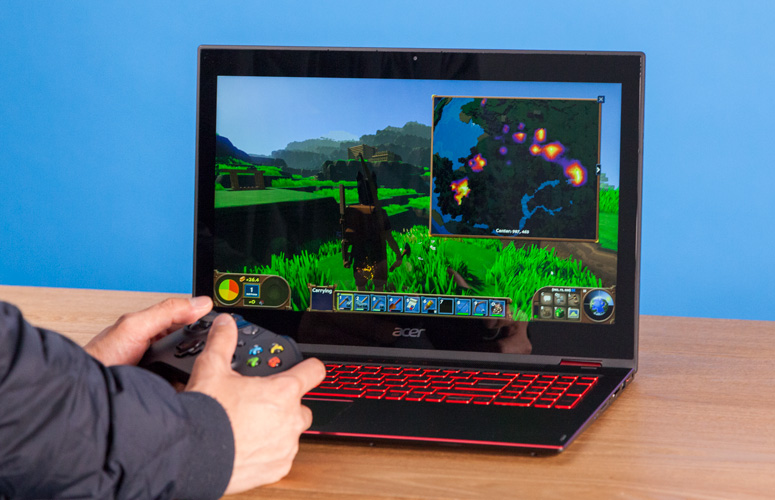
This one looks the part of gaming laptop, to be sure. The keyboard is huge and glows with red back-lights and the vents are stylized and mean. It has a touchpad, which is responsive and gets the job done. It has no dedicated buttons for left or right click, though; you have to click the pad itself. This is awkward for some, but others don’t mind it. All that being said, we recommend gaming with an actual mouse, so the trackpad isn’t a big concern.
The display is the most important part of the exterior design, though, as it’s what you’ll be viewing the games through. It’s got a solid 1,920×1,080-pixel resolution, but doesn’t have the best colors. Images look slightly washed-out and blah. That said, the images are crisp, just a little bland.
Acer Nitro 5: Worth the Price?
With the right configuration, the Nitro 5 is a great gaming laptop for mid-sized games. For a laptop to game on lunch breaks or on the bus, you could do much worse. If you’re looking to play through a back-catalogue of older games, or simpler games like Fortnite, this is a great pick. Newer AAA games might not look too smooth, though. If you’re looking for a full-scale gaming PC replacement, it doesn’t quite have the power for that. That said, the price is right for a portable gaming platform with reasonable power.
Summer time is time to hit the trail! If you’re looking for a car to pair with your outdoors-centric lifestyle, we’ve got a list for you! We’ve picked some of our favorites, and we’ll tell you which the best car for camping is! Believe it or not, there are some great cars out there made with the trail in mind!
Scion XB
Box-shaped cars are awesome for camping. Okay, that’s our list, go home! Jokes aside, the Scion XB is a great pick. You can fit tons of big, awkward things like tents in this super-tall car. You won’t be riding in style, but you’ll be able to carry all your stuff! It’s also great on gas, making it a good pick in general. Just don’t be surprised when people poke fun at your boxy car.
Land Rover Discovery Sport
Land Rover has a great reputation for being made for the great outdoors. The Discovery Sport lives up to that legacy! While many Land Rover owners don’t know it, Terrain Response makes their vehicles some of the best off-roaders in the world!
Sporting that same Terrain Response and a spacious interior, the Discovery Sport great pick for campers. You can take yourself and six friends nearly anywhere in the world, thanks to the suspension and Terrain Response technology. If you’re looking to lead some seriously rugged expeditions, this is the car you want. It’s also not going to break the bank, coming in at
Pontiac Aztec
Don’t laugh. Okay, laugh. Yes, this is the ugliest car in the world. Yes, you shouldn’t tell your Tinder dates you drive an Aztec. And yes, the Aztec is awesome on the trail. Hear us out for a second! This one comes with a camping loadout that includes an attachable tent and an air mattress! The center console can be a cooler! The back-hatch swings open! It’s awesome!
Okay, maybe this thing is too damn ugly to be anyone’s main car. But as a camping car, it’s the bomb. If you can afford to have two cars and car about camping, consider an Aztec. Come on, stop laughing!
Our Favorite Car for Camping: Honda Element
You’re reading a list of the best cars for hitting the trail, so you knew this one was going to show up. The Honda Element is well-known among camping enthusiasts for being dependable, rugged and awesome. And square.
The box-on-wheels design gives the element a tall ceiling, so you can carry tons of stuff. The back seats can fold all the way down or even be removed, allowing for even more space. The floors are even made of easy-cleaning urethane! We recommend springing for all-wheel drive if you plan on taking this one to the trail. You can also opt for the built-in factory hatch tent!