Category: Reviews

  • Oppo R15 Pro: Worth the Buy?

    Oppo R15 Pro: Worth the Buy?

    You might have never heard of Chinese smartphone brand Oppo. Odds are good you’ve heard of their sibling company, OnePlus, though. Oppo, ironically, is the bigger brand in China, but OnePlus tends to steal headlines with their bold designs. The newest Oppo phone, the Oppo R15 Pro, is out now. Is it a worthy competitor in the crowded Android market, or is the brand’s obscurity in the US warranted? Let’s find out. 

    Design 

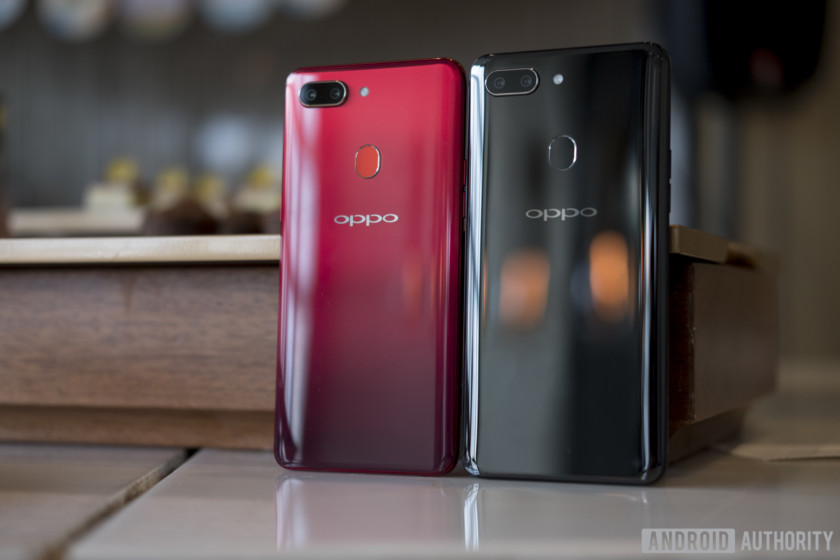
    The R15 Pro is a very clean, modern-looking phone, with a big 6.28-inch display. It sports an iPhone X-style notch, and, in fact, is very much an homage to the iPhone. The Color OS spin on Android OS is pretty much a one-to-one recreation of iOS 11, which isn’t exactly a bad thing. It does make the phone feel unoriginal, but it doesn’t detract from the end user experience. 

    The Oppo R15 Pro has asolid make, too. The phone sports a headphone jack, unlike some newer phones, and has a metal back. That somewhat old-fashioned design decision is underscored by the phone’s charging port, which is micro-USB. The charging port works fine, but it is odd to see such an old port when USB-C is officially the preferred charging method of other android phones. 

    Cameras 

    The cameras on this phone are quite solid. It has two back-facing cameras for portrait mode, and pictures taken in it look fine, if a little washed out. The back cameras are both 20-megapixel, while the front one is 16. Pictures taken normally look pretty good, considering this phone has a mid-range price! It even sports automatic HDR that looks really great.  

    Oppo R15 Pro Performance 

    While design and camera quality are important, the actual phone performance is the big deal. The R15 doesn’t disappoint, but it’s certainly no powerhouse. Sporting a 2.3GHz octa-core Kirin 970 processor, the phone does okay in most tasks. Gaming and other processor-intensive tasks are a little less snappy than on higher-end phones, but it’s usually fine.  

    The battery life is rather excellent, only a fraction worse than the OnePlus 6, which is still impressive. You’ll likely finish the day with a good chunk of battery left, which is great.  

    Bottom Line 

    The final word on the R15 Pro? It’s an excellent phone for its mid-level price. Coming in around $515, this phone has no glaring drawbacks and works reasonably well in most tasks. If you like the look of iOS but want to stick with an affordable Android, consider getting an R15 Pro. You’ll also get a ton of odd looks from people who have no idea what phone you have, which is cool!  

    Feature Image Credit: Android Authority 

  • Total Control: Our Favorite Universal Remote

    Total Control: Our Favorite Universal Remote

    If your entertainment center has caused you to collect far too many remote controllers, it’s time for a universal remote. Logitech makes the best in the biz, but Sony has a pretty good entry worth considering too. If you’re looking to streamline your entertainment, look no further: we’ve got our favorites right here for you to check out.  

    Sony RMVLZ620 

    Sony’s universal remote has a catchy, memorable name and a slick design. One of those things is true. Jokes aside, if you want a straight-forward, bare-essentials universal remote, Sony’s is a great choice. At $25 it won’t set you back too much to streamline your living room. You can pair up to eight devices using pre-programmed codes. The one-touch macro buttons are a plus, and the backlit buttons are great for when you’re watching in the dark. If you want a simple, easy-to-use remote, this one is for you. 

    Logitech Harmony 650 

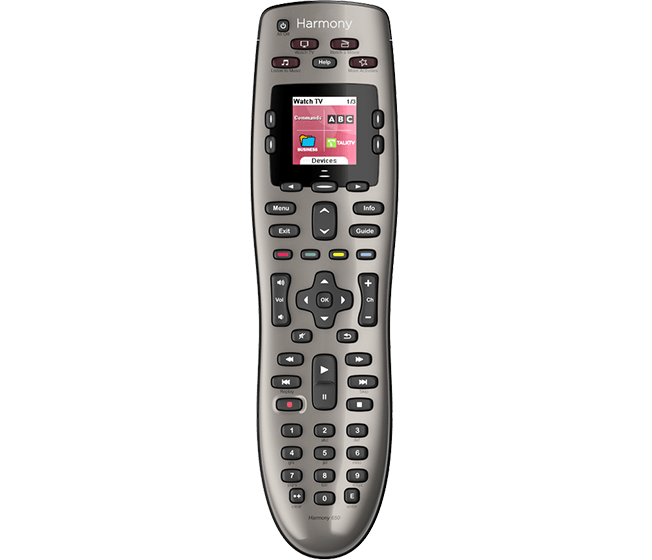
    The Harmony 650 is the best remote for your buck if you don’t need a crazy suite of features. For those who want full smart-home integration and app uses, check out the Harmony Elite or Companion. For general use, though, the 650 will get everything you need done. The best part about this solid remote is the price tag. It only runs $35, and it’s fairly easy to set up. You just have to set it up through your computer, but once it’s online it can control your whole system with a button press. This remote is fantastically powerful for its price. 

    Our Favorite Universal Remote: Logitech Harmony Companion 

    The Harmony Companion is a fantastic choice if you intend to sync it with your smart home technology. It can control everything from your TV to your Philips Hue lights. The best part of this one is the Alexa integration. While Logitech sells a more-robust Logitech Harmony Elite, that one costs $250. The Companion, however, only costs $135 and offers similar features. If you have Alexa and smart home technology already, the Companion is a great choice at a great price. It even features a smartphone app that can also be used as a remote for the devices that are paired. You can’t go wrong with this winner from Logitech. 

  • HTC U12 Plus: Too Ambitious For its Own Good?

    HTC U12 Plus: Too Ambitious For its Own Good?

    The highly unusual and ambitious HTC U12 Plus is here. What’s the verdict? Well, it’s certainly weird. Let’s get into the specifics.  

    Buttonless Design 

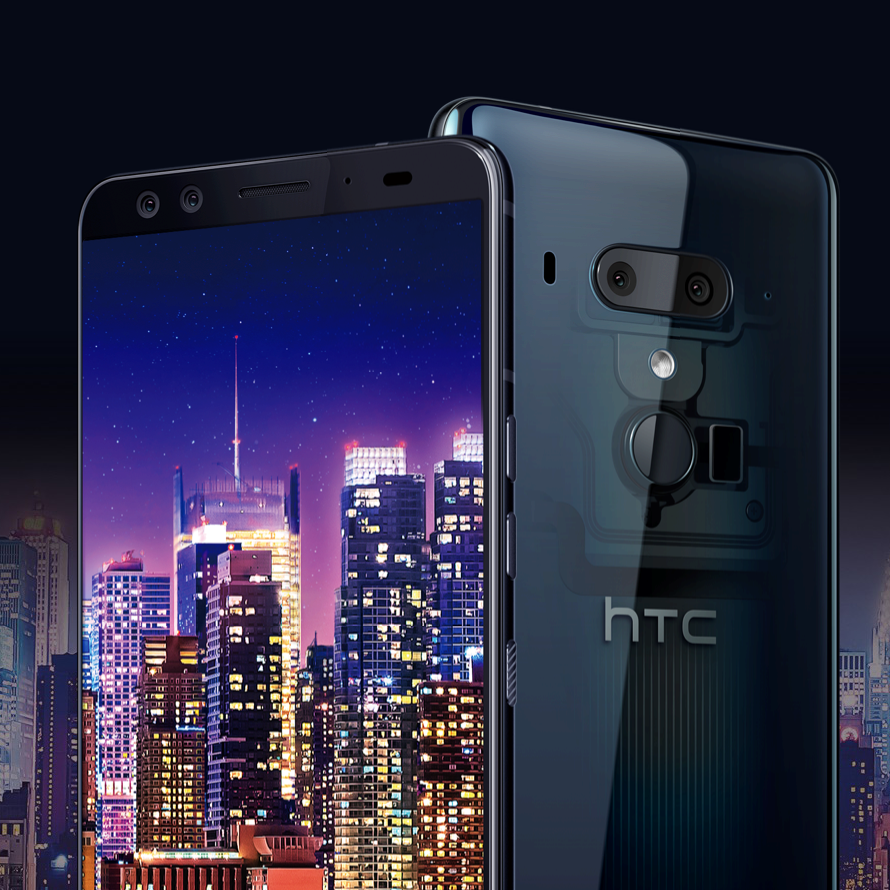
    The lack of buttons on this phone is a lot more awkward than it needs to be. While the design decision makes sense, given that real buttons act as weak points in normal phones, the execution is poor. It feels forced, like it was a box to be checked off on a list titled “futuristic phone features.” While the side-squeeze customization is nice, it’s tiring to use. Being able to call up specific apps by squeezing the phone is certainly unique though, and we hope to see similar designs incorporated into future phones. It is worth wondering if the phone wouldn’t have been better off just having normal buttons. 

    Screen and Cameras 

    The screen is large and pretty, which is to be expected from a modern smartphone. It looks fine and is truly nothing special. It washes out in direct sunlight, unfortunately, making it feel a bit cheaper than most modern smartphones.  

    Similarly, the cameras are fine. You won’t be taking studio-quality pictures or filming any breathtaking footage, but they’ll suffice. The phone uses a dual-camera setup that works pretty well, which, again, is to be expected. It offers bokeh-style portraits, which has become industry standard, and they look quite good.  

    HTC U12 Plus Processor 

    HTC’s newest phone sports a Snapdragon 845 processor, which makes it speedy and responsive. It keeps up with modern smartphones like the Galaxy S9, but lags behind the iPhone X’s excellent A11 Bionic processor. That said, so does every other phone currently on the market, so it’s hard to knock the U12 Plus too much in that regard. 

    Battery Life 

    The battery life on the HTC U12 Plus is a joke, which is a shame. Testing has shown that the phone barely gets through 12 hours of video playback. This means you’ll have to charge it daily, and if you watch videos or play games often, consider carrying a charger with you. This would have disappointing in 2008, and it’s inexcusable in 2018. 

    Bottom Line 

    HTC’s newest phone costs $800 for the 64GB model, or $850 for the 128GB version. For a phone that is as awkward and disappointing as this, that price point is a deal breaker. Unless you particularly love the idea of a button-free phone, give this one a pass. Check out the Galaxy S9 or iPhone X for better phones in this price range, you won’t be disappointed. 

  • Top Ten Tools Every Small Business Needs

    You’re looking to start a small business, huh? Well, you’ve definitely got a lot on your plate. What are some tools and software suites that can help lighten that load and make things easier? We’ve got a list of the top ten things that every small business needs to succeed. From invoicing software to analytics, we’ve tried to think of everything you may have missed. With these tools and some business know-how, you’re bound to do great! 

    Project Management Software 

    OmniFocus, Jira and a few other platforms are great examples of project management software. Tools to help keep projects organized and on-time are a must for any small business. If you’re concerned with meeting deadlines and efficiently finishing projects, having access to oversight tools is important. Those working on the project can log their progress through the project software, allowing you to keep up-to-date on its status. That way, if issues arise, you’ll be kept up to speed with the project. Checking back through logs to see what worked, and what didn’t, will help ensure future projects go even better.  

    Invoicing Software 

    While your project management is important for internal operations, in order for things to keep operating, you have to get paid. As such, picking an invoicing software to familiarize yourself with is important. Many businesses prefer the easy-to-use Microsoft Excel, pictured above. You’ve probably used it before and making invoices in it is a breeze. In fact, Microsoft’s Office Suite of programs is so universally useful, you’d be hard-pressed to find a reason to not have it. Other programs do exist for those who prefer them, though. FreshBooks and QuickBooks are two popular examples, both of which are perfectly serviceable. The important thing, of course, is being comfortable and famliar with your chosen invoicing software.  

    Point of Sale System

    In the same vein as invoicing, your money has to come in somehow. If you’re operating a storefront, you’ll need a point of sale system. A favorite of small business owners is the excellent and business-friendly Square platform. You can use an iPad with a stand and card reader, if you’d like, allowing a rather inexpensive and elegant way to handle transactions. Those looking for more traditional software have a wealth of options available to them, as well, though they are often much more expensive. Solutions like EPOS Now and Merchant Account Solutions are quite popular, though they are a bit more difficult to set-up than Square. 

    Communication Apps 

    Staying in touch with your employees and clients is important. The best ways to keep in touch? Apps like Skype and Slack. Using Skype for Business is a great way to integrate your Skype contacts into your everyday business. Video conferences with clients and business partners are easy with Skype. Rather than having to hop on a plane across country, you can simply video chat in! On the other end of the spectrum, the Slack app is great for keeping in touch with employees. Slack is designed for business and is great for workplace productivity and communication. 

    Ride-Sharing Platforms

    It’s quite likely your small business doesn’t have a driver on-site. For all the times you need to jet across town for a meeting but won’t have time to find parking, consider a ride-sharing service like Uber or Lyft. These apps offer relatively inexpensive rides and help you get where you’re going on time and without having to worry about the drive time. Until you can afford your own driver, a ride-sharing app is a pretty close approximation!  

    E-Signing Apps

    Echo Sign, DocuSign and other services are great to consider for your business. Offering digital uploading and signing of documents, digital singing apps are great for streamlining your business. If you have distant clients that need to sign documents but no fax machine, these are a life-saver! They’re also great for employees who are off-site to sign tax documents and releases. Strongly consider use of these applications when you need documents signed!  

    Drop Box

    It’s hard to overstate how important the cloud will be to your business if you implement it well. Drop Box is an app built around cloud storage. If you have files you want to share, Drop Box is how you do it. Connecting all of your devices is easy, and you can access your Drop Box from anywhere. Instead of having to remember to bring thumb drives or laptops with you, just upload relevant files to the cloud and pull them up on any device with your login information. Streamlining all your files in one place is a great way to appear organized and professional! 

    Social Media Presence

    You probably guessed this would be on the list. Having a strong social media presence is very important, even if it doesn’t seem that way. Being on Facebook and Twitter is a must, as many potential customers will encounter your business through there first. For businesses aimed at younger people, Instagram is another social media platform worth being on. Managing your social media platforms isn’t terribly hard or time-consuming, but it makes a huge difference. Younger demographics are much more likely to recognize and engage with your brand if you have a strong social media presence. That said, social media is no substitute for a true web presence via your own website. 

    A Great Website

    Not every startup can afford to pay a professional web designer to help set up their website. If you’re looking for a resource to create a website, there are some great options out there. Go Daddy is a popular tool, offering great beginner resources for creating an aesthetically pleasing, informative site. The site offers a great deal of support via live troubleshooting and advice from professionals. Go Daddy even incorporates WordPress support for blogging. Another popular choice is Wix, a “no-programming” website builder. Wix uses a drag-and-drop interface so you can make a site that you like the look of on the fly. Whichever one you choose, make sure to create a site that matches your brand and vision. Most customers’ first experience with your business will be through your site, so make sure to make that first impression count!  

    The Most Critical Small Business Tool: Google Analytics

    Analytics are what your business will live or die by. Your web presence is everything in the modern era, and every startup needs to ensure their image is right. Using Google’s analytics software will help you see traffic to your site broken down into readable, informative graphs. The information gleaned is concise and you can act on it confidently, knowing you understand the meaning behind the raw data. Without use of analytics, you’re shooting in the dark. With analytics, you know your target and how to hit. Breakdowns by demographic, country and traffic types are all available, helping you hone your web marketing. With these tools and the right execution, you’ll be setting yourself up for success. 

  • Which Smart Thermostat is Our Favorite?

    Which Smart Thermostat is Our Favorite?

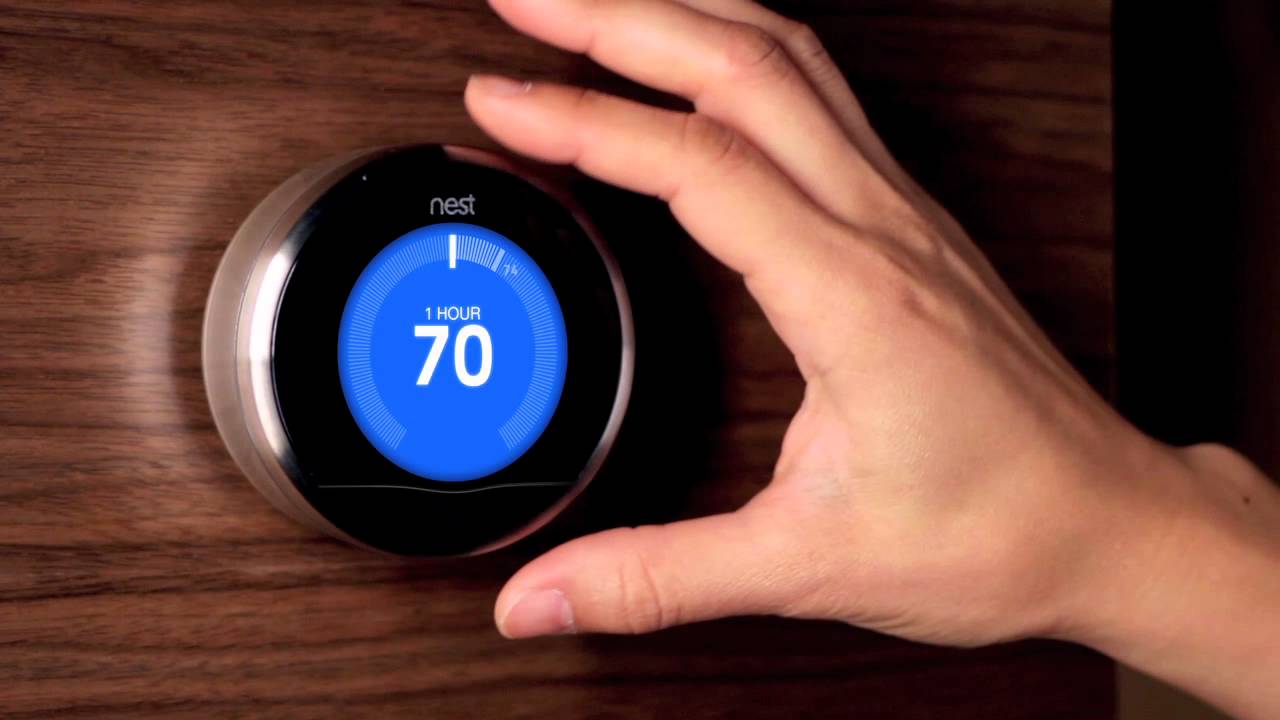
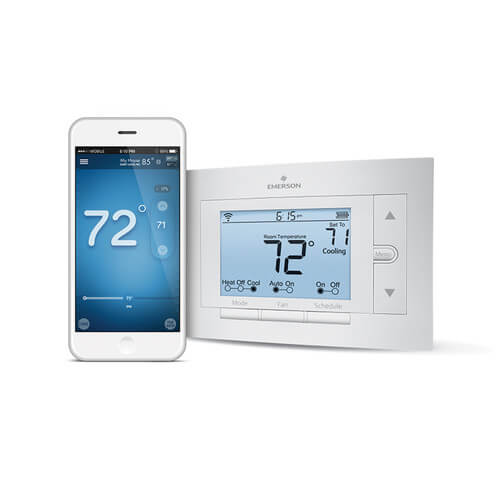
    Everyone wants to be comfortable in their own house. That’s a given! However, it can be a pain to have to constantly mess with the thermostat. If you’re like me, you’d probably rather just set it and forget it and let automation take over. Well, good news! If you grab a smart thermostat, you can do just that! Which one is our top pick? Read on! 

    Sensi Wi-Fi Smart Programmable Thermostat 

    Photo Credit: Supply House 

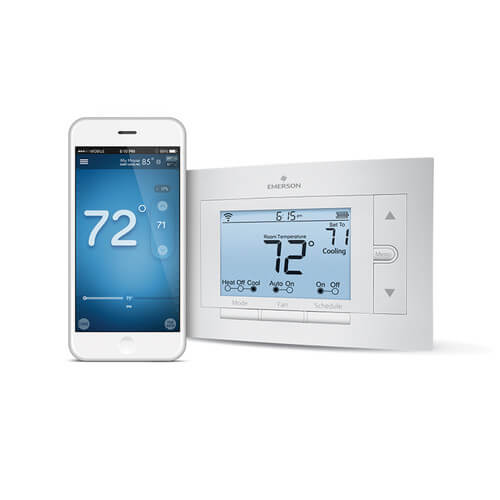
    The coolest thing about the Sensi Thermostat is that it doesn’t require a C-Wire to hook up! What this means is that you can set this smart thermostat up in houses you normally couldn’t. This thermostat gets a nod for its great price, coming in at $118, and good app support. You can control it from anywhere with the app, and you can even set programs to cycle throughout the day, or week. It can even run on a pair of AA batteries! For those who aren’t as tech-savvy but still want a programmable thermostat, this one is for you! 

  • Looking for a Small but Powerful Phone? Try the Sony Xperia XZ2 Compact

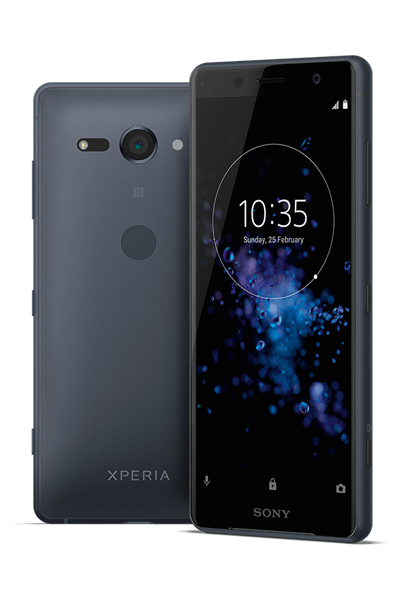
    Looking for a Small but Powerful Phone? Try the Sony Xperia XZ2 Compact

    Most phone manufacturers tend to keep their phones as big as they can feasibly be and still fit in your pocket. Sony, however, is trying to look out for the little guy. Or, at least, the little guy’s little hands. There are few phones as small as the Sony Xperia XZ2 Compact that pack the same amount of power. Here’s a quick rundown of our thoughts on Sony’s small wonder. 

    The Specs 

    The biggest issue with most phones this small—and it is small, coming in with a 5-inch screen—is that they’re not powerful. A QUALCOMM 845 processor is inside this little machine. For those unfamiliar, that’s a pretty hefty processor. For context, that’s a processor that beats the Google Pixel 2 in benchmark tests. If you like playing games or editing photos on your phone, the Xperia XZ2 Compact won’t disapoint. 

    The other powerful thing running under the hood is the camera. Sporting a 19-megapixel camera that shoots at 960 frames-per-second in HD, it’s no joke. You’re not going to be disappointed in the quality of photos or videos from the Compact. The selfie cam is only 5-megapixel, but that’s a small trade-off for this small phone. Additionally, the phone only has one rear-facing camera and one front-facing camera. As such, it has no portrait mode or other such features. This is a small complaint, but those used to high-end smartphones will notice it. 

    Design 

    On the design side, the phone is a bit bland. You could almost describe the design as boring. That said, the only other powerful phone this size is the iPhone SE. So, you’re sort of stuck with this design if you like Android. Fitting easily in a pocket or purse, it’s easily used with one hand. It has very small bezels, maximizing the screen size in spite of the incredibly small handset size.  

    A big negative to the phone, though, is the lack of a headphone jack. It seems that particular port had to be dropped to help the phone keep its slim profile. There is a conversion dongle with the phone, but using it means you can’t charge your phone and listen to music at the same time. You could opt for a set of Bluetooth headphones, but it’s a bummer in any event.  

    Sony Xperia XZ2 Compact: Bottom Line 

    If you’re in the market for a small handset and want it running Android, you’re sort of stuck with this one. That said, it’s actually a really good phone! It costs $650, which is really reasonable for how powerful it is. So, if you’re tired of putting your phone in one-hand mode or having to reach across a massive handset, this is a good choice. Those in the market for a compact phone won’t be disappointed! 

  • Looking to Stay Frosty in the Great Outdoors? Check out Our Favorite Backpack Cooler List!

    Looking to Stay Frosty in the Great Outdoors? Check out Our Favorite Backpack Cooler List!

    There’s nothing quite like hiking in the wilderness. The fresh air, the plants and animals, and the times spent with good friends really make spirits rise. In the heat of summer, though, you want to make sure you have enough ice-cold drinks to cool down! It’s not easy to lug a cooler around the hiking path, though, so you’re going to need a cooler backpack. We’ve got a round-up of our favorites right here! 

    Mountain Khakis Compass 

    This rectangular pack is almost two feet deep and can hold thirty dry cans of beer or soda. If you include ice, it’ll hold about half that number. This is awesome for those long hikes! It has a high quality make, including a fantastic water-resistant zipper and body. The bottom is molded and keeps it shape even on long hikes under a ton of weight. There’s even a zipper inside for ice packs or other small things so you can keep them from being lost amidst your drinks. It also sports a drop-in, waterproof liner that can be pulled out for easy cleaning! 

    Polar Bear Solar Bear 

    The Solar Bear cooler is perfect for spending a long time in the hot sun. The exterior is made of a UV-blocking polymer and is thick and excellent at insulating its contents. Polar Bear promises the pack can keep drinks cold for 24 hours, even under direct sunlight! The design is also highly water-resistant, and it’s durable and great for long hikes. If you’re expecting to be in temperatures at or above 100 degrees Fahrenheit, this is a great pick! The best part is, it costs less than $100! 

    Our Favorite Backpack Cooler: Orca Podster 

    The Podster pack is awesome, sporting materials and make that would make some kayaks jealous. It’s highly water-resistant, durable and can keep food and drink cool for days. The interior is 14.5 quarts, which means you can carry a pretty sizable picnic or number of drinks. It also comes in a gorgeous array of colors and looks amazing in all of them. A truly unique and stylish backpack cooler! 

  • Beau’s No. 1 App Review: Hole.io

    Beau’s No. 1 App Review: Hole.io

    Beau’s App series. Each week, I install whatever is the No. 1 bestselling app on the iOS or Android store and review it, to save you the effort in case it’s total waste of life. This week a game called Hole.io is in the top spot and we are gonna talk about it. Why isn’t it No. 1? not sure, its a very simple and basic game but it’s free. So let take a look and see what has this game rocketing to the top of the charts.


    The latest twist on multiplayer growth game “Agar.io” has arrived, with “Hole.io,” from French publisher Voodoo. Enter the arena and face the other holes in a fierce battle. you go head to head with 8 other live players. The goal is to eat everything in sight, including other holes to increase your size and consume larger object. Eat everything in sight with your black hole and expand it to eat more! Show them who is the biggest hole in town!

    So far I have enjoyed this game immensely, much more than I expected that I would. Its fun challenging and addictive. When Hole.io becomes bigger, its strength to pull other things becomes much more powerful.  Hole.io is easy to use yet very funny to play. What I enjoy is its a 2 min time investment, its quick fun, easy and challenging at the same time. 8 Players 2 mins…go.

    Good App Not Great

    While I have enjoyed the game a lot over the past few days, I do have some beefs and Id like to address them now. This is a good game but few minor improvements and this can be a great game and hit universal popularity. First, I need different modes. Size and Time variation to choose from. Its only been a few days and I feel like I have seen all there is to be seen. Second, some new maps would be great, right now there is only one. Spice it up with some new maps or even mock ups of real cities. Go obscure with it, instead of New York, DC and LA. Let me play Tucson, Daytona Beach and Bend, OR. Let me eat a city I’ve never been to and haven’t seen in a video game a billion times. Lastly, address the lag and lack of speed, make my hole faster and fix the lagging.


    The Final Thought

    This game has blown up on the scene in just a month. It fun, entertaining and has a ton of potential.

  • Best 5 Laptops Under $500 in 2018

    Best 5 Laptops Under $500 in 2018

    Laptops are very essential these days- for school, work, or just personal use. The price of a premium new laptop can cost up to $1,000, which is pricey for anyone. Numerous companies have made laptops more affordable while keeping the quality and capabilities of more expensive laptops.

    You don’t have to feel like you’re settling when shopping for a laptop under $500. There are value-priced notebooks that include full-HD displays, solid performance and long battery life, plus all the ports you need. We picked all the best all-purpose laptops in $500 price range which we think are best laptops to suit the wide range of requirements of people. Here is a list of the best five laptops under $500!

    1. Dell Inspiron i3567 Laptop

    The latest version of this Dell laptop has a powerful system in place with 8GB of memory and a 128GB hard drive and a Intel Core i3-7100U 2.4GHz processor. It has a professional feel in it’s all black look with a 15.6-inch laptop with a screen resolution of 1366 x 768. The operating system runs smoothly with Windows 10 and is backed with a 12 month warranty, with 12 months of tech support.

    • A new, powerful hardware system
    • Has many ports and slots to use your external devices
    • 8 GB Ram
    • 7th Gen Intel Core i5 processor
    • It is not backlit enabled
    • Battery life up to 5 hours

    2. Acer Aspire A515-51-50RR Laptop

    The Acer Aspire 5 is one of the best budget full-size laptops you can find in stores today. It checks most of the right boxes: well built, slim and fairly light, gets a decent keyboard, an IPS screen and modern hardware, performs well, runs cool and quiet and lasts for a long while on a charge. This slim and sleek laptop is a great all round performing laptop, especially for the price. The visuals are spot on with vivid, bright colors.

    • LCD display and is backlit
    • 2.50 GHz Intel Core i5-7200U processor
    • Storage: 1TB hard disk
    • Intel HD 620 graphics
    • Battery life up to 7 hours
    • All-plastic chassis

    3. HP 15-ay191ms Laptop

    The HP 15-ay191ms, a signature edition laptops that comes with a seventh-generation Intel Core i3 processor, 8GB DDR4 system memory, 1TB of storage and a touchscreen, but still remains insanely affordable. It’s one of those laptops you’d buy without a second thought if you find inexpensive chromebook attractive, but really, really need Windows. If you love touchscreen, this one’s for you! This laptop contains the Kaby Lake processor which makes this laptop consume little power. Apps are not an issue here, they all run very smoothly.

    • Touchscreen
    • Intel Core i3-7100U processor
    • 8GB RAM
    • 1TB hard drive
    • Lag-free performance
    • Battery life up to 6 hours

    4. Dell Inspiron i3567-5185BLK Laptop

    Yet another Inspiron made this list! This version comes in different color options and a textured finish.  Packed with a large 15.6 Inches display and a decent 7th Gen Intel Core i5-7200U up to 3.1GHz CPU processor. This Dell laptop model would work well for portability with its 4.85 Pounds lightweight design and sleek black look. Great for school work or the family computer. A huge bonus with this laptop is it doesn’t heat up much!

    • 2.4 GHz Intel Core i3-7100U processor
    • 8GB RAM
    • TB hard drive
    • LED display with a built-in webcam and mic
    • Battery life is up to 6 hours

    5. ASUS Chromebook Flip

    This is one of the best convertible laptops on the current market. The Asus Chromebook Flip C302 is worthy of its premium stature with a gorgeous screen, tactile keyboard and a classy design that’s equally as comfortable to use in tablet mode or as a traditional laptop. The screen is a full HD touchscreen and can be converted from a laptop to a tablet by turning the screen. A top pick for a college student!

    • Intel Core m3 processor
    • 4GB RAM
    • 64GB of SSD storage
    • Battery life of up to 10 hours

  • Which Alexa Skills are Our Favorites?

    Which Alexa Skills are Our Favorites?

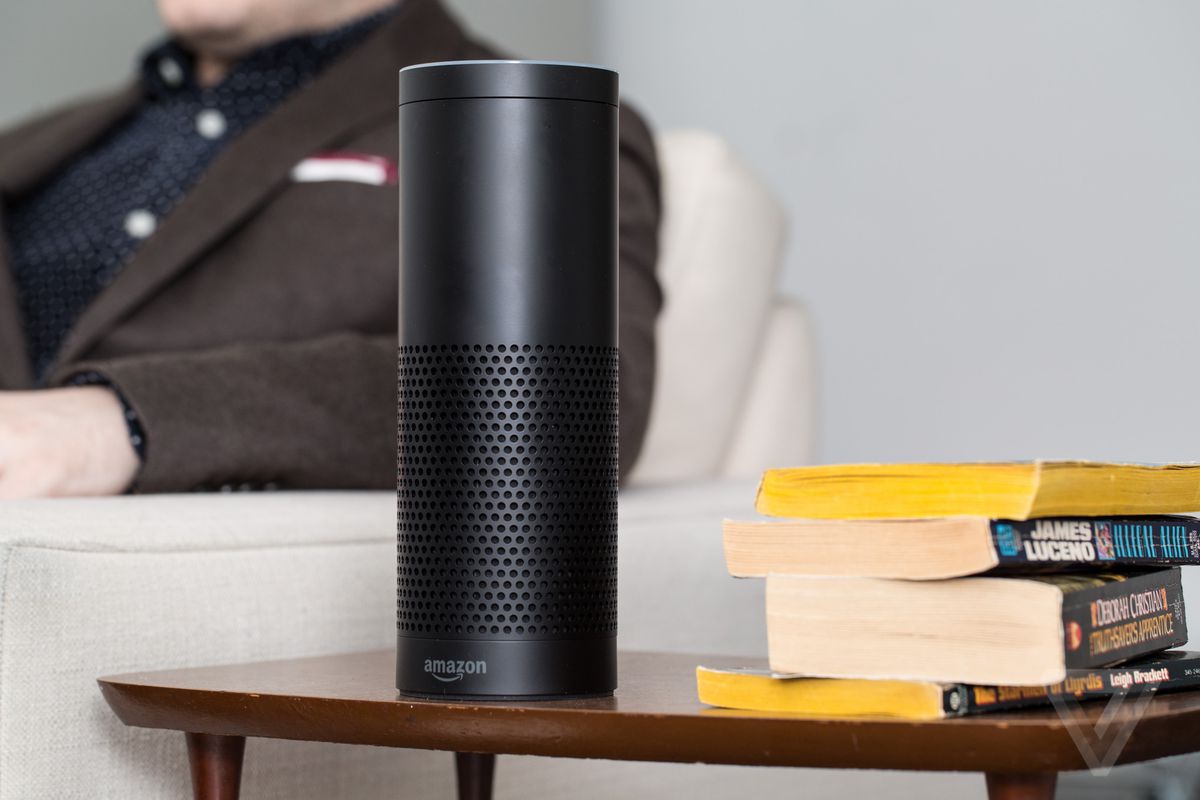
    Alexa has a ton of skills. Over 30,000 skills, to be exact. That’s a pretty crazy number! With that many skills available, how do you know which ones are even worth getting? We’ve got a list for you of some of our favorite Alexa skills. The skills here are the most useful or fleshed-out, easy-to-use or helpful. Alexa, do something cool! 

    StubHub 

    The StubHub skill is great for finding out what’s going on around you. Say “Alexa, ask StubHub what’s going on tonight?” Then, it will have StubHub pull up events and shows in your area. You can even ask about other cities. As you could expect, you can buy tickets to any event connected to StubHub through the smart speaker. Going out for a night on the town, made easy! 

    Audible 

    Having your smart speaker read to you can be a great way to catch up on books you’ve been meaning to read. While Audible is awesome in the car, the Alexa skill lets you enjoy your audiobooks from the comfort of the couch! Whether you’re doing chores, relaxing or just showing off what books your trying to read, Alexa is a great medium for Audible. The callouts are common-sense and easy to remember. “Alexa, read my book” calls up your most recent audiobook. Or you can say “Alexa, read (insert book here)” and she’ll pull up that one instead. It’s simple and intuitive! 

    BBC 

    The BBC skill is great for getting news. You can set up Flash Briefings through your Alexa settings, and the BBC is a good source for news for such a briefing. If you like to hear your news while you take your coffee, Flash Briefings are awesome. They’re effectively a fast-paced recap of everything happening in the world, helping you to stay current. Just call it up by saying “Alexa, what’s in the news?” 

    Philips Hue 

    If you have the smart bulbs of the same name, the Hue skill lets you control them with your smart speaker. This is just super cool, to be honest. Once you set your various “scenes” from the app, they’re ready to be called up by voice. Ready for bed? Tell your virtual assistant to set the lights to sleep mode. Time for hosting company? Use your voice and set the room to “relax” mode. It’s quite convenient and makes you look like a tech wiz in front of company!