Category: Reviews

  • You Need to be Comfortable to Play Your Best! Which are the Best Gaming Chairs?

    You Need to be Comfortable to Play Your Best! Which are the Best Gaming Chairs?

    If you’re rocking a sweet new gaming rig, chances are you’re going to be sitting in front of it for a while. And if you’re going to be gaming, you should do it in comfort! With what in mind, we’ve got a list of some of our favorite gaming chairs! 

    X Rocker Pro Series Pedestal 2.1 

    X Rocker makes an interesting, banana-shaped design chair that comes with some pretty awesome features. First, it looks like an awesome sci-fi piece of furniture and would match with most gaming setups. Second, it has two speakers and a subwoofer! The sound system is connected to a wireless receiver, so you don’t have to run cords to it, keeping your walkway clear. It’s also huge, cushioned and super comfortable, with big arm rests. If you like the design and speakers, it’s a great choice! The X Rocker retails for around $190. 

    Merax Racing Style Gaming Chair 

    If you’re looking for something a bit more traditional-looking, this $115 chair from Merax is a bit more subdued than most racing-style chairs. It doesn’t have many bells or whistles, but it’s big, comfortable and looks pretty cool. If you want to split the difference between traditional office chair and full-on gaming chair, this is a good compromise. It’s quite comfortable, and rather affordable for such a high-end chair! If you’re in the market for a better computer chair but don’t want to look too much like a gamer, this is a good option. 

    The Best of the Gaming Chairs: Vertagear Racing Series SL4000 

    The $340 Vertagear is a favorite of Twitch stars and pro gamers. It’s easy to see why: it offers great support, it’s comfortable, and it looks great. It has a ton of different color options and looks right at home in any gaming battle station. If you’ve always wondered which high-end gaming chair is the best, our recommendation goes to Vertagear. It’s a little hard to assemble, but once you have it together you won’t be disappointed. Featuring firm cushions and an ergonomic design, the Vertagear is a great choice for a serious gamer. We recommend setting it so that you’re sitting in a nice, upright position with good posture. This helps ensure you don’t experience back or shoulder pain during long gaming sessions! 

  • New to PC Gaming? Here’s the Top 10 Things You’ll Need

    New to PC Gaming? Here’s the Top 10 Things You’ll Need

    So, you’re looking to start PC gaming? While you probably know how daunting it can be to start out, we’re here to help. From slick looking peripherals to high-end hardware, we’ve got a list of ten must-haves for PC gamers! 

    Set of Tools 

    Photo Credit: Amazon 

    The first thing you’re going to want is a set of tools. Preferably a magnetic screwdriver and an anti-static wristband. Being able to open your rig and troubleshoot is a key aspect of PC ownership. If you spend top dollar for the very best gaming PC, make sure you take care of it! You’ll also probably want a magnetic parts tray so that you don’t lose too many screws. Also, you should get some extra case screws, because you’re going to lose screws. 

    Canned Air 

    Photo Credit: Walmart 

    This is the last boring entry, I swear. Once you open your computer up, you might notice some dust has collected in recesses. It’s best to clean this dust out once a month or so. If you don’t your computer’s performance will suffer as it experiences higher-than-average temperatures. Canned air is also great for cleaning out debris from keyboards! 

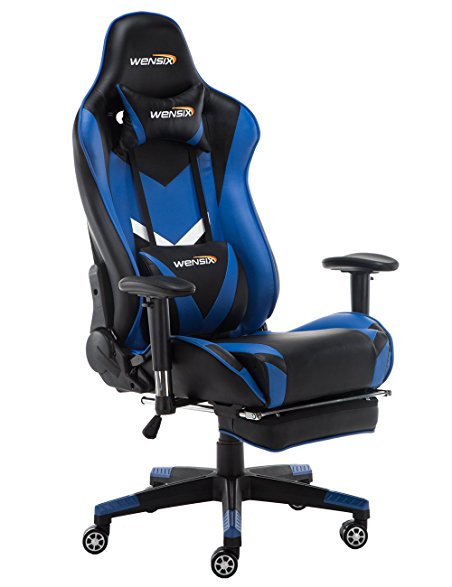
    PC Gaming Chair


    Photo Credit: Amazon 

    If you intend to sit in front of your computer for a few hours at a time, make sure it’s in a comfortable chair. There are a few well-known brands of gaming chair to choose from. Vertagear and Furmax both make solid options, and there are often good deals on sites like Amazon. Racing-style chairs are particularly popular at the moment with streamers and pro gamers! 

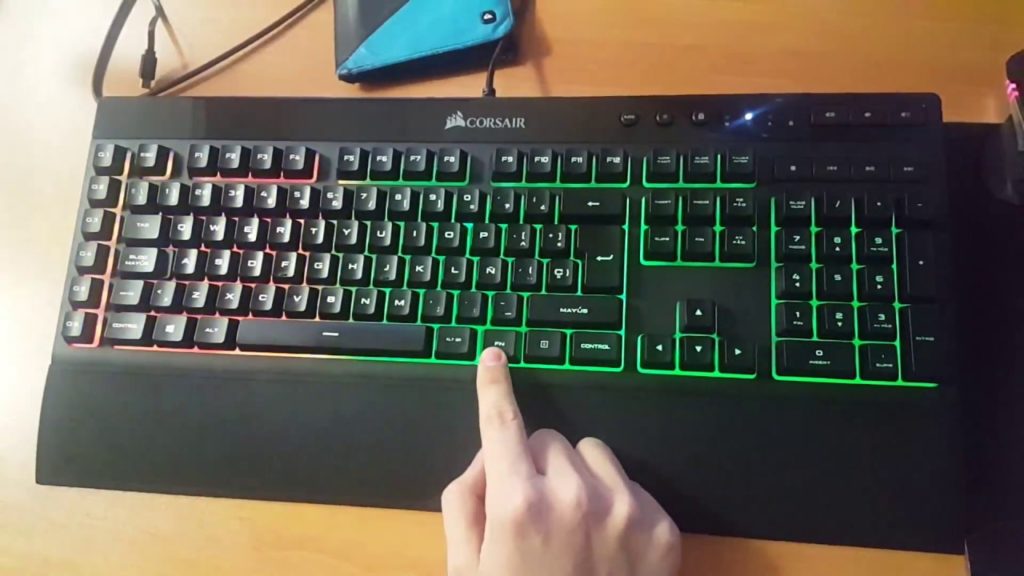
    RGB Lighting


    Photo Credit: YouTube 

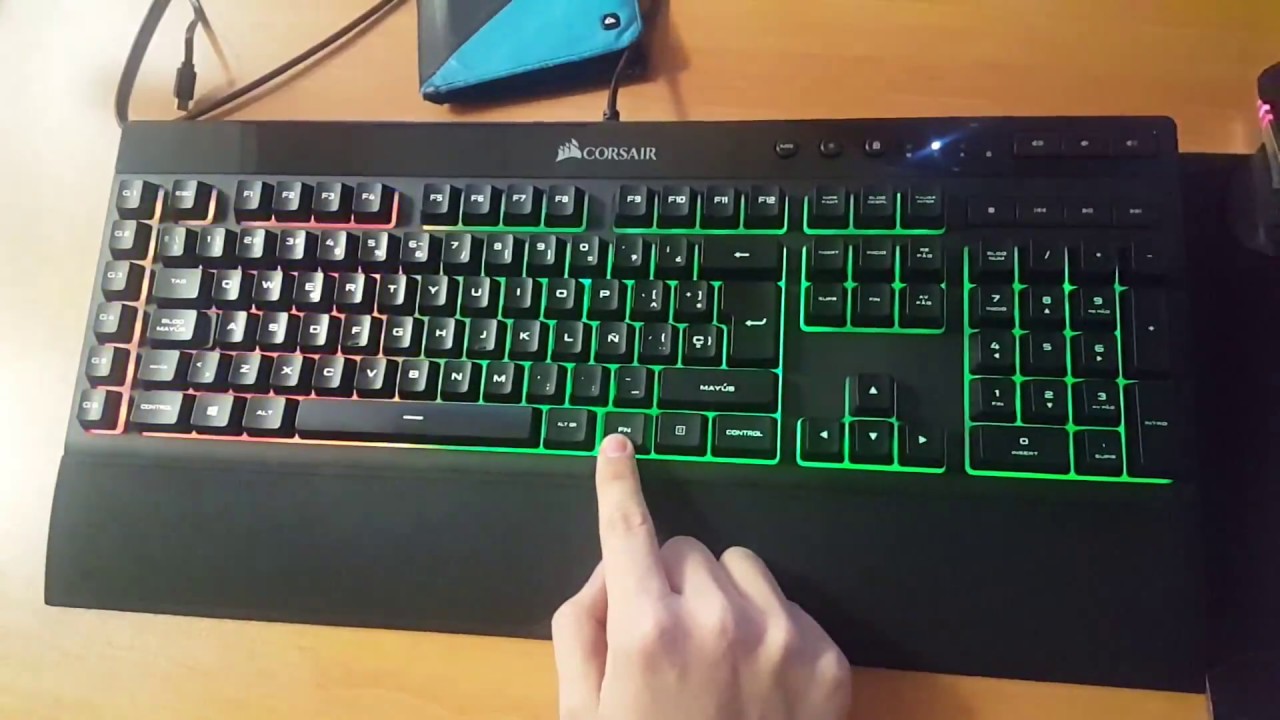
    PC gamers love few things more than high-end graphics. One of the things that comes close, though, is glowing keyboard and mouse setups. High-end peripheral makers like Corsair and Razer make most of their ranges with RGB lighting built in. You can then use software to choose what colors and patterns you want your RGB to take on. Many games even offer compatibility, like Overwatch and Fortnite. If you want your setup to look as serious as it is, consider getting some RGB gear! 

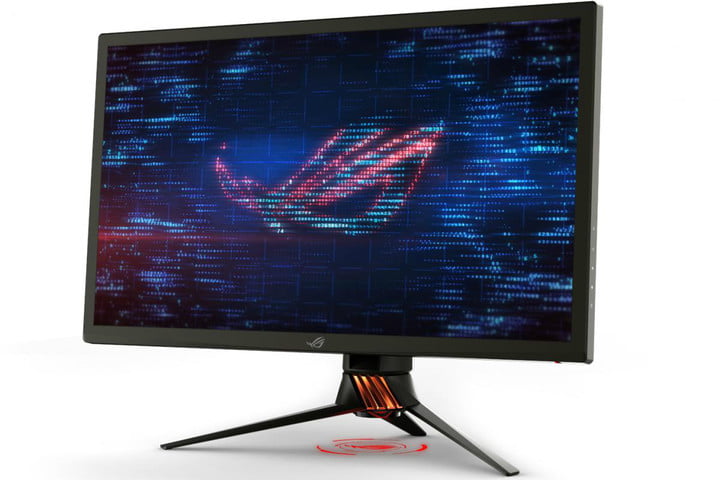
    Gaming Monitor


    Photo Credit: Digital Trends 

    What’s the point in having an awesome graphics card if your monitor can’t resolve the images it’s being sent? Springing for a 4K monitor is a must if you want 4K graphics. While there are a ton of options out there, finding the best one for your rig is important. Some people like ultra-wide, curved screens. Others may prefer large, flat monitors. Whatever you pick, make sure it’s something you won’t mind sitting very close to for hours on end! 

    Second Monitor

    Photo Credit: Quora 

    Many PC gamers swear by a two-monitor setup. Odds a good you already have a normal monitor, but not a dedicated gaming monitor. Well, after you upgrade, don’t sell your old monitor just yet! Instead, consider rocking a two-monitor setup. That way you can multitask! Your awesome new gmaing computer surely has enough RAM that you can do two things at once. Stuck in a hard section of a new game? Watch a step-by-step guide on your other screen. Chatting with friends in between boss fights? Use your second monitor! Some people just like throwing YouTube or Netflix up while they grind their favorite games. 

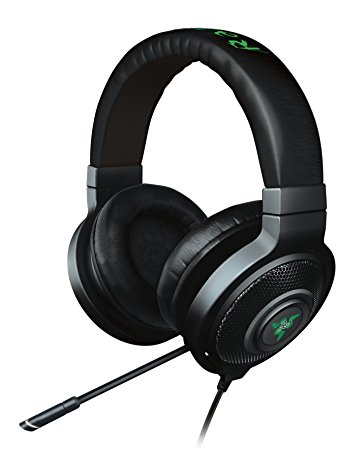
    Gaming Headset

    Photo Credit: Amazon 

    Gaming headsets are a must if you plan on chatting with your team. While some games don’t require them, nearly all games are made better by the surround sound quality of a gaming headset. Not to mention, your team will appreciate how clear your voice is thanks to your awesome mic! This is an expense worth undertaking if you take competitive team games seriously. 

    DualShock 4 Controller

    Photo Credit: Best Buy 

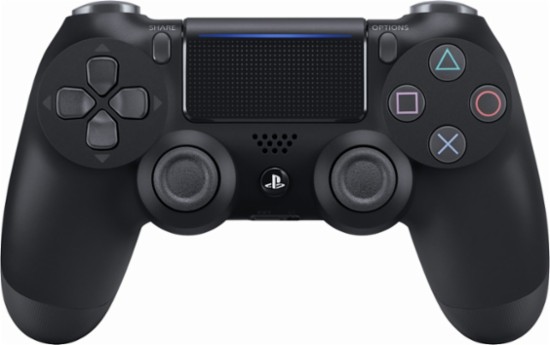
    This one probably seems a little out of place. After all, PC gamers are always talking about how awesome keyboard and mouse is! Well, keyboard and mouse controls are great for certain games. Real-time strategy games, first-person shooters and the like were really made to be controlled by keyboard and mouse. Some games were just made for use with a controller, though, and for those, you’ll want a real game pad. Many consider the DualShock 4 to be one of the greatest game pads ever, with its matte finish and ergonomic design. If you’re more inclined to Microsoft’s offset analog sticks, the Xbox One controller is also a fine choice! Both will work with minimal issue and a bit of setup on pretty much every game. 

    Gaming Mouse


    Photo Credit: Newegg 

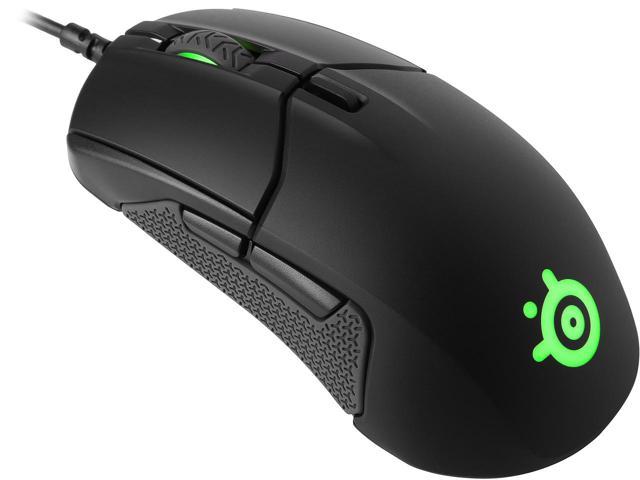
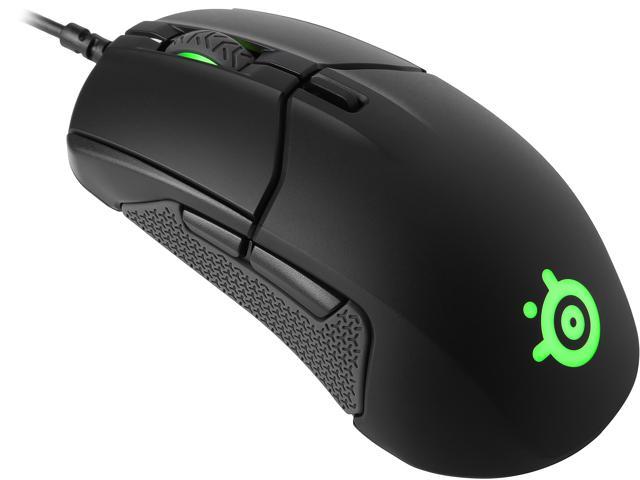
    For those times when you need a mouse and keyboard control setup, though, you’re going to want the best. High DPI, performance gaming mice aren’t cheap, but you’ll know the difference right away. Sporting high-precision and buttons right on the mouse, these are the best way to play. You’ll find yourself skipping less pixels, aiming more precisely and binding common tasks to your mouse buttons. If you’re gaming seriously, you’ll want a serious mouse. 

    The Most Important PC Gaming Peripheral: Mechanical Keyboard

    Photo Credit: Newegg 

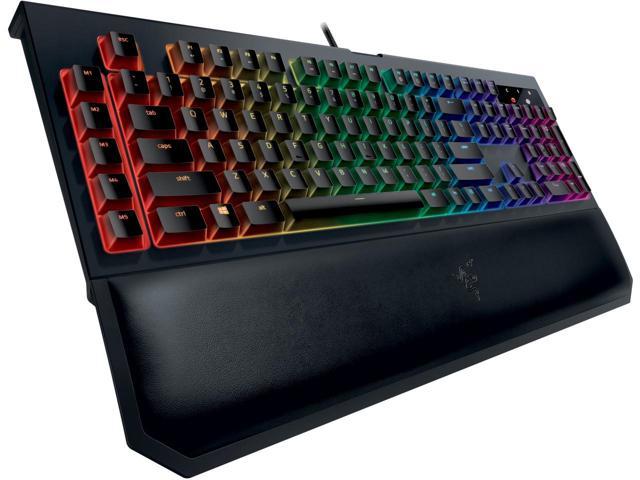
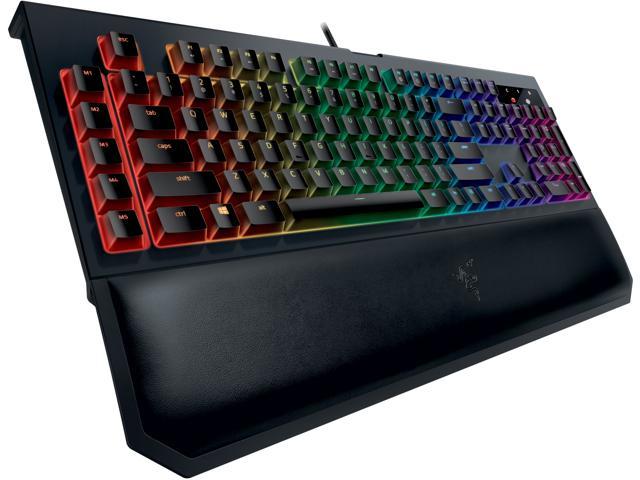
    If you intend to play video games from your PC, get a mechanical keyboard, full stop. It might sound absurd, but those loud, clunky keys are a revolution when you first use them. You won’t accidentally hit a key. You’ll know when you press down that your input was read. While they take a bit of getting used to, mechanical keyboards are the best for gaming. They’re not ideal for heavy typing, so keeping a traditional mesh keyboard around for typing tasks isn’t the worst idea. But aside from writing papers or turning in work, mechanical keyboards are the way to go. 

  • Tablet Talk: The Samsung Chromebook Plus V2

    Tablet Talk: The Samsung Chromebook Plus V2


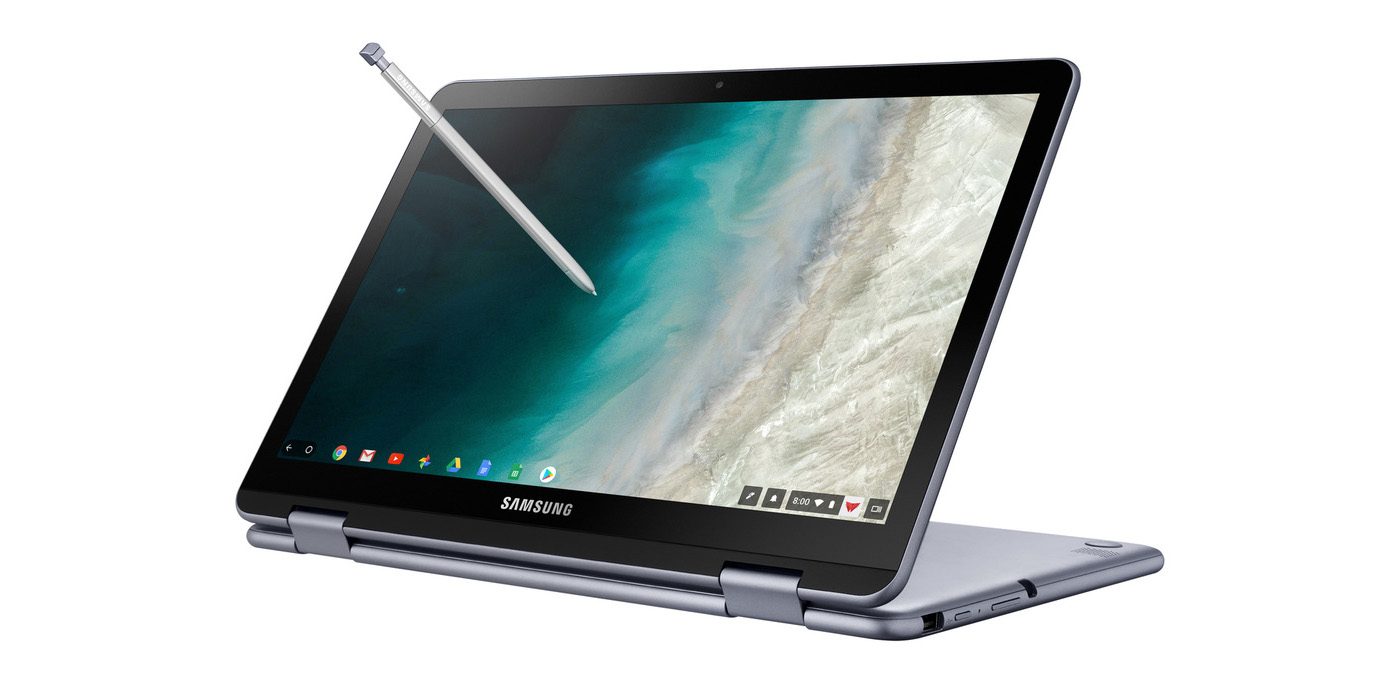
    Samsung announced a new version of its Samsung Chromebook Plus , titled the Chromebook Plus (V2) with an Intel Celeron processor and front and rear facing cameras. It will be available only from Best Buy and goes on sale June 24 starting at $499.99. Samsungs press release says “For those who use Chrome OS to do more on the go, the new light and thin Samsung Chromebook Plus (V2) sets the standard with front and rear cameras, built-in pen, and a more powerful processor”


    The Standard, Really Just Standard

    It looks like one thing Samsung got right for sure is the use of the word standard. This 2 in one is definitely that, standard. The 2-in-1 convertible is designed to help people get the most out of Chrome OS. Samsung has listed some highlight from the announcments..

    1. Front and Rear Facing Cameras to Stay Connected – Communicate visually with the 1M front-facing camera and a 13M F1.9 rear-facing camera with autofocus. Simply fold your laptop into tablet mode and capture your view from any angle. The front camera is ideal for video chats with classmates or clients, friends or family. Plus, store photos and videos right on your cloud.
    2. Unleashing Creativity – The Samsung Chromebook Plus (V2) stands out by comingwith a built-in pen. Experience the power and precision of the stylus. It’s always with you when you need it, and it never needs charging. Write a note, sketch out an idea, edit a document, sign a document, or even use the pen to magnify small text and capture carefully cropped screenshots.
    3. Do More, Store More – Tackle anything that comes your way, wherever you are, with more power and more storage. The upgraded Intel® Celeron® processor and long-lasting battery keep you going all day.In addition to users’ personal cloud storage, the Samsung Chromebook Plus (V2) has 32GB of built-in storage, with the option to add up to 400GB with a microSD card (sold separately) – room for favorite photos, documents and music, as well as for storing movies to watch offline on the go.
    4. Premium Design, Premium Experience – designed for comfort and peace of mind, with a curved-cap keyboard built to withstand spills up to 60cc. The device’s rounded edges offer users a comfortable grip whether it’s being used as a notebook or a tablet. The Samsung Chromebook Plus (V2) offers even more functionality to users with multiple connected devices, including easy file sharing between Chromebook and mobile devices. Smart Lock from Google makes it easy to store and use passwords across your devices.

    The laptop will use an Intel Celeron 3965Y processor (a change from the old Plus’ ARM processor, though the Chromebook Pro used an Intel Core M3). The “rear” camera, above the keyboard, for use in tablet mode, is a new addition. The laptop will have 4GB of RAM and 32GB of storage.
    The Chromebook Plus (V2) has a 1920 x 1080 display with a 16:10 aspect ratio. The previous model had a 3:2 aspect ratio with a 2400 x 1600 resolution. While an unexpected announcement, nothing unexpected here.

    Quick Spec Look of The Samsung Chromebook Plus

    • PROCESSOR Intel® Celeron® Processor 3965Y
    • MEMORY 4GB
    • STORAGE 32GB
    • GRAPHICS Intel® HD Graphics 615
    • POWER 39Wh
    • WEIGHT 2.93 lbs
    • CMF Stealth Silver
    • DIMENSION 11.34 x 8.19 x 0.63-7.0 inches
    • PORTS 2 x USB-C™ [4K display out with optional adapter, Charging] 1 x USB3.0
      MicroSD card reader
      3.5mm headphone jack
    • MATERIAL Aluminum alloy/Glass/Plastic
    • DISPLAY Aspect Ratio: 16:10
      Brightness: 300nit
      Touch Screen
    • CAMERA Dual: 1M (front); 13M (on keyboard deck)
    • SPEAKER Stereo Speakers (1.5W x 2)
    • STYLUS Built-in-pen

    The Final Thought

    This is just another mediocre Samsung device, put out by what is becoming the standard of a mediocre company. Samsung fails to innovate or at least manipulate someone eases innovation yet again. Uninspired, its just the Chromebook on the self if you need a Chromebook and you probably don’t.

  • The Best Wireless Home Security Systems

    The Best Wireless Home Security Systems

    Sadly we live in a world where  wireless home security systems are not just a necessity but vital. There are a lot of options for wireless home security systems, even do it our self options. Do-it-yourself setups are ideal for homeowners on a budget because they can save you a bundle on installation charges and subscription fees. Then there are the professional systems. The nice thing about professionally installed systems is you don’t have to lift a finger; after you’ve placed your order a technician will come to your home, set everything up for you, and show you how the system works. When it comes to my home and my family I want a professional wireless home security system. Lets take a look at the 3 best options available today.


    1.ADT Pulse

    ADT formed in the 1800s as American District Telegraph, the world’s first telegraph-based alert system. They are not number one for being the oldest, they are also by far the best. With features like  Wireless or Hardwired options, Professional instillation, Doorbell monitors, Intrusion Protection, Medical Response and state of the art  Home Automation. Just having the sign in your lawn reduces your risk of intrusion by 63%.

    The cost is manageable, and miniscule for piece of mind. ADT home security costs can range from $9/week * to $14/week * based on your monitoring package. However, an ADT home security cost depends on which monitoring package best fits your needs. The ADT monthly fee for the standard Essentials package starts at $36.99/month

    2.SimpliSafe

    This solutions is making a big splash. Using small and efficient IoT enabled devices and 24/7 live human monitoring they offer a complete protection package. Utilizing, Entry and motion sensors, Glassbreak detection, Video security.  Heads up burglars, start running. Being totally wireless, Its easy to install your self and customer service is just a quick call away. It’s like having your own personal security guard with a direct line to the police. Video equipment with instant live link anytime an alarm is triggered lets you see whats happening when you are not at home. You can Arm and disarm SimpliSafe with just a single touch on those incidental false alarms.

    3. Vivint

    Vivint the solution for All-wireless security. All your home controls on one app. Vivint Smart Home helps you live more and manage less. THey have a wonderful small sensor that can be placed at any entry point. This sends you a wireless alerts anytime a door or window opens. With a total control app you can manage your security entry points, Smart Locks, Doorbell Camera, Outdoor Camera, and Element Thermostat.


    The Wireless Home Security Systems Final Thought

    All of these will secure your home, protect your family and significantly reduce the chance of a home invasion. They are all very low cost and almost completely  hassleless. With all the threats we have looming, wireless home security systems are a non-negotiable for any homeowner.


  • Untitled post 5000

    Wireless earbuds often leave a lot to be desired. For one thing, a lot of them aren’t actually wireless. When you’re trying to listen discreetly, or listen while exercising, you don’t want a wire hanging down from your ears. For the absolute best in truly wireless, though, you do have to shell out a bit. Thankfully, we’ve got a round-up of some of our favorite truly wireless earbuds! 

    Bose Soundsport Free 

    Bose doesn’t tend to disappoint, and these truly wireless earbuds are evidence of that. While they cost a full $200, they’re still a great buy. They have a great fit and good sound quality. Bose’s Soundsport also comes with a charging case that holds two extra charges! They look a little goofy, sticking out of the ears a good way, but they sound good enough that it’s forgivable. Truly, if you’re an audiophile and don’t mind the tight fit, these are your best bet. Their biggest drawback? They cost more than the excellent Jabara Elite Active 65t. If sound quality is your main and only concern, though, go with the Bose Soundsport Free. 

    Apple AirPods 

    For a good while, Apple’s entry in the truly wireless market was the best. Recent releases have given them serious competition, but they’re still a solid choice. For one thing, they’re the best value among earbuds on this list, retailing for $160. They don’t have the tightest fit, but some prefer the more open-feeling fit. The AirPods also come with a charging case, and they’re delightfully lightweight. They have reasonable call quality, and they fit easily in a pocket while in their case. The downside? Well, they look sort of lame. Their weird, long stalks make them look kind of dorky, which seems to be a running issue with wirless earbuds. 

    Our Favorite Wireless Earbuds: Jabra Elite Active 65t 

    Apple’s Air Pods are a step in the right direction, but they’re not as great as the Jabra Elite Active 65t. Sporting awesome sound quality and sweat-proofing, you really can’t go wrong with these. They’re durable and long-lasting, with true sweat-proofing that will keep them going even after intense exercise. They’re also good for making phone calls as they have two microphones in each pod. The best part? They actually look pretty slick! Unlike most of their competition, the Jabara Elite earbuds don’t look quite so goofy! They’ll cost you, though. They retail for $190. 

  • Looking to Start Investing? Our Ten Picks for Best Investment App

    Looking to Start Investing? Our Ten Picks for Best Investment App

    Investing in the Stock Market can be daunting. There are a ton of moving parts and the big players all seem like Wall Street types. The good news is, the age of the smartphone has made investing super simple and easy. Where once you might have had to contact a broker to be your proxy on the exchange, you can now just use an app. There are a ton of options out there, though. How do you know which investment app is the best? Well, we’ve got our ten favorites for you to check out! 

    Bloomberg 
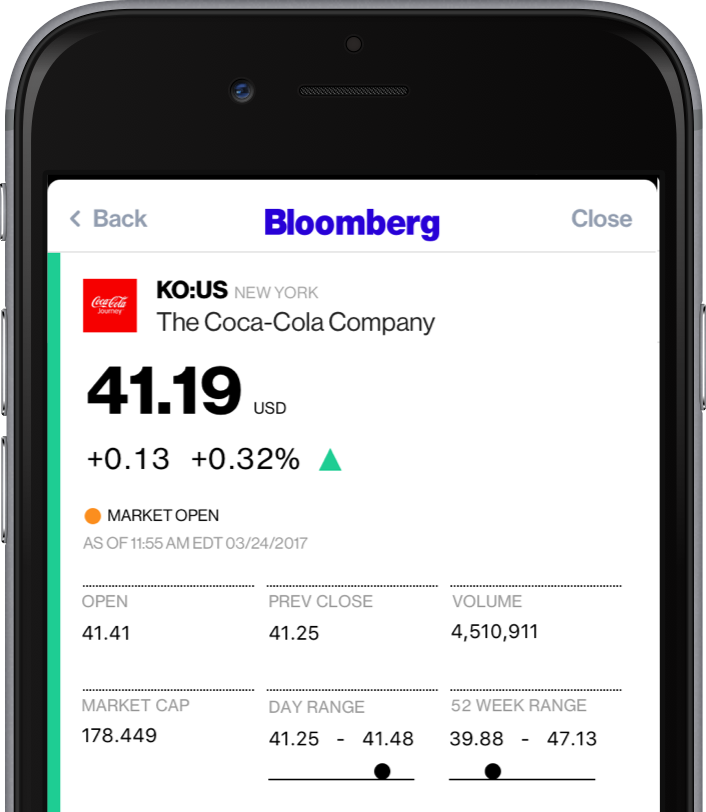
    Photo Credit: Bloomberg 

    A well-known name in money management, Bloomberg’s app is great for investing. Combining breaking money news and investing tips, Bloomberg has it all. The app even offers personalized news, so you can watch the companies you invest in.  

    If you’re as interested in the “why” of the stock market as you are in making money off of it, try Bloomberg. 

    Benzinga
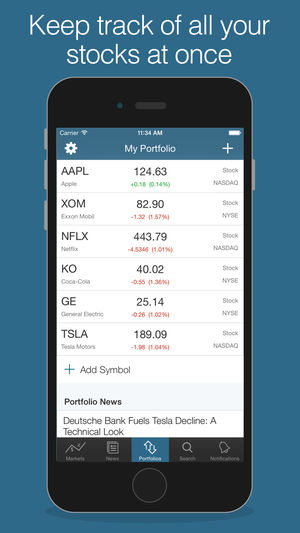
    Photo Credit: iTunes 

    Benzinga is great for investors who want insatnt information. By opening the app, you get immediate stock quotes, no need for waiting or skimming over news you don’t want. Acting as something of a punchy investment app, Benzinga is good for those who want to forge their own way. It has social media options, too, letting you share trending stock info to sites like Twitter.  

    Benzinga can also give you push notifications when news relevant to your investments breaks. It also offers some premium features for those who want a more in-depth experience. If you get the subscription you access features like live analysts to answer questions and audio news. 

    CNBC
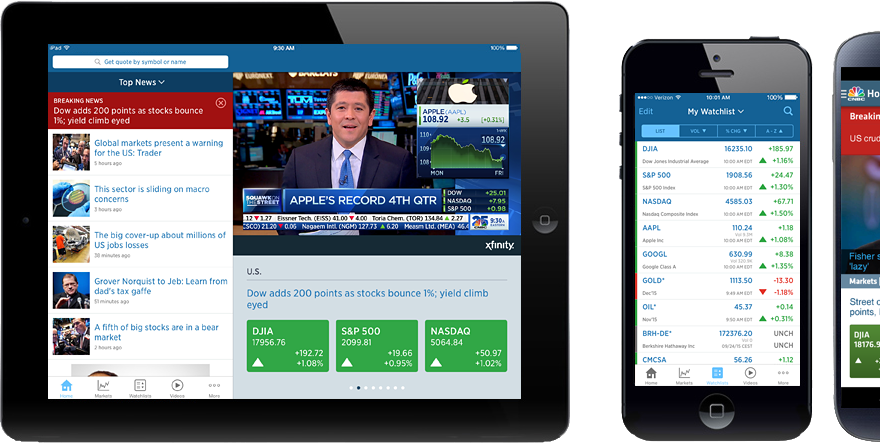
    Photo Credit: DownloadMyMobileApp.com 

    CNBC is a great news app for those who want to see a little bit from every source. Their app is clean and user-friendly, presenting data in an immediate, digestible format. Many investors swear by the process of synthesizing news from as many sources as you can stand to read. CNBC’s app is a fantastic way to achieve such wide-ranging research without having to dig across the internet. A great resource for novices and veterans alike! 

    Fidelity Investments
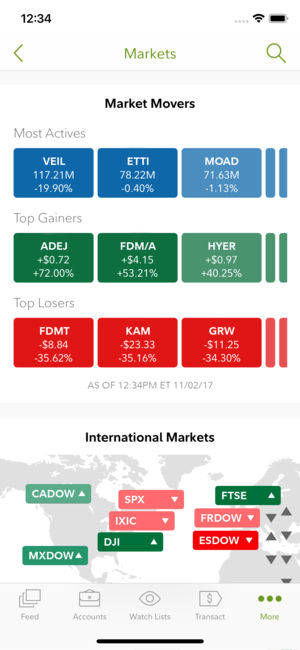
    Photo Credit: iTunes 

    Fidelity Investments’ app is great for more experienced investors looking to move to something more in-depth. The app offers in-depth charts and daily video coverage of market trends. It also offers notifications for when prices go above or below certain thresholds. It has a comprehensive news section and offers multiple money-management tools. This is a great choice for those who have become more adept in their online investing! 

    Motif Explorer
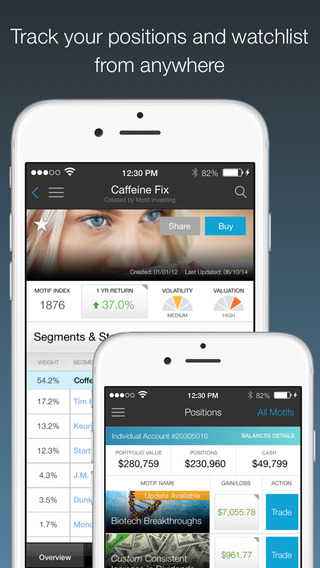
    Photo Credit: The Divided Ninja 

    Motif is a cool way to introduce the stock market to people who are curious about the exchange. The app’s creators track various world events to see which could cause the market to shift. Portfolios, or motifs, based on those observations are generated. For instance, they might have a profile on clean energy, and if you invest in that motif your money would be invested in various clean energy companies. The app works to find which motifs are trending upwards and help you invest accordingly.  

    While Motif Explorer isn’t the best for large, serious investing, it is interesting for newcomers. Consider this one if you’re interested in dipping your toe in investing. 

    TD Ameritrade 
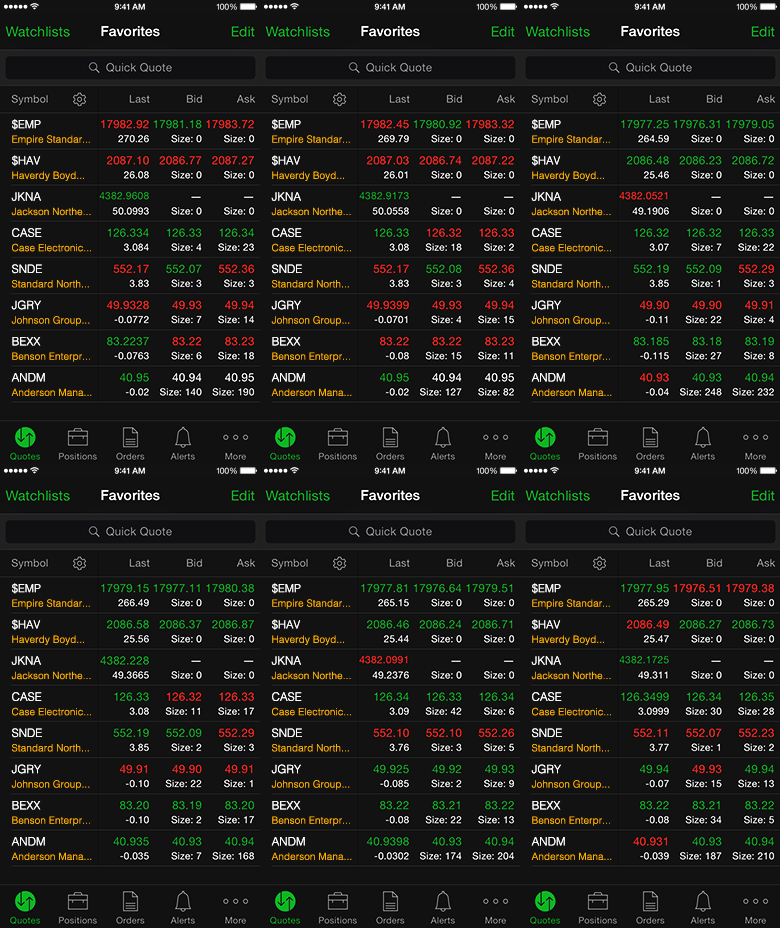
    Photo Credit: TD Ameritrade 

    This app gets a nod for being a great, bare-bones app with no frills. If you’re looking to not have your hand held and just start investing, check this one out. It offers real-time view of the stock exchange, mobile trading, fund exchange and other basic features.  

    Most notably, this app has a feature called Snapstock. This feature lets you use your phone camera to take a picture of a barcode. Then, the app pulls up the company that makes the product that barcode is attached to. That way, if you see an item in a store and think “this is going to be huge,” you can find them and invest on the fly from your phone. 

    Yahoo! Finance
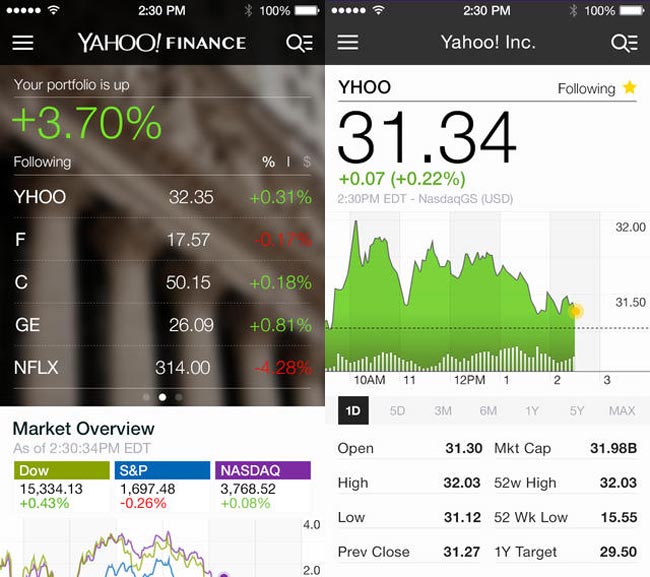
    Photo Credit: Geeky Gadgets 

    Surely, you’ve heard of these guys? Jokes aside, Yahoo! Finance has a great app for beginner investors. The app has a gorgeous, clean design reminiscent of Apple’s native iPhone stocks app. The design is personalized to your investments and offers a great dashboard to see what stocks are trending. It also features news and trending stocks at a glance. All in all, this app is great for those just starting out who want to get their stock info at a glance.  

    Stock Market Simulator
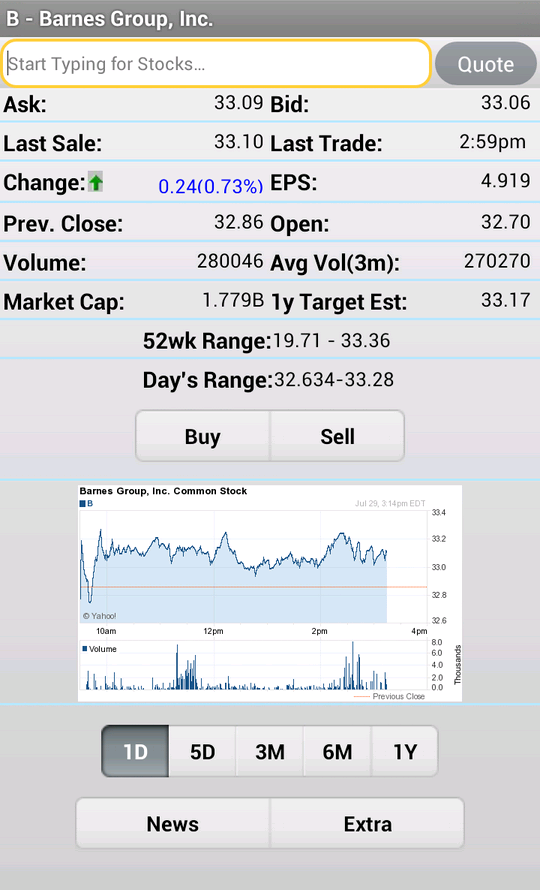
    Photo Credit: APK-DI.com 

    This mock investment app is a stress-free simulator to show newbie investors the ropes. You start with $10,000 in virtual money with no value and can mock invest in an echo of the real stock market. The echo updates fifteen minutes behind the real exchange. While this isn’t meant to be a tool to predict actual investment trends, it is useful to show newcomers what the exchange looks like. It allows them to experiment without risking their actual money. 

    SigFig

     

    Photo Credit: Apptentive 

    This investment app is quite good for newcomers. SigFig offers advanced optimization tools for portfolios, helping you manage your money. You take a profile quiz to tell the app the ways you like to take risks with your money. You get a personalized investment plan, put money in the account, and off it goes. It’s like a digital broker! 

    The app also offers investment advice for first-time investors. The only downside is that it only shows you three years back of your investment, where most apps opt for five- or even ten-year retrospectives. That said, this is still an awesome choice for newcomers. 

    Our Favorite Beginner Investment App: Acorns
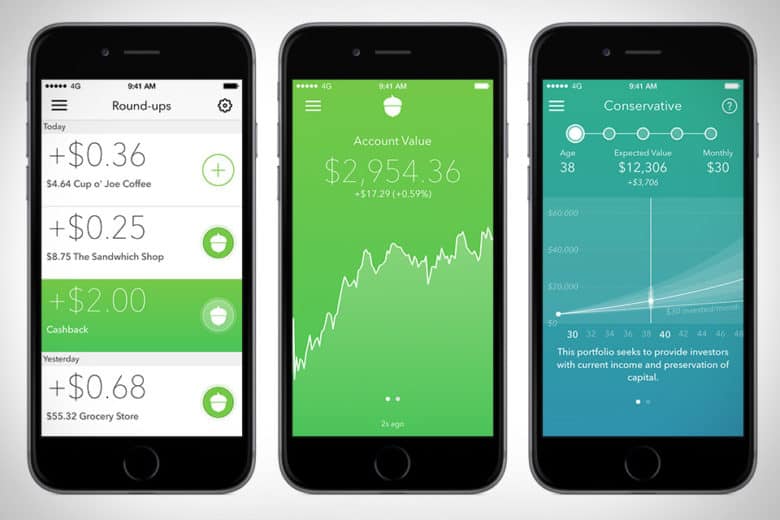
    Photo Credit: Cult of Mac 

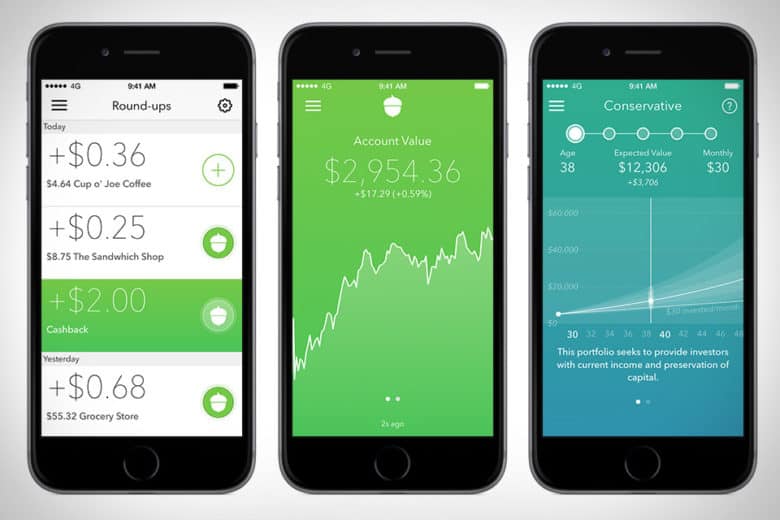
    The Acorns app is pretty awesome. This investment app works by investing your loose change into a diversified portfolio. The idea is that you set it up with your credit or debit card, and then the app rounds up your regular purchases and invests the small amounts of money in accounts recommend by Harry Markowitz. Markowitz, for his part, has won a Nobel Prize for his work as an economist, so you know your money is in good hands. 

    Acorns is meant to be a “set it and forget it” service, in their COO Jeff Cruttenden’s own words. The service does have a small monthly fee, but as long as you keep small amounts of money in it, you probably won’t notice it. This service is great for those who’d like to invest but don’t know where to start. 

  • Google Pay, Samsung Pay, Apple Pay; Which is the Best Virtual Wallet?

    Google Pay, Samsung Pay, Apple Pay; Which is the Best Virtual Wallet?

    Between Apple, Samsung and Google there are a ton of virtual wallet apps looking to power your transactions. Today we’ll break them down based on their strengths and weaknesses and tell you which one is our favorite! 

    Google Pay 

    Google Pay and Apple Pay have a lot in common. They both use NFC technology to broadcast information over short-range bands. This means the merchant you’re buying from needs to have an NFC-enabled card reader. While most modern businesses are equipped with standard NFC technology, some Mom and Pop places will be behind the curve on this. Google Pay also allows you to send money to other people, regardless of whether they use Android or iPhone. You can also use certain Android Wear watches to pay! 

    The downside to Google Pay, though, is that it only has one layer of authentication. One your phone is unlocked, Google Pay just works automatically. It doesn’t ask for a fingerprint or PIN, it just sends the transaction. This could be an issue for those who shop a lot online and are used to using the secondary authentication as confirmation that they’re about to actually spend money. The other drawback to Google Pay is that it isn’t as widely accepted online as Apple Pay, which is ubiquitous. 

    Samsung Pay 

    Samsung has an edge over the competition: magnetic secure transmission. Where Google and Apple both use NFC technology to broadcast info, Samsung can use MST to “trick” older machines. Card machines all read magnetic information, so Samsung Pay fools them into thinking a card has been swiped. This allows you to use e-pay even at vendors who aren’t explicitly set up for it. The Samsung Gear S3 also supports MST, if you’re a smartwatch fan. Samsung Pay, like Apple, does require a biometric scan or PIN to confirm purchases, which is good.  

    The drawbacks? Samsung has no peer-to-peer payment option, which is a bummer. It’s also only available on Samsung phones, making it the most limited of the three. It’s MST technology is pretty awesome, though. 

    Apple Pay 

    Apple Pay is the most widespread of the three as far as online support goes. It’s available only on iPhones, though. It uses NFC, like Google Pay. You can send peer-to-peer payments, but only to other iOS users with an Apple ID. You can also use an Apple Watch to pay if you don’t want to go digging in your pockets for your phone at checkout. It uses either a fingerprint scan or Face ID to authenticate purchases.  

    The drawbacks here are the lack of MST and the Apple-only peer-to-peer.  

    Which Virtual Wallet is the Best? 

    Turns out, they’re pretty evenly matched. Apple has a slight edge over Google with its authentication and ubiquity, but Google has peer-to-peer payments with anyone. While Samsung has no peer-to-peer payments, it does have MST, which is critical in certain cities with less high-tech merchants. The bottom line is that they are all fine and shouldn’t influence your decision to buy a phone. Unless, of course, you intend to replace your real wallet with you virtual one. In that case, I would have to recommend Samsung, as it works with the widest variety of card readers. 

  • Jurassic World Evolution, 9 out of 10 Goldblums!

    Jurassic World Evolution, 9 out of 10 Goldblums!

    The Feebled Dream of a Mad Man

    Frontier Inc., the creators of Planet Coaster have a rebellious nature and a real passion for sandbox games. The founders of the company previously worked under the developers of Roller Tycoon but eventually realized that the company had lost its passion, so they departed from RCT and embarked to create their own theme park simulator. The result was the astounding, addicting, and intricate game known as Planet Coaster. After the release and success of Planet Coaster in 2016, much was expected of Frontier’s next project. So the developers had to come up with a big idea. And like all great ideas, it starts with an ember…or in this case an Amber. (See what I did there)

    Image result for jurassic park evolution

    It’s DINOmite!  

    Frontier’s passion for gaming shows through from the moment you launch Jurassic World Evolution. With John Williams original score and Jeff Goldblum narrating you the tutorial, you’re immediately drawn in to what we all know and love. A user-friendly interface and smooth mechanics make picking the game up a breeze. Then comes the scenery…The landscaping and environment is absolutely incredible. There is so much intricate detail everywhere you look. The water, the mountains, and the grasslands truly transport you to Isla Nubar (Ultra High settings of course). But the games true graphics feat is the dinosaurs themselves. Frontier was able to partner up with the original designers of Spielberg’s Jurassic Park (1993) dinosaurs in an attempt to create the most realistic dinosaurs in a game to date. You can literally see every muscle fiber move when the animal runs, eats, and even attacks…It’s truly a work of art.
    Related image

    Running a Jurassic Park

    Once your park is up and running, you have to do everything you think you would need to do when running a theme park filled with man eating dinosaurs. Keep power sources on and fences electrified, feed guests and dinos alike, Animal containment units on constant patrol, etc. After about an hour of playtime, my favorite aspect of the game is taking your ACU jeep on free roam through the park. With an open world feel, you can enter habitats for a up close encounters with Mr. T-Rex, explore the mountains and really take in the games amazing scenery.

    To keep attractions and guest numbers high, you constantly have to be adding new dinosaurs and genetically modifying new breeds. You send crews on dig sites around the world who return with the highly coveted DINO-DNA. Also since you are on a chain of islands off Costa Rica, weather plays a big factor in the game. Hurricanes, tornados, severe rains can affect your habitats and fences. If a Dino gets out of a perimeter and eats the guests, then…well let’s just say that mountains that surround you will pale in comparison the mountains of lawsuits you’ll have.

    Image result for jurassic park evolution

    The summary 

    Jurassic World Evolution is a very compelling and immersive gaming experience. For a long time JP fan boy such as myself, I am just over the moon that there is finally a game that the captures awe and admiration of these dinosaurs that the first film did. They game could have more content when it comes to buildings and amenities,  but I’m sure Frontier is purposely holding that stuff back for future expansions to keep gamers coming back for more. In my opinion, it’s a game that’s hard not to love.

  • Too Old For Tinder? Try These Adult Dating Apps

    Too Old For Tinder? Try These Adult Dating Apps

    If you’re an older person trying to find a decent dating app, you might have noticed that there aren’t too many great options. It seems like the apps are mostly geared towards young adults trying to just hook up. Where are the apps for adults who are actually trying to date? Well, we have good news. We’ve got a roundup of the best dating apps for older folks! 

    Stitch 

    Photo Credit: iTunes 

    Do you like to meet people based on what you have in common? Are you a fan of dates that involve activities like going to a coffee shop or going to a concert? You might like to try Stitch. The best part is, Stitch is a great place to find anything from a new friend to a new relationship!

    Stitch is an app that focuses on connecting users over 50 based on their shared interests. Travel is a big one, and the app even helps find discounted rates on rooms! You can connect with people over any interest, though, including music, movies, and taste in food. There is a free version of the app, but you can also opt for a premium paid membership. The paid version costs $80 per month, but gives you access to calling other members, direct messaging and community features. If you’re looking to connect with someone over mutual interests and shared activities, try Stitch! 

    OurTime.com 

    Photo Credit: Ask Men 

    Our Time is a great site for those over 50 looking for a relationship. The site actually boasts a higher ratio of women than men, which is a welcome change from most dating sites. The site also has an iPhone and Android app that offer Tinder-like swiping!  

    You can get a paid subscription, but the free version allows for viewing profiles and matches. You also can see who views your profile for free! The paid subscription allows for seeing when your messages are read and highlighting your profile in searches. You can even see who’s interested in you! Our Time is worth checking out if you’re looking for a relationship. 

    Plenty of Fish 

    Photo Credit: YouTube 

    Popular dating app Plenty of Fish gets a nod for just how many people use it. The name of the site is actually quite accurate! If you don’t mind filtering through a large number of people to try to find good matches, Plenty of Fish can be great. The best part is, the wide user base means you’re bound to find someone you connect with!  

    The site does a good job matching you with people you’re looking for thanks to its algorithms. If you tell it you want to meet people your own age, it can filter for that! That way you’re sure to meet people who are at the same place in life as you, leading to more genuine connections. 

    Senior People Meet 

    Photo Credit: iTunes 

    This popular app has a very large user base and intuitive interface. If you’ve used Tinder, you know what to expect! You swipe left or right on profiles based on whether or not you’re attracted to the person based on their profile. The focus, however, is on senior people, as the name suggests. With this app, you can be certain that your matches will be people your own age, not kids! This makes it an excellent alternative dating app to Tinder for older users.  

    That said, it does hide a number of features behind a paywall. Seeing who is interested in you, who has read your messages, and being able to send and receive email is all behind a monthly subscription. That said, messaging and viewing profiles is free, as is seeing who likes your profile. If you’re in for a Tinder-like experience with mature adults, check out this app! 

    Our Favorite Dating App: OK Cupid 

    Photo Credit: PC Mag 

    You’ve likely heard of OK Cupid. It has millions of users and an in-depth question and answer section. The questions help to filter your matches to people who have compatible personalities and values, which is great! The site also has some great features for paid subscribers, like seeing who likes your profile, disabling ads and using advanced search functions.  

    OK Cupid is great because it focuses on who you are, not just how you look. Other dating apps can be quite superficial, but OK Cupid is not that way at all! It’s an excellent choice for older people looking for a more thoughtful dating app. The iPhone and Android apps both have great ratings for their usefulness and design. OK Cupid comes highly recommended! 

  • Laptop Lookout: Lenovo Legion Revamped

    Laptop Lookout: Lenovo Legion Revamped

    Laptops are the cornerstone of our computing resources in this day and age. We need power, robust performance and ultimate portability for every aspect of our daily lives. This is a guide and insight to the best Laptops on the market and today I’m here to talk about the Revamped Lenovo Legion Gaming Laptop.

    The Great

    • Nice Responsive Keypad and Trackpad
    • Solid Performance
    • Great FPS
    • Premium Graphics and Audio & Optional Dual Drive Storage


    The Conclusion

    Lenovo’s new approach to gaming focuses on entry and mid-tier consumers looking to play games without breaking the bank. The new Legion series laptops meets minimum specks for a 2018 gaming laptop and it can deliver great frame rates at medium settings for even the most demanding games. While they’re all built for gaming but designed for everyday use.

    Lenovo has announced four new Lenovo Legion gaming laptops. There’s the $929.99, 15-inch Legion Y530 available in June, and the $959.99 Y7000 available in August. There’s also the 15 and 17-inch Y730s available in September starting at $1,179,99 and $1,249. Today we will talk about their strengths, weakness and the difference between

    Breakdown The Lenovo Legion

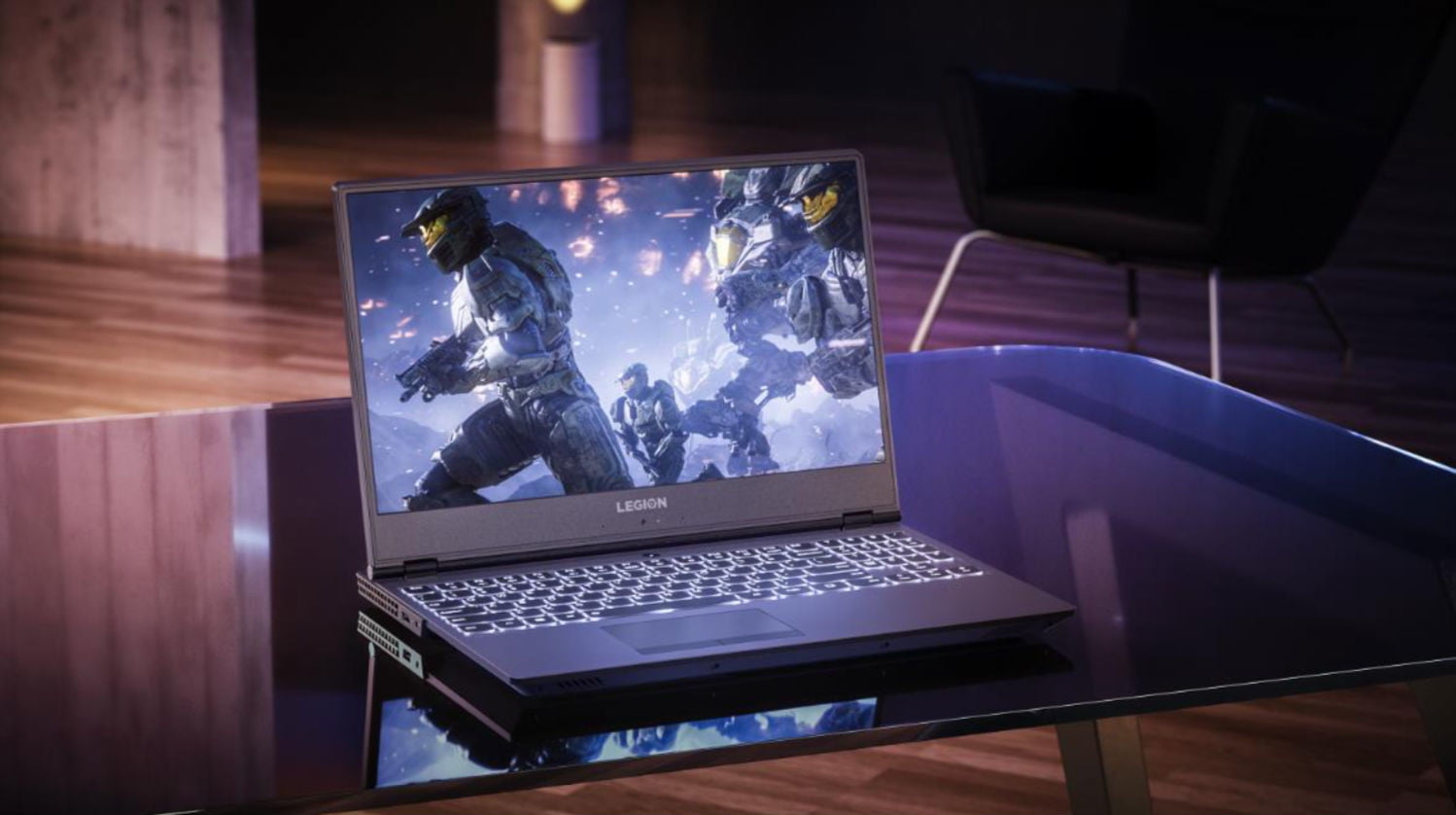
    The first two Lenovo Legions, the Legion Y730 and Y530 laptops, feature skinny and slight bezel screens, dual-chamber cooling,  and up to Nvidia’s GeForce GTX 1050Ti GPU. Wait, what? That is a low end gaming GPU.. That wont run some of the top games out now, let alone whats coming out.  Eighth-gen Intel Core i7 processors, but we have 9th gen available. An optional 144Hz full HD IPS display is offered on the Y530, while the Y730’s noteworthy feature is its Corsair iCUE RGB backlit keyboard (which features six macro “Y” keys).Each of Lenovo’s new systems feature top and side bezels that are 0.26-inches thin, allowing for viewers to enjoy more of the laptop’s display.

    The Y530 laptop, which will be a Best Buy exclusive when it’s available in June for $930, is noticeably smaller than its predecessor, and loses the red accents from before. Instead, you’ll find an all-black lid with a Legion logo, which some might find more attractive, although others might call boring.

    Lenovo partnered with Corsair to bring credibility to its RGB lighting scheme for the Lenovo Legion Y730 laptops. The RGB, 16MM-color backlit keyboard, vent lighting, and underlighting are all controllable via Corsair’s iCUE software. Good news is if you like the out of the box generic look for the Legion Y530 and Legion Y7000, you can turn them all off.

    Quick Spec Look

    • CPU: 8th-gen Intel Core i5-8300H or Core i7-8750H
    • Memory: Up to 32GB DDR4, or you can get up to 8GB of that and 8GB of Corsair Overclocked Memory.
    • Display: All displays will be FHD (1920×1080) anti-glare IPS with a maximum brightness of 300 nits, with the choice of either 60Hz or 144Hz refresh rates.
    • GPU: Choice of Nvidia GeForce GTX 1050 or GTX 1050 Ti. These are Nvidia’s midrange discrete GPUs.
    • Storage: Choices of 128GB-512GB PCIe NVMe SSDs and 1TB or 2TB hard drives.
    • Connectivity: Lenovo arrayed most of the ports on the back of the Legion Y730. There you’ll find (as seen in the photo below, left to right) miniDisplayPort, full HDMI, USB 3.1 Type A, RJ-45 ethernet, another USB 3.1 Type A, the power port, and a lock port. On the left side you’ll find a Thunderbolt port and an audio jack, and on the right side you’ll find a third USB 3.1 type-A port.