Category: Reviews

  • Android P vs iOS 12: Which Tech Giant is Leading the Future of Smartphones?

    Android P vs iOS 12: Which Tech Giant is Leading the Future of Smartphones?

    Both Apple and Google have announced their upcoming smartphone OS updates. On the Apple side, we have iOS 12, a largely iterative and incremental update. Android P, on the other hand, is an OS playing catch-up. It represents Google’s attempt to replicate Apple-like functionality on their open, developer-first platform. Which of them has the edge from what we’ve seen so far? Let’s break down the proposed features of each and find out! 

    When Are They Launching? 

    Firstly, let’s discuss release. It’s most likely that we’ll see both iOS 12 and Android P in September. Both will likely launch alongside their flagship phones. Android P’s beta is going on now, while iOS 12’s is set to come later this summer. So, neither gets an edge, as the two are coming right around the same time. 

    Voice Assistants 
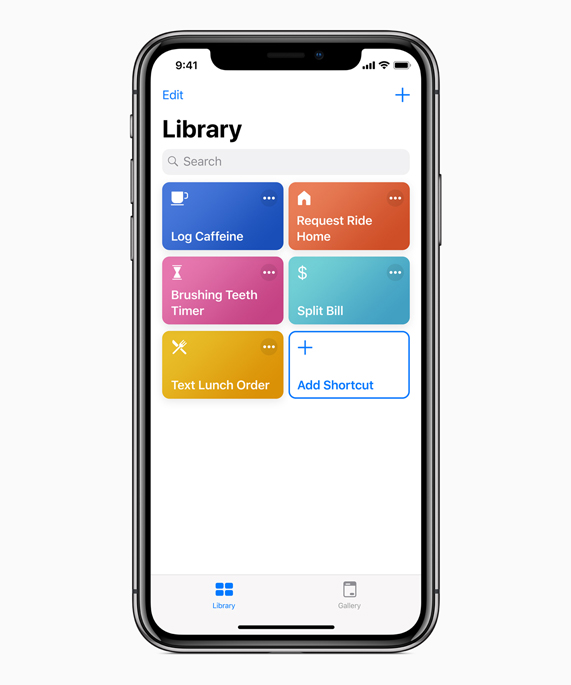
    Photo Credit: Apple 

    Siri is kind of a joke now, sadly. While Google Duplex is making phone calls for you and taking strings of commands at once, Siri doesn’t recognize her own name. Jokes aside, Apple launched the virtual assistant technology in 2011. They’ve had so much time to perfect the tech, to make it awesome, and they haven’t. Instead they were content with a just-OK assistant and let Amazon and, importantly, Google catch up. Now they’ve thrown their lead and have to play catch-up. 

    Siri Shortcuts, coming in iOS 12, is their latest push for the virtual assistant. It’s something of a low-tech answer to Google Assistant. It puts the hard work on the user, having them program action in response to command words. For instance, saying “Going to work,” could pull up your morning news podcast and navigate you past high-traffic routes. This is somewhat lame, considering Google Assistant has similar functions just programmed in by the developers. Google gets the edge, here. 

    Face Unlock 
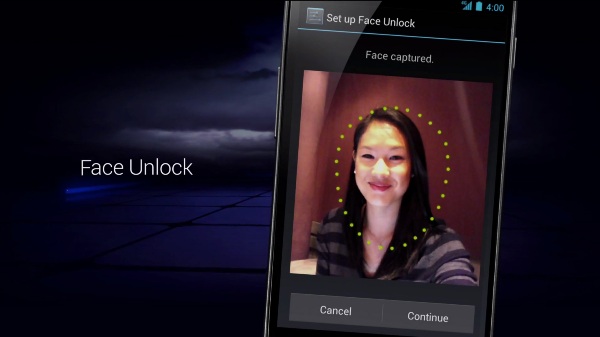
    Photo Credit: Android Authority 

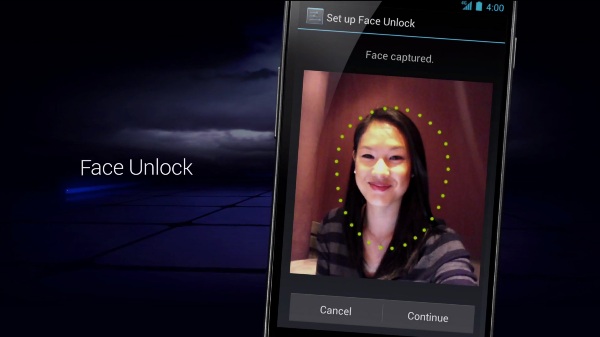
    Face unlock tech was popularized by the iPhone X as an alternative biometric to fingerprint scanning. The iPhone X has a 3D front-facing camera, making its Face ID an incredibly secure, trustworthy locking function. Android’s, by comparison, is noted for its “convenience.” As Google can’t guarantee all phones that use Android have powerful, front facing 3D cameras, they can’t promise strong facial recognition. As such, Android P’s face scanner was famously fooled by a printout of someone’s face. 

    The edge easily goes to Apple. Apple’s Face ID seems like a fully-fledged security feature. Google’s Face Unlock seems like a cash-in on a fad.  

    Messaging Apps 
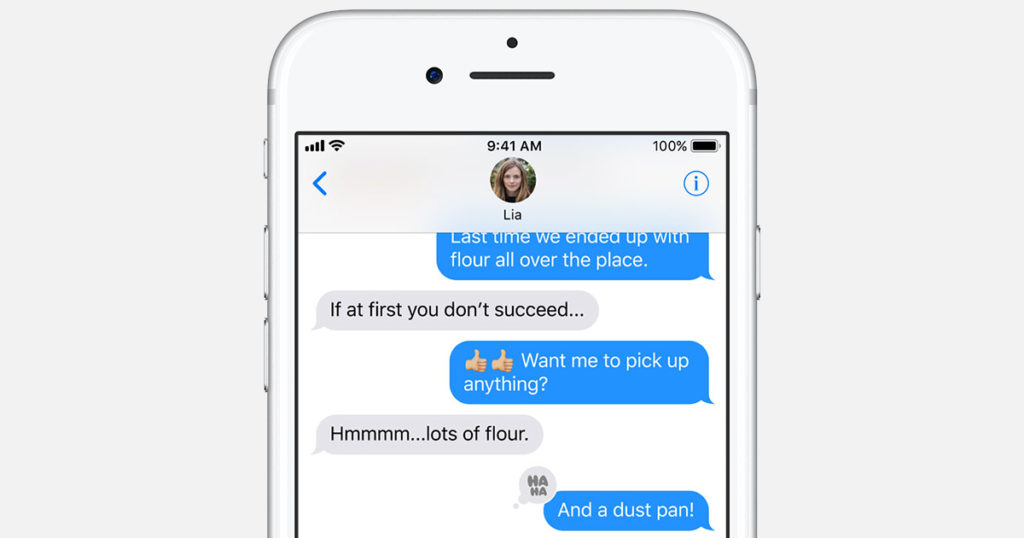
    Photo Credit: Apple 

    Apple’s iMessage wins this one. Google doesn’t even have a proper infrastructure for their messaging app. Google Hangouts is super disappointing when you look at how many things iMessage has going for it. For one, you can FaceTime and do peer-to-peer payments from within the app. You have Animojis and Memojis in iMessage, which are adorable, and you have Wi-Fi messaging to other iPhone users.  

    The edge here easily goes to Apple. Google has some catching up to do with messaging apps. 

    Shared AR 
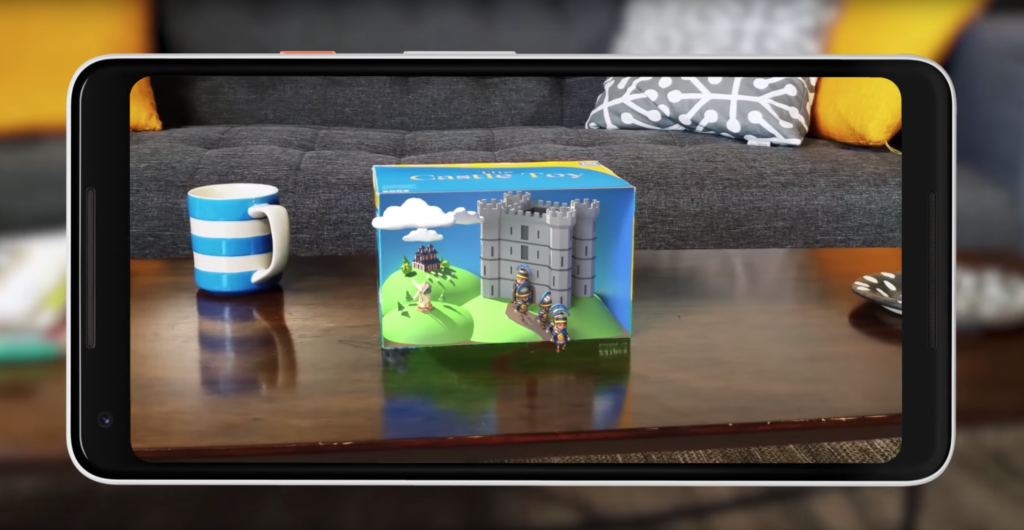
    Photo Credit: Engadget 

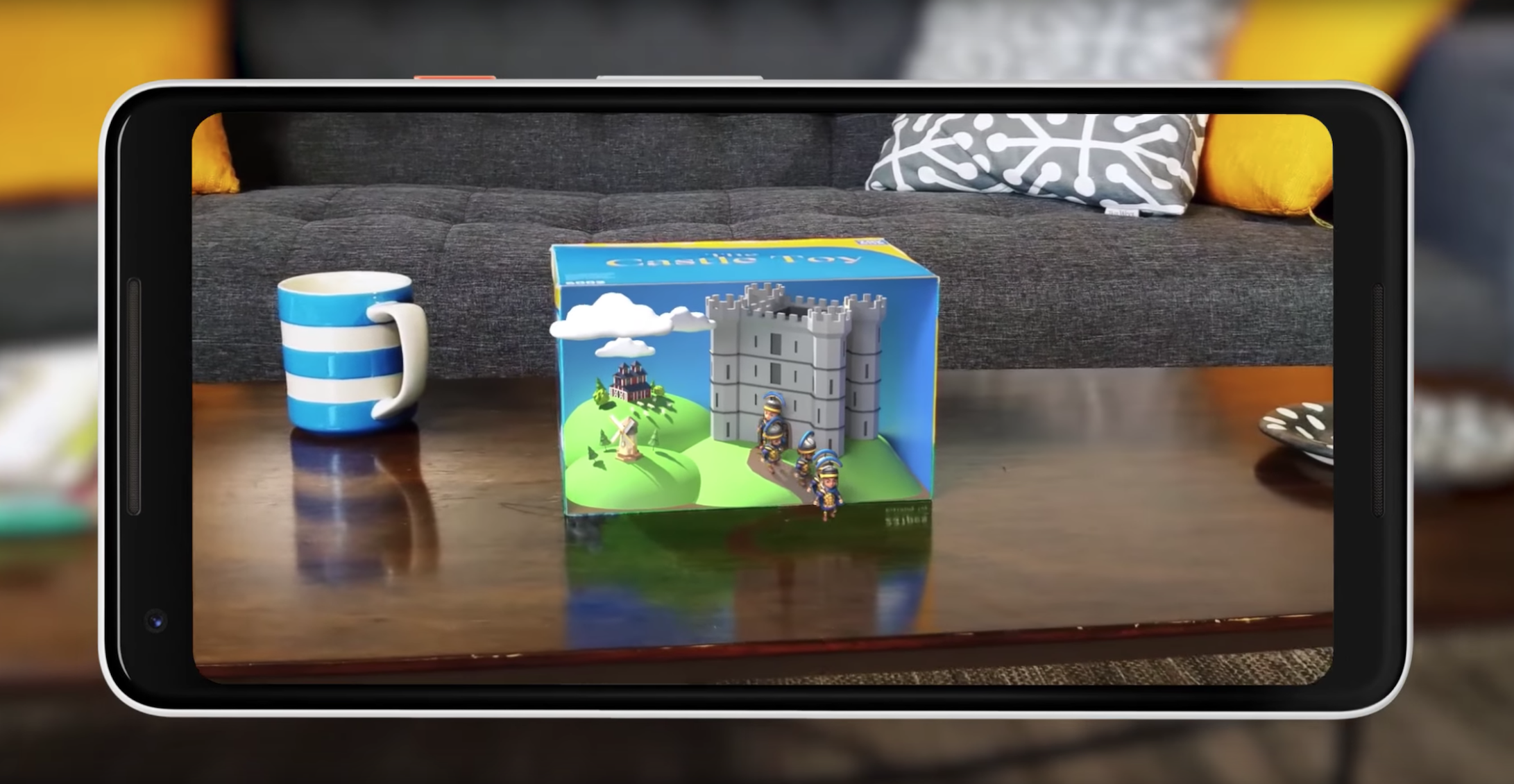
    Shared augmented reality is coming to both operating systems. However, iOS 12’s version is limited to just other iPhones. Meanwhile, Google’s Cloud Anchors work across platforms for any phone. That’s really awesome! Shared AR has a lot of neat applications, like playing games or learning in a classroom. This is tech to watch. 

    Google’s Cloud Anchors have the edge here for sheer breadth of usability. Good show, Google. 

    Maps 
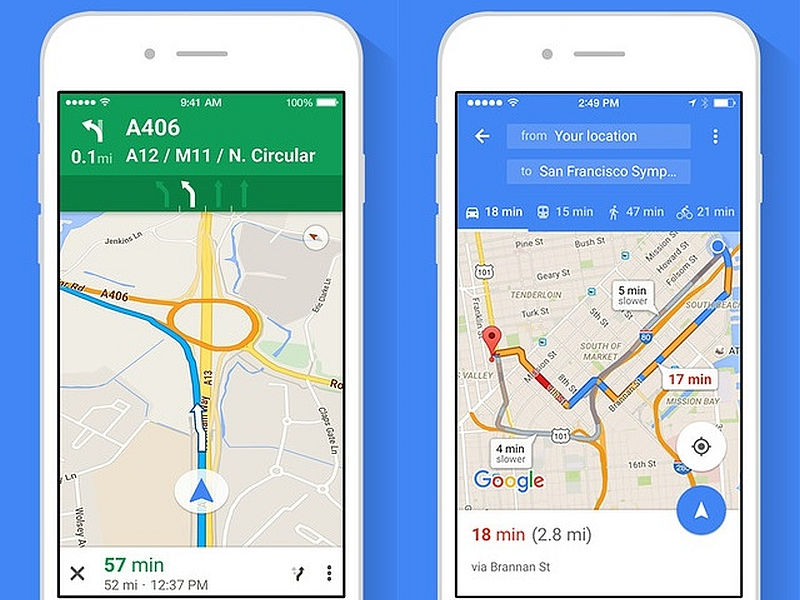
    Photo Credit: NDTV Gadgets 

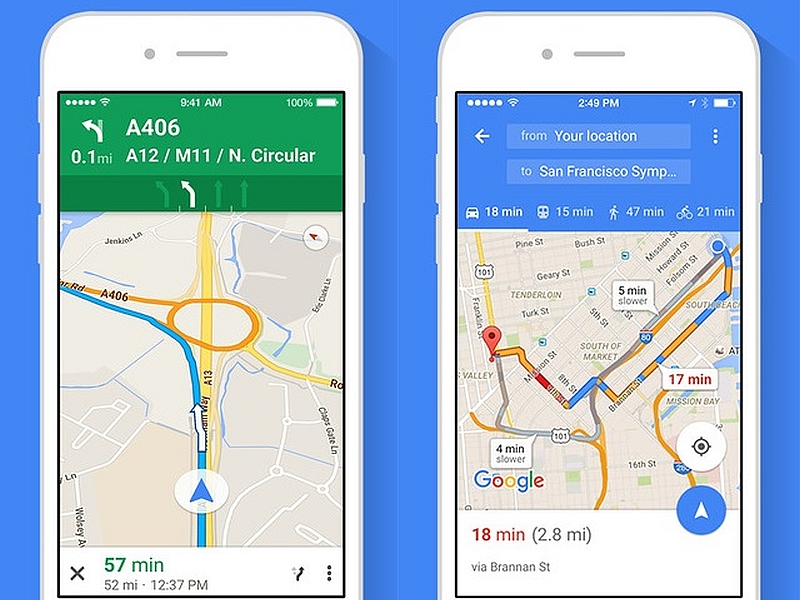
    There’s not a whole lot to say here. Google Maps is still the better app. It’s much deeper and more fleshed-out than Apple Maps. Apple’s map app is fine for surface-level navigation and that’s about it. Thankfully you can just download Google Maps on your iPhone.  

    The edge goes to Google for having a deep, highly-detailed map app. 

    Screen Time Management 
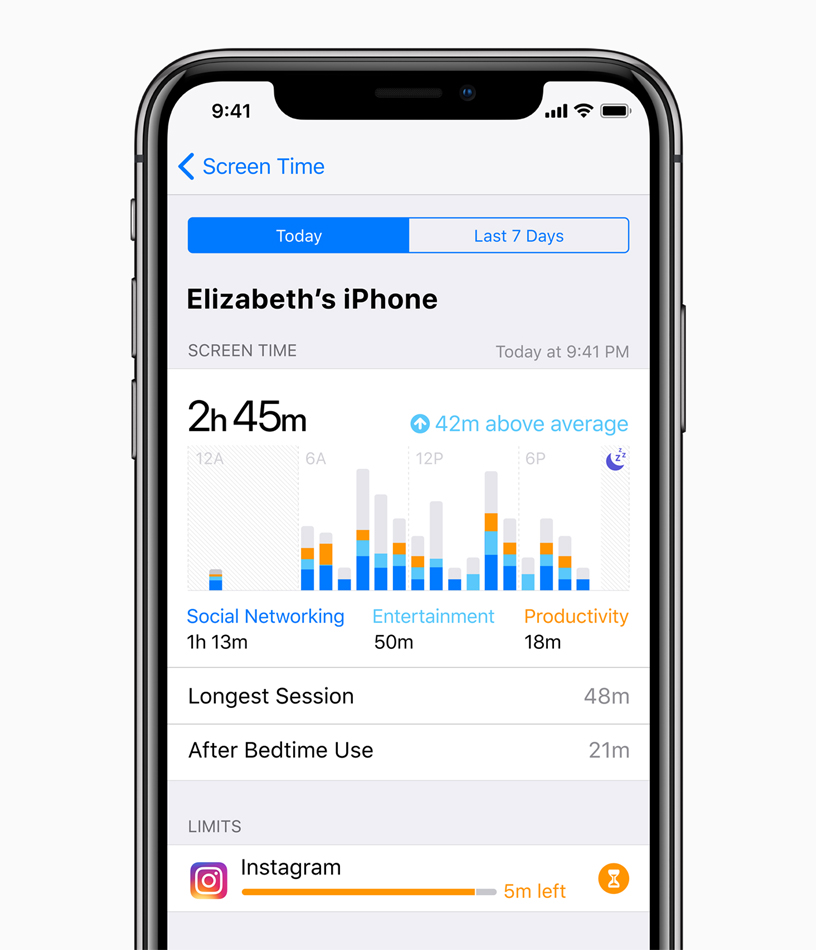
    Photo Credit: Apple 

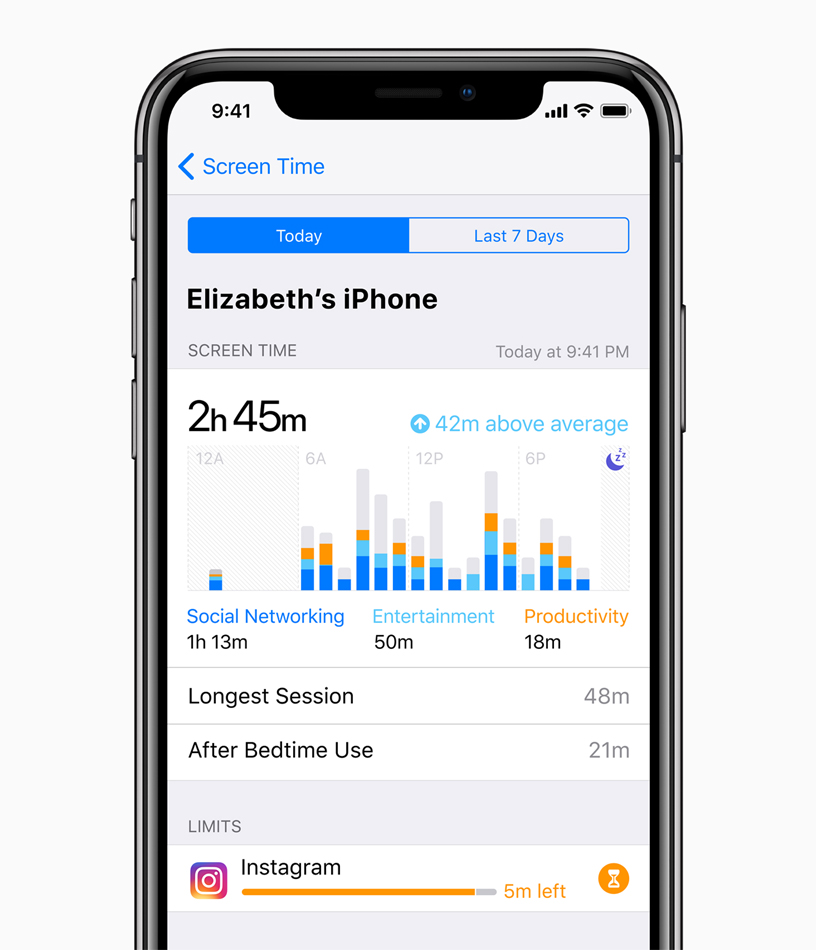
    This is brand new to both Android P and iOS 12. Both operating systems come with ways to manage your time spent using various apps. This is ostensibly to help manage smartphone addiction. The addition of such responsible software is a good sign. However, as both are brand new and neither have been seen, we’ll have to reserve judgment.  

    Neither side gets the edge here, as we haven’t seen enough of either feature. 

    Gesture Navigation 
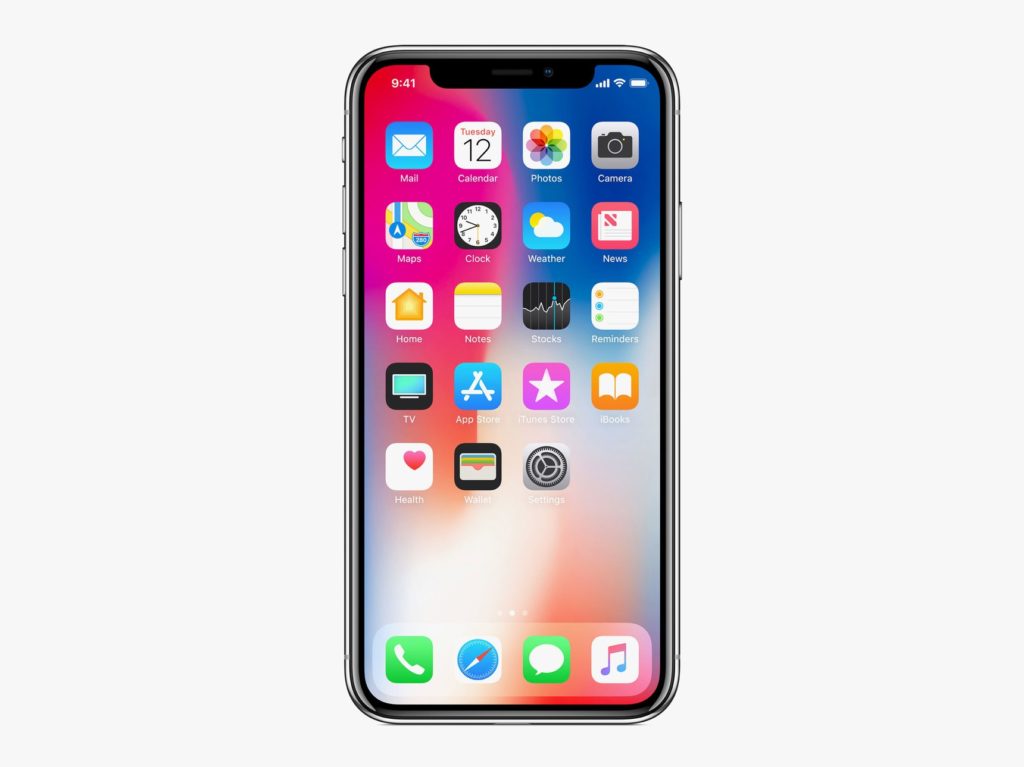
    Photo Credit: Apple 

    The iPhone X popularized gesture-based navigation, forgoing physical or onscreen buttons. It takes some getting used to, but it’s intuitive and responsive. It’s fairly seamless, so it makes sense that Android P would hop on the bandwagon and try their hand at gestures. However, the operating system still relies on a back button for some navigation. Additionally, Google’s hands-off design philosophy means that app developers are free to use gestures or buttons. This fragmentation is the Achilles Heel of Google’s Android platform as a whole. 

    The edge in this one goes to Apple, for their closed-ended, tightly focused OS. Gesture navigation is so much better when it’s across the whole ecosystem. 

    Android P and iOS 12: Who has the Edge? 

    We do. The competition between Google and Apple keeps heating up, and the two massive companies are deadlocked. They keep one-upping one another, and it’s great for consumers. We keep getting better and better phones and better features. It’s still early, in terms of the new OS’s, to tell who’s winning. Both companies have some heavy-hitting features. Apple has the edge in security with their closed-ended platform. Google has Apple on shared AR and the excellent Google Assistant software.  

    Bottom Line 

    Time will tell who wins this cycle. However, Google and Apple being neck-and-neck with one another is sort of status quo now. Their continuous competition keeps driving them both to new heights, which means we keep getting better and better phones. No matter which side you’re on, you’re in for some cool new features come this September. 

  • Looking for the Biggest Display? Check out a 4K Projector!

    Looking for the Biggest Display? Check out a 4K Projector!

    While TV panels keep getting bigger and bigger, the hassles of installing and storing them do, too. Not to mention, they consume a ton of power and they’re super fragile! If you’re interested in having a massive, gorgeous 4K display but don’t want to worry about a TV, what are you supposed to do? Well, you could check out an awesome 4K projector! We’ve got three here, chosen for their various strengths, to help give you an idea of what to look for. 

    Epson 5040UB 

    While this projector is technically a 1080p projector, it uses some interesting optical shift technology. That optical shift makes it give the appearance of a 4K image without actually being 4K. This one is on the list for its price point, however, as it offers a great image quality for its cost. If you’re just looking to dip your toe into projecting, this $2,300 projector is a good place to start. It sports a great range of colors and looks vibrant. It’s only big drawback is that it only has an HDMI 2.0 input, meaning it’s not very future-proof for upcoming 4K releases. 

    Sony VPL-VW285ES 

    If you want to see every single pixel of your 4K image, this Sony projector is for you. If you have true 4K you want to watch on a massive scale and have it look great, this projector is perfect. It is a little expensive, though, coming in at $5,000, but it’s well worth it. If you’ve ever wanted to have movie-theater quality images in your house, this is how you do it. Now all you need is a big tub of popcorn and a comically large soda to drink! The only downside to this one, aside from steep price, is the colors. The color range isn’t as good as the other projectors on this list, and our pick for favorite blows it out of the water in terms of black levels.  

    Our Favorite 4K Projector: JVC DLA-X590R 

    Much like the Epson we mentioned earlier, the JVC is technically a 1080p projector. However, it uses optical shift technology to scale the images it sends up to 4K. Its biggest strengths are its strong colors and intense contrast. This 4k projector will wow you with its deep black values and vibrant colors. While it isn’t quite as crisp or sharp as the Sony, it’s much more affordable and offers better color values. Those features alone make it our favorite, as it does an incredible job for the price. You can usually snag this projector on Amazon for around $3,000. You won’t be dissapointed: this little guy punches way above his weight class! 

  • Which Laptop Bag Is Our Favorite?

    Which Laptop Bag Is Our Favorite?

    We know bags aren’t the most exciting thing in the tech world, but it’s important to take care of your laptop! You spent a lot of money on a nice piece of technology, so it’s only right that you should get a good bag to carry it. Which one should you pick though? We have a list of some of our favorites here for you to check out! 

    WaterField Designs Staad Attache 

    This bag, interestingly, was designed with the iPad Pro in mind. Originally meant to be a tablet bag, it still works great as a laptop bag. It’s made in San Francisco and uses an easy-open clip on the front flap. It also sports a water-resistant zipper, helping to keep your tech from being doused. It has a pass-through for luggage handles, which makes it great for taking on flights. It’s made from durable waxed canvas and has a rustic, natural look. It’ll run you around $230, which is on the high side, but it looks great and won’t let your tech get banged up or drenched! 

    Mobile Edge Eco Laptop Messenger 

    For those looking for an excellent value, check out the Mobile Edge Eco on Amazon. It’ll cost you under forty bucks, and it offers a ton of pockets and flaps. While its make and design aren’t quite as luxurious as some of the other bags on this list, it makes the list for being so affordable. Without dipping too deep into your bank account, this bag offers great utility and durability in keeping your laptop safe. 

    Mobile Edge Core Gaming Backpack 

    The second Mobile Edge bag on this list, the Core Gaming Backpack is excellent for gamers. It’s padded and durable, and comfortable to carry. It unzips all the way to the bottom, making it airport checkpoint-friendly, and keeps your gaming laptop safe. It has room for all your cables and peripherals, and even has a charging cable so you can top off your phone while you’re moving between airport gates. Super handy for those who want to game on the go! 

    Our Favorite Laptop Bag: North St. Weekender Meeting Bag 

    This bag is made by Portland-based North St. It’s very durable, made from tear-resistant Cordura, the bag is both lightweight and water-resistant. If you often ride a bike in the rain with your laptop, consuder this bag! It’s also great if you spend a bit of time back and forth between airports. Not to mention, it’s very stylish and hip! It’s a mid-priced bag, though, running at $130. However, it’s very durable and very high-quality; you won’t be disappointed in your purchase. 

  • Which Gaming Mousepad is Our Favorite? Check Out Our Round-Up!

    Which Gaming Mousepad is Our Favorite? Check Out Our Round-Up!

    The hottest new trend in PC gaming is huge, desk-covering mousepads. Gone are the days of gaming with small, office-approved mousepads! The era of the gaming mousepad is here. Which one is the best for upping your game? Which ones are our favorites? Read on to find out! 

    Razer Sphex v2 

    If you’re a minimalist, you’ll love Razer’s entry in the gaming mousepad race. This incredibly thin mousepad looks great on a desk and helps your space look less busy. It even comes in a small size for those who have less space. It’s durable in spite of its thin profile and works great as a no-frills gaming mousepad. Razer sells this awesome product for $15. 

    SteelSeries QcK 

    Much like the Razer Sphex, the QcK is a no-frills, straightforward mousepad. It sports a very high thread count, your mouse slides beautifully along its surface. If you would like to hook your mousepad into your RGB lighting suite you could also opt for the Prism model! This one lets your whole setup flash in matching RGB illumination, which is super cool! It’s available from SteelSeries in a wide array of sizes and shapes for any desk. A great pick for a serious-minded gamer! 

    Corsair MM1000 Qi 

    This mousepad is a bit different from the ones discussed earlier. The MM1000 sports wireless Qi charging for your gaming mouse, allowing it to stay topped-off without interrupting your gaming! You can even charge your phone while you play if your phone is Qi enabled. This huge, smooth mousepad won’t break the bank, either, coming in at around $80. If you have a Qi enabled mouse and/or phone, give the MM1000 a shot! 

    Our Favorite Gaming Mousepad: Corsair MM600 

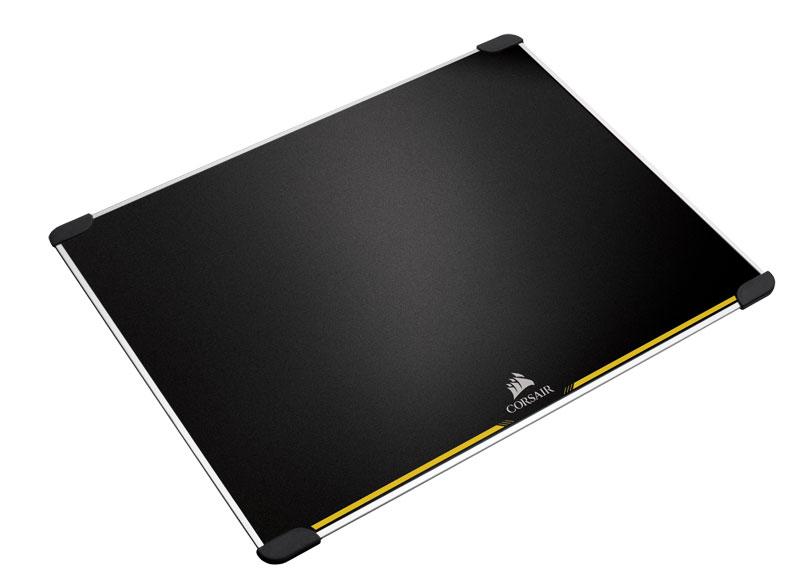
    The huge MM600 is a low-tech yet awesome mousepad for gamers. It’s double sided and features rubber feet in each corner to keep it in contact with your desk. It’s made from aluminum and its surface is treated to be low-friction. This mousepad truly feels premium, and it’s very affordable for how high quality it is. You can pick one up for yourself for around $40 from Amazon. 

  • Round-Up: Cool Tech Not for Sale Yet

    Round-Up: Cool Tech Not for Sale Yet

    Every day, new technology goes up on crowdfunding sites to get funding to go live. Tons of awesome inventions are funded this way, and we love perusing the coolest ones. There’s so many to check out, though! To help you find the coolest ones, here’s a quick round-up of some of our favorite new pieces of cool tech being crowdfunded now.  

    Forward X Ovis 

    This neat new piece of tech is perfect for those who spend a lot of time in airports. Since it’s complete with obstacle avoidance and facial recognition, this handy little guy will follow you all over the terminal. It also comes with a bracelet for tracking that tells you if it falls out of range and helps you find it if it gets lost. So, if you’re the kind of person who loves their Rumba, this self-driving luggage is perfect! It’s on Indiegogo now for $400, so if it interests you, go check it out there! 

    Zen Float Tank 

    Sensory deprivation tanks, great for meditation and inner reflection, are notoriously expensive. However, the Zen Float tank seeks to remedy this by offering inflatable deprivation tents for home use. Up on Kickstarter now, the Zen Float Tank is an interesting solution to the prohibitive price of float tanks. By being both inflatable and sized for a home, it is able to discreetly hang out in the back of a room. It’s low maintenance, too, requiring little upkeep. These things all make the Zen Float Tank very cool tech for those looking to experience sensory deprivation and meditation. 

    Earth- Interactive AR Globe 

    This high-detail globe model of Earth is impressive on its surface. It’s colorful and informative, giving excellent topographic views of Earth’s surface. However, real magic kicks in when you use the paired augmented reality app, though. The app allows you to turn the globe and learn about the different countries, climates and creatures in our big, beautiful world. If you love learning, or have a little one who does, this is perfect. Many kids would love to learn geography with a hands-on tool like this! Heck, I’m an adult, and I still want to play with this thing! It’s up on Kickstarter now. 

    Our Favorite Upcoming Cool Tech: Beambox Laser Cutter 

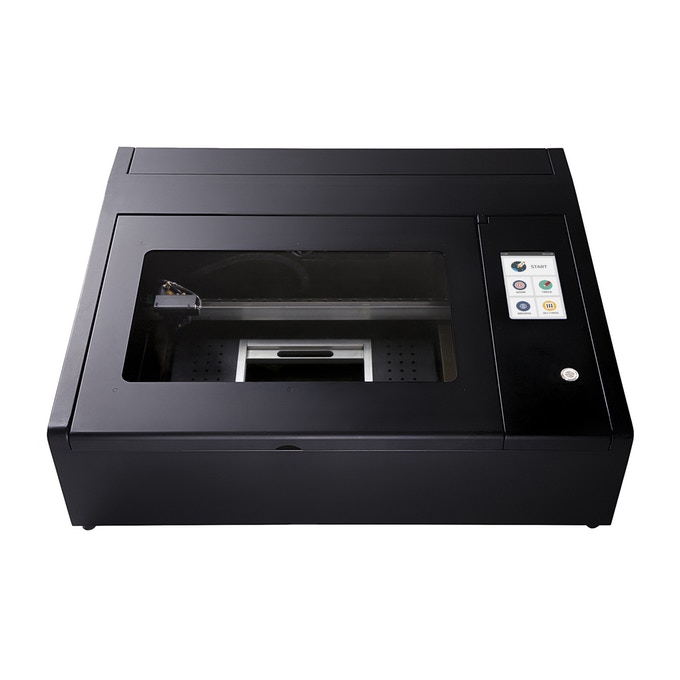
    Top of the list of things that make you go “oh, cool,” is the Beambox laser cutter. If you;ve ever wanted a cutter to do engravings on all kinds of materials, check this one out. It’s awesome. Usually you would need a lot of knowledge on how to set a laser cutter, how to calibrate it and use it effectively. Beambox, however, was designed to be easy to use! It has presets for different materials and it hooks right up to your computer. You can put in any design you want, and the Beambox will engrave it! It’s so cool! 

  • Interested in Losing Yourself in Another World? Check out our Favorite VR Laptops

    Interested in Losing Yourself in Another World? Check out our Favorite VR Laptops

    Since VR-capable computers tend to be very hefty machines, they are commonly desktops. However, what’s the fun of a VR set-up if you can’t show it off to your friends? Nothing’s quite as cool as showing up to a friend’s house and letting them try out VR. Parties were people can try the tech out are super fun! You can even take it on a plane ride to help pass the time while waiting to arrive at your destination. Which laptops are the best for VR, though? It’s pretty resource-heavy, so you have to pick the right one! 

    Dell Inspiron 15 7000 

    Dell’s Inspiron line carries some pretty hefty graphics, which is great for VR! It’s also at a great price point, coming in at $800, which makes it the most budget-conscious pick on this list. The main drawback to this laptop is the display, which is suboptimal. But if you’re looking to have a VR headset on while using it, it’s actually not as big a drawback! It also sports a great battery life, helping you get the most time out of your virtual reality fun! 

    Origin PC EVO15-S 

    The Origin is a very, very slim machine with a lot of power under the hood. It boasts an impressive Max-Q GTX 1070 graphics card that manages to be small, quiet and powerful all at once. You’ll be able to throw this laptop in a bag and still have plenty of room for your VR headset’s carrying case! The origin also has a great amount of storage, so you can download tons of games, and it offers great battery performance. All of this can be yours for around $1,600, which, considering how great of a laptop this is, is a great price. 

    Asus ROG Zephyrus 

    Asus, known for their high-quality builds and rock-solid durability, has a great laptop for VR. The Zephyrus also boasts an N-Vidia Max Q graphics chip, which helps it to be a thin, powerful machine like the Origin. The drawbacks to this laptop are a bit more noticeable, though. For one, it has a relatively short battery life, which somewhat negates the purpose of having a laptop instead of a desktop. It also has this weird, small, right-aligned track pad that is just… It’s bad. The 1080p screen isn’t as much of an issue if you mean to spend more time with the VR headset on, though. If you can get over those drawbacks, and the $2,700 price point, this Asus is awesome for VR. 

    The Strongest Laptop For VR: Alienware 17 R4 

    The Alienware 17 R4 is one of the strongest gaming laptops on the market. It sports a ton of options for configuration, allowing you to customize your experience. VR enthusiasts won’t be disappointed: framerate, graphics and response time will all be top-notch with this laptop. It has Nvida GTX 1080 graphics, putting some serious power in your hands.  This one gets our nod because of its wide array of options. If you’re a VR enthusiast, you can customize it to suit all your needs. As such, the price will reflect that. For comparison, a high-end model of this laptop would run around $3,000, but you can outfit it to your tastes. 

  • HP Omen 15: Early Reports of HP’s New Gaming Flagship

    HP Omen 15: Early Reports of HP’s New Gaming Flagship

    Once considered a bit of a joke among gaming enthusiasts, HP has managed to recapture some of their lost respect with their Omen line. Omen gaming laptops are surprisingly excellent, sporting great design, size and performance all for a reasonable cost. The HP Omen 15 is no exception: early takes on the new laptop show it’s got some seriously impressive hardware under the hood. Not to mention, it’s sleek, sexy and well worth the attention it’s getting. Let’s dive on in! 

    Design 

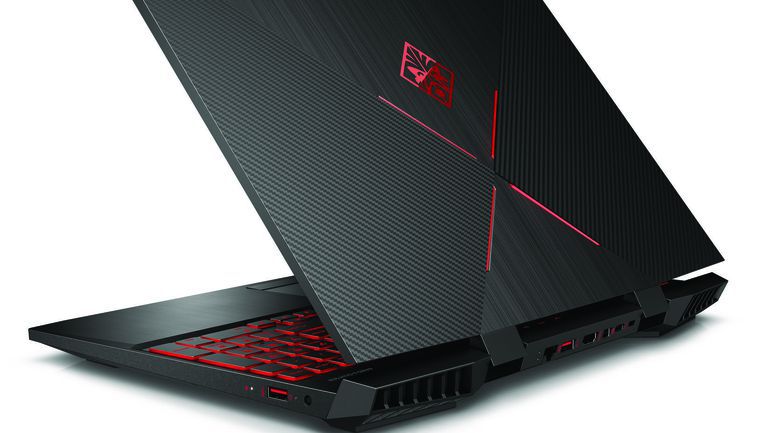
    HP took a page from Razer’s book and went with the sleek, black matte plastic look. It even has the glowing logo on the back, but Omen’s logo is much less subdued than Razer’s. The back plate has a series of cross-hatchings that give the laptop an industrial, almost alien appearance. The keyboard section of the computer is aluminum, giving the laptop a premium finish.  

    The most striking aspect of this year’s design, however, is the incredibly small bezels. Compared to other laptops, the Omen 15’s display looks huge, even though it’s comparable to most modern gaming laptops. The reduced bezel size does wonders for the viewer: the laptop itself vanishes and only the game you’re playing remains. 

    Hardware 

    The Omen 15 wouldn’t be a gaming machine without the right graphics. And boy, does it have the right graphics. This mean machine sports Nvidia cards, specifically the GTX 1070 with Max-Q, 8th gen Intel processors, and options for 32gb of RAM. What’s more, the laptop has both solid state and hard drive options for memory, allowing for the best of both world when it comes to storing your games.  

    Both forms of memory, as well as the RAM, can all be accessed through a single panel. This is an excellent design decision for those who want to upgrade their rigs as technology improves. These design decisions, coupled with the beefy hardware, make the Omen as serious contender in the realm of gaming laptops. The high-tier rigs of the Omen 15 will be able to handle 4K graphics at 60Hz, which puts it on par with modern gaming desktops. That’s some serious power for this little thing! 

    Omen 15 Meant to be Gaming Hub 

    HP also announced some additional features and accessories for their new laptop. Omen’s new program, Omen Game Stream, is slated to launch with the laptop. It will allow users to stream games from their laptop to another screen, like the one in their living room. The Omen 15 promises 15 gigabit wi-fi, which should allow for even the most demanding of games to be streamed via the software. 

    Other accessories set to launch include the Reactor Mouse and the Sequencer keyboard. Their cool sci-fi names underscore their cool sci-fi innards. Both are stated to make use of optical mechanical sensors, allowing for lightning-fast response time from both. HP has also announced a headset called the Mindframe headset, set to launch later in the year. The Mindframe is stated to have internal cooling, an odd choice for a headset, but perhaps required during more serious gaming sessions! 

  • Ways to Tech-ify Your Space: Our Favorite Home Technology

    Ways to Tech-ify Your Space: Our Favorite Home Technology

    Whether you’ve had your place for a while now or just got your first apartment, you’re definitely looking for cool tech. Everyone wants a high-tech, sci-fi setup, right? Well, not quite: everyone loves the convenience of having cool tech around the house. With that in mind, we’ve got a list of some of our favorite pieces of home technology for your pad! 

    Smart Air Conditioning 

    This one might sound weird but hear us out. The Frigidaire Smart Window Air Conditioner (boy that’s a mouthful) is a very handy device for any apartment. The Smart AC connects to Wi-Fi, so you can control it from an app, which is great. If you’re out of town and want to make sure the electric bill isn’t sky-high, you can adjust the temperature from far away. Additionally, it supports Alexa voice commands, which is even more handy.  

    Smart Lock 

    If you’re like me, you absolutely hate getting locked out. Wouldn’t it be great if you could just unlock your door from your phone? Well, good news: you can! Companies like August and ADT offer various smart locks, but August is a great choice for those who don’t want ADT service. August’s Smart Lock Pro + Connect is $279 and comes with Apple HomeKit functionality. If you have friends coming over but you’re not home yet, you can unlock the door remotely. If you’re lying in bed worried about whether you locked the door, you can double check. 

    Robot Vacuum 

    A robotic vacuum is a fantastic companion for any home owner. I personally can’t stand having to sweep and vacuum all the time, so having a robot to do it for me is a must. Roomba is the most well-known brand of robotic vacuum, but they’re not the only player in town! Brands like iLife and Ecovacs also offer a great selection at various price ranges. The iLife V8s is a great budget pick at $260. 

    Our Favorite Piece of Home Technology: Amazon Echo 

    This one had to top the list. It’s just so handy! Between reading you the news, making calls for you and helping you with recipes, Alexa is the ultimate assistant. You can even connect your Echo to other smart home devices, like the aforementioned Smart AC and Smart Lock, allowing you to control all the aspects of your house with your voice. You’ll be feeling like a sci-fi tech master in no time with all this home technology! 

  • What Does HomePod Need to Compete with Other Smart Speakers?

    What Does HomePod Need to Compete with Other Smart Speakers?

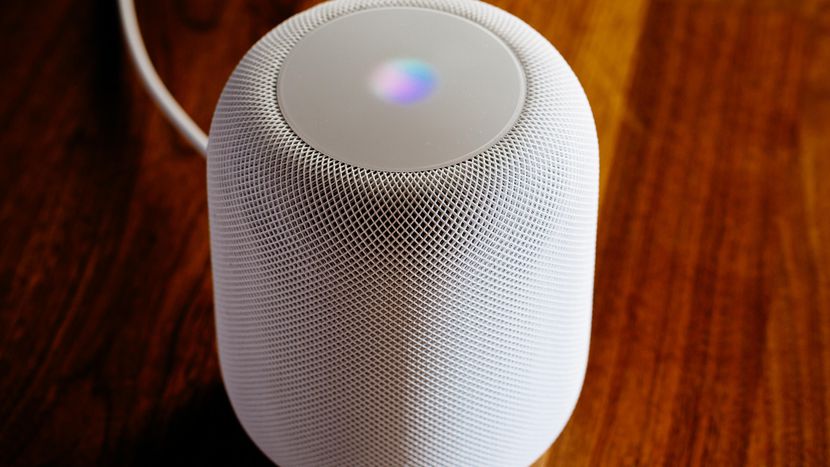
    Apple’s attempts to break into the smart speaker market have been unimpressive so far. While Amazon and Google rule the roost, Apple lags behind the competition with the HomePod. What are some ways they could pull the nose up on this crashing plane? Well, here’s hoping someone at Apple is reading this, because we’ve got the answers. 

    Third Parties 

    Apple’s home platform, HomeKit, isn’t third-party friendly. Third party hardware manufacturers interested in pairing with HomeKit had use the MFi Chip, a proprietary Apple piece of hardware. While Apple has since reversed the MFi Chip requirement, it put a black spot on their relationship with third parties. Google and Amazon, by contrast, had no such restrictions, and thus they have a wider base of support from third parties. Apple needs to prioritize winning back those third-party functionalities. 

    Further, Apple doesn’t let anyone outside of their main R&D department make functionality for Siri. While Amazon has allowed tons of third-party developers to introduce new skills to Alexa, Apple has done no such thing for Siri. And it shows: Alexa is amazing! She has so many skills, answers to so many things! Siri, uh, doesn’t. Apple could introduce a platform for developers to submit new Siri skills that they could carefully regulate. This would allow their platform to be more desirable to end users without flooding the software with tons of useless commands. 

    Music Streaming Functionality 

    This one is a sore spot for many. The HomePod is largely marketed as a speaker first and smart device second. So why in the world is it so hard to use anything other than Apple Music on the device? You can only use voice commands from the device to play Apple-approved music sources. Apple Music, Beats 1 Radio and the like are white-listed. Every other streaming service has to be activated from the phone via AirPlay 2.  

    Again, this is disappointing when compared to the competition. Both Google and Amazon smart speakers allow voice commands to bring up Spotify, YouTube and the like. If Apple wants their speaker to be taken seriously as a music-first device, their design needs to be music-first. This one’s a no-brainer. 

    HomePod: About That Price… 

    Both Amazon and Google offer $50 entry-level speakers. The HomePod is three hundred and fifty freaking dollars. $350. That is a positively bananas price point, and likely the main reason the speaker is struggling. Seriously, where is Apple’s budget speaker? HomePod Mini, or HomePod Nano, whatever. They’d think of some cute name.  

    That’s really not even to say that the HomePod, as it stands, itsn’t worth $350. It may well be worth that. But Google and Amazon offering comparable technology for three hundred less dollars makes the premium HomePod a really, really tough sell. 

    Well, there you have it. I hope Apple took note, because I’d love to see them be competitive in this field. Competition, after all, is great for the end consumers (hey, that’s us)! 

  • Beau’s Number 1 App Review: Jurassic World Alive

    Beau’s Number 1 App Review: Jurassic World Alive

    Beau’s App series. Each week, I install whatever is the No. 1 bestselling app on the iOS or Android store and review it, to save you the effort in case it’s total waste of life. This week a game called Jurassic World Alive is not in the top spot but Im taking it on anyways. Why isn’t it No. 1? It’s so new its just out of beta and instantly the Alpha of AR games. I could wait a week,  but Im way too excited. Also because it’s free, because it just came out for phones, and because it’s  really cool.

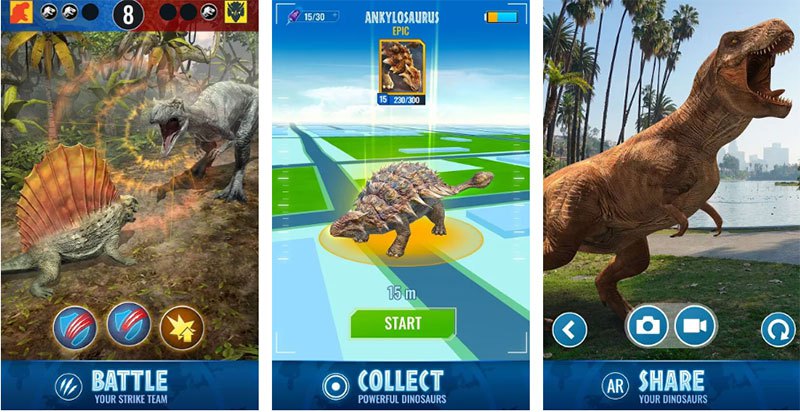
    In the key of Pokemon Go, Jurassic World Alive is the AR game we have been waiting for. This game is set to explode in the same way Pokemon Go took over the summer of 2016. Alive is the latest  franchise to try their hand on the Pokémon Go formula. Yes, we finally we get dinosaurs unleashed around our local neighborhood.

    The Dinosaur Hunt

    Jurassic World Alive puts players in the role of a new recruit in the Dinosaur Protection Group (DPG). Players are tasked with saving dinosaurs from another extinction by tracking them, collecting DNA samples and creating new hybrid species in a lab. Those man-made dinosaurs can be assembled into a team and fight in player-versus-player arena battles, which kind of seems counterproductive to the whole dinosaur protection thing.

    You walk around the real world to “fly” a drone and collect dinosaur DNA from the terrible, augmented reality thunder-lizards that’ve infested your neighborhood (think: capturing a creature in Go); create your own hybrid creatures; battle your dino “strike team” against other players and, well, probably drain your smartphone’s battery very quickly in the process.

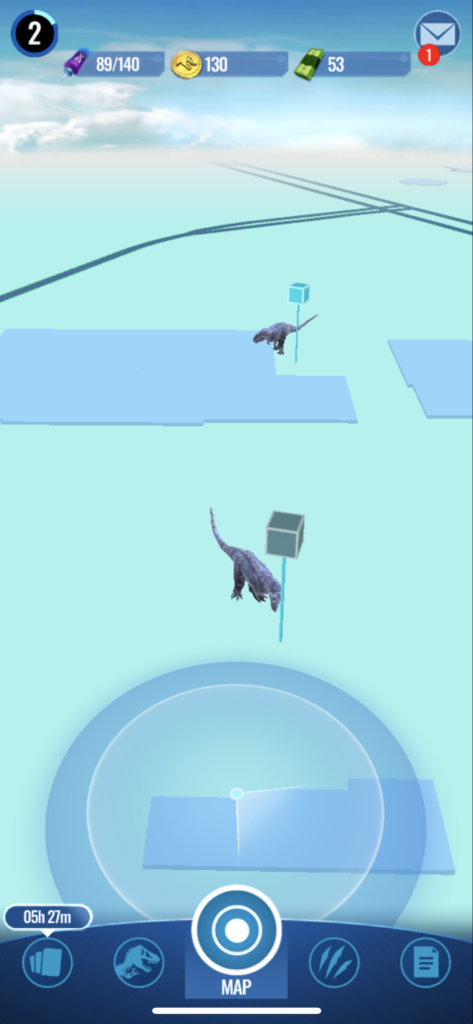
    Claire, the same character from the Jurassic World movie series, introduces you to the basic concept of the game. Dinosaurs will pop up on your screen, once you’re in range you can click on it, and then launch and pilot a drone to collect DNA samples from the dinosaur so you can create it yourself in the lab. You can only create a specific dinosaur type once you’ve collected the required amount of DNA from that species, which will often require walking around your neighborhood to find more of that dinosaur.

    Jurassic World Alive Map and Advantages

    Dinosaurs smashed with Pokemon Go is an accurate summation rather than a reductive statement. The map is almost the same but with less out of the way stops. Jurassic World Alive keeps its drop-boxes close to the road and at stop lights making it much more convenient to get to the walking back behind the church. There also happens to be one at the end of my drive way so that is also cool.

    The Drone is a little harder then just throwing a pokeball. you have to launch a dart multiple times to a small target on the reptile. The closer you get to bulls-eye the more DNA points you accrue to unlocking that dinosaur. You have a set amount of time to pull as many DNA points as you can, my max is 60 so far.


    The Final Thought

    Ive been waiting for a less kiddy Pokemon Go game. I loved they hype, the comradery and community the first month of Pokemon go brought us. Im hoping we get close to that magic moment with this game as well. Kids and Adult gathered around community centers, parks and churches trying to find another Eevee, it was a glorious summer. So lets all download this and go on a hunt together, get some exercise and mutate some dinosaurs into monstrocitys.