Category: Reviews

  • Best 5 Laptops Under $500 in 2018

    Best 5 Laptops Under $500 in 2018

    Laptops are very essential these days- for school, work, or just personal use. The price of a premium new laptop can cost up to $1,000, which is pricey for anyone. Numerous companies have made laptops more affordable while keeping the quality and capabilities of more expensive laptops.

    You don’t have to feel like you’re settling when shopping for a laptop under $500. There are value-priced notebooks that include full-HD displays, solid performance and long battery life, plus all the ports you need. We picked all the best all-purpose laptops in $500 price range which we think are best laptops to suit the wide range of requirements of people. Here is a list of the best five laptops under $500!

    1. Dell Inspiron i3567 Laptop

    The latest version of this Dell laptop has a powerful system in place with 8GB of memory and a 128GB hard drive and a Intel Core i3-7100U 2.4GHz processor. It has a professional feel in it’s all black look with a 15.6-inch laptop with a screen resolution of 1366 x 768. The operating system runs smoothly with Windows 10 and is backed with a 12 month warranty, with 12 months of tech support.

    • A new, powerful hardware system
    • Has many ports and slots to use your external devices
    • 8 GB Ram
    • 7th Gen Intel Core i5 processor
    • It is not backlit enabled
    • Battery life up to 5 hours

    2. Acer Aspire A515-51-50RR Laptop

    The Acer Aspire 5 is one of the best budget full-size laptops you can find in stores today. It checks most of the right boxes: well built, slim and fairly light, gets a decent keyboard, an IPS screen and modern hardware, performs well, runs cool and quiet and lasts for a long while on a charge. This slim and sleek laptop is a great all round performing laptop, especially for the price. The visuals are spot on with vivid, bright colors.

    • LCD display and is backlit
    • 2.50 GHz Intel Core i5-7200U processor
    • Storage: 1TB hard disk
    • Intel HD 620 graphics
    • Battery life up to 7 hours
    • All-plastic chassis

    3. HP 15-ay191ms Laptop

    The HP 15-ay191ms, a signature edition laptops that comes with a seventh-generation Intel Core i3 processor, 8GB DDR4 system memory, 1TB of storage and a touchscreen, but still remains insanely affordable. It’s one of those laptops you’d buy without a second thought if you find inexpensive chromebook attractive, but really, really need Windows. If you love touchscreen, this one’s for you! This laptop contains the Kaby Lake processor which makes this laptop consume little power. Apps are not an issue here, they all run very smoothly.

    • Touchscreen
    • Intel Core i3-7100U processor
    • 8GB RAM
    • 1TB hard drive
    • Lag-free performance
    • Battery life up to 6 hours

    4. Dell Inspiron i3567-5185BLK Laptop

    Yet another Inspiron made this list! This version comes in different color options and a textured finish.  Packed with a large 15.6 Inches display and a decent 7th Gen Intel Core i5-7200U up to 3.1GHz CPU processor. This Dell laptop model would work well for portability with its 4.85 Pounds lightweight design and sleek black look. Great for school work or the family computer. A huge bonus with this laptop is it doesn’t heat up much!

    • 2.4 GHz Intel Core i3-7100U processor
    • 8GB RAM
    • TB hard drive
    • LED display with a built-in webcam and mic
    • Battery life is up to 6 hours

    5. ASUS Chromebook Flip

    This is one of the best convertible laptops on the current market. The Asus Chromebook Flip C302 is worthy of its premium stature with a gorgeous screen, tactile keyboard and a classy design that’s equally as comfortable to use in tablet mode or as a traditional laptop. The screen is a full HD touchscreen and can be converted from a laptop to a tablet by turning the screen. A top pick for a college student!

    • Intel Core m3 processor
    • 4GB RAM
    • 64GB of SSD storage
    • Battery life of up to 10 hours
  • OnePlus 6: A Great Phone (For the Price)

    OnePlus 6: A Great Phone (For the Price)

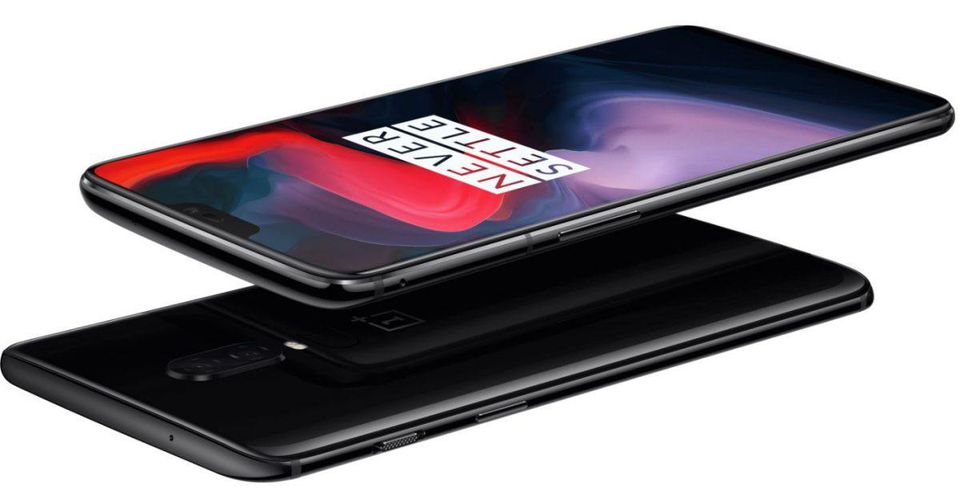
    OnePlus has made something of a name for themselves as makers of cheap alternatives to Samsung and Google phones. The OnePlus 6, their 2018 flagship, is no different. Retailing for a cool $529, and sold unlocked on their website, the OnePlus 6 is a great budget choice for a premium-feeling smartphone.  

    Top Notch (Or Not) 

    The newest trend among premium smart phones is the inclusion of a top screen notch. This has been talked to death, and many Android users can’t stand the iPhone-looking notch design. The idea, of course, is to maximize screen size without increasing handset size. However, as the screen takes up most of the front face, normal hardware like the earpiece and the front-facing camera have to go somewhere, thus the notch.  

    This is an interesting look, but many are not sold on the odd break in the display. These users will be pleased that the OnePlus 6 offers a feature that blackens the screen all around the notch, giving the illusion of a standard phone display. Both modes look great, to me, and I would find neither to be particularly distracting. 

    OnePlus 6 Eschews Metal Back 

    OnePlus models predating the 6 all had a unique construction that included a metal back. Many other phone manufacturers have now switched to using a glass back. The glass back decision has largely been in order to facilitate wireless charging. The OnePlus 6 has no support for wireless charging, though. Instead, it seems, OnePlus chose to make their new flagship glass-backed just to look like the competition. 

    All-glass constructions like this are worrisome, due to their fragility. While most users will have their phones in a protective case, it is still disappointing to see OnePlus ditching their unique design in favor of a more generic appearance.  

    Some Disappointing Features 

    The OnePlus 6 is certainly not a perfect phone. The fingerprint reader on the back is tiny. So tiny, in fact, that it is often difficult to get an accurate scan of your finger. This is disappointing, given that fingerprint scanning technology has been standard on smartphones for more than four years now. The other disappointment is the phone’s relative lack of waterproofing: the website says the phone isn’t rated for any submersion. 

    Bottom Line? It Doesn’t Hurt Your Bottom Line 

    The most impressive thing about the OnePlus 6 is just how many things it does right, though. It is a snappy, quick phone with a great build (in spite of its glass back and small fingerprint scanner.) Its shortcomings can be forgiven in light of its price. Given that it’s a full $300 cheaper than a lot of its competition, it’s alright to overlook a few minor gripes. If you’re in the market for a great looking phone for a great price and can overlook some small issues, consider the OnePlus 6. 

  • Interested in a New Soundbar? Find Out Which One is the Best!

    Interested in a New Soundbar? Find Out Which One is the Best!

    As TV panels get more impressive and their cases get ever thinner, their speakers become less and less impressive. Most new 4K TV panels have pretty laughable sound quality. To remedy this, many turn to soundbars in order to help their shows and movies sound more impressive! If you’re looking to upgrade your living room sound experiences, look no further! We’ll tell you which soundbar is our favorite! 

    Philips Fidelio B5 

    If you really like the idea of having a surround sound system but really hate the idea of installing a surround sound system, this is the soundbar for you. The Fidelio B5 has detachable satellite speakers that can be pulled free of the main bar to quickly set up a surround sound experience. This combination of convenience and sound quality is the entire point of soundbars, so the Fidelio certainly gets its niche right. 

    This one will set you back about $700, though, so it’s definitely a consideration for audiophiles and movie buffs more than casual viewers. If you’re looking for great surround sound and convenient set up, though, you can’t go wrong with the Fidelio B5. 

    Sony HT-ST5000 Soundbar 

    Sony’s entry on this list is definitely priced and marketed as a premium product. One solid indicator of that is its support for Dolby Atmos, giving this soundbar way bigger sound that it looks like it could put out. This soundbar puts out some incredible spatial sound, consistently impressing in everything from movie audio to Spotify playlists over Chromecast.  

    The only thing holding this entry back from being our pick for favorite is its steep price. This one retails for around $1500 dollars, setting it firmly in the “premium item” price range. However, if that price isn’t an issue for you, this is absolutely the best soundbar on the market, no questions asked. 

    Our Favorite Soundbar: Samsung HW-MS650 Soundbar 

    While the Sony HT-ST5000 is the most impressive soundbar out there, it’s also impressively expensive. If you’re looking for audio that is nearly as good (and I mean nearly) for a third of the price, this one is for you. Samsung’s entry on this list is jaw-dropping. The balance and bass are also absolutely stunning considering how small the bar is.  

    This one is a steal: $500 gets you one of the very best soundbars out there. It also supports a ton of inputs and is super easy to set up. If you’re looking for a great soundbar and don’t want to break the bank with Sony, this Samsung is the right one for you. 

  • Which is the Best Gaming Headset? Let’s Find Out!

    Which is the Best Gaming Headset? Let’s Find Out!

    Whether you’re looking to tackle a huge, single-player adventure or help your teammates secure victory in a team-based game, you’re going to want a good sound experience. Some people want headsets for their promise of great, surround-quality sound. Others want them so they can communicate with teammates. In either event, we’ve got a gaming headset list right here to help you pick which one is right for you. 

    Razor ManO‘War 7.1 

    This gaming headset doesn’t disappoint. Retailing for $120, this oversized monster delivers huge sound. The massive size of the earcups is really the only drawback, unless you dislike wired headsets. The ManO’War  sports a sleek microphone that is easy to slide back into the headset and has great sound quality. This is an overall fantastic headset, if a little lacking in portability. 

    Astro Gaming A50 

    The Astro A50 is pretty expensive, retailing for $300. That price tag comes with a bevy of great features, though! Representing a tremendous step up over the A40, the A50 is the new (now wireless!) flagship gaming headset for Astro. The A50 has fantastic surround sound and sports a handful of equalizer modes to help maximize your sound experience. 

    The A50 also boasts a unidirectional mic, ideal for picking out your voice from background noise. This helps alleviate a problem many have to turn to push-to-talk self-muting to fix. The headset also has great battery life, and a battery-saving auto-off function! 

    HyperX Cloud Revolver X 

    The Revolver X is a great choice based on versatility alone. With great sound performance out of the box and fantastic equalizer levels, the Revolver X is a great pick for users who plan to jump between consoles, PC and whatever else. This headset supports USB, 3.5mm and dual 3.5mm, making it incredibly easy to plug into any device.  

    The Revolver X is also a beast of a headset, boasting 7.1 surround sound and great mic quality. All of this is a great deal, too, as you can usually snag this headset for $100.  

    Our Favorite Gaming Headset: SteelSeries Arctis Pro 

    SteelSeries continues to impress time and again with the Arctis Pro. This headset boasts a killer design, mimicking headphone like Sony or Bose might make, making them a great choice aesthetically. They also sport both wireless USB and 3.5mm wired connection, allowing them to be used on both PC and console.  

    Whether you meant to use the Arctis Pro for console or PC, though, it sports fantastic sound quality. On PC, you can use SteelSeries proprietary sound control panels to fine-tune your listening experience. Even better, the Arctis Pro is plug-and-play, ready to be used on just about any device right out of the box. This one is easily our favorite gaming headset! 

  • Which Companies are Leading the Race for First Driverless Car?

    Which Companies are Leading the Race for First Driverless Car?

    The future of commuting is looking ever more and more like a driverless one. Maybe someday driving cars will be as quaint a pastime as riding horses or hopping in a horse-drawn carriage. However, that reality isn’t upon us yet: there are a number of kinks that need to be worked out of the technology before it has the green light for mass commercial production. Not to mention, there’s the question of affordability and accessibility. So, let’s take a look at the companies leading the pack in the race for first driverless car.

    Renault-Nissan Alliance 

    Nissan’s Japanese cars feature the ProPILOT technology, a software suite that drives for you on the highway. The company plans to roll the feature out in the American market soon, and they plan to further add features to it as they are finalized. Features are meant to be incremental additions until the cars are fully driverless, and the company plans on this being the case by 2020. 

    While the 2020 deadline may seem a bit soon, Renault-Nissan has faith in their ProPILOT technology. The company claims their driverless features are all nearly ready now. Now, they just need a bit more safety testing to be road-ready. 

    General Motors 

    After acquiring Cruise Automation, GM has been full-steam ahead on driverless technology. The company has been championing their Chevy Bolt, an electric driverless car likely to see mass market soon. GM has expressed their desire to test their cars in a wide array of different conditions in order to ensure maximum safety for passengers and other drivers.  

    GM CEO Mary Barra has been quoted regarding GM’s safety testing saying: “A lot of the conversation has been about, ‘Oh, we have this many miles,’ but it’s not as much about the miles as it is about the experiences that the car learns.” This is in seeming contrast to companies like Waymo. Waymo has dedicated thousands of hours to safety testing, but almost exclusively in sunny and dry regions like Arizona. 

    Ongoing Focus on Driverless Car Technology: Ford 

    Ford has been quietly pursuing driverless technology for more than a decade now. In 2005, Ford joined the DARPA Grand Challenge, kicking off their public interest in the burgeoning technology. Ford invested a ton of money in a lidar manufacturer called Velodyne in 2016, and has promised to invest over one billion (!) dollars in an AI company called Argo AI.  

    Ford’s fleet of autonomous cars has been delivering on the promise of these investments. Ford recently partnered with Lyft, who also plans to use a driverless fleet for their ride-hailing service. All of this points to Ford’s ongoing dedication to pushing forward with driverless tech. Which of these companies will be the first to mass-market with a driverless car? Or will it be another company altogether? Only time will tell. 

  • H1Z1 Open Beta Begins on PS4 (Finally)

    H1Z1 Open Beta Begins on PS4 (Finally)

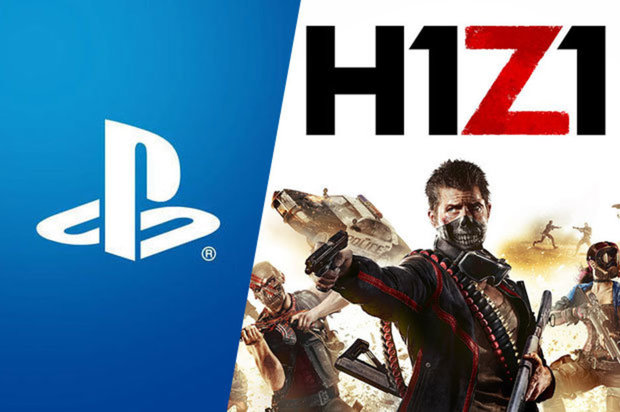
    The zombie-shooting survival game that metamorphized into a battle royale shooter finally hit PS4 in open beta. If you’ve somehow missed the battle royale craze, it’s a genre of shooting game where a large number of players are airdropped onto a map and fight to see who will be the last man standing. Based on the popular Japanese novel (and then movie) Battle Royale, the genre was first popularized by a game called PlayerUnkown’s Battlegrounds. PUBG was followed by the absurdly popular Fortnite, which is itself a zombie survival game that split off to become a battle royale shooter. 

    What’s the Hold Up? 

    If the name H1Z1 sounds familiar, it might be due to the game’s somewhat complex development cycle. Beginning its life as a zombie-themed survival-shooter in the same vein as Left 4 Dead, the game experienced several delays. The game’s popular mode King of the Kill would come to be repurposed as a standalone battle royale game. The original, once called H1Z1, is now called Just Survive and is an entirely different game from this. 

    Seeking to follow in the footsteps of PUBG and Fortnite, H1Z1 is finally available in Open Beta on the PS4. It’s been on Windows in Early Access for a few months now, but this marks its first console outing. It is slated to receive an Xbox port later this year. 


     Murderous Mayhem 

    The controls, which have been described as “sluggish” on PC, have received a bit of a face lift on PS4. Sporting tighter and more responsive controls, the game is as fun as ever with the DualShock 4 controller. This is great news for any concerned that the switch from mouse and keyboard would lead to a worse overall experience for players. The fast-paced action H1Z1 is known for remains intact on PS4. 

    The game sees groups of 100 players (or more) parachuting to a remote location to fight it out. Your choice of strategy will influence your odds of coming out on top: do you choose to find a big gun and go hunting for players? Or will you lay low with a long-range rifle? Or will you (like me) hide in a building with a shotgun and hope no one finds you? The answers to these questions will shape the ever-unfolding action! 

    How Does it Stack Up? 

    Compared to its main competitors, H1Z1 is a fine game. Featuring more realistic graphics like PUBG, but more arcade-style shooting like Fortnite, H1Z1 strikes a great balance. Central to the late-game section of the battle is the presence of numerous vehicles. Teams can often hop in a battle wagon and take off looking to ride down any stragglers, leading to intense, Mad Max-style showdowns. If you like fast-paced and frenetic action, as opposed to the more plodding style of PUBG, this game has you covered. 

    H1Z1 features a somewhat bare-bones crafting system. While you won’t be building any Fortnite-style bases, you can make bandages and other small supplies. These won’t be making any huge impact on the game, but they’re interesting for those inclined to building.  

    Will You Come Out on Top in H1Z1? 

    H1Z1 is available now on PS4 as an open beta. If you think you’ve got what it takes to come out on the top of the heap, go give it a shot! It’s completely free, so you’re a download away from getting into the action! 

  • Ten Things You Didn’t Know You Can Do With Your Chromecast!

    Ten Things You Didn’t Know You Can Do With Your Chromecast!

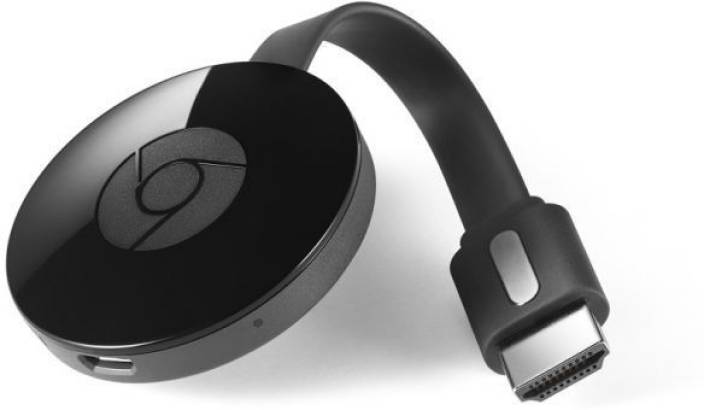
    Your Chromecast is pretty handy. In fact, it’s so handy, it’s probably got a ton of functionality you’re not even familiar with. How is this possible? Well, that’s Google for you: they cram every bit of functionality you can imagine into their products. Without any more delay, let’s dive in: what are the top ten coolest things your Chromecast can do that you don’t know about? 

    Remote Control 

    Photo Credit: The Good Guys 

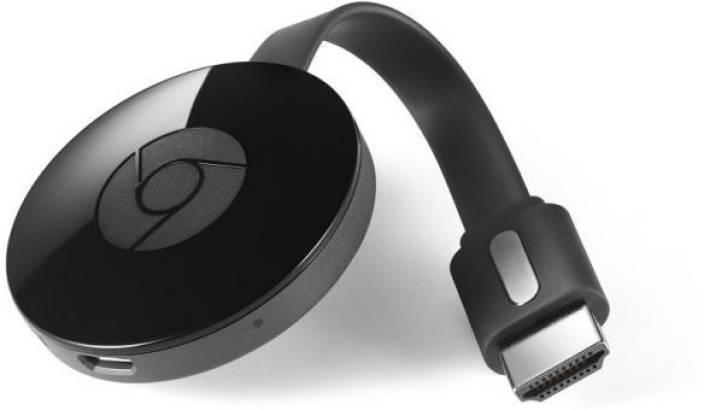
    If your TV supports HDMI-CEC, you can use your phone to completely replace a TV remote! HDMI-CEC TVs can use a feature that allows them to match the input from their HDMI port. In short, with CEC online, when you start casting, your TV will automatically switch to it. No need to manually adjust the input! This one isn’t game-changing, but it’s a neat little quality of life feature! 

    Google Slides 

    Photo Credit: Gtricks 

    Need to give an impromptu presentation? Google Slides is great for putting presentations together on the fly. Even better, if you don’t have a thumb drive or some other transfer device, or just need to give the presentation from your phone, you can Cast your slideshow.   

    When you go to “Present,” just select “present on other screen.” Boom, like that, you’re a tech wizard and you’ve got a presentation on your big screen! 

    Daydreaming 

    Photo Credit: Amazon 

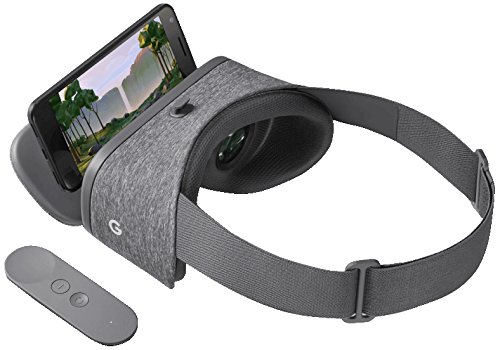
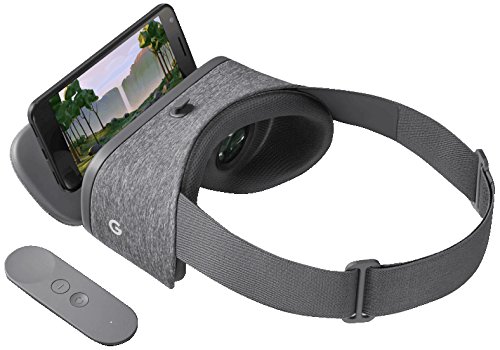
    Using a virtual reality headset makes you look pretty silly to onlookers. Since the people in the room with you can’t tell what exactly you’re seeing, you tend to just look like you’re flailing around. If you want to share your VR experience with your friends, though, you can cast from your Daydream View. This way everyone can see the obstacles you’re dodging through your Chromecast. (This works for Gear VR, too!)  

    Maybe this somewhat alleviates how silly you look with that VR headset on. 

    Use Your Home Sound System for your Music 

    Photo Credit: PCMag 

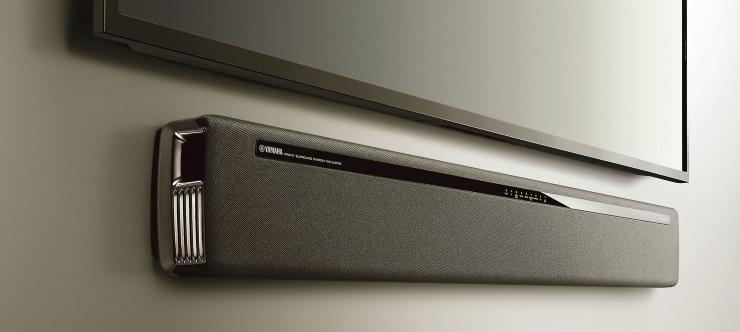
    If you have an awesome sound bar and really wish you could play your music through it, you can! Just get the Google Play Music app and cast to your Chromecast. If you pay $10 per month for a Play Music subscription you can even play Google’s streaming radio and vast library of artists.  

    LocalCast 

    Photo Credit: Shutterstock 

    Does your new smart TV have no audio out? This isn’t terribly uncommon. But what should you do when you want to watch something on your big screen but not disturb others in the house? Try LocalCast. LocalCast lets you send the image to your Chromecast but keep the audio on your smartphone.  

    This lets you get the picture quality of your TV but not wake up any sleeping housemates! A really handy functionality of your Chromecast, staying courteous is always a good thing! 

    CastPad 

    Photo Credit: Google Play Store 

    Available on Android devices, CastPad lets you draw in live time on your device and see it reflected on your TV through your Chromecast. The applications for this are pretty obvious at first glance, allowing for tons of fun with doodling. If you like Pictionary but don’t have any paper on hand, CastPad! If you want to have drawing contests with your friends, CastPad!  

    The possibilities are limited only by your imagination! Go ahead and invite some friends over and have fun drawing! 

    Watch Your Old DVDs 

    Photo Credit: Wikipedia 

    Well, sort of. This one is a bit of a workaround. Using the Disc to Digital service from Vudu, you can stream movies that you own the DVDs of. First you scan the UPC code on the DVD box, then you pay a small fee. It’s about $2 for a standard definition movie and $5 for an HD movie. Once you’ve paid, you can stream the movie to your Chromecast! 

    This one is great for people interested in de-cluttering their living room. Scanning your DVDs and then having a garage sale can help minimize the amount of physical clutter, which is great for minimalists and digital enthusiasts! 

    Link with Google Home 

    Photo Credit: Google Store 

    This one takes a little bit of setup. If you connect your smart device, Google Home Speaker and Chromecast all to the same wi-fi they can all sync up. Then you go through some quick settings menus and link all three of the devices to each other. Once you’re set up, you can use your Google Home voice commands to fire up things like Netflix.  

    It might sound like a bit of overly-complicated setup to get going, but once it’s all together it’s super handy! It’s great whether you prefer voice command to remote controls for convenience or just like minimizing coffee table clutter. It also can impress the socks off your house guests when you tell your TV what you want to see, and it happens! 

    Speaking of Guests… 

    Photo Credit: Flipkart 

    If you want your guests to have the option to use your Chromecast, but don’t want them to have to connect to your wi-fi, you might be a little flummoxed. Luckily, your Chromecast has a guest mode! While in guest mode, your Chromecast can receive casts from nearby devices without needing a wi-fi connection. 

    Our Favorite Off-the-Wall Chromecast Use: Heads-Up Display 

    Photo Credit: Google Play Store 

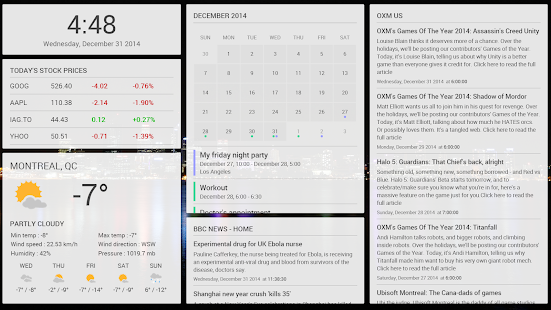
    If you’re looking to get all the information about the world that you need at a glance, you can check out Dashboard Cast. This super-handy functionality turns your TV into a heads-up display with customizable widgets. Want to see the weather, an RSS feed and the stock market? You got it. Want a clock, a news feed, a calendar and a traffic report? You got it.  

    This one is seriously awesome for its customization and functionality. You’ll feel like Captain Kirk on the bridge of the Enterprise getting status reports on all critical systems. Not to mention just how awesome it is to have all the info you need right at hand when you glance at your display. 

  • Companies to Watch in Artificial Intelligence

    Companies to Watch in Artificial Intelligence

    Artificial intelligence is the future of technology. Because of this, several companies are all vying for supremacy in the race to create the best AI, and the race is only heating up. In the next few years, we’re likely to see tremendous leaps in the functionality and intelligence of AI constructs. So, let’s take a quick look at companies to watch in the field of AI development. 

    Google 

    With their ever-advancing Google Assistant tech at the forefront of their brand, Google is prioritizing AI. For instance, take Google’s strong backing of their AI team. Google’s team at Google Brain are performing long-term AI research behind-the-scenes, pushing the envelope in new and exciting ways. The scientific community at large has a great deal of respect for scholarly articles from the team at Google Brain. This illustrates Google’s continued dedication to AI research and development going forward. 

    Facebook 

    Yes, that Facebook. The one where you look at funny cat videos and argue with your racist uncle. Facebook’s AI initiative, called FAIR, is comprised of almost all PhD-holding super-scientists, which is kind of impressive. Because of the nature of their employer, FAIR is primarily focused on language-based AI research. Namely, FAIR has released papers related to Turing Testing and question-answering algorithms primarily. This all makes sense, given Facebook’s primary function as a social media platform. So it will be interesting to see what they bring to the table. 

    Microsoft 

    The tech giant responsible for Windows wouldn’t have dared sit this race out. Ironically, Microsoft’s own Halo series of video games is where a large number of sci-fi enthusiasts of a certain age first encountered AI. Halo’s AI character Cortana even lent her name to Microsoft’s virtual assistant pre-loaded into Windows. However, younger researchers are not the norm at Microsoft’s AI Research department: it is comprised mostly of highly experienced faculty. This has led to them somewhat missing the boat on the deep learning initiatives found at most other AI research facilities. However, this doesn’t mean anyone should be counting Microsoft out yet! 

    Artificial Intelligence Company to Watch: Deepmind 

    Highly respected and for good reason, Deepmind is the preeminent name in AI research at the moment. Largely staffed by Cambridge and Oxford grads, the London-based company maintains a close relationship with the popular tech community. The company’s public image has benefited greatly from their young, vital staff and excellent community-engagement. Papers released by Deepmind are tremendously popular on social sites like Reddit in the sub-communities that follow popular science. For dry, scientific content, this is high praise. Whatever the future of AI, Deepmind is sure to be at the forefront

  • Restaurant Review App Roundup: Let’s Eat!

    Restaurant Review App Roundup: Let’s Eat!

    Are you looking for a great new place to grab a bite? Look no further than a good restaurant review app! Which review app is the best to use though? We’re getting meta, today, and reviewing the reviewers! 

    Zagat 

    The well-respected Zagat name is also attached to a fine restaurant review app. This app is pretty no-nonsense, getting right into the reviews in a way that is almost too abrupt. However, if you just want the highlights and don’t have time to go in much deeper, this app is great. Zagat has separate scores for décor, service and food, allowing you to see the different aspects of reviewed restaurants. 

    Uniquely, Zagat sports a selection of professionally-reviewed and expertly recommended restaurants. If you want to spend less time browsing and more time fine dining, look no further than Zagat. 

    Urbanspoon 

    Urbanspoon is a slick, stylish and polished app. Made with urban explorers in mind, it lets you browse restaurants by a number of criteria. You can compare restaurants by popularity, cuisine, overall rating and more! If you’re in a new city and looking for something to eat, this is a good app for you. 

    Urbanspoon even has some practical functionality. You can make reservations from the app, saving time when you’re getting ready to go get dinner! 

    Foursquare 

    Featuring some really cool social functions, Foursquare is a popular app for circles of friends. Foursquare allows you to share your favorite places with your friends, and you can see your friends’ recommendations too! Your friends can suggest menu items at their favorite restaurants and you can tell the app which friends’ tastes you trust.  

    Foursquare also lets you tailor your own results by telling it what kinds of things you like. This helps you exert tighter control over search results and make sure you can find great new places that you like. Foursquare is a great pick if you like to see what your friends are eating! 

    Our Favorite Restaurant Review App: Yelp 

    While Yelp has grown to encompass much more than just restaurant reviews, it’s still the best app for searching for new places to eat. With tons and tons of reviews submitted by users and professionals alike, it’s hard to go wrong with Yelp. Easy to use and full of tons of great search functionality, we can’t recommend this one enough. 

    Notable features for Yelp include the option to search for local deals, find great little hole-in-the-wall restaurants, and tons of pictures of every restaurant reviewed. You always know what you’re getting into with a new place when you check it out on Yelp first! 

  • Need a Ride? Check out Our Favorite Ride Sharing App List

    Need a Ride? Check out Our Favorite Ride Sharing App List

    If you’re looking to hitch a ride, there’s no shortage of great ride sharing apps for you to try out. Which one is the best, though? Well, that’s subjective. But we can certainly tell you which one is our favorite! 

    Juno 

    Juno is a ride sharing app that focuses, first and foremost, on paying its drivers well. The idea is that better paid drivers will deliver a better experience for the end users of the app. This is pretty sound logic, all considered! However, Juno is still in a soft-launch window, so it’s hard to say how this will play on a large scale.  

    That being said, the app is clear and concise, cutting straight to the important stuff. The app has options for normal rides and an SUV option for when you and a bunch of pals need a ride. The app is pretty good about estimating the fare and giving ETAs, which are common but appreciated features. Keep an eye out for this ride sharing app when it goes into a full release! 

    Lyft 

    Lyft is the second-largest ride sharing app in the US, which is unsurprising. Featuring pricing comparable to Uber, Lyft is often used by people looking to compare and try to find the best rates for rides. Many drivers actually do the same thing, but in reverse, driving for both services and seeking fares that pay the most from each.  

    Lyft offers the standard ride sharing app features of normal-sized rides or “Lyft Plus” for large groups. The Lyft Line service is also available for those looking to keep the price of their fare down. It accomplishes this by having multiple users share one ride, somewhat like a city bus. This is great for keeping the price down during busy times of day! Speaking of, unlike Uber, Lyft caps its demand-based price escalation at 400 percent. Which is still a lot. But it’s good to know there is a cap, unlike Uber’s service. 

    Our Favorite Ride Sharing App: Uber 

    You may have seen this one coming, but we really like the original. Uber has gotten as big as it is for good reason: it’s a really great app! Pioneering all the ride sharing app features we’ve come to expect, Uber has had time to really hone its service. The end-user experience is really just top-notch.  

    Options for choosing what kind of car you want to ride in (sedan, SUV, luxury car) are present, as you would expect. Additionally, like Lyft, you can call an UberPOOL ride, allowing you to split the fare with strangers to keep the price down. The coolest thing that Uber offers that competitors don’t is UberASSIST, a specialized service for mobility-impaired people. ASSIST drivers are trained to help wheelchair users, and their vehicles are equipped to accomadate them as well! 

    There you have it, our favorite ride sharing apps. Next time you need to catch a ride, keep these apps in mind!