Category: Reviews

  • Are You Hungry? Check Out Our Favorite Recipe Apps!

    Are You Hungry? Check Out Our Favorite Recipe Apps!

    I am terrible at cooking. Just absolutely terrible. I can’t make a scrambled egg without step-by-step instructions. Thankfully for me (and people like me) there are tons of great recipe apps. If you’re hungry and looking for a great app to help you make dinner, check out this round-up! These apps are available on both Android and iOS, so don’t sweat which platform you’re on! 

    BigOven 

    This simple and easy to use app has over 350,000 recipes. Now that’s a lot of meals! This app has some really neat functionality, too. Features like making a weekly planner for meals and making a grocery list make the app feel like an organizer and recipe app in one.  

    BigOven also has social functionality, allowing you to upload pictures of your recipes. You can even see what your friends who use the app are making! This functionality makes BigOven stand out from other recipe apps in interesting and helpful ways. 

    Cookpad 

    Featuring many social media-like feature, Cookpad is an interesting little app. Unlike most recipe apps, this one allows you to exchange recipes with your network of friends and family. The app builds a unique user profile as you upload and comment on recipes, helping you find recipes that are right for you. 

    Cookpad also lets others comment on your recipes. These comments could be for dishes that would pair well with the recipe, or for ingredient substitutions. Many vegetarian users or users with allergies love this aspect of Cookpad! If you’re looking for a great place to find and share recipes, Cookpad is for you! 

    The Coolest of all Recipe Apps: Yummly 

    Yummly’s best feature? It has a search function that helps you find recipes for your lifestyle. Whether you have a food allergy or prefer vegetarian meals, Yummly lets you search its huge database to find the right recipe for you. Even better, the app learns your preferences and suggests recipes for you that match your tastes! 

    Yummly also features Instacart support, unlike many other recipe apps. You can build a shopping list from a recipe and add that list to your Instacart. Then you can order everything on your list and have it delivered right to your door! This makes cooking dinner fast and convenient. This app is our favorite for good reason! 

  • TV Shows that Depict Technology Accurately

    TV Shows that Depict Technology Accurately

    Not everyone cares as much about technology as I do, which is fair. I’m kind of a nerd. But you know when you watch a movie or TV show and see something that just doesn’t… work? It just doesn’t work that way, guys! You can’t “enhance” footage from a CCTV camera! That’s not how recording technology works!  

    Alright, I’m good, I swear. With that, let’s introduce our favorite TV shows that get tech right. 

    Sherlock 

    This show is fantastic, for one thing. It’s engaging and smart and fast-paced, keeping the viewer on the edge of their seat. Story beats are often depicted through text messages, as is common in modern tales. Sherlock pioneered a visual technique that makes these texts flow beautifully in the action. 

    In Sherlock, texts appear as floating, stylish words onscreen near the characters reading them. This more accurately represents what it feels like in the moment when you’re reading your phone. By using this technique, Sherlock smartly sidesteps a common pitfall of TV set in modern day: how do you depict smart phone interfaces on screen? 

    Black Mirror 

    This show’s whole premise is how terrifyingly likely its scenarios are. Black Mirror is a modern blend of the Twilight Zone and cautionary sci-fi tales of the 50’s. Episodes meditate on the potential fallout of technological advances. One episode presents perfect recall through recording software embedded in your eyeballs. Another imagines a world where everyone has a social rating like a credit score displayed for all to see. 

    The anthology-like presentation and believable technology make Black Mirror a scary peek into our own potential future. Without the believable, down-to-earth technology, the show wouldn’t work on as many levels as it does. 

    Silicon Valley 

    Silicon Valley is a very goofy show about some very goofy software developers. Depicting the ins and outs of an internet start-up, Silicon Valley does a great job of accurately depicting the lives of programmers. From the accurate depictions of Silicon Valley offices to the types of desks and computers developers use, the show is certainly on the nose. 

    This is no surprise however. The show was created by Mike Judge, who also created King of the Hill and Office Space. Judge has also been part of an internet start-up himself, so he knows the source material personally. This lends the show a “real”-ness that ups the credibility of its technology–and its laughs.  

    Our Favorite Depiction of Technology on TV: Mr. Robot 

    The phenomenal and believable hacking on Mr. Robot comes courtesy of love and care from the show’s producer. Kor Adana, once a cyber security specialist, helps advise on the show. Adana uses knowledge from his previous vocation and ample consultation with real hackers to make the show believable.  

    On screen command prompts and use of actual technology help ground the show. The believable hacking and tech make the show that much more engaging, lending it credibility. This makes Mr. Robot as close as we’re likely to get to a televised version of Neuromancer. 


  • Considering a Tech Job? Check Out Our Top Ten Jobs in Tech!

    Looking for a tech job? Thankfully the tech world is a very different place than it once was.

    At one point in time, tech jobs were considered very niche and not many opportunities were available. In the modern day, however, some of the best jobs in the world are tech jobs! If you’re seriously interested in pursuing a career in technology, there are a lot of paths you could head down. With that in mind, here’s our 10 favorite tech jobs.

    Computer Support Specialist

    Starting our list is the computer support specialist job! This tech job has an average salary of around $52,000 per year. Computer support specialist responsibilities typically include helping people with operating systems, malfunctioning computers and login issues. Part computer whiz, part customer service expert, computer support specialists often work in call centers. Occasionally they will also work in traditional office settings, helping other employees of the same company.

    Web Developer

    Web developers are specialized coders who use code languages to create websites. The typical web developer makes around $66,000 per year and can expect steady work. Web developers tend to work for corporate or business clients who need a website built. Some designers work alone to create the front and back end of a website, while others are more specialized and work with a group of designers. In either event, knowledge of code and programming is required, making this a good fit for coders looking to use their skills artistically.

    Computer Programmer

    A computer programmer uses code like C++ or Python to tell software what to do. Making around $79,000 on average, computer programmers have no lack of available jobs. Indeed, nearly all tech companies have openings for programmers. Due to the nature of coding, many programmers are able to work for home, which is a plus for some. However, many note that programming can be tedious and stressful, so it’s certainly not for everyone. If you have the know-how and the will, however, it can be a great career to pursue!

    Computer Systems Administrator

    Systems admins work with servers and networking to ensure a company’s local network is operating efficiently. This tech job is for those who can think on their feet and problem solve rapidly: companies depend on their networks. When those networks aren’t working, the systems admin has to be able to react quickly and fix the problem. That said, these employees are certainly compensated for their hard work. A systems administrator makes an average of around $80,000 in a year.

    Database Administrator

    This tech job is a little more complex to explain. A database administrator is sort of like a curator of information. Most DBAs help maintain databases of a company’s most valuable info, keeping it organized and concise for readability. This job requires superb communication skills, as you will need to keep others informed of where to find relevant data. It also requires a detail-oriented, organized person with a good deal of computer knowledge. If you fit the bill, you’ll be happy to find that DBAs make around $85,000 a year.

    Computer Systems Analyst

    Computer systems analysts oversee system overhauls and upgrades. When a firm or business hires a systems analyst, the analyst figures out their client’s tech needs, shows them a proposal for a new system that will be more efficient and cost-effective, and then oversees the installation. As a job that requires constant interaction with clients and programmers and installers, this position is often held by outgoing and personable professionals. These analysts have a large number of responsibilities to manage. However, they also make a good deal of money doing it. The average systems analyst makes $87,000 a year.

    Information Security Analyst

    This is a very important job in any organization. Acting as an information security specialist requires great knowledge of counter-intrusion software and great patience in monitoring systems. Many who have deep knowledge of hacking and computer viruses find this field appealing. As a legal way to ply the trade of hacking and dissecting viruses, this is an interesting position. If you have the required skill and dedication, you can make an average of $92,000 a year.

    Computer Network Architect

    As a network architect you build and maintain an interconnected network of servers. In addition to the technical knowledge required to build these systems, network architects also manage staff. Overseeing teams installing new servers and maintaining networks is a key aspect of this tech job. Additionally, people in this position would work closely with their company to help them achieve their network goals. Network connectivity like cloud saves and other internet-based infrastructure are the work of network architects. Computer Network Architects make around $101,000 per year.

    IT Manager

    The highest average salary on this list, IT managers make an average of nearly $140,000 per year. However, that salary comes with a lot of responsibility! These managers typically work closely with other top management to help guide the organization. Tech needs are always changing, so this guidance is important for any business to grow. Additionally, any upgrades or changes to a business’s technology would likely be overseen by the IT manager.

    Our Top Pick for Best Tech Job: Software Developer

    Software developers help create the apps we interact with every day. From recipe apps to banking apps to social media, most every software suite was shaped by a software developer. Our pick for best tech job, software development is in high demand. And that demand isn’t going away anytime soon! Android and iOS are immensely popular and software development for them is sought after by many large companies. For those with the artistic and coding skill to develop software, this career pays well and offers loads of opportunity. With average salaries of $100,000 a year and tons of potential for advancement, software development is a great choice for tech job.

  • Smartphone Spotlight: OnePlus 6

    Smartphone Spotlight: OnePlus 6

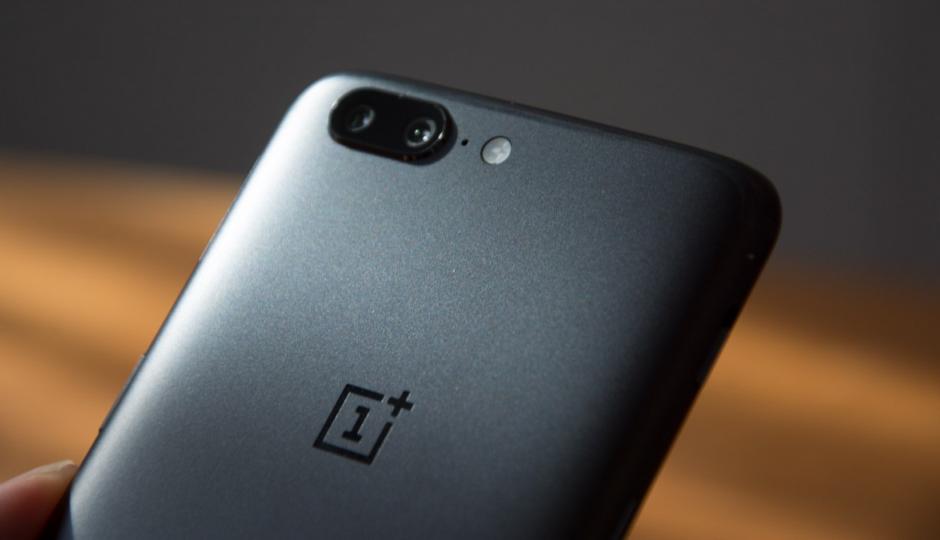
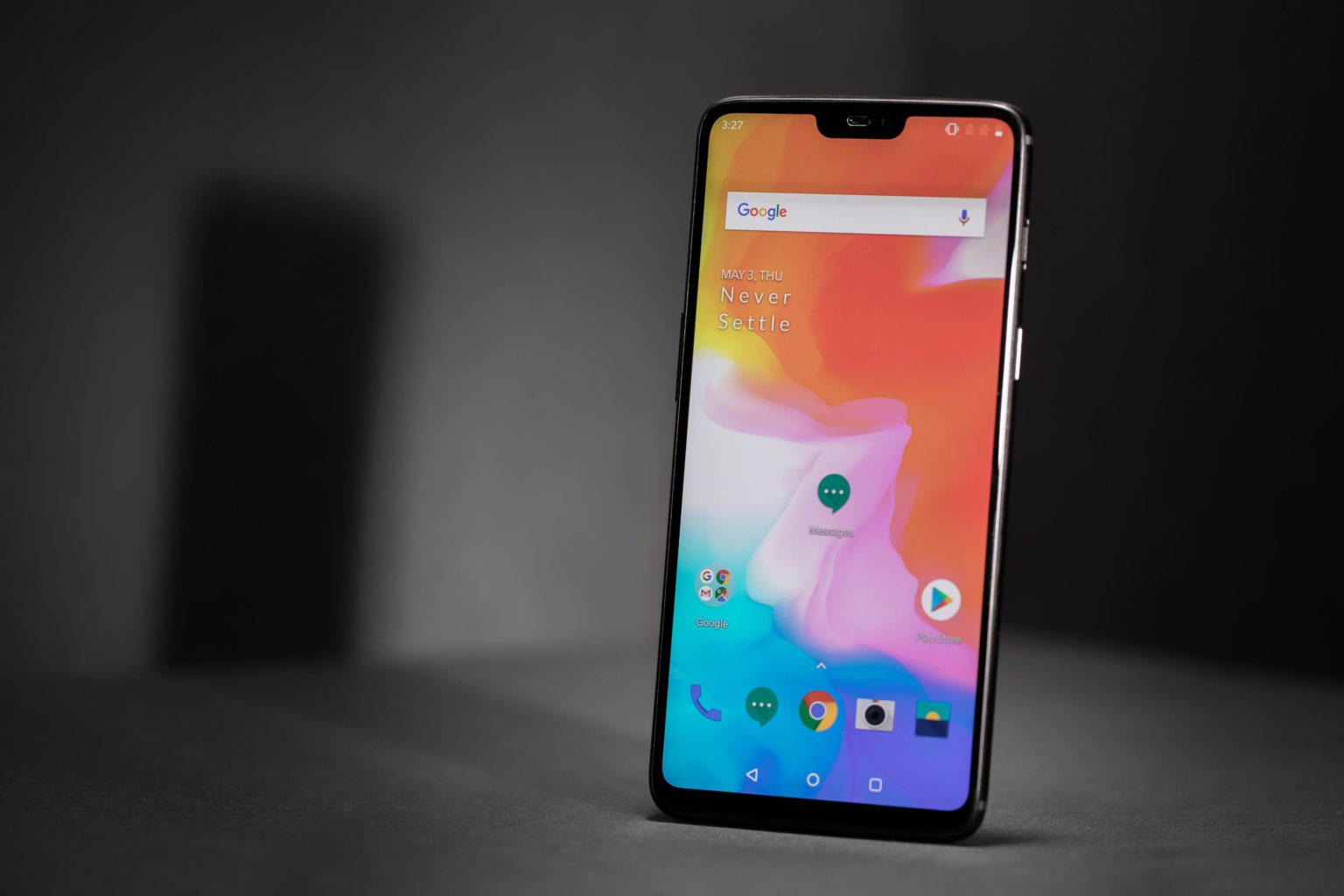
    OnePlus’s deal has always been offering flagship-level internals coupled with minimalist software, all for significantly less than similarly-specked devices. The  6 has all the right stuff you’d expect Is the the 6 the smartphone you deserve?

    The Great

    • Beautiful Screen
    • Blistering performance
    • Great battery life
    • Flagship-caliber cameras
    • Very fast charging:
    • Amazing value
    • Beautiful all glass design

    The Not

    • No wireless charging or microSD slot
    • Lacks optical zoom
    • No IP-rated water resistance

    The Conclusion

    If you’re willing to put up with a few small compromises then you could argue the OnePlus 6 could be even further up this list. One thing is for sure though: in terms of value for money it won’t disappoint.


    It seems every six months or so OnePlus treats us to a new flagship level phone at a completely reasonable price. Most companies are struggling to put out something different enough every year. All that and all, lets get to this latest installment of OnePlus, the 6.

    The OnePlus Design

    OnePlus has really showed up with the all-glass body  on the OnePlus 6. It looks and feels oh so nice: It’s soft and smooth, with a cool touch. It’s very reflective too, mostly on the mirror black model. I just like pressing it to my face. While I  don’t feel like the glass body made the phone overly slippery, and it’s easy to hold with one hand. Using it is a harder task due to the size of the screen. It’s a little harder to get to the opposite corner with your thumb.

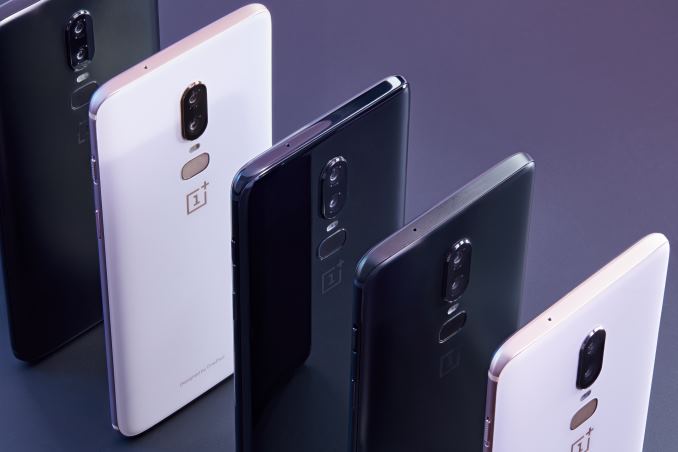
    Three Colors

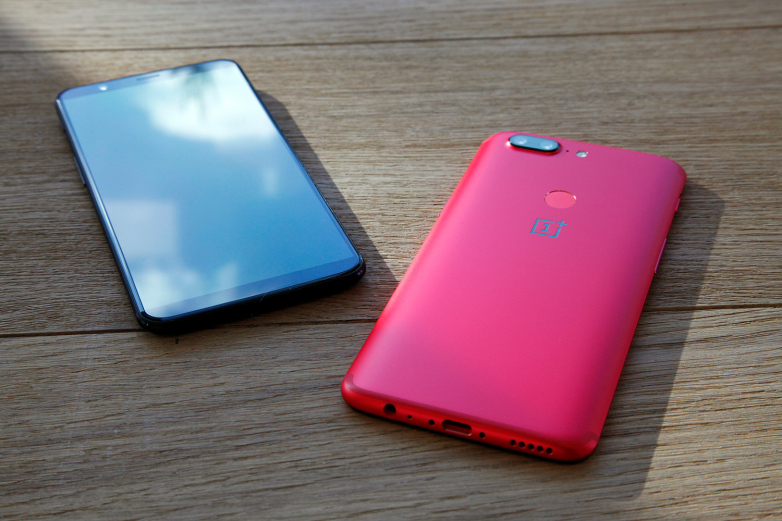
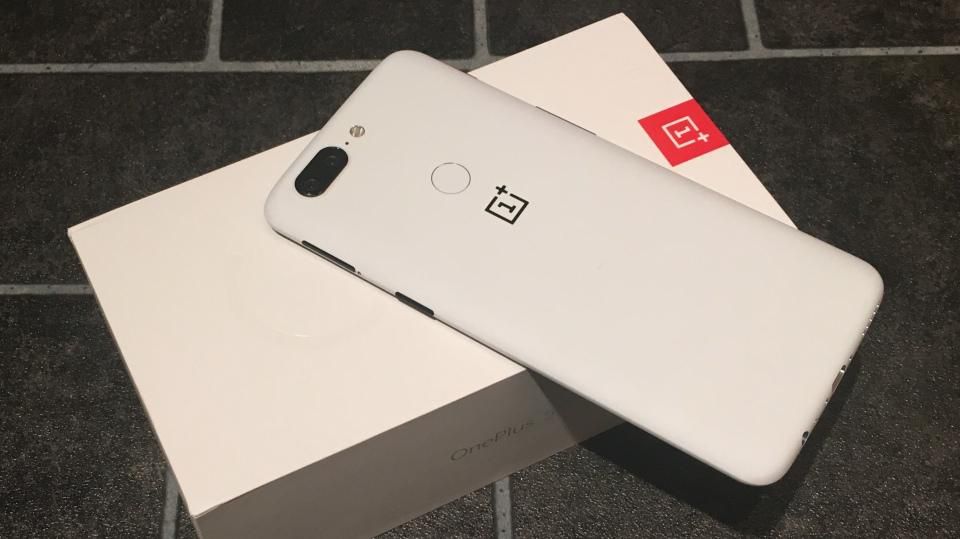
    Mirror Black is one of three versions for the OnePlus 6. The glass is super-shiny and though it certainly does attract fingerprints, it’s not the smudge magnet you might have imagined. Midnight Black is color two: a matte finish  This is a more conventional-looking finish that will be especially familiar to owners of earlier OnePlus phones. Last is the Silk White: a classy option, for your tuxedo nights on the town look. It has a sprinkling of pearl powder as part of the six layers and emphasized by the rose gold edge, camera relief and OnePlus logo


    The Performance

    The  6 is powered by the Snapdragon 845 processor with a whopping 8GB of RAM. The phone has been lightning fast in our brief time using it. It all feels very refined. OnePlus uses the tagline, “The speed you need,” for the 6, It seems cheese and completely unsustainable for an android base phone, but here we are. The power is good, lets just not get cocky.

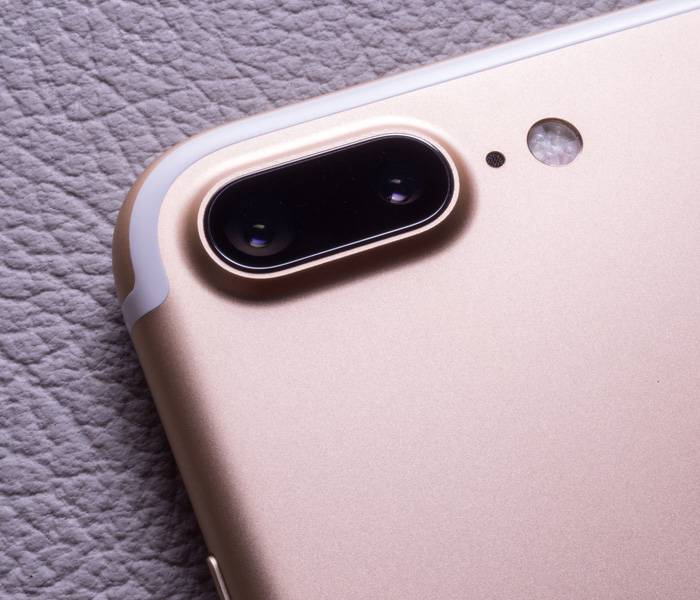
    For the Camera OnePlus has gone a more regular route, perhaps, by using two rear cameras, both color RGB sensors. One is a 16MP sensor with an f/1.7 aperture and big pixels 1.22 microns). It has optical image stabilization, something OnePlus fans had requested.

    Quick Spec Look

    • OS Android  8.1 Oreo with OxygenOS
    • Screen Size (Resolution) 6.28-inch AMOLED (2280 x 1080)
    • CPU Qualcomm Snapdragon 845
    • RAM 6GB/8GB
    • Storage 64GB/128GB/256GB
    • microSD Slot No
    • Rear Camera Dual: 16 MP (f/1.7) with OIS; 20 MP (f/1.7)
    • Front Camera 16 MP (f/2.0)
    • Battery Size 3,300 mAh
    • Water Resistance None
    • Size 6.13 x 2.97 x 0.30 inches


    The Final Thought

    The 6 has all the Power, Size and Looks available to make a splash and a price point to be desired. There is nothing here truly lacking out side of the water resistance and the wireless charging, only thing I could do with out is the boasting.


  • The Best Cities to Find Tech Jobs

    The Best Cities to Find Tech Jobs

    Demand for software engineers, programmers and other tech jobs has only gone up in the past decades. If you’re a tech professional looking for a city to call home and find work, we’ve compiled a round-up of our favorite cities for tech jobs. If you’re thinking about moving, we’re here to help you with your considerations. Read on to find out which cities we think are the best for tech jobs!

    Seattle

    Between Amazon, Microsoft and Boeing there are plenty of opportunities for tech professionals to find work in Seattle. Salaries for the tech field average nearly $100k per year, making this a desirable home for many who aren’t scared off by near-constant rainfall or expensive housing. While progressive tax bill proposals have stopped planning for new Amazon locations, these plans are likely to resume. Amazon isn’t the only game in town, and they’re hardly likely to stop focusing on their home city over a few tax code changes.

    Philadelphia

    Home of tons of new start-ups, the city of brotherly love is a great place for a tech professional. Salaries in Philly average around $97k, making it a reasonable consideration on the basis of money alone. As for those start-ups, they range from initiatives to increase diversity in the tech field to programs intended to feed newborns. This city is also the home of Philly Tech Week, a week-long celebration of the city’s bright future in technology. The deep history and rich culture of the city are certainly considerations to keep in mind when weighing options!

    Los Angeles

    You would’ve been surprised if this one hadn’t made the list, huh? Home of clogged freeways and gorgeous beaches, LA remains a giant in the tech field. If you can stand the traffic, there is plenty of money to be made in LA: tech professionals average $99k per year. Between the weather and the opportunities here, LA is a fantastic home for a professional, and those second-guessing the city due to the corwds, fret not. Tesla’s Elon Musk has promised a solution to the traffic problem in the form of “boring tunnels.” Here’s to boring solutions to boring problems!

    San Diego

    Sporting some crazy tech professional salaries averaging $101k per year, San Diego is a great choice for those in the tech field. Home of tech giant Qualcomm, San Diego is clearly a city focused on tech: they recently started a 3-year test program for drones with the Department of Transportation. This test program will allow for more pilot programs for food deliveries and the like via drones. Much like Los Angeles, San Diego boasts stellar weather and beautiful beaches, making it an ideal pick for professionals looking to enjoy their days off in the sun.

  • The Best iOS Photo Apps for Shooting and Editing

    The Best iOS Photo Apps for Shooting and Editing

    Everyone loves to snap pictures! Every smart phone is equipped with great camera functionality, but they lack a decent photo app to go with it. Whether you’re looking to send pictures to family or post them to show your friends, you’re probably wondering which photo apps are the best! Here’s a round-up of our favorite photo apps!

    Snapseed

    Snapseed is a user-friendly photo editing app for iPhone. Allowing for different filter types and tools for adjusting exposure and sharpness, Snapseed allows for professional-style photo editing from your iPhone. You’re also able to edit only selected parts of a photo, letting you fine-tune images to your taste! It even has a healing tool like Photoshop. Best of all, this app is free! Snaseep is our favorite iOS photo editor.

    Cortex Camera

    This app is fantastic for shooting in low-light or nighttime situations. Using a really neat process, Cortex Cam is able to cut down of visual grain that is so common in low light pictures. Typcally, when taking pictures in low light, your phone camera will increase the ISO to attempt to squeeze more light into the lens. This has the side-effect of creating grainy images. Cortex Cam combats this by taking a large number of images in a short span of time and collating them into one image, eliminating that visual noise. This is easily the best app for low-light shooting!

    Superimpose

    Another Photoshop-like app, Superimpose allows two pictures to be blended together. If you want an app to blend together two photos from your phone, this is the app for you! This app has gradient masks that allow for one photo to mask the dark aspects of another with its own light aspects, allowing for interesting artistic projects. Superimpose can also be used for double exposure-style pictures, like using a foreground from one photo and a background from another. Superimpose is $1.99 on the app store, but you get a ton of awesome functionality for that price. If you’re looking to make compositions from your phone, Superimpose is a great app for you!

    Our Favorite Photo App: Camera+

    This app is exactly what is says it is: an enhanced version of the iPhone’s existing camera app. This app gives shutterbugs precise control over their phone’s camera functionality. Between altering shutter speed and white balance, this app is a must-have for smartphone camera enthusiasts. Camera+ has a manual focus function that is especially helpful for photographing extremely close objects, which is great!  It also has a handy 30-second delay feature for those who want to take pictures with themselves in the frame.If you have the technical know-how, or want to develop it, this app is a great choice for you!

  • Need a New Monitor? Check Out Our Favorite Curved Displays!

    Need a New Monitor? Check Out Our Favorite Curved Displays!

    Experts say that curved displays are the most natural viewing experience for humans, since our eyes are round. This, they claim, makes curved displays more natural and pleasing to the eyes, reducing eye strain and leading to a better experience. Curved displays are measure in terms like 1800R, which refers to the radius of the imaginary circle the curvature would create. Thus, larger numbers mean less curvature. With that said, let’s check out our favorite curved monitors!

    HP Z38c

    Sporting a 3,840 x 1,600 resolution and an impressive 37.5″ display, this curved HP is a great pick for professionals. At 2300R, this isn’t the most curve-y screen on the market, but its ultra-wide aspect ratio and deep color display make it a comfortable viewing experience. This display sports ports for HDMI, DisplayPort and USB-C. On the flip side, it has no built-in speakers and no audio out, so you’re going to be using a separate device for sound.

    This monitor boasts an impressive IPS panel display, allowing for superb curved monitor viewing. With stunning colors and impressive brightness, this monitor would look great on a desk and work even in brightly-lit office buildings. For professionals who want an excellent curved 4K image, this is a great pick. It is a little expensive, though, coming in at $1200.

    Samsung C27F398

    Our favorite curved monitor for those on a budget, this Samsung gives you a great, comfortable viewing experience without costing you too much money. For $280, you get a screen with 1800R, which is a real sweet spot when it comes to curved displays. This display is 27″, notably smaller than the previous entry, but it still puts out a phenomenal image for the cost.

    It is notably less bright than the HP, as well, making it more suited for home use instead of office use. This monitor also comes with eco-friendly picture modes as well as eye-friendly, blue light-reducing modes. An overall impressive value for the price, this Samsung makes a great choice for first curved monitor for the curious.

    Our Favorite Curved Display: Samsung CF791

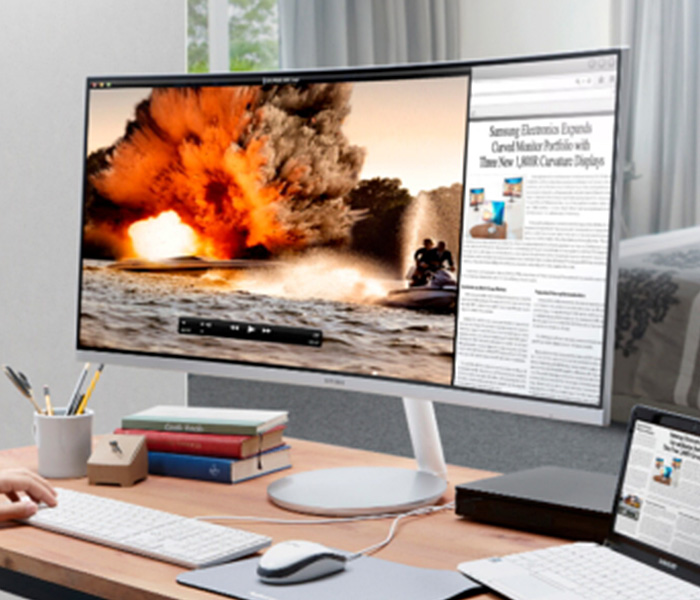
    This is our favorite overall monitor and offers a fantastic image quality. This monitor has a 1500R curvature, making it the most curved display on this list. Samsung’s monitor utilizes “quantum dot” technology, which supposedly uses a series of microscopic dots to produce colors and images. This supposedly leads to a sharper, crisper, “purer” image. Either way, the results are stunning: this monitor looks downright amazing.

    This monitor sports two HDMI ports, a DisplayPort, and two USB-A ports, as well as a headphone jack. For gamers, this monitor sports AMD FreeSync, synchronizing the monitor refresh rate with the frames per second of an AMD graphics card. This is a feature designed to reduce visual tearing and other noise caused by out-of-synch refresh rates.

    The monitor also has the Samsung proprietary Game Mode, which turns off a number of superfluous display functions in order to minimize display lag. The CF791 is an overall fantastic monitor, and our pick for favorite. The only downside on this display? It’s a little expensive, retailing for $950.

  • The Robotics Kit Roundup for Students

    The Robotics Kit Roundup for Students

    If you know any students who are enthusiastic about robotics and looking to build their own robots, you might be wondering which kits are the best. Never fear, because we’ve rounded up our favorite robotics kits for students. Read on to find out our favorite robotics kit for aspiring tinkerers!

    Meccano-Erector MeccaSpider Robot Kit

    This $100 kit is for children 10 or older. Taking between one and three hours to build, this spider-themed kit has some fairly neat features. Firstly, it sports on-board buttons that allow the builder to set it in different preset modes, such as “guard” and “game” modes. It has a reservoir for water so that it can shoot “venom” (which is awesome) and it sports an infrared sensor to detect opponents

    The robot can be controlled from a linked smartphone app, allowing for some fun, hands-on play with the device after it’s complete. This kit is part of the “STEM” initiative, a push by the Department of Education to prepare students for careers in science and robotics. The MeccaSpider is an intermediate level robot.

    UBTECH Jimu Robot DIY Buzzbot & Muttbot Robotics Kit

    For a reasonable $135 this kit can be built into either Buzzbot (a goofy-looking humanoid bot) or Muttbot (a goofy-looking dog bot). This one is somewhat simple, using a combination of six servos and a small computer to power the robot, whether it be the kid or dog robot.

    Using linked smart phone apps, kids can string together a series of saved poses, allowing them to animate scenes. These programmed procedures are a neat way to teach kids about programming while they also learn about robotics.

    Makeblock DIY Ultimate Robot Kit

    If you’re looking for a more expensive robotics kit that can build into many different types of robot, this kit is for you. For $350, the Makeblock DIY Ultimate Robot Kit can be built into a robo-bartender, a servo arm, a self-balancing bot and many more. Powered by Scratch 2.0, a kid-friendly programming language, this kit does a great job teaching kids tons of lessons in both robotics and programming.

    This robotics kit is also compatible with Raspberry Pi mini computers, which allows young mechanists to have a great amount of customization and control over their creations. If your little builder is ready for a step towards the “real thing, ” this kit is a great choice!

    Elegoo UNO Project Smart Robot Car Kit

    The least expensive robotics kit on this list, the Elegoo Smart Robot Car is only $74. This device is simple, with a small number of parts and a fast build time. This makes it a great choice for an aspiring builder’s first kit! It sports a few different modules, such as infrared and Bluetooth, making it a very customizable build.

    It also sports connectivity with third party modules, allowing for a unique build. Note, the expansion modules have to be compatible with a 3-pin XH2.54 interface to be used with this kit.

  • Which Chat App is Best?

    Which Chat App is Best?

    Practically everyone and their mom has a smartphone now. It’s easier than ever to stay connected to all our friends and family through a chat app! However, not everyone wants to be in huge group chats, and some people would prefer not to give their personal number out just to join in the conversation.

    With that in mind, we’ve got a round-up of our favorite chat apps! Read on to find out which apps we love to use to stay connected.

    Facebook Messenger

    Facebook is the undisputed king of the heap when it comes to social media. Almost everyone has a Facebook profile, and as such, almost everyone has access to Facebook’s messenger app. This app is clean, functional and usable, which is all par the course for what we’ve come to expect from the biggest social media platform on the internet.

    The app experience is somewhat bare-bones, however, which is disappointing when comparing it to Discord or Slack. However, Messenger makes the list for its ubiquity. If you need to make a group chat with friends or just message someone to start a conversation, Messenger is a fine choice.

    Kik

    Kik is something of a replacement for normal phone functions of texting and calling. With a unique video chat functionality that allows for small, thumbnail-sized video feeds while still texting, Kik certainly sets itself apart. Kik has a cool feature to check your phone’s contacts to add them to your contacts in the app. It also has a great interface: clean, smooth and easy to use. You should definitely give Kik a shot, especially if you’re looking for a more in-depth one-to-one text app than your phone’s text messenger allows for.

    Slack

    Mostly used by businesses, but also popular for gaming groups, Slack is a great chat suite. Sporting a good desktop app and a solid phone experience, Slack gets right to the point. With a no-frills interface that still allows for all the requisite emojis and gifs, Slack gets out of the way of your conversations.

    If you’re a small business owner looking to pull all your employees into a chat together to coordinate your efforts, Slack is perfect. Similarly, if you’re trying to organize a gaming group and you don’t like Discord’s app, Slack is a great choice.

    Our Favorite Chat App: Discord

    This one is actually no contest. Discord is the best chat app in existence, bar none. There is no overstating how many awesome features are packed into Discord’s stellar desktop and mobile applications. Discord sports a user-friendly server set-up that can be subdivided into channels.

    Functionality for tons of different types of games and news feeds can be integrated into servers at the admin’s discretion. Do you like Dungeons in Dragons? Install a bot that rolls dice and looks up stats in your server. Do you love sports? Install a bot that gives your final scores for your favorite teams. I can’t recommend Discord enough, whether you’re a gamer, professional, or anything in between.

  • The Best Tablet Computer Bang for Your Buck

    The Best Tablet Computer Bang for Your Buck

    Ah, the tablet. While everyone loves their smartphone, sometimes you want a bigger display. Whether you like the convenience of watching movies in bed, want a good device to play games on, or need to do actual work, tablets offer tons of handy versatility! However, some brands of tablet can be prohibitively expensive. If you’re looking for something more affordable, we’ve compiled a roundup of our favorite budget tablets!

    Amazon Fire HD 8

    Found on Amazon for $60, this little tablet is a great value for your money! Amazon’s proprietary tablet makes an awesome e-reader, as you might expect from the one-time bookseller. While the Amazon Fire 8 has rather lackluster cameras and somewhat less sharp display than its competition, it’s still a great value. If you want a tablet that works for web browsing, watching movies and reading books and don’t need a ton of fancy features and software, then this is a great pick. If you’re looking for something a bit better overall, but a tad pricier, read on!

    Lenovo Tab 4 8

    Lenovo, a respectable name on its own, has created a neat little tablet with a lot of personality in the Tab 4 8. If you’re already familiar with the Android OS from your smartphone then you’ll have no trouble with the OS in tablet form, which can make this a good choice for those who don’t want to learn a new OS. The Tab 4 8 is very solid, coming in at “middle of the pack” in nearly all ways, including its desirable price tag: you can pick this one up for $130. The Tab 4 8 has good battery life, a decent display, an inoffensive, likable design and great overall software performance. While this is a full $70 more than the Fire HD 8, you get a completely superior overall product, so if you don’t mind spending a bit extra then this is a great choice for you.

    iPad 2017

    The 2017 iPad is seeing a price drop now that the 2018 models are hitting the market. The iPad is far and away the most expensive tablet on this list, selling for around $270 on Amazon right now, but you absolutely get what you pay for. Retina Display and FaceTime cameras, Apple mainstays, are certainly great to have here, and the always-awesome iOS software is just as great on a tablet as on a smartphone. While it is expensive compared to the others on this list, if you’re looking for a tablet under $300 that delivers a premium experience and works like a dream, the iPad remains the best tablet out there. While some are put off by the relatively expensive accessories and high price of the device itself, this remains your best value, dollar-for-dollar, in tablets.