Category: Reviews

  • That’s No Mac Pro, That’s a Samsung ArtPC PULSE

    That’s No Mac Pro, That’s a Samsung ArtPC PULSE

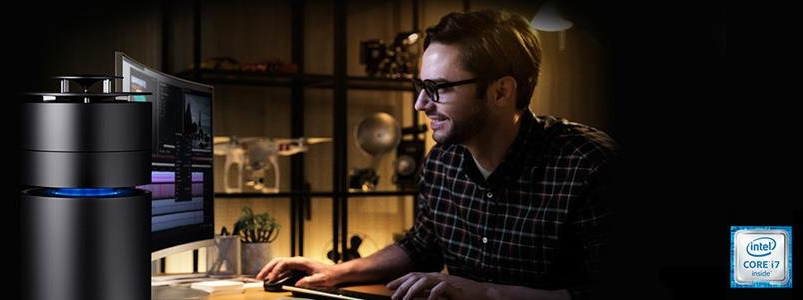
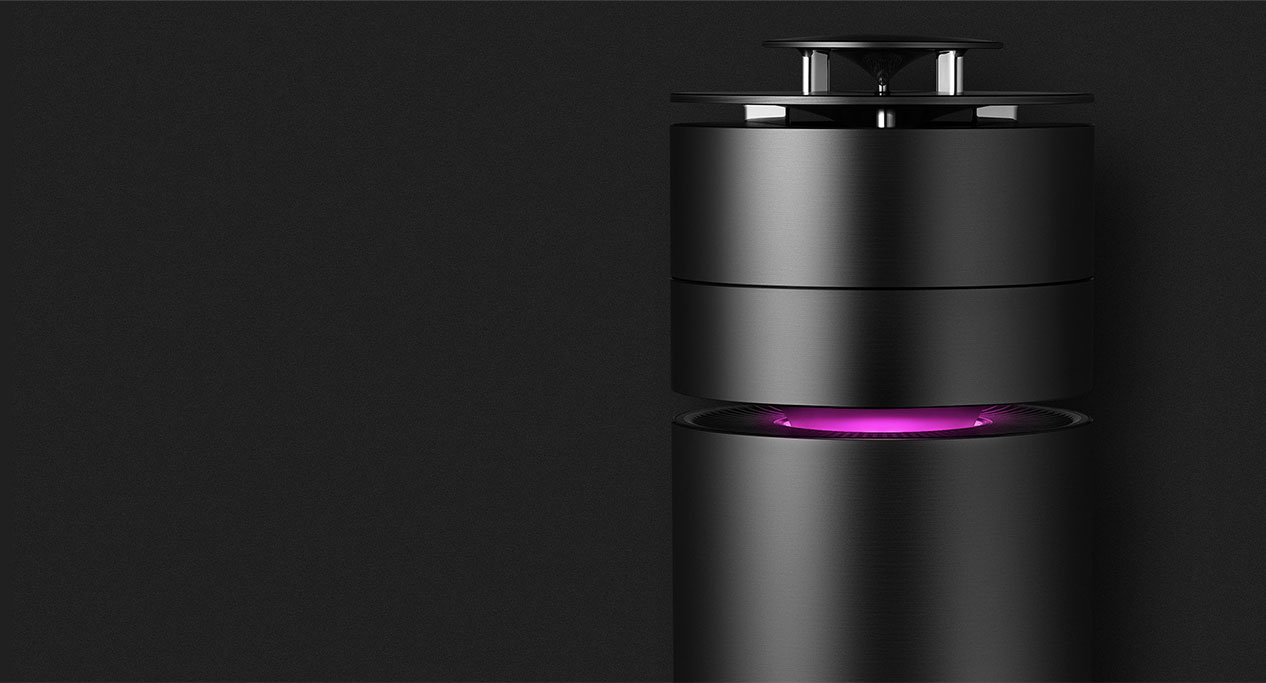
    Samsung ArtPC PULSE is trying to redefine the design of computers like Apple has already done. This computer is impeccably slim and exquisitely  premium. The Samsung ArtPC PULSE is built with full metal in a cylindrical form factor. This is actually the second computer you want to place at the center of your space.


    The Great

    • Very Pretty
    • Beautiful Desgin
    • Stackable Expandable HDD
    • LED Notifications
    • Great 360 Sound


    The Not

    • Mac Pro Knockoff
    • Standard Power
    • Uninspired


    The Conclusion

    The desktop PC is undergoing a renaissance, with designs that beg to be showcased in a living room or creative space. Samsung is joining HP as they mock what Apple does best. Think outside the box and innovate. It’s a distant 3rd in a playing field of 3.


    The ArtPC draws immediate comparison to Apple’s machined Mac Pro. With an aluminum build, integrated 360-degree speakers tuned by Harman Kardon— an audio and electronics brand that Samsung is in the process of acquiring— and a modular, expandable design, the ArtPC’s aesthetic is divisive. Part minimalist metal and fully utilitarian, the ArtPC Pulse invites comparisons from passersby to my desk to anything from a futuristic space capsule to Oscar the Grouch’s trash can abode.
     

    Give Us The Deats

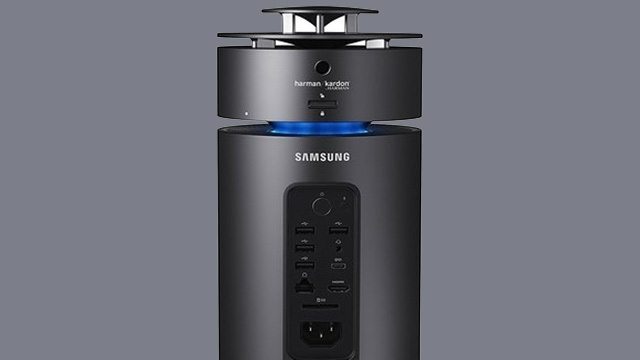
    The small, cylindrical shape of the desktop machine is quite innovative and attractive. It looks magnificent sitting on a table top with a lighting band proving to be a striking contrast against its full metal, black body. It is equipped with a brilliant and fast working processor. The Radeon Rx graphics card ensures that the graphics you view on your screen are always impeccable. One of its greatest features the way it is engineered. You can twist and turn and remove storage whenever you do not need it, and fix the module back on whenever you do need it.
     

    The Sound And Design

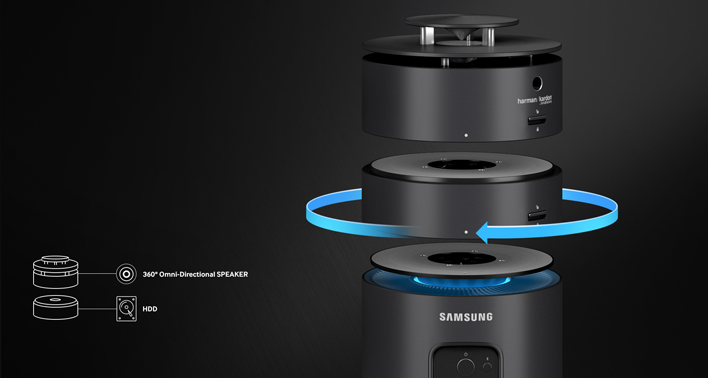
    Harman Kardon 360 degree Speakers are the best part about the Samsung ArtPC. They are crisp clean and booming. I’ve always found sound quality lacking in computers and it’s nice to see Samsung up the game. This shows that PC manufacturers are teaming up with the best sound system providers to give users good audio systems alongside powerful PCs


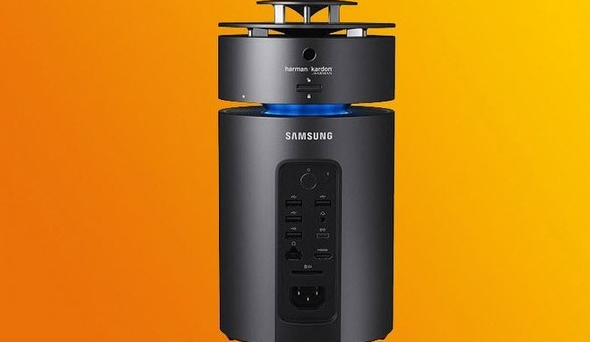
    The design is fairly minimal in design and measures 5.51 x 5.51 x 12.18 inches (13.9 x 13.9 x 30.9 cm) and uses the single central fan concept. It’s pretty but it’s not as stunningly elegant as the Mac Pro.


    There is one more interesting and innovative design of the Samsung ArtPC PULSE. This Computer allows you to attach and detach more storage whenever you need. Position the HDD unit and spin to click and easily add more storage. Think easily stackable hard drives. Kinda cool.
    Quick Specs of The Samsung ArtPC PULSE

    • CPU Intel Core i7 (6th Gen) 6700 / 3.4 GHz
    • Chipset Type Intel H110 Express
    • Form Factor Memory SO-DIMM 260-pin
    • Slots Qty 2
    • HD SSD  NVM Express (NVMe) 256GB + 1TB Serial ATA-600
    • GPU AMD Radeon RX 460 2 GB GDDR5 SDRAM
    • RAM Technology DDR4 SDRAM Memory Speed  2133 MHz Configuration Features 2 x 8 GB


    The Final Thought

    In A Samsung world of being second best this is just that. If you said to yourself want a mock Mac Pro “speaker as a Desktop” that runs windows 10, well  then you have found your dream machine.

     

  • Wearable Tech: Which Tech Items are Must-Haves?

    Wearable Tech: Which Tech Items are Must-Haves?

    The hot new trend of wearable tech has gotten a ton of traction lately. Apple Watch, FitBit and countless others have made wearables hot-ticket items. They’re stylish, functional and cool all at once. Which ones are our favorites? Which ones are must-haves? Check out our roundup of the coolest wearable tech out right now! 

    Rocket Skates 

    Oh yes, these are real. Sort of like a combination of Heelies and an electric scooter, these sci-fi action-hero shoes can propel you at up to 12 mph. That’s super impressive for being shoes with wheels. These cool shoes also come with a phone app to track your route, mileage and battery.  

    These aren’t easy to use, to be sure, but if you’re looking to turn heads and jet around on freaking rocket skates, these are awesome. Just be careful not to crash into any walls or anything. 

    Lenovo Vibe Band 

    At least one smart watch had to make the list! The Lenovo Vibe Band is a stylish little device. Sporting a unique e-ink display, the Vibe looks great in direct sunlight and has a discreet display. It functions as a fitness and sleep tracker and does it all with 7 days of battery life.  

    Even better, the Vibe Band is priced under $100, giving you a ton of features without having to pay Apple Watch or Android Wear prices.  

    Bio Sport Smart Ear Buds 

    These ear buds double as biometric sensors and fitness trackers. Pretty neat, huh? They have great sound quality thrown in, too, which is always a plus for working out! These neat little ear buds can be tossed in a bag and stored easily, and they appear very discreet when in-ear. If you want a fitness tracker but don’t like wrist-mounted devices that get in the way or draw attention to themselves, then the Bio Sport Smarts are for you! 

    The Coolest Wearble Tech Device: Nixie 

    This incredibly cool little drone wraps around your wrist like a watch when not in use. When you command it, however, it unfolds and takes off. It can then snap pictures, usually selfies, before swooping back down to your wrist. It looks like something Tony Stark would have and it is amazing.  

    While it might not be the most useful wearable in the world, it tops this list for just being so cool. It’s just incredibly impressive to see it unfold, take off, and do its thing before landing back where it started. This one is still in development, so it won’t be available just yet. Hopefully it’ll get a full release soon! 

  • Best Video Chat App for Staying Connected

    Best Video Chat App for Staying Connected

    Everyone loves to stay connected. It’s why we love the internet! If you want a way to stay connected with your friends and family even when they’re not around, you probably like to use a video chat app. If you’re looking for a fantastic app with great functionality for chatting, keep reading! We’ve got a countdown of video chat apps we love! 

    Google Duo 

    Google Duo, standard with Android phones, can also be installed on iOS devices, which is great! Since iPhone users often have friends and family on Android devices they want to chat with, this is a great pick. Duo has a really simple, clean UI that is easy to use. It also has a neat “Knock-Knock” feature, allowing the person being called to see a video preview of who’s calling them. This is a cool little touch! 

    Duo is a great choice if you like clean, simple interfaces, one-touch calling and communicating across iOS and Android platforms. 

    Skype 

    Everyone knows Skype, thanks to its comparative age. Having launched in 2003 as a desktop application, Skype has seen quite a bit of history for a video chat app. Featuring great integration on Windows PCs and sporting a solid mobile app, Skype is a fine choice. If you like calling from a desktop to a cell phone, or vice-versa, Skype is for you!  

    Skype is also handy at synching with your contacts and helping you stay connected with all your friends. Skype remains one of the best chat apps, even after more than 15 years on the market! 

    Kik 

    Kik, primarily known as a text-chat app, has recently dipped its toes in the video chat app pool. The new video functionality is unique, earning its spot on the list be being different and endearing. The video functionality has a small thumbnail-style window of video for both participants and keeps the large text window open for text chatting.  

    This unique emphasis on text with a slight implementation of video is cute. It allows for a very casual chat setting, ideal for emulating a “just chilling” environment. Kik is a great choice for video chatting for a few hours with a good pal, just kicking back and doing a lot of nothing. 

    Our Favorite Video Chat App: Facebook Messenger 

    Facebook Messenger, believe it or not, tops our list! Primarily, we chose this one because it is easy to use, clean, and ubiquitous. Who doesn’t have Facebook? If you want to video chat with a friend, Facebook messenger is great, because they probably already have it. It’s so much easier to just go into an existing app and start chatting, rather than open the app store and download one. 

    Facebook Messenger is also simple and concise, using a great interface to help you get into calls with no fuss. An all-around great pick, and easily our favorite video chat app! 

  • Which is the Best Map App to Get You Where You’re Going?

    Which is the Best Map App to Get You Where You’re Going?

    Your phone may have come included with a map app, but that doesn’t mean it’s the best one out there. If you’re looking for some better ways to navigate, we’ve got some good news for you! We’ve got a quick round-up of some of our favorite map apps. 

    Co-Pilot GPS 

    Normally I wouldn’t recommend paid map apps when there are perfectly good free alternatives. This one is a unique exception, though. Co-Pilot can be used offline! Once you’ve downloaded the maps for your area (over Wi-Fi to save data, of course) you can navigate in offline mode. This is awesome for navigating overseas or if you need to use a navigation app for work.  

    Preserving the precious data plan is the name of the game here! Other awesome features include warning you when you’re speeding, showing you where speed cams are, and 12 months of ActiveTraffic. The ActiveTraffic subscription helps route you based on live traffic updates! 

    Google Maps 

    Google, always rock-solid on the software and hardware sides of things, has a winner with their map app. Great for everyday navigation, Google Maps just works. While Android users have this pre-loaded, iOS users can download it after the fact. This app even has a handy “explore nearby” feature to find new places near you! 

    Google Maps also allows for downloading maps to use in offline mode. However, this app has the maps disappear after 30 days, so you need to make sure you keep updated. It’s a neat feature but consider Co-Pilot if you’re going to be driving without data often. 

    inRoute Route Planner 

    If you plan on going for long road trips, this is a great choice. Boasting a suite of features excellent for long round trips, this one is for you if you’re in for a long haul. This app lets you drop pins along your journey and find motels and gas stations near them. It also offers turn-by-turn directions if you opt for the paid version ($15), and you can even export routes you plan in this app to other map apps with the premium version. 

    Our Favorite Map App: Waze 

    Waze is a crowd sourced-style app designed for dodging traffic and other speed bumps. Users can report the presence of accidents, traffic jams, cops waiting to pull people over, and tons more. Its motto seems to be “we’re all in this together,” and it can be nice driving with a whole cadre of people watching your back.  

    If you hate traffic jams, or just wanna freaking move, Waze is a great app for you. I know I hate coming to a standstill, so this one is my go-to app for ducking slowdowns. 

  • Beau’s Number 1 App Review: Fortnite

    Beau’s Number 1 App Review: Fortnite

    Beau’s App series. Each week, I install whatever is the No. 1 bestselling app on the iOS or Android store and review it, to save you the effort in case it’s total waste of life. This week a game called Fortnite is not in the top spot but  Im taking it on anyways. How did it get to No. 1? it didn’t, its number 2. Love Balls has been holding strong for over 3 weeks now.. Also because it’s free, because it just came out for phones, and because it’s  already crazy popular console game.

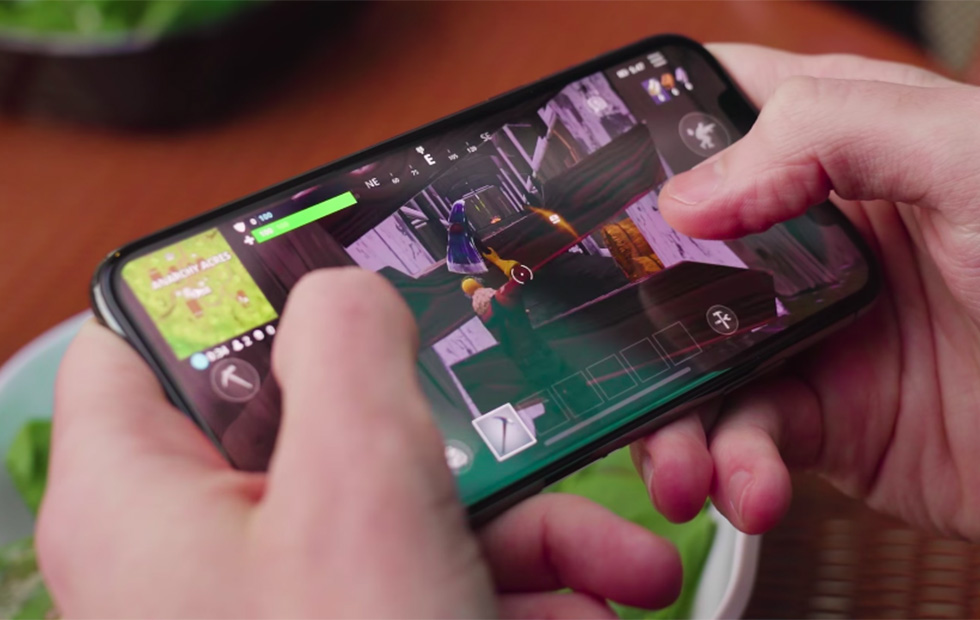
    Fortnite is the latest battle royale style game that is taking the world by storm. Developed by Epic Games, the people behind Unreal Tournament (and the Unreal Engine), the game takes the battle royale format that is made popular by PUBG and brings it to everyone by being free to play everywhere. Today, we are taking a look at the mobile version, which although launched before the mobile version of PUBG, was invite-only for a while.

    The battle royale version is similar to PUBG, you know all about PUBG from the last Beau’s Number 1 App Review. 100 players compete on one island to be the last man standing. During the course of the game, players have to survive by scavenging items such as weapons and health packs, and killing others before being killed themselves. The area of the island is constantly shrinking as time goes on to encourage confrontation and avoid camping. The last person to survive wins the game.

    Some Cool Fortnite Features

    Fortnite actually supports cross-platform multiplayer gaming across iOS, PS4, PC and Mac. There is also a function over PUBG that allows you to build objects with wood, metal and brick you collect through the game. They also have a much varied wepon and character spectrum. Thanos and the infinity gauntlet where recently added as a feature weapon. So think of this as PUBG with Minecraft and a touch of Ratchet and Clank.

    iOS Functionality

    Fortnite runs great on iPhone, delivering the same experience we’ve seen on PC and consoles. Touch controls work fine, but the weapons you usually pick-up during the matches don’t fit well with the manual fire approach.​  Fortnite definitely functions on mobile, although players will have to refine their tactics and become deft with virtual controls that often work against them in the heat of battle. But it looks nice, it’s fun, it’s graphically stable and, if you’re signed into a regular Epic account, XP is shared across PC, mobile and console – so if you’re playing on the train or during your lunch break at work, you’re leveling up for when you get home. You see, it’s productive.

    The Final Thought

    Its a really great game, very exciting and fun. There is a lot more too this game but it isn’t quite as intense as PUBG. I prefer PUBG although it has been dethroned as the top battle royale game in the app store.

  • Suunto 3 Fitness Tracking For Everyone

    Suunto 3 Fitness Tracking For Everyone

    Sunnto 3 is More than just a fitness tracker, the optical heart rate-powered adaptive training and recovery advice make this a interesting consideration when looking at your smart tracking fitness enabled wrist accessory tracking device, got to be a better way to say that. There is, it’s a fitness watch for beginners. Today we are gonna rif a little on the Sunnto 3. A robust and smart fitness watch for training and maintaining a healthy lifestyle.


    The Great

    • Impressive value
    • Good battery life
    • Simple adaptive training

    The Not

    • No GPS
    • App sync often fails
    • Strap can pinch

    The Conclusion

    With optical heart rate-powered training plans and a sleek wear-it-everyday design, the 3 Fitness is Suunto’s attempt to bring some of its sports tracking skills to the masses but misses big key features.


    The new Suunto 3 Fitness smartwatch looks like its trying to hit the sweet spot right in the middle, straddling the line between these two categories. The high-priced niche gadgets that serve only one specific audience or the do-it-all smartwatches that aim to give every type of exerciser something to love. It misses on both and fails to impress in the middle ground


    Its Got the Look

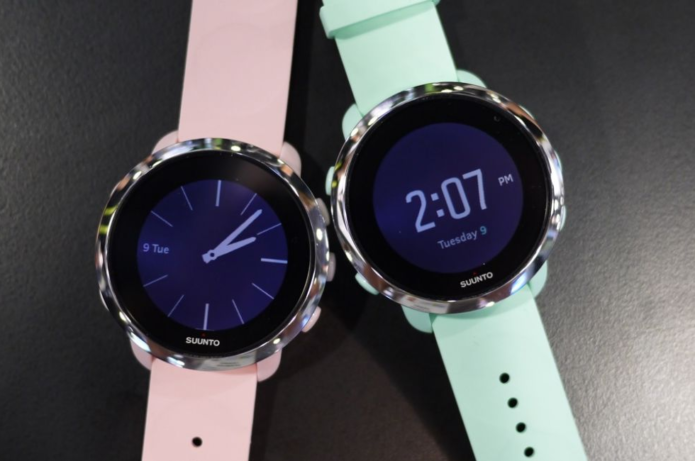
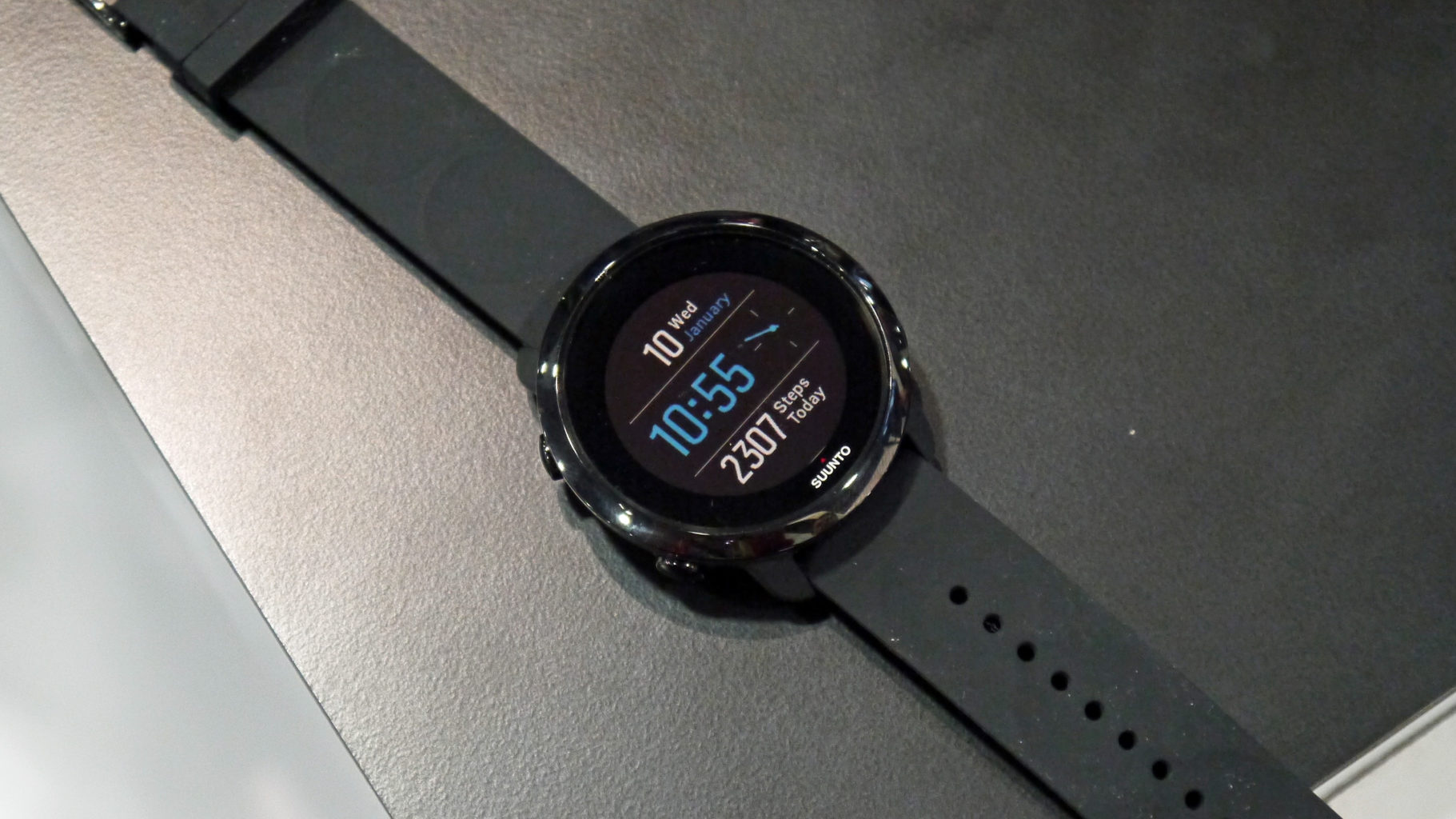
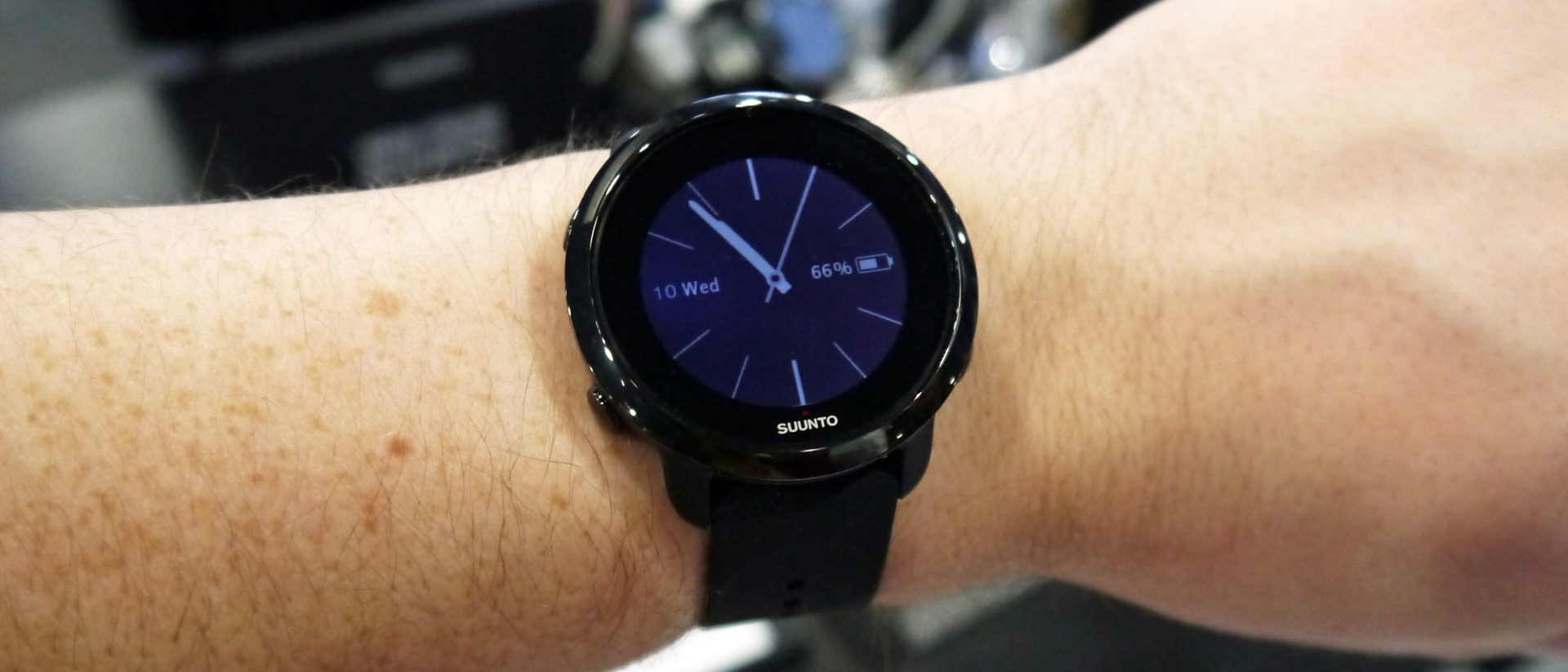
    It comes in the basic two-tone hues (in Sakura pink, Ocean green, and black) for $199 or the more luxe all black or gold version at $229, you’re getting a good looking writ accessory. The watch is slimmer and lighter than you might expect from a company like Suunto, which typically packs a ton of tech onto the wrist with its devices, and it doesn’t dominate your entire forearm when you slip in on. Its sleeker, with a nice stunning round face. I like a round face smartwatch, but I like the apple watch better. We could go on about the looks but its easier to just look at the picture above. That is why its there.


    Where Suunto Misses

    Ill start with what I do like about the Suunto. It has a feature that based on your fitness level and recorded training history, Suunto 3 Fitness creates a 7-day training plan with optimal duration and intensity for each exercise to improve your fitness. It has the activity, sleep, stress and heart rate tracking that are essential to a smart tracker. Its water resistant and gps enabled. It has the basics covered and thats it.

    Compared to other Suunto models, like the Spartan Trainer Wrist HR, the 3 Fitness doesn’t have a built-in GPS unit or a touchscreen. You have to use the five buttons located around the watch face to navigate through settings, log a workout and see your training plan for the day. When charging, I found the battery to be a bit finicky. I had to clip and un-clip the charger a few times to get the watch to recognize it. Take that with a grain of salt though, since I was testing one of the first available models.


    The Final Thought

    Its a poor swing an big miss. Nothing stand out or essential. The only people who will be rocking this are the ones that receive it as a gift.


  • Which Tablet is Worth your Money?

    Which Tablet is Worth your Money?

    Smart phones are nice, but sometimes you want a bigger screen for your smart device. Whether you’re drawing, looking at photos, watching movies or playing games, tablets are awesome addition to your smart device arsenal. When you just want that bigger screen for a handheld touch device, nothing else will do!

    Nothing says quality, solid build and premium design more than our 5 best premium tablets. From major manufacturers such as Apple, Samsung, Amazon, Microsoft and Google these tablets carry the state of art in technology and design. With that in mind, let’s check out some of our favorite premium tablets!

    Microsoft Surface Pro

    This tablet is so premium that it’s also a laptop. The Surface Pro made our list of best touchscreen laptops, too, which might sound weird until you see one in person: it really is both. With a stellar screen and great form factor, you can’t get a much cooler 2-in-1 tablet. Retailing for $659, it’s not too pricey.

    There are only a few real downsides for the Surface Pro. The very incremental advances it possesses when compared to its predecessors are slightly disappointing.  Additionally, the design is a little too minimalist: there is no USB-C port! Then again, it’s still a great tablet, so it’s a small nitpick.

    Google Pixel C

    Your favorite Android tablet, the Google Pixel C performs like a giant version of its phone siblings. The Pixel C also has an optional magnetic keyboard that is quite solid, letting the tablet act as a laptop. This is easily the most powerful Android tablet that exists, for what it’s worth. The tablet performs great while multitasking and rarely suffers stutters or slowdown.

    If you need a tablet for work or just like pushing your technology to its limit, this is a great pick for you. On the other hand, this one is a bit expensive, retailing for $950. Additionally, many users see Android as a drawback instead of a feature. Many apps are released on iOS first and often perform better there to boot.

    The Samsung Galaxy Book

    This tablet rightfully belongs on the quickly growing list of impressive Microsoft Surface Pro contenders. The Samsung Galaxy Book is a top-shelf Windows tablet with a price to match. Its robust processing power, high-end display and essential add-on accessories make it one of the best tablet-hybrids.

    It’s a Windows 10 tablet with a stunning 12-inch Super AMOLED display, Intel’s latest processors and detachable keyboard cover with stylus. It starts at $1,130 for the Wi-Fi-only version and $1,300 for the LTE model, sold via Verizon, which was the configuration we reviewed. Samsung offers a 10-inch variant that runs for $630, but this review is of the 12-inch model.

    iPad Pro

    No list of premium tablets would be complete without Apple’s contender in the mix. And this time around, unsurprisingly, Apple is our favorite. The iPad pro is a rock-solid tablet, with a gorgeous Retina display and fantastic performance. Many users have a preference for iOS, and for good reason. Slowdown is almost nonexistent, and app support is fantastic.

    If there are any drawbacks, they’re the same ones that apply to all Apple products: expensive peripherals and proprietary charging. If you want the Apple Pencil or proprietary keyboard to go with it, this one will run you some serious cash. For just the iPad itself, you’ll be spending around $600.


  • These Tech Startups Are So Dumb You May Never Unroll Your Eyes

    These Tech Startups Are So Dumb You May Never Unroll Your Eyes

    The wide world of technology is rife with start-ups and venture capitals. Companies are all vying to be the next Apple, always pushing the envelope and redefining themselves. Or, at least, they’re trying to do these things. Sometimes they’re hit with the rough wake-up call that their ideas are just freaking weird, man. Sometimes that might be a good thing, and other times it’s… well, you’ll see. Check out the ten weird tech developments we could find. You won’t be disappointed, but the investors might! 
     
    [adPH1]  

    10. Rapt.fm 

    Photo Credit: Forbes 

    This one is odd yet endearing. Rapt.fm is a social platform dedicated to teaching people how to rap. And it has 50,000 users. Color me impressed! Now, this isn’t the odd part, rap is tremendously popular, and it makes sense that people would want to learn. The odd part is the venue the startup got their footing in.  

    The CEO, Erik Torenberg (catchy rap stage name), got the initial money for the platform in an unusual way. Originally, he and his team taught employees at businesses like Fathead, Chalkfly and Quicken Loans. What? Yeah, they were marketed as “team-building” exercises. Corporate America is weird, guys. Look no further than white-collar worker-turned-rapper Little Dicky to see more evidence of this. Textbook weird tech. 
     
    [adTextOnly]

  • Looking to Organize? Find Out Our Favorite To-Do App!

    Looking to Organize? Find Out Our Favorite To-Do App!

    Everyone knows how hard it can be to stay organized during your busy day. Between all the things you have to remember and fighting traffic, simple errands can get left behind pretty easily. How do we recommend you organize your schedule? One way is with a handy to-do app! We love the ones we’ve rounded up here, you just might too! The apps we’ve picked are all available on both Android and iOS! 

    Todoist 

    Available in both premium and free forms, Todoist is a great app for everyday use. This app has a clean interface and great readability. For those who don’t mind paying around $30 a year, the premium version of the app has great functionality. Projects for increasing productivity, labels and the ability to share projects with other users are all pluses for this app.  

    This app also sports some really cool productivity charts and sharable progress trackers. It doesn’t have quite the same collaborative suite as, say, Asana (I’ll get to that) but it’s certainly cool funcitonality. 

    Remember the Milk 

    A great to-do app for household use, Remember the Milk offers a lot of functionality even in the free app. This app works offline and offers some great collaborative functionality, helping married couples or roommates organize chores and errands. The premium version, that boasts more general functionality, runs around $40 a year. This is a bit pricier than the competition. 

    This app doesn’t feature location-based reminders, which is a bit of a bummer. It also doesn’t have UI quite as clean or user-friendly as Todoist or Asana. These small gripes don’t hold it back from being a great to-do app, though! 

    Our Favorite To-Do App: Asana 

    If you’re trying to collaborate with a large group to increase productivity, Asana is for you. Featuring a great user interface and some downright awesome collaboration tools, this to-do app earns our spot for favorite. Exceptional for workplace productivity, consider this one if you want to help your office get organized.  

    While Asana doesn’t sport a desktop app, it makes up for it in its incredible shared functionality. The premium version, which goes for around $12 per month, allows you to access a large suite of functions. Advanced dashboards, search functionality and teams numbering much higher than the base 15-person cap. That all said, Asana is comparatively expensive, and if you want something a bit more affordable we recommend Todoist.  

    Those small nitpicks aside, Asana is a great app, and we recommend you try out the free version with your team and see if its right for you! 

  • Smart TV Roundup: Which One is Right for You?

    Smart TV Roundup: Which One is Right for You?

    Everyone needs to park it on the couch and watch some TV sometimes. After a long day, there’s nothing better than surfing some Netflix or Hulu and enjoying a nice show. Which Smart TV should you consider though? There’s just so many options out there! To help you narrow it down, here’s our favorite smart TVs rounded up! 

    Sony A1 OLED TV 

    Sony’s ultra-premium smart TV is a little pricey, depending on where you get it, running somewhere between $3,000-$4,000. But don’t let that scare you from checking it out! Sporting an amazing picture quality and a really stunning form factor, this TV makes an awesome centerpiece to a room.  

    This 65″ TV boasts all the awesome processing and features you expect from Sony. The picture quality never stutters or suffers under high framerate programming. This TV even incorporates Google Assistant or Alexa support for voice control! If you’re looking for one of the very best and don’t mind spending a bit of money, you’re looking for the Sony A1 OLED. 

    LG SIGNATURE OLED 65W7P W7 

    If you’re looking for something that looks absolutely bananas on your wall and impresses everyone, you’re looking for this. LG’s Signature OLED is a “wallpaper” style display, coming in at a positively unbelievable 2.57mm thick. You read that right. It is downright hard to fathom just how thin this screen is.  

    Even better than the eye-popping form factor of this LG is the picture quality. There is no TV on the market with a better display than this, full stop. That LG managed to make this display so powerful and thin at the same time is a testament to their pedigree. It’s not all magic, though: the TV comes included with a required sound bar. The sound bar is actually the processor for the TV, allowing the display to be as thin as it is. All said, this is quite an impressive TV, but it will cost you: $8,000 MSRP definitely stings.  

    Our Favorite Smart TV: SAMSUNG Q9F 4K QLED TV 

    The QLED line of TVs is just awesome. There’s no better word for them. If you’re looking for the best all-around TV for the price, this is our pick. Operating on the Tizen operating system, the QLED line is easy and accessible to use. The TV boasts great black values, bright colors and sharp images.  

    This TV is seriously smart, too, it’s not just in the name. It automatically detects connected devices and relabels inputs in the menu system. It programs the remote control according to connected devices. It’s really just impressive, easy-to-use and awesome technology. Couple that with the razor-thin connection cable and ability to mount the screen flush with the wall and it’s no wonder this is our favorite!