Category: Reviews

  • The Best Beach Gadget: Which Ones Should You Pack?

    The Best Beach Gadget: Which Ones Should You Pack?

    Who doesn’t love the beach? Well, fragile electronics, to be honest. Between sand, sun and sea, there are countless ways your favorite beach gadget could be damaged on a fun vacation. With that in mind, we’ve got a roundup of our favorite gadgets that can survive a trip to the beach! 

    Olympus Tough TG-5 

    Nothing beats a fun beach trip, and there’s no better way to keep your memories of it than by snapping photos. The Olympus Touch TG-5 is a fantastic camera for fun in the sun: it’s waterproof, durable and can survive a seven-foot drop! It’s fast shutter and 4K recording are all the more impressive when considering how tough the Olympus Tough is! It’s a touch expensive, though, retailing for around $400.  

    JBL Charge 3 

    If you’re chilling on the shore and wishing you had some tunes, you’re wishing you had a JBL Charge 3. Sporting amazing, huge sound for its small size, great battery life and strong performance, it’s a great speaker. Even better, it’s rated IPX-7, which means it’s water resistant and perfect for the beach. 

    Fitbit Versa 

    The Versa is a fantastic fitness tracker/smart watch hybrid for the beach! This handy device sports a waterproof body and awesome tracking functionality. Want to track your swimming or jogging on the beach? The Versa is the beach gadget for you! 

    Our Favorite Beach Gadget: Amazon Kindle Oasis 

    Picture it: you’re lying on the beach, reading a book, the waves lapping against the sand. Then a big wave comes up and knocks your book out of your hands, soaking it and ruining it. That’s a buzz kill! Our suggestion? Bring an Amazon Kindle Oasis! It’s totally waterproof and reads well in sunlight. Even better, it sports physical page-turn buttons, letting you turn the pages even with wet hands. 

  • Ready for Some Tunes? Find out Which High-Fidelity Headphones are Our Favorites

    Ready for Some Tunes? Find out Which High-Fidelity Headphones are Our Favorites

    Whether you’re rocking out on the go or jamming in your living room, there’s something really quite special about getting lost in your music. What headphones are the best for losing yourself to the beat? Read on to find out which high-fidelity headphones are our favorite! 

    Sony MDR Z7 

    Sony’s name usually indicates a degree of quality that most audio brands can’t match. The MDR Z7 is no exception: it’s a phenomenal piece of technology. In fact, these headphones are probably Sony’s best bet at squaring off with true “audiophile” headphones. The quality of these high-fidelity headphones is no joke, but neither is the price. These great-sounding headphones will set you back $700. 

    While Sony isn’t usually a company known for producing audiophile-quality headphones, the MDR Z7 breaks that trend with aplomb. While many headphones in this price range opt for an open-back design to open the sound, these instead go with a closed-back design to keep ambient sounds out. They still manage to have a great, open sound though. These are a great choice for anyone looking for a great audio experience on the go without sacrificing quality! 

    Beyerdymanic T90 

    While the MDR Z7 is great for on-the-go listening, the Beyerdymanic T90 headphones are much more well-suited for home listening. Their open-back design leaks sound, but also offers a fantastic, open sound profile. The Beyerdymanic T90’s make use of incredibly powerful Tesla magnets to produce their sound. And it shows: the sound profile is balanced, rich and incredibly high-fidelity. There are few compromises found in these headphones. 

    What’s more, they can usually be found for around $600 online! With these high-fidelity headphones, you get audiophile-quality without paying an audiophile price! 

    Our Favorite High-Fidelity Headphones: Sennheiser HD 800 

    These supremely comfortable headphones are our absolute favorite. They’re luxuriously well-built and gorgeous, and feature some of the most incredible sound quality you can get from headphones. Their most impressive feature isn’t just how loud they can be, how much bass they can produce, etc. No, their most impressive feature is how they cease to be when the music comes on. These headphones don’t feel like a medium for the sound, they’re a portal to the concert hall where the song is being played. 

    There are a few drawbacks to these headphones, though. For one, they’ll set you back quite a bit: they cost around $1,000 online. Secondly, there’s no converter for a 3.5mm jack, which makes them pretty much exclusively for home use. That said, these are still some of the best headphones you can find, and they make a great companion to any home entertainment system. 

  • HP Spectre x360 15 Impresses With 4K

    HP Spectre x360 15 Impresses With 4K

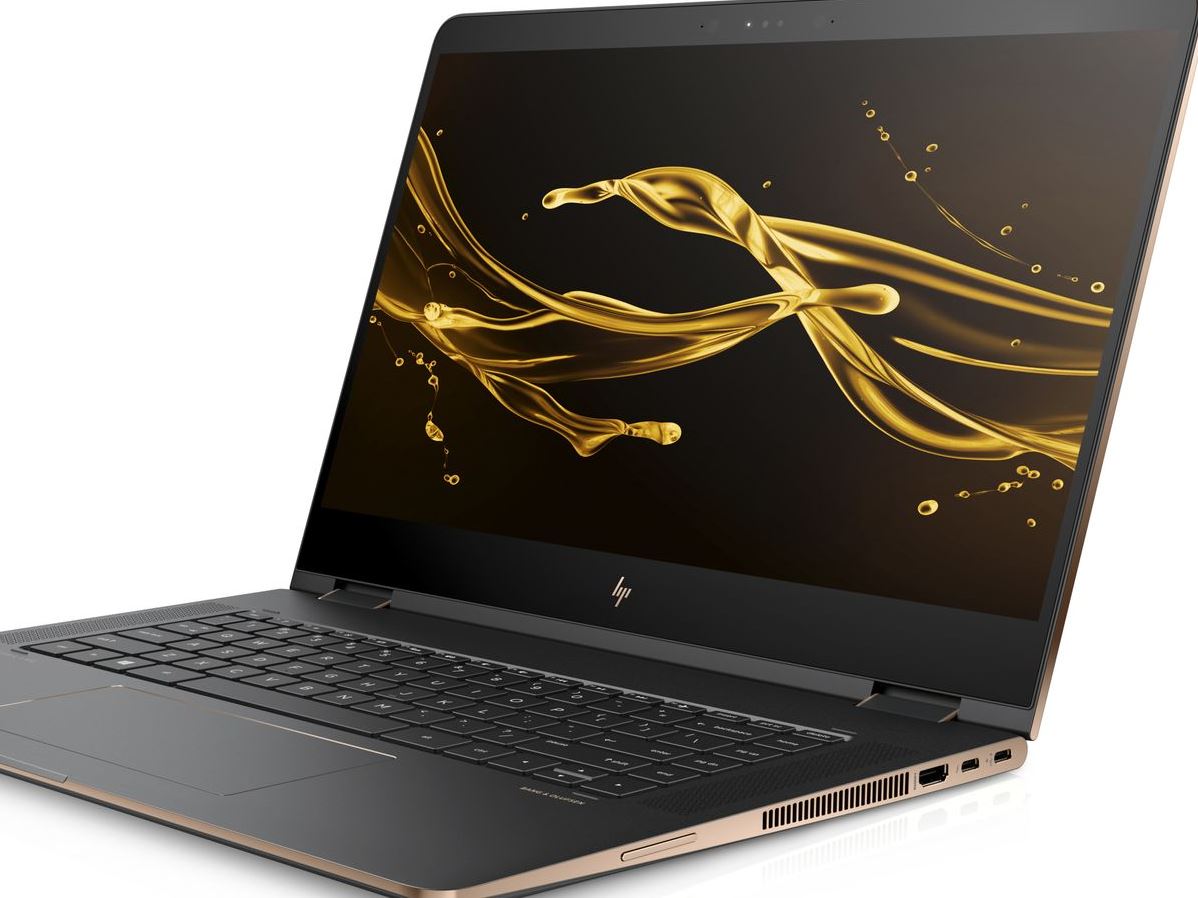
    The HP Spectre is a big, gorgeous convertible laptop that doesn’t fail to impress. While it isn’t the most portable device in the world, it more than makes up for that in power and flexibility. Today we’re breaking down our favorite new features of the HP Spectre x360 15 for 2018. 

    Design and Feel 

    This year’s Spectre is a fantastic machine and is built very well. The hinges feel smooth and steady when opening the laptop, and the finish feels sleek and high-quality. The display is certainly the star of the show: the Spectre comes stock with a 4K touchscreen. There is, interestingly, no option for a standard 1080p display, which certainly accounts for the computer’s price. Retailing for $1,220, this one is definitely aimed at professionals who want a big, bold display with a touch screen. 

    Performance 

    The base version of the laptop comes with a quad-core Intel processor and an MX150 graphics card, courtesy of Nvidia. These are both solid components and will serve all but the most demanding of users. Those who do demand more, though, will be happy to hear a version with a much beefier hexa-core Intel processor and a Radeon RX Vega M graphics card is also available. Both versions perform great, keeping up with common applications and never putting out too much heat or noise from the strain.  

    Keyboard and Pen 

    The computer comes included with an HP active pen, which is great for most common applications. Seriously creative-minded individuals can instead opt to buy the Tilt Pen, which is around $90. While the active pen is awesome for most uses, those who plan to be extensively drawing will appreciate the more flexible and responsive Tilt Pen. 

    The keyboard is also great, and thanks to the redesign from last year’s Spectre, is huge. It even sports a full number pad to the right of the normal keyboard! The keys have a good, non-slippery finish and their action is fine, if a little “sticky.” Those accustomed to mechanical keyboards might be a bit put off, but this laptop was definitely not made with serious gaming in mind. 

    Bottom Line: Spectre x360 15 is Great for Creative Pros 

    If you’re looking for a convertible that performs well and has a great display, this one is a fine pick. If you’re looking for a serious gaming laptop, of course, you’ll need to look elsewhere. Similarly, if you’re in the market for a budget laptop for doing homework and watching YouTube videos, this one isn’t the right choice. However, if you need a good computer for both work and drawing, look no further than the 2018 HP Spectre x360 15. 

  • Razer Blade 2018: Worth the Hype?

    Razer Blade 2018: Worth the Hype?

    Razer’s name is synonymous with computer gaming. Despite some diversions, like the Razer phone, the company is still dedicated to delivering top-notch gaming experiences. The new line of Razer Blade gaming laptops is no exception. What are some early impressions of the new line? Is it worth all the hype? And, more to the point, are these laptops worth all the money? 

    Speaking of Price… 

    How much value you get out of your computer really depends on how much you’re willing to spend. The Razer line certainly will have you spending: the cheapest of them, a 1080p-equipped rig, runs for $1,900. A 4K-enabled version is at market for even more, retailing for $2,900. These are some high numbers, so it’s a good thing Razer’s name is attached. How do they stack up, though? 

    How Does it Look? 

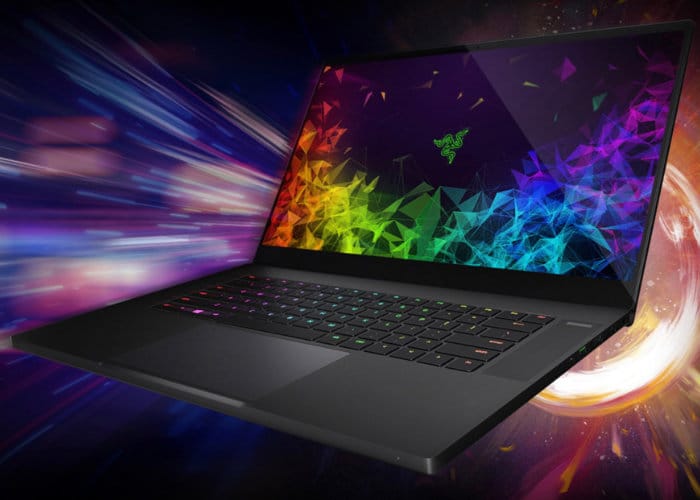
    It looks great. The screen is crisp and luminous, and a great companion for modern games. The laptop itself has an angular, industrial look akin to the Razer Phone line. The iconic Razer logo glows a neon green on the back of the laptop, glistening like the eyes of a hidden snake. In short, the machine looks mean. It looks like it means business, and the powerful processors within certainly deliver on that promise. 

    Razer Blade for Any Problem 

    Performance-wise, this laptop is a beast. Silky smooth graphics and impressive heat management in this laptop rival modern-day home consoles. Performance rarely slows down or overheats the machine. Razer’s Synapse software lets you customize your cooling profile, helping ensure the best perfomance from your computer. 

    Even better, the keyboard is (of course) a Razer Chroma, which looks awesome in any light. The keys have great travel time, they’re super responsive and offer great feedback. If you’ve ever used a Chroma keyboard and loved it, you’re in for a treat with this laptop. 

    Bottom Line 

    If you’re looking for 4K gaming on the go and don’t mind spending a bit of money, this Razer Blade line is a fantastic choice. It’ll set you back nearly $3,000 to pick up the 4K-ready laptop, but it’s a fine investment. The Razer Blade models offer upgradeable RAM, ensuring they’ll stay relevant for a number of years. This is money well-spent, and a great consideration for any serious gamer. 

  • Must Have Apps for Apple Watch

    Must Have Apps for Apple Watch

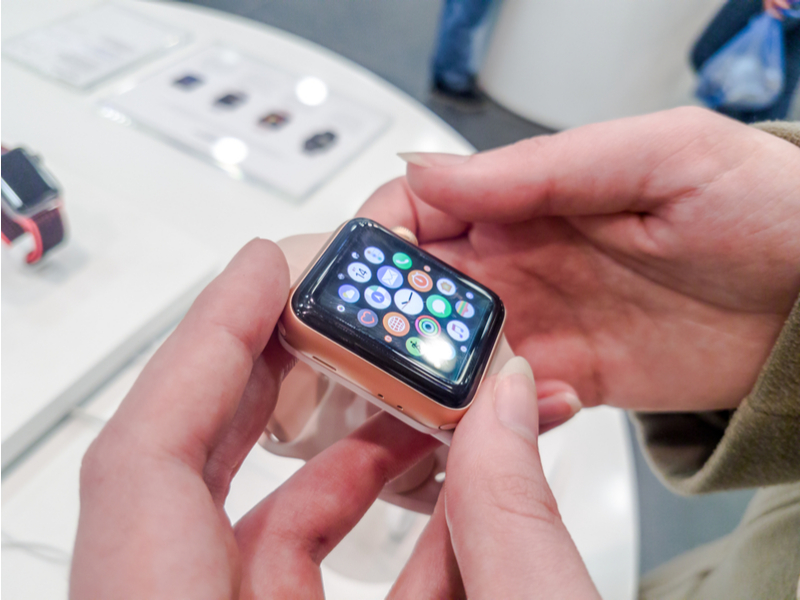
    If you’re a wearables enthusiast, odds are good you have an Apple Watch. Apple’s entry into the wearable market has been around for some time, but many users still don’t have some of the most useful apps! To remedy that, we’ve rounded up our favorite Apple Watchs apps. Check it out! 

    News 360 

    While it may seem counterintuitive at first to read articles on the small watch face, it’s actually quite handy. You can check the news on your workplace commute or just by over your morning coffee. Having it right at your fingers on your watch it quite convenient. Also, going through your watch can help you resist the urge to goof off, in case you’re reading on your lunch break. 

    Merriam-Webster Dictionary 

    For all the big-word and grammar enthusiasts out there, this app is for you. If you like punctuating debates with definitions, or just like reading, this is a great app to have on hand. Checking your watch for a word you don’t recognize is very useful: Give it a shot and you’ll see what we mean! Similar to the News 360 app, the font is pretty small, but it’s still convenient to have on hand. 

    Gymaholic 

    This is the kind of app everyone should have on their Apple Watch if they’re interested in fitness. Gymaholic has a different exercise for you each day, helping you keep interested in your fitness. The app will even show you how to do exercises you’re unfamiliar with. It then uses the watch’s biometric scanners to count reps and monitor your heartrate. You can even look back at your history to see your progress. This app is a must-have for fitness-minded Apple Watch users! 

    Our Favorite Apple Watch App: Pandora Music 

    If you already listen to Pandora on your phone, this one is a no-brainer! You can create new stations from the app with voice commands, scroll through your stations and thumb things up and down. While you have to have your phone on hand as an intermediary, this app is great for athletes or for office use. For instance, if you’re out for a jog, it’s much easier to control your music from your watch than having to go digging for your phone.  

    Additionally, the Pandora app for the watch is great for when you’re at work. If you don’t want your boss thinking you’re just messing on your phone, you can control your music from your wrist. This looks more professional and keeps you off your boss’s radar! Win-win! 

  • Looking to Upgrade your Car Stereo? Check Out Some of Our Picks

    Looking to Upgrade your Car Stereo? Check Out Some of Our Picks

    No one likes to ride in a silent car! If you’re looking to upgrade your car from its factory stereo to one with awesome new features, look no further! We’ve got a quick list of some of the best stereos out there. Now you can ride in style with a cool car stereo! 

    Sony MEX-GS600BT 

    If you want to connect your phone to your car stereo via Bluetooth, this stereo is great. Complete with an app remote that lets you change inputs quickly, this Sony stereo is pretty handy. The MEX allows for a lot of cool functionality, like hands-free Bluetooth calling and wireless music streaming.  

    If you’re in an older car and want to significantly upgrade the amount of tech at play, consider this stereo. Complete with USB and auxiliary inputs, the Sony MEX offers a lot of flexibility for users. It even sports a CD player, so if you’re still hanging on to some old discs, you can listen to them on the go! The best part about this stereo is the price, retailing for around $200. 

    Pioneer DEH-X9500BHS 

    A solid car stereo, this entry in the Pioneer DEH line is great for those who love HD Radio. It has HD decoding enabled right away, so you don’t need to do anything fancy to enable that functionality! Additionally, it functions with Sirius XM radio and even Pandora internet radio.  

    This Pioneer also features Bluetooth connectivity, allowing you to stream your music wirelessly from your phone. You can, of course, use all the normal radio frequencies and CDs for tunes as well. This is a really solid pick for anyone looking for a nice, user-friendly stereo. This one is a little more expensive than the Sony, though, retailing for $300. 

    Our Favorite Car Stereo: Pioneer AVIC-Z130BTT 

    The Pioneer AVIC is a really impressive stereo. Featuring a big, gorgeous screen and tons of functionality, this is definitely a premium stereo. GPS navigation is awesome on the big screen, and hands-free calling works great with voice activation. Additionally, when you have an iPhone connected, you can use voice controls to call up music. This functionality is reminiscent of digital assistants like Alexa and Siri, and it works great here. 

    If you’re looking for a premium car stereo to synch with your phone and make navigating easy, this entry in the AVIC line is for you! It is somewhat expensive, though, retailing for around $1,500. This one is definitely a luxury buy, but if you’re looking to upgrade your car with the best, this is it. 

  • Top Tech Conference: Which Ones Should You Be Watching For?

    Top Tech Conference: Which Ones Should You Be Watching For?

    Whether you’re a tech enthusiast or savvy investor, you’re likely to keep your eyes peeled for all news regarding tech. The best place to look when companies have new products coming down the pipe? The first place to look is the multitudinous tech conferences that are held every year. Which tech conference is worth looking out for? Rounded up for you here are the hottest tech conferences coming in the next few months!

    Machine Intelligence Summit 

    Artificial intelligence and machine learning are sure to be the technology of the future. It seems that more companies are focused on pushing for true artificial learning now than ever before. What’s the next place we’re likely to hear of huge breaks in AI learning? 

    Being held in Hong Kong from June 6th to the 7th, the Machine Intelligence summit is sure to be home to a ton of news regarding the future of AI. With confirmed speakers from the likes of Alibaba and NASA, this is sure to be an event worth watching.   

    AI Summit London 

    The AI Summit, now in its third year, is the next large event showcasing artificial intelligence. Unlike the Machine Intelligence Summit, this one is more focused on the business applications of AI. Things like practical increases in productivity and real-world application for AI in business are the focus of the AI Summit. This one is certainly worth watching out for: it’ll happen on June 12th-14th in London. 

    Blockchain Summit London 

    The technology behind cryptocurrencies like Bitcoin, blockchain technology is sure to be a driving factor of the internet economy for years to come. The Blockchain Summit is the largest dedicated event when it comes to the titular technology, so any big movements in the world of cryptocurrency will hit here first. If you’re a crypto miner or investor, or just find the whole thing fascinating like me, this is a conference to look out for! Check it out when it comes to London on June 26th-27th. 

    The Hottest Tech Conference in the Near FutureFutureTech Expo 

    Coming to Dallas on September 14th-16th, the FutureTech Expo is sure to be a memorable conference. This expo promises to highlight the biggest trends and hottest companies in fields like blockchain, machine learning and quantum computing, For those interested in seeing what the future of technology will hold, look no further than this tech conference! You’re sure to learn something exciting regarding a field that fascinates you! 

  • Which Laptop is the Best for Photographers?

    Which Laptop is the Best for Photographers?

    If you’re a photographer, or an aspiring photographer, you’re certainly going to be using photo editing software. You’re also going to want that software to be accessible on the go, so you can edit while you’re shooting. With that in mind, the photographer’s best friend is their laptop. Which laptop is the best for editing on the go? Read on to find out our favorites! 

    Dell XPS 15 

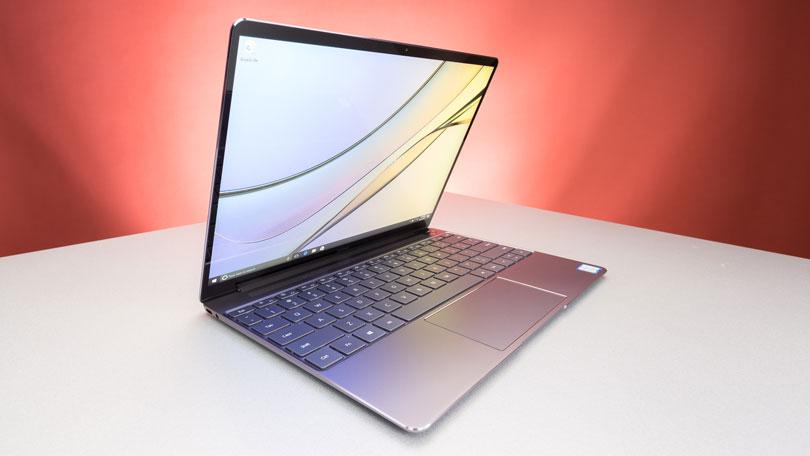
    Dell’s XPS 15 is a great non-Apple choice for photographers. If you want a laptop that excels for photo editing and runs on Windows, this one is a great choice. It sports InfinityEdge technology, meaning it has a huge screen size for how small of a machine it is. Its display is color-accurate and has a 4K resolution, meaning your photos will look accurate while you’re editing.  

    The XPS 15 is a bit expensive, although that’s par the course for laptops with displays strong enough for photo editing. It retails for around $1,000, but you can often find it on sale for around $750. Consider this one if you heavily prefer Windows over Mac OS. 

    Apple Macbook Pro 13 inch with Retina 

    Unsurprisingly, Apple’s flagship laptop remains a fantastic choice for photographers. If you needed any reminders: Retina display is amazing, the battery life is great, and Mac OS was made with content creators in mind. Unsurprisingly, the Retina display remains the best laptop display on the market. With the best colors, contrast and saturation available on a laptop, you won’t be disappointed in this choice. 

    On the negative side, the Macbook is pretty expensive no matter where you go. It can be found anywhere from $900-$1,000, depending on sales and the like. It also doesn’t have a great deal of storage, which is a bit disappointing for photographers. That said, this is still a great pick. 

    Our Favorite Laptop for Photography: Apple Macbook Pro with Touchbar

    The step up from the older Macbooks, this new one sports the handy new touchbar technology. The touchbar is an OLED display above the keyboard that allows for quick access to tons of shortcuts. The toucbar has a number of applications across the OS, like suggested word selection and scrolling. The great use for photographers is the shortcuts in Photoshop, making Adobe’s robust suite even easier to use. Additionally, all the positives about the previous Macbook still apply, with the exception of the battery life. 

    Unfortunately, battery life isn’t nearly as impressive on this one; it seems the touchbar really saps the power from the laptop. Jokes aside, it is markedly lower than its predecessors. Additionally, this one is tremendously expensive: you can usually find it around $1,500.  

  • Time to Jam! Which Music App is the Best for You?

    Time to Jam! Which Music App is the Best for You?

    Everyone loves to put their headphones in and jam sometimes. Sometimes you want to play music for your house guests, and other times you want to listen to your tunes through your car stereo. Which music app do we love the most? Check out our roundup to find out! 

    Google Play Music 

    Offering a free version and a $10 per month subscription, Google Play Music is an awesome choice for listening on the go. Allowing you access to all of their cloud-based music library, the subscription is really the way to go. The subscription also comes with personalized radio stations and recommendations based on your music tastes. 

    Google even throws in a YouTube Red subscription, to boot! If you haven’t watched Cobra Kai yet, you should! 

    Apple Music 

    While Apple doesn’t offer a free version like Google Play Music, all the primary functionality of Google’s app is behind its paywall, so this doesn’t really change much. That said, Apple’s subscription also sports access to streaming internet radio stations (including the phenomenal Beats1 Radio) and access to millions of songs. You can even download songs straight to your device to save on your data plan! 

    Google and Apple provide two very similar apps. The main differences are Apple’s slightly wider selection and access to Beats1 and exclusive content, and Google’s YouTube Red subscription. It’s really a toss-up between these two, but neither is a bad choice. 

    Shazam 

    Shazam, well-known for its ability to detect songs and name them for you, is also a great music streaming app! Once it has recognized a song, you can buy it through Shazam to add to your collection. While it doesn’t make a great streaming app by itself, Shazam makes a great companion to someone who constantly hears tracks out and about they want to add to their collection.  

    Shazam works in seconds to identify music, and does pretty well even in noisy, crowded areas. For those who often go to venues or hear music on their walks to work, Shazam is a great pick! 

    Our Favorite Music App: Spotify 

    Offering both a free version and a $10 monthly subscription, Spotify is a well-known music app. Featuring the ability to create and share custom playlists, Spotify incorporates an awesome social element. Sharing playlists with your friends is akin to making mixtapes, and helps you feel more connected to your music. 

    Spotify also boasts millions of songs, rivalling Apple Music in terms of selection. The subscription is really the right way to go here, especially if you hate ads. For audiophiles looking to just get lost in the music, Spotify is the right music app for you. 

  • HTC U12 Plus, What We Know so far

    HTC U12 Plus, What We Know so far

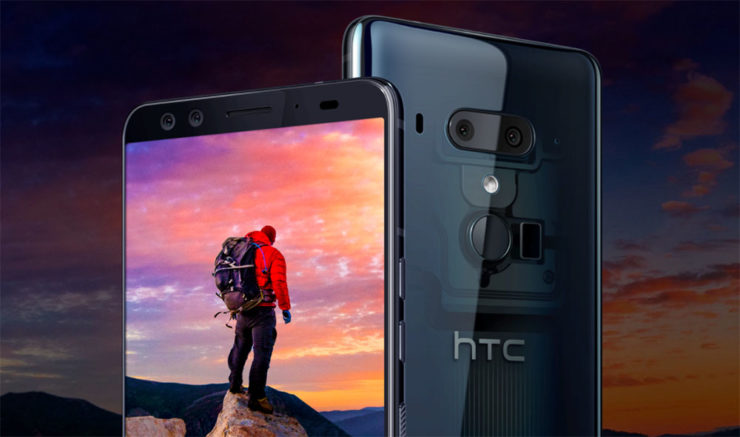
    HTC’s latest flagship has arrived! On top of new cameras and a full screen without a notch notch, HTC has created a phone is literally more sensitive than ever. This is the HTC U12 Plus. The HTC U12 Plus gives a great first impression, at least when it comes to design. Almost every modern flagship is made of glass panels held together by a metal frame, but HTC’s design feels sturdy with an almost brick-like heft to it. HTC may have changed designs over the years, but the build quality continues to be excellent. The new phone still manages to retain some of HTC’s signature style, so you won’t mistake it for anything other than an HTC.


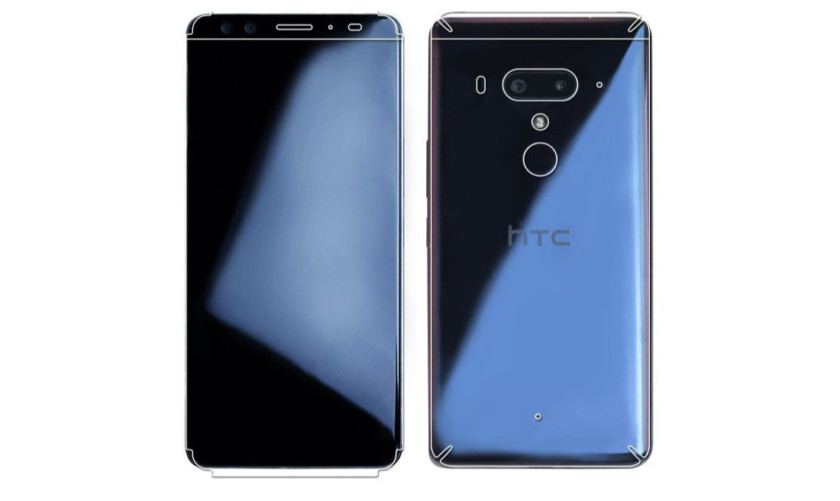
    HTC U12 Plus comes with a 6.0-inch Quad HD+ display with no notch and thin bezels. That Super LCD 6 display is protected by a custom layer of Gorilla Glass that’s actually closer to Gorilla Glass 3 than 5. Gorilla Glass 3 is harder than 5, so it will likely be more difficult to scratch. Ill be the judge of that, grabs keys. As for software, it’s running Android 8.0 Oreo. Even though Android 8.1 has been out for five months, HTC still couldn’t manage to load up the latest version of Android on its new smartphone.

    The U12 Plus seems to be a big upgrade over its predecessors, at least on paper. It sports a 16MP wide-angle lens and a 20MP telephoto lens around back, while the front has two 8MP cameras. The U11’s camera was one of the best of 2017, so we’re really excited to see the U12 Plus

    HTC continues its minimalist Liquid Surface design language, giving us a beautiful glass design with IP68 water resistance.I would have liked to see a few more changes, the HTC U12 Plus is still a gorgeous device. We also have to applaud HTC for resisting the notch, something many other 2018 flagships are now rocking. Instead of physical keys, they are now pressure-sensitive. While these buttons may not provide a physical click, they do provide haptic feedback to let you know they’ve been triggered.
    The Colors for HTC U12

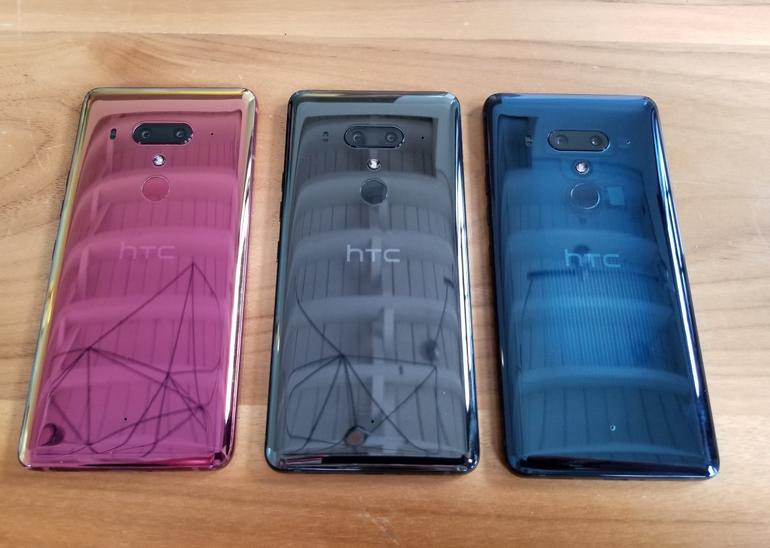
    The HTC U12 Plus will be available in ceramic black, translucent blue, and flame red.

    The ceramic black (known as titanium black in some markets) is probably the least exciting of the three options, but that’s not to say it looks bad. It’s a shiny, reflective, and polished glass option that is actually more gray than black.

    The translucent blue model is partially see-through, allowing you to see some of the internals. It isn’t quite on the level of a clear case, but it is still pleasantly unique.

    Finally there’s the flame red variant. This model has an eye-catching sheen that seems more pink than red. Unfortunately, the flame red won’t be available immediately at launch.
    Quick Spec Look

    • Display 6.0-inch Super LCD 6 2,880 x 1,140 resolution 537ppi
    • 18:9 aspect ratio
    • DCI-P3, sRGB
    • SoC Qualcomm Snapdragon 845 Mobile Platform
    • 2.8GHz, 64-bit octa-core
    • GPU Adreno 630
    • RAM 6GB
    • Storage 64/128GB
    • MicroSD expansion up to 2TB with Flex Storage
    • Cameras Rear cameras
    • Primary: 12MP wide-angle HTC UltraPixel 4 sensor, ƒ/1.75 aperture, 1.4μm pixels
    • Telephoto: 16MP sensor, ƒ/2.6 aperture, 1.0μm pixels
    • Phase detection and laser autofocus, OIS, HDR Boost 2, dual-LED flash
    • Front cameras
    • Dual 8MP sensors, ƒ/2.0 aperture, 1.12μm pixels, wide-angle with 84-degree field of view
    • Audio HTC USonic with Active Noise Cancellation
    • HTC BoomSound Hi-Fi edition
    • Hi-Res audio recording
    • Hi-Res audio certified
    • Qualcomm aptX HD, LDAC up to 32-bit high-resolution wireless audio via Bluetooth
    • Battery 3,500mAh
    • Non-removable
    • Qualcomm Quick Charge 3.0
    • IP rating IP68
    • Sensors Edge
    • Ambient light
    • Proximity
    • Motion G-sensor
    • Compass
    • Gyro
    • Magnetic
    • Fingerprint
    • Sensor hub for activity tracking
    • GPS, AGPS, GLONASS, Galileo, BeiDou
    • Network 2G/2.5G GSM/GPRS/EDGE
    • – 850/900/1800/1900MHz
    • 3G UMTS
    • – AWS/850/900/1900/2100MHz
    • – HSDPA 42, HSUPA 5.76
    • 4G LTE
    • – FDD: Bands 1, 3, 4, 5, 7, 8, 12, 13, 17, 20, 28, 32, 66
    • – TDD: Bands 38, 39, 40, 41
    • – Support Cat 18 Gigabit LTE: downloads up to 1.2Gbps, uploads up to 150Mbps, up to 5CA and 4×4 MIMO (where supported
    • – VoLTE and Wi-Fi calling (where supported)
    • Connectivity USB 3.1, Type-C
    • Bluetooth 5.0
    • Wi-Fi 802.11 a/b/g/n/ac (2.4 and 5GHz) with MU-MIMO
    • NFC
    • DisplayPort over USB Type-C
    • HTC Connect
    • AirPlay, Chromecast, DNLA, and Miracast
    • Software Android 8.0 Oreo
    • Dimensions and weight 156.6 x 73.9 x 8.7-9.7mm
    The Final Thought

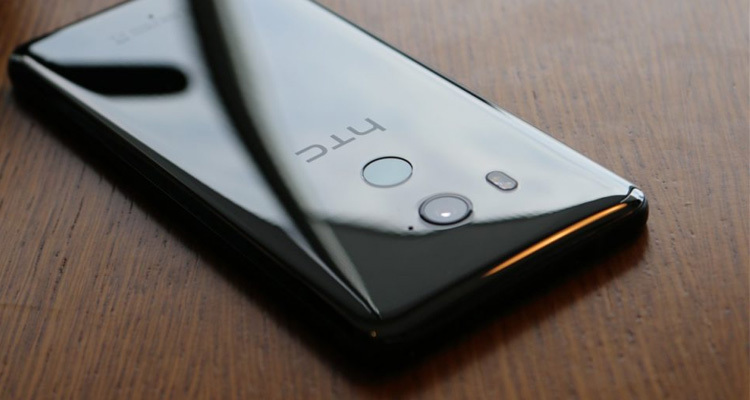
    We got some movement from HTC. This is good. Any signs of life from the once dominant smartphone aficionados is good. Ive always said that HTC is for the high end smartphone user, not the everyday Eddie. The produce a high-end classy flagship smartphone that always goes under appreciated. Im sorry I just miss my HTC one..