Tag: Accounting Software

  • Grow Your Business NOW! A How-to-Guide

    Grow Your Business NOW! A How-to-Guide

    Successfully growing your business in a global pandemic is challenging. However, some of the most impressive businesses, inventions and innovations were born in times of distress and hardship. 

    We’ve put together a guide to help you chart a course for customer growth through adhering to strategies and tactics applied to the customer journey to engage with your business. 

    Attracting and retaining new customers is much different today versus the days of taking out an ad in the local newspaper and hoping for the best. Today, business owners of all sizes across all markets need creative marketing strategies to compete in the current, dynamic market.  

    In a time of uncertainty, two things remain the same: 

    1. Consumer expectations remain high:  You must deliver a product or service that is efficient, has timely and courteous customer service, provides transparency, and creates a 1:1 relationship with the customer.
    2. Winning at the “basics” is key to success. 

    Achieving this may sound daunting, but with a healthy appreciation of the five stages of the customer journey and the key marketing actions within each, success is more than achievable. We’ve outlined the five stages and key marketing actions below. 

    Your marketing plan must address each phase of the customer Journey

    1st: Discovery– how consumers discover your product  

    • Achieved through:  Online lists social media & search engine optimization 

    2nd:  Validation: how consumers validate why you are the best choice 

    • Achieved with: Education via blogs, online guides and live chat

    3rd: Conversion- helping consumers make the purchase and gaining the right insights

    • Achieved by: Customer relationship management (CRM)

    4th: Retention- maximizing the post-purchase experience 

    • Tools used: Email marketing and data analysis 

    5th: Loyalty-Retaining customers and turning them into advocates 

    • Key Tactic: Influencer marketing 

    To further define: the customer lifecycle is a term that describes the different steps a customer goes through when they are considering, buying, using, and remaining loyal to a particular product or service. 

    This lifecycle has been broken down into five distinct stages: reach, acquisition, conversion, retention, and loyalty.

    1. Discovery

    This is when a customer begins searching for a product or service.  It is said that discovery most often begins online.  This is when customers compare products across competitor brands, as well as research  customer reviews, ratings and articles. Eventually, the customer will reach out to a certain brand with questions and concerns.  When your marketing materials and content are in the “right places” this will make you more discoverable and help potential consumers become aware of you. 

    Ways to Improve your discoverability: 

    Local Listings
    There are three major online local listings you should be represented on. Firstly, and most importantly, there’s Google Places. You want to show up on Google searches, and you want to be included in online listings, so you need to be registered on Google Places. This is doubly important if your business is a retailer or a restaurant.vThe other online listings are Yahoo! Local and Bing’s online listing. All three of these online listing services are free, and they’re a great way to get your business out there. Consider getting your online presence up and running through these services.


    Social Media: If you are not engaging on social media, now is the time. There’s no two ways about this: either your Facebook, Instagram  and Twitter accounts need to be on point or you’re leaving money on the table. Social has replaced many forms of traditional marketing (e.g., newspaper advertising) and helping many companies achieve great success.  If you are debating hiring a social manager or agency, it is worth the investment.  

    • B2B MUST:  Make sure your company LinkedIn profile is professional and clear.  Have all employees update their personal profiles with the same brand message. 

    Search Engine Optimization
    Search engine optimization, or SEO, is a process of making your website’s pages easier to find in search engine results. This involves using specific keywords and repeating the keywords in headers, titles and meta descriptions. A web developer, site designer or some similar type of professional would be ideal to tap in this sort of marketing push.

    Consider hiring a freelance web designer to make sure your business has a webpage that is ideal for search engine optimization. They’ll be able to go in and make your site look great, and make it more searchable on sites like Google.

    2. Education

    This is when and how a brand “responds” to “inquiries” from the potential customer, as well as inquire for more information on the customer’s needs. Following that, the brand will offer the best products or services to satisfy the customer’s needs, as well as educate the customer on the uses of those products or services.   Responding comes in many forms and businesses are smart to offer multiple response styles (e.g., online materials, live chat, easily accessible customer service phone lines or email). 

    Online materials: For example, if a customer is exploring new sneakers a running company would be wise to provide a product comparison chart addressing typical runner demands – tread, ankle support, width, etc. 

    Live chat:  Zendesk offers real-time out reach – reach out and talk to customers before they even ask a question. Innovative clothing rental company Le Tote uses an automated trigger to offer help to customers who are lingering on the checkout page. By proactively engaging customers during the buying process, Le Tote is able to reduce cart abandonment and increase conversions.

    Accessible customer service: Sometimes “picking up the phone” is the easiest way to confirm your questions. Business with clear contact information and smart, well trained customer support ready to help will have better odds at winning the customer, building loyalty and gaining advocates. 

    Services like Ruby help make this possible, even if you are a 1-man show: 

    Ruby is a 100% US – based virtual receptionists business service specializing in making the most out of every customer conversation. They understand that when clients call, it’s important, urgent, or both and offer  daytime and after-hours call support, helping put customers  at ease, taking  down messages and information, and answering questions. Ruby’s got you covered 24 hours a day with live coverage. They can direct calls to you, your staff or take messages at any time everyday of the year. 

    Blogs
    Another great way to support the education phase is a blog, it also helps drive SEO and your google rating.  Things that a blog could cover are quite varied and could depend on your business’s specifics. For instance, if your business is a restaurant, your blog could cover recipes, specials, events and news relating to the restaurant. Whatever makes your business tick, that’s what you should blog about.

    3. Purchase

    Wohoo!!!  You won them over, they have all the information necessary and make the big purchase or commitment.   Congratulations, your marketing efforts to attract them worked!  Now the fun begins, it’s time to keep them, encourage repeat purchases and turn them into brand advocates.   This is more easily achieved when you have the right tools integrated into your purchase platform, so that when they make the purchase you gather the key information from the get-go. Thankfully, many ecommerce and POS systems offer CRM (Customer Relationship Management)  solutions or have an open API system to allow for integration. 

    A great example of a CRM tool provider is bridg.com. Bridg helps gain rich insights into your entire customer base (known and unknown), segment and create optimized audiences, and drive direct revenue generation through targeted personalized marketing with closed loop measurement.  

    4. Post-Purchase Engagement (phase II of your marketing strategy)

    This is when you begin building a lasting relationship with your customer. Great ways to engage are email followup asking for feedback on the customer service experience, their level of happiness with the brand and/or if they would be willing to follow you  on social media. This information can also help you improve your product, service or gain insights on more needs.  You should also plan to follow-up in the next 30-60 days to introduce a new product or additional service. 

    • ENGAGEMENT TIP: Take a look at your customer orders to see if certain products pair well together and create your own “Regularly bought together” or “Customers who purchases, also liked” 

    Email Marketing
    Email marketing allows you to email your customers directly when they’re on a mailing list. You could email them news about new offers and deals, or coupons for hot new items. You could also email them to keep them abreast of news relating to your business, potentially increasing customer engagement with your brand.

    5. Retention & Advocacy 

    Retention begins when the customer is happy with their first purchase or engagement, feels good about their purchase and feels as though that you took care of them or listened to their feedback. The customer feels like an important asset to the brand and makes additional future purchases with the brand.

    From a local popcorn shop to a venture backed technology advocacy is one of the best forms of marketing.  This is the stage of the relationship, where the customer feels fully vested with your product or service and even if there is no need for them to make an immediate secondary purchase, they are happy to recommend your business to their friends, family and colleagues. Spreading awareness amongst social circles is easy to do once a customer is loyal to a brand, and if they continually spread positive recommendations, their extended network is more likely to convert as well.  This was the original form of “influencer” marketing. 

    TIP:  Influencer marketing is a hot topic these days, but it simply bowls down to advocacy, which we know is critical.   In the world of social media, “influencers” those who have a large following or are admired for their style or professional experience (think a successful marathoner or photographer), it often requires a financial investment as well as free product/services. If you are not ready to go down the paid path, you can engage your customers and encourage them to share their experience with shopping with you. This might not have the same impact as someone with a huge following, but it does help your brand get in front of more eyes.  


    In short, there are a number of ways you can leverage the internet to make your business more recognizable and to increase your business’s performance. Really, the biggest mistake you could make is ignoring your online presence. 

    There’s money to be made: you only need to capitalize on online marketing so you can make it!

  • Accounting Software: Which One is Right for Your Business?

    Accounting Software: Which One is Right for Your Business?

    When it comes to running your business, nothing is quite as important as your accounting software. Whether you’re selling ice cream or life insurance, you’ve got to have accurate bookkeeping.

    The question remains, however, which accounting software is right for you business? Today we’re going to help you narrow it down.

    Which Accounting Software is Right For You?

    Sage50 Cloud

    Designed primarily to help mid-to-small sized businesses, Sage50 Cloud is a great accounting software suite. It helps businesses to stay up on their taxes, keep their bookkeeping clear and concise, and generally stay compliant. Payroll, budgeting, inventory and more can all be tracked through the software.

    As the name suggests, Sage 50 utilizes the cloud to keep your information all backed up. This allows you to have the peace of mind that comes with knowing all of your important accounting information is saved and backed up. You can even track purchases and pay vendors all through this software!

    Sage50 Cloud has a variety of pricing options, which start around $45 per month. Depending on your needs, you can opt for more complex packages at higher rates.

    Freshbooks

    The streamlined, seamless and easy-to-use Freshbooks software is one of the top picks for accounting software. Whether you’re running a large business or a small one, Freshbooks as an accounting suite is a strong choice. You can easily set up recurring invoices to pay out to various contractors, record your expenses easily and import to other software in a flash.

    The dashboard makes it easy to find what you’re looking for, while the easy-to-navigate menus and options make it impossible to get lost. Accounting can be quite difficult, but Freshbooks takes a lot of the difficulty out of the equation! Pricing for this software starts at $15 per month.

    NetSuite ERP

    Another user-friendly and well-presented suite, NetSuite ERP is great for businesses of all sizes. Including integration for marketing, sales and customer relations, NetSuite is a rather robust accounting software. You can even handle your stocks through the excellently-designed suite!

    NetSuite ERP offers integration through inventory management tools, as well as a shipping module to keep track of all of your orders. The easy-to-use interface is available even on mobile devices! You don’t need to be an accounting expert to use the software, and it’s easy to find what you’re looking for through the simple dashboard.


  • Freshbooks vs. Quickbooks: Which is Best for Your Business?

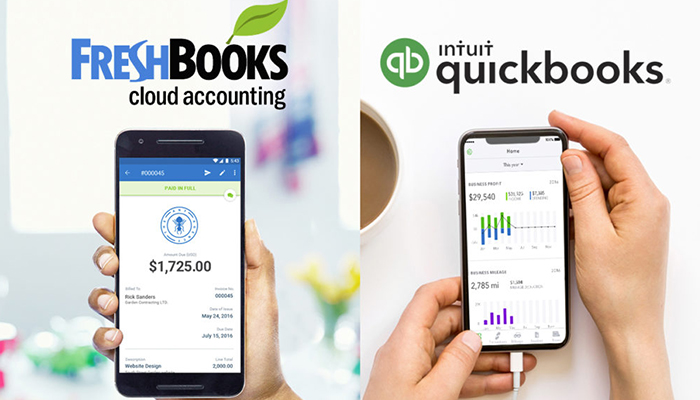
    Freshbooks vs. Quickbooks: Which is Best for Your Business?

    As a business owner, it’s important to find tools that can save you time and make your job easier. Finding the right accounting software for your business can be a tough decision. Software that works for one company, might not work for the other. This way having a good accounting solution in place from the start is a seriously good idea, so that you can ensure you can keep on top of tracking money!

    Luckily, there are some very easy to use and well-developed software applications available, which can not only make it easy to manage your accounts, but also make everything clearer for your accountant at the end of the year, saving administration costs there.

    Some accounting packages are downloadable software, but these days it’s more common for applications to run in the cloud, which means you can access them through a web browser or app on almost any device, including on your phone while on the go.

    Here then are the best in accounting software currently available:

    Freshbooks

    The streamlined, seamless and easy-to-use Freshbooks software is one of the top picks for accounting software. Whether you’re running a large business or a small one, Freshbooks as an accounting suite is a strong choice. You can easily set up recurring invoices to pay out to various contractors, record your expenses easily and import to other software in a flash. The dashboard makes it easy to find what you’re looking for, while the easy-to-navigate menus and options make it impossible to get lost. Accounting can be quite difficult, but Freshbooks takes a lot of the difficulty out of the equation! Pricing for this software starts at $15 per month.

    QuickBooks

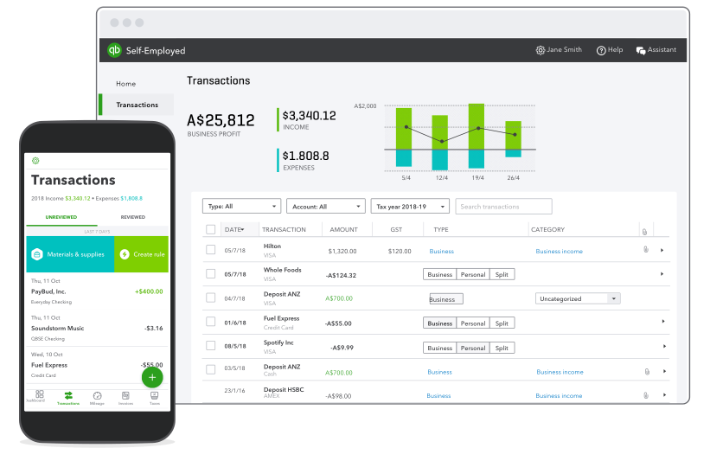
    Intuit QuickBooks may have been around since the days of DOS, but the latest version is right up to date. It is an easy-to-use cloud-based suite for just about all your business needs. Even the Essentials plan for $20 per month has plenty of features: invoicing, expense tracking, as well as time tracking, manage bills, and works for up to three users. There’s also the option to add either self-service payroll or full-service payroll for an additional fee.

    Conclusion

    Overall, QuickBooks wins the race for the best small business accounting solution. The program has more features, the features it offers are more robust, and its pricing options are affordable (even if they are slightly more expensive than FreshBooks plans).

    If your business is small, starting with QuickBooks now could help you avoid headaches down the road. When your business grows, you may eventually need access to some of the more advanced features available through QuickBooks. Learning QuickBooks on the front end can help your business avoid the growing pains of learning a new accounting system down the road.

    However, there are still several instances where FreshBooks might be the better choice. If you’re a freelancer, solopreneur, or you need to track hours worked by your employees or contractors, FreshBooks may do a better job of meeting your needs at a slightly more affordable price.

    It is not a “one size fits all” concept. Research your options, test what works for you, and you will find the right fit for your company. Evaluate what features you need and what features you do not need. Line up those needs with one of the programs above, and you will find the right one for you. However, most importantly, don’t forget to take advantage of all the free trials and demos out there!


  • Best Alternatives to Quickbooks

    Best Alternatives to Quickbooks

    People often look at various accounting software suites and wonder which one is the right one for them. If the conversation around Quickbooks is to be believed, it’s the go-to accounting software. However, many people wonder which software suite is the best alternative to Quickbooks, whether for cost or other reasons.

    Today we’re getting into that very question. Let’s look at the top alternatives to Quickbooks for accounting software.

    Alternatives to Quickbooks

    Freshbooks

    Freshbooks is a great alternative to Quickbooks, and it’s more than just their similar naming. Freshbooks offers a great user interface that is smoother and easier to navigate than QB. FB also offers a great suite of customization options, such as triggers for alerts and better file management.

    You can set assigned expense rates and label more thoroughly, as well. FB is, wonderfully, more affordable than QB, too. FB only costs $15 per month for up to five clients, making it much easier on the wallet than QB.

    Freshbooks is largely still considered one of the best accounting software suites on the market. Despite being less expensive, it’s largely regarded as a better suite than QB outside of third-party integration.

    NetSuite ERP

    Despite having a smaller name and little brand recognition, NetSuite ERP is a great accounting software. It’s got ample features to service even large-scale companies and offers a great suite of features. Fixed asset management, vendor management, inventory control and more is all available through NetSuite.

    NetSuite has great integrated features and can import and export data between software like, payroll, inventory and manufacturing. While it’s not a well-known name, it’s a robust and full suite with ample features. As a bonus, the user interface is straightforward and well-made, easy to navigate.

    Sage 50cloud

    Sage 50cloud is a great alternative to QB thanks to its flexible operations and its cloud storage options. The service is a very flexible and customizable solution, offering similar great features as FB. If you like the option for tons of add-ons and expansive capabilities, 50cloud is a great option.

    You can also sync your data between desktops, apps, and cloud servers. This is great for people that have a smaller company or multiple accountants trying to coordinate across different systems. However, Sage 50cloud isn’t quite as robust out-of-the-box as QB and has a bit more of a learning curve.

  • Accounting Software: Which One is Right for Your Business?

    Accounting Software: Which One is Right for Your Business?

    When it comes to running your business, nothing is quite as important as your accounting software. Whether you’re selling ice cream or life insurance, you’ve got to have accurate bookkeeping.

    The question remains, however, which accounting software is right for you business? Today we’re going to help you narrow it down.

    Which Accounting Software is Right For You?

    Sage50 Cloud

    Designed primarily to help mid-to-small sized businesses, Sage50 Cloud is a great accounting software suite. It helps businesses to stay up on their taxes, keep their bookkeeping clear and concise, and generally stay compliant. Payroll, budgeting, inventory and more can all be tracked through the software.

    As the name suggests, Sage 50 utilizes the cloud to keep your information all backed up. This allows you to have the peace of mind that comes with knowing all of your important accounting information is saved and backed up. You can even track purchases and pay vendors all through this software!

    Sage50 Cloud has a variety of pricing options, which start around $45 per month. Depending on your needs, you can opt for more complex packages at higher rates.

    Freshbooks

    The streamlined, seamless and easy-to-use Freshbooks software is one of the top picks for accounting software. Whether you’re running a large business or a small one, Freshbooks as an accounting suite is a strong choice. You can easily set up recurring invoices to pay out to various contractors, record your expenses easily and import to other software in a flash.

    The dashboard makes it easy to find what you’re looking for, while the easy-to-navigate menus and options make it impossible to get lost. Accounting can be quite difficult, but Freshbooks takes a lot of the difficulty out of the equation! Pricing for this software starts at $15 per month.

    NetSuite ERP

    Another user-friendly and well-presented suite, NetSuite ERP is great for businesses of all sizes. Including integration for marketing, sales and customer relations, NetSuite is a rather robust accounting software. You can even handle your stocks through the excellently-designed suite!

    NetSuite ERP offers integration through inventory management tools, as well as a shipping module to keep track of all of your orders. The easy-to-use interface is available even on mobile devices! You don’t need to be an accounting expert to use the software, and it’s easy to find what you’re looking for through the simple dashboard.