Tag: apple

  • Apple’s Cryptocurrency Ban

    Apple’s Cryptocurrency Ban

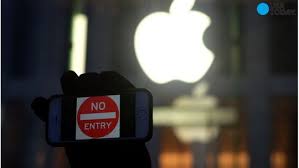
    Apple is cracking down on cryptocurrency on its platform,Yes it is time for a BitCoin Panic. The new rules for Apple’s cryptocurrency ban are aimed mainly at limiting the shadier side of cryptocurrency like unregulated ICOs and mining coins on your Apple hardware. The rules apply to both computers and phones, but are more restrictive on phones because of Apple’s secure and down right oppressive mobile ecosystem.

    Apple sights the reason for Apple’s cryptocurrency ban is the excessive tool it takes on the resources of your device. The new guidelines may have been imposed over concerns regarding the longevity of the hardware and the battery. Cryptocurrency mining is a processor intensive activity that puts great demand on the hardware and the power supply. This could affect the life of both. Users casually running these applications after hearing about the cryptocurrency craze may probably have no idea the toll on their devices this mining it taking. Apple more then likely is already had to face devices damaged by mining, this would be a good prompt for  the company to decided to act so strictly on the matter.

    Apple’s cryptocurrency ban, What it Means

    So you are probably asking the big question Why? It’s part of wider restrictions against apps that drain battery, generate excessive heat, or strain a device’s resources. All of which take place during cryptocurrency mining.

    “Apps, including any third-party advertisements displayed within them, may not run unrelated background processes, such as cryptocurrency mining,” states the new policy.

    I do want to clarify that Your favorite crypto wallet app is still in the clear. Even after an update to Apple’s developer guidelines for iOS and macOS. Apple’s ban on cryptocurrency will only affect mining for cryptocurrency. Not apps that allow you to manage, hold or spend cryptocurrency.


    The Final Thought

    Mining on your phone or tablet is futile and utterly impossible. Bitcoins value is dropping by the hour. This is a hard hook to the jaw to Bitcoin by Apples’s ban on cryptocurrency. Not that this will have any actual effect on bitcoin other then the perception of Apple bans cryptocurrency.

  • Wishlist Roundup: Ways We Wish Apple Would Update Mac

    Wishlist Roundup: Ways We Wish Apple Would Update Mac

    WWDC has come and gone without a whiff of a new design for Apple’s iconic Mac brand of computers. While there were many incremental changes to iOS teased, it’s still disappointing to see one of the world’s leading tech brands leave questions unanswered. When will they address some of the most pressing issues plaguing the current generation of Macs? That all said, what issues are we talking about? What aspects of Apple’s MacBook line need addressing? 

    The Butterfly Keyboard 

    The current keyboard design is just straight-up bad. If you get the slightest crumb or piece of debris in the keyboard it can cause a stuck key. Those stuck keys are incredibly difficult to correct and often require taking the MacBook in for costly repairs. This issue seems to have cropped up only recently with the “butterfly” design keyboards. 

    Even when they aren’t sticking, the keys are notoriously hard to type on. Their small size and incredibly short travel time make it very easy to make typos, and they are quite noisy. Hopefully Apple gives their MacBook keyboards a full redesign soon. 

    Just a Few USB-A Ports, Apple, Please 

    The USB-C port is a wonder, we get it. Google and Apple both swear by it, and for good reason. It’s a wonderful advancement, capable of handling tons of roles and sporting a reversible design so that you don’t bend pins by trying to slot it in upside-down. But the new MacBooks having only USB-C ports is downright absurd. Plenty of people still have thumb drives and accessories that use USB-A.  

    Sure, there are companies that sell reasonably-price USB-A to USB-C dongles. But it’s a step we shouldn’t have to take to use basic functionality on our computers. Come through on this one, Apple! 

    Optional Touch Bar 

    While the 13-inch MacBook has the option for Touch Bar or not, the 15-inch has no such choice. The 13-inch without the Touch Bar costs a full $500 less than the Touch Bar-sporting version, which is quite a bit for a glowing AMOLED bar. Handy as it is, it should be treated as an optional design, not a mandatory part of high-end MacBooks. If Apple were to offer a less-expensive, Touch Bar-free 15-inch Macbook, they would certainly earn some goodwill. And certainly some new customers, to boot! 

    Better Mac Pro Support 

    Not every Mac user has a laptop. There are dozens of desktop Mac users! Dozens, I tell you! Unfortunately for them, the Mac Pro hasn’t seen any substantial updates since 2013. What was meant to be the high-end for Mac has ended up being a disappointment. Serious video/photo editing, graphic design and other creative tasks are handled well by Mac. However, professionals who once turned to Mac are now opting for PC’s instead. 

    What could Apple do to reverse this? Well, they could start by acting more like normal computer manufacturers and allow users to customize their own rig. This could also allow them to sell lower-priced, entry-level Macs and appeal to a wider audience. As it stands, Apple’s closed-ended design is great for phones but a hindrance for their computers. 

  • Google Pay, Samsung Pay, Apple Pay; Which is the Best Virtual Wallet?

    Google Pay, Samsung Pay, Apple Pay; Which is the Best Virtual Wallet?

    Between Apple, Samsung and Google there are a ton of virtual wallet apps looking to power your transactions. Today we’ll break them down based on their strengths and weaknesses and tell you which one is our favorite! 

    Google Pay 

    Google Pay and Apple Pay have a lot in common. They both use NFC technology to broadcast information over short-range bands. This means the merchant you’re buying from needs to have an NFC-enabled card reader. While most modern businesses are equipped with standard NFC technology, some Mom and Pop places will be behind the curve on this. Google Pay also allows you to send money to other people, regardless of whether they use Android or iPhone. You can also use certain Android Wear watches to pay! 

    The downside to Google Pay, though, is that it only has one layer of authentication. One your phone is unlocked, Google Pay just works automatically. It doesn’t ask for a fingerprint or PIN, it just sends the transaction. This could be an issue for those who shop a lot online and are used to using the secondary authentication as confirmation that they’re about to actually spend money. The other drawback to Google Pay is that it isn’t as widely accepted online as Apple Pay, which is ubiquitous. 

    Samsung Pay 

    Samsung has an edge over the competition: magnetic secure transmission. Where Google and Apple both use NFC technology to broadcast info, Samsung can use MST to “trick” older machines. Card machines all read magnetic information, so Samsung Pay fools them into thinking a card has been swiped. This allows you to use e-pay even at vendors who aren’t explicitly set up for it. The Samsung Gear S3 also supports MST, if you’re a smartwatch fan. Samsung Pay, like Apple, does require a biometric scan or PIN to confirm purchases, which is good.  

    The drawbacks? Samsung has no peer-to-peer payment option, which is a bummer. It’s also only available on Samsung phones, making it the most limited of the three. It’s MST technology is pretty awesome, though. 

    Apple Pay 

    Apple Pay is the most widespread of the three as far as online support goes. It’s available only on iPhones, though. It uses NFC, like Google Pay. You can send peer-to-peer payments, but only to other iOS users with an Apple ID. You can also use an Apple Watch to pay if you don’t want to go digging in your pockets for your phone at checkout. It uses either a fingerprint scan or Face ID to authenticate purchases.  

    The drawbacks here are the lack of MST and the Apple-only peer-to-peer.  

    Which Virtual Wallet is the Best? 

    Turns out, they’re pretty evenly matched. Apple has a slight edge over Google with its authentication and ubiquity, but Google has peer-to-peer payments with anyone. While Samsung has no peer-to-peer payments, it does have MST, which is critical in certain cities with less high-tech merchants. The bottom line is that they are all fine and shouldn’t influence your decision to buy a phone. Unless, of course, you intend to replace your real wallet with you virtual one. In that case, I would have to recommend Samsung, as it works with the widest variety of card readers. 

  • iOS 12 Improves Performance on Older iPhones

    iOS 12 Improves Performance on Older iPhones

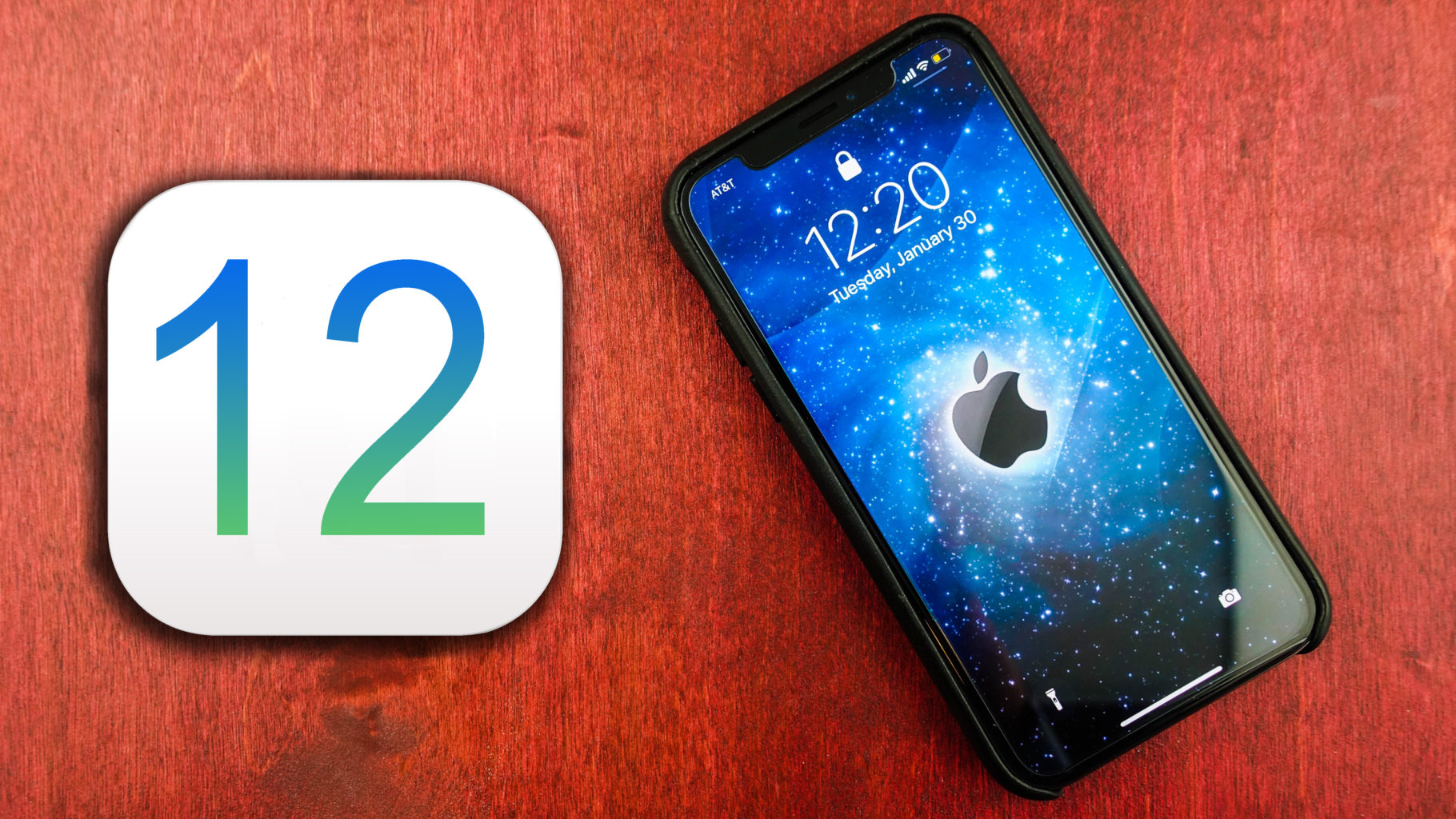
    You have probably read our articles on some of the big news out of the WWDC this week already. Apple gave a preview of iOS 12, the next operating system for iPhones and iPads, at its annual WWDC conference in San Jose this week. Today im going to tell you about a big feature that will enhance everyone iPhone, yeah even the older ones. The iOS 12 improves performance ?

    For any iPhone capable of running iOS 11, when upgrading to the iOS 12 you will notice some vast improvements. This is first iOS upgrade that will make your iPhone….faster…

    Yes you heard that correctly, the new iOS 12 improves performance on previous models on the iPhone.Apple says iOS 12 will launch apps 40% faster and the camera 70% faster on an iPhone 6S — the model that came out in 2015.

    Release Date, We Can Guess That

    That is great news everybody! When can we update!!  Its safe to say the iOS 12 update will be available in September, much like every year. They release it a few days before the new iPhone ships. So for those of you with the 6s experiences apples slowdown to maintain your battery life, you will just have to keep waiting. Or will you…

    For a small $99 per year you can subscribe to be an apple developer and beta test new software. Along with getting the software updates way earlier,  you also get access to their developer tools as well. SO yeah you can jump in now and start beta testing the iOS 12 months before the rest of us, with all the new goodies at your disposal. However as fantastic as this sounds remember that ios 12 is not finished and will likely encounter more bugs and crashes than you can handle. You can download the software through Xcode, which is what programmers use to build iPhone apps. You can also install it by adding a profile to your iPhone or through iTunes.

    The Final iOS 12 Improves Performance Thought

    Its gonna be a good software update year, lot of performance perfections coming. Lets hope apple can deliver on this promise..

  • Android P vs iOS 12: Which Tech Giant is Leading the Future of Smartphones?

    Android P vs iOS 12: Which Tech Giant is Leading the Future of Smartphones?

    Both Apple and Google have announced their upcoming smartphone OS updates. On the Apple side, we have iOS 12, a largely iterative and incremental update. Android P, on the other hand, is an OS playing catch-up. It represents Google’s attempt to replicate Apple-like functionality on their open, developer-first platform. Which of them has the edge from what we’ve seen so far? Let’s break down the proposed features of each and find out! 

    When Are They Launching? 

    Firstly, let’s discuss release. It’s most likely that we’ll see both iOS 12 and Android P in September. Both will likely launch alongside their flagship phones. Android P’s beta is going on now, while iOS 12’s is set to come later this summer. So, neither gets an edge, as the two are coming right around the same time. 

    Voice Assistants 
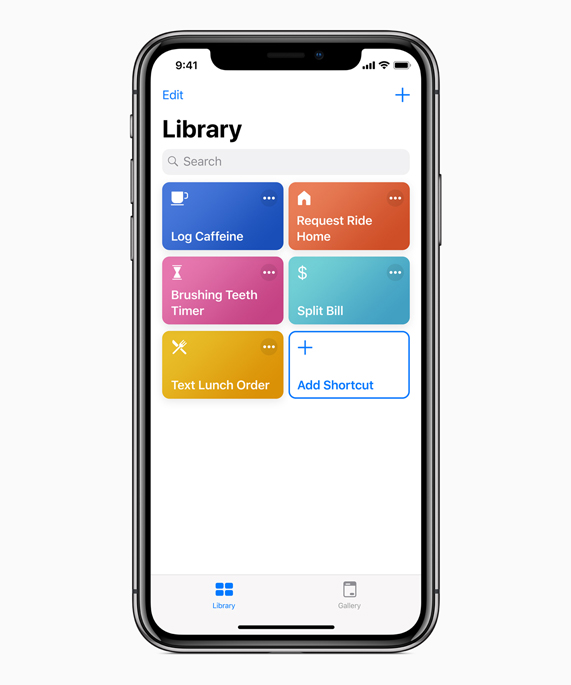
    Photo Credit: Apple 

    Siri is kind of a joke now, sadly. While Google Duplex is making phone calls for you and taking strings of commands at once, Siri doesn’t recognize her own name. Jokes aside, Apple launched the virtual assistant technology in 2011. They’ve had so much time to perfect the tech, to make it awesome, and they haven’t. Instead they were content with a just-OK assistant and let Amazon and, importantly, Google catch up. Now they’ve thrown their lead and have to play catch-up. 

    Siri Shortcuts, coming in iOS 12, is their latest push for the virtual assistant. It’s something of a low-tech answer to Google Assistant. It puts the hard work on the user, having them program action in response to command words. For instance, saying “Going to work,” could pull up your morning news podcast and navigate you past high-traffic routes. This is somewhat lame, considering Google Assistant has similar functions just programmed in by the developers. Google gets the edge, here. 

    Face Unlock 
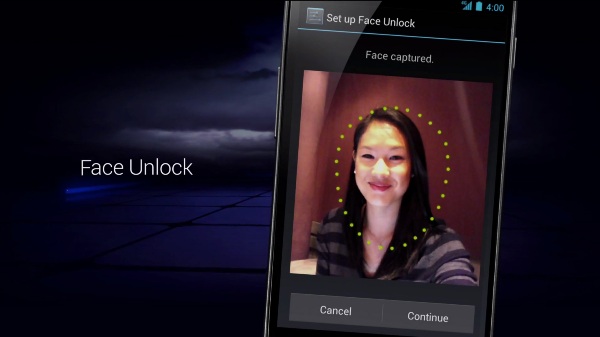
    Photo Credit: Android Authority 

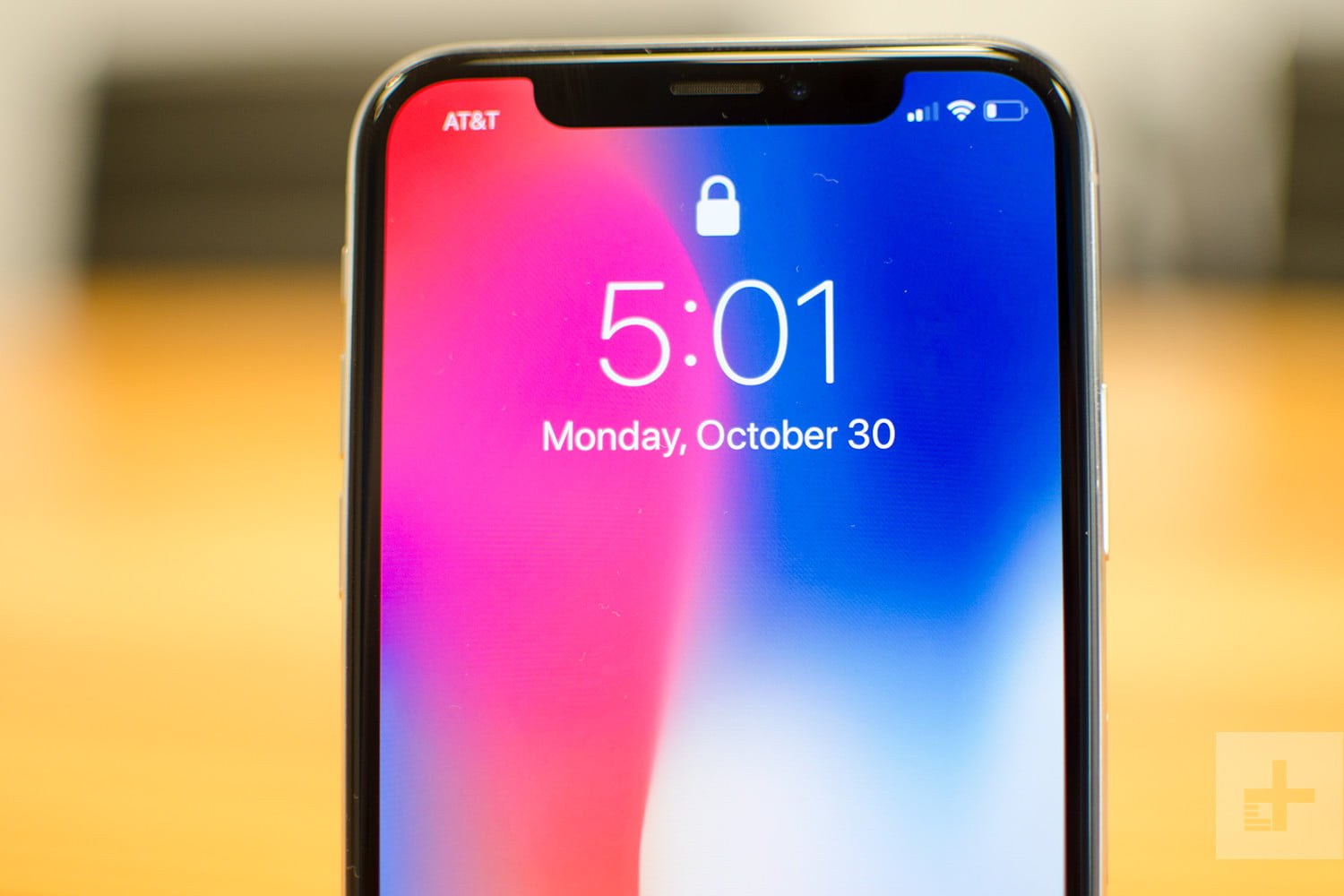
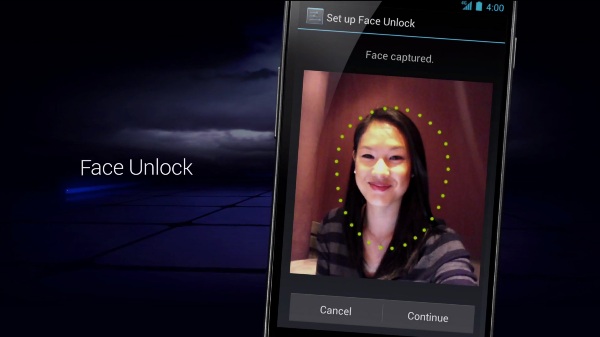
    Face unlock tech was popularized by the iPhone X as an alternative biometric to fingerprint scanning. The iPhone X has a 3D front-facing camera, making its Face ID an incredibly secure, trustworthy locking function. Android’s, by comparison, is noted for its “convenience.” As Google can’t guarantee all phones that use Android have powerful, front facing 3D cameras, they can’t promise strong facial recognition. As such, Android P’s face scanner was famously fooled by a printout of someone’s face. 

    The edge easily goes to Apple. Apple’s Face ID seems like a fully-fledged security feature. Google’s Face Unlock seems like a cash-in on a fad.  

    Messaging Apps 
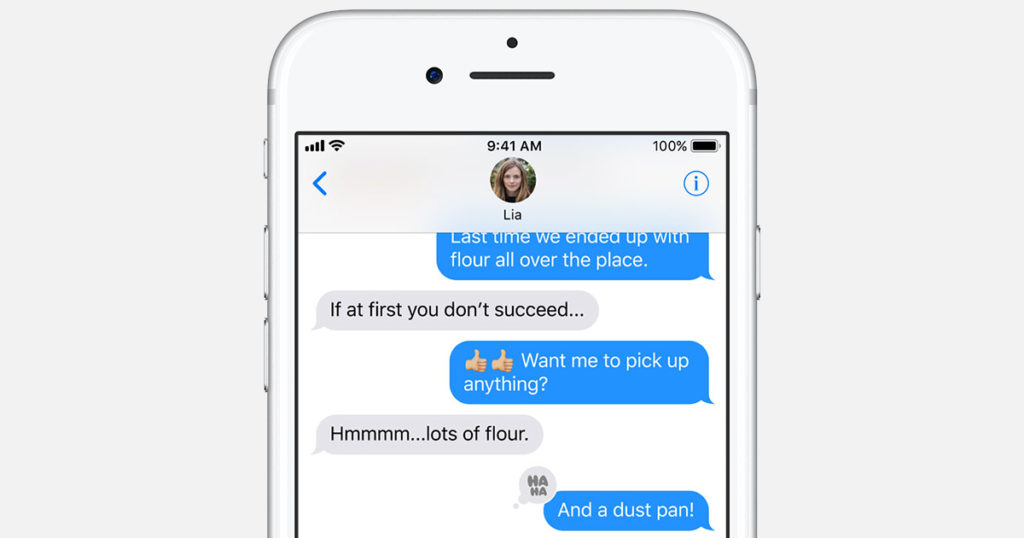
    Photo Credit: Apple 

    Apple’s iMessage wins this one. Google doesn’t even have a proper infrastructure for their messaging app. Google Hangouts is super disappointing when you look at how many things iMessage has going for it. For one, you can FaceTime and do peer-to-peer payments from within the app. You have Animojis and Memojis in iMessage, which are adorable, and you have Wi-Fi messaging to other iPhone users.  

    The edge here easily goes to Apple. Google has some catching up to do with messaging apps. 

    Shared AR 
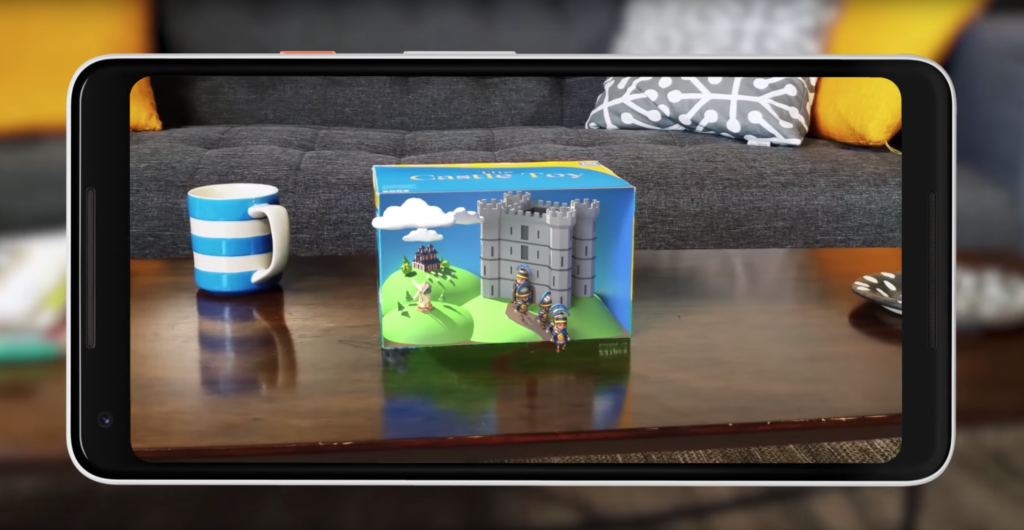
    Photo Credit: Engadget 

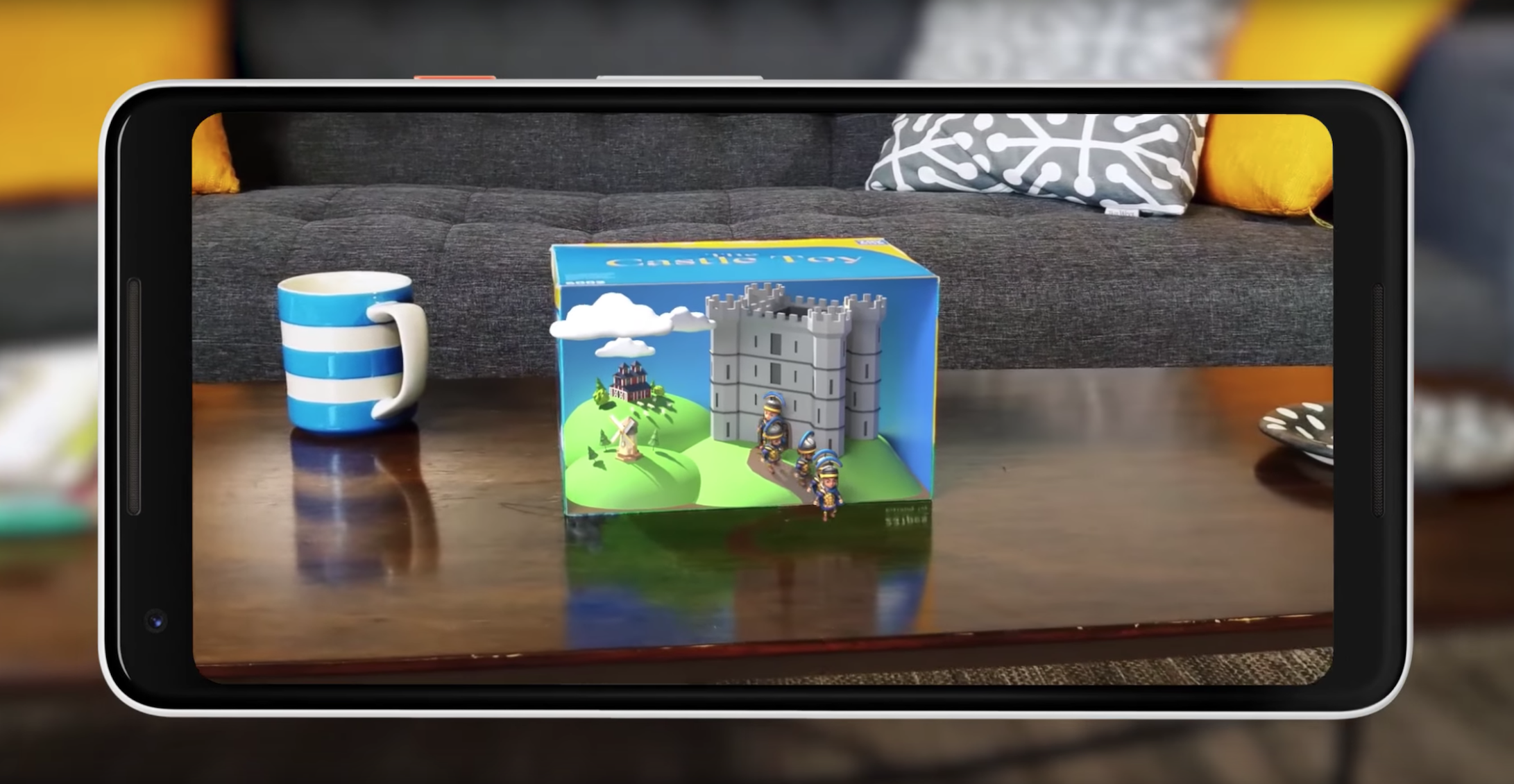
    Shared augmented reality is coming to both operating systems. However, iOS 12’s version is limited to just other iPhones. Meanwhile, Google’s Cloud Anchors work across platforms for any phone. That’s really awesome! Shared AR has a lot of neat applications, like playing games or learning in a classroom. This is tech to watch. 

    Google’s Cloud Anchors have the edge here for sheer breadth of usability. Good show, Google. 

    Maps 
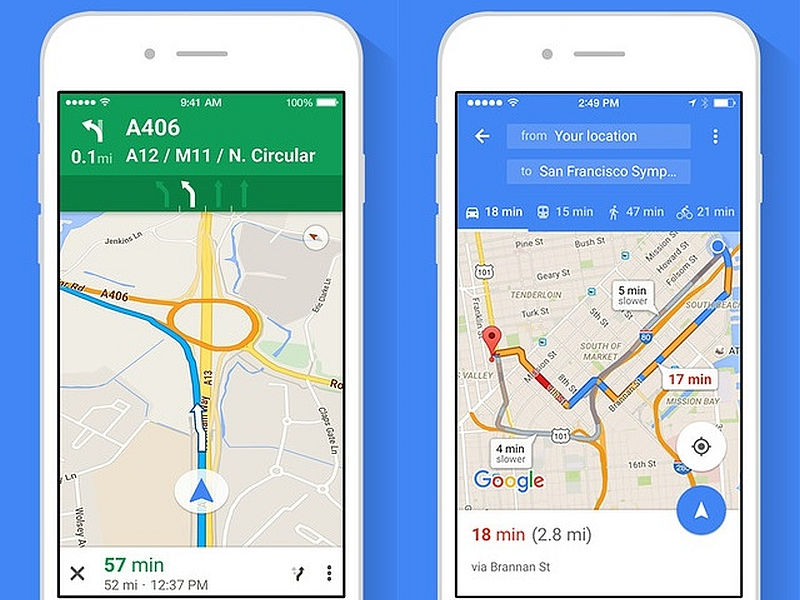
    Photo Credit: NDTV Gadgets 

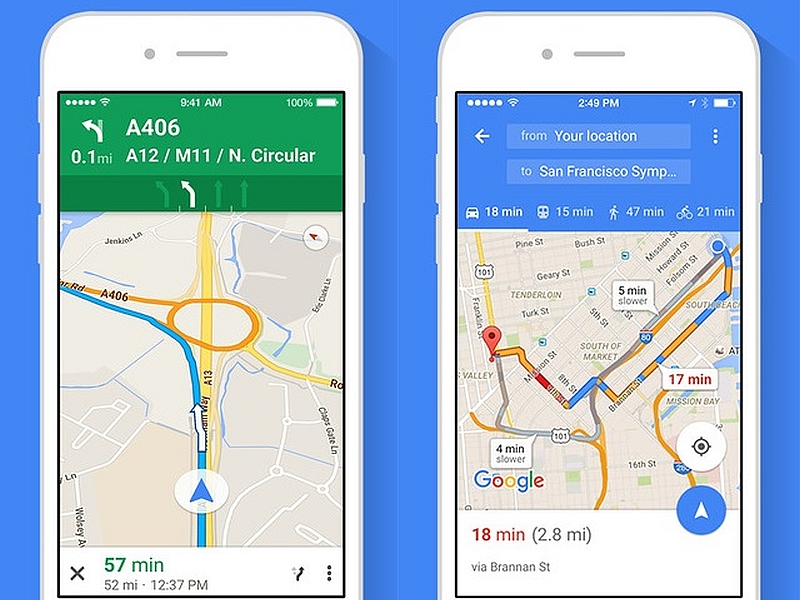
    There’s not a whole lot to say here. Google Maps is still the better app. It’s much deeper and more fleshed-out than Apple Maps. Apple’s map app is fine for surface-level navigation and that’s about it. Thankfully you can just download Google Maps on your iPhone.  

    The edge goes to Google for having a deep, highly-detailed map app. 

    Screen Time Management 
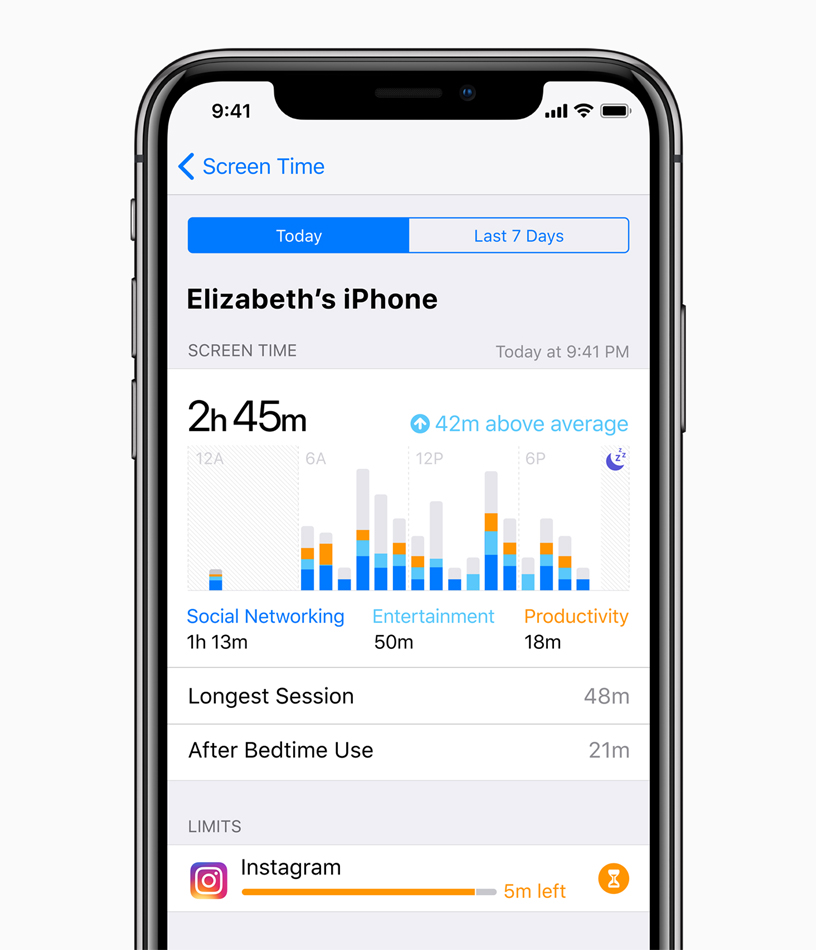
    Photo Credit: Apple 

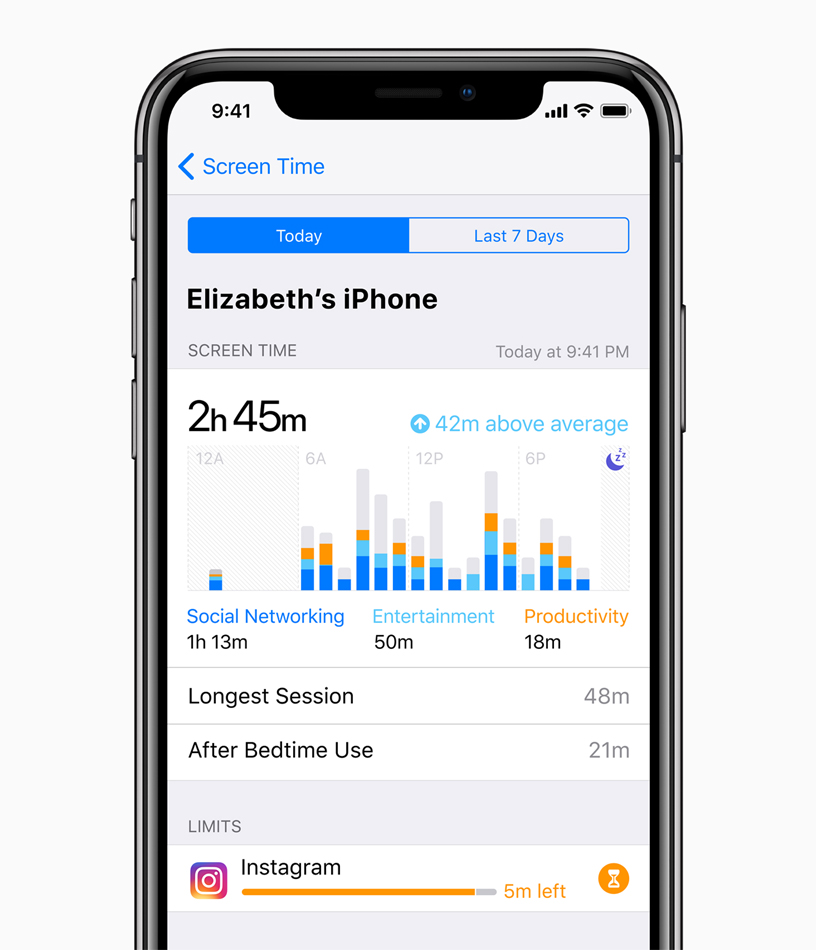
    This is brand new to both Android P and iOS 12. Both operating systems come with ways to manage your time spent using various apps. This is ostensibly to help manage smartphone addiction. The addition of such responsible software is a good sign. However, as both are brand new and neither have been seen, we’ll have to reserve judgment.  

    Neither side gets the edge here, as we haven’t seen enough of either feature. 

    Gesture Navigation 
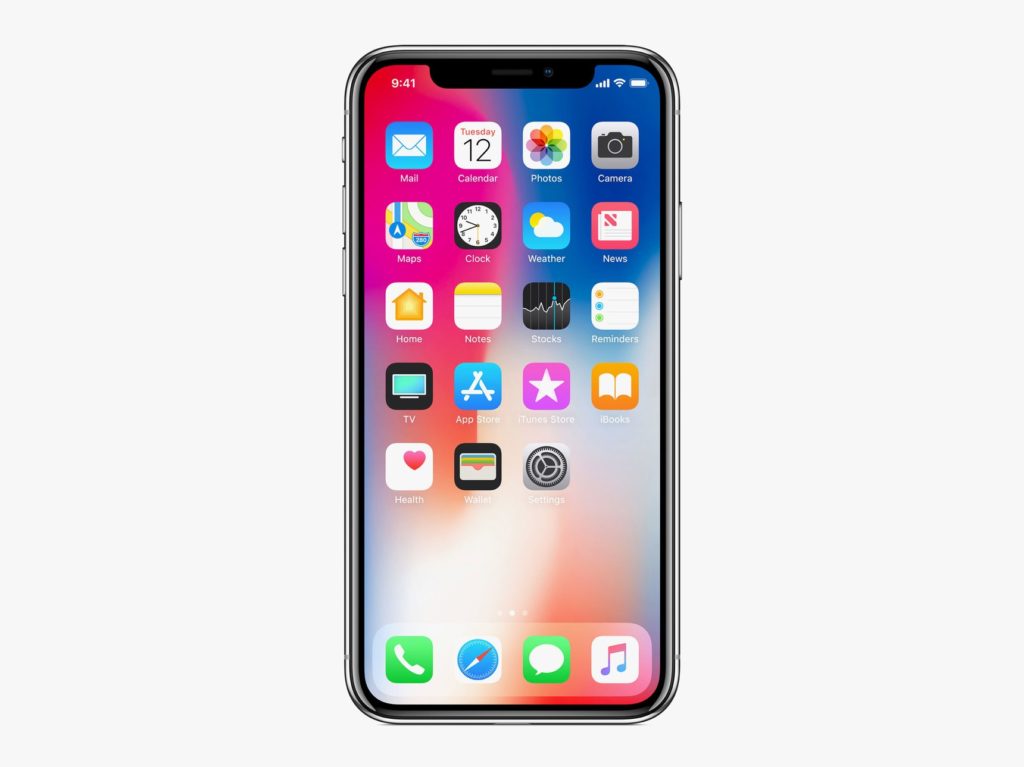
    Photo Credit: Apple 

    The iPhone X popularized gesture-based navigation, forgoing physical or onscreen buttons. It takes some getting used to, but it’s intuitive and responsive. It’s fairly seamless, so it makes sense that Android P would hop on the bandwagon and try their hand at gestures. However, the operating system still relies on a back button for some navigation. Additionally, Google’s hands-off design philosophy means that app developers are free to use gestures or buttons. This fragmentation is the Achilles Heel of Google’s Android platform as a whole. 

    The edge in this one goes to Apple, for their closed-ended, tightly focused OS. Gesture navigation is so much better when it’s across the whole ecosystem. 

    Android P and iOS 12: Who has the Edge? 

    We do. The competition between Google and Apple keeps heating up, and the two massive companies are deadlocked. They keep one-upping one another, and it’s great for consumers. We keep getting better and better phones and better features. It’s still early, in terms of the new OS’s, to tell who’s winning. Both companies have some heavy-hitting features. Apple has the edge in security with their closed-ended platform. Google has Apple on shared AR and the excellent Google Assistant software.  

    Bottom Line 

    Time will tell who wins this cycle. However, Google and Apple being neck-and-neck with one another is sort of status quo now. Their continuous competition keeps driving them both to new heights, which means we keep getting better and better phones. No matter which side you’re on, you’re in for some cool new features come this September. 
  • Tech Throwback: Motorola E1 Rokr, The First iPhone

    Tech Throwback: Motorola E1 Rokr, The First iPhone

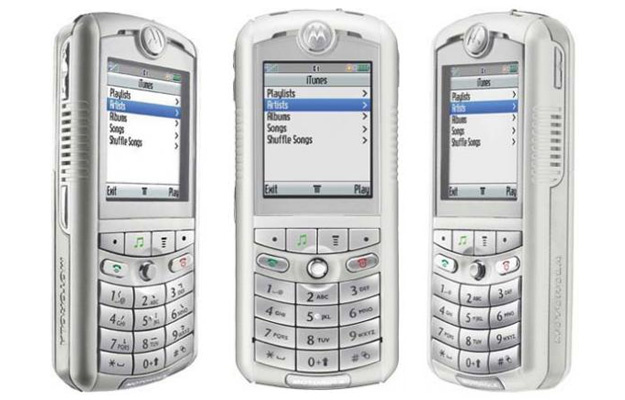
    I like to take a look at where I’ve been to evaluate where Im going. Technology is cyclical after all… wait no its not. That said I still like all the feels that come rushing back like a flood of nostalgia every time I get my hand on the tech I grew up with. Im going to go back periodically and take a looking at the stuff that used to blow our hair back and get our minds rolling. Some of these device blew up and changed the world, some where ahead of their time and some just fell flat and became colossal failures. Today we have a flop but it set the table for one of the greatest tech revolutions of mankind’s existence. Before there was a thought of an iphone, there was Apples first foray into the mobile world. There was a partnership with Apple and Motorola for the Motorola E1 Rokr.


    The Motorola E1 Rokr

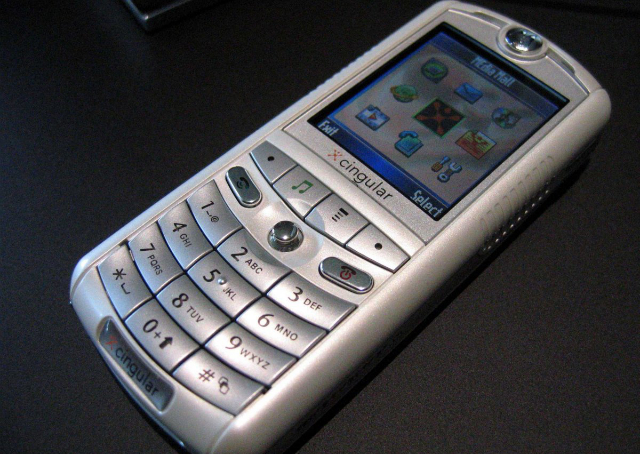
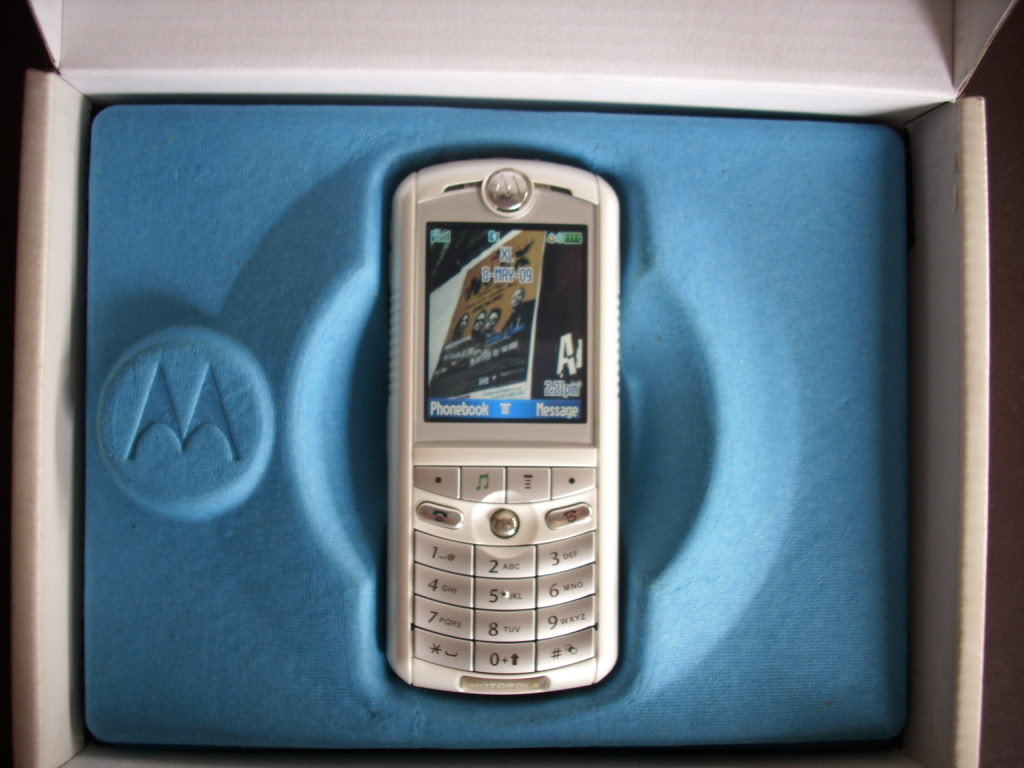
    The Rokr E1 is a repackaged Motorola E398 candybar style phone. However this new bombshell would come with Apple-licensed technology to play back iTunes Music Store purchased music. This doesn’t sound very stellar but at the time this was huge. Phones where just getting cameras. The V3 Razr was blowing up the cellular world, cell phones where now not just fashion accessories but status symbols as well.

    Launched on September 7, 2005 in San Francisco, California, the E1 is the first phone to be integrated with Apple Inc.’s iTunes music player. It features a music player with an interface similar to that of Apple’s iPod music players.

    The next phone being the first iPhone in 2007. This made the Motorola Rokr highly anticipated and tech sites were following the collaborations between Motorola and Apple as far back as December 2004.The Motorola e1 Rokr was a Cingular exclusive. Cingular had dedicated an endcap and standalone display in all of their corporate owned stores.

    Powering Up The Rokr

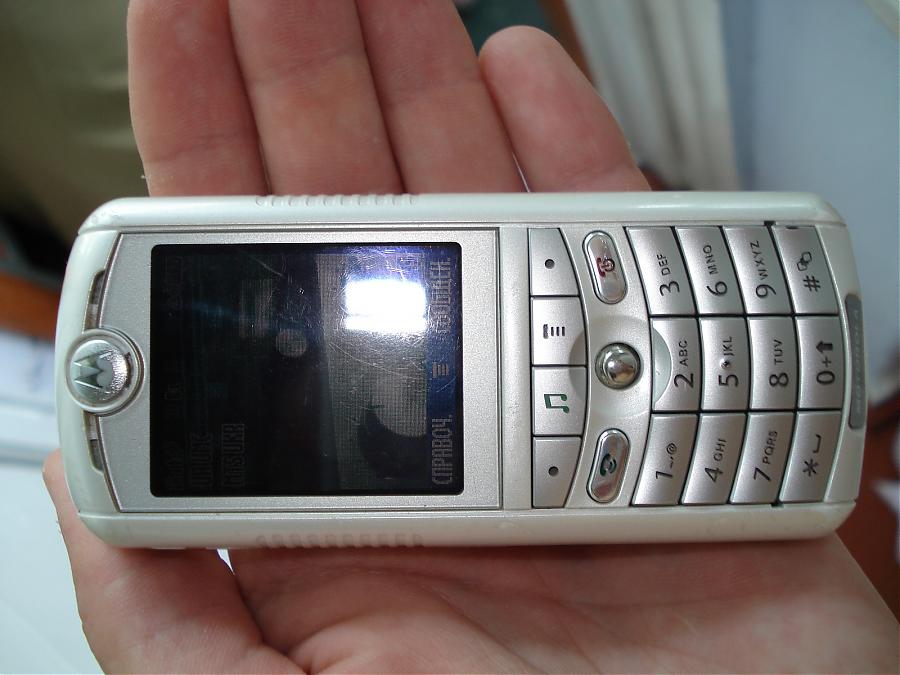
    I found a gently abused Motorola E1 Rokr on ebay, a new battery and we are powering it back up. It shows the Motorola logo and familiar os pops on. I spent many years with a motorola phone and this brings back floods of memories. It operates just like we all remember, even though the Rokr was not a popular phone the motorola brand was and it was everywhere from 2003-2009. The Cingular brand and Jack icon make me happy. It is basic AF, with only 9 options I’m fully through it a few unceremonious minutes

    But wait! The Rokr has a memory card still full of early ougt hits still on it. Keane, The Killers and Jets “are you gonna be my girl”! the speakers are awful. I am shocked this was acceptable, but at the time it was a wow. The 512 mb card is full with 83 songs on it.

    Its clunky, its slower then I remember the motorolas being. It just has the ipod music player, not the iTunes store so adding music on the fly is not a reality yet.

    The Flop

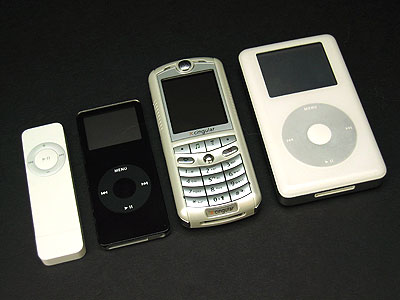
    Apple scheduled the iPod nano unveiling on the same day as the release of the Rokr. The Nano a success, the Rokr just something to look at in the Cingular store. The relations between Motorola and Apple were bitter and negative. Then Motorola CEO Ed Zander blamed the failure of the Rokr on Jobs and  later accused Apple of purposely undercutting the Rokr. Soon After the Rokr E1 was replaced by the E2, which lacked iTunes support and was superseded by the iTunes-enabled SLVR L7.


    The Final Thought

    At the time we had our fingers crossed that Apple and Motorola would unveil exactly what we had been dreaming of for years: a mobile phone with Apple industrial and software design, great call quality, and typically ingenious Apple feature simplification. ingenious Apple feature simplification. We would have to wait another year for that, The iPhone. But the Motorola E1 rocks got Apples gears turning and a stepping stone to Job’s magnificent Vision. Sometime we must fail to change the world and no one embodies that like Steve.

  • Coolest Things Coming to iOS 12

    Coolest Things Coming to iOS 12

    At WWDC 2018, Apple unveiled tons of new info about the upcoming iOS 12. We’re compiling a quick list of the coolest features we know so far, including release date and features. While this isn’t the biggest software change Apple’s ever brought, it’s iterative and responsible. The changes, for what it’s worth, are also all quite welcome. Let’s get into it! 

    Augmented Reality with Other Players 

    Apple promises iOS 12 will sport tons of new features for developers to build multiplayer games. Specifically, Apple showcased how the ARKit 2 software will allow developers to build shared AR experiences. This means that users can both see the same Augmented Reality object from their device, and changes made by one user will be seen by the other. A simple example would be drawing on a virtual chalkboard and your friend seeing it.  

    While this sounds fun for games at first, it also would be huge in the classroom. Imagine the students watching as their teachers shows them a diagram of a cell, pointing and changing things in real time. Then they could all have their own models to toy with, and the teacher could help them locate parts of the cell. Even testing could change to accommodate this more hands-on learning! 

    Backward Compatibility 

    Apple has stated they intend for this iOS update to focus on not leaving older model phones behind. Specifically, the update will support phones from the 5S forward, and iPads from the iPad mini 2 and forward. According to Apple, iOS 12 well help older devices pull up the camera and keyboard functions faster, and just be smoother overall. 

    This is a wise move on the part of Apple. Most smartphone users are keeping their phones longer as technology in the sector plateaus. Despite flashy new phones drawing in plenty of users, a sizable base of Apple users won’t be flocking to buy an iPhone X anytime soon. Keeping support for the older model phones for longer is a smart move on Apple’s part.  

    Upgrades to Siri 

    Siri is now set to be more responsive and generally useful. This update will introduce Siri shortcuts, which allow you to program certain actions to certain words. For instance, you could shortcut “I’m lost,” to pull up the map app and navigate home. This change might seem small at first glance, but it’s actually a huge help. Alexa and Google Assistant are so useful because they’re so smart and responsive. Siri, by contrast, is sort of clunky and you have to use exact phrases to get her to act. Hopefully this update will address this and bring her up to speed with the competition.  

    iOS 12 Release Date 

    The developer beta for iOS 12 started on June 4th, but there is a public beta on the way! The public beta will likely begin on June 26th, if the iOS 11 beta is anything to base things off of. Finally, sometime in September, when the new line of iPhones release, we can expect to see the final version. While iOS 12 isn’t the most exciting or flashy update ever, it’s a much needed one. Siri is in big need of an overall, and older phones have not fared well with iOS 11. Apple’s likely making strides in the right direction. 

  • What Did Apple Show at WWDC 2018?

    What Did Apple Show at WWDC 2018?

    Apple’s big yearly developer conference, the WWDC, was on June 4th, and Apple showcased a ton of new software changes. We’ve rounded up some of the biggest notes from the event here, and we’ll be diving deeper into iOS 12 in a future article. For the most part, Apple focused on security and user protections. This is comforting, as we live in an increasingly-paranoid era where data breaches are all too common. 

    USB Restricted Mode 

    Grayshift, an iPhone hacking tool, uses a USB bypass to brute-force passwords into a locked iPhone. The new iOS has a variation of a previously-discussed mode that will disable these kinds of USB tools. The mode works by locking out USB devices accessing a phone that has been locked for more than an hour. That is, unless the password is put in. This move would keep both criminals and law enforcement from hacking into someone’s iPhone. This move would reignite the ongoing argument between Apple and law enforcement agencies about Apple’s responsibility for helping law enforcement access user data. 

    End-to-End Encryption 

    FaceTime, Apple’s popular video chatting service, now allows end-to-end encryption for up to 32 users. This is great for ensuring that your video calls remain safe from prying eyes, and also shows Apple’s dedication to user privacy. Just how they managed to pull off such encryption with such a large number of simultaneous users is unknown, though certainly impressive.  

    WWDC: Apple Committing to Security 

    Further advancements in iOS security were unveiled. Functions to keep websites and malware from spying on users were shown. Those functions would keep malicious programs from accessing the camera or microphone. Additionally, Apple is integrating software that allows your device to generate a strong password and then store it in iCloud. The password will then be automatically pulled when you need it, keeping your experience hassle-free and well-encrypted. This mimics apps that are already available, but, again, this shows Apple’s commitment to keeping all of their users’ data safe. 

    Upgrades to Siri 

    WWDC was also a chance for Apple to show off the new changes coming to Siri. The virtual assistant will be receiving a new functionality referred to as “Siri Shortcuts,” allowing users to create their own prompts for specific apps. This well help Siri to feel more useful, and hopefully encourage people to actually, uh, use her. Apple also promised that Siri would become more responsive and generally useful. This is critical if Apple wants to compete in the smart home sphere against Google and Amazon. Apple’s HomePod has been struggling, between it’s silly price tag ($350) and under-utilized virtual assistant. 

    While WWDC didn’t show off a ton of new gadgets, the improvements shown are all positive. The company is moving ahead in smart ways, showing a mature, responsible take on security. 

  • More From The WWDC 2018

    More From The WWDC 2018

    I told you id try to keep you updated as much as possible in the ground shattering developments at Apples World Wide Developer Conference. Well here is some more info about the happs at Apple’s WWDC 2018.


    Shortcuts To Developers

    Apple announced at the WWDC 2018 it is now allowing developers much deeper integration with iOS 12 and MacOS Mojave. Third-party apps can now build “shortcuts” that allow Siri to execute popular quick actions. They used a real time demo of this with the Tile app. With the short cut they were able to activate tile just by using Hey Siri, find my keys. The programmable short cut is a big shot of B!2 in the arm for Siri. No longer will I wrestle with her over mundane task, I can program her to read my voice for specific commands.

    To sum up Shortcuts easily its a new app coming with iOS 12 that lets you create custom phrases to trigger a specific action using Siri. If she uses this data correctly that should help here understand my voice and commands a little more clearly. Making Siri compete with the Alexa and Google Voice seems to be a big area of focus for apple this WWDC. The WWDC demo also included smart home Shortcuts like “Turn on fan” or “Set thermostat to 70 degrees” — both HomeKit automatons from the Home app.


    Mojave and HomeKIt

    Mojave is the next MacOS version. With the update, Apple will add support for the Home app on Macs. Previously, the Home app was Apple’s iOS-only smart-home app where you add, monitor and control you HomeKit-enabled smart-home devices. This is neat and needed, I want my computer to be the brain of my home, If I left it to the phone my home would be left with out a central control system when Im out… 2018 folks, fascinating times, I always thought I would eventually type those words but its still shocking we are here and so causally.

    WWDC 2018 and the Apple TV

    Next at The WWDC, We will also see Apple TV getting some more responsibilities when they add home security and automation companies, Control4, Crestron and Savant. The Apple TV  works with some smart home apps, such as Canary and Nest, for remote monitoring of security camera live feeds. That has always been about it until now. WE will also get the ability to sync HomePods and AppleTV to play music together, Soundbar win!

    Check back tomorrow for more on teh WWDC 2018. Same Time, Same Channel.

  • iOS 12, What We Got at the WWDC Today

    iOS 12, What We Got at the WWDC Today

    Its here! The World Wide Developer Conference is here! In its first day Apple (AAPL) unveiled iOS 12, the next major software update for iPhones and iPads. Here what we are getting in the September update.

    iOS 12 Speed Increase

    Apple Senior Vice President of Engineering Craig Federighi emphasized that with iOS 12, its all about speed. “For iOS 12, we’re doubling down on performance,” said Federighi. We know Craig, we have the need for speed, its important, its inherent, there is nothing we can do about it. Apparently this speed increase will extend to older iOS device users as well.

    Federighi said iPhone users can generally expect apps to get 40% faster, with the Camera launching up to 70% faster.


    AR Updates

    I predicted this was coming in my what to expect from the WWDC article earlier last month. I knew as we all dis that the iOS 12 update would include updates to Apple’s augmented reality software tools. Dubbed ARKit 2.0, the upgrades add the ability for multiplayer AR games on separate devices. In other words, both players will see the same scenario through their phones’ displays.

    Also announced by Apple is that USDZ as part of ARKit 2.0. USDZ is  a new AR-focused file format Apple developed in partnership with Pixar that lets users share 3-D models. Abhay Parasnis, CTO of Adobe (ADBE), took the stage to announces USDZ support across Adobe Creative Cloud. Its good to see these two getting along since the ugly adobe flash debates of the late 2000’s.  Parasnis locked in all in by saying.“With Creative Cloud, designers will be able to use apps they’re familiar with to create amazing AR content,”. That is all I needed to hear.


    Memoji

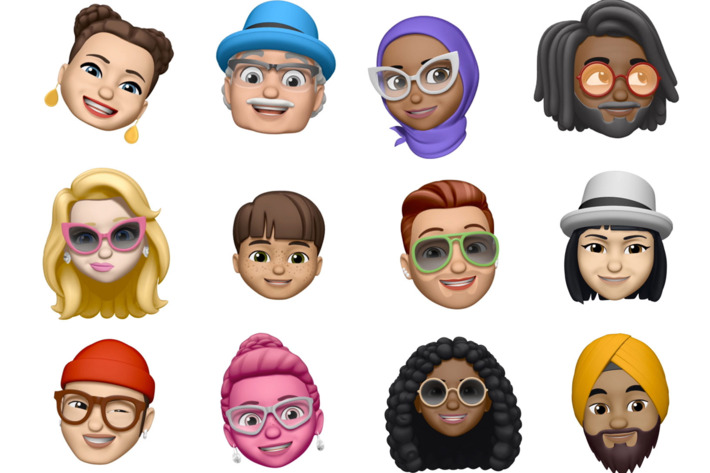
    Yeah, who didn’t see this coming. Now you will have the ability to emoji your self to an Animoji of yourself, dubbed Memoji. Sometimes people facetime me before I’ve have my morning coffee, not cool and highly invasive, I say. Now I can respond with my beautiful half me, half Elvis Memoji. Problems solved.  Apple says it will let users create their own personalized Animoji, or animated emoji, down to that new hairdo and sunglasses.

    Yeah more Animojis too,  including a ghost, a koala, and freaking T-Rex! I don’t know why that excites me so much but just let me have this moment people.


    Group FaceTime

    Well this scares me to pieces. When group text hit it drained my battery life for years to come, with constant, insistent banter from mild acquaintances grouped with my closest and most despised friends. It wasn’t uncommon in 2013 before group chat etiquette was willed in to existence that one would received 60-70 messages in the 15 minute span that weren’t staring at their phone.   braces yourself people for group facetime…

    Group FaceTime, which will work on iPhone, iPad, Mac, with audio available for the Apple Watch, takes the idea of group video chat to a whole new annoying  level for iOS 12. This will let up to 30 people all participate in the same FaceTime.

    Federighi demonstrated how group FaceTime works, with a row of tiles at the bottom displaying all the FaceTime participants. As someone speaks, a video window above that row of that speaker enlarges.


    The Final Thought

    Its the first day people. we still got lots more to come. I just wanted  to share a little bit of what I was excited about and some of the things that will breed new technological nightmares… Ill keep you updated daily with the best from the WWDC. See you tomorrow…maybe..