Tag: apple

  • Former Apple Employee Stole Trade Secrets Related to Self-Driving Cars

    Former Apple Employee Stole Trade Secrets Related to Self-Driving Cars

    Corporate espionage is nothing new, but the amount of it generated by self-driving cars is drastic. Just a few weeks ago, Tesla sued an employee for disclosing trade secrets to unknown parties. Now, federal agents have charge Xiaolang Zhang, a former Apple employee, with stealing trade secrets from Apple. Zhang is accused of stealing technical documents and hardware from Apple.

    Zhang’s Attempted Flight

    Zhang had been working for Apple since 2015, specializing in self-driving cars. His specialty was circuit boards that analyzed sensor data, according to the FBI. However, in April, Zhang told his department head that he was quitting to move to China to be close to his mother. The supervisor found Zhang’s explanation flimsy, and his demeanor suspicious. As such, an investigation was launched: Zhang’s recent download of tons of confidential technical documents came to light. Zhang had stored the technical documents on his wife’s laptop, and then stole a few circuit boards and a server from Apple.

    Federal authorities apprehended Zhang at the San Jose airport on June 7th. He had just purchased a ticket to China. His federal charges mean he can’t leave the country, thus stopping his attempted espionage in its tracks. It’s quite likely that this information breach would have led to a significant breakthrough for a Chinese company if Zhang’s flight had been successful.

    Why Is There So Much Espionage Around Self-Driving Cars?

    While self-driving cars haven’t make too big of a splash at mass-market yet, they’re set to do so in the very near future. In the next few years, we’ll likely see more advanced self-driving technology become widely available. However, the technology is complex and difficult to program and implement. As such, any company that manages to be first to market with it will reap tremendous benefits.

    Less scrupulous companies seem convinced that their best way to do this will be to steal trade secrets and rush a project to completion. Thankfully, in this instance, the espionage was stopped before the damage was done. It is currently unclear what company Zhang was stealing the information for.

  • Apple Music Control Update for Sonos Speakers

    Apple Music Control Update for Sonos Speakers

    Finally. Finally, Finally. Up until now when using our Sonos Speakers you had to use the Sonos app to control the music. The app was not as intuitive, extensive or as viable as the iTunes music app built in to you phone. You had to create your playlist through the Sonos app and it was clunky and not very easy not to mention you couldn’t load existing playlist in. Well now out troubles are over. Sonos has announced the AirPlay 2 has arrived. This makes compatible Sonos speakers the first third-party AirPlay 2 speakers to hit the market, and support is being added retroactively through a free software update.


    Whats This Mean Really For Your Sonos Speakers

    Yes, this means you can use Sonos speakers to play audio from iTunes on the Mac and all iPhone and iPad apps including Music, TV, YouTube, and Netflix. Sonos speakers can also be used for multi-room audio playback with HomePod and Apple TV, and Siri can control Apple Music and Podcasts playback from iPhone, iPad, HomePod, or Apple TV. Great right?

    We are told AirPlay 2 works with the newest Sonos speakers (recognizable by their touch controls instead of hardware buttons) which includes Sonos Beam, Sonos Playbase, Sonos One, and the second-gen Sonos Play:5. Sonos customers can update compatible speakers through the software update section of the Sonos controller app today. For iOS users, start by updating the Sonos controller app in the App Store, then look for the new software update within the Sonos app for compatible speakers.

    The Final Thought

    While I got very excited for this at first. I soon realized all my Sonos Speakers are not going to be compatible. Tear. I have been hesitant to grab the Homepod because of my existing 4 speaker Sonos system. Now a change may soon be in order.  I like the group playlist functionality of Sonos that you cant get really get anywhere else. When I throw a dignified cocktail party everyone can sync in and que up songs or add to the party’s playlist. This adds a social element I have truly come to enjoy. Now I have convinced myself, my Sonos system will get a overhaul.

  • Retrospective Round-up: The App Store

    Retrospective Round-up: The App Store

    The App Store is ten years old. It’s hard to believe that the iPhone launched in 2007 without it, to be honest. When you think of the start of the smartphone revolution, you think of apps. “There’s an app for that” was such a ubiquitous slogan that you heard it everywhere in those days. When it launched in 2008, the App Store redefined what, exactly, a smartphone could do. With that said, let’s take a look back in time and round up the ways the App Store shaped the modern smartphone market.

    Attack of the Clones

    The first and most obvious impact of the fantastically popular App Store is the legion of clones it inspired. Of them, the Google Play Store is the most notable and the only other successful platform from the era. Truth be told, the success of the iPhone can be largely attributed to support from app developers. Blackberry’s decline can be certainly chalked up to the lack of support from those same developers.

    Gaming

    The App Store reshaped handheld gaming. Where Nintendo and Sony were battling with their traditional handheld gaming consoles, Apple did something unthinkable. Something that Nokia had tried a few years prior with the N-Gage. They made smartphones gaming devices. Nintendo hasn’t been muscled out of the gaming space, but they also couldn’t exactly push Apple out either. It’s impossible to fight just how big of an install base that smartphones have as a gaming platform. Nearly every adult has a smartphone; the same can’t be said of Nintendo’s 3DS.

    The impact of the app store on gaming is nearly immeasurable: the early 2010s were marked by a flood of “freemium” games. Games that would have previously found no audience could now reach a large demographic. Since they were free to start, these games could get into your device, and your head, easily. Then, once you were invested, you would spend a few bucks here and there on power-ups. This business model proved insanely lucrative and persists to this day. Thankfully, traditional game design is still alive and well in the core market.

    Phones Became Omnitools

    Before the App Store, phones were phones. After its launch, phones were damn near everything. Some apps make your phone a GPS, while others make it a video streaming device. Other apps might make your phone a banking portal, while others make it a music playback device. Nearly any functionality you could imagine was suddenly rolled into your phone. And all of that is thanks to this one software platform. It’s been a long decade, and a lot has changed. But here’s to the next ten years, and the changes they bring.

  • Apple Goes Live With USB-Restricted Mode

    Apple Goes Live With USB-Restricted Mode

    The newest iOS 11 update carries a rather important feature with it. Namely, iOS 11.4.1 comes with USB-Restricted Mode. And, frankly, that’s a big deal. This functionality was expected to ship with iOS 12 this fall, coinciding with the release of this year’s new phones. However, it’s a pretty big move, and it’s critical for iPhone user security. You see, one of the most common ways to break into an iPhone is through USB-based hacking tools like GreyKey. These brute-force tools just attempt thousands and thousands of passcode combinations, eventually just forcing their way in with sheer probability. How has Apple worked to counteract this?

    USB-Restricted Mode

    The iOS 11.4.1 update brought a new toggle to your settings: “USB Accessories.” This setting is off, by default, so you don’t have to worry about going in and doing it manually. What the setting does, however, is make the phone unable to be interfaced with by USB accessories if it has been locked for more than an hour. That’s pretty huge: GreyKey and similar illegal hacking hardware has to interface with the iPhone through the Lightning port. Disabling them directly is the bluntest answer Apple could have come up with, but it works perfectly.

    If a criminal steals your phone, it’s likely that you had it locked for a bit before it was stolen. Further, they will then have to exit the public area, go back to a safehouse and attempt to crack the phone’s security from there. This will likely push them past the hour deadline to try to crack the phone, thus making it a pointless endeavor to steal iPhones. Similarly, law enforcement will often take longer than an hour to process a detained person. This means that unlawful access to your phone will likely be impossible. Police will have to get a search warrant, thus cutting down on overreaching violations of citizens’ rights.

    Apple’s Role in Security

    Apple is a leader in electronic security. Their constant innovations in this field are an industry standard and are to be commended. Apple’s move with this newest feature is further evidence of their dedication to protecting the data of their users. Looks like those looking to unlawfully access your information will have to find some new way to break in.

  • iPhone Feature Roundup: How do They Compare?

    iPhone Feature Roundup: How do They Compare?

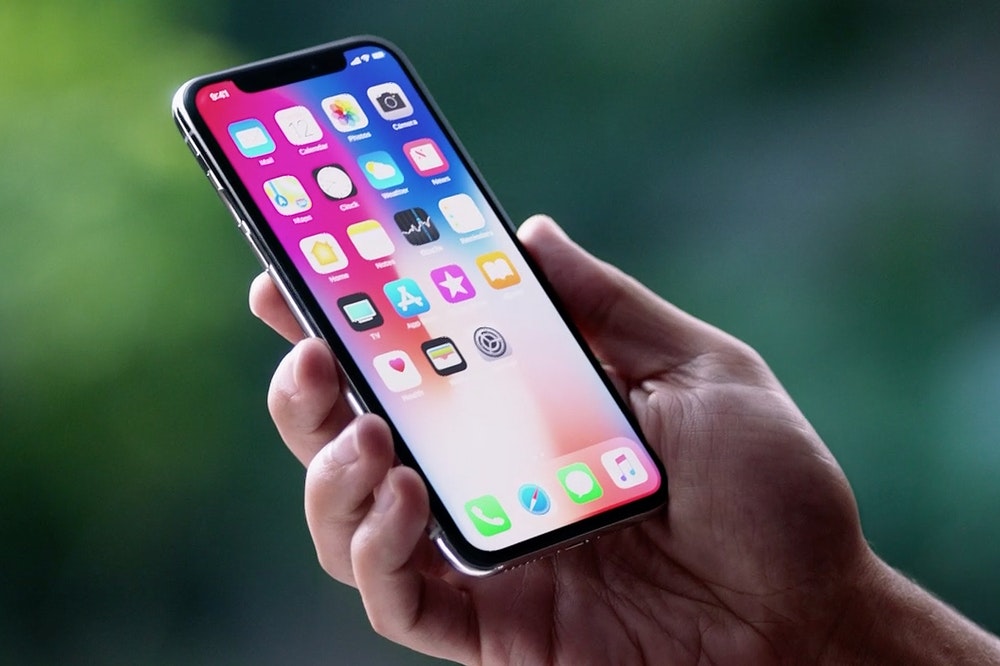
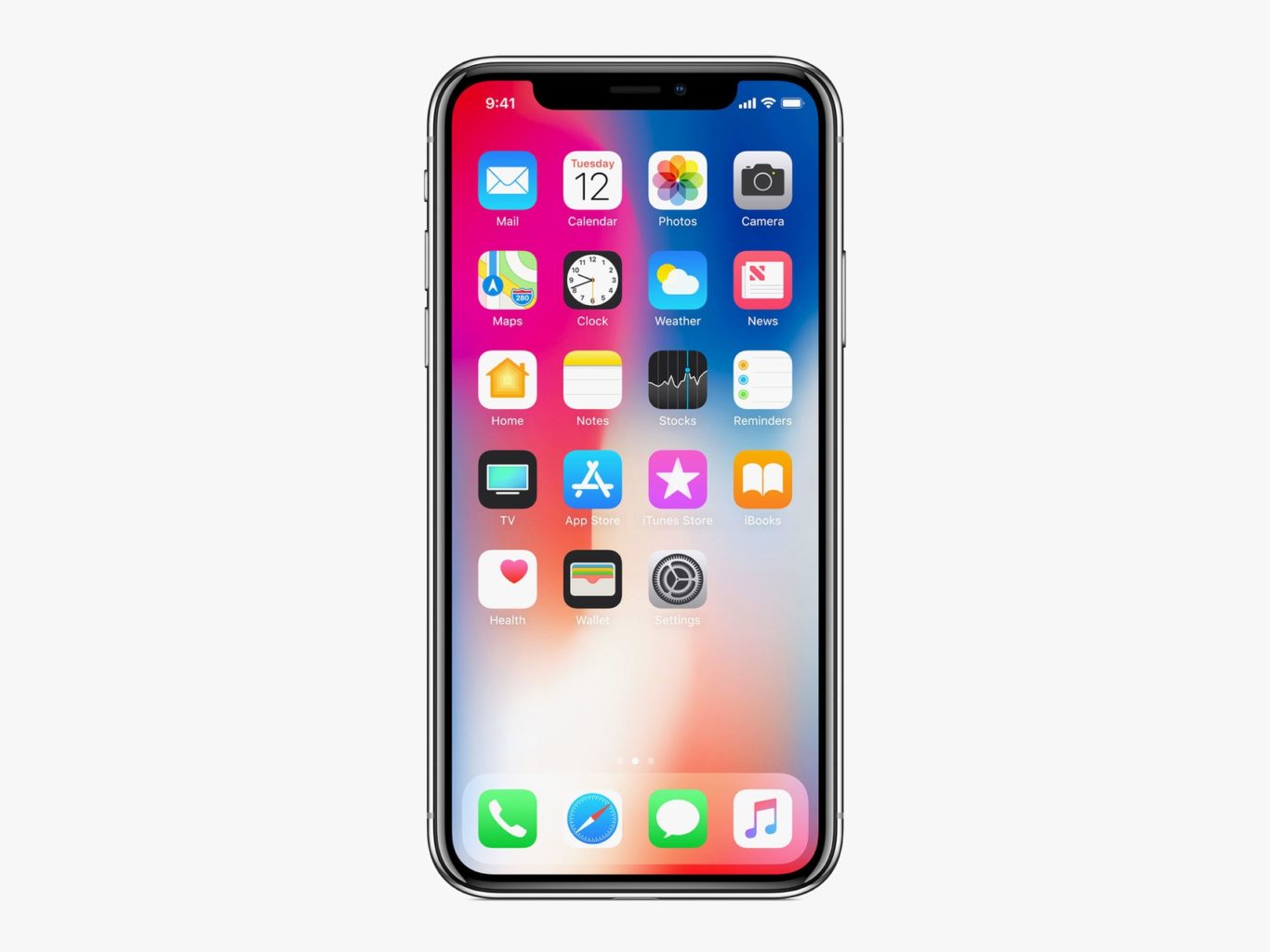
    A lot of people took notice when the iPhone X was announced to retail for $1,000. As the first mass-market smartphone to break the $1,000 price tag, it must be something special, right? Apple seemed to be hedging their bets slightly, and also released the iPhone 8, an $800 option that more closely resembles previous iterations of the iPhone. In order to help you with figuring out which one is right for you, we’ve got an iPhone feature roundup to break down the difference between the two flavors of iPhone.

    Price

    The first one is the most obvious, and we’ve already been over it, but it bears repeating. The iPhone X is truly the best smartphone in the world, and its price reflects that. $1,000 is a lot of money to pay for a phone, but that buys you a ton of features. The iPhone 8 is no slouch, either, to be fair, and costs a respectable $800. Both phones are on the premium side, so the question becomes: what does $200 buy you?

    Face ID vs Fingerprint Scanner

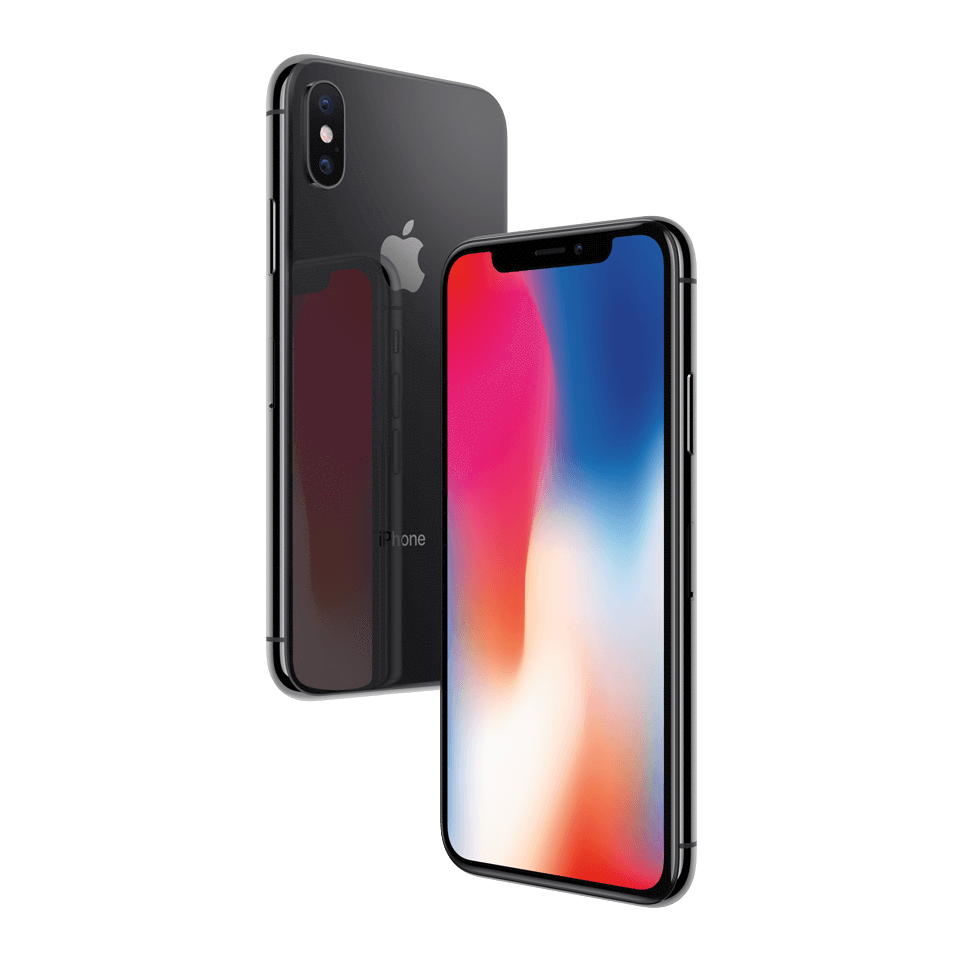
    Face ID is convenient, fast and secure. Apple was the first to market with very secure, very accurate facial recognition software. The depth-sensing front cameras in the iPhone X’s much-maligned notch can read your face in the blink of an eye. The iPhone 8, on the other hand, sports the same fingerprint scanner iPhones have been using for years. It’s secure, it’s fast and it’s pretty much the same as you’d expect. It works fine in most circumstances, but if you’re wearing gloves or if your hands are wet, it’s a no-go.

    Face ID isn’t the only use of those front cameras, though: the animated “Animoji” technology is exclusive to iPhone X. It’s silly, it’s cute and you absolutely want it. Is it worth $200? Your call.

    OLED Screen, Bezels

    The iPhone X has a huge, bright and gorgeous OLED display that looks sharp even in direct sunlight. It’s hard to describe, but it simply has an alluring glow to it that dazzles the eye. If that sounds overly romantic, you probably haven’t seen one in person. The iPhone 8, on the other hand, sports a Retina display that looks fine, if somewhat tame compared to the iPhone X.

    Interestingly, the iPhone 8 Plus is bigger than the iPhone X by a good bit, yet the iPhone X still sports a bigger screen, thanks to its nearly bezel-free design. Almost the entire front face of the phone is screen, with the exception of the notch.

    Home Button

    A huge change in the iPhone X is the lack of a home button. If you’re a home button faithful, you want an iPhone 8, period. It’s a pretty big change, and if you’ve been using iPhones since 2007, it will certainly take some getting used to. That said, the gesture controls are intuitive, fast and slick, and you will get used to them.

    iPhone Feature Bottom Line

    One way to look at the iPhone X is as a proof-of-concept for the way future iPhones will work. So, by getting an iPhone 8, you’ll have a nostalgic, old-school style iPhone experience. However, you’re likely only delaying the inevitable. That $200 upcharge can be viewed as the price of entry to a new era of iPhone. If you’re the kind of person that gets excited by bleeding edge tech, you want an iPhone X. If you want the same experience you’ve grown accustomed to, the 8 is more your speed.

  • MacOS Mojave Beta: Feature Roundup

    MacOS Mojave Beta: Feature Roundup

    The biggest overhaul to Mac’s OS, the Mojave, is finally in public beta. If you haven’t had a chance to check it out yet, we’ve got a roundup of some of the most notable new features right here for you. Fair warning: this is a pretty early MacOS Mojave beta, and you shouldn’t install it on your primary device. If you’ve got an old laptop hanging around and want to try it out, go for it. But if you use a computer for work, don’t install the beta on it, just read our roundup! It’ll be out for you to try soon enough. 

    Dark Mode 

    Finally, Apple shows they’re listening to their users! Mac users have been clamoring for a dark mode for years, so it’s almost hard to believe it’s finally here. It looks pretty good, considering this is just the beta. By the time it goes live we expect it to be up to the normal Apple standards of aesthetic. It’s a small change to some, but it means a lot! 

    Finder Improvements 

    Finder has received some updates in look and general usefulness. The new gallery-style view replaces the old cover flow, and it looks great. Additionally, Finder now displays metadata about your files as you go through them. Additionally, new quick actions have been added to allow for faster photo editing. Cropping, rotating and converting are bound to the new allow for faster photo editing. Cropping, rotating and converting are bound to the new actions, as are trimming video files and merging multiple images into a PDF. It’s a lot of generally useful updates that are sure to please any professional Mac user. 

    Stack it Up 

    Too many icons cluttering the desktop? Stack them up! Mojave can group your apps and shortcuts together into collapsible groups called Stacks. If you’re constantly shortcutting videos and pictures, Stacks are a great way to keep everything organized.  

    Dynamic Wallpaper 

    This last one is just fun. The Mojave beta comes with a dynamic wallpaper that displays a dune in the Mojave Desert. The time of day in the wallpaper changes in live time with the location of the sun in relation to where you are. That’s just cool, and a nice touch by Apple.  

    We’ll have more info on MacOS Mojave as it comes out, and these are just some highlights of the beta. There’s tons more, but we’ll get into that as it gets closer to release! 

  • Ten Takeaways from iOS 12 Beta

    Ten Takeaways from iOS 12 Beta

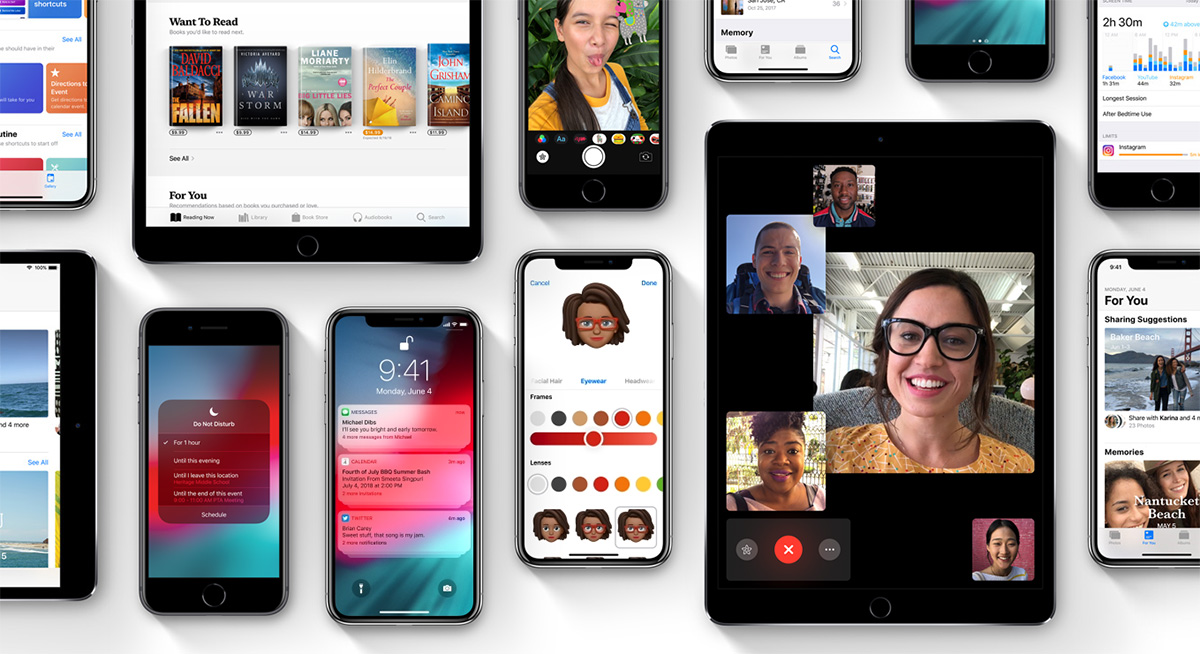
    The public beta for iOS 12 is here! That means it’s time to dig in and talk shop. First things first, remember this is a beta, so don’t go installing it on your main phone. Grab an old iPad or something if you wanna try it out. That said, we’ve got a list of the top ten takeaways from the iOS 12 beta for those without a device to try it out with. From what’s awesome to what’s not, to what’s flat-out missing, we’ve got you covered. Alright, let’s get into it! 

    The Good Stuff: 

    Memoji 
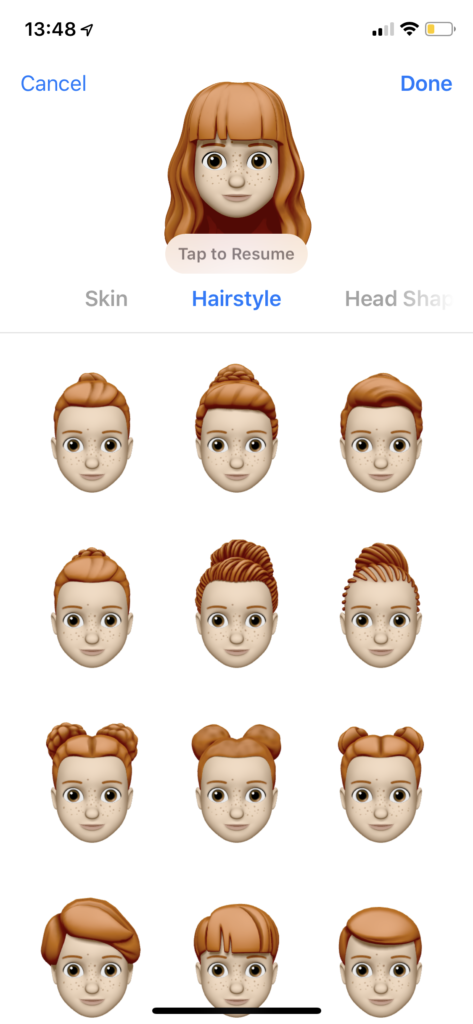
    Photo Credit: Mashable 

    Let’s kick it off with some of the coolest features in the beta. The Memoji is available on iPhone X, and it’s great. It’s sort of like the Mii feature from Nintendo, where you can create a personal cartoon avatar. Then you can use that avatar in different apps to represent you, and you can type in to people in messages. It’s adorable, it’s meaningless and you know you want it. 

    Animoji
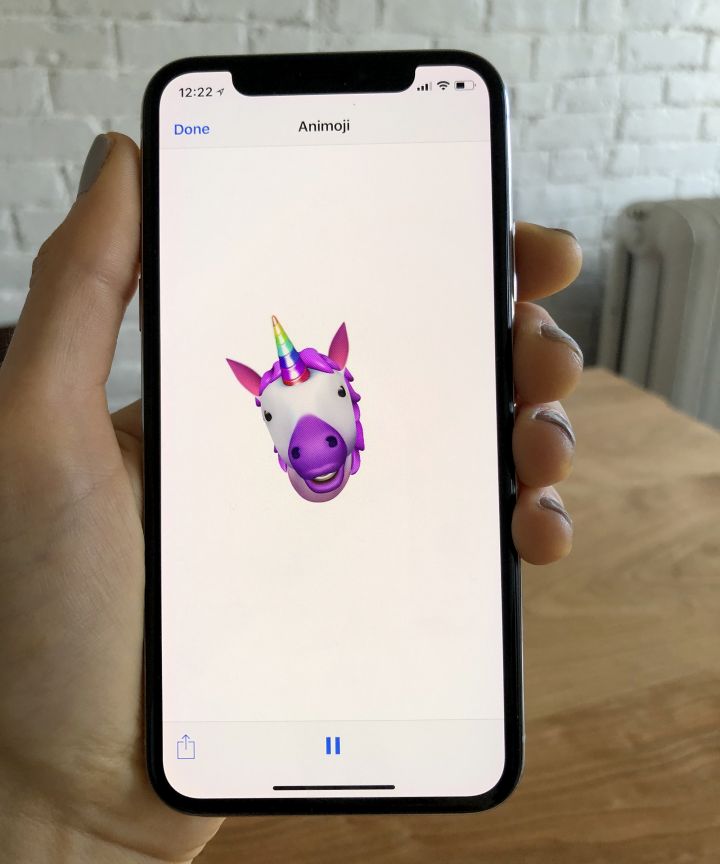
    Photo Credit: Refinery29 

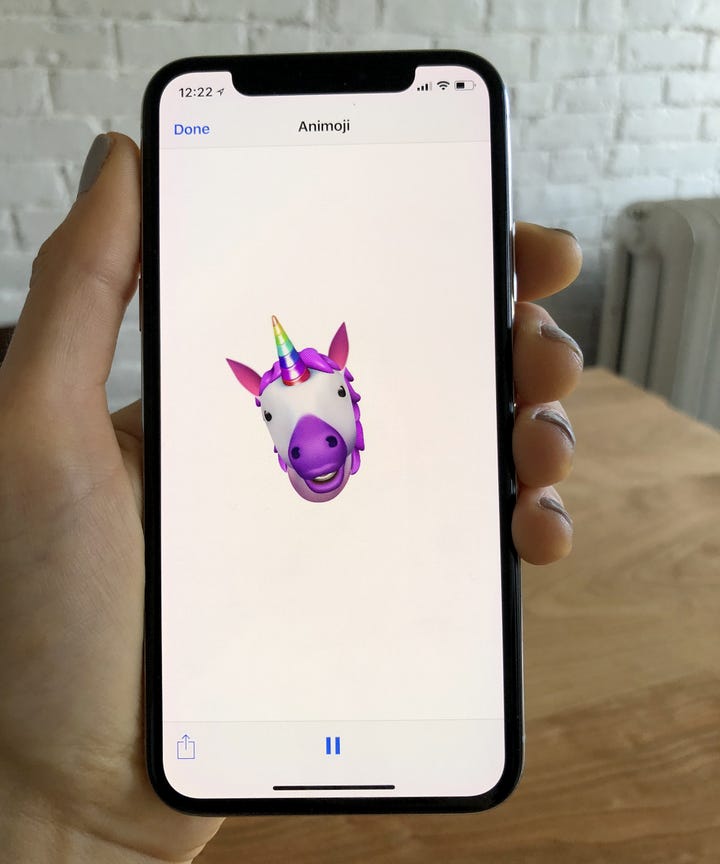
    On the topic of meaningless adorable emoji things, new Animoji are also available on iPhone X with this update. If you already didn’t love this feature, this isn’t going to blow you away. That said, if you liked it, there’s some new ones to play with soon! There’s a new koala, a tiger cub, a dinosaur and even a ghost! Kids, especially, will love this. 

    Screen Time
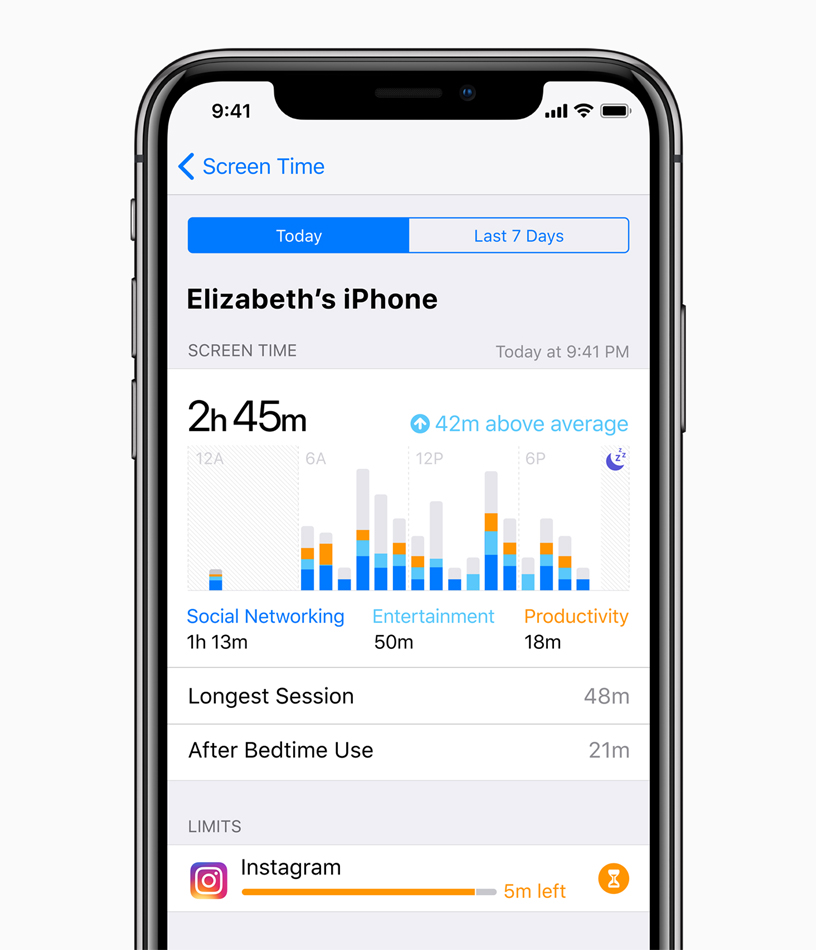
    Photo Credit: Apple 

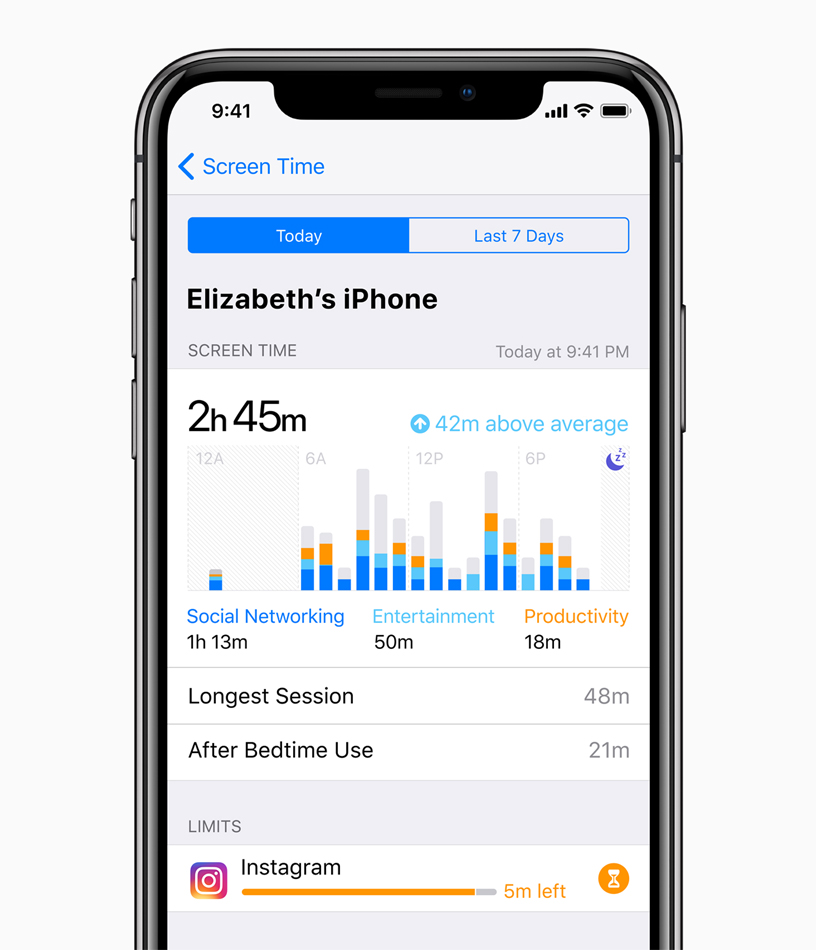
    This new feature aims to help you use your phone less. Screen time allows you to see how much time you’re spending on various apps, and you can even set time limits. If you want to create Downtime, as iOS 12 calls it, the phone discourages you from using apps at certain times. There’s also a new feature that allows parents to lock certain apps or time gate them for their kids. If your little one is staying up all night playing Fortnite, this is a great addition. 

    The Changes: 

    Notification Changes
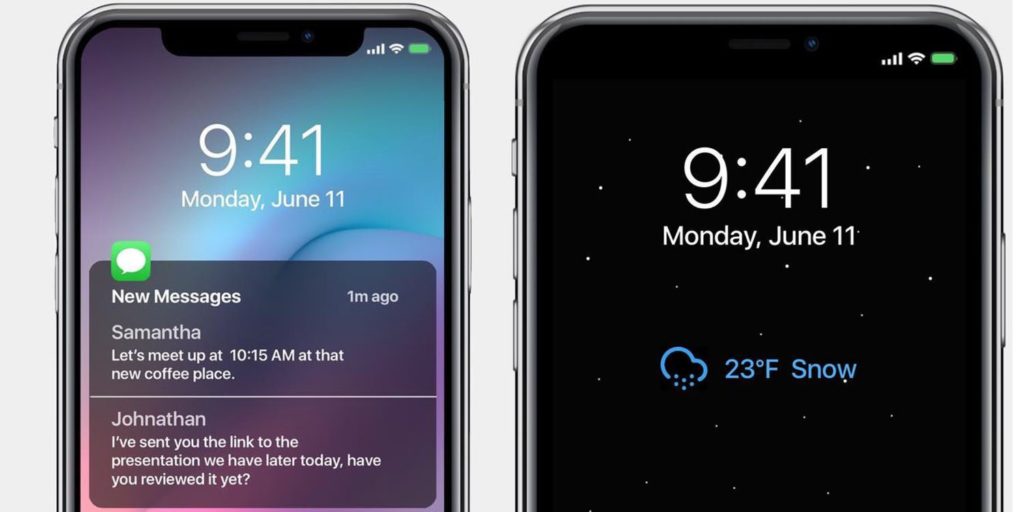
    Photo Credit: 9to5 Mac 

    This one is a pretty great overall quality of life change. Now, like notifications will be grouped together, making it easier to parse what notifications you’re getting. This is great for cutting down on clutter. You can also mass-silence notifications of different type with a tap. More advanced Do Not Disturb options are also available for those who want to get picky with their notifications. 

    Voice Memos App
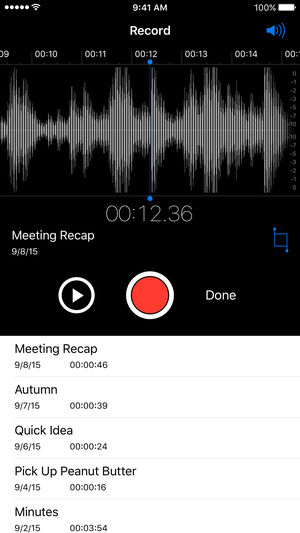
    Photo Credit: iTunes 

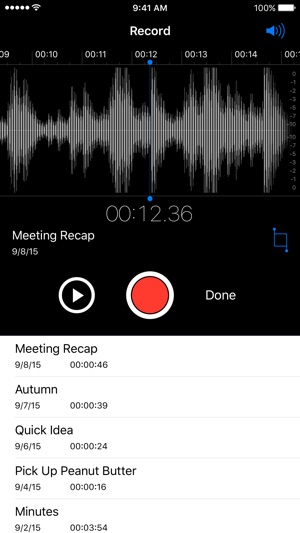
    Some changes to the voice memos app are welcome. They include fast forwarding and rewind controls, which are great. They also added iCloud storage for your voice memos. If you use this fucntionality a lot, you’ll be really happy to see these changes. Nothing major, just great to see. 

    Photos Search and Suggestions

    Another general quality of life change, this beta has introduced new functionality to the Photos App. The first is a new photo suggestion mode that suggests which pictures you may like to share with others via social media. The other is a new suite of search terms to help find your pictures. If you use Instagram a lot and take tons of pictures, these are awesome new features! 

    Group FaceTime
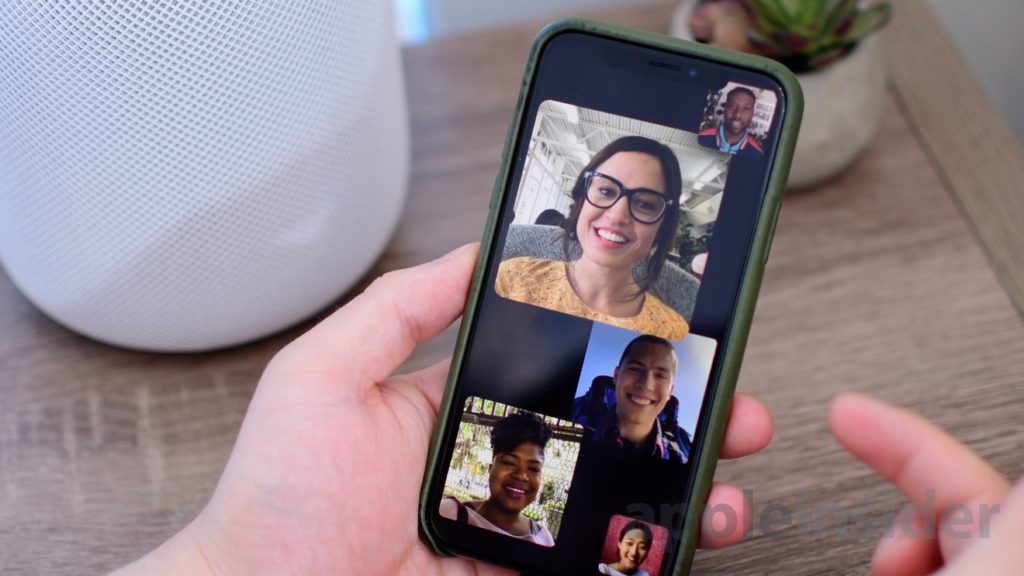
    Photo Credit: AppleInsider 

    FaceTime now supports up to 32 users at once. Awesome! It also now switches focus based on who’s talking which makes this great for meetings or more informal conversations. Speaking of informal, you can also add your Animoji or Memoji to these massive group conversations. Sounds chaotic, wacky and fantastic! 

    What’s Missing?

    ARKit 2
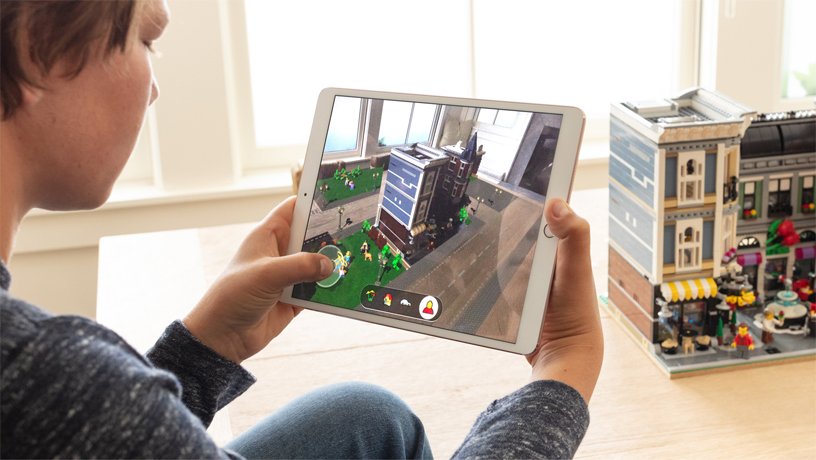
    Photo Credit: Apple 

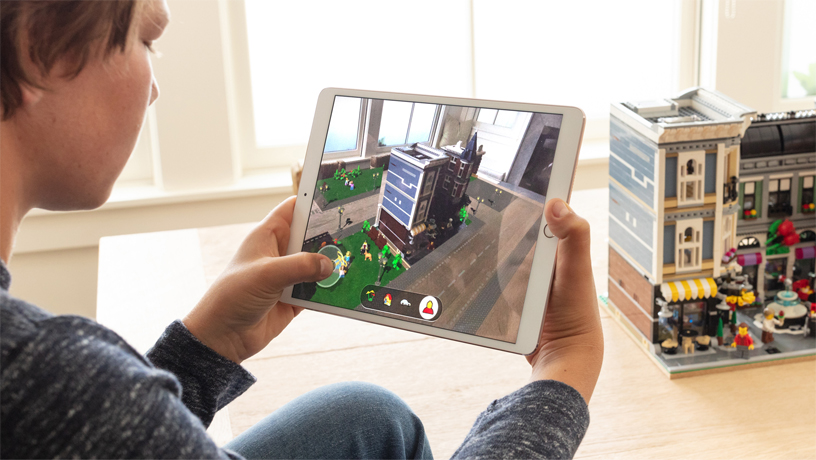
    Apple’s big push for augmented reality isn’t present in the beta. While the Measure app uses the new augmented reality functions, other apps that do this already exist. We’ll have to wait until the third party apps that support the new ARKit ship when the OS launches. 

    Siri Shortcuts
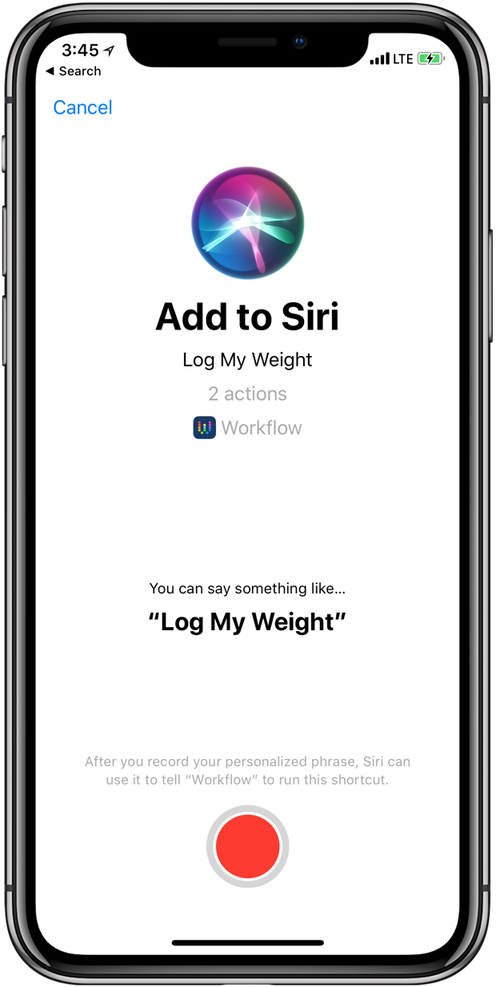
    Photo Credit: 9to5 Mac 

    This feature currently works haphazardly with a few different first-party apps. Third-party support for the new Siri functionality hasn’t launched yet, though. Creating your own shortcuts for Siri is likely to be one of the biggest draws to the new OS when it launches. Apple has been trying to keep up with Alexa and Google Assistant, but Siri has been lagging behind. Seeing these features aren’t ready for full beta-testing yet doesn’t exactly inspire confidence.  

    What We Wanted in the iOS 12 Beta: Better Siri Overall 

    Siri was the first virtual voice assistant, but she’s changed little since she launched seven years ago. When Siri launched, phones didn’t have biometric scanners and smart homes sounded like a sci-fi future. Apple hasn’t rolled out the kinds of changes to Siri we’d have liked to see in this beta. Hopefully they have more changes, and more uses, coming later in the beta. For now though, we’re disappointed to see this cutting edge company lagging behind in this field. 

    Feature Image Credit: Apple
  • Changes We Want to See in the Next iPhone

    Changes We Want to See in the Next iPhone

    Apple’s iPhone X made waves when it was released last year, but maybe not as many as the American tech giant would have liked. While the launch wasn’t a flop by any means, it could have been bigger. What could Apple have done to make the phone more desirable? What changes would we like to see on the next iPhone? Today we’ve got a roundup of the changes we most want to see from Apple. 

    USB-C Port 

    The proprietary port that debuted with the iPhone eventually gave way to the Lightning port. However, as the industry moves to USB-C, a universally praised standard, Apple lags behind. The tactic of using a proprietary port to charge more for replacement charging cables is unsightly. Apple could score serious goodwill for bucking their tradition of brand-specific ports. The Macbook line already uses USB-C exclusively, so this one doesn’t seem outside the realm of possibility.  

    Fast Charging 

    While on the subject of charging ports, we’d love to see Apple catch up to the industry on fast charging. While the Lightning cable allows for reasonable charge times, true fast charging hasn’t hit the iPhone yet. Given that nearly every Android phone has fast charging in the box when you buy it, it’s pretty glaring that the $1,000 iPhone X doesn’t. What gives, Apple? While you can get a Turbo Charger and a USB-C to Lightning converter, you shouldn’t have to use weird workarounds to use industry standard tech on a cutting-edge phone. 

    Ditch the Switch 

    That side switch for controlling vibration and alerts has got to go. The functionality it controls could easily be worked into the control center of the phone. It isn’t convenient to have this arbitrary function bound to a physical button. A button that can be easily flipped accidentally while in a pocket. Thus, causing your phone to ring at full volume during a meeting. Yeah, I’m not bitter or anything. But they should absolutely leave this dumb side switch off for the next iPhone. 

    Most Important Change for Next iPhone: Lose the Notch 

    This is the big one. While many users have grown accustomed to the screen-notch, it’s an eye sore for many potential users. Apple had to find space for the Face ID technology somewhere, that makes sense. But perhaps holding off on edge-to-edge displays until the technology allows the elimination of the notch is better than this compromise. The notch is distracting at worst and bearable at best, which is hardly something you want people saying about your $1,000 phone. If Apple can find a way to make the screen truly edge-to-edge, we’ll all be quite pleased! 


  • Untitled post 5000

    Wireless earbuds often leave a lot to be desired. For one thing, a lot of them aren’t actually wireless. When you’re trying to listen discreetly, or listen while exercising, you don’t want a wire hanging down from your ears. For the absolute best in truly wireless, though, you do have to shell out a bit. Thankfully, we’ve got a round-up of some of our favorite truly wireless earbuds! 

    Bose Soundsport Free 

    Bose doesn’t tend to disappoint, and these truly wireless earbuds are evidence of that. While they cost a full $200, they’re still a great buy. They have a great fit and good sound quality. Bose’s Soundsport also comes with a charging case that holds two extra charges! They look a little goofy, sticking out of the ears a good way, but they sound good enough that it’s forgivable. Truly, if you’re an audiophile and don’t mind the tight fit, these are your best bet. Their biggest drawback? They cost more than the excellent Jabara Elite Active 65t. If sound quality is your main and only concern, though, go with the Bose Soundsport Free. 

    Apple AirPods 

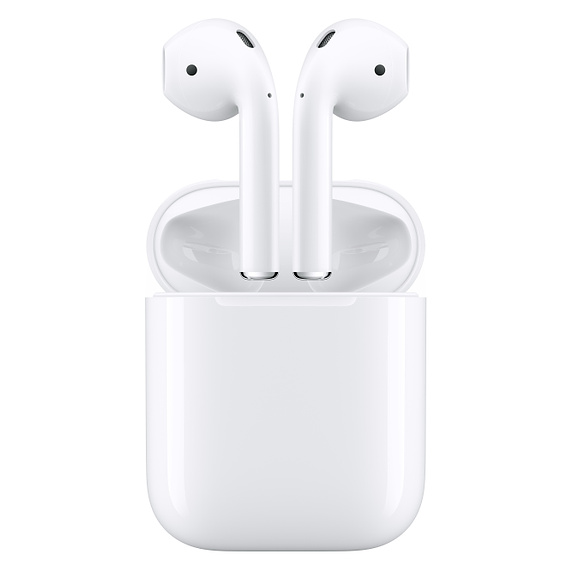
    For a good while, Apple’s entry in the truly wireless market was the best. Recent releases have given them serious competition, but they’re still a solid choice. For one thing, they’re the best value among earbuds on this list, retailing for $160. They don’t have the tightest fit, but some prefer the more open-feeling fit. The AirPods also come with a charging case, and they’re delightfully lightweight. They have reasonable call quality, and they fit easily in a pocket while in their case. The downside? Well, they look sort of lame. Their weird, long stalks make them look kind of dorky, which seems to be a running issue with wirless earbuds. 

    Our Favorite Wireless Earbuds: Jabra Elite Active 65t 

    Apple’s Air Pods are a step in the right direction, but they’re not as great as the Jabra Elite Active 65t. Sporting awesome sound quality and sweat-proofing, you really can’t go wrong with these. They’re durable and long-lasting, with true sweat-proofing that will keep them going even after intense exercise. They’re also good for making phone calls as they have two microphones in each pod. The best part? They actually look pretty slick! Unlike most of their competition, the Jabara Elite earbuds don’t look quite so goofy! They’ll cost you, though. They retail for $190. 

  • Ongoing Security Measures from Apple May Not Be Enough

    Ongoing Security Measures from Apple May Not Be Enough

    Apple’s newest moves to protect their users from data tracking were on showcase at their WWDC conference. Privacy experts largely praised their attempts to block “device fingerprinting” and keep users from being tracked by sites. Sadly, many say, their efforts likely aren’t enough. The biggest issues are logistics. Consumer data is a huge target and covering it adequately would be like making sure no trees were ever cut down. Not to mention, companies like Facebook and Google make billions of dollars by tracking users for targeted advertising. While criminals tracking users are a problem, they’re largely piggybacking on techniques made by legitimate companies. As such, Apple is largely fighting a losing battle. 

    The Age of Paranoia 

    People are quite aware of the ways their data is being collected and used against them now. Namely, Facebook’s notorious Cambridge Analytica breach is a prime example. In our age, people are paranoid of any misuse of their data. Yet, they’re not taking advantage of the tools that could protect them. Companies that create counter-tracking software report that there are depressingly few people using their countermeasures.  

    Similarly, Apple’s counter-tracking measures, while valiant, aren’t enough to truly hinder the vast number of different tracking devices on the web. Google’s Android operating system is more popular by number of users and offers no such protections. This allows the trackers to propagate and refine themselves even though most users are aware of them. 

    The Age of Apathy 

    The worst part? The average users don’t even care that their data is being tracked. Nearly every website has Google or Facebook trackers embedded. And there are hundreds of companies you’ve likely never heard of that are also tracking you. As such, it’s easy to get overwhelmed and feel apathetic in the face of the countless ways your data is being collected. And it’s that very apathy that empowers these companies to keep harvesting your data and targeting you with ads.  

    Companies like Apple Aren’t the Norm 

    Even worse, Apple is nearly alone in Silicon Valley in opposing these practices. Their biggest direct competitor is Google, and Google is the most egregious offender in data collection. As much as Apple tries to defend their own consumers, they’re fighting an uphill battle. Thankfully, smaller companies like Ghostery are on the case, too, but they’re vastly outnumbered.  

    Ghostery, for their part, has turned to artificial intelligence to help shore up countermeasures for tracking software. Perhaps Apple will take a similar track and use the strongest tools of the data harvesters against them? In the meantime, be careful with your sensitive data, and consider getting a plug-in like Ghostery for your browser!