Tag: Google

  • Nest CEO Steps Down After Google Rearranges

    Nest CEO Steps Down After Google Rearranges

    Google acquired smart thermometer maker Nest in 2014. Nest, founded by ex-Apple engineer Tony Fadell, has experienced a ton of shakeups lately. New reports from C-NET indicate that Alphabet, Google’s parent company, even shopped the company around to Amazon at one point. Given Google and Amazon’s current relationship, that’s honestly quite surprising.

    Nest CEO Marwan Fawaz

    Fawaz was installed in 2016 after Fadell left the company. According to anonymous sources from within Nest, he wasn’t exactly an office favorite. Many felt that Fadell was a visionary, and his brand of leadership inspired the team. His Apple-inspired product design led to clean, effective products. Fawaz, on the other hand, proved to be a bit more of a “logistics guy.” It’s not so much that he was disliked, according to sources, as he was un-charismatic.

    Many sources stated that they felt as though Fawaz was more of a “numbers guy,” someone who was more suited to logistics than leadership. In fact, Fawaz is moving to an advisory position within Alphabet, which indicates that his bosses felt the same.

    Google’s Fight to Dominate Smart Homes

    In February, Alphabet rolled Nest back into the fold after leaving them as a semi-independent entity since 2015. In the interim since Google acquired Nest, the smart home market has heated up significantly. Amazon holds nearly half of the market, its Alexa virtual assistant being a household name. Google, by contrast, only holds about a quarter of the market. This is something they wish to change, of course.

    Amazon doesn’t sell Google’s smart home products, generally. Nest thermostats and some other Nest devices appear on the site, but Google’s proprietary Google Home is nowhere to be seen. That has certainly limited Google Home’s reach, and the company has been playing catch-up in that regard. However, Google has also pursued upgrades for its assistant through its incorporation in their smartphones. Google Pixel phones and Android OS both support Google Assistant, just like Google Home. This gives them a unique edge over Amazon, one that they plan to leverage.

    However, the relatively unstable Nest situation has certainly not helped them achieve smart home domination. In that light, Fawaz’s redeployment as an advisor makes sense, as Google reworks the hierarchy of their smart home division. The heat is on, and they want to win the race with Amazon.

  • Google’s Duplex AI Now Open to Beta Testing

    Google’s Duplex AI Now Open to Beta Testing

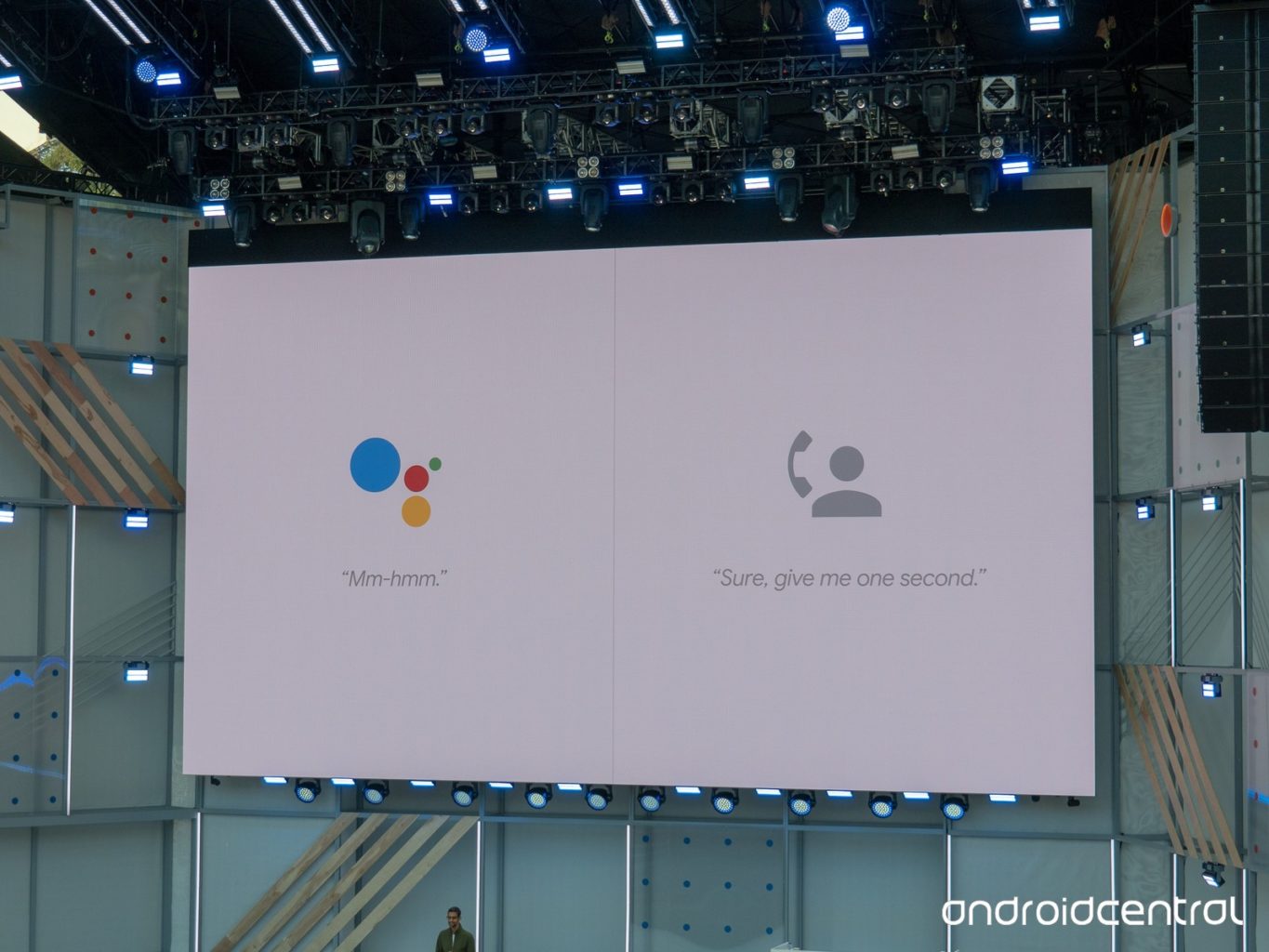
    The eerily human-sounding Duplex AI is now in its beta testing phase. The technology sparked a ton of interest when it was introduced at Google’s I/O 2018 conference. On the one hand, this kind of human-sounding virtual assistant was surely the next step for the technology.  

    However, concerns were raised over the ethics of the software. It sounds nearly indistinguishable from a human to the untrained ear and was made to make phone calls. Googe says the software will identify itself as non-human when it goes live, but that doesn’t mean there’s no room for misuse. ting phase. The technology sparked a ton of interest when it was introduced at Google’s I/O 2018 conference. 

    The Beta Testing 

    Google has begun the beta testing phase by having Duplex call businesses that have opted in to the program. Such businesses will receive calls from Duplex to verify things like business hours, and holiday hours. The primary function of the AI, booking appointments, won’t go live until later this summer. For the time being, Google is simply fine-tuning the technology to sound more lifelike and hone its conversational skills.  

    A Question of Responsibility 

    What kind of responsibility does Google bear in regard to Duplex’s ability to fool people? Technology like this could be used to make a nonliving entity fool humans into thinking it’s alive. Google has attempted to address these fears, stating that the AI will tell whoever it talks to exactly what it is. Something like “Hi, I’m the Google Assistant, calling to make a reservation for a client,” will be stated, perhaps not in those exact words. Even if it’s supposed identify itself as AI, it’s the existence of the technology itself that worries some analysts. 

    Google, for its part, has released its manifesto on AI, detailing what they will and won’t develop. It seems they are interested in ensuring the launch of Duplex is ethical. This is good, as it will set the tone for future mass-market AI releases. By setting the right tone out of the gate, Google may be seeking to curb fears that AI will be mishandled. We’ve got our fingers crossed that they know what they’re doing. 

  • Rumor Roundup: Google Pixel 3

    Rumor Roundup: Google Pixel 3

    Google’s Pixel line of phones hasn’t dethroned iPhone the way it may have hoped, but it’s done a fair job impressing reviewers. The Pixel 2, for instance, is considered one of the best smartphones in the world right now. Behind, of course, the Galaxy 9 and iPhone X. That one likely stings for Google, a company that wants to be everything to everyone. How are they intending to reverse this trend for their next phone? Let’s check out some of the rumors surrounding their upcoming smartphone. 

    Another Phone with a Notch 

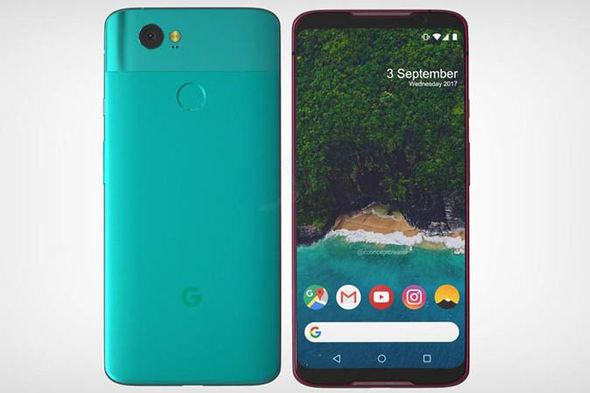
    A leak of the Pixel 3 design suggests that the phone will sport an iPhone X-style top notch. While many find the notch distracting and unnecessary, phone makers seem to take it as a marker of Apple-like design. Google, for their part, seem to be embracing the comparisons between themselves and Apple and leaning into this design decision. The same leaked render shows that the phone will have a back-mounted fingerprint scanner, instead of an in-display scanner. It also suggests that the phone won’t have the dual-camera setup on the back that many have adopted for Bokeh-style portraits. This makes the Pixel 3 something of an echo and downgrade from similar phones, design-wise. 

    Other Apple-Like Features 

    Another rumor holds that the Pixel 3 may have a Face ID-style 3D face-unlock. This is evidenced by the apparent dual front-facing cameras in the top notch in leaked photos. In fact, Face ID is the main reason Apple went with the notch design: the iPhone X had to put its face cameras somewhere. Thus, the notch was born.  

    Another Apple-like update, rumors hold that the Pixel 3 will sport negligible bezels, iPhone X style. This is great news for those who were hoping for a more visually striking phone from Google. As great as the Pixel 2 is, it’s design is a bit bland. In order to remedy this, it seems, the phone maker is aiming for a much bolder design.  

    Three Models of Google Pixel 3 

    Another leak holds that there will be three different Google Pixel 3 models released simultaneously. What this would entail isn’t yet known, but there are some conclusions we can draw at a glance. The first is that one of the models will likely be a budget option, perhaps with an LED screen and less memory. It stands to reason that a mid-tier version, maybe with an OLED screen and more memory would be on offer. Finally, a high-end, or maybe XL version, could be the third model.  

    We’ll certainly know more as we get closer to release. The Pixel 3 will likely be released sometime in late 2018, after September or October. 

    Feature Image Credit: Express.co.uk 

  • Feature Round-Up: Acer Chromebook Tab 10

    Feature Round-Up: Acer Chromebook Tab 10

    While Android tablets are all but dead now, Google is still interested in using tablets for educators and students. To that end, the first tablet running Chrome OS, the Chromebook Tab 10, is slated to be the best classroom slate yet. We’ve got a quick roundup of some of the most notable features of the Acer Chromebook Tab 10. How will it make the class experience better for teachers and students? Let’s check it out! 

    The Specs 

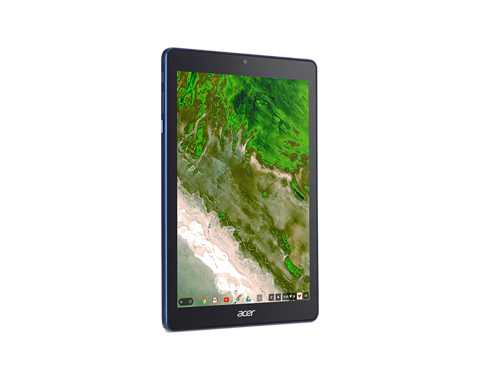
    First off, it’s a huge tablet. It’s got a 9.7-inch screen and weighs a solid 1.2 lbs. This is great for the classroom, as it means it’s got enough mass to not get lost or misplaced! On the tech side, it’s got 4 GB of RAM, an OP1 CPU and a Mali T860 GPU. This all adds up to the tablet being more than powerful enough to handle any classroom duties. This will likely be many kids’ first experience with tablets, so it’s good that this one has all the power needed to handle basic tasks.  

    Interestingly, it also sports a USB-C port. That port’s versatility is a great boon for classroom settings! Charging, of course, is the primary use, but sending video and transferring data are also uses the port allows for. 

    Design 

    This big tablet has a rubberized back and big bezels. It’ll likely prove quite durable and kid-friendly. It’s set to come in a number of bright colors, making it great for kids. That big size does bring up a problem, though: it’s hard to type on. While Chrome OS allows for Bluetooth keyboard connection, the Acer Chromebook Tab 10 doesn’t have one included. As such, typing on the big on-screen keyboard is a little awkward. For kids with small hands, it’ll likely be even harder. The fix, laying it on a table and pecking the keyboard with the index finger, works, but itsn’t ideal.  

    Stylus 

    It also sports a Wacom stylus, which can be whipped out to easily pen notes in the middle of class. It’s a little short and wouldn’t be great for a professional or artist, but for a kid taking notes or drawing it’s perfect. It doesn’t recognize tilt, and it sports a bit of latency, but these are deal-breakers for what the tablet’s meant to do.  

    Acer Chromebook Tab 10: A Little Awkward, but Great for Students 

    The tablet is a bit funky, and the Chrome OS has some kinks when used for a tablet. However, Acer’s tablet is a great proof-of-concept. The student-friendly Chrome OS is absolutely well-positioned for tablet use, it just needs a bit of fine-tuning. The tablet costs $329, making it relatively affordable for classroom use. Thusly equipped, kids will be learning in no time. If we keep using technology like this, maybe the future will be pretty bright after all. 

  • Google Maps and Uber Fall Out

    Google Maps and Uber Fall Out

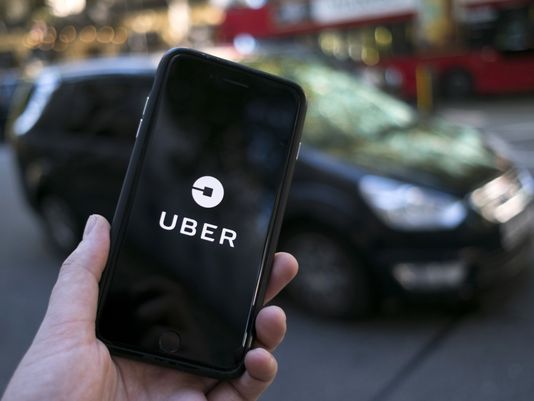
    Uber and Google Maps have been integrated since January of 2017. However, in the newest Android update, that integration has been rescinded. Previously, users were able to see prices and hail Ubers directly through the Google Maps app. Uber was the only service that offered direct integration through the Maps app. While several other services, like Lyft, are visible through Google Maps, only Uber could be paid for directly through the app.  

    Why are Google and Uber Done? 

    It’s unclear why this split took place. Perhaps the ride-sharing giant would rather customers open their app and use it. Maybe Google tired of supporting just Uber through their Map app and didn’t have plans to integrate other ride-sharing apps. In any event, users can still see ride sharing details in Google Maps. Now, however, they will be moved to the ride-sharing service’s app when they want to actually hail a ride and pay for it.  

    Continued Troubles for Uber

    Uber has been in a good deal of hot water lately. For one, they’ve been under fire for classifying their employees as contractors, thus avoiding paying for insurance for them. Additionally, the company faced allegations of turning a blind eye to sexual misconduct last year. Other issues last year, like fines from many states at localities, lack of diversity in hiring and leaks of medical information led to the demotion of then-CEO Travis Kalanick.  

    Since then, the company has reaffirmed its commitment to hold itself to a higher standard. The ethical issues of its impact on the gig economy, however, are unresolved. Between pressuring traditional taxi services and warping the economy of transportation, the company has had a substantial impact. Despite being worth billions of dollars, they own very little in the way of cars or employees. They are still able to classify their drivers as contractors and use the property of others to fund their own profits.  

    These issues likely had little to do with the app’s de-coupling from Google Maps, but who knows? Perhaps Google is trying to send a message on how they feel about companies like Uber. Or, more likely, Google simply decided it didn’t want to be so closely identified with a company that has a record as rough as Uber’s. 

    Feature Image Credit: USA Today

  • Google Pay, Samsung Pay, Apple Pay; Which is the Best Virtual Wallet?

    Google Pay, Samsung Pay, Apple Pay; Which is the Best Virtual Wallet?

    Between Apple, Samsung and Google there are a ton of virtual wallet apps looking to power your transactions. Today we’ll break them down based on their strengths and weaknesses and tell you which one is our favorite! 

    Google Pay 

    Google Pay and Apple Pay have a lot in common. They both use NFC technology to broadcast information over short-range bands. This means the merchant you’re buying from needs to have an NFC-enabled card reader. While most modern businesses are equipped with standard NFC technology, some Mom and Pop places will be behind the curve on this. Google Pay also allows you to send money to other people, regardless of whether they use Android or iPhone. You can also use certain Android Wear watches to pay! 

    The downside to Google Pay, though, is that it only has one layer of authentication. One your phone is unlocked, Google Pay just works automatically. It doesn’t ask for a fingerprint or PIN, it just sends the transaction. This could be an issue for those who shop a lot online and are used to using the secondary authentication as confirmation that they’re about to actually spend money. The other drawback to Google Pay is that it isn’t as widely accepted online as Apple Pay, which is ubiquitous. 

    Samsung Pay 

    Samsung has an edge over the competition: magnetic secure transmission. Where Google and Apple both use NFC technology to broadcast info, Samsung can use MST to “trick” older machines. Card machines all read magnetic information, so Samsung Pay fools them into thinking a card has been swiped. This allows you to use e-pay even at vendors who aren’t explicitly set up for it. The Samsung Gear S3 also supports MST, if you’re a smartwatch fan. Samsung Pay, like Apple, does require a biometric scan or PIN to confirm purchases, which is good.  

    The drawbacks? Samsung has no peer-to-peer payment option, which is a bummer. It’s also only available on Samsung phones, making it the most limited of the three. It’s MST technology is pretty awesome, though. 

    Apple Pay 

    Apple Pay is the most widespread of the three as far as online support goes. It’s available only on iPhones, though. It uses NFC, like Google Pay. You can send peer-to-peer payments, but only to other iOS users with an Apple ID. You can also use an Apple Watch to pay if you don’t want to go digging in your pockets for your phone at checkout. It uses either a fingerprint scan or Face ID to authenticate purchases.  

    The drawbacks here are the lack of MST and the Apple-only peer-to-peer.  

    Which Virtual Wallet is the Best? 

    Turns out, they’re pretty evenly matched. Apple has a slight edge over Google with its authentication and ubiquity, but Google has peer-to-peer payments with anyone. While Samsung has no peer-to-peer payments, it does have MST, which is critical in certain cities with less high-tech merchants. The bottom line is that they are all fine and shouldn’t influence your decision to buy a phone. Unless, of course, you intend to replace your real wallet with you virtual one. In that case, I would have to recommend Samsung, as it works with the widest variety of card readers. 

  • Having Trouble Connecting? Check out Our Favorite Wireless Routers

    Having Trouble Connecting? Check out Our Favorite Wireless Routers

    Nothing’s more frustrating than being in the middle of your favorite show and having the signal drop out. Or, worse, playing a match of your favorite game and then the dreaded “disconnected” image pops up. What are some of the best wireless routers to make sure this doesn’t happen to you? We’ve got our picks for favorite wireless router right here, so don’t worry about disconnecting due to a faulty signal anymore! 

    ASUS RT-AC3200 

    This router supports all three bands: short, medium and long. It is noted for its excellent long-range band and fantastic self-monitoring tools. The router provides graphs and charts for network usage which helps for troubleshooting network issues. It is somewhat difficult to set up and get the most out of, though. This makes it hard to recommend to those who are just looking for a solid router without having to fiddle with tons of options. If you’re relatively tech-savvy and like the idea of having great monitoring of devices, this one is a good pick. You can find it at around $190 from Amazon.  

    Netgear R7000P Nighthawk 

    Netgear’s offering is much easier to set up and use than ASUS’. It features an easy-to-use online portal and offers tons of options for those that want them. However, out of the box it does a great job distributing devices between its two bands. It makes sure there’s less overlap in signals and has excellent range. The Nighthawk is a pretty solid router for $190, and you can’t go wrong with its straightforward, simple functionality. 

    The Best Wireless Router: Google Wi-Fi 

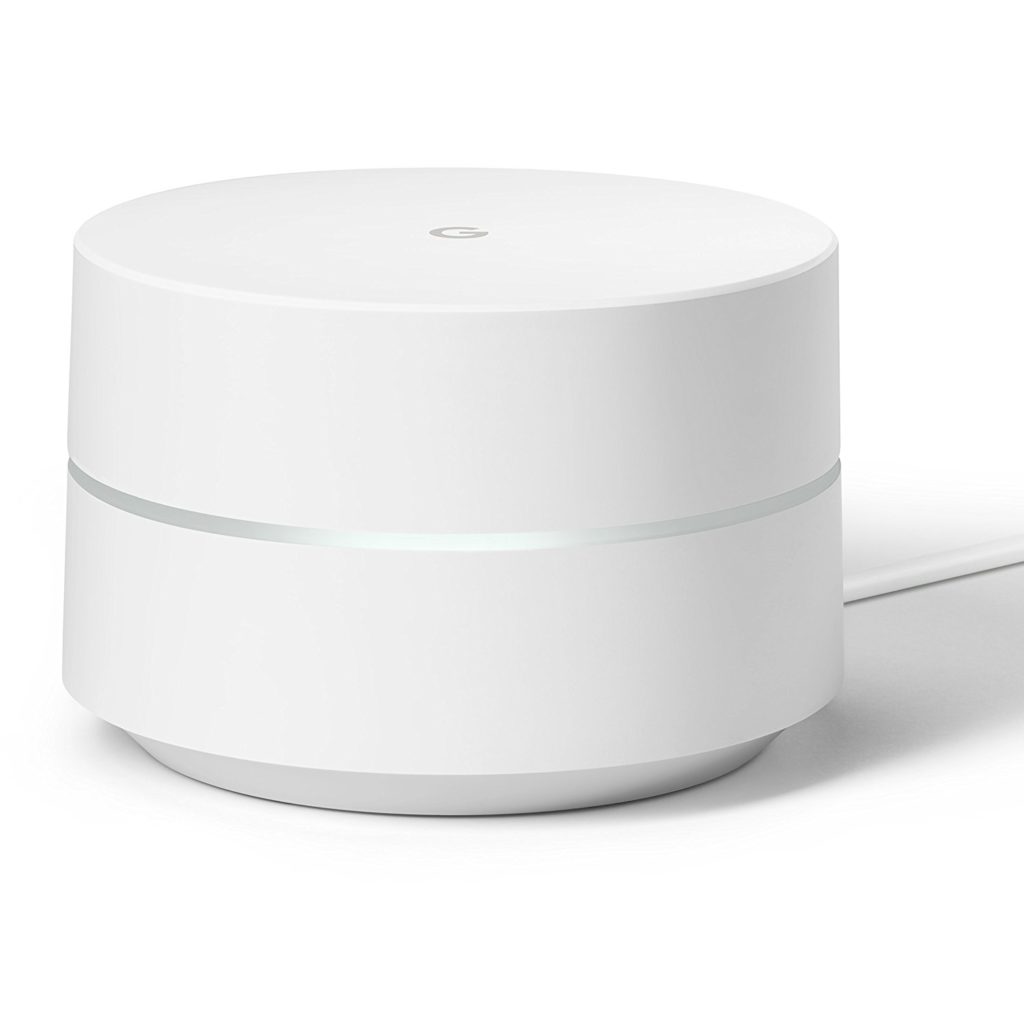
    Google Wi-Fi is absolutely awesome. Rather than relying on one device to juggle various bands, it uses a mesh system. By hooking up multiple receivers, the system is able to produce an area of even coverage of Wi-Fi. The device is sleek and minimalist, as one could ecxpect from Google. The best part, though, is the software.  

    Google Wi-Fi’s app is the portal through which you set up and monitor the system. It allows for easy set-up of guest and family networks. It even sports smart home functional through the app! The best part? A single Google Wi-Fi router is only $120, and one will cover most houses. If you have a bigger house you can opt for a two- or even three-pack set, offering excellent mesh coverage. All in all, the best router for your money. You won’t be disappointed by Google Wi-Fi! 


  • Google Removes Eggs from Salad Emoji for Vegan Inclusivity

    Google Removes Eggs from Salad Emoji for Vegan Inclusivity

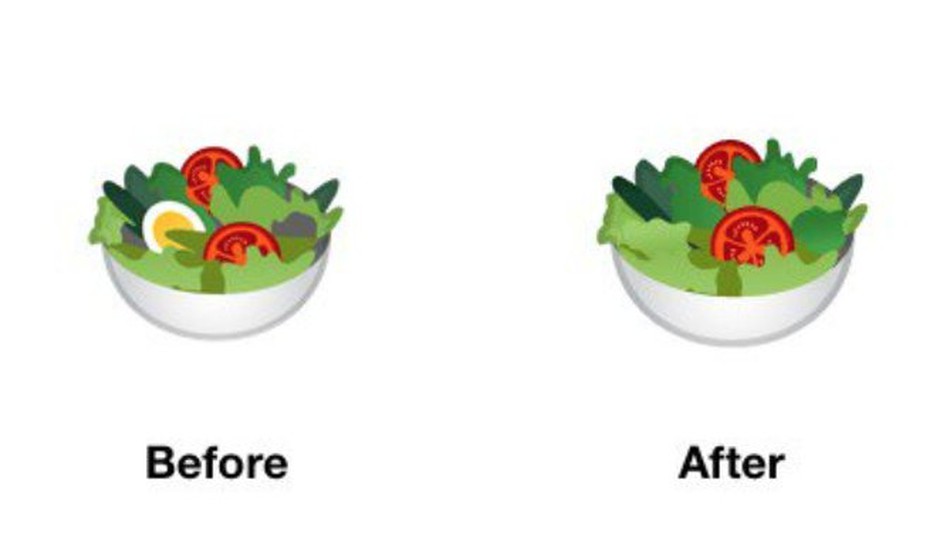
    Emojis are serious business, guys. If you had any doubts, just check out this news from Google. Google’s salad emoji, which used to contain eggs, is now forgoing them in favor of being more vegan friendly! Uh, alright, cool! That salad looks kind of lame, though. Maybe throw some onions or cucumbers in there? Who’s eating their salad with lettuce, tomatoes and no dressing? Don’t get me wrong, there’s nothing wrong with lettuce and tomatoes, but I wouldn’t just eat a big portion of both and call that lunch. 

    Wait, Seriously? This is News? 

    Hey, people take those emojis pretty seriously. Remember when Google’s burger emoji had the cheese under the patty and people freaked out? And a bunch of other people learned that placement of stuff on a burger is important, apparently? If not, I don’t blame you, this is certainly niche news. But people seem to like communicating with each other via pictographs, and the ones representing their food need to be accurate. Or something. 

    Other Food Related Emojis 

    Google is also making their bacon emoji more crisp looking and adding some brown to the edges. See, meat eater, it’s not just vegans getting new stuff! Google probably heard the belly-aching of countless meat eaters at once and headed them off with their favorite thing, bacon. Seriously, you guys are weird with your bacon. Bacon flavored milk shakes? Bacon on double cheeseburgers, as though those didn’t have enough calories already? Bacon on freaking pancakes? I mean, who am I to tell you how to live your life. But you know it’s weird how much you focus on bacon.  

    Does bacon even taste all that good? Is it really worth all the hype? Why am I writing all of this about bacon and salad emojis? Well, anyway, Google’s emoji updates will likely be out in September. Until then you’ll have to live with eggs in your salad and not-so-crispy bacon. 

    Feature Image Credit: Mashable 

  • Android P vs iOS 12: Which Tech Giant is Leading the Future of Smartphones?

    Android P vs iOS 12: Which Tech Giant is Leading the Future of Smartphones?

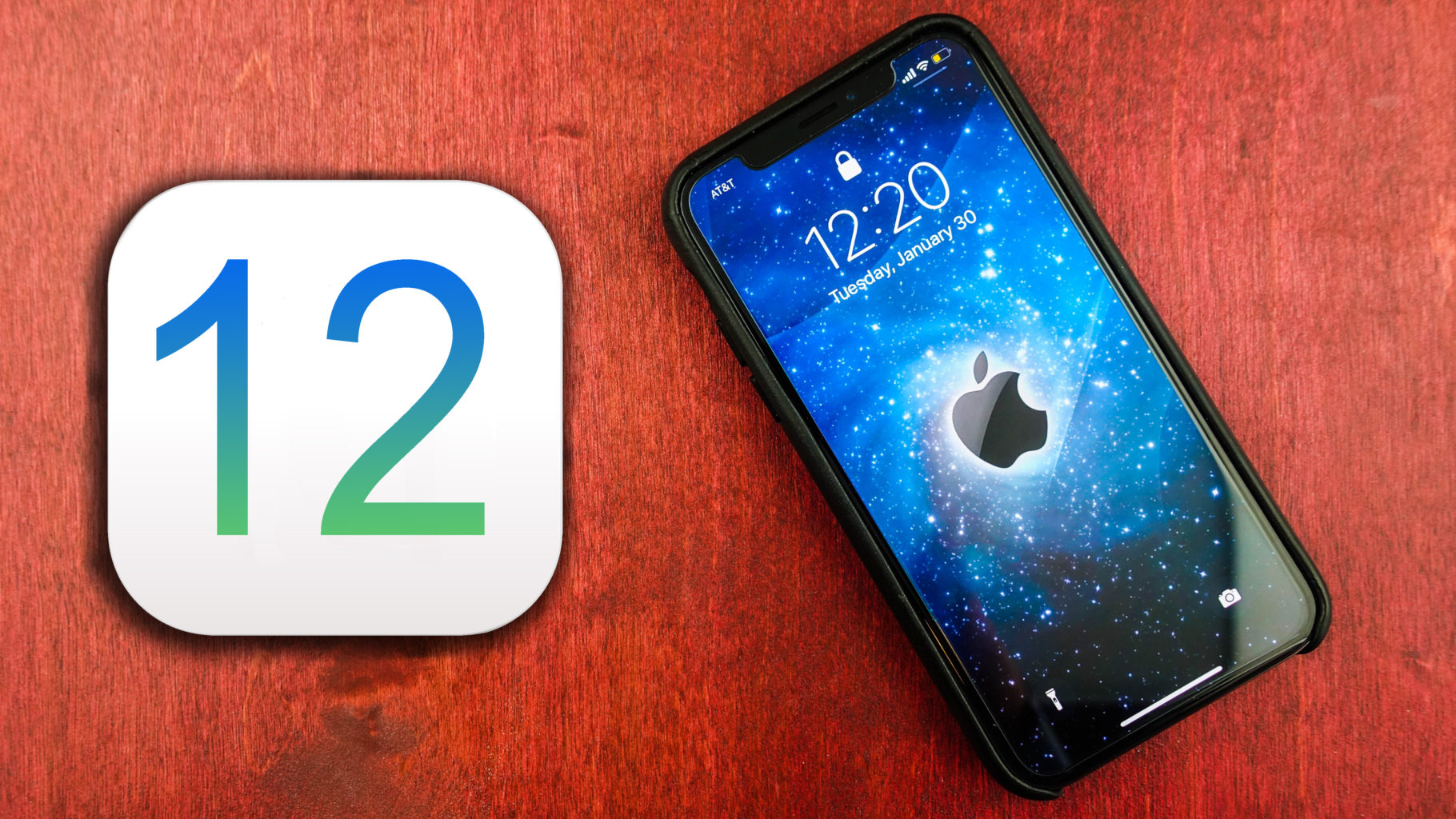
    Both Apple and Google have announced their upcoming smartphone OS updates. On the Apple side, we have iOS 12, a largely iterative and incremental update. Android P, on the other hand, is an OS playing catch-up. It represents Google’s attempt to replicate Apple-like functionality on their open, developer-first platform. Which of them has the edge from what we’ve seen so far? Let’s break down the proposed features of each and find out! 

    When Are They Launching? 

    Firstly, let’s discuss release. It’s most likely that we’ll see both iOS 12 and Android P in September. Both will likely launch alongside their flagship phones. Android P’s beta is going on now, while iOS 12’s is set to come later this summer. So, neither gets an edge, as the two are coming right around the same time. 

    Voice Assistants 
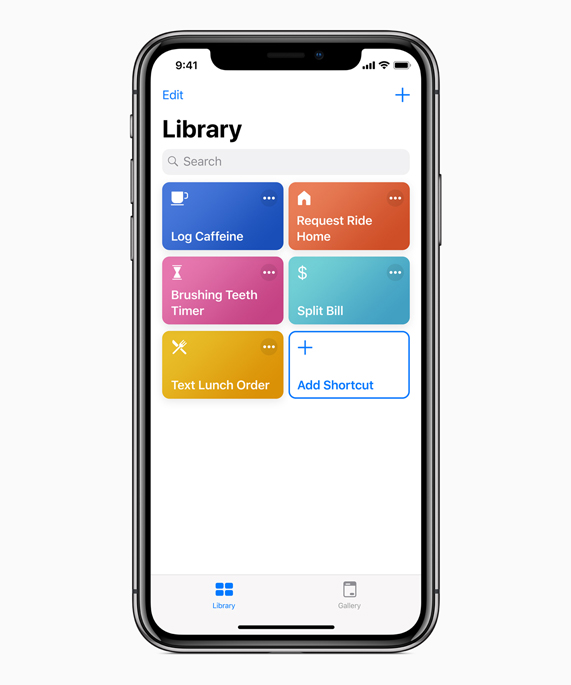
    Photo Credit: Apple 

    Siri is kind of a joke now, sadly. While Google Duplex is making phone calls for you and taking strings of commands at once, Siri doesn’t recognize her own name. Jokes aside, Apple launched the virtual assistant technology in 2011. They’ve had so much time to perfect the tech, to make it awesome, and they haven’t. Instead they were content with a just-OK assistant and let Amazon and, importantly, Google catch up. Now they’ve thrown their lead and have to play catch-up. 

    Siri Shortcuts, coming in iOS 12, is their latest push for the virtual assistant. It’s something of a low-tech answer to Google Assistant. It puts the hard work on the user, having them program action in response to command words. For instance, saying “Going to work,” could pull up your morning news podcast and navigate you past high-traffic routes. This is somewhat lame, considering Google Assistant has similar functions just programmed in by the developers. Google gets the edge, here. 

    Face Unlock 
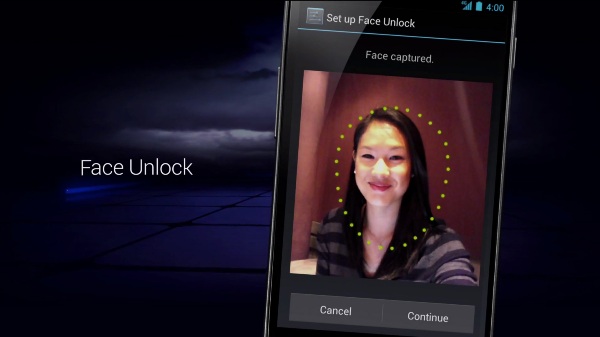
    Photo Credit: Android Authority 

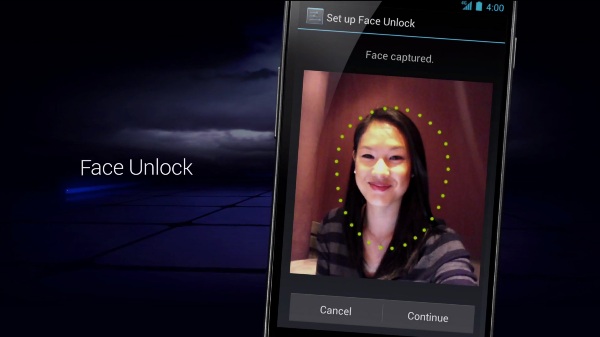
    Face unlock tech was popularized by the iPhone X as an alternative biometric to fingerprint scanning. The iPhone X has a 3D front-facing camera, making its Face ID an incredibly secure, trustworthy locking function. Android’s, by comparison, is noted for its “convenience.” As Google can’t guarantee all phones that use Android have powerful, front facing 3D cameras, they can’t promise strong facial recognition. As such, Android P’s face scanner was famously fooled by a printout of someone’s face. 

    The edge easily goes to Apple. Apple’s Face ID seems like a fully-fledged security feature. Google’s Face Unlock seems like a cash-in on a fad.  

    Messaging Apps 
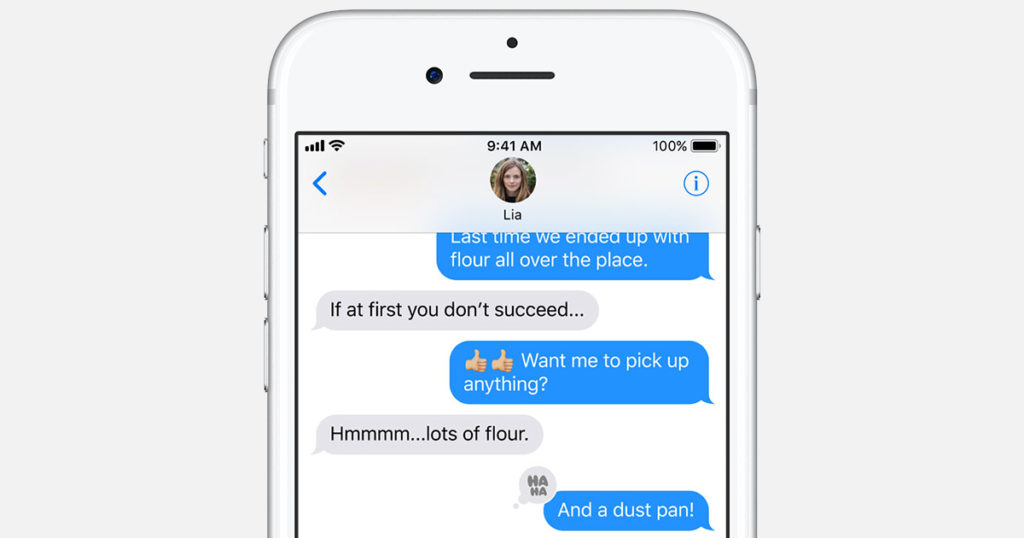
    Photo Credit: Apple 

    Apple’s iMessage wins this one. Google doesn’t even have a proper infrastructure for their messaging app. Google Hangouts is super disappointing when you look at how many things iMessage has going for it. For one, you can FaceTime and do peer-to-peer payments from within the app. You have Animojis and Memojis in iMessage, which are adorable, and you have Wi-Fi messaging to other iPhone users.  

    The edge here easily goes to Apple. Google has some catching up to do with messaging apps. 

    Shared AR 
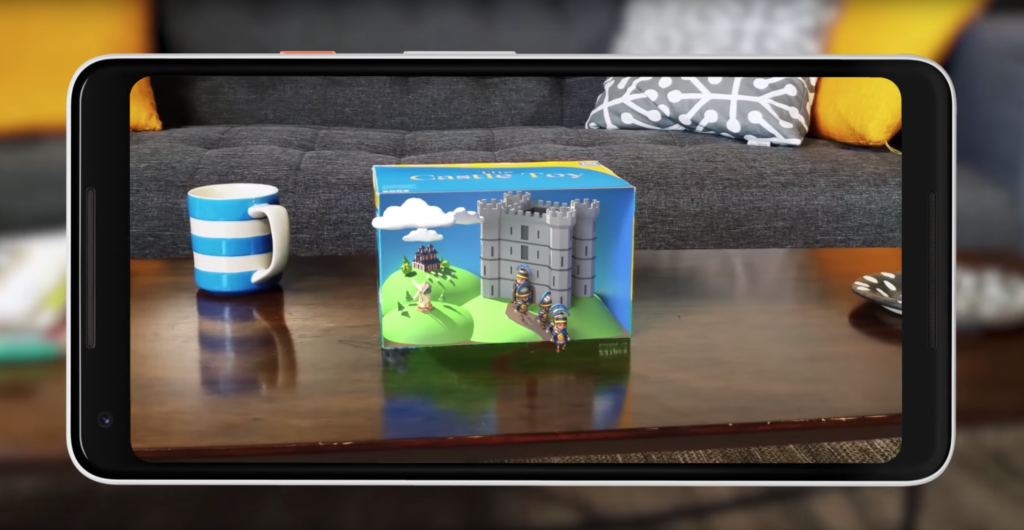
    Photo Credit: Engadget 

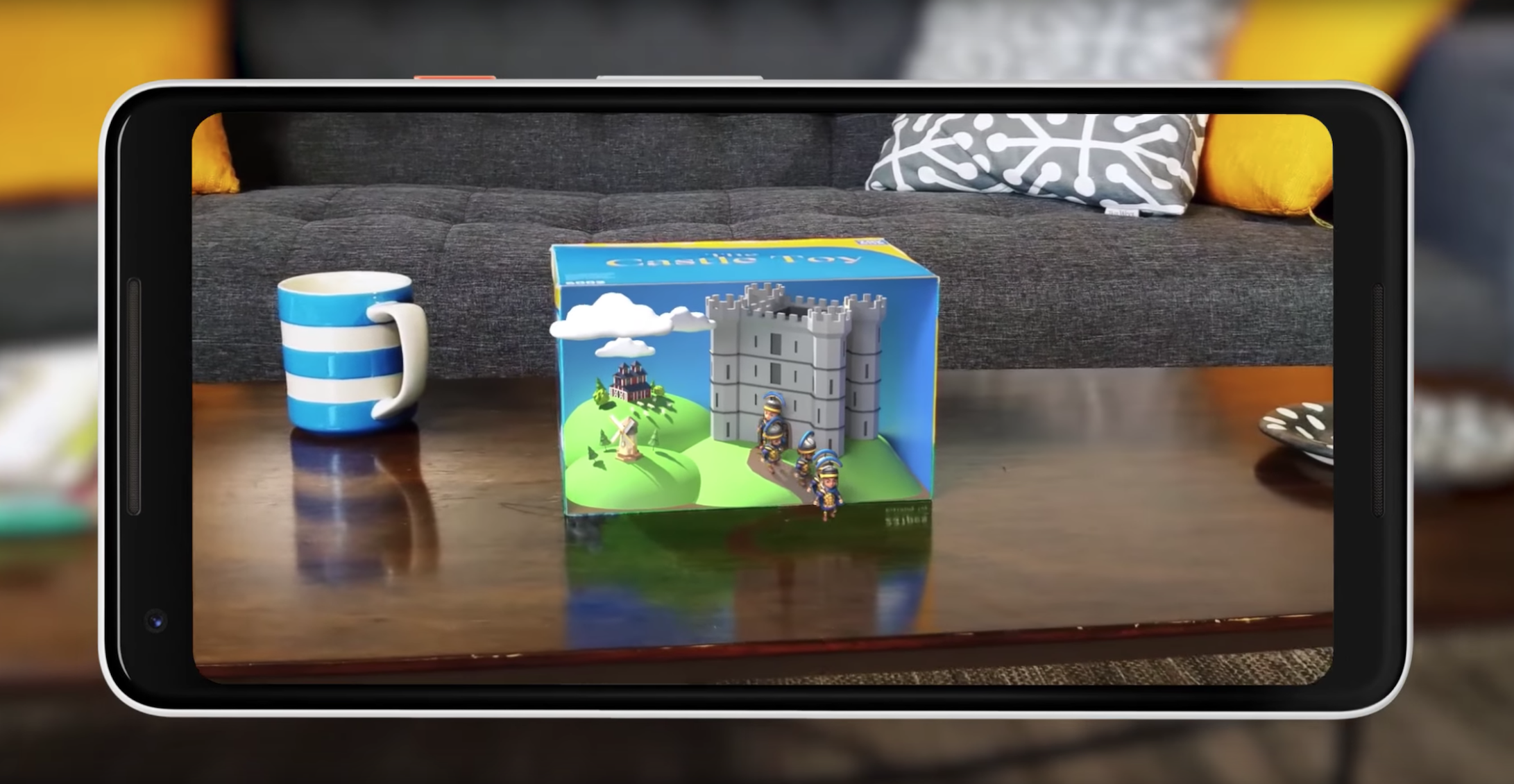
    Shared augmented reality is coming to both operating systems. However, iOS 12’s version is limited to just other iPhones. Meanwhile, Google’s Cloud Anchors work across platforms for any phone. That’s really awesome! Shared AR has a lot of neat applications, like playing games or learning in a classroom. This is tech to watch. 

    Google’s Cloud Anchors have the edge here for sheer breadth of usability. Good show, Google. 

    Maps 
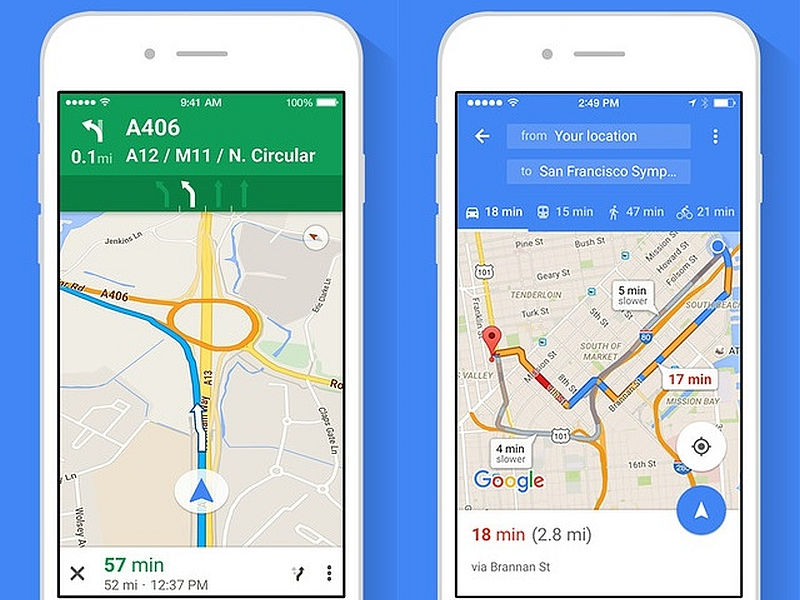
    Photo Credit: NDTV Gadgets 

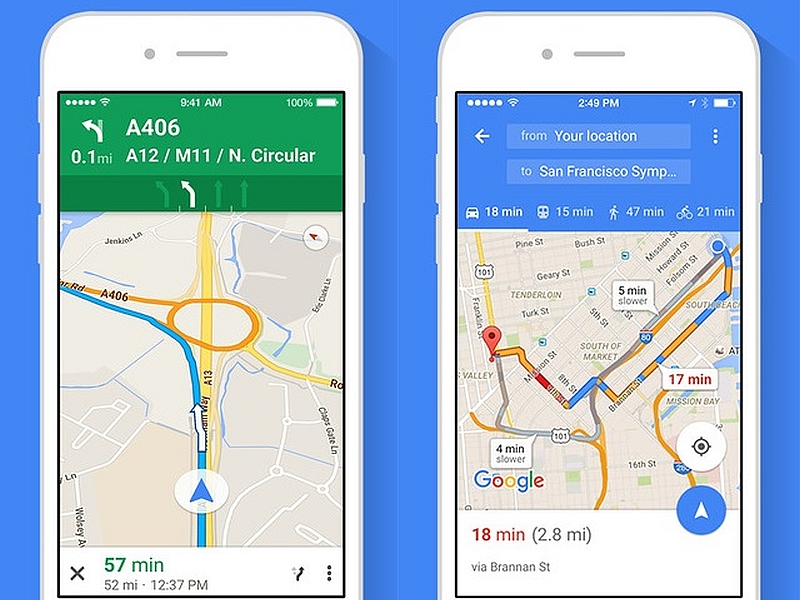
    There’s not a whole lot to say here. Google Maps is still the better app. It’s much deeper and more fleshed-out than Apple Maps. Apple’s map app is fine for surface-level navigation and that’s about it. Thankfully you can just download Google Maps on your iPhone.  

    The edge goes to Google for having a deep, highly-detailed map app. 

    Screen Time Management 
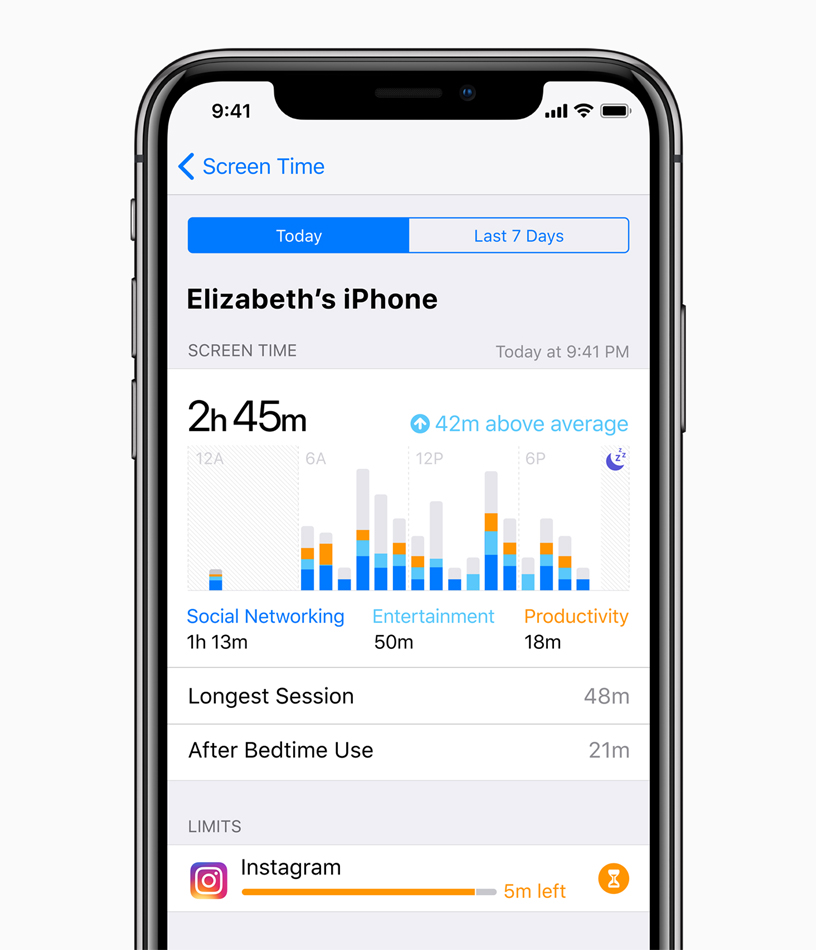
    Photo Credit: Apple 

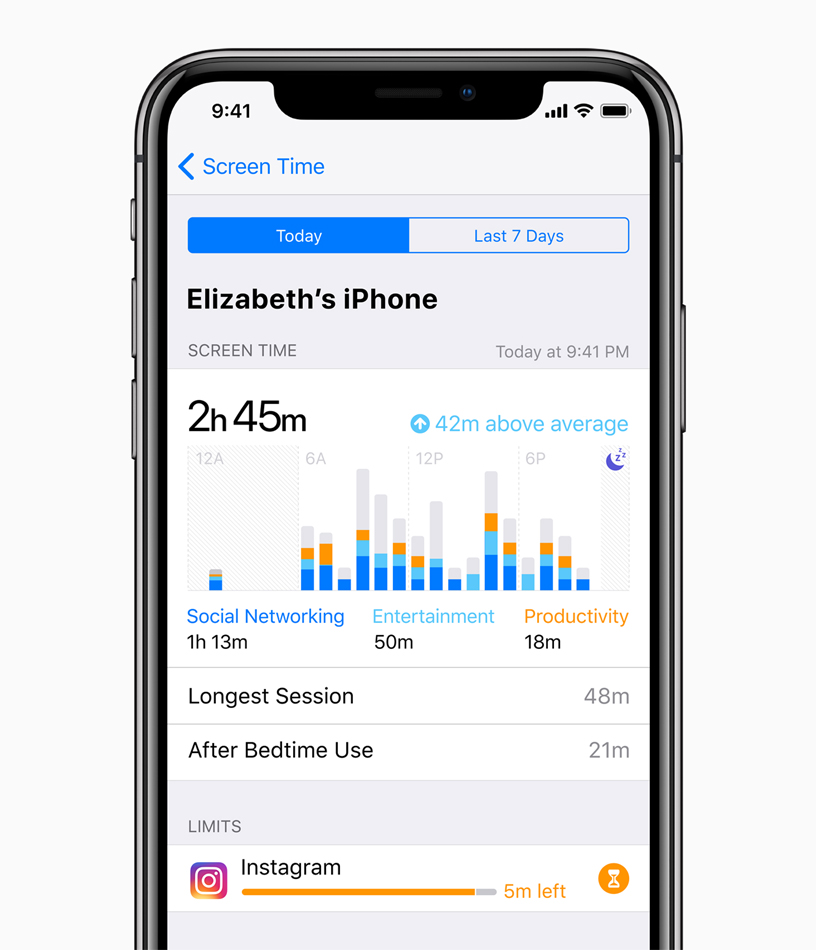
    This is brand new to both Android P and iOS 12. Both operating systems come with ways to manage your time spent using various apps. This is ostensibly to help manage smartphone addiction. The addition of such responsible software is a good sign. However, as both are brand new and neither have been seen, we’ll have to reserve judgment.  

    Neither side gets the edge here, as we haven’t seen enough of either feature. 

    Gesture Navigation 
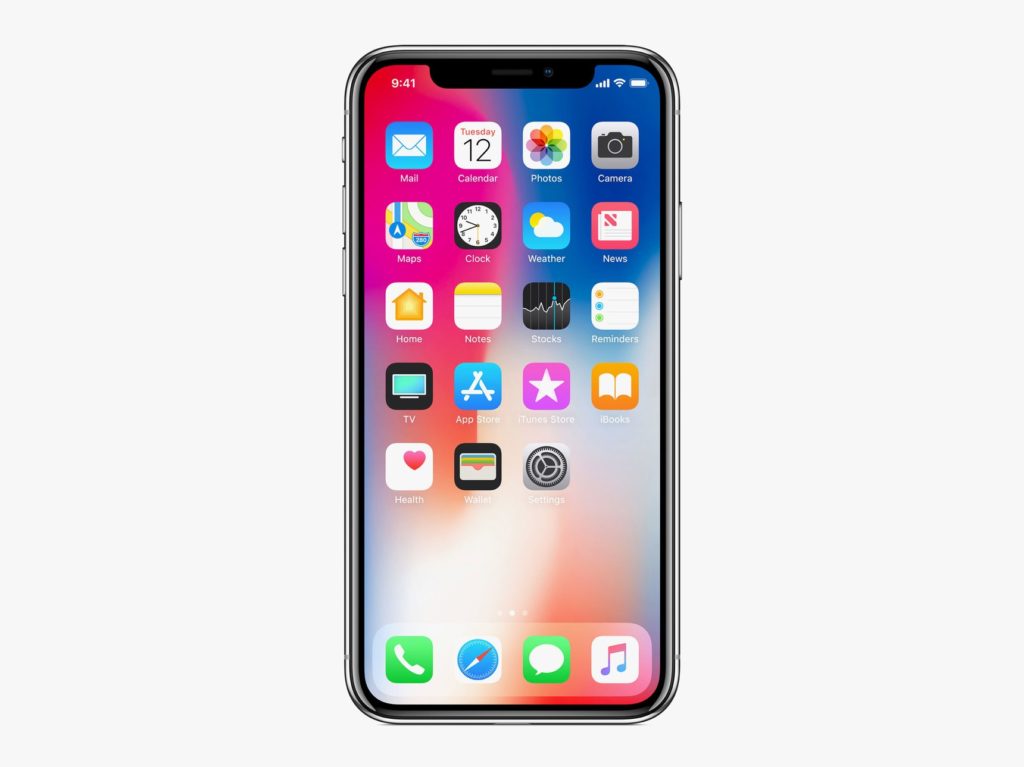
    Photo Credit: Apple 

    The iPhone X popularized gesture-based navigation, forgoing physical or onscreen buttons. It takes some getting used to, but it’s intuitive and responsive. It’s fairly seamless, so it makes sense that Android P would hop on the bandwagon and try their hand at gestures. However, the operating system still relies on a back button for some navigation. Additionally, Google’s hands-off design philosophy means that app developers are free to use gestures or buttons. This fragmentation is the Achilles Heel of Google’s Android platform as a whole. 

    The edge in this one goes to Apple, for their closed-ended, tightly focused OS. Gesture navigation is so much better when it’s across the whole ecosystem. 

    Android P and iOS 12: Who has the Edge? 

    We do. The competition between Google and Apple keeps heating up, and the two massive companies are deadlocked. They keep one-upping one another, and it’s great for consumers. We keep getting better and better phones and better features. It’s still early, in terms of the new OS’s, to tell who’s winning. Both companies have some heavy-hitting features. Apple has the edge in security with their closed-ended platform. Google has Apple on shared AR and the excellent Google Assistant software.  

    Bottom Line 

    Time will tell who wins this cycle. However, Google and Apple being neck-and-neck with one another is sort of status quo now. Their continuous competition keeps driving them both to new heights, which means we keep getting better and better phones. No matter which side you’re on, you’re in for some cool new features come this September. 
  • Xbox Systems to Support Voice Assistants Like Alexa

    Xbox Systems to Support Voice Assistants Like Alexa

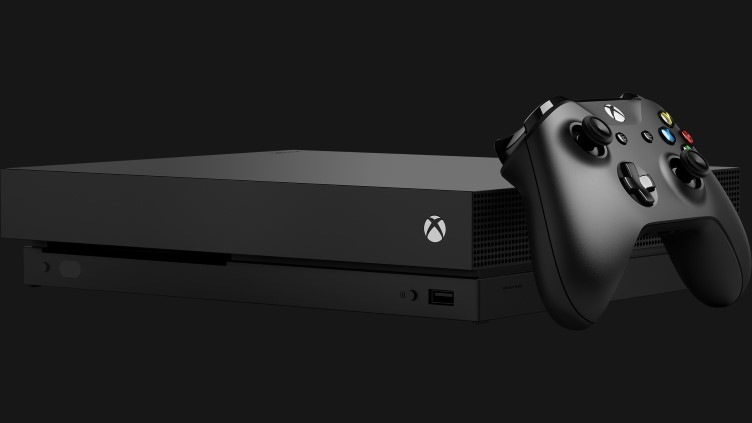
    A new report from Windows Central has shown a screenshot of options for voice assistants in Xbox One. While the system already has support through the (now shuttered) Kinect service via Cortana, the Windows Central report goes beyond Microsoft’s proprietary AI. The report indicates Google Assistant and Alexa would both be supported in addition to Microsoft’s own assistant. 

    Smart Speaker Integration 

    Smart speakers are sort of taking over the world right now, so it makes sense that Microsoft would focus on this technology. The Xbox One has always been marketed as a home entertainment system first, with TV and music being huge for the system. Having the system connect to your Smart Home network is a no-brainer for Microsoft.  

    Xbox Voice Gaming Potential 

    Additional inputs aren’t a bad thing, and Xbox is known for unconventional inputs. The aforementioned Kinect service serves as evidence of this. Voice and gesture commands were once a hallmark of the Xbox family of games but fell out of favor as the company refocused on core games. However, the surge in popularity of voice assistants could signal another push by Microsoft to reenter the Kinect space. “Alexa, start Halo on my Xbox,” is one thing. But “Alexa, help me find nearby save points,” could bring a new layer of depth to certain games.  

    Heck, Microsoft could even be cute and play favorites with Cortana funcitonality in Halo. As fans know, Cortana is actually an AI character in the famed sci-fi series. Talking to her directly in game via a smart speaker could bring another layer of immersion to the experience. “Cortana, where are the enemies?” “Cortana, show me the way out of here,” you can imagine the possibilities.  

    Considerations for Xbox Owners 

    There is nothing more frustrating than buying a cool new piece of tech only to find out it isn’t compatible with your set-up. If you’re an Xbox owner thinking about getting a smart speaker, it may be wise to hold off until Microsoft announces more. We aren’t sure as of yet which services and speakers will be compatible. For the moment, hold tight and see what unfolds.